
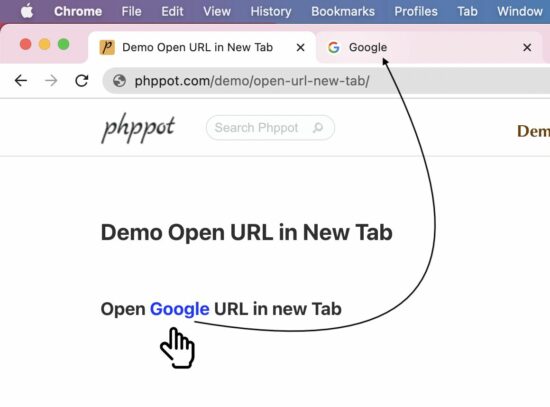
Web pages contain external links that open URLs in a new tab. For example, Wikipedia articles show links to open the reference sites in a new tab. This is absolutely for beginners.
There are three ways to open a URL in a new tab.
- HTML anchor tags with target=_blank attribute.
- JavaScript window.open() to set hyperlink and target.
- JavaScript code to create HTML link element.
HTML anchor tags with target=_blank attribute
This is an HTML basic that you are familiar with. I added the HTML with the required attributes since the upcoming JavaScript example works with this base.
<a href="https://www.phppot.com" target="_blank">Go to Phppot</a>
Scenarios of opening URL via JavaScript.
When we need to open a URL on an event basis, it has to be done via JavaScript at run time. For example,
- Show the PDF in a new tab after clicking generate PDF link. We have already seen how to generate PDFs using JavaScript.
- Show product page from the gallery via Javascript to keep track of the shopping history.
The below two sections have code to learn how to achieve opening URLs in a new tab using JavaScript.
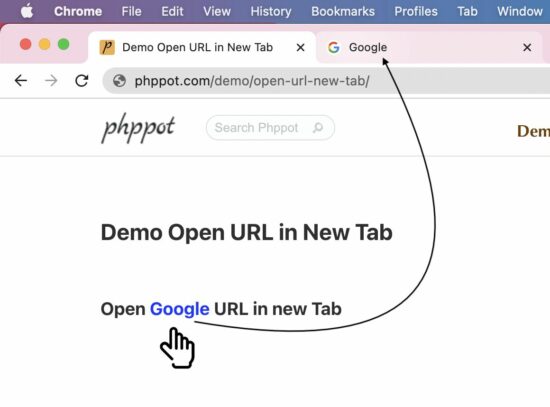
JavaScript window.open() to set hyperlink and target
This JavaScript one-line code sets the link to open the window.open method. The second parameter is to set the target to open the linked URL in a new tab.
window.open('https://www.phppot.com', '_blank').focus();
The above line makes opening a URL and focuses the newly opened tab.
JavaScript code to create HTML link element.
This method follows the below steps to open a URL in a new tab via JavaScript.
- Create an anchor tag (<a>) by using the createElement() function.
- Sets the href and the target properties with the reference of the link object instantiated in step 1.
- Trigger the click event of the link element dynamically created via JS.
var url = "https://www.phppot.com";
var link = document.createElement("a");
link.href = url;
link.target = "_blank";
link.click();
Browsers support: Most modern browsers support the window.open() JavaScript method.
Share this page