Posted on Leave a comment

visionOS SDK now available

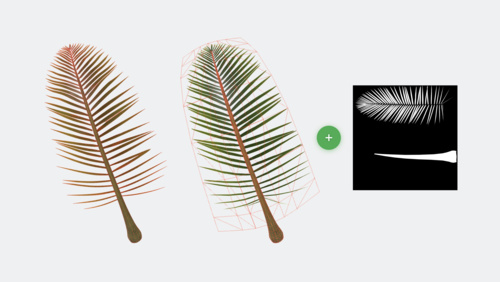
You can now start creating cutting-edge spatial computing apps for the infinite canvas of Apple Vision Pro. Download Xcode 15 beta 2, which includes the visionOS SDK and Reality Composer Pro (a new tool that makes it easy to preview and prepare 3D content for visionOS). Add a visionOS target to your existing project or build an entirely new app, then iterate on your app in Xcode Previews. You can interact with your app in the all-new visionOS simulator, explore various room layouts and lighting conditions, and create tests and visualizations. New documentation and sample code are also available to help you through the development process.

Download Xcode 15 beta 2

Learn about developing for visionOS

Posted on Leave a comment

Spotlight on: Developer tools for visionOS

With the visionOS SDK, developers worldwide can begin designing, building, and testing apps for Apple Vision Pro.

For Ryan McLeod, creator of iOS puzzle game Blackbox, the SDK brought both excitement and a little nervousness. “I didn’t expect I’d ever make apps for a platform like this — I’d never even worked in 3D!” he says. “But once you open Xcode you’re like: Right. This is just Xcode. There are a lot of new things to learn, of course, but the stuff I came in knowing, the frameworks — there’s very little change. A few tweaks and all that stuff just works.”

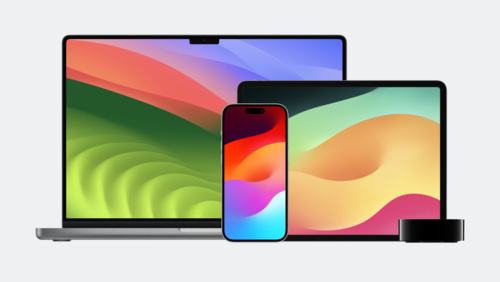
visionOS is designed to help you create spatial computing apps and offers many of the same frameworks found on other Apple platforms, including SwiftUI, UIKit, RealityKit, and ARKit. As a result, most developers with an iPadOS or iOS app can start working with the platform immediately by adding the visionOS destination to their existing project.

“It was great to be able to use the same familiar tools and frameworks that we have been using for the past decade developing for iOS, iPadOS, macOS, and watchOS,” says Karim Morsy, CEO and co-founder of Algoriddim. “It allowed us to get our existing iPad UI for djay running within hours.”

Even for developers brand new to Apple platforms, the onboarding experience was similarly smooth. “This was my first time using a Mac to work,” says Xavi H. Oromí, chief engineering officer at XRHealth. “At the beginning, of course, a new tool like Xcode takes time to learn. But after a few days of getting used to it, I didn’t miss anything from other tools I’d used in the past.”

In addition to support for visionOS, the Xcode 15 beta also provides Xcode Previews for visionOS and a brand new Simulator, so that people can start exploring their ideas immediately. “Transitioning between ideas, using the Simulator to test them, it was totally organic,” says Oromí. “It’s a great tool for prototyping.”

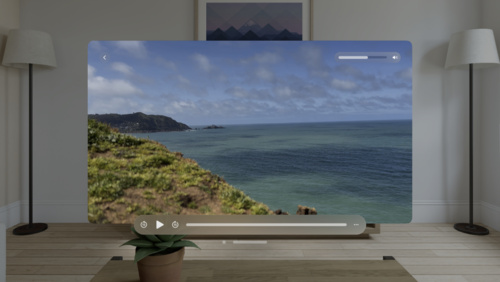
In the visionOS simulator, developers can preview apps and interactions on Vision Pro. This includes running existing iPad and iPhone apps as well as projects that target the visionOS SDK. To simulate eye movement while in an app, you can use your cursor to focus an element, and a click to indicate a tap gesture. In addition to testing appearance and interactions, you can also explore how apps perform in different background and lighting scenarios using Simulated Scenes. “It worked out of the box,” says Zac Duff, CEO and co-founder of JigSpace. “You could trust what you were seeing in there was representative of what what you would see on device.”

The SDK also includes a new development tool — Reality Composer Pro — which lets you preview and prepare 3D content for your visionOS apps and games. You can import and organize assets, add materials and particle effects, and bring them right back into Xcode with thanks to tight build integration. “Being able to quickly test things in Reality Composer Pro and then get it up and running in the simulator meant that we were iterating quickly,” says Duff. “The feedback loop for developing was just really, really short.”

McLeod had little experience with 3D modeling and shaders prior to developing for visionOS, but breaking Blackbox out of its window required thinking in a new dimension. To get started, McLeod used Reality Composer Pro to develop the almost-ethereal 3D bubbles that make up Blackbox’s main puzzle screen. “You can take a basic shape like a sphere and give it a good shader and make sure that it’s moving in a believable way,” says McLeod. “That goes incredibly far.”

The visionOS SDK also brings new Instruments like RealityKit Trace to developers to help them optimize the performance of their spatial computing apps. As a newcomer to using RealityKit in his apps, McLeod notes that he was “really timid” with the rendering system at first. “Anything that’s running every single frame, you’re thinking, ‘I can’t be checking this, and animating that, and spawning things. I’m going to have performance issues!’” he laughs. “I was pretty amazed at what the system could handle. But I definitely still have performance gains to be made.”

For developers like Caelin Jackson-King, an iOS software engineer for Splunk’s augmented reality team, the SDK also prompted great team discussions about updating their existing codebase. “It was a really good opportunity to redesign and refactor our app from the bottom up to have a much cleaner architecture that supported both iOS and visionOS,” says Jackson-King.

The JigSpace team had similar discussions as they brought more RealityKit and SwiftUI into their visionOS experience. “Once we got comfortable with the system, it was like a paradigm shift,” says Duff. “Rather than going, ‘OK, how do we do this thing?’, we could be more like, ‘What do we want to do next?’ Because we now have command of the tools.”

You can explore those tools now on developer.apple.com along with extensive technical documentation and sample code, design kits and tools for visionOS, and updates to the Human Interface Guidelines.

Download the visionOS SDK

Learn more about developing for visionOS

Prepare your apps for visionOS

Explore sessions about visionOS

Posted on Leave a comment

WWDC23 highlights

Looking to explore all the big updates from an incredible week of sessions? Start with this collection of essential videos across every topic. And as always, you can watch the full set of sessions any time.

Spatial Computing

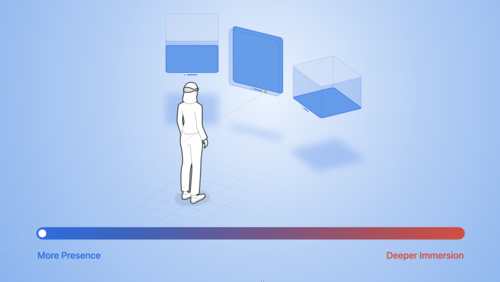
Principles of spatial design

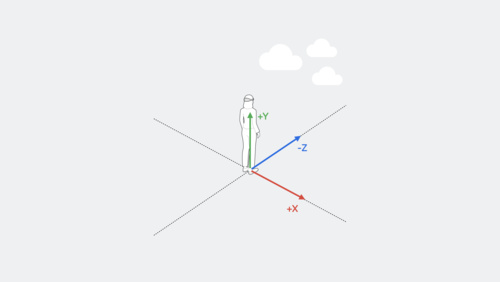
Discover the fundamentals of spatial design. Learn how to design with depth, scale, windows, and immersion, and apply best practices for creating comfortable, human-centered experiences that transform reality. Find out how you can use these spatial design principles to extend your existing app or…

Watch now

Meet SwiftUI for spatial computing

Take a tour of the solar system with us and explore SwiftUI for visionOS! Discover how you can build an entirely new universe of apps with windows, volumes, and spaces. We’ll show you how to get started with SwiftUI on this platform as we build an astronomy app, add 3D content, and create a fully…

Watch now

Meet UIKit for spatial computing

Learn how to bring your UIKit app to visionOS. We’ll show you how to build for a new destination, explore APIs and best practices for spatial computing, and take your content into the third dimension when you use SwiftUI with UIKit in visionOS.

Watch now

Design for spatial user interfaces

Learn how to design great interfaces for spatial computing apps. We’ll share how your existing screen-based knowledge easily translates into creating great experiences for visionOS. Explore guidelines for UI components, materials, and typography and find out how you can design experiences that…

Watch now

Get started with building apps for spatial computing

Get ready to develop apps and games for visionOS! Discover the fundamental building blocks that make up spatial computing — windows, volumes, and spaces — and find out how you can use these elements to build engaging and immersive experiences.

Watch now

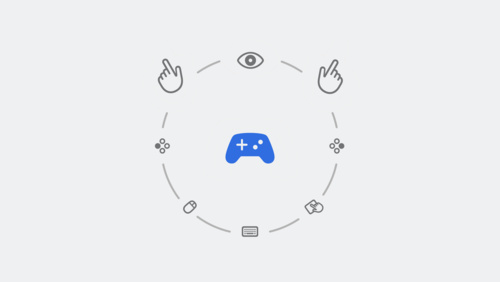
Build great games for spatial computing

Find out how you can develop great gaming experiences for visionOS. We’ll share some of the key building blocks that help you create games for this platform, explore how your experiences can fluidly move between levels of immersion, and provide a roadmap for exploring ARKit, RealityKit, Reality…

Watch now

Develop your first immersive app

Find out how you can build immersive apps for visionOS using Xcode and Reality Composer Pro. We’ll show you how to get started with a new visionOS project, use Xcode Previews for your SwiftUI development, and take advantage of RealityKit and RealityView to render 3D content.

Watch now

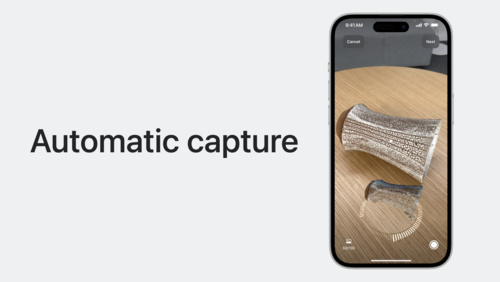
Meet Object Capture for iOS

Discover how you can offer an end-to-end Object Capture experience directly in your iOS apps to help people turn their objects into ready-to-use 3D models. Learn how you can create a fully automated Object Capture scan flow with our sample app and how you can assist people in automatically…

Watch now

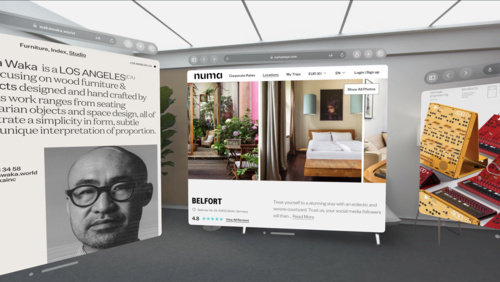
Meet Safari for spatial computing

Discover the web for visionOS and learn how people can experience your web content in a whole new way. Explore the unique input model powering this platform and learn how you can optimize your website for spatial computing. We’ll also share how emerging standards are helping shape 3D experiences…

Watch now

Developer Tools

What’s new in Xcode 15

Discover the latest productivity and performance improvements in Xcode 15. Explore enhancements to code completion and Xcode Previews, learn about the test navigator and test report, and find out more about the streamlined distribution process. We’ll also highlight improved navigation, source…

Watch now

Swift

What’s new in Swift

Join us for an update on Swift. We’ll show you how APIs are becoming more extensible and expressive with features like parameter packs and macros. We’ll also take you through improvements to interoperability and share how we’re expanding Swift’s performance and safety benefits everywhere…

Watch now

Meet SwiftData

SwiftData is a powerful and expressive persistence framework built for Swift. We’ll show you how you can model your data directly from Swift code, use SwiftData to work with your models, and integrate with SwiftUI.

Watch now

SwiftUI & UI Frameworks

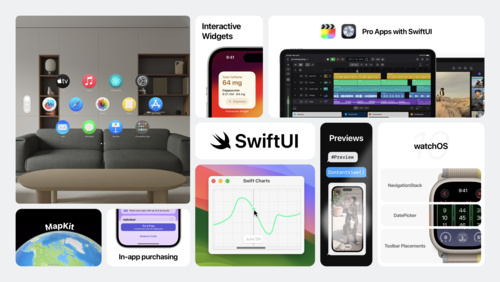
What’s new in SwiftUI

Learn how you can use SwiftUI to build great apps for all Apple platforms. Explore the latest updates to SwiftUI and discover new scene types for visionOS. Simplify your data models with the latest data flow options and learn about the Inspector view. We’ll also take you through enhanced…

Watch now

What’s new in UIKit

Explore enhancements and updates to UIKit and learn how to build better iOS, iPadOS, and Mac Catalyst apps. We’ll show you the latest features and improvements in UIKit and share API refinements, performance improvements, and much more.

Watch now

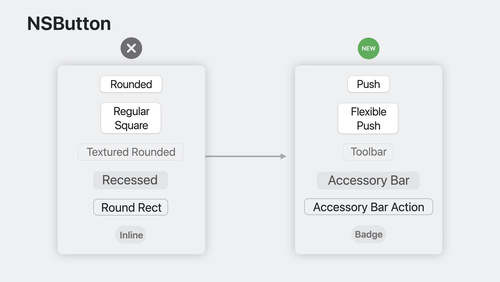
What’s new in AppKit

Discover the latest advances in Mac app development. We’ll share improvements to controls and menus and explore the tools that can help you break free from your (view) bounds. Learn how to add motion to your user interface, take advantage of improvements to text input, and integrate your existing…

Watch now

Design

What’s new in SF Symbols 5

Explore the latest updates to SF Symbols, Apple’s library of iconography designed to integrate seamlessly with San Francisco, the system font for Apple platforms. Learn about symbol animations: a collection of expressive, configurable animations that can make your interface feel more lively and…

Watch now

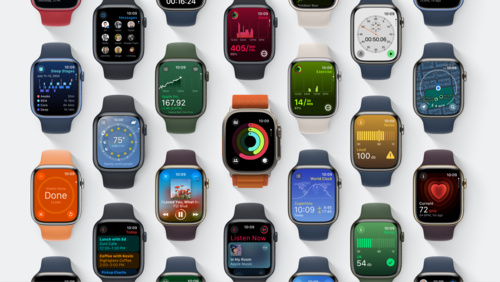
Meet watchOS 10

Discover some of the most significant changes to Apple Watch since its introduction as we tour the redesigned user interface and the new Smart Stack. Learn how Apple designers approached the design of watchOS 10 as we explore layout, navigation, and visual style, and find out how you can apply them…

Watch now

Design dynamic Live Activities

Live Activities allow your app to display live information in key system locations on iOS and iPadOS. Learn the best way to create graphically rich layouts that update seamlessly on the Lock Screen, in StandBy, and in the Dynamic Island. Incorporate interactivity and animation to help people stay…

Watch now

Graphics & Games

Bring your game to Mac, Part 1: Make a game plan

Bring modern, high-end games to Mac and iPad with the powerful features of Metal and Apple silicon. Discover the game porting toolkit and learn how it can help you evaluate your existing Windows game for graphics feature compatibility and performance. We’ll share best practices and technical…

Watch now

Your guide to Metal ray tracing

Discover how you can enhance the visual quality of your games and apps with Metal ray tracing. We’ll take you through the fundamentals of the Metal ray tracing API. Explore the latest enhancements and techniques that will enable you to create larger and more complex scenes, reduce memory usage…

Watch now

App Store Distribution & Marketing

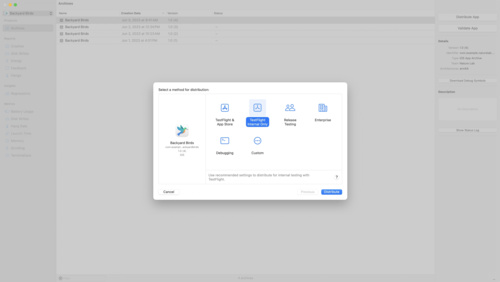
What’s new in App Store Connect

Discover the latest updates to App Store Connect, the suite of tools used to manage and submit apps to the App Store. Explore how you can use the latest features to test, price, promote, and automate the management of your app more easily. We’ll also share enhancements to tools like TestFlight…

Watch now

Explore App Store Connect for spatial computing

App Store Connect provides the tools you need to test, submit, and manage your visionOS apps on the App Store. Explore basics and best practices for deploying your first spatial computing app, adding support for visionOS to an existing app, and managing compatibility. We’ll also show you how…

Watch now

ML & Vision

Discover machine learning enhancements in Create ML

Find out how Create ML can help you do even more with machine learning models. Learn about the latest updates to image understanding and text-based tasks with multilingual BERT embeddings. Discover how easy it is to train models that can understand the content of images using multi-label…

Watch now

Lift subjects from images in your app

Discover how you can easily pull the subject of an image from its background in your apps. Learn how to lift the primary subject or to access the subject at a given point with VisionKit. We’ll also share how you can lift subjects using Vision and combine that with lower-level frameworks like Core…

Watch now

Privacy & Security

What’s new in privacy

At Apple, we believe that privacy is a fundamental human right. Learn about new technologies on Apple platforms that make it easier for you to implement essential privacy patterns that build customer trust in your app. Discover privacy improvements for Apple’s platforms, as well as a study of how…

Watch now

App Services

What’s new in Core Motion

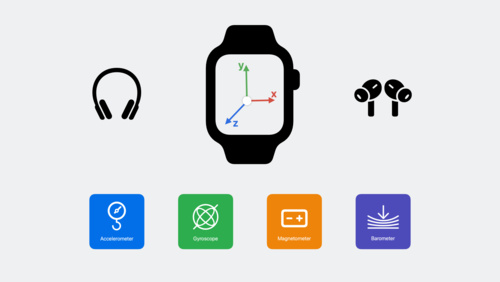
Learn how you can use the latest Core Motion updates to expand how your app uses motion data. Discover how to stream higher-frequency sensor data when recording a HealthKit workout on Apple Watch. We’ll show you how you can get submersion data — including water depth and temperature — during…

Watch now

What’s new in Wallet and Apple Pay

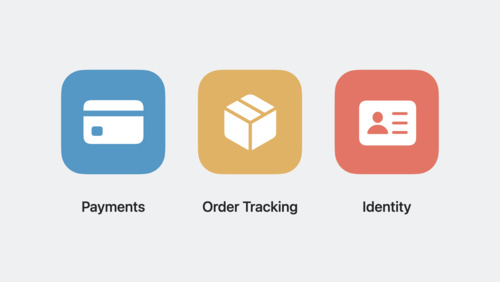
Discover the latest updates to Wallet and Apple Pay. Learn how to take advantage of preauthorized payments, funds transfer, and Apple Pay Later merchandising to create great Apple Pay experiences in your app or for the web. Explore improved support for Mail, Messages, Safari, and third-party apps…

Watch now

Meet StoreKit for SwiftUI

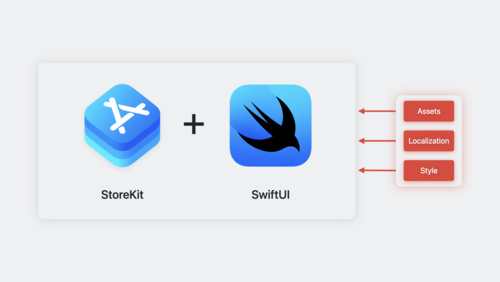
Discover how you can use App Store product metadata and Xcode Previews to add in-app purchases to your app with just a few lines of code. Explore a new collection of UI components in StoreKit and learn how you can easily merchandise your products, present subscriptions in a way that helps users…

Watch now

Meet MapKit for SwiftUI

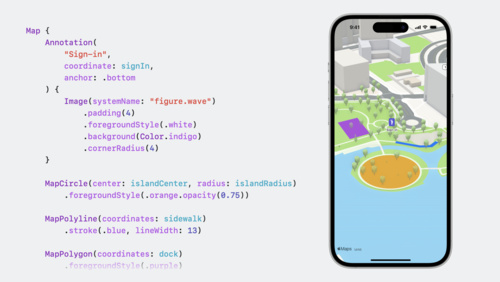
Discover how expanded SwiftUI support for MapKit has made it easier than ever for you to integrate Maps into your app. We’ll show you how to use SwiftUI to add annotations and overlays to a map, control the camera, and more.

Watch now

Safari & Web

What’s new in Safari extensions

Learn about the latest improvements to Safari extensions. We’ll take you through new APIs, explore per-site permissions for Safari app extensions, and share how you can make sure your extensions work great in both Private Browsing and Profiles.

Watch now

What’s new in web apps

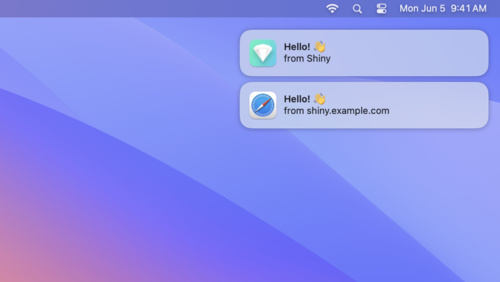
Discover web apps for Mac — a powerful way to experience your website from the Dock. Learn how you can customize your web app to give people the best experience when they add your site. We’ll also share how to take advantage of push notifications and badging for web apps for Mac and Home Screen…

Watch now

Explore media formats for the web

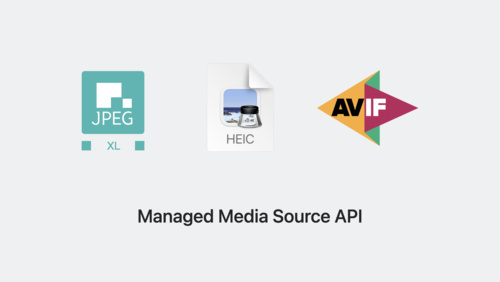
Learn about the latest image formats and video technologies supported in Safari 17. Discover how you can use JPEG XL, AVIF, and HEIC in your websites and experiences and learn how they differ from previous formats. We’ll also show you how the Managed Media Source API draws less power than Media…

Watch now

Accessibility & Inclusion

Build accessible apps with SwiftUI and UIKit

Discover how advancements in UI frameworks make it easier to build rich, accessible experiences. Find out how technologies like VoiceOver can better interact with your app’s interface through accessibility traits and actions. We’ll share the latest updates to SwiftUI that help you refine your…

Watch now

Perform accessibility audits for your app

Discover how you can test your app for accessibility with every build. Learn how to perform automated audits for accessibility using XCTest and find out how to interpret the results. We’ll also share enhancements to the accessibility API that can help you improve UI test coverage.

Watch now

Photos & Camera

Discover Continuity Camera for tvOS

Discover how you can bring AVFoundation, AVFAudio, and AudioToolbox to your apps on tvOS and create camera and microphone experiences for the living room. Find out how to support tvOS in your existing iOS camera experience with the Device Discovery API, build apps that use iPhone as a webcam or…

Watch now

Create a more responsive camera experience

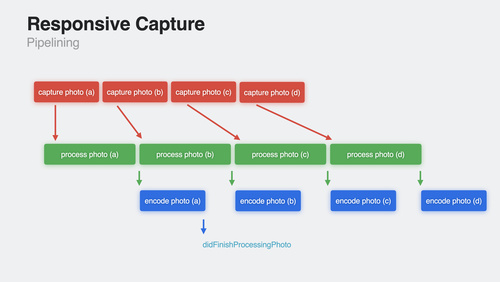
Discover how AVCapture and PhotoKit can help you create more responsive and delightful apps. Learn about the camera capture process and find out how deferred photo processing can help create the best quality photo. We’ll show you how zero shutter lag uses time travel to capture the perfect action…

Watch now

Audio & Video

What’s new in voice processing

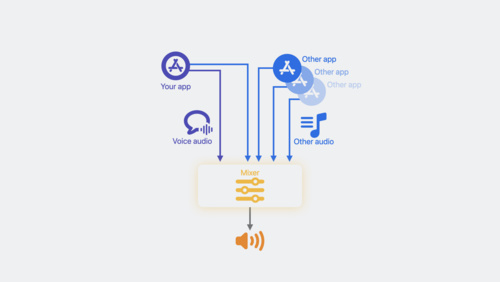
Learn how to use the Apple voice processing APIs to achieve the best possible audio experience in your VoIP apps. We’ll show you how to detect when someone is talking while muted, adjust ducking behavior of other audio, and more.

Watch now

Add SharePlay to your app

Discover how your app can take advantage of SharePlay to turn any activity into a shareable experience with friends! We’ll share the latest updates to SharePlay, explore the benefits of creating shared activities, dive into some exciting use cases, and take you through best practices to create…

Watch now

System Services

What’s new in Core Data

Elevate your app’s data persistence with improvements in Core Data. Learn how you can use composite attributes to create more intuitive data models. We’ll also show you how to migrate your schema through disruptive changes, when to defer intense migrations, and how to avoid overhead on a…

Watch now

Business & Education

Meet device management for Apple Watch

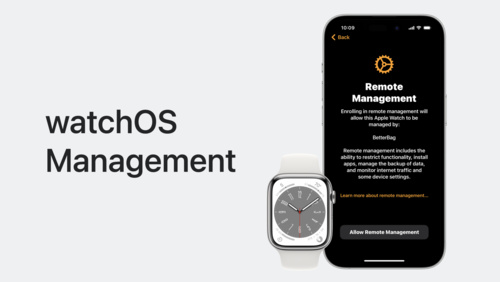
Organizations can now deploy and configure Apple Watch in addition to other Apple devices. Learn how to implement device management for watchOS to help organizations improve productivity, support wellness, and provide additional support for their employees.

Watch now

Explore advances in declarative device management

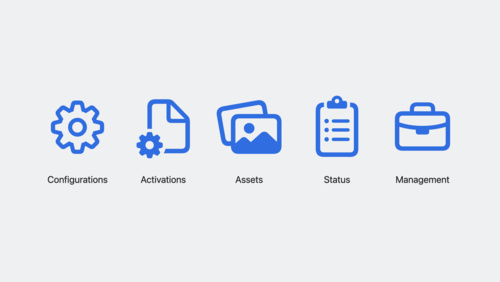
Learn how you can help IT administrators get the tools they need to manage their organization’s devices. Discover the latest changes to declarative device management, including software update management, additional asset types, status reporting for FileVault, and more.

Watch now

What’s new in managing Apple devices

Learn about the latest management capabilities for iOS, iPadOS, and macOS. Discover how you can streamline the setup experience with enhancements to automated device enrollment and a new return-to-service option for iOS and iPadOS devices. We’ll share how to use your identity provider in even…

Watch now

Health & Fitness

Build custom workouts with WorkoutKit

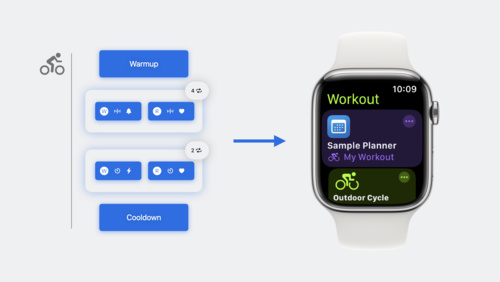
WorkoutKit makes it easy to create, preview, and schedule planned workouts for the Workout app on Apple Watch. Learn how to build custom intervals, create alerts, and use the built-in preview UI to send your own workout routines to Apple Watch.

Watch now

Build a multi-device workout app

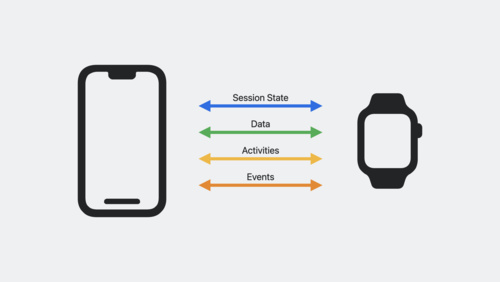
Learn how you can get iPhone involved in your Apple Watch-based workout apps with HealthKit. We’ll show you how to mirror workouts between devices and take a ride with cycling data types. Plus, get to know HealthKit for iPad.

Watch now

Posted on Leave a comment

Friday @ WWDC23

The final day of WWDC is upon us — but before we power down, here’s a look at some of the activities and sessions available today.

Get ready for day five

We’ve saved some of the best for last. Pop into Slack to learn more about Metal, meet some super SwiftUI presenters, and explore spatial computing.

Q&A: Games for visionOS

Ask Apple engineers about the latest tools, technologies, and frameworks during this 1 hour text-based Q&A. We would love to brainstorm, answer questions, and meet folks that are excited to build games for Vision Pro.

View now

Q&A: Bring your ARKit app to visionOS

Ask Apple engineers about bringing your existing ARKit app on iOS or iPadOS to visionOS during this hour long text-based Q&A. Stop in to request guidance on a code-level question, ask for clarifications, or learn from others.

View now

Q&A: SwiftUI for visionOS

Ask Apple engineers about the latest tools, technologies, and frameworks during this 1 hour text-based Q&A. Stop in to request guidance on a code-level question, ask for clarifications, or learn from others.

View now

Q&A: Spatial design

Join the Apple Design team in this 1 hour text-based Q&A on spatial design. Bring your questions about UI and UX best practices for creating a great experience on visionOS.

View now

Q&A: Metal

Ask Apple Metal engineers about the latest tools, techniques, and technologies during this 1 hour text-based Q&A. Stop in to request guidance on a code-level question, ask for clarifications, or learn from others.

View now

Meet the presenters: Design with SwiftUI

Meet the presenters of “Design with SwiftUI” and join a text-based watch party followed by a short Q&A. The watch party begins 5 minutes after the start of this activity — so don’t be late!

View now

In today’s new sessions, you can learn to animate with springs, explore Core Motion, and get a taste of the SwiftUI cookbook for focus.

Animate with springs

Discover how you can bring life to your app with animation! We’ll show you how to create amazing animations when you take advantage of springs and help you learn how to use them in your app.

Watch now

What’s new in Core Motion

Learn how you can use the latest Core Motion updates to expand how your app uses motion data. Discover how to stream higher-frequency sensor data when recording a HealthKit workout on Apple Watch. We’ll show you how you can get submersion data — including water depth and temperature — during…

Watch now

The SwiftUI cookbook for focus

The SwiftUI team is back in the coding “kitchen” with powerful tools to shape your app’s focus experience. Join us and learn about the staple ingredients that support focus-driven interactions in your app. Discover focus interactions for custom views, find out about key-press handlers for…

Watch now

Elevate your windowed app for spatial computing

Discover how you can bring your multiplatform SwiftUI app to visionOS and the Shared Space. We’ll show you how to add the visionOS destination to an existing app and view your app in the Simulator. Explore how your SwiftUI code automatically adapts to support the unique context and presentation…

Watch now

It’s your last chance to take part in Dev Tools Trivia Time! Plus, make new friends at the Friday icebreaker.

Dev Tools Trivia Time

Trivia Night returns to the Developer Tools channel! Test your trivia knowledge with multiple-choice questions on WWDC23 sessions, tools, frameworks, and Apple history.

View now

Immersive icebreaker

In this lightning-round icebreaker, chat with Apple engineers who work on visionOS and the developer community to share ideas, discuss favorite sessions, and get to know each other.

View now

Check out podcasts from WWDC

Catch up on the week with podcasts from developers and developer advocates, recorded at Apple Park.

Apple Bitz XL

Connected

The Vergecast

Waveform

Send us your feedback

We’d love to know what you liked about WWDC23 — and how we can do even better. Send in your feedback about this year’s conference.

Take the WWDC23 survey

And that’s a wrap!

Thanks for being part of another incredible WWDC. It’s been a fantastic week of meeting and celebrating, connecting online through labs and activities, and exploring all the new sessions. We appreciate the opportunity to share all of this with you.

Posted on Leave a comment

Meet three winners of the 2023 Swift Student Challenge

Every year, the Swift Student Challenge recognizes students all over the world who’ve created remarkable app playgrounds.

The 2023 edition drew submissions from more than 30 countries and regions, and covered topics as varied as healthcare, sports, entertainment, and the environment. And while the submissions were diverse, their creators had a common goal: To share their passions with the world through coding.

Coding gives me the freedom to feel like an artist — my canvas is the code editor, and my brush is the keyboard.

Yemi Agesin, 2023 Swift Student Challenge winner

This year, Apple increased the number of winners from 350 to 375 to recognize even more students for their artistry and ingenuity — and we’re proud to introduce three of them. Meet first-time Swift Student Challenge winners Asmi Jain, Yemi Agesin, and Marta Michelle Caliendo.

Read the full story on Apple Newsroom

Posted on Leave a comment

Thursday @ WWDC23

Day four is here — and a fresh round of sessions, labs, and activities await.

Get started with labs and sessions

Curious about the difference between the Shared Space and a Full Space in visionOS? Want to learn more about Observable? There’s a Q&A for that. Kick off another full day by chatting with engineers and designers about SwiftUI, Xcode, and all things spatial.

Q&A: SwiftUI for visionOS

Ask Apple engineers about the latest tools, technologies, and frameworks during this 1 hour text-based Q&A. Stop in to request guidance on a code-level question, ask for clarifications, or learn from others.

View now

Q&A: Build UIKit apps for visionOS

Ask Apple engineers about building UIKit for visionOS during this text-based Q&A. Stop in to request guidance on a code-level question, ask for clarifications, or learn from others.

View now

Q&A: Bring your ARKit app to visionOS

Ask Apple engineers about bringing your existing ARKit app on iOS or iPadOS to visionOS during this hour long text-based Q&A. Stop in to request guidance on a code-level question, ask for clarifications, or learn from others.

View now

Q&A: SwiftUI

Ask Apple engineers about the latest tools, technologies, and frameworks during this 2 hour text-based Q&A. Stop in to request guidance on a code-level question, ask for clarifications, or learn from others.

View now

Q&A: Xcode

Ask Apple engineers about the latest tools, technologies, and frameworks during this 2 hour text-based Q&A. Stop in to request guidance on a code-level question, ask for clarifications, or learn from others.

View now

We’ve got incredible new sessions on Live Activities, Metal, spatial experiences, and more.

Design dynamic Live Activities

Live Activities allow your app to display live information in key system locations on iOS and iPadOS. Learn the best way to create graphically rich layouts that update seamlessly on the Lock Screen, in StandBy, and in the Dynamic Island. Incorporate interactivity and animation to help people stay…

Watch now

Optimize GPU renderers with Metal

Discover how to optimize your GPU renderer using the latest Metal features and best practices. We’ll show you how to use function specialization and parallel shader compilation to maintain responsive authoring workflows and the fastest rendering speeds, and help you tune your compute shaders for…

Watch now

Explore rendering for spatial computing

Find out how you can take control of RealityKit rendering to improve the look and feel of your apps and games on visionOS. Discover how you can customize lighting, add grounding shadows, and control tone mapping for your content. We’ll also go over best practices for two key treatments on the…

Watch now

Create a great spatial playback experience

Get ready to support video in your visionOS app! Take a tour of the frameworks and APIs that power video playback and learn how you can update your app to play 3D content. We’ll also share tips for customizing playback to create a more immersive watching experience.

Watch now

And there are even more exciting activities happening today, including an informal icebreaker and another fierce round of Dev Tools Trivia Time.

Immersive icebreaker

In this lightning-round icebreaker, chat with Apple engineers who work on visionOS and the developer community to share ideas, discuss favorite sessions, and get to know each other.

View now

Dev Tools Trivia Time

Trivia Night returns to the Developer Tools channel! Test your trivia knowledge with multiple-choice questions on WWDC23 sessions, tools, frameworks, and Apple history.

View now

If you haven’t signed up for a one-on-one lab this week, time is running out! Today is your last day to request an appointment for Friday. To make a request, visit the WWDC tab in the Apple Developer app or go to the WWDC labs webpage. App Store labs are also available in Chinese, Japanese, and Korean.

Learn more about labs at WWDC23

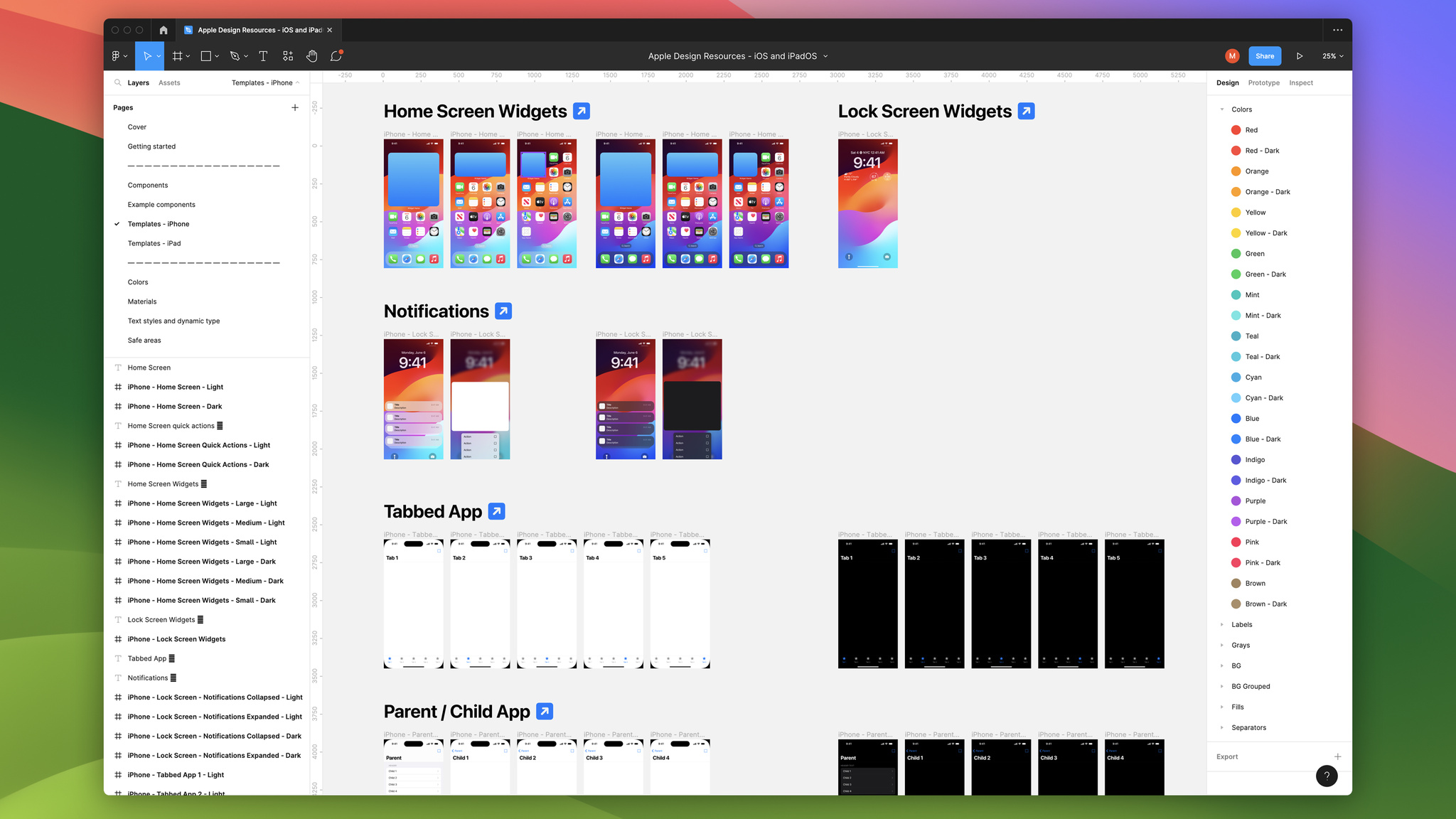
Download the new Figma design kit

Now, by popular demand, you can download an all-new iOS and iPadOS design kit for Figma.

Apple Design Resources – iOS 17 and iPadOS 17

Discover documentation and sample code

Browse new and updated documentation and sample code to learn about the latest technologies, frameworks, and APIs introduced at WWDC23. You’ll find new ways to enhance your apps targeting the latest platform releases.

Apple Developer Documentation

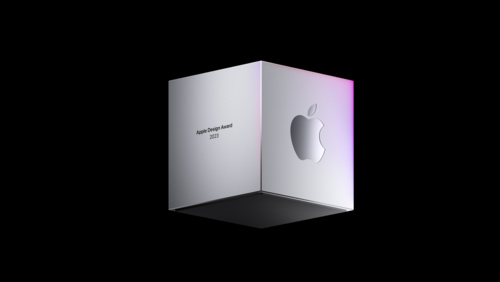
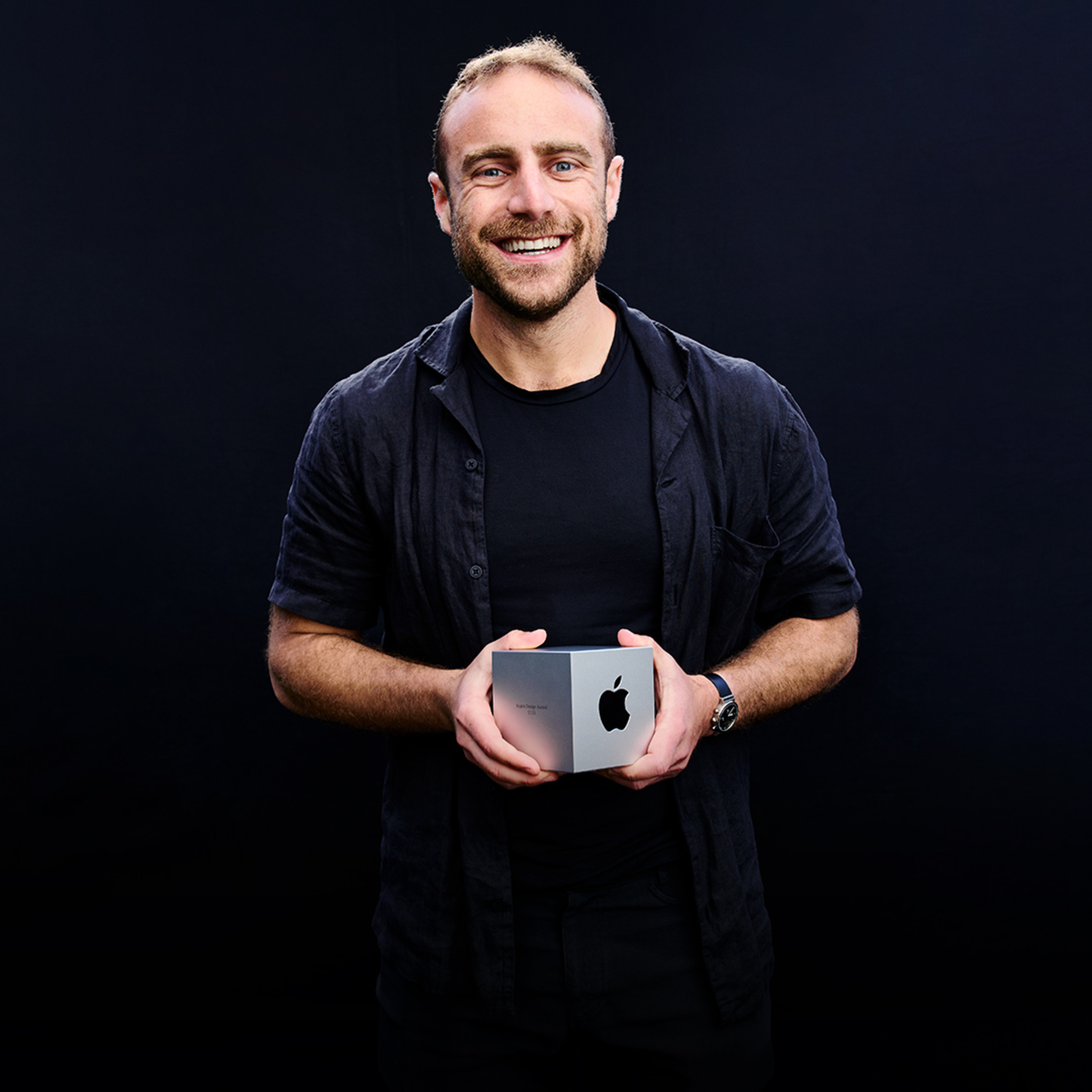
Browse portraits of the 2023 Apple Design Award winners

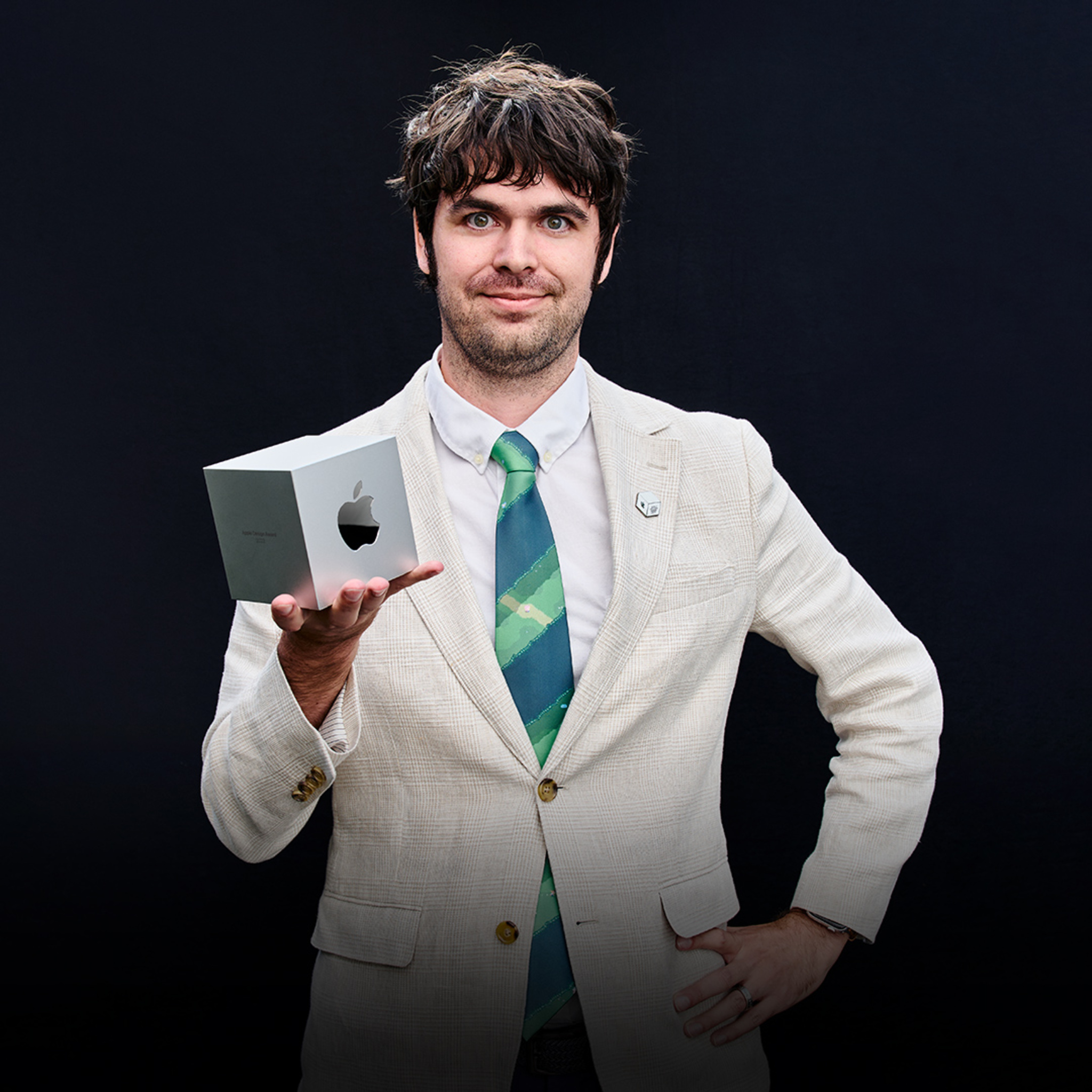
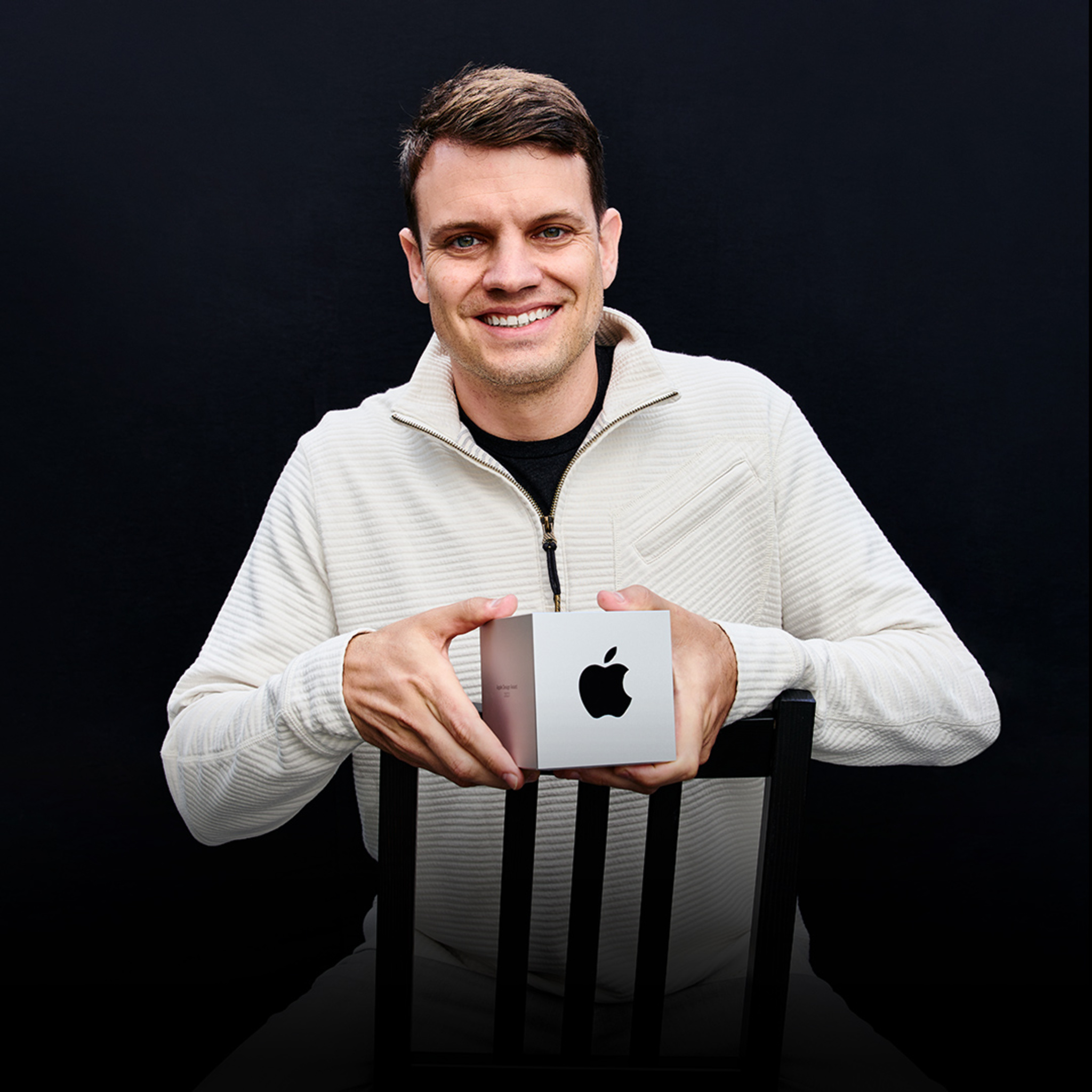
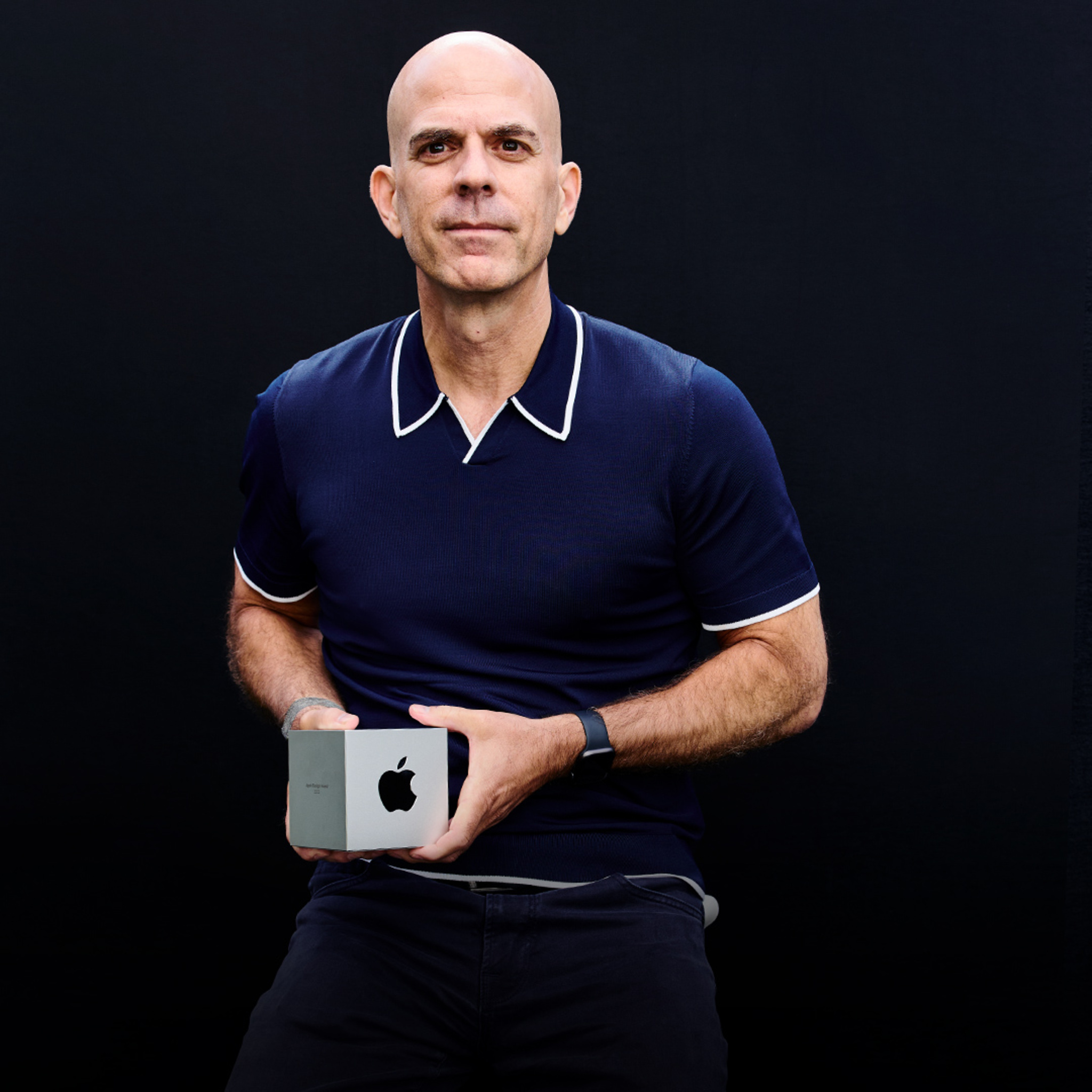
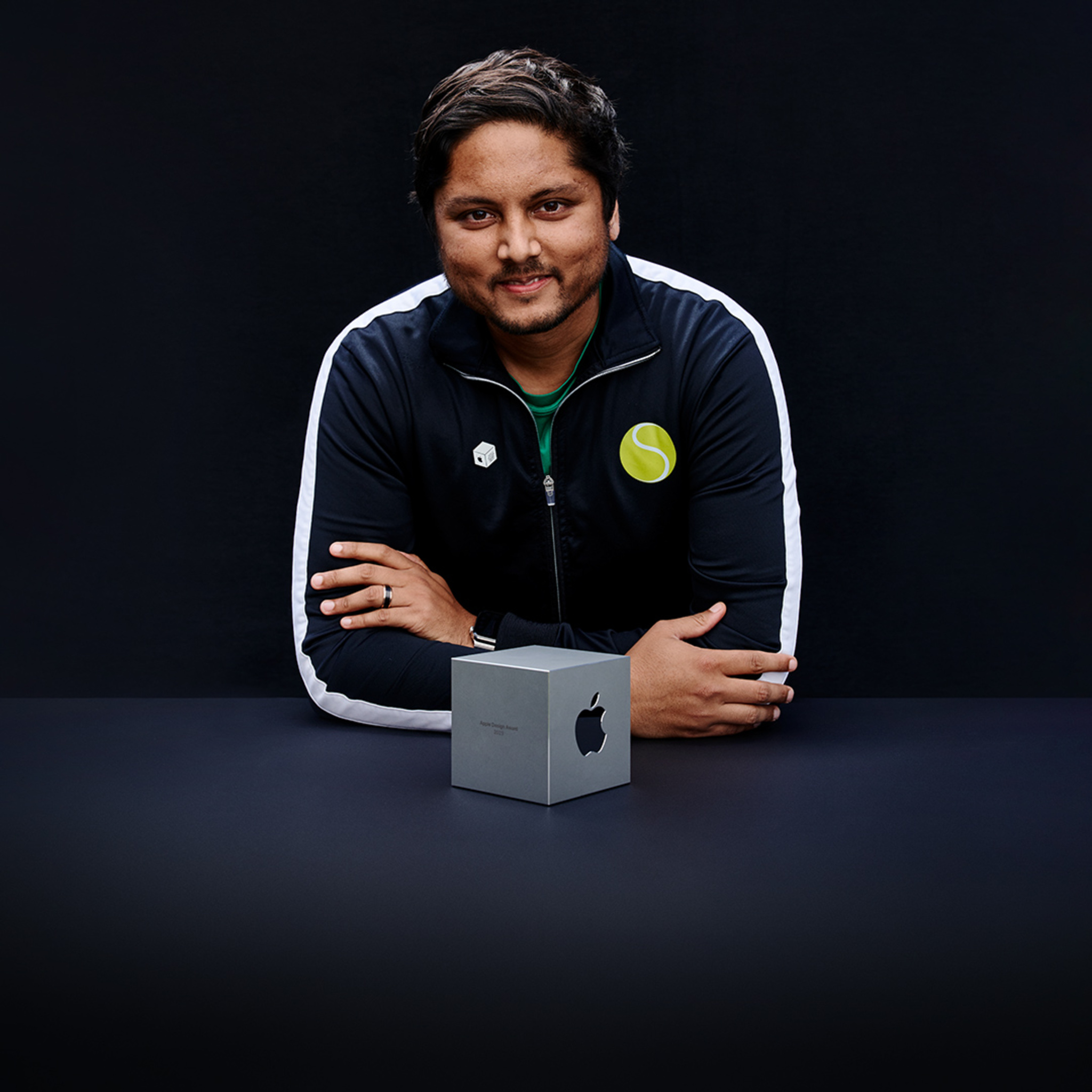
We snapped some great portraits of our Apple Design Award-winning developers at Monday’s ceremony. Take a look at all 12 below, and then dive deeper into the stories of their apps through our Behind the Design series.

Behind the Design: 2023 Apple Design Awards

Meet 12 incredible teams from around the world and learn how they brought their winning ideas to life.

View now

Evan Kice, *Afterplace*

Evan Kice, Afterplace

Luke Beard, *Any Distance*

Luke Beard, Any Distance

Bob Meese, *Duolingo*

Bob Meese, Duolingo

Philipp Nägelsbach, *Endling*

Philipp Nägelsbach, Endling

Ryan Jones, *Flighty*

Ryan Jones, Flighty

Jeff Birkeland, *Headspace*

Jeff Birkeland, Headspace

Ben Brode, *MARVEL SNAP*

Ben Brode, MARVEL SNAP

Luke Spierewka, *Railbound*

Luke Spierewka, Railbound

Tsuyoshi Kanda, *Resident Evil Village*

Tsuyoshi Kanda, Resident Evil Village

Jakob Lykkegaard, *stitch.*

Jakob Lykkegaard, stitch.

Swupnil Sahai, *SwingVision*

Swupnil Sahai, SwingVision

Joseph Cohen, *Universe*

Joseph Cohen, Universe

Have fun out there, and we’ll catch you tomorrow for the final day of WWDC!

Posted on Leave a comment

Wednesday @ WWDC23

Two days are in the books — and there’s so much more to come. Get ready for another big day at WWDC.

Dive into sessions and activities

Start off in Slack, where you can connect with Apple engineers and designers on spatial design, WidgetKit, machine learning, 3D content, and much more.

Q&A: Spatial design

Join the Apple Design team in this 1 hour text-based Q&A on spatial design. Bring your questions about UI and UX best practices for creating a great experience on visionOS.

View now

Q&A: WidgetKit

Ask Apple engineers about the latest tools, technologies, and frameworks during this 2 hour text-based Q&A. Stop in to request guidance on a code-level question, ask for clarifications, or learn from others.

View now

Q&A: Machine learning open forum

Join us for an open forum to discuss anything related to machine learning in your app during this 1 hour text-based Q&A. Topics include Core ML, Create ML, Vision, Natural Language, Speech, Sound Analysis, TensorFlow and PyTorch model conversion, model compression, and more. Stop in to request…

View now

Q&A: Create 3D content for Apple platforms

Ask Apple engineers about using Reality Composer Pro, Object Capture, Reality Converter, and leveraging the USD file format for your 3D content during this hour long text-based Q&A. Stop in to request guidance on a code-level question, ask for clarifications, or learn from others.

View now

We’ve also posted new sessions on topics like SwiftUI, widgets, SwiftData, and Xcode test reports.

Design with SwiftUI

Discover how SwiftUI can help you quickly iterate and explore design ideas. Learn from Apple designers as they share how working with SwiftUI influenced the design of the Maps app in watchOS 10 and other elements of their work, and find out how you can incorporate these workflows in your own…

Watch now

Bring widgets to life

Learn how to make animated and interactive widgets for your apps and games. We’ll show you how to tweak animations for entry transitions and add interactivity using SwiftUI Button and Toggle so that you can create powerful moments right from the Home Screen and Lock Screen.

Watch now

Build an app with SwiftData

Discover how SwiftData can help you persist data in your app. Code along with us as we bring SwiftData to a multi-platform SwiftUI app. Learn how to convert existing model classes into SwiftData models, set up the environment, reflect model layer changes in UI, and build document-based applications…

Watch now

Fix failures faster with Xcode test reports

Discover how you can find, debug, and fix test failures faster with the test report in Xcode and Xcode Cloud. Learn how Xcode identifies failure patterns to help you find the right place to start investigating. We’ll also show you how to use the UI automation explorer and video recordings to…

Watch now

Test your knowledge in Dev Tools Trivia Time, WWDC’s fiercest competition! And come hang out with the SwiftUI team and chat about sessions, meet other members of the community, and share tips and tricks.

Dev Tools Trivia Time

Trivia Night returns to the Developer Tools channel! Test your trivia knowledge with multiple-choice questions on WWDC23 sessions, tools, frameworks, and Apple history.

View now

Break the SwiftUIce

Come hang out with the SwiftUI team for an hour of fun! Enjoy a text-based chat about your favorite sessions, meet other members of the SwiftUI community, share tips and tricks, and more.

View now

There’s still time to request lab appointments to meet one-on-one with experts about technology, design, app review, the App Store, and more. To make a request, visit the WWDC tab in the Apple Developer app or the go to the WWDC labs webpage.

Learn more about labs at WWDC23

A sneak peek at the visionOS SDK

Developers attending the special event at Apple Park visited the Apple Developer Center on Tuesday to learn more about building apps for Apple’s new spatial operating system. “Going in, I was under the impression it was going to be tricky, or hard, or ‘where do I start?’” says Paul Hudson, iOS developer and founder of Hacking with Swift. “But actually — if you take what you know and add a little bit, you can make something good and then increment from there. It doesn’t take much to get something great. That’s my main takeaway.”

Find out how developers of apps like djay, Blackbox, JigSpace, and XRHealth are starting to build for spatial computing.

Learn more about developing for visionOS

Spotlight on: Developing for visionOS

Learn how the developers behind djay, Blackbox, JigSpace, and XRHealth started designing and building apps for Apple Vision Pro.

View now

你好,こんにちは、Human Interface Guidelines!

The Human Interface Guidelines are now available in Chinese and Japanese! And you can check out updated design recommendations for watchOS, App Shortcuts, widgets, and all the latest platform releases.

Human Interface Guidelines

Enjoy your day and we’ll catch you tomorrow for day four!

Posted on Leave a comment

Tuesday @ WWDC23

Welcome to day two of WWDC! There’s more than ever to explore this week: Xcode is getting updated, SwiftUI is getting animated, and — did we mention? — apps are getting a lot more spatial. Here’s a guide to what happened yesterday and what’s on tap today.

Catch up on day one

For the second year in a row, we welcomed more than 1,000 developers to Apple Park for the WWDC keynote and Platforms State of the Union to learn about the future of Apple platforms.

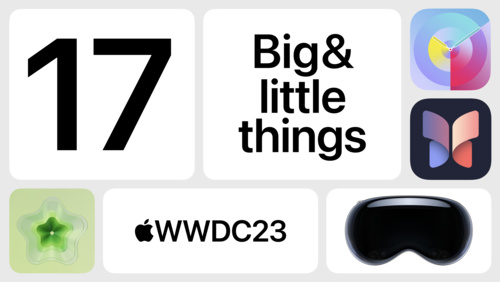
With new frameworks, a new spatial operating system, and new hardware designed for developers, there’s an incredible amount to dig into this year. Catch up quickly with this recap of the most important big (and little!) moments from the keynote:

17 big & little things at WWDC23

Here’s your guide to some of the big (and little) things announced on the first day of WWDC.

Watch now

Want the complete experience? Here are the full replays for each event.

Keynote

The Apple Worldwide Developers Conference kicks off with exciting news, inspiration, and new opportunities. Join the worldwide developer community for an in-depth look at the future of Apple platforms, directly from Apple Park.

Watch now

Platforms State of the Union

Learn about the latest tools, technologies, and advancements to help you create even better apps across Apple platforms, including the all-new visionOS.

Watch now

Meet Apple Vision Pro

On day one of WWDC, you got a peek at visionOS, Apple’s new spatial operating system — and that was just the beginning. There are familiar and new frameworks to learn, new tools like Reality Composer Pro to explore, and new in-person programs coming soon.

Learn more about developing for visionOS

Prepare your apps for visionOS

Explore sessions about visionOS
Start your Tuesday

We’re off and running with with more than 60 sessions, 100 online activities, and the opportunity to schedule one-on-one lab appointments with Apple experts. Here’s a quick look at all we’ve got in store:

What Apple developers need to know at WWDC23

There’s never been a better time to create for Apple platforms — including iOS, iPadOS, macOS, tvOS, and all-new visionOS. Get insights from Apple engineers and designers with over 175 brand-new instructional video sessions covering the latest in hardware and software. All to help bring your…

Watch now

Need a place to start? Check out the latest updates to watchOS 10, an introduction to SwiftData, and the principles of spatial design.
Meet watchOS 10

Discover some of the most significant changes to Apple Watch since its introduction as we tour the redesigned user interface and the new Smart Stack. Learn how Apple designers approached the design of watchOS 10 as we explore layout, navigation, and visual style, and find out how you can apply them…

Watch now

Meet SwiftData

SwiftData is a powerful and expressive persistence framework built for Swift. We’ll show you how you can model your data directly from Swift code, use SwiftData to work with your models, and integrate with SwiftUI.

Watch now

Principles of spatial design

Discover the fundamentals of spatial design. Learn how to design with depth, scale, windows, and immersion, and apply best practices for creating comfortable, human-centered experiences that transform reality. Find out how you can use these spatial design principles to extend your existing app or…

Watch now

New this year: Many session videos now offer chapter markers, so you can skip right to the content you’re looking for. (You’ll find chapter markers for the keynote, as well.)

Join us in Slack to connect with the presenters of sessions like “Meet SwiftUI for spatial computing” and “What’s new in SwiftUI” and join Q&As about game design, Xcode 15, and much more.

Meet the presenter: Meet SwiftUI for spatial computing

Meet the team behind “Meet SwiftUI for spatial computing” and join a text-based watch party followed by a short Q&A. The watch party begins 5 minutes after the start of this activity — so don’t be late!

View now

Meet the presenters: What’s new in SwiftUI

Meet the team behind “What’s new in SwiftUI” and join a text-based watch party followed by a short Q&A. The watch party begins 5 minutes after the start of this activity — so don’t be late!

View now

Q&A: Games

Ask Apple game technology engineers about the latest tools, technologies, and frameworks during this 1 hour text-based Q&A. We would love to brainstorm, answer questions, and meet folks that are excited to build and bring games to Apple platforms. Stop in to request guidance on a code-level…

View now

Q&A: Xcode

Ask Apple engineers about the latest tools, technologies, and frameworks during this 2 hour text-based Q&A. Stop in to request guidance on a code-level question, ask for clarifications, or learn from others.

View now

Dev Tools Trivia Time is bigger and better than ever — test your knowledge in WWDC’s fiercest competition!

Dev Tools Trivia Time

Trivia Night returns to the Developer Tools channel! Test your trivia knowledge with multiple-choice questions on WWDC23 sessions, tools, frameworks, and Apple history.

View now

And connect with Apple experts directly by requesting one-on-one lab appointments for answers to your questions about technology, design, and maximizing your App Store presence. To make a request, visit the WWDC tab in the Apple Developer app or go to the WWDC labs webpage.

Learn more about labs at WWDC23

Congrats to the 2023 Apple Design Award winners

Yesterday, we handed out the 2023 Apple Design Awards and added 12 new titles to the list of the greatest apps and games ever created for Apple platforms. Check out the complete list of 2023 winners and finalists below. Then, get up close and personal with the winning developers, designers, and teams in our Behind the Design series.

Discover the 2023 Apple Design Award winners

Behind the Design: 2023 Apple Design Awards

Meet 12 incredible teams from around the world and learn how they brought their winning ideas to life.

View now

Press play: WWDC23 playlists are here

Lastly, here’s an audio gift for you! Spin up our official playlists — the perfect soundtrack to an incredible week.

Playlist: WWDC 2023

Playlist: WWDC23 Power Up

Playlist: WWDC23 Coding Focus

Playlist: WWDC23 Coding Energy

Playlist: WWDC23 Coding Chill

That’s it for now. Have a great day, and we’ll see you tomorrow!