Reinforcing our commitment to accessibility New Accessibility Conformance Report site supports customers
Microsoft thrives on diversity because we believe in the power of engaging many perspectives. With diversity and inclusion among our corporate values, we strive to design products and services that work for everyone, including the over one billion people with disabilities. That’s why we are excited to launch an Accessibility Conformance Report (ACR) site to better support customers working toward their standards conformance, diversity and inclusion goals.
Microsoft provides ACRs describing how our products and services support recognized accessibility standards, including Section 508 of the U.S. Rehabilitation Act of 1973, the Web Content Accessibility Guidelines (WCAG) and European ETSI EN 301 549. Microsoft recognizes these standards are a good starting point for accessibility professionals to evaluate technology and enable employees in their organizations to achieve more for people with disabilities. Additional information about accessibility standards and ACRs is available at the new site.
Making it easier to find and analyze ACRs
Last year we made it possible to find ACRs for popular suites such as Office 365 or Microsoft 365, and we wanted to extend this capability to related products. The following improvements will make it easier to find and analyze ACRs:
Alias and name change ACR searching: Our updated Accessibility Conformance Report site now enables “alias” searching for products that are covered but have a new name or technology features. Users also can find “product suites” if they want to fully move to Azure and need to evaluate the entire platform consisting of over 300 ACRs.
Custom reports: To support customers who want to organize our ACRs in a format and order they prefer or need, users can now download, customize and use the XML and JSON formats.
More new features
We’re also introducing a number of new ACR features to streamline common tasks, including:
Quick reviews: To facilitate review of Microsoft ACRs—especially helpful for anyone newer to the field—we have created a summary report to create a simple overview. These summaries can make it easier to digest and gain a broad vision of the product before diving into particular sections or criteria.
Language translations: Section 508 summary reports are in English while EN 301 549 summary reports continue to be available in English, French, German, Italian and Spanish.
Smart mapping: Given Microsoft’s goal of building better platforms and integrated solutions, some user interfaces and accessibility features are enabled by another underlying product. We have created an alias that users can select for “applies to” products without knowing anything about the technology. For example, if a customer wants to evaluate Microsoft Defender for the Internet of Things as a new way to increase security, they can simply search for that term and find the Azure Security Center includes all Azure Defender product user interfaces.
Bulk downloads: With so many ACRs for the variety of Microsoft platforms, another issue has been downloading all relevant documents. To address this scenario, users can select products via suite or custom-select products and download them all as a package.
Our commitment
In addition to reinforcing our commitment to accessibility, we hope the ACR improvements benefit those responsible for evaluating accessibility on behalf of their organizations. We will continue to enhance access and capabilities of our ACR site and look forward to working together to create a more accessible world.
As always, we welcome organizations to provide feedback on the ACR site or direct inquiries about the accessibility of our enterprise products or services via email to Microsoft Enterprise Disability Answer Desk.
For more than six years, Microsoft Research has been honored to develop the Soundscape research project, which was designed to deliver information about a person’s location and points of interest and has guided individuals to desired places and in unfamiliar spaces using augmented-reality and three-dimensional audio. While not a traditional turn-by-turn navigation mobile app, the Soundscape research project allowed us to explore ways that audio can enhance mobility and expand navigation experiences without the need to follow directions on a small display.
Beginning January 3, 2023, the Soundscape code will be available as open-source software, so that anyone can continue to build on, and find new ways to leverage, this novel feature set for the growing navigation opportunities in today’s world. As Microsoft Research continues to expand into new accessibility innovation areas, we hope the open-source software release of the Soundscape code supports the community in further developing confidence and utility of spatial audio navigation experiences.
Also on January 3, 2023, the Microsoft Soundscape iOS app will no longer be available for download from the App Store, although existing installations can continue to be used until the end of June 2023. We are grateful to all of those who have tried and found value in the Microsoft Soundscape app and appreciate all the feedback and stories you have shared with us over the years.
Through the Microsoft Soundscape journey, we were delighted to discover the many valuable experiences Soundscape enabled, from empowering mobility instructors, to understanding the role of audio in adaptive sports, to supporting blind or low-vision individuals to go places and do essential activities for their lives. By making the Soundscape code available as open-source software, we hope the interest and potential continues to grow. Documentation on how to build and use the system from the new GitHub Soundscape page will be shared on January 3, 2023.
Frequently asked questions on Soundscape
Q: What is changing for Microsoft Soundscape? A: It is now time to transition the Soundscape research project to the next phase, where we will share it to allow for broader development. Soundscape code will be available on GitHub as open-source software on January 3, 2023.
Q: What will happen to the Microsoft Soundscape app on iOS? A: As of January 3, 2023, the app will not be available for download. Existing installations can continue to be used until the end of June 2023.
Q: Will the Azure services that enable the Microsoft Soundscape app continue to be supported? A: Yes, until the end of June 2023. Beyond that, entities can build new cloud-based services from our open-source release.
Q: Will user feedback on the Microsoft Soundscape app continue to work? A: Yes, until the end of June 2023. We will focus on bug fixes and repairing service disruptions, but we will not address requests for new features or capabilities.
Q: Will the Soundscape open-source release run only on iOS, or will it also support Android? A: The original Microsoft Soundscape app only supports iOS, and that is also true for the open-source release.
Q: Why has Microsoft Research decided to release Soundscape as open-source? A: As we evolve our research portfolio, it is natural to end or transition some projects. We feel the community can benefit from the novel experiences we developed for the Soundscape research project, and that is why we are releasing the code as open-source software.
Q: What will happen to the Microsoft Soundscape Authoring app? A: Use of the Microsoft Soundscape Authoring app will end on January 17, 2023.
Q: Are other Microsoft offerings implicated in this change for Soundscape or following a similar path at this time? A: No, this change is specific to Soundscape. There is no impact or implication on other Microsoft offerings.
On December 3rd, we celebrate International Day of Persons with Disabilities to acknowledge the more than 1 billion people in the world with disabilities and their roles as vibrant and valuable members of society. Considering that 1 in every 10 children is a child with a disability, students need classroom technology that is inclusively designed; giving them multiple ways to create, engage, and participate in constructing knowledge regardless of ability, income, language, location, or identity.
Inclusive design opens Microsoft’s education tools to more students with a wider range of abilities. To support the unique needs of all learners, tools––like Microsoft 365, Teams, and Windows 11––offer powerful accessibility options that are built-in, mainstream, and non-stigmatizing.
Profiles in inclusive learning
When the pandemic broke the routines of many children in 2020, this disruption in learning strongly impacted schools specializing in the education of children with special needs. Educators all over the world utilized technology to create more inclusive learning environments so that all students, regardless of unique needs, could thrive.
Inclusive education tools give more students access to curriculum, optimize educator time, and improve learning outcomes. Students can grow their potential and gain independence while educators are more empowered to engage every learner.
Discover how real educators are using Microsoft education solutions to create more accessible and engaged learning experiences.
The Loom School: Virtual solutions for real-world results
The Loom School in Decatur, Georgia, is a small private school for children with learning disabilities and mental health issues. As the COVID-19 health crisis swept across the country, the school’s leadership team realized the safest thing to do was to move to primarily virtual learning and services. And since the school already utilized Microsoft 365, they realized that Microsoft Teams for Education had everything they needed to create a rich virtual learning environment.
Teams provided the kind of integrated communications experience and accessibility features the Loom community was accustomed to even with virtual instruction. Features such as the Whiteboard app, YouTube for Teams, screen sharing, and chat kept students engaged and included.
“When you work with kids with special needs, it’s just so important to have an emotional connection and build a great learning group. Teams does that for our school.” – Katrina Todd, Executive Director, The Loom School
Newmark Education: Leaving its mark on a new world of learning
Founded by Dr. Regina Peter and Cynthia Allman in 2001, New Jersey’s Newmark Education K-8 and High School is committed to the academic and personal success of students with behavioral disorders and disabilities. And when COVID-19 led Newmark to suspend in-person learning, the school was well-prepared to transition to a remote learning environment, thanks to dedication, a 1:1 program, and Microsoft Teams.
Early investment in Microsoft Teams enabled a smooth and speedy transition. OneDrive—perfect for students who needed to develop executive functioning skills like organization and time management—and the Insights tab—allowing educators to be more efficient with response time and feedback—worked to enable remote learning and increase engagement. Beyond classroom content, Newmark has also used Teams to meet the mental health needs of those students: creating social groups for students helped them to connect with each other through Teams when not in class.
“The number one thing is using Teams to stay connected, because there’s nothing like human connection.” – Dr. Regina Peter, Founder of Newmark Education
Hamlin Robinson School: Empowering students with inclusive function
Seattle, Washington’s Hamlin Robinson School serves students with dyslexia and other language-based learning differences. After roughly a week into pandemic-necessitated distance learning, the school realized they needed a more robust solution than sending home packets of schoolwork.
Hamlin Robinson School was drawn to Microsoft resources because of built-in accessibility features. Students who had trouble typing, for instance, used the Dictate tool, or speech-to-text, a function of Office 365. These learning and accessibility tools are embedded across Microsoft 365 products and can support students with visual impairments, hearing loss, and cognitive disabilities.
“[Microsoft] Teams seems to be easiest platform for our students to use in terms of the way it’s organized and its user interface. The fact that a student could have an assignment issued to them, could use the accessibility tools, complete the assignment, and then return the assignment all within Teams is what made it clear that this was going to be the right app for our students.” – Josh Phillips, Head of Middle School, Hamlin Robinson
Word, PowerPoint, OneNote, and Microsoft Teams go beyond screen reading, providing alternative pathways to foster comprehension. Through built-in tools, like Immersive Reader, students have access to supports such as line focus, translation, and picture dictionary.
Tools such as dictation in Word and OneNote can make the digital world more accessible for students with dyslexia or other cognitive differences.
For students who are hard of hearing, have hearing loss, or have deafness, Microsoft’s specialized features can provide solutions including live captions and live transcriptions in Teams, with translation and mono sound.
Accessibility Checker offers inspection results and recommended actions to help ensure files are accessible for everyone in Microsoft Word, PowerPoint, Excel, OneNote, and Outlook.
Vision features. Students can view content in a way that makes sense to them or skip the screen entirely. Narrator, Windows built-in screen reader, simplifies navigation and describes images for students in a natural, human-sounding voice.
Hearing features. Students can take in every word from any audio with Windows 11 live captions.
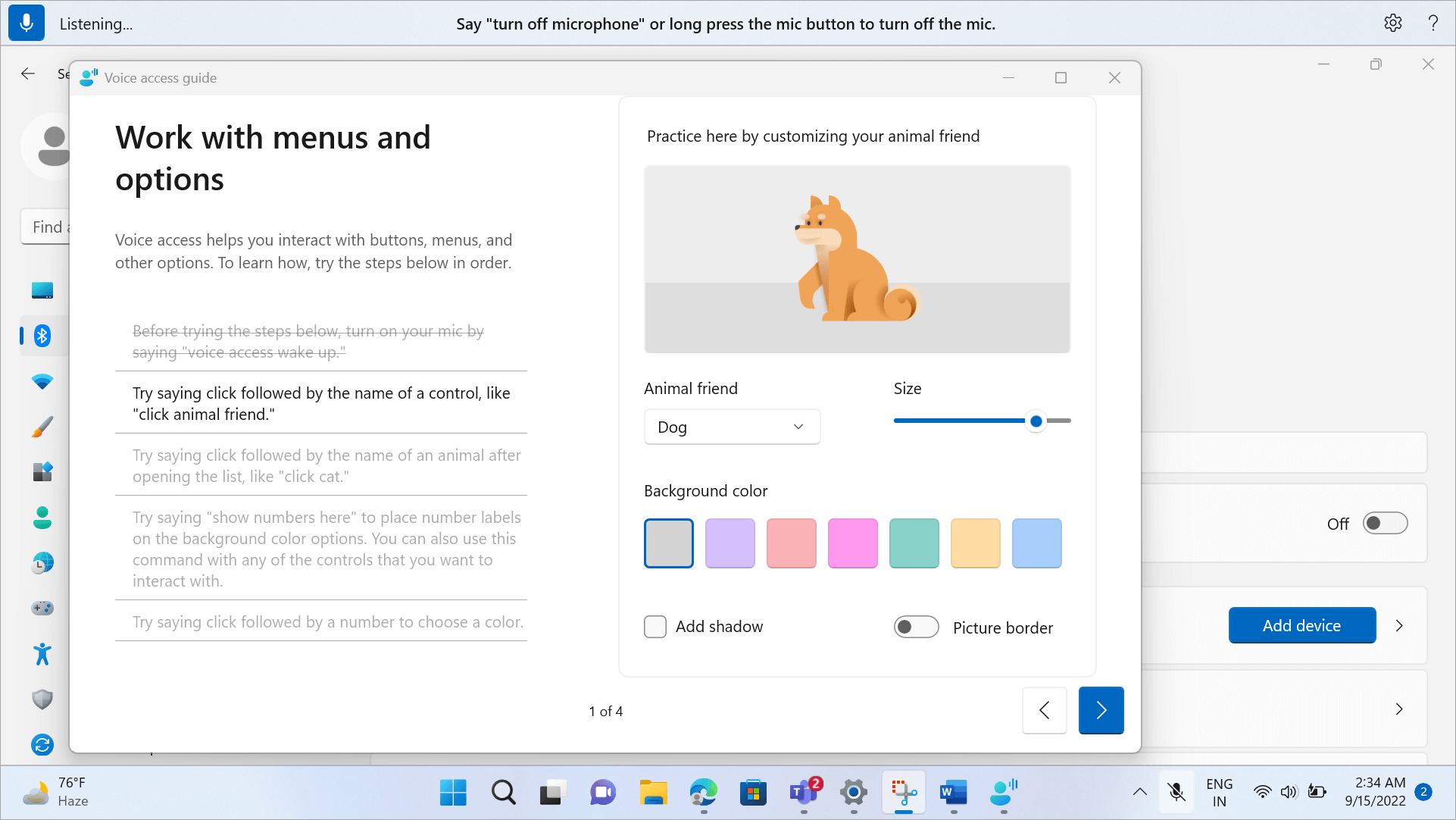
Mobility features.Voice access, eye control, and voice typing empower students to interact with their devices in a way that fits their unique needs.
Neurodiversity and learning features. Students can use tools to enhance focus, attention, and reading comprehension, while building healthy digital habits and boosting productivity with Focus sessions.
Microsoft believes accessibility is essential to the progress of all people. Accessible technologies help students with disabilities unlock their full potential. Students are growing, changing, and adapting to the world around them every day. Microsoft designs their tools to reflect that diversity.
Learn more about accessible tools and features in the following blog posts:
As someone born with a complex mobility disability, I have personally experienced the profound impact of services offered by nonprofit organizations throughout my life. Support from community organizations provided my single mother funding for gas to travel between my hospital appointments from our rural hometown and a wheelchair when denied by Medicaid. To give back, I began working as a local Ambassador for a nonprofit, raising awareness and funds to further research, access to devices, and support people like myself living with neuromuscular disabilities.
My early experiences volunteering alongside organizations empowered me to find my own voice in sharing my disability journey and laid the foundation for what would become my career in accessibility. It is an honor to lead the Access Technology Program at Microsoft in a role that leverages my passion for technology to advance programs of disability organizations globally.
Today, we’re launching Microsoft’s Accessibility Nonprofit Tech Accelerator (NTA) program. The Accessibility NTA is a program that supports disability-focused nonprofit organizations with access to enterprise technology and grants to best serve the disability community. In the 2023 grant round, we will continue our pilot program in partnership with a small subset of disability nonprofit organizations on strategic projects that accrue to closing the Disability Divide.
The Accessibility NTA is focused on efforts that advance how people with disabilities can equitably work, learn, and live. Our new Nonprofit Resource Hub connects organizations to vital technical resources, software discounts, training materials, tools, and programs to support their missions.
If you are part of a disability nonprofit organization, please join us for our Microsoft Accessibility for Nonprofits Webinar on Tuesday, December 6th. In this introductory session, you will learn about:
Accessibility Nonprofit Tech Accelerator 2023 grant program that provides selected organizations with technology grants and dedicated specialist staff to support your mission.
Access to Microsoft Philanthropies grants and discounts across our nonprofit cloud products including Azure, Dynamics 365, and Microsoft 365 for all registered 501 c3 organizations.
Microsoft Accessibility team will share our commitment to disability nonprofit partners, our work on AI for Accessibility & Innovation.
Xbox aims to empower everyone to play the games you want, with the people you want, anywhere you want. And that includes the over 400M players with disabilities in the world. Today with the 2022 Xbox Accessibility Showcase, we celebrate the Disability community and the many people and organizations working to remove barriers to play, ultimately making gaming more accessible around the globe.
This year, we chose to host the Xbox Accessibility Showcase in the Microsoft Inclusive Tech Lab, which is located on Microsoft’s Redmond, WA campus and intentionally built with accessibility in mind from the ground up. The lab strives to encourage developers and designers to intentionally include people with disabilities in the products and services they create, by showcasing how inclusive technologies allow everyone to participate. The same is true for gaming. When we make our experiences, games, and platforms accessible, more people get to experience the power of connection that comes from play, be it bonding with their family, seeing themselves reflected in a game or the joy that comes from helping others discover the fun of gaming.
The importance for more and wide variety of accessibility options year-round, in addition to customization of accessibility options including text, subtitles, captions, difficulty settings
How critical it is to include players with disabilities in design, as collaborators and as an audience.
The importance of standardized settings, increased discoverability of features and communication of accessible gaming.
As we work toward that future of accessibility, today we are happy to share updates that encourage everyone to create, play and connect through gaming. We look forward to partnering with the community and industry in the upcoming years to bring the power of play to more people.
Create
In addition to updates on the Accessibility Developer Resource page, we are excited to share the following resources that make it easier to create games with accessibility and connect with community.
Microsoft Gaming Accessibility Testing Service (MGATS) Players with Disability Focus Offering
Since launching the Microsoft Gaming Accessibility Testing Service (MGATS) in February 2021, hundreds of Xbox and PC titles have had the accessibility of their titles validated against the Xbox Accessibility Guidelines (XAGs), with feedback from players with disabilities shared and details on Xbox’s Game Accessibility Feature Tags applied. This month, a new offering called MGATS- Players with Disability Focus (PwD) launches for studios not quite ready for testing across 20+ XAGs. This service focuses on providing game developers with feedback from players with disabilities around core scenarios, menu navigation, and settings in their games.
Xbox Accessibility Guidelines – Touch Control Guidance
The Xbox Accessibility Guidelines (XAGs) are a set of best practices that have been developed in partnership with industry experts and members of the Gaming & Disability Community. Based off community feedback, this month we launched best practices around touch-based interfaces when it comes to gaming on mobile devices. These new guidelines include details surrounding touch target sizing and placement recommendations, swipe sensitivity, and the importance of supporting mobile-native input accessibility features.
Connect
Gaming has the power to bring people together, and at Xbox we want to bring the joy of play and community to billions of players, including the over 400 Million players with disabilities.
Xbox Ambassador Accessibility Explorer Path
The Xbox Ambassador program is a group of players that celebrate the uniqueness of everyone, promote a safe gaming environment, and above all else, make gaming fun for everyone. And a large part of that is knowing what options are available for gaming. To support this, we announce the new, free Xbox Ambassador Accessibility Explorer Path, an engaging, new learning path meant to teach Xbox Ambassadors all about accessibility. This includes trying out platform and game accessibility features, learning about industry leaders and players with disabilities, as well as discovering accessibility best practices. New missions will be added throughout each season, allowing Explorers to level- up their knowledge. Check out more details and join the Xbox Ambassador program today!
Find Xbox and PC Accessibility Features Support on Support.Xbox.com
Xbox has a redesigned support hub for players to learn about all the accessibility features on console and Windows devices, so players spend less time figuring out how to use a feature and more time playing. With easier navigation, the accessibility articles are now organized by feature category, so players can find the support they need, discover new features and compare features between PC and console. New and updated articles coming in October include Narrator shortcuts (keyboard and controller), Xbox notifications, and copilot on PC. Check out the updated Support.Xbox.com Accessibility site (English available today, additional languages to be available soon) or the short video sharing the key updates.
Play
Through gaming we are able to experience new worlds, gain new perspectives and create new memories from play. For that to happen games need to be accessible. In addition to accessibility pages on to the Family Gaming Database, to make it even easier to find accessibility features on games, we share a few games recently launched, coming soon, or featured in the 2022 Xbox Accessibility Showcase.
Stories of Blossom
Coming to Console and PC in 2023! Join Clara as she brings to life a series of short tales told by her nurturing grandfather. Explore storybook illustrations, befriend cute creatures in odd situations, and help solve their problems along the way. From the very beginning, accessibility was a central part of Stories of Blossom’s development. View the accessibility features in the game here and check out today’s Showcase to learn how the developers worked with Xbox to incorporate accessibility into the game.
Pentiment
Coming to Xbox Game Pass & PC Game Pass, Console, PC, and Steam on November 15. Set in 16th century Bavaria, Pentiment will take players on a narrative journey through the eyes of Journeyman Artist Andreas Maler during a time of great social unrest. Led by game director Josh Sawyer, this game is brought to life by a talented team inspired by illuminated manuscripts, woodcut prints, and history itself.
Late medieval manuscripts are calligraphic and can sometimes be difficult to read. Obsidian Entertainment worked with Xbox to ensure there were a variety of customizable font settings in the game, including font scaling, high contrast mode, text-to-speech, and Easy Read font option, which improves legibility by disabling some fonts and writing effects.
As Dusk Falls
Available now with Xbox Game Pass, Console, PC, Cloud, and Steam. As Dusk Falls is an original interactive drama from Interior/Night that explores the entangled lives of two families across thirty years. Interior/Night believes as many people as possible should be able to play and enjoy As Dusk Falls. The game’s accessibility features can be found under the Settings menu on the game’s main screen or the game’s pause menu. These include a variety of text to speech settings, on-screen UI, gameplay adaptations, a companion app, and more. For more information, click here.
Grounded
Available now with Xbox Game Pass & PC Game Pass, Console, PC, Cloud, and Steam. In Grounded, players wake up in a suburban backyard after being mysteriously shrunk to the size of an ant. Guided by a robot named BURG.L, players must explore, build, and survive while confronting the dangers and perils that come with suddenly being insect sized. Play single-player or co-op with friends as Max, Pete, Willow, or Hoops, and be sure to watch out for those pesky spiders.
Obsidian Entertainment worked closely with the Xbox Research team to explore what triggers arachnophobia. The findings from Xbox Research helped determine the best form for spiders to take in the game, while also deciding how to vary their appearance depending on the severity of the phobia.
This resulted in the game’s Arachnophobia Mode, where players can use a slider to scale the alternate forms of spiders and limit their audio effects, helping to make the game more accessible for everyone. Read more about Grounded’s accessibility features by clicking here.
Work Together
Creating an accessible gaming experience doesn’t start or end with a single company. It takes a collective effort across many organizations and people who believe gaming is for everyone. Here are a few organizations Xbox would like to recognize in honor of this year’s Accessibility Showcase:
SpecialEffect: As seen in today’s showcase, SpecialEffect puts fun and inclusion back into the lives of physically disabled people by helping them to play video games. They are transforming the lives of physically disabled people across the world through the innovative use of technology. At the heart of their work is their mission to maximize fun and quality of life by helping people control video games to the best of their abilities. Microsoft Rewards members in the United States and the United Kingdom can earn and donate points to SpecialEffect throughout October.
RNIB: The Royal National Institute of the Blind (RNIB), is the UK’s leading sight loss charity. They offer practical and emotional support to blind and partially sighted people, their families, and careers. Xbox is delighted to be working with the RNIB to support people who are blind and partially sighted within the gaming community. We look forward to exploring a range of opportunities and initiatives, with the aim of welcoming more perspectives to our gaming communities, for the benefit of all.
Accessible Events
Gaming is one of the most popular forms of global culture, entertainment, and interaction. With over three billion people playing games, it is important to us to host events and content that is accessible, allowing more people to enjoy the moment at the same time as everyone else.
gamescom 2022
When everyone plays, we all win. This year at gamescom 2022, Team Xbox wanted to make sure as many people as possible could experience the joy of play at the event. Several elements the team focused on to create an accessible experience included live broadcast with English Audio Descriptions, along with ASL, BSL and DGS (German) interpretation for both the broadcast and in-booth experience, Xbox Adaptive Controller availability at all game stations and sensory processing gear for those who request it. Check out Brannon Zahand, Senior Accessibility Program Manager at Xbox, explain the accessibility of the event including additional elements that were considered.
Xbox’s Programming & Events Team is on a continuous mission to make its content and videos more accessible, including localized accessibility. This past month that included supporting the Tokyo Game Show 2022, which had Japanese Sign Language (JSL), Japanese Audio Descriptions and English-language Audio Descriptions read by an Australian to be true to the Asia-Pacific countries where the show was exclusively broadcast.
Check out the Xbox Accessibility Showcase via Twitch, XboxASL, and YouTube (available with AD and ASL)
October isNational Disability Employment Awareness Month (NDEAM), a time to celebrate the contributions of America’s workers with disabilities, past and present, while working to achieve parity with this year’s theme “Disability: Part of the Equity Equation.”
At Microsoft, we believe people with disabilities positively impact our company culture, working environment and how we serve our customers. Through partnerships within the disability community, we’re working to help reduce the unemployment rate for people with disabilities around the globe. To date, we’ve hosted Neurodiversity Hiring events, created an inclusive interview process, trained and educated our teams on disability etiquette, and provided a range of interview accommodations to increase the diversity of our teams, and positively impact the culture of our workplace.
However, there’s much more to do. I recently spoke with Susan Lang, Founding CEO of Lime Connect, the largest network globally of high-potential university students and professionals who have disabilities. Susan and I are sharing our answers to the ‘top 5 most common questions’ from jobseekers.
1. What should I look for in an inclusive employer for people with disabilities?
Susan Lang: Finding the right company can be just as important as finding the right role for your skills and experience. To get a better understanding of a company’s culture and how they view disability inclusion you can find out a lot on their website. Look for representation of employees with disabilities and any information on employee resource groups for people with disabilities. Does their diversity statement include disability? If you are applying for a role on their careers site, is it easy to find information regarding how to receive interview accommodations?
Neil Barnett: Many employers have hiring programs specifically for neurodiverse candidates or candidates with disabilities. To find lists of employers focused on disability inclusion, look for partnership with organizations like Lime Connect & Disability:IN. We share the latest news about accessibility at Microsoft and resources to learn more about our hiring programs on the Microsoft Accessibility site.
2. What accommodations can I request for an interview?
Susan Lang: It’s helpful to first find out as much as possible about the interview structure. This includes the number of interviews in a day, length of interview(s), types of questions (behavioral, technical), and format –phone, video call or in-person. Ask the recruiter questions so you have a better idea of what to expect. Having this information will help you identify what accommodations to request that will enable you to focus on demonstrating your skills, strengths, and fit for the position.
Neil Barnett: We want you to shine in interviews so at Microsoft we engage in an interactive process with the candidate to determine effective, reasonable accommodations. We strive for our candidates to feel set up for success so they can have a barrier free experience sharing their skills and experience. Some of the most common accommodation requests we receive includeextra time for interviews, less interviews in a day, being able to utilize your own device, longer breaks between interviews, time for online technical screens, sign language interpreters and CART/Captions.
3. Why would I want to request an accommodation when applying for a job?
Susan Lang: It’s about success on both sides of the equation. Requesting accommodations during the screening and interview stage sets you up for success during the process and allows you to focus on sharing your skills and abilities without having to worry about having your needs met. The employer shows they are invested in you, and they want you to succeed. It’s a good opportunity to assess your potential employer and how supportive they will be for employees with disabilities in the workplace.
Neil Barnett: Interviewing is a two-way process. By offering an accommodation during the screening and interview process, the employer is showing that they are invested in you and they want you to succeed. It’s a good opportunity to assess your potential employer and how supportive they will be for employees with disabilities in the workplace. During a recent Ability Summit session, Employing Disabled Talent: An opportunity to stop the talent drain, two Microsoft employees shared their experience requesting accommodation during the application stage.
“I would advise the candidate not to be shy. I always say that the disability is not so much in the person, as in the environment. Companies must have a commitment to create an accessible environment for all employees and candidates. Never hesitate to ask for the accommodation that you need.” – Juanjo Montiel, Senior Software Engineer, Microsoft
4. Do I have to disclose my disability or provide paperwork to request accommodation for interviews?
Susan Lang: Each employer may have a different process or ask for different forms of documentation. As a member of the Lime Network, you can schedule an appointment with a Career Coach to discuss whether disclosure is right for you and develop an action plan to navigate the accommodation request process with each company and throughout your career search.
Neil Barnett: When applying to Microsoft, you do not need to disclose specifics about your disability when requesting accommodations, but it’s important to identify your needs, so the interview teams can provide a collaborative and inclusive experience. Microsoft does not require that you disclose your disability or provide medical documentation for interview accommodations.
5. How and when should I disclose/talk about my disability during an interview?
Susan Lang: Once you’ve determined that you will disclose your disability, the timing of the communication will often depend on the reason you are disclosing. If you need to request an accommodation for an interview, you will want to have that conversation well in advance of the interview to ensure there is time to get the accommodation in place. If you are looking for an opportunity to highlight an accomplishment or the skills you have developed as a result of living with your disability, you may look for a question during the interview itself that allows you to share those examples. Regardless of the reason, you only need to share the details about your disability that are most relevant to the conversation and remember to keep it simple. If you are requesting an accommodation, focus on identifying your needs and highlighting tools or accommodations that work for you in other settings. You likely know what works best for you and can work collaboratively with your prospective employer to come up with solutions that lead to your success. We love the use of metaphors or stories when disclosing, and don’t forget to practice your disclosure conversation with a friend or a Lime Connect career coach so that you feel confident navigating any discussion about your disability.
Neil Barnett: Deciding whether to disclose your disability is a personal choice. As a person with a disability, you bring unique strengths and skills to your future employer. You may also have experiences or perspectives that help inform how to make products, services, and companies more accessible, which would be a value add to any company.
If you are interested in learning more about working at Microsoft, you can join one of our monthly Inclusive Hiring webinars. Each webinar is hosted by recruiters and members of the Microsoft Inclusive Hiring team and focuses on the hiring application process and requesting interview accommodations. Attendees also have a chance to hear from members of the Microsoft disability employee resource group (ERG), on what it’s like to work at Microsoft. Register by visiting aka.ms/InclusiveHiringWebinar.
And, university students and professionals with all disabilities are encouraged to check out Lime Connect’s site and join The Lime Network to access a full range of programs and services that provide tools, self-confidence, community, and connections that help disabled individuals achieve their dreams.
To ensure that disability is part of broader equity discussions and efforts, it will take an accelerated commitment from all corners, the business community, government agencies, service providers and nonprofits to work towards ultimately improve disability representation in the workforce.
For Marc Powell, a seemingly simple trip to the store to buy medication or other consumer health products is often an onerous, complicated undertaking.
Powell, who is blind, usually must ask a store employee to help find what he needs and then read the information on the packaging to him, which can feel intrusive. At home he’ll ask his partner, who has partial sight, for help, but the print is sometimes too small for her to read. In a pinch, he’ll scour the internet or wait until a family member stops by and can read aloud to him the information he needs.
“I’m incredibly reliant on somebody else to let me know about the product — what I’m meant to do with it, how many tablets I can take or what it contains,” says Powell, the accessibility innovation lead for the U.K.-based Royal National Institute of Blind People (RNIB), who lives in Cambridge, England. “It’s crazy to say that, isn’t it?”
Marc Powell.
A new collaboration between Microsoft and global consumer health company Haleon aims to make health product information more accessible for people who are blind or have partial vision, or individuals with low literacy. The companies worked together to expand the functionality of Microsoft’s Seeing AI app to provide detailed audio information for more than 1,500 Haleon products in the U.S. and the U.K., including brands such as Centrum, Sensodyne and Emergen-C. The initiative was launched in recognition of World Sight Day Oct. 13.
Using Seeing AI, users can now scan the bar code on Haleon products and hear the same information that is provided on the packaging, such as the product name, usage instructions and ingredients. When users point a phone at a Haleon product, the Seeing AI app guides them to the bar code with a series of intensifying beeps. After scanning the code, users can navigate between sections to get the specific information they want, a feature that has been well-received by partially sighted people who tried out the functionality before its launch.
“We have had great feedback from people who are blind and have low vision,” says Tamara Rogers, global chief marketing officer at Haleon. “They really value the increased independence that comes from being empowered to access our product information themselves.”
Tamara Rogers.
The new functionality was developed not just for people who are blind or have low vision, but also for those who have literacy challenges, Rogers says. “There’s a classic health industry saying which is, ‘Always read the label, always read the instructions,’ and for some, that just isn’t possible,” she says.
“This initiative will make Haleon products more accessible to people who are blind or have low vision. It will also provide more independence to people with low literacy levels. This is a great way of being able to communicate in a different way, audibly, rather than asking people to read.”
Launched in 2017, Microsoft’s Seeing AI application is an AI camera-based app that can read text such as documents or signs, describe scenes, recognize currency and even identify friends. Available in 19 languages, the app has become a multipurpose tool that is helping people who are blind or have low vision navigate their daily lives. The newly enhanced functionality helps consumers in the U.S. and U.K. read packaging details in English. Previously, there wasn’t an easy way for Seeing AI to read detailed information on packaging without a user moving a camera around the text.
The collaboration with Haleon “is really important and exciting, because Seeing AI has always been able to recognize products, but the challenge has been having access to data that is really rich, and that comes from the manufacturer,” says Saqib Shaikh, an engineering manager at Microsoft who led the team that developed Seeing AI.
“Now you can just scan the barcode and hear exactly what was written on the package. It’s directly what the manufacturer wanted you to hear. The information is really accurate, and you’re getting it all in one place. You’re not having to scan all the different sides of the package to find the bits you want. It’s all right there once you’ve scanned the barcode.
“Now you can give more information, and trustworthy information,” Shaikh says. “Haleon is leading the way in doing this.”
Shaikh hopes more companies will follow Haleon’s lead and use technology to provide audio information for people who are blind or who have low vision, or those with literacy challenges. Doing so could provide important information not just for health products, he says, but for food items and countless other things people use in their daily lives.
“I’d love to make every product out there accessible so you can just scan it, whether by bar code or some other future technology, and know what it is,” he says. “This data is out there. It’s just that all the data’s in siloes. What we were able to do here was, by the companies having the will, to break down these siloes.”
Using the Seeing AI app, detailed audio information will be available for detailed audio information for more than 1,500 Haleon products in the U.S. and the U.K.
More than 3 million people in the United States and more than 2 million in the U.K. are living with sight loss, and millions more struggle with poor literacy. A study commissioned by Haleon found that 93 percent of respondents didn’t think health products were accessible enough, and almost one in five said they had taken an incorrect dosage of a product because they couldn’t read the packaging.
Haleon saw technology as a tool to address those issues, Rogers says, but wanted to build on an existing platform rather than creating new technology that people who are blind or have low vision would need to adopt. Haleon approached Microsoft about using the Seeing AI app to create audio guides for its products, and the two companies worked closely together to build out the new functionality for Haleon’s bar codes. Microsoft developed an end-to-end pipeline that allows Haleon to control the data for its consumer products, which is stored in Azure, and update information or add new items as needed.
Powell says to his knowledge, Haleon — a spinoff of GlaxoSmithKline created in July 2022 to focus on consumer health products — is the first consumer health company to provide accessible information through Seeing AI for its products.
“I think this will be really useful,” he says. “This allows us as blind people to have the same level of knowledge and understanding as someone who can read the packaging. So this is a really good step.”
– On World Sight Day, Haleon and Microsoft are launching a joint effort to make health products more accessible for people who are blind or have low vision, with artificial intelligence (AI) technology that narrates product labels. – New enhancements in the free Microsoft Seeing AI app will help advance inclusivity and improve accessibility. – Across the U.S. and U.K., consumers will hear important label information for over 1,500 everyday consumer health products such as Sensodyne, Centrum, Emergen-C, ChapStick and Aquafresh.
Microsoft Seeing AI app scans Sensodyne barcode for health information.
REDMOND, Wash. — Oct. 12, 2022 — On Wednesday, Haleon, a global leader in consumer health, and Microsoft Corp. announced a new collaboration to make everyday health more accessible for people who are blind, have low vision or have difficulty reading product labels due to low literacy. Together, the companies are expanding functionality in the Microsoft Seeing AI app to provide consumers with more detailed labelling information for over 1,500 Haleon products across the U.S. and U.K. Seeing AI is a free mobile app designed to help people who have trouble seeing by narrating the world around them.
With today’s launch on World Sight Day, people will hear packaging information through Seeing AI by scanning the barcode of Haleon products. This will provide an audio read-out of important information, such as product name, ingredients and usage instructions. Through Seeing AI’s enhanced functionality, Haleon will help empower people to care for their own health independently by listening to label information narrated through the Seeing AI application.
Haleon’s inaugural Health Inclusivity Index, which sets a new global standard for measuring health inclusivity, makes clear that to improve health inclusivity, individuals and communities need to be provided with the power and the tools to truly take their health into their own hands. Haleon, driven by its purpose to deliver better everyday health with humanity, is committed to helping make healthcare more achievable, inclusive and sustainable. The Seeing AI collaboration with Microsoft is one of Haleon’s first new initiatives to champion health inclusivity. The Microsoft Seeing AI app can be a benefit to:
The 1 million Americans who live with blindness (CDC, “Fast Facts of Common Eye Disorders, https://www.cdc.gov/visionhealth/basics/ced/fastfacts.htm)
The 12 million U.S. adults over the age of 40 who are blind or have low vision (CDC, “Fast Facts of Common Eye Disorders, https://www.cdc.gov/visionhealth/basics/ced/fastfacts.htm)
The Seeing AI app was developed by a team of Microsoft engineers spearheaded by project lead and engineering manager Saqib Shaikh, who lost his sight at the age of seven and was driven to develop the app by his passion for using technology to improve people’s lives.
Saqib Shaikh, engineering manager at Microsoft, said: “I’m really excited to see the launch of this enhanced product recognition functionality, developed in collaboration with Haleon. Seeing AI’s intelligent barcode scanner plays audio cues to help you find the barcode, and now the information displayed for Haleon products is coming straight from the manufacturer, providing richer information including usage instructions and ingredients. This can be invaluable for someone who cannot read the label, leading to greater independence.”
Katie Williams, U.S. chief marketing officer at Haleon said, “We believe everyone should have access to self-care products, services and the information needed to make informed, proactive choices about their health needs. Haleon initiated this collaboration with Microsoft via its Seeing AI app to make consumer health more accessible, achievable and inclusive. We are proud to help make better everyday health more in reach for the blind and those with low vision.”
The Seeing AI app is free to download from the Apple App Store and will be available on Android in the future. To use Seeing AI on Haleon’s products, users should hold their phone camera over the packaging barcode. The app will read out the product name and all text on the package. Users can skip ahead or move back to the relevant section they want to listen to, for example, which flavor or how to use the product. The Haleon barcode functionality will launch today in the U.S. and U.K. first, with plans to expand globally and add additional languages in the future.
About Haleon U.S.
Haleon (NYSE: HLN) is a leading global consumer health company with a portfolio of brands trusted daily by millions of people. In the United States, the organization employs more than 4,700 people who are united by Haleon’s powerful purpose to deliver better everyday health with humanity. Haleon’s products span five categories: Oral Health, Pain Relief, Respiratory Health, Digestive Health, and Wellness. Built on scientific expertise, innovation, and deep human understanding, Haleon’s brands include Abreva, Advil, Benefiber, Centrum, ChapStick®, Emergen-C, Excedrin, Flonase, Gas-X, Natean, Nexium, Nicorette, Parodontax, Polident, Preparation H, Pronamel, Sensodyne, Robitussin, Theraflu, TUMS, Voltaren, and more. For more information on Haleon and its brands, please visit www.haleon.com or contact [email protected].
About the Haleon Health Inclusivity Index
Today’s announcement closely follows the launch of the Health Inclusivity Index, developed by Economist Impact and supported by Haleon. The world-first global study of 40 countries measures how successful countries are in using policy to remove the personal, social, cultural, and political barriers which could otherwise prevent people and communities from achieving good physical and mental health. The number of countries assessed in the study will grow to over 80 over the next two years as part of a new three-year partnership between Haleon and Economist Impact. The report has been commissioned by Haleon as part of its commitment to making better everyday health more achievable, inclusive and sustainable, with the company aiming to create more opportunities for people to be included in everyday health, reaching 50 million people a year by 2025.
About Microsoft
Microsoft (Nasdaq “MSFT” @microsoft) enables digital transformation for the era of an intelligent cloud and an intelligent edge. Its mission is to empower every person and every organization on the planet to achieve more.
For more information, press only:
Microsoft Media Relations, WE Communications for Microsoft, (425) 638-7777, [email protected]
Note to editors: For more information, news and perspectives from Microsoft, please visit the Microsoft News Center at http://news.microsoft.com. Web links, telephone numbers and titles were correct at time of publication but may have changed. For additional assistance, journalists and analysts may contact Microsoft’s Rapid Response Team or other appropriate contacts listed at https://news.microsoft.com/microsoft-public-relations-contacts.
This week, we announced the Speech Accessibility Project, led by the University of Illinois Urbana-Champaign (UIUC), to further address the data desert in speech technologies. Working with tech leaders across the industry, UIUC will gather a set of high-quality, diverse speech samples that will help accelerate speech technologies. This one-of-a-kind cross-industry collaboration is rooted in the belief that inclusive speech recognition should be a universal experience.
This project highlights a real opportunity. As expectations evolve with how technology is used at home, in school and at work, Microsoft continues to prioritize partnerships to rapidly accelerate how people with disabilities are included in and represented by the systems, designs and features of technology.
While the interest in improving speech interactions is not new and not unique to any single organization, this is an important step that shows how we make progress is changing. We are recognizing as an industry that partnership is crucial to progress. Microsoft is working with partners on not only creating innovative accessible and disability-inclusive technologies, but to raise the bar for what is possible.
Disability representation data is crucial
One of the biggest challenges the research community and industry at large faces is a data desert for disability representative data. A data desert is the lack of data for a particular group, which leads to scientific discoveries and innovations developed without those groups being counted. One area where it is particularly relevant is tied to speech technologies.
Speech recognition is powered by machine learning (ML) models, and without diverse, representative data, ML models cannot learn diversity of speech, limiting customer scenarios where this technology can bring benefits. And although there are regional statistics currently available about people with disabilities, there is a lack of consistency in the types of questions asked, how disability is defined and the methods of reaching people with disabilities, especially in low- and middle-income communities.
To respond to this gap between societal need and tool capability, Microsoft has partnered with the World Bank, in collaboration with the Disability Data Initiative at Fordham University, to develop a public facing, online “disability data hub” to more accurately document representation of disability across populations, geographies and development indicators.
The World Bank works with local advisors and disability experts to inform the design and functionality of this hub, and Microsoft is grateful for the opportunity to contribute to this effort. This was needed even a decade ago, but given the growth in disability, the state of technology and data analysis, and interest from decision-makers, this could not be happening at a better time.
Incremental progress is useful
Disability-led AI investments in everyday Microsoft technologies, such as Seeing AI, continue to move the needle, not only by adding useful features but by driving innovation in ways that were not possible even two years ago. Recent updates to Windows 11 delivered new accessibility features, including the availability of Live Captions from the operating system – whether connected to the internet or not. Employees working on Windows started with an idea and co-designed with people who are deaf or hard-of-hearing over a few years to ultimately re-envision a system-wide live captioning experience. And, while live captions are useful in many scenarios, increasing options for communication access at the operating system level regardless of connectivity is real progress.
We know that our partnerships and collaboration with those most impacted by the technologies are fundamental to understanding, developing and validating the features we build. Through conversations with our customers and disability advisory boards, we continue to increase our understanding of the challenges and opportunities we have to improve and create more inclusive experiences.
The moment is now
Accessibility in 2022 is different. The need for accessibility has increased and capabilities of technology have matured. At Microsoft, we believe access to technology is a fundamental right globally. No single feature will get us where we intend to go but leaning into the innovative nature of accessibility and disability inclusion will aid progress in multiple areas, alongside the partners and community advocates with whom we are on this journey. There will be more moments, for sure, but what we do now will help expand the group of people that deeply understand the innovation potential of accessible technology when we find ourselves with the next opportunity to accelerate.
With the historic commitment to disability inclusion and the innovation experience of the Beckman Institute at UIUC and the Speech Accessibility Project, we are humbled by the opportunity to be involved, and are optimistic about how this will improve the future of inclusive speech experiences at scale. And we are grateful for the expertise, guidance and support from both Team Gleason and the Davis Phinney Foundation for the project’s initial focus on potential benefits to the ALS and Parkinson’s communities, with more community partners being added throughout.
According to data released earlier this month, an estimated 1.95 million people with disabilities had trouble voting in the 2020 election. Today marks the beginning of Disability Voting Rights Week 2022, an annual effort coordinated by the American Association of People with Disabilities (AAPD) to make sure disabled voters in every community across the country are registered, ready to vote and have access to the ballot. Additionally, it’s a day to engage with candidates and community leaders on issues impacting people with disabilities and to discuss better accessibility inclusion programs.
Today, the Microsoft Accessibility and Democracy Forward teams also celebrate the launch of the Center for Civic Designs’ Disability Voting Index. This new tool offers a single, centralized location that makes it easy to quickly search and understand accessibility options in all 50 states so that more people with disabilities can participate in the electoral process.
At Microsoft, this work is a direct result of listening to, and working closely with, disability communities to understand specific challenges and what was needed to garner greater civil society participation. We gauged the availability and accessibility of election information in all 50 states, plus DC, during an equitable Microsoft Global Hackathon by combing all 51 state election websites to see what information was available, how easy it was to find and if the website passed a basic accessibility check. What we found reflected what our partners in the community have been saying – information about accessible voting was very hard to find.
We are thrilled that the launch takes place during Disability Voting Rights Week. While nearly 62% of people with disabilities voted in 2020, up from 56% in 2016, finding accurate voting information can still be a challenging process for these populations. Currently, every state not only has different rules and options, searching for voting information can vary greatly based on terminology and location. Twenty-one states had info pages using the term “voters with disability,” 16 used “accessible voting” and 11 states had no dedicated page whatsoever. The Disability Voting Index is the first step to solving this problem.
Collectively, we plan to continue to update the site to expand its comprehensiveness and utility. Currently, it provides in-depth information describing the available resources for voting in each state. It also provides information on rights for a voter with a disability, vote by mail, in-person election day voting details, as well as, where applicable, descriptions of the types of voting machines in use (at one’s polling location) with links to instructional videos. We recognize that state laws affecting the 2024 general election are still changing, and we will continue to monitor and update the website as they are amended.
In the future, we’re hopeful this initiative continues to grow and provide the basis for evaluating not just what accessible options are available, but how well they serve their intended audiences. We also hope to enable quantitative and qualitative performance evaluations in order to spur innovation and more rapid adoption of effective techniques, analogous to the Elections Performance Index but with a focus on accessibility.
Join us in celebrating Disability Voting Rights Week as we continue to raise the disability voice and increase civic participation across the country in 2022 and beyond.