Take on the Toughest Off-Road Challenge with Overpass on Xbox One
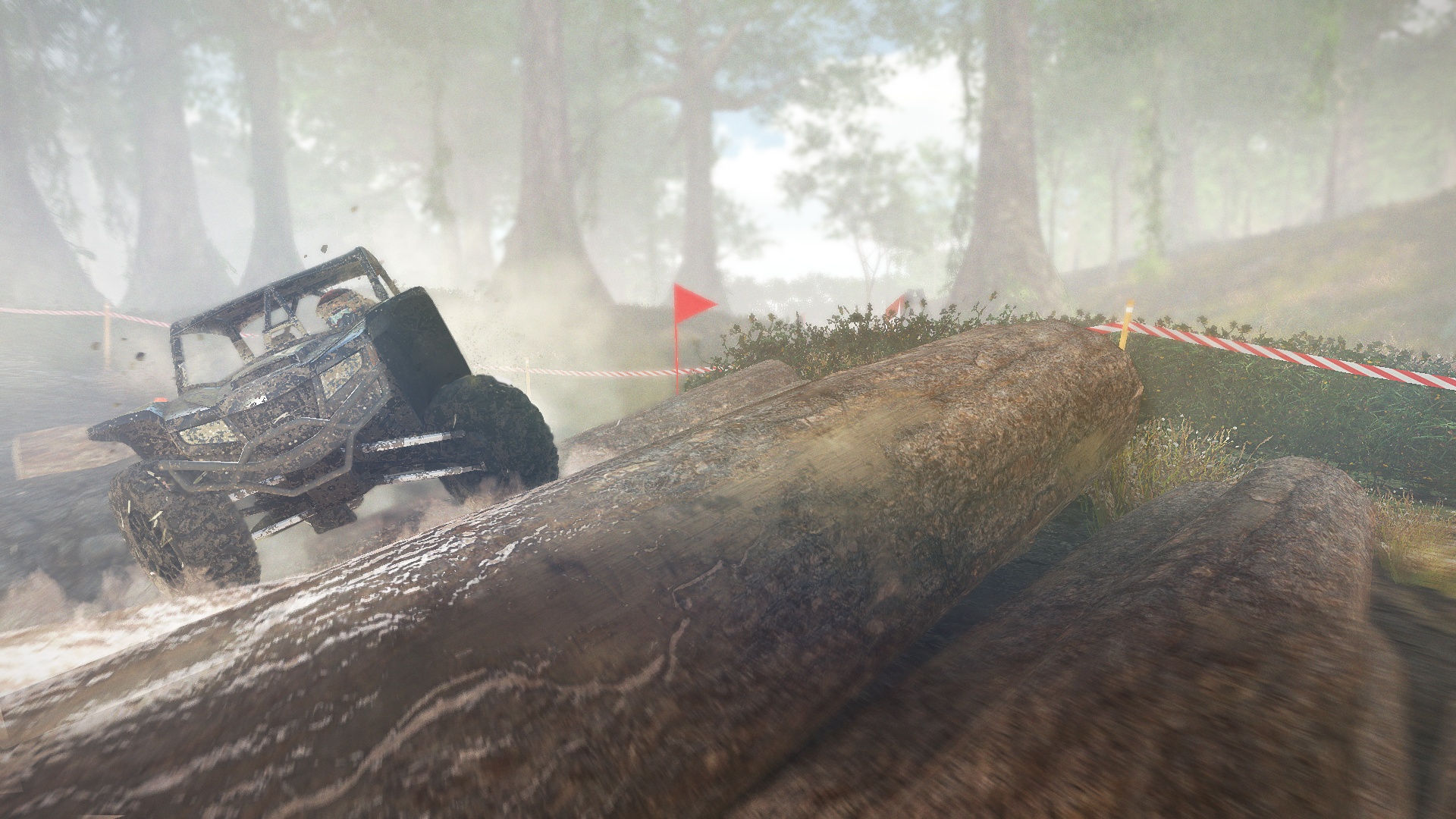
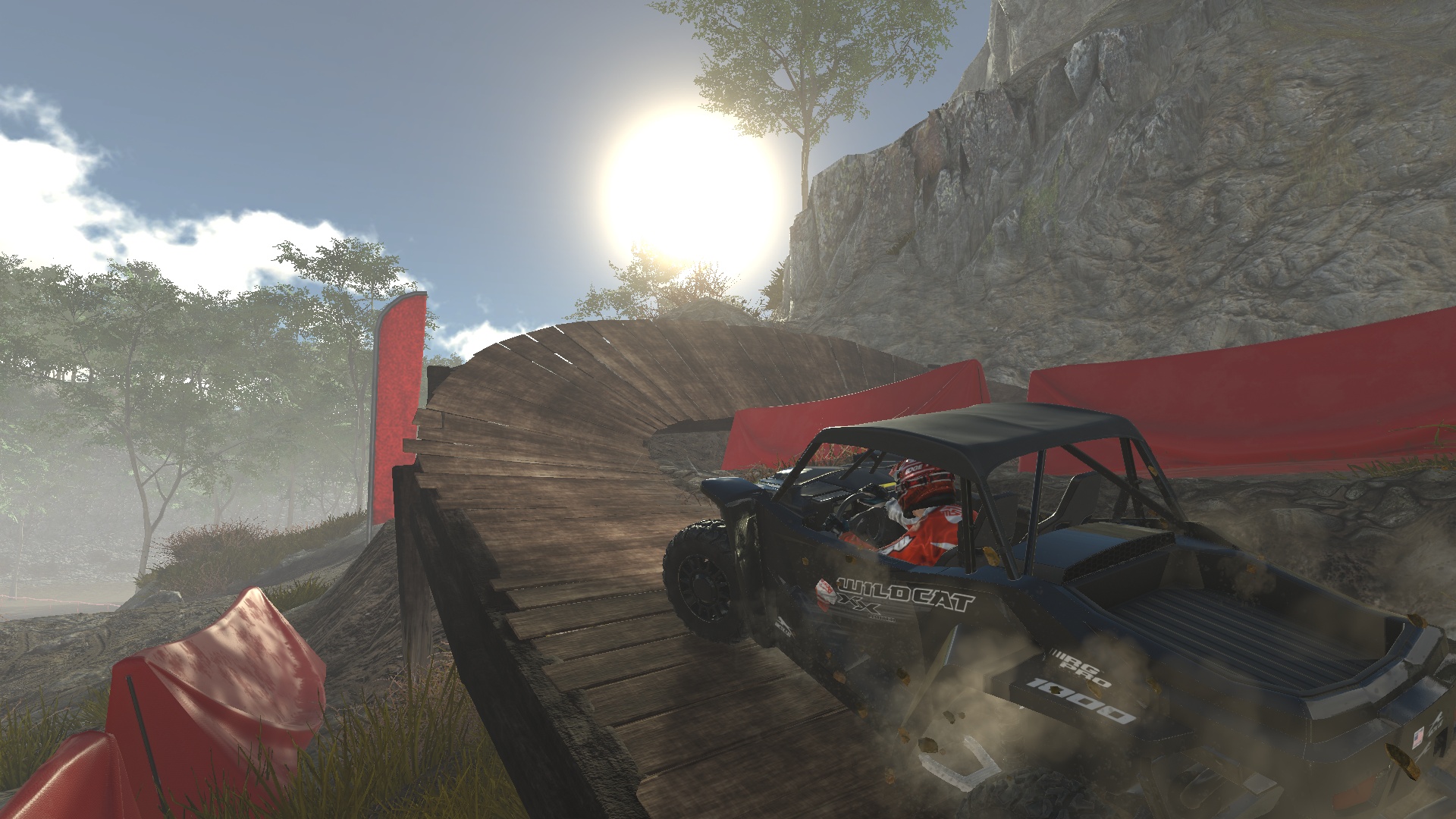
Overpass is a new kind of racing game, where the solution to winning is to be gentle with the throttle to keep some grip and be able to power through mud, rocks, steep slopes and many obstacles.
You’re at the wheel of buggies and quads and must
find a way to finish the track. Yes, the ultimate goal is to do it within the
best time possible, but the first step is to explore and make it to the finish
line. It’s not always so easy to do!
Intense Multiplayer Modes
You can play Overpass in single-player, spending time discovering tracks, trying vehicles and new ways to climb the hills. But at some point, you’ll want to jump into multiplayer modes! The intensity and tension become so enjoyable when you see seven other players trying to cross obstacles faster than you. Things can change so quickly, as leading the race can become difficult if you lose your composure and try to go faster than you should on some parts of the track. Leaderboards will be added shortly after launch and the competition to lead should be intense!
Natural and Artificial Obstacles
You must face many obstacles in the game. Some
are natural, like mud for example, that can easily cause your wheels to spin on
the spot, or rocks, that are tough to cross without causing damages to the
vehicle. Very often, this is combined with steep slopes, increasing again the
difficulty. There are other types of obstacles though, built by men. You will
encounter tree trunks, piles of tires, big pipes, seesaws and many others.
No matter which obstacle you are facing, your
best shot is to analyze it quickly and understand the best way or the best
angle to cross it. Then, you will have to be gentle on the throttle to get
enough power to climb, but not too much if you don’t want to lose grip.
Overpass is available now on the Microsoft Store. The Deluxe edition also gives you access to exclusive vehicles and a special livery to drive with style! For more information or questions about Overpass, you can join us on the official Facebook and Twitter pages. See you off-road!
OVERPASS™ DELUXE EDITION
Bigben Interactive
☆☆☆☆☆9
★★★★★
The DELUXE EDITION includes: – The full OVERPASS™ game – The Expert Vehicles Pack, which contains the Polaris RZR XP 1000 Trails & Rocks, the Arctic Cat Alterra MudPro 700 LTD and the Zordix Rock Crawler – The Smart Start Pack – The pack Drive With Style At the wheel of powerful buggies and quads from top manufacturers, venture off into extreme off-road environments and challenge yourself on the game’s highly technical tracks. Cope with vehicle damage, and negotiate the many natural and artificial obstacles in your way to achieve the best time possible. Carefully select your UTV or ATV, plot your route intelligently, and manage your acceleration and the various differential and drivetrain options to dominate in local and online competitions.
Don’t Miss: Designing Grindstone’s super satisfying board-clearing gameplay
A lot of studios have passion projects they work on between contract work and other projects and every once and a while those projects get to see the light of day. That’s the case for Capybara Games, the creators of Critter Crunch and Below, who originally started the concept for Grindstone more than a decade ago.
“It didn’t change all that much from design to conception, from prototype to what you are playing,” said Capy lead writer and designer Dan Vader. “It dates back before Below, before [Super Time Force]. We were sort of in the mode of making puzzle games. We did [Might & Magic: Clash of Heroes], we did Critter Crunch. Our creative director Kris Piotrowski came up with the idea for this blend of color-matching puzzle mechanics with a physical character on the board that moved around the board with the puzzle movement you’re creating.”
“We always sort of pictured it as a barbarian setting, a brutal setting with a sort of fun cartoonish take on that world,” he added. “We prototyped it with just basic animations and static frames on a grid and it pretty much stayed the same throughout the history of its development.”
Vader highlighted a few changes that happened throughout the design iteration process as multiple developers at Capy worked on the project off and on between other tasks. The main goal was always to create a satisfying feeling whenever the player could pull off a large combo.
Grindstone shares a lot of DNA with other puzzles games. There are still different colored pieces you need to clear, items you can use to make that easier, and enemies that will attack you if you make a mistake. But Capy wanted something slightly less casual. They wanted Grindstone to be challenging but in a meaningful and satisfying way.
Originally the creeps — the little monsters you attack on the board — would be able to deal damage in every direction around them once they went aggro. In the final version, only special enemies would be able to deal damage this way, and the more common creeps could only attack in four directions — up, down, left, and right.
That small change was a bit of a breakthrough for the game’s design. “There was something about it, we kept thinking about why we were so frustrated when we were playing this game,” he said. “It was just so difficult so we took out the diagonal angles, those were so dangerous, and that just freed things up and made the board so much more maneuverable.”
Grindstone is unique compared to other puzzle games in that the player is limited to making moves from their position on the board. It was important for the player to have a number of options to keep the action going and limiting enemy attack patterns helped prevent the player from dying constantly.
Grindstones, the gems that pop out whenever you get a combo greater than nine creeps long, are at the core of making the game work as intended. They help connect combos of two different colors, which is key to building 30 or 40 creep combos. Grindstones, which were just called gems at the start of the project, were also present as a mechanic from early on in development.
“The design had some parts that were related to more traditional mobile puzzle type things, like every move you made, every kill you made was producing coins,” Vader said. “Back then we didn’t have blood and there were coins spraying out everywhere. You were sort of collecting coins whether you made a great chain or not.”
“So we were sort of frustrated and we would test this with new players and they would spend their time making a five chain, a six chain, a seven chain while we wanted to push them to make these bigger chains,” he added. “We realized we were constantly visually rewarding them for anything they did. Anything they made had a reward since we were showering with coins.” That led the team to just focusing on Grindstones as a reward and a currency.
Both adjustments to the currency and enemy attacks made Grindstone play faster and gave the player a fairer reward for completing big chains.
Another product of constant iteration was the overarching design of the levels themselves, where the player has to reach a certain goal (either total amount of matches or enemies killed) before they could leave via a door at the top of the screen. The door is locked all the way up until you hit that goal.
Capy went back and forth on this several times, trying to figure out how to make their level endings unique. “Originally we had the idea of reaching the door, but we struggled to make that intuitive” Vader said. “Then we changed it to whenever you reach the level goal the level just ends like a traditional puzzle game. But we just liked the literal door, having to get to the door safely.”
Vader said the whole idea of risk and reward, of choosing whether or not to go for more combos (or the additional goal of killing a king creep and opening a separate chest) or get out safely was always with the project. But sticking with the door as a way to end the level amplified the risk and reward factor.
“We decided to make the decision to let the player end the level,” he said. “That opened the door up to a lot of interesting moments.” Adding the door to the level means the player has to actually leave before they can beat a level. If they finish an objective and get stuck among increasingly hostile creeps, they could have to start over. That’s at the core of what makes Grindstone so compelling.
One of the biggest challenges to designing a puzzle game with a player character on the board is how limited the player’s options can end up being. Without specially-designed levels that cater to creating combos, the player could get stuck with few options at their disposal and what should be a fun experience can get frustrating quickly.
“Having the player need to calculate where they end takes this out of the more casual puzzle stage,” Vader said. “Having your next move be the only consideration, especially with the creeps originally hitting in eight directions made it quite challenging.”
Vader and the rest of the team did a few things to make sure the possibilities remained open for the player throughout Grindstone‘s 150 levels. One thing was dialing down how many different colors of creep might appear on a single level. “In terms of just balancing the levels, we added some levels with fewer variations of colors,” he said. “Like you might find a level with 50 percent less of a certain color.”
That change made it easier to put together longer combos. Vader said the team also adjusted how fast creeps went aggro per turn. Both options led to a more forgiving atmosphere.
As players progress throughout Grindstone they unlock various costumes and weapons that grant them additional passive and active abilities. Their designs and abilities mirror the enemies and environments you encounter throughout the game.
“One of the very early prototypes we had the single arrow, kind of similar to our delete option in [Might & Magic: Clash of Heroes],” Vader said. “You can delete an unwanted creep, we also had a sword ability that could clear the area around you, and then a jump ability if you were backed into a corner and needed to get to a different spot on the map.”
“We had those locked down,” he added. “We wanted the gear to make the initial objective, like killing 50 creeps, to not be the biggest challenge. Simply opening the door and clearing the room is a task most players could complete. It’s when you get to the chests, crowns, and additional challenges. That’s when we expanded the gear list so players could create their own playstyle as they take on a bigger challenge.”
That led to weapons like the vine sword, a weapon that creates a growing vine capable of killing multiple enemies over the course of a few turns, and the ice arrow that would make aggressive creeps calm. All things to help the player continue to build big combos and something Capy has done in their previous puzzle games.
Adding a lot of weapons became a challenge to design for as the team had to make sure all weapons worked against all enemies, including the various environmental hazards from each level. The son of one developer actually created a spreadsheet and helped test every single weapon in every scenario, which still left some unexpected bugs in the end.
All these changes amounted to one satisfying gameplay system, in which if you keep making moves you’ll be able to set up a large combo and build a rhythm. Some levels may be more challenging than others, but they were never too stifling. “Even when it seems like your stifled in the beginning, the tide can turn pretty quickly,” Vader said. “If you keep making moves and managing the board, especially early on, it will pay off.”
Posted by: xSicKxBot - 03-27-2020, 11:40 AM - Forum: Python
- No Replies
Python List index()
This tutorial shows you everything you need to know to help you master the essential index() method of the most fundamental container data type in the Python programming language.
Definition and Usage: The list.index(value) method returns the index of the value argument in the list. You can use optional start and stop arguments to limit the index range where to search for the value in the list. If the value is not in the list, the method throws a ValueError.
Here’s a short example:
>>> lst = ["Alice", 42, "Bob", 99]

>>> lst.index("Alice")

0

>>> lst.index(99)

3

>>> lst.index(99, 1, 3) Traceback (most recent call last): File "<pyshell#9>", line 1, in <module> lst.index(99, 1, 3)

ValueError: 99 is not in list
In the first line of the example, you create the list lst. You then look up the index of the elements "Alice" and 99. If you use start=1 and stop=3, the value 99 is not found anymore and Python throws a ValueError.
Code Puzzle — Try It Yourself:
Now you know the basics. Let’s deepen your understanding with a short code puzzle—can you solve it?
Returns the index of value in the list. A value appears in the list if the == operator returns True. If the value doesn’t exist in the list, the return value is -1.
start
(Optional.) The index of where you want to start searching in the list. All list elements in front of this position are ignored. This is a positional argument, not a keyword argument.
stop
(Optional.) The index of where you want to stop searching in the list. All list elements after this position are ignored. This is a positional argument, not a keyword argument.
Return value: The method list.index(value) returns an integer value representing the index where the argument value appears in the list. If the value does not appear in the list, the method throws a ValueError.
The time complexity of the count(value) method is O(n) for a list with n elements. The standard Python implementation cPython “touches” all elements in the original list to check if they are equal to the value.
Again, have a look at the reference implementation where you can see these comparison operations element == value in the code:
def count(lst, value): count = 0 for element in lst: count += element == value return count
Thus, the time complexity is linear in the number of list elements.
You can see a plot of the time complexity of the count() method for growing list size here:
The figure shows how the elapsed time of counting a dummy element -99 in lists with growing number of elements grows linear to the number of elements.
If you’re interested in the code I used to generate this plot with Matplotlib, this is it:
import matplotlib.pyplot as plt

import time y = []

for i in [100000 * j for j in range(10,100)]: lst = list(range(i)) t0 = time.time() x = lst.count(-99) t1 = time.time() y.append(t1-t0) plt.plot(y)

plt.xlabel("List elements (10**5)")

plt.ylabel("Time (sec)")

plt.show()
Python List Count Duplicates
How can you count the number of duplicates in a given list?
Problem: Let’s consider an element a duplicate if it appears at least two times in the list. For example, the list [1, 1, 1, 2, 2, 3] has two duplicates 1 and 2.
Solution: You create an empty set duplicates. Then you iterate over the original list and add each element to the set that has a count value of at least 2.
Here’s the code:
def find_dups(lst): dups = set() for el in lst: if lst.count(el)>1: dups.add(el) return dups print(find_dups([1, 1, 1, 2, 2, 3]))

# {1, 2} print(find_dups(["Alice", "Bob", "Alice"]))

# {'Alice'} print(find_dups([1, 2, 3]))

# set()
Note that this algorithm has quadratic time complexity because for each element in the list, you need to count the number of times it appears in the list—each of those count operations has linear time complexity.
How can you count the number of unique values (or strings) in a given list?
Problem: A value is considered unique if it appears only once in the list.
Solution: You count each element in the list and take only those with list.count(element) == 1.
Here’s the code:
def find_uniques(lst): uniques = set() for el in lst: if lst.count(el) == 1: uniques.add(el) return uniques print(find_uniques([1, 1, 2, 3, 3]))

# {2} print(find_uniques(["Alice", "Bob", "Alice"]))

# {'Bob'}
This algorithm has quadratic time complexity because for each element in the list, you need to count the number of times it appears in the list—each of those count operations has linear time complexity.
Python List Count All Elements (Count to Dict)
How can you count all elements in a list and store the result in a dictionary?
Problem: Given is a list. You want to count each element in the list. Then, you want to store the result in a dictionary mapping the elements to their frequencies of appearance (counts). For example, the list [1, 1, 2, 2, 3] should lead to the dictionary {1:2, 2:2, 3:1}.
Solution: You solve this problem using dictionary comprehension. The key is the list element and the value is the frequency of this element in the list. You use the count() method to do this.
This algorithm has quadratic time complexity because for each element in the list, you need to count the number of times it appears in the list—each of those count operations has linear time complexity.
How can you count elements under a certain condition in Python? For example, what if you want to count all even values in a list? Or all prime numbers? Or all strings that start with a certain character? There are multiple ways to accomplish this, let’s discuss them one by one.
Say, you have a condition for each element x. Let’s make it a function with the name condition(x). You can define any condition you want—just put it in your function. For example this condition returns True for all elements that are greater than the integer 10:
But you can also define more complicated conditions such as checking if they are prime numbers.
Python List Count If
How can you count the elements of the list IF the condition is met?
The answer is to use a simple generator expressionsum(condition(x) for x in lst):
>>> def condition(x): return x>10 >>> lst = [10, 11, 42, 1, 2, 3]

>>> sum(condition(x) for x in lst)

2
The result indicates that there are two elements that are larger than 10. You used a generator expression that returns an iterator of Booleans. Note that the Boolean True is represented by the integer value 1 and the Boolean False is represented by the integer value 0. That’s why you can simply calculate the sum over all Booleans to obtain the number of elements for which the condition holds.
Python List Count Greater / Smaller Than
If you want to determine the number of elements that are greater than or smaller than a specified value, just modify the condition in this example:
>>> def condition(x): return x>10 >>> lst = [10, 11, 42, 1, 2, 3]

>>> sum(condition(x) for x in lst)

2
For example, to find the number of elements smaller than 5, use the condition x<5 in the generator expression:
>>> lst = [10, 11, 42, 1, 2, 3]

>>> sum(x<5 for x in lst)

3
Python List Count Zero / Non-Zero
To count the number of zeros in a given list, use the list.count(0) method call.
To count the number of non-zeros in a given list, you should use conditional counting as discussed before:
def condition(x): return x!=0 lst = [10, 11, 42, 1, 2, 0, 0, 0]

print(sum(condition(x) for x in lst))

# 5
Python List Count Lambda + Map
An alternative is to use a combination of the map and the lambda function.
Here’s the code for this one using the wildcard operator in a pattern to count all occurrences of this pattern in the list.
>>> import re

>>> lst = ['Susi', 'Ann', 'Susanne', 'Susy']

>>> pattern = 'Sus.*'

>>> frequency = sum(1 if re.match(pattern, x) else 0 for x in lst)

>>> print(frequency)

3
The generator expression produces a bunch of 1s and 0s—the former if the list element starts with prefix 'Sus' and the latter if it doesn’t. By summing over all elements, you get the number of matches of the wildcard operator.
Python List Count Not Working
The list.count(value) method is very hard to break. Look what I tried to get an error:
>>> lst = [1, 1, 1, 2, 2, 3]

>>> lst.count(1)

3

>>> lst.count(2, 2)

Traceback (most recent call last): File "<pyshell#19>", line 1, in <module> lst.count(2, 2)

TypeError: count() takes exactly one argument (2 given)

>>> lst.count(4)

0

>>> lst.count("1")

0

>>> count(lst)

Traceback (most recent call last): File "<pyshell#22>", line 1, in <module> count(lst)

NameError: name 'count' is not defined

>>>
You have to try really hard to break it. Just consider these tips:
The list.count(value) method takes exactly one argument: the value you want to count. If you define more or less arguments, there will be an error.
The list.count(value) method is just that: a method of a list object. You need to call it on a list object. If you try to call it on another object, it will probably fail. If you try to use it just like that (without the list prefix, i.e., count(value)), it will also fail.
The list.count(value) will return 0 if you put in any object as an argument that does not evaluate to True when compared to the list elements using the == comparison operator. So make sure that the object you want to count really evaluates to True if you compare it against some list elements. You may assume this but it could easily fail to do so.
Python List Reference Count
The Python garbage collector keeps track of the number of times each object in memory is referenced. You call this “reference counting”. All objects that have reference count of zero cannot be reached by your code and, thus, can be safely removed by the garbage collector.
It’s unrelated to Python lists with the one exception: each list element increases the reference count by one because a list really is an array of pointers to the list objects in memory in the cPython implementation.
Python List Count Tuples
How can you count the number of times a given tuple appears in a list?
Simply use the tuple as the input argument value for the list.count(value) method. Here’s an example:
Do you want to improve performance of the list.count(value) method? It’s not easy because the runtime complexity is O(n) with n list elements.
There’s not much you can do about it. Of course, if you need to count the same element multiple times, you can use a cache dictionary to store its result. But this works only if the list has not changed.
You can also sort the list once which takes O(n log n) for n list elements. After that, you can call the implement a count method based on binary search with O(log n) runtime complexity. But if you need to count only a single element, this is not effective.
Interestingly, counting all elements in a list also has O(n) runtime complexity. Why? Because you’ll go over each element and add it to a dictionary if it doesn’t exist already (mapping the element to its counter value, initially 1). If it exists, you simply increment the counter by one.
In this excellent benchmark, you can find the performance of different counting methods. The Counter class seems to have best performance.
Python List Count vs Len
What’s the difference?
The list.count(x) method counts the number of occurrences of the element x in the list.
The len(list) method returns the total number of elements in the list.
Do you have multiple threads that access your list at the same time? Then you need to be sure that the list operations (such as count()) are actually thread safe.
In other words: can you call the count() operation in two threads on the same list at the same time? (And can you be sure that the result is meaningful?)
The answer is yes (if you use the cPython implementation). The reason is Python’s global interpreter lock that ensures that a thread that’s currently working on its code will first finish its current basic Python operation as defined by the cPython implementation. Only if it terminates with this operation will the next thread be able to access the computational resource. This is ensured with a sophisticated locking scheme by the cPython implementation.
The only thing you need to know is that each basic operation in the cPython implementation is atomic. It’s executed wholly and at once before any other thread has the chance to run on the same virtual engine. Therefore, there are no race conditions. An example of such a race condition would be the following: the first thread reads a value from the list, the second thread overwrites the value, and the first thread overwrites the value again invalidating the second thread’s operation.
All cPython operations are thread-safe. But if you combine those operations into higher-level functions, those are not generally thread safe as they consist of many (possibly interleaving) operations.
Where to Go From Here?
The list.count(x) method counts the number of times the element x appears in the list.
If you keep struggling with those basic Python commands and you feel stuck in your learning progress, I’ve got something for you: Python One-Liners (Amazon Link).
In the book, I’ll give you a thorough overview of critical computer science topics such as machine learning, regular expression, data science, NumPy, and Python basics—all in a single line of Python code!
OFFICIAL BOOK DESCRIPTION:Python One-Liners will show readers how to perform useful tasks with one line of Python code. Following a brief Python refresher, the book covers essential advanced topics like slicing, list comprehension, broadcasting, lambda functions, algorithms, regular expressions, neural networks, logistic regression and more. Each of the 50 book sections introduces a problem to solve, walks the reader through the skills necessary to solve that problem, then provides a concise one-liner Python solution with a detailed explanation.
Affinity Products Half Price And Free For 3 Months
Serif, the makers of Affinity Designer and Affinity Photo are currently offering all of their products at a 50% discount. Additionally they are now offering a completely functional 3 month demo download.
With all that’s going on right now due to the COVID-19 pandemic and in response to the many stories we’re hearing from the creative community about how they’re being severely impacted, we felt it was our responsibility to try to offer as much support as possible during this incredibly difficult time.
That’s why we’ve put in place three new measures which we hope will help at least some of you out there. These are:
+ A new 90-day free trial of the Mac and Windows versions of the whole Affinity suite
+ A 50% discount for those who would rather buy and keep the apps on Mac, Windows PC and iPad
+ A pledge to engage more than 100 freelance creatives for work, spending the equivalent of our annual commissioning budget in the next three months (more details of this will be announced soon).
The introduction of the 90-day free trial and deeply discounted pricing is done in the hope that this will make life a little easier for people who rely on creative software to make a living, but may be stuck at home without their usual tools, or for students who might not have access to their Affinity apps on their personal devices.
In addition, by increasing our spend on commissioning work from freelancers we can also put some extra money into a part of the industry which will be particularly affected.
We plan to make the free trial and additional discount available until 20 April, but we’ll continue to review the situation as time goes on.
We know we’re not saving the world, but we hope these measures can at least provide some form of relief to those who need it. We’ll pull through this together…
You can learn more about the deal and promo in the video below. If you want to learn more about Affinity products check out our hands on video available here.
Blazor WebAssembly 3.2.0 Preview 3 release now available
Daniel
March 26th, 2020
A new preview update of Blazor WebAssembly is now available! Here’s what’s new in this release:
Debugging in Visual Studio and Visual Studio Code
Auto-rebuild in Visual Studio
Configuration
New HttpClient extension methods for JSON handling
Get started
To get started with Blazor WebAssembly 3.2.0 Preview 3 install the latest .NET Core 3.1 SDK.
NOTE: Version 3.1.201 or later of the .NET Core SDK is required to use this Blazor WebAssembly release! Make sure you have the correct .NET Core SDK version by running dotnet --version from a command prompt.
Once you have the appropriate .NET Core SDK installed, run the following command to install the updated Blazor WebAssembly template:
dotnet new -i Microsoft.AspNetCore.Components.WebAssembly.Templates::3.2.0-preview3.20168.3
If you’re on Windows using Visual Studio, we recommend installing the latest preview of Visual Studio 2019 16.6. Installing Visual Studio 2019 16.6 Preview 2 or later will also install an updated version of the .NET Core 3.1 SDK that includes the Blazor WebAssembly template, so you don’t need to separately install it.
That’s it! You can find additional docs and samples on https://blazor.net.
Upgrade an existing project
To upgrade an existing Blazor WebAssembly app from 3.2.0 Preview 2 to 3.2.0 Preview 3:
Update all Microsoft.AspNetCore.Components.WebAssembly.* package references to version 3.2.0-preview3.20168.3.
Update all Microsoft.AspNetCore.Blazor.* package references to version 3.2.0-preview3.20168.3.
You’re all set – easy peasy!
Debugging
You can now debug Blazor WebAssembly apps directly from Visual Studio and Visual Studio Code. You can set breakpoints, inspect locals, and step through your code. You can also simultaneously debug your Blazor WebAssembly app and any .NET code running on the server. Using the browser dev tools to debug your Blazor WebAssembly apps is also still supported.
Enable debugging
To enable debugging in an existing Blazor WebAssembly app, update launchSettings.json in the startup project of your app to include the following inspectUri property in each launch profile:
This property enables the IDE to detect that this is a Blazor WebAssembly app and instructs the script debugging infrastructure to connect to the browser through Blazor’s debugging proxy.
Once updated, your launchSettings.json file should look something like this:
Open an existing Blazor WebAssembly app with debugging enabled.
a. If you get the following notification that additional setup is required to enable debugging, recheck that you have the correct extensions installed and JavaScript preview debugging enabled and then reload the window:
b. A notification should offer to add required assets for building and debugging to the app. Select “Yes”.
Starting the app in the debugger is then a two-step process:
a. Start the app first using the “.NET Core Launch (Blazor Standalone)” launch configuration.
b. Then start the browser using the “.NET Core Debug Blazor Web Assembly in Chrome” launch configuration (requires Chrome). To use the latest stable release of Edge instead of Chrome, change the type of the launch configuration in .vscode/launch.json from pwa-chrome to pwa-msedge.
Set a breakpoint in the IncrementCount method in the Counter component and then select the button to hit the breakpoint:
Known limitations
There are a number of limitations with the current debugging experience in Visual Studio and Visual Studio Code. The following debugging features are not yet fully implemented:
Inspecting arrays
Hovering to inspect members
Step debugging into or out of managed code
Full support for inspecting value types
Breaking on unhandled exceptions
Hitting breakpoints during app startup
Debugging an app with a service worker
We expect to continue to improve the debugging experience in future releases. We appreciate your feedback to help us get the Blazor WebAssembly debugging experience right!
Auto-rebuild in Visual Studio
Visual Studio 2019 16.6 will watch for file changes in .cs and .razor files across the solution and automatically rebuild and restart the app so that the changes can be seen by simply refreshing the browser. This enables auto-rebuild support for Blazor WebAssembly projects and Razor Class Libraries. Instead of manually rebuilding and restarting the app when making code changes, just edit, save, and then refresh the browser.
Configuration
Blazor WebAssembly apps now have built-in support for loading configuration data from appsettings.json and environment specific configuration data from appsettings.{environment}.json.
To add configuration data to your Blazor WebAssembly app:
Add an appsettings.json file in the wwwroot folder of your Blazor WebAssembly app:
{ "message": "Hello from config!"

}
Inject an IConfiguration instance into your components to access the configuration data.
Run the app to see the configured message displayed on the home page.
To optionally override this configuration with values specific to the Development environment, add an appsettings.Development.json to your wwwroot folder:
{ "message": "Hello from Development config!"

}
If you now run the app in Development, you’ll see the new message.
Note: Blazor WebAssembly apps load the configuration data by downloading the JSON files to the browser, so these configuration files must be publicly addressable. Do not store secrets in these configuration files, as they are public and can be viewed by anyone.
New HttpClient extension methods for JSON handling
The .NET team has been hard at work creating a full set of new extension methods for HttpClient that handle JSON serialization and deserialization using System.Text.Json. These extension methods are now available in preview with the System.Net.Http.Json package and they will replace the existing helper methods in the Microsoft.AspNetCore.Blazor.HttpClient package. We haven’t updated the Blazor WebAssembly template yet to use the new extension methods, but we will in our next Blazor WebAssembly preview update.
You can try the new extension methods yourself by replacing the Microsoft.AspNetCore.Blazor.HttpClient package with the newer System.Net.Http.Json package. Then add @using System.Net.Http.Json to your _Imports.razor file and update your code as follows:
Microsoft.AspNetCore.Blazor.HttpClient
System.Net.Http.Json
GetJsonAsync
GetFromJsonAsync
PostJsonAsync
PostAsJsonAsync
PutJsonAsync
PutAsJsonAsync
The updated implementation of the FetchData component in the default Blazor WebAssembly template looks like this:
System.Net.Http.Json also provides a JsonContent class that can be used for sending serialized JSON, as well as convenient helper methods for reading JSON from an HttpContent instance.
Look for more details on System.Net.Http.Json to be published soon on the .NET blog.
Known issues
There are a few known issues with this release that you may run into:
When building a Blazor WebAssembly app using an older .NET Core SDK you may see the following build error:
error MSB4018: The "ResolveBlazorRuntimeDependencies" task failed unexpectedly.
error MSB4018: System.IO.FileNotFoundException: Could not load file or assembly '\BlazorApp1\obj\Debug\netstandard2.1\BlazorApp1.dll'. The system cannot find the file specified.
error MSB4018: File name: '\BlazorApp1\obj\Debug\netstandard2.1\BlazorApp1.dll' error MSB4018: at System.Reflection.AssemblyName.nGetFileInformation(String s)
error MSB4018: at System.Reflection.AssemblyName.GetAssemblyName(String assemblyFile)
error MSB4018: at Microsoft.AspNetCore.Components.WebAssembly.Build.ResolveBlazorRuntimeDependencies.GetAssemblyName(String assemblyPath)
error MSB4018: at Microsoft.AspNetCore.Components.WebAssembly.Build.ResolveBlazorRuntimeDependencies.ResolveRuntimeDependenciesCore(String entryPoint, IEnumerable`1 applicationDependencies, IEnumerable`1 monoBclAssemblies)
error MSB4018: at Microsoft.AspNetCore.Components.WebAssembly.Build.ResolveBlazorRuntimeDependencies.Execute()
error MSB4018: at Microsoft.Build.BackEnd.TaskExecutionHost.Microsoft.Build.BackEnd.ITaskExecutionHost.Execute()
error MSB4018: at Microsoft.Build.BackEnd.TaskBuilder.ExecuteInstantiatedTask(ITaskExecutionHost taskExecutionHost, TaskLoggingContext taskLoggingContext, TaskHost taskHost, ItemBucket bucket, TaskExecutionMode howToExecuteTask)
To address this issue, update to version 3.1.201 or later of the .NET Core 3.1 SDK.
You may see the following warning when building from the command-line:
CSC : warning CS8034: Unable to load Analyzer assembly C:\Users\user\.nuget\packages\microsoft.aspnetcore.components.analyzers\3.1.0\analyzers\dotnet\cs\Microsoft.AspNetCore.Components.Analyzers.dll : Assembly with same name is already loaded
To address this issue, update to your package reference to Microsoft.AspNetCore.Components to 3.1.3 or newer. If your project reference the Microsoft.AspNetCore.Components package through a transitive package reference that has not been updated, you can add a reference in your project to resolve the issue in your project.
The following error may occur when publishing an ASP.NET Core hosted Blazor app with the .NET IL linker disabled:
An assembly specified in the application dependencies manifest (BlazorApp1.Server.deps.json) was not found
To workaround this issue, ensure that you publish with the .NET IL linker enabled. To publish with the linker enabled:
Publish using a Release build configuration: dotnet publish -c Release. The .NET IL linker is automatically run for Release builds, but not for Debug builds.
Don’t set BlazorWebAssemblyEnableLinking to false in your client project file.
If you’re hitting issues running with the linker disabled, you may need to configure the linker to preserve code that is being called using reflection. See https://docs.microsoft.com/aspnet/core/h...ure-linker for details.
Feedback
We hope you enjoy the new features in this preview release of Blazor WebAssembly! Please let us know what you think by filing issues on GitHub.
Posted by: xSicKxBot - 03-27-2020, 11:39 AM - Forum: Windows
- No Replies
Azure Stack Edge expands with NVIDIA GPU preview
We’re expanding the Microsoft Azure Stack Edge with NVIDIA T4 Tensor Core GPU preview during the GPU Technology Conference (GTC Digital). Azure Stack Edge is a cloud-managed appliance that brings Azure’s compute, storage, and machine learning capabilities to the edge for fast local analysis and insights. With the included NVIDIA GPU, you can bring hardware acceleration to a diverse set of machine learning (ML) workloads.
What’s new with Azure Stack Edge
At Mobile World Congress in November 2019, we announced a preview of the NVIDIA GPU version of Azure Stack Edge and we’ve seen incredible interest in the months that followed. Customers in industries including retail, manufacturing, and public safety are using Azure Stack Edge to bring Azure capabilities into the physical world and unlock scenarios such as the real-time processing of video powered by Azure Machine Learning.
These past few months, we’ve taken our customers’ feedback to make key improvements and are excited to make our preview available to even more customers today.
If you’re not already familiar with Azure Stack Edge, here are a few of the benefits:
Azure Machine Learning: Build and train your model in the cloud, then deploy it to the edge for FPGA or GPU-accelerated inferencing.
Edge Compute: Run IoT, AI, and business applications in containers at your location. Use these to interact with your local systems, or to pre-process your data before it transfers to Azure.
Cloud Storage Gateway: Automatically transfer data between the local appliance and your Azure Storage account. Azure Stack Edge caches the hottest data locally and speaks file and object protocols to your on-prem applications.
Azure-managed appliance: Easily order and manage Azure Stack Edge from the Azure Portal. No initial capex fees; pay as you go, just like any other Azure service.
Enabling our partners to bring you world-class business applications
Equally important to bringing you a great device is enabling our partners to bring you innovative applications to meet your business needs. We’d love to share some of the continued investment we’re making with partners to bring their exciting developments to you.
As self-checkouts grow in prevalence, Malong Technologies is innovating in AI applications for loss prevention.
“For our customers in the retail industry, artificial intelligence innovation is happening at the edge,” said Matt Scott, co-founder and chief executive officer, Malong Technologies. “Along with our state-of-the-art solutions, our customers need hardware that is powerful, reliable, and custom-tailored for the cloud. Microsoft’s Azure Stack Edge fits the bill perfectly. We’re proud to be a Microsoft Gold Certified Partner, working with Microsoft to help our retail customers succeed.”
“Mariner has standardized on Microsoft’s Azure Stack Edge for our Spyglass Visual Inspection and Spyglass Connected Factory products. These solutions are mission critical to our manufacturing customers. Azure Stack Edge provides the performance, stability and availability they require.” – Phil Morris, CEO, Mariner
Building computer vision solutions to improve performance and safety in manufacturing and other industries is a key area of innovation for XXII.
“XXII is thrilled to be a Microsoft partner and we are working together to provide our clients with real time video analysis software on edge with the Azure Stack Edge box. With this solution, Azure allow us to harvest the full potential of NVIDIA GPUs directly on edge and be able to provide our clients in retail, industry and smart city with smart video analysis that are easily deployable, scalable and easily manageable with Azure stack Edge.” – Souheil Hanoune, Chief Scientific Officer, XXII
More to come with Azure Stack Edge
There are even more exciting developments with Azure Stack Edge coming. We’re putting the final touches on much-awaited new compute and AI capabilities including virtual machines, Kubernetes clusters, and multi-node support. Along with these new features announced at Ignite 2019, Data Box Edge was renamed Azure Stack Edge to align with the Azure Stack portfolio.
Our Rugged series for sites with harsh or remote environments is also coming this year, including the battery-powered form-factor that can be carried in a backpack. The versatility of these Azure Stack Edge form-factors and cloud-managed capabilities brings cloud intelligence and compute to retail stores, factory floors, hospitals, field operations, disaster zones, and rescue operations.
Get started with the Azure Stack Edge with NVIDIA GPU preview
Thank you for continuing to partner with us as we bring new capabilities to Azure Stack Edge. We’re looking forward to hearing from you.
To get started with the preview, please email us and we’ll follow up to learn more about your scenarios.
Clubhouse Returns This June With 51 Tabletop Classics From Around The World
One series we didn’t necessarily expect to make a return was Clubhouse Games. You might recall the original Nintendo DS entry released in 2005. While it wasn’t the most thrilling concept, it was still a fun game to play with both friends and family, and even featured online play.
If you’ve been craving more tabletop action like this, during the latest Nintendo Direct Mini, Clubhouse Games: 51 Worldwide Classics was revealed. As the name suggests, there are 51 games to enjoy in this new entry due out on 5th June. Some include Mancala, Slot Cars, Sliding Puzzle and Texas Hold’em. Local and online play is also supported for up to four people.
You can pre-purchase the game from the Nintendo Switch eShop right now. Anyone who does will receive Gold Points valued at 5% of the amount paid. Was this one of the highlights of the presentation for you? Leave a comment below.
Posted by: xSicKxBot - 03-27-2020, 11:39 AM - Forum: Lounge
- No Replies
Steam's New Free-Weekend Games Are Freakin' Fantastic
If you're looking for something to do this weekend, then Steam has three excellent games with free-play periods that will easily take care of your boredom. The fantastic metropolis builder Cities: Skylines; the incredibly in-depth intergalactic sim Kerbal Space Program; and the intense, heart-pounding tactical shooter Insurgency: Sandstorm are all free to play on PC this weekend.
Each game is available for free right now, though if you want to play past the free-play period, you'll need to buy it. Thankfully, they're all discounted, so you won't have to pay full price to keep going. Cities: Skylines is free on Steam until March 29 at 1 PM PT / 4 PM ET, Kerbal Space Program until March 30 at 10 AM PT / 1 PM ET, and Insurgency: Sandstorm until April 1 at 10 AM PT / 1 PM ET.
Both Cities: Skylines and Kerbal Space Program have received stellar reviews from GameSpot. Cities: Skylines' review scored it an 8/10, praising its realistic and mod-friendly city-building, while Kerbal Space Program's review awarded the game a 9/10 for its impressively realistic physics and science as well as its steep but gratifying difficulty curve.