Create an account


Welcome, Guest
You have to register before you can post on our site.

Username
  

Password


Search Forums

(Advanced Search)

Forum Statistics
» Members: 20,121
» Latest member: gottaluvthatkill
» Forum threads: 21,748
» Forum posts: 22,617

Full Statistics

Online Users
There are currently 918 online users.
» 1 Member(s) | 913 Guest(s)
Applebot, Baidu, Bing, Google, albert42

 
  News - GOG Galaxy 2.0 Solves One Of PC Gaming’s Biggest Problems
Posted by: xSicKxBot - 07-25-2019, 02:34 PM - Forum: Lounge - No Replies

GOG Galaxy 2.0 Solves One Of PC Gaming’s Biggest Problems

PC gamers are beginning to lose their patience with juggling multiple clients when they just want to find and launch their games. Trying to figure out which EA games were shifted from Steam to Origin, tackling Uplay, and remembering which games are now Epic Store exclusives has been a cause of frustration for PC players, but there may be a solution. Enter GOG Galaxy 2.0, which promises to unify all of your PC games in one very pretty client.

I began using GOG Galaxy when The Witcher 3: Wild Hunt first came out and while I loved the DRM-free capabilities, the platform itself was buggy and generally not a great user experience. But GOG Galaxy 2.0 looks to be a vastly improved edition, and as the beta isn't open to everybody yet, you can get an inside look in our feature video above.

No Caption Provided

The first thing which is really apparent is that GOG Galaxy 2.0 is gorgeous. The visual and functional overhaul is impressive and heavily customisable. Importing your games creates an insightful and intuitive overview of your collective PC gaming library, and your PlayStation and Xbox libraries for that matter. Currently it's not possible to import any Nintendo games, but for games on every other platform you're able to view your achievements, hours played, and friend's stats. You can also explore your entire gaming library using filters and search parameters.

The closed beta doesn't contain every planned feature and as it's receiving constant updates, there are certain things that don't work as intended. There are general bugs, some missing trophies and progress, and Galaxy can occasionally lose its connection to certain clients--but these problems don't outweigh the advantages of the platform, especially how it enables the integration of all your clients into one. This requires some setup as you need to log into each of your clients to connect them to Galaxy, but if you don't consider Captcha software to be your arch nemesis like I do, it's pretty painless.

Finishing the process rewards you with a comprehensive gold mine of your own data and a client that will never have you scratching your head trying to remember what platform Mass Effect 2 is on ever again. Once you link your platforms your library auto-populates with art, playtime stats, and achievements. There are gaps where art is missing, but icon and background art can be imported straight from your computer.

You can boot games from GOG Galaxy 2.0 but you do still need to wait for the original client to get running in the background. My wait times varied by platform, with Steam proving to be the fastest and least intrusive third-party platform to integrate. Some clients like Origin and Uplay still insist on popping up on your desktop when you try to launch a game from either platform, but a feature is in the works which will automatically close clients when exiting an associated game. Galaxy does let you install games straight from the launcher, but of course if you want to buy the latest Epic Store exclusive, for instance, you'll still need to take yourself over to its specific store to buy it.

No Caption Provided

The only time you'll really run into a problem is if you haven't enabled your clients and games to auto-update. I don't auto-update my platforms or games because I still remember getting yelled at for using up all our family's data when I was a teenager living at home so booting a game like The Division 2 can mean waiting for Uplay to update and run and then waiting for the game itself to update and run. Bonus points if Galaxy also required an update at launch. Fortunately, sifting through the piles of data in GOG Galaxy 2.0 to find out which game I've logged the most time in--145 hours in Divinity: Original Sin II apparently--is a perfectly good time waster while waiting on those progress bars. Generally, you'll want to make sure you are auto-updating so you don't run into this problem, in which case you should sail right into the game with far less waiting around. I did most of my gaming offline and away from distribution platforms until the 2000s so while GOG can't paint me a perfect data-riffic picture of all the weekends I spent playing Heroes of Might & Magic III or Age of Empires II from dawn until dusk, there is still plenty of stats to check out.

It's worth noting that GOG Galaxy 2.0 isn't the first all-in-one launcher. Playnite is an open source library manager that imports games from all of your platforms into one and while by all accounts it does the trick, GOG Galaxy 2.0 has some special additions under its pretty hood. Galaxy includes a bookmark function that lets you pin games, genres, or custom tagged groups to your sidebar. Custom tags can be created instantly and you can group together whatever strange amalgamation of games you choose. There are also plenty of UI options like filtering by platform, operating system, tags, or whether or not the game is installed. The platform is also open-source allowing for community-made plug-ins which should enable clever users to expand the breadth of what GOG Galaxy 2.0 is capable of.

No Caption Provided

Overall the process is as streamlined and well-executed as you'd expect from a beta. You can hide games in your library, which I did for trials, and if you own a game on multiple platforms it'll combine the stats under one page for you. As a space to hold your half a dozen gaming libraries it's entirely sufficient and missing trophies or sluggish boot times from certain platforms don't take away from how much easier it makes modern PC gaming. Galaxy is also intending to integrate your friends from other platforms into the client which CD Project says could extend to sending a message to a friend on PS4 who receives it instantly, but this functionality is yet to be implemented.

A handful of years ago I couldn't imagine GOG Galaxy working for me as a replacement for Steam, despite how much I loved the DRM-free and offline play options, but Galaxy 2.0 is a vastly different beast. It may not have the library to replace your existing platforms, but the relative ease with which it unifies all your clients means that, at least for me, playing my PC games through GOG Galaxy 2.0 from now on is looking to be a no brainer.

Print this item

  News - Fire Emblem: Three Houses Will Get A Super-Hard Mode In Free Update
Posted by: xSicKxBot - 07-25-2019, 02:34 PM - Forum: Nintendo Discussion - No Replies

Fire Emblem: Three Houses Will Get A Super-Hard Mode In Free Update

Fe

Fire Emblem: Three Houses launches tomorrow – yes tomorrow! – and Nintendo has shared details on some post-launch content sure to excite diehard fans of the series.

As well as the ‘Normal’ and ‘Hard’ difficulty options which will be present in the game the moment you boot it up, an “even harder mode” will be added as a free software update later this year. The news comes from Nintendo’s official Twitter account:


If you’re as excited for the game’s release as we are, make sure to keep an eye on the site for our official review later today. While you wait for that to drop, feel free to also check out our early impressions from our time with the game’s early stages.

Are you picking up a copy tomorrow? Excited for this super-hard mode? Tell us below.

Print this item

  AppleInsider - Review: Grado’s GW100 headphones make open-back wireless affordable
Posted by: xSicKxBot - 07-25-2019, 02:34 PM - Forum: Apples Mac and OS X - No Replies

Review: Grado’s GW100 headphones make open-back wireless affordable

There may be superior-sounding open-back headphones, but you’ll be hard-pressed to find anything better than the Grado GW100 that’s both wireless and affordable.

Recently I checked out Audio-Technica’s ATH-AD1000X headphones as a possible open-back option for Macs, iPads, and iPhones. They sound excellent — I’m wearing them as I write this — but a fundamental obstacle is that as with many open-back models, they’re wired-only. That doesn’t fly with too many people these days, especially iPhone owners.

Grado is a well-known brand in the audio world, primarily as a source of open-back headphones that won’t break the bank. The GW100 is its first Bluetooth option, which it claims it held off on until it could match the quality of wired products.

Once more, a quick primer. Most headphones are closed-back, which improves qualities like noise isolation at the expense of shaping output and creating a narrower soundstage. Open-back headphones tend to have a “purer” sound with a wide stage, at the cost of bass.

Construction-wise the GW100 isn’t terribly impressive out of the box. Most of it is built of lightweight plastic, and the earpieces are covered with a cheap, removable foam lining. It’s not what you’d anticipate from something costing $249.

It does retain Grado’s signature style though, and lightweight means exactly that — this might something to consider if you feel other on- or over-the-ear headphones weigh too much. Foam lining isn’t ideal for comfort, but it is tolerable.

Thankfully, the tradeoff in build quality is made up for in sound. Grado says it custom-configured its driver design for the GW100, which further employs Bluetooth 4.2 with aptX, a Qualcomm compression technology that enables “CD-like” quality.

As a rule the headphones sound great. They’re not audiophile quality — you’d need aptX-HD for that — but frequency response ranges from 20 hertz to 20 kilohertz, and most of that comes through loud and clear. I sometimes felt as if sound was a little muffled or lacking in bass, but not in any serious way, and that was more than offset by having a smooth and open soundstage.

Another pleasant feature: real physical buttons for playback. Many headphones use touch gestures these days, which I find maddeningly imprecise. Here, it’s quick and easy to change tracks or volume.

A couple of minor complaints are that they bleed audio, and while portable, are even less suited to rain and sweat than usual. Both issues are inherent to open-back technology, however, so there’s no faulting Grado.

Conclusions


If you’re considering a first step into open-back headphones or simply want a more portable version, the GW100 won’t disappoint so long as you know what you’re in for. That’s the catch, naturally — people who want privacy or or more rugged design will have to turn elsewhere. So too will audiophiles, but they’re probably browsing far more expensive options anyway. For the common man, this is excellent.

Score: 4 out of 5


Where to buy


The Grado GW100 Wireless Headphones sell for $249 at top retailers, such as Amazon and B&H Photo.

Print this item

  Forwarded Headers Middleware Updates in .NET Core 3.0 preview 6
Posted by: xSicKxBot - 07-25-2019, 02:34 PM - Forum: C#, Visual Basic, & .Net Frameworks - No Replies

Forwarded Headers Middleware Updates in .NET Core 3.0 preview 6

Avatar

With the ASP.NET Core 2.1 release, we included UseHsts and UseHttpRedirection by default. These methods put a site into an infinite loop if deployed to an Azure Linux App Service, Azure Linux virtual machine (VM), or behind any other reverse proxy besides IIS. TLS is terminated by the reverse proxy, and Kestrel isn’t made aware of the correct request scheme.

OAuth and OIDC also fail in this configuration because they generate incorrect redirects. Calls to UseIISIntegration add and configure forwarded headers middleware when running behind IIS, but there’s no matching automatic configuration for Linux (Apache or Nginx integration). The fix for this issue is discussed in more detail in the doc article Forward the scheme for Linux and non-IIS reverse proxies.

Configuration-only Wire-up in Preview 6


With the updates in .NET Core 3 preview 6, you no longer need to call the middleware explicitly, as the host logic has been pre-wired to enable the Forwarded Headers Middleware by default as long as the ASPNETCORE_FORWARDEDHEADERS_ENABLED environment variable has been set to true. Turning on the Forwarded Headers Middleware is as simple as setting the ASPNETCORE_FORWARDEDHEADERS_ENABLED setting in the Azure Portal’s configuration blade for any App Service running on Linux or in a container.

Enabling the Forwarded Headers Middleware via config

Once this setting is set to true, the middleware starts working, and features dependent on Request.IsHttps resulting to true begin to function as expected.

Resolving the issue with ASP.NET Core 2.x Apps Today


If you’re currently building an ASP.NET Core 2.x app and want to run it on App Service for Linux now, there’s a workaround that will be future-proof when the updates come out for 3.0.

To forward the scheme from the proxy in non-IIS scenarios, add and configure Forwarded Headers Middleware. In Startup.cs, use the following code:

// using Microsoft.AspNetCore.HttpOverrides; public void ConfigureServices(IServiceCollection services)
{ if (string.Equals( Environment.GetEnvironmentVariable("ASPNETCORE_FORWARDEDHEADERS_ENABLED"), "true", StringComparison.OrdinalIgnoreCase)) { services.Configure<forwardedheadersoptions>(options => { options.ForwardedHeaders = ForwardedHeaders.XForwardedFor | ForwardedHeaders.XForwardedProto; // Only loopback proxies are allowed by default. // Clear that restriction because forwarders are enabled by explicit // configuration. options.KnownNetworks.Clear(); options.KnownProxies.Clear(); }); }
} public void Configure(IApplicationBuilder app, IWebHostEnvironment env)
{ app.UseForwardedHeaders();
}

If you enable your ASP.NET Core 2.x apps with this workaround today, when you’re ready to upgrade to 3.0, you’ll already have the right configuration setting in place.

Base Image Update


The base images used by the App Service team to streamline the creation of ASP.NET Core apps will soon be updated so that the ASPNETCORE_FORWARDEDHEADERS_ENABLED environment variable will be set to true. Once they’re updated, you won’t even need to explicitly set the environment variable; it’ll be enabled by default.

Try it Out


If you’re new to building ASP.NET Core apps using containers, the App Service options for Linux and Container-based hosting offer a great place to get started. The docs are loaded with guidance and examples, from how to Run a .NET Core app in App Service on Linux to accessing a SQL Server Database from an ASP.NET Core app running in App Service Linux.

Avatar
Brady Gaster

Senior Program Manager, ASP.NET Core

Follow    

Print this item

  Mobile - The Weekender: Eye of the Beholder 2 Edition
Posted by: xSicKxBot - 07-25-2019, 02:34 PM - Forum: New Game Releases - No Replies

The Weekender: Eye of the Beholder 2 Edition

So I’ve been trying out The Mighty Quest for Epic Loot past couple of weeks. Fun Fact: This game originally launched in 2015 on PC as some weird blend of loot-tastic action/RPG and a Dungeon Master type deal as players built their own Castles/Dungeons for players to raid for said loot. It didn’t last that long, closing down shy of two years after launch. In January 2017 it came back on mobile, soft launched in only a few territories. Whatever they were testing seems to have worked because it released world-wide in full the other week.

The problem is, it’s now just one Red Hot™ Free-to-Play gacha mess. Energy gating how long you can play in one go, chests that you can unlock by spending keys, which can be bought for money. Hey, want to double the loot you got from this chest? Watch an add! Can’t be bothered to play? From Level-5 there’s an ‘Auto’ mod, and you can even buy ‘Instant Win’ tickets that by-pass playing levels out entirely. I mean look at this non-sense:

epic loot

The worst thing is, they’ve gotten rid of the Castle building elements, which I personally think was the most interesting part about it, but what do I know? Here I am, playing it anyway… It’s an incredibly pretty game. Like, I really dig the production values that have gone into designing the character models and levels and I’m not going to lie, I’ve taken more-than-appropriate satisfaction from putting different pieces of bad-ass gear to my dude.

Tl;dr – Don’t play Might Quest for Epic Loot, you will probably end up hating yourself (while looking like a baws).

Meanwhile, in the world of mobile gaming…

Out Now


Beholder 2 (iOS Universal) – Full review coming soon!


If this had already been announced, I must have missed the memo as I was not expecting to see Beholder 2 on the release docket this week. We reviewed the first game back in 2017 and while it had some interesting ideas in terms of the choices and trade-offs, it was too easy to succumb to ‘efficiency’ rather than trying to deal with morality. Beholder 2 seems to be a rather expanded affair, with your character a fully-fledged member of the Ministry of Security. You must work your way up the career ladder, spying on your co-workers and praising the leader at every turn. It’s only on iOS at the moment but the first game made it do Android eventually, so it’s hopefully just a matter of time.


Fluxx Digital (iOS Universal) – Re-Review Coming soon!


This is technically a ‘re-release’ rather than a new release, but you’ll remember the other week we reported that Playdek has decided to revive their digital adaptation of Fluxx from the dead. Originally released in 2012, it was lost in the Appocalypse a couple of years ago – now it’s back! This is a card game for 2-4 players where the rules and objectives can change at any moment. It’s chaotic and pretty unique, as card games goes.

We do have a review buried in the site archives, but it hasn’t aged well so I’ve got Michael on the case to re-review it for us, so watch this space. Also note – if you bought the game originally between 2012 – 2017, so long as you still have access to the iTunes account you bought it on, you’ll be able to re-download it on your modern iOS devices without have to re-purchase the game. The originally release was never on Android as far as we know, and we don’t know if there are plans to bring it to Google Play anytime soon.

Fluxx ios

Also released this week  of note was Cosmic Frontline AR, which we reviewed yesterday (it’s not very good, unfortunately) and Healer’s Quest: Pocket Wand (Android), which at first glance is a strategy RPG in the style of Final Fantasy, except it’s also got comedic themes woven into its DNA. It seems a little generic on paper, but we’re wondering if the light-hearted presentation makes it stand out.

Finally, for the more aesthetic among you, the developers behind 2013’s iconic Journey have released a new game this week. Sky: Children of the Light is a free exploration/adventure game where you can fly around, explore and go on adventures with other players.

Updates


A few update of note this week, so let’s run through them…

Chess Rush


Tencent’s version of Auto Chess received an update this week, which along with the usual tweaking of pieces and new rewards/content drops, also included a co-op mode. I’ve yet to test it out, but it sounds intriguing.

Santorini


The digital version of Santorini has had a few updates since launch. Two this week fixed a few bugs as well adding in an easy share feature for private matches, along with a discount for God of the Week promos. If you’re wondering, our review will be dropping on Monday – sorry for the delay!

Harry Potter: Wizards Unite


The first official patch since the end of June, this week’s update offers a few quality of life teaks, such as making the Exstimulo potions a bit more effective, and showing how much Spell Energy you have left in more obvious places. You can also change your code name in the settings, if you want, but only once.

Star Traders: Frontiers


In this week’s episode of the Star Traders: Frontiers Update Show, the latest update adds a new ship, new salvage, replaces the Pirate template as well as a few others goodies that keep this game ticking.

Sales


On the sales front, here’s what we’ve got:

Seen anything else you liked? Played any of the above? Let us know in the comments!

Print this item

  AppGameKIt Studio Released
Posted by: xSicKxBot - 07-25-2019, 02:34 PM - Forum: Game Development - No Replies

AppGameKIt Studio Released

AppGameKit Studio, the successor to the AppGameKit game framework was released today.  Available now on Steam and coming soon to the Game Creators website, Studio builds on top of the API provided in the AGK framework, bringing a full editor environment for designing, coding and debugging your game.

From the Steam description:

AppGameKit Studio is a fully featured game development tool set. We’ve re-imagined the game development user interface with an all-in-one work space. You can now quickly drag & drop assets to visualise your scenes, code with AppGameKit Script, easily browse app media, run live debugging sessions, access online help and lots more.

AppGameKit Studio allows you, in a few easy clicks, to quickly publish your games to Steam, iOS, Android and a host of other places! Get your apps and games in front of millions of potential players and make yours the next big hit.

Working with a pre-release version, we created a text based introduction and getting started crash course available over on DevGa.me, as well as the video version embedded below.  Either version should give you a good idea of the features that AGK:S bring to the table, as well as give you a good grounding on how to get started.

GameDev News


Print this item

  Lyft Releases Open Source Data Set For Autonomous Vehicle Development
Posted by: xSicKxBot - 07-25-2019, 09:17 AM - Forum: Linux, FreeBSD, and Unix types - No Replies

Lyft Releases Open Source Data Set For Autonomous Vehicle Development

In an effort to bolster the development of cars capable of driving themselves around without human supervision, Lyft today released an autonomous vehicle data set that the company is calling the largest of its kind. It’s freely available in the existing nuScenes format, which was initially developed by Aptiv.

“Autonomous vehicles are expected to dramatically redefine the future of transportation. When fully realized, this technology promises to unlock a myriad of societal, environmental, and economic benefits,” said Lyft. “With this, we aim to empower the community, stimulate further development, and share our insights into future opportunities from the perspective of an advanced industrial autonomous vehicles program.”

Source: Venture Beat

Click Here!

Print this item

  News - Video: What Actually Causes Switch Joy-Con Drift?
Posted by: xSicKxBot - 07-25-2019, 08:29 AM - Forum: Nintendo Discussion - No Replies

Video: What Actually Causes Switch Joy-Con Drift?

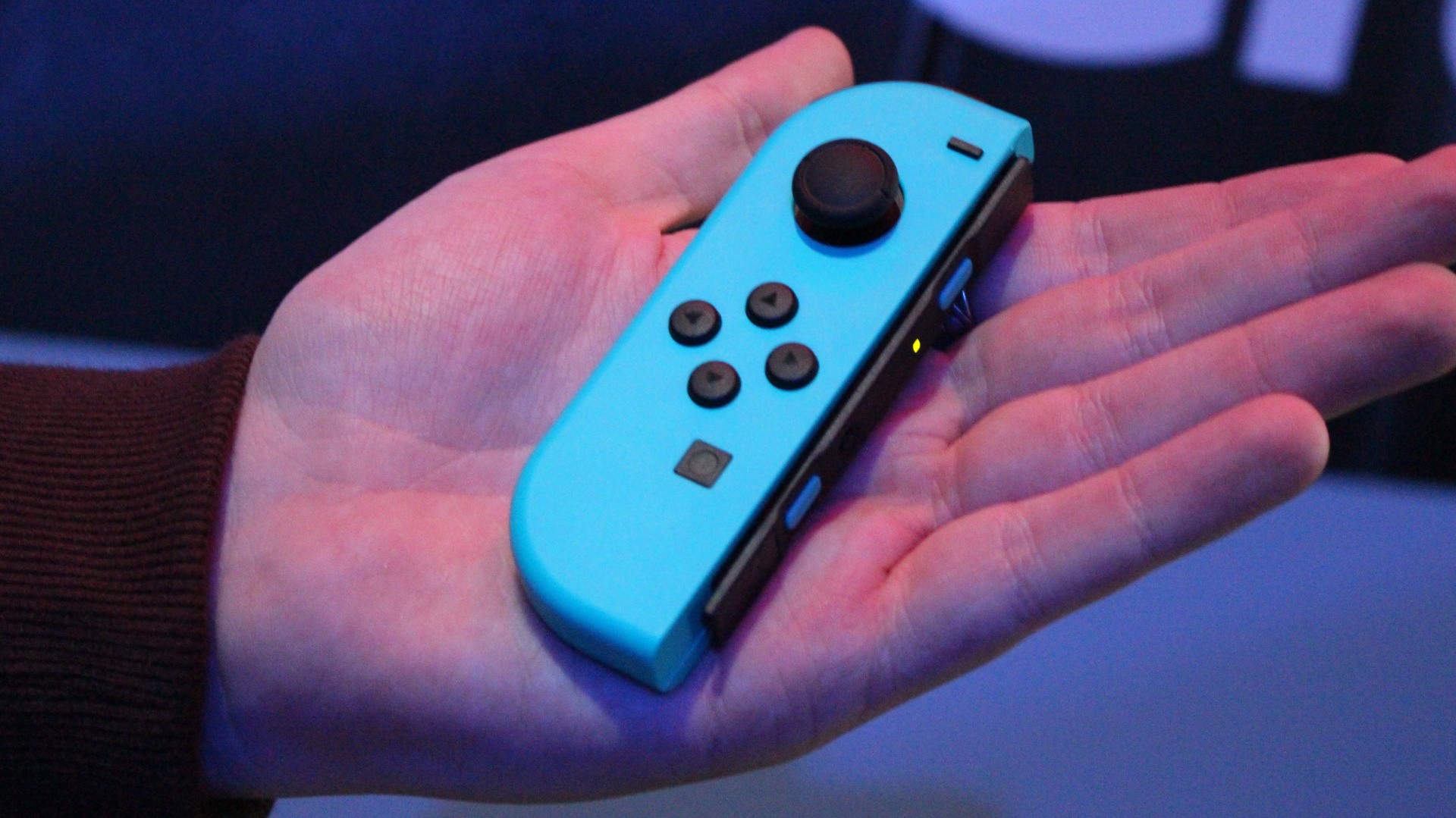
2B9A993B 7C30 4D90 B96F C4D516DCB9A8 13354 00000C1688B0A33D Tmp Cropped

Talk of Joy-Con drift (where your control stick fails to operate correctly and causes incorrect inputs in-game) is everywhere at the moment – partly because Nintendo has recently had a class-action lawsuit filed against it on behalf of consumers, but also because the issue appears to be becoming more prominent as time progresses.

It’s a troubling issue, not only causing concern for anyone who has picked up an $80 pair of Joy-Con for their Switch, but also for the quality of future hardware releases like the Switch Lite. So what exactly is the problem here, and why are so many people’s Joy-Con being affected?

A little while ago, Spawn Wave posted a video looking at this very question. It’s worth bringing up again now as more and more players are looking for answers, so feel free to give it a watch if you’re concerned about your own controllers at home. Essentially, it appears to be the fault of a low-quality part tucked away underneath the Joy-Con’s sticks.


If you do happen to be suffering with Joy-Con drift, reports suggest that Nintendo will now fix the issue for free, and we also have a guide which could help you to temporarily fix the problem yourself at home.

Have you had any issues with Joy-Con drift? Are you concerned that your controllers might fall victim to the issue over time? Hopefully Nintendo can upgrade future Joy-Con to stop this from happening.

Print this item

  AppleInsider - ‘SiriOS’ predicted for 2020 WWDC – here’s what it might be
Posted by: xSicKxBot - 07-25-2019, 08:29 AM - Forum: Apples Mac and OS X - No Replies

‘SiriOS’ predicted for 2020 WWDC – here’s what it might be

Apple should produce a “SiriOS,” a report into voice recognition and digital assistants by Mangrove Capital Partners suggests, but while the firm is certain the “voice community” expects it to be revealed by 2020, there is little detail on what it could be.

The “Voice Tech 2019” report from investment firm Mangrove anticipates a greater shift into voice-based computing over the next decade, with the use of systems that rely on AI and machine learning, as well as voice recognition likely to spawn a “new generation of technology companies in every category.”

Equipped with a higher-than 95% word accuracy rate that puts them on a par with humans for understanding language, it is claimed voice is a “far more natural, convenient, and efficient form of communication” via a device than typing, and will become the primary human-machine interface in the future. The rise of Internet of Things devices and smart appliances with voice recognition systems is also highlighted, along with the wide variety of languages supported by Google and the flexibility of Alexa skills.

The improvements in AI are touted to further build up the abilities of voice assistants, with first-wave algorithms and second-wave decision-making improvements to be succeeded by a third-wave AI that collects data from sensors and can automate more complex processes. As these improvements impact how users work with devices, this will apparently prompt companies to “rethink how it interacts with its audience,” using “context-aware voice-first interfaces” that don’t rely on predictable scripted responses.

How Siri appears within macOS

How Siri appears within macOS

Mangrove believes investment in voice startups has reached $768 million in 2019 so far, above the $581 million observed in 2018 and $298 million in 2017. Over a billion dollars is said to be invested in voice startups in the United States, with another $118 million in Europe.

Privacy and Ecosystem


Towards the end of the report, it moves on to the concept of privacy, which a Microsoft survey suggests 41% of users are concerned about, especially relating to passive listening. After noting the discovery of microphones in Google Nest devices and an Amazon patent to “listen to all conversations in a room,” Mangrove suggests tech companies will be following Apple in responding to user concerns, something it has “been doing particularly effectively.”

The example given is Apple’s acquisition of Silk Labs, which deals with on-device AI software that performs processing on the iPhone or iPad itself, without relying on communicating with cloud servers. The acquisition is heralded as a “shrewd move.”

In contrast, Apple is said to have been “less effective at building an ecosystem around voice.” The vision of the “Knowledge Navigator” suggests Apple’s voice strategy was “more clearly articulated in 1987 than it is now.”

Getting SiriOS


The report then declares “The voice community expects Apple to release a SiriOS for its developer community at WWDC 2020 which would accelerate innovation and adoption.” Aside from quoting Brett Kinsella of Voicebot.ai as calling SiriOS “desirable for enabling innovation and is viewed by many as required to match the progress made by Amazon and Google with their voice assistants,” there is no discussion as to what form this SiriOS would take.

Siri Shortcuts, an automation tool that some apps tap to use Siri commands

Siri Shortcuts, an automation tool that some apps tap to use Siri commands

Tracking down the quote’s source reveals it would be a Siri operating system that would be the equivalent of Alexa with Alexa Skills Kit or the Google Assistant using the Actions on Google development environment. Rather than being a part of existing operating systems, governed and limited by guidelines and rules developers would have to follow in SiriKit, with differences for iOS and macOS, SiriOS would effectively be an independent software system from the device’s operating system.

By having SiriOS separate, it could allow for Siri functions and features across Apple’s operating systems to have parity across the board, and for changes to be implemented on all devices simultaneously. For developers, SiriOS would also ideally be unfettered by many of the existing restrictions of SiriKit, and wouldn’t necessarily require intimate knowledge of how each device operating system’s particular Siri implementation would work.

By separating Siri from the operating system, this could feasibly open up other ways for the digital assistant to be used. For example, developers could potentially integrate Siri into their apps directly, giving a highly customized experience depending on the app’s abilities.

It is assumed that this is in the ballpark of what the Mangrove report suggests when it mentions SiriOS, due to the lack of detail offered. The bottom line is Mangrove believes it is Apple’s best interests to open up Siri to developers further than it currently does.

For the time being, developers have to use SiriKit and to take advantage of Siri Shortcuts. Ultimately, the ball is in Apple’s court as to whether something approximating a SiriOS could be produced, and it would have to rely on whether Apple would want to cede control of its iconic and prized virtual assistant away to third parties.

Print this item

  ASP.NET Core and Blazor updates in .NET Core 3.0 Preview 6
Posted by: xSicKxBot - 07-25-2019, 08:29 AM - Forum: C#, Visual Basic, & .Net Frameworks - No Replies

ASP.NET Core and Blazor updates in .NET Core 3.0 Preview 6

Daniel Roth

Daniel

.NET Core 3.0 Preview 6 is now available and it includes a bunch of new updates to ASP.NET Core and Blazor.

Here’s the list of what’s new in this preview:

  • New Razor features: @attribute, @code, @key, @namespace, markup in @functions
  • Blazor directive attributes
  • Authentication & authorization support for Blazor apps
  • Static assets in Razor class libraries
  • Json.NET no longer referenced in project templates
  • Certificate and Kerberos Authentication
  • SignalR Auto-reconnect
  • Managed gRPC Client
  • gRPC Client Factory
  • gRPC Interceptors

Please see the release notes for additional details and known issues.

Get started


To get started with ASP.NET Core in .NET Core 3.0 Preview 6 install the .NET Core 3.0 Preview 6 SDK

If you’re on Windows using Visual Studio, you also need to install the latest preview of Visual Studio 2019.

For the latest client-side Blazor templates also install the latest Blazor extension from the Visual Studio Marketplace.

Upgrade an existing project


To upgrade an existing an ASP.NET Core app to .NET Core 3.0 Preview 6, follow the migrations steps in the ASP.NET Core docs.

Please also see the full list of breaking changes in ASP.NET Core 3.0.

To upgrade an existing ASP.NET Core 3.0 Preview 5 project to Preview 6:

  • Update Microsoft.AspNetCore.* package references to 3.0.0-preview6.19307.2
  • In Blazor apps:
    • Rename @functions to @code
    • Update Blazor specific attributes and event handlers to use the new directive attribute syntax (see below)
    • Remove any call to app.UseBlazor<TStartup>() and instead add a call to app.UseClientSideBlazorFiles<TStartup>() before the call to app.UseRouting(). Also add a call to endpoints.MapFallbackToClientSideBlazor<TStartup>("index.html") in the call to app.UseEndpoints().

Before

app.UseRouting(); app.UseEndpoints(endpoints =>
{ endpoints.MapDefaultControllerRoute();
}); app.UseBlazor<Client.Startup>();

After

app.UseClientSideBlazorFiles<Client.Startup>(); app.UseRouting(); app.UseEndpoints(endpoints =>
{ endpoints.MapDefaultControllerRoute(); endpoints.MapFallbackToClientSideBlazor<Client.Startup>("index.html");
});

New Razor features


We’ve added support for the following new Razor language features in this release.

@attribute


The new @attribute directive adds the specified attribute to the generated class.

@attribute [Authorize]

@code


The new @code directive is used in .razor files (not supported in .cshtml files) to specify a code block to add to the generated class as additional members. It’s equivalent to @functions, but now with a better name.

@code { int currentCount = 0; void IncrementCount() { currentCount++; }
}

@key


The new @key directive attribute is used in .razor files to specify a value (any object or unique identifier) that the Blazor diffing algorithm can use to preserve elements or components in a list.

@foreach (var flight in Flights) { }

To understand why this feature is needed, consider rendering a list of cards with flight details without this feature:

@foreach (var flight in Flights) { }

If you add a new flight into the middle of the Flights list the existing DetailsCard instances should remain unaffected and one new DetailsCard should be inserted into the rendered output.

To visualize this, if Flights previously contained [F0, F1, F2], then this is the before state:

  • DetailsCard0, with Flight=F0
  • DetailsCard1, with Flight=F1
  • DetailsCard2, with Flight=F2

… and this is the desired after state, given we insert a new item FNew at index 1:

  • DetailsCard0, with Flight=F0
  • DetailsCardNew, with Flight=FNew
  • DetailsCard1, with Flight=F1
  • DetailsCard2, with Flight=F2

However, the actual after state this:

  • DetailsCard0, with Flight=F0
  • DetailsCard1, with Flight=FNew
  • DetailsCard2, with Flight=F1
  • DetailsCardNew, with Flight=F2

The system has no way to know that DetailsCard2 or DetailsCard3 should preserve their associations with their older Flight instances, so it just re-associates them with whatever Flight matches their position in the list. As a result, DetailsCard1 and DetailsCard2 rebuild themselves completely using new data, which is wasteful and sometimes even leads to user-visible problems (e.g., input focus is unexpectedly lost).

By adding keys using @key the diffing algorithm can associate the old and new elements or components.

@namespace


Specifies the namespace for the generated class or the namespace prefix when used in an _Imports.razor file. The @namespace directive works today in pages and views (.cshtml) apps, but is now it is also supported with components (.razor).

@namespace MyNamespace

Markup in @functions and local functions


In views and pages (.cshtml files) you can now add markup inside of methods in the @functions block and in local functions.

@{ GreetPerson(person); } @functions { void GreetPerson(Person person) { <p>Hello, <em>@person.Name!</em></p> }
}

Blazor directive attributes


Blazor uses a variety of attributes for influencing how components get compiled (e.g. ref, bind, event handlers, etc.). These attributes have been added organically to Blazor over time and use different syntaxes. In this Blazor release we’ve standardized on a common syntax for directive attributes. This makes the Razor syntax used by Blazor more consistent and predictable. It also paves the way for future extensibility.

Directive attributes all follow the following syntax where the values in parenthesis are optional:

@directive(-suffix(:name))(="value")

Some valid examples:

<!-- directive -->
...
<!-- directive with key/value arg-->
...
<!-- directive with suffix -->
<!-- directive with suffix and key/value arg-->

All of the Blazor built-in directive attributes have been updated to use this new syntax as described below.

Event handlers

Specifying event handlers in Blazor now uses the new directive attribute syntax instead of the normal HTML syntax. The syntax is similar to the HTML syntax, but now with a leading @ character. This makes C# event handlers distinct from JS event handlers.

<button @onclick="@Clicked">Click me!</button>

When specifying a delegate for C# event handler the @ prefix is currently still required on the attribute value, but we expect to remove this requirement in a future update.

In the future we also expect to use the directive attribute syntax to support additional features for event handlers. For example, stopping event propagation will likely look something like this (not implemented yet, but it gives you an idea of scenarios now enabled by directive attributes):

<button @onclick="Clicked" @onclick:stopPropagation>Click me!</button>

Bind

<input @bind="myValue">...</input>
<input @bind="myValue" @bind:format="mm/dd">...</input>
<MyButton @bind-Value="myValue">...</MyButton>

Key

...

Ref

<button @ref="myButton">...</button>

Authentication & authorization support for Blazor apps


Blazor now has built-in support for handling authentication and authorization. The server-side Blazor template now supports options for enabling all of the standard authentication configurations using ASP.NET Core Identity, Azure AD, and Azure AD B2C. We haven’t updated the Blazor WebAssembly templates to support these options yet, but we plan to do so after .NET Core 3.0 has shipped.

To create a new Blazor app with authentication enabled:

  1. Create a new Blazor (server-side) project and select the link to change the authentication configuration. For example, select “Individual User Accounts” and “Store user accounts in-app” to use Blazor with ASP.NET Core Identity:

    Blazor authentication

  2. Run the app. The app includes links in the top row for registering as a new user and logging in.

    Blazor authentication running

  3. Select the Register link to register a new user.

    Blazor authentication register

  4. Select “Apply Migrations” to apply the ASP.NET Core Identity migrations to the database.

    Blazor authentication apply migrations

  5. You should now be logged in.

    Blazor authentication logged in

  6. Select your user name to edit your user profile.

    Blazor authentication edit profile

In the Blazor app, authentication and authorization are configured in the Startup class using the standard ASP.NET Core middleware.

app.UseRouting(); app.UseAuthentication();
app.UseAuthorization(); app.UseEndpoints(endpoints =>
{ endpoints.MapControllers(); endpoints.MapBlazorHub(); endpoints.MapFallbackToPage("/_Host");
});

When using ASP.NET Core Identity all of the identity related UI concerns are handled by the framework provided default identity UI.

services.AddDefaultIdentity<IdentityUser>() .AddEntityFrameworkStores<ApplicationDbContext>();

The authentication related links in top row of the app are rendered using the new built-in AuthorizeView component, which displays different content depending on the authentication state.

LoginDisplay.razor

<AuthorizeView> <Authorized> <a href="Identity/Account/Manage">Hello, @context.User.Identity.Name!</a> <a href="Identity/Account/LogOut">Log out</a> </Authorized> <NotAuthorized> <a href="Identity/Account/Register">Register</a> <a href="Identity/Account/Login">Log in</a> </NotAuthorized>
</AuthorizeView>

The AuthorizeView component will only display its child content when the user is authorized. Alternatively, the AuthorizeView takes parameters for specifying different templates when the user is Authorized, NotAuthorized, or Authorizing. The current authentication state is passed to these templates through the implicit context parameter. You can also specify specific roles or an authorization policy on the AuthorizeView that the user must satisfy to see the authorized view.

To authorize access to specific pages in a Blazor app, use the normal [Authorize] attribute. You can apply the [Authorize] attribute to a component using the new @attribute directive.

@using Microsoft.AspNetCore.Authorization
@attribute [Authorize]
@page "/fetchdata"

To specify what content to display on a page that requires authorization when the user isn’t authorized or is still in the processing of authorizing, use the NotAuthorizedContent and AuthorizingContent parameters on the Router component. These Router parameters are only support in client-side Blazor for this release, but they will be enabled for server-side Blazor in a future update.

The new AuthenticationStateProvider service make the authentication state available to Blazor apps in a uniform way whether they run on the server or client-side in the browser. In server-side Blazor apps the AuthenticationStateProvider surfaces the user from the HttpContext that established the connection to the server. Client-side Blazor apps can configure a custom AuthenticationStateProvider as appropriate for that application. For example, it might retrieve the current user information by querying an endpoint on the server.

The authentication state is made available to the app as a cascading value (Task<AuthenticationState>) using the CascadingAuthenticationState component. This cascading value is then used by the AuthorizeView and Router components to authorize access to specific parts of the UI.

App.razor

<CascadingAuthenticationState> <Router AppAssembly="typeof(Startup).Assembly"> <NotFoundContent> <p>Sorry, there's nothing at this address.</p> </NotFoundContent> </Router>
</CascadingAuthenticationState>

Static assets in Razor class libraries


Razor class libraries can now include static assets like JavaScript, CSS, and images. These static assets can then be included in ASP.NET Core apps by referencing the Razor class library project or via a package reference.

To include static assets in a Razor class library add a wwwroot folder to the Razor class library and include any required files in that folder.

When a Razor class library with static assets is referenced either as a project reference or as a package, the static assets from the library are made available to the app under the path prefix _content/{LIBRARY NAME}/. The static assets stay in their original folders and any changes to the content of static assets in the Razor class libraries are reflected in the app without rebuilding.

When the app is published, the companion assets from all referenced Razor class libraries are copied into the wwwroot folder of the published app under the same prefix.

To try out using static assets from a Razor class library:

  1. Create a default ASP.NET Core Web App.

    dotnet new webapp -o WebApp1
  2. Create a Razor class library and reference it from the web app.

    dotnet new razorclasslib -o RazorLib1
    dotnet add WebApp1 reference RazorLib1
  3. Add a wwwroot folder to the Razor class library and include a JavaScript file that logs a simple message to the console.

    cd RazorLib1
    mkdir wwwroot

    hello.js

    console.log("Hello from RazorLib1!");
  4. Reference the script file from Index.cshtml in the web app.

    http://_content/RazorLib1/hello.js
  5. Run the app and look for the output in the browser console.

    Hello from RazorLib1!
    

Projects now use System.Text.Json by default


New ASP.NET Core projects will now use System.Text.Json for JSON handling by default. In this release we removed Json.NET (Newtonsoft.Json) from the project templates. To enable support for using Json.NET, add the Microsoft.AspNetCore.Mvc.NewtonsoftJson package to your project and add a call to AddNewtonsoftJson() following code in your Startup.ConfigureServices method. For example:

services.AddMvc() .AddNewtonsoftJson();

Certificate and Kerberos authentication


Preview 6 brings Certificate and Kerberos authentication to ASP.NET Core.

Certificate authentication requires you to configure your server to accept certificates, and then add the authentication middleware in Startup.Configure and the certificate authentication service in Startup.ConfigureServices.

public void ConfigureServices(IServiceCollection services)
{ services.AddAuthentication( CertificateAuthenticationDefaults.AuthenticationScheme) .AddCertificate(); // All the other service configuration.
} public void Configure(IApplicationBuilder app, IHostingEnvironment env)
{ app.UseAuthentication(); // All the other app configuration.
}

Options for certificate authentication include the ability to accept self-signed certificates, check for certificate revocation, and check that the proffered certificate has the right usage flags in it. A default user principal is constructed from the certificate properties, with an event that enables you to supplement or replace the principal. All the options, and instructions on how to configure common hosts for certificate authentication can be found in the documentation.

We’ve also extended “Windows Authentication” onto Linux and macOS. Previously this authentication type was limited to IIS and HttpSys, but now Kestrel has the ability to use Negotiate, Kerberos, and NTLM on Windows, Linux, and macOS for Windows domain joined hosts by using the Microsoft.AspNetCore.Authentication.Negotiate nuget package. As with the other authentication services you configure authentication app wide, then configure the service:

public void ConfigureServices(IServiceCollection services)
{ services.AddAuthentication(NegotiateDefaults.AuthenticationScheme) .AddNegotiate();
} public void Configure(IApplicationBuilder app, IHostingEnvironment env)
{ app.UseAuthentication(); // All the other app configuration.
}

Your host must be configured correctly. Windows hosts must have SPNs added to the user account hosting the application. Linux and macOS machines must be joined to the domain, then SPNs must be created for the web process, as well as keytab files generated and configured on the host machine. Full instructions are given in the documentation.

SignalR Auto-reconnect


This preview release, available now via npm install @aspnet/signalr@next and in the .NET Core SignalR Client, includes a new automatic reconnection feature. With this release we’ve added the withAutomaticReconnect() method to the HubConnectionBuilder. By default, the client will try to reconnect immediately and after 2, 10, and 30 seconds. Enlisting in automatic reconnect is opt-in, but simple via this new method.

const connection = new signalR.HubConnectionBuilder() .withUrl("/chatHub") .withAutomaticReconnect() .build();

By passing an array of millisecond-based durations to the method, you can be very granular about how your reconnection attempts occur over time.

.withAutomaticReconnect([0, 3000, 5000, 10000, 15000, 30000])
//.withAutomaticReconnect([0, 2000, 10000, 30000]) yields the default behavior

Or you can pass in an implementation of a custom reconnect policy that gives you full control.

If the reconnection fails after the 30-second point (or whatever you’ve set as your maximum), the client presumes the connection is offline and stops trying to reconnect. During these reconnection attempts you’ll want to update your application UI to provide cues to the user that the reconnection is being attempted.

Reconnection Event Handlers


To make this easier, we’ve expanded the SignalR client API to include onreconnecting and onreconnected event handlers. The first of these handlers, onreconnecting, gives developers a good opportunity to disable UI or to let users know the app is offline.

connection.onreconnecting((error) => { const status = `Connection lost due to error "${error}". Reconnecting.`; document.getElementById("messageInput").disabled = true; document.getElementById("sendButton").disabled = true; document.getElementById("connectionStatus").innerText = status;
});

Likewise, the onreconnected handler gives developers an opportunity to update the UI once the connection is reestablished.

connection.onreconnected((connectionId) => { const status = `Connection reestablished. Connected.`; document.getElementById("messageInput").disabled = false; document.getElementById("sendButton").disabled = false; document.getElementById("connectionStatus").innerText = status;
});

Learn more about customizing and handling reconnection


Automatic reconnect has been partially documented already in the preview release. Check out the deeper docs on the topic, with more examples and details on usage, at https://aka.ms/signalr/auto-reconnect.

Managed gRPC Client


In prior previews, we relied on the Grpc.Core library for client support. The addition of HTTP/2 support in HttpClient in this preview has allowed us to introduce a fully managed gRPC client.

To begin using the new client, add a package reference to Grpc.Net.Client and then you can create a new client.

var httpClient = new HttpClient() { BaseAddress = new Uri("https://localhost:5001") };
var client = GrpcClient.Create<GreeterClient>(httpClient);

gRPC Client Factory


Building on the opinionated pattern we introduced in HttpClientFactory, we’ve added a gRPC client factory for creating gRPC client instances in your project. There are two flavors of the factory that we’ve added: Grpc.Net.ClientFactory and Grpc.AspNetCore.Server.ClientFactory.

The Grpc.Net.ClientFactory is designed for use in non-ASP.NET app models (such as Worker Services) that still use the Microsoft.Extensions.* primitives without a dependency on ASP.NET Core.

In applications that perform service-to-service communication, we often observe that most servers are also clients that consume other services. In these scenarios, we recommend the use of Grpc.AspNetCore.Server.ClientFactory which features automatic propagation of gRPC deadlines and cancellation tokens.

To use the client factory, add the appropriate package reference to your project (Grpc.AspNetCore.Server.Factory or Grpc.Net.ClientFactory) before adding the following code to ConfigureServices().

services .AddGrpcClient<GreeterClient>(options => { options.BaseAddress = new Uri("https://localhost:5001"); });

gRPC Interceptors


gRPC exposes a mechanism to intercept RPC invocations on both the client and the server. Interceptors can be used in conjunction with existing HTTP middleware. Unlike HTTP middleware, interceptors give you access to actual request/response objects before serialization (on the client) and after deserialization (on the server) and vice versa for the response. All middlewares run before interceptors on the request side and vice versa on the response side.

Client interceptors


When used in conjunction with the client factory, you can add a client interceptor as shown below.

services .AddGrpcClient<GreeterClient>(options => { options.BaseAddress = new Uri("https://localhost:5001"); }) .AddInterceptor<CallbackInterceptor>();

Server interceptors


Server interceptors can be registered in ConfigureServices() as shown below.

services .AddGrpc(options => { // This registers a global interceptor options.Interceptors.Add<MaxStreamingRequestTimeoutInterceptor>(TimeSpan.FromSeconds(30)); }) .AddServiceOptions<GreeterService>(options => { // This registers an interceptor for the Greeter service options.Interceptors.Add<UnaryCachingInterceptor>(); });

For examples on how to author an interceptors, take a look at these examples in the grpc-dotnet repo.

Give feedback


We hope you enjoy the new features in this preview release of ASP.NET Core and Blazor! Please let us know what you think by filing issues on GitHub.

Thanks for trying out ASP.NET Core and Blazor!

Daniel Roth
Daniel Roth

Principal Program Manager, ASP.NET

Follow Daniel   

Print this item

 
Latest Threads
RebatesMe Fashion Deals F...
Last Post: albert42
8 minutes ago
RebatesMe Coupon Code $5 ...
Last Post: albert42
14 minutes ago
RebatesMe Sign-Up Bonus C...
Last Post: albert42
22 minutes ago
RebatesMe Electronics Dea...
Last Post: albert42
29 minutes ago
Black Ops (BO1, T5) DLC's...
Last Post: gottaluvthatkill
33 minutes ago
Black Ops (BO1, T5) DLC's...
Last Post: gottaluvthatkill
37 minutes ago
RebatesMe Food Deals 8% C...
Last Post: albert42
39 minutes ago
New RebatesMe Code [OO8EI...
Last Post: albert42
48 minutes ago
Forza Horizon 5 Game Save...
Last Post: Vecanoidal
52 minutes ago
RebatesMe Invite Code [OO...
Last Post: albert42
55 minutes ago

Forum software by © MyBB Theme © iAndrew 2016