Posted by: xSicKxBot - 07-17-2019, 07:00 PM - Forum: Windows
- No Replies
MediaValet bets big on AI to deliver more customer value
Transform recently sat down with several Microsoft customers at an event highlighting emerging trends in data and artificial intelligence (AI). We spoke with Jean Lozano, chief technology officer at MediaValet, a cloud-based digital asset management (DAM) system, which helps customers of all sizes manage their growing digital media libraries.
TRANSFORM:What is a DAM and what business problem does it solve?
JEAN LOZANO: A DAM is like a video or photo library, but it can handle way more than that. It’s typically used by enterprise marketing teams to provide a single source of truth for all brand and marketing content.
The big challenge with digital media is that it’s unstructured by nature, so discoverability can be a problem. A lot of companies invest tens of thousands of dollars in creating digital media and infographics, but its lack of searchable data makes them hard to find.
A DAM implementation contains anywhere from 10,000 to several-million digital media [items] that are put into a central repository and tagged to make them discoverable. Having just one person as the curator of the digital library is way too much, and that’s where AI comes in.
TRANSFORM: How does AI help you serve your customers?
LOZANO: We’re betting big on Azure AI to make MediaValet the most intelligent DAM out there. We’ve seen it in various deal cycles that we would not have otherwise won. It’s just a matter of demonstrating capabilities.
So, for example, one of the hottest technologies that we can demo is our capability for video indexing, which other DAMs cannot offer right now. Video is the fastest growing media out there, so when our customers can actually see their videos getting analyzed and made discoverable, they can see the value it adds.
As an example, we have a huge video production house as a customer. Every time they do a shoot, it’s a 500-gigabyte upload to MediaValet. But, they also have to generate video transcriptions. With video indexing, we [provide] the transcriptions as soon as they load it on our system, so they don’t have to send the files [elsewhere] for manual transcription. Does that improve their workflow? Definitely.
TRANSFORM: Have your customers fully embraced the changes and the new technologies?
LOZANO: Many of our customers are digital asset curators, and some of them probably fear that AI is going to replace them. But the guiding principle for AI is assistance, not replacement. AI is going to make their lives easier. It will enrich the data that they’re producing, but it doesn’t replace them.
TRANSFORM: How does AI make life easier for a digital asset curator?
LOZANO: We have a couple of customers that are sports franchises that are creating millions of images. These teams have been there for decades and decades. One hockey team had about 50 petabytes of video clips. So, how do you work through millions of images and hundreds of thousands of hours of video?
Machine learning is actually helping with that now. For example, you can detect a jersey number and see who is the player that wears that number. We can actually make those images easy to use for marketers, or the communications team when they look for brand approved images.
Friend. Confidant. Therapist. Voyeur. As a cab driver working the Paris night shift, you are many things to different people. Your gift is getting people to talk; and in order to catch the serial killer who left you for dead, that?s exactly what you?ll need to do.
Posted by: xSicKxBot - 07-17-2019, 10:58 AM - Forum: Lounge
- No Replies
Borderlands 3's Vault Hunters Get Their Groove On In New Trailer
Gearbox has released a new trailer for Borderlands 3. The trailer sees the game's four playable Vault Hunters--Moze, FL4K, Zane, and Amara--all dance to the song "So Happy Together" while they kill an army of bandits. All things considered, it's not the weirdest thing that Borderlands has ever done, but it's still pretty silly.
The trailer, which can be watched above, begins with Claptrap dancing as a loot crate behind him opens. Inside the crate, a mini version of Pandora comes to life and Zane begins to playfully shoot the bandits surrounding him as "So Happy Together" starts to play. Although the other three Vault Hunters initially look at Zane with confusion, they all soon join in and the remainder of the murderous musical is devoted to showcasing each of the characters' unique special abilities.
FL4K brings out the beasts under his control to chew on downed bandits to the rhythm of the music. Moze summons Iron Bear and crushes some enemies as the song transitions into the chorus. Zane dances to the chorus alongside his holographic decoy, and the two twirl together arm in arm while murdering the surrounding bandits. Finally, Amara joins the fray, careening down into the crowd with her Siren powers erupting into a colorful explosion. The four Vault Hunter then all join hands and dance together as they continue to shoot all the enemies around them.
The teaser released prior to this trailer's debut, which referenced a "celebration of togetherness," led some fans to believe that Gearbox was planning to announce plans for cross-save. In response, Gearbox boss Randy Pitchford stated that Borderlands 3 won't have cross-play at launch, although he added that the studio is "committed" to making it happen.
Borderlands 3 is scheduled to release on September 13 for Xbox One, PS4, and PC. The game will also release on Google Stadia in November 2019. The PC version of Borderlands 3 will launch on the Epic Games Store first, before releasing on Steam in 2020. Every edition of the game is now available for pre-order.
Now, the worldwide publisher and developer, has announced Harvest Moon: Light of Hope Special Edition Complete will be released on the Nintendo Switch and PlayStation 4 on 30th July. It includes all of the DLC ($18 value) and will be available digitally and physically in the US, for $29.99.
The president and CEO of Natsume Hiro Maekawa said this complete version was “the ultimate” Harvest Moon fan pack and mentioned how there are “endless possibilities” on each playthrough as there is so much DLC to enjoy.
Here’s a little more from the PR:
Harvest Moon: Light of Hope Special Edition Complete has special features made specifically for consoles and introduces Soleil, a new character who uses their Gem Sprite magic to help around the farm with new Co-Op Play. Grab a friend, and they’ll be able to control Soleil. Soleil will be able to grow crops, tend livestock, and gather materials. Farm work has never been so easy!
All four DLC are included in Harvest Moon: Light of Hope Special Edition Complete; this includes Decorations & Tool Upgrade Pack, Divine Marriageable Characters Pack, New Marriageable Characters Pack, and Doc and Melanie’s Special Episodes.
In Harvest Moon: Light of Hope Special Edition Complete, players begin the game as they set out looking for a fresh start and new surroundings. During their voyage, their ship is hit by a storm and goes down. As they drift into a small harbor town, now in a shambles from the storm, it will be up to the player to help rebuild the town and save the lighthouse…but it won’t be easy! Nevertheless, with some hard work growing crops, tending livestock, and gathering materials for repairs, players will be able to make new friends, start a family, revive the lighthouse, and save the town!
Here is the game’s box art and some screenshots:
Will you be adding this Harvest Moon game to your Switch library? Tell us down in the comments.
Bond WiFi and Ethernet for easier networking mobility
Sometimes one network interface isn’t enough. Network bonding allows multiple network connections to act together with a single logical interface. You might do this because you want more bandwidth than a single connection can handle. Or maybe you want to switch back and forth between your wired and wireless networks without losing your network connection.
The latter applies to me. One of the benefits to working from home is that when the weather is nice, it’s enjoyable to work from a sunny deck instead of inside. But every time I did that, I lost my network connections. IRC, SSH, VPN — everything goes away, at least for a moment while some clients reconnect. This article describes how I set up network bonding on my Fedora 30 laptop to seamlessly move from the wired connection my laptop dock to a WiFi connection.
In Linux, interface bonding is handled by the bonding kernel module. Fedora does not ship with this enabled by default, but it is included in the kernel-core package. This means that enabling interface bonding is only a command away:
sudo modprobe bonding
Note that this will only have effect until you reboot. To permanently enable interface bonding, create a file called bonding.conf in the /etc/modules-load.d directory that contains only the word “bonding”.
Now that you have bonding enabled, it’s time to create the bonded interface. First, you must get the names of the interfaces you want to bond. To list the available interfaces, run:
sudo nmcli device status
You will see output that looks like this:
DEVICE          TYPE      STATE         CONNECTION
enp12s0u1       ethernet  connected     Wired connection 1
tun0            tun       connected     tun0
virbr0          bridge    connected     virbr0
wlp2s0          wifi      disconnected  --
p2p-dev-wlp2s0  wifi-p2p disconnected  --
enp0s31f6       ethernet  unavailable   --
lo              loopback  unmanaged     --
virbr0-nic      tun       unmanaged     --
In this case, there are two (wired) Ethernet interfaces available. enp12s0u1 is on a laptop docking station, and you can tell that it’s connected from the STATE column. The other, enp0s31f6, is the built-in port in the laptop. There is also a WiFi connection called wlp2s0. enp12s0u1 and wlp2s0 are the two interfaces we’re interested in here. (Note that it’s not necessary for this exercise to understand how network devices are named, but if you’re interested you can see the systemd.net-naming-scheme man page.)
The first step is to create the bonded interface:
sudo nmcli connection add type bond ifname bond0 con-name bond0
In this example, the bonded interface is named bond0. The “con-name bond0” sets the connection name to bond0; leaving this off would result in a connection named bond-bond0. You can also set the connection name to something more human-friendly, like “Docking station bond” or “Ben”
The next step is to add the interfaces to the bonded interface:
As above, the connection name is specified to be more descriptive. Be sure to replace enp12s0u1 and wlp2s0 with the appropriate interface names on your system. For the WiFi interface, use your own network name (SSID) where I use “Cotton”. If your WiFi connection has a password (and of course it does!), you’ll need to add that to the configuration, too. The following assumes you’re using WPA2-PSK authentication
The second command will bring you into the interactive editor where you can enter your password without it being logged in your shell history. Enter the following, replacing password with your actual password
set wifi-sec.psk password
save
quit
Now you’re ready to start your bonded interface and the secondary interfaces you created
sudo nmcli connection up bond0
sudo nmcli connection up bond-ethernet
sudo nmcli connection up bond-wifi
You should now be able to disconnect your wired or wireless connections without losing your network connections.
A caveat: using other WiFi networks
This configuration works well when moving around on the specified WiFi network, but when away from this network, the SSID used in the bond is not available. Theoretically, one could add an interface to the bond for every WiFi connection used, but that doesn’t seem reasonable. Instead, you can disable the bonded interface:
sudo nmcli connection down bond0
When back on the defined WiFi network, simply start the bonded interface as above.
Fine-tuning your bond
By default, the bonded interface uses the “load balancing (round-robin)” mode. This spreads the load equally across the interfaces. But if you have a wired and a wireless connection, you may want to prefer the wired connection. The “active-backup” mode enables this. You can specify the mode and primary interface when you are creating the interface, or afterward using this command (the bonded interface should be down):
Harry Potter: Wizards Unite is a new AR mobile game from Niantic, the makers of Pokémon GO. It’s similar to that of its predecessor and allows players to bring the universe of Harry Potter into the real world.
The main gameplay loop involves exploring the world around you, freeing ‘Foundables’ (like catching Pokémon) and interacting with nodes scattered across the map. Unless you’re in a rural area, when you fire up the game for the first time you may see spires and structures looming in the distance. There are three Harry Potter: Wizards Unite locations that you can visit while you’re playing the game, each which will help you collect Foundables.
These locations are Inns, Greenhouses, and Fortresses. Understanding the purpose of the Wizards Unite locations and how you interact with them isn’t made as clear as it could be, so we are here to help!
Harry Potter: Wizards Unite Locations | What does each location do?
Let’s take a look at all of the Harry Potter: Wizards Unite locations and see exactly what each of them do.
Inn
An Inn corresponds to real world location (often a pub, cafe or something similar) and will appear on the map as a house-like structure. As you come across one, you can enter it by simply tapping on the screen. Once inside, you’ll be prompted to trace a Glyph (swipe with your finger) to activate the Inn. Completing this task will reward you with a meal, which will in turn reward you with Spell Energy. The amount of energy you get depends on the meal you eat… we’ve seen as low as 2 or 3, but as high as 10. The meal you get will depend on your real-world location.
If the name doesn’t give it away, you’ll need Spell Energy to cast spells in Wizards Unite. You cast a spell every-time you try to ‘catch’ a Foundable (and like in Pokémon GO, you sometimes need to try several times before it works or disappears). You also cast spells when you interact with Fortresses (see below). Every time you cast a spell, you will lose some Spell Energy, so it is going to be important to be mindful of how much you have left. If you’re just starting off, you can only hold 75 Spell Energy. While this isn’t a lot, it will be enough to allow you to do at least a day’s worth of activity without needing to visit an Inn, which will help you level up!
Different Types of Inns
There are five different types or ‘colors’ of Inns. Each color represents the real-world location that it is likely to be found in. For example, a Green Inn will be found in rural areas and will offer better meals, since they are hard to come by. On the other hand, Pink Inns can be found in both rural and urban areas and offers meals that give out less Spell Energy.
Below is a list of all the different Inn colors, locations, and maximum Spell Energy:
Green Inn – Rural areas; Up to 10 Spell Energy
Purple Inn– City areas; Up to 7 Spell Energy
Blue Inn – Rural and Urban areas; Up to 6 Spell Energy
Brown Inn – Rural and Urban areas; Up to 6 Spell Energy
Pink Inn – Rural and Urban areas; Up to 3 Spell Energy
Different type of Inn meals
As stated above, visiting the different Inn locations will reward visitors with a meal that will replenish their spell energy. After-all, you cannot cast a good spell on an empty stomach. There are a total of ten meals that you can eat at Inns in Wizards Unite, each giving players 1-10 Spell Energy.
Below is a list of all of the meals and their corresponding Spell Energy rewards:
Tomato Soup – 1 Spell Energy
Afternoon Tea – 2 Spell Energy
Bertie Bott’s Every Flavour Beans – 2 Spell Energy
Pumpkin Juice – 2 Spell Energy
Violet Pudding – 3 Spell Energy
Bangers and Mash – 5 Spell Energy
Fish and Chips – 6 Spell Energy
Honeyduke’s Chocholate Bar – 6 Spell Energy
Butterbeer – 7 Spell Energy
Turkey/Chicken Dinner – 10 Spell Energy
If you have played Pokémon GO, it will be best to think of Inns as Pokestops. You aren’t going to need to visit this Harry Potter: Wizards Unite location multiple times a day if you’re just a casual player. So, it’s best just to keep it in the back of your mind and remember to stop by one if you are out and about!
Dark Detectors
Inns have a secondary screen that allows you to place ‘Dark Detectors’ – these are in-game items you can earn (or buy) and act like Lures from Pokémon GO. If you place one in an Inn, you’ll be able to find rarer traces for the next 30 minutes.
The main purpose of Dark Detectors is to help players collect Foundables faster. During the 30-minute period that they are active, you will earn increased XP and have a chance at locating Foundables that you might not normally come across. Dark Detectors can also be stacked with up to three per Inn.
Greenhouse
Greenhouses are small glass buildings, which contain pots that are able to grow various plants, which can eventually be turned into potions. When you come across a Greenhouse, you can go inside and choose from three randomized plant pots to grow your plant. After collecting the ingredients from you plant, you’ll need to leave the Greenhouse for 5 minutes before returning.
Growing a Plant
The main purpose of a Greenhouse is to grow a plant which will give players ingredients that can be used to create Potions. Every once in a while, you’ll come across seeds while playing Wizards Unite. You can add these seeds to your collection and use them to grow a specific plant in a greenhouse. You can see the different seeds that you have collected by going to the Vault and clicking the seed icon on the right side of the screen.
There is a total of 10 plants that you can grow in the Wizards Unite Greenhouses, each which are able to be used in different Potions. Everyone who contributes to growing a plant will be able to reap its crop. However, once a plant has finished growing, players will only have 30 minutes to pick its ingredients.
Below, you’ll find a list of all the plants in Harry Potter: Wizards Unite, along with the materials required and the time it takes to grow them.
After you have turned your seeds into plants, you can use the ingredients to create potions that will help you throughout the game. Potions are not unlockable until Level 4, so if you haven’t made it that far yet, you aren’t going to be able to do anything with the Greenhouse plants you collect.
However, once you have reached Level 4, if you click on the suitcase icon on the main screen, you’ll be taken to a menu where you’ll be able to choose from five icons. The Potions icon is located on the bottom left hand side of the screen, simply click on it to view all of the Potions that you have available and their needed ingredients. Additionally, if you go to the Vault and click on the ingredient’s icon, you can see a complete list of all of the ingredients that you have collected.
Pots vs. Rental Pots
Each Greenhouse will have three pots that are available to use for free. If all three pots are currently being used, then you’ll have to either wait it out or use a Rental Pot. These are pots that can be bought with in game currency and will come with all the ingredients that you need as well as reduce grow time.
Below is a list of the different rental pots costs and time availability:
Rental Pot A – 35 coins – 180 minutes
Rental Pot B – 70 coins – 480 minutes
Rental Pot C – 140 coins – 1440 minutes
Both the Rental Pots and the free pots work fine to grow a plant. Using a Rental Pot is not going to reap you a benefit that a regular pot won’t. It’ll simply save you some time and supply you with the necessary seeds needed to grow your desired plant.
Fortress
The final of the three Harry Potter: Wizards Unite locations is known as a Fortress. These are really tall buildings that will allow players to complete a series of challenges in exchange for exclusive rewards. They won’t be hard to recognize, as they are the tallest building on the map.
Once you enter a Fortress, you and up to four others can compete in a series of challenges where you choose the difficulty. As you enter the Fortress, you and your partners will be able to fight a series of opponents, who are guarding some of the rarest and most powerful Foundables around.
Runestones
Before you begin a fight, you’ll have to hand over a Runestone, which will determine the strength of your enemy. So, if you give up a higher level Runestone, you’ll face a higher-level enemy. If you hand over a lower level Runestone, you’ll face an easier enemy.
Runestones can be gathered while you’re collecting Foundables and as you level up the various sections in your registry. Runestones are located in Treasure Trunks, which are earned by returning Foundables. Each Runestone you receive will correlate to an area of expertise, or as the game calls it, a Family.
However, just because you hand over a low level Runestone doesn’t mean you won’t face a difficult enemy here or there. If you are playing solo, it is safe to assume that whatever level Runestone you put in is going to reflect the types of enemies you fight. However, if you’re playing with others, the water becomes a bit muggy since the more players you add, the more difficult the Fortress will be, because they will also be adding Runestones into the mix.
In addition to all of this, as you continue to move through the Fortress, the enemies are going to get stronger and stronger. The different floors are referred to as ‘Chambers’ in the game, and the rule of thumb is that the higher the Chamber, the harder the enemy. If you plan to fight through a lot of Chambers, you’re going to want to bring a couple of players with you.
If you decide that a Fortress is too difficult for you after putting in a Runestone, you can leave the lobby before the 30 second time runs out and your Runestone will be returned to you. However, once that 30 second timer is out, your Runestone is gone for good.
Floor Stats
One thing that is important to note is that while you can be in a Fortress with up to four other players, all battles will take place solo. This means that each player will fight their own battles, even though they are working as a team. While teammates can help the fighter by using spells when they are not in combat, it is ultimately up to each player to defeat their individual opponent. Different Professions are stronger and weaker against different types of enemies, so being smart about who fights which enemy is important (more on this later).
There is a total of 20 Fortress Chambers in Harry Potter: Wizards Unite, each having its own player levels and base ratings. Additionally, each Chamber will have a limited number of times allotted to players, meaning they must pass the Chamber before the time runs out. If you run out of time, then you forfeit the Fortress.
Below is a list of all the Chamber levels, time limits, minimal player level, and base ratings:
Chamber 1 – Time: 300 seconds – Player Level: 1 – Base Rating: 0
Chamber 2 – Time: 300 seconds – Player Level: 1 – Base Rating: 170
Chamber 3 – Time: 300 seconds – Player Level: 2 – Base Rating: 340
Chamber 4 – Time: 360 seconds – Player Level: 2 – Base Rating: 510
Chamber 5 – Time: 360 seconds – Player Level: 3 – Base Rating: 680
Chamber 6 – Time: 360 seconds – Player Level: 3 – Base Rating: 850
Chamber 7 – Time: 420 seconds – Player Level: 4 – Base Rating: 1020
Chamber 8 – Time: 420 seconds – Player Level: 4 – Base Rating: 1190
Chamber 9 – Time: 420 seconds – Player Level: 5 – Base Rating: 1360
Chamber 10 – Time: 480 seconds – Player Level: 5 – Base Rating: 1530
Chamber 11 – Time: 480 seconds – Player Level: 6 – Base Rating: 1700
Chamber 12 – Time: 480 seconds – Player Level: 6 – Base Rating: 1870
Chamber 13 – Time: 540 seconds – Player Level: 7 – Base Rating: 2040
Chamber 14 – Time: 540 seconds – Player Level: 7 – Base Rating: 2210
Chamber 15 – Time: 540 seconds – Player Level: 8 – Base Rating: 2380
Chamber 16 – Time: 600 seconds – Player Level: 8 – Base Rating: 2250
Chamber 17 – Time: 600 seconds – Player Level: 9 – Base Rating: 2720
Chamber 18 – Time: 600 seconds – Player Level: 9 – Base Rating: 2890
Chamber 19 – Time: 600 seconds – Player Level: 10 – Base Rating: 3060
Chamber 20 – Time: 600 seconds – Player Level: 10 – Base Rating: 3230
As you can see, towards the beginning a Fortress won’t be too tough. However, as you go on, you’re going to want to have some help from other players.
Strategic Spells
While you’re fighting, you’ll need to keep your health bar in mind, as running out of health will result in a loss. So, be mindful of how much health you have as you continue through the Chambers. To help out, players will be able to cast different types of spells based on their Profession, which can weaken an enemy or heal a player. If you haven’t unlocked Strategic Spells yet, then you’ll need to continue to increase your expertise in your Profession.
There are three different types of Professions in Harry Potter: Wizards Unite which are going to determine what kind of Strategic Spells you can cast. Below is a list of the different Profession classes and a short description of each.
Auror – Aurors deal extra damage against Dark Forces and take extra damage from Beasts.
Magizoologist – Magizoologists deal extra damage against Beasts and take extra damage from Curiosities.
Professor – Professors deal extra damage against Curiosities and take extra damage from Dark Forces.
If you plan to go far into a Fortress, you’re likely going to want to have a nice variety of Professions on your team. While all of them are important, the Magizoologist Profession will offer a significant advantage during Fortress battles. They are able to heal your teammates during battle as long as they are ‘sitting out’ of the fight.
There are tons of different Strategic Spell casting strategies in Wizards Unite. There isn’t really a right or wrong way to go about it. It will likely come down to personal preference and the resources you have available to you. Just make sure you and your team are thinking things through and you’ll likely be okay!
Enemy Types
There are four main types of enemies that will appear in a Fortress – Dark Forces, Curiosities, Beasts, and Neutral. Each of these enemy types are weak to certain Professions and will deal increased damage to other Professions.
Below is a list of the four main enemy types along with their strengths and weaknesses:
Dark Forces – Deal increased damage to Professors; Take increased damage from Aurors
Curiosities – Deal increased damage to Magizoologists; Take increased damage from Professors
Beasts – Deal increased damage to Aurors; Take increased damage from Magizoologists
Neutral – Deal and take neutral damage to all Professions
You’ll want to pay attention to what type of enemy you’re facing, so that you will know who in your group is the best matchup for each fight. For example, a Professor shouldn’t fight a Dark Force enemy, because they are capable of dealing increased damage to players of that Profession. In the same light, an Auror should fight a Beast when possible, because they can deal increased damage to that enemy type.
Along with the four main enemy types, there are six different ‘levels’ that and enemy could be. For example, the first few Chambers will probably have Common enemies while the final few will likely have Fierce enemies.
Below is a list of all of the different Enemy levels that will appear in a Fortress:
Common – Normal enemy
Formidable – Increased Defense and Proficiency Power
Elite – Increased stats for some or all active enemies
Hopefully you found this useful and are ready to go out and explore your surroundings. We’ll have some more Wizard’s Unite content for you over the coming weeks, but let us know if you have any burning questions you’d like answered sooner rather than later!
Posted by: xSicKxBot - 07-17-2019, 02:56 AM - Forum: Lounge
- No Replies
No Borderlands 3 Cross-Play At Launch, But Gearbox Is "Committed" To It
Borderlands 3 will not have cross-play support at launch in September across any of its platforms: PS4, Xbox One, and PC. However, the feature could be added at some point after release, as Gearbox is "committed" to making it happen, according to Gearbox boss Randy Pitchford, who set out to temper expectations for a teaser of something to come on July 16.
His statement came after Gearbox released a teaser inviting players to a "celebration of togetherness." Some people saw this as a reference to cross-play, but that's not the case. The teaser was for something else; whatever it is, it'll be revealed on July 16 at 7 AM PT / 10 AM ET. [Update: The time has arrived, and it's turned out to be a new Borderlands 3 trailer in which the game's various playable Vault Hunters all dance around, albeit with the sort of Borderlands-y twist you might expect. Beyond that, there was no news regarding the game, despite the initial expectations given the teaser.]
"Some folks may be speculating that this thing tomorrow may be about cross-play," Pitchford said. "Tomorrow's thing is awesome, but *not* about cross-play. But, Good News: We are committed to supporting cross-play for Borderlands 3 with our partners as soon as practicable after launch. #talklater"
Pitchford went on to confirm outright that Borderlands 3 has no cross-play at launch, though conversations are ongoing about making this a reality. "To be clear, there will not be any cross-play functionality in Borderlands 3 at launch as we work closely with our partners to create a positive cross-play experience as soon as practicable," he said. "We are committed to cross-play on as many platforms as possible."
According to Pitchford, Borderlands 3 publisher 2K Games makes all the decisions about "platform partnerships," and this would presumably include cross-play. "Myself and the team at Gearbox have a very keen interest in cross-platform play," Pitchford said back in April.
Borderlands 3 has four-player co-op support, so it appears cross-play functionality would be for this. However, nothing is confirmed at this stage.
Borderlands 3 launches on September 13 for PlayStation 4, Xbox One, and PC, while the game is also coming to Google Stadia.
Guide: Where To Pre-order PC Engine / TurboGrafx-16 Mini
Following the shock news that Konami are planning to release a PC Engine Mini console (TurboGrafx-16 for our US readers) we have been eagerly waiting to slam down a pre-order as we’re sure that these will sell out quicker than the original NES Mini due to limited supply at launch.
Amazon UK is now listing the pre-order for the PC Engine CoreGrafx Mini priced at £99.99 and it is currently set to ship on 19th March 2020. That’s lovely, but don’t fret if you’re jealous of the more attractive PC Engine version – that can also be pre-ordered, provided you can get your head around how to place an order on Amazon Japan. And if that wasn’t enough, the US TurboGrafx-16 Mini can also be pre-ordered from Amazon US also for $99.99.
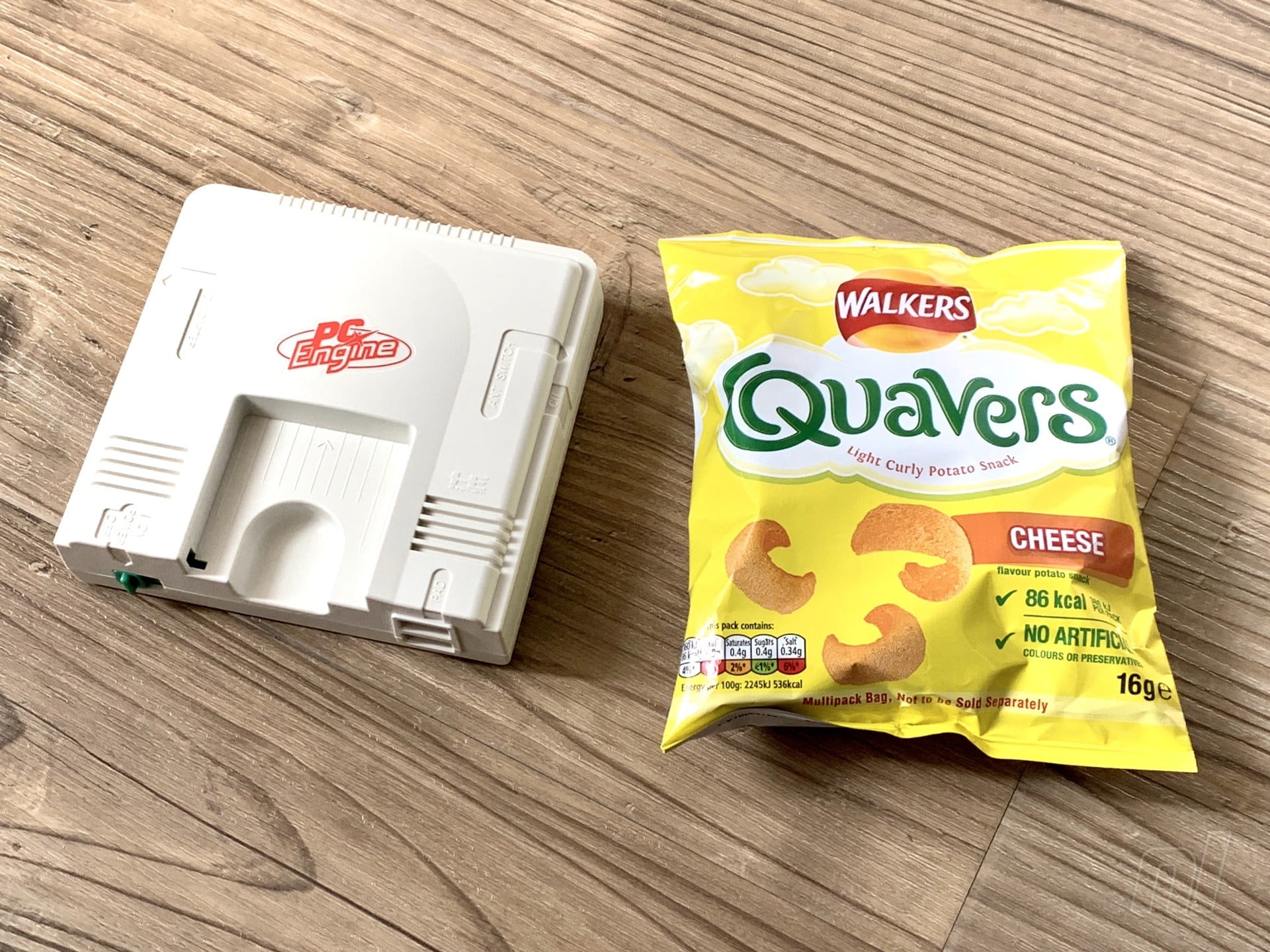
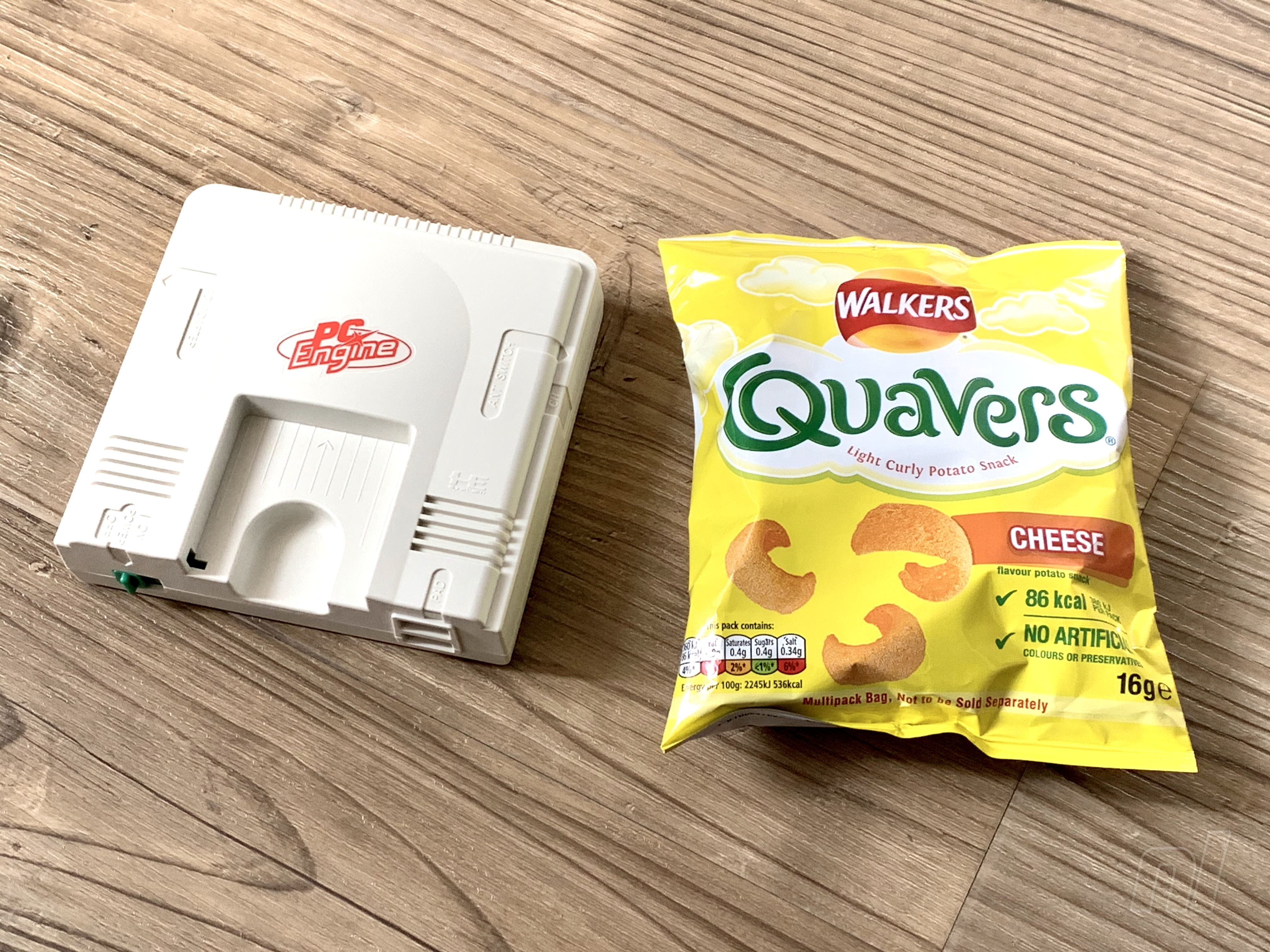
Which of the three shall we choose? The correct answer is, of course, all of the above, although our bank balance is still reeling after getting hit by the Sega Genesis / Mega Drive Mini. That mini PC Engine is calling us, though, despite not being much smaller than the original console.
If Amazon Japan is proving tough to navigate, we’ve also added Play Asia links, although these are not fully active at the time of writing. Be sure to check back to catch them once they’re up and running.
Please note that some of the links on this page are affiliate links. If you click them and make a purchase we may receive a small percentage of the sale which helps support the site. Please read our FTC Disclosure for more information.
Let us know if you plan to pick up one of these lovely retro delights with a comment below.
Irony Curtain: From Matryoshka with Love is a satirical point-and-click inspired by the classic adventure games. It smuggles you out of your comfort zone and throws you into the middle of a Cold War spy intrigue ? where there?s an even bigger game being played?
Posted by: xSicKxBot - 07-17-2019, 01:30 AM - Forum: Lounge
- No Replies
Gears 5 to drop depictions of smoking after urging from Truth Initiative
Gears 5’s rootin-tootin chainsaw-gun-wielding COG soldiers won’t be blowing any smoke when the game launches later this year. That’s because Microsoft-owned developer The Coalition has announced the development team is working to remove all depictions of tobacco use and smoking after urging from Turner and anti-smoking advocacy group Truth Initiative.
The cause-and-effect of this decision is actually rather notable, as The Truth Initiative began this push by approaching Turner, who has exclusive rights to broadcast Gears 5 esports events through the ELeague sports division. According to Variety, Turner then worked with The Coalition and Microsoft to ensure Gears 5 would be the first Gears of War game where characters didn’t use cigars or cigarettes.
Senior VP of Turner Sports Sales pointed out to Variety that while it may seem hypocritical to keep Gears’ intense violence while removing smoking, there’s a large amount of research indicating a correlation between depictions of tobacco use in media and use among smoking in young people (who are the target audience for Turner’s ELeague). The link between game violence and real-world violence is a far fuzzier correlation.
Gears of War development veteran and studio head of The Coalition offered a particularly interesting perspective on what Truth Initiative’s ask meant for the Gears of War 5 team. “I’ve seen firsthand the devastating impact of smoking.”
“It’s always been important for me to not use smoking as a narrative device, which is why we made the conscious choice to avoid highlighting or glorifying smoking in ‘Gears 5’ and throughout the Gears of War Universe moving forward.”