Create an account


Welcome, Guest
You have to register before you can post on our site.

Username
  

Password


Search Forums

(Advanced Search)

Forum Statistics
» Members: 20,075
» Latest member: radhika8971
» Forum threads: 21,954
» Forum posts: 22,811

Full Statistics

Online Users
There are currently 616 online users.
» 0 Member(s) | 611 Guest(s)
Applebot, Baidu, Bing, DuckDuckGo, Google

 
  Xbox Wire - June 1st : New Preview Beta & Delta Ring 1906 Update (1906.190529-1940)
Posted by: xSicKxBot - 06-10-2019, 11:28 PM - Forum: Xbox Discussion - No Replies

June 1st : New Preview Beta & Delta Ring 1906 Update (1906.190529-1940)

Starting at 2:00 p.m. PST today, members of the Xbox One Preview Beta and Delta Rings will begin receiving the latest 1906 Xbox One system update (Build: 19H1_RELEASE_XBOX_DEV_1906\18362.4041.190529-1940).

DETAILS:


  • OS version released: 19H1_RELEASE_XBOX_DEV_1906\18362.4041.190529-1940
  • Available: 2:00PM PDT 6/1/19
  • Mandatory Date/Time: 3:00 AM PDT 6/2/19

Fixes:


My Games and Apps


  • We have fixed an issue with some media apps like Hulu playback that suffered stutter during playback.
  • We are resolved a memory issue is which under some circumstances the console would shutdown and reboot while playing some games after a period of time with the user in party.

System


  • Performance fixes to Home.
  • Game Pass twist relocation on home.
  • Fixes to Real time activity feed reliability.
  • Narrator fixes.
  • Various Localization fixes.

Known Issues:


Audio


  • Headsets are not being assigned to the users profiles and not working correctly.

My Games and Apps


  • DLC for games is not showing when you go to Manage games – Fix is in progress and a workaround is to go to the Store PDP (Product Display Page)

Profile Color


  • Sometimes users may encounter the incorrect Profile color when powering on the console.

Print this item

  Steam - Midweek Madness – The Incredible Adventures of Van Helsing, 90% Off
Posted by: xSicKxBot - 06-10-2019, 11:28 PM - Forum: PC Discussion - No Replies

Midweek Madness – The Incredible Adventures of Van Helsing, 90% Off

© 2019 Valve Corporation. All rights reserved. All trademarks are property of their respective owners in the US and other countries.

VAT included in all prices where applicable.   Privacy Policy   |   Legal   |   Steam Subscriber Agreement   |   Refunds

Print this item

  News - E3 2019: Chivalry 2 Announced, Coming In 2020
Posted by: xSicKxBot - 06-10-2019, 07:40 PM - Forum: Lounge - No Replies

E3 2019: Chivalry 2 Announced, Coming In 2020

In a surprise announcement, Chivalry 2 was revealed during the PC Gaming Show at E3 2019 with a head-lopping announce trailer.

Chivalry 2 is a full sequel to 2012's Chivalry: Medieval Warfare, and is again being developed by Torn Banner Studios in collaboration with Tripwire.

The devs compared Chivalry 2's battles to the one found in Game of Thrones' seminal Battle of the Bastards, so expect piles of dead bodies. The trailer certainly showcases this with 64-players hacking at each other on a chaotic battlefield--the first game only supported 24-players. You can ride horses now, too, and the combat system has been completely reworked to add more variety and ideally fix some of the cheap exploits players have taken advantage of in Medieval Warfare.

Chivalry 2 is coming in early 2020, and will be available first on the Epic Games Store.

E3 2019 Conference Schedule

----

More E3 news:

Print this item

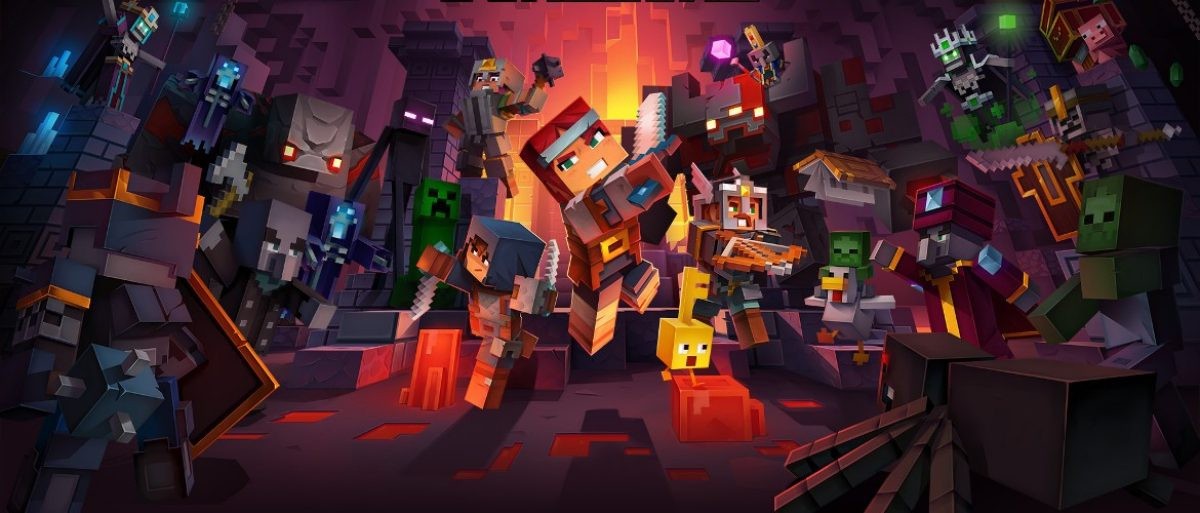
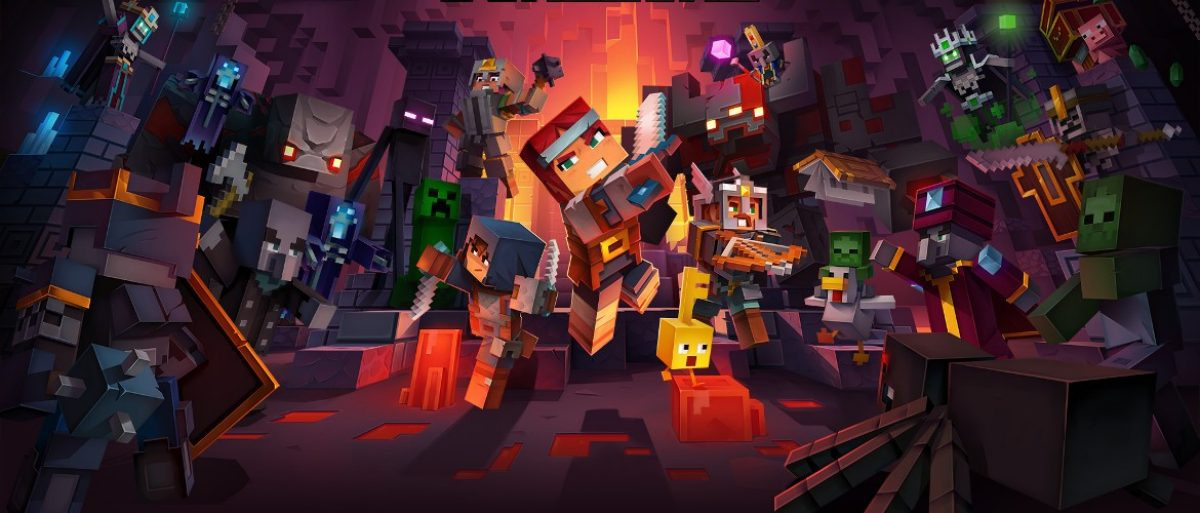
  News - Minecraft Dungeons Confirmed For Nintendo Switch
Posted by: xSicKxBot - 06-10-2019, 07:40 PM - Forum: Nintendo Discussion - No Replies

Minecraft Dungeons Confirmed For Nintendo Switch

Dungeons E3 2019 Gameplay Reveal

Microsoft has just shown off the next instalment in the Minecraft series during its E3 brieflng, but what it didn’t mention was that the game – Minecraft Dungeons – is also coming to Nintendo Switch.

This “all-new action-adventure game” takes inspiration from “classic dungeon crawlers”, and certainly looks like a lot of fun in the trailer; online co-op for four players should be a proper hoot. While the world-building focus of the core game has been scaled back, we can see this being a hit with Minecraft fans regardless.


It was expected to launch this year, but the new trailer confirms that the title has been hit with a delay. Minecraft Dungeons is coming to Switch in Spring next year.

Print this item

  Linux Foundation Statement on Huawei Entity List Ruling
Posted by: xSicKxBot - 06-10-2019, 07:40 PM - Forum: Linux, FreeBSD, and Unix types - No Replies

Linux Foundation Statement on Huawei Entity List Ruling

We have received inquiries regarding concerns about a member subject to an Entity List Ruling. [1] The Huawei Entity List ruling was specifically scoped to activities and transactions subject to the Export Administration Regulations (EAR).

Open Source Software Not involving Encryption

The Linux Foundation is a free and open source software organization whose project communities publish collaboratively developed software publicly. All software published by Linux Foundation projects is made available to the public without restrictions other than those imposed by the open source licenses. Software that is published publicly, such as open source software, is not subject to the EAR [2], and therefore not relevant to the Entity List Ruling.

Read Blog Post »

Click Here!

Print this item

  News - Review: Super Skelemania – A Metroidvania That Doesn’t Hang About
Posted by: xSicKxBot - 06-10-2019, 12:31 PM - Forum: Nintendo Discussion - No Replies

Review: Super Skelemania – A Metroidvania That Doesn’t Hang About


Despite their content-filled, often weightily atmospheric and sprawling worlds, the non-linear platform games we commonly call ‘Metroidvanias’ have a long-running association with quick completion times. From the original Metroid’s multiple completion time-based endings to the speedrunning communities that have formed around classic and modern Metroidvanias alike, there’s a whole subculture of play formed around cutting corners and blasting through them as quickly as possible.

Now, what if we told you there was game in this genre that even you could complete in about an hour? Well, that game is Super Skelemania, a self-described “single-sitting Metroidvania” that will competently rush you through the classic gameplay arc in a fraction of the usual time.


Perhaps showing its full commitment to the ‘Metroid but quick’ design goal, Super Skelemania opens with a short animated image showing an object falling to the surface of a planet. Cut to your skeleton character asleep in a dirt field, and well, that’s pretty much it for the story. Super Skelemania knows that you know how this works. So off you trot to explore some thematically distinct underground areas, get some power-ups, beat a boss and rocket back off this rock.

Progression through Super Skelemania’s quick little campaign is exclusively about upgrading your bony boy’s movement. First impressions on this front aren’t the greatest – while skeletons are by most definitions terrible at movement (No, Ub Iwerks was not a trustworthy source of skeletal facts in 1929), your character moves around quite ponderously through the first few areas. However, from the very first upgrade you grab, you’ll start to form a more positive opinion.

This is because the dive, somersault, bowl, dash and ground pound moves you unlock through the course of the game are each very satisfying to use. The dive has an unusual, exaggerated arc that gets you over wide gaps. The somersault lets you jump higher and can be combined with the dive to go higher and further still. The bowl sees your skeleton roll his own head under low ceilings – with the twist that you’ll keep going until you hit a wall. The dash and ground pound allow you to crash into new areas, and the former helps quicken the pace of the game overall.


These movement options would be meaningless without levels to contain them, and overall everything feels appropriately roomy, with space for some interesting platforming challenges demanding you to string together dives and somersaults to progress. Unfortunately, the environments aren’t as interesting to look at, often featuring overly repetitive tiles and uninteresting background layers – lacking the character of the 8-bit titles it aims to emulate.

The areas are at least visually distinct, and the relatively atmospheric soundtrack gives each one a sense of place even despite the minimalist leanings. The problem is that many individual screens lack any kind of visual hook, so it can be difficult to recall areas that you need to backtrack to. Due to the brevity of the game this never plays out as a substantial issue, but it is disappointing all the same.

Similarly, don’t expect much from combat in the game – there is one three-directional attack, and two bosses to use it against. The number of unique standard enemies is about right for the size of the game, though nothing stands out as particularly memorable.


A more serious issue we encountered was screen brightness in the game’s apparently intentionally darkened areas. In both docked and handheld mode, areas that appear in PC screenshots to be fully visible were impossible to see on Switch with moderate ambient light. Our last 15 minutes with the game, including the final boss battle, were spent playing in a windowless hallway in an effort to reduce screen glare, and even then we were squinting to make things out. There are currently no brightness settings in the options menu, either (and while we’re on the subject of things that probably need to be patched, ‘-’ is currently the pause menu, and ‘+’ is the map, defying the typical functions of these buttons).

It’s tough to get too mad about any of this by virtue of the game’s $5 price-tag and short length, though it is likely that your enthusiasm for the platforming will only stretch so far. Nevertheless, it’s fair to say that the sparks of interesting design speak to the idea that it’d be interesting to see a more ambitious project from the same designer.

Conclusion


Super Skelemania is a passable – if mostly superfluous – effort in a sea of similar games. The satisfying movement mechanics you uncover ensure that the hour you spend playing won’t feel wasted, but whether you’ll feel compelled to pick it up again – or if you soon struggle to recall ever having played it in the first place – is another matter. Nonetheless, there are certainly less competent, and more cynical releases to filter through on the eShop.

Print this item

  PS4 - DayZ
Posted by: xSicKxBot - 06-10-2019, 05:23 AM - Forum: New Game Releases - No Replies

DayZ


A 225 km2 open world post-soviet state and one of the areas hit by a new and presently unknown infection which has wiped out most of the world's population. You are one of the few who have survived and now you must search this new wasteland in order to fight for your life against what is left of the indigenous population, now infected with the disease.

Go Solo, team up with friends or take on the world as you choose your path in this brutal and chilling landscape using whatever means you stumble upon to survive.

Publisher: Bohemia Interactive

Release Date: May 30, 2019

Print this item

  PC - Splitgate: Arena Warfare
Posted by: xSicKxBot - 06-10-2019, 05:23 AM - Forum: New Game Releases - No Replies

Splitgate: Arena Warfare


Splitgate: Arena Warfare is a multiplayer first-person-shooter that uses player-controlled portals to create a new dimension of arena combat.

Publisher: 1047 Games

Release Date: May 24, 2019

Print this item

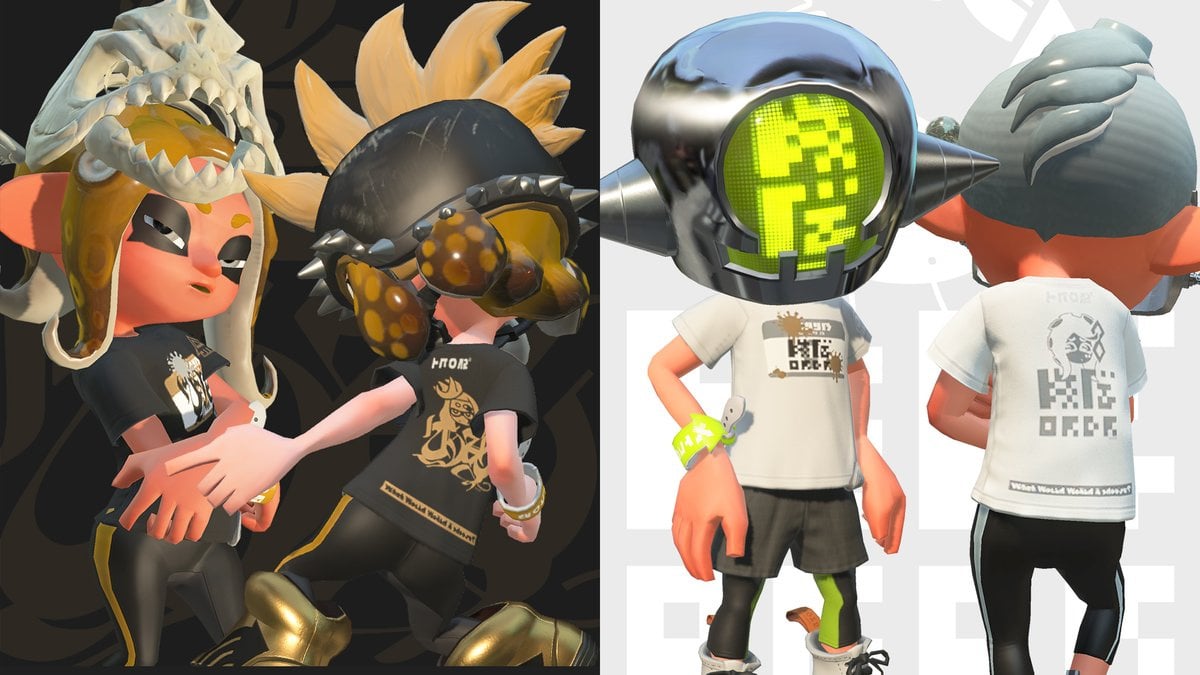
  News - Nintendo Announces Splatoon 2’s Final Splatfest, Chaos Vs. Order
Posted by: xSicKxBot - 06-10-2019, 05:23 AM - Forum: Nintendo Discussion - No Replies

Nintendo Announces Splatoon 2’s Final Splatfest, Chaos Vs. Order

Chaos V Order

If you watched the live stream of the Splatoon 2 World Championship 2019, you probably saw the Japanese team, known as the “GG BOYZ”, defend their title and out-splat teams from the United States, Europe and Australia/New Zealand.

After the championship trophy had been awarded, Nintendo announced what we had all feared was coming. The final Splatoon 2 Splatfest. This event is being referred to as the “Splatocalypse” and will start on 18th July and run for 72 hours.


You’ll have to side with either chaos (Pearl) or order (Marina) in this ultimate battle. To celebrate the grand finale, a new Shifty Station stage will be added to the final Splatfest. All of the 23 other Splatfest-specific stages will be making a return as well. Here’s some more information from the PR about how it will work:

The 23 previous stages will surface in a constantly…shifting rotation for the first 48 hours, with the new stage making its debut for the final 24-hour period. Special in-game gear will also be distributed in honor of this Splatfest via players’ Nintendo Switch news feed.

As noted, you’ll be able to score some special gear via Nintendo Switch news feed, so don’t forget to redeem it while you can.

Splatfest1

Splatfest2

Later on, in July, an update (Version 5.0.0) will add Turf War (Splatfest) to the modes players can select in Private Battle. This new mode will allow players to enjoy Turf War on 24 stages at nighttime, including the new Shifty Station stage.

Will you be participating in the Splatoon 2 Splafest finale? Who will you be siding with? Tell us down in the comments.

Print this item

  AppleInsider - Apple’s Screen Time for macOS Catalina is a tool, not a nanny
Posted by: xSicKxBot - 06-10-2019, 05:23 AM - Forum: Apples Mac and OS X - No Replies

Apple’s Screen Time for macOS Catalina is a tool, not a nanny

Screen Time on the Mac will prevent you over-using social media and it will encourage you to step away from your Mac. Yet it’s still up to you whether or how much you let it help you.

We do have one elderly relative who hates Screen Time because, she thinks, it’s telling her to use her iPad more. For everyone else, though, it’s a genuinely useful reminder of just how long we’re spending on our iOS devices —and now also on the Mac. As of macOS Catalina, Screen Time has come to the Mac and it’s ready to help you get a better work/life balance.

That’s the stated benefit and it does come after years of Apple being blamed for everybody having their noses in an iPhone and losing the ability to speak. Only, you’re an adult and what’s more, your Mac may be how you earn your living. So if you are not a fan of Screen Time on iOS, you don’t have to pay it any attention on the Mac either.

The main Screen Time screen in System Preferences (in Dark Mode)

The main Screen Time screen in System Preferences (in Dark Mode)

However, there is more to it than just Apple waggling a finger at you for using the Mac for sixteen hours a day. Instead, it’s Apple telling you what you were doing for those sixteen hours — and that can be useful.

The time is right


Screen Time on macOS Catalina is a pane in System Preferences. Go to that whenever you like, or when prompted by weekly notifications, and you will see an overall total of the time you spent on your Mac.

Optionally, it can show you the amount of time you spent on all your Apple devices. However, that has to be switched on at each device. On iPhone and iPad, go to System Preferences, tap on Screen Time, scroll to the bottom of the list and make sure Share Across Devices is turned on.

Back on the Mac, the Screen Time preference pane shows you how that total time was divided across categories of work.

The categories are Productivity, Social Networking, and Entertainment.

They’re rather enormously broad categories, but they do cover everything you could be doing on your Mac.

They’re also not the final say on whether you’ve been naughty spending all your time on entertainment or nice spending all your time in productivity. Beneath the total time and the category division, Screen Time on the Mac shows you which apps you’ve been using and for how long.

That’s where this gets useful. And this is where you get more informed details about how you spend your time. If your Mac says you’ve been using Xcode for 60 hours this week, you know that this is all productivity because that app is solely for developing software. If you spent those 60 hours in a Sudoku app, you only have yourself to blame.

The time is not right


You can also argue, for instance, that if all your time was spent in Microsoft Word then you can’t be so certain which category that was in. You can reasonably assume that you need an aspirin, but there is no way to say you spent one hour on your marketing report for work and thirty on your novel.

Choose how much time you allow yourself in certain categories of apps. Or click through to nominate specific apps.

Choose how much time you allow yourself in certain categories of apps. Or click through to nominate specific apps.

It’s more than curiosity, too. If you’re billing a client for that marketing report, you need to know how much time you spent on it. And if you’re not, if you’re instead billing them for some overall job, your need to know how long you spent is even greater. The time you spent on it could make the difference between this job being economic for you or not.

The time you spent on it should make a difference to how long you tell future clients that similar jobs are going to take you.

If you need this information for work, you tend to need more than Apple offers with Screen Time. In which case you could look at Timing, an app for specifically built for tracking your time on the Mac in great detail.

Timing provides seriously useful detail, such as not just saying you spent half an hour every day in Mail, but which message threads you were following.

Or there’s Toggl, a service which records detail but also automatically do timesheets for you.

Systematic


Where Screen Time for the Mac wins, though, is in what you can do with the information you get —or rather, what it can get your Mac to do. Being Apple’s own solution, Screen Time is part of the macOS system, and it can use this deep-rooted access to your benefit.

So you can set limits on how long you use your Mac for certain things. You can limit your use of Twitter to five minutes per day, for instance.

Regardless of other settings, you can still have it so that the Mail must get through.

Regardless of other settings, you can still have it so that the Mail must get through.

You do that by going into App Limits and clicking the plus sign. You can then just tick the box next to Social Networking and limited your use of any app in that category, or you could click the disclosure triangle next to it and pick specific apps.

When you’ve done that, or you’re a parent and you’ve done it to your children’s MacBook Air, then that’s it. You get your five minutes in the Twitter app and not one minute more —except that you do get one minute more.

When you’re notified that the time is up, there is now an option to grant you another minute. That lets you save your work or log out, whatever last action you have to take today, and then that’s it until tomorrow.

Another sort of limit


There is only so much Apple can do, though, and only so much use that Screen Time can genuinely be in the fight against our worst habits.

For instance, you could dutifully tell Screen Time for Mac that you can only use the Facebook, Twitter, or LinkedIn apps for one minute per day —and then just go use each of those services in Safari instead.

Apple wants to help you walk away from your Mac —and the pressures we're all under to work 24 hours per day.

Apple wants to help you walk away from your Mac —and the pressures we’re all under to work 24 hours per day.

Still, there is also Downtime. This lets you say that you are not going to use anything at all on your Mac between, for example, 5pm today and 9am tomorrow.

Again, you can punch a hole through this Downtime wall and tell it that, yes, you want everything to be made unavailable, except Mail and Safari and Facebook and Twitter and Slack.

It’s not Apple’s job to teach us how to use our time, but Apple is giving us more and better tools to help us make these decisions.

Keep up with AppleInsider by downloading the AppleInsider app for iOS, and follow us on YouTube, Twitter @appleinsider and Facebook for live, late-breaking coverage. You can also check out our official Instagram account for exclusive photos.

Print this item

 
Latest Threads
(Indie Deal) Free Blackli...
Last Post: xSicKxBot
4 hours ago
News - PlayStation Disc D...
Last Post: xSicKxBot
4 hours ago
Redacted T6 Nightly Offli...
Last Post: RayaneGR
6 hours ago
Ibotta Sign-Up Offer [STG...
Last Post: linka111
11 hours ago
Ibotta Rewards Explained ...
Last Post: linka111
11 hours ago
Ibotta Welcome Bonus Guid...
Last Post: linka111
11 hours ago
Ibotta Referral Program [...
Last Post: linka111
11 hours ago
Ibotta Referral Link Bonu...
Last Post: linka111
11 hours ago
Ibotta Sign-Up Offer [STG...
Last Post: linka111
11 hours ago
Ibotta Join & Earn Guide ...
Last Post: linka111
11 hours ago

Forum software by © MyBB Theme © iAndrew 2016