Watch upcoming AR experience Minecraft Earth in action for the first time
By Joe Robinson04 Jun 2019
You know, I’ve always enjoyed Minecraft. I don’t play often, but every now and then the mood strikes me to fire up the game (albeit, on PC these days) and just jump into a world and build Forts. I like Forts – they’re very versatile and useful defensive fortifications.
In Minecraft you don’t need a cohort of Roman Legionnaires to throw up something decent in half-an-hour or so, and with the recently announced Minecraft Earth, I can spread my defensive network across the planet via the power of augmented reality. You’re welcome.
Apple’s Worldwide Developer Conference was last night and Mojang/Microsoft used that as a vessel for the first live gameplay demonstration of the new AR game in action. It makes sense, considering Apple were all about their new ARKit 3 toolbox, which we imagine Minecraft Earth will be relying heavily on for iOS. Apples new AR support will come with a feature called People Occlusion, which allows AR content to handle the presence of a real-person within the virtual world – this will be something unique to the Apple’s version of the game.
Here’s a video of the main presentation:
If you already play and enjoy Minecraft, even the mobile versions, this should be an engaging new way to experience the game. I suspect the minutia of building and destruction may be a bit clunkier with the Pokémon GO style design, but resource collection works by walking around your local environment and visiting key locations. Once you have what you need, the building engine should be as free-form as it is in the main game. What we don’t know at the moment is the specifics of how you summon your designs to the world, and where they can be placed.
Minecraft Earth is so far set to be a free-to-play experience, with a closed beta scheduled for later this summer on both iOS and Android.
The Xenko open source game engine ( previously covered here, here and in tutorial form when it was still called Paradox here ) just released a complete game demo called Starbreach. The demo was demonstrated at GDC 2017 and was recently updated to the current version of Xenko and has been released with full source and assets.
Details of the Starbreach demo from the Xenko blog:
Hi everyone, Silicon Studio agreed to release the Starbreach demo from GDC 2017, along with all associated assets as open source (see license), for the Xenko community to use. Code in the project is released under an MIT license, the assets are released under a attribution-NonCommercial 4.0 International (CC BY-NC 4.0) license.
Starbreach was originally developed as the Xenko GDC demo for 2016 by Silicon Studio with art support from N-iX production studios. Virgile Bello (xen), Xenko’s lead developer has spent a chunk of time updating the demo and assets to work with the latest release of the Xenko.
Once thought lost to the mists of time, fearsome Dragons now soar the skies of Elsweyr, leaving scorched ruin in their wake. In The Elder Scrolls Online: Elsweyr, you must discover the dark purpose behind their rampage in a new epic story and prevent the destruction of the Khajiiti homeland. Take heart, for these scaled monstrosities are not invincible, and with the right planning, tactics, and tools they can be brought to the ground and even killed. Coordination and skill are key to overcoming the Dragons, but if you succeed, you'll reap rewards not found anywhere else in Nirn. Beware the skies, walker.
Posted by: xSicKxBot - 06-05-2019, 02:50 AM - Forum: Lounge
- No Replies
Next James Bond Should Be Idris Elba, Chris Hemsworth Says
Daniel Craig is playing James Bond for a fifth and presumably final time with 2020's James Bond 25, but who will take over once Craig says goodbye?
A number of names have been mentioned, one of which is Thor actor Chris Hemsworth. Speaking to Variety, Hemsworth said he's open to the idea of playing the super-spy in a future movie. He also likes another actor for the role: Idris Elba.
"My vote would be Idris [Elba]," he said. "I think he'd give it a different sort of swagger, too, and each time someone new comes into the role, I think you've got to offer up something different."
In 2016, Elba said he thought he was "too old" to play James Bond, also stating that no one from the production team had approached him. But in 2018, Training Day director Antoine Fuqua said he spoke with Bond series producer Barbara Broccoli about the possibility of a non-white actor playing 007. Broccoli told him that "it is time" for a more progressive casting decision, and that it "will happen eventually." Fuqua also said Elba was a frontrunner for the role. "Idris could do it if he was in shape," Fuqua said. "You need a guy with physically strong presence. Idris has that."
Other actors besides Hemsworth and Elba whose names have come up in the discussion about playing Bond after Craig include Tom Hiddleston and Richard Madden.
In addition to Craig, Ralph Fiennes, Naomie Harris, and Lea Seydoux will all reprise their roles for the 25th James Bond movie. Jeffrey Wright and Ben Whishaw also return.
Actors new to the series for Bond 25 include Rami Malek, Billy Magnussen, Ana De Armas, David Dencik, Lashana Lynch, and Dali Benssalah. Malek will seemingly play the film's villain, as he said he's looking forward to make sure "Bond does not have an easy ride."
Bond 25's story begins with Bond no longer on active service but instead enjoying himself in Jamaica. "His peace is short-lived when his old friend Felix Leiter from the CIA turns up asking for help," reads a lin efrom the description. "The mission to rescue a kidnapped scientist turns out to be far more treacherous than expected, leading Bond onto the trail of a mysterious villain armed with dangerous new technology."
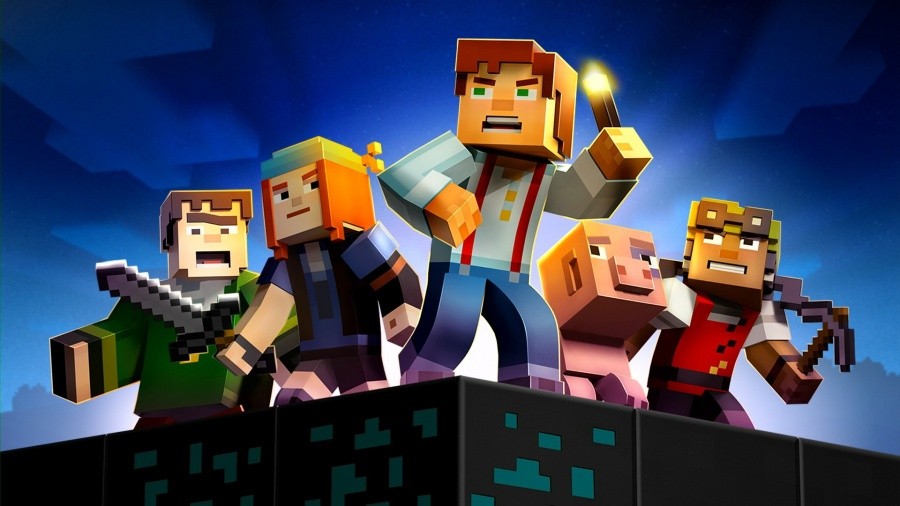
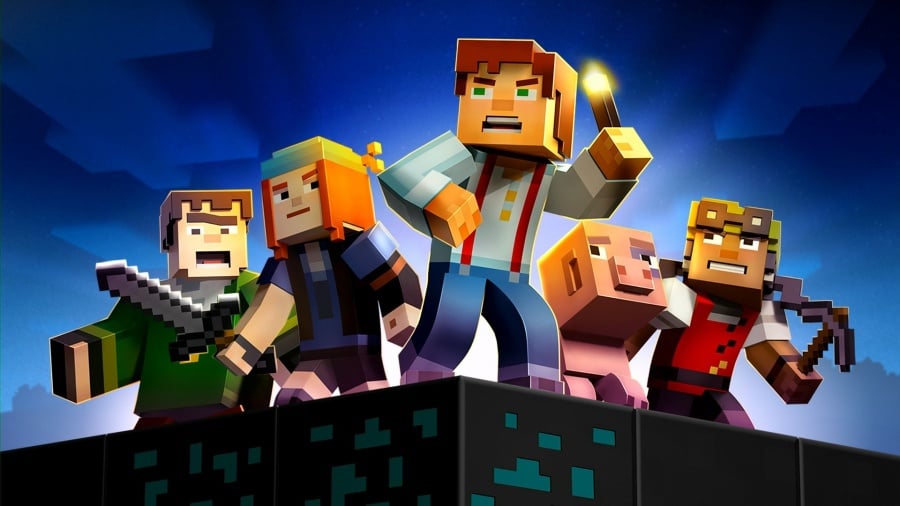
Support For Minecraft: Story Mode Ends On 25th June
A news update over on Minecraft.net has revealed support for Minecraft: Story Mode will end on 25th June 2019. Mojang, on behalf of the now-defunct publisher Telltale Games, explained how both seasons and all episodes would need to be downloaded before this date:
“On behalf of the publisher, Minecraft: Story Mode – A Telltale Games Series, Season 1 and 2 will no longer be supported on June 25th, 2019. If you have purchased these seasons, please download all remaining episodes prior to the service being discontinued in June.”
“So if you own either season of Minecraft: Story Mode on Microsoft Windows, macOS, PlayStation 3, PlayStation 4, PlayStation Vita, Wii U, Nintendo Switch, Xbox 360, Xbox One, Android, or iOS, you have until June 25th, 2019 to download the episodes. We’d recommend checking you have all the episodes downloaded!”
As noted, this applies to every version of the game. So, if you own either or both seasons of Minecraft: Story Mode, it’s recommended you check now to ensure you have every episode downloaded before 25th June.
Do you own this game on the Switch or Wii U? Tell us below.
Posted by: xSicKxBot - 06-05-2019, 02:50 AM - Forum: Windows
- No Replies
Skype launches screen sharing on Android and iOS mobile devices
Skype has always been the easiest way to share your screen with others, and now we’re taking one of our most popular features on the go. Starting today, we’re launching screen sharing on Android and iOS—along with multiple improvements to our mobile calling experience.
Whether you have a last-minute meeting on the go, or your dad doesn’t know how to use his phone—screen sharing on Android and iOS lets you get it done from anywhere. Maybe you want to shop online with your best friends, or you need to collaborate with someone on the other side of the world from the comfort of your couch—no need to drag out the laptop! Simply start a Skype call, tap the brand new “…” menu, and start sharing your screen.
Speaking of brand new, Skype’s mobile calling redesign streamlines and simplifies the video call. A single tap will dismiss the call controls and let you fully experience the most essential Skype feature—a video call without any obstructions. Want to make it even cleaner? Try a double tap to remove it all. A single tap brings all the controls back, with everything you need the most at the front and center.
We added everything else into the newly redesigned “…” menu. This new menu allows you to access all our useful features, like screen sharing, call recording, and subtitles—all while keeping your video call simple and clutter free.
We’re proud to release these updates to our mobile calling experience, enabling everyone to get more done, from anywhere. Screen sharing on mobile is available on the latest version of Skype on Android and iOS devices running iOS 12 and up.
To learn more about screen sharing, and our new mobile redesign, read our support article. We also love to hear from you on the Skype Community, where millions of Skype users have registered to share their expertise, feedback, and Skype stories.
Apple on Tuesday elaborated on mouse support in iOS 13 and iPadOS, saying both USB and Bluetooth devices will be recognized by the operating systems. The company made it clear, however, that the feature is designed specifically for a subset of users who have difficulty interacting with touch screen interfaces.
According to reporter Steven Aquino, Apple emphasized that mouse support in iOS and iPadOS is an accessibility feature, not a nicety created for the general iPad user.
The feature is “[m]eant for users who literally cannot access their devices without a mouse, joystick, whatnot,” Aquino said in a tweet.
More specifically, mouse support is designed as a stand-in for touch input, not traditional cursor control as found on Mac. Indeed, a short video posted to Twitter by developer Steve Troughton-Smith on Monday showed mouse input mimicking finger touch events in the first beta version of iPadOS.
“This is not your old desktop cursor as the primary input method,” Apple said, according to Aquino.
That said, the company appreciates mainstream media coverage of its Accessibility work.
Apple confirmed both wired USB and Bluetooth mouse models will work in iOS and iPadOS, though the company has not compiled an official list of compatible devices, Aquino said. That includes Apple’s own Magic Mouse. Interestingly, Troughton-Smith on Monday discovered the feature works, at least unofficially, with Apple’s Magic Trackpad.
Apple told Aquino the “foundation” of mouse support in iOS and iPadOS goes back “a couple years.”
Mouse integration can be enabled through the AssistiveTouch menu in iOS 13 and iPadOS, and will be available to users once those operating systems launch this fall.
We just shipped 1.1.0 Preview 1 of Azure SignalR Service SDK to support some new features in ASP.NET Core 3.0, including endpoint routing and server-side Blazor. Let’s take a look how you can use them in your Azure SignalR application.
Here is the list of what’s new in this release:
Endpoint routing support for ASP.NET Core 3
Use SignalR service in server-side Blazor apps
Server stickiness
Endpoint routing support for ASP.NET Core 3
For those who are using Azure SignalR, you should be familiar with AddAzureSignalR() and UseAzureSignalR(). These two methods are required if you want to switch your app server from self-hosted SignalR to use Azure SignalR.
A typical Azure SignalR application usually looks like this in Startup.cs (note where AddAzureSignalR() and UseAzureSignalR() are used):
ASP.NET Core 3.0 introduced a new endpoint routing support which allows routable things like MVC and SignalR to be mixed together in a unified UseEndpoints() interface.
For example, you can call MapGet() and MapHub() in a single UseEndpoints() call, like this:
The only change you need to make is to call AddAzureSignalR() after AddSignalR().
This will be very useful in the case that SignalR is deeply integrated in your code base or the library you’re using. For example, when you’re using server-side Blazor.
Use SignalR service in server-side Blazor apps
Server-side Blazor is a new way to build interactive client-side web UI in ASP.NET Core 3. In server-side Blazor, UI updates are rendered at server side, then sent to browser through a SignalR connection. Since it uses SignalR, there is a natural need to use Azure SignalR service to handle the SignalR traffic so your application can easily scale.
If you look at some server-side Blazor code samples, you’ll see they have a call to MapBlazorHub() to setup the communication channel between client and server.
The implementation of this method calls MapHub() to create a SignalR hub at server side. Before this release there is no way to change the implementation of MapBlazorHub() to use SignalR service. Now if you call AddAzureSignalR(), MapBlazorHub() will also use SignalR service to host the hub instead of hosting it on the server.
Please follow these steps to change your server-side Blazor app to use SignalR service:
Open your Startup.cs, add services.AddSignalR().AddAzureSignalR() in ConfigureServices().
Create a new SignalR service instance.
Get connection string and set it to environment variable Azure:SignalR:ConnectionString.
Then run your app you’ll see the WebSocket connection is going through SignalR service.
The typical connection flow when using SignalR service is that client first negotiates with app server to get the url of SignalR service, then service routes client to app server.
When you have multiple app servers, there is no guarantee that two servers (the one who does negotiation and the one who gets the hub invocation) will be the same one.
We hear a lot of customers asking about whether it’s possible to make the two servers the same one so they can share some states between negotiation and hub invocation. In this release we have added a new “server sticky mode” to support this scenario.
To enable this, you just need to set ServerStickyMode to Required in AddAzureSignalR():
Now for any connection, SignalR service will guarantee negotiation and hub invocation go to the same app server (called “server sticky”).
This feature is very useful when you have client state information maintained locally on the app server. For example, when using server-side Blazor, UI state is maintained at server side so you want all client requests go to the same server including the SignalR connection. So you need to set server sticky mode to Required when using server-side Blazor together with SignalR service.
Please note in this mode, there may be additional cost for the service to route connection to the right app server. So there may be some negative impact in message latency. If you don’t want the performance penalty, there is another Preferred mode you can use. In this mode stickiness is not always guaranteed (only when there is no additional cost to do the routing). But you can still gain some performance benefits as message delivery is more efficient if sender and receiver are on the same app server. Also when sticky mode is enabled, service won’t balance connections between app servers (by default SignalR service balances the traffic by routing to a server with least connections). So we recommend to set sticky mode to Disabled (this is also the default value) and only enable it when there is a need.
You can refer to this doc for more details about server sticky mode.
Review: Persona Q2: New Cinema Labyrinth – The Last Picture Show
Atlus has been one of the strongest supporters of Nintendo’s 3DS handheld over the years, keeping RPG fans busy with a total of seventeen stellar RPGs from the company. These releases have been coming at a consistent and reliable pace since the 3DS’ first year, so it’s only fitting that Atlus gets to be the one to turn out the lights on Nintendo’s autostereoscopic platform. As of the time of writing, Persona Q2: New Cinema Labyrinth is the final release scheduled for the 3DS (barring the final DLC expansion for Shovel Knight) and if this game is to be the punctation mark at the end of the life of the 3DS, it’s reassuring that we’re looking at an exclamation point, rather than a period.
As the follow up to 2014’s Persona Q: Shadow of the Labyrinth, Persona Q2: New Cinema Labyrinth demonstrates the ability and willingness of the developers to listen to feedback and improve on their previous work; what we have here is an enormously enjoyable RPG that builds on what its predecessor set out to do in finding the perfect harmony between the wildly different styles of two different RPG series’. The lovable characters and Jungian-infused theming of the Persona games have been married to the fraught decision-making and first-person dungeon crawling of the Etrian Odyssey games in a way that feels so natural, it’s a bit disappointing to consider that this experimental spin-off series might be ending with this entry.
The narrative starts off with the curtain rising in a mysterious cinema as a glowing blue butterfly flutters about in the dark, all of which evidently is taking place within the dream of Persona 5’s main protagonist. After he’s woken up by Morgana, the Phantom Thieves soon go on a routine mission to Mementos to stay sharp ahead of an impending deadline, but things quickly go awry when the gang finds themselves dragged through a portal and onto the streets of a sprawling city that might or might not be in the Metaverse. Confused and disoriented, our heroes are soon accosted by a powerful foe and flee through another portal, this time finding themselves trapped in a strange movie theater.
From this point, the main drive of the plot is established: our heroes must find four keys to unlock the front door and free themselves from the theater, and each key is locked away in the larger than life technicolor worlds of the movies playing on the screens. Each movie contains its own set of villains and Shadows (the staple Persona enemies), but the Phantom Thieves aren’t alone in their struggle against these obstacles on the path to freedom. Not only do they meet a couple mysterious new characters original to this release, but most of the casts of both Persona 3 and Persona 4 are introduced with time, leading to a bevy of intriguing and hilarious encounters as many of these characters meet each other for the first time.
Persona Q2: New Cinema Labyrinth assumes you’ve played (or are at least familiar with) the casts and storylines of the Persona games and though newcomers will certainly be missing out on a lot of key moments and fan-service, the plot is still kept simple enough that it’s easy to follow and (mostly) understand what’s going on. Centering the narrative around this established and known cast of characters is a smart move, as it lends the narrative proceedings a certain kind of familiarity that the first Persona Q lacked in some ways. Fans of Persona 3 and 4 will perhaps be a little miffed to hear that the story primarily focuses on the Phantom Thieves of Persona 5, but everyone gets their fair share of the screen in due time. The story is all well-written, then, but one omission we feel bears highlighting is the complete lack of English voice acting here. It’s not game breaking by any means, and you gradually acclimate to the Japanese actors as the hours pile on, but it still would’ve been nice to have the option to hear the lines delivered in one’s native tongue.
Though the storyline is distinctly Persona-flavoured (for the better), the gameplay style primarily takes after the Etrian Odyssey series, and this iteration of that gameplay certainly doesn’t disappoint. Upon entering a new movie, you’re faced with a dungeon that’s viewed through a first-person perspective on the top screen, while the bottom screen presents you with a completely blank, grid-based map. Every wall, floor, crevice, treasure chest, trap, or whatever you come across in your expeditions must be recorded by hand on the bottom screen with a stylus, using the extensive selection of symbols and tools at your disposal to make it readable. Indeed, this custom mapping proves to be one of the most divisive aspects of the experience, something that will be loved by some and hated by others. Luckily, Persona Q2: New Cinema Labyrinth favors both camps, and if you don’t want to be bogged down with scribbling down everything, you can enable an ‘auto-map’ function that will fill it in for you. We’d encourage you to at least give the manual cartography a try, however, as it adds a certain element to the exploration that’s lost by just having the game do it for you.
Rather than the random generation employed in some past Persona titles, these dungeons are all smartly designed around sets of traps, shortcuts, secrets, and powerful enemies that keep you on your toes as you search for the stairs to take you to the next floor. New puzzle ideas, like gates that have to be temporarily disabled with switches, are introduced at a brisk but manageable pace, and help to keep the relatively slow pace from getting stagnant. See, nothing in the dungeon ‘moves’ until you step forward onto the next tile, and many of the environmental hazards and puzzles are designed around this key limitation. For example, powerful enemies called “FOEs” roam sections of the dungeon on a set path; you don’t have a chance to beat these enemies when you first encounter them, so it becomes a game of finding the holes in their rotation and slipping through unseen. Puzzle segments like this are often bookended, then, by convenient shortcuts that then make subsequent runs through the dungeon that much quicker.
Enemy encounters are handled in a semi-random way, with a small counter in the bottom right corner of the screen displaying how long you have until you get jumped by another enemy. Once it reaches “1”, however, you don’t necessarily get attacked right away, although each step is likely to trigger a fight. The key thing here is the surprisingly tense situations that can develop from balancing one’s odds with that counter; if you happen to be embroiled in combat when on a tile in a FOE’s path, that FOE can then enter the battle and effectively wipe the team in one or two hits. Puzzle segments can then become a matter of weighing one’s chances as you judge whether or not you can make it to safety in enough steps.
Once you enter combat, the system takes on something of a blend between the Persona and Etrian styles of combat, which gel surprisingly well together. Taking from the Etrian side, your five party members are arranged in a two-line formation, three go in the front and two go in the back, and elements like Link Attacks and Pierce Attacks have been worked into the movesets of the characters. On the Persona side of things, the eight-way element system, HP-draining special attacks, and All-Out Attacks have made their way in to round out the fights. A standard fight unfolds almost like a puzzle, as you initially experiment with different attacks to figure out what can ‘floor’ the enemy and disable them for that turn. If you can manage to incapacitate all of them, an All-Out Attack is triggered in which the entire party lays into the enemies in a cartoonish ball of smoke, dealing enormous damage and often ending the fight.
Landing a super effective hit on another enemy will also have the benefit of giving the character who inflicted the attack the “Boost” status. When in Boost, all special attacks by that character cost zero SP or HP and many attacks even receive a damage buff to boot, but this comes with the caveat that the Boost can’t be taken advantage of until the next turn. If the character takes damage before the turn comes, they lose the Boost and go back to normal. This Boost mode adds a nice wrinkle to the already deliciously gripping combat, especially when you factor in how the Baton Pass of Persona 5 has been reworked here to allow you to pass on your Boost status to another member of your party.
This leads into another wrinkle of combat, which is the involvement of the support member of your party. This extra member doesn’t directly participate in combat, they instead have a broad selection of support skills—like a party-wide damage buff or passive health regeneration—that are governed by the “Party Meter”, which fills incrementally every time you deal or receive damage. The meter grants you a star every time it fills and you can hold up to five stars at once, with a certain amount being spent depending on the support skill you want to use. Though the bulk of the work is always being done by the five members involved in the heat of the fight, this support system proves to be a lifesaver in many ways and makes fights that much more interesting due to the wealth of options available to you. Later on, you can even equip another support character to help out when you’re off the battlefield, offering passive boons like healing for every step you take, or highlighting the locations of treasures on the floor.
It’s a given that your party likely won’t have the stamina to clear out a floor, much less a whole dungeon, in one go, so a positive feedback loop is quickly established to keep you regularly bouncing in and out of dungeons. Once you’ve filled up your bag with enemy drops or your characters are running too low on HP or SP, you can leave the dungeon (manually or by using a consumable item) and return to the theater, where the party is refreshed and you’re given the opportunity to gear up. Items you find in the dungeon can be sold to the store for profit and also will occasionally ‘inspire’ the shopkeep to offer new items for sale, such as better equippable weapons or consumables. You can also have ‘mystery’ items you find in the dungeon appraised by the shopkeep, often granting you access to better gear than you could buy in the shop. What’s nice about this shop system is how straightforward it’s kept relative to other RPGs; there’s still plenty of depth to the myriad things you can equip to each character, but none of it bogs you down in exhaustive detail over things that really don’t matter. Stat upgrades are clearly marked so that it’s obvious when a given piece of gear is better than another, and the shopkeep will even offer to buy your discarded piece of equipment at a decent rate.
The theater also grants you access to the Velvet Room, which acts more or less as the Persona ‘store’. Though every character’s main Persona is set in stone, each of them can equip a Sub-Persona to build out their options for combat skills, and most of these are ‘made’ in the Velvet Room. Here, you can fuse two existing Personas into a single (often better) Persona, and a certain number of skills can be carried over in the transition. It’s always a tough decision, of course, as you have to pick what elemental attacks and debuff abilities you could live without, but the passive stat gains offered by equipping more powerful Personas is essential to surviving the occasionally harsh difficulty. Plus, any Persona that you’ve possessed will forever be recorded in a compendium that allows you to summon them again for a price, encouraging the player to keep experimenting and changing up the Persona line-up on a frequent basis.
What’s nice about this whole system of equipping and swapping Personas is how it allows you to functionally turn any character in your party into any ‘class’ you’d like. Both a character’s skillset and stats are heavily dependent on what Persona they have equipped, and if you want to experiment with turning your tank into a pure healer, you can do so with a few quick reassignments in the pause menu. This goes a long way towards keeping characters useful and interesting, as nobody is pigeonholed into a particular role and you can take risks on swapping those roles with very few drawbacks.
Naturally, you’ll build up quite the deep bench of characters as the campaign wears on, making it more and more difficult to avoid favoring one set over another. To combat this, Persona Q2: New Cinema Labyrinth uses a concept called “Motivation” in which certain characters will have better stats and a higher critical hit rate if you swap them into your party before jumping back into a dungeon. Motivated characters change each time you come back to the movie theater, ensuring that you keep a balanced bench, and things are made even easier by the impressively organized party management screen, which partitions characters by the game they came from and allows you to set up a few pre-set teams that can be swapped out on the fly.
To encourage you to take advantage of Motivation more often, the theater also offers a “Special Screenings” section that expands on the “Stroll” feature of Persona Q. Special Screenings are essentially side-quests that have you go back to completed floors or movies, but with fresh objectives and incentives, and with the caveat that your team be composed of specific characters. These are where Persona Q2: New Cinema Labyrinth gets creative with its mission objectives, often offering up things more interesting than the tired “go get me five boar skins” RPG mission tropes, while also creating the space for some memorable and interesting character encounters that wouldn’t fit in the main narrative. Think of the Special Screenings as sort of ‘mini-narratives’ that take place within the bigger picture; they aren’t essential, but they’re often more than worth your time for both the quest rewards and narrative payoff that they offer.
Much like its predecessor, Persona Q2: New Cinema Labyrinth employs a chibi style of animation that’s both charming and well-tailored to the limited horsepower of the 3DS, making it a game that’s quite easy on the eyes. The flamboyant pop-punk aesthetic of Persona 5’s menu design has made the transition here almost without a hitch, giving each menu you come across a little something more to make it visually distinctive and interesting. Environments are similarly over the top and detailed, whether you’re moving through a crowded city or a dinosaur-riddled jungle, and each one is afforded its own colour palette to make it stand out in your memory. Our only complaint in this area is the way in which stereoscopic 3D has been completely omitted; considering that it was present in both Persona Q and Etrian Odyssey Nexus, the omission here feels a bit lazy and half-hearted. Still, you don’t miss it after a while, and though it would’ve certainly made the experience that much more immersive, it’s not essential.
Matching the stylized visuals is an equally impressive, boundary-pushing soundtrack that showcases some of the best tunes we’ve heard in either the Etrian or Persona series to date. This soundtrack takes more after the music of Persona 5—characterized by its piano-heavy acid jazz and big band style—and this works greatly in Persona Q2: New Cinema Labyrinth’s favor, as it infuses effectively every minute with a certain kind of vim and vigor that many RPGs often lack. The main battle theme is infectiously catchy, but even tracks like the slightly more dialed back tune that plays back in the theater still have an undeniable energy that keeps you locked in. We would definitely encourage you to play through this one with some headphones, as it’s well worth paying some special attention to the music.