Soapbox: In Praise Of Save States, Rewinds And Walkthroughs
The year was 1991. My dad had gone to now-defunct UK electronics retailer Dixons and purchased a Sega Mega Drive with Castle of Illusion for the princely sum of £144.99; I know this because I still have the receipt stapled in the console’s manual. Beyond a dusty Atari 2600 which resided at my grandparents’ house, the Mega Drive was our first console and Mickey Mouse’s adventure was a fine introduction to video games. With SEGA dominating the UK market at the time, there were plenty of other games I had my eye on. Sonic was an obvious choice, and Golden Axe looked amazing to my impressionable childish eyes. I laid out my proposals for our next potential purchase and one day dad came home with a brand new game tucked under his arm. Could it possibly be? Would I be cutting my way through the evil hordes with a heroic weapon, sharp and true?…
Not exactly. Unfortunately, my old man had bought Sword of Vermilion and my disappointment was impossible to hide. He’d apparently been impressed by the label on the box advertising ‘5 MEGA MEMORY with battery backup’ and ‘106 PAGE HINT BOOK INCLUDED’. Yes, the game boasted three save slots! That was impressive at the time, but hardly enough to excite a kid eager to hack and slash with a golden axe.
I played it, of course – any video game is better than no video game – but an RPG wasn’t what I was after and I was a bit too young for it. The comparative complexity of the game coupled with my apathy meant I never got far, and over the years it grew in my mind as a mountain; forever there, taunting me with its stupid save slots, primitive first-person dungeon sections and random encounters.
So, feeling I had a score to settle, a few years ago I decided to go back and conquer it. Traditionally I would have bristled at the idea of using a guide, but this one came with the game itself and that somehow legitimised it. In my head I had to beat this game ‘properly’ or not at all and for a long time I’d seen save states as a easy way to cheat your way to victory. No, I was going to summit this peak without any of those ‘cheap’ aids!
The problem was that Sword of Vermilion is filled with random enemy encounters and the reality facing me was stark: either use save states or never find the time to finish the game. Faced with that choice, I ultimately decided to use them, and I was very glad I did. While not a classic, Sword of Vermilion has some great writing, atmosphere and music which I’d have missed completely had I been too stubborn to use the mod cons retro gaming benefits from these days.
This got me thinking about my instinctual reaction that save states are somehow a form of ‘cheating’. The obvious convenience of them still rubs up against my old-school sensibilities now and then, although it’s odd that I didn’t consider the guidebook or the save slots in the game itself to be ‘cheap’.
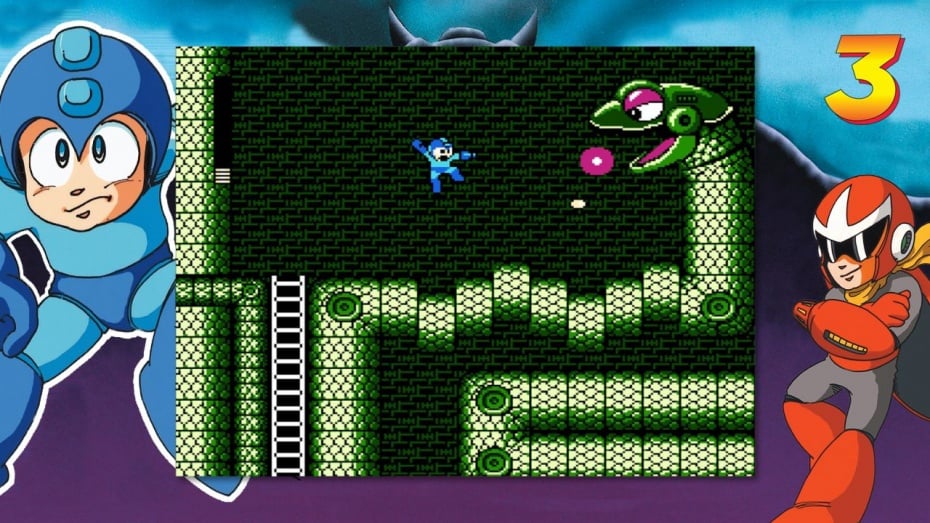
No developer would dream of rereleasing a classic title now without some concession to convenience. All the NES games included with Nintendo Switch Online or the Classic Mini consoles have up to four ‘suspend points’ to use, and so they should. We’re seeing time-saving systems coming to more and more games, both old and new. Rewind features can be found in games as diverse as Forza Horizon 4 and the Mega Man Legacy Collection, and they’re a godsend in modern times with so many games and so little time. They’re especially helpful in titles we’re playing for ‘historical’ value. You might be playing through one of those Mega Man games simply to ‘complete the set’, so to speak, even if you’d maybe prefer to be playing another one in the collection. There’s often a strange allure to certain games; significant artefacts that we feel we ‘should’ play, even if we’re not naturally drawn to them.
Ticking off the last few Zelda games I’d missed is one example that comes to mind. I’d never have had the patience to go through The Adventure of Link without save states but, again, I’m happy I did so. The Oracle games dragged a bit and I probably should have taken a breather after the first one, but carving out time to play them on original hardware is tough these days – save states on 3DS meant I could play and enjoy them in a much shorter period.
Castlevania II: Simon’s Quest was something else I felt ‘obliged’ to play. Natural curiosity aside, I often felt a certain ‘duty’ to expand my knowledge of the medium even before I wrote about games for a living. It’s the same with any artistic medium – literature, music, cinema – and I wanted to gain a more rounded sense of the Castlevania series. Like visiting a museum, there’s a wealth of information and context to help you understand modern mechanics, not to mention old games are often fun!
Simon’s Quest is notoriously obtuse, though, with some villagers providing false information and localisation errors compounding the confusion. Back in the day these liars helped make sure you got ‘value for money’ by not completing the game in one sitting, but nowadays when time can often be more valuable than money, the game’s convoluted design is a huge barrier to entry. Simply put, I reached breaking point and would never have stuck with the game without save states. They enabled me to spend enough time in the world for the game (and its incredible music) to work its magic. I now look back very fondly on Simon’s Quest – all thanks to save states.
And walkthroughs too! Another self-imposed taboo I’ve learned to overcome, the ability to save snapshots would have been little help if I didn’t know that I had to kneel in front of the cliff with a crystal to proceed. Again, it’s strange that I never considered the ‘hint book’ that came with Sword of Vermilion a ‘walkthough’, simply because it was included in the box, but it’s absolutely a comprehensive guide. No, no, that wasn’t cheating, I told myself. Totally legit. I’m a gamer, me!
Looking back, my mental gymnastics are laughable now, but I’m sure some readers will find those thoughts familiar. It’s not something we have to contend with much nowadays; walkthroughs are often entirely unnecessary with modern games. There are certainly games that buck the trend, but typical AAA releases now are paranoid about losing you to some other game or form of media. If you have to consult your phone to find out what you should be doing, there’s a risk you’ll get distracted and not return, thus newer games have become very ‘hand-holdy’. Old games had your undivided attention, often for hours, days or weeks on end. Unfortunately, I don’t have an entire summer to devote to Final Fantasy anymore. For shame!
I feel a sneaky rewind coming on. No-one will ever know…
It’s also important to remember that all these modern conveniences are optional; the original challenge is there for those who want it. They’re also unique to video games. Want to tick Tolstoy’s War and Peace off the ol’ bucket list? There are very few shortcuts for that one, I’m afraid – perhaps a different translation might shave some pages off, or you could listen to the audiobook in the car. It’s still a hefty investment, though, and the Cliffsnotes version won’t cut it. Save states, rewinds, walkthroughs – these are different. They aren’t abridgements, they simply make the game more accessible to those who need a hand, in a way only interactive media can.
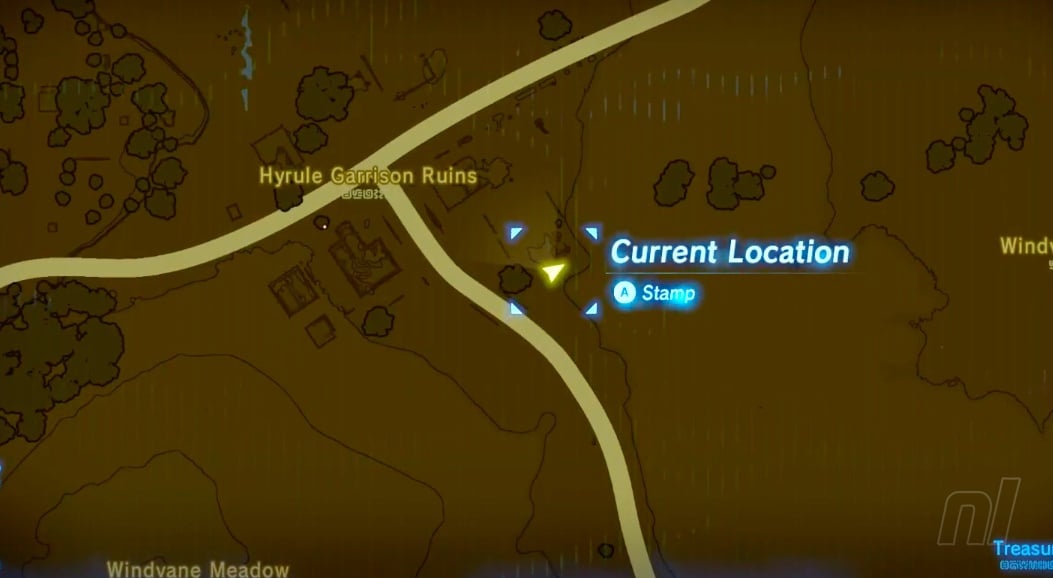
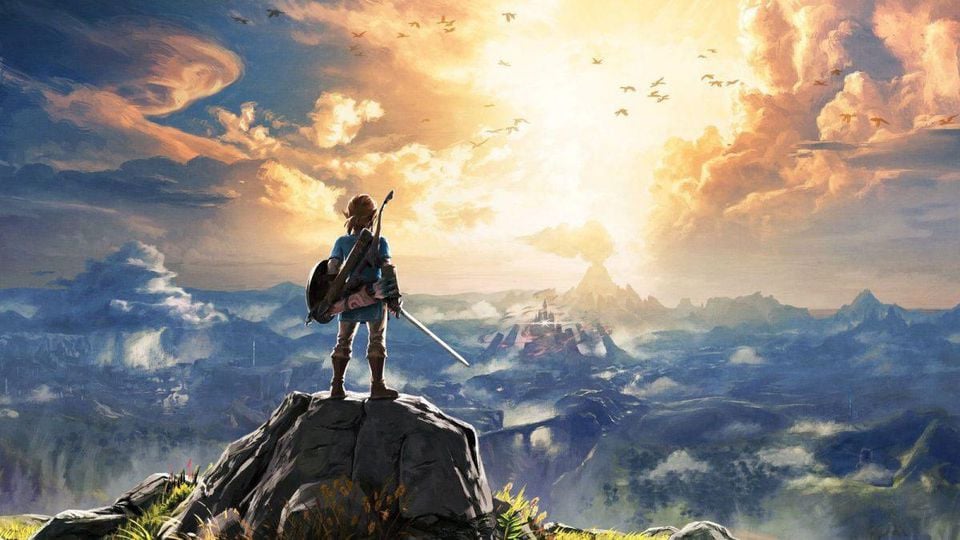
Despite ‘evolving’ to accept and appreciate these modern conveniences, there’s still a remnant of that boy in me that won’t let go of my preconceptions. I’ve found exactly 742 Korok seeds in The Legend of Zelda: Breath of the Wild, and I’d find two or three every time I played the game until recently. Discovering these meaningless trinkets on my own has been an absolute joy as I’ve explored Hyrule, but my last few sessions have been fruitless (or seedless). I’m loath to resort to a guide because I just need a nudge in the right direction, and where’s the fun in simply ticking boxes?
What I really want is for Nintendo to release the rest of the Korok suit ‘set’. Some Korok trousers and a top would combine with the mask and give me the power to identify zones on the map where Koroks are still hiding. Not the exact spot, mind – I’ve got the mask to help me there – I just want to rule out areas on the map, to be pointed in the general direction. I’d much prefer to do it in-game, not sit there comparing my map to an online guide.
Just letting me know that there aren’t any Koroks hiding in Hyrule Garrison Ruins, for example, would be nice.
Rather than lapsing into my old way of thinking, I actually see this as simply wanting to wring every last bit of enjoyment out of the game. I knowthe reward for finding all 900 is rubbish – that’s not really the reason I’m searching for them. I just want to play the game more and the stupid gamer in me needs a tiny reason to do so. Plus, I don’t want the hassle of scrubbing through videos or navigating through umpteen pages on my phone or laptop to compare my map to theirs. Still, I’ll probably resort to an app or something if I have to.
It took me an embarrassingly long time, but I’ve ultimately come round to seeing these aids as simple tools to help climb retro peaks. They’re not conveyor belts to the top of the mountain, but rather ropes and oxygen tanks and decent gloves to help the ascent. We can look back and admire those who went before us, scaling those heights with nothing but a pair of long johns, a hip flask and a lustrous moustache, but using the modern conveniences at our disposal shouldn’t diminish our achievement or, more importantly, our enjoyment nowadays. The view from the top is the same however you get there.
Overall it’s much better to play with a walkthrough or save states than to never play a game. I’d have missed out on some brilliant stuff, otherwise. With age it’s gotten easier to extract the good bits from any media and not worry about the parts that didn’t work, so if these ‘cheats’ help me do that, fantastic. Fun is the goal, whether that involves dipping into a game for 10 minutes or methodically working through the backlog – whatever makes you happy. For me, it takes discipline and constant reminders that my mountainous backlog is a self-made mountain, just as defeating Sword of Vermilion was. With all the resources and tools at our disposal, it’s never been easier to conquer them.
Have you ever suffered from the same affliction? Are there any personal demons in your back catalogue you’ve taken on in recent times? Share your thoughts on save states, walkthroughs and rewind mechanics below…
Blood & Truth takes place in modern day London against the city's backdrop of glamour and grit, making it the perfect location for a criminal underworld to inhabit. The capabilities of PS VR puts you into the shoes of an action hero in a way you won't have experienced before. From the moment you slip on the headset, you become Ryan Marks, an elite Special Forces soldier who is on a dangerous mission to save his family from a ruthless criminal overlord. Playing as Ryan, you will come face to face with enemies, uncover secrets and experience the thrill of the chase.
Posted by: xSicKxBot - 05-28-2019, 05:33 AM - Forum: Lounge
- No Replies
The Most Influential Games Of The 21st Century: PlayerUnknown's Battlegrounds
Join GameSpot as we celebrate gaming history and give recognition to the most influential games of the 21st century. These aren't the best games, and they aren't necessarily games that you need to rush out and play today, but there's no question that they left an indelible impact on game developers, players, and in some cases, society at large.
Nowadays, when a new shooter is announced or comes out there's one question that consistently pops up: is it going to have battle royale? It's one that's asked both seriously and in jest ever since the sub-genre's popularity exploded just a few years back. The fascination with large-scale multiplayer, where only one player or team per match is left standing, took off like never before when PlayerUnknown's Battlegrounds hit Steam early access in March 2017. And while there were battle royale games that came before it and, of course, many that came afterward, PUBG is undoubtedly the force that thrust battle royale into the mainstream.
PUBG's creator, Brendan "PlayerUnknown" Greene, had a history of making mods for existing games, namely the military sim series ARMA. His creation of an ARMA 2 mod DayZ: Battle Royale (a mod for a mod, if you will) seeded the first step for the sub-genre. He was then brought on as a consultant with Sony Online Entertainment (now Daybreak Games) for the creation of H1Z1's battle royale mode. In 2016, this battle royale mode split from the survival-based version of the game and became a standalone product known as H1Z1: King of the Kill.
At the time, H1Z1 had built a dedicated player-base because of the unique thrill of having one life per match, the unpredictable variables like randomized loot and safe zones, and the intrinsic reward of besting 100+ other players. However, there was always a sense of refinement that was missing from renditions of battle royale at the time, even H1Z1. Their nature as mods really showed, whether it was because of some janky mechanics, relatively low production values, or bare overall structure.
That’s not to say PUBG didn’t carry some of that baggage when it came on the scene. But when Greene collaborated with Korean developer Bluehole to bring PUBG to early access on PC in 2017, it was readily apparent that it was breaking the barriers to entry that held battle royale back from a larger audience. The game made a slew of mechanics relatively accessible, allowing newcomers to quickly understand the premise and what needed to be done to survive in a match. Drop from a plane with 99 other players, gear up at key locations on the map, adapt to the map's ever-changing safe zones, and win those nerve-racking firefights with what you can scavenge.
While there were battle royale games that came before it and, of course, many that came afterward, PUBG is undoubtedly the force that thrust battle royale into the mainstream.
PUBG's roster of weapons also had a lot to do with its lasting appeal, thanks to their distinct characteristics of damage, range, and recoil, but the attachments system added an extra layer of tactical depth. Firefights carried an unmatched level of intensity because you truly had to understand how your weapons worked and earn your kills with proper positioning and precise aim. Combine that with tools like smoke grenades and the on-the-fly tactics of using your surroundings for cover, and it's almost as if you had to play mind games with your enemies. Thus, coming out on top would feel like its own reward. Chicken dinners were never this tasty.
PUBG even sustained popularity with only one map through most of its early access period, which is a testament to how varied the map was and the unpredictable nature of safe zones. Previous battle royales were made up of fairly barren battlefields, so with PUBG's map featuring dense city centers, varied terrain, and expansive hotspots for action, it set the bar higher for such an important aspect of the game. Thus, no two matches would play out the same and emergent situations kept PUBG feeling fresh match after match.
It was the right game at the right time, and the first fully-realized version of battle royale in video game form. PUBG leaned heavily into its military sim roots in a way that made its action play more like a tactical shooter, but struck a balance between hardcore and approachable mechanics. And although it wasn't without its share of technical issues, it didn't bear the weight of a mod's jankiness. When critics were able to have a definitive word on the game when it fully launched with a 1.0 release, it was showered with praise.
To echo the sentiments from my own review of PUBG for GameSpot, I wrote, "It's not the first of its kind, and despite glaring flaws, PUBG emerges as the most accessible, mechanically refined battle royale game to date." I capped it off by saying, "Every player has unique stories of their most memorable matches, and even after hundreds of hours, PUBG continues to inspire rousing tales of victory and defeat."
According to Steamcharts.com, PUBG exceeded 1.5 million peak concurrent players in September 2017, breaking the previous record set by Dota 2 in March 2016 with 1.3 million players. PUBG continued its meteoric rise and hit a peak of 3.2 million concurrent players in January 2018, nearly three-times that of Dota 2's highest player count. Needless to say, others took note of PUBG's increasingly wild popularity.
Sure, it hasn't been very long since PUBG busted onto the scene, but battle royale essentially went viral because of it.
A little game called Fortnite is a household name and a cultural phenomenon today due to its adoption of the battle royale game mode. Fortnite was initially a wave-based shooter with construction mechanics akin to a survival game (now called "Save The World"), but the team at Epic Games clearly kept a close eye on PUBG. Game director Donald Mustard stated that Epic loved battle royale games, including PUBG, and a separate team at Epic quite literally spun the battle royale mode for Fortnite in a span of two months. In September 2017, Fortnite: Battle Royale hit early access as free-to-play for PC, Xbox One, and PlayStation 4, and soon became its own beast.
How do you even begin to describe Fortnite's position in games? For starters, the highest concurrent player count Epic has recorded during a non-event day was 7.6 million in February 2019. The game has partnered with Marvel for a limited time Avengers-themed event where players could embody Thanos. It has official NFL-themed jerseys as skins, and just recently incorporated the Jordan brand. And 10.7 million people hopped onto Fortnite for Marshmello's live in-game concert. Fortnite's massive success also provided the leverage for Epic Games to open its own digital storefront for PC games. There's a whole lot more to unpack, like its impact on streamers and esports, but this is all to say that battle royale has been an extremely powerful thing for games, and PUBG led the way.
Fortnite was just the beginning for the battle royale games that followed in PUBG's footsteps. The biggest first-person shooter franchise in the history of games, Call of Duty, did its own take on the concept with Blackout mode in Black Ops 4, which launched back in October 2018. Electronic Arts and DICE took notice as well, and brought battle royale to their long-running large-scale FPS series with Battlefield V--although it didn't launch with Firestorm, the mode came as a free update in March 2019. Publisher EA would sort of double-dip when the team at Respawn Entertainment, known for its critically acclaimed Titanfall series, came out with Apex Legends in February 2019.
Apex Legends set itself apart by merging elements of hero shooters, like Overwatch, with the core traditions of a battle royale game. However, smart tweaks to the formula such as the intuitive ping system and the incorporation of respawning teammates kept the genre's premise fresh. Apex Legends simplified the necessary mechanics for a seamless experience as well, like the automation of looting better items and equipping better attachments. In a way, it makes PUBG look ancient, but Apex's great success is nonetheless rooted in the foundation PUBG set.
Sure, it hasn't been very long since PUBG busted onto the scene, but battle royale essentially went viral because of it. While others have bested it from a gameplay perspective and in current relevance, it's still going strong. Even at the time of publication of this article, PUBG is the third-most played game on Steam with a peak of 680,000 concurrent players, just behind Valve's own CSGO and Dota 2. PUBG may not have the same popularity it did only a year and a half ago, but it didn't have to maintain that peak for it to have influenced such a large part of the gaming industry--an influence that we're still witnessing evolve.
So, what's the next big game to do battle royale? Tetris?! Oh, wait...
Review: Blades Of Time – A Wonky Action Title That Belongs In The Past
Blades of Time came out almost seven years ago, but it looks and plays like something much older. As a sequel to its so-so predecessor X-Blades, Russian developer Gaijin Entertainment took one very interesting mechanic – the power to manipulate time itself – and surrounded it with ideas we’d seen and played ad nauseam before. The controls were a little tighter, its levels a little more diverse in design and its heroine wasn’t quite so scantily clad as she was before. It was, however, still a bit of a mess, and that interesting mechanic at its heart simply wasn’t enough to forgive its myriad sins.
For reasons unbeknownst to anyone outside the walls of Gaijin Entertainment, Blades of Time has been repackaged for a new generation, with all the single-player action and co-op content included as standard. It’s based on the visually superior PC version of the game and offers Nintendo Switch adopters access to a revamped multiplayer experience that transforms its PvP component into a MOBA-style arena battle more along the lines of Smite. It’s an oddity to say the least – more so now than ever – but is it intriguing enough to warrant a purchase?
You’ll spend your time in Blades of Time as the acrobatic adventuress, Ayumi. Presumably designed as a cross between Lara Croft, Dante from Devil May Cry and a Harley Quinn cosplayer who ran out of money part way through their costume, Ayumi has travelled to a mysterious island filled with treasure and dangers alike. You start off with your basic melee moves – including a basic strike and a cartwheel kick of launching air combos – but soon you’re adding ranged weaponry to your arsenal and magical spells unleashed with certain inputs. As you progress, you’ll unlock more powers – such as the ability to flit between glowing plants for some quick-fire platforming moments – and while its myriad combat models don’t really gel, you rarely feel underpowered.
While the single-player story is passable, offering enough enemy types to contend with (ranging from broadsword-swinging knight statues to poisonous bugs that keep spawning their own backup), the lacklustre platforming and the wooden delivery of Ayumi’s voice actress makes this a far cry from the fine-tuned experiences seen in the likes of Devil May Cry and God of War, two games Blades of Time tries as hard as possible to emulate. Only its time manipulation mechanic offers anything remotely ‘different’ to what we’ve seen before a million times already. In a similar vein to Prince of Persia: The Sands of Time, you can use this power to undo an untimely fall to your doom; alternatively, you can utilise your past self to activate a two-point switch for a door or double up your strikes against a boss. The frustratingly unresponsive controls rob this time-related malarkey of some of its allure, but it’s a rewarding mechanic when it works.
‘Onslaught’ mode has been reworked into a MOBA-lite model, where you’ll battle other players online in a simple setup that takes the rules of the genre and simply sticks to what you’re expecting. All the items you’ve unlocked from the story carry over, including the gems which serve as a microtransaction-based currency for buying new gear, such as outfits for Ayumi. Matches don’t do much to deviate from the standard MOBA formula, so don’t expect anything with the kind of customisation and tactical nuance as Smite. It’s a better use of multiplayer, but it’s still hampered by Blades of Time’s painfully inaccurate combat engine.
For all its lofty ideas and good intentions, Blades of Time still struggles on a technical level. The original version failed to do its own combat system justice, with combos often failing to come together because of laggy input issues. When married with the consistent problem of slowdown, the game’s original release too often stumbled over itself. Today, on Nintendo Switch, the game does run a little better (there’s some slowdown, mostly caused by too many enemies being on screen at any one time, but it’s not as much of an issue as before), but pulling off melee combos and unleashing spells is still largely a game of potluck. Some actions randomly don’t work, such as the ability to heal and strike (arguably two very important functions in a game such as this).
The decision to split ranged attacks off into their own stance – where you’ll press the right analogue stick in to pull out a rifle and use ‘ZL’ and ‘ZR’ to aim and shoot respectively – makes for a needless disconnect between long-range and melee strikes. The only way to disengage from the aiming mode is to press the right analogue stick in again or press the jump button, so if you want to strike an enemy that’s closed the gap or dashed away, you’ll need to manually drop out of the stance before you can do so. It’s so disarming a distinction that you’ll likely die needlessly in boss fights where mixing either combat style is necessary.
Conclusion
As hard as it tries, Blades of Time rarely comes close to emulating the success of any of its obvious muses. Its mixture of third-person melee combat, environmental puzzles and platforming are entertaining for a while, but they lack the nuance of Capcom’s long-running Devil May Cry series or Sony Santa Monica’s refreshed God of War. Only the ability to control time, creating a co-operative element as you team up with your past self, offers something truly rewarding to use in battle or as part of a puzzle solution. The MOBA-style overhaul of the game’s Onslaught mode offers an improved take on multiplayer, but the wonky combat and lacklustre presentation are impossible to overlook.
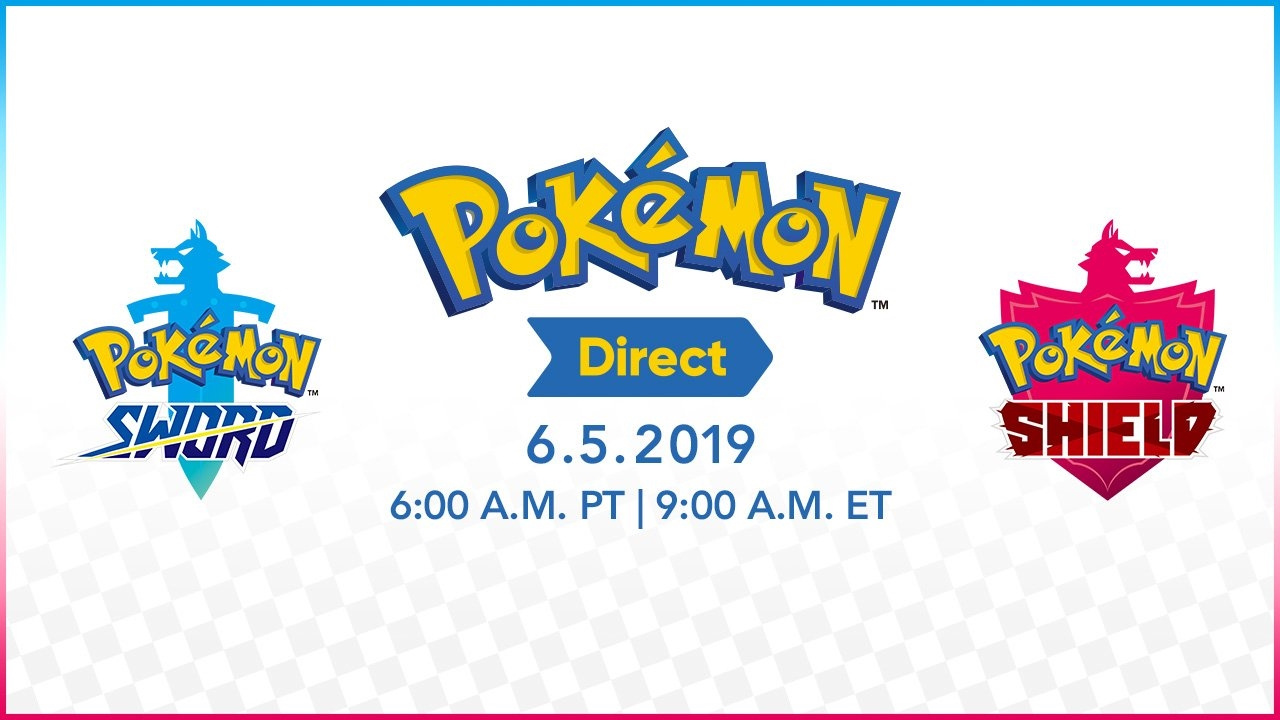
Nintendo has announced it will be hosting a Pokémon Direct live stream next week on 5th June for the upcoming Switch release, Pokémon Sword and Shield. The presentation will run for a total of 15 minutes.
Just like the last presentation, this one will begin at 2pm GMT, so that’s 6am PT / 9am ET / 3pm CET.
There’ll also be a separate presentation happening much sooner. According to The Pokémon Company, this press conference will cover a number of topics which will be “of interest” to Pokémon fans. The live event will take place on the 28th May at 6pm PT / 9pm ET and on the 29th May at 2am GMT / 3am CET.
The Pokémon Company is hosting its 2019 Press Conference in Tokyo, Japan, on Tuesday, May 28. You can watch the event live here at Pokemon.com starting at 6 p.m. PDT. The press conference is expected to cover a number of topics of interest to Pokémon fans.
What are you expecting from these presentations? Tell us below.
For some people, using GNOME Shell as a traditional desktop manager may be frustrating since it often requires more action of the mouse. In fact, GNOME Shell is also a desktop manager designed for and meant to be driven by the keyboard. Learn how to be more efficient with GNOME Shell with these 5 ways to use the keyboard instead of the mouse.
GNOME activities overview
The activities overview can be easily opened using the Super key from the keyboard. (The Super key usually has a logo on it.) This is really useful when it comes to start an application. For example, it’s easy to start the Firefox web browser with the following key sequence Super + f i r + Enter.
Message tray
In GNOME, notifications are available in the message tray. This is also the place where the calendar and world clocks are available. To open the message tray using the keyboard use the Super+m shortcut. To close the message tray simply use the same shortcut again.
Managing workspaces in GNOME
Gnome Shell uses dynamic workspaces, meaning it creates additional workspaces as they are needed. A great way to be more productive using Gnome is to use one workspace per application or per dedicated activity, and then use the keyboard to navigate between these workspaces.
Let’s look at a practical example. To open a Terminal in the current workspace press the following keys: Super + t e r + Enter. Then, to open a new workspace press Super + PgDn. Open Firefox (Super + f i r + Enter). To come back to the terminal, use Super + PgUp.
Managing an application window
Using the keyboard it is also easy to manage the size of an application window. Minimizing, maximizing and moving the application to the left or the right of the screen can be done with only a few key strokes. Use Super+? to maximize, Super+? to minimize, Super+? and Super+? to move the window left and right.
Multiple windows from the same application
Using the activities overview to start an application is very efficient. But trying to open a new window from an application already running only results in focusing on the open window. To create a new window, instead of simply hitting Enter to start the application, use Ctrl+Enter.
So for example, to start a second instance of the terminal using the application overview, Super + t e r + (Ctrl+Enter).
Then you can use Super+` to switch between windows of the same application.
As shown, GNOME Shell is a really powerful desktop environment when controlled from the keyboard. Learning to use these shortcuts and train your muscle memory to not use the mouse will give you a better user experience, and make you more productive when using GNOME. For other useful shortcuts, check out this page on the GNOME wiki.
All of the essential gear fit for your next vacation
As you head out on your summer vacation —or any vacation —make sure you are prepared. Here is the actual gear that we pack up and take with us whenever we hit the road (or air).
Vacation planning
We all bring tech on vacation. Having just returned from a spring trip, this is the gear that I brought with me —and recommend —that got me through a near week-long trip without hiccup.
Zendure SuperTank
Zendure SuperTank
The first we needed when heading out on our vacation was a reliable battery pack. This was going to be essential when we were in the car, in the air, or wherever we end up. We couldn’t guarantee we’d find power so a battery —and a big one at that —was crucial.
After our initial review of the Zendure SuperTank we knew this was the one we were going to bring along. It is massive —the largest allowed on planes —and had four ports including multiple USB-C. That was enough for us and our travel partners do ensure power for our phones, watches, cameras, tablets, and computers.
It is also quite small and portable compared to most other battery packs of this size. It slipped easily into the side of our bag and we were off.
After a wildly successful crowdfunding campaign, the SuperTank is now available to order for $99.
Nikon Z 7
Our iPhones are exceptional cameras. They get better each year with each new phone and each iterative iOS update. There are still times though when we want to get just the best images possible. Whether it is low light or a distant subject, we have to turn to our dedicated shooter.
Nikon Z7 Mirrorless camera
For us, that camera is the Nikon Z 7. We reviewed this camera when it launched and what makes it so perfect for our vacations is the fact it is so compact. We need a camera that is far better than our iPhone but without bogging us down. Z 7 is a mirrorless full-frame camera that is small enough for us to bring with us while not being overly burdened.
It has a massive 47MP, a growing lineup of new Z lenses, in-body three-axis stabilization, 4K video, and much more. It pairs to your iPhone via Bluetooth and Wi-Fi which make it great to either transfer images after you shoot them for quick sharing or controlling from your iPhone to get the great selfie.
The Nikon Z7 is available from Nikon authorized reseller Adorama with no tax collected on orders shipped outside New York and New Jersey*.
B&H Photo and Amazon are also Nikon authorized resellers who sell the Z7.
Zendure SuperPort
With a giant battery like that you need a great charger. Luckily Zendure thought the same thing. The SuperPort is a four-part multi-charger capable of up to 100W of power output. The SuperTank allows for 100W in so they go great together and is the fastest possible way to power up your battery.
Zendure SuperPort 4 ports
Unlike other multi-chargers from Anker, Satechi, RAVPower, or Aukey, Zendure took a different design approach. Rather than stacking all the ports on top of one another vertically then expect users to lay it on its side, Zendure started with a horizontal charger. It is flat and wide similar to an old MacBook Air external SuperDrive with all ports side by side. It is exceptionally convenient and easy to access.
When we travel, it seems we have more gear than ever that needs to constantly be charged. Our cameras, phones, smart watches, battery packs, tablets etc. Even if you go with the minimum for an Apple fan with just an iPhone and Apple Watch, if there are two of you (or more) you will need a few ports to utilize.
The four provided by SuperPort are great, two of which are super fast USB-C. That means we can leave our MacBook Pro charger at home and just rely on this for almost everything.
SuperPort 4 is also available to grab for $69. Don’t forget the 100W cable if you plan to charge your SuperTank at full speed though.
Insta360 OneX
If you are looking for more stylized photos and videos, we recommend the Insta360 One X.
This 360-degree camera shoots both photos and video and has a huge array of different effects. Create Matrix-inspired Bullet Time videos that appear as though time has frozen. Or sped up videos that slow down and rotate the camera’s perspective after the fact.
The intelligent software also is able to remove the selfie stick so it appears you are just standing there in front of the camera with nothing in your hand. This is a super fun device that we even took SCUBA diving with the added housing. Stay tuned for a more in-depth review soon.
Whenever you are traveling and taking pictures, you need a backup. The LaCie Copilot was co-developed in partnership with DJI. It allows you to easily clone and backup any SD card or USB enclosure to the internal drive. We always worry about losing our camera or our footage so being able to back it up with the Copilot is really reassuring.
It is ultra-rugged with the silicone enclosure so it is fitting for any adventure you take it on.
If you don’t want to take a whole camera with you but still want to elevate your images, try pairing your phone with a lens. We travel using the Nomad Rugged Case on our iPhone XS Max and use several different Moment lenses in conjunction. They have a wide angle lens, a fisheye lens, a 2X tele lens, an anamorphic lens, and a macro lens.
Nomad Rugged Case with a Moment lens
Each lens can be mounted to either the wide-angle or tele lens of the iPhone which can produce some great images. For example, if you put the tele lens on your wide angle lens you get 2X zoom with a wider aperture which results in less grainy pictures.
The Superfish fisheye lens is also quite stylized and is great in tight spaces or expansive landscapes and nothing captures pictures quite like the ultra-wide anamorphic lens.
Tile launched new trackers in the fall of 2018 including the new Tile Pro. Tile Pro is a great accessory to take on vacations to make sure you always have your gear with you. If you accidentally leave a bag behind, or your camera somewhere, Tile can help you find them.
The updated Tile Pro will work from over 300 feet away and is louder than ever. The battery is also replaceable so that you don’t have to worry about it dying on you.
Smart home accessories aren’t always what you think of when you think vacation but they really do add a certain peace of mind. Leaving your home unattended can be worrysome if someone would break in or another emergency occurs and you aren’t aware.
There are three accessories for our home that best relieve that uncertainty.
August Smart Lock
First, the August third generation smart door lock. This HomeKit enabled lock not only gives you all the conveniences of a smart lock such as auto unlock as you approach, but you can be notified any time the lock is used.
If someone opens the front door, you will see that lock open regardless if its an intruder that picked the lock, a neighbor watering your plants, or a maintenance person coming to do a repair. Regardless, it is always nice to know when your door is locked or unlocked —and that you can unlock it if someone needs to get in. It is available on Amazon for less than $200.
We dig the HomeKit-enabled Circle 2 from Logitech. It comes in at around $170 and is a great value for the features. It is water resistant so you can place it outside your home or you can place it inside and always know what is going on.
The last home-monitoring accessory we have is a HomeKit smoke detector such as that from First Alert. The OneLink Smart Smoke Detector will alert you wherever you are if smoke or CO should be dected in your home. That that point you can jump on your security camera to see what’s happening or unlock the door for a neighbor or friend to get inside —assuming whatever is happening is minor enough you don’t need to immediately call emergency services.
Peak Design Travel Bag 45L
If there is one accessory we’d be hardpressed to go without it is the Peak Design travel bag. There are several bags they put out such as the Everyday Backpack or Everyday Messenger but for a vacation we pack up our 45L Travel Bag.
This giant backpack has several optional packing cubes that you can store your camera, clothes, shoes, tech accessories, and toiletries in which fit right into the bag. There are countless handles and hooks to clip on additional gear, straps that can be tucked away and hidden, expanding pockets for water bottles or small tripods, and much more.
it is a brilliantly designed bag that can fit everything we need and still fit under an airplane seat.
The mobile version of Dota Auto Chess is playable now
By Ian Boudreau27 May 2019
Dota Auto Chess, the free arcade mod for Dota 2, now has an official mobile adaptation in the works, and it’s available to play right now, as I discovered today. After downloading and installing the early access version in the Google Play store, I’m pretty impressed: This might be the definitive way to play the game.
The source material, of course, has a bit of a windy trail. Auto Chess is a mod for Dota 2, which itself began life as a mod for Warcraft III. And now this is an “official” mobile adaptation of Drodo Studio’s strange game of drafting and positioning, stripping out all of the characters that are now copyrighted by Valve, and replacing them with legally-distinct but similar versions that do more or less the same thing.
What’s great about this version of the game is that it’s purpose-built to do exactly what it does. Dota Auto Chess is fun and all, but it’s pretty clear that, like the original Defense of the Ancients, it wasn’t really meant for this game mode, so there’s some wrestling that has to happen to get it to work. Matches queue up very quickly in this mobile version, the interface is lovely and simple, and you can see all the synergies you’re working with on the right-hand side of the screen. It even highlights pieces that work with the ones you already have when the drafting panel pops up between rounds. Another nice touch: When you can upgrade your pieces, a little button will appear over their heads, and you can just tap that instead of placing all your pieces onto the board individually.
It’s currently available on Google Play, but not – at least as far as I can tell – on the App Store quite yet. When you search for it, make sure you’re downloading the app from Dragonest – they’re Drodo Studio’s partner for this mobile adaptation of Auto Chess. If you’re interested in tips on how to play Auto Chess, check out our sister site’s strategy guide for the original game – that’ll get you started.
One thing to note if you play this version: the app will ask for a strange set of permissions when you install it, including the ability to make and manage calls. Don’t grant it these permissions. It works fine for me without them, but I’m not entirely pleased that it asked for them to begin with.
A thrilling point-and-click adventure game where you play as Di Renjie, ancient China's most famous and gifted investigator, as he tracks a serial killer in the heart of the Tang Dynasty's capital city.
Overwatch Is Finally Getting A Much-Requested Feature
Blizzard has revealed that Overwatch will be updated with a new replay feature that will allow players to dive back into previous matches and watch how the action unfolded from any perspective. The Replay feature is currently available on the Public Test Realm PC, where it will be put through its paces before being officially made available on all versions of the game.
As detailed on Blizzard's website, players will be able to watch replays from the first-person and third-person perspectives, or take a bird's-eye view of it all. The action can be sped up or slowed down, and the UI can also be removed.
Replays will be accessible from the Player Profile page, where the Replays tab will appear. Overwatch will store the 10 most recent matches from all games, except for the Tutorial and Practice Range modes. However, Blizzard notes that replays will be available for the duration of a patch, so if the game is updated to a new version, replays will be reset--as is also the case for Highlights.
You can take a look at some of the tips for using Replay that Blizzard has provided on its website, below.
Here are a few tips to help you level up your Replays experience:
If you want to learn how a specific player uses a hero, make sure to spectate both them and the enemy they're attacking. This will help you understand the difference in their play styles.
Using the map overlay (Ctrl+I) to watch a match will help you understand how team fights unfold. The icons for each hero provide status indicators so you can see exactly what is happening to that player.
For the best view when using the map overlay, position your camera high in the sky and look straight down at the ground. This allows you to see an overhead map when using the tool.
Setting up static cameras in specific locations can help you view fights from multiple perspectives and better understand team rotations. Remember to bookmark your locations in each new match.
If you're creating highlight footage for videos, don't overuse slow motion. For the most dramatic effect, slow down the most impactful moments of a play or a team fight.
Overwatch Anniversary event is currently live on all platforms and runs through June 10. It has introduced a bunch of new skins, in addition to other cosmetics and rotating brawls. Blizzard is also hosting an in-game contest for Overwatch League fans. From May 27-31, players can wear an Overwatch League team hero skin and take part in Quick Play or Competitive matches. Each match completed while wearing one of these skins earns a point for the team represented. On June 3 a winning team will be announced and the winning team gets to take over the official OWL Instagram account.