While Unreal Engine doesn’t provide C# support out of the box, it does provide an exceptional plugin system, so it was only a matter of time until C# plugins arrived. Today we are looking at the open source USharp extension, which is based on the MonoUE plugin project. Using this plugin, UE4 gains C# functionality with the following features:
Write C# using UObject exposed types (AActor, AGameMode, UActorComponent, etc). Define new UObject types and inherit existing ones. Exposed C# types can then be used in (or extended by) Blueprint.
Dynamically switch between .NET Framework, .NET Core and Mono for an improved debugging / runtime experience without having to reopen the editor
Supports Windows, Mac and Linux
There are however some downsides:
This project depends on a lot of PInvoked functions which could potentially behave differently on different C++ compilers. This project may not work on some target platforms.
Like mono-ue this project depends on lots of generated code and IL weaving. It probably isn’t the best for performance and there is a huge amount of generated code everywhere.
The weaved IL currently seems to break edit-and-continue debugging (issue with cecil?)
There is currently too much marshaling on structs / collections (list, map, set). Marshaling needs to be redesigned to avoid copies of entire collections / structs on trivial calls between C# / native code. Additionally marshaling of delegates needs to be redesigned (various issues such as being referenced as a copy of the delegate).
If you are interested in checking out USharp, you can find the installation instructions here. One potential problem to be aware of, the project creator doesn’t seem to have attached a license to the code repository! While this code is not production ready, if you intend to use it in any capacity, I would make sure the license is suitable. See the results of the plugin in action in the video below.
Posted by: xSicKxBot - 05-11-2019, 01:41 AM - Forum: Lounge
- No Replies
You Are A Cute Little Possum In A Dangerous World In This PS4 And PC Game
Sony's State of Play event today had a lot of news, including the reveal of a PlayStation 4 edition of the third-person adventure game where you play as a Sugar Glider possum. The game is called Away: The Survival Series, and developer Breaking Walls says it's inspired by nature documentaries. Previously, the game was only announced for PC.
It's not easy being a possum close to the bottom of the food chain, but it gets worse: a cataclysmic storm is coming. As that's happening, you will zip around the world using the possum's elastic skin to glide around environments like forests, caverns, and swamps. In addition to gliding, the little Sugar Glider can run quickly and dodge, which comes in useful when evading a stinging scorpion. Check out the new trailer below.
The music in Away was composed by Mike Raznick, who worked on the acclaimed nature documentaries Life and Planet Earth II.
Away is in development for PC and Xbox One, but a release date hasn't been announced at this stage. Keep checking back with GameSpot for the latest.
Psyonix Releases Rocket League Roadmap To Outline Its Plans For This Summer
Following on from last week’s epicannouncement, the Rocket League developer Psyonix has now released a summer roadmap for the popular vehicular soccer video game to put any concerned minds at ease.
This roadmap highlights all of the new features and improvements coming to the game over the next several months. The developer also reassured fans Rocket League would continue to be shaped by the same team as well as the passion and feedback of the community. As for the acquisition itself, there’s nothing new to report just yet:
For fans looking to find out more regarding what our acquisition by Epic Games means for Rocket League and Psyonix in the long-term — there’s nothing new to report just yet, but we’ll keep you informed as soon as we have an update.
So, what updates can players look forward to? Next month Psyonix will hold the biggest in-game event Rocket League has ever had, featuring several limited time events, new items and more. Here’s the rundown:
While the event on the whole will share the same in-game currency for items that can be redeemed inside the event store, the items found in the event store itself will change as we move through different points in the promotion; giving you more in-game items to earn than ever before.
We know that players can sometimes earn more event currency than they sometimes use, so we’re addressing that by adding XP Level-Up Packs in the event store as well (a Rocket League first)! That means that players will be able to redeem event currency for XP Level-Up Packs that grant 10 Tier Points for Rocket Pass — allowing you to boost your Rocket Pass Tiers in a super-fast and super-convenient way!
More details about this upcoming event will be revealed soon. In addition to this, a party-up system will be added to the game along with a better inventory management tool. A number of quality of life updates will be made the trading system as well:
The community has been asking us for quicker ways to party-up with strangers following a good match. That functionality will be coming later this year. Soon, you’ll be able to easily party-up with teammates from the post-game screen.
Inventories are growing too, and that calls for better ways to organize all of your in-game items. We’re happy to say that additional inventory management tools will also be added via a future update.
Finally, one of our long-term goals for 2019 and beyond is to make a number of under-the-hood, quality-of-life updates to our trading system. We’ll have more to share on that later this year.
The RLCS Season 7 World Championship is also happening in June from 21st to the 23rd. It’s taking place at the Prudential Center in Newark, New Jersey and you can purchase your tickets now to catch all the live action from the world’s best Rocket League teams.
Are you still playing Rocket League? How do you feel about the recent acquisition? Tell us below.
Tetris 99 Big Block DLC Adds Two New Offline Game Modes
After ongoing requests from the community, Nintendo has today dropped Tetris 99 DLC that allows players to enjoy two new modes – both of which can be played offline.
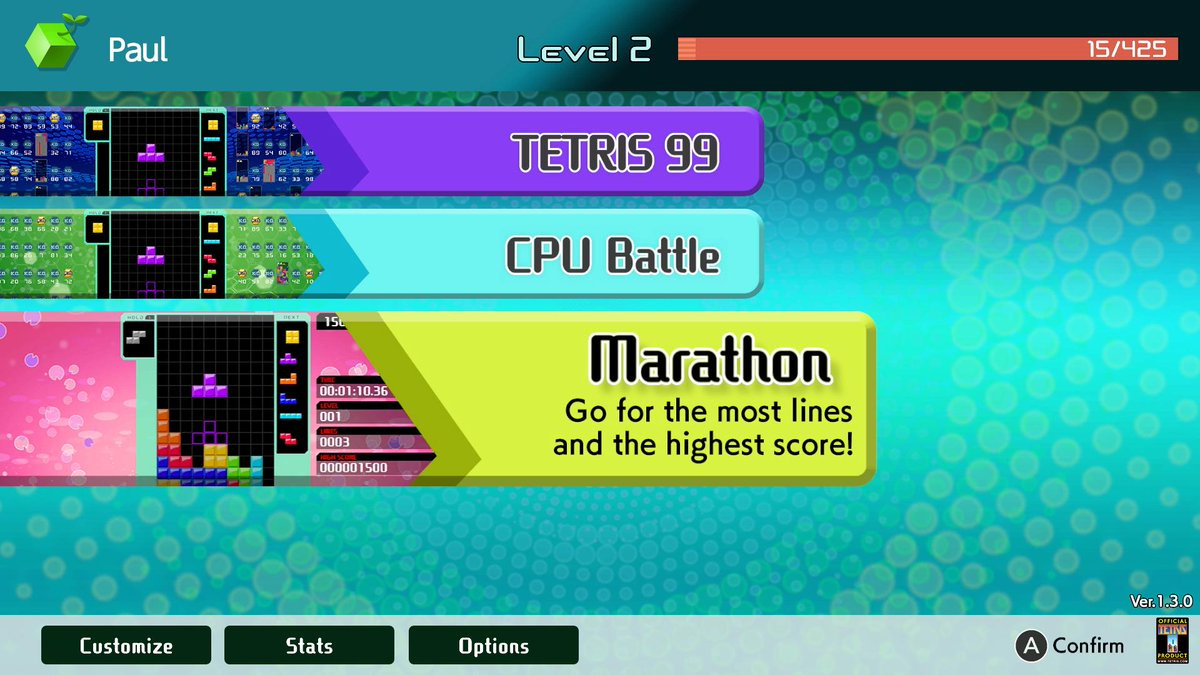
The Big Block DLC is a one-time purchase of $9.99. It includes CPU Battle, allowing you to play Tetris 99 offline against 98 bots and a Marathon Mode, where you challenge yourself to clear as many lines as you can and score big. Information about additional upcoming game modes will be revealed at a later date.
As both of the above-mentioned modes are offline, this means any user can play the game without the need for a Nintendo Switch Online membership. Of course, you’ll still need to fork out some coin if you want to play against others online.
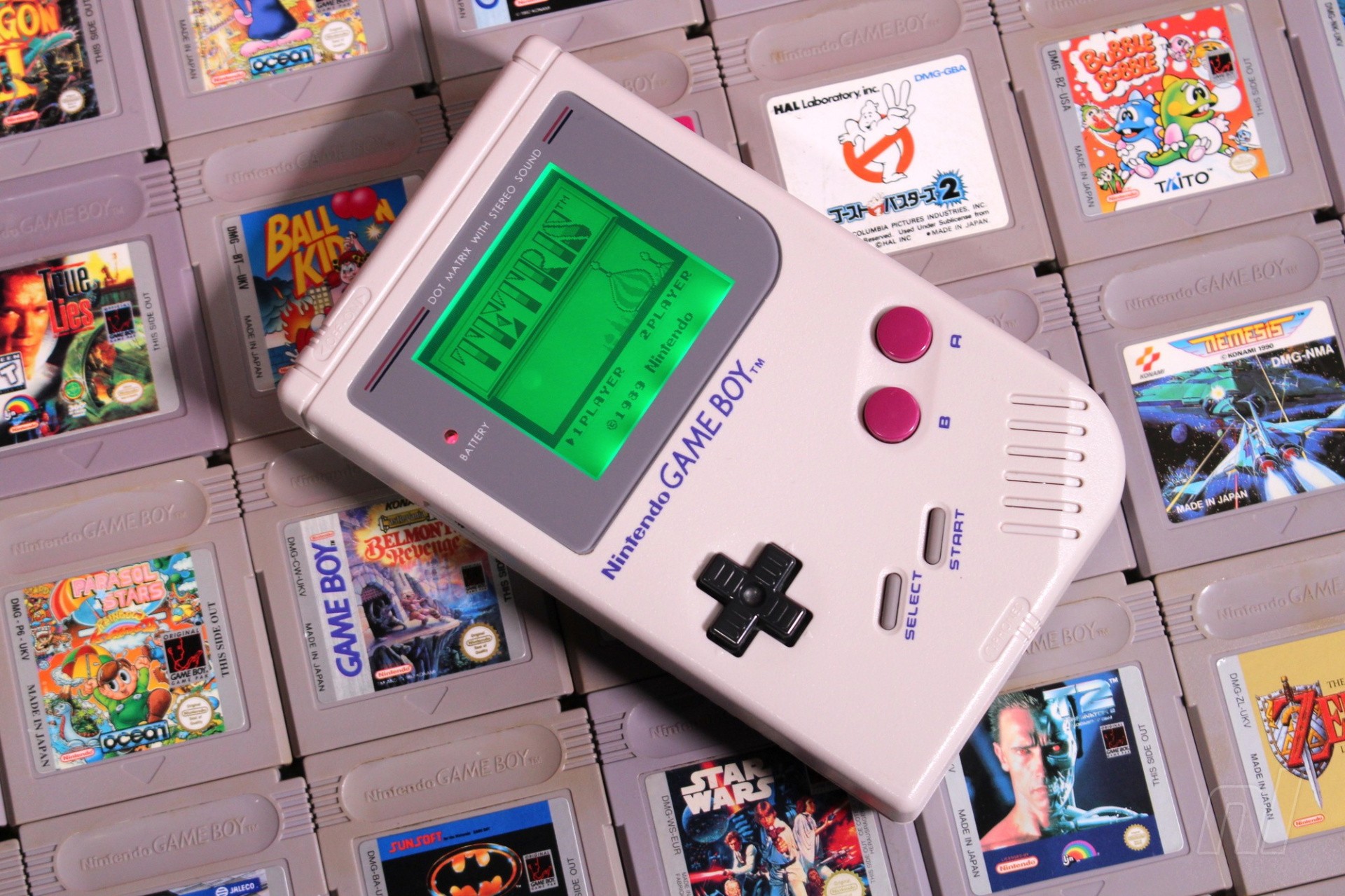
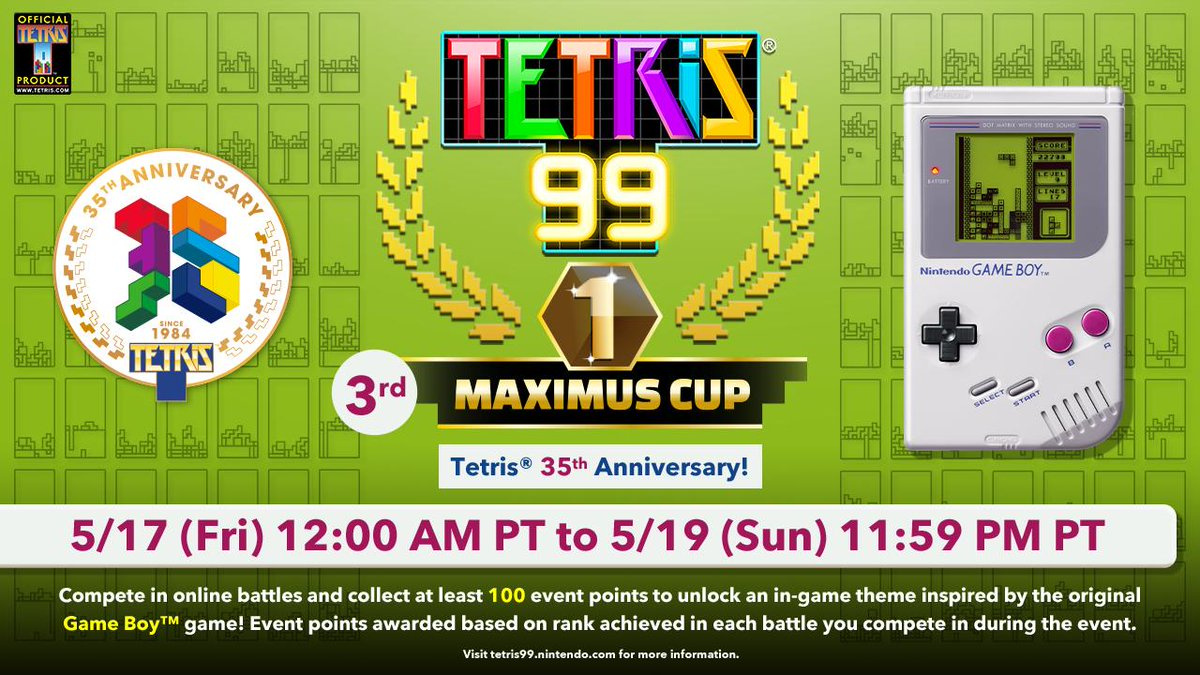
In addition to this, the third Maximus Cup has been announced. Once again, this free event awards various points for each match played – even if you don’t win. The higher you place each match, the more points you earn (1st: 100, 2nd: 50, 3rd: 30, 4-10: 20, 11-30: 10, 31-50: 5, 51-80: 2). If you manage to earn 100 points during this event, you’ll unlock a special in-game theme inspired by Tetris on Game Boy. This event takes place next weekend from 17th May until 19th May.
The #Tetris99 3rd MAXIMUS CUP is set for 5/17, 12 AM PT – 5/19, 11:59 PM PT! Celebrate the @tetris_official 35th anniversary with this special event! All participants who earn 100 event points will unlock an in-game theme inspired by the original Game Boy game!
Will you be buying this DLC? Are you looking forward to unlocking a special Game Boy theme in the Maximus Cup? Tell us below.
This article includes some example commands to show you how to get a rough estimate of hard drive and RAID array performance using the dd command. Accurate measurements would have to take into account things like write amplification and system call overhead, which this guide does not. For a tool that might give more accurate results, you might want to consider using hdparm.
To factor out performance issues related to the file system, these examples show how to test the performance of your drives and arrays at the block level by reading and writing directly to/from their block devices. WARNING: The write tests will destroy any data on the block devices against which they are run. Do not run them against any device that contains data you want to keep!
Four tests
Below are four example dd commands that can be used to test the performance of a block device:
– The iflag=nocache and oflag=direct parameters are important when performing the read and write tests (respectively) because without them the dd command will sometimes show the resulting speed of transferring the data to/from RAM rather than the hard drive.
– The values for the bs and count parameters are somewhat arbitrary and what I have chosen should be large enough to provide a decent average in most cases for current hardware.
– The null and zero devices are used for the destination and source (respectively) in the read and write tests because they are fast enough that they will not be the limiting factor in the performance tests.
– The skip=200 parameter on the second dd command in the concurrent read and write tests is to ensure that the two copies of dd are operating on different areas of the hard drive.
16 examples
Below are demonstrations showing the results of running each of the above four tests against each of the following four block devices:
MY_DISK=/dev/sda2 (used in examples 1-X)
MY_DISK=/dev/sdb2 (used in examples 2-X)
MY_DISK=/dev/md/stripped (used in examples 3-X)
MY_DISK=/dev/md/mirrored (used in examples 4-X)
A video demonstration of the these tests being run on a PC is provided at the end of this guide.
Begin by putting your computer into rescue mode to reduce the chances that disk I/O from background services might randomly affect your test results. WARNING: This will shutdown all non-essential programs and services. Be sure to save your work before running these commands. You will need to know your root password to get into rescue mode. The passwd command, when run as the root user, will prompt you to (re)set your root account password.
200+0 records in
200+0 records out
209715200 bytes (210 MB, 200 MiB) copied, 3.42875 s, 61.2 MB/s
200+0 records in
200+0 records out
209715200 bytes (210 MB, 200 MiB) copied, 3.52614 s, 59.5 MB/s
200+0 records in
200+0 records out
209715200 bytes (210 MB, 200 MiB) copied, 3.52808 s, 59.4 MB/s
200+0 records in
200+0 records out
209715200 bytes (210 MB, 200 MiB) copied, 3.57736 s, 58.6 MB/s
200+0 records in
200+0 records out
209715200 bytes (210 MB, 200 MiB) copied, 3.7841 s, 55.4 MB/s
200+0 records in
200+0 records out
209715200 bytes (210 MB, 200 MiB) copied, 3.81475 s, 55.0 MB/s
200+0 records in
200+0 records out
209715200 bytes (210 MB, 200 MiB) copied, 1.31025 s, 160 MB/s
200+0 records in
200+0 records out
209715200 bytes (210 MB, 200 MiB) copied, 1.80016 s, 116 MB/s
200+0 records in
200+0 records out
209715200 bytes (210 MB, 200 MiB) copied, 1.65026 s, 127 MB/s
200+0 records in
200+0 records out
209715200 bytes (210 MB, 200 MiB) copied, 1.81323 s, 116 MB/s
200+0 records in
200+0 records out
209715200 bytes (210 MB, 200 MiB) copied, 1.67171 s, 125 MB/s
200+0 records in
200+0 records out
209715200 bytes (210 MB, 200 MiB) copied, 1.67685 s, 125 MB/s
200+0 records in
200+0 records out
209715200 bytes (210 MB, 200 MiB) copied, 4.09666 s, 51.2 MB/s
200+0 records in
200+0 records out
209715200 bytes (210 MB, 200 MiB) copied, 4.1067 s, 51.1 MB/s
Restore your swap device and journald configuration
Examples 1-1, 1-2, 2-1, and 2-2 show that each of my drives read and write at about 125 MB/s.
Examples 1-3, 1-4, 2-3, and 2-4 show that when two reads or two writes are done in parallel on the same drive, each process gets at about half the drive’s bandwidth (60 MB/s).
The 3-x examples show the performance benefit of putting the two drives together in a RAID0 (data stripping) array. The numbers, in all cases, show that the RAID0 array performs about twice as fast as either drive is able to perform on its own. The trade-off is that you are twice as likely to lose everything because each drive only contains half the data. A three-drive array would perform three times as fast as a single drive (all drives being equal) but it would be thrice as likely to suffer a catastrophic failure.
The 4-x examples show that the performance of the RAID1 (data mirroring) array is similar to that of a single disk except for the case where multiple processes are concurrently reading (example 4-3). In the case of multiple processes reading, the performance of the RAID1 array is similar to that of the RAID0 array. This means that you will see a performance benefit with RAID1, but only when processes are reading concurrently. For example, if a process tries to access a large number of files in the background while you are trying to use a web browser or email client in the foreground. The main benefit of RAID1 is that your data is unlikely to be lost if a drive fails.
Video demo
Testing storage throughput using dd
Troubleshooting
If the above tests aren’t performing as you expect, you might have a bad or failing drive. Most modern hard drives have built-in Self-Monitoring, Analysis and Reporting Technology (SMART). If your drive supports it, the smartctl command can be used to query your hard drive for its internal statistics:
Another way that you might be able to tune your PC for better performance is by changing your I/O scheduler. Linux systems support several I/O schedulers and the current default for Fedora systems is the multiqueue variant of the deadline scheduler. The default performs very well overall and scales extremely well for large servers with many processors and large disk arrays. There are, however, a few more specialized schedulers that might perform better under certain conditions.
To view which I/O scheduler your drives are using, issue the following command:
$ for i in /sys/block/sd?/queue/scheduler; do echo "$i: $(<$i)"; done
You can change the scheduler for a drive by writing the name of the desired scheduler to the /sys/block/<device name>/queue/scheduler file:
# echo bfq > /sys/block/sda/queue/scheduler
You can make your changes permanent by creating a udev rule for your drive. The following example shows how to create a udev rule that will set all rotational drives to use the BFQ I/O scheduler:
# cat << END > /etc/udev/rules.d/60-ioscheduler-rotational.rules
ACTION=="add|change", KERNEL=="sd[a-z]", ATTR{queue/rotational}=="1", ATTR{queue/scheduler}="bfq"
END
# cat << END > /etc/udev/rules.d/60-ioscheduler-solid-state.rules
ACTION=="add|change", KERNEL=="sd[a-z]", ATTR{queue/rotational}=="0", ATTR{queue/scheduler}="none"
END
Changing your I/O scheduler won’t affect the raw throughput of your devices, but it might make your PC seem more responsive by prioritizing the bandwidth for the foreground tasks over the background tasks or by eliminating unnecessary block reordering.
Posted by: xSicKxBot - 05-11-2019, 01:41 AM - Forum: Windows
- No Replies
Azure Artifacts updates include pay-per-GB pricing
Alex
May 8th, 2019
Azure Artifacts is the one place for all of the packages, binaries, tools, and scripts your software team needs. It’s part of Azure DevOps, a suite of tools that helps teams plan, build, and ship software. For Microsoft Build 2019, we’re excited to announce some long-requested changes to the service.
Until now, a separate, additional license was required for anyone using Azure Artifacts, beyond the Azure DevOps Basic license. We heard your feedback that this was inflexible, hard to manage, and often not cost-effective, and we’ve removed it. Now, Azure Artifacts charges only for the storage you use, so that every user in your organization can access and share packages.
Every organization gets 2 GB of free storage. Additional storage usage is charged according to tiered rates starting at $2 per GB and decreasing to $0.25 per GB. Full details can be found on our pricing page.
We’ve had support for Python packages, as well as our own Universal Packages, in public preview for some time. As of now, both are generally available and ready for all of your production workloads.
If you’re developing an open source project using a public Azure Repo or a repo on GitHub, you might want to share nightly or pre-release versions of your packages with your project team. Azure Artifacts public feeds will enable you to do just that, backed by the same scale and reliability guarantees as the private feeds you use for internal development. Interested in joining the preview? Get in touch (@alexmullans on Twitter).
With Azure Artifacts, your teams can manage all of their artifacts in one place, with easy-to-configure permissions that help you share packages across the entire organization, or just with people you choose. Azure Artifacts hosts common package types:
Maven (for Java development)
npm (for Node.js and JavaScript development)
NuGet (for .NET, C#, etc. development)
Python
If none of those are what you need, Azure Artifacts provides Universal Packages, an easy-to-use and lightweight package format that can take any file or set of files and version them as a single entity. Universal Packages are fast, using deduplication to minimize the amount of content you upload to the service.
Azure Artifacts is also a symbol server. Publishing your symbols to Azure Artifacts enables engineers in the next room or on the next continent to easily debug the packages you share.
Artifacts are most commonly used as part of DevOps processes and pipelines, so we’ve naturally integrated Azure Artifacts with Azure Pipelines. It’s easy to consume and publish packages to Azure Artifacts in your builds and releases.
We’re excited for you to try Azure Artifacts. If you’ve got questions, comments, or feature suggestions, get in touch on Twitter (@alexmullans) or leave a comment.
Apple on Friday published a third installment to an ad series focusing on iPhone privacy, with the latest commercial throwing a spotlight on the company’s end-to-end encrypted iMessage platform.
The ad posted to Apple’s YouTube page, titled “Inside Joke,” centers around a woman reading an iMessage conversation on her iPhone XR. Echoing the privacy theme, viewers are not privy to the contents of the conversation which, judging by the woman’s reaction, is immensely humorous.
A majority of the minute-long spot consists of a single uninterrupted shot of the iPhone owner reading incoming texts. Each new message is funnier than the last and what begins as a chuckle soon turns into hysterical laughter.
The ad cuts to a wide shot, showing the woman in a salon getting a pedicure with other customers and staff nearby. A closing shot puts iPhone XR front and center as the woman continues to cackle.
A tagline reads, “iMessage encrypts your conversations [b]ecause not everyone needs to be in on the joke,” and is followed by the campaign’s slogan, “Privacy. That’s iPhone.”
Friday’s commercial is the third in a series touting iPhone’s various privacy features. The first debuted in March and served as a general introduction to Apple’s new iPhone advertising thrust. A second spot, also aired in March, highlighted anti-ad tracking measures in Safari.
Apple’s campaign arrives amidst a wider push for data privacy in the tech sector. Over the past few weeks, serial offenders Facebook and Google have attempted to recast their respective public images as born-again reformers, promising transparency and offering user tools to manage collected information. Both, however, continue to operate business strategies reliant on customer data.
Another Xbox 360 game is joining Xbox One's growing backwards compatible library. The latest addition is the Hitman HD Pack. The game will be playable on Microsoft's current-gen console as of today, May 9, Major Nelson announced on Twitter.
If you still own a physical copy of Hitman HD Pack, you can pop the disc into your Xbox One to initiate a download and begin playing on the console. If you're interested in picking it up, the game is also available for purchase from the system's digital store for $25.
Tecmo Bowl Is Joining Hamster’s Arcade Archives Series On The Switch
If you’re fond of retro sports titles, you’ll be pleased to hear Hamster will soon release the 1987 arcade game, Tecmo Bowl, on the Nintendo Switch in the next few weeks. This new entry in the Arcade Archives line, as the name suggests, was originally developed by the Japanese company Tecmo.
Nintendo fans are likely to be more familiar with the NES iteration of Tecmo Bowl, which has previously been released on multiple digital platforms including the Wii Shop, 3DS eShop and Wii U eShop. The original cabinet version was last added to the Virtual Console Arcade line on the Wii in 2009.
It’s a nice change of pace to have a slightly rarer retro release on its way to the Switch eShop. Apart from a number of gameplay differences to the NES version, one other bonus of the arcade release is improved visuals – with a larger colour palette and more detailed sprite work. For more information about this game, take a look at our review.
Let us know in the comments if this is one of the classic games you’ve been wanting to play on your Switch.
Posted by: xSicKxBot - 05-10-2019, 07:30 PM - Forum: Windows
- No Replies
Microsoft for Startups joins FounderFuel to propel Canadian AI startups
Microsoft for Startups and FounderFuel, Montreal’s largest startup accelerator, announced today that they would be working together to accelerate the growth of Canadian AI startups. Starting this month, qualified startups in the FounderFuel cohort will receive access to Microsoft business and technical experts as well as access to free Azure cloud and powerful development tools.
Founder Fuel helps early stage companies go to market, raise capital and make connections with entrepreneurs, investors, and industry leaders in Montreal and across Canada.
Isaac Souweine, General Manager of Founder Fuel said “We are proud to start this new relationship with Microsoft, which has always played an important leadership role in the tech industry. Our mission is to help startups grow and develop into successful businesses and Microsoft is well positioned to help us in those efforts through both technological support and mentorship. Additionally, we believe Microsoft’s support for FounderFuel startups is a sign of the importance of Montreal as a leading tech hub.”
Through this relationship, Microsoft experts will be available to mentor FounderFuel startups through the course of the program. Additionally, eligible startups in the program will receive preferred access to free Azure cloud, go-to-market benefits and the opportunity to sell alongside Microsoft.
Adam Nanjee, Managing Director of Microsoft for Startups Canada said, “This new partnership is an important step in our efforts to deepen our support for startups in Montreal and Canada overall. FounderFuel plays a vital role in helping startups succeed in Montreal, one of the world’s foremost centers of AI development and we look forward to working with them to provide startups with the mentorship and technological resources they need to succeed.”