| Welcome, Guest |
You have to register before you can post on our site.
|
| Forum Statistics |
» Members: 19,918
» Latest member: Aruz707
» Forum threads: 22,373
» Forum posts: 23,213
Full Statistics
|
| Online Users |
There are currently 1117 online users.
» 3 Member(s) | 1108 Guest(s)
Applebot, Baidu, Bing, DuckDuckGo, Google, Yandex, Aruz707, Eyana00, Rouxxlaki5
|
|
|
| News - Minecraft 1.14 Snapshot 18W48A |
|
Posted by: xSicKxBot - 03-05-2019, 02:41 PM - Forum: Minecraft
- No Replies
|
 |
Minecraft 1.14 Snapshot 18W48A

We’ve been doing a great job with the ‘Pillage’ part of the Village and Pillage update for a while now, which means it’s time for the ‘Village’ part. So today the first village of the Village and Pillage update gets a makeover!
A full summary of the content available in this snapshot can be found in the changelog on Minecraft.net, the following is a short summary:
- Added Grindstone functionality
- Updated plains villages
GRINDSTONE
- Moved inventory/crafting table repairing into the Grindstone, this will be its new home
- Has the ability to remove all non-curse enchantments from an item; for each enchant removed some XP is reimbursed
UPDATED PLAINS VILLAGES
- The plains villages have got an updated look
- The new look is adapted to the Plains biome, both when it comes to climate and to available resources
- Uses the mysterious Jigsaw block for generation
- Adds new structure files, quite a lot actually
DEDICATED SERVER
SERVER.PROPERTIES
difficulty and gamemode settings now accept string names (integer values are still allowed as legacy option)
- Server will exit faster if
eula.txt is not set
COMMAND LINE
- Added new option
--help. Not going to tell you what it does.
- New command line option
initSettings initializes eula.txt and server.properties with defaults, then exits
To get snapshots, open your launcher and go to the “launch options” tab. Check the box saying “Enable snapshots” and save. To switch between the snapshot and normal version, you can find a new dropdown menu next to the “Play” button. Back up your world first or run the game on in a different folder (In the “launch options” page).
Please report any and all bugs you find in Minecraft to bugs.mojang.com.
Snapshots can corrupt your world, please backup and/or run them in a different folder from your main worlds.
Share your thoughts on how 1.14 is shaping up in the comments below!
|

|
|
| News - Animated Short Welcomes Players Into Hearthstone |
|
Posted by: xSicKxBot - 03-05-2019, 02:41 PM - Forum: Lounge
- No Replies
|
|
Animated Short Welcomes Players Into Hearthstone
 IRVINE, Calif.—August 23, 2017—Blizzard Entertainment today debuted Hearth and Home, a brand-new musical animated short that explores the story of Hearthstone®’s mystical Tavern—the setting for Blizzard’s smash-hit digital strategy card game. Hearth and Home is a whimsical introduction to the Tavern and its patrons and serves as the first in an upcoming series of animated shorts, as well as comics, that draw players into the game’s distinctively charming setting.
The Tavern is a warm and welcoming place full of laughter, camaraderie, and good-natured competition, and home to a charming cast of characters assembled from every corner of Azeroth. This includes vibrant and (mostly) friendly folks such as Malto, the kindly old mage; and Sarge, the Tavern’s resident mouse. The personalities in this ethereal inn draw inspiration from the many types of Hearthstone players who enjoy Hearthstone in real life. Whether they’re seasoned pros or just getting into the game like the young protagonist Ava, there’s a place in the Tavern for everyone.
“With Hearth and Home, our new animated short, we aimed to capture the wonder and magic of Hearthstone—in the Tavern’s welcoming interior, in its colorful patrons, and of course in their catchy song,” said Lydia Bottegoni, senior vice president of Story & Franchise Development at Blizzard Entertainment. “We’re looking forward to sharing more tales from the Hearthstone Tavern featuring Ava and her friends in the months ahead.”
Pull up a chair and watch Hearth and Home, the new Hearthstone animated short, on YouTube.
Earlier this month, Blizzard Entertainment released Knights of the Frozen Throne, the latest expansion for Hearthstone, which is available now for Windows® and Mac® PCs; Windows, iOS, and Android™ tablets; and iOS and Android phones. In Knights of the Frozen Throne, players storm Icecrown Citadel, the Lich King’s frozen fortress, in pursuit of the icy monarch’s unholy power.
Please visit the Blizzard press center for assets and information.
Best known for blockbuster hits including World of Warcraft®, Hearthstone®, Overwatch®, the Warcraft®, StarCraft®, and Diablo® franchises, and the multifranchise Heroes of the Storm®, Blizzard Entertainment, Inc. (www.blizzard.com), a division of Activision Blizzard (NASDAQ: ATVI), is a premier developer and publisher of entertainment software renowned for creating some of the industry’s most critically acclaimed games. Blizzard Entertainment’s track record includes twenty-one #1 games* and multiple Game of the Year awards. The company’s online-gaming service is one of the largest in the world, with millions of active players.
*Based on internal company records and reports from key distribution partners
Cautionary Note Regarding Forward-looking Statements: Information in this press release that involves Blizzard Entertainment’s expectations, plans, intentions or strategies regarding the future, including statements about Hearthstone animated shorts and comics, are forward-looking statements that are not facts and involve a number of risks and uncertainties. Factors that could cause Blizzard Entertainment’s actual future results to differ materially from those expressed in the forward-looking statements set forth in this release include unanticipated product delays and other factors identified in the risk factors sections of Activision Blizzard’s most recent annual report on Form 10-K and any subsequent quarterly reports on Form 10-Q. The forward-looking statements in this release are based upon information available to Blizzard Entertainment and Activision Blizzard as of the date of this release, and neither Blizzard Entertainment nor Activision Blizzard assumes any obligation to update any such forward-looking statements. Forward-looking statements believed to be true when made may ultimately prove to be incorrect. These statements are not guarantees of the future performance of Blizzard Entertainment or Activision Blizzard and are subject to risks, uncertainties and other factors, some of which are beyond its control and may cause actual results to differ materially from current expectations.
|
|
|
|
| News - Play Destiny 2 Free on PC August 29–31 During Open Beta |
|
Posted by: xSicKxBot - 03-05-2019, 02:41 PM - Forum: Lounge
- No Replies
|
|
Play Destiny 2 Free on PC August 29–31 During Open Beta
 UPDATE 8/29/17: The Destiny 2 PC Open Beta has begun! Guardians everywhere can now play for FREE until August 31.
EARLY ACCESS – AUGUST 28
Players who’ve pre-ordered or pre-purchased the PC version of Destiny 2 will be able to play the Early Access phase of the PC Beta beginning August 28 at 10 a.m. PT. If you pre-purchased directly from the Blizzard Shop, you should already have a Beta Early Access license, so you’ll be ready to play when the time comes. If you pre-ordered or pre-purchased Destiny 2 through other means, please visit www.destinythegame.com/beta. If you haven’t pre-purchased Destiny 2 for PC yet, you can do so through the Blizzard Shop.
If you have any problems accessing the PC Beta, please visit Blizzard’s support page.
OPEN BETA – AUGUST 29–31
The Open Beta phase will begin on August 29 at 10 a.m. PT. All PC players will be able to play for FREE during this period. To play, you’ll just need the Blizzard Battle.net desktop app and a free Blizzard account—no additional sign-up or code required.
For more detailed information, including what content will be available and how to submit feedback, please visit Bungie’s latest PC Beta update on Bungie.net.
INSTALLATION AND PLAY INSTRUCTIONS
When the time comes, you’ll first need to download the Destiny 2 PC Beta through the Blizzard Battle.net desktop app. To install and play on August 28 (for Early Access) or August 29 (for Open Beta), please follow the instructions below.
Step 1: Download and install the Blizzard Battle.net desktop app, if you haven’t already, and launch it.
Step 2: Create a FREE Blizzard account, or log in with an existing account.
Step 3: Click the “Destiny 2” icon, located on the left-hand side of the Blizzard Battle.net desktop app.
Step 4: Once the PC Beta client is available, select your region from the drop-down menu, then click Install to begin the installation process.
Step 5: Once installed, click Play to begin when the time comes!
PC BETA SYSTEM REQUIREMENTS
Here is what you will need for your PC to run the Destiny 2 PC Beta once it goes live (final specs subject to change):
Recommended Specs
CPU: Intel – Core i5-2400; AMD – Ryzen R5 1600X
GPU: Nvidia – GeForce GTX 970, AMD – Radeon R9 390
RAM: 8GB
Minimum Specs
CPU: Intel – Core i3-3250, AMD – FX-4350
GPU: Nvidia – GeForce GTX 660 2GB, AMD – Radeon HD 7850 2GB
RAM: 6GB
For more information on the Destiny 2 PC Beta, visit www.destinythegame.com/beta and www.bungie.net.
|
|
|
|
| News - Blizzard Arena Opens in Los Angeles |
|
Posted by: xSicKxBot - 03-05-2019, 02:41 PM - Forum: Lounge
- No Replies
|
|
Blizzard Arena Opens in Los Angeles
 Blizzard esports competitions have a cutting-edge, live-event destination with the opening of Blizzard Arena Los Angeles. The Burbank, California venue was custom-designed and built with amenities to accommodate top esports competitors and their fans. With high profile events for Hearthstone esports and Overwatch esports already scheduled, Blizzard Arena Los Angeles will be the hot destination for premier esports competition.
Multiple broadcasts and events can be run out of Blizzard Arena simultaneously, thanks to the multiple sound stages, control rooms and player lounges throughout the facility. The on-site Blizzard store will open during events and feature a rotating selection of gear and goods based on the event taking place at the time.
The Overwatch Contenders Playoffs will run the weekend of October 7–8 and serve as the grand opening event of Blizzard Arena Los Angeles. The top Overwatch Contenders teams from Europe and North America will arrive to battle over prize pools and regional dominance as they take center stage at the Arena.
On October 13, the Summer Championship for the Hearthstone Championship Tour takes over the Arena for a full weekend of championship competition with $250,000 on the line. The players left standing will be the final entrants in the Hearthstone World Championship, scheduled for early 2018.
When the Overwatch League launches later this year, Blizzard Arena Los Angeles will be the home for the inaugural season, bringing players and fans together for a celebration of professional Overwatch esports.
Tickets are available now for the Overwatch Contenders Playoffs and the HCT Summer Championship.
|
|
|
|
| News - Snag Your BlizzCon® 2017 Virtual Ticket |
|
Posted by: xSicKxBot - 03-05-2019, 02:41 PM - Forum: Lounge
- No Replies
|
|
Snag Your BlizzCon® 2017 Virtual Ticket
 BlizzCon® 2017 takes place November 3–4, but we’re kicking off the celebration early with the BlizzCon 2017 Virtual Ticket—available to order starting today through the Blizzard Shop!
The Virtual Ticket is your personal online and mobile warp gate to BlizzCon from wherever you are—and this year, we’ve upgraded the Virtual Ticket experience to bring you closer to the show than ever before.
For starters, the Virtual Ticket unlocks live access to all the stages at BlizzCon 2017—and in addition to the game updates, developer discussions, and community contests you’ve come to enjoy, you’ll also get access to events featuring community creators, voice actors, and more. Our new BlizzCon All Access channel will act as your guided tour through the event and around the show floor.
We’re also getting the party started early this year with several series of weekly pre-BlizzCon videos that go behind-the-scenes with Blizzard and our talented community. The first of these are available NOW—head over to the BlizzCon Watch page to start exploring.
For the whole lowdown, watch the new BlizzCon 2017 Pre-show Global Event featuring your BlizzCon All Access channel hosts: Michele Morrow, Alex Albrecht, and Malik Forté.
BlizzCon® 2017 Virtual Ticket – What’s Included
The BlizzCon 2017 Virtual Ticket offers comprehensive live HD coverage of Blizzard Entertainment’s gaming celebration via live stream. With more than 60 hours of programming, you’ll have plenty to watch live and via on-demand replays for more than a month after the show.
With the BlizzCon 2017 Virtual Ticket, you’ll unlock access to:
- Developer and Community Events: Witness the latest game news live, get firsthand developer insight, and watch your favorite community creators in action on four stages. Full schedule to come!
- Costume and Talent Contests: Get a great view of the creativity on display in the legendary BlizzCon Costume Contest and epic Talent Contest on Friday night.
- Closing Ceremony: Be there for the closing festivities on Saturday night, celebrating two full days of Blizzard gaming and community.
- Exclusive Interviews: Dig deeper into our game universes through exclusive interviews with Blizzard developers on the BlizzCon All Access channel.
- Behind the Scenes & From the Floor: The BlizzCon All Access channel also gives you a closer look at the show floor so you can experience the more of BlizzCon from the comfort of your home.
- Pre-show Video Series: Starting today on the Blizzard Watch page, enjoy multiple series of weekly videos leading up to the show, including Inside the Blizzard Vault, Casual Cosplay, and Artist’s Journey. Watch some for free, and unlock them all with the Virtual Ticket.
- In-Game Goodies: Unlock this year’s BlizzCon in-game items for World of Warcraft®, Overwatch®, Hearthstone®, StarCraft® II, Diablo® III, and Heroes of the Storm®.
Heroes of Azeroth can show their BlizzCon spirit in World of Warcraft with the Stormwind Skychaser mount (for the Alliance!) and Orgrimmar Interceptor mount (for the Horde!)—available in-game starting today!
- Enhanced Esports Viewing: The epic esports competition is always free, but this year, Virtual Ticket holders can watch without third-party commercials on BlizzCon.com and in the BlizzCon mobile app. During regular ad breaks, Virtual Ticket viewers will see alternate Blizzard content—including during Opening Week. Full esports schedule to come!
- Goody Bag Discount: Get $10 USD off this year’s BlizzCon Goody Bag—visit the Goody Bag blog for all the details.*
The BlizzCon Virtual Ticket is available through the Blizzard Shop in the Americas, Europe, Russia, Australia, New Zealand, Taiwan, Korea, and Southeast Asia (pricing and availability varies by region) and is also available in China (sold separately). The Virtual Ticket live stream is available in HD (720p) and in English only.
Subtitles for On Demand Videos
BlizzCon is an epic celebration of Blizzard’s universes and our global community that truly brings them to life. This year, in order to bring that experience to more people across the globe than ever before, Virtual Ticket buyers will get access to subtitled VODs of the events on ALL four BlizzCon content stages, plus BlizzCon All Access Channel VODs, in the following languages: English, German, Russian, Korean and French. You can buy the Virtual Ticket now on the Blizzard Shop.
Be sure to make your purchase on the Blizzard Account you wish to use to watch the show, receive the in-game goodies, and get your BlizzCon Goody Bag discount. If you don’t yet have a Blizzard account, you can create one free now.
If you’re attending BlizzCon 2017 in person, you should have already received a code (one per ticket purchased) which can be used to unlock the Virtual Ticket and associated perks on a single Blizzard Account. These codes were emailed directly to the BlizzCon ticket purchaser, so check with the person who bought your ticket if you haven’t yet received your code.
Goody Bags Are Back!
The BlizzCon 2017 Goody Bag is a backpack chock full of collectibles, including an exclusive Eidgenossin Mercy backpack hanger and a treasure trove of real-world loot based on your favorite Blizzard games. You can pre-purchase* this sack o’ goodies now through the Blizzard Gear Store for $45 USD, but Virtual Ticket Purchasers can pre-purchase the Goody Bag at an automatically discounted price of $35. You also have the option to get an Epic Upgrade for your Goody Bag to get even more gear.
Supplies are limited, so be sure to claim a Goody Bag while you can. See what’s inside and learn more about the Epic Upgrade option
People attending BlizzCon in person will receive the standard Goody Bag with their ticket. If you’d like to purchase the additional items from the Epic Upgrade for your Goody Bag for $25, stay tuned for details.
The BlizzCon merchandise is also coming back, with early access for ticket holders. Stay tuned for more details.
*While supplies last. Price does not include tax, shipping, or applicable fees. All orders will be shipped from the United States. lnternational shipping rates may apply. Read our Gear Store Shipping Information article for details.
Free Pre-Event Content, Opening Ceremony, and Esports Streams
This year, you can catch tons of BlizzCon content online for free. Catch a selection of pre-event content free on BlizzCon.com, where new videos will be added each week until the convention starts.
And as always, coverage of the BlizzCon opening ceremony and this year’s esports tournaments—including the global championships for StarCraft II, Heroes of the Storm, and World of Warcraft; the Hearthstone Inn-vitational and Tavern Vs. Tavern finals; and the finals of the Overwatch World Cup—will be streamed for free in HD at www.blizzcon.com
|
|
|
|
| News - The Overwatch League™ Signs Final Three Teams for Inaugural Season |
|
Posted by: xSicKxBot - 03-05-2019, 02:41 PM - Forum: Lounge
- No Replies
|
|
The Overwatch League™ Signs Final Three Teams for Inaugural Season
The World Could
Use More Win
The Overwatch League is on a mission to celebrate fans and afford them opportunities to become champions through a professional esports ecosystem that embraces passion and rewards excellence.
Millions have answered the call to Overwatch, and the excitement of all those scientists, soldiers, adventurers, and oddities led directly to the creation of a new kind of esports program. Teams will have stability, players will have careers, and fans will have a new set of heroes to take them into the future of Overwatch.
|
|
|
|
| News - This Week At Bungie – 1/31/2019 |
|
Posted by: xSicKxBot - 03-05-2019, 02:41 PM - Forum: Lounge
- No Replies
|
|
This Week At Bungie – 1/31/2019
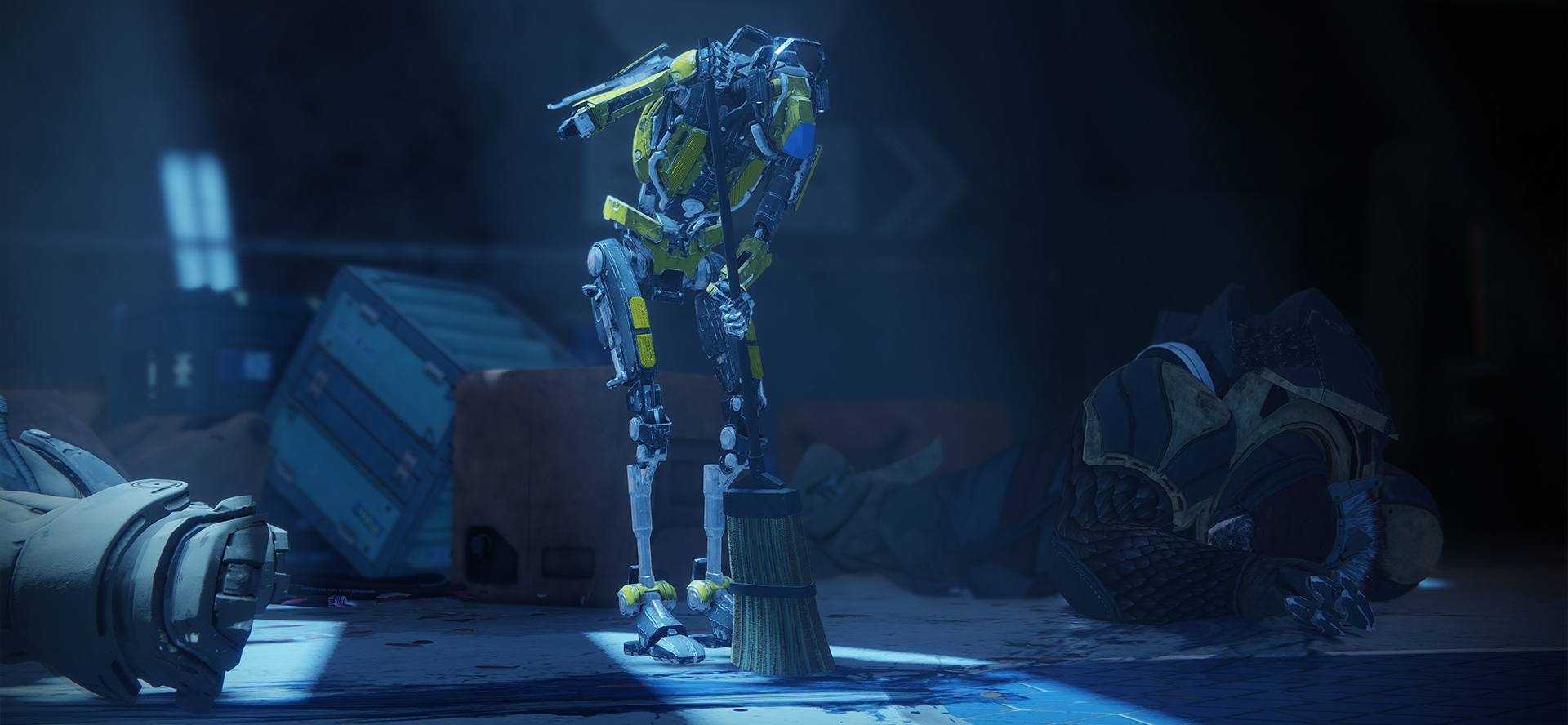
 This week at Bungie, a hero’s weapon made a triumphant return.
The Last Word is back. All owners of the Annual Pass are invited to kick off the Last Draw quest at the Drifter and earn their reward.
Many of you have earned this coveted reward, and taken it for a spin in the Crucible. We have been following the conversation and seen a lot of feedback concerning a difference in feel between Destiny 1 and Destiny 2. The team is currently looking into this.
For those who haven’t heard the whispers in Destiny 2, their frequency has been increased. If you’re still on the hunt for Whisper of the Worm, head to Io with your fireteam (or solo!) to take on the challenge. The quest is available to all players of Destiny 2.
With Destiny 2 Update 2.1.4 in the wild, Supers have been recharged and some weapons have gotten a tuning pass. Make sure to check out the patch notes for a full breakdown of changes. Look through your vault and give some other weapons a spin in the updated sandbox. Season of the Forge continues on, but Season of the Drifter is quickly approaching. We still have some fun in store for this season, like Crimson Days and an upcoming Bungie Bounty, but we can start glancing toward the horizon for Season 6. Let’s dive in.
Getting the Clan Back Together
Since Forsaken launched, we’ve been gathering feedback concerning clans, their progression, and their rewards. Today, we have Design Lead Steve Dolan and Senior Designer Mark Uyeda back in the hot seats, speaking to what the team has planned!
Steve and Mark: Hey everybody! Steve Dolan and Mark Uyeda here to give you an update on what you can expect for Clan Progression in Season of the Drifter.
These past two seasons, we tried some new things. During that time we’ve gathered hard data, heard a ton of feedback (thanks, Cozmo and Dmg!), and now we’re going to walk you through what’s next.
Whenever we’re talking game design, it’s always good to discuss the design’s goals. In Forsaken, we were trying to create:
- Stronger clans where players can make new friends in Destiny
- Stronger incentives for clans to play with their clanmates
We feel good about how many of these changes affected large and strong clans, but we’ve also received a ton of feedback from the community that the Forsaken changes effected smaller and less hardcore clans less positively. These clans feel like they can no longer hit the levels they had in the past. We also heard that there is just too much emphasis on doing daily bounties. As a result of this feedback, we took some of the clan progression mechanics back to the workbench and made changes to improve the experience.
Starting in Season 6:
- We’re returning to the Destiny 2 launch system for gaining clan experience. Go play activities in the game and you will earn clan XP and level up your clan.
- As a result, daily clan bounties are no longer needed, and have been removed from the game.
- There are now three weekly bounties that require playing with your clanmates to complete.
- There will always be one PvE, Raid, and PvP weekly bounty from Hawthorne. They reward Legendary gear and a big chunk of clan XP.
- As your clan levels its banner, the rewards you receive from these bounties grow.
- At rank three, you earn mod components when completing a weekly bounty.
- At rank four, you earn enhancement cores when completing a weekly bounty.
- At rank six, your clan will unlock a fourth weekly bounty.
We also wanted to briefly talk about the tier 5 perk for Season 6. The perk reads, “Crucible and Strike catalysts have an increased drop rate when playing with clanmates.” For those of you who haven’t found all the available catalysts, you’ll have a better chance to find the ones you’re missing. If you already have them all (lucky you), we plan to release a few more from our Year 1 reserve during Season of the Drifter for you to chase. They won’t be released day one of Season 6, but keep your eyes on the patch notes for availability.
We hope these changes will help keep clans of all sizes thriving and chasing after each Season’s rewards. As always, we can’t wait to hear your feedback.
Cleaning House, Part 2
Last week, we had a preview for how powerful bounties will work from season to season. While we have put effort into preserving items within player inventory, two sources of powerful rewards will change at the end of Season 5, which may result in the loss of rewards if not redeemed.
- Ethereal Keys from the Last Wish raid will have a maximum stack size of five.
- If you currently have a stockpile, make sure you turn them in before the end of the Season, as any keys over the cap of five will be removed.
- Iron Banner bounties from Season of the Forge will expire and be removed from player inventory.
- Iron Banner bounties are being refreshed for Season 6 with new objectives, which we will speak to closer to Season of the Drifter!
We will be sending out reminders as we approach the end of Season 5 to redeem these items. For additional information on how powerful bounties between Seasons are changing, make sure to check out last week’s TWAB. Stay tuned to @Bungie and @BungieHelp for future announcements. Fighting for Your Fireteam
Let’s say you’ve been working on some weapon frames from Ada-1 since this week’s reset, but are encountering issues when attempting to gain progress. The Player Support team is here for you, collecting reports and potential repro-steps to aid the development team in identifying the issue. You can find them in the #Help forum every day of the week.
This is their report:
Destiny 2 Update 2.1.4
On Tuesday, January 29, we rolled out Destiny 2 Update 2.1.4 to players. The update introduced a slew of fixes to help resolve issues players reported encountering in the game. Below are a few highlights:
- Fixed an issue where the Auto-Loading Holster perk was not reloading the magazine in some circumstances
- Fixed various issues where the Redrix Broadsword quest was not progressing to the pickup step until a player re-entered orbit
- Fixed an issue that prevented Enhancement Cores from being awarded when reaching Legend in Valor and Glory ranks
- Fixed an issue where the Like a Diamond Flawless Triumph was not being rewarded properly
- Fixed an issue where the Fastidious Miser Triumph was not properly unlocking for players
- Fixed an issue there the Veterans of the Hunt emblem was using the wrong art
- Fixed an issue where the Knife Flip emote did not properly loop
Additionally, Black Armory weapon frames, Modulus Reports, and Ballistics Logs have received a round of fixes and changes to resolve issues player were encountering with this content. For the full list of changes and fixes, please see the Update 2.1.4 Patch Notes. Please note that Xbox One players downloading Update 2.1.4 may also have to download small updates to previously installed Destiny 2 content. This is to update some of the localization features in previous Destiny 2 content.
New Known Issues in Season of the Forge
Destiny Player Support remains ever vigilant in the #Help forums, on the lookout for issues as they arise, especially after game updates.
Compound Ether and Unstable Radiolaria: We have identified an issue preventing Compound Ether from dropping from Fallen for the basic Sniper Rifle frame and Unstable Radiolaria from dropping from Vex for the basic Bow frame. We are investigating deploying a fix for this issue.
Missing Weapon Frames: We have identified an issue causing weapon frames to go missing from player inventories. We are investigating deploying a fix for this issue.
“The Temptation” in the Draw Quest: Players have reported some confusion over progressing “The Temptation” step for the Draw quest. To make progress on this quest step, a player must defeat other Guardians in the Crucible. Each time the player dies in the Crucible, they will lose some progress towards completion.
“The Conversation” in the Draw Quest: We are investigating player reports that they did not receive the Last Word Exotic after completing “The Conversation” portion of the Draw Quest. Some players encountering this issue have reported that restarting the mission and progressing more slowly resolved the issue.
As always, if you are encountering an issue in Destiny 2, please sound off in the #Help forums where DPS, volunteer moderators, and other players can help answer questions. When reporting a bug in game, providing screenshots, video capture, or steps to reproduce the issue help DPS investigate your report.
They Don’t Need No Super Suit
Fantastic work. Outstanding. Phenomenal. These are all things that Lord Shaxx says when overseeing the Crucible, and we find ourselves saying the same about these montages. Highly recommend taking a seat before hitting play, as some of these plays hit hard enough to knock you off your feet.
Winner: RIOT
Runner up: What’s Up, Danger?
Whether you’ve made a sick play, eviscerated a raid boss, or just had a funny moment happen in Destiny 2, make sure to submit your movie to the Creations Page. You may find yourself taking Movie of the Week, and earning the Lens of Fate emblem to show off in-game. I’m currently running through my Destiny 2 checklist for this weekend. Running some Last Wish and Scourge of the Past raids in search of armor rolls. Oh and can’t forget the curse cycle is in full effect, so I’ll need to plan a trip to the Dreaming City, too. A solo attempt at Shattered Throne for a sweet emblem, perhaps? I’ll more than likely be helping friends in the Crucible at some point on their path to the Last Word. Maybe I’ll see you out there.
There’s quite a bit to do, not to mention dusting off some weapons and Supers thanks to Destiny 2 Update 2.1.4. For the Hunters out there, Way of the Outlaw is calling. Titans have their Hammers, Warlocks have their Dawnblades… but you have a fan-fire Golden Gun to challenge them. Land those shots. Cause some Mayhem.
Next week, we’ll have some information on what to expect in Crimson Days and our upcoming Bungie Bounty. We’ll see you then.
Cheers,
Dmg04
|
|
|
|
| Fedora - Fedora Classrooms: Silverblue and Badge Design |
|
Posted by: xSicKxBot - 03-05-2019, 02:41 PM - Forum: Linux, FreeBSD, and Unix types
- No Replies
|
|
Fedora Classrooms: Silverblue and Badge Design
 Fedora Classroom sessions continue with two introductory sessions, on using Fedora Silverblue (February 7), and creating Fedora badges designs (February 10). The general schedule for sessions is availble on the wiki, along with resources and recordings from previous sessions. Details on both these upcoming sessions follow.
Topic: Fedora Silverblue
Fedora Silverblue is a variant of Fedora Workstation that is composed and delivered using ostree technology. It uses some of the same RPMs found in Fedora Workstation but delivers them in a way that produces an “immutable host” for the end user. This provides atomic upgrades for end users and allows users to move to a fully containerized environment using traditional containers and flatpaks.
This session is aimed at users who want to learn more about Fedora Silverblue,
ostree, rpm-ostree, containers, and Flatpaks. It is expected that attendees have some basic Linux knowledge.
The following topics will be covered:
- What’s an immutable host?
- How is Fedora Silverblue different from Fedora Workstation?
- What is ostree and rpm-ostree?
- Upgrading, rollbacks, and rebasing your host.
- Package layering with rpm-ostree.
- Using containers and container tools (podman, buildah).
- Using Flatpaks for GUI applications
When and where
Instructor
Micah Abbott is a Principal Quality Engineer working for Red Hat. He remembers his first introduction to Linux was during university when someone showed him Red Hat Linux running on a DEC Alpha Workstation. He’s dabbled with various distributions in the following years, but has always had a soft spot for Fedora. Micah has recently been contributing towards the development of Fedora/Red Hat CoreOS and before that Project Atomic. He enjoys engaging with the community to help solve problems that users are facing and has most recently been spending a lot of time involved with the Fedora Silverblue community.
Topic: Creating Fedora Badges Designs
Fedora Badges is a gamification system created around the hard work of the Fedora community on the various aspects of the Fedora Project. The Badges project helps to drive and motivate Fedora contributors to participate in all different parts of Fedora development, quality, content, events, and stay active in community initiatives. This classroom will explain the process of creating a design for a Fedora Badge.
Here is the agenda for the classroom session:
- What makes a Fedora Badge?
- Overview of resources, website, and tickets.
- Step by step tutorial to design a badge.
Resources needed:
- Inkscape.
- Comfortaa typeface.
- Fedora badges resources (colour palettes, graphics, templates).
On Fedora, inkscape and comfortaa can be installed using dnf:
sudo dnf install inkscape aajohan-comfortaa-fonts
When and where
Instructor
Marie Nordin is a graphic designer and fine artist, with a day job as a Assistant Purchasing Manager in Rochester, NY. Marie began working on the Fedora Badges project and the Fedora Design Team in 2013 through an internship with the Outreachy program. She has maintained the design side of the Fedora Badges project for four years, as well as running workshops and teaching others how to contribute designs to Badges.
|
|
|
|
| Microsoft - Now is the time to make the shift to Microsoft 365 |
|
Posted by: xSicKxBot - 03-05-2019, 02:41 PM - Forum: Windows
- No Replies
|
|
Now is the time to make the shift to Microsoft 365

As we shared on January 14, 2019, the end of support for Windows 7 is less than a year away. Many of you are well on your journey to migrate to Window 10 and Office 365, as they provide the most productive, secure, and cost-effective experience for users and IT departments. More than half of commercial devices are on Windows 10, which shows great momentum.
We are here to help you every step of the way. The Modern Desktop Deployment Center provides detailed step-by-step migration guidance. We are seeing 99.9 percent application compatibility with Windows 7, giving you confidence to upgrade or buy new Windows 10 devices. The Desktop App Assure program provides dedicated engineering resources to help you remediate any application compatibility issues you might have.
Security remains our biggest priority, and Windows 10 provides the most secure experience. For those of you who aren’t able to migrate all of your apps and devices to Windows 10 by the January 14, 2020, end of support date and need additional time to make the transition, we’ve got you covered with new options:
- As we announced in September 2018, we will provide Extended Security Updates for Windows 7.
- Microsoft Windows Virtual Desktop (coming soon) will provide a Windows 7 device with free Extended Security Updates through January 2023, giving you more options to support legacy apps as you transition to Windows 10.
- As a final resource those of you with legacy Windows 7 devices, Extended Security Updates will be available for purchase starting April 1, 2019. They will be sold on a per-device basis for eligible customers and the price will increase each year.
In addition, Office 365 ProPlus will be supported on devices with active Windows 7 Extended Security Updates through January 2023. This means that customers who purchase the Windows 7 Extended Security Updates will be able to continue to run Office 365 ProPlus.
Please reach out to your partner or Microsoft account team for more details or download our FAQs for additional information. Now is the time to shift to Microsoft 365.
|
|
|
|
|
|
|