| Welcome, Guest |
You have to register before you can post on our site.
|
| Forum Statistics |
» Members: 19,863
» Latest member: nuilo52
» Forum threads: 21,586
» Forum posts: 22,423
Full Statistics
|
| Online Users |
There are currently 890 online users.
» 2 Member(s) | 882 Guest(s)
Applebot, Baidu, Bing, DuckDuckGo, Google, Yandex, DonaldRag, nuilo52
|
|
|
| News - Sony†s PlayStation Classic is powered by the open-source emulator PCSX |
|
Posted by: xSicKxBot - 11-14-2018, 07:03 AM - Forum: Lounge
- No Replies
|
 |
Sony†s PlayStation Classic is powered by the open-source emulator PCSX
 Sony has opted to license a long-running open-source PlayStation emulator, PCSX, to power the games on its upcoming plug-n-play PlayStation Classic system.
Ars Technica has a pretty detailed write-up worth reading on what exactly the PlayStation Classic’s PCSX roots mean, but its an interesting observation given that Nintendo’s recent mini systems were powered by an emulator of the company’s own design.
In short, the PlayStation Classic runs on PCSX ReARMed, a modern version of an emulator that has been around since the early 2000s. PCSX has seen its fair share of versions and plugins over the years from a variety of developers, resulting in versions like PCSX reloaded and PCSX ReARMed.
Sony has obviously used emulators in the past to do things like bring PlayStation 2 games forward to PlayStation 3 and, through a subscription service, PlayStation 4. The recent HD release of Parappa the Rappa on the PlayStation 4 was even found to be the PSP version of the game running on an emulator. But the notable departure in this case is that Sony is looking to community-made tools to power the PlayStation Classic rather than create their own emulator or enlist another developer to create one for the system.
|

|
|
| News - Watch Lucas Pope discuss the making of Return of the Obra Dinn |
|
Posted by: xSicKxBot - 11-14-2018, 07:03 AM - Forum: Lounge
- No Replies
|
|
Watch Lucas Pope discuss the making of Return of the Obra Dinn
A few weeks ago, Papers, Please developer Lucas Pope released his latest game, a mercantile murder mystery called Return of the Obra Dinn. It’s another entry in Pope’s history of making interesting games about ordinary people, and its deductive sudoku-like nature have captured the attention of other game developers.
Luckily for you, Pope was game to come by and chat about his experience making Return of the Obra Dinn over on the GDC Twitch channel and answer questions about everything from 1-bit art direction to his work/life balance on the four-and-a-half year project.
Be sure to click the video above for the full conversation! And For more game developer interviews, you can now follow the GDC Twitch channel and participate in regular Q&As with talented developers behind interesting games.
|
|
|
|
| Xbox Wire - New Preview Beta & Delta Ring 1811 Update – 11/3/18 |
|
Posted by: xSicKxBot - 11-14-2018, 07:03 AM - Forum: Xbox Discussion
- No Replies
|
|
New Preview Beta & Delta Ring 1811 Update – 11/3/18
Starting at 2:00 p.m. PDT today, members of the Xbox One Preview Beta and Delta Rings will begin receiving a new 1811 Xbox One system update (181030-1920). Read on for more about the fixes and known issues in the latest 1811 system update.
New Features:
Family Settings
- Children signing up for new accounts will now be asked to add a parent only if required to by local privacy regulations (e.g., GDPR or COPPA). This means that some minors, like teens in the U.S., will no longer have to add a parent and join a Microsoft family during signup. Xbox privacy and online safety defaults will still be applied based on age, and in order to change those, the minor would need to add a parent on Xbox who can then change their settings. Minors not in a family can add a parent anytime in Settings > Account > Family settings > Add a parent. Joining a family would also allow the parent and child to use other family features like content restrictions, screen time, activity reporting, and spending.
- Children that are subject to local privacy regulations will still be required to add a parent during signup. While this will create a Microsoft family through which the parent can use family features like content restrictions, screen time, activity reporting, and spending, the parent will no longer be required to sign in on Xbox. If a parent wants to change their child’s Xbox privacy and online safety settings, the parent can sign in separately on Xbox and manage their family in Settings > Account > Family settings.
- Existing child accounts are not affected by this change and will remain with their parents in their current Microsoft family.
Mouse & Keyboard Support
- We have enabled mouse support in this release. Please check out the Quest in the Xbox Insider Hub to experience mouse and keyboard support in Warframe.
Search Enhancements
- The search function has been enhanced across the console and will now return responses from the Xbox Assist application for example to help with help, support and troubleshooting. Please check out the Quest in the Xbox Insider Hub to help us gather feedback.
Fixes:
Audio
- Several fixes to improve the stability of Audio and enhancements to Spatial Audio. The fixes address the issue in which some users would experience no audio or inconsistent audio in games/apps. The enhancements to Spatial audio improve the user experience.
Game Hubs
- Game Hub pages will no longer display a blank white square in the top left corner of the screen while in High Contrast Light theme
Networking
- Additional fixes to address the console loosing network connectivity at random times.
- Additional fixes to address the console fully powering off when it is placed into Instant On mode.
System – USB Keyboard
- Fixes to address several areas of navigation when using a USB keyboard:
- Users are now able to scroll horizontally through the tiles displayed within the Welcome screen of official clubs
- Users are now able to set focus to the Redeem Code or Launch Site button options within Xbox Live Messages
- Focus will remain on the Profile tile when attempting to scroll down to the More Actions and Comments button option within the Activity Feeds
- Users will now not lose focus within the Welcome tab of Official club pages when scrolling down the screen via the usb keyboard
- Scrolling through Profile cards within the guide will appear without choppy navigation
System – General
- Fixes to address memory leaks that led to app and system instability.
- UI fixes to address spacing of text/Profile cards and game tiles throughout home.
Known Issues:
Profile Color
- Sometimes users may encounter the incorrect Profile color when powering on the console.
|
|
|
|
| News - Nintendo Wins $12 Million From Trademark And Copyright Infringement Lawsuit |
|
Posted by: xSicKxBot - 11-14-2018, 07:03 AM - Forum: Nintendo Discussion
- No Replies
|
|
Nintendo Wins $12 Million From Trademark And Copyright Infringement Lawsuit
Earlier this year in July, Nintendo filed a lawsuit against two ROM and emulator websites at the federal court in the US state of Arizona for trademark and copyright infringement. The latest development is the owners and operators of these now-defunct websites – a married couple – have agreed to a settlement exceeding $12 million in favour of Nintendo.
In August, it was revealed both parties wanted to avoid prolonged court proceedings – with consent judgment and permanent injunction now resolving all of the outstanding disputes. The owners of the sites admit their involvement was both direct and indirect copyright and trademark infringement, resulting in irreparable injury for the Japanese video game company. Below is the unsigned verdict:
Plaintiff is hereby awarded judgment against all Defendants, jointly and severally, in the amount of $12,230,000.
As noted by TorrentFreak, this high sum is likely intended to act as a deterrent for any other ROM and emulator website operators. It is unlikely the couple has this amount of money and presumably a jury would not have reached this same figure. If this is the case, it would not be the first time a judgment in court has been more than what two parties agreed to privately.
The permanent injunction in the settlement prevents the couple from infringing Nintendo’s copyrights in the future and requires them to hand over both website domains as well as all of the games and emulators in their possession.
|
|
|
|
| News - Hoverbike Racing RPG Desert Child Releases On Switch eShop Next Month |
|
Posted by: xSicKxBot - 11-14-2018, 07:03 AM - Forum: Nintendo Discussion
- No Replies
|
|
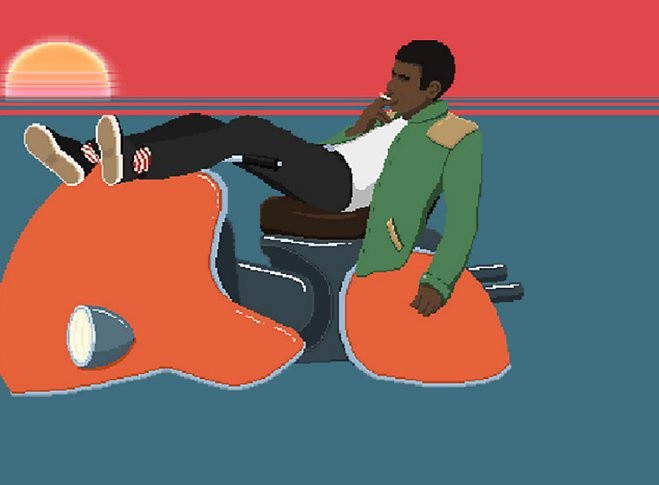
Hoverbike Racing RPG Desert Child Releases On Switch eShop Next Month
Self-proclaimed Prime Minister of Australia Oscar Brittain and also the creator of Desert Child has revealed his upcoming Switch eShop release – published by Akupara Games – will be available on 11th December.
This racing game, containing RPG elements, has you speeding about on vintage hoverbikes as you attempt to escape from planet Earth before it explodes. In between races, you’ll eat ramen, deliver pizzas, sell gun parts for money and repair and customise your bike. The title draws inspiration from anime-hits Cowboy Bebop, Redline and Akira.
Having been developed down under, there are seemingly a number of references to local culture. This includes the addition of Aussie hip-hop in the game’s soundtrack and lines of dialogue comprised of Australian slang. Take a look at the original Switch announcement trailer below to get a better idea of what this game is all about:
Will you be downloading this racing RPG when it arrives on the Switch next month? Tell us in the comments.
|
|
|
|
| Steam - Daily Deal – Aspyr Publisher Sale, 33 – 92% Off |
|
Posted by: xSicKxBot - 11-14-2018, 07:03 AM - Forum: PC Discussion
- No Replies
|
|
Daily Deal – Aspyr Publisher Sale, 33 – 92% Off
Kynseed is Now Available on Steam Early Access!
You’ve been given the Kynseed, a mystical acorn that grows into a family tree where your choices manifest in its branches. Raise a family, farm the land, run shops, and explore a world where everyone ages. When you die, step into the shoes of your children and continue your legacy.

|
|
|
|
| PS4 - Chimparty |
|
Posted by: xSicKxBot - 11-14-2018, 01:10 AM - Forum: New Game Releases
- No Replies
|
|
Chimparty
Grab your smart device and stake your claim as a jungle VIP in this multiplayer PlayLink game, where up to four players can battle it out across 18 wacky mini-games, with 90 levels between them.
It doesn't matter whether you're new to gaming or the King Kong player among friends and family, there's something for everyone here, from flinging your chimp into a hoop, to escaping your rivals in a manic tag contest.
FEATURES:
* Easy-to-learn gameplay -- Using your smart device as a controller, each mini-game is accessible and intuitive. Simply use one on-screen button with skill and timing, to jump, float, run, paint and more.
* Enjoy five different themes -- Play across a prehistoric jungle, haunted castle, pirate harbour, alien landscape and wizard's manor, with changes in gravity, shape-changing antics and interactive elements to watch out for.
* Customise your chimp champ -- Give your cheeky monkey the look of a winner, with selectable headgear, accessories and shoes, with the chance to unlock more as you play. And all your customisations and progress stays on the Chimparty app, no matter which PS4 you play on. Publisher: Sony Interactive Entertainment Release Date: Nov 13, 2018
|
|
|
|
| News - Overwatch's New Hero, Ashe, Is Now Live |
|
Posted by: xSicKxBot - 11-14-2018, 01:10 AM - Forum: Lounge
- No Replies
|
|
Overwatch's New Hero, Ashe, Is Now Live
Blizzard has rolled out a new update for its popular shooter, Overwatch. Patch 1.30 is now available on all platforms--PS4, Xbox One, and PC--and makes a handful of changes to several of the game's maps and characters, along with introducing its newest hero, Ashe. Unveiled during BlizzCon 2018 earlier this month, Ashe is the the leader of the Deadlock gang and the 29th character to join the Overwatch roster. She arrived on the Public Test Region shortly after her reveal at BlizzCon, but this marks the first time she's available on all platforms. However, at the moment you'll only be able to use her in unranked play; she won't be available in Competitive Play until two weeks after her release. Ashe is an offensive hero and one of Overwatch's more versatile characters. Her main weapon, The Viper, is a lever-action rifle capable of firing in semi-automatic bursts with a high spread. She can also aim down its sights for precision shots. On top of that, Ashe comes equipped with a Coach Gun, which allows her to deal a lot of damage at a close range and can even send Ashe flying backward if fired at the ground. Another unique ability at Ashe's disposal is Dynamite. She can throw the explosive onto the battlefield; it will then explode after a short amount of time or immediately if shot. Finally, her Ultimate is BOB, her robotic butler/bodyguard introduced alongside her in the Reunion animated short. When summoned, BOB will charge forward and fire at foes with his arm cannons. In addition to Ashe, Patch 1.30 makes some general changes to all heroes, as well as a few specific to Mercy, Reaper, Symmetra, and Roadhog. The power of Mercy's ultimate has been increased, while Reaper has been tweaked to make him a more suitable for close-range combat. Roadhog received the biggest set of changes; you can see them all in the patch notes below. Overwatch November 13 Update Patch NotesHero UpdatesMercyDeveloper Comments: Mercy's ultimate was charging a bit too slowly after her base healing was reduced in a previous update. These changes should restore some of her ultimate's strength and let it build up more quickly. ReaperDeveloper Comments: Reaper's specialty is fighting at a very close range. The more consistent spread pattern and increase in healing from his passive ability will make him more capable of standing toe-to-toe with his enemies. SymmetraDeveloper Comments: It's still difficult to use Symmetra's Photon Projector beam effectively, even after its range was increased. By speeding up the primary fire charge rate, it takes less time to ramp up to its full damage potential and will be a stronger option when she's presented with targets to charge up on. RoadhogDeveloper Comments: Roadhog is receiving several large changes to make his abilities more consistent. His Chain Hook had issues with breaking when enemy targets jumped or fell behind environment collision. It will now slow them down in the air more when the hook lands, and wait less time before it starts reeling them in. Since Chain Hook's cooldown now begins immediately upon use, so it no longer varies based on Roadhog’s distance to the hook target. We've also moved some of the projectiles closer to the center of the spread pattern on his Scrap Gun, which gives him a more consistent damage output for its primary and alternate fire. Previously, there was a long-standing bug that caused close-range targets to fly much further than expected. After this bug was fixed, we still wanted to keep some of the knockback burst it provided, so we've increased the overall velocity cap to maintain some of that functionality. Map Updates- Reduced the setup timer for Assault, Escort, and Assault/Escort maps from 1 minute to 45 seconds
- Assemble Your Team timer increased from 10 to 25 seconds in the second round on Assault, Assault/Escort, and Escort maps
Bug FixesA.I.- Fixed a bug that caused Mei bots to attempt landing headshots on Wrecking Ball while he was immune to them in Roll mode
- Fixed a bug that caused bots to get stuck near Point A on Eichenwalde
Heroes- Brigitte
- Fixed a bug that prevented Brigitte’s Whip Shot from going on cooldown if it was interrupted before the chain retracted
- Doomfist
- Fixed a bug that prevented victims of Doomfist’s Rocket Punch from ragdolling if they were eliminated by it
- Fixed a bug that prevented Doomfist’s Rising Uppercut from damaging enemies
- Fixed a bug that prevented Doomist’s Seismic Slam from dealing damage if he hit by a knockback ability the moment he landed
- Junkrat
- Fixed a bug that caused Junkrat to return to his idle animation if he was stunned while using RIP-Tire
- Lúcio
- Fixed a bug that caused some allied heroes to say their “under attack” voice lines when receiving a friendly Sound Barrier
- Orisa
- Fixed bug that prevented Orisa’s Fortify from canceling Doomfist’s Rising Uppercut air control effects
- Reinhardt
- Fixed a bug that allowed Reinhardt’s Earthshatter to hit Brigitte when she blocked it with her Barrier Shield if she was strafing during high latency periods
- Roadhog
- Fixed a bug that prevented Chain Hook from going on cooldown if it was interrupted before the chain retracted
- Fixed a bug that prevented Chain Hook from destroying breakable objects when pulling the target backward
- Fixed a bug that caused Roadhog’s Whole Hog visual effects to cover a wider area than the spread of projectiles
- Symmetra
- Fixed a bug that prevented Symmetra to charge up her primary weapon on enemy ice walls
- Torbjörn
- Fixed a bug that prevented Santaclad Torbjörn’s ultimate voice lines from playing when activating Molten Core
- Fixed a visual issue that prevented Molten Core’s magma globules from appearing in the correct place with his Barbarossa or Blackbeard skins equipped
- Fixed an animation issue that caused Torbjörn’s claw arm to suddenly appear when Overload and Molten Core were used in quick succession
- Tracer
- Fixed an issue that caused Tracer to accelerate slightly slower and decelerate slightly faster than other heroes
- Wrecking Ball
- Fixed a bug that prevented Wrecking Ball voice lines from playing when previewed after opening a Loot Box
- Zarya
- Fixed a bug that allowed heroes to charge through a Graviton Surge without getting trapped
Hero Gallery- Fixed an issue that caused some heroes legs to twitch when viewed in the Hero Gallery
- Fixed a bug that prevented players from rotating heroes in the Hero Gallery while the UI was hidden
Social- Fixed a bug that allowed players to hear the voice lines of heroes controlled by players they muted
Maps- Fixed a bug that prevented the payload from healing attackers if they were damaged while pushing it on Assault/Escort and Escort maps
- Fixed a lighting issue that caused a skyscraper in Hollywood’s skyline to appear pitch black
|
|
|
|
| Microsoft - These teachers are taking their students around the world with Skype |
|
Posted by: xSicKxBot - 11-14-2018, 01:10 AM - Forum: Windows
- No Replies
|
|
These teachers are taking their students around the world with Skype

Inspiring students to look beyond themselves
Disale is not alone. Shiva Kumar, who teaches in the sweltering farmlands of southern India, is Asia’s first Skype Master Teacher, a designation for volunteers who use Skype often in their lessons and are willing to train other teachers in how to use it to connect their classrooms.
Through Skype sessions, his students have traveled millions of miles around the world, virtually. Living in a flat, hot region, Kumar’s students were amazed when they experienced a Skype call with an Arctic research team. “It was eye-opening for them to discover that such a cold region exists in the world,” he says.
After more than a thousand interactions with classrooms or experts in dozens of countries since 2015, he’s still amazed by the surprising lessons learned.
Take the time his class of 8- to 10-year-olds had a Skype call with kids in a Kenyan refugee camp. “We found out that six kids were sharing one textbook there, and my students were shocked to learn of the difficulties they have and yet see the empathy flowing among them despite it all,” Kumar recalls. “My students realized there are a lot of poor people in the world, and it inspired them to start sharing more amongst themselves. Even small things like lunch, or a pencil or eraser, or sports equipment — they began sharing everything.”
“We’ve had sessions with 78 different countries,” says Kumar. “But in spite of all that diversity, the sense of commonality is what comes through to the kids. When they laugh and share things, that’s what they identify: oneness within diversity.”
For this year’s Skype-a-Thon the students in Kumar’s 10 STEM classes will bring their sleeping bags to school so they can do eight-hour shifts of 30-minute Skype sessions. The two-day marathon of virtual travel has become a staple for Kumar’s classes ever since they did the first one four years ago, when the students’ connections with classrooms around the world spanned more than a million miles. The kids decorate their school with lights and showcase their Indian culture through traditional dances and musical instruments, as well as modern STEM projects.
Disale will also be participating in the Skype-a-Thon, where he will be connecting 30 classrooms across 17 countries. Last year, almost half-a-million students from more than 90 countries participated, traveling 14.5 million miles. The goal is to meet or exceed those figures this year. For every 400 miles virtually traveled in the Skype-a-Thon, Microsoft will donate the resources for a student to attend school in one of the nine WE Villages in Asia, Africa, and Latin America, with a goal of helping 35,000 kids.
|
|
|
|
| Beyond Finding Stuff with the Linux find Command |
|
Posted by: xSicKxBot - 11-13-2018, 05:30 PM - Forum: Linux, FreeBSD, and Unix types
- No Replies
|
|
Beyond Finding Stuff with the Linux find Command

Continuing the quest to become a command-line power user, in this installment, we will be taking on the find command.
Jack Wallen already covered the basics of find in an article published recently here on Linux.com. If you are completely unfamiliar with find, please read that article first to come to grips with the essentials.
Done? Good. Now, you need to know that find can be used to do much more than just for search for something, in fact you can use it to search for two or three things. For example:
find path/to/some/directory/ -type f -iname '*.svg' -o -iname '*.pdf'
This will cough up all the files with the extensions svg (or SVG) and pdf (or PDF) in the path/to/directory directory. You can add more things to search for using the -o over and over.
You can also search in more than one directory simultaneously just be adding them to the route bit of the command. Say you want to see what is eating up all the space on your hard drive:
find $HOME /var /etc -size +500M
This will return all the files bigger than 500 Megabytes (-size +500M) in your home directory, /var and /etc.
Additionally, find also lets you do stuff with the files it… er… finds. For example, you can use the -delete action to remove everything that comes up in a search. Now, be careful with this one. If you run
# WARNING: DO NOT TRY THIS AT $HOME find . -iname "*" -delete
find will erase everything in the current directory (. is shorthand for “the current directory“) and everything in the subdirectories under it, and then the subdirectories themselves, and then there will be nothing but emptiness and an unbearable feeling that something has gone terribly wrong.
Please do not put it to the test.
Instead, let’s look at some more constructive examples…
Moving Stuff Around
Let’s say you have bunch of pictures of Tux the penguin in several formats and spread out over dozens of directories, all under your Documents/ folder. You want to bring them all together into one directory (Tux/) to create a gallery you can revel in:
find $HOME/Documents/ \( -iname "*tux*png" -o -iname "*tux*jpg" -o -iname "*tux*svg" \) -exec cp -v '{}' $HOME/Tux/ \;
Let’s break this down:
Once you have the basics of modifying files using find under your belt, you will discover all sorts of situations where it comes in handy. For example…
A Terrible Mish-Mash
Client X has sent you a zip file with important documents and images for the new website you are working on for them. You copy the zip into your ClientX folder (which already contains dozens of files and directories) and uncompress it with unzip newwebmedia.zip and, gosh darn it, the person who made the zip file didn’t compress the directory itself, but the contents in the directory. Now all the images, text files and subdirectories from the zip are all mixed up with the original contents of you folder, that contains more images, text files, and subdirectories.
You could try and remember what the original files were and then move or delete the ones that came from the zip archive. But with dozens of entries of all kinds, you are bound to get mixed up at some point and forget to move a file, or, worse, delete one of your original files.
Looking at the files’ dates (ls -la *) won’t help either: the Zip program keeps the dates the files were originally created, not when they were zipped or unzipped. This means a “new” file from the zip could very well have a date prior to some of the files that were already in the folder when you did the unzipping.
You probably can guess what comes next: find to the rescue! Move into the directory (cd path/to/ClientX), make a new directory where you want the new stuff to go (mkdir NewStuff), and then try this:
find . -cnewer newwebmedia.zip -exec mv '{}' NewStuff \;
Breaking that down:
- The period (
.) tells find to do its thing in the current directory.
-cnewer tells find to look for files that have been changed at the same time or after a certain file you give as reference. In this case the reference file is newwebmedia.zip. If you copied the file over at 12:00 and then unpacked it at 12:01, all the files that you unpacked will be tagged as changed at 12:01, that is, after newwebmedia.zip and will match that criteria! And, as long as you didn’t change anything else, they will be the only files meeting that criteria.- The
-exec part of the instruction simply tells find to move the files and directories to the NewStuff/ directory, thus cleaning up the mess.
If you are unsure of anything find may do, you can swap -exec for -ok. The -ok option forces find to check with you before it runs the command you have given it. Accept an action by typing y or reject it with n.
Next Time
We’ll be looking at environmental variables and a way to search even more deeply into files with the grep command.
|
|
|
|
|
|
|