Create an account


Welcome, Guest
You have to register before you can post on our site.

Username
  

Password


Search Forums

(Advanced Search)

Forum Statistics
» Members: 19,842
» Latest member: jeffz071
» Forum threads: 21,469
» Forum posts: 22,302

Full Statistics

Online Users
There are currently 596 online users.
» 1 Member(s) | 590 Guest(s)
Applebot, Baidu, Bing, Google, Yandex, SickProdigy

 
  PC - Frozen Synapse 2
Posted by: xSicKxBot - 09-13-2018, 07:02 PM - Forum: New Game Releases - No Replies

Frozen Synapse 2


Frozen Synapse 2 is the sequel to the original turn-based tactical game. Command your squads in a vast procedurally generated city: enter any building, perform any mission, execute any strategy.

Publisher: Matrix Games

Release Date: Sep 13, 2018

Print this item

  News - Daily Deal – Endless Space® 2, 50 – 66%% Off
Posted by: xSicKxBot - 09-13-2018, 07:02 PM - Forum: Lounge - No Replies

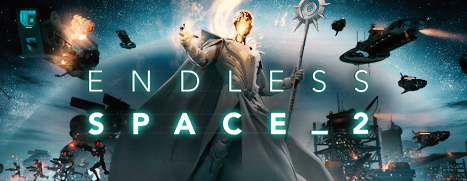
Daily Deal – Endless Space® 2, 50 – 66%% Off

Today’s Deal: Save 66% on Endless Space® 2 and 50% on additional content!*

Look for the deals each day on the front page of Steam. Or follow us on twitter or Facebook for instant notifications wherever you are!

*Offer ends September 13th at 10AM Pacific Time

Print this item

  News - Midweek Madness – Made with GameMaker Sale – Up to 80% Off
Posted by: xSicKxBot - 09-13-2018, 07:02 PM - Forum: Lounge - No Replies

Midweek Madness – Made with GameMaker Sale – Up to 80% Off

Save up to 80% in the Made with GameMaker sale during this week’s Midweek Madness*!

GameMaker Studio 2 is the latest and greatest incarnation of GameMaker! It has everything you need to take your idea from concept to finished game. With no barriers to entry and powerful functionality, GameMaker Studio 2 is the ultimate 2D development environment!

Over 40 games made with GameMaker are on discount during this sale as well as GameMaker Studio 2 at its lowest price ever on Steam! Whether you want to play these amazing games or start making games, check out the deals today!

*Offer ends Friday 10am Pacific Time

Print this item

  Xbox Wire - New Preview Beta & Delta (subset) 1810 Update – 9/1/18
Posted by: xSicKxBot - 09-13-2018, 07:02 PM - Forum: Xbox Discussion - No Replies

New Preview Beta & Delta (subset) 1810 Update – 9/1/18

Starting at 2:00 p.m. PDT today, members of the Xbox One Preview Beta and a subset of Preview Delta will begin receiving the latest Xbox One system update (1810.180828-1920). Learn more about the new features in development for 1810 here, and read on for a list of fixes and known issues in this 1810 system update.

NOTE : Today a subset of Delta Users are receiving the 1810 build.  We are doing the subset of users as we are targeting the upgrade process and will move the remaining set of Delta users in over the next few weeks as we flight new builds to test the upgrade process.

Fixes:


My Games & Apps


  • Memberships –  We have resolved the issue in the Membership sections for Games for Gold not showing the correct titles.
  • UI Fixes to the collection filter in My Games and Apps – now the drop down is anchored rather than centered.

Oneguide


  • Fixes to Oneguide in which some users were seeing an error with the app failing to launch and stating it needs to be re-installed with an error.

Settings – Display


  • Fixes to the 4k TV details status page to fix issues with Text being Cut-off.

Known Issues:


Audio


  • We are aware that some users are experiencing issues where mics do not work. Please ensure that your controller is running the latest Firmware (Settings – Kinect & Devices – Devices & Accessories) and be sure to file feedback using the “Report a problem” tool when you experience this issue.

Avatars


  • We are aware that, in some instances, Avatar limbs (feet & hands) are pointing in unexpected directions and facial hair is appearing where it should not. Please file feedback should you experience this.
  • It can take up to 10 seconds to view an Avatar on the profile screen after creating a new Avatar.

My Games & Apps


  • EA Access App – We are aware that the EA Access app will crash when navigating in the app and become unresponsive.
  • Shudder App – We are aware that the Shudder app may become unresponsive.
  • We are aware of the following Media apps crashing and have identified a fix that will be flighted shortly. There is no workaround at present.  The apps we are monitoring are:
    • Demand 5
    • Orange
    • CTV Go on Box One
    • SEGO
    • TMN GO
    • Foxtel Play
    • Halo Channel
    • TSN on Xbox One

Microsoft Edge


  • Microsoft Edge crashes for some users at random times.
  • The cursor may disappear when exiting and re-entering the app.
    • Workaround: Press Y when re-entering the app to make the cursor re-appear

OneGuide


  • Sometimes users may encounter stuttering when launching straight into Oneguide after the console is turned on from Instant on. Please file feedback when you see this.
  • Here is a workaround to resolve temporarily:
    • If you have a Kinect sensor connected to the console, try disabling it by going to Settings>Kinect & devices>Kinect and toggling the Kinect sensor off. Then re-launch OneGuide.

Power


  • We are tracking an issue in which the console is fully powering off when it is placed into Instant On mode.

Profile Color


  • Sometimes users may encounter the incorrect Profile color when powering on the console.

Settings – Network Statistics


  • We are aware that the Detailed Network Statistics feature is not showing any data.  This does not impact the consoles networking performance at all it is a UI bug.

Virtual Keyboard


  • We are aware that some characters appear incorrectly when using the Virtual Keyboard in conjunction with a chatpad. Workaround: Disconnect the chatpad.

Print this item

  News - Shmup-Platformer Velocity 2X Makes Its Nintendo Debut On Switch Next Week
Posted by: xSicKxBot - 09-13-2018, 07:02 PM - Forum: Nintendo Discussion - No Replies

Shmup-Platformer Velocity 2X Makes Its Nintendo Debut On Switch Next Week


Curve Digital has announced that Velocity 2X will now be releasing on 20th September on Switch.

A direct successor to the 2012 PlayStation hit Velocity, Velocity 2 marks the first time a game in the series has arrived on a Nintendo console. The game follows the story of Lt. Kai Tana, a brave pilot who has found herself stranded a long way from home after getting sucked through a black hole. Discovered and experimented on by an evil alien race called the Vokh, Kai Tana has recently escaped with her ‘Quarp Jet’ and must outrun her captors.

The game has already released on other platforms, scoring highly among critics on systems such as PS4, PS Vita, and Xbox One. Its blend of “pulse-pounding 2D action platforming and fast-paced vertical-scrolling shmup action” has won over the hearts of players, too, gaining ‘very positive’ user reviews on Steam.

FuturLab Managing Director, James Marsden, has said the following:

“This is the ultimate version of Velocity 2XOn Nintendo Switch, players will get the complete, no-compromise home console/PC version with all the graphical bells and whistles, whether playing at home on their TV at 1080p and 60fps, or on the Switch screen at 720p and 60fps.”


The game will be available on Switch on 20th September, with pricing still to be confirmed. If you happen to be attending EGX in Birmingham, UK later this month, you’ll be able to go hands-on with the game to see what all the fuss is about.

Have you been waiting for this one to arrive on Switch? Feel free to share your excitement with us down below.

Print this item

  News - Video: Lots of Characters Just Won’t Make It Into Super Smash Bros. Ultimate
Posted by: xSicKxBot - 09-13-2018, 07:02 PM - Forum: Nintendo Discussion - No Replies

Video: Lots of Characters Just Won’t Make It Into Super Smash Bros. Ultimate


Super Smash Bros. Ultimate is shaping up to be just that; the ultimate Super Smash Bros. game. But no matter how many characters are included as playable fighters, a colossal majority of those people beg for Sakurai to include on social media just won’t make it in.

So to take a slightly different stance, rather than talk about who will, could, or might be a fighter, we decided to take a look at who flat-out just won’t. You know, for fun. Watch the video if you want to share in the previously mentioned fun.

Print this item

  Steam - Midweek Madness – Dead Island Franchise, Up To 75% Off
Posted by: xSicKxBot - 09-13-2018, 07:02 PM - Forum: PC Discussion - No Replies

Midweek Madness – Dead Island Franchise, Up To 75% Off

© 2018 Valve Corporation. All rights reserved. All trademarks are property of their respective owners in the US and other countries.

VAT included in all prices where applicable.   Privacy Policy   |   Legal   |   Steam Subscriber Agreement   |   Refunds

Print this item

  Fedora - How to turn on an LED with Fedora IoT
Posted by: xSicKxBot - 09-13-2018, 07:02 PM - Forum: Linux, FreeBSD, and Unix types - No Replies

How to turn on an LED with Fedora IoT

Do you enjoy running Fedora, containers, and have a Raspberry Pi? What about using all three together to play with LEDs? This article introduces Fedora IoT and shows you how to install a preview image on a Raspberry Pi. You’ll also learn how to interact with GPIO in order to light up an LED.

What is Fedora IoT?


Fedora IoT is one of the current Fedora Project objectives, with a plan to become a full Fedora Edition. The result will be a system that runs on ARM (aarch64 only at the moment) devices such as the Raspberry Pi, as well as on the x86_64 architecture.

Fedora IoT is based on OSTree, like Fedora Silverblue and the former Atomic Host.

Download and install Fedora IoT


The official Fedora IoT images are coming with the Fedora 29 release. However, in the meantime you can download a Fedora 28-based image for this experiment.

You have two options to install the system: either flash the SD card using a dd command, or use a fedora-arm-installer tool. The Fedora Wiki offers more information about setting up a physical device for IoT. Also, remember that you might need to resize the third partition.

Once you insert the SD card into the device, you’ll need to complete the installation by creating a user. This step requires either a serial connection, or a HDMI display with a keyboard to interact with the device.

When the system is installed and ready, the next step is to configure a network connection. Log in to the system with the user you have just created choose one of the following options:

  • If you need to configure your network manually, run a command similar to the following. Remember to use the right addresses for your network:
    $ nmcli connection add con-name cable ipv4.addresses \ 192.168.0.10/24 ipv4.gateway 192.168.0.1 \ connection.autoconnect true ipv4.dns "8.8.8.8,1.1.1.1" \ type ethernet ifname eth0 ipv4.method manual
  • If there’s a DHCP service on your network, run a command like this:
    $ nmcli con add type ethernet con-name cable ifname eth0

The GPIO interface in Fedora


Many tutorials about GPIO on Linux focus on a legacy GPIO sysfis interface. This interface is deprecated, and the upstream Linux kernel community plan to remove it completely, due to security and other issues.

The Fedora kernel is already compiled without this legacy interface, so there’s no /sys/class/gpio on the system. This tutorial uses a new character device /dev/gpiochipN provided by the upstream kernel. This is the current way of interacting with GPIO.

To interact with this new device, you need to use a library and a set of command line interface tools. The common command line tools such as echo or cat won’t work with this device.

You can install the CLI tools by installing the libgpiod-utils package. A corresponding Python library is provided by the python3-libgpiod package.

Creating a container with Podman


Podman is a container runtime with a command line interface similar to Docker. The big advantage of Podman is it doesn’t run any daemon in the background. That’s especially useful for devices with limited resources. Podman also allows you to start containerized services with systemd unit files. Plus, it has many additional features.

We’ll create a container in these two steps:

  1. Create a layered image containing the required packages.
  2. Create a new container starting from our image.

First, create a file Dockerfile with the content below. This tells podman to build an image based on the latest Fedora image available in the registry. Then it updates the system inside and installs some packages:

FROM fedora:latest RUN  dnf -y update RUN  dnf -y install libgpiod-utils python3-libgpiod

You have created a build recipe of a container image based on the latest Fedora with updates, plus packages to interact with GPIO.

Now, run the following command to build your base image:

$ sudo podman build --tag fedora:gpiobase -f ./Dockerfile

You have just created your custom image with all the bits in place. You can play with this base container images as many times as you want without installing the packages every time you run it.

Working with Podman


To verify the image is present, run the following command:

$ sudo podman images REPOSITORY                 TAG        IMAGE ID       CREATED          SIZE localhost/fedora           gpiobase   67a2b2b93b4b   10 minutes ago  488MB docker.io/library/fedora   latest     c18042d7fac6   2 days ago     300MB

Now, start the container and do some actual experiments. Containers are normally isolated and don’t have an access to the host system, including the GPIO interface. Therefore, you need to mount it inside while starting the container. To do this, use the –device option in the following command:

$ sudo podman run -it --name gpioexperiment --device=/dev/gpiochip0 localhost/fedora:gpiobase /bin/bash

You are now inside the running container. Before you move on, here are some more container commands. For now, exit the container by typing exit or pressing Ctrl+D.

To list the the existing containers, including those not currently running, such as the one you just created, run:

$ sudo podman container ls -a CONTAINER ID   IMAGE             COMMAND     CREATED          STATUS                              PORTS   NAMES 64e661d5d4e8   localhost/fedora:gpiobase   /bin/bash 37 seconds ago Exited (0) Less than a second ago           gpioexperiment

To create a new container, run this command:

$ sudo podman run -it --name newexperiment --device=/dev/gpiochip0 localhost/fedora:gpiobase /bin/bash

Delete it with the following command:

$ sudo podman rm newexperiment

Turn on an LED


Now you can use the container you already created. If you exited from the container, start it again with this command:

$ sudo podman start -ia gpioexperiment

As already discussed, you can use the CLI tools provided by the libgpiod-utils package in Fedora. To list the available GPIO chips, run:

$ gpiodetect gpiochip0 [pinctrl-bcm2835] (54 lines)

To get the list of the lines exposed by a specific chip, run:

$ gpioinfo gpiochip0

Notice there’s no correlation between the number of physical pins and the number of lines printed by the previous command. What’s important is the BCM number, as shown on pinout.xyz. It is not advised to play with the lines that don’t have a corresponding BCM number.

Now, connect an LED to the physical pin 40, that is BCM 21. Remember: the shorter leg of the LED (the negative leg, called the cathode) must be connected to a GND pin of the Raspberry Pi with a 330 ohm resistor, and the long leg (the anode) to the physical pin 40.

To turn the LED on, run the following command. It will stay on until you press Ctrl+C:

$ gpioset --mode=wait gpiochip0 21=1

To light it up for a certain period of time, add the -b (run in the background) and -s NUM (how many seconds) parameters, as shown below. For example, to light the LED for 5 seconds, run:

$ gpioset -b -s 5 --mode=time gpiochip0 21=1

Another useful command is gpioget. It gets the status of a pin (high or low), and can be useful to detect buttons and switches.

Closeup of LED connection with GPIO

Conclusion


You can also play with LEDs using Python — there are some examples here. And you can also use the i2c devices inside the container as well. In addition, Podman is not strictly related to this Fedora edition. You can install it on any existing Fedora Edition, or try it on the two new OSTree-based systems in Fedora: Fedora Silverblue and Fedora CoreOS.

Print this item

  Microsoft - Data guru living with ALS modernizes industries by typing with his eyes
Posted by: xSicKxBot - 09-13-2018, 07:02 PM - Forum: Windows - No Replies

Data guru living with ALS modernizes industries by typing with his eyes

The couple remodeled their two-story townhouse near Guatemala City so he had everything he needed on the first floor and didn’t have to navigate stairs. Otto learned to use a trackball mouse with his foot to type with an on-screen keyboard. But it was cumbersome, and he needed Pamela nearby to move the cursor from one corner of his two 32-inch screens to another as he navigated Excel spreadsheets and Power BI dashboards.

A tracheotomy was put in his throat to help him breathe, taking away his limited speech and increasing his isolation. But when Knoke, who spends two hours a day reading blogs and researching, saw his friend Juan Alvarado’s post about the new Eye Control feature in Windows 10, he let loose with his version of a shout and immediately ordered the Tobii Eye Tracker hardware to use with the software.

A man sits in a wheelchair while four women and two men crouch around him, touching his shoulders and arms and smiling.
Otto Knoke with his wife, daughters and sons-in-law. Photo provided by Pamela Knoke.

Alvarado, who met Knoke as a database consultant working on the ATM system Knoke had implemented, hadn’t known about Knoke’s condition until he suddenly saw him in a wheelchair one day. And fittingly, Eye Control itself began with a wheelchair.

Microsoft employees, inspired by former pro football player Steve Gleason, who had lost the use of his limbs to ALS, outfitted a wheelchair with  electronic gadgets to help him drive with his eyes during the company’s first Hackathon, in 2014. The project was so popular that a new Microsoft Research team was formed to explore the potential of eye-tracking technology to help people with disabilities, leading to last year’s release of Eye Control for Windows 10.

Knoke said it was “a joy” to learn how to type with his eyes, getting the feel of having sensors track his eye movements as he navigated around the screen and rested his gaze on the elements he wanted to click. Using Eye Control and the on-screen keyboard, he now can type 12 words a minute and creates spreadsheets, Power BI dashboards and even PowerPoint presentations. Combined with his foot-operated mouse, his productivity has doubled. He plans to expand his services to the U.S., where he spent six years studying and working in the 1970s. He no longer relies on his wife’s voice, because Eye Control offers a text-to-speech function as well.

“It was frustrating trying to be understood,” Knoke said in the email interview. “After a few days of using Eye Control I became so independent that I did not need someone to interact with clients when there were questions or I needed to explain something. We have a remote session to the client’s computer, and we open Notepad and interact with each other that way.”

His wife and his nurse had learned to understand the sounds he was able to make, even with the tracheotomy restricting his vocal chords. But now he can communicate with his three grown daughters, his friends and all his customers.

A man lies in a reclining chair, while a younger woman sits in a chair next to him. Both are smiling and looking at a computer screen with a Spanish phrase typed on it.
Using a foot-operated mouse, Eye Control for Windows 10 and the text-to-speech function, Otto Knoke is able to communicate with his family — including his daughter, seen here — as well as with clients.

“Now when our children visit, he can be not just nodding at what they say, but he can be inside the conversation, too,” Pamela Knoke said. “He always has a big smile on his face, because he’s got his independence back.”

He’s also started texting jokes to friends again.

“It’s kind of like it brought my friend back, and it’s amazing,” Alvarado said. “Otto told me that for him, it was like eye tracking meant his arms can move again.”

Being able to text message with Eye Control has helped his business as well.

Grupo Tir, a real-estate development and telecommunications business in Guatemala, hired Knoke for several projects, including streamlining its sales team’s tracking of travel expenses with Power BI.

“Working with Otto has been amazing,” said Grupo Tir Chief Financial Officer Cristina Martinez. “We can’t really meet with him, so we usually work with texts, and it’s like a normal conversation.

“He really has no limitations, and he always is looking for new ways to improve and to help companies.”

Print this item

  ASP.NET Core 2.2.0-preview2 now available
Posted by: xSicKxBot - 09-13-2018, 07:02 PM - Forum: C#, Visual Basic, & .Net Frameworks - No Replies

ASP.NET Core 2.2.0-preview2 now available

Today we’re very happy to announce that the second preview of the next minor release of ASP.NET Core and .NET Core is now available for you to try out. We’ve been working hard on this release over the past months, along with many folks from the community, and it’s now ready for a wider audience to try it out and provide the feedback that will continue to shape the release.

How do I get it?


You can download the new .NET Core SDK for 2.2.0-preview2 (which includes ASP.NET 2.2.0-preview2) from https://www.microsoft.com/net/download/dotnet-core/2.2

Visual Studio requirements


Customers using Visual Studio should also install and use the Preview channel of Visual Studio 2017 (15.9 Preview 2) in addition to the SDK when working with .NET Core 2.2 and ASP.NET Core 2.2 projects. Please note that the Visual Studio preview channel can be installed side-by-side with existing an Visual Studio installation without disrupting your current development environment.

Azure App Service Requirements


If you are hosting your application on Azure App Service, you can follow these instructions to install the required site extension for hosting your 2.2.0-preview2 applications.

Impact to machines


Please note that is a preview release and there are likely to be known issues and as-yet-to-be discovered bugs. While the .NET Core SDK and runtime installs are side-by-side, your default SDK will become the latest one. If you run into issues working on existing projects using earlier versions of .NET Core after installing the preview SDK, you can force specific projects to use an earlier installed version of the SDK using a global.json file as documented here. Please log an issue if you run into such cases as SDK releases are intended to be backwards compatible.

What’s new in Preview 2


For a full list of changes, bug fixes, and known issues you can read the release notes.

SignalR Java Client updated to support Azure SignalR Service


The SignalR Java Client, first introduced in preview 1, now has support for the Azure SignalR Service. You can now develop Java and Android applications that connect to a SignalR server using the Azure SignalR Service. To get this new functionality, just update your Maven or Gradle file to reference version 0.1.0-preview2-35174 of the SignalR Client package.

Problem Details support


In 2.1.0, MVC introduced ProblemDetails, based on the RFC 7807 specification for carrying detils of an error with a HTTP Response. In preview2, we’re standardizing around using ProblemDetails for client error codes in controllers attributed with ApiControllerAttribute. An IActionResult returning a client error status code (4xx) will now return a ProblemDetails body. The result additionally includes a correlation ID that can be used to correlate the error using request logs. Lastly, ProducesResponseType for client errors, default to using ProblemDetails as the response type. This will be documented in Open API / Swagger output generated using NSwag or Swashbuckle.AspNetCore. Documentation for configuring the ProblemDetails response can be found here – https://aka.ms/AA2k4zg.

ASP.NET Core Module Improvements


We’ve introduced a new module (aspNetCoreModuleV2) for hosting ASP.NET Core application in IIS in 2.2.0-preview1. This new module adds the ability to host your .NET Core application within the IIS worker process and avoids the additional cost of reverse-proxying your requests over to a separate dotnet process.


ASP.NET Core 2.2.0-preview2 or newer projects default to the new in-process hosting model. If you are upgrading from preview1, you will need to add a new project property to your .csproj file.

<PropertyGroup>
 <TargetFramework>netcoreapp2.2</TargetFramework>
 <AspNetCoreHostingModel>inprocess</AspNetCoreHostingModel>
</PropertyGroup>

Visual Studio 15.9-preview2 adds the ability to switch your hosting model as part of your development-time experience.


Hosting in IIS


To deploy applications targeting ASP.NET Core 2.2.0-preview2 on servers with IIS, you require a new version of the 2.2 Runtime & Hosting Bundle on the target server. The bundle is available at https://www.microsoft.com/net/download/dotnet-core/2.2.

Caveats


There are a couple of caveats with the new in-process hosting model: – You are limited to one application per IIS Application Pool. – No support for .NET Framework. The new module is only capable of hosting .NET Core in the IIS process.

If you have a ASP.NET Core 2.2 app that’s using the in process hosting model, you can turn it off by setting the <AspNetCoreHostingModel> element to outofprocess in your .csproj file.

Template Updates


We’ve cleaned up the Bootstrap 4 project template work that we started in Preview 1. We’ve also added support to the default Identity UI for using both Bootstrap 3 & 4. For compatibility with existing apps the default Bootstrap version for the default UI is now Bootstrap 3, but you can select which version of Boostrap you want to use when calling AddDefaultUI.

HealthCheck Improvements


There are a few small, but important, changes to health checks in preview2.

You can now call AddCheck<T> where T is a type of IHealthCheck:

services.AddHealthChecks()
 .AddCheck<MyHealthCheck>();

This will register your health check as a transient service, meaning that each time the health check service is called a new instance will be created. We allow you to register IHealthCheck implementations with any service lifetime when you register them manually:

services.AddHealthChecks();
services.AddSingleton<IHealthCheck, MySingletonCheck>();

A scope is created for each invocation of the HealthChecksService. As with all DI lifetimes you should be careful when creating singleton objects that depend on services with other lifetimes as described here.

You can filter which checks you want to execute when using the middleware or the HealthCheckService directly. In this example we are executing all our health checks when a request is made on the ready path, but just returning a 200 OK when the live path is hit:

// The readiness check uses all of the registered health checks (default)
app.UseHealthChecks("/health/ready");

// The liveness check uses an 'identity' health check that always returns healthy
app.UseHealthChecks("/health/live", new HealthCheckOptions()
{ // Exclude all checks, just return a 200. Predicate = (check) => false,
});

You might do this if, for example, you are using Kubernetes and want to run a comprehensive set of checks before traffic is sent to your application but otherwise are OK as long as you are reachable and still running.

What’s still to come?


We are investaging adding a tags mechanism to checks, so that they can be set and filtered on. We also want to provide an Entity Framework specific check that will check whatever database has been configured to be used with your DbContext.

Migrating an ASP.NET Core 2.1 project to 2.2


To migrate an ASP.NET Core project from 2.1.x to 2.2.0-preview2, open the project’s .csproj file and change the value of the the element to netcoreapp2.2. You do not need to do this if you’re targeting .NET Framework 4.x.

Giving Feedback


The main purpose of providing previews is to solicit feedback so we can refine and improve the product in time for the final release. Please help provide us feedback by logging issues in the appropriate repository at https://github.com/aspnet or https://github.com/dotnet. We look forward to receiving your feedback!

Print this item

 
Latest Threads
News - Ori Dev CEO Says X...
Last Post: xSicKxBot
2 hours ago
News - Helldivers 2 Gets ...
Last Post: xSicKxBot
Yesterday, 04:43 PM
Black Ops (BO1, T5) DLC's...
Last Post: raymundovic
Yesterday, 03:38 AM
Black Ops (BO1, T5) DLC's...
Last Post: raymundovic
Yesterday, 03:35 AM
(Free Game Key) Epic Game...
Last Post: xSicKxBot
Yesterday, 12:10 AM
News - You Are Everyone’s...
Last Post: xSicKxBot
Yesterday, 12:10 AM
(Free Game Key) Steam | W...
Last Post: xSicKxBot
06-19-2026, 07:45 AM
News - Sony Files Patent ...
Last Post: xSicKxBot
06-19-2026, 07:45 AM
Black Ops 2 Map Packs Dow...
Last Post: JakesGambit1227
06-18-2026, 11:45 PM
Redacted T6 Nightly Offli...
Last Post: benoca132
06-18-2026, 08:58 PM

Forum software by © MyBB Theme © iAndrew 2016