| Welcome, Guest |
You have to register before you can post on our site.
|
| Forum Statistics |
» Members: 19,827
» Latest member: hhjh
» Forum threads: 21,459
» Forum posts: 22,283
Full Statistics
|
| Online Users |
There are currently 767 online users.
» 0 Member(s) | 763 Guest(s)
Applebot, Baidu, Bing, Google
|
|
|
| Steam - Steam Intergalactic Summer Sale Day 4 |
|
Posted by: xSicKxBot - 06-29-2018, 11:41 AM - Forum: PC Discussion
- No Replies
|
 |
Steam Intergalactic Summer Sale Day 4
 The Steam Intergalactic Summer Sale continues! For the next eleven days, take advantage of huge savings throughout our store on over ten thousand games. You can also help unlock free games by playing our Summer Saliens Game.
Today’s Featured Deals include:
The Elder Scrolls Franchise – Up to 50% off
Tomb Raider Franchise – Up to 89% off
Battletech – 20% off
The Long Dark – 75% off
Star Trek: Bridge Crew – 50% off
Sid Meier’s Civilization Franchise – Up to 75% off
Mad Max – 75% off
Portal 2 – 90% off
and many more
Along with the sale is the Summer Saliens Game. Team up with other Saliens to fight The Duldrumz on different planets and free the abducted games. Gain XP as you battle, level up, unlock new abilities, and win cosmetic items to deck out your Salien. Plus, get Summer Sale Trading Cards just for playing.
Choose to battle on a planet that piques your interest and you’ll automatically be entered for a chance to win one of its rewards when it’s conquered. The longer your Salien spends on a planet the higher your chances of winning! The groups with the most tiles when a planet is taken will get to plant their flag as conquerors, undoubtedly gaining Saliverse-wide fame in the process.
The Steam Intergalactic Summer Sale will run until 10 AM Pacific, July 5th. Complete information can be found HERE.

|

|
|
| Hyperledger’s Brian Behlendorf Named as Top Blockchain Influencer by New York Times |
|
Posted by: xSicKxBot - 06-29-2018, 09:06 AM - Forum: Linux, FreeBSD, and Unix types
- No Replies
|
|
Hyperledger’s Brian Behlendorf Named as Top Blockchain Influencer by New York Times
Brian Behlendorf, Executive Director of the Linux Foundation’s Hyperledger project, has been named one of the top 10 influential voices in the blockchain world, in a New York Times commentary titled “The People Leading the Blockchain Revolution.” Blockchain technology—which encompasses smart contracts, distributed ledgers, and more—is already transforming contracts, payment processing, asset protection, and supply chain management.
In the article, Behlendorf is credited with driving the evolution and widespread adoption of numerous essential blockchain platforms and tools.
“Mr. Behlendorf has helped bring in other big names who are helping to make Hyperledger the focus of much of the corporate and governmental interest in blockchains today,” the Times reports.
Read more at The Linux Foundation
|
|
|
|
| News - Fortnite Shopping Carts Are Back In Time For Week 9 Challenges |
|
Posted by: xSicKxBot - 06-29-2018, 06:35 AM - Forum: Lounge
- No Replies
|
|
Fortnite Shopping Carts Are Back In Time For Week 9 Challenges
It's not uncommon for Fortnite items to be added and removed, but the game's first vehicles--shopping carts--have been in and out an inordinate amount. Issues with the shopping cart saw the vehicle removed once again recently, but Epic has announced it has been re-enabled in Battle Royale across all platforms: PC, PS4, Xbox One, Nintendo Switch, and mobile. [Update: It turns out the timing for the returning of shopping carts is quite fortunate, as Week 9 challenges task players with using one.] Epic shared the news on Fortnite's Twitter account, though that's inevitably led to quips from players asking how long this will be the case for. This most recent period saw it disabled for almost a full week, and this is just one of multiple instances where Epic has temporarily pulled the vehicle from the game. Being Fortnite's first vehicle, it seems as if its introduction has been a learning process for Epic. Players have been able to use the shopping cart to reach areas they should not be able to (specifically, underneath the map), which is problematic for a competitive PvP game. The shopping cart can be used solo; it also allows for one player to push around another who sits in the basket (where they can fire a weapon). It might not be the best way to win a match--though the meta around that may be changing--but it is a hell of a lot of fun. Fortnite's most recent update introduced the Stink Bomb, a new type of grenade that deals damage over time in an area. Meanwhile, the current season is nearly set to conclude, but there's still time to complete Season 4 challenges.
|
|
|
|
| Microsoft - SHOWTIME, Amblin Television and 343 Industries bring Halo to television |
|
Posted by: xSicKxBot - 06-29-2018, 06:35 AM - Forum: Windows
- No Replies
|
|
SHOWTIME, Amblin Television and 343 Industries bring Halo to television

It’s a big day for Halo – today, SHOWTIME president and CEO David Nevins announced the network has ordered a 10-episode season based on the legendary video game franchise!
In its adaptation for SHOWTIME, Halo (working title) will take place in the universe that first came to be in 2001, dramatizing an epic 26th-century conflict between humanity and an alien threat known as the Covenant. Kyle Killen (Awake) will serve as executive producer, writer and showrunner. Rupert Wyatt (Rise of the Planet of the Apes) will direct multiple episodes and also executive produce the hour-long series which enters production in early 2019.
“Halo is our most ambitious series ever, and we expect audiences who have been anticipating it for years to be thoroughly rewarded,” said Nevins. “In the history of television, there simply has never been enough great science fiction. Kyle Killen’s scripts are thrilling, expansive and provocative, Rupert Wyatt is a wonderful, world-building director, and their vision of Halo will enthrall fans of the game while also drawing the uninitiated into a world of complex characters that populate this unique universe.”
“This is a truly exciting moment for the Halo franchise,” stated Kiki Wolfkill, head of Halo Transmedia at 343 Industries. “Together with our creative and production partners at SHOWTIME and Amblin Television, the Halo television series will represent new and exciting way for fans to enter and engage with the Halo universe. We can’t wait to share more on what’s ahead.”
Halo will be executive produced by Killen, Wyatt and Scott Pennington, along with Justin Falvey and Darryl Frank for Amblin Television. The series will be distributed globally by CBS Studios International.
For all things Halo and the recently announced Halo Infinite, be sure to check out Halo Waypoint and stay tuned to Xbox Wire.
|
|
|
|
| Van Jones & Linus Torvalds to Keynote at Open Source Summit North America |
|
Posted by: xSicKxBot - 06-29-2018, 02:20 AM - Forum: Linux, FreeBSD, and Unix types
- No Replies
|
|
Van Jones & Linus Torvalds to Keynote at Open Source Summit North America
We’ve announced additional keynotes at Open Source Summit North America, including:
- Van Jones, President & Founder of the nonprofit, Dream Corps; CNN Contributor; Best-Selling Author; Human Rights, Education and Clean Energy Advocate
- Austen Collins, Founder & CEO, Serverless Inc.
- Linus Torvalds, creator of Linux and Git, in conversation with Dirk Hohndel, VP & Chief Open Source Officer, VMware
View the Full Schedule >>
The event also features the Open Collaboration Conference where ecosystem leaders learn to navigate open source transformation with sessions covering compliance, community leadership and open source program office management in the new TODO track. The Diversity Empowerment Summit is also featured, which highlights the ways in which the community can benefit from expanding diversity and inclusion practices.
Register now to save $150 through July 21.
Register Now >>
Read more at The Linux Foundation
|
|
|
|
| Stack vs Heap. What’s the Difference and Why Should I Care? |
|
Posted by: xSicKxBot - 06-28-2018, 07:27 PM - Forum: Linux, FreeBSD, and Unix types
- No Replies
|
|
Stack vs Heap. What’s the Difference and Why Should I Care?

I’m four months into the curriculum at Holberton School and we’ve solved multiple problems using the malloc, realloc, calloc and free functions in the C programming language. What better way to build a solid foundation of how memory gets allocated then to write a technical post on the stack versus the heap?
This article explains in depth:
What are the five segments of memory?
What is the stack?
What is the heap?
How does understanding the two make you a better software engineer?
What are the five segments of memory?
When we write applications, files, or any logic that is typed in an editor and executed on the computer, the computer has to allocate memory for the program to run. The memory that is assigned to a program or application in a computer can be divided into five parts. The amount of memory that get’s assigned to an application depends on the computer’s architecture and will vary across most devices, but the variable that remains constant is the five parts of an application’s memory which are the heap, stack, initialized data segment, uninitialized data segment, and the text segment.
The initialized data segmentconsists of all the global and static variables that are initialized when a file gets compiled. The uninitialized data segment consists of all global and static variables that are initialized to zero or do not have explicit initialization in source code.
At Holberton, most of the time we are not concerned about the uninitialized data segment because when we compile our programs with gcc, we use the flags, -Wall -Wextra -pedantic -Werror and we use an internal stylistic checker called betty which treats warning as errors when uninitialized variables are present. Having unused variables in our programs gets flagged and is not a best practice. The text segment, also known as the code segment, contains the machine instructions which make up your program. The text segment is often read-only and prevents a program from accidentally modifying its instructions.
What is the stack?
The stack is a segment of memory where data like your local variables and function calls get added and/or removed in a last-in-first-out (LIFO) manner. When you compile a program, the compiler enters through the main function and a stack frame is created on the stack. A frame, also known as an activation record is the collection of all data on the stack associated with one subprogram call. The main function and all the local variables are stored in an initial frame.
Program vs Stack usage
In the picture above, we have one stack frame on the stack that holds the main function, along with the local a, b and sum variables. After using the printf() function the frame we created along with the local variables are only accessible in memory for the duration of the frame are no longer accessible after returning the 0 value from the function.
What happens with the stack when we call multiple functions? To illustrate the stack in it’s LIFO manner, let’s solve a problem using recursion. When we call multiple functions in our application, we use multiple stack frames in a last-in-first-out approach meaning that the last stack frame we’ve created on the stack is the first stack that will be released after the function is done executing its logic. Let’s go over an example of printing out the name “Holberton” recursively and show how our code affects the stack memory segment.
Yes, I have a whiteboard on the back of my door at my house.
When we compile our code using gcc _putchar.c 0-puts_recursion.c 0-main.c , the compiler enters our program through int main(void) and creates a frame with the function int main(void) and _puts_recursion("Holberton") living on that frame as illustrated on the image above. When the compiler runs into the _puts_recursion() function, it calls that function and creates another stack frame on top of the previous stack frame where int main(void) lives. We are now in our second stack frame in our program and have entered in the _puts_recursion(char *s)function where *s is equal to 'H' and is only accessible in that stack frame. Because 'H' does not equal '\0' , we will continue with our function calls and execute the _putchar('H') function and enter into the same function _puts_recursion(++s). The argument ++s moves the memory address of the *s one byte because the size of a char is 1 byte on our machine, and now _puts_recursion is calling the function as _puts_recrusion('o') . Each time the _puts_recursion function is called, a new stack frame is put on the stack until we hit the terminating condition which is if (*s == '\0').
Every time a new stack frame is created, the stack pointer moves with it until it reaches the terminating condition. A stack pointer is a small register that stores the address of the last program request in a frame. When we hit the terminating condition, we execute our logic, then start to unwind the stack or pop off stack frames in the last-in-first-out manner until we reach out return(0) logic in the int main(void) function in our first stack frame.
If you don’t have a terminating case for the recursive example above, the stack will continue to grow in size adding additional stack frames on-top of each other, moving the stack pointer upward on each call, against the heap, which will be explained in the next section. In a recursive function , if there is no valid terminating condition, the stack will grow until you’ve completed consumed all the memory that’s been allocated for your program by the operating system. When the stack pointer exceeds the stack bound, you have a condition called stack overflow. Bad things happen when you have a stack overflow.
Let’s first refer back to the other four segments of your application’s memory which were the uninitialized and initialized data segments, text segment and stack segment. These four segments have a constant memory size during compilation. The memory size for these four segments is predetermined by your operating system before compiling your programs. When software engineers write programs that consume large amounts of memory from a machine, they have to consider where and how much memory is being consumed in their application.
The max stack size is constant and predetermined before a program is compiled. At Holberton, we use a Linux Ubuntu/Trusty64 distributions. To find information about the stack size and other neat limits, type the command below into your terminal.
ulimit -a
Where ulimit is a function that gets and sets user limits and the -a flag lists all the current limits.
Stack size is 8.192MB of memory.
If the stack is limited in size and a program needs more memory for it to execute, where can a software engineer pull memory from for his/her application? This is where the heap comes into play.
What is the heap?
The heap is the segment of memory that is not set to a constant size before compilation and can be controlled dynamically by the programmer. Think of the heap as a “free pool” of memory you can use when running your application. The size of the heap for an application is determined by the physical constraints of your RAM (Random access memory) and is generally much larger in size than the stack.
We use memory from the heap when we don’t know how much space a data structure will take up in our program, when we need to allocate more memory than what’s available on the stack, or when we need to create variables that last the duration of our application. We can do that in the C programming language by using malloc, realloc, calloc and/or free. Check out the example below.
Allocating 4000 bytes of memory to our program, then releasing it.
We allocate memory from the heap using the malloc() function. The argument we want to include in malloc is the amount of memory we want to allocate to our application, in bytes. Malloc returns a void pointer that is type casted into an integer pointer that now points to the first address in memory for our 4000 byte long memory. We can now store information in those memory addresses and do as we please to that information for the duration of our program or for the duration of our function because we have a pointer that references the first memory address from the newly allocated heap memory.
If you aren’t intentionally creating variables that last the duration of your application from the heap, you always want to release the memory back to the machine using the free() function. If you don’t release the memory using the free() function, you have memory that will persist throughout your program. If we do not release the memory from our program before terminating the application, our application has memory leaks. If your application has enough memory leaks, it can consume more memory than is physically available and can cause programs to crash. This is why we use a program called valgrind. Valgrind is easy to use and checks for memory leaks.
Valgrind being used. 4,000 bytes allocated. 0 bytes leaks
Another thing to consider while using the heap, the pointer variables created on the heap are accessible by any function, anywhere in your program, as long as the memory is still persistent and hasn’t been free.
How does understanding the stack and heap make you a better software engineer?
If you understand the advantages and disadvantages of using the stack vs the heap for your application, then it gives you a strategic advantage for creating scalable programs. You, the programmer, have to decide when to use memory from the stack vs heap based on each problem you are trying to solve.
If you have a variable like an array or struct that needs to be stored in a large block memory, needs to persist throughout the lifetime of your application and could change in size throughout the duration of your program, then you should allocate it from the heap.
If you need to create helper functions with variables that only persist within the lifetime of the function, then you should allocate memory from the stack. Memory from the stack is easier to keep track of because the memory is only locally available in the function call which does not persist after the function is completed and is managed by the CPU.
Photo credit: Gribble Lab
Questions, comments or concerns, feel free to comment below, follow me or find me on Twitter @ NTTL_LTTN.
References:
My Code School. (February 23rd, 2013). Pointers and dynamic memory — stack vs heap. . Retrieved from https://www.youtube.com/watch?v=_8-ht2AKyH4
Paul Gribble (2012). C Programming Boot Camp — 7. Memory: Stack vs Heap. [Blog post]. Retrieved from https://www.gribblelab.org/CBootCamp/7_Memory_Stack_vs_Heap.html#orgheadline1
GeeksforGeeks. Memory Layout of C Programs. [Blog post]. Retrieved from https://www.geeksforgeeks.org/memory-layout-of-c-program/
Sandra Henry-Stocker. (November 18th, 2012). NETWORK WORLD — Setting limits with ulimit. [Blog post]. Retrieved from https://www.networkworld.com/article/2693414/operating-systems/setting-limits-with-ulimit.html
Valgrind Developers (2000–2017). Valgrind. Retrieved from http://valgrind.org/
Die.net Linux Documentation. Retrieved from https://linux.die.net/
This article was produced in partnership with Holberton School and originally appeared on Medium.
|
|
|
|
| AppleInsider - How to turn Live Photos into animated GIFs in iOS |
|
Posted by: xSicKxBot - 06-28-2018, 06:21 PM - Forum: Apples Mac and OS X
- No Replies
|
|
How to turn Live Photos into animated GIFs in iOS
 Taken a Live Photo on your iPhone or iPad and want to share it around on social media as a GIF, potentially creating a meme in the process? AppleInsider shows how to convert the clip into one of the most commonly used animated image formats found online.
Introduced in 2015 in iOS 9, Live Photos is a feature of the iOS camera that records the period of time surrounding the moment when the user takes a photograph. Along with the still image, Live Photos can also play the 1.5 seconds before and after the shot as a 15fps video, telling viewers the story about the shot.
Shortly after its creation, various apps and services started to support the image type, enabling them to be shared with other users. There are also options in the Photos app to share the Live Photo with others on social networks and messaging apps, and for most people, that’s more than enough for their needs.
In cases where an app or service simply won’t accept a Live Photo as an image or animation, or if you want to slightly change how it appears, the best option is to create an animated GIF.
Creating the Image
Load up the Photos app and select the Albums tab. In that section, select the Live Photos folder, then tap the specific Live Photo you want to use to bring it fullscreen.
Swipe upwards in the middle of the screen to bring up extra information about the shot. The main element we are interested in is the animation effects selection.
There are four options here, with Live effectively leaving the image as it is, playing just once. Another is Long Exposure, which combines all the frames of the Live Photo into a single image, which can create some artistic effects. Ignore both of these options.
For this, we are interested in the Loop and Bounce options. Loop continuously plays the animation, while Bounce will constantly play the clip forwards then backwards. Select one of these two options.
Navigate back to the Albums tab and select a folder called Animated, which contains any and all animated GIF-style content created on the iPad. If the folder didn’t exist previously, Photos will automatically create it.
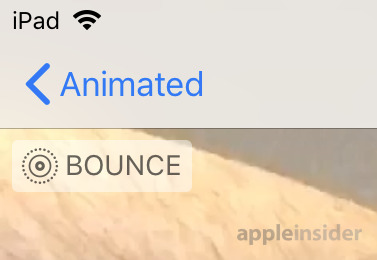
Opening the animation in the folder will display the created GIF file. Photos will also display in the top-left corner what kind of animation option was selected for the image.
At this point, the image can be shared via the normal sharing options, or you could email it to yourself as a GIF file.
Further Notes
While this may be seen as a waste of time creating a GIF rather than directly sharing, creating the animation before sharing can help prevent some issues. Not all apps will accept a Live Photo directly as an animation
For example, adding a Live Photo as an attachment in Gmail will result in a JPEG file instead of a GIF, while sending the version from the Animation folder returns the intended GIF.
There is also the added benefit of being able to control how it will be displayed on other platforms, as there’s no guarantee that it will automatically loop on your chosen service.
Users wanting more control over how GIFs appear, or to create GIFs from video clips, can find a wealth of apps in the App Store for the task.
|
|
|
|
| Mobile - Fortnite Battle Royale: Tips & Tricks for Competing on Mobile |
|
Posted by: xSicKxBot - 06-28-2018, 06:21 PM - Forum: New Game Releases
- No Replies
|
|
Fortnite Battle Royale: Tips & Tricks for Competing on Mobile
 By Collin MacGregor 28 Jun 2018
Battle royale sensation Fortnite has parachuted onto mobile in all its glory. While it’s still only on iOS for the moment (Android version when?) the fact that this is the same game, pretty much feature-for-feature, on a phone is mind-boggling.
Whether you’re a victory royale veteran, or someone discovering Fortnite Battle Royale for the first time, playing on mobile is quite the unique experience. The smaller screen, reduced visuals and bespoke touch controls totally change the way you must play what is essentially a third-person shooter, and one that can get pretty intense.
If only someone could provide you with some essential Fortnite tips & tricks to help you to stay competitive on your mobile…
Controls refresher

Limit your long-distance fighting
This partly comes down to the current Fortnite meta across all platforms, but even more so on mobile you shouldn’t really look to be fighting at range. Even on PC/console it isn’t ideal with the power of shotguns, poor accuracy of auto rifles, and the ease of movement.
Playing on another platform you probably have at least 18 inches of screen to look at, with all those high-quality pixels allowing you to spot every bit of movement. On mobile that real-estate could shrink to something like 4 inches with an iPhone SE. That movement becomes much more difficult to spot, meaning keeping track of opponents at a distance is near impossible. The touch controls also make it much harder to hit long distance shots without a scope.
This doesn’t mean you should avoid them like the plague. Instead, prioritise SMGs, LMGs, explosives, and shotguns over precision death dealers – especially when you are just landing. If you do want to use a rifle, make sure to crouch and use the aim zoom to improve your accuracy. Additionally, don’t bother with tactics such as shotgun weapon swapping until you get comfortable with the controls. The icons are quite small and it’s easy to mistap on the wrong gun.

Be Aggressive
If you want to survive longer than a minute, you’ll need to start getting into firefights with other players. Typically, Fortnite’s building and plethora of ranged weapons allows users to stay back and pick off foes. However, since aiming on a mobile device is tricky the best option is force enemies to fight on your terms. Get in players faces when the bullets start flying and make them panic as you shoot them.
Moving is not nearly as fluid, so you can fluster you foes by destroying their cover and pressuring them with a hail of bullets. Weapons like C4, minigun, LMG, and even basic grenades are fantastic for forcing opponents out of position. Try to use the environment to break line of sight with your foes, especially if you can get the drop on them. Since rotating the camera can be a bit awkward, it’s not as common for someone to check behind them. Use this to your advantage and strike when they don’t have time to react.
Don’t be afraid to build
Building is key to success in Fortnite allowing you to travel across terrain quickly, get the drop on opponents and keep you safe when caught out. The touch controls on the mobile version are a little trickier than other versions since you have to move your hand away moving and/or shooting to select your building type, once you get some practise it becomes easier.
We have seen so many people on iOS only servers not build anything when they really should, and it almost always results in an early death. Assembling cover can be tricky at first, so accept that you may die in the early hours while learning the new control scheme. If you’re coming over from PC or console don’t expect to quickly assemble the elaborate structures. Swapping between materials and parts takes more time, so focus on constructing simple pieces of cover.
The basic three walls and a single ramp will offer decent protection and simultaneously give you a height advantage. Traps are also quite potent since navigating your character can be a bit awkward and it’s easy to accidentally stumble into one. Always practice your building because it can and will make the difference between a victory or the defeat screen.

Moving Will Be Awkward At First
As mentioned above, real estate on your screen is at a premium on mobile, as those big ol’ thumbs will take up a lot of room. The positioning of your digits usually means you won’t miss too much, but there is always a chance some loot or even an enemy, manages to go undetected thanks to being covered up. There’s also a chance that you’ll accidentally tap the jump or crouch button. Because of this, it’s absolutely vital that you keep your right thumb in the lower corner of the screen. You can still tap the screen and quickly access your weapons without the risk of hitting another icon.
Remember, double tapping the virtual joystick used to move around will keep your character running forward until you take back control. This frees up screen space to use for scouting the area, and you can still move around by changing your camera angle to turn. Of course, once a fight breaks out you’ll need to take back control right away: strafing, jumping and climbing all needs extra precision that simple running doesn’t.

There may be visual clues, but still play with sound where possible
The most obvious new addition to the mobile version is visual indicators for footsteps, gunshots and chests, as well a direction indicator. It’s a wonderfully clear and obvious addition to the UI, and boy is it useful. Being able to know exactly the direction footsteps are coming from allows you to instantly target whoever is around the corner. It also allows you to plant those traps in places you know they will be.
That doesn’t mean sound isn’t useful though. It can help identify what specific weapon or weapon class is being shot, and other subtler clues that a simple UI tweak can’t provide. Obviously don’t be that person with sound coming out of the speakers in public, but in private/with headphones having sound will give an edge.
Do you have any tips or tricks of your own you want to share? Post them in the comments below!
|
|
|
|
| News - Pokemon Quest Out For Free On Mobile (Android / iOS) |
|
Posted by: xSicKxBot - 06-28-2018, 12:08 PM - Forum: Lounge
- No Replies
|
|
Pokemon Quest Out For Free On Mobile (Android / iOS)
Pokemon Quest, the free-to-play RPG that was surprise-released for Nintendo Switch last month, is now available on mobile as well. You can find it for the low cost of zero dollars on the iOS and Android stores. It does include in-app purchases, and data doesn't transfer between these and the Switch version. The light Pokemon game has you build a team of three monsters to fight other Pokemon and gather loot. Then you can use your loot to attract more Pokemon, and swap them out for members of your team, and on and on. It only features first-generation Pokemon for the time being, but they're given a fresh makeover with a blocky art style. This being a free-to-play game, though, there are various in-app purchases. The packages on Switch ranged from around $3 to almost $20. Pokemon Quest is one of a few new Pokemon games launching this year. Pokemon Let's Go Pikachu and Let's Go Eevee are coming to Nintendo Switch in November. We played Let's Go Pikachu at E3 2018, so for more details check out our impressions and a roundup of everything we know about the Let's Go games so far.
|
|
|
|
| News - Get expert insight into how to build VR/AR training tools at XRDC |
|
Posted by: xSicKxBot - 06-28-2018, 11:38 AM - Forum: Lounge
- No Replies
|
|
Get expert insight into how to build VR/AR training tools at XRDC
 This October XRDC is coming to San Francisco, and it promises to be the premier conference for AR, VR, and MR innovation!
As part of XRDC’s Education & Training track of talks, Boeing lead technical integrator Eric Spalding will be presenting a fascinating session all about “VR/AR Challenges for Training Environments” that promises to dig deep into Spalding’s work leading an R&D team researching AR and VR training in aerospace industries.
According to Spalding, AR and VR technologies could be extraordinarily disruptive to how training is performed. For the first time, students can be immersed in an environment that is easily deployable at low cost and without the dangers of real hardware.
However, for broad adoption, there are challenges to overcome that entertainment applications can more easily avoid, such as density of environments and interaction haptics.
With that in mind, Spalding’s XRDC presentation will provide an overview of various challenges facing AR/VR adoption in the training space and challenges attendees to develop solutions that could increase the overall AR/VR market. It promises to be fascinating if you’re at all interested (or invested) in the AR/VR/MR space, so don’t miss it!
XRDC is happening October 29th and 30th in San Francisco at the Westin St. Francis Hotel. Now that registration is open, you’ll want to look over XRDC passes and prices and register early to get the best deal!
For more information about XRDC, which is produced by organizers of the Game Developers Conference, check out the official XRDC website. You can also subscribe to regular XRDC updates via email, Twitter and Facebook.
Gamasutra, XRDC, and GDC are sibling organizations under parent UBM Americas
|
|
|
|
|
|
|