Create an account


Welcome, Guest
You have to register before you can post on our site.

Username
  

Password


Search Forums

(Advanced Search)

Forum Statistics
» Members: 20,119
» Latest member: albert42
» Forum threads: 21,742
» Forum posts: 22,608

Full Statistics

Online Users
There are currently 1448 online users.
» 1 Member(s) | 1441 Guest(s)
Applebot, Baidu, Bing, Facebook, Google, Yandex, albert42

 
  [Oracle Blog] The Arrival of Java 15
Posted by: xSicKxBot - 12-21-2022, 07:12 AM - Forum: Java Language, JVM, and the JRE - No Replies

The Arrival of Java 15

Follow OpenJDK on Twitter In 2020, we celebrate 25 years of Java. Over those years, Java has given users over two decades of innovation built on the momentum of previous enhancements such as Generics in Java 5, Lambdas in Java 8 and Modules in Java 9, which collectively culminate in boosting perform...


https://blogs.oracle.com/java/post/the-a...of-java-15

Print this item

  [Tut] The Hidden Gems: 4 Best Google Search Libraries for Python You Can’t Miss!
Posted by: xSicKxBot - 12-21-2022, 07:12 AM - Forum: Python - No Replies

The Hidden Gems: 4 Best Google Search Libraries for Python You Can’t Miss!

Rate this post

A few days ago, a coding friend asked me: “What is the best Google search library for Python?”

Well, to be honest, I had no clue, so I did my investigation and did some quick testing. And I thought that it might be useful to share it with some Pythonistas newbies out of there.

So let’s review some great libraries to access the powerful search of a Google query within your Python code.

Module 1: PyWhatKit


First, let’s start simply by using the PyWhatKit Module:

PyWhatKit is a Python Library that allows you to schedule and send WhatsApp messages and perform other functions such as playing a video on YouTube, converting an image to ASCII art, and converting a string to an image with handwritten characters. Other features include sending emails, taking screenshots, and shutting down or canceling a shutdown on a Linux or Mac OS machine.

GitHub https://github.com/Ankit404butfound/PyWhatKit

But you can simply use it as well to run your favorite Google Queries.

So let’s start with the basics!

How to install it:

pip install pywhatkit 

First to test your code:

import pywhatkit as pwk # To perform a Google search and to open your default browser automatically
print("Let's ask Google!")
search1 = "FIFA world Cup"
pwk.search(search1)

Now a better code that asks for the user’s input:

# Importing the search function from the pywhatkit library
from pywhatkit import search # Prompting for the user input query = input("Ask Google about? : ")
print("Searching for ...")
# Running the search query
search(query)

You can run multiple queries, but this will open as many tabs in your browser. Maybe you have a use case for that?

# To import the search function from the pywhatkit library
from pywhatkit import search # Hardcoding your queries
query1 = "Fifa"
query2 = "world cup"
query3 = "Mundial"
query4 = "world soccer" # Searching at once
search(query1)
search(query2)
search(query3)
search(query4)

Ok, hold on! I can hear you saying but what about all Google search options. Well let’s investigate another Python library: google!

Module 2: ‘Google’


To install it:

pip install google

Now let’s ask the user what is looking for and return the result of all queries with a list of URLs. More useful when doing an investigation.

# Importing the search function from the google library
from googlesearch import search # Asking the user how many queries he wants to run num_searches = int(input("How many queries do you to do, (ie: 3): "))
searchQueries = []
while num_searches>0: # Then asking the user the subject of the search query query = input("Ask Google about? : ") # This will display a max of 5 results per query for i in search(query, tld="com", num=5, stop=5, pause=3): print(i) num_searches=num_searches-1

Let’s have a look at those search function options:

query # a string which contain what you are looking for; ie: "FIFA World cup"
tld = 'com', # The top level domain of google; ie: 'co.uk, fr' , ... lang = 'en', # Language of search result, 'ie: fr=French; gr=german',... num = 10, # Number of results per page  start = 0, # First result to retrieve  stop = None, # Last result to retrieve  pause = 2.0, # Lapse between HTTP requests, this is important because if this value is too low Google can block your IP, so I recommend 2 or 3 seconds

You will get some results in the following format (for example):

How many queries do you to do, (ie: 3): 1
Ask Google about? : fifa
https://www.beinsports.com/france/fifa-c...e-/2000861
https://www.tf1.fr/tf1/fifa-coupe-du-mon...19296.html
https://www.sports.fr/football/equipe-de...72799.html
https://www.fifa.com/
https://twitter.com/FIFAcom/status/16004...gr%5Etweet

Module 3: Google-API-Python-Client


Now, if you are interested in getting your results back in a JSON format, then the solution is to use the official Google API.

Before using the Google Python library, you need to create a Google account and get your API key here. You will need to create as well a service account in the Google Search Console.

I do recommend reading this blog if you are struggling to create your account and keys.

For the installation of the library:

pip install google-api-python-client

Now we are ready to create a script:

from googleapiclient.discovery import build #Import the Google API library
import json #we will need it for the output of course

Then, you will need to create two variables that contain your token and key to be authenticated by Google.

For example, they may look as follows (do not copy them, they are fake ?):

my_api_key = "AIzaSyAezbZKKKKKKr56r8kZk"
my_cse_id = "46c457999997"


Now let’s create a function that we can call to do our search:

def search(search_term, api_key, cse_id, **kwargs): service = build("customsearch", "v1", developerKey=api_key) result = service.cse().list(q=search_term, cx=cse_id, **kwargs).execute() return result

In the second line, we are using the build() command, which has many options because this Google API can be used for many things, but the one we are interested here is the: customsearch.

? Resources: More information on all Google services is available here. More information on the build command here.

Let’s try our function to see if everything is working fine:

result = search("FIFA", my_api_key, my_cse_id)
print(json.dumps(result, sort_keys=True, indent= 4))

Hold on, the output is not in a JSON file. No worries, let’s modify the last bit so you can save it directly to a JSON file:

result = search("FIFA", my_api_key, my_cse_id)
json_file = open("searchResult.json", "w")
json.dump(result, json_file)

Et voilà!

Module 4: SerpAPI


There is another option if you do not want to use the official Google API.

The google-search-results library is not free for unlimited searches. But it can be free for 100 searches per day if you create an account at SerpApi.com, and retrieve your API Key can add it to your code as you can guess!

from serpapi import GoogleSearch params = { "device": "desktop", "engine": "google", "q": "café", "location": "France", "google_domain": "google.fr", "gl": "fr", "hl": "fr", "api_key": "cfc232bade8efdb3956XXXXXXxx02251b63f7c751b001a800b7c"
} search = GoogleSearch(params)
results = search.get_dict()

You will get a nice JSON file as a result. This library might be interesting for you if you want to do an internet search on other engines. Serapi.com supports Bing, DuckDuckGo, Yahoo, Yandex, eBay, Youtube, and many more.

I wanted to share this option as well, even though it is commercial. It can be useful for your use case.

Finishing Up


Some fun to finish for all the fans of Google out there? ?

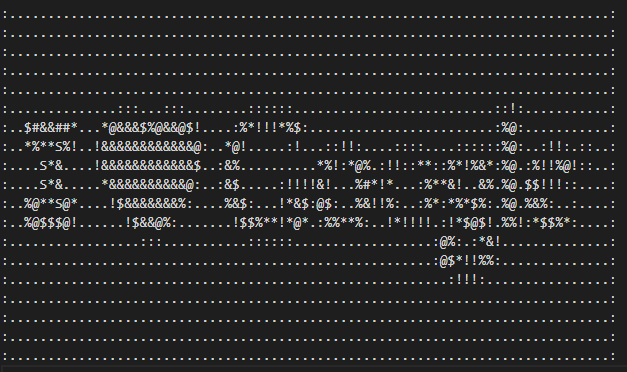
By using the first library that we play with, you can transform any images into an ASCII art file, special memories for the 80s.

Please download any image by searching: “I love Google” and save it as a PNG.

# To import the search function from the pywhatkit library
import pywhatkit as pwk pwk.image_to_ascii_art('loveGoogle.png', 'loveGascii.txt')

Thanks for reading! ♥


https://www.sickgaming.net/blog/2022/12/...cant-miss/

Print this item

  (Indie Deal) Spintires Giveaway & Winter Sales are coming to town
Posted by: xSicKxBot - 12-21-2022, 07:12 AM - Forum: Deals or Specials - No Replies

Spintires Giveaway & Winter Sales are coming to town

Spintires Giveaways
[www.indiegala.com]

https://www.youtube.com/watch?v=W44WH6pEXHY
Winter Sales are coming to town

https://www.youtube.com/watch?v=eYJMMLg2FpU

[www.indiegala.com]


https://steamcommunity.com/groups/indieg...0168557772

Print this item

  (Free Game Key) Broken Sword Directors Cut - Free GOG Game
Posted by: xSicKxBot - 12-21-2022, 07:12 AM - Forum: Deals or Specials - No Replies

Broken Sword Directors Cut - Free GOG Game

How to grab Broken Sword Directors Cut
- Go to the home page of https://www.gog.com/#giveaway
- Login and Register
- Go to the home page again
- Wait for 10 seconds then start searching for Broken Sword Directors Cut
- on the home page look for "Deal of the Day" (above it there should be a banner)
- on the banner there is a button "Yes, and claim the game" click it
- Thats it

We are welcoming everyone to join our discord[discord.gg]. We are more active there on finding giveaways, small or large, and there are daily raffles you can participate.

?GrabFreeGames.com ?Twitter ?Steam Curator ?Facebook[fb.me]?Discord[discord.gg]
❤️Support us: HumbleBundle Partner[www.humblebundle.com] Fanatical Affiliate[www.fanatical.com]


https://steamcommunity.com/groups/GrabFr...5457166990

Print this item

  News - Today's Free Game At The Epic Games Store Is Live Now
Posted by: xSicKxBot - 12-21-2022, 07:12 AM - Forum: Lounge - No Replies

Today's Free Game At The Epic Games Store Is Live Now

The Epic Games Store continues to give away free games each week, more than three years after the digital storefront launched its awesome weekly freebies program. Epic has confirmed that the free games program will continue through at least the end of 2022. Every Thursday at the same time 8 AM PT / 11 AM ET--Epic gives up between one and three free games. You merely need to create a free Epic account and enable two-factor authentication to start snagging freebies. At this point, Epic has given away well over 100 free games, and there's no sign that the program will stop any time soon. We keep this article up to date weekly to highlight both the current free games and next week's offerings.

Current free game at Epic

Wolfenstein: The New Order

Wolfenstein: The New Order is free at the Epic Games Store until tomorrow, December 21, at 8 AM PT / 11 AM ET. This excellent first-person shooter was free at Epic earlier this year, so there's a chance you already have it in your library.

Next free game at Epic

The next free game at Epic is a mystery. You'll have to check back tomorrow, December 21, at 8 AM PT / 11 AM ET to find out which game Epic is giving away next.

Continue Reading at GameSpot

https://www.gamespot.com/articles/todays...01-10abi2f

Print this item

  PC - Far Cry 6: Lost Between Worlds
Posted by: xSicKxBot - 12-21-2022, 07:12 AM - Forum: New Game Releases - No Replies

Far Cry 6: Lost Between Worlds


Lost Between Worlds is an expansion for Far Cry 6 that transports players to an otherworldly dimension full of fractured worlds called rifts, each a twisted slice of Yara full of surprises, dangers, and diverse gameplay challenges. Playing as Dani Rojas, players scramble down an active volcano in one rift, navigate a submerged version of Esperanza prowled by sharks in another, and race to stay ahead of a deadly lightning storm in a third, to name just a few. Along the way, they unlock new weapons and abilities as they fight crystalline enemies in their quest to collect lost shards and earn powerful gear that bring them closer to escape. Across multiple runs, players choose different paths from rift to rift and develop an uneasy alliance with Fai, the strange, sardonic artificial intelligence whose spacecraft created the rifts. [Ubisoft]

Publisher: Ubisoft

Release Date: Dec 06, 2022


https://www.metacritic.com/game/pc/far-c...een-worlds

Print this item

  [Oracle Blog] Update on 64-bit ARM Support for Oracle OpenJDK and Oracle JDK
Posted by: xSicKxBot - 12-20-2022, 08:36 AM - Forum: Java Language, JVM, and the JRE - No Replies

Update on 64-bit ARM Support for Oracle OpenJDK and Oracle JDK

As of JDK 15, the list of supported configurations of Oracle JDK includes 64-bit ARM systems running Oracle Linux 7.6 or later. Oracle JDK 15 binaries for 64-bit ARM systems can be downloaded at the usual download site on OTN, and the corresponding Oracle OpenJDK JDK 15 Linux ARM 64 binary can be do...


https://blogs.oracle.com/java/post/updat...oracle-jdk

Print this item

  [Tut] The Power of Automation Using Python – Segregating Images Based on Dimensions
Posted by: xSicKxBot - 12-20-2022, 08:36 AM - Forum: Python - No Replies

The Power of Automation Using Python – Segregating Images Based on Dimensions

Rate this post

Project Description


Recently, I was tasked with a manual project where my client had a directory where he had downloaded tons of wallpapers/images. Some of these were Desktop wallpapers, while the other images were mobile wallpapers. He wanted me to separate these images and store them in two separate folders and also name them in a serial order.

Well! The challenge here was – there were lots of images and separating them out by checking the dimension of each image individually and then copying them to separate folders was a tedious task. This is where I thought of automating the entire process without having to do anything manually. Not only would this save my time and energy, but it also eliminates/reduces the chances of errors while separating the images.

Thus, in this project, I will demonstrate how I segregated the images as Desktop and Mobile wallpapers and then renamed them – all using a single script!

Since the client data is confidential, I will be using my own set of images (10 images) which will be a blend of desktop and mobile wallpapers. So, this is how the directory containing the images looks –


Note that it doesn’t matter how many images you have within the folder or in which order they are placed. The script can deal with any number of images. So, without further delay, let the game begin!


Step 1: Import the Necessary Libraries and Create Two Separate Directories


Since we will be working with directories and image files, we will need the help of specific libraries that allow us to work on files and folders. Here’s the list of libraries that will aid us in doing so –

  • The Image module from the PIL Library
  • The glob module
  • The os module
  • The shutil module

You will soon find out the importance of each module used in our script. Let’s go ahead and import these modules in our script.

Code:

from PIL import Image
import glob
import os
import shutil

Now that you have all the required libraries and modules at your disposal, your first task should be to create two separate folders – One to store the Desktop wallpapers and another to store the Mobile wallpapers. This can be done using the makedirs function of the os module.

The os.makedirs() method constructs a directory recursively. It takes the path as an input and creates the missing intermediate directories. We can even use the os.makedirs method to create a folder inside an empty folder. In this case, the path to the folder you want to create will be the only single argument to os.makedirs().

Code:

if not os.path.exists('Mobile Wallpapers'): os.makedirs('Mobile Wallpapers')
if not os.path.exists('Desktop Wallpapers'): os.makedirs('Desktop Wallpapers')

Wonderful! This should create a couple of folders named – ‘Mobile Wallpapers’ and ‘Desktop Wallpapers’.

?Related Read: How to Create a Nested Directory in Python?

Step 2: Segregating the Images


Now, in order to separate the images as mobile wallpapers and desktop wallpapers, we need to work with their dimensions.

Though the following piece of code wouldn’t be a part of our script but it can prove to be instrumental in finding the dimensions (height and width) of the images.

Approach:

  • Open all the image files present in the directory one by one. To open an image the Image.open(filename) function can be used and the image can be stored as an object.
  • Once you have the image object, you can extract the height and width of the image using the height and width properties.
    • In our case, each Desktop Wallpaper had a fixed width of 1920. This is going to be instrumental in our next steps to identify if an image is a desktop image or a mobile image. In other words, every image that has a width of 1920 will be a Desktop image and every other image will be a mobile image. This might vary in your case. Nevertheless, you will certainly find a defining width or height to distinguish between the types of images.

Code:

for filename in glob.glob(r'.\Christmas\*.jpg'): im = Image.open(filename) print(f"{im.width}x{im.height}")

Output:

1920x1224
1920x1020
1920x1280
1920x1280
3264x4928
2848x4288
4000x6000
3290x5040
3278x4912
1920x1280

There we go! It is evident that all the desktop images have a width of 1920. This was also a pre-defined condition which made things easier for me to separate out the images.

?Recommended Read: How to Get the Size of an Image with PIL in Python

Once you know that the images with 1920 width are desktop images, you can simply use an if condition to check if the width property is equal to 1920 or not. If yes, then use the shutil.copy method to copy the file from its location into the previously created Desktop Wallpapers folder. Otherwise, copy the file to the Mobile Wallpapers folder.

Code:

for filename in glob.glob(r'.\Christmas\*.jpg'): im = Image.open(filename) img_path = os.path.abspath(filename) if im.width == 1920: shutil.copy(img_path, r'.\Desktop Wallpapers') else: shutil.copy(img_path, r'.\Mobile Wallpapers')

Step 3: Rename the Files Sequentially


All that remains to be done is to open the Desktop Wallpapers folder and Mobile Wallpapers folder and rename each image inside the respective folders sequentially.

Approach:

  • Open the images in both the folders separately using the glob module.
  • Rename the images sequentially using os.rename method.
  • To maintain a sequence while naming the images you can use a counter variable and increment it after using it to name each image.

Code:

count = 1
for my_file in glob.glob(r'.\Desktop Wallpapers\*.jpg'): img_name = os.path.abspath(my_file) os.rename(img_name, r'.\Desktop Wallpapers\Desktop-img_'+str(count)+'.jpg') count += 1 flag = 1
for my_file in glob.glob(r'.\Mobile Wallpapers\*.jpg'): img_name = os.path.abspath(my_file) os.rename(img_name, r'.\Mobile Wallpapers\Mobile-img_'+str(flag)+'.jpg') flag += 1

Putting It All Together


Finally, when you put everything together, this is how the complete script looks like –

from PIL import Image
import glob
import os
import shutil if not os.path.exists('Mobile Wallpapers'): os.makedirs('Mobile Wallpapers')
if not os.path.exists('Desktop Wallpapers'): os.makedirs('Desktop Wallpapers') for filename in glob.glob(r'.\Christmas\*.jpg'): im = Image.open(filename) img_path = os.path.abspath(filename) if im.width == 1920: shutil.copy(img_path, r'.\Desktop Wallpapers') else: shutil.copy(img_path, r'.\Mobile Wallpapers') count = 1
for my_file in glob.glob(r'.\Desktop Wallpapers\*.jpg'): img_name = os.path.abspath(my_file) os.rename(img_name, r'.\Desktop Wallpapers\Desktop-img_'+str(count)+'.jpg') count += 1 flag = 1
for my_file in glob.glob(r'.\Mobile Wallpapers\*.jpg'): img_name = os.path.abspath(my_file) os.rename(img_name, r'.\Mobile Wallpapers\Mobile-img_'+str(flag)+'.jpg') flag += 1

Note that the paths used in the above script are strictly limited to my system. In your case, please specify the path where you have stored the images.

Output:


Summary


Thus, thirty lines of code can save you several hours of tedious manual work. This is how I completed my project and submitted the entire work to my happy client in a matter of one hour (even less). Now, I can download as many wallpapers as I want for my mobile and desktop screens and separate them sequentially in different directories using the same script. Isn’t that wonderful?

?Recommended Read: How Do I List All Files of a Directory in Python?


https://www.sickgaming.net/blog/2022/12/...imensions/

Print this item

  (Free Game Key) Thems Fightin Herds - Free Epic Games Game
Posted by: xSicKxBot - 12-20-2022, 08:36 AM - Forum: Deals or Specials - No Replies

Thems Fightin Herds - Free Epic Games Game

Thems Fightin Herds - 24 hours only
https://store.epicgames.com/p/thems-fightin-herds

This game is free to keep if claimed by December 20, 2022 5:00 PM or in a day

- Click on the GET Button
- Verify that the price is zero
- Click on the Place Order Button
- Thats it, the game will be added to you Epic Games Account

We are welcoming everyone to join our discord[discord.gg]. We are more active there on finding giveaways, small or large, and there are daily raffles you can participate.

?GrabFreeGames.com ?Twitter ?Steam Curator ?Facebook[fb.me]?Discord[discord.gg]
❤️Support us: HumbleBundle Partner[www.humblebundle.com] Fanatical Affiliate[www.fanatical.com]


https://steamcommunity.com/groups/GrabFr...5456801810

Print this item

  PC - Knights of Honor II: Sovereign
Posted by: xSicKxBot - 12-20-2022, 08:36 AM - Forum: New Game Releases - No Replies

Knights of Honor II: Sovereign


Become the King and wrestle over control of Europe in this fresh take on medieval real-time grand strategy.

Knights of Honor II: Sovereign includes all the depth players desire while being the gate-way game to the grand strategy genre, presenting the world as a living, breathing miniature, alive and ripe for the taking. Choose your royal court carefully and determine the destiny of your people, be it riches, conquest, intrigue, trade, or defeat! Raise armies to defend your lands or take war to the enemy - even jump into battle directly in action-packed RTS combat.

The path is open: become the true Sovereign of your people.

Publisher: THQ Nordic

Release Date: Dec 06, 2022


https://www.metacritic.com/game/pc/knigh...-sovereign

Print this item

 
Latest Threads
RebatesMe Grocery Deals E...
Last Post: albert42
6 minutes ago
World Cup 2026 Lemfi Help...
Last Post: Tumb01
22 minutes ago
Try Lemfi This World Cup ...
Last Post: Tumb01
24 minutes ago
World Cup 2026 Lemfi UK C...
Last Post: Tumb01
25 minutes ago
Lemfi Transfer Time + Wor...
Last Post: Tumb01
26 minutes ago
Lemfi USA World Cup 2026 ...
Last Post: Tumb01
27 minutes ago
Lemfi Business + World Cu...
Last Post: Tumb01
28 minutes ago
World Cup 2026 Lemfi Prom...
Last Post: Tumb01
30 minutes ago
World Cup 2026: Is Lemfi ...
Last Post: Tumb01
31 minutes ago
Kod Temu Nowy Użytkownik ...
Last Post: faran8888
1 hour ago

Forum software by © MyBB Theme © iAndrew 2016