This tutorial is going to be a little outside the normal topic of game development but should still be of interest to some of you because Luminar 4 is currently available on Humble Bundle. Luminar 4 is an AI powered image manipulation program that’s easy enough even I can use it! One of the challenges though is that it doesn’t formally support Affinity Photo out of the box, and Affinity Photo is my photo manipulation weapon of choice. Therefore in this tutorial we will show how to get Luminar 4 up and running on Affinity Photo 1.8.
If you are simply interested in learning more about Luminar 4 be sure to check out our hands-on video, it’s an impressive program.
Installing Luminar 4 with Affinity Photo
First, install Luminar 4. Just go with the defaults and don’t worry about the plugins portion if you don’t already have Photoshop installed.
After Luminar is installed, navigate to the install folder in Explorer. In my case it’s C:\Program Files\Skylum\Luminar 4. Once there, locate and copy the file Luminar4.8bf. Now we need to copy it into the Adobe plugins folder, a folder that you will most likely have to create. In explorer go to the folder C:\Program Files\Common Files and if one does not exist, create a folder called Adobe. Inside Adobe create a folder called Plug-ins, then inside that create a folder called CC, then paste the Luminar4.8bf file into that directory. The end result should be something like this:
Now right click Luminar 4 in the start menu and Run as Administrator. Now select File->Install Plugins from the main menu.
So long as you copied the file earlier into the right folder, you should now see Uninstall in the resulting Window.
Click Uninstall then Install and you are done with Luminar. Now fire up Affinity Photo and select Edit->Preferences. In the resulting window select Photoshop Plugins.
Now click the add button, then select the Luminar directory.
Once selected, Luminar 4 should show up in the detected plugins section. After installing the plugin it will prompt you to restart Affinity Photo. Once done, you can access Luminar 4 in Plugins->Skylum Software->Luminar 4
While these instructions are specific to Affinity Photo, any program such as Paintshop Pro should also be able to install Luminar using this process.
You can learn more about Luminar 4 and the Humble Bundle (plus see the above process in action) in the video below. The Humble links contain an affiliate code that enables you to direct a portion of the proceeds from your purchase to support GFS and thanks so much if you do!
Rocket League Gets A Nice Boost On PS5 & Xbox Series X/S
Developer Psyonix has revealed that Rocket League will get some improvements on Xbox Series X|S and PS5, which went live alongside the release of Microsoft and Sony's next-gen consoles. It's a pretty nice boost, too.
According to a blog post, on both the Xbox Series X|S and PS5, Rocket League will have "significantly faster load times and improved splitscreen performance." Additionally, Rocket League on PS5 plays at 4K resolution at 60fps with HDR. Xbox Series S is 1080p resolution at 60fps with HDR, and Xbox Series X is 4K resolution at 60fps with HDR.
Though it wasn't ready for the launch of Xbox Series X|S, both consoles will support a new feature for Rocket League that's coming "later this year." This update is not scheduled for PS5.
Posted by: xSicKxBot - 11-12-2020, 10:38 AM - Forum: Windows
- No Replies
Securing remote employees with an internet-first model and Zero Trust
Like many this year, our Microsoft workforce had to quickly transition to a work from the home model in response to COVID-19. While nobody could have predicted the world’s current state, it has provided a very real-world test of the investments we have made implementing a Zero Trust security model internally. We had about 97 percent of our workforce at the peak successfully working from home, either on a Microsoft issued or personal device.
Much of the credit for this success goes to the Zero Trust journey we started over three years ago. Zero Trust has been critical in making this transition to a work-from-home model relatively friction-free. One of the major components to our Zero Trust implementation is ensuring our employees have access to applications and resources regardless of their location. We enable employees to be productive from anywhere, whether they’re at home, a coffee shop, or at the office.
To make this happen, we needed to make sure most of our resources were accessible over any internet connection. The preferred method to achieve this is through modernizing applications and services using the cloud and modern authentication systems. For legacy applications or services unable to migrate to the cloud, we use an application proxy service which serves as a broker to connect to the on-premise environment while still enforcing strong authentication principles.
Strong authentication and adaptive access policies are critical components in the validation process. A big part of this validation process included enrolling devices in our device management system to ensure only known and healthy devices are directly accessing our resources. For users on devices that are not enrolled in our management system, we have developed virtualization options that allow them to access resources on an unmanaged device. One of the early impacts of COVID-19 was device shortages and the inability to procure new hardware. Our virtualization implementation also helped provide secure access for new employees while they waited for their device’s arrival.
The output of these efforts, combined with a VPN configuration that enables split tunneling for access to the few remaining on-premises applications, has made it possible for Microsoft employees to work anywhere in a time when it is most critical.
Implementing an internet-first model for your applications
In this blog, I will share some recommendations on implementing an internet-first approach plus a few of the things we learned in our efforts here at Microsoft.Because every company has its own unique culture, environments, infrastructure, and threshold for change, there is no one-size-fits-all approach. Hopefully, you will find some of this information useful, even if only to validate you are already on the right path.
Before I jump in, I just want to mention that this blog will assume you’ve completed some of the foundational elements needed for a Zero Trust security model. These include modernizing your identity system, verifying sign-ins withmulti-factor authentication (MFA), registering devices, and ensuring compliance with IT security policies, etc. Without these protections in place, moving to an internet-first posture is not possible.
As previously mentioned, your apps will need to be modernized by migrating them to the cloud and implementing modern authentication services. This is the optimal path to internet accessibility.For apps that can’t be modernized or moved to the cloud (think legacy on-premises apps), you can leverage an app proxy to allow the connection over the internet and still maintain the strong authentication principles.
Secure access via adaptive access policies
Once your apps are accessible via the public internet, you will want to control access based on conditions you select to enforce. At Microsoft, we use Conditional Access policies to enforce granular access control, such as requiring multi-factor authentication, based upon user context, device, location, and session risk information. We also enforce device management and health policies to ensure the employee comes from a known and healthy device once they have successfully achieved strong authentication.
Depending on your organization’s size, you might want to start slow by implementing multi-factor authentication and device enrollment first, then ramping up to biometric authentication and full device health enforcement. Check out our Zero Trust guidance for identities and devices that we follow internally for some additional recommendations.
When we rolled out our device enrollment policy, we learned that using data to measure the policy’s impact allowed us to tailor our messaging and deployment schedule. We enabled “logging mode”, which let us enable the policies and collect data on who would be impacted when we moved to enforcement. Using this data, we first targeted users who were already using compliant devices. For users that we knew were going to be impacted, we crafted targeted messaging alerting them of the upcoming changes and how they would be impacted. This slower, more measured deployment approach allowed us to monitor and respond to issues more quickly. Using this data to shape our rollout helped us minimize the impact of significant policy implementation.
Start with a hero application
Picking your first application to move out to the public internet can be done in a few different ways. Do you want to start with something small and non-critical? Or perhaps you want to “flip the switch” to cover everything at once? We decided to start with a hero application that proved it works at scale. Office 365 was the obvious choice because it provided the broadest coverage since most employees use it daily, regardless of what role they are in. We were confident if we could implement Office 365 successfully, we could be successful with most of our portfolio.
Ultimately, it will boil down to your environment, threshold for support engagements, and company culture. Choose the path that works best for you and push forward. All paths will help provide valuable data and experience that will help later.
Prioritize your remaining apps and services
Prioritizing the apps and services you modernize next can be challenging, especially without granular visibility into what employees are accessing in your environment. When we began our journey, we had theories about what people were accessing but no data to back it up. We built a dashboard that reported actual traffic volumes to applications and services still routing to on-premises applications and services to provide the visibility we lacked. This gave us much-needed information to help prioritize apps and services based on impact, complexity, risk, and more.
We also used this dashboard to identify which application or service owners we needed to coordinate with to modernize their resources. To coordinate with these owners, we created work items in our task tracking system and assigned the owner a deadline to provide a plan to either modernize or implement a proxy front end solution. We also created a tracking dashboard for all these tasks and their status to make reporting easier.
We then worked closely with owners to provide guidance and best practices to drive their success. We conduct weekly office hours where application and service owners can ask questions. The partnership between these application and service owners and the teams working on Zero Trust helps us all drive towards the same common goals—frictionless access for our employees.
A quick note on what we learned through the dashboard—the on-premises applications and services people were still accessing were not what we were expecting. The dashboard surfaced several items we were unaware people were still using. Fortunately, the dashboard helped remove a layer of fog we were unaware even existed and has been invaluable in driving our prioritization efforts.
As I mentioned at the beginning of this blog, every company is unique. As such, how you think about Zero Trust and your investments might be different than the company across the street. I hope some of the insight provided above was helpful, even if it is just to get you thinking about how you would approach solving some of these challenges inside your own organization.
To learn more about how Microsoft IT (Information Technology), check out IT Showcase. To learn more about Microsoft Security Solutionsvisit our website. Bookmark theSecurity blogto keep up with our expert coverage on security matters. Also, follow us at@MSFTSecurityfor the latest news on cybersecurity.
Posted by: xSicKxBot - 11-12-2020, 10:38 AM - Forum: Windows
- No Replies
Microsoft names Christopher Young to lead business development
REDMOND, Wash. — Nov. 11, 2020 — Microsoft Corp. on Wednesday named Christopher Young as executive vice president of business development. Young will report directly to Microsoft Chief Executive Officer Satya Nadella.
A respected voice in technology and cybersecurity, Young most recently served as chief executive officer of McAfee, one of the largest cybersecurity companies in the world. In 2017, Young led the initiative to spin McAfee out of Intel as a standalone company and has since spearheaded McAfee’s mission to protect systems and data of customers around the globe. Previously, Young held senior leadership positions at Cisco, VMware, RSA and AOL.
“I’ve known Chris for many years and have admired his accomplishments as a leader. His experience and skills are an invaluable addition to our company and the senior leadership team,” Nadella said. “We know that for our customers and partners, the next decade of economic growth will be defined by the digital investments made today. With Chris’ leadership, the Business Development team will continue to be a key accelerant for our partnerships and new growth opportunities.”
Young will be responsible for developing Microsoft’s global business development strategies that drive growth across the company. This includes leading the evaluation and execution of strategic partnership opportunities, including alliances, venture investments and joint ventures that align with corporate strategy.
“The pace of change in our world is accelerating, and technology-driven experiences that are more connected, interactive and intelligent are the drivers,” Young said. “It is great to be joining Microsoft, to help lead this transformation in the way we work and live.”
Young holds an A.B. from Princeton University and an MBA from the Harvard Business School. He serves as a member of the President’s National Security Telecommunications Advisory Committee (NSTAC) and sits on the boards of directors of American Express and Snap Inc.
Microsoft (Nasdaq “MSFT” @microsoft) enables digital transformation for the era of an intelligent cloud and an intelligent edge. Its mission is to empower every person and every organization on the planet to achieve more.
For more information, press only:
Microsoft Media Relations, WE Communications, (425) 638-7777, [email protected]
XIII Remake’s Launch On PS4 Doesn’t Give Us Much Hope For The Switch Release
With the remake of XIII destined to launch on Switch in 2021, fans of Ubisoft’s old first-person shooter will no doubt be looking forward to revisiting everything it has to offer. If yesterday’s launch on PS4 is anything to go by, though, you might want to rethink all that.
Originally appearing on GameCube back in 2003, XIII was loosely based on a graphic novel series of the same name and was known for adopting a comic book-style aesthetic throughout. The remake, now available on PS4, has caused a bit of upset amongst fans for ditching its comic book looks for a different style, which some have likened to Fortnite.
That’s not all, sadly. As spotted by our pals at Push Square, Twitter user @SirCrackerBulb has shared some footage which shows a number of glitches and overall lack of polish that don’t appear to do the original justice.
We’d hope that the delayed launch of the Switch version will allow the team to work on some fixes before it arrives on the eShop, but if this was deemed good enough for a PlayStation launch, we’re not feeling particularly hopeful.
You might want to keep a watchful eye on this one before taking the plunge next year.
FREE Renzo Racer, Genesis Alpha One Deluxe Crackerjack and more
Renzo Racer FREEbie
[freebies.indiegala.com] Renzo Racer is a fast-paced cartoon style racing game challenging your maneuverability and driving skills to cross the finish line first!
Genesis Alpha One Deluxe at 67% OFF
[www.indiegala.com] Build and manage a space vessel, farm resources, deal with terrifying alien infestations, clone creatures and explore a vast, randomly generated universe.
Posted by: xSicKxBot - 11-12-2020, 03:00 AM - Forum: Windows
- No Replies
Preparing for the end of fall semester? These 7 Teams updates can help
With the school year well underway, educators have settled into remote and hybrid learning routines. As focus turns to concluding the fall semester, we’re sharing a few Microsoft Teams resources that can help create a more inclusive learning environment.
Microsoft Teamsis where everything comes together for your classroom. With on-demand resources and trainings available, there are many ways to use this comprehensive learning hub to create an engaging learning environment from anywhere.
Here are seven ways Teams can help create a seamless distance learning experience—this semester and beyond.
1. Microsoft Lists: These virtual to-do lists make it easy for both teachers and students to stay organized, keep track of assignments and resources, assign responsibilities for group projects, manage their schedules, and more.
2. Cross-posting Messages: The cross-posting feature saves teachers time by letting them reach students through multiple Teams channels at once. The demo below shows how easy it is for educators to share information with multiple classes in just a few clicks.
3. Reflect: This application enables teachers to check in with their students to evaluate how they are feeling. The confidential survey can regularly check in on students’ social-emotional learning, helping teachers to use the feedback to adjust lesson plans, assignments, and projects accordingly.
4.Spotlight: This feature allows the meeting organizer or presenter to pin someone’s video—whether it’s themselves or a student—so the person presenting is the main video people see. This helps students focus on who is speaking and on the content being shared.
5. Assignment Notifications: These allow teachers to notify students in specific Teams channels about assignments. With this feature, teachers have more flexibility in how they choose to communicate with students and assign them projects.
6. Rubrics: Teachers can use the rubrics tool in Assignments to create customizable, reusable rubrics so students can understand the criteria they’ll be graded against, and teachers can better evaluate their students’ work.
7. Live Captions: This accessibility feature creates real-time captions that appear on the bottom of your Teams screen as participants talk in a meeting. The captions are only visible to those who turn on Live Captioning, allowing individual students to personalize a meeting experience by selecting the setting that best suits their needs.
Vanguard, Crucible, and Gambit vendors now all reward a Prime version of their respective ritual engram for completing the weekly challenge.
These engrams award the ritual’s new Season of the Hunt armor on a knockout list until the full set has been obtained.
Once the full set is obtained the engrams drop re-rolls of the ritual armor as well as world weapons. (Note this is on a per-ritual basis; each ritual engram assesses separately.)
All armor dropped from these engrams is high stat armor.
The base (non-Prime) version of Vanguard, Crucible, and Gambit engrams now drops world armor until the respective ritual set has been obtained from the Prime ritual engram.
Once the ritual set has been obtained from the Prime ritual engram, low-stat ritual armor will drop.
Zavala, Shaxx, and Drifter now sell low-stat versions of their new Season of the Hunt armor. Armor must be obtained from the ritual’s Prime engram before it can be purchased.
Engrams
Engram previews for most gear engrams have been removed.
The following engrams had new versions created in Season of the Hunt: Legendary World, Prime, Crucible, Gambit, Vanguard, Gunsmith, and Iron Banner. Older versions of these engrams will be removed from the game in Season 13.
Players with a back-stock of these engrams in the Postmaster are advised to extract and decrypt these engrams before the end of Season of the Hunt.
Economy
Spider has made several changes to his inventory as follows:
He has grown jealous of the large stocks of Legendary Shards Guardians have saved up, and now covets them. To that end he will no longer part with Legendary Shards.
He has obtained Enhancement Prisms to sell but will part with no more than three per week for each customer.
He has priced these at 400 Legendary Shards each.
Enhancement Cores are now fixed in price at 30 Legendary Shards each (they do not ascend with each purchase) but are limited to 5 per day for each customer.
Zavala’s and Shaxx’s Boons and the Eververse’s Gleaming Boons have been deprecated and can be dismantled to recover their original full purchase price.
Economy, Currencies, Faction of the Nine, Dead Orbit, New Monarchy, Future War Cult faction tokens, and all Rare destination materials can now be safely discarded and can be deleted as a full stack.
Banshee-44 and the Spider will still accept planetary materials from Vaulted destinations for the duration of Season of the Hunt.
These materials will be deprecated in a future season and players are advised to spend them during Season of the Hunt.
Season Pass
Season Pass rewards have been refreshed for Season of the Hunt.
Additional Bright Dust has been added to the Season Pass reward tracks as follows:
Free Track: Added 5,200 to the already present 2,300, for a total of 7,500.
Paid Track: Added 2,600 to the already present 400, for a total of 3,000.
Weekly Bounties will now award 100 Bright Dust
Eververse
Starting in Season of the Hunt, Bright Engrams will now contain all Eververse content from Season 1 to three Seasons prior to the current Season (excluding content from special events like Festival of the Lost, the Dawning, etc.). Here are some practical examples:
Season of the Hunt: Bright Engrams contain all content from Seasons 1 through 9.
Season 13: Bright Engrams contain all content from Seasons 1 through 10.
Ghosts
All existing and new Ghost Shells except the Generalist Shell now have energy levels and access to mods with various energy costs instead of being pre-loaded with specific perks.
Ghosts now have four mod slots. Three are unlocked by default, and the fourth is unlocked by Masterworking the Shell.
Kill Tracker functionality remains only on Ghosts that originally had access to that perk.
Other pre-existing Ghost perks have been turned into mods and some have been made into more globalized versions of their past functionality.
A selection of mods are available on all Ghost Shells by default, with the remaining ones obtainable via various gameplay sources (information on where to find these mods can be learned from Collections).
No mods will be obtained from the Eververse and Eververse purchased Shells will have no advantages or functional differences from Ghost Shells earned in game.
Sparrows
All Sparrows intrinsically fast-summon now.
Newly acquired or reacquired from Collections sparrows no longer roll on the Speed Demon(fast-summoning) perk.
Players are advised to re-pull any sparrows they presently are using that have fast-summon to gain a new perk combo.
General Fixes
Matterscourge ornament can no longer be reacquired from Collections.
Last Perdition on Shaxx now dismantles for less than its vendor cost.
Universal Ornament item descriptions no longer refer specifically to Year-3 items.
Emotes now display flavor text on the item detail screen or when being previewed on the Eververse store.
Added icons to weapons that were missing their release watermark.
Exotic Ciphers can no longer be added to a player’s Vault.
Players saving an Exotic Cipher in their Vault must remove it and spend it before they can acquire a new one.
Armor affinity now display on player inspect.
Bounties
Lectern of Enchantment weekly bounty no longer references Nightmares on Io or Titan.
Progress is now made from defeating Nightmares on the Moon.
Power & Progression
Powerful sources, weekly rituals with Powerful rewards released with Shadowkeep no longer grant Powerful rewards.
These rewards have been moved to new rituals released with Beyond Light.
Once the character’s gear Power has reached the soft cap (1200 in Beyond Light), it will now be possible to receive small Powerful upgrades from some normal drops.
These will come from strikes, Crucible, and Gambit as well as some Seasonal sources, and are not subject to daily nor weekly lockouts.
These can drop until the Power Cap (1250 in Beyond Light).
Reduced the Power level of some vendor token rewards.
Player Identity
Login screens now have a dark background.
Updated the Full-screen Menus to have a dark background style.
Player waypoints now display Season Rank, HUD waypoints.
Character Creation:
Changed selection from “Male” & “Female” to “Masculine” & “Feminine.”
Guardian head and hair models have been replaced with improved versions.
Several color swatches have been changed to better represent the applied color.
Players previous head selections are still used.
Added toggle functionality to the character screen, allowing the player to make a choice between Light and Dark subclasses.
Character screen visuals updated depending on player choice between Light and Dark.
Triumphs
Triumph Screen Updates:
Navigation has been added to Triumphs and Seals to toggle between Active and Legacy content.
Legacy Triumphs and Seals have a new visual style to distinguish them from Active content.
Medals, Exotic Catalysts, and Lore have been given their own section within the Triumphs screen.
Improved Lore screen added for better book/page navigation.
Triumphs now display both the current step reward and final completion reward.
Triumphs have had an overhaul and are now categorized in a new way.
Lifetime Triumph sets will persist across all Seasons and introduces new players to the core aspects of Destiny.
Destination Triumph sets will move to the Legacy section when the related destination enters the Destiny Content Vault.
Seasonal Triumph sets will move to the Legacy section at the end of each year.
Legacy Triumph Sets and Seals are found in the Legacy section.
Legacy sets will not apply to your Active Triumph Score.
Players can still see their Legacy set scores and which Triumphs they completed in time.
All the Legacy Seals and their related Triumphs can be seen on the Legacy page.
Titles for completed Legacy Seals can still be equipped
Several new Stat Trackers were added to the system including, but not limited to, weapon-type Stat Trackers gated behind new Triumph completions.
Prophecy Dungeon Stat Trackers have been moved to the Open World category matching other Dungeon related Stat Trackers.
Combat
Weapons
Hand Cannons
Aggressive
Increased Rate of Fire (RoF) from 110 to 120.
Broke out Aggressive Hand Cannons, allowing custom tuning of stats (e.g. damage falloff for 100 range in this subfamily now starts at 32m).
Adaptive and Precision
Range stat now has more impact on minimum damage falloff range for both archetypes.
Damage falloff for 100 range now starts at 25m, was 20m.
Precision Hand Cannon
180 RoF magazine scaled up by 37 percent.
Note: This also affects Exotics with that RoF.
Lightweight (folded in to Adaptive)
Moved all Lightweight Hand Cannons (150 RoF) to the Adaptive subfamily (140 RoF).
This includes Luna’s Howl and Not Forgotten.
One Exotic Hand Cannon will retain 150 RoF.
We aren’t going to leave it to speculation.
It’s beautiful.
It does Solar damage.
It makes enemies explode.
It’s Sunshot.
Sniper Rifles
Adjusted how aim assist (AA) is affected by Sniper Rifle Zoom rating. The lower the Zoom the lower the AA and vice versa. Scopes with around 50 Zoom are unchanged.
Lowest-Zoom scopes have a large reduction in AA cone angle.
Highest-Zoom scopes have a small increase.
Auto Rifles
Adaptive
Damage per bullet reduced from 15.75 to 14.25.
Note: Prior to Season of the Worthy, damage per bullet was 13.75.
Scout Rifles
Increased how much each point of the AA stat widens the AA cone.
At maximum, the AA cone is now 15 percent wider.
Rocket Launchers
Increased reserves by 1 or 2 rockets depending on Inventory stat.
Perks
Outlaw – Reload speed increase felt insufficient with certain subfamilies and combinations of rolls (e.g. Aggressive Hand Cannons).
Increased Reload stat bonus from +50 to +70.
Merciless
Increased Inventory stat from 36 to 55 (this increases reserve ammo).
Mountaintop
Reduced splash damage by 33 percent, increased impact damage such that total damage is 5 percent lower than before.
Reduced projectile velocity multiplier from the Micro-Missile perk from 1.4 to 1.2. (i.e., now 20 percent faster than other breech Grenade Launchers instead of 40 percent).
Reduced in-air accuracy. Now has significant projectile error while in-air (around 7 degrees without the Icarus Grip mod, substantially less with).
Falling Guillotine
Reduced Heavy Attack damage by ~24 percent to bring in line with other Swords.
Note: Falling Guillotine will continue to be slightly above average, just not to the extent that it is now.
MIDA Multi-Tool and MIDA Mini-Tool
MIDA Mini-Tool
Moved the “Mida Synergy” trait to the intrinsic, similar to how the (Baroque) version works.
Added the following perks:
Hip-Fire Grip
Kill Clip
NOTE: There is an issue with the Masterwork on this weapon that prevents it from being upgraded. This will be fixed in a later update.
NOTE: The Gunsmith will begin selling a version of this weapon on November 10 with no infusion cap.
Sturm and Drang
Drang
Moved the “Together Forever” trait to the intrinsic, similar to how the (Baroque) version works
Added the following perks:
Accurized Rounds
Moving Target
NOTE: There is an issue with the masterwork on this weapon that prevents it from being upgraded. This will be fixed in a later update.
NOTE: The Gunsmith will begin selling a version of this weapon on November 10 with no infusion cap.
Ruinous Effigy
Transmutation Spheres
Reduced the damage of the aerial melee attack by 25 percent.
Significantly reduced the damage of the drain effect on enemy combatants.
Arbalest
No longer strikes shields multiple times, but its efficacy against shielded targets has been increased.
Jade Rabbit
Armor Piercing Rounds swapped to High Caliber Rounds.
This fixes an issue that could prevent the Exotic perk from triggering.
Traveler’s Chosen
Reduced muzzle flash intensity.
Point of the Stag
Increased Point of the Stag’s Max Power Level to 1310.
Divinity
Fixed a bug that prevented some weapons from dealing precision damage to the Divinity cage (e.g. Eriana’s Vow).
Energy Type Requirements
All of the weapon-oriented armor mods (e.g. Hand Cannon Loader, Fusion Rifle Ammo Finder, etc.) have been changed to be any energy type.
As a result of the above change, all Arc Charged with Light mods now activate their second perk if you have any other Arc mod equipped on the same armor piece, or if you have any other Arc Charged with Light mod socketed in any other armor piece you are wearing.
Enhanced Mod Rebalancing
All mods that have an Enhanced version of that mod (e.g. Enhanced Hand Cannon Loader) have had the base mods’ efficacy increased to match that of the Enhanced version of the mod.
As a result, those Enhanced mods have been deprecated, and the base mods’ energy costs have been adjusted upward slightly (but are still lower than the equivalent Enhanced mods).
Some mods have moved to different slots to create more competition for mod sockets across armor pieces (for example, the Fast Ready mods have moved to the Arms socket).
All of the broad category weapon-focused armor mods (Precision Weapon Targeting, Light Arms Loader, etc.) have been deprecated.
The Dexterity mod family has been moved to the Arms socket.
The mods that provide effects when you pick up an Orb of Power have been moved to the Legs socket.
The mods that grant Super energy on weapon kills have had their perks moved onto specific weapons and have been deprecated.
The Ashes to Assets, Dynamo, and Hands-On mods have moved to the Helmet socket
The Arc Resistance, Solar Resistance, Void Resistance, and Concussive Dampener mods have been moved to the Chest armor slot.
Their efficacy of the energy resistance mods has been significantly increased for a single mod (from ~5% to ~25% for one copy of the mod; two copies of the same mod provide ~40% resistance to that damage)
The Minor Resist, Major Resist, and Boss Resist mods have been deprecated.
The Transcendent Blessing mod has been moved to the General socket.
The Traction mod no longer costs armor energy and no longer provides any bonuses to Mobility.
Explosive Finisher has joined all of the other grenade-related mods in the Solar energy type.
Raid Mods
Starting in Season of the Hunt, Last Wish, Garden of Salvation, and the upcoming Beyond Light raid armors will now drop with a fifth, dedicated armor mod socket that is exclusively for the mods related to that raid.
Anti-Taken mods from Last Wish will only function in the Last Wish raid.
Anti-Hive mods from the Leviathan raid will be deprecated.
Anti-Fallen raid mods from Scourge of the Past will be deprecated.
Last Wish and Garden of Salvation armor acquired prior to Season of the Hunt will not have this dedicated armor socket but will still be able to use the mods related to that raid in the new Legacy armor mod socket.
Combat Mods
All armor released in Beyond Light and Season of the Hunt, all Last Wish and Garden of Salvation armor acquired starting in Season of the Hunt, and all Armor 2.0 Exotic armor pieces (including those already possessed by players) will have a Combat style mod socket.
In Season of the Hunt, this socket will accept all Charged with Light and Warmind Cell mods.
All Armor 2.0 armor acquired during Seasons 8 through 11 have had their Seasonal mod sockets replaced with a single, unified Legacy mod socket that can socket all Charged with Light mods, all Warmind Cell mods, all Nightmare Hunt mods, all Garden of Salvation mods, and all Last Wish mods.
Banshee-44 now has a chance to sell armor mods from Black Armory, Season 10, and Season 11.
Anti-Champion Mods
Anti-barrier rounds will now penetrate Taken Phalanx shields.
All Anti-Champion mods have been shifted to armor, rather than taking a weapon mod slot.
Abilities
Increased Hunter’s dodge cooldown by a few seconds
(E.g. Tier 4 original cooldown: 22 sec. New cooldown: 26 sec)
Orbs of Light have been changed to Orbs of Power as they can now be consumed by Light and Dark subclasses.
Activities
Vanguard
Removed Legacy Nightfall and Heroic story mission nodes.
Nightfall: The Ordeal
Adjusted Adept recommended Power level to 1180, matchmaking is available at 1150.
All versions of Nightfall: The Ordeal now fill player ammo at the start of the activity (like Grandmaster has always done).
Gambit
Merged Gambit and Gambit Prime into a single mode
Single round.
Gambit Prime encounters, with all a large boss combatants reduced in potency.
Gambit Prime mote targets and drain.
Gambit Prime blockers, with the Phalanx taking the place of the Captain for 10 motes.
Gambit Prime invasion cadence, with longer cooldown between invasions.
Gambit boss fight, with increased Primeval health and Slayer buff potency.
Removed Gambit Prime armor perks.
Crucible
Updated the Crucible’s featured modes:
Control
Elimination
Rumble
Glory: Survival
Both Survival and Survival: Freelance will be available.
Weekly rotator
Clash
Mayhem
Showdown
Private matches
Limited Availability
Iron Banner
Iron Banner: Freelance
Weekend Availability
Trials of Osiris
Trials of Osiris
Trials of Osiris Power level requirement increased to 1210.
Weapons or armor that have ornaments applied to them now correctly show the ornament icon during the Trials intro.
Added Adept weapons and weapon mods to Flawless chest rewards.
Added physics blockers to some out-of-bounds areas on Altar of Flame.
Added physics blockers to some out-of-bounds areas on Exodus Blue.
Added physics blockers to some out-of-bounds areas on Cauldron.
Monument to Lost Lights
Added the following to the new Monument to Lost Lights vendor in the Tower:
Exotic quest weapons from Year 1.
Most Exotic quest weapons from Year 2.
Exotic Season Pass and quest weapons from Year 3 through 8, 9, and 10.
All past pinnacle and ritual quest weapons.
Vaulted Raid’s Exotic Weapons.
All Exotics require an Exotic cipher, large amounts of Glimmer, a large amount of one planetary materials, and a small amount of Masterworking material.
Legendary weapons require a second Masterworking material, rather than an Exotic cipher.
Amounts vary between weapons.
Added a repeatable source of Exotic ciphers – visit Xur to learn more.
Added a new currency, Spoils of Conquest, acquirable only from raids.
Spoils of Conquest can be used to acquire Vaulted raid’s Exotic weapons from the Monument to Lost Lights vendor.
General
Fixed an issue where dying while holding Riven’s Heart could cause the Heart to disappear.
Removed flashpoints.
Removed the following Shadowkeep challenges from the Moon:
Rune table
Repeatable campaign missions
Nightmare Hunt completion and time trials
Pit of Heresy completion
Garden of Salvation completion
Quest Notifications
Added notifications in the player’s HUD that display whenever a player acquires a new quest, progresses to a new quest step, and completes a quest.
Tracking a quest with an associated map location automatically adds a waypoint to that associated location.
Added a shortcut to the current Season’s Triumphs within the Seasonal tab of the Quest Log.
New Light
Greatly expanded the New Light experience
Introducing a new introductory campaign that both new players and veteran players can experience.
Cosmodrome makes a return as a destination along with new activities and a new NPC.
Created additional new user experience tutorials to help explain equipping weapons and armor, quests and bounties, lost sectors, strike matchmaking, and more.
Veterans can experience this new campaign should they choose by retrieving the “A Guardian Rises” pursuit from the Quest Archive.
The Pain & Gain Exotic quest for Riskrunner has been replaced
This quest has been folded into the New Light campaign experience.
Subclass Acquisition
New Light players who do not have a veteran account with all subclasses unlocked will now acquire alternate subclasses from Ikora
New characters can earn pursuits to unlock their additional subclasses by speaking with Ikora after their first strike.
All subclass pursuits are class scoped just as their subclasses are.
Alternate characters with missing subclasses can acquire them by speaking with Ikora and accepting the subclass pursuit package.
Added a new vendor to the Tower, located to the left of the Postmaster.
The Quest Archive Vendor functions much like the Destiny 1 Abandoned Quests Kiosk as well as a way to acquire older pursuits.
The kiosk has subpages that group the pursuits just as they are seen on your Quests page.
Going forward any pursuits abandoned will go to this vendor.
Older pursuits can now also be found on this vendor.
This is to help ensure that vendors do not become overwhelmed by older content.
Triumphs are now unlocked as part of the New Light experience
Prior to this moment you will not be able to navigate Triumphs if your account has not yet unlocked them.
Unlocking Triumphs on any character enables them for all.
There are categories of Triumphs under Lifetime that unlock as a result of claiming adjacent Triumphs.
The Season Pass and its rewards are now unlocked as part of the New Light experience
Unlocking the Season Pass on any character enables it for the entire account.
The first time you unlock the Season Pass you will earn 5 free ranks, up to rank 5.
Rested XP is also not enabled until the Season Pass has been unlocked.
The moment that the Season Pass is unlocked both Rested XP and Challenges are enabled.
Destinations unlock via XP if you do not own the expansion associated with that destination.
Unlock Order:
Cosmodrome
Europa
EDZ
Nessus
Tangled Shore
Dreaming City
Moon
Crucible and Gambit
These activities are now unlocked after reaching the Tower and picking up the associated pursuit from Lord Shaxx and Drifter respectively.
Completing the first step of either pursuit unlocks the entirety of the activity types modes.
These pursuits can be acquired when returning to the Tower after your first strike.
They can be picked up, but they will not advertise on the vendor waypoint/tooltip until you’ve progressed through the game further.
Strikes can be unlocked after completing the first step of the strike introduction pursuit provided by Zavala.
The Forsaken campaign now has the same introduction behavior as Shadowkeep and Europa.
All players regardless of expansions owned get to experience the first mission of the Forsaken campaign upon unlocking the Tangled Shore.
Completing this activity is a requirement for unlocking Free Roam on the Tangled Shore.
Accounts that own Forsaken will automatically be given the remainder of the campaign and may continue as they see fit.
Accounts that do not own Forsaken will be able to pick up the remaining campaign for Forsaken from the Quest Archive vendor once they’ve purchased it.
Accounts that do not own Forsaken can still explore the Tangled Shore and the Dreaming City after having unlocked their patrol zones.
Beyond Light
Veteran characters who log in and qualify for the start of the Beyond Light campaign will be automatically launched into it.
New characters who log in and qualify for the start of the Beyond Light campaign, but have not completed the New Light quest, will not be automatically launched into it.
This does not disable a new character from manually starting the Beyond Light campaign.
Chaperone Acquisition
There is now an alternative pursuit for acquiring the Exotic Shotgun, Chaperone.
This pursuit may be acquired via Shaw Han on the Cosmodrome or the Quest Archive Vendor in the Tower.
This pursuits requires ownership of Beyond Light.
The pre-existing pursuit for Chaperone continues to exist as-is and remains part of the Forsaken expansion.
Misc
Fixed a bug that prevented online friends from showing up in the roster on Stadia for players with over 100 friends.
Fixed a bug that occasionally prevented players from earning progress on bounties when joining an activity in progress.
This most notably impacted Iron Banner bounties, and also caused players to have their artifact power bonus enabled.
General
PC
PC players with compatible NVIDIA cards and drivers will be able to take advantage of Destiny 2 integration with NVIDIA Reflex, reducing “click-to-display” latency during gameplay.
Environment
Updated lighting in a number of areas on EDZ and Nessus.
Updated lighting and sky atmosphere for EDZ.
Localization
Due to the challenges of voice recording during a global pandemic, different actors had to be used for the following characters:
Osiris (Brazilian version)
Eris (Brazilian version)
Eris (Polish version)
We intend to return to the original cast as soon as possible.
Advanced Rendering
Lighting improvements and better dark area standardization.
Please revisit your brightness settings and tune to your taste.
We recommend HDR black point is set to the default middle value for best results.
Disrespect/Hate Speech
Disrespect/Hate Speech
Harassment/Personal Attacks/Bullying
Name and Shame/Privacy Violation
Gory Violence/Explicit Sexuality
Threats of Violence/Illegal Activity
Political/Religious Discussion
Cheating/Hacking
Spoilers/Distributing Stolen Content
Soliciting/Plagiarism/Phishing/Impersonation
Disruption/Evasion
Disrespect/Hate Speech
Disrespect/Hate Speech
Harassment/Personal Attacks/Bullying
Name and Shame/Privacy Violation
Gory Violence/Explicit Sexuality
Threats of Violence/Illegal Activity
Political/Religious Discussion
Cheating/Hacking
Spoilers/Distributing Stolen Content
Soliciting/Plagiarism/Phishing/Impersonation
Disruption/Evasion
Your role as a moderator enables you immediately ban this user from messaging (bypassing the report queue) if you select a punishment.
30 Day Ban
Permanent Ban
This site uses cookies to provide you with the best possible user experience. By clicking ‘Accept’, you agree to the policies documented at Cookie Policy and Privacy Policy.
Accept
This site uses cookies to provide you with the best possible user experience. By continuing to use this site, you agree to the policies documented at Cookie Policy and Privacy Policy.
close
Our policies have recently changed. By clicking ‘Accept’, you agree to the updated policies documented at Cookie Policy and Privacy Policy.
Accept
Our policies have recently changed. By continuing to use this site, you agree to the updated policies documented at Cookie Policy and Privacy Policy.
Super Smash Bros. Ultimate’s Next In-Game Event Is Making Us Seriously Hungry
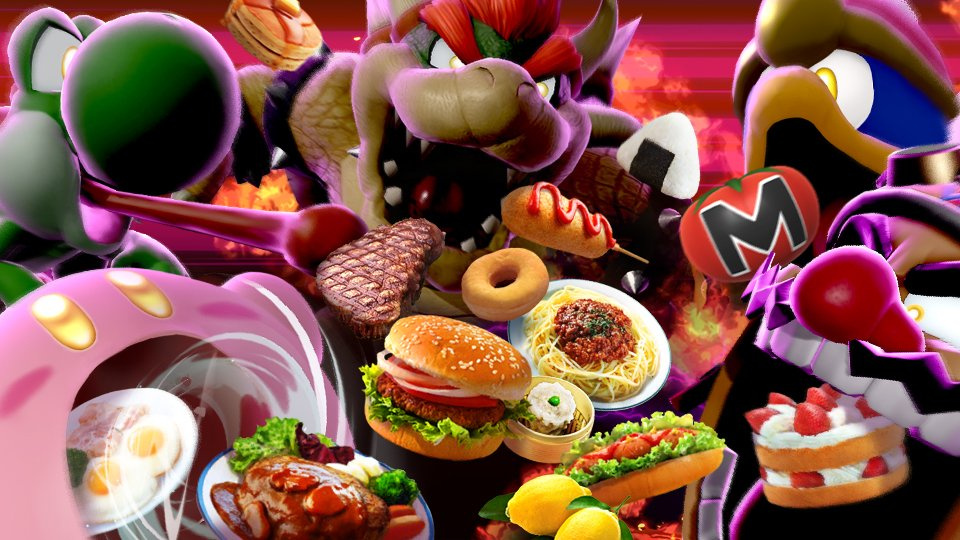
We’re pretty sure our eyes do this too when there’s a pizza around…
Nintendo has announced the latest tourney event to take place inside Super Smash Bros. Ultimate, and we’re suddenly feeling ridiculously peckish.
Starting this Friday, 13th November, Smash players will be able to jump into a new ‘All Mouth’ tourney. It stars fighters who use their mouths in battle, so expect plenty of biting, firebreathing and Yoshi licks during this heated contest.
Battles will also take the food theme further by including a high rate of consumables in each stage, so if you’re wanting to try something a little different, make sure to jump into a few battles and see how you do. The tourney lasts for three days in total and can be accessed in-game.
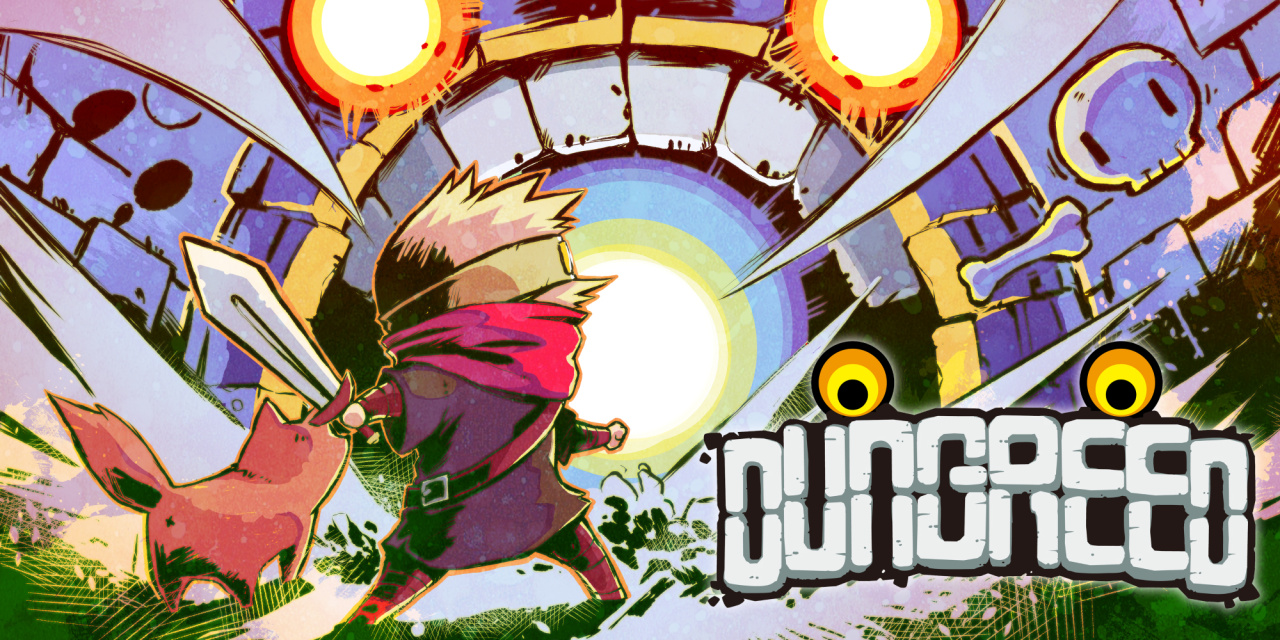
Review: Dungreed – A Great Roguelite For Those New To The Genre
Live, die, repeat. Such is the way in roguelikes, which are experiencing somewhat of a resurgence in popularity lately, with the likes of Spelunky 2 and Hades dominating whatever remains of watercooler talk now that no one goes to the office any more. You live, making your way through dungeons, finding new weapons, beating a boss or two, and learning new things about the way things work. You die, inevitably, somewhere during your run, losing all your progress, retaining only the knowledge. You repeat, reborn back at the start, ready to make another go of it, hoping that your luck and your know-how will serve you better this time.
Dungreed is, in many ways, a rather typical game in the roguelike genre. It takes place in a dungeon, where monsters of various types will attack with various weapons. Each level of the dungeon is procedurally generated, adding an element of surprise, the player perpetually unsure of what the next room will bring – salvation, or ruin. Somewhere in the dungeon is hidden the exit, which leads to the next level, where a boss waits to be vanquished before the next level – featuring new enemies, new items, and new ways to die – is accessible.
But Dungreed is actually a “roguelite”, in which your progress is not entirely lost – there is a measure of persistence. In Dungreed’s case, it is both money (albeit capped according to your level) and your experience. Both are valuable resources in preparing yourself for the next run; money can buy you weapons before you enter the dungeon, and experience means points to spend on a skill tree that will up the chances of survival.
The player will always begin with the same rubbish sword, but will quickly acquire new weapons – and new ways to play – by ploughing through the dungeon’s rooms. These range from bigger swords, to bows and guns, to rare weapons that deal huge damage at the cost of speed, or weapons that have useful and unique buffs. It’s up to the player which weapons, and which stat-boosting accessories, work best for their playstyle – and there are a lot of options.
Also in the dungeon are slightly more friendly additions, and this is where Dungreed starts to come into its own. The occasional appearance of a shopkeeper, ready to trade your ill-gotten gains for new weapons and accessories, is fairly standard, but the inn – where players can buy food – is unique to Dungreed.
At the beginning of each run, the player will have 100 “Fullness Points” to spend on meals, with most meals costing between 50 and 70 points. Going through a door into a new room will spend these points slowly, allowing for more food, so it becomes a careful balancing act of trying to find the inn as soon as possible and monitoring the Fullness level so that more food can be consumed. Each meal has different benefits, ranging from extra defence and power to additional evasion and block – and each also costs a different amount of money, Fullness points, and heals a percentage of the current max HP, making it an interesting challenge to weigh up the benefits against the various costs each time.
Smaller and less frequent rooms offer various opportunities, too; the chance to trade in items for a new, randomly-chosen one; the offer to take a mysterious deal with unknown benefits; or a choice of four items, completely free. These rooms are always exciting to find, as they can completely change the feel of a run – and the player’s luck.
As with many games of any genre, though, the first few hours are a real chore. Underpowered and not yet equipped with any useful knowledge, the player will find the Live-Die-Repeat game loop is more about the “Die” and “Repeat” parts for many runs before they start to unlock useful stuff. Hidden in the dungeon are villagers who need to be rescued, and although the first couple (found on level one) are relatively fast to find, the rest are locked behind the game’s first boss, Belial, who is punishingly hard until suddenly, with the right weapons, he isn’t. Progress will be horribly slow for at least a couple of hours, and then it will come all at once, when a great combination of weapons, accessories, and luck magically combines.
The main problem – at least for some – is the control scheme. Dungreed is sort of half-heartedly a twin-stick game, meaning that the jump, attack, and dodge buttons are all on the triggers and bumpers. For those familiar with twin-stick controls, this may not be a problem, but for those expecting the face buttons to be where jumping and attacking are found, like most games, it can be frustrating to begin with. Luckily, Dungreed lets you remap the controls, so this problem only needs to last as long as it takes to try out the settings menu.
In fact, Dungreed has been designed with ultimate ease in mind, and it’s one of the game’s greatest strengths. The developers have clearly taken notes on what works, what doesn’t, and what players need when playing roguelite games, and have made concessions and design decisions that smooth over a lot of the bumps, letting the game shine through without them.
Once the player dies, they are booted back to the main town, and just holding down the A button will allow them to jump right back into the dungeon, with the quick option of buying stuff from the shops they’ve unlocked. Fast travel within the same town will also let them jump around the shops easily and quickly – no one plays these games for the tedium of walking from place-to-place, after all. Even the persistent upgrade system is easy to use, with a completely free reset that allows the player to try different allocation of experience points for a different style of play.
It’s fantastic to be able to fiddle around with these things at no cost, and it’s clear that the developers knew that the real joy in roguelites is not in gathering resources to pay for upgrades, but instead in trying new things, experimenting, and feeling the joy and power when it all works out. Dungreed may begin slowly and take a while to reach speed, but once it does, it’s a fantastic and thoughtfully-made game that serves roguelite fans extremely well.