Pokémon GO Is Ending Support For Older Android Devices
Update (Thu 18th Jun, 2020 01:30 BST): It looks like Niantic has had second thoughts about dropping support for older Android devices in its next update. This will now be postponed until it’s collected more data. Here’s the important post it made on its support page:
Important update (June 15, 2020): To investigate player concerns, we are now postponing this deprecation to a (TBD) future date. We’ll be using this additional time to collect more data on impacted devices. We apologize for any inconvenience or confusion caused, and will update in advance when we move forward with the deprecation.
Original Story (Fri 12th Jun, 2020 01:30 BST): Niantic has revealed the August update for its augmented reality mobile game Pokémon GO will end support for 32-bit Android devices. The reason behind this is so that it can “streamline” development and focus resources on newer operating systems.
64-bit Android devices and iOS users will not be affected, and won’t have to take any action. Here are some examples of Android phones that will no longer be able to run GO:
Samsung Galaxy S4, S5, Note 3, J2, J3
Sony Xperia Z2, Z3
Motorola Moto G (1st gen), Nexus 6
LG Fortune, Tribute
OnePlus One
HTC One (M8)
ZTE Overture 3
If you’re unsure whether your Android device is 32-bit or 64-bit, check with your device manufacturer. Most Android phones manufactured before 2015 are 32-bit. If your device has at least 4GB of RAM, it is highly likely that your device is a 64-bit model.
Obviously, once this update is released, affected trainers will no longer be able to access the game, their accounts, their PokéCoins, or items in their Item Bag. For more information about this, visit the official GO help page.
Will you require a phone upgrade this August to continue playing Pokémon GO? Leave a comment below.
EA Adds More Games To Steam, Including Titanfall 2 And Dead Space 3
More Electronic Arts titles have popped up on Steam today, joining a bunch of games the publisher has recently released on Valve's digital storefront. The Sims 4 and all its expansion content, Dead Space 3, A Way Out, and Titanfall 2 are new to the PC platform, following a host of games that have popped up on Steam recently.
The releases come just ahead of EA Play 2020, the virtual version of the publisher's yearly E3 fan event that takes place later today. Not all of the publisher's games are available on Steam just yet, as Apex Legends, for instance, remains Origin-only on PC.
To mark the release of the new games, they're all on sale, as is their DLC (of which there is a ton for Sims 4). These range from 30% to 75% off.
Nintendo’s Wii Is Still A Hit In Care Homes 13 Years Later
If you can believe it, it’s now been around 13-and-a-half years since the Wii first burst into our living rooms, taking the world by storm thanks to its virtual takes on tennis, bowling and the like.
If you were old enough at the time, you’ll likely remember the stories that would circulate around the time of the console’s launch, mostly consisting of stock issues and headlines about old people being ‘addicted’ to it – seriously, that was a thing. We wouldn’t necessarily expect these types of stories to still be popping up in 2020, but that’s exactly what’s happened this morning.
Local news outlet Harrogate Informer has shared a charming story on residents at Windsor Court, a care home in nearby town, Wetherby. A domestic assistant at the home, Leown Botten, organised the donation of a Wii console, setting it up for the residents and teaching them how to play. Harrogate Informer says the residents are now “hooked” to Nintendo’s machine, taking it turns to enjoy everything it has to offer.
“I have been really enjoying playing our new games,” says 85-year-old resident, Brian Green. “I wouldn’t have thought I would have ever be able to play video games, but the Wii is brilliant and so easy to use! I have been loving our tennis and golf matches.”
The care home’s manager, Paula Mountjoy, has said that the console has brought residents together, helping them to get exercise and have fun.
It’s great to hear that the Wii is still being enjoyed to this day. Wii Sports is still a cracker, even now.
The Last Of Us 2 Walkthrough - Part 1: Jackson (Spoiler-Free)
Warning: We've done everything we can to minimize spoilers in this walkthrough so you can enjoy the game even if you need help finding collectibles. However, if you want to know nothing about the game before playing, you should stop reading now.
Like its predecessor, The Last of Us Part 2 will have you scavenging through its post-apocalyptic world to craft weapons and supplies, protect yourself against enemies, and uncover the story of the people who've come and gone before you. There's a lot to uncover in The Last of Us that will expand on the story, give you new fighting capabilities and weapons, and unlock Trophies.
We've found everything there is to find in The Last of Us Part 2, and compiled it here in an extensive walkthrough. But while we'll tell you where to find everything in the game, we won't spoil the story or give you too much information. Scavenging for most materials and dealing with enemies is up to you, and we'll skip talking about areas or encounters that don't include things you could miss in order to avoid spoilers. We'll also try to avoid revealing any scares or other surprises along the way.
This week at Bungie, we launched a whole bunch of missiles.
It’s been an action packed week. Over the weekend, we watched as Rasputin sent literal ordnance into the sky to take down the Almighty in Destiny 2’s first live in-game event. We followed that up with a mighty salvo of virtual launches in the form of media, articles, and a stream to showcase the future of Destiny. Season of Arrivals has started building a bridge to this fall, when Guardians will wield the Darkness for the first time in Destiny 2: Beyond Light.
Here’s the full stream in case you haven’t had a chance to watch yet.
Don’t have time to watch the full stream? Here are a couple of the first looks at Destiny 2: Beyond Light.
We’re excited about the future of Destiny. To lay the groundwork, we have to make some changes to the core game. Several less-explored locations and activities will be going into the Destiny Content Vault (DCV) to pave the way for new hotness like Europa coming this fall. We lay out a lot of information on what to expect in our Building a Viable Future in Destiny 2 article. We know you have a lot more questions and we’ll have answers to share throughout the summer.
Since Season of Arrivals acts as a prelude to Beyond Light, we have held our plans for the Season close to our chest until the reveal this week. The Pyramid ships have begun to arrive on Io and Eris is hard at work trying to decipher their intentions. She needs your help.
Oh, and did we mention there is a brand new dungeon? Prophecy is free to all players and transports you into a strange dimension to seek out the IX. It’s got some real Rainbow Road vibes too. Here’s a peek.
The future is bright and full of new challenges to tackle. We hope to see you out there.
Match Made in Heaven
By the time that this TWAB is published, a few changes to Crucible matchmaking will be live. Matchmaking based on player skill has been removed from all playlists except Elimination, Survival, and Survival: Freelance. Trials of Osiris will continue to be matched based on the number of wins on your Passage.
We are doing this to:
Respond to community feedback.
Shorten queue times for players.
Improve connection quality of matches.
Provide more places where the outcome of the match isn’t as important as enjoying the experience.
Play into the strengths of Crucible being a bombastic, frenetic action game.
The pursuit of Glory Points in Survival and attempting to go Flawless in Trials of Osiris will allow those playlists to reinforce that the outcome of matches are important and keep the stakes high. We want the rest of the Crucible to be less of a high-stakes environment where players can have a more relaxed experience and just enjoy the Destiny multiplayer sandbox.
We will continue to monitor feedback and game data around these changes. If we decide to make any further adjustments, we’ll let you know.
Counted You One of My Crew
The Destiny Dev Team has a quick update on a change we are making to the Dredgen title.
Destiny Dev Team: Hey everyone,
As you may have read here, we made some changes to the World Loot Pool. As a result, a few of the legendary weapons in the Playing for Keeps Collection badge no longer have a reward source in the game.
While we still strongly believe that gear collection is a critical part of what it means to earn and wear a title, we’re going to remove the Playing for Keeps badge from the Dredgen title requirements in an update next week. While not trivial, the badge didn’t represent the challenging portions of earning the title. We feel removing this requirement doesn’t reduce the meaning of wearing Dredgen over your head. That said, we don’t like making changes to titles as their complexity and depth is what gives them meaning, but in this case, the long-term weapon health outweighs a small change to the title.
We know you have a lot of questions about how our Destiny Content Vault announcement this week will affect other Triumphs and titles. We will have more details for you soon.
Thank you, and keep sending us feedback as we strive to make a meaningful, evolving world in Destiny.
New Threads
We have a new item from Bungie Rewards available to anyone brave enough to defeat the new dungeon before the end of the season. Players who complete Prophecy will unlock an Emissary of the IX Hoodie that can be purchased from the Bungie Store.
We will have be adding more Bungie Rewards during Season of Arrivals so keep an eye out.
Ground Control To You
When new content is released, the Player Support Team is carefully watching to identify any new issues that emerge so we can get fixes in the works.
This is their report.
SEASON OF ARRIVALS AND BEYOND
With the launch of Season of Arrivals on June 9, and with the announcement of Destiny 2: Beyond Light, Destiny Player Support wants to make players aware of resources that are available regarding said content. This includes:
Please note that past Season Pass rewards from the previous Season, Season of the Worthy, are available to claim here. Past Season Pass rewards from Season of the Worthy will be unable to claim when Season of Arrivals ends
HOTFIX 2.9.0.1
CHARGED WITH LIGHT
Shortly before the launch of Season of Arrivals, DPS became aware of a bug regarding the seasonal Charged with Light armor mods. This bug allows players to equip all of the current seasonal Charged with Light armor mods on any of the Season of the Worthy armor pieces without having previously acquired them. While this bug will be fixed in Hotfix 2.9.0.1, the team has decided not to disable the mods until then to allow players to try out the mods for this week.
UPCOMING RESOLVED ISSUES
Below is a list of issues that will be resolved with Hotfix 2.9.0.1:
The Guardian Angel artifact armor mod is not granting its perk when the mod is slotted.
The Breach Resonator artifact armor mod is not granting its perk when the mod is slotted.
On controllers, Sprint will cancel if players press the Sprint action again.
Players will a full engram inventory of Umbral Engrams may be blocked from completing the Season of Arrivals opening quest.
Visible holes are present in the EDZ terrain where the Seraph Towers used to be.
BEYOND LIGHT PRE-ORDER ITEMS ON XBOX
In order to receive their pre-order bonus items players who have purchased the Destiny 2: Beyond Light or Destiny 2: Beyond Light + Season pre-order bundles on XBOX need to manually download the “Destiny 2: Beyond Light Pre-Order Pack”.
Players who have purchased the Destiny 2: Beyond Light Deluxe Edition pre-order bundle on XBOX will need to manually download both the “Destiny 2: Beyond Light Pre-Order Pack” and the “Destiny 2: Beyond Light Exotic Emote”
From the Xbox dashboard, highlight the Destiny 2 image
Select “Manage game & add-ons”
Navigate to the “Ready to install” section on the left
“Destiny 2: Beyond Light Pre-Order Pack” should appear on the right. For Deluxe Edition owners, “Destiny 2: Beyond Light Exotic Emote” should also be listed.
Select “Destiny 2: Beyond Light Pre-Order Pack” on the right, then select Install
Deluxe Edition owners should also select “Destiny 2: Beyond Light Exotic Emote” on the right, then select Install
Wait for the console to report the DLC is installed
Start Destiny 2, and visit the Cryptarch in the Tower to acquire all pre-order items.
Some players who have already pre-ordered may run in to an issue where the Pre-Order Pack and Exotic Emote are not showing in the “ready to install” section. For those players, these are the next steps:
Open the Microsoft Store app and navigate to the specific bundle they purchased
Select the “Install” button. This shouldn’t take long, it’s no more than ~30 MB
“Ready to install” for Destiny 2 in “My games & apps” should now be populated with the missing DLC.
If re-installing the bundle doesn’t populate “ready to install”, players should try these steps:
Open the Microsoft Store app
Search for “Destiny 2: Beyond Light Pre-Order Pack” and select it from the search results
On the product page, select Install
For Deluxe Edition owners, repeat the above steps for “Destiny 2: Beyond Light Exotic Emote”
Wait for those download(s) to complete and then try the game again
CURRENT KNOWN ISSUES
While we continue investigating various known issues, here is a list of the latest issues that were reported to us in our #Help Forum:
The Almost Mighty Exotic Ghost Shell and the Saint’s Vocation Exotic ship appear invisible.
The Tommy’s Matchbook catalyst quest has been removed from player inventories.
The Destiny 2: Beyond Light pre-order emblem does not appear in the Collections.
Amanda Holliday has two Legendary ships in her inventory that can’t be purchased.
Console players may experience blacked out emblems, invisible ships, and a Power Level of 0 in orbit.
Dying to Environmental Hazards or The Architects will sometimes show a recommended Power Level of 1880947200.
For a full list of emergent issues in Destiny 2, players can review our Known Issues article. Players who observe other issues should report them to our #Help forum.
Picture This
Welcome to the first Movie of the Week for Season of Arrivals. Does that make this one more special? Not particularly. But sometimes asking a rhetorical question like that is a fun way to start a paragraph. If you’re new here, Movie of the Week is where we highlight videos we like from the community. All videos below will guarantee their creators a special emblem. If you win, just make sure you have your Bungie.net profile linked in the description.
Here are the winners!
Movie of the Week: Horses in the Back
Honorable Mention: Close Call
What a week! Explosions, videos, reveals – oh my! We covered a lot this week, but there is much, much more to do. Throughout the summer, we’ll continue to share more on Beyond Light and the changes coming this fall. We hope you enjoyed the reveal and we’re once again eagerly awaiting getting to watch you experience what we’ve been working on – both in Season of Arrivals and Beyond… Light.
More cleanup as we move ever closer to the release of 1.16. With the latest release just remember to turn down your graphic settings a bit before playing. Report any bugs to Mojang Studios to get as many bugs as possible squashed!
Tweaked hostile spawn rates in Warped Forests and Soulsand Valleys
MC-136085 – Blocks attached to multi-block blocks are deleted when breaking the other half of the block
MC-177463 – Crash report “Connection:” field contains unuseful value (Object.toString())
MC-179851 – Attribute generic.movement_speed does not work in /attribute
MC-180967 – Advancement description JSON can ignore the first specified color
MC-181498 – Using a fire charge on top of fire briefly creates another fire on top of it
MC-181556 – Baby Zombified Piglins float while riding striders
MC-181576 – Worlds which are already open in another instance of Minecraft can be selected with arrow keys and tab
MC-184613 – End Stone generates in Floating Islands setting
MC-184644 – Cave buffet generator generates with netherrack, even if using a non-nether biome
MC-186468 – Although reload failed, the game will also tell you “Disabled data pack [XXX]”
MC-187419 – Hand animation is not played when feeding horses or donkeys with golden carrots
MC-188352 – Creative mode cow milking / mushroom stewing inconsistent with picking up placed fluids
MC-188451 – Game crashes when dispensing a shulker box from a dispenser – “java.lang.NullPointerException: Exception while ticking”
MC-188463 – Transparent dropped items render in wrong order when behind entities when graphics setting is set to fabulous
MC-188467 – “Sound Director” in credits is too light compared to the rest of the text, and is missing an “S”
MC-188517 – Cannot create multiple empty tags in a datapack
Xbox Insider Release Notes –Beta, Delta and Omega Ring (2006.200606-0000)
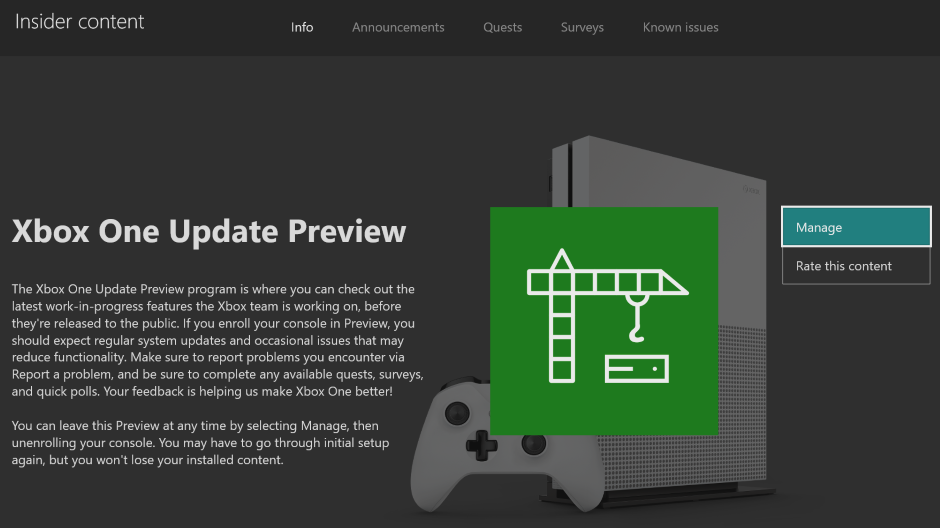
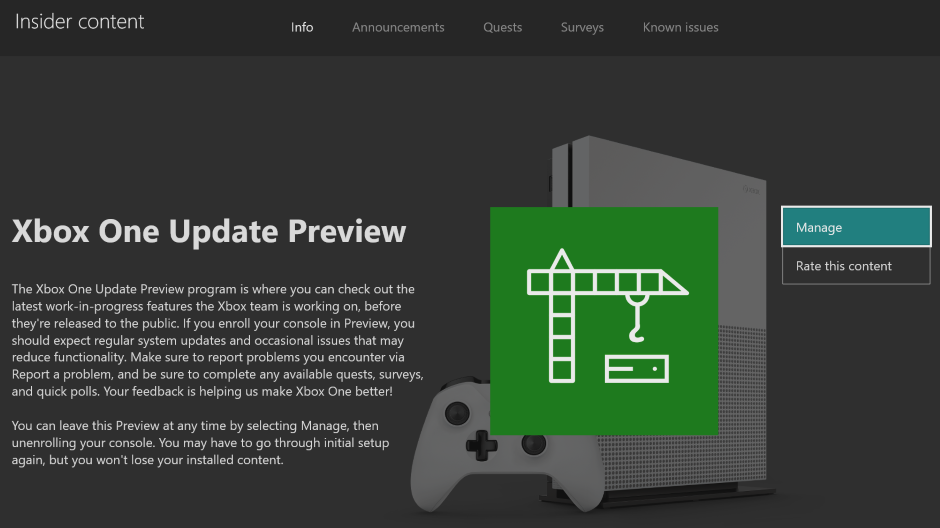
Hey Beta, Delta and Omega ring users! Today’s Xbox Insider Release Notes highlight the latest fixes, known issues, and features coming to your console. Starting at 2 p.m. PT today, users will receive the latest 2006 Xbox One system update (build: RS_XBOX_RELEASE_2006\19041.3049.200606-0000). Keep reading for more details.
System Update Details:
OS version released: RS_XBOX_RELEASE_2006\19041.3049.200606-0000
Available: 2 p.m. PT – June 8, 2020
Mandatory: 3 a.m. PT – June 9, 2020
Fixes for Beta, Delta and Omega
We’ve heard your feedback, and we’re happy to announce the following fixes have been implemented for this 2006 build:
Multiplayer
Fixed an issue where game invites were not working with titles like Halo Wars: Definitive Edition and Dark Pictures Anthology: Man of Medan.
System
Various updates to properly reflect local languages across the console.
Note: Users participating in Preview may see “odd” text across the console, for more information go here.
Known Issues for Beta, Delta and Omega
We understand some issues have been listed in previous Xbox Insider Release Notes. These issues aren’t being ignored, but it will take Xbox engineers more time to find a solution. We appreciate your patience at this time!
Audio
Users who have Dolby Atmos enabled and console display settings set to 120hz with 36 bits per pixel (12-bit) are experiencing loss of Dolby Atmos audio in some situations.
Workaround: Disable 120hz or set Video Fidelity to 30 bits per pixel (10-bit) or lower.
Some users have reported that Dolby Atmos for Headphones audio setting changes when the console is rebooted/updated.
Note: If you attempt to set the audio to Dolby Atmos for Headphones and see a message advising you to launch the Dolby Access App, please file feedback before launching the app.
Game DVR
We are aware game clips (non-4K and 4K) are not recording at all or recording the incorrect length with recent updates. We are investigating.
Note: Make sure you report the behavior on the console as soon as you record the clip and notice either behavior.
Guide
When installing or updating a game/app, the installation progress bar may not show progress. The issue is known and being investigated.
We’ve received reports that the Friends tab is not showing the correct status of online/offline friends.
Some users may notice that the Guide has changed appearance and functionality, this is expected behavior as there are certain experiences being flighted among a random subset of users in Preview.
Messages
Users are reporting that Message notifications that have been marked as read are re-appearing as new. We are aware and investigating the behavior.
My Games & Apps
Users have reported seeing black tiles instead of game artwork when browsing their collection.
Note: We are still investigating the issue, please report the issue again from the console if you have done so with a prior update and are still seeing this behavior.
Some titles in collection may appear with a “trial” tag incorrectly in collection.
Profile Color
Sometimes users may encounter the incorrect Profile color when powering on the console.
Are you not seeing your issue listed above? Make sure to use Report a problem to keep us informed of your issue. We may not be able to respond to everyone, but the data we’ll gather is crucial to finding a resolution.
Learn more about feedback and how each ring is differentiated in the following links:
For more information regarding the Xbox Insider Program follow us on Twitter and join the community subreddit for support and updates. Keep an eye on future Xbox Insider Release Notes for more information regarding your Xbox One Update Preview ring!
It’s been five years since The Elder Scrolls: Skyrim launched, and since then the way open-world games are made has changed so much. Bethesda Softworks has gone on to release Fallout 4, and companies like Ubisoft and CD Projekt Red have built their own templates for creating vast, open game spaces that rival the size of Bethesda’s fifth Elder Scrolls RPG.
But despite how far open-world games have come, we at Gamasutra were curious, what was it like working on Skyrim? With the release of Skyrim’s special edition that brings the game to PS4 and Xbox One, we decided to invite former Bethesda Softworks lead programmer Brett Douville in for a conversation about programming the game.
As seen above, the chat was particularly illuminating, since as Douville explained, the best language a programmer can know isn’t any coding language, but as he puts it “English”—meaning just having the ability to communicate with other team members and translate game design concepts into code and back.
It turns out that even while Skyrim proved to be a huge programming challenge, it was also a lesson for Douville and his colleagues to just figure out how to take care of themselves and work together as a team.
Be sure to watch the full talk for some inspiring (and occasionally very technical) anecdotes from Douville’s time with the Skyrim team, and subscribe to our Twitch channel for more regular developer interviews and gameplay commentary.
Ian is the developer behind Mesh Baker, the famous Unity asset that lets you drastically reduce your draw calls so your game runs at substantially higher frame-rate.
I work from a remote small town, self employed, in the games industry.
I support myself mostly as an Asset Store publisher and consultant, so although my games have not been financially successful yet, I have enough income and spare time that I can work on whatever interests me without worrying about immediate commercial success or meeting a specific release date.
The lack of pressure is perhaps both a curse as a blessing — pressure would probably keep me more focused — but I spend my time doing what I enjoy.
These days, most of my time is spent teaching powered ragdolls to walk using machine learning and trying to use them to drive a Character Controller.
2. How Did You Get Started in Unity Development?
Murder at Blaylock Manor, a point-and-click murder mystery created for a university multimedia course, was my first game.
Never heard of it? Not surprised — only six people ever played it — but who cares? It was more fun to create than to play.
Since then, I have been tinkering with every game-engine-like tool I could get my hands on (Director, Flash, Torque).I fell in love with Unity3D when version 2 came out. The games industry was shifting rapidly.
The iPhone and Android app stores were suddenly a huge untapped market for simple, casual games that could be created by a small team.
Indie hits like Minecraft and Braid showed it was possible to be a successful independent.
When Unity added iPhone and Android as targetable platforms, I quit my programming job and decided to work as a self-employed independent.
3. What Obstacle Made You Write Mesh Baker?
When I put my first mobile game on an Android phone, it ran at 4 FPS.
Ugh!
The biggest problem was having too many drawcalls. Reducing drawcalls required combining meshes, and for that, meshes needed to share materials and textures. I spent many tedious hours combining textures into a single large atlas-texture, adjusting the UVs of each mesh, writing scripts to combine them. Then I added a new prop with another material and… repeat the whole process. Add another prop and … repeat.
This process wasted huge amounts of time.
I needed a tool that could automate this workflow, take a list of meshes, create atlases for the textures, adjust the mesh-UVs and combine the meshes. Ideally this could be done per-scene, so that if a prop was added or removed, the whole workflow could be re-done at the click of a button.
4. For the People Who Don’t Know About Mesh Baker: What Does It Do?
There is a very tedious workflow that most developers run into when optimizing a game.
Combine textures into a set of atlas textures
Adjust the UVs of all meshes to use the new atlas texture
This job can consume many, many hours and the work needs to be discarded and repeated if textures are added or removed. It is also a destructive process since meshes are being modified.
A developer can supply a set of meshes, and Mesh Baker will create atlases from the textures used by the materials, and adjust the UVs of the meshes.
Mesh Baker can combine the meshes or create prefabs that use the atlas materials. It works with both MeshRenderer meshes and skinned meshes.
Texture Atlas (Mesh Baker)
5. How Has Mesh Baker Helped Unity Developers Reach Their Performance Goals?
Mesh Baker is an optimization tool to help developers to speed up their game.
A major performance bottleneck for many games is “too many drawcalls and setpass calls”. These drawcalls/setpass calls are expensive because they interrupt the GPU.
The GPU is like an assembly line.
Meshes are fed in as input. Rendered 2D images are the output. A drawcall/setpass call interrupts this assembly line, since the cores must sit idle, waiting for the GPU to be re-configured (like a factory being re-tooled to produce a different product).
If the GPU does not need to be re-configured (all meshes share a material) then it can run at full capacity for the entire frame. Mesh Baker helps developers modify meshes so that more meshes share materials.
Unity’s performance improvement systems (static and dynamic batching) become far more effective in scenes where most or all meshes share a material. Meshes that share materials can also be easily combined to reduce drawcalls further.
Recently Mesh Baker has added the capability to create Texture Arrays, which are like an atlas with fewer limitations. Without a tool like Mesh Baker, Texture Arrays are difficult to create and work with.
Mesh Baker also works with Skinned Meshes. Characters can be customized (different clothing) without creating extra drawcalls. Also many low-poly MeshRenderers (eg. shards of a shattering object) can be converted from many-MeshRenderers to a single skinned-mesh so that it only has one draw call.
6. If You Could Go Back in Time, Is There Something You Would Have Done Differently?
Mesh Baker has had two major rewrites and (with the emergence of DOTs/ECS) is about to be re-rewritten again.
The first rewrite fixed an issue where Texture Baking and Mesh Baking were tightly coupled. The rewrite made texture atlases much more flexible and re-usable project-wide instead of being tied to a scene and a single set of source meshes.
The second rewrite changed how Texture Atlases were generated. Mesh Baker now supports multiple Texture Packers designed to handle runtime baking, texture array generation, atlases containing edge-to-edge tiling textures and general texture baking.
Mesh Baker is very much in continuous development.
The next major rewrite will be to take advantage of Unity’s DOTS/ECS high performance framework.
Shadow of the Colossus (Source: pushsquare.com)
7. Besides Mesh Baker, What Are You Currently Working On?
My all time favorite game is Shadow Of The Colossus.
What I love the most is the physically realistic character movement. Currently I am working on a powered ragdoll character controller that walks, jumps and moves by applying forces and torques to its joints — just like a person in the real world. The character needs to keep its balance and propel itself by pushing on the ground with its feet. It can fall over, and needs to get up if it falls down.
The forces and torques are calculated by a ML model trained using Unity’s ML Agents.
The latest iteration (training in the background as I type this) uses a camera to generate a heightfield of the terrain that the character is walking over. The model is learning to walk on uneven surfaces and step over small obstacles and gaps.
My dream is to make a game that would be a cross between Shadow Of The Colossus and Goat Simulator.
Neural Networks & Animation
8. Anything Else You’d Like to Share With Our Community?
What a time to be a game developer!
When I started working in the industry, licensing a high quality game engine cost hundreds of thousands of dollars. Good tools were scarce, learning resources were limited.
Today, Unity and Unreal are free.
There is an exponential explosion of excellent content creation tools. Hardware is more powerful than it has ever been, and deep learning is about to unlock whole new genres of games, AI (Artificial Intelligence), and content generation tools.
9. Lastly, Tell Me Something That’s True, That Almost Nobody Agrees With You On.
I believe that deep learning research is on the cusp of creating a new form of life.
The intelligent “others” we are seeking in the stars will not be found there, they will be found in our AI research labs.
After four billion years of evolution based on DNA and biology, an entirely new form of life is emerging based on silicon eating electricity. This new form of life will exceed the intellectual capabilities of humans and in a handful of generations, the AIs (Artificial Intelligence) will be designing themselves. There is nothing artificial or unnatural about this new form of life, it is the latest twist of evolution.
Physically Simulated Animations (Ian Deane)
Thanks for your time, Ian. I’m sure we’ll be collaborating again sometime soon.
Here is the complete list of assets he crafted. Give them a look, they might surprise you.
How to Get a List Slice with Arbitrary Indices in Python?
To extract elements with specific indices from a Python list, use slicing list[start:stop:step]. If you cannot use slicing because there’s no pattern in the indices you want to access, use the list comprehension statement [lst[i] for i in indices], assuming your indices are stored in the variable indices.
People always want to know the most Pythonic solution to a given problem. This tutorial shows you the most Pythonic solution(s) to the following problem:
Problem: How to extract elements with specific indices from a Python list?
Example: You’ve got the following elements.
lst = ['a', 'b', 'c', 'd', 'e', 'f', 'g', 'h']
You want to create a new list of elements with indices = [0, 2, 6] in the original list:
['a', 'c', 'g']
You can get a quick overview of the most Pythonic methods in our interactive Python shell:
Exercise: Run the code shell. Now, try to access the element with index 7 as well in each of the given methods!
Method 1: List Comprehension
A simple, readable, and efficient way is to use list comprehension that’s a compact way of creating lists. The simple formula is [expression + context].
Expression: What to do with each list element?
Context: What elements to select? The context consists of an arbitrary number of for and if statements.
Here’s the code that creates a new list that contains the elements at specific indices (e.g., 0, 2, and 6) in the original list:
lst = ['a', 'b', 'c', 'd', 'e', 'f', 'g', 'h']

indices = [0, 2, 6]

out = [lst[i] for i in indices]

print(out)

# ['a', 'c', 'g']
In most cases, this will be the best solution because you don’t need any library and it’s still short and readable. However, if you need to do this multiple times, it may be better to import the NumPy library:
Method 2: NumPy Array Indexing
Python’s library for numerical computations, NumPy, is one of the most powerful tools in your toolbelt—especially if you work as a data scientist. Here’s how you can use NumPy to access arbitrary indices, given a sequence of specific indices:
import numpy as np

lst = ['a', 'b', 'c', 'd', 'e', 'f', 'g', 'h']

a = np.array(lst)

indices = [0, 2, 6] out = a[indices]
The output is:
print(out)

# ['a' 'c' 'g']
You see that NumPy indexing is far more powerful than Python indexing—it allows you to use arbitrary sequences as indices. Especially, if you need to do multiple of those numerical operations, you may want to import the NumPy library once and gain much in readability and conciseness.
This is a perfectly valid and efficient approach if you have only a few elements to access. For more than, say, five indices, it quickly becomes unhandy though.
Method 5: Simple Loop
Here’s another approach that’s often used by coders who come from other programming languages such as Java or C++: using simple loops.
lst = ['a', 'b', 'c', 'd', 'e', 'f', 'g', 'h']

indices = [0, 2, 6]

out = []

for i in indices: out.append(lst[i])

print(out)

# ['a', 'c', 'g']
While there’s nothing wrong with this, it looks somehow “brutal” to an advanced coder. If you’d use this method, it would be like shouting into the world that you’re not a very sophisticated Python coder.
Nothing wrong with that—don’t get me wrong! But if you want to increase your level of sophistication in Python, join my free email academy with many Python email courses that will sharpen your skills! Have I already said that it’s free?
To become successful in coding, you need to get out there and solve real problems for real people. That’s how you can become a six-figure earner easily. And that’s how you polish the skills you really need in practice. After all, what’s the use of learning theory that nobody ever needs?
Practice projects is how you sharpen your saw in coding!
Do you want to become a code master by focusing on practical code projects that actually earn you money and solve problems for people?
Then become a Python freelance developer! It’s the best way of approaching the task of improving your Python skills—even if you are a complete beginner.