Hello everyone! Welcome to SickGaming. We have been working on mc servers and won't to relay some information for everyone. It was kind of hard to find certain information about this for Minecraft so now I've compiled it here.
Vanilla The Vanilla software is the original, untouched, unmodified Minecraft server software created and distributed directly by Mojang. Due to it's many bugs, laggy reports, and lack of configuration, Vanilla has been the subject to much criticism. The advantage of Vanilla however, is that everything must be defined by command blocks giving the owner of the server ultimate control over everything. This is a great example of what hard work and the imagination can achieve. Vanilla can be found at https://minecraft.net/en-us/download/server
Bukkit Bukkit is an API that allows programmers to make plugins for server software. API stands for Application Program Interface and is is a set of subroutine definitions, protocols, and tools for building application software as defined by Wikipedia. To get Bukkit just use the maven repository.
CraftBukkit CraftBukkit is lightly modified version of the Vanilla software allowing it to be able to run Bukkit plugins. CraftBukkit prides itself to be able to offer many configurable features that Vanilla simply doesn't have. CraftBukkit is much more optimized than Vanilla sometimes making it less laggy. CraftBukkit is known for asynchronous chunk loading, its ability to run Bukkit plugins, fixing of certain Vanilla errors, bugs and exploits. To get CraftBukkit legally however requires the SpigotMC BuildTools. (See https://www.spigotmc.org/wiki/buildtools/)
Spigot Spigot is the most popular used Minecraft server software in the world. Spigot is a modified version of CraftBukkit with hundreds of improvements and optimizations that can only make CraftBukkit shrink in shame. To get Spigot legally however requires the SpigotMC BuildTools. (See https://www.spigotmc.org/wiki/buildtools/)
Forge Forge is well known for being able to use Forge Mods which are direct modifications to the Minecraft program code. In doing so, Forge Mods can change the gaming-feel drastically as a result of this. Sometimes, people are confused by what the difference between Forge Mods and Bukkit Plugins are. Here is something confusing, they are both mods. Forge Mods are direct modifications to the Minecraft program code while Bukkit Plugins are modifications that use the already-coded Minecraft properties to perform certain functions. For this very reason, Forge Mods generally require the Client to have to same Forge Mod as the Server. This is where Bukkit Plugins become advantageous, they do not require client-side plugins (there are some exceptions however). Forge can be found at https://files.minecraftforge.net/
Paper Paper (formerly known as PaperSpigot, distributed via the Paperclip patch utility) is a high performance fork* of Spigot. The goal of PaperSpigot is to basically make every darn thing configurable. Paper adds over 200 patches** to Spigot and its API which because of this is known to cause some incompatibilities with certain plugins. Paper can be found at https://destroystokyo.com/ci/job/Paper/
TacoSpigot TacoSpigot is yet, even a high performance fork* of PaperSpigot. TacoSpigot has about 15 patches** of PaperSpigot which can be found here. Being as that TacoSpigot is yet travelling further and further away from the original Spigot code, is known to have many incompatibilities with plugins and is generally not recommended to use. TacoSpigot can be found at https://ci.techcable.net/job/TacoSpigot/
Glowstone Glowstone is another high performance software which prides itself on being an original project. Glowstone does not use any of Mojang's Minecraft code whatsoever. It does still have the ability however, to run Bukkit plugins. Since Glowstone doesn't use any of the original Minecraft code, it is known to have some incompatibilities with plugins. Glowstone can be found at https://www.glowstone.net/
BungeeCord A project also by SpigotMC, probably the biggest game-changer within the server community. For the longest time, owners of servers were looking for a way to tie servers together into one network without having to disconnect from one server and connect to a another server. This is where BungeeCord comes in. BungeeCord basically acts as a proxy that can automatically switch connections between individual Spigot/CraftBukkit servers. This allows integrations of server to make a networks and is used pretty much everywhere you look on server-lists. BungeeCord can be found at https://ci.md-5.net/job/BungeeCord/
WaterFall WaterFall is another cool creation made by the PaperSpigot guys. It is a high performance fork* of BungeeCord with over 40 patches** that are supposed make BungeeCord even better. Because WaterFall is a modified BungeeCord however, it is known to have some incompatibilities with existing BungeeCord plugins. WaterFall can be found at https://ci.destroystokyo.com/job/Waterfall/
FlexPipe FlexPipe is also a fork* of BungeeCord which is supposed to be more stable, optimized and improved security. It contains over 40 patches** also known to make FlexPipe to have some incompatibilities with BungeeCord plugins. FlexPipe can be found at https://github.com/minotopiame/FlexPipe
HexaCord HexaCord is another fork* of BungeeCord that allows the 1.7.x Protocol join the network. Since the only thing that is change is the ability to accept 1.7.x connections, incompatibilities are minimal. HexaCord can be found at https://github.com/HexagonMC/BungeeCord/releases
*In software engineering, a project fork happens when developers take a copy of source code from one software package and start independent development on it, creating a distinct and separate piece of software.
**A patch is a piece of software designed to update a computer program or its supporting data, to fix or improve it. This includes fixing security vulnerabilities and other bugs, with such patches usually called bugfixes or bug fixes, and improving the usability or performance. Although meant to fix problems, poorly designed patches can sometimes introduce new problems (software regressions). In some special cases updates may knowingly break the functionality, for instance, by removing components for which the update provider is no longer licensed or disabling a device.
Supposed ‘iPhone 13’ camera specifications detailed in purported leak
Apple has yet to introduce an expected “iPhone 12,” but an avid Twitter leaker is already sharing details on a next-next-generation handset that supposedly sports a quad-camera layout.
A first image shared by “Fudge,” who goes by the Twitter handle “@choco_bit,” depicts the current square iPhone camera “bump,” but with four lenses and an accompanying LiDAR sensor. Notably, the LiDAR module is located below the camera array and is not integrated into the hump area as on iPad Pro.
In a follow-up tweet, Fudge claims “iPhone 13” will feature a 64-megapixel shooter with wide lens and 1x optical zoom (6x digital zoom), 40MP telephoto lenser with 3x to 5x optical zoom (15-20x digital zoom), 40MP ultra-wide with 0.25x “optical reverse zoom” and a 40MP anamorphic lens sporting a 2.1:1 ratio.
Apple has been consistently conservative on megapixel count, often delaying jumps to higher resolutions in favor of in-sensor modifications that result in a better picture without added data overhead. More recently, the company has turned to machine learning to power software-driven photographic enhancement features, like Deep Fusion and Night mode.
Beyond the massive increase in sensor resolution, up from iPhone 11 Pro’s 12MP cameras, the anamorphic option appears to be aimed at filmmaking.
Apple has concentrated on boosting iPhone’s still photography prowess for a decade, but only recently turned its eye toward videography. When unveiling the latest iPhone 11 Pro, for example, Apple showed off a novel feature from FiLMiC Pro that enables users to record “multi-cam” video from the handset’s front and rear cameras, a good solution for documentaries.
The latest iPhone flagship is also capable of shooting 4K video with extended dynamic range and “cinematic video stabilization” at 60 frames per second, and sound capture is enhanced with directional mic algorithms. Together, the new features amount to a capable videography tool that, thanks to COVID-19, has been employed by media professionals in lieu of expensive equipment. “Saturday Night Live,” “American Idol,” “Conan” and “Parks and Recreation” all used iPhone to shoot one or more episodes during the coronavirus lockdown.
As for today’s rumor, Fudge tempers expectations with a caveat, saying the camera specifications should be taken with a “[h]uuuuugggeeeee amount of .”
Posted by: xSicKxBot - 05-27-2020, 09:06 PM - Forum: Windows
- No Replies
Windows 10 May 2020 Update now available; here’s how to get it
Windows 10 continues to play a key role in how we learn, live and work during these unique times, and we want to ensure a high quality and reliable experience, while also delivering you the latest innovations. In mid-April, we announced the initial availability of the Windows 10 May 2020 Update through the Windows Insider Program’s Release Preview ring, allowing us to both monitor and improve the quality of the release. Based on affirmative preview feedback, today we are pleased to announce that we are starting to make the May 2020 Update available. In this blog, we will cover how you can get the update and choose when to install, and availability for commercial organizations to begin targeted deployments.
How to get the Windows 10 May 2020 Update
To ensure you continue to have a reliable, productive experience with your Windows 10 devices, we are taking a measured and phased approach to how we offer the May Update, initially limiting availability to those devices running Windows 10, versions 1903 and 1909 who seek the update via Windows Update.
Beginning today, the May 2020 Update is available for customers who would like to install this latest release. If you are ready to install the update, open your Windows Update settings (Settings > Update & Security > Windows Update) and select Check for updates. Once the update appears, you can select Download and install. (Note: You may not see Download and install on your device as we are slowly throttling up this availability over the coming weeks, or your device might have a compatibility issue for which a safeguard hold is in place until we are confident that you will have a good update experience.) Once the download is complete and the update is ready to install, we’ll notify you so that you can pick the right time to finish the installation and reboot your device, ensuring the update does not disrupt your activities. This new “Download and install” capability is available for devices running Windows 10, version 1903 or version 1909. For more information on the new user update controls and how to get the May 2020 Update, watch this video.
Semi-Annual Channel released for commercial customers
Today’s release of the May 2020 Update (Windows 10, version 2004) marks the start of the 18-months servicing support lifecycle. If you’re an IT administrator, we recommend that you begin targeted deployments to validate that the apps, devices and infrastructure used by your organization work as expected with the new release and features. Windows 10, version 2004 is available through Windows Server Update Services (WSUS), Windows Update for Business and the Volume Licensing Service Center (VLSC) for phased deployment using Microsoft Endpoint Configuration Manager or other systems management software. For information about the latest features for commercial customers, see “What’s new for IT pros in Windows 10, version 2004.” For insights on how to update, see the Windows IT Pro Blog post on feature updates while working remote. If you’re curious about Windows Server, version 2004, which was also released today, see the Windows Server Containers blog.
Keeping you protected and productive
Given all the recent changes to work and home life, we are focused on meeting you where you are and helping you adapt to these new challenges. We have often noted that being on the latest version of Windows 10 provides you with the latest features, security improvements and control. This is even more true today. The May 2020 Update offers many new features that can save you time, make you more productive and help you have fun – in addition to further enhancing your control and choices related to updates. Find out more in the “What’s new in the Windows 10 May 2020 Update” blog.
We will closely monitor the May 2020 Update experience and share timely information on the current rollout status and known issues (open and resolved) across both feature and monthly updates via the Windows release health dashboard and @WindowsUpdate. As always, please continue to tell us about your experience by providing comments or suggestions via Feedback Hub.
Steps disappear into the darkness below. Bulbs begin to buzz and flicker to life, revealing the shape of the room. A low platform extends through the center, flanked on both sides by hastily abandoned desks and consoles. Soft mechanical clicking and whirring sounds fill the air as data storage bays awaken under a blanket of dust.
Code begins to scroll across a massive collection of monitors hanging in a circular pattern in the center of the room. Random at first, the text begins to coalesce and take shape – growing to fill several of the screens with a bright golden orb that quickly scans the room before setting its gaze on the entrance. The eye of Rasputin waits.
And wait he must. The image of the Rasputin’s bunker vanishes from Dima Goryainov’s monitor as Bungie’s senior concept artist alt-tabs into a conference call. It’s 3:30 PM and that means it’s time for his team’s daily coffee break. “It’s our time to chat,” he says. “Usually we’re pretty heads down, so we try to hang out and talk about whatever’s exciting us – things that inspire our creativity.”
Finding inspiration in his peers and outside of games is something Dima is no stranger to. It’s an approach that has served him well while working on Destiny – particularly when he was tasked with designing a space in Season of the Worthy that would help players grow closer to a legendary character not known for his interpersonal skills: Rasputin, the Warmind.
A tall order, considering that at this point in Destiny’s story, Rasputin’s relationship with the Vanguard was tenuous at best. But when a new threat appeared in the skies above the Last City, a choice presented itself to both parties: work together and survive or perish alone. For Guardians, surviving meant partnering with Rasputin in a way they never have before.
The team at Bungie knew that Rasputin being open to an alliance was only half the equation – the easy half. Getting Guardians to trust him with their lives would be much harder. It required heavy lifting from writers, designers, engineers, and artists like Dima. And so, the task of making the most powerful military intelligence ever created a little more personable began.
A DIFFERENT APPROACH
Dima has a unique style – a blend of graphic design and concept art that can be found throughout Destiny 2. From signage hanging on walls to the logos and iconography representing fictional organizations and foundries, it’s an aesthetic that has become inextricably linked with Destiny’s world building.
He explained that entering the game industry from a different direction began with the choice to major in graphic design and digital media instead of game art at the University of Advanced Technology. “The game art program was focused on taking direct inspiration from games and translating that into assignments. That seemed totally legitimate, but I felt that doing a program like graphic design would give me a more unique skillset. I was always interested in graphic design, industrial design, architecture, and comic books – things outside of games that I wanted to bring into concept art.”
Among the areas outside of games he draws inspiration from, he finds the dark and mysterious style of medieval design appropriate for Destiny. “A lot of it has this occult feeling to it,” Dima said. “The way it’s drawn is naive, like they’re not paying attention to anatomy, but it still works. I feel like that fits in a dark fantasy space opera.”
He also admitted a few personal influences he tries to not overuse. “I’m from Russia and I like to use things from my childhood that inspire me. Old Russian fairytales like Koschei the Deathless, Ilya Muromets, Baba Yaga, and many others. The summers I spent exploring the forest and the countryside in my great grandma’s village were a huge influence. I think I’m constantly trying to get back to that feeling I had when I was a kid.”
It’s the kind of goal that often results in work that feels tangible.
“Maybe it sounds cheesy,” Dima said. “But I credit that time with having an interest in stories about searching for adventure and mystery in different worlds. It’s why I became so interested in the world of Destiny and why I can’t believe I get to contribute to its development.”
A KINDER, FRIENDLIER WARMIND
When it came time to create the look of Rasputin’s bunkers, the request from the Design team was straight forward. They already had the gameplay systems in place and needed an area where players could communicate with Rasputin – a space that could evolve over time.
Dima had a very specific mood in mind. “On my reference board, I have a photo of Deckard’s apartment from Blade Runner,” he said. “I knew that was the feeling I wanted. It’s a dark-lit, super intimate, quiet place where players could go and hang out. I like moments in our game where you have silence. Where you’re not being shot at and you have a moment to relax and take a breath. I wanted it to be a space that you would like to be in even if you weren’t doing the mission or grinding the content.”
He thought back to one of his favorite games that had a similar vibe. “Deus Ex: Human Revolution is one of my favorite games of all time,” he said. “If I was in between missions, I could go back to Adam’s apartment and just sit and listen to the music and absorb the ambience – I wanted the Destiny version of that space.”
As pleasant as that sounded, it presented an interesting puzzle since the story called for Rasputin to be in this room with the player. And it’s one thing to make a space feel safe and inviting. It’s an entirely different thing to make that space feel comfortable when there’s a huge digital eyeball tracking you from the center of the room. Dima and his team worked to try and find subtle ways to make Rasputin less intimidating.
“Usually when you see Rasputin, he’s really far away in that massive chamber,” said Dima. “But in Season of the Worthy, the small bunker is a new place where you can be one-on-one with him as he slowly opens up to you while you learn more about him.”
Dima credits Bungie Senior Art Lead, Rob Adams with the idea to bring players physically closer to Rasputin. “It was Rob’s idea to bring Rasputin so low to the ground that you could come up to the screens and be face-to-face with him. Even a lot of the lighting decisions came from how close you’re able to stand to him. Drawing parallels between your physical and emotional distance was intentional.” Form followed function.
RASPUTIN GOES RETRO
Beyond resonating emotionally with the player, there needed to be an in-universe reason for the design of the room. So before putting pen to paper, Dima asked the question: Why did this bunker exist before players found it?
“As soon as you walk in, you understand that place was used for something,” Dima said. “This room had a purpose and a function – it wasn’t just made for gameplay. I had the idea that these bunkers were where Seraph researchers would speak with Rasputin and decode his communications.”
The relationship with the Narrative team immediately became apparent. “We work together as much as possible,” Dima said. “Sometimes Narrative will come up with ideas for a design or how a graphic should speak to specific elements. Other times, I’ll pitch something visual and it’ll end up working into the fiction.”
In this case, the fiction spoke directly to what excited Dima’s about Destiny. “Since these bunkers were from earlier versions of Rasputin, I knew that they were going to feel older technologically and that’s a big part of what Destiny is to me. Obviously we have holograms, but it’s not really super sleek Iron Man stuff – everything is tactile. Everything in Destiny feels like it has a history behind it and that it’s been touched. That’s way easier to do with physical things like screens and buttons.”
Dima leaned into the look of this older age and drew from his interest in industrial design. “There’s a single speaker in the room that Rasputin used to talk to the researchers,” he said. “The big cluster on the ceiling has all these cables, sensors, and cameras that point to the center of the room allowing Rasputin to see the person speaking to him. And as they’re speaking, there are people sitting at consoles recording everything that Rasputin is saying – decoding and storing it. So when you walk into a bunker, you start to understand the background of the Seraph researchers that made Rasputin.”
TURNING ON THE LIGHTS
The bunker is filled with elements that contribute to the atmosphere of the room while also adding to the story. Some flourishes, Dima admits, were added simply because he was looking for an excuse to design them. “I really wanted to have this analog map with physical bolts that light up,” he said. “But I kind of did that for me, because I really wanted it.” And why not? After all, who hasn’t fantasized about playing with a giant Lite-Brite?
“I didn’t really think that the map was going to get much of a reaction or that anyone was going to pay much attention to it. But from what I’ve seen, a lot of people have gravitated towards it and started speculating on what it might mean. People have messaged me and told me that it’s their favorite part of the bunker, so that was kind of cool.”
Inspiring elements continued to come from peers across the studio. One from Senior Artist, Eve Campbell and the Environment team instantly became one of Dima’s favorite things in the bunker.
“They made the screen effects look really cool when you’re talking to Rasputin,” he said. “The way he moves on the screens and tracks you across the room. It’s meant to be this intimate space that’s really comfortable but there’s this degree of uneasiness with him silently and constantly watching you. Even if you jump up and down his eye moves up and down with you.”
Instances like this, where creative partnerships resulted in something unexpected, kept surfacing. “Over time, we’ve evolved the collaboration process and it feels really organic,” Dima said.
Throughout his five years at Bungie, Dima has worked alongside peers invested in building living breathing worlds. Speaking with him leaves the impression that if you work with passionate people, a good idea – like a warmly lit bunker with a giant glowing eyeball – never stays hidden forever.
Are you a fan of Action RPGs? Today join others and dive into the world of Minecraft in a brand new experience. No mining, no crafting, just dungeon crawling style combat as you loot and scoot to the next pack of enemies as you fight to gain strength to take on the Arch-Illager!
Minecraft Dungeon allows you to play how you want. There is no class system to limit you and you’re allowed to make any build you can come up with. The sky is the limit! There is a bit of something for everyone. If you enjoy melee pick up a sword or an ax and charge headfirst into a pack of zombies. Take up a bow if you want to hang back and take calculated aim at your enemies at a safe distance. Pick up enchants and fight enemies in ways not possible in normal Minecraft. Fight fire with fire, freeze your enemies with your ice, or maybe you rather steal the souls of your enemies to use against them. Have fun, share your builds, but most importantly have fun.
If you’re interested in picking this up just head over to minecraft.net if you play on Windows and navigate to the Dungeons page to purchase your copy today. Not playing on Windows or prefer another method? Minecraft Dungeon is also available on Xbox One, Playstation 4, and Nintendo Switch. Play alone, play local co-op with up to 4 players or even play online with others.
While we don’t have a specified section for Minecraft Dungeons, feel free to discuss in Minecraft: Discussions and share your builds, tips, and secrets you may find!
Review: Five Nights at Freddy’s: Help Wanted – A Largely Pointless Cash-Grab
It’s often entirely possible for games designed to be played in virtual reality to be played outside of the VR headset. Trover Saves the Universe, for example, is quite plainly designed for VR, but is both playable and enjoyable without it – likewise ThePersistence. But having said that, it is usually a matter of compromise. There’s a reason that you usually see non-VR games with optional VR modes or editions (think Skyrim VR) rather than, well, the opposite. Five Nights at Freddy’s: Help Wanted is clearly designed around VR, and in our view must be an extremely enjoyable, frightening game when you’re in that world. Unfortunately, on Switch, you’re not – and it doesn’t work.
The most major question that kept popping into our heads during our time with Five Nights at Freddy’s: Help Wanted was, quite simply, “Why?” The extant Five Nights at Freddy’s games (well, the first four) are already on the Switch, with fairly decent ports. The majority of the content in this non-VR take on the VR game is drawn from those games. The visuals are slightly nicer, but everything else is inferior. Was there any compelling reason to release this in a non-VR format, beyond the obvious answer, which is to make some money?
The premise here is mildly clever; you’re thrust into in-universe corporation Fazbear Entertainment’s “Freddy Fazbear Virtual Experience”, intended to fictionalise the events of the series so far in video game form to rehabilitate the Fazbear brand. Naturally, things almost instantly go awry, with a heavy dose of hidden lore to discover for long-time fans. It’s not a bad idea, but of course it loses something when you get rid of the virtual reality element (you may begin to notice a pattern of criticism here).
Essentially, Five Nights at Freddy’s: Help Wanted is a mini-game collection featuring content from the beloved mainline Five Nights at Freddy’s series – from the 2014 original through to one of its more recent instalments, the as-yet-unported Five Nights at Freddy’s: Sister Location. Much of the package comprises recreations of the first four games, with their familiar doors-closed, lights-on gameplay. Learn the rather esoteric rules, evade the homicidal mascots. You know, the same that’s already available on the Switch for £6.29 a pop.
Is that too cynical? You’ll have to forgive us, because it all just seems so pointless. The Five Nights at Freddy’s games are quite strategic, yes, but they’re also very accessible and with very few commands – that’s one of the main reasons they became so popular. Non-VR VR reduxes of the same games don’t add anything to the mix and actually critically, fundamentally weaken the experience by introducing a general sluggish unwieldiness to titles that used to be simple and snappy (no pun intended).
That’d be the compromise we mentioned; introduced by tying your VR head movements to the left stick. What must have been intuitive and immersive in virtual reality is now clumsy and awkward. There are items lying around that you can pick up and throw, as per most VR games – doing so in their intended format would be a simple matter of extending your in-game “arm” and grabbing them. Now, you have to fight the imprecision of the sticks and tap B at just the right time. It’s not just a matter of moving the cursor over the object; your virtual “head” is your only guide, and it’s very twitchy indeed.
The original games had a preset range of motion that made your limited interactions a breeze to perform. Five Nights at Freddy’s: Help Wanted doesn’t. It just isn’t as good. Does it work? Sure, it works. You look left and hit the indicated button to close the door or switch the lights on or whichever command goes with whichever Five Nights at Freddy’s minigame you’re playing. Yes, it functions. But it’s utterly compromised, and that feeling never goes away.
There is more to the game than these inferior recreations of the mainline series, but it’s not a lot to write home about. There’s a version of the “Fun with Plushtrap” minigame that’s almost identical to the original from Five Nights at Freddy’s 4, and that wasn’t much more than a brief bonus stage in the first place. There’s also a completely new minigame titled “Vent Repair” that plays out like a rudimentary escape room in which the player must hit a series of switches while warding off vicious animatronics. Another new minigame is Parts and Service, in which you perform various maintenance tasks on the likes of Bonnie, Chica and Freddy himself. It, again, amounts to a very basic series of minigames. Fine in VR. Not so much here.
To cap it all off, the performance of the game is depressingly poor in both handheld and docked modes, which only adds to the overall feeling of sloppiness. We’re not dealing with particularly demanding visuals here, yet the game is awkward and sluggish, hinting that corners were cut in the effort to bring it to Switch.
Conclusion
If we sound like a broken record criticising this VR conversion, that’s because its central problem is so all-encompassing that it destroys the product. Sure, you could have fun with this if you’re a committed fan of Five Nights at Freddy’s and its lore, but we’d advise against it otherwise. As with many VR games, the immersion and novelty factor papers over the cracks of the limited gameplay. When that escapism is taken away, all that’s left is a sub-par minigame collection that isn’t even as good as the individual games it cribs from – and it’s a lot more expensive, too. We get the impression that the sole reason this game exists is to capitalise on the fact that the Switch has such a large market share.
We know you’re busy and might miss out on all the exciting things we’re talking about on Xbox Wire every week. If you’ve got a few minutes, we can help remedy that. We’ve pared down the past week’s news into one easy-to-digest article for all things Xbox! Or, if you’d rather watch than read, you can feast your eyes on our weekly video show above. Be sure to come back every Friday to find out what’s happening This Week on Xbox!
Teamwork Makes the Dream Work: Co-op Games to Enjoy with Xbox Game Pass Whether you’re across the world or sitting together on the couch, cooperative gaming is a great way to connect with people, creating new relationships or rekindling existing ones. Xbox Game Pass offers dozens of games that support co-op play… Read more
Crusader Kings III Rides to Glory on September 1 Today, we’re very happy to announce that we have set a release date for Crusader Kings III. The sequel to one of our most beloved grand strategy games will be available on September 1 with Xbox Game Pass for PC (Beta)… Read more
Old-School FPS Ion Fury is Available Now on Xbox One Greetings everyone! I am super excited to let you know that our award-winning old-school first-person shooter, Ion Fury, is now available on Xbox One! Ion Fury is a true successor to classic shooters such as Duke Nukem 3D, Shadow Warrior… Read more
Have a Spring Fling with Trove on Xbox One Dear Trovians, a patch of green is now showing on the horizon: Spring has finally sprung in Trove! But what is this? Our dear Qubesly is speaking in rhymes now. Maybe a little distraction will help him out, we are sure you have got a few tricks… Read more
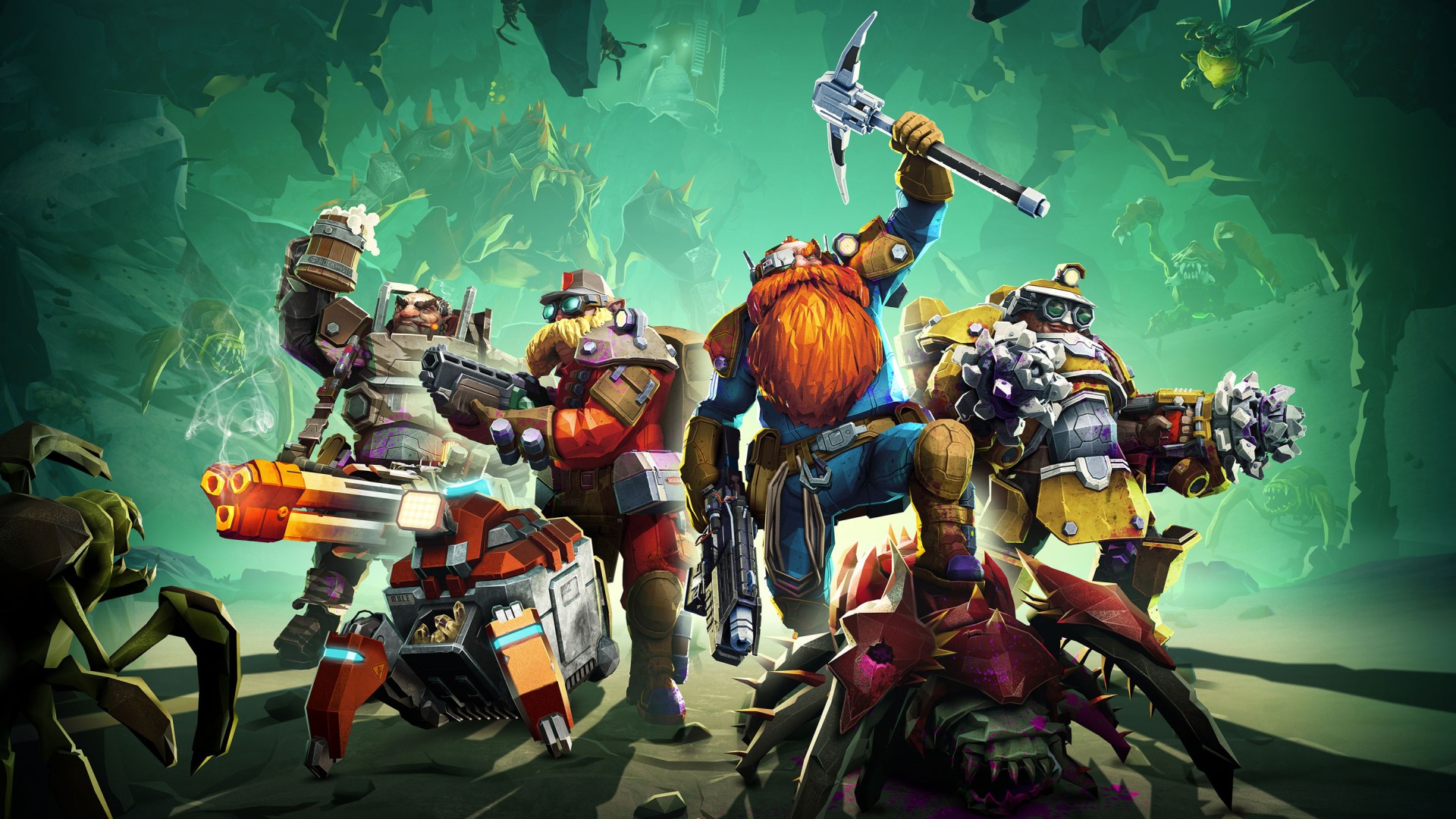
Dig Deeper and Better with These Tips for Deep Rock Galactic The caves of Hoxxes IV are full of riches and resources worth exploiting, truly a dwarf’s dream. However, some like to call it the most dangerous planet in the galaxy and they are probably not exaggerating. Follow these tips… Read more
A Game That Makes Games: SuperMash is Available Now on Xbox One Hey, Xbox gamers! A game that somehow “makes games.” Does that sound crazy? Unbelievable? Boring? Exciting? Unrealistic? Well, which is it? Yes. As developers, we love crafting things. Tuning, balancing, and playtesting… Read more
Next Week on Xbox: May 19 to 22 Welcome to Next Week on Xbox, where we cover all the new games coming soon to Xbox One and Windows 10 PC! Every week the team at Xbox aims to deliver quality gaming content for you to enjoy on your favorite gaming console… Read more
Video Game Deep Cuts: The Mario Steamroller Monster Train
The following blog post, unless otherwise noted, was written by a member of Gamasutras community. The thoughts and opinions expressed are those of the writer and not Gamasutra or its parent company.
Goodness, it’s time for yet another Video Game Deep Cuts on Substack, my darlings. This week, what’s been up? Well, another interminable quarantine week, but at least the Internet continues in good form.
Hope you enjoy all of these links, and we’ll be back midweek with the latest ‘All-Time Greats’ picks from a guest.
Blog: Narrative vs. gameplay – A toolbox for harmonious coexistence
The following blog post, unless otherwise noted, was written by a member of Gamasutras community. The thoughts and opinions expressed are those of the writer and not Gamasutra or its parent company.
The interactive narrative is still uncharted territory. Designers haven’t quite figured out where to stand between player agency and guided storytelling, branching stories and linear ones, and other huge matters about stories in games. This exploration is far from over, but it’s moving fast. Every day new narrative-based games come out, and many of them are actually trying new ways to convey narrative. Anyway, I’m not here to go further in this exploration. As game designers, we must not only conceive the story, but find a way to deliver it. Interactivity means this too. The audience of our story won’t just sit and listen to it. Our audience will look for the story, or run into it while experiencing pure gameplay. On the opposite, sometimes our audience will do everything he can to avoid it. Our job is to let them be immersed in our narrative, without necessarily force them to stop playing while doing so. However, sometimes we forget about the existence of many ways and spaces for our stories to be experienced. I’ve come up with the following list as a reminder of these ways. It’s a memento of gameplay moments, items, styles, and every possible part of the game that can be actually used as an instrument for narrative delivery.
Before we start, take into account the following golden rules:
Don’t stick to only one. Almost every game uses multiple ways to deliver narrative. If you do so, you will prevent monotony. Furthermore, every player is different. Some will avoid some kind of ways, but will eventually occur in others, more fitting their personal gameplay style. You need to diversify
Those methods are NOT mutually exclusive. In fact, many of your narrative moments will fall into multiple categories
Interactivity vs Narrative. Playing and understanding the story at the same time can be hard. If a player is busy in a complex gameplay moment, he could have some problem following someone speaking to him. This doesn’t mean narrative and gameplay moments should be separate: on the opposite, the more we merge those features, the more harmony in the experience will be achieved. But keep always in consideration the player and his multitasking limit
The use of words is reduced. The player understands the story not while reading something, but with visual tools: pictures, photos, NPCs, and creatures’ behaviors towards him and between one each other, object degradation, level design, pace, and much more. More than a single tool, it is a quality that can be applied to other methods. Do it as much as possible, always.
PROS
The most elegant way of delivering narrative
Highly effective, understandable at every level of interest by the player, from the overall tone of the game to small details of the story
Immediate and immersive
CONS
The hardest to build. It requires combined work by different roles of the team. It requires a strong art direction
Detailed info is harder to deliver, only proactive players will understand deep narrative
EXAMPLES
Half-Life 2
Journey
Inside
The gameplay is paused, forcing the player to deal ONLY with the narrative, having sometimes the opportunity to skip it according to the importance of the passage. Cutscenes are the classic and most expensive way to do it. Use it when you need the player to experience some beat of the story.
PROS
The player receives the content completely, with no distraction, preventing missing important passages
Overall high control on the passage
High quality perceived
If well done, it can be highly rewarding, preventing the player to suffer for the agency deprivation
CONS
No interactivity. Players could drop the controller, something you never want to happen
The narrative must be engaging.
Can be highly expensive
Requires competence in cinematography
EXAMPLES
Metal Gear Saga
Final Fantasy Saga
NPCs talk to the character directly through some communication device or ability.
PROS
Every moment is ok to deliver content
It can potentially deliver a lot of information
CONS
It needs a coherent explanation for consistent communication
It requires a high amount of dubbing
Depending on the gameplay moment, the player could ignore it
EXAMPLES
Borderlands Saga
Hellblade: Senua’s Sacrifice
Prey
NPCs or other PCs talk to the character vis-à-vis. Sometimes they wait to be spoken with, sometimes they reach the player themselves.
PROS
The world looks alive
Different NPCs can express different opinions and points of view
Players go looking for NPCs for many gameplay reasons, like equipment and quests
CONS
Potentially high use of models, dubbing, writing
The more NPCs there are, the more players is likely to skip dialogues and go back to the main gameplay
EXAMPLES
Fallout Saga
The Legend of Zelda: Breath of the Wild
Final Fantasy Saga
Undertale
An NPC follows the main character, communicating with him regularly. Alternatively, the player guides a group of characters, which interact with each other.
PROS
Every moment is ok to deliver content
Great bonding with the NPC
CONS
A lot of AI programming
Strong game design choice. NPC must be designed to be useful to the player, and never an obstacle, for example
EXAMPLES
The Last of Us
Baldur’s Gate saga
Oxenfree
Often used to hide level loadings, to calm the pace of the game, to give cheap game time, or to simply make the player move from an area to another with map and space coherence. These moments, usually, have a low level of interactivity.
PROS
It fills an empty but necessary moment, with few, mostly mechanical gameplay and distractions for the player
Especially useful in combination with backtracking
CONS
When the destination is reached, the dialogue suddenly interrupts, unless the player chooses to wait for it to end. A rough choice, he would do nothing but listen to the narrative
EXAMPLES
God of War (2018)
Red Dead Redemption
Places to visit and objects to gather are scattered over the world. Once reached, the item delivers a piece of the story/theme/setting. Very common, almost every game delivers narrative this way.
PROS
Players are encouraged to explore areas far from his main path, looking for items
Often related to the achiever player type, players often look for items to achieve an objective
CONS
Weak, few players linger in reading books and item descriptions
This effect can be prevented with audio registration or comment by the character, but that requires more dubbing
EXAMPLES
The Witcher Saga
Dishonored Saga
Divinity: Original Sin 2
The narrative is delivered during game loading, usually with text and images.
PROS
It fills an empty but necessary moment, with no gameplay and distraction for the player
CONS
Limited time to deliver it, hardly can give deep pieces of information
Dependent on the quality and quantity of loading screens. Forcing a loading screen just to deliver a narrative is not recommended
EXAMPLES
Dark Souls
The Elder Scrolls V: Skyrim
The player uses some specific mechanic to get in-game info.
PROS
The player is not forced to get any narrative, usually obtaining it alongside gameplay knowledge
The player perceives agency upon discovering the narrative
CONS
No control. The skill must be cheap and useful to increase the chances the player uses it, unlocking gameplay features and upgrades
EXAMPLES
Final Fantasy Saga (Scan Magic)
Prey
NPCs deliver news about the world. They don’t address directly the main character.
PROS
The world looks alive and ever-changing while keeping coherence and familiarity
The same assets can be easily recycled through the game.
CONS
Must change as the story progress
Only doable in certain specific settings
EXAMPLES
Fallout Saga
Dishonored
A character (could be the main one or another one) speaks to the player or to some generic “reader” of the story.
PROS
Every moment is ok to deliver content
No need for feedback or response from the game or character
Meta-narration is a cheap way to speak about things usually hard to explain, such as feelings and thoughts
CONS
It requires a lot of dubbing
Higher writing skills needed
EXAMPLES
Alan Wake
The Stanley’s Parable
The level enrichment always tells a story. This tool is strongly linked to level design prophecies. There are several ways to apply this method, from a vague atmosphere to specific writings on walls.
PROS
Every space is an opportunity to tell a story
Low programming required
CONS
Often ignored in fast-paced experiences
Passive tool: the player could decide to ignore it
EXAMPLES
Portal 2
What Remains of Edith Finch
Playing different characters, the player learns the same story from different points of view.
PROS
Wow moments, twists and turns
It can be cheap in terms of level design: the same spaces traversed by different characters means new emotions with old levels
CONS
Requires deeper narrative design: the same story seen from different perspectives could result incoherent
If the new character, and his story, doesn’t differ enough from the original, the player could feel mocked
EXAMPLES
Prince of Persia: Warrior Within
Nier: Automata
Here we are at the end of this study. I draw on this list as a tool, with two basic functions:
Remember ways to deliver narrative I tend to forget.
Remember risks and opportunities that lie in every way.
I wish it will help you as well, and inspire more discussions: in fact, this list is far from over. I can’t wait to perfect it, make it deeper, as complete as possible. Hopefully, I will soon be able to release a 2.0, with more ways and some more specific examples.
This Week's Top 10 On Netflix: Uncut Gems Takes The Number One Spot
Netflix introduced its Top 10 feature back in February--prior to this, all recommended lists were tailored to individual subscriber tastes and viewing history. But we now we can see exactly what movies and TV shows are most popular with viewers across the country, and the Top 10 is updated daily. So here's the biggest films and series on Netflix in the week of May 26.
Tuesday, May 26
Sweet Magnolias
Avatar: The Last Airbender
Uncut Gems
The Lovebirds
History 101
Just Go With It
The Wrong Missy
Dead To Me
Riverdale
The Flash
The romantic drama Sweet Magnolias is the biggest show on Netflix right now. It's based on the popular series of novels by Sherryl Woods, and Season 1 hit the service last week. The classic anime show Avatar: The Last Airbender is in second place--the series was released earlier this month, and has proved to be hugely popular with subscribers. The biggest movie is Uncut Gems, sitting at the number three spot . The Adam Sandler-starring crime drama has been available on Netflix elsewhere in the world since January, but after a successful theatrical and VoD release, it finally made its US streaming debut on Monday May 25.
Wednesday, May 27
Uncut Gems
Sweet Magnolias
Avatar: The Last Airbender
History 101
Just Go With It
Dead to Me
Riverdale
The Lovebirds
The Flash
The Wrong Missy
On Wednesday, nothing new entered the Top 10. Everything shifted around, and taking the number one spot was Uncut Gems, which was at number three the day prior. The Lovebirds had the biggest move over the day, from the four spot to eight.