Create an account


Welcome, Guest
You have to register before you can post on our site.

Username
  

Password


Search Forums

(Advanced Search)

Forum Statistics
» Members: 20,228
» Latest member: linklinklink
» Forum threads: 21,714
» Forum posts: 22,611

Full Statistics

Online Users
There are currently 443 online users.
» 0 Member(s) | 438 Guest(s)
Applebot, Baidu, Bing, Google, Yandex

 
  News - Nintendo President Says More Switch Games Are Scheduled For Current Period
Posted by: xSicKxBot - 05-10-2020, 06:13 AM - Forum: Nintendo Discussion - No Replies

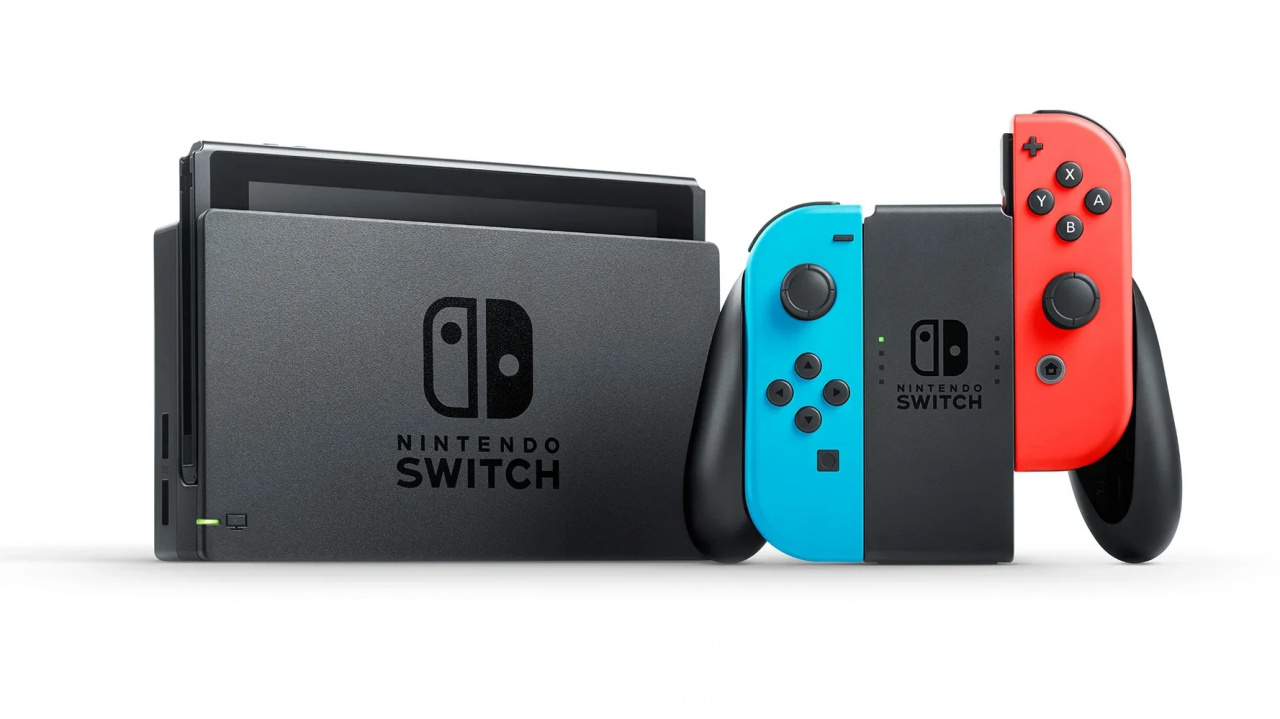
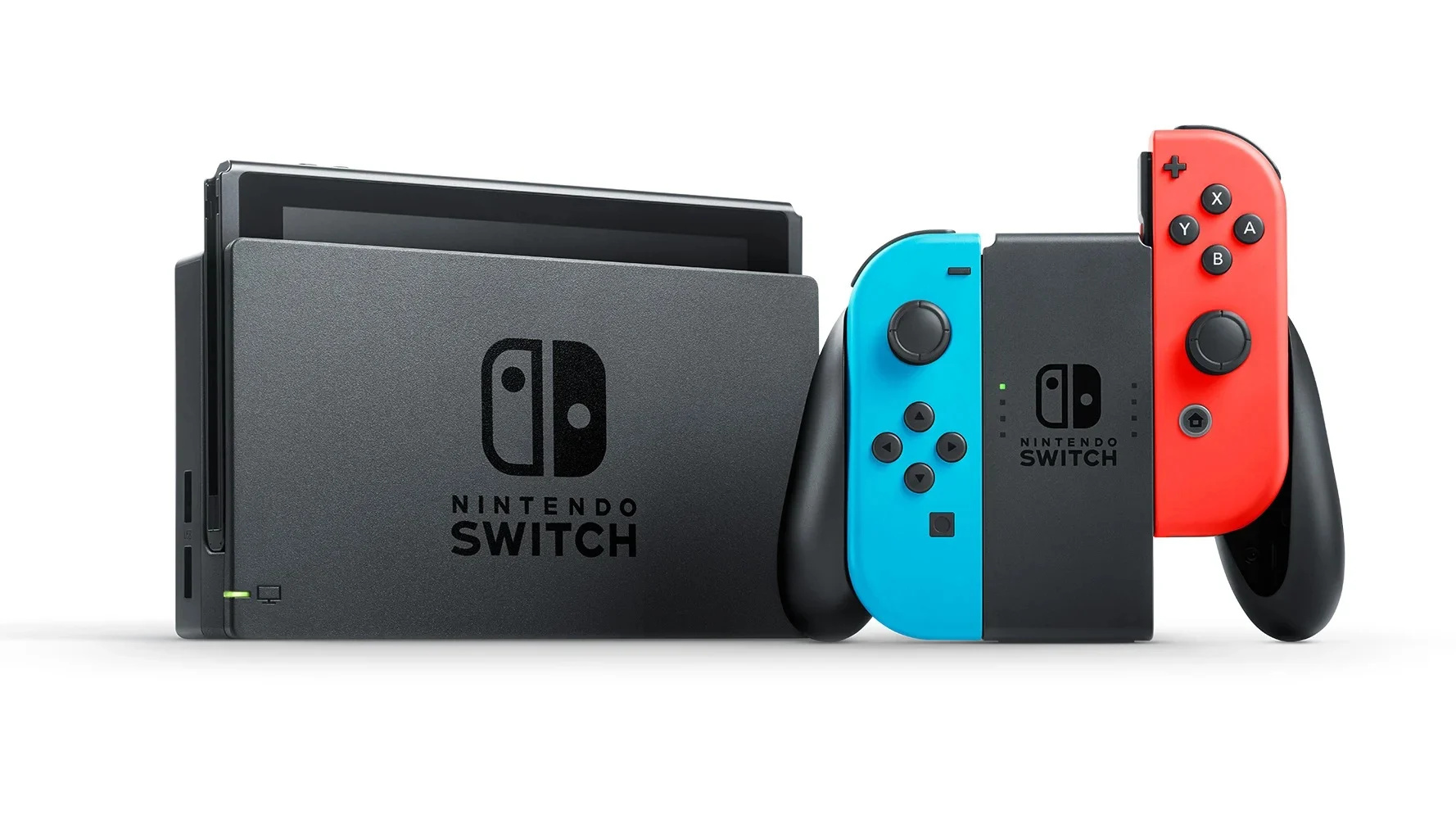
Nintendo President Says More Switch Games Are Scheduled For Current Period

Nintendo Switch

For some time now, there have been concerns about what Nintendo has planned for the Switch in the immediate future. After Xenoblade Chronicles: Definitive Edition arrives at the end of this month, there’s Clubhouse Games: 51 Worldwide Classics in June, followed by some DLC for Pokémon Sword and Shield and Super Smash Bros. Ultimate.

There’s no need to worry, according to Nintendo president Shuntaro Furukawa. At the company’s recent investor’s Q&A, he mentioned how the Japanese video game giant had other games planned for this period but said it had become “increasingly difficult” to follow the current schedule due to the current restrictions in place.

For our forecast, we have games that are scheduled to release during this period other than what’s been announced. However, many workers at Nintendo and our partners are working from home during this time. Considering the working environments between home and office are quite different, it could become increasingly difficult to release our games in line with our current schedule if the situation is prolonged. As things currently stand, we’re forecasting as if we’ll be able to release our games according to schedule.

We already know about projects like Metroid Prime 4, and the sequel to The Legend of Zelda: Breath of the Wild, but what do you think we could see released this year? Perhaps we might finally see something like Bayonetta 3 or how about the rumoured Super Mario remasters? Share your own thoughts below.


https://www.sickgaming.net/blog/2020/05/...nt-period/

Print this item

  News - Fortnite Rolls Out Squad Update Ahead Of Party Battle Royale
Posted by: xSicKxBot - 05-10-2020, 06:13 AM - Forum: Lounge - No Replies

Fortnite Rolls Out Squad Update Ahead Of Party Battle Royale

Ahead of the Party Battle Royale event on the evening of May 8, Epic has launched a patch on all platforms for Fortnite to get the party ready. The patch also includes some tweaks to the Squads playlist.

Patch 12.50.2 is a light update rolling out ahead of the Party Royale, fixing some bugs before the major event on Friday night. Most of the patch is dedicated to preparing the servers for the show, but a number of small changes to the Squads playlist was also included.

The Squad changes are centered around balancing out Squads play experience, trying to make the game feel right for all players regardless of time played and experience gained.

Continue Reading at GameSpot

https://www.gamespot.com/articles/fortni...01-10abi2f

Print this item

  [Tut] How to Filter a List of Lists in Python?
Posted by: xSicKxBot - 05-10-2020, 04:27 AM - Forum: Python - No Replies

How to Filter a List of Lists in Python?

Short answer: To filter a list of lists for a condition on the inner lists, use the list comprehension statement [x for x in list if condition(x)] and replace condition(x) with your filtering condition that returns True to include inner list x, and False otherwise.


Lists belong to the most important data structures in Python—every master coder knows them by heart! Surprisingly, even intermediate coders don’t know the best way to filter a list—let alone a list of lists in Python. This tutorial shows you how to do the latter!

Problem: Say, you’ve got a list of lists. You want to filter the list of lists so that only those inner lists remain that satisfy a certain condition. The condition is a function of the inner list—such as the average or sum of the inner list elements.


Example: Given the following list of lists with weekly temperature measurements per week—and one inner list per week.

# Measurements of a temperature sensor (7 per week)
temperature = [[10, 8, 9, 12, 13, 7, 8], # week 1 [9, 9, 5, 6, 6, 9, 11], # week 2 [10, 8, 8, 5, 6, 3, 1]] # week 3

How to filter out the colder weeks with average temperature value <8? This is the output you desire:

print(cold_weeks)
# [[9, 9, 5, 6, 6, 9, 11], [10, 8, 8, 5, 6, 3, 1]]

There are two semantically equivalent methods to achieve this: list comprehension and the map() function. Let’s explore both variants next.

If you’re short on time, you can also get a quick overview by playing with the code in your web browser—I’ll explain the code after that.


Method 1: List Comprehension


The most Pythonic way of filtering a list—in my opinion—is the list comprehension statement [x for x in list if condition]. You can replace condition with any function of x you would like to use as a filtering condition. Only elements that are in the list and meet the condition are included in the newly created list.

Solution: Here’s how you can solve the above problem to filter a list of lists based on a function of the inner lists:

# Measurements of a temperature sensor (7 per week)
temperature = [[10, 8, 9, 12, 13, 7, 8], # week 1 [9, 9, 5, 6, 6, 9, 11], # week 2 [10, 8, 8, 5, 6, 3, 1]] # week 3 # How to filter weeks with average temperature <8? # Method 1: List Comprehension
cold_weeks = [x for x in temperature if sum(x)/len(x)<8]
print(cold_weeks)
# [[9, 9, 5, 6, 6, 9, 11], [10, 8, 8, 5, 6, 3, 1]]

The second and third list in the list of lists meet the condition of having an average temperature of less than 8 degrees. So those are included in the variable cold_weeks.

You can visualize the memory usage of this code snippet in the following interactive tool:

This is the most efficient way of filtering a list and it’s also the most Pythonic one. If you look for alternatives though, keep reading.

Related articles:

Method 2: Filter() Function


The filter(function, iterable) function takes a function as input that takes on argument (a list element) and returns a Boolean value that indicates whether this list element should pass the filter. All elements that pass the filter are returned as a new iterable object (a filter object).

You can use the lambda function statement to create the function right where you pass it as an argument. The syntax of the lambda function is lambda x: expression and it means that you use x as an input argument and you return expression as a result (that can or cannot use x to decide about the return value). For more information, see my detailed blog article about the lambda function.

# Measurements of a temperature sensor (7 per week)
temperature = [[10, 8, 9, 12, 13, 7, 8], # week 1 [9, 9, 5, 6, 6, 9, 11], # week 2 [10, 8, 8, 5, 6, 3, 1]] # week 3 # How to filter weeks with average temperature <8? # Method 2: Map()
cold_weeks = list(filter(lambda x: sum(x) / len(x) < 8, temperature))
print(cold_weeks)
# [[9, 9, 5, 6, 6, 9, 11], [10, 8, 8, 5, 6, 3, 1]]

Again, the second and third list in the list of lists meet the condition of having an average temperature of less than 8 degrees. So those are included in the variable cold_weeks.

The filter() function returns a filter object that’s an iterable. To convert it to a list, you use the list(...) constructor.

Play with this code by clicking “Next” in the interactive code visualization tool:

Related articles:

Where to Go From Here?


Enough theory, let’s get some practice!

To become successful in coding, you need to get out there and solve real problems for real people. That’s how you can become a six-figure earner easily. And that’s how you polish the skills you really need in practice. After all, what’s the use of learning theory that nobody ever needs?

Practice projects is how you sharpen your saw in coding!

Do you want to become a code master by focusing on practical code projects that actually earn you money and solve problems for people?

Then become a Python freelance developer! It’s the best way of approaching the task of improving your Python skills—even if you are a complete beginner.

Join my free webinar “How to Build Your High-Income Skill Python” and watch how I grew my coding business online and how you can, too—from the comfort of your own home.

Join the free webinar now!


https://www.sickgaming.net/blog/2020/05/...in-python/

Print this item

  (Indie Deal) Star Wars (May 4th) Sale + Quiz | House of Heroes Bundle is LIVE!
Posted by: xSicKxBot - 05-10-2020, 04:27 AM - Forum: Deals or Specials - No Replies

Star Wars (May 4th) Sale + Quiz | House of Heroes Bundle is LIVE!

House of Heroes Bundle | 8 Steam Games | 92% OFF
[www.indiegala.com]
Be the hero of this generation by staying safely in your house & playing games.

Star Wars Day Sale, up to -75% (EMEA region)
[www.indiegala.com]
May the 4th Be With You! Join the Jedi/Sith on Star Wars adventures in the Old & New Republic. Get a BONUS Steam copy of Men of War: Assault Squad when spending a minimum of $8/€7/£6 in the IndieGala Store (while stocks last).
The 179th GalaQuiz will be LIVE soon, win up to $50:dollars: in GalaCredit!
[www.indiegala.com]
The GalaQuiz will take place in less than 20 minutes from this announcement
Today's GalaQuiz[www.indiegala.com] hints are up. The theme will be Star Wars

Check out our latest Star Wars related article as well.[blog.indiegala.com]

This quiz has been created by one of our blog authors. Feel free to give the articles a read.[blog.indiegala.com]

Stay Inside, Stay Safe and Enjoy Good Games.
Check out IndieGala on Twitter, YouTube & Facebook[www.facebook.com]


https://steamcommunity.com/groups/indieg...4144524482

Print this item

  Unreal Engine Free May 2020 Assets
Posted by: xSicKxBot - 05-09-2020, 10:39 PM - Forum: Game Development - No Replies

Unreal Engine Free May 2020 Assets

Epic Games have released another round of free assets for Unreal Engine developers.  These assets are yours forever, as long as you “purchase” them before the first Tuesday of June 2020.  Interestingly this month there was no addition to the permanently free collection.

This months free content includes:

Currently the SciFi Robot pack does not appear to be showing up in the Epic Game Launcher, hopefully a problem that is rectified soon.  You can learn more about this months giveaway in the video below.

GameDev News


https://www.sickgaming.net/blog/2020/05/...20-assets/

Print this item

  AppleInsider - Review: Sony X800H HomeKit TV is an excellent mid-tier set
Posted by: xSicKxBot - 05-09-2020, 10:38 PM - Forum: Apples Mac and OS X - No Replies

Review: Sony X800H HomeKit TV is an excellent mid-tier set

At CES 2020, Sony unveiled a new line of 4K and 8K TVs, destined to be released during the year. They finally have now gone on sale and we were quick to pick one up to test it out.

The 43-inch Sony X800H HomeKit-enabled television

The 43-inch Sony X800H HomeKit-enabled smart television

The 2020 Sony TV lineup is quite encompassing, spanning several different sizes in both 4K and 8K variants. We chose the X800H 43-inch model, which features a Sony X1 processor, 4K resolution, HDR10 and Dolby Vision support, Dolby Atmos support, dual 10W speakers, 802.11ac Wi-Fi, Google Assistant voice search, and HomeKit.

Design


Sony has kept a relatively modern design with its new line of TVs. The bezel is very narrow around the edges which helps it blend in — or gives you an excuse to jump up a size. We replaced a 46-inch set with a 43-inch set, and between the smaller bezels and overall smaller size, we wish we’d have opted for the 49-inch instead.

Sony X800H feet

Sony X800H feet

The stand is comprised of two angled arches that go on the left and right side and are installed with a Philips screwdriver. These look nice with a brushed finish, but do feel a bit plastic-y. This is an entry-level set and the whole thing has a bit of a plastic feel, but Sony does a good job of masking it until you touch it.

We’d say the biggest thing with the legs is because they do stick out towards the front, if you plan on placing a soundbar in front of the TV it will have to sit out a little bit. If you mount it on the other hand, this won’t be an issue.

Sony X800H side ports

Sony X800H Side ports

As far as ports are concerned, there are two USB ports on the side, above three HDMI ports. One of the side HDMI ports is the ARC port if you are using a soundbar such as the Sonos Beam or Polk Command Bar that rely on the audio return channel for processing audio.

Sony X800H rear ports

Sony X800H rear ports

The back of the set includes another HDMI port, composite video input, an RS-232C serial port, optical audio output, and a 3.5mm audio output.

This is a solid, if unexciting, medley collection of ports. We are most thrilled by the inclusion of four HDMI ports for connecting a multitude of devices, though we’d have preferred perhaps two HDMI ports on the back, because it looks a bit cleaner and it is easier to hide the cables. If you unplug your devices a lot, side ports are obviously better.

Sony X800H rear controls

Rear controls of the Sony X800H

As is typical, Sony has hidden the on-TV controls around back. They reside behind the back-right side of the display, easily reachable with the tips of your fingers while looking at the front of the TV. The physical controls include volume rockers as well as the power toggle.

Sony did its best to keep the TV slim, which is why it has an external power brick. This is a technique more often seen with portable electronics such as Apple’s MacBooks, as Apple could integrate the power supply and leave you with just a small AC power cable, but includes the 61W to 96W power bricks to keep the main unit portable.

Devices that are typically plugged in — Apple TV, Mac Pro, Mac mini — all have internal power supplies but it adds to their size.

The Sony X800H has an external power brick

The Sony X800H has an external power brick

Here, the cable plugs in with a simple barrel connector and an inline power brick must be dealt with. It is rather hefty and we can see it possibly being an issue with some mounted TVs if you are tight on space.

Again, it is a compromise because the set itself is quite thin, especially towards the top. Most people, won’t rightly care or notice this aspect.

The remote is a simple affair, not much different than the year-ago versions. Due to this being a cheaper set, it still has a brushed exterior but it is plastic rather than the metal the higher-end sets receive.

Setup


The setup process for televisions continues to elongate. With this TV, you have to first go through the Android TV setup process before going through the Sony Bravia setup process which is more annoying than it is helpful.

This is felt especially when it gets repetitive, such as asking for what country you are in multiple times.

It’s what happens when a TV manufacturer puts Android on top of its own OS. The Sony setup process is about setting up inputs and TV preferences whereas the Android setup is more about installing third-party apps and connecting to Wi-Fi.

Speaking of which, if you have an Android smartphone, it does simplify the process a little bit by automatically signing into your Google account and configuring Wi-Fi. This is very similar to Apple’s setup process for new devices via proximity.

Profile shot of the Sony X800H

Profile shot of the Sony X800H

During the setup process the TV also asks you to set up HomeKit and/or AirPlay 2. More on that in a moment.

Video quality


A TV isn’t worth anything if it produces a crummy image. But for an entry-level set, the Sony X800H is a great bargain for many forms of content.

We tested the TV with some of the built-in Android streaming apps as well as with an Apple TV HD and an Apple TV 4K. We wanted to test the quality of streaming via the included apps, with legit 4K Dolby Vision HDR content from iTunes, and how upscale 1080P content would look.

Upscaled content from our Apple TV HD looks a million times better than it does on a 1080P TV. We’ve seen some questionable upscaling but Sony did a fantastic job thanks to its X1 processor in there that results in no errant artifacts.

There are pretty great viewing angles which are great for a big living room but also when used as a monitor. This TV has no chance of burn-in which is perfect for a monitor as well as is the spectacularly low response time, while Gamers will also love this TV for that low input lag.

Color accuracy seems quite good out of the box and vivid colors overall, with HDR and Dolby Vision content offering a solid experience. It shined most with explosions and other content where brightness ramps up. The TV can get very bright during these HDR moments, to incredible effect.

The biggest drawback we saw with the picture quality was the contrast level, as blacks came off as grey in dim rooms. There is no local dimming, which doesn’t help those dark shades.

HomeKit and AirPlay 2


For Apple users, HomeKit and AirPlay 2 are some of the most important features in a good TV these days. Fortunately, it is Sony’s spot-on HomeKit implementation that caused us to once more choose a Sony set.

Last year, we picked up the X950G series as a replacement for our Vizio set, which had an abysmal HomeKit setup. It never responded and we struggled every time we tried to use HomeKit with it.

The Sony X950G never had that issue, and is also top-notch in this regard. That is part of the difference between a budget-friendly Vizio set and an upper-level Sony.

The new Sony TV inside the Home app

The new Sony TV in the Home app

HomeKit setup happens right as you walk through the getting started guide but it can also be set up later via settings. The TV can be configured to just use AirPlay 2 to cast audio and video or it can be set up also with full HomeKit support.

With HomeKit enabled, the TV can be powered on and off from within the Home app and the input can also be changed. These can be changed through Siri too, or configured into scenes. This means it can be automated, such as turning off when you leave the house or tell Siri goodnight.

The Home app can also open up TV settings. Each input can be named in the Home app to make swapping between them from the app or via voice easy and intuitive.

Turning the TV off with Siri

Turning the TV off with Siri

HomeKit TVs can be controlled via the Remote widget in Control Center as well. Right from Control Center, you can play or pause video playback (think those third-party video apps), go back, navigate around, and pull up the on-screen menu.

There are a lot of TVs that support apps but having it built right into the OS is clearly better and much easier to use. HomeKit is the best of all as it works through any Siri device. The Apple TV can tell the TV to turn off, as can Siri on HomePod, Mac, Apple Watch, iPad, and iPhone.

Because the TV also has AirPlay 2, it can act as a receiver for any audio or video cast from your bevy of Apple devices. Mirror the screen of your Mac, cast a YouTube video from your iPhone, or stream music to multiple rooms and TVs via HomePod.

If you have an Apple TV, this is less useful and can confuse as both show up.

Should you buy Sony’s 2020 X800H TV?


The picture quality on the X800H is fantastic, with high brightness, sharp images, great color accuracy, and wonderful upscaling. Once again, our only complaint is the just ok contrast ratio.

Due to its Android operating system, the TV has a ton of apps available from the Play store and the remote even double-downs on Google with a Google Assistant button right on the remote. If you are looking for a smart TV, this will likely suffice.

If you are in the Apple ecosystem though, you will be pleased with its excellent support of HomeKit as well as AirPlay 2. Without an Apple TV, you can cast audio and video right to the TV.

Pros

  • Mid-tier price with high-end features
  • Perfect HomeKit & AirPlay 2 support
  • Great color and 4K upscaling
  • Dolby Vision a HDR10 support
  • Many inputs on back and side
  • Clean, modern look

Cons

  • Contrast is only average
  • Comprising build quality replaces metal for plastic
  • Side ports can messy-looking depending on your home setup
  • Android setup can be repetative

Rating: 4 out of 5


Where to buy


The new lineup of Sony’s TVs is available now. The budget-friendly X800H series begins at goes from 43 inches to 85 inchesstarting at $598 on Amazon with Prime shipping.


https://www.sickgaming.net/blog/2020/05/...-tier-set/

Print this item

  News - The Co-Op Cooking Game Cannibal Cuisine Launches On Switch Later This Month
Posted by: xSicKxBot - 05-09-2020, 10:36 PM - Forum: Nintendo Discussion - No Replies

The Co-Op Cooking Game Cannibal Cuisine Launches On Switch Later This Month


Update (Sat 9th May, 2020 05:25 BST): It’s official, Cannibal Cuisine will be releasing on the Nintendo Switch and multiple other platforms on 20th May. To celebrate, Rocket Vulture has released a new trailer.


Original story (Thu 12th Dec, 2019 11:30 GMT): A brand new cooking-based party game is being served up on Nintendo Switch next year, but this one has a cannibalistic twist.

Cannibal Cuisine is a new release from Belgian indie developer, Rocket Vulture. It’s inspired by couch co-op favourite, Overcooked, but adds some original flavours into the mix, too. As you can see from the trailer above, the Overcooked comparisons are very clear to see, but this one has you using your frying pan to clobber people passing by before throwing them into the mix, too. It’s cooking and combat combined, plus cannibalism.

The game supports co-op for up to four players, with teamwork naturally being the key ingredient for success. Here’s a feature list:

Free range organic food… mostly
The recipes for success are varied; find delicious fruits and vegetables, and combine them with freshly chopped and cooked tourists for a truly divine delicacy fit for the God Hoochooboo. Of course the tourists might not offer themselves up freely, the heathens, so you’ll need to master your arcade reflexes, voodoo magic and fire breathing, useful for baking as well, to persuade them without getting KO’d!

Claim your Michelin stars with 1 to 4 players

Ready, steady, cook your way through a full campaign alone or with up to 4 chefs or challenge each other to cooking battles in PvP. With so many chefs in the kitchen, chaos is sure to follow. Outsmart rival cannibals while chasing tourists or work together as a crew to serve up the most epic of mealtimes to your god.

Well-done not Overcooked

Developing a taste for cooking by games such as Overcooked, inspired Rocket Vulture to create their own unique cuisine, a cannibalistic one. A spicy homage to Overcooked can be seen in the trailer to show their gratitude.


Are you a fan of Overcooked? Do you think this will do enough to be worthy of a purchase, too? Share your thoughts with us below.


https://www.sickgaming.net/blog/2020/05/...his-month/

Print this item

  News - GTA 5 Online Biker Bonus Week Has Discounts And Bonus RP For Biker Missions
Posted by: xSicKxBot - 05-09-2020, 10:36 PM - Forum: Lounge - No Replies

GTA 5 Online Biker Bonus Week Has Discounts And Bonus RP For Biker Missions

This week Rockstar is adding double rewards to GTA Online for Biker Sell Missions, Clubhouse Contracts and Transform Races. Players who embrace their inner Biker can earn massive rewards on Biker related activities through to May 13.

The Rockstar Transform Races will be rewarding twice the money and RP for racing in supercars, motorcycles, airplanes, and more across challenging courses.

This week also marks your last chance to get the on-time gift of GTA$500,000 just for logging in.

Continue Reading at GameSpot

https://www.gamespot.com/articles/gta-5-...01-10abi2f

Print this item

  Rainbow 6 Siege (R6S) - Free ?Fire? Weapon Skin Tutorial
Posted by: SickProdigy - 05-09-2020, 04:43 PM - Forum: PC Mods - Replies (1)

R6S - Free ?Fire? Weapon Skin Tutorial

[Image: CVSqYvwWUAEqoaz.jpg]

This guide will show you how to claim the Fire Weapon Skin (only available to BETA players)

1) Download the attachment and extract it somewhere
[Image: A1xESdI.png]

2) Navigate to C:\Program Files (x86)\Ubisoft\Ubisoft Game Launcher\savegames\\635

Click here to view the original image of 778x147px.
[Image: I73CWI9.png]

3) Replace the .save file in that 635 folder with the save file found from step 1

4) Open your uPlay client, go to settings and check off "Enable cloud save synchronization for supported games"

Click here to view the original image of 974x614px.
[Image: 4Y9nuoa.png]

5) After checking that option off, restart your client and open up R6S.

6) Open up the uPlay overlay (Shift + F2) and you should be able to claim the skin under "Club Rewards". Enjoy!


Click here to view the original image of 907x212px.
[Image: OcT0wSU.png]

If you found this tutorial helpful be sure to hit the thanks button, it'll be much appreciated!

Download:

Hidden Content


Reply to this thread to unlock the contents

Print this item

  Rainbow 6 Siege (R6S) - Elite Skins for all Operators Save File
Posted by: SickProdigy - 05-09-2020, 04:40 PM - Forum: PC Mods - No Replies

R6S - Elite Skins for all Operators Save File

[Image: UWnRWUC.png]

I have attached a save file that will get you all the elite skins for all the operators

and yes, it does work online.

Download:

Hidden Content


Reply to this thread to unlock the contents

Print this item

 
Latest Threads
Black Ops (BO1, T5) DLC's...
Last Post: linklinklink
51 minutes ago
Black Ops (BO1, T5) DLC's...
Last Post: Throwaway5326
8 hours ago
(Indie Deal) FREE Brocco,...
Last Post: xSicKxBot
9 hours ago
(Free Game Key) Steam | P...
Last Post: xSicKxBot
9 hours ago
News - World Of Warcraft’...
Last Post: xSicKxBot
9 hours ago
(Indie Deal) No Clean Sta...
Last Post: xSicKxBot
Yesterday, 06:35 PM
(Free Game Key) Steam | W...
Last Post: xSicKxBot
Yesterday, 06:35 PM
News - PlayStation Plus E...
Last Post: xSicKxBot
Yesterday, 06:35 PM
(Indie Deal) FREE Whiskey...
Last Post: xSicKxBot
Yesterday, 01:45 AM
(Free Game Key) Steam & E...
Last Post: xSicKxBot
Yesterday, 01:45 AM

Forum software by © MyBB Theme © iAndrew 2016
