Posted by: xSicKxBot - 04-23-2020, 01:52 AM - Forum: Lounge
- No Replies
Call Of Duty Mobile Launching A $1 Million Tournament You Can Play In
Activision will be hosting a Call of Duty Mobile tournament, with more than $1 million on the line. The Call of Duty Mobile World Championship 2020 will begin on April 30 as an online esports event. The tournament is being cosponsored by Sony.
Eligible Call of Duty Mobile players who are ranked Veteran or higher in multiplayer will be able to take part in open qualifiers (Stage 1) from April 30 to May 24. You must be at least age 18 and be in good standing with the game, without any open or undisclosed violations. You also can't use any external devices that modify the game controls without the consent of the tournament administration.
To take part, just click "Sign Up" in the game and your first ten ranked matches will be used to determine your tournament points. If you reach 80 points in any weekend during the first stage, you qualify for the second stage. You'll earn rewards for registering, progression through the qualifier, and an additional reward if you qualify. Those qualifier rewards will be swapped every weekend, so even if you've already made it, it will be worthwhile to check back. Details on Stage 2 will be shared at a later date through the official site.
Print a Python List Beautifully [Click & Run Code]
How to print a Python list in a beautiful and fully customizable way?
This article shows you six effective ways of doing it. By studying these alternatives, you’ll not only learn how to print lists in Python, you’ll become a better coder overall.
If you just want to know the best way to print a list in Python, here’s the short answer:
Pass a list as an input to the print() function in Python.
Use the asterisk operator * in front of the list to “unpack” the list into the print function.
Use the sep argument to define how to separate two list elements visually.
Here’s the code:
# Create the Python List

lst = [1, 2, 3, 4, 5] # Use three underscores as separator

print(*lst, sep='___')

# 1___2___3___4___5 # Use an arrow as separator

print(*lst, sep='-->')

# 1-->2-->3-->4-->5
Try It Yourself in Our Interactive Code Shell:
This is the best and most Pythonic way to print a Python list. If you still want to learn about alternatives—and improve your Python skills in the process of doing so—keep reading!
Method: Use Default print() Statement
The default print() statement converts the list into a string representation that encloses the list elements in the square brackets [ and ], and separates two subsequent elements with the comma and an empty space a, b. This is the standard list representation.
lst = [1, 2, 3, 4, 5]

print(lst)
The output is the following:
[1, 2, 3, 4, 5]
Advantages
Disadvantages
Easy to read and write
Non-customizable
Fast
Concise
Try It Yourself in Our Interactive Code Shell:
The next method overcomes the main disadvantage of being not very customizable.
Method: Iterate In a For Loop
If you want full control about the output of each list element, you can use the straightforward approach of using a for loop to iterate over each element x in the list. You can then decide for yourself how to print each element.
# Create the Python List

lst = [1, 2, 3, 4, 5] # Iterate over each element x

# in the list and customize printing

for x in lst: print('Element: ' + x)
If you’d rather print all elements in a single line, separated by three whitespace characters, you can do so by defining the end argument of the print() function that defines which character is added after each element that was printed to the shell (default: new-line character \n):
# Create the Python List

lst = [1, 2, 3, 4, 5] # Iterate over each element x

# in the list and customize printing

for x in lst: # Use the end argument to define # what to print after each element print(str(x), end=' ')
The output is:
1 2 3 4 5
You see that the end argument overwrites the default behavior of printing a new-line character at the end of each element. Instead, each two elements are separated by three empty spaces.
Advantages
Disadvantages
Fully customizable
Relatively slow
Simple
Less concise
Try It Yourself in Our Interactive Code Shell:
Let’s overcome the disadvantage of the for loop of being less concise!
Method: Unpacking With Separator Argument
The print() function works with an iterable as input. You can use the asterisk operator * in front of the list to “unpack” the list into the print function. Now, you can use the sep argument of the print() function to define how to separate two elements of the iterable.
# Create the Python List

lst = [1, 2, 3, 4, 5] # Use three underscores as separator

print(*lst, sep='___')

# 1___2___3___4___5 # Use an arrow as separator

print(*lst, sep='-->')

# 1-->2-->3-->4-->5
The sep argument allows you to define precisely what to put between each pair of elements in an iterable. This allows you full customization and keeps the code lean and concise.
Advantages
Disadvantages
Fully customizable
Harder to read for beginners
Fast
Concise
Try It Yourself in Our Interactive Code Shell:
This is the best and most Pythonic way to print a Python list. If you still want to learn about alternatives, keep reading.
Method: Use the string.join() Method
The string.join(iterable) method joins together all elements in the iterable, using the string as a separator between two elements. Thus, it works exactly like the sep argument of the print() function.
# Create the Python List

lst = ['1', '2', '3', '4', '5'] # Use three underscores as separator

print('___'.join(lst))

# 1___2___3___4___5 # Use arrow as separator

print('-->'.join(lst))

# 1-->2-->3-->4-->5
Note that you can only use this methods if the list elements are already strings. If they are integers, joining them together doesn’t work and Python throws an error:
TypeError: sequence item 0: expected str instance, int found
The string.join(iterable) method joins together all elements in the iterable, using the string as a separator between two elements. But it expects that all elements in the iterable are already strings. If they aren’t, you need to convert them first. To achieve this, you can use the built-in map() method in Python 3.x.
# Create the Python List

lst = [1, 2, 3, 4, 5] # Use three underscores as separator

print('___'.join(map(str, lst)))

# 1___2___3___4___5 # Use arrow as separator

print('-->'.join(map(str, lst)))

# 1-->2-->3-->4-->5
The map(str, lst) method applies the function str(x) to each element x in the list. In other words, it converts each integer element to a string. An alternative way without the map(str, lst) function would be list comprehension[str(x) for x in lst] that results in the same output.
Advantages
Disadvantages
Fully customizable
Harder to read for beginners
Concise
Slow
Works for all data types
Try It Yourself in Our Interactive Code Shell:
So, let’s finish this up!
Where to Go From Here?
Enough theory, let’s get some practice!
To become successful in coding, you need to get out there and solve real problems for real people. That’s how you can become a six-figure earner easily. And that’s how you polish the skills you really need in practice. After all, what’s the use of learning theory that nobody ever needs?
Practice projects is how you sharpen your saw in coding!
Do you want to become a code master by focusing on practical code projects that actually earn you money and solve problems for people?
Then become a Python freelance developer! It’s the best way of approaching the task of improving your Python skills—even if you are a complete beginner.
FREE Marble Duel, Cities Skylines at 83% OFF, TV GalaQuiz
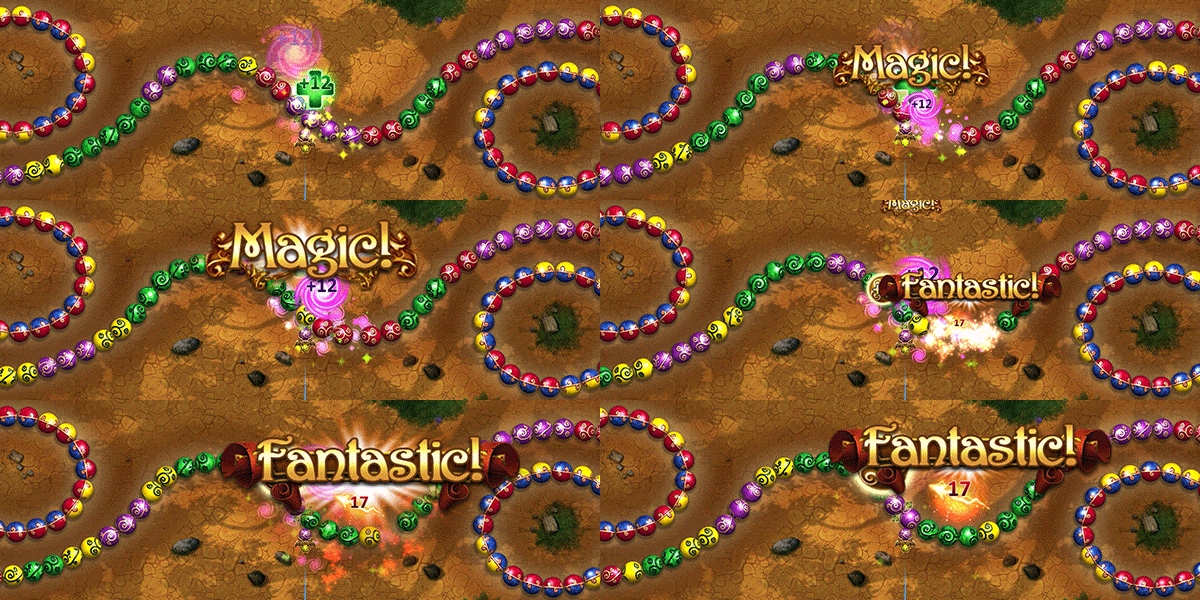
Marble Duel: Sphere-Matching Tactical Fantasy for FREE
[freebies.indiegala.com] Master and improve the destructive power of the spheres and you will become the most fearsome mage ever in our latest FREEbie! [freebies.indiegala.com]
This means that CS:GO (officially confirmed to be safe in the update below) and especially TF2, might be vulnerable to outside malicious attacks just by entering public servers due to remote control access by the now made public source code: https://twitter.com/SteamDB/status/1252961862058205184?s=19
This could very much give quite a lot of access to the modding community to the source code, leading to many quality mods created by the community, but in contrast also giving access to way easier cheating methods due to code now being leaked.
CS:GO might not be too affected given their current source code might be different from the 2017 version, since Valve updates CS:GO regularly. TF2 however has less frequent major updates and has an older code, meaning it will most likely be the most affected.
We do not know how severe the situation is or if any other source games are affected other than TF2 and CS:GO. It is ADVISABLE to not play on any online server on CS:GO and TF2 until Valve comes out with an official update to this situation.
Reminder that these are only speculations. Despite many TF2 communities shutting down, there has been no proof yet regarding remote access or exploits on TF2. It is likely that TF2 might not be as affected as many assume, but better safe than sorry.
UPDATE on TF2: Currently the consensus is that TF2 might not have been affected by the leak, if there was any at all (CS GO's code might've been the only one leaked, and it was done so already in 2018, making this a re-leak). Any screenshots or videos you may have seen of people affected by an RCE (Remote Control Execution) are most likely fake to cause panic.
Today we are looking at TreeIt, a completely free Windows application for creating game textured and multi-LOD models in just a few seconds. TreeIt is made by Evolved Software and has the following features:
Very easy to create top quality 3D trees models.
Create any tree, not limited to just one tree type.
Edit each joint as well as break joints.
Render to image for leaf creation.
Adjustable LOD.
Exports to *.dbo *.fbx *.obj *.x .
Free.
While TreeIt ships with several textures making it easy to get started creating trees, you can also download several preconfigured trees from the tree library. Check out TreeIt in action in the video below, including a quick step by step tutorial on importing your model into the Godot game engine.
We’re giving away 10 codes for RPG The Greater Good
If you grew up playing classics like Chrono Trigger or Final Fantasy VII, you really should check out the brand new premium JRPG The Greater Good. Developed by the lone wolf Sam Enright, The Greater Good wears nostalgia like a woolly jumper, featuring everything that you love about your favourite genre.
The visuals both harken back to that bygone era while remaining distinctly modern. In fact, we can’t really compare it to any other title directly. It combines minimalist characters and environmental backdrops with flashy visual effects, creating quite the eye-catching juxtaposition. Sonically, it’s a similar story, with a pleasingly modern-yet-retro electronic soundtrack produced by EnrightBeats, Sam’s musical alter-ego.
Those modern-yet-retro sensibilities are entirely deliberate, with Sam’s goal to fill the gap between the classics and the JRPGs today. The Greater Good offers us a glimpse of what a classic JRPG might have looked like had the genre continued to thrive during the 3D boom, which is a mission shared by Tokyo RPG Factory, who push out the likes of I am Setsuna and Lost Sphear.
Play The Greater Good and it’ll feel very familiar though. The turn-based combat is reminiscent of Final Fantasy VII, as is the user interface. There’s also heaps of humour, a wide variety of environments to explore, hidden areas and secrets to uncover, and a deep skill system. If you find you love it so much that you can’t get enough of it, there are optional superbosses to try and defeat and a New Game Plus mode.
[embedded content]
The Greater Good launches today, April 22, on the App Store (no Android as of yet) and to celebrate we’re giving away ten codes to our lucky readers. To get in with a chance of winning, you simply need to complete the Gleam form below, which shouldn’t take you longer than a handful of minutes.
We’ll need your full name and email address so we can contact you in a week’s time if you win. We also require that you read our full terms and conditions before you enter, listed here.
Compared: Magic Keyboard versus Brydge Pro+ for iPad Pro
Apple’s Magic Keyboard for the iPad Pro with a floating design, backlit keyboard, and glass multi-touch trackpad is now available. We compare it to the new Brydge Pro+ to see which device wins out in features and quality.
Magic Keyboard (left) and Brydge Pro+ (right)
Brydge Pro+ and Magic Keyboard similarities
Both of these premium-quality accessories fit the same models of iPad Pro. There are versions for both the 11-inch and 12.9-inch sizes of the 2018 and 2020 iPad Pros. With the Logitech Combo Touch only available for older iPads at the moment, these are the only true options that users have if they want a keyboard and trackpad combo.
[embedded content]
Each of them sport fantastic build quality, with Brydge being made up of aluminum with a glass trackpad while the Magic Keyboard has a vinyl exterior with metal hinges and a glass trackpad of its own. Both manufactures can also push firmware updates to these devices, making sure they stay up to date and compatible with the latest iPadOS updates.
There are full backlit keyboards on each, an adjustable hinge to set your preferred viewing angle, and protection for the display of your iPad.
From there, these two excellent productivity tools begin to diverge.
Apple’s Magic Keyboard
Apple’s own Magic Keyboard sets the bar in terms of what an iPad Pro keyboard should be. Rather than rely on Bluetooth, Apple uses the Smart Connector which means you never have to charge the keyboard. As long as your iPad Pro has power, so does your Magic Keyboard. An additional USB-C port on the hinge makes this even easier to manage.
Apple’s Magic Keyboard for iPad Pro
To connect your iPad, just bring it near and the magnets do the rest. They pull the iPad into place and hold onto it well. As we adjusted it, it never misaligned or came free errantly.
The keyboard itself has a great amount of key travel with very solid keys. There is a small amount of key wiggle compared to the 16-inch MacBook Pro, but not much at all. Brydge has a higher degree of wiggle to the keys, often with us having the occasional keystroke not register.
The backlight is near perfect, with almost no light leak around the keys. Brydge has quite a lot of backlight leaking around the keys which can be distracting, especially depending on your viewing angle.
Magic Keyboard trackpad (right) versus Brydge Pro+ trackpad (left)
To no surprise, Apple nailed the trackpad as well. It is decently sized, though can feel cramped if you are used to the larger ones on a MacBook Air or MacBook Pro. It supports multi-touch gestures for going to the home screen, accessing the app switcher, and moving between apps. Not to mention two-finger swipes to go back inside of apps, two fingers for scrolling, and pinching for Maps and Photos.
Apple also managed to enable clicks around the entire trackpad surface. Brydge uses a diving board style trackpad which means the far end is fixed, allowing the rest to flex and click. This hurts the user experience when you try to press down and it simply doesn’t let you.
Brydge Pro+
The Brydge Pro+ keyboard has a full row of function keys above your standard keys. These make it easy to control media, lock the iPad, adjust volume, and even control brightness.
Apple decided not to include these function keys, which is disappointing. It makes manually adjusting the keyboard backlight on Apple’s offering much harder, requiring users to dig into settings.
A Control Center toggle for this could go a long way. Apple’s keyboard does adjust automatically based on the room’s ambient light, but if you do want to adjust it on your own it isn’t as simple as it could be.
Brydge Pro+ also has a far better angle variance. Brydge Pro+ can go from 0 degrees while closed to 180 degrees when fully opened. Magic Keyboard restricts movement to only around 125 degrees. If you want it to go further back, you’re out of luck.
Brydge Pro+
The trackpad on Brydge Pro+ is bigger than the Magic Keyboard, which would be better if it supported all the gestures that the Magic Keyboard supports. But, in our testing, we’re seeing some lag between user input, and the movement of the pointer on the iPad screen. This isn’t great.
The Brydge Pro+ is much more affordable than the Magic Keyboard. It still maintains a premium price tag, but at $199 for the 11-inch, it comes in at a hundred dollars less than Apple’s offering.
Which should I buy?
If money is no object, then go with the Magic Keyboard. It has a better design, keyboard, and trackpad. The physical Smart Connector reduces any lag, of which can be a frustrating problem with Brydge’s trackpad.
Brydge
Magic Keyboard
iPad support
2018 and 2020 11-inch and 12.9-inch iPad Pros
2018 and 2020 11-inch and 12.9-inch iPad Pros
Material
Aluminum
Metal and vinyl
Function keys
Yes
No
Backlit keys
Yes, adjust through function keys
Yes, adjusted automatically
USB-C Port
USB-C input for charging keyboard
Additional USB-C for charging iPad Pro
Connectivity
Bluetooth
Smart Connector
Supported angles
0 to 180 degrees
0 to 125 degrees
Price
$199 and $229
$299 and $349
However, if you are willing to compromise and still want an excellent keyboard with a functional trackpad, Brydge can save you some cash while still delivering a quality typing experience.
The Magic Keyboard for Apple’s new iPad Pro is available to purchase from Adorama, Amazon and B&H Photo. The 11-inch version costs $299, while the 12.9-inch version retails for $349.
Here's How To Set Up 2-Factor Verification On Nintendo Switch
It's a good time to secure your Nintendo Switch online account. Not just because anytime is a good time to beef up your online security, but because Nintendo recommends taking a few extra security steps given recent reports of account breaches. One common security measure Nintendo recommends is to set up 2-factor verification, but how?
With 2-factor verification enabled, you'll need both your password and a unique code sent to your mobile device at the time of login. This way, even if your account password is compromised, a potential bad actor wouldn't be able to obtain your unique code--and you'll get an alert on your phone when someone tries. Fortunately, the process of signing up for two-step verification is simple.
First, sign in to your Nintendo account from a web browser, and then select "Sign-in and security settings." Edit the Two-Step Verification settings and click the option to enable it, then submit. A confirmation will be sent to your email, and then you'll just follow the on-screen prompts to scan a QR Code using the free Google Authenticator app. You'll be given a one-time verification code to enable it, as well as a list of backup codes in case you ever need to access it without the Authenticator app. Be sure to copy those codes down and put them somewhere safe.
Fixed an issue in which Ward of Dawn was not generating Orbs of Light .
Fixed an issue in which Ward of Dawn could not be activated while holding a Sword.
Fixed an issue in which casting Nova Bomb would consume your melee ability (Attunement of Hunger).
Emblems and Trackers
The “Playin’ the Odds” emblem earned through the Gambit intro quest is now always claimable from Collections.
Players who have completed the Divinity mission, but did not correctly receive the Exotic Trace Rifle Divinity, will now have it unlocked and available to reacquire in their Collections.
Players who have completed the Forsaken campaign will find The Lawless Frontier lore book entry “By Thy Tongue Be Damned” completed and available to claim.
Emblem metrics added for emblem stat trackers that were present before 2.8.0, and display the same data as before.
Trackers added:
Season 8 Season Pass Rank Earned
Season 9 Season Pass Rank Earned
Fractaline Donated
Kills as a Sentinel Titan
Kills as a Striker Titan
Kills as a Sunbreaker Titan
Kills as a Arcstrider Hunter
Kills as a Nightstalker Hunter
Kills as a Gunslinger Hunter
Kills as a Stormcaller Warlock
Kills as a Dawnblade Warlock
Kills as a Voidwalker Warlock
Gold Medals Earned
Longest Glory Win Streak
Total Valor Resets
Pit of Heresy Solo Flawless Completions
Kills of Final Bosses in Hive Escalation
Completed Nightmare Hunts on Master Difficulty
Medal Tracker – 7th Column
Medal Tracker – Annihilation
Medal Tracker – We Ran out of Medals
Medal Tracker – Ghost in the Night
Medal Tracker – This Crown is Mine
Medal Tracker – I Made This for You
Medal Tracker – Undefeated
Wins in Trials of the Nine
Flawless Tickets in Trials of the Nine
Kills in Crimson Doubles
Defeated Opponents When Under Effects of Iron Burden
Black Armory Forge Completions
Kills of Haunted Forest Terrors
Deepest Branch of Haunted Forest Cleared
Recipes Baked
Completed Branches of Verdant Forest
Number of Revelric Light Triggers During the Revelry
Completed Tier 3 Encounters During the Reckoning
Completions of Menagerie
Completions of Heroic Menagerie
Candy Collected
Rewards
Armor
The Titan’s Phoenix Cradle Exotic leg armor now correctly creates sunspots that have an extended duration and apply their benefits to allies when the Titan wearing the armor gets a weapon kill while standing in a sunspot.
Fixed an issue where the Warlock’s Felwinter’s Helm Exotic would incorrectly trigger after swapping the item off and on again.
Fixed an issue where some faction armors were not correctly allowing players to apply Faction Rally ornaments to them.
Players who met the requirements, but were missing Prestige ornaments for the Eater of Worlds raid lair, will now have them unlocked and available for use.
New players can still obtain Prestige ornaments from completing the Prestige (Heroic) Eater of Worlds raid lair along with the appropriate Leviathan boss challenges.
Fixed an issue that could prevent Eater of Worlds Prestige ornaments from appearing in the ornament slot on appropriate raid gear.
The Titan’s Aeon Safe Exotic gauntlets now lists the same melee trigger requirement on both its Tooltip and Details screens.
The Mantle of Remembrance ornament for Hunters’ Exotic gauntlets Shinobu’s Vow will now properly replace the item icon to reflect the change in appearance.
The Diadem of Deceit Exotic ornament is now usable on the Year 1 version of the Warlock Exotic helm Crown of Tempests.
The Nano Redux Exotic ornament is now usable on the Year 1 version of the Hunter Exotic chest armor Raiden Flux.
The Huskcrushers Exotic ornament is now usable on the Year 1 version of the Titan Exotic leg armor Dunemarchers.
The chest armor mod Large Arm Reserves now properly provides increased ammo reserves for Shotguns.
Economy
Nightfall: The Ordeal Grandmaster difficulty now grants Season 10 Season Pass Exotic weapon catalyst quest progression.
Crimson Day Sparrows now have the correct event watermark (was The Dawning).
Duplicate individual emotes purchased separately from a bundle can now be opened.
Universal ornaments being sold for Bright Dust in the Eververse store now properly display the text “Already Purchased on Account” when owned.
Fixed an issue that caused the Warlock Season Pass universal chest ornament to erroneously cause an unreleased event’s universal ornament to also display as unlocked.
Trials of Osiris Ghost Shell will now drop with Crucible-related perks.
Power and Progression
Four weekly Powerful gear sources upgraded to Pinnacle (+1): Crucible, Strike, and Gambit challenges, and the weekly clan engram.
Fixed an issue where the Trials vendor engram was not previewing rewards at the correct power level.
Weapons
Fixed an issue with The Fourth Horseman where its Broadside perk would fail to replicate its effects over the network.
Fixed an issue with Breech Loaded (Special ammo) Grenade Launchers that resulted in them having a significantly reduced blast radius.
World Systems
Completing Warden of Nothing now counts for a Fallen boss kill for the weekly Strike bounty: Serve the Servitors.
Fixed an issue causing Warden of Nothing to give double Champion Rewards.
For the Wish-Ender Exotic quest, any players who were missing Uncharged Tokens after turning in their Awoken Talisman and then completing the “???” secret mission, will now find them in their Pursuits.
If a player’s Pursuits are full, they will find the Uncharged Tokens added once they’ve cleared some space and then returned to orbit or re-logged into Destiny 2.
Dreaming City world chests are awarding Glimmer again.
Fixed an issue where players could get blocked from obtaining the Essence from the Bad Juju mission The Other Side, preventing completion of the Bad Juju Exotic quest Spellbound.
A player could get into a bad state if, before being on the quest themselves, they joined another player on the appropriate quest step, completed The Other Side mission, obtained the Essence, and then bound it to obtain Bad Juju.
Players in this bad state, who have obtained Bad Juju and completed The Other Side mission, but have not completed the Spellbound Exotic quest, will now be able to Bind Essence at the altar to complete it.
Fixed an issue causing a crash when players attempted to turn in their Awoken Talisman to the statue of Sjur Eido in the Shattered Throne dungeon.
UI
Made a change so that completed bounties now sort to the top of the bounty bucket, grouping them together.
Friends listed in a player’s roster should no longer show up as black nameplates with zero Power.
General
Fixed an issue where the Champion Servitor’s invulnerability beams were not appearing during Seraph Tower events.
Fixed a string identifying for the four Seraph weapons to include the word “Source:” so players know where to obtain the weapons.
Fixed an issue where the Rasputin bounty, The Lost Classics was not counting Classic Mix matches.
Added the activity rejoin functionality in the Trials playlist.
Fixed an issue where fully upgrading a destination bunker sometimes doesn’t unlock the Warmind Security Triumph.
The “Seasonal Triumphs Complete” field now increments when Triumphs are completed.
Added Vex barriers to the Grove of Ulan-Tan Legendary Lost Sector.
Fixed an issue in the Seraph Towers public event where Ana’s dialog would still call out towers being overwhelmed when the towers are down and Champions are present in the final phase.
Fixed an issue with the Heavy Frame spawning away from its platform in The Quarry and Scavenger’s Den Legendary Lost Sectors on EDZ.
Fixed an issue affecting the difficulty scaling of several activities including Whisper of the Worm and Zero Hour missions.
Disrespect/Hate Speech
Disrespect/Hate Speech
Harassment/Personal Attacks/Bullying
Name and Shame/Privacy Violation
Gory Violence/Explicit Sexuality
Threats of Violence/Illegal Activity
Political/Religious Discussion
Cheating/Hacking
Spoilers/Distributing Stolen Content
Soliciting/Plagiarism/Phishing/Impersonation
Disruption/Evasion
This site uses cookies to provide you with the best possible user experience. By clicking ‘Accept’, you agree to the policies documented at Cookie Policy and Privacy Policy.
Accept
This site uses cookies to provide you with the best possible user experience. By continuing to use this site, you agree to the policies documented at Cookie Policy and Privacy Policy.
close
Our policies have recently changed. By clicking ‘Accept’, you agree to the updated policies documented at Cookie Policy and Privacy Policy.
Accept
Our policies have recently changed. By continuing to use this site, you agree to the updated policies documented at Cookie Policy and Privacy Policy.
We know you’re busy and might miss out on all the exciting things we’re talking about on Xbox Wire every week. If you’ve got a few minutes, we can help remedy that. We’ve pared down the past week’s news into one easy-to-digest article for all things Xbox! Or, if you’d rather watch than read, you can feast your eyes on our weekly video show above. Be sure to come back every Friday to find out what’s happening This Week on Xbox!
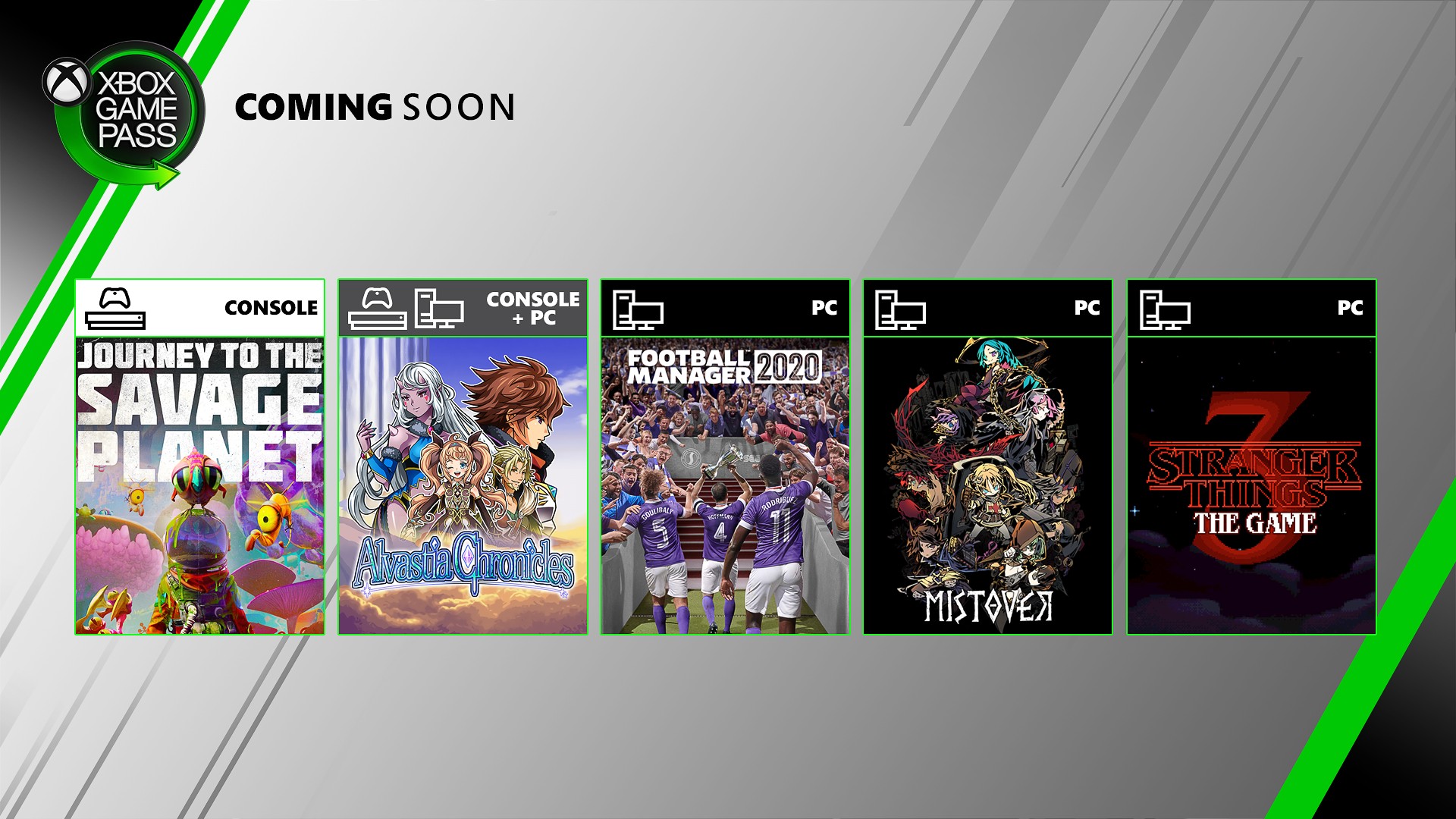
Inside Xbox April 2020 Episode News Recap Today, on our first Inside Xbox episode of 2020, we got a closer look at the single-player campaign in Grounded, the upcoming survival adventure game from our friends at Obsidian Entertainment, revealed the latest Xbox Game Pass titles… Read more
Celebrate the Skyforge Anniversary on Xbox One Since we first launched Skyforge on Xbox One, you’ve been on adventures hitherto undreamt of, and ventured worlds uncharted. Ancient powers have been awoken from the annals of history, and more importantly… Read more
Hotline Miami: Eight Years Later Eight years! It’s safe to say that we never expected Hotline Miami to continue to find new fans so far into the future when we first released it back in 2012, but here we are, beyond excited to finally bring the surreal series to Xbox One… Read more
Confront Rivals in Vigor – Season 3 on Xbox One Hei Outlanders. We decided to bring some fresh air into post-war Norway and have a ton of new stuff for Outlanders old and new alike. Since the very beginning, we were teasing bits and pieces of things to come, and now is a good time… Read more
Gears Tactics Achievements Revealed On April 28, fans will be able to experience one of gaming’s most beloved franchises in a whole new way with the release of Gears Tactics, launching on Windows 10 PC, Steam, and with Xbox Game Pass for PC (Beta) as well as an Xbox console… Read more
Come Hop Into Trove’s Bunfest on Xbox One Oh my, Trovians, have you heard the news? Trove has been overrun with a bountiful bunanza of bopping bunnies! From the lush Medieval Highlands to sun-baked Geode Topside, from the depths of Treasure Isles to the eyries of the Skylands… Read more
Roblox’s Egg Hunt Event is Back in Action on Xbox One Roblox’s annual Egg Hunt event is here on Xbox One, and this time, you’ve been assigned to an international agency of spies known as E.G.G. (Extract, Gather, Guard). Link up with your fellow agents and take on top-secret missions… Read more
What’s Next for Xbox Game Bar Since we introduced Xbox Game Bar, we’ve continually evolved it in partnership with you: our community. From simple video capture, to quick access to audio settings, to seamless listening with Spotify, to providing an FPS counter… Read more
Forza Street Coming to iOS and Android May 5 Get your engines ready … Forza Street is coming to your iOS and Android devices on May 5. We’ve received incredible engagement from players during Android pre-registration and are excited to let iOS gamers know they too will hit the streets… Read more
An Update on Project xCloud (Preview) for Western Europe Bringing the Project xCloud preview to gamers across Western Europe is a top priority for us. We know gaming is an important way for people to remain connected, particularly during these times of social distancing, but we also… Read more
Free Play Days – Gears 5 In case you missed it, we’ve had a lot of updates and news for Gears 5 – Free Play Days, Batista, and Operation 3 Gridiron. Let’s jump in! Welcome to Gears 5 – Operation 3: Gridiron! Get in on this single life objective mode with two teams… Read more
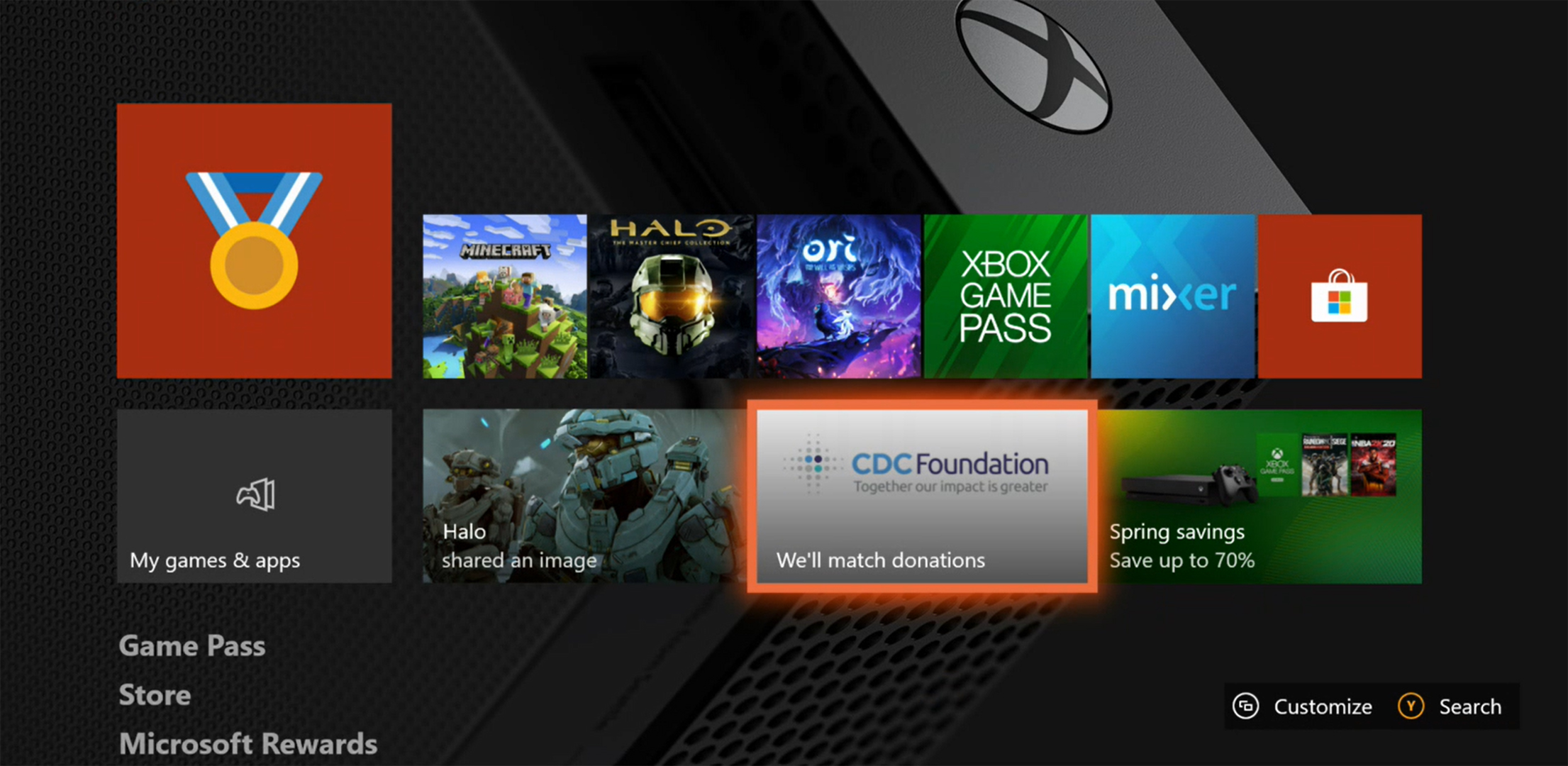
Donate to the CDC Foundation By Playing Xbox Supporting organizations that are making a difference amidst today’s coronavirus pandemic is more important right now than ever. Many people are seeking ways to help through the activities and passions they’re doing from home… Read more
Next Week on Xbox: New Games for April 15 to 17 Welcome to Next Week on Xbox, where we cover all the new games coming soon to Xbox One and Windows 10 PC! Every week the team at Xbox aims to deliver quality gaming content for you to enjoy on your favorite gaming console… Read more




 in GalaCredit!