


Right alongside new video conferencing features like reactions, macOS Sonoma gives you Center Stage options to control how you present yourself to the world — if you have the right camera.
Center Stage on the Mac is exactly as it has been on the iPad. Should you choose to have it turned on, then when you’re on a video call and you reach out of frame for a coffee, the camera automatically moves.
Or rather, it appears to. While there have to be limits, as long as you’re in front of the camera somewhere, your video conferencing colleagues will see you right in the middle of their view.
They’ll see you center stage, in fact. Moving left or right, up or down, or having someone else join you in the shot will make the image automatically adjust itself to show the best framing.
If you have the right camera.
The right camera
For Center Stage to work on macOS Sonoma, you must be using an Apple Silicon Mac and:
- A built-in camera (such as on a MacBook Pro)
- Continuity Camera with an iPhone 12 or later
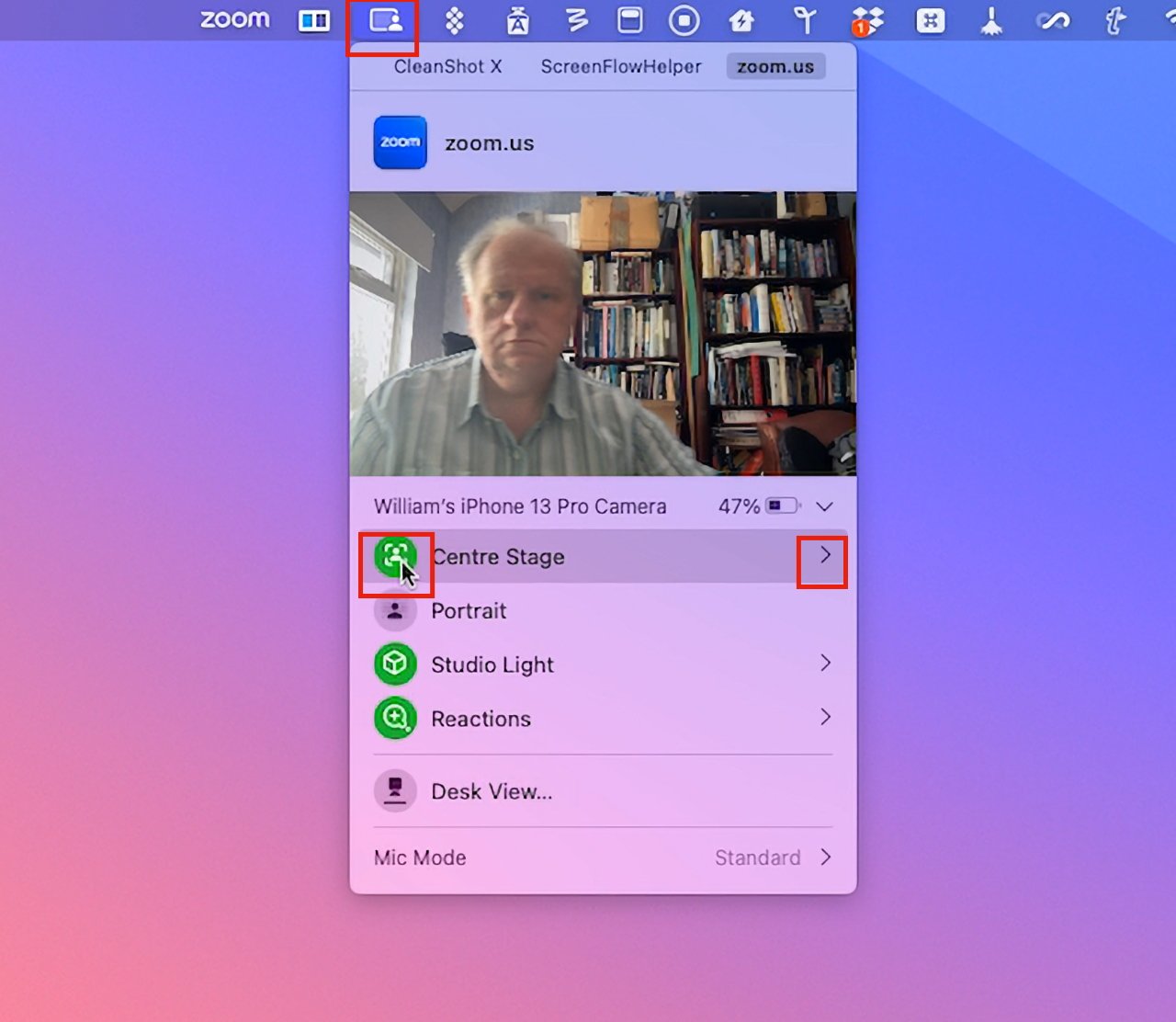
Something that may trip you up is that there are Mac apps that can seemingly hide Center Stage controls.
Center Stage used to be part of Control Center, but it now belongs in a new menubar icon that groups together options such as portrait mode, or reactions. This new menubar icon changes to show you when your camera is in use, or just your microphone, and it’s this icon that can effectively be obstructed.
At present, just for one example, if you were to use a screen-recording app while on a video conferencing call, the yellow microphone or green camera icon may be replaced by a darker, less obvious one.
Nonetheless, the Center Stage controls will appear under this menubar icon when you are in a video call.
How to use Center Stage in macOS Sonoma
- While on the video call, click the new menubar icon
- Either click to turn on Center Stage, or
- Click the arrow to the right of Center Stage for more options, if available
In macOS Ventura, Center Stage was an option you ticked in Control Center. Now you click Center Stage icon to toggle it on or off.
A lot of Center Stage capabilities depends on the camera you’re using so there will be differences. But in AppleInsider testing using an iPhone 13 Pro as the camera, macOS Sonoma gave more options than the same setup in macOS Ventura.
Specifically, two options. Clicking on the arrow to the right of Center Stage in the new menubar icon may show you a choice of cameras. If it does, a click will switch you between, say, Main and Wide Angle.
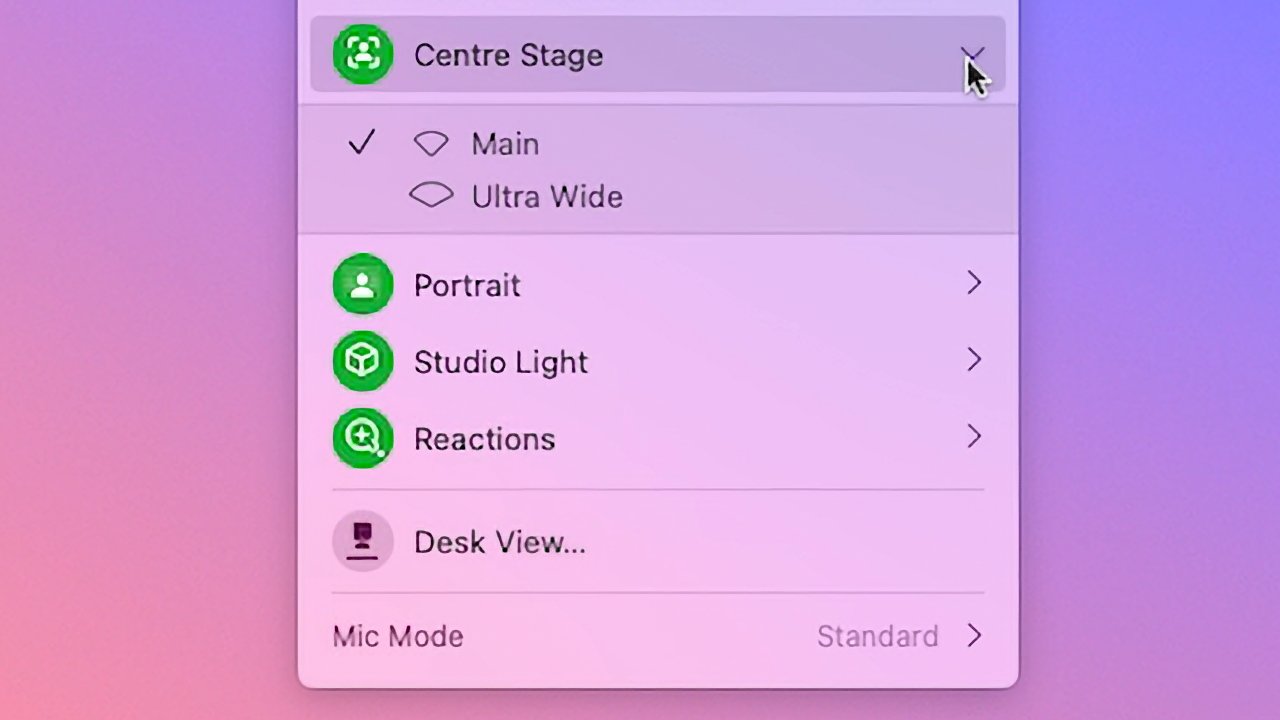
Click the arrow to the right of Center Stage to see more options, if available
A step forward in video conferencing
Center Stage is as welcome on the Mac as it was on the iPad. It’s a shame that you can’t turn it on or off until you are actually on a call, though.
It would be good to be able to set yourself up just the way you want before the other person appears on the call. If it’s your call and you’re on Zoom, say, then you can start the meeting and adjust the settings before you let anyone else in.
But it would also be good to be able to use a keystroke or perhaps a Shortcut to change the settings instead of having to go through the menubar icon.
https://www.sickgaming.net/blog/2023/09/...os-sonoma/