| Welcome, Guest |
You have to register before you can post on our site.
|
| Forum Statistics |
» Members: 20,193
» Latest member: juhujbj
» Forum threads: 22,087
» Forum posts: 22,974
Full Statistics
|
| Online Users |
There are currently 568 online users.
» 0 Member(s) | 563 Guest(s)
Applebot, Baidu, Bing, Google, Yandex
|
|
|
| News - Good Smile’s Isabelle Nendoroid Gets A Fourth Run, Pre-Orders Are Now Live |
|
Posted by: xSicKxBot - 03-20-2020, 06:48 PM - Forum: Nintendo Discussion
- No Replies
|
 |
Good Smile’s Isabelle Nendoroid Gets A Fourth Run, Pre-Orders Are Now Live
To celebrate the release of Animal Crossing: New Horizons on the Nintendo Switch, Good Smile Company has re-released its Isabelle Nendoroid for the fourth time in a row. Pre-orders are now live, so if you’ve missed out on previous occasions, we suggest you claim one for yourself while you still can.
This lovely Animal Crossing-themed Nendoroid is priced at $43.99 / €38.90, and a maximum of three are available per person. Although this reprint lines up with the launch of New Horizons on the Switch, as highlighted on the company’s website, the Nendoroid is actually based on Isabelle’s look in the 3DS title, Animal Crossing: New Leaf.
In addition to interchangeable parts, this figure includes Isabelle’s trademark hair accessory (including a real bell), a question mark, some musical notes, multiple bases, and a clipboard and pen. Pre-orders close on 16th April 2020 at 12 pm JST. Would you be interested in owning this Isabelle Nendoroid? Let us know down below.
https://www.sickgaming.net/blog/2020/03/...-now-live/
|

|
|
| News - Animal Crossing: New Horizons -- What To Do On Your First Day |
|
Posted by: xSicKxBot - 03-20-2020, 06:47 PM - Forum: Lounge
- No Replies
|
|
Animal Crossing: New Horizons -- What To Do On Your First Day
Animal Crossing: New Horizons is now available, which means it's time to get your new island life started. Like previous Animal Crossing games, time in New Horizons passes as is does in real life--and you often have to wait until the following day or days to see the effects of what you're doing. We've outlined everything you should do on day one on your new island so you can maximize your early progress. The game switches to a real-time clock after you complete the tutorial section--it ends when you go to sleep after the party. Luckily, Tom Nook's Resident Services tent is open 24 hours a day, so if you start your game later in the day, you won't be missing out on anything. You can talk to Tommy and Tom Nook to get some direction, and one of the first things you should do after the tutorial is enroll in Tom Nook's DIY workshop so you can start crafting important things. Once you're able, craft a flimsy net and flimsy fishing rod. Catch some bugs and fish and then give five of them to Tom Nook--this will start the process of bringing the museum to your island. Doing this day one is important, because Blathers, the museum curator, will give you access to the shovel and vaulting pole when he arrives the next day. Continue Reading at GameSpot
https://www.gamespot.com/articles/animal...01-10abi2f
|
|
|
|
| Fanatical Build Your Own Zenva Courses And Wiley Linux Books Bundles |
|
Posted by: xSicKxBot - 03-20-2020, 12:10 PM - Forum: Game Development
- No Replies
|
|
Fanatical Build Your Own Zenva Courses And Wiley Linux Books Bundles
Fanatical are running a pair of new deals of interest to game developers. The first one is a straight forward collection of ebooks from Wiley Press on the subject of Linux, both programming and operations. It is organized into tiers, where buying a higher value tier get’s you all of the books in the tiers below it.
The other deal being offered is a build your own bundle with a selection of Zenva courses, including:
- Bite-Sized HTML
- Bite-Sized CSS
- CSS Flexbox for Beginners
- The Complete Beginner’s JavaScript Course
- Discover Developer Tools for JavaScript Apps
- Bite-Sized Python
- C++ Programming for Beginners
- Machine Learning for Beginners with TensorFlow
- Web Scraping with Python and BeautifulSoup: https://academy.zenva.com/product/web-sc...tifulsoup/
- Godot Game Development for Beginners
- Beginning SQL – Store and Query Your Data
- The Complete Python Data Visualization Course
- Intro to Game Development with Unity
- Learn C++ by Making a Text-Based RPG
- Unity 2D Projects – Super Plumbers
- Build a First-Person Shooter with Godot
- Build a Micro Strategy Game
- Create a City Building Game with Unity
- Create a Road Crossing Game with Phaser 3
- Develop a Top-Down Action RPG with Phaser 3
- Build a Tower Defense Game with Phaser 3
- Intro to Augmented Reality
- AR Game Development – Space Shooter
- Build a Micro-VR Game:
- VR Projects – First-Person Shooter
In this bundle you can buy a single course for $1.50, 5 courses for $6, 10 course for $11 or all 25 of the courses for $25. Additionally Fanatical are still offering a collection of ebooks from Packt on topics including Unity, C++, Blender and Unreal which we discussed here. It is important to note the Humble are currently running a similar Zenva course bundle, so be careful that you don’t purchase the same course twice! All of the above links contain affiliate codes that help support GFS if you purchase using them (and thanks if you do!).
You can learn more about the Linux Wiley Book Bundle and the Build Your Own Zenva Course bundle in the video below.
GameDev News Book Sale
<!–
–>
https://www.sickgaming.net/blog/2020/03/...s-bundles/
|
|
|
|
| Fedora - Control the firewall at the command line |
|
Posted by: xSicKxBot - 03-20-2020, 12:09 PM - Forum: Linux, FreeBSD, and Unix types
- No Replies
|
|
Control the firewall at the command line
A network firewall is more or less what it sounds like: a protective barrier that prevents unwanted network transmissions. They are most frequently used to prevent outsiders from contacting or using network services on a system. For instance, if you’re running a laptop at school or in a coffee shop, you probably don’t want strangers poking around on it.
Every Fedora system has a firewall built in. It’s part of the network functions in the Linux kernel inside. This article shows you how to change its settings using firewall-cmd.
Network basics
This article can’t teach you everything about computer networks. But a few basics suffice to get you started.
Any computer on a network has an IP address. Think of this just like a mailing address that allows correct routing of data. Each computer also has a set of ports, numbered 0-65535. These are not physical ports; instead, you can think of them as a set of connection points at the address.
In many cases, the port is a standard number or range depending on the application expected to answer. For instance, a web server typically reserves port 80 for non-secure HTTP communications, and/or 443 for secure HTTPS. The port numbers under 1024 are reserved for system and well-known purposes, ports 1024-49151 are registered, and ports 49152 and above are usually ephemeral (used only for a short time).
Each of the two most common protocols for Internet data transfer, TCP and UDP, have this set of ports. TCP is used when it’s important that all data be received and, if it arrives out of order, reassembled in the right order. UDP is used for more time-sensitive services that can withstand losing some data.
An application running on the system, such as a web server, reserves one or more ports (as seen above, 80 and 443 for example). Then during network communication, a host establishes a connection between a source address and port, and the destination address and port.
A network firewall can block or permit transmissions of network data based on rules like address, port, or other criteria. The firewall-cmd utility lets you interact with the rule set to view or change how the firewall works.
Firewall zones
To verify the firewall is running, use this command with sudo. (In fairness, you can run firewall-cmd without the sudo command in environments where PolicyKit is running.)
$ sudo firewall-cmd --state
running
The firewalld service supports any number of zones. Each zone can have its own settings and rules for protection. In addition, each network interface can be placed in any zone individually The default zone for an external facing interface (like the wifi or wired network card) on a Fedora Workstation is the FedoraWorkstation zone.
To see what zones are active, use the –get-active-zones flag. On this system, there are two network interfaces, a wired Ethernet card wlp2s0 and a virtualization (libvirt) bridge interface virbr0:
$ sudo firewall-cmd --get-active-zones

FedoraWorkstation interfaces: wlp2s0

libvirt interfaces: virbr0
To see the default zone, or all the defined zones:
$ sudo firewall-cmd --get-default-zone

FedoraWorkstation

$ sudo firewall-cmd --get-zones

FedoraServer FedoraWorkstation block dmz drop external home internal libvirt public trusted work
To see the services the firewall is allowing other systems to access in the default zone, use the –list-services flag. Here is an example from a customized system; you may see something different.
$ sudo firewall-cmd --list-services

dhcpv6-client mdns samba-client ssh
This system has four services exposed. Each of these has a well-known port number. The firewall recognizes them by name. For instance, the ssh service is associated with port 22.
To see other port settings for the firewall in the current zone, use the –list-ports flag. By the way, you can always declare the zone you want to check:
$ sudo firewall-cmd --list-ports --zone=FedoraWorkstation

1025-65535/udp 1025-65535/tcp
This shows that ports 1025 and above (both UDP and TCP) are open by default.
Changing zones, ports, and services
The above setting is a design decision.* It ensures novice users can use network facing applications they install. If you know what you’re doing and want a more protective default, you can move the interface to the FedoraServer zone, which prohibits any ports not explicitly allowed. (Warning: if you’re using the host via the network, you may break your connection — meaning you’ll have to go to that box physically to make further changes!)
$ sudo firewall-cmd --change-interface=<ifname> --zone=FedoraServer

success
* This article is not the place to discuss that decision, which went through many rounds of review and debate in the Fedora community. You are welcome to change settings as needed.
If you want to open a well-known port that belongs to a service, you can add that service to the default zone (or use –zone to adjust a different zone). You can add more than one at once. This example opens up the well-known ports for your web server for both HTTP and HTTPS traffic, on ports 80 and 443:
$ sudo firewall-cmd --add-service=http --add-service=https

success
Not all services are defined, but many are. To see the whole list, use the –get-services flag.
If you want to add specific ports, you can do that by number and protocol as well. (You can also combine –add-service and –add-port flags, as many as necessary.) This example opens up the UDP service for a network boot service:
$ sudo firewall-cmd --add-port=67/udp

success
Important: If you want your changes to be effective after you reboot your system or restart the firewalld service, you must add the –permanent flag to your commands. The examples here only change the firewall until one of those events next happens.
These are just some of the many functions of the firewall-cmd utility and the firewalld service. There is much more information on firewalld at the project’s home page that’s worth reading and trying out.
Photo by Jakob Braun on Unsplash.
https://www.sickgaming.net/blog/2020/03/...mand-line/
|
|
|
|
| News - This Week At Bungie – 3/19/2020 |
|
Posted by: xSicKxBot - 03-20-2020, 12:09 PM - Forum: Lounge
- No Replies
|
|
This Week At Bungie – 3/19/2020
 This week at Bungie, the Fourth Horseman rides again.
Some of you may have heard the legend of the Fourth Horseman – a weapon so powerful, Spider Tanks run from it in fear. Any enemy foolish enough to come within range… ripped apart within seconds by the arc pellets launched from its four barrels. At the invitation of Zavala, you can get your hands on this beautiful Shotgun in Destiny 2.
Let’s say you want to strike fear into the hearts of the Cabal, but feel this already ridiculous weapon needs a little something extra. Keep your eyes peeled for its catalyst by continuing to upgrade Rasputin through Seraph public events, or clear Legendary Lost Sectors of the darkness found within.
And so, we begin another TWAB. Your weekly dose of Bungie and Destiny 2 news. We’ve got some exciting news on a new Twitch extension, an update from the Bungie Foundation, and more. While there isn’t a cat picture hidden in this article, I still expect you to read every single word. No exceptions.
An Extension of Your Hand
With weekend-two of Trials of Osiris on rapid approach, we’re excited to announce our first Bungie-developed Twitch extension. Bridging the gap between streamer and viewer, you can now quickly glance at the current state of the streamer’s Perks, passage, weapons, armor, perks, mods, catalysts, and more.
We’re also launching the first Twitch Weekly Bounty. After each match, you’ll have time to react to a clutch play (or heartbreaking loss) with some Destiny-themed emotes and earn progress towards this unique Bounty. Upon completion, players will be rewarded with Glimmer, XP, and Trials Tokens within Destiny 2.
We’re also looking at expanding the extension to apply to more activities in Destiny 2. Which activities would you like to be supported in the future? What other bounties would you like to see? Sound off!
Lightmakers // Lightbreakers
With the return of Trials of Osiris, players have a fresh opportunity to put some new accomplishments on display. You may have seen a few Guardians in the wild flaunting stat trackers with their flawless passage count or the number of Guardians they’ve defeated.
By using specific emblems granted from the Flawless Chest, players can earn unique stats as they complete more passages within the activity. We also introduced a way for Guardians to identify themselves as Lightmakers or Lightbreakers.
Lightmakers: With the “Light for the Lost” Emblem equipped, help Guardians to their first ever flawless passage. You can be identified by white glows on your Flawless armor.
Lightbreakers: With the “Flawless Empyrean” Emblem equipped, reach seven wins on a passage, and then continue winning matches. You can be identified by red glows on your Flawless armor.
We’ve seen many of you taking on these roles in the wild already and are excited to see how high you climb in the stat charts. Please note: In order for the emblems to track their associated stats correctly, players must have the emblem equipped when completing their respective requirements. We’ll be highlighting some of the greatest Lightmakers and Lightbreakers among you in future articles, so get to it!
Smelting Iron
Once again, Lord Saladin calls upon Guardians to test the strength of their iron. While Power-enabled combat is no longer exclusive to Iron Banner, this is your 6v6 battleground. As announced earlier today, Artifact Power will be disabled in Iron Banner. Don’t worry though, you’ll still have the opportunity to put your pinnacle Power on display.
This Season, Saladin is also offering a pursuit weapon as reward for completing the “Smelting Light” quest. You’ll be challenged to capture zones and defeat opponents with a collection of weapons on your journey to earning the “Point of the Stag.”
The Iron Remembrance armor sets also make their return, upped to Armor 2.0 standards. You’ll have the opportunity to earn some innacle Power rewards by completing weekly bounties. Additionally, Iron Banner armor pieces have chances for higher stat rolls from bounties, vendor packages, and post-game drops.
Iron Banner begins at 10 AM PDT on March 24, running through 10 AM on March 31.
Bungie Foundation Update
Over the last few months, we’ve had a few initiatives from the Bungie Foundation to help those in need. This week, we’d like to share some insight on our efforts to help during the COVID-19 Pandemic, and provide an update on Guardians for Australia.
Foundation: With so much going on around the world right now, we know it can be anxiety-provoking, confusing, and stressful. Because of that, it is more important than ever to lift each other up and put the well-being of others, especially those who are in need, before ourselves. It has been encouraging to see communities join together in solidarity to keep themselves and others safe and healthy.
As a company located in the epicenter of the U.S. outbreak here in Washington State, we believe it is important to help our local community through this crisis. Bungie is grateful to partner with the Boys & Girls Club of Bellevue (BGCB), which is doing life-saving work for our local families. While all local schools remain closed through the end of April, the BGCB is committed to keeping as many of their facilities open as possible to care for children, so that parents who must continue to go work are able to do so. In addition, they are feeding and providing necessary supplies for families in crisis. Bungie is providing a $160,000 grant that will enable the BGCB to operate four sites across the Bellevue region through the end of April in order to care for our community’s most vulnerable low-income and homeless families. This care will allow more families to continue earning income and paying their rent, while keeping their families fed and healthy, and will help to minimize long-term repercussions from this crisis.
While many of us live in areas that have been encouraged to practice social distancing, there are always ways to help your fellow neighbor. Here are a few things to consider:
- Support your local small businesses. As an example, if your gym is closed, please consider retaining your membership so that they can afford to re-open their doors.
- Support family-owned restaurants by ordering take-out or. Search for local fundraisers like GoFundMe that are providing financial support to restaurant workers, artists, performers, and more that are without work during the shutdowns.
- Support your nonprofits. Many major fundraising activities have been cancelled or postponed. If you plan to donate to any organization this year, please consider doing it now rather than later. Many organizations depend on those fundraisers and are in a really tight spot without those funds.
- Support families in your community. Make a donation to your local food bank, United Way, or Boys & Girls Club. These organizations are able to leverage every dollar to deliver critical support to families in need.
- Donate blood. Since the outbreak, there has been a drastic drop in blood donations nationwide (approximately 86,000 fewer than is normal in this time period), at a time when our hospitals are at or nearing capacity. If you are healthy and showing no signs of fever or other symptoms, please contact your local Red Cross or other local agencies to make a donation.
Stay safe, stay positive, and love your neighbor. We’re all in this together.
The Bungie Foundation is also proud to announce its Guardians for Australia t-shirt campaign has raised $1 million USD (approximately 1.6 million AUD at the time of sending) to support those impacted by the Australian bushfires. Since launching on January 14, over 75,000 shirts were sold and are now on their way to supportive guardians worldwide.
We also want to take this opportunity to give a special thanks to our partners Sunrise Identity, PMC Fulfillment, Pacific Sportswear, and Brand Access for their support to maximize donations to the organizations.
The Guardians for Australia t-shirt incorporates iconic Australian flora and fauna, as well as a Guardian ship patrolling the landscape overhead. Funds raised will go towards the NSW Rural Fire Service and WIRES.
“We are blown away by the outpouring of love and generosity the Bungie community has shown for Australia following their devastating wildfire seasons. Because of our fans, the New South Wales Rural Fire Service will be better equipped to deal with future challenges and serve the community in times of need. WIRES will be able to rehabilitate their sick, injured and displaced wildlife while restoring their natural habitats. From the bottom of our hearts, thank you for continuing to demonstrate that the Bungie community is stronger together and truly makes our world a better and kinder place.”
– Christine Edwards, Senior Bungie Foundation Manager
The Guardians for Australia fundraiser follows previous efforts for the 2015 earthquake relief in Nepal and the 2017 relief effort for Hurricane Harvey. Bungie also ran Game2Give in 2018 to support the Bungie Foundation’s iPads for Kids Program and Children’s Miracle Network benefiting sick kids across the United States.
Get that door open, Zavala…
During last week, Destiny Player Support has been attacking bugs from all angles. Crashes, Gambit error codes, and more. It wouldn’t be a new Season without a few speedbumps, now would it?
This is their report.
A FLAWLESS SEASON
Since the launch of Season of the Worthy, we have received questions regarding the Flawless title for Trials of Osiris. The Flawless title can be earned in Season of the Worthy as well as future seasons. All triumphs must be completed within a single season; if a player has completed some triumphs but not all by the end of Season of the Worthy, they must earn those triumphs again in the next season.
KNOWN ISSUES
While we continue investigating various known issues, here is a list of the latest issues that were reported to us in our #Help Forum:
- Ornaments for Dunemarchers, Raiden Flux, and Crown of Tempests are not appearing on Year 1 versions of the armor.
- The Raiju’s Harness exotic chest piece allows for infinite Whirlwind Guard usage. We have disabled this exotic until a fix can be deployed at a later date.
- We are investigating an increase in ANTEATER, BEETLE and BEAVER error codes.
- Only the character who unlocked the EDZ Bunker can use the PDS upgrade to clear the Bunker – other characters will receive an error.
- The Warden servitor in Warden of Nothing is not counting as a Fallen boss for strike bounties.
- We’re investigating crashes issues occurring in Gambit for players on PS4 and Steam.
For a full list of emergent issues in Destiny 2, players can review our Known Issues article. Players who observe other issues should report them to our #Help forum.
Yeetus Deletus
Last week, we shared some lovely Trials clips from Destiny 1 tagged with #TrialsReturns. This week, we have the opportunity to showcase more Trials content, but this time from Destiny 2! Seems that Titans are good for more than just bodyshields. Don’t worry, there’s a Warlock clip in here too…
Movie of the Week: Flawless Thundercrash
Honorable Mention: Crispy Snipes
Honorable Mention: If Pigs Could Fly
Next week, we’ll get back in the flow of giving PvE some love. If you’d like a chance for the MotW emblem, throw your clip, monotone montage, mix tape, or video on the Creations Page. We’ve been working remotely for about two weeks now. It’s been a pretty weird time, not going to lie. While we’ve gotten things straight on the backend to continue our workflows (and kick off a new Season), there isn’t anything that can replace the face-to-face interactions we have –-at Bungie. I do feel lucky, though, as we have ample opportunity to mix things up online. Even if your area has gone on lockdown in the face of COVID-19, you can still find Guardians running around Mercury completing their weekly flashpoint, or grinding out some raids in preparation for Trials of Osiris. Share your favorite emotes with one another, or maybe even jump in a fireteam to strike up some friendly conversation. One thing that I’ve enjoyed most is the variety of songs players have suggested to keep motivated, or even as timers for washing their hands.
We’ll get through this together, as Guardians.
Much love,
Dmg04
https://www.sickgaming.net/blog/2020/03/...3-19-2020/
|
|
|
|
| News - Video: Check Out DOOM 64’s Brand New DOOM Eternal-Inspired Level |
|
Posted by: xSicKxBot - 03-20-2020, 12:08 PM - Forum: Nintendo Discussion
- No Replies
|
|
Video: Check Out DOOM 64’s Brand New DOOM Eternal-Inspired Level
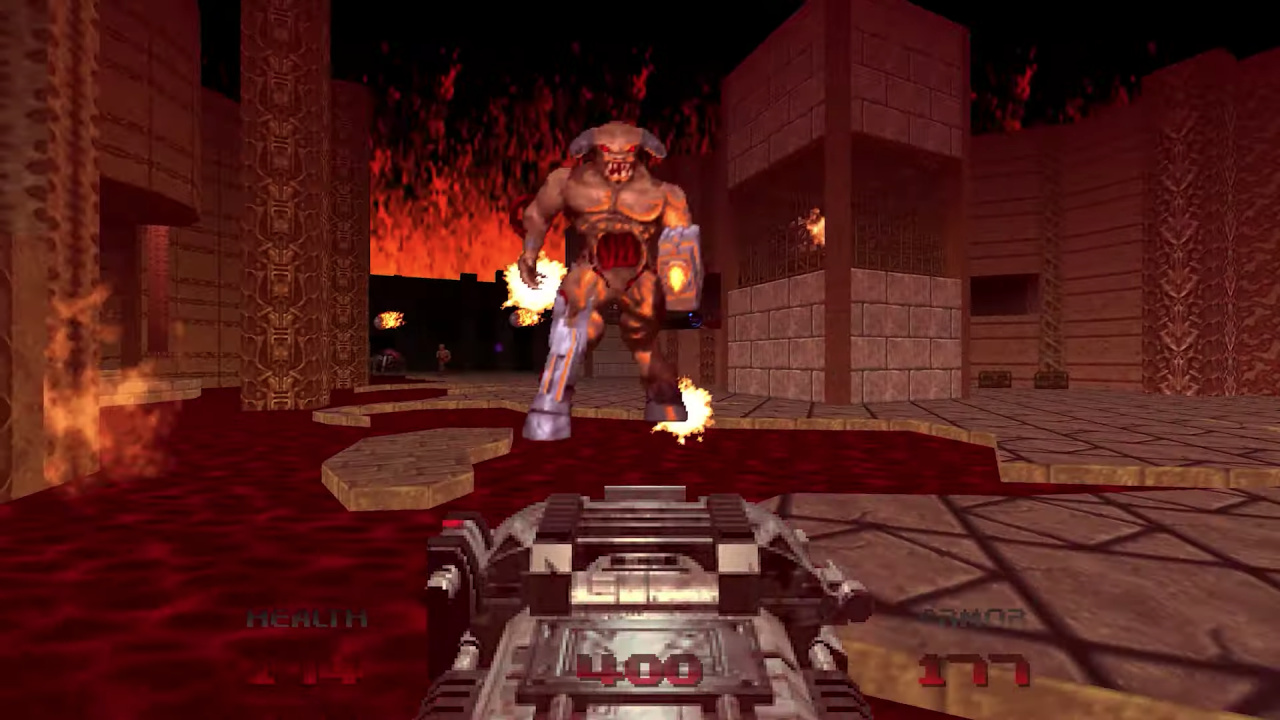
Although Switch owners won’t be able to tuck into the new and exciting DOOM Eternal tomorrow, they can enjoy the rerelease of DOOM 64. A special stage has been made for this new rerelease and we can now see it in action for the first time.
We first heard about this new level earlier in the month, when senior developer James Haley revealed that a new chapter would be playable in the game that ties into the new 2016 DOOM and DOOM Eternal. Back then, he said that “persistent players will have the opportunity to unlock a new chapter in the Doomguy’s saga, taking place shortly after [Doom 64’s] original campaign concludes”.
As it turns out, the tie-in content appears to revolve around the text shown upon completion of the level, which provides a little more lore relating to both the newer releases and DOOM 64 itself. Of course, the series’ most dedicated fans will get the most out of this little nod.
Will you be grabbing DOOM 64 tomorrow? Will it be your first playthrough, or are you returning to it for nostalgia’s sake? Tell us below.
https://www.sickgaming.net/blog/2020/03/...red-level/
|
|
|
|
| Xbox Wire - Changes to the Xbox Insider Hub |
|
Posted by: xSicKxBot - 03-20-2020, 12:08 PM - Forum: Xbox Discussion
- No Replies
|
|
Changes to the Xbox Insider Hub

XP, Leaderboards, and Performance
As we continue our march towards a new Xbox Insider Hub experience, we’re going to make changes that will affect what the current Xbox Insider Hub looks like and how it behaves. Like we mentioned in our previous post, some of those pieces are going to be much more visible than others. This includes a change you’ll see starting tomorrow.
We Value Your Participation
We know that Xbox Insiders value XP, and we do too! XP is a public reward to you for giving feedback to the feature teams and game developers for saying what you like and what can be improved. We’ve granted XP for completing Surveys, Quests, and for filing good bugs! Many of you even noticed when we humorously hinted that we were aware that some folks were bypassing our system just to get the XP reward.
Making this XP so public was driving an incentive that we did not intend. And this created an artificially wide gap between users with the most XP, versus those who are perfectly well-engaged but with a lower point total. Because Xbox Insiders are the highest—and longest—engaged members of the Xbox community, it became clear that a years-long member of the program had an insurmountable XP advantage compared to a more recent Xbox Insider.
The change we’re making today involves how we record XP and show Leaderboards. Most of these changes are happening under the hood in the services layer and are improvements to the overall performance of the app itself. However, these changes will disrupt the Leaderboards because of the way we make a service call for that data. As we’re shifting XP and future incentive systems in the Xbox Insider Hub, we felt this was the right time to retire the XP Leaderboard in the current version of the app.
XP is Not Going Away
You can still earn points through Quests, Surveys, and bug filing! There are many of you who earned your place on the global leaderboard’s top slots through frequent engagement, quality feedback, and have been with us for many years. To you, a very sincere thank you. There are also many newer Xbox Insiders who are active in the Xbox Insider Hub nearly every day and give high quality feedback. We thank you, as well. The impact you have on Xbox is just as important.
We want you to be a part of the journey towards the new Xbox Insider Hub. Stay up to date on other changes we’re making here on the Xbox Insider Blog, the r/XboxInsiders subreddit, and @XboxInsider on Twitter. We are very close to having a build ready to give to Xbox Insiders to try out and let us know what you think. Stay tuned!
https://www.sickgaming.net/blog/2020/03/...sider-hub/
|
|
|
|
| News - Get a job: AfterThought is hiring a Unreal Engine 4 Programmer |
|
Posted by: xSicKxBot - 03-20-2020, 12:08 PM - Forum: Lounge
- No Replies
|
|
Get a job: AfterThought is hiring a Unreal Engine 4 Programmer
 The Gamasutra Job Board is the most diverse, active and established board of its kind for the video game industry!
Here is just one of the many, many positions being advertised right now.
Location: Henderson, Nevada
With a strong knowledge and experience with C++ and Unreal Gameplay framework, you will work on new and pre-existing gameplay systems for a multiplayer environment. As well as work on UI logic using Unreal Motion Graphics and have an in-depth understanding of Unreal’s Replication System.
Additionally, you will write data-driven gameplay elements using DataTables and CurveTables and have experience or the capacity to learn and utilize the Gameplay Abilities System.
You have:
Extensive Knowledge of C++ and experience using Blueprints in Unreal Engine 4.
(Variables, Functions, Methods, Delegates, Classes, Arrays, Stack, Heap, Pointers, Virtual / Pure Virtual etc)
Experience working on Multiplayer games.
(Replication, Netcode, Remote Procedure Calls)
Familiarity with the Gameplay Abilities System
A stellar portfolio that demonstrates your work or a show of contributions to open source projects, or both. Be able to debug complex problems in multiplayer environments using unreal engine profiling and debugging tools. Have the ability to effortlessly work in a team environment, using Git with other programmers as well as adapting to existing project code style.
Backend experience a plus.
Interested? Apply now.
Whether you’re just starting out, looking for something new, or just seeing what’s out there, the Gamasutra Job Board is the place where game developers move ahead in their careers.
Gamasutra’s Job Board is the most diverse, most active, and most established board of its kind in the video game industry, serving companies of all sizes, from indie to triple-A.
Looking for a new job? Get started here. Are you a recruiter looking for talent? Post jobs here.
https://www.sickgaming.net/blog/2020/03/...rogrammer/
|
|
|
|
|
|
|


 Part of the White Day Sale
 in GalaCredit!