Paladins Season 3 Begins with New Champion Release, Community Battle Pass
Paladins had an exciting year in 2019 – we released four new champions, a variety of exciting Battle Passes, and a series of updates which brought more bug fixes and quality of life improvements than ever before. We declared 2019 the best year ever for Paladins, and we think we achieved our goal. But we’ve never been comfortable resting on our laurels. If 2019 was our best, we only had one choice for 2020 – make it an even better year for Paladins. With this goal in mind, we are launching Season 3 of Paladins with today’s update (available now free on Xbox One), which includes so many changes and improvements that we can confidently say that we’re kicking 2020 to be the best ever. Let’s dive in and see what’s in store for the new year!
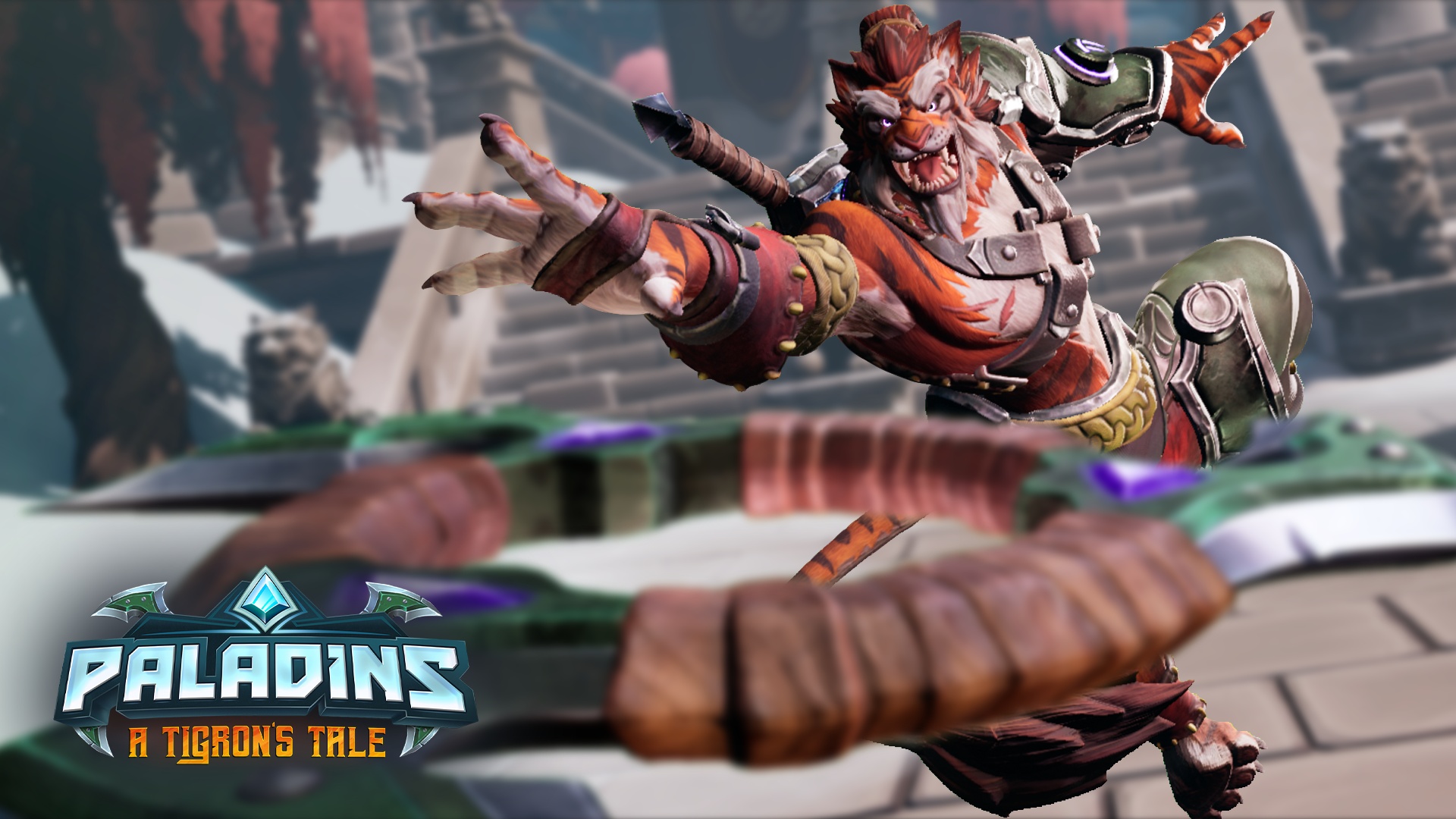
We think you’ll agree that the most exciting part of our first patch of 2020, A Tigron’s Tale, is the introduction of our newest Champion: Tiberius. Nicknamed The Weapon’s Master, Tiberius wields two unique weapons against his enemies: his throwing chakrams, which will bounce off of floors, walls, and ceilings, and a mystical sword. Discovered in an ancient temple and forged in ages immemorable, Tiberius’ blade is more than just a weapon: it’s an ally. Tiberius can throw his blade at enemies, then recall it back to his hand. Selecting his “Tigron’s Fury” ability allows Tiberius to do even more damage with his sword, causing it to explode when recalled.
Tiberius is a Tigron – a race of nomadic cat-people renowned for their agility and fighting prowess. In creating Tiberius, we spent a lot of time creating a Champion that moved like a feline. This is most evident in Tiberius’ ultimate ability – actually two abilities in one. After activating his Ultimate, players can launch his Striking Tigron attack, causing Tiberius to quickly dash forward, dealing damage to any enemies in his path. Activating his Whirling Blades attack launches Tiberius into the air, blocking all incoming damage with his whirling sword and dealing damage to nearby enemies when he lands. Players can mix and match these attacks when activating his Ultimate, triggering them a total of 5 times for a variety of exciting combos.
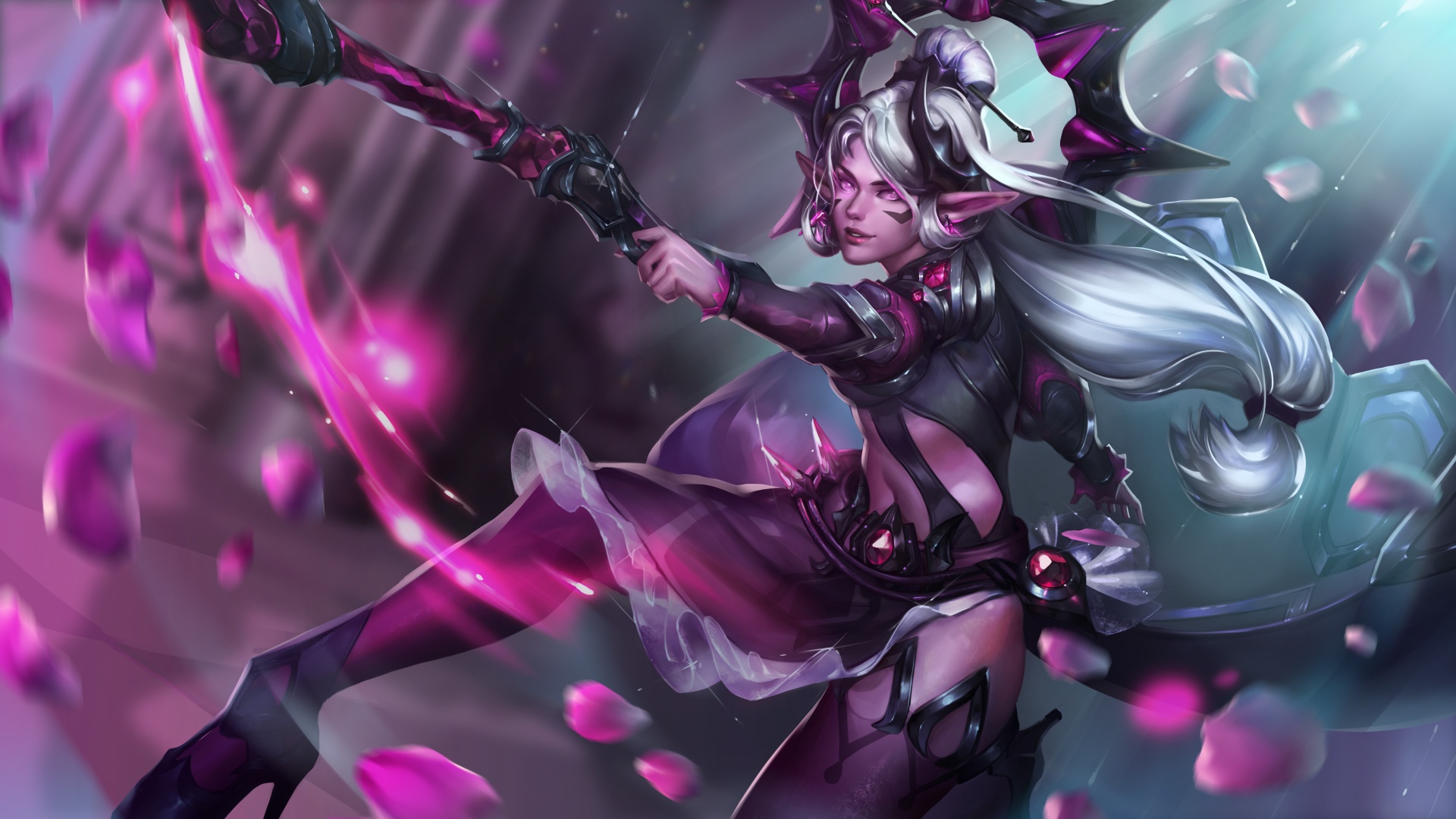
It doesn’t matter how exciting our Champions are (and we hope you’ll agree when we say that Tiberius is one of our most exciting yet), Paladins wouldn’t be the game it is without its amazing community. To show our appreciation for our players, and to allow them to have direct input in some of our content for 2020, the skins for our very first Battle Pass this year are based on concepts submitted by our community members which were then voted on by our players. The Community Battle Pass features all new skins for some of our most popular Champions: Ska’drin Ash, Wukong Talus, Soul Briar Grover, and Dark Monarch Lian. These skins – and a Limited recolor of each – are part of our fist 2020 Battle Pass, which also features over 100 other rewards.
Last, but definitely not least, A Tigron’s Tale kicks off Season 3 for Paladins, which means a host of quality-of-life improvements, bug fixes, and balance changes. For example, character voice packs are now included for free with every skin purchase. We’ve also added even more free Crystals to our Battle Pass – beginning with the Community Battle Pass, even players earning rewards on our free track will earn more Crystals than ever before. Our list of bug fixes and balance changes are too exhaustive to list here, but head on over to here for a full list of changes you’ll find in this patch.
Whether you’re already a member of the Paladins community, or are just playing for the first time, we hope that you’ll join the rest of our community in Season 3. Our goal to make 2020 the best year ever for Paladins can only be achieved with the help of our amazing players (that’s you!).
Associate Producer supports and manages scheduling and the day-to-day production of the internal development team. Responsibilities include collaborating with producers, senior producers, creative leads, directors and studio managers to develop and maintain a specific discipline or project plan to determine resource, budget or schedule needs.
Responsibilities
Support development efforts to keep product on schedule and within budget
Schedule and maintain tasking of departmental and interdisciplinary teams
Communicate between team members, consultants, inter-company and external resources
Support and/or Manage day-to-day production issues through analytic thinking and information gathering:
Break down large or complex tasks into meaningful subtasks
Identify all groups that may be affected by an aspect of the project, and involve them – actively solicit their input and follow up through execution
Hold regular meetings with the project teams and individuals to discuss status, resolve issues and share information
Partner with senior members of the team to ensure a common understanding and agreement on the project scope and objectives and on any subsequent changes
Skills
Project Management – Working knowledge of project schedules and milestone documentation, monitoring the progress of department milestones and individual tasks against those schedules, can see the bigger picture
Structure & Maintenance – Excellent organizational & prioritization skills, attention to detail and ability to multitask
Process Knowledge – Familiarity with Agile techniques such as SCRUM and traditional production management
Communication & Collaboration – Excellent verbal and written communication skills and the ability to communicate effectively across product development and management teams
Interpersonal & Facilitation Skills – Able to adapt quickly in a fast-paced, dynamic environment
Industry Knowledge – Stays up-to-date on competitive products, current industry trends and best practices
Must love games and have a passion for creating them!
Whether you’re just starting out, looking for something new, or just seeing what’s out there, the Gamasutra Job Board is the place where game developers move ahead in their careers.
Gamasutra’s Job Board is the most diverse, most active, and most established board of its kind in the video game industry, serving companies of all sizes, from indie to triple-A.
Video: Developing asymmetrical multiplayer horror game Dead by Daylight
In this 2018 GDC session Behaviour Interactive’s Dave Richard shares the story behind developing Dead by Daylight, an asymmetrical survival horror game about avoiding a terrifying killer.
It was an intriguing talk that saw Richard explaining how the team’s hopes of making a small game that might catch the attention of a few ended up creating a monster that was still growing more than a year after its 2016 debut, and continues to grow to this day!
In addition to this presentation, the GDC Vault and its accompanying YouTube channel offers numerous other free videos, audio recordings, and slides from many of the recent Game Developers Conference events, and the service offers even more members-only content for GDC Vault subscribers.
Those who purchased All Access passes to recent events like GDC or VRDC already have full access to GDC Vault, and interested parties can apply for the individual subscription via a GDC Vault subscription page. Group subscriptions are also available: game-related schools and development studios who sign up for GDC Vault Studio Subscriptions can receive access for their entire office or company by contacting staff via the GDC Vault group subscription page.
The Khronos Group have just announced the release of Vulkan 1.2. Containing 23 extensions, there are plenty of quality of life improvements for Vulkan developers in the 1.2 release including HLSL support, the new timeline sempaphore, a formal memory model and more.
Today, The Khronos® Group, an open consortium of industry-leading companies creating advanced interoperability standards, announces the release of the Vulkan® 1.2 specification for GPU acceleration. This release integrates 23 proven extensions into the core Vulkan API, bringing significant developer-requested access to new hardware functionality, improved application performance, and enhanced API usability. Multiple GPU vendors have certified conformant implementations, and significant open source tooling is expected during January 2020.
Vulkan continues to evolve by listening to developer needs, shipping new functionality as extensions, and then consolidating extensions that receive positive developer feedback into a unified core API specification. Carefully selected API features are made optional to enable market-focused implementations. Many Vulkan 1.2 features were requested by developers to meet critical needs in their engines and applications, including: timeline semaphores for easily managed synchronization; a formal memory model to precisely define the semantics of synchronization and memory operations in different threads; descriptor indexing to enable reuse of descriptor layouts by multiple shaders; deeper support for shaders written in HLSL, and more.
All three major GPU providers support Vulkan 1.2 today, as well as Mesa drivers on AMD devices. If you are a developer looking to learn Vulkan Resources Page on GitHub is perhaps the best place to get started. If you want to learn more about Vulkan 1.2’s release be sure to check out the video below.
Stellaris Galaxy Command resurfaces in select regions
By Joe Robinson15 Jan 2020
You may remember that back in October Paradox Interactive tried bringing Stellaris, their popular sci-fi 4X grand strategy game, to mobile. Sort of. It was a free-to-play MMO Strategy spin-off title called Stellaris: Galaxy Command that had more in common with, say, Hades Star than it does ‘OG’ Stellaris.
It’s now returned to the Apple App store after a three(ish) month hiatus, as the original launch did not go well. Within 24 hours it had come to light that quite a few art assets in the game looked suspiciously similar to assets from other games, such as Halo. I’m going to redirect you to an article Kotaku ran at the time, as it covers the key points quite well.
That’s not taking into account that early indications suggested that Galaxy Command was kind of a reskin of the developers other sci-fi MMO strategy game, Nova Empire, which had existed for a while and is still available to play now. We’ll be interested in seeing whether they’ve managed to diversify the two games more in the interim.
Unfortunately we’ll have to wait, as this latest release attempt is actually a soft-launch, and only applies to a select few countries: Sweden, Canada, Australia & New Zealand.
Even for a soft-launch, that seems quite lean, but I imagine the company is taking a more cautious approach considering what happened last time. We’ll let you know more as soon as we can, but if you’re in one of the target countries and take it for a spin, let us know what you think.
In the meantime, everyone else can pre-register for the game on the official website.
Posted by: xSicKxBot - 01-16-2020, 12:08 PM - Forum: Windows
- No Replies
Bleeding Edge on Xbox One coming to retail March 24
We’re edging closer to fans teaming up and causing chaos in Bleeding Edge, our new 4v4 brawler! Today we’re thrilled to announce that Bleeding Edge will also be available on shelves at launch on March 24 at select retailers globally on Xbox One, with the retail version debuting at $29.99 / €29.99 / £24.99 alongside its digital counterparts.
Since we pulled back the curtain on our pre-order bonuses back at X019, we’ve seen fans eager to get into the arena to duke it out for the ultimate glory on Xbox One, Windows 10, and Steam; and the closed betas are right around the corner.
Pre-orders will be available from select
retailers and grant fans the same pre-order bonuses as the digital version –
namely you’ll get the Punk Pack of bonus in-game cosmetics and access to our closed
betas.
But that’s not all! Bleeding Edge is
also both cross play and cross save, so you can freely choose how you want to
play without making any compromises with your friends, your teammates or your
in-game progress.
If you’d like to join our betas and get the Punk Pack, all you have to do is choose whether to pre-order digitally from the Microsoft Store, retail, or just be an active Xbox Game Pass member.
The first closed beta will be February 14
and the second on March 13, and pre-order customers will find the Punk Pack that
includes the following:
Punk Rock Niđhöggr Skin
Butterpunk Buttercup Skin
Outrider ZeroCool Skin
Rioter’s Hoverboard
Make Your Mark in-game Sticker
Pack
3 bonus taunts
We’re hyped to bring Bleeding Edge to Xbox One! Grab your team and join us in the arenas for our first closed beta on February 14.
Join our communities on the BleedingEdge.com forums
and the Discord to chat with fellow fighters, and follow us on social media to
stay up to date with all the latest and greatest from the dev team.
Posted by: xSicKxBot - 01-16-2020, 12:08 PM - Forum: Windows
- No Replies
Microsoft increases financial commitment to affordable housing initiative
“This is more than a home, it’s a community. And there needs to be room for all of us.” That was our message to the region one year ago, announcing Microsoft’s $500 million commitment to help address one of greater Seattle’s fastest growing problems – ensuring affordable housing for everyone. The problem is straightforward: Our community isn’t building enough housing that’s affordable to low- and middle-income families, particularly in Seattle’s surrounding cities on the eastside of King County. The solution – as many of us know – is complicated.
Today we are announcing a $250 million increase to our affordable housing initiative in the form of a line of credit to the Washington State Finance Commission, bringing Microsoft’s total commitment to $750 million. We are also announcing $55 million in investments and grants towards our original $500 million commitment.
This brings our total to $380 million allocated over the past year to support the preservation or creation of over 6,500 affordable housing units in the greater Seattle area.
Below is a summary of the projects we are announcing today:
Washington State Housing Finance Commission (WSHFC): Through conversations with the WSHFC, Microsoft partnered on an innovative opportunity to deploy capital to extend the State’s limited tax-exempt bond status. Microsoft has provided a no-cost $250 million line of credit to the WSHFC to enable it to preserve and recycle the state’s limited tax-exempt private activity bond volume cap. The line of credit will enable the WSHFC to finance approximately 3,000 additional units of much-needed affordable housing
Evergreen Impact Housing Fund (EIHF): a newly launched partnership between Seattle Foundation and the Washington State Housing Finance Commission with support from JPMorgan Chase & Co. It is a first-of-its-kind structure that leverages the Low-Income Tax Credit program by offering last dollar investment to efficiently develop affordable housing that wouldn’t otherwise be built. Microsoft will contribute $50 million to this fund to promote the development of approximately 1,250 low-income housing units on the eastside of King County
HomeSight’s Othello Square Project: a $2.5 million philanthropic grant to support the project that includes 192 units of affordable housing, early learning education, small business incubation, cultural celebration and preservation, and financial services in Seattle’s most diverse neighborhood. It is a creative, community-driven response to the pressures of extraordinary growth in Seattle, and is adjacent to the Othello Light Rail Station
Rise Together: a $2.5 million philanthropic grant to Rise Together, a collaborative effort between six nonprofit organizations to preserve their communities by creating 400 new units of low-income housing in Seattle’s Central District, Capitol Hill and White Center neighborhoods. The Rise Together partners have come together to make a bigger impact on housing affordability and healthy communities than they could working individually. With a comprehensive approach to community needs, their collective work will result in the creation of housing and vital neighborhood resources that encourage opportunities for all
Today’s news comes after a year of steady progress following our January 2019 announcement:
We made a $60 million investment with King County Housing Authority (KCHA) to preserve 1,029 units of middle-income housing in Kirkland, Bellevue and Federal Way
We made a $5 million grant to Plymouth Housing to help create 800 more units of permanent supportive housing in Seattle for homeless adults
And, just last month, we saw great leadership from the City of Seattle, King County and the Sound Cities Association as they passed legislation to create a much-needed, long-overdue Regional Homelessness Authority to address the homelessness crisis across the region
We’re encouraged by the momentum in the region. We’ve met – in some cases multiple times – with each of the nine mayors and their administrations that were first to sign the affordable housing pledge in the area, promising their support to help address policy barriers. We’ve learned more about the specific needs and challenges within their communities and identified opportunities to pursue.
However, the initial response to our request for proposal (RFP) was less than we hoped and showed us just how difficult it is to create affordable housing where it typically doesn’t work. The good news is that we are starting to see a pipeline of new ideas and projects here on the Eastside of King County where there really wasn’t one before. And we will double down in the coming year to work together with local mayors, councils and city staff and push harder for the critical policy reforms we believe are vital in order to move forward.
We’re excited by the work that lies ahead, but we remain clear-eyed about the challenges that remain. As the data from our continued collaboration with Zillow shows, there was a gap of approximately 316,000 middle- and low-income affordable housing units in the Puget Sound area in 2019, up from a gap of 305,000 in 2018. While the supply-and-demand gap has continued to grow over the past year, we are hopeful our region may have begun to stem the tide. The year-over-year growth rate of the affordable housing gap has slowed from 10.8% in 2017 to 10.5% in 2018 and to 3.6% in 2019, according to Microsoft’s data science team. While we’re encouraged to see this growth rate fall, it’s clear that what we really need to do is see the housing gap fall, not continue to increase. To achieve this, our community needs to come together and act with greater urgency, creativity and shared accountability. It will require a spectrum of new financial, technical and societal approaches that are created in partnership with people who share a collective vision.
We appreciate the collaboration, feedback and support we’ve received about this initiative from so many throughout the community over the past year. We continue to encourage others to get involved and do what they can to help. As we said one year ago, Microsoft feels a tremendous sense of gratitude for the support we’ve had from this community. We are committed to ensuring our success supports the community in return.
When it comes to app development frameworks, Flutter is the latest and greatest. Google seems to be planning to take over the entire GUI app development world with Flutter, starting with mobile devices, which are already perfectly supported. Flutter allows you to develop cross-platform GUI apps for multiple targets — mobile, web, and desktop — from a single codebase.
This post will go through how to install the Flutter SDK and tools on Fedora, as well as how to use them both for mobile development and web/desktop development.
Installing Flutter and Android SDKs on Fedora
To get started building apps with Flutter, you need to install
the Android SDK;
the Flutter SDK itself; and,
optionally, an IDE and its Flutter plugins.
Installing the Android SDK
Flutter requires the installation of the Android SDK with the entire Android Studio suite of tools. Google provides a tar.gz archive. The Android Studio executable can be found in the android-studio/bin directory and is called studio.sh. To run it, open a terminal, cd into the aforementioned directory, and then run:
$ ./studio.sh
Installing the Flutter SDK
Before you install Flutter you may want to consider what release channel you want to be on.
The stable channel is least likely to give you a headache if you just want to build a mobile app using mainstream Flutter features.
On the other hand, you may want to use the latest features, especially for desktop and web app development. In that case, you might be better off installing either the latest version of the beta or even the dev channel.
Either way, you can switch between channels after you install using the flutter channel command explained later in the article.
Head over to the official SDK archive page and download the latest installation bundle for the release channel most appropriate for your use case.
The installation bundle is simply a xz-compressed tarball (.tar.xz extension). You can extract it wherever you want, given that you add the flutter/bin subdirectory to the PATH environment variable.
Installing the IDE plugins
To install the plugin for Visual Studio Code, you need to search for Flutter in the Extensions tab. Installing it will also install the Dart plugin.
The same will happen when you install the plugin for Android Studio by opening the Settings, then the Plugins tab and installing the Flutter plugin.
Using the Flutter and Android CLI Tools on Fedora
Now that you’ve installed Flutter, here’s how to use the CLI tool.
Upgrading and Maintaining Your Flutter Installations
The flutter doctor command is used to check whether your installation and related tools are complete and don’t require any further action.
For example, the output you may get from flutter doctor right after installing on Fedora is:
Doctor summary (to see all details, run flutter doctor -v): [✓] Flutter (Channel stable, v1.12.13+hotfix.5, on Linux, locale it_IT.UTF-8) [!] Android toolchain - develop for Android devices (Android SDK version 29.0.2) ✗ Android licenses not accepted. To resolve this, run: flutter doctor --android-licenses [!] Android Studio (version 3.5) ✗ Flutter plugin not installed; this adds Flutter specific functionality. ✗ Dart plugin not installed; this adds Dart specific functionality. [!] Connected device ! No devices available ! Doctor found issues in 3 categories.
Of course the issue with the Android toolchain has to be resolved in order to build for Android. Run this command to accept the licenses:
$ flutter doctor --android-licenses
Use the flutter channel command to switch channels after installation. It’s just like switching branches on Git (and that’s actually what it does). You use it in the following way:
$ flutter channel <channel_name>
…where you’d replace <channel_name> with the release channel you want to switch to.
After doing that, or whenever you feel the need to do it, you need to update your installation. You might consider running this every once in a while or when a major update comes out if you follow Flutter news. Run this command:
$ flutter upgrade
Building for Mobile
You can build for Android very easily: the flutter build command supports it by default, and it allows you to build both APKs and newfangled app bundles.
All you need to do is to create a project with flutter create, which will generate some code for an example app and the necessary android and ios folders.
When you’re done coding you can either run:
flutter build apk or flutter build appbundle to generate the necessary app files to distribute, or
flutter run to run the app on a connected device or emulator directly.
When you run the app on a phone or emulator with flutter run, you can use the R button on the keyboard to use stateful hot reload. This feature updates what’s displayed on the phone or emulator to reflect the changes you’ve made to the code without requiring a full rebuild.
If you input a capital R character to the debug console, you trigger a hot restart. This restart doesn’t preserve state and is necessary for bigger changes to the app.
If you’re using a GUI IDE, you can trigger a hot reload using the bolt icon button and a hot restart with the typical refresh button.
Building for the Desktop
To build apps for the desktop on Fedora, use the flutter-desktop-embedding repository. The flutter create command doesn’t have templates for desktop Linux apps yet. That repository contains examples of desktop apps and files required to build on desktop, as well as examples of plugins for desktop apps.
To build or run apps for Linux, you also need to be on the master release channel and enable Linux desktop app development. To do this, run:
$ flutter config --enable-linux-desktop
After that, you can use flutter run to run the app on your development workstation directly, or run flutter build linux to build a binary file in the build/ directory.
If those commands don’t work, run this command in the project directory to generate the required files to build in the linux/ directory:
$ flutter create .
Building for the Web
Starting with Flutter 1.12, you can build Web apps using Flutter with the mainline codebase, without having to use the flutter_web forked libraries, but you have to be running on the beta channel.
If you are (you can switch to it using flutter channel beta and flutter upgrade as we’ve seen earlier), you need to enable web development by running flutter config –enable-web.
After doing that, you can run flutter run -d web and a local web server will be started from which you can access your app. The command returns the URL at which the server is listening, including the port number.
You can also run flutter build web to build the static website files in the build/ directory.
If those commands don’t work, run this command in the project directory to generate the required files to build in the web/ directory:
$ flutter create .
Packages for Installing Flutter
Other distributions have packages or community repositories to install and update in a more straightforward and intuitive way. However, at the time of writing, no such thing exists for Flutter. If you have experience packaging RPMs for Fedora, consider contributing to this GitHub repository for this COPR package.
The next step is learning Flutter. You can do that in a number of ways:
Read the good API reference documentation on the official site
Watching some of the introductory video courses available online
Read one of the many books out there today. [Check out the author’s bio for a suggestion! — Ed.]
While Mario is the undisputed man when it comes to all things Nintendo, let it never be forgotten that it was Donkey Kong who gave the plumber a leg-up in the world of video games. The ape’s original game not only conquered the arcade and introduced the world to the character who would become Nintendo’s mascot, it also saved the company and put it on the path to becoming the huge global concern and cultural icon it is today.
It’s easy to forget just how many games Mario’s erstwhile nemesis has to his name. From 1981’s original Donkey Kong up to the Switch port of Donkey Kong Country: Tropical Freeze, the ape and his clan have consistently featured in Nintendo games for nearly 40 years now. It’s about time we ranked every Donkey Kong game from best to worst, then! Or, more accurately, from worst to best.
Below you’ll find just that – the best Donkey Kong games of all time ranked from bad to brilliant. We’ve included only games on Nintendo consoles, so you won’t find obscurities likeDonkey Kong 3 Dai Gyakushuu. We’ve limited it to full games where the ape has a starring role – we’d be here all day if we included all of the karting and tennis games featuring the DK clan. We’ve also ejected the Game & Watch titles (which can be found digitally spread across various Game & Watch Gallery collections or DSiWare) and consolidated a few ports for the sake of brevity – DK and his crew have been in a whole bunch of games!
Enough monkey business. Let’s take a look at the best DK games ever. Here w–, here w–, here we go!
Publisher: Nintendo / Developer: Nintendo
Release Date: 8th Oct 2007 (USA) / 25th Jan 2008 (UK/EU)
We begin at the bottom, which is appropriate because this DK racer really is a load of ‘bottom’. Originally a DK Bongo tie-in planned for GameCube, it got moved to its motion-controlled successor with the barmy bongo peripherals switched out for Wii Remote waggle. ‘Bongo Blast’ became ‘Barrel Blast’ and you shook your Wiimote and Nunchuk to accelerate. Unfortunately, the racing is sluggish, the controls are hideous and the visuals looked ropey even at the time. The fact that DK and Diddy featured in the excellent Mario Kart Wii only highlighted what a mess Donkey Kong Barrel Blast really was. Developer Paon DP would do better with the characters in other games, but this was plain bad. The cover makes it look like the game could be fun. Trust us, it isn’t.
Publisher: Nintendo / Developer: Nintendo R&D1
Release Date: 18th Oct 1985 (USA) / 1986 (UK/EU)
Donkey Kong Jr. Math adds some arithmetic to the basic vine-swinging and platforming of Donkey Kong Jr. in a title that sucks all the fun out of both gaming and mathematics (hey, we’re told numbers can be thrilling if you understand them). It combines ‘education’ and ‘entertainment’ to make – you guessed it! – a terrible game. Think of the poor kid who got a launch NES console and this – there must have been at least one.
Don’t feel too sorry, though. Boxed versions of Donkey Kong Jr. Math are worth a pretty penny these days, so silver linings and all that. The title makes the game sound dreary, and it very much is, which saves it from the bottom of the list. At least it delivers on the promise of its name.
Publisher: HAMSTER
Release Date: 21st Dec 2018 (USA) / 21st Dec 2018 (UK/EU)
The tables turned in this sequel to the arcade original with Mario having kidnapped Donkey Kong, so it’s up to Junior to rescue Kong Senior. We’ve had ports a-plenty over the years, and the latest Switch version from Hamster enables you to flip your Switch into vertical mode for the most authentic experience you’ll get outside an arcade. It’s hard to argue that the base gameplay here hasn’t aged, though, and you’ll probably need a healthy dose of nostalgia and/or academic interest in the game to get much enjoyment from it nowadays. There’s retro fun to be had with it, but we can think of dozens and dozens of ’80s classics we’d rather play than Donkey Kong Jr. regardless of platform.
If push came to shove, we’d personally prefer to sit down with Donkey Kong 3 over Donkey Kong Jr. purely for how it diverges from its predecessors in intriguing ways. Taking control of that most famous of Nintendo icons, er… Stanley the Bugman, it’s your job to use your bug spray to deflect the advances of flower fan Donkey Kong through your greenhouse. DK has enlisted an army of bugs and bees to keep you occupied while he makes off with your prize petunias.
Despite lacking the iconic gameplay and sound effects that have passed into video game lore, there’s something oddly compelling in Stanley’s battle against the headlining ape, and something a little sad in the knowledge that Stanley would vanish into obscurity afterwards. Well, that’s not quite right; Stanley has had a handful of cameos over the years in games like Smash Bros. and the WarioWare series, but you rarely hear Nintendo fans clamouring for his return. Poor Stanley.
Publisher: Nintendo / Developer: Nintendo Software Technology
Release Date: 8th Jun 2009 (USA) / 21st Aug 2009 (UK/EU)
A DSiWare instalment of the Mario vs. Donkey Kong puzzle platformer series, there’s nothing much wrong with Mario vs. Donkey Kong: Minis March Again! – it’s simply ‘another one of those’. If you can’t get enough of this sub-series’ lock-and-key gameplay, the third entry is fine and features a level editor similar to its predecessor, although these days sharing your custom levels is a lot tougher than it used to be.
Following the rather poor Barrel Blast, developer Paon redeemed itself a little by returning to the DK formula it started out with on Game Boy Advance in DK: King of Swing. DK: Jungle Climber for DS puts you in control of your favourite tie-wearing simian as he climbs through the jungle using the shoulder buttons and it works rather well on original hardware. The soundtrack is a little disappointing by DK’s high standards, but this and its predecessor are uniquely-controlled entries in the Kong canon that are worth a look even if they don’t scale the heights of his more famous adventures.
Publisher: Nintendo / Developer: Nintendo
Release Date: 9th May 2013 (USA) / 9th May 2013 (UK/EU)
The first 3D entry in what to this point had been an exclusively side-scrolling affair, Mario and Donkey Kong: Minis on the Move translates the series’ gameplay well to the third dimension, even if it doesn’t really add anything to the basic formula. As you might have spotted from the title, the plumber and the ape have settled their differences this time around and are simply MC-ing things alongside Pauline here, thus diminishing somewhat Donkey Kong’s presence. While the gameplay can sometimes become infuriating and feel a little unfair, MADMOTM (or ‘mad-mottom’, as nobody has ever called it) is still a fun time if you’ve got the patience for it.
Publisher: Nintendo / Developer: Nintendo Software Technology
The sequel to the GBA original, Mario vs. Donkey Kong 2: March of the Minis gave players control of mini versions of the plumber via the touchscreen rather than having them follow Mario around like the Pied Piper, and the game became more tactical as a result. It also saw the return of Pauline for the first time in many years, someone now very familiar to even the youngest Mario fans after her star turn in Super Mario Odyssey‘s New Donk City.
With a lovely, pastel colouring to its art, DK: King of Swing takes the essence of Clu Clu Land and makes a decent game out of it. Using the shoulder buttons to swing around and grasp onto pegs throughout the jungle, this twist on DK gameplay is quite refreshing after so many standard 2D platformers and Mini-marching games. It’s nice to see him doing something outside his usual wheelhouse which doesn’t involve driving karts, smashing tennis balls or swinging a golf club with one hand. It’s not an absolute stone-cold classic, but DK: King of Swing is a fun little portable game and a breath of fresh air in amongst all this 2D platforming monkey business.
Publisher: Nintendo / Developer: Nintendo Software Technology
Release Date: 5th Mar 2015 (USA) / 20th Mar 2015 (UK/EU)
Putting in an appearance on both Wii U and 3DS (the latter of which also received Mini Mario & Friends: amiibo Challenge which drew heavily on this series), Mario vs. Donkey Kong: Tipping Stars reverted back to 2D gameplay and gave us a taste of the enjoyable action-puzzler series in glorious HD for the first time. It’s more of the same, although the Miiverse integration made sharing your workshopped levels a breeze, and when the base gameplay is this fun, it’s easier to forgive how frequently Nintendo have gone back to its box of DK and Mario-shaped mechanical Minis. With Wii U dead and buried (and Miiverse with it), this is another concept we wouldn’t mind seeing brought back on Switch.
Today I’m excited to announce a new experimental project to enable native mobile app development with Blazor: Experimental Mobile Blazor Bindings. These bindings enable developers to build native mobile apps using C# and .NET for iOS and Android using familiar web programming patterns. This means you can use the Blazor programming model and Razor syntax to define UI components and behaviors of an application. The UI components that are included are based on Xamarin.Forms native UI controls, which results in beautiful native mobile apps.
Here is a sample Counter component, which may look familiar to Blazor developers, that increments a value on each button press:
Notice that the Blazor model is present with code sitting side by side the user interface markup that leverages Razor syntax with mobile specific components. This will feel very natural for any web developer that has ever used Razor syntax in the past. Now with the Experimental Mobile Blazor Bindings you can leverage your existing web skills and knowledge to build native iOS and Android apps powered by .NET.
Here is the code above running in the Android Emulator:
Get started with Mobile Blazor Bindings
To get started, all you need is the .NET Core 3.0 or 3.1 SDK, Visual Studio or Visual Studio for Mac, and the ASP.NET and web development and Mobile development with .NET (Xamarin.Forms) workloads installed.
Install the templates by running this command from a command/shell window:
dotnet new -i Microsoft.MobileBlazorBindings.Templates::0.1.173-beta
And then create your first project by running this command:
dotnet new mobileblazorbindings -o MyApp
Open the solution (SLN file) in Visual Studio and mark either the Android or iOS project as the StartUp Project, which should look like this:
Now run your first Mobile Blazor Bindings app in a local emulator or on an attached mobile device! Don’t have one set up yet for development? No worries, the Xamarin documentation has all the details for you here:
Many developers delight in using XAML and Xamarin.Forms to craft beautiful native mobile apps. We have heard from a set of developers that come from a web programming background that having web specific patterns to build mobile applications would be ideal for them. The goal of these bindings is to see if developers would like to have the option of writing markup and doing data binding for native mobile applications using the Blazor-style programming model with Razor syntax and features. Would you love to see this option in the box for future versions of Visual Studio?
Learn more
To learn more about Experimental Mobile Blazor Bindings, please check out these resources:
Give feedback
Please send us your feedback via issues in our GitHub repo and by completing a short survey about your experience and expectations.
We hope you try out this new framework and let us know your thoughts!