Star Wars Toys, Funko Pops, And Books Receive Great Discounts At Amazon
Amazon's ongoing holiday sale is offering shoppers a wide selection of great last-minute deals to buy before Christmas. If you have a Star Wars fan on your shopping list, one of today's deals will be of particular interest. Star Wars toys, Funko Pops, books, and more are steeply discounted until 12 AM PT / 3 AM ET. Amazon's sale states that Star Wars products are up to 30% off, but a number of the toys and collectibles are well over 50% off.
You can browse the full selection of Star Wars products in the sale at Amazon and check out our picks below. For more awesome Star Wars products, check out our Star Wars gift guide.
Star Wars Force Link 2.0 Kessel Run Millennium Falcon with Han Solo
Millennium Falcon with Han Solo Figure | $50 ($100)
Complete with sound/light effects and a rumble feature, this Millennium Falcon toy comes with a Han Solo figure. It's normally $100, but it's 50% off right now.
This two-player tactical board game comes with three miniature capital ships and 10 (unpainted) fighter squadrons. Armada is played using 130+ cards, and each game lasts roughly two hours.
Star Wars Battle on Crait Four-Figure Set | $8.20 ($25)
Inspired by the Battle on Crait in The Last Jedi, this four-figure set comes with Rose, Rey, a First Order Gunner, and First Order Walker Driver. Each figure is 3.75 inches. This is a steal at roughly two bucks a figure.
The Black Series Archive Biker Scout Action Figure | $13 ($20)
Hasbro's Black Series boasts some of the best Star Wars action figures around. This 6-inch Biker Scout features full articulation and is on sale for seven bucks off.
Star Wars: Edge of the Empire - Core Rulebook | $30.60 ($60)
If you know someone who likes tabletop (or if you like it yourself), the Edge of the Empire core rulebook is available for an excellent price. The core rulebook teaches you the ins and outs of the Star Wars-themed tabletop RPG.
PixelORama is a free, open source (MIT licensed) pixel art application written using the Godot game engine in GDScript. Version 0.5 was just recently released with the following features:
Choosing between 6 tools – pencil, eraser, fill bucket, lighten/darken, color picker and rectangle select – and mapping them to both of your left and right mouse buttons.
Different colors and brush sizes for each of the mouse buttons.
Support of two types of custom brushes: “From files” and “per project” brushes. Custom brushes from files get loaded from the “Brushes” folder that comes with Pixelorama, and per project brushes get saved with the rectangle select tool.
Creating a new canvas with a size of your choosing.
Are you an animator? Then you’ve come to the right place! Pixelorama has its own Animation Timeline just for you!
Import images and edit them inside Pixelorama. If you import multiple files, they will be added as individual animation frames.
Export your gorgeous art in PNG format.
Save snd open your projects as Pixelorama’s custom file format, .pxo
Undo/Redo support!
Horizontal & vertical mirrored drawing!
Tile Mode for pattern creation!
Split screen mode to see your masterpiece twice! And a mini canvas preview area to see it thrice!
Create straight lines for pencil and eraser by holding down Shift while you draw.
The middle mouse wheel isn’t forgotten, you can use it to pan around the canvas and by scrolling up and down, you can zoom in and out!
Keyboard shortcuts! I’m pretty sure this is a lifesaver for most of you.
Just like onions, Pixelorama has a multiple layer system! You can add, remove, move up and down, clone and merge as many layers as you like! It is also possible to rename them!
Rulers and guides!
Scale, crop and flip your images!
Greek localization support!
You can learn more and download it here on Itch.io, while the source code is available on GitHub. You can learn more and see Pixelorama in action in the video below.
Pascal Bestebroer is one of those little known, grizzled vets of independent game design. He’s been in the business for something like 15 years, but he’s found a real identity in the last 8 or 9 years. From a few gameplay vids or a round or two of play, you can spot those sometimes intangible signatures of OrangePixel.
Outside of the sprite work style that is similar from game to game, OrangePixel titles all seem to have a fascination with mechanical mash-ups. Reducing genre to its basic building blocks, then smashing them together is the mad doctor mindset you need to be ready for on approach.
The original Space Grunts rose above the glut of indie shooters in 2016 because of it’s bold take on real-time strategy and shoot-em-ups.
If there was one large disappointment about the 2019 follow up is that it doesn’t feel like a bold experiment. As a more traditional, deck building roguelike, Space Grunts 2 feels like a take on a genre that’s getting very close to critical mass.
That isn’t to say the OrangePixel doesn’t have his own ideas about what could change about this popular indie game framework. Space Grunts 2 values speed over anything else. Movement is quick and snappy. The procedurally generated maps are small and (mostly) easy to navigate. There are often a bevy of ways to solve some problems. Every run can feel like a speed run, and it never feels like you’re being forced to overthink your next few steps in order to make ‘the right move.’ It can be a freeing feeling to know that most moves feel like they can be the right move at all times.
While navigating these dungeons, you’ll also be picking up weapons and items. These are floating icons that turn into cards upon pick up, and are added to your deck. Whenever you run into an obstacle or an enemy, a hand of those cards are drawn. These are all the options you have when it comes to dealing with whatever’s bothering you. It takes several runs to really get the hang of what these items do. Over a dozen runs in, and I am no closer to understanding how to gather them in such a way as to create a competent deck.
I try to be discerning, but as cards get used, options become slim when aggressive enemies won’t let you be. You’re also heavily incentivized to pick up everything you come across, because it’s the easiest way to gain experience. But the frequency in which I find myself with an abundance of cards I don’t want or need suggests that some sort of strategy needs to be applied. I wish I was better at finding that balance, and I wish that the game did a bit more work to guide me towards one.
There are ways to affect your deck after you make it, but most of them involve finding little kiosk structures placed around the map. Some can change one card type into a different one. One lets you access all of your healing cards at once. But they spawn unreliably, and oftentimes it’s just easier to run to the exit than it is to find one of these things.
All this makes combat feel a bit uneven as well. The rules are straight forward – You and your opponent play cards one at a time, which resolve to do damage, heal, gain armor, or some mixture of those things. Some attacks can even affect enemies and terrain outside of the combat. But I never feel like my deck has character, or even some sort of win condition. It almost always feels like it’s just a pile of stuff I found that I have no real attachment to, outside of just throwing it at things that are trying to kill me.
Enemies themselves seem to just appear out of nowhere, with little rhyme or reason. Each of the worlds you progress through seem to share mostly the same biomes, and therefore a lot of the same enemy types. As you get further along, newer and stronger monsters appear, but they never feel like they belong in the environments that you find them skulking around in. When they do attack you, their plays are often a mystery to you. Without any hints of how they might act, you can find yourself throwing away valuable cards at them. More than once has an enemy chased me tirelessly from room to room, finally catch me, and do nothing on the first time, effectively wasting a big counter card I played. Their behavior doesn’t do your tactical play calling any favors.
The low bit sprite style is kind of an old hat by this point, but Space Grunts 2 does look pretty good, even if it’s not groundbreaking. Some of the HUD and tooltips lack polish, though. The directional arrows sit askew of center in a subtle but distracting way. Some of the text runs into each other. Part of my screen is obscured by the camera bevel on the front of my phone. Just odd, small things that alone aren’t problems, but taken together really makes me wish some of that stuff got a second coat of paint.
All in all, Space Grunts 2 isn’t nearly as exciting as the first. It does nothing to really rethink the card-based roguelike in any fundamental way. The scaled down approach does make it an appealing distraction for awhile. But without much depth, the quick dips into chaos will get old pretty fast.
Posted by: xSicKxBot - 12-19-2019, 02:49 AM - Forum: Windows
- No Replies
10 people who inspired CEO Satya Nadella this year
One of the great privileges of my job is meeting so many people around the world who are applying technology to have an impact – in their organizations, communities and beyond. As I reflect on 2019, here’s a look at 10 people who inspired me by exemplifying how technology can be used to create new opportunity for everyone. You can also learn more about each of their amazing stories here: https://lnkd.in/gw4MbsE
When you manage a Linux instance, you’ll find that your job is made much easier by the many tools designed specifically to deal with something specific within the system. For example, if you need to install packages, you have easy-to-use package managers that make that a breeze. If you need to create, resize or delete filesystems, you can do so using tools that are built to be used by humans. The same goes for managing services and browsing logs with systemd using the systemctl and journalctl commands respectively. The screen tool is another such example.
You can run all of those tools directly at the command line interface. But if you’re connecting to a server remotely using SSH, sometimes you need another layer between you and the operating system so the command you’re running doesn’t stop if your remote connection terminates. Sysadmins do this to prevent sudden termination in case of a connection issue, but also on purpose to run a command that needs to keep running indefinitely in the background. Enter the screen utility.
Introducing screen
The screen tool allows you to have multiple sessions (called screens) that are independent from each other and that you can name, leave and join as you desire. It’s multi-tasking for the remote CLI. You can get started with it simply by running this command:
$ screen
The command creates a screen and connect you to it: your current session is now a screen. You can run any command that does something and doesn’t automatically terminate after a few seconds. For example, you might call a web app executable or a game server. Then press Ctrl+A and, right after that, the D key and you will detach from the screen, leaving it running in the background.
The Ctrl+A combination, given that it is part of every screen command, is often shortened in documentation to C-a. Then the detach command used earlier can be described simply as C-a d.
Getting in and out of sessions
If you want to connect to that screen again, run screen -r and you will attach to that screen. Just running screen will create a new screen, and subsequent screen -r commands will print out something like this:
There are several suitable screens on: 5589.pts-0.hostname (Detached) 5536.pts-0.hostname (Detached) Type "screen [-d] -r [pid.]tty.host" to resume one of them.
You can then choose whether to resume the first or the second screen you created by running either one of these commands:
$ screen -r 5536

$ screen -r 5589
Adding the rest of the name of the string is optional in this case.
Named screens
If you know you’ll have multiple screens, you might want to be able to connect to a screen using a name you choose. This is easier than choosing from a list of numbers that only reflect the process IDs of the screen sessions. To do that, use the -S option as in the following example:
$ screen -S mywebapp
Then you can resume that screen in the future using this command:
$ screen -r mywebapp
Starting a process in the background using screen
An optional argument is the command to be executed inside the created session. For example:
$ screen -S session_name command args
This would be the same as running:
$ screen -S session_name
…And then running this command inside the screen session:
$ command args
The screen session will terminate when the command finishes its execution.
This is made particularly useful by passing the -dm option, which starts the screen in the background without attaching to it. For example, you can copy a very large file in the background by running this command:
Now that you’ve seen the basics, let’s see some of the other most commonly used screen features.
Easily switching between windows in a screen
When inside a screen, you can create a new window using C-a c. After you do that, you can switch between the windows using C-a n to go to the next one and C-a p to go to the previous window. You can destroy (kill) the current window with C-a k.
Copying and pasting text
The screen tool also enables you to copy any text on the screen and paste it later wherever you can type some text.
The C-a [ keybinding frees your cursor of any constraints and lets it go anywhere your will takes it using the arrow keys on your keyboard. To select and copy text, move to the start of the string you want to copy, and press Enter on the keyboard. Then move the cursor to the end of the text you want to copy and press Enter again.
After you’ve done that, use C-a ] to paste that text in your shell. Or you can open a text editor like vim or nano and paste the text you copied there.
Important notes about screen
Here are some other tips to keep in mind when using this utility.
Privileged sessions vs. sudo inside a screen
What if you need to run a command with root privileges inside screen? You can run either of these commands:
Notice that the second command is like running this command:
# screen -S sessionname command
Seeing things this way makes it a lot more obvious coupled with the fact that each screen is associated to a user:
The first one creates a screen with root privileges that can be accessed by the current user even if, within that screen, they switch to another user or root using the sudo -i command.
The second one creates a screen that can only be accessed by the root user, or by running sudo screen -r as a user with the appropriate sudo access.
Notes about screen in systemd units
You might be tempted to run a screen session in the background as part of a systemd unit executed at startup, just like any Unix daemon. That way you can resume the screen session and interact with whatever you ran that way. That can work, but you need to consider that it requires the right setup.
By default, systemd assumes services are either oneshot, meaning they set up something and then shut down, or simple. A service is simple by default when you create a unit file with no Type. What you actually need to do is to set the Type to forking, which describes screen‘s actual behavior when the -dm option is passed. It starts the process and then forks itself, leaving the process running in the background while the foreground process closes.
If you don’t set that, that screen behavior is interpreted by systemd as the service exiting or failing. This causes systemd to kill the background process when the foreground process exits, which is not what you want.
Posted by: xSicKxBot - 12-19-2019, 02:48 AM - Forum: Lounge
- No Replies
Creepy First Quiet Place 2 Teaser Releases Ahead Of Full Trailer
A Quiet Place was one of the surprise hits of 2018--directed by actor John Krasinski and made on a modest budget of $20 million, it picked up rave reviews and grossed more than $340 million worldwide. Inevitably, a sequel is on the way--A Quiet Place Part II hits theaters in March, and the trailer is expected very soon. Ahead of that we have a first teaser.
Not surprisingly the teaser is short, but it definitely sets the mood for the movie. We see main character Evelyn Abbott (Emily Blunt) and her two kids (Millicent Simmonds and Noah Jupe) creeping slowly down a woodland path. As in the first film, they need to keep completely silent so as not to get picked off by a monster--and they've got a map, so they've got a destination in mind. Check it out below:
The full trailer will be released on January 1. A Quiet Place Part II also stars Cillian Murphy, who reportedly plays "a man with mysterious intentions who joins the family unit," plus Djimon Hounsou. While Krasinski isn't acting in the movie, he has directed it once more.
For now, we don't know too many details about the plot of A Quiet Place: Part II. However, in an interview with Entertainment Weekly, Krasinski did suggest that the movie might have a more expansive scope than the claustrophobic original. "I had this very small idea, and what it was is that this is a world you can play in," he said. "[It] isn't just a character to remake or a group of characters or a story. It's actually a world, which is a whole different, very unique experience."
* Added the Strict Solo Matchmaking option back for fast queue games * For players with large spreads between their core and support MMRs, there is now a one medal (5 stars) max delta clamp. When the ranks for these players are maximally apart, the two ranks will fall and rise together. * Increased the variety of party combinations that are valid, to help improve matchmaking quality and queue times in some cases, in part as a result of the strict solo queue addition (for example this means that makeups like 2-2-1 will valid)
Xbox Insider Release Notes – Alpha Skip Ahead Ring (2004.191205-2300)
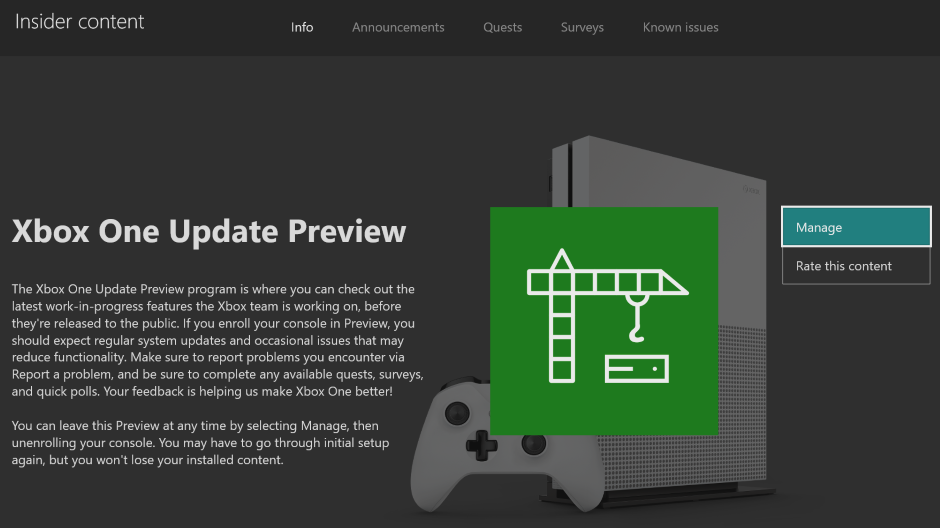
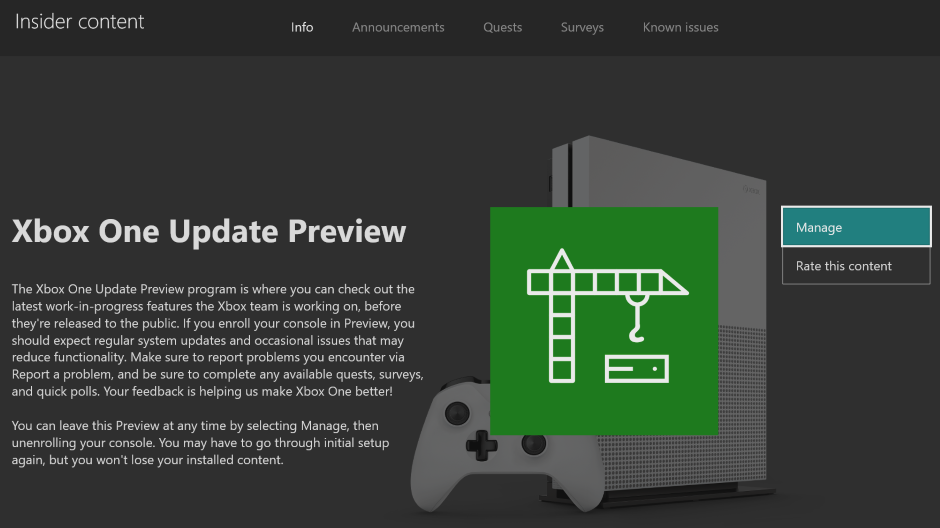
Hey Alpha Skip Ahead ring users! Today’s Xbox Insider Release Notes highlight the latest fixes, known issues, and features coming to your console. Starting at 6:00 p.m. PT today, users will receive the latest 2004 Xbox One system update (build: RS_XBOX_RELEASE_2004\19037.1207.191205-2300). Keep reading for more details.
System Update Details:
OS version released: RS_XBOX_RELEASE_2004\19037.1207.191205-2300
Available: 6:00 p.m. PT – December 7, 2019
Mandatory: 3:00 a.m. PT – December 8, 2019
Fixes for Alpha Skip Ahead
We’ve heard your feedback, and we’re happy to announce the following fixes have been implemented for this 2004 build:
Audio
Fixed an issue where audio would change from Dolby Atmos to 7.1.
Disney+ App
Fixed an issue where audio/video could get out of sync with Dolby Atmos.
Home
We’ve fixed an issue where some users dashboard would not load.
Fixed an issue where users were unable to select items in content blocks.
Fixed an issue where the dashboard was not loading except for the My Games & Apps tile.
My Games & Apps
Fixed an issue where users would not see the Disney+ app in their Ready to Install section.
Party Chat
Fixed an issue with random disconnects in party chat.
Store
We’ve fixed an issue where the Store would not launch for some users.
System
Various updates to properly reflect local languages across the console.
Known Issues for Alpha Skip Ahead
We understand some issues have been listed in previous Xbox Insider Release Notes. These issues aren’t being ignored, but it will take Xbox engineers more time to find a solution. We appreciate your patience at this time!
Audio
Users who have Dolby Atmos enabled and console display settings set to 120hz with 36 bits per pixel (12-bit) are experiencing loss of Dolby Atmos audio in some situations.
Workaround: Disable 120hz or set Video Fidelity to 30 bits per pixel (10-bit) or lower.
Home (Experiment)
Users may see the images for ads on the dashboard looking cropped or cutoff.
Messaging
Users are reporting being unable to send a voice messages while in Parties.
Workaround: Send the message while not currently in party chat.
Plex App
Users have reported playback is buffering constantly while streaming content.
Note: Please ensure you are running the latest version of the app before submitting feedback.
Rock Band 4
The game may take an extensive time to load for users with a large amount of DLC installed.
Settings
Some users have reported that 3D display mode is not working with supported content.
Profile Color
Sometimes users may encounter the incorrect Profile color when powering on the console.
Are you not seeing your issue listed above? Make sure to use Report a problem to keep us informed of your issue. We may not be able to respond to everyone, but the data we’ll gather is crucial to finding a resolution.
Learn more about feedback and how each ring is differentiated in the following links:
For more information regarding the Xbox Insider Program follow us on Twitter and join the community subreddit for support and updates. Keep an eye on future Xbox Insider Release Notes for more information regarding your Xbox One Update Preview ring!
Twitch facing $2.9 billion lawsuit over broadcast of pirated soccer streams
A Russian internet company has filed a sizable lawsuit against Twitch over livestreams of the English Premier League that popped up on the streaming platform.
That group, Rambler Group, is suing the company for 180 billion roubles, roughly $2.9 billion, and seeking to have Twitch banned in Russia which, according to the BBC, is Twitch’s third most popular country.
Rambler alleges Twitch facilitated a breach of the group’s exclusive broadcasting rights to the English Premier League by giving would-be-pirates a platform on which to broadcast matches. By its count, those rights were violated more than 36,000 times in just a couple of months.
In response to the suit, legal representation for Twitch notes that such streams are against Twitch’s terms without permission from the copyright owner, and that the company did take action against infringing streams of the English Premier League.