Create an account


Welcome, Guest
You have to register before you can post on our site.

Username
  

Password


Search Forums

(Advanced Search)

Forum Statistics
» Members: 20,114
» Latest member: gfhfhfh
» Forum threads: 21,709
» Forum posts: 22,575

Full Statistics

Online Users
There are currently 740 online users.
» 0 Member(s) | 735 Guest(s)
Applebot, Baidu, Bing, Google, Yandex

 
  News - Dr. Mario World Surpassed Five Million Downloads In Its First Seven Days
Posted by: xSicKxBot - 07-19-2019, 05:36 PM - Forum: Nintendo Discussion - No Replies

Dr. Mario World Surpassed Five Million Downloads In Its First Seven Days

Dr Mario

Last weekend, we heard how Dr. Mario World had been downloaded two million times in its first 72 hours of availability. Now, according to even more Sensor Tower Store Intelligence data, it’s been confirmed the game ended up surpassing five million downloads in its first week.

This makes Dr. Mario World Nintendo’s fourth-biggest mobile launch and places it well-ahead of Dragalia Lost, which had a limited launch. In contrast, Super Mario Run and Fire Emblem Heroes in their first week experienced more than eight million downloads. Animal Crossing: Pocket Camp still remains the most downloaded Nintendo mobile game in the first seven days, with close to 15 million downloads.


Despite being outperformed by Nintendo’s other titles in both revenue and downloads, Dr. Mario World’s $500,000 player spending sum is still impressive when compared to average mobile releases. Toon Blast made $90,000 in its first week and Candy Crush Friends Saga banked around $170,000 more than the doctor.

Did you visit Dr. Mario last week? Have you made any in-game transactions yet? Tell us below.

Print this item

  Microsoft - Meaningful innovation: Human ingenuity, powered by AI
Posted by: xSicKxBot - 07-19-2019, 05:36 PM - Forum: Windows - No Replies

Meaningful innovation: Human ingenuity, powered by AI

This week, I’ve had a great time in the 110-degree heat in Las Vegas at our Inspire and Ready conferences (well, maybe not enjoying the heat so much). I’ve had the opportunity to share the role of innovation and the power of artificial intelligence with partners and employees from every corner of the globe. This is a really exciting time to be at the forefront of the AI revolution, and it’s been great to be involved in discussions about the profound effect AI is having on how we live and work.

Making the most of AI in business


Making AI real, and delivering tangible impact from it, is something we must work together to achieve. Our partners play a critical role in making the most of the opportunities that are only possible through AI. All week, I’ve heard stories of our partners embracing the power of AI to differentiate their services and extend their capabilities to create new business opportunities for themselves and great business outcomes for their customers.

For example, there’s Xanterra – a customer-experience-driven business that hosts 26 million visitors all over the world. Their goal is to provide world-class service and personalization for their well-traveled guests, many of whom are repeat customers at their different global properties. Xanterra’s challenge was that their properties weren’t connected, creating a gap between the high-touch experiences the company delivers and the need to personalize those experiences for guests. Our partner, RedPoint Global, used Microsoft AI to help Xanterra create a detailed profile of each and every customer by connecting data from more than 100 different sources. Now, they use this information to anticipate their guests’ needs more effectively and generate relevant, customized offers to each. Because of this, the Xanterra team increased their revenue with each touchpoint, elevated the guest experience and is sending customer communications more efficiently.

YouTube Video

data-video-id=”EHNBvshgNbA”>

So how can we help unlock more opportunities for people to use AI? Our new Microsoft Azure AI Accelerate Program is helping our partners take advantage of the opportunities AI can bring to their business. It focuses on helping grow ecosystems and bridge adoption barriers to create more value for everyone. We’re also making it easier for partners to access AI Business School by connecting each learning path into the Partner Training Center. In addition, we are publishing the AI Business School in a Box in the Partner Marketing Center, a set of unique assets to enable partners to lead AI engagements with confidence.

Making the most of AI in society: AI for Good


While the opportunity that AI presents for our customers and partners is huge, the potential for AI to positively benefit society through ingenuity, vision and scale is even bigger. Microsoft’s AI for Good initiative already has more than 300 grantees across 63 countries. All of them are using AI to tackle some of our greatest challenges that go beyond business — including climate change, humanitarian crises and enabling greater accessibility for the more than 1 billion people across the world living with a disability.

One of my favorite stories, and one that I was honored to share at Microsoft Inspire this week, is the incredible work of Wild Me, one of the program’s grantees. They’re using the power of Microsoft AI to track individual animals to monitor the health of entire species in support of conservation efforts. As a result, they’ve been able to identify 10 times more whale sharks than ever before in human history. It’s truly awe-inspiring and vital work.

Wild Me’s story is one of many showing how AI is positively impacting society and transforming the world we live in. Building upon our commitment to use tech to make a positive impact on society, we just announced our newest AI for Good program dedicated to the preservation and enrichment of cultural heritage. Through our AI for Cultural Heritage program, we’re partnering with the people preserving places of historical and cultural significance for future generations – such as the work by nonprofit organization Iconem, which is using AI to digitally re-create at-risk locations in areas of conflict. The program will also help communities preserve languages that are at risk of being lost, such as the Yucatec Maya and Querétaro Otomi in Mexico. Because of this, more people across the world will be able to enjoy historical artifacts – as exemplified by our recent partnership with the Metropolitan Museum of Art, making its collection of 1.5 million works of art that spans 5,000 years more accessible to everyone.

The innovations from the grantees we’re working with through our AI for Good initiative reflect our belief in the use of AI to inspire and nurture breakthrough ideas that have meaningful impact and can solve some of the world’s greatest problems.

I’m humbled by the work of our partners and grantees, and being at Inspire reminds me just how fortunate I am to help and work alongside them as they create what’s next and do really powerful things with AI. Technology is just one part of the story, and empowering people to shape and transform the world and do good are at the center of it. By encouraging our partners and users to create their own meaningful innovations, we’re working together to embrace change and find solutions to all sorts of challenges – whether they’re business or societal ones.

Related links:


Print this item

  Pivotal brings ‘cf push’ experience to Kubernetes
Posted by: xSicKxBot - 07-19-2019, 01:17 PM - Forum: Linux, FreeBSD, and Unix types - No Replies

Pivotal brings ‘cf push’ experience to Kubernetes

Pivotal has introduced the alpha version of PAS on Kubernetes, as well as new products based on PAS features that improve the developer and operator experience when using Kubernetes. The alpha version of PAS on Kubernetes brings the popular “cf push” experience to Kubernetes, making it easier for developers to focus on code, and lets the platform stitch together the required components for software deployment, networking, monitoring, and logging.

Source: Pivotal Blog

Click Here!

Print this item

  News - Poll: Have Your Joy-Con Been Drifting?
Posted by: xSicKxBot - 07-19-2019, 11:32 AM - Forum: Nintendo Discussion - No Replies

Poll: Have Your Joy-Con Been Drifting?


Recently, there has been much discussion online about “drifting” Joy-Con. It’s been an ongoing issue since the release of the Switch and one we’ve addressed here on Nintendo Life on a number of occasions. We’ve even gone to the extent of publishing a step-by-step guide and releasing a video about how to resolve this problem.

Still, we thought now was a good time to check up on our community to see just how widespread this issue has become. A recent Nintendo Life staff survey revealed almost all of us have encountered problems in the past, so we would be interested to hear what your own experiences with Nintendo’s newest controller have been like.

Vote in the poll and leave a comment below.

Do your Joy-Con drift? (1,483 votes)


All the time!


49%

It occasionally happens


25%

Please login to vote in this poll.

Print this item

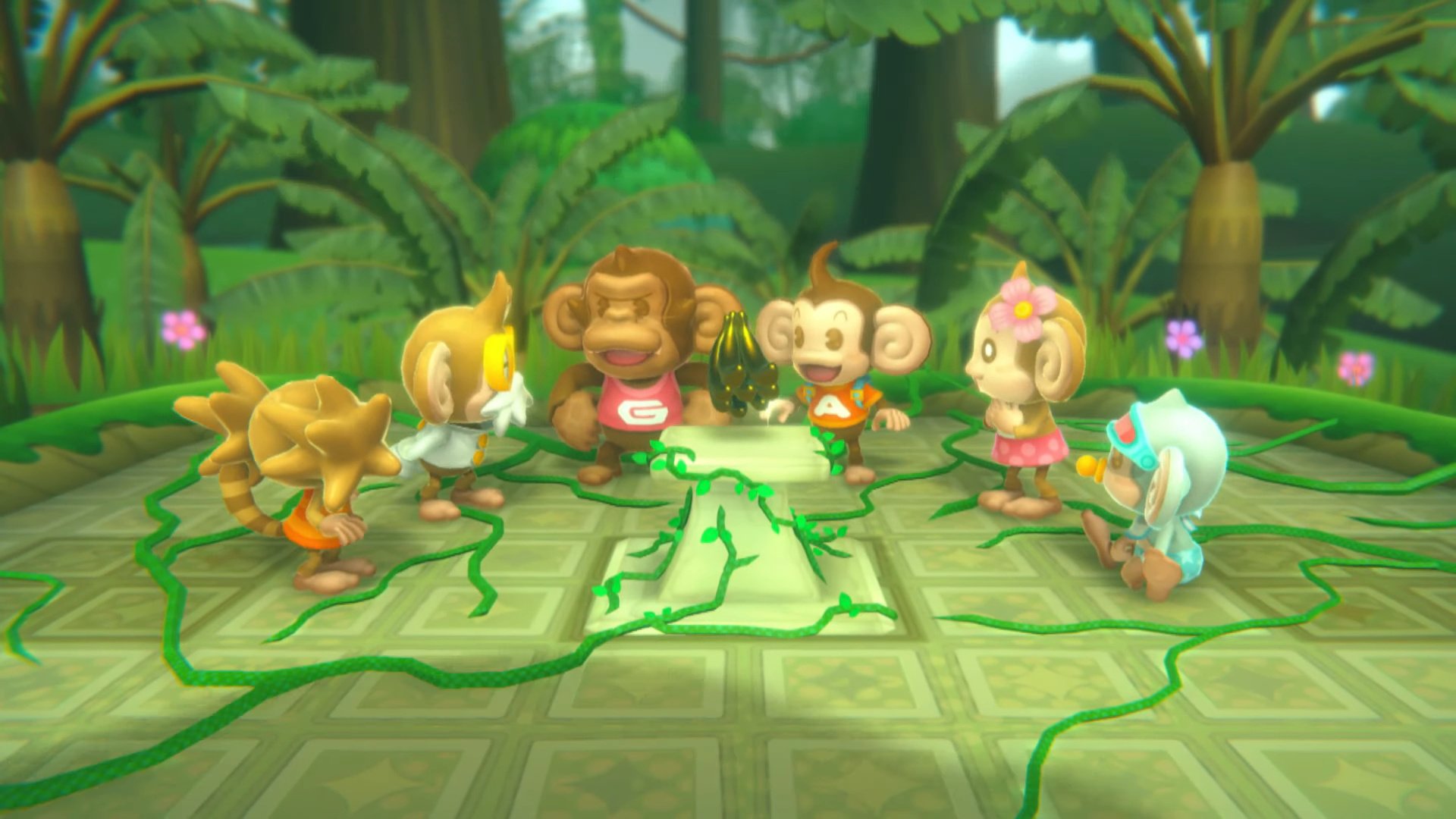
  News - Sega Reveals Development Of Super Monkey Ball: Banana Blitz HD Is 70% Complete
Posted by: xSicKxBot - 07-19-2019, 11:32 AM - Forum: Nintendo Discussion - No Replies

Sega Reveals Development Of Super Monkey Ball: Banana Blitz HD Is 70% Complete

Super Monkey Ball Banana Blitz HD

After months of trademarks and classifications, earlier this week Sega finally confirmed a high-definition version of Super Monkey Ball: Banana Blitz was on its way to the Nintendo Switch.

So, just how far into development is Super Monkey Ball: Banana Blitz HD? It’s reportedly 70% complete. The game is due out on 29th October, so we’re guessing it will be ready to roll on time.

If you missed the initial announcement, this version will feature updated visuals, all-new mini-game modes, and controls optimised for each platform. It’ll set you back $39.99/£34.99. For more information, check out the original post.


Are you ready to roll on 29th October? Tell us below.

Print this item

  Fedora - Modifying Windows local accounts with Fedora and chntpw
Posted by: xSicKxBot - 07-19-2019, 11:32 AM - Forum: Linux, FreeBSD, and Unix types - No Replies

Modifying Windows local accounts with Fedora and chntpw

I recently encountered a problem at work where a client’s Windows 10 PC lost trust to the domain. The user is an executive and the hindrance of his computer can affect real-time mission-critical tasks. He gave me 30 minutes to resolve the issue while he attended a meeting.

Needless to say, I’ve encountered this issue many times in my career. It’s an easy fix using the Windows 7/8/10 installation media to reset the Administrator password, remove the PC off the domain and rejoin it. Unfortunately it didn’t work this time. After 20 minutes of scouring the net and scanning through the Microsoft Docs with no success, I turned to my development machine running Fedora with hopes of finding a solution.

With dnf search I found a utility called chntpw:

$ dnf search windows | grep password

According to the summary, chntpw will “change passwords in Windows SAM files.”

Little did I know at the time there was more to this utility than explained in the summary. Hence, this article will go through the steps I used to successfully reset a Windows local user password using chntpw and a Fedora Workstation Live boot USB. The article will also cover some of the features of chntpw used for basic user administration.

Installation and setup


If the PC can connect to the internet after booting the live media, install chntpw from the official Fedora repository with:

$ sudo dnf install chntpw

If you’re unable to access the internet, no sweat! Fedora Workstation Live boot media has all the dependencies installed out-of-the-box, so all we need is the package. You can find the builds for your Fedora version from the Fedora Project’s Koji site. You can use another computer to download the utility and use a USB thumb drive, or other form of media to copy the package.

First and foremost we need to create the Fedora Live USB stick. If you need instructions, the article on How to make a Fedora USB stick is a great reference.

Once the key is created shut-down the Windows PC, insert the thumb drive if the USB key was created on another computer, and turn on the PC — be sure to boot from the USB drive. Once the live media boots, select “Try Fedora” and open the Terminal application.

Also, we need to mount the Windows drive to access the files. Enter the following command to view all drive partitions with an NTFS filesystem:

$ sudo blkid | grep ntfs

Most hard drives are assigned to /dev/sdaX where X is the partition number — virtual drives may be assigned to /dev/vdX, and some newer drives (like SSDs) use /dev/nvmeX. For this example the Windows C drive is assigned to /dev/sda2. To mount the drive enter:

$ sudo mount /dev/sda2 /mnt

Fedora Workstation contains the ntfs-3g and ntfsprogs packages out-of-the-box. If you’re using a spin that does not have NTFS working out of the box, you can install these two packages from the official Fedora repository with:

$ sudo dnf install ntfs-3g ntfsprogs

Once the drive is mounted, navigate to the location of the SAM file and verify that it’s there:

$ cd /mnt/Windows/System32/config
$ ls | grep SAM
SAM
SAM.LOG1
SAM.LOG2

Clearing or resetting a password


Now it’s time to get to work. The help flag -h provides everything we need to know about this utility and how to use it:

$ chntpw -h
chntpw: change password of a user in a Windows SAM file,
or invoke registry editor. Should handle both 32 and 64 bit windows and
all version from NT3.x to Win8.1
chntpw [OPTIONS] [systemfile] [securityfile] [otherreghive] […]
-h This message
-u Username or RID (0x3e9 for example) to interactively edit
-l list all users in SAM file and exit
-i Interactive Menu system
-e Registry editor. Now with full write support!
-d Enter buffer debugger instead (hex editor),
-v Be a little more verbose (for debuging)
-L For scripts, write names of changed files to /tmp/changed
-N No allocation mode. Only same length overwrites possible (very safe mode)
-E No expand mode, do not expand hive file (safe mode)

Usernames can be given as name or RID (in hex with 0x first)
See readme file on how to get to the registry files, and what they are.
Source/binary freely distributable under GPL v2 license. See README for details.
NOTE: This program is somewhat hackish! You are on your own!

Use the -l parameter to display a list of users it reads from the SAM file:

$ sudo chntpw -l SAM
chntpw version 1.00 140201, © Petter N Hagen
Hive name (from header): <\SystemRoot\System32\Config\SAM>
ROOT KEY at offset: 0x001020 * Subkey indexing type is: 686c
File size 65536 [10000] bytes, containing 7 pages (+ 1 headerpage)
Used for data: 346/37816 blocks/bytes, unused: 23/7016 blocks/bytes.

| RID -|---------- Username ------------| Admin? |- Lock? --|
| 01f4 | Administrator | ADMIN | dis/lock |
| 01f7 | DefaultAccount | | dis/lock |
| 03e8 | defaultuser0 | | dis/lock |
| 01f5 | Guest | | dis/lock |
| 03ea | sysadm | ADMIN | |
| 01f8 | WDAGUtilityAccount | | dis/lock |
| 03e9 | WinUser | | |

Now that we have a list of Windows users we can edit the account. Use the -u parameter followed by the username and the name of the SAM file. For this example, edit the sysadm account:

$ sudo chntpw -u sysadm SAM
chntpw version 1.00 140201, © Petter N Hagen
Hive name (from header): <\SystemRoot\System32\Config\SAM>
ROOT KEY at offset: 0x001020 * Subkey indexing type is: 686c
File size 65536 [10000] bytes, containing 7 pages (+ 1 headerpage)
Used for data: 346/37816 blocks/bytes, unused: 23/7016 blocks/bytes.

================= USER EDIT ====================

RID : 1002 [03ea]
Username: sysadm
fullname: SysADM
comment :
homedir :

00000220 = Administrators (which has 2 members)

Account bits: 0x0010 =
[ ] Disabled | [ ] Homedir req. | [ ] Passwd not req. |
[ ] Temp. duplicate | [X] Normal account | [ ] NMS account |
[ ] Domain trust ac | [ ] Wks trust act. | [ ] Srv trust act |
[ ] Pwd don't expir | [ ] Auto lockout | [ ] (unknown 0x08) |
[ ] (unknown 0x10) | [ ] (unknown 0x20) | [ ] (unknown 0x40) |

Failed login count: 0, while max tries is: 0
Total login count: 0

- - - User Edit Menu:
1 - Clear (blank) user password
(2 - Unlock and enable user account) [seems unlocked already]
3 - Promote user (make user an administrator)
4 - Add user to a group
5 - Remove user from a group
q - Quit editing user, back to user select
Select: [q] >

To clear the password press 1 and ENTER. If successful you will see the following message:

...
Select: [q] > 1
Password cleared!
================= USER EDIT ====================

RID : 1002 [03ea]
Username: sysadm
fullname: SysADM
comment :
homedir :

00000220 = Administrators (which has 2 members)

Account bits: 0x0010 =
[ ] Disabled | [ ] Homedir req. | [ ] Passwd not req. |
[ ] Temp. duplicate | [X] Normal account | [ ] NMS account |
[ ] Domain trust ac | [ ] Wks trust act. | [ ] Srv trust act |
[ ] Pwd don't expir | [ ] Auto lockout | [ ] (unknown 0x08) |
[ ] (unknown 0x10) | [ ] (unknown 0x20) | [ ] (unknown 0x40) |

Failed login count: 0, while max tries is: 0
Total login count: 0
** No NT MD4 hash found. This user probably has a BLANK password!
** No LANMAN hash found either. Try login with no password!
...

Verify the change by repeating:

$ sudo chntpw -l SAM
chntpw version 1.00 140201, © Petter N Hagen
Hive name (from header): <\SystemRoot\System32\Config\SAM>
ROOT KEY at offset: 0x001020 * Subkey indexing type is: 686c
File size 65536 [10000] bytes, containing 7 pages (+ 1 headerpage)
Used for data: 346/37816 blocks/bytes, unused: 23/7016 blocks/bytes.

| RID -|---------- Username ------------| Admin? |- Lock? --|
| 01f4 | Administrator | ADMIN | dis/lock |
| 01f7 | DefaultAccount | | dis/lock |
| 03e8 | defaultuser0 | | dis/lock |
| 01f5 | Guest | | dis/lock |
| 03ea | sysadm | ADMIN | *BLANK* |
| 01f8 | WDAGUtilityAccount | | dis/lock |
| 03e9 | WinUser | | |

...

The “Lock?” column now shows BLANK for the sysadm user. Type q to exit and y to write the changes to the SAM file. Reboot the machine into Windows and login using the account (in this case sysadm) without a password.

Features


Furthermore, chntpw can perform basic Windows user administrative tasks. It has the ability to promote the user to the administrators group, unlock accounts, view and modify group memberships, and edit the registry.

The interactive menu


chntpw has an easy-to-use interactive menu to guide you through the process. Use the -i parameter to launch the interactive menu:

$ chntpw -i SAM
chntpw version 1.00 140201, © Petter N Hagen
Hive name (from header): <\SystemRoot\System32\Config\SAM>
ROOT KEY at offset: 0x001020 * Subkey indexing type is: 686c
File size 65536 [10000] bytes, containing 7 pages (+ 1 headerpage)
Used for data: 346/37816 blocks/bytes, unused: 23/7016 blocks/bytes.

<>========<> chntpw Main Interactive Menu <>========<>
Loaded hives:
1 - Edit user data and passwords
2 - List groups
- - -
9 - Registry editor, now with full write support!
q - Quit (you will be asked if there is something to save)

Groups and account membership


To display a list of groups and view its members, select option 2 from the interactive menu:

...
What to do? [1] -> 2
Also list group members? [n] y
=== Group # 220 : Administrators
0 | 01f4 | Administrator |
1 | 03ea | sysadm |
=== Group # 221 : Users
0 | 0004 | NT AUTHORITY\INTERACTIVE |
1 | 000b | NT AUTHORITY\Authenticated Users |
2 | 03e8 | defaultuser0 |
3 | 03e9 | WinUser |
=== Group # 222 : Guests
0 | 01f5 | Guest |
=== Group # 223 : Power Users
...
=== Group # 247 : Device Owners

Adding the user to the administrators group


To elevate the user with administrative privileges press 1 to edit the account, then 3 to promote the user:

...
Select: [q] > 3

=== PROMOTE USER
Will add the user to the administrator group (0x220)
and to the users group (0x221). That should usually be
what is needed to log in and get administrator rights.
Also, remove the user from the guest group (0x222), since
it may forbid logins.

(To add or remove user from other groups, please other menu selections)

Note: You may get some errors if the user is already member of some
of these groups, but that is no problem.

Do it? (y/n) [n] : y

Adding to 0x220 (Administrators) …
sam_put_user_grpids: success exit
Adding to 0x221 (Users) …
sam_put_user_grpids: success exit
Removing from 0x222 (Guests) …
remove_user_from_grp: NOTE: group not in users list of groups, may mean user not member at all. Safe. Continuing.
remove_user_from_grp: NOTE: user not in groups list of users, may mean user was not member at all. Does not matter, continuing.
sam_put_user_grpids: success exit

Promotion DONE!

Editing the Windows registry


Certainly the most noteworthy, as well as the most powerful, feature of chntpw is the ability to edit the registry and write to it. Select 9 from the interactive menu:

...
What to do? [1] -> 9
Simple registry editor. ? for help.

> ?
Simple registry editor:
hive [] - list loaded hives or switch to hive number
cd - change current key
ls | dir [] - show subkeys & values,
cat | type - show key value
dpi - show decoded DigitalProductId value
hex - hexdump of value data
ck [] - Show keys class data, if it has any
nk - add key
dk - delete key (must be empty)
ed - Edit value
nv - Add value
dv - Delete value
delallv - Delete all values in current key
rdel - Recursively delete key & subkeys
ek - export key to (Windows .reg file format)
debug - enter buffer hexeditor
st [] - debug function: show struct info
q - quit

Finding help


As we saw earlier, the -h parameter allows us to quickly access a reference guide to the options available with chntpw. The man page contains detailed information and can be accessed with:

$ man chntpw

Also, if you’re interested in a more hands-on approach, spin up a virtual machine. Windows Server 2019 has an evaluation period of 180 days, and Windows Hyper-V Server 2019 is unlimited. Creating a Windows guest VM will provide the basics to modify the Administrator account for testing and learning. For help with quickly creating a guest VM refer to the article Getting started with virtualization in Gnome Boxes.

Conclusion


chntpw is a hidden gem for Linux administrators and IT professionals alike. While a nifty tool to quickly reset Windows account passwords, it can also be used to troubleshoot and modify local Windows accounts with a no-nonsense feel that delivers. This is perhaps only one such tool for solving the problem, though. If you’ve experienced this issue and have an alternative solution, feel free to put it in the comments below.

This tool, like many other “hacking” tools, holds with it an ethical responsibility. Even chntpw states:

NOTE: This program is somewhat hackish! You are on your own!

When using such programs, we should remember the three edicts outlined in the message displayed when running sudo for the first time:

  1. Respect the privacy of others.
  2. Think before you type.
  3. With great power comes great responsibility.

Photo by Silas Köhler on Unsplash,

Print this item

  Mobile - Cosmic Frontline AR Review
Posted by: xSicKxBot - 07-19-2019, 11:32 AM - Forum: New Game Releases - No Replies

Cosmic Frontline AR Review

Galcon is a mobile strategy classic, boiling down real-time strategy to easy taps and simple numbers. One criminally underappreciated feature is that Galcon can be played anywhere you can turn your phone on, with the device held at any angle and for any length of time.

Cosmic Frontline takes the basic Galcon gameplay — a set of planets, one or two opponents, and swarms of ships that spawn as you successfully hold said planets — and lets you display those planets on a background generated from your camera. That is, the playing field appears to be floating above your desk in real life. It’s a cool effect, but how does it play?

Cosmic Frontline 1

I think most of us can agree that Galcon would not be greatly improved if it were only playable from certain angles and locations, with the phone held awkwardly static until the level could be completed. By adding AR elements to this basic design, Cosmic Frontline ensures that the player will spend half their gaming time searching for an appropriate flat surface to cast planets upon and the rest of the time holding still while trying to place orders.

That means the game is not playable in many situations. If you’re commuting, the play field will fly off into the distance when your vehicle starts moving. Even when I was waiting at the bus stop, the planets managed to attach themselves to a passing car and zoom away just as victory was in my grasp. There’s an option to reduce the appearance of AR, but all that does is paint the background with a very pretty starfield; you still have to hold the device steady to keep the camera on the planets. The one new interesting wrinkle to the addition of AR is that sometimes planets will spawn behind you or otherwise slightly out of frame, forcing you to change your perspective slightly in order to keep everything in view.

Cosmic Frontline 2

It would have been better to just go all in and make the game only playable in a giant field where you have to run from planet to planet to issue orders. At least then you could get some exercise beyond holding your arms very still. An option to play without AR at all would also be preferable; with a stationary camera you could play the game in bed and it would still be a really pretty-looking basic RTS, perfect for mobile.

Cosmic Frontline is a great-looking game, and fun too in limited doses. There’s a variety of planet designs, plus asteroids and space debris to keep it looking interesting. The swarms of ships move smoothly and realistically. The AI is smart enough to take advantage of any weaknesses, and the levels are set up in ways that provide different challenges each time. When the game is set up right, it’s pretty neat to see these spinning planets and whirring ships flying around your bedroom.

That means Cosmic Frontline is a great tech demo, or an A+ final project in a game development course. It’s even pretty fun when conditions are just right. Any other time, however, it’s not worth your money.

Print this item

  Unity Release Three New Gamekits
Posted by: xSicKxBot - 07-19-2019, 11:32 AM - Forum: Game Development - No Replies

Unity Release Three New Gamekits

In addition to their already released 2D Gamekit  (and the more advanced 3D Gamekit), Unity have released three new Gamekits to their Unity Learn portal.  The new gamekits include:

Each Gamekit includes a complete project downloadable from the Unity Asset store as well as a full step by step tutorial that average around 1 hour in duration.  They are designed to introduce users to Unity without requiring art or programming ability.  Each Gamekit is designed to be extended or customized by the user.  Learn more about the new gamekits in the video below.

GameDev News


Print this item

  Linux Foundation Energy member TenneT “open sources” their open source strategy
Posted by: xSicKxBot - 07-19-2019, 06:32 AM - Forum: Linux, FreeBSD, and Unix types - No Replies

Linux Foundation Energy member TenneT “open sources” their open source strategy

This post was written by Loek Bakker, Corporate Information Management Office Head at TenneT

TenneT is the first European cross-border electricity transmission system operator (TSO), with activities in the Netherlands and in Germany, providing uninterrupted electricity to over 41 million people. The security of our supply is among the best in Europe, with 99.99% grid availability. With the energy transition, TenneT is contributing to a future in which wind and solar energy are the most important primary sources to produce electricity.

As an LF Energy member, we recognize that open source is the commodity foundation upon which the entire IT industry rests. A recent Synopsis study indicated that 100% of the proprietary software our vendors are using in the energy and utility space have open source inside [1]. Yet, as an industry, we do not manage our software as a community, and we have relative ignorance about what exists within our “black boxes”. The open source model refers to the software development practice that encourages transparent governance and open collaboration to create software for which the original source code (design, code, ingredients) is made freely available and may be redistributed and modified. For TenneT, like many other utilities, open source is essential to our strategic success.

Read Blog Post »

Click Here!

Print this item

  News - Pokemon Masters New Trailer Shows More Gameplay
Posted by: xSicKxBot - 07-19-2019, 05:28 AM - Forum: Lounge - No Replies

Pokemon Masters New Trailer Shows More Gameplay

Pokemon Masters is on the way this summer, and the Pokemon Company has rolled out a fresh look at the game in action while we wait for our chance to try it for ourselves. The latest trailer shows more of the 3v3 Pokemon battles, support from other Trainers, and sync attacks with your Pokemon.

The release date is still listed as "Summer 2019." It's bound to come relatively soon, but no firm release date has been set. It's coming to iOS and Android devices.

Pokemon Masters takes the familiar Pokemon battling throughout the series and changes it up by featuring sync pairs of renowned trainers and their Pokemon partners. As a result there are a lot of familiar faces littered throughout the trailers so far, and this one is no exception. Masters also takes place in a new region, the island of Pasio. A move gauge fills up over the course of battle, so the flow of combat is spent managing the various meters of trainers you have on your team.

Meanwhile, the next major installments in the series, Pokemon Sword and Shield, are set to come this fall. Nintendo is even putting out a special color scheme for the new Nintendo Switch Lite to accompany it.

Print this item

 
Latest Threads
(Free Game Key) [GOG] Sil...
Last Post: xSicKxBot
2 hours ago
News - $2.50 Steam Sale H...
Last Post: xSicKxBot
2 hours ago
Forza Horizon 5 Game Save...
Last Post: poxah56770
Today, 10:02 AM
(Xbox One) Vantage - Mod ...
Last Post: levihaxk
Today, 03:59 AM
News - Christopher Nolan’...
Last Post: xSicKxBot
Today, 03:31 AM
News - GameStop Is Not Hu...
Last Post: xSicKxBot
Yesterday, 11:06 AM
News - Subnautica 2’s Leg...
Last Post: xSicKxBot
07-05-2026, 06:45 PM
Redacted T6 Nightly Offli...
Last Post: Ngixk0
07-05-2026, 03:21 PM
News - Sony To End PlaySt...
Last Post: xSicKxBot
07-05-2026, 02:23 AM
Black Ops (BO1, T5) DLC's...
Last Post: BrookesBot
07-04-2026, 06:29 PM

Forum software by © MyBB Theme © iAndrew 2016