Introducing Miles & Kilo, Out Now on Xbox One and Windows 10
When playing a platformer, do you ever find yourself throwing caution to the wind and start racing through it masterfully like an unstoppable daredevil?
That feeling and playstyle are what I really wanted to tap into when I first started making games. Before Miles & Kilo, I created a game called Kid Tripp for mobile devices; my pitch for it was simply “an old-school, speedrunner-friendly platformer where you never stop running.” I spent a few years making it in my free time after school, and eventually released it in 2013. Fortunately, it was super well-received (much better than I was hoping for!), so I immediately got to work on a bigger and better sequel.
The first game starred a character named Miles Tripp. His original move-set was simple: he could jump, sprint, and throw rocks. For the sequel, one of my main goals was to introduce a bunch of fun new abilities so I’d be able to design more varied and exciting levels.
Early in development, the idea was to create a large cast of new characters and give each of them a unique ability (for example, one character could slide, another could wall-jump, and so on); but as development progressed I decided to combine all those different moves into my favorite two characters: Miles, the title character from the first game, and his mischievous dog, Kilo. This resulted in two characters with very different movesets that feel really exciting and fluid to play.
The core gameplay loop in Miles & Kilo is simple: You’ll run through a level (sometimes playing as Miles, other times as Kilo), learning the different patterns of traps and enemies until you eventually reach the goal. Levels are designed to be short (usually around 25-30 seconds when perfected), though many of the later, more difficult levels will require dozens of attempts to master. Once you complete the game, you’re encouraged to go back and run through the game again in the Time Attack mode, where your overall time, number of deaths, and score will be uploaded to the game’s leaderboards.
For completionists, we’ve also included a sizable list of achievements to tackle, as well as a grading system to measure your mastery of each of the game’s levels.
Four Horses Ltd. and I are super excited about bringing Miles & Kilo to you now on Xbox One and Windows 10. The game is quite a challenge, so we’d like to wish you good luck, and we look forward to seeing you on the leaderboards!
P.S. Keep an eye out for Miles & Kilo’s predecessor, Kid Tripp, launching on Microsoft platforms later this year!
MC-144678 – Entities don’t interact with the world far from the player
MC-144685 – Ender dragon will shoot at players in creative
MC-145002 – When trying to join a world, the loading screen gets stuck at 100%
MC-145262 – Entities get stuck in the void when render distance is below 12
MC-145438 – Arrows and tridents spawned with /summon in a world spawn point too far from (0,0) causes game performance to plummet
MC-145675 – Ringing bell doesn’t render hand swing animation
MC-145686 – java.util.NoSuchElementException ticking entity crash when a workstation is destroyed immediately after a villager within a 1-block radius has taken the job matching the workstation
MC-145705 – Placing a block next to a bell causes the block to appear then instantly disappear
MC-145716 – Pillager outpost watchtower fails to generate
MC-145737 – Clicking bell with non-placable item carried play twice sound
MC-145772 – Large amount of free work sites can cause lag when introducing new villagers
MC-145798 – Pressing space/enter in book and quill changes page
MC-145862 – Villagers try to sleep in occupied beds
MC-145890 – Tab overrides command block suggestions while turned off
MC-145971 – Chat message text box can be unfocused
Yuzo Koshiro Confirms He’s Involved With Sega’s Forthcoming Mega Drive Mini
Yuzo Koshiro is something of a legend with gamers of a certain age. He’s responsible for some of the most iconic soundtracks of the 16-bit era, composing the tunes that made games like Revenge of Shinobi, Streets of Rage and ActRaiser so memorable.
During his glittering career he’s worked on loads of other games too of course, but his connection with the Mega Drive has arguably made him a figure of affection for many players; those same players will no doubt be over the moon to learn that he’s involved with the Mega Drive Mini, a micro-console that’s launching this September.
The stars really are aligning with this new console, and it should hopefully put to rest all of the bad memories we have of those ghastly Sega clones that have been clogging up store shelves for the past decade. With M2 handling the emulation and the one and only Yuzo Koshiro doing the menu music, this could be a real rival to the NES and SNES Classic Editions.
Now we just need to know what the remaining games are…
Before the term “Internet of Things” had been coined, Microsoft Windows was there—but not just on our PCs. It was quietly running on the smallest, embedded devices—the precursors to the intelligent, connected devices of today.
In fact, Windows IoT is more than two decades in the making, and now, Windows IoT is helping businesses of all sizes achieve digital transformation and delight customers with secure, modern experiences that bridge the physical and digital worlds.
Read on to discover how Windows IoT has evolved into one of the most trusted IoT platforms—and learn about the groundbreaking capabilities that are coming soon.
Windows IoT Core: a history of innovation
Since the 1990s, we’ve been innovating our popular Windows OS to meet the needs of device manufacturers, providing a familiar, cost-effective, and secure platform. We were already optimizing Windows for small, single-purpose embedded devices ranging from toys to telephones through our Windows CE and Windows NT Embedded products. Over the years, we have continued to build on this groundbreaking work.
Back when Windows IoT Core was introduced, it was the first time you could run the Windows OS on tiny computers, such as the Raspberry Pi. Designed for device makers, our initial focus was on development kits and building a community of Windows IoT developers. From there, we expanded to meet the needs of commercial customers who wanted long-term support, including a high-quality development environment.
Today, Windows 10 IoT Core is a mature product that enables manufacturers to go to market quickly with small-footprint devices that are secure, low cost, and built for the intelligent edge. Windows IoT Core provides a royalty-free OS for prototyping, developing and testing IoT devices.
Providing security and maintenance for a multitude of devices in the field can be extremely challenging, so one of the biggest additions we’ve made recently is Windows 10 IoT Core Services. Windows 10 IoT Core Services ensures long-term OS support and services for managing device updates and device health. Benefits include reduced operating costs with over-the air-updates for OS, apps, and drivers—plus 10 years of OS system support and enhanced security.
For customers wanting the full power of Windows 10, Windows 10 IoT Enterprise provides a locked down, full version of Windows 10 that delivers enterprise manageability and security to IoT solutions across multiple industries. It shares all the benefits of the worldwide Windows ecosystem, including the same familiar application compatibility, development and management tools as client PCs and laptops.
Licensed for fixed-purpose, smart devices, Windows 10 IoT Enterprise features advanced capabilities that make it much easier to configure and lock down mission critical devices. This means that developers can spend more time creating outstanding solutions, without worrying about the nuts and bolts.
Like Windows 10 IoT Core Services, Windows 10 IoT Enterprise includes long-term support. With the critical nature of security, being able to get security updates over the course of ten years without having significant changes in the OS is of enormous value.
Both Windows 10 IoT Core and Windows 10 IoT Enterprise offer easy integration with the Microsoft Azure platform, simplifying scale and device management, as well as the implementation of advanced features like hardware-assisted machine learning inferencing and containers.
Bringing it all together with Azure IoT Edge
Azure IoT Edge extends cloud intelligence and analytics to edge devices, providing a secure and easy way for developers to move cloud and custom workloads to the edge and tap the power of Windows 10 IoT. Azure IoT Edge enables seamless deployment of AI and advanced analytics capabilities, and the Azure IoT Device Agent for Windows makes it easy for operators to remotely configure, update and monitor edge devices.
IoT Edge modules, implemented as Docker-compatible containers, enables management of device updates and the deployment of business logic at the edge. Multiple modules can be configured to communicate with each other, and custom modules can be developed to provide insights offline and at the edge. Again, 10 years of ongoing support, security and patch management add to the ROI as well as customer confidence.
The future of Windows IoT
In late February, we announced the availability of Windows Server IoT 2019, which can securely handle the largest edge computing workloads. Windows Server IoT 2019 brings the power of high-availability and high-performance storage and networking to the edge, addressing latency and connectivity requirements and enabling customers to maintain data on-premises while securely storing and analyzing large amounts of data.
Additionally, we’ve got some thrilling product advancements lined up over the course of the next 12 to 18 months, focusing on end-to-end security, simplicity and cost-effectiveness. We are working with OEMs to bring existing devices onto a new, modern OS—and helping them connect to the cloud. Microsoft is making substantial investments in cloud connectivity and using the power of Windows to accelerate our customers’ journeys to the cloud and the intelligent edge.
From a developer perspective, we are focused on efficiency and making Windows a great place for machine learning through innovations like AI at the edgeWinML allows developers to harness the capabilities of any Windows 10 device to use pre-trained machine learning models—both custom and off-the-shelf—making it immensely powerful and ideally suited to intelligent edge devices. WinML accelerates the evaluation of deep learning models on Direct X12-capable devices. It also evaluates on local hardware, enabling low latency and high performance for quick results.
A great example of the benefits WinML brings to IoT solutions is IoT-PREDICT. This predictive maintenance solution from ActionPoint runs on Windows 10 IoT Enterprise and uses machine learning, as well as data analytics and advanced capabilities, to help manufacturers reduce equipment downtime, save money and drive operational efficiency.
Windows Embedded and now Windows IoT have provided device builders and developers innovative products that offer security, simplicity and flexibility, backed-up with commercial grade support, including 10 years of support with our Long Term Servicing Channel. Windows IoT is accelerating digital transformation and enabling customers to build secure, connected products and modern experiences that delight customers.
We’re proud of how we have helped reshape the business landscape through IoT and the intelligent edge. And we’re thrilled about the road ahead. Stay tuned to see how we continue to lead global IoT innovation.
Meanwhile, be sure to tune into the IoT in Action on-demand webinar, Windows IoT: Business Transformation, to discover how Windows 10 IoT can help you get up and running quickly. You’ll learn how, with a platform that spans cloud, OS and devices, Microsoft IoT technology is uniquely positioned to simplify the IoT journey.
You can also watch the Windows IoT in Manufacturing webinar to hear how our partners are empowering device manufacturers to build secure, connected enterprise and consumer devices with Windows 10 IoT. Watch and discover how you can create trusted, connected solutions that improve business and customer experiences – regardless of company size, technical expertise, budget, or industry.
Posted by: xSicKxBot - 04-03-2019, 09:04 PM - Forum: Windows
- No Replies
New capabilities announced for Azure Security Center
Microsoft Azure Security Center—the central hub for monitoring and protecting against related incidents within Azure—has released new capabilities. The following features—announced at Hannover Messe 2019—are now generally available for the Azure Security Center:
Advanced Threat Protection for AzureStorage—Layer of protection that helps customers detect and respond to potential threats on their storage account as they occur—without having to be an expert in security.
Regulatory compliance dashboard—Helps Security Center customers streamline their compliance process by providing insight into their compliance posture for a set of supported standards and regulations.
Support for Virtual Machine Scale Sets (VMSS)—Easily monitor the security posture of your VMSS with security recommendations.
Dedicated Hardware Security Module (HSM) service, now available in U.K., Canada, and Australia—Provides cryptographic key storage in Azure and meets the most stringent customer security and compliance requirements.
Azure disk encryption support for VMSS—Now Azure disk encryption can be enabled for Windows and Linux VMSS in Azure public regions—enabling customers to help protect and safeguard the VMSS data at rest using industry standard encryption technology.
In addition, support for virtual machine sets are now generally available as part of the Azure Security Center. To learn more, read our Azure blog.
The Best PS4 Game Deals To Check Out This Week (US)
It's been a busy few weeks in the PlayStation Store, but now that the Great Indoors Sale has come to an end, the deal selection is slimming down quite a bit this week. That said, we're still here to fill you in on the game deals worth considering. Some of these discounts will be even greater if you're a PS Plus member (and if you are, be sure to check out April's free PS Plus games, which are now live).
While the Elder Scrolls 25th Anniversary Sale ended this morning, The Elder Scrolls Online is still marked down for another week--you can grab it for just $10 instead of $20. That purchase includes the base game and the Morrowind Chapter.
Battlefield V is 50% off for exactly one more day--you can get it for just $30 until tomorrow, April 3 at 8 AM PT / 11 AM ET. Battlefield V's free battle royale mode, Firestorm, released last week, so there's really no better time to pick up the game and see how Firestorm measures up against existing competitors in the battle royale scene.
This week's small batch of deals includes several pre-order discounts--we've limited our below list of deals to the games available now. Note that many of these deals end on different days (always at 8 AM PT / 11 AM ET) rather than next Tuesday as usual. We'll update this story if other good deals are added throughout the week.
Path To Mnemosyne Comes To Switch This Month, And It’s Giving Us The Creeps
Path to Mnemosyne, a “hypnotic independent adventure” developed by DevilishGames, is launching on Switch on 16th April, it has been confirmed.
The game first arrived on Steam last year, receiving positive reviews from players and being selected for multiple indie festivals thanks to its quirky style and narrative. We’ve got a description and a feature list for you to check out below:
Immerse yourself into Path to Mnemosyne, a hypnotic adventure created within an infinite zoom! Walk the path, explore your mind and recover all lost memories by solving dozens of imaginative puzzles.
A mysterious story, a minimalist script and disturbing sounds and graphics, will make Path to Mnemosyne a bizarre and memorable gameplay experience for any player. Will you be able to reach the end of the path?
Features: – Overwhelming graphic style. – Atmosphere that plays with your senses. – Dozens of puzzles to solve. – Simple controls, challenging challenges. -Open narrative.
As noted above, the game arrives on Switch in Europe and North America on 16th April. You’ll be able to pick it up for $9.99 / 9.99€.
What do you think? Has the trailer given you the creeps? Share your thoughts with us in the usual place.
Feature: Your Beloved Games Console Is Slowly But Surely Dying
“Everything put together falls apart” is the kind of sage-like adage that you often hear elderly relatives offering up over the dining table in-between moaning about Brexit and discussing the weather, and is a phrase most people under the age of 30 will surely dismiss out of hand, but for me personally – as someone who hits the ripe old age of 40 this year – it’s becoming harder and harder to ignore, for more reasons than one.
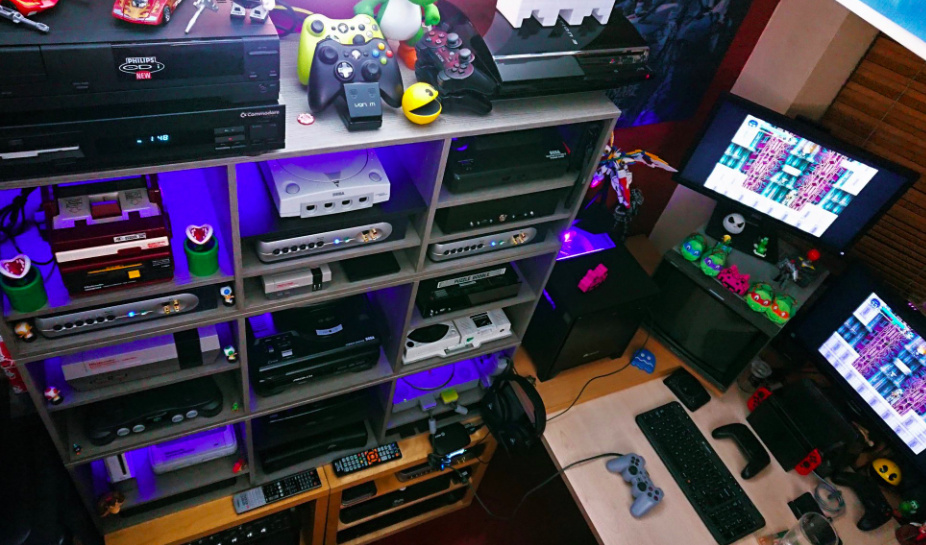
If you’re anything like me, you’ve got a sizeable collection of treasured retro systems, ranging right back to your childhood (my first love was the Mega Drive) to more recent curiosities (last year’s big retro purchase was a Japanese GameCube complete with HDMI connector). While I’m keenly aware of the fragility of optical media and the sensitive hardware required to read such discs, I’ve always laboured under the impression that anything cartridge-based is near-invincible, and is still going to be in good working order when I’m touching 80 – at which point I’ll no doubt be getting comments from Elijah Wood-style punks mocking me for ‘using my hands’ to play my ‘baby’s toy’ (if I’m still in any position at that age to even do so, of course).
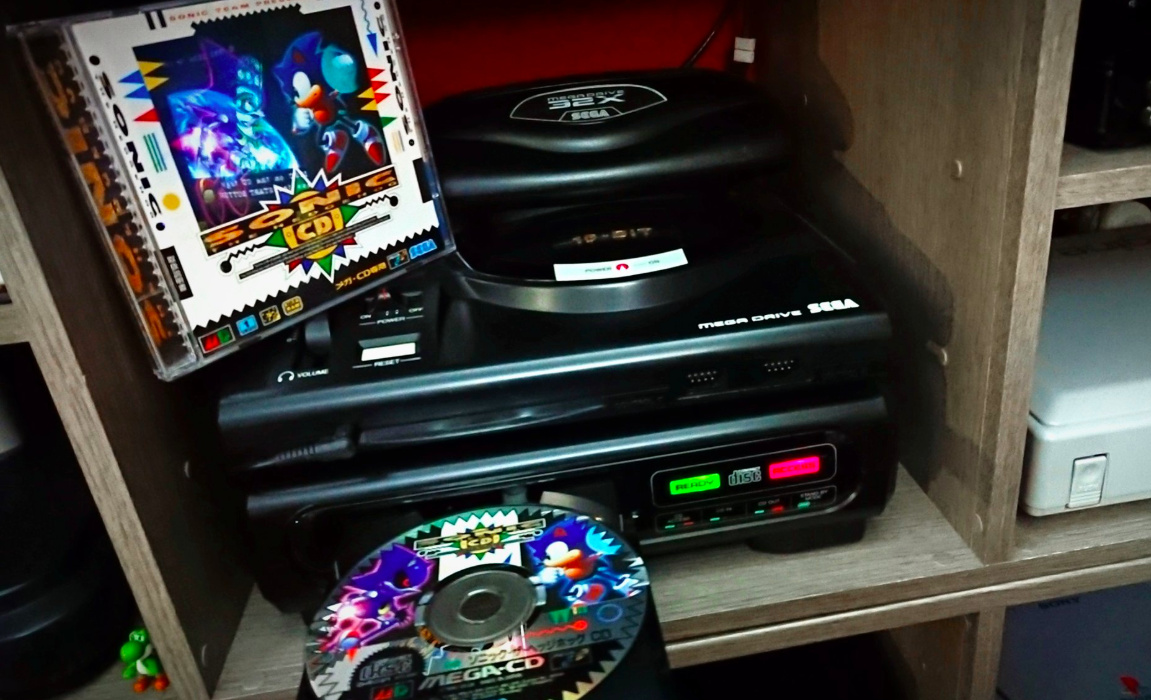
My recent wake-up call came as I pulled together my review for the superb Analogue Mega Sg, an FPGA-based clone system that accurately replicates the performance of Sega’s Mega Drive / Genesis – right down to the point where it’s possible to connect the system to a Mega CD add-on. It’s at this point I was given a sobering lesson in how vintage hardware is slowly but surely dying.
The Mega Sg and Mega CD simply refused to play nice with one another, and for one brief moment, I actually assumed this was the fault of Analogue’s brand-new system – the foolishness of which really hits home as I type it out. I was placing the blame on a system that had just rolled off the production line, rather than a piece of technology that’s over a quarter of a century old. In my defence, the Mega CD works fine with my original Mega Drive, but this fact was simply masking problems which needed addressing, and fast.
Where the magic happens: Lock’s workshop
Even when I approached Simon Lock, someone I’ve followed on Twitter for years thanks to his fascinating documentation of retro repair jobs he’s undertaken, I was still of the opinion that while my beloved Mega CD might be to blame, it was perhaps more down to it being a hardware revision that the folks at Analogue hadn’t encountered previously, hence the weird issues. All it took was a few photos of the inside of the Mega CD – snapped at Lock’s behest – to totally destroy that mindset and send me spiralling down a rabbit hole of retro gaming despair.
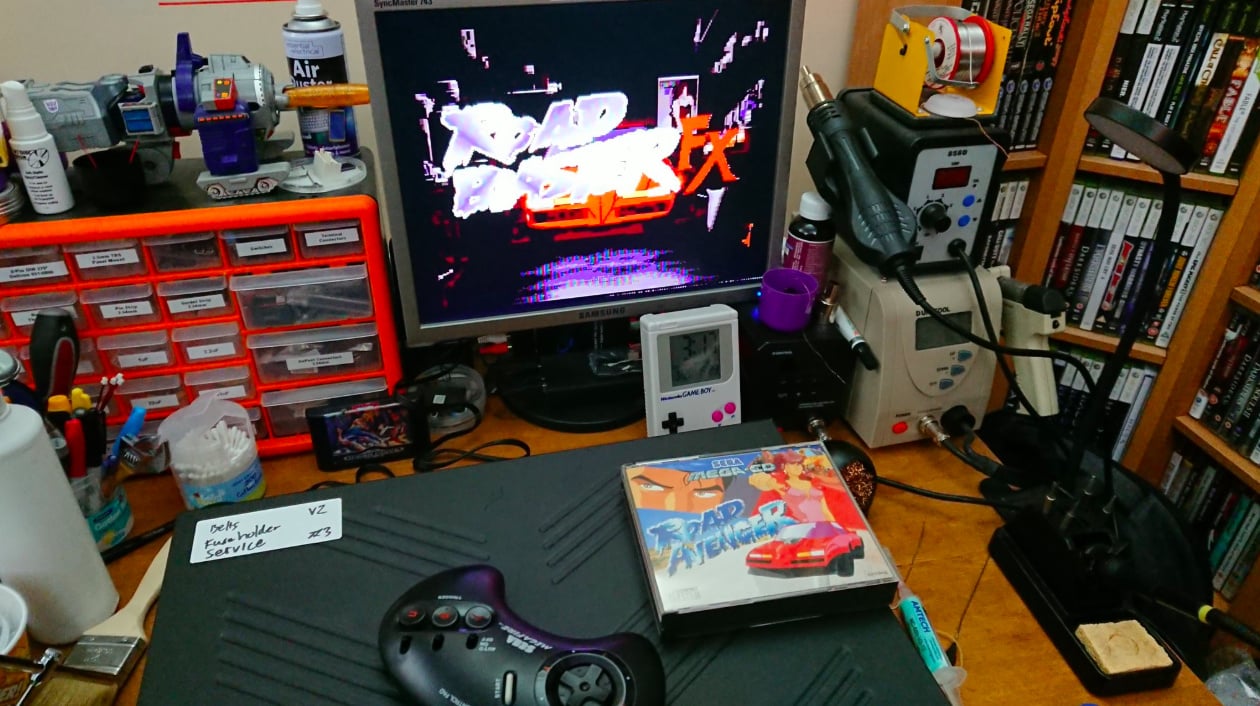
Lock is, for want of a better term, a technological wizard. He has repaired countless machines over the past few years, many of which were seemingly destined for the scrapheap. He’s got a fondness for Sega’s ’90s hardware, and has resurrected Famicom, Famicom Disk System, Twin Famicom, NEO-GEO AES, MVS, Master System, PC Engine Duo, Mega Drive, Multi-Mega, Saturn Mk1/Mk2, PlayStation, and PlayStation 2 consoles during his career.
I knew that Lock’s speciality was Mega CD systems, hence my initial contact. His rather grim reaction to the photos I snapped told me all I needed to know – the news wasn’t good. The irony is that prior to my experience with the Mega Sg, I’d assumed my Mega CD had many, many years of active service ahead of it; purchased a few years ago from eBay, the Japanese Mk1 model had been ‘refurbished’ by the seller, with a fresh CD drive belt fitted and a full service thrown in for good measure. Until the Mega Sg arrived, I thought my Mega CD was in good health.
Lock quickly identified several key issues with my unit, some of which could be the cause of the incompatibility with the Analogue Mega Sg. He totally shattered my belief that retro consoles are, by and large, indestructible; it’s a reality check he’s used to handing out. “I do encounter a lot of opinions of ‘well, mine has been well looked after’ and ‘mine still works from new’,” he explains. “Sadly, how well you look after something doesn’t always mean that internally you have a system absent of perishable components; via age, humidity or design longevity/manufacturer component quality of that era.”
It’s a difficult pill to swallow, especially when it’s perfectly possible to find an Atari 2600 in a charity shop that’s in (seemingly) good working order; when a console from the ’70s is still capable of functioning today, it’s easy to see why retro collectors – like myself – have been lulled into a false sense of security. Sadly, the tech inside our most treasured machines is, like any other piece of hardware, slowly but surely falling apart, and it’s not just one issue – these platforms are being attacked on several fronts at once.
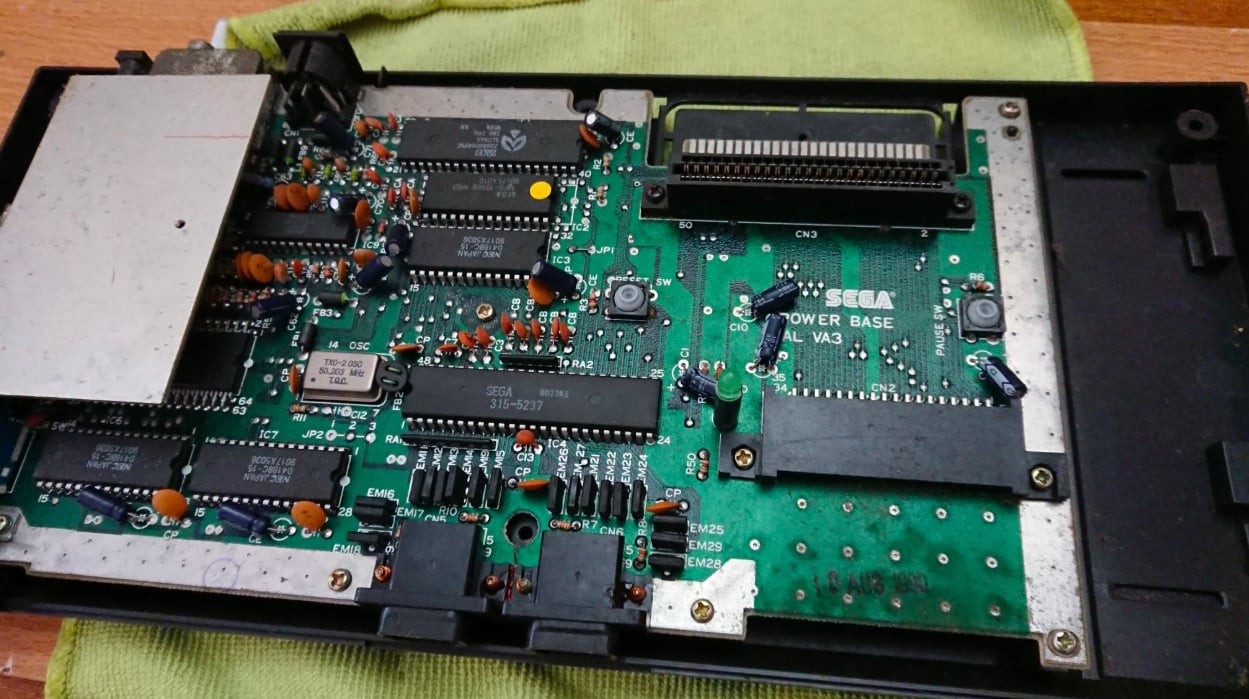
“Surface mount technology/device (SMT/SMD) electrolytic capacitors from the late ’80s to mid-to-late ’90s era hardware are one of the most common problems,” says Lock. “This design, over through-hole packages of the era, improved upon assembly times and allowed for further assembly automation. Sadly, the design had limitations with the smaller package size during that era; the di-electric fluid is prone to becoming more volatile over time, leak protection was not as reliable as it is today and the design does not allow for top venting in the event of component failure. This causes the fluid to leak out onto the printed circuit board directly where it reacts with metals – such as copper traces or brass screws – resulting in damage. This can lead to breaks in the circuit or worse, an unintended bridge or shorts in the circuit.” This particular issue was present inside my Mega CD; Lock likened the impact to “pouring tiny metered doses of full sugar Coca-cola onto the circuit board” – gulp.
Batteries found inside certain consoles can also cause problems if left unattended. “These also break down with their contents being highly volatile as time goes on,” Lock continues. “Many systems have batteries mounted above or soldered directly onto the board which means when it fails, the contents will spill out onto the board. Some systems have internally housed batteries within integrated circuits for keeping time, save data or even decryption keys. Once these have failed, the system will either function incorrectly or not at all.”
The Sega Mega CD is one of Lock’s favourite systems – and one he’s used to seeing for repair
Voltage regulators can also fail over time, mostly due to the amount of heat they produce during normal use. “A favourite found in mid-’80s to mid-’90s systems is the 7805-based linear voltage regulator, which takes typically takes 8.5V to 12V DC input voltage to output 5V used by the system internally. NEC parts of this type are particularly ‘replace on sight’ due to their build age and operational lifetime. When this part beings to fail, voltage output can drop or spike high causing the system to become unstable and this places strain on other components in the system. When it fails, they can fail open (no output) or closed (input goes to ground, or worse, output); the latter can be catastrophic. Areas of a system that have high exposure to heat cause more rapid wear on other perishable components, such as electrolytic capacitors. Some systems have these capacitors positioned right next to voltage regulator components, which are very prone to causing localised component failure.”
We’re not out of the woods yet, either. As well as the tech found inside your console, the power supply you use to bring it to life can also become a serious problem as the years roll by. “There is a school of thought that dictates you should only use the original manufacturer supplied external PSU with the system it was shipped with, or an authorised replacement,” says Lock. “Whilst this was true for many systems at the time of manufacture – though not all, the Amstrad GX4000 being a notable example – these also experience age and heat-related component failure, with the result causing damage to systems there are used with. I would advocate not using an original external PSU for systems produced in the ’90s or earlier, unless it has been fully serviced by a qualified professional.”
We’ve already touched upon issues with optical media-based systems, but it’s worth highlighting that often, problems with CD and DVD-based consoles are more likely to do with moving parts than the actual laser which reads the disc. “Typically, if you look up a system with moving parts, the word ‘maintenance’ will be mentioned,” Lock comments. “The same is true for mechanical optical drive systems. Lubricants perish over time, plastic becomes more resistive to movement and belts driving the system also perish under the increased strain. What commonly gets attributed to ‘laser failure’ is more often than not a mechanical issue rather than an electrical component one. Original grease can break down into a tacky or even resin-like compound resulting in significant wear on other parts of the system unless serviced – including belts, guide rails, and tracking motors.”
Older systems, like the Atari 800 XL, have also found themselves on Lock’s operating table
The final issue is one that the more squeamish amongst you may want to avoid reading. “If you store a console for long enough dormant, something is going to make it a nice new home for their offspring,” says Lock with a grin. “It’s all too common to find insects and arachnids – or worse – making your vintage hardware a new nursery in which to raise their family. This is a common discovery for systems stored in attics, garages and sheds, where human presence is inconsistent. This can obviously have all sorts of implications for your system.” Er, yuck.
Storage is, ironically, another thing that can damage your console. We may assume that a classic system tucked away in an attic or garage is safe and sound, but that’s often far from the truth. “Storing your devices outside of a consistent room temperature environment can lead to issues, along with temperature extremes during seasonal changes,” Lock explains. “Excess moisture will lead to corrosion on vulnerable materials – especially an issue with PAL systems which are subject to RF shielding regulations for sale, requiring all or part of the system to be enclosed within (often poor quality) metal coverings inside. Summer heat can have a drastic effect on heat sensitive materials – such as cables and packaging – and components, batteries especially. Plastics prone to yellowing due to high bromine content in their make-up are especially vulnerable to having excess heat and humidity accelerate the process.”
Out of all the machines Lock has worked on, he says there are a few which crop up more often than most. The Mega CD, which we’ve already touched upon, is a serial offender. “Suface Mount Device capacitor failure on the main board can lead to erratic behaviour, loss of functionality or total system failure,” he explains. “Typically, this also leads to the rechargeable ML2016 battery failing as a result. The NEC 2405 (7805 design) voltage regulator overheats and can cause accelerated local component failure, especially to the nearby capacitors.”
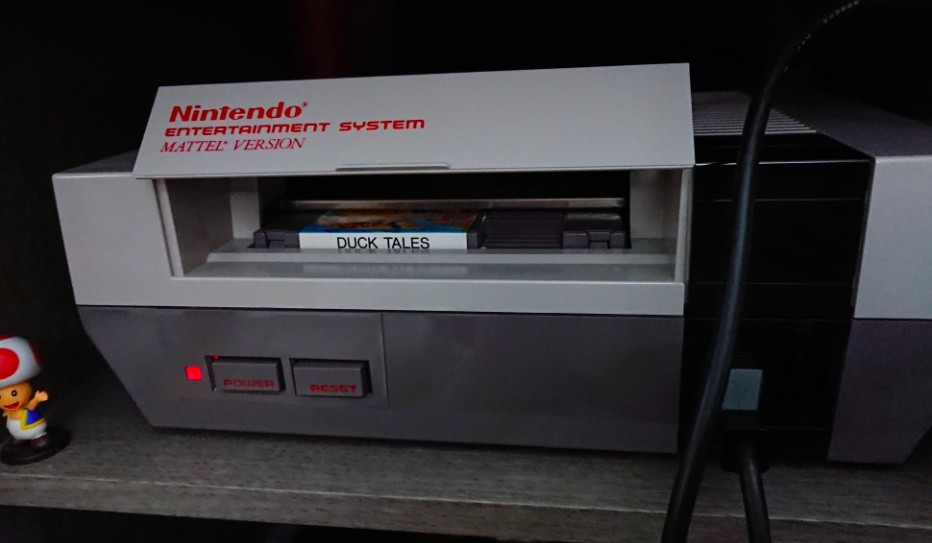
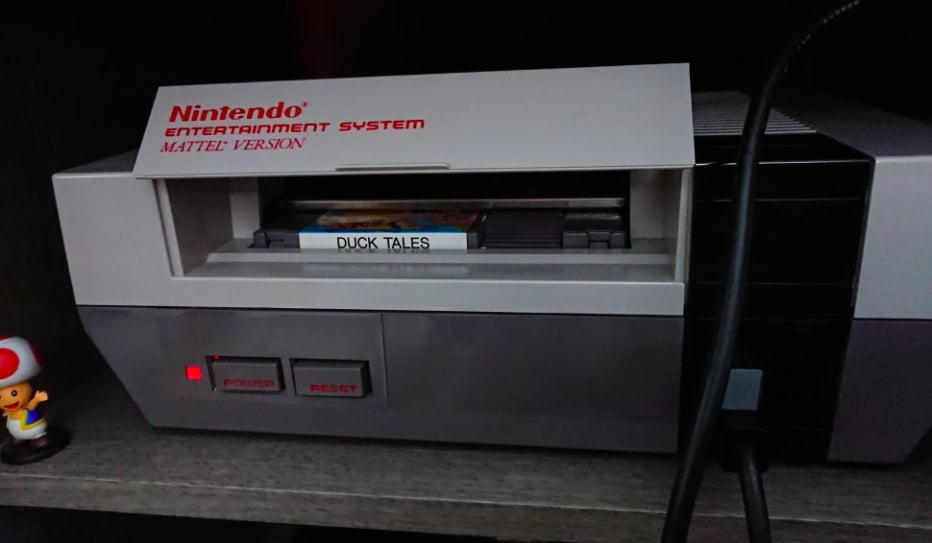
Outside of the Mega CD, Nintendo’s famous 8-bit console is one of Lock’s most regular repair jobs. “The NES is plagued by oxidation and corrosion issues, resulting in deposited material inside the ‘Zero Insertion Force’ system on front loading systems, typically occurring due to cartridge ‘Game PAK’ storage and use conditions,” he says. “Sadly, a culture of gamers spit-blowing on their Game PAKs to offer a short-term remedy to this hasn’t helped matters as the systems get older. While this type of issue can occur with just about any cartridge-based system, especially if the games are stored loose, it’s a cultural practice with the NES.”
So how does Lock go about bringing these machines back from the dead – or at least prolonging their lifespans? “Typically I like to do my homework first,” he replies. “I like to know the use history of a particular system if possible; who owned it before? Has it been worked on previously? Has it had faults before? If it’s been stored; if so, where and how? This information can prove to be vital in getting an idea of what state the system is in before it arrives. If the owner is confident to do so, I will sometimes ask for photos of specific areas inside of a system to aid potentially diagnosing the fault.”
This Mk1 Master System has seen better days
“The next step will usually involve some research into the system, known common issues, locating a service manual if available, finding service bulletins if applicable (documented changes made by the manufacturer/service centres during the product’s life span to resolve accepted issues) and consulting any documented hardware wiki for additional information. When the unit arrives, I check for evidence that the system may have been worked on, modified or opened before (if unknown). I also like to visually inspect any input/output connections as that can be a clue to how the unit has been stored. I then open the unit and look for obvious signs of potential damage; natural or unnatural. This can act as a roadmap to a fault. If something is found immediately, it is checked to see if it could have any impact on what the user is reporting as wrong with the system.”
With a cursory check out of the way, the meat of the work can begin. “Next is onto general checks for the condition of component health, checking fuses, DC-input connectors, power trigger and activation components, whether there is no resistance (direct path) or incredibly low resistance between the voltage supply and ground (short to ground). Some systems will fall into the known faults category where all known service issues are corrected first before moving onto looking for other issues. If no obvious fault is found or known issues are corrected, I move onto powering the system on to observe behaviour. Some issues only appear after the system has been running for a period of time, others can go away after a short amount of time and some are immediate. Issues to do with voltage supply, CPU, RAM and address lines are typically immediately identifiable. Some systems may have issues with custom ICs that require donor parts from other failed systems, or are sadly not repairable. I usually go over any areas that required work under a microscope to ensure that no other faults are waiting to occur within the problem area. Abnormal audio issues and intermittent graphical issues can be a lengthy repair process.”
Lock clearly does an incredibly thorough job; you only need gaze at his Twitter feed and see all of the photos he posts to see the meticulous manner in which he restores these classic systems. But how much difference does all of this work actually make? How many more years does it add to a console’s lifespan?
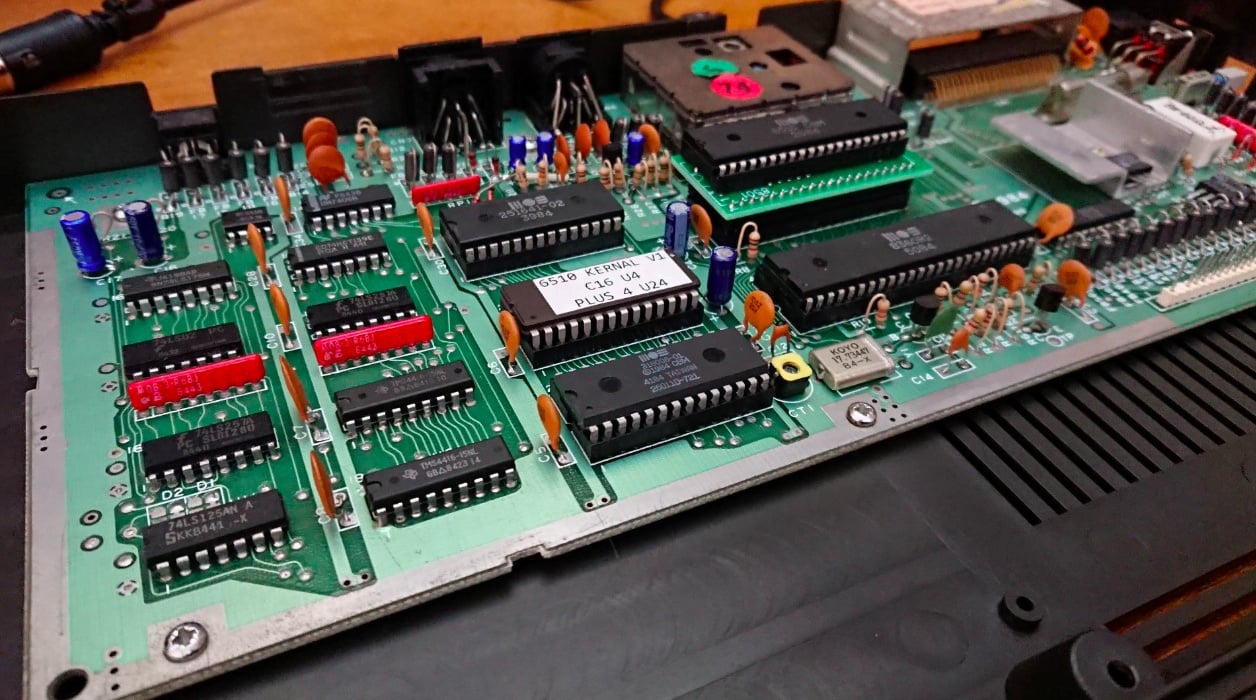
“That can be very difficult to say,” replies Lock. “These systems are not getting any younger, so new faults previously not encountered do sadly appear. If modern equivalent parts are used then you have the OEM’s part lifetime to go by – on average, aluminium electrolytic capacitors are estimated to last up to 15 years, for example, while coin batteries up to 10 years. The big issue that occurs is when custom ICs fail. We currently see this with Nintendo PPU and CPU on NES/Famicom, PPU1/PPU2 and CPU on SNES and various BUS related ICs on NEO-GEO systems, SID’s on the C64 – to name but a few. Replacement parts are usually obsolete or proprietary designs with parts coming from other more unfixable systems are donors, which can also develop similar issues eventually. Some community members have engineered replacement, alternative or open source replacements for these ICs that can be used to restore systems to working order. This is encouraging and something I love to see. Alternatively, we’re seeing a significant rise in cycle-accurate or emulated systems being produced to fill the void created by the lack of working systems available or those seeking for modern creature comforts/improvements on hardware original designs.”
Home computers like the Commodore 64 and Vic-20 are really showing their age in 2019; careful servicing is required to keep them running perfectly
Indeed, the realisation that these vintage systems – while seemingly abundant now – are slowly shrinking in number as more units develop faults makes modern-day clones like the Super Nt and Mega Sg even more important; a common response when I talk to someone about these FPGA wonder-machines is, “I’ve got my old SNES and Mega Drive in the loft, chum. Why do I need to spend all that cash on stuff that does the same?” I have to admit, at one point in time I’d be inclined to think along the same lines (heck, my original Mega Drive and Mega CD combo remains hooked up to the TV despite the arrival of the Mega Sg, which my wife is utterly thrilled about, as you can imagine), but there may come a time where running vintage games on original hardware is not only costly due to a falling number of working machines, but also prohibitively expensive. Retro gaming is a ‘supply and demand’ business, and the moment supply dries up, prices skyrocket.
Fixing up systems that are being used years or even decades longer than their original manufacturer intended is one thing, but what kind of longevity can we expect to see from modern systems, like the Switch, 3DS, PS4 and Xbox One? “I’d argue that we’re seeing more failures in modern systems due to various factors,” Lock responds. “Heat is a constant issue throughout a modern system’s lifetime, along with storage lifetime. Another is due to the sheer demand, quality control of the number of components required to satisfy build numbers are more prevalent than they were with much older generations of systems. We’re seeing more design issues slip through to launch model console SKUs that have an immediate impact than we did before. It used to be a case of a certain game might no longer work correctly on certain hardware revisions, but now we’re seeing peripheral or console hardware/firmware issues from new. Multiple manufacturers are being used to facilitate initial demand as well, so different issues appear during the warranty period of what can appear to be two identical systems.”
The sheer complexity of modern-day consoles is another issue; while Lock can open up a NES and easily locate problems, modern systems rely on scaled-down chipsets which cannot be replaced without the correct equipment. “Systems are experiencing complex IC internal failure that cannot be resolved without access to new direct-from-supplier business arrangements and industrial level equipment for component level repair,” says Lock. “Smaller and more portable systems are giving rise to repairability issues with access to repair techniques creating a steeper learning curve as component assembly becomes increasingly smaller, more complex and with less human involvement during assembly. There is also the ‘right to repair’ issue upon which certain parts are made exclusive and cannot be sourced other than by the company building the system. Another is the refresh cycle on hardware is becoming sped up; new features introduced and shorter warranties are offered on launch systems. There is also an argument for ‘planned obsolescence’ and set product ‘end of life’ cycles in both hardware design and software functionality as we rely in more internet-based services on our modern devices.”
Lock’s own collection contains plenty of systems he has taken the time to bring back to life
What ways can collectors ensure that their consoles remain in tip-top working order for as long as possible? “Don’t keep known perishable component systems in boxes for decades without being serviced,” begins Lock. “Likewise, if you continue to use an unserviced system with known perishable component related issues, please get it serviced; there are only so many times you can buy used replacement systems before people eventually run out of currently-still-working systems to sell on. If you don’t regularly use a system that uses a rechargeable battery, get into a habit of powering it on once a month to prevent the battery from depleting fully and becoming under stress. If you want to store a system for a long period of time that has a battery, remove it or have it removed professionally. If you have a system still with an original non-rechargeable battery, replace it or remove it.”
Even with these steps – or a repair at the hands of a skilled technician like Lock – it’s become clear (to myself, at least) that I’ve been taken my classic gaming hardware for granted. I’ve always assumed that they’d be burying me along with my still-working Japanese Mk1 Mega Drive when I eventually shuffle off my mortal coil, but it seems more likely that I’ll instead need to be interred with my Analogue Mega Sg – or whatever the equivalent clone console is at that moment in time. Sniff.
Posted by: xSicKxBot - 04-03-2019, 05:57 AM - Forum: Lounge
- No Replies
Fortnite Patch Notes (8.20 Content Update): Boom Bow And What's New
Epic Games has delivered the latest Fortnite content update, and it delivers some new things to check out in Battle Royale, including a brand-new bow weapon that packs a punch. This follows the recent 8.20 patch, which refined the game in various ways and added a lava-themed LTM. Read on for the full breakdown of what's new in content update 8.20, as well as the full patch notes.
The big draw for many players in this update will be the new Boom Bow weapon. As you might expect, it's a bow with shotgun shells on its arrow tips, so those will explode upon impact. For that reason it uses shotgun ammo, and holding fire to increase your draw strength will increase both the arrow's speed and the damage from impact. Explosive damage will be consistently set at 100 regardless. Save The World mode gets its own new weapon as well, the Cannonade Launcher.
The update also marks the return of the Sniper Shootout LTM. This mode limits weapons to sniper rifles only, and reduces Floor Loot spawners by 50% and deactivates reviving "Down But Not Out" teammates in Duos and Squads. That means going down is an instant death, so the stakes are higher than usual when you come under fire.
Peppers, which were one of several scavenged items added in a recent patch, have received a buff. Now, they last twice as long--20 seconds instead of 10--and the movement speed has also doubled, from 20% to 40%.
The new update also introduces some bug fixes for Arena. It fixes issues with divisions in Duos, including players being unable to queue and some players not being properly promoted, and some players being charged the incorrect Bus Fare. Creative Mode has lots of its own additions too.
What you won't find here are any changes to undo a recent rollback of certain adjustments, which have led to an outcry from some Fortnite fans.
In this limited time mode, players will do battle using sniper rifles.
May the best aim win!
Mode Details
Only weapon drops are Sniper Rifles.
Floor Loot spawners reduced by 50%
Reviving "Down But Not Out" teammates in Duos & Squads is deactivated - be careful peeking!
Weapons + Items
Boom Bow
Fires Arrows with a Shotgun Shell tip, which explode on impact.
Uses Shotgun Ammo
The longer you hold the fire keybind down, the stronger the shot! This increases both projectile speed and direct impact damage.
Explosive damage is consistent regardless of the power of the shot.
The Boom Bow will achieve maximum power after 1.6 seconds of charging.
A direct hit will deal both the direct hit damage and the explosion damage to the enemy player it impacts.
Direct hit
Base damage 15
Headshot Multiplier: 2x
Explosion
100 damage
Peppers
Increased duration from 10 seconds to 20 seconds
Increased movement speed bonus from 20% to 40%
Events
Bug Fixes
Arena
Fixed an issue that caused players to be unable to queue for Duos when the party leader was in a lower division.
Fixed an issue which caused players to not be promoted to the next division while playing in Duos with a player in a higher division.
Note: Hype was still being earned correctly, this was a visual issue only.
Fixed an issue where players in Duos were charged Bus Fare based on the party leaders division, rather than their own.
Creative
What’s New?
Geometric Galleries
Use this new set of Galleries to add even more unique shapes to your creations!
Weapons + Items
Boom Bow
Fires Arrows with a Shotgun Shell tip, which explode on impact.
Uses Shotgun Ammo
The longer you hold the fire keybind down, the stronger the shot! This increases both projectile speed and direct impact damage.
Explosive damage is consistent regardless of the power of the shot.
The Boom Bow will achieve maximum power after 1.6 seconds of charging.
A direct hit will deal both the direct hit damage and the explosion damage to the enemy player it impacts.
Direct hit
Base damage 15
Headshot Multiplier: 2x
Explosion
100 damage
Prefabs
Non-Right Square Pyramid Gallery Large
Non-Right Triangular Pyramid Gallery Large
Right Triangular Prism Gallery Large
Seven Point Cube Gallery Large
Square Pyramid Gallery Large
Triangular Prism Gallery Large
Upright Triangular Prism Gallery Large
Save The World
What’s New?
Cannonade Launcher
Loud Noises! Heroes and Husks will have a blast with this new Rapid Rocket Launcher
Weapons + Items
Cannonade Launcher
A chaotic, rapid-fire, automatic launcher that shoots small explosive rounds.
Available in the Weekly Store from April 3 at 8 PM Eastern Time until April 10 at 8 PM Eastern Time.
V8.20.1 Resolved Issues
On March 29 we released a client update to fix some issues that appeared in the v8.20 update. Find all the details on which issues were resolved below!
Battle Royale
Fixed an issue where spectator numbers would not update, even after the spectator had left the game.
Fixed an issue that caused players to be unable to queue in the correct division level in the Arena game mode when the party leader was in a lower division.
Fixed an issue which caused the Poison Dart Trap to be hidden behind certain wall assets.
Fixed an issue where trap placement on walls would be blocked if a stair structure was attached to the wall.
Fixed an issue that prevented players from getting removed from the Baller when hit by a Boogie Bomb.
Fixed an issue preventing friend invites from displaying in the social panel.
Creative
Fixed an issue where Creature Spawners wouldn’t activate within the correct range after it has been resized.
Fixed an issue where the Phone Tool would emit two beams rather than one after copying multiple times.
Fixed an issue that prevented non-damaging traps (Ice Block, Bouncers, etc) from functioning if the Game was not started.
Fixed an issue where any Baller vehicle that was placed on an Island prior to v8.20 could not use the boost.
Fixed an issue that prevented vehicles from being damaged by Music Sequencer when damage was turned on.
Save the World
Re-enabled the X Marks the Spot sub-objective.
Fixed an issue where the X Marks the Spot objective was removing items from player inventories.
Fixed an issue that was causing B.A.S.E to incorrectly hover over player built structures.