How to Authenticate a Linux Desktop to Your OpenLDAP Server
In this final part of our three-part series, we reach the conclusion everyone has been waiting for. The ultimate goal of using LDAP (in many cases) is enabling desktop authentication. With this setup, admins are better able to manage and control user accounts and logins. After all, Active Directory admins shouldn’t have all the fun, right?
WIth OpenLDAP, you can manage your users on a centralized directory server and connect the authentication of every Linux desktop on your network to that server. And since you already have OpenLDAP and the LDAP Authentication Manager setup and running, the hard work is out of the way. At this point, there is just a few quick steps to enabling those Linux desktops to authentication with that server.
I’m going to walk you through this process, using the Ubuntu Desktop 18.04 to demonstrate. If your desktop distribution is different, you’ll only have to modify the installation steps, as the configurations should be similar.
What You’ll Need
Obviously you’ll need the OpenLDAP server up and running. You’ll also need user accounts created on the LDAP directory tree, and a user account on the client machines with sudo privileges. With those pieces out of the way, let’s get those desktops authenticating.
Installation
The first thing we must do is install the necessary client software. This will be done on all the desktop machines that require authentication with the LDAP server. Open a terminal window on one of the desktop machines and issue the following command:
During the installation, you will be asked to enter the LDAP server URI (Figure 1).
The LDAP URI is the address of the OpenLDAP server, in the form ldap://SERVER_IP (Where SERVER_IP is the IP address of the OpenLDAP server). Type that address, tab to OK, and press Enter on your keyboard.
In the next window (Figure 2), you are required to enter the Distinguished Name of the OpenLDAP server. This will be in the form dc=example,dc=com.
If you’re unsure of what your OpenLDAP DN is, log into the LDAP Account Manager, click Tree View, and you’ll see the DN listed in the left pane (Figure 3).
The next few configuration windows, will require the following information:
Specify LDAP version (select 3)
Make local root Database admin (select Yes)
Does the LDAP database require login (select No)
Specify LDAP admin account suffice (this will be in the form cn=admin,dc=example,dc=com)
Specify password for LDAP admin account (this will be the password for the LDAP admin user)
Once you’ve answered the above questions, the installation of the necessary bits is complete.
Configuring the LDAP Client
Now it’s time to configure the client to authenticate against the OpenLDAP server. This is not nearly as hard as you might think.
First, we must configure nsswitch. Open the configuration file with the command:
sudo nano /etc/nsswitch.conf
In that file, add ldap at the end of the following line:
The above line will create the default home directory (upon first login), on the Linux desktop, for any LDAP user that doesn’t have a local account on the machine. Save and close that file.
Logging In
Reboot the client machine. When the login is presented, attempt to log in with a user on your OpenLDAP server. The user account should authenticate and present you with a desktop. You are good to go.
Make sure to configure every single Linux desktop on your network in the same fashion, so they too can authenticate against the OpenLDAP directory tree. By doing this, any user in the tree will be able to log into any configured Linux desktop machine on your network.
You now have an OpenLDAP server running, with the LDAP Account Manager installed for easy account management, and your Linux clients authenticating against that LDAP server.
Posted by: xSicKxBot - 04-06-2019, 11:11 AM - Forum: Windows
- No Replies
Present more inclusively with live captions and subtitles in PowerPoint
Live presentations can be thought-provoking, inspirational, and powerful. A great presentation can inspire us to think about something in an entirely different way or bring a group together around a common idea or project. But not everyone experiences presentations in the same way. We may speak a different language from the presenter, or be a native speaker in another language, and some of us are deaf and hard of hearing. So, what if speakers could make their presentations better understood by everyone in the room? Now they can with live captions & subtitles in PowerPoint.
In honor of the United Nations International Day of Persons with Disabilities, we’re announcing this new feature—powered by artificial intelligence (AI)—which provides captions and subtitles for presentations in real-time. Live captions & subtitles in PowerPoint supports the deaf and hard of hearing community by giving them the ability to read what is being spoken in real-time. In addition, captions and subtitles can be displayed in the same language or in a different one, allowing non-native speakers to get a translation of a presentation. At launch, live captions & subtitles will support 12 spoken languages and display on-screen captions or subtitles in one of 60+ languages.
Live captions & subtitles in PowerPoint brings:
The power of AI to presenters, so they can convey simple and complex information across subjects and topics.
Speech recognition that automatically adapts based on the presented content for more accurate recognition of names and specialized terminology.
The ability for presenters to easily customize the size, position, and appearance of subtitles. Customizations may vary by platform.
A peace of mind with security and compliance knowing that the feature meets many industry standards for compliance certifications.
The feature joins other accessible features in Office 365, like automatic suggestions for alt-text in Word and PowerPoint, expanded availability of automatic closed captions and searchable transcripts for videos in Microsoft Stream, enhancements to the Office 365 Accessibility Checker, and more.
Here’s what one of our customers had to say:
“We are constantly looking for new ways of ensuring that the Government of Canada sets the highest possible standards as an accessible and inclusive workplace. We welcome such positive advances in technology, like this feature, that allows everyone, and notably those with disabilities, to better communicate ideas. They help break down barriers and lead to greater inclusiveness to the benefit of individuals and society as a whole.” —Yazmine Laroche, deputy minister responsible for Public Service Accessibility
Live captions & subtitles in PowerPoint will begin rolling out in late January 2019 and will be available for Office 365 subscribers worldwide for PowerPoint on Windows 10, PowerPoint for Mac, and PowerPoint Online.
I thoroughly enjoyed going through one of Owen’s old articles earlier in the week – a side-benefit of taking over a site with a wonderful legacy like Pocket Tactics is that from time to time you get to see glimpses of a bygone era. Things that Owen, Dave and the community of the day cared about or were looking forward to and being able to contrast that to where we are now.
It’s the same kind of satisfaction I get from reading about history, and it was especially illuminating to get a peak as to what digital board games were like five years ago. As I said in the update, we looked at that article because a reader asked us too – if anyone else remembers any past features that they want us to look at again, feel free to drop me a line. Happy to do it again.
Meanwhile, in the world of mobile gaming…
Out Now
Cultist Simulator (iOS & Android) – Full review coming soon!
The indie PC cult classic has finally made its way to both mobile platforms. This is self-described as a ‘roguelike narrative card game’ where you must seek out unholy mysteries in a Lovecraftian 1920’s setting. You’ve got to recruit or indoctrinate new followers, craft items and summon spirits.
Cultist Simulator doesn’t have a tutorial as the developers feel part of the fun is learning how to play the game on your own terms, and the roguelike legacy system ensures your experimentation isn’t wasted. Michael’s already hard at work on our review, so look to next week for this thoughts. If you’d rather nor wait, the game is currently running a 30% launch discount!
We’ve been waiting for Tower Defence RTS Dungeon Warfare 2since last year, and we’re finally glad to see it’s been released. The original game launched in August 2016, although we didn’t review it at the time. Tower-defence games are often associated with Free-to-Play trappings, but Dungeon Warfare’s premium price-point means it’s managed to escape the stigmatism.
The sequel boasts 33 unique traps, over 30 enemies with special traits, 60+ levels along with at least five boss battles and lots of progression systems, loot and mode variants.
Update 1.0.5 is mainly a quality of life improvement, so no new content so to speak. It adds support for iPhone X screens, as well as rewarding players to stick around in matchmade games to the very end if all other human players leave. There’s also been some tweaking as to the nature of Matchmade games.
This is an iOS-only discount, Kalypso have discounted their building-simulator to just a couple of dollars. It’s a pretty decent, engaging management sim if you’re looking for something new in this genre.
One of our favourite Roguelikes is also discounted to just a dollar, although again only on iOS. If it’s any consolation though, the game is naturally cheaper on Android anyway.
Intriguing garden-themed puzzler Evergarden is now its cheapest price since launch, so if you’ve been sitting on the fence now might be a great time. The discount is only on iOS because the Android version is still in ‘beta’ and is currently available for free.
Seen anything else you liked? Played any of the above? Let us know in the comments!
Clickteam Fusion is an easy to use game engine behind games such as Five Nights at Freddie’s and The Escapists. We previously featured Clickteam in our “Closer Look” series a few years back. Clickteam Fusion 3.0 has been under development for several years now but Clickteam 2 just got a bit of an update to hold developers over until 3.0 ships. The new update shipped as DLC on Steam as the Fusion 2.5+ DLC.
Details of the new DLC:
Clickteam Fusion 2.5+ enhances your existing copy of Clickteam Fusion 2.5 Standard or Developer (for PC or Mac) by providing some very powerful additional features and improving functions in several places.
Access the power of event editor with even more ease using child events in your projects, qualifiers in global events, customizable qualifiers and a global event list editor.
Improve the performances of your applications with new engine optimizations and a new Windows runtime using DirectX 11.
Debugging your application has never been easier with the addition of new features like the built in profiler that allows you to examine the time taken by each event line of your application. The resulting output allows you to detect any bottleneck in your events and optimize your application’s frame rate. Or the new Find All function that searches your entire application for your search criteria and provides a new output window with the results. Find what you are looking for in the list, click it to jump directly there!
You can learn more about the release on Steam here or on the Clickteam homepage available here.
Resident Evil 2's Price Just Dropped To $40 (PS4, Xbox One)
One of the best games released so far this year is already on sale--Resident Evil 2, Capcom's remake of the horror classic--is selling for just $40 (33% off). Resident Evil 2 released on January 25, less than three months ago, so this is an excellent time to pick up the game for Xbox One or PS4 if you haven't already.
For Amazon, GameStop, and Best Buy, it's unclear how long this $20-off discount will last, and the PlayStation Store's deal will end this coming Monday, April 8, at 8 AM PT / 11 AM ET, so hop on this offer fast if you're interested in buying the game.
Resident Evil 2 has a dual narrative where you can play as either Leon Kennedy, a police officer who shows up late for his first day on the job to find himself in the midst of a zombie outbreak (terrible luck), or Claire Redfield, a college student who arrives in Raccoon City looking for her brother, recurring series protagonist and police offer Chris Redfield. After you complete one campaign, you'll unlock the option to play the second character's campaign.
The game received a 9/10 in GameSpot's Resident Evil 2 review, where Alessandro Fillari praised the game for its fantastic visuals, strong survival horror gameplay, expanded story, and more. "The remake is an impressive game for the fact that it goes all-in on the pure survival horror experience, confidently embracing its horrifying tone and rarely letting up until the story's conclusion," he wrote. "Though Resident Evil 2 has its roots firmly in the past, it reworks the familiar horrors into something that feels brand new and all its own."
Resident Evil 2's first DLC, The Ghost Survivors, released in February and introduces new characters, gameplay elements, and storylines. The DLC is free to download for all consoles.
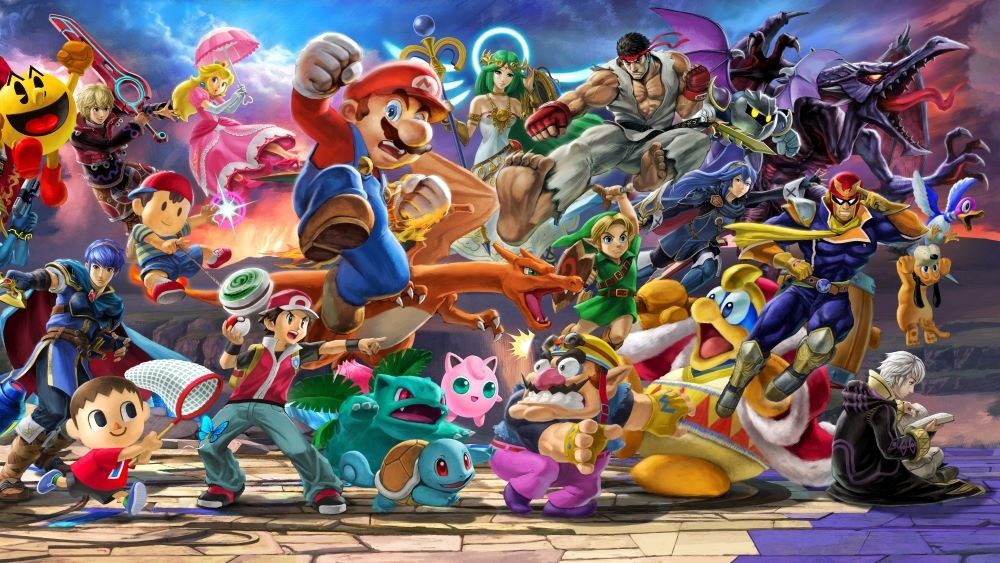
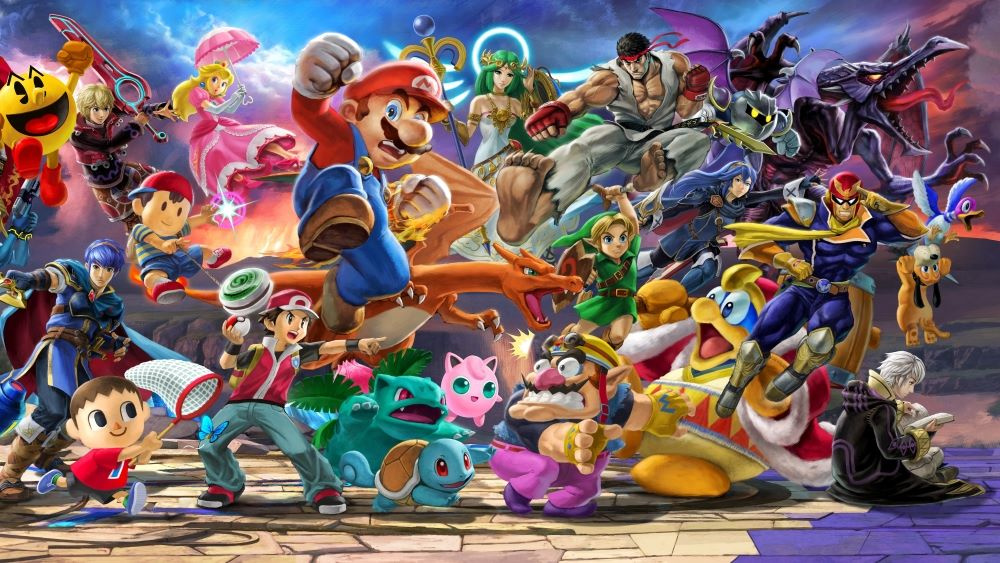
Soapbox: I Don’t ‘Get’ Smash Bros. And I Just Don’t Know Why
Soapbox features enable our individual writers to voice their own opinions on various topics, opinions that may not necessarily be the voice of the site. In this piece, staff writer Gavin looks back on his history with the Smash Bros. series and tells us why he’s weary of the latest iteration on Switch…
We’ve all got different tastes when it comes to video games and, indeed, everything else in this world. We’re all entitled to our opinions, of course, however ‘wrong’ they may be. People are welcome to believe that Skyward Sword is complete and utter trash, for example, although I remember having a cracking time with it over Christmas 2011. Sure it’s a slow starter, but I can’t understand the vitriol it provokes in some corners of the internet. Alternatively, you might enjoy, say, 3D Sonic games; that’s fine. You won’t hear any whining from me – we can still be friends.
However, working for this website has magnified a personal issue I’ve got with one of Nintendo’s crown jewel franchises; something that’s been bugging me for ages and which flared up last year with the launch of Switch’s biggest game since Super Mario Odyssey. Yes, it’s confession time – I just don’t understand the world’s obsession with Super Smash Bros.
As perplexing as this may be to some readers (and some colleagues – sorry Alex!), I just cannot enjoy Smash in the way legions of fans seem to. I know I’m not entirely alone and that there’s a small band of us who watch from the side-lines with a sense of bemusement as the rest of the world goes Smash crazy. I see sales figures that show it’s now the biggest selling Switch game in Japan and I know it must be good – I know I must be missing something, but I simply can’t find a way in.
It’s certainly not for lack of trying – I’ve been burned before, multiple times. I bought (and subsequently sold) the first three games in the series. I picked up the original N64 game back in 1999 because, well, of course I did. Just watch the intro for a reminder of how cool this mashup was:
A fighting game featuring Mario, Link, Fox, Pikachu and Captain Falcon?! For an N64 kid, the magnitude of this crossover was impossible to resist, but from the very first moment something didn’t feel quite right.
Specific memories from that period are dim, but I remember using Pikachu a lot and spamming his lightning bolt move. I remember the controls never quite ‘clicking’ and feeling very odd about Mario’s jump not being on the ‘A’ button. Perhaps it had something to do with my youthful ignorance; obviously Mario’s jump wouldn’t be on the ‘A’ button in a fighting game. I was imposing my expectations based on Mario 64 onto this entirely different genre. Then again, Smash isn’t really like any other fighting game, certainly not anything I’d played to that point. Jumping didn’t feel weird with Link because his jump in Ocarina of Time was automatic and pushing ‘up’ on the stick was generally how you accomplished it, but for whatever reason the inputs never ‘sunk in’ and I fell into a quagmire where button mashing felt unsatisfying, but I could never muster enthusiasm to really master the controls.
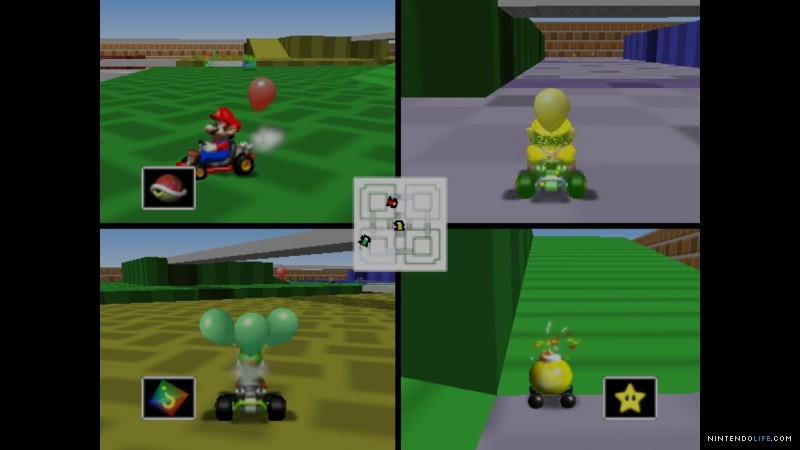
I was also playing predominantly in single-player, which is obviously sub-optimal. I’d rope a sibling into a match whenever I could, but we’d invariably end up quickly returning to GoldenEye (Licence to Kill, Pistols, Facility) or Mario Kart 64 – yes, we’d rather fight in that game’s Battle Mode than throw down in Smash! It simply didn’t strike a chord as a two-player experience either and while I procured more controllers later on, the feeling of disappointment had set in and it was too late.
You know there’s a problem when you’d rather be playing this.
So, when Super Smash Bros. Melee showed up on GameCube, I thought I owed the game another chance. With more than double the amount of playable characters and a massive leap in graphical fidelity, once again I was drawn in. Knowing exactly what to expect this time round would help set my expectations accordingly, I thought, so I snapped the game up and hoped to be wowed.
Very quickly, though, that familiar empty feeling returned. Despite the wealth of fan service, familiar faces and all the excellent reviews, I just wasn’t having fun with it. No, that’s not quite right – I wasn’t having the sort of fun I expected after reading all the glowing recommendations. It was moderately enjoyable, yes – like a cup of tea or a nice walk – but I wanted the sort of raucous multiplayer mayhem I got from a bout of Mario Kart and Melee never provided that. The Adventure Mode single-player content should have kept me happy, but it felt like an add-on; a side dish with a smattering of platforming which only highlighted what, to me, the game lacked, even though it had Mario and his Mushroom Kingdom cronies.
In spite of all my previous experience, a curious mixture of confusion over what I was ‘missing’ plus the single-player Subspace Emissary mode and the ballooning roster of fighters (including Sonic the Hedgehog and Solid Snake, for crying out loud!) had me eyeing Super Smash Bros. Brawl on Wii in 2008. With all those characters and stages, the game felt (from the outside) like an unbridled celebration of video games; a party that everyone was attending which I’d be crazy to miss…
So, once again (and against my better judgement) I paid the money, found the cheapest ‘good’ bottle of wine I could and went to the party. I stood in the corner rocking on my heels, analysing the attendees between swigs of cheap bottled lager before escaping to the kitchen to find another. As I suspected, the party was all pleasant smiles, awkward silences with Prefab Sprout on the stereo. We must do this again some time!
Nope, it just wasn’t working. Brawl did nothing to show me why this game was so incredibly popular and made me feel like more of an outsider than ever. By the time the Wii U iteration released, I’d learned my lesson: it’s just not for me, I thought. I’m not gonna be duped again by… what’s that? 58 playable characters, you say!? Despite the slim pickings of the Wii U years, I somehow managed to stay strong and abstain.
Of course, Nintendo got me in a different way. As so many others did, I fell in love with the Smash series amiibo and have dozens sitting on the shelf now, despite never owning the game they were made for. I stayed strong, though, determined to sit out Super Smash Bros. for Wii U and 3DS and I managed to do so, feeling very pleased with myself for avoiding Nintendo’s cunning trap the fourth time around.
So, when Super Smash Bros. Ultimate finally landed on Switch, I was more than happy to sit this one out, too. Smash Ultimate? More like Smash Ulti-meh, amirite? That was before Nintendo’s endless barrage of Smash details in 2018’s Direct broadcasts, though. Despite having little interest in actually playing the game, I sat through every last minute of those deep dives and gradually got more and more intrigued. If previous versions were party-like ‘celebrations’ of video games, Ultimate is the Glastonbury Festival of Smash. Everyone is here; characters, players, the lot. Everyone except me, it seems.
With every bit of news about spirit events and upcoming DLC that comes to light, I read and once again doubt myself. Perhaps, I’m missing out – maybe Daft Punk are playing at the party this time and it’s going to be amazing and I’m an idiot! The huge roster of fighters and the ample single-player content is potent, sure, but really it’s the sheer number of fans that – once again – has me wondering. It looks fun. I like fun, I like video games, I should like Smash Ultimate!
How many chances should you give a series? Is it worth me trying one final time to see what all the fuss is about? With so many other games to play – and limited time – I’m more weary than ever of putting down money only to be disappointed. I would say I’ll wait until it’s cheap, but this is a Nintendo first-party game we’re talking about. I almost caved when the Piranha Plant DLC was included (I bought the amiibo the moment it was released and it’s probably my favourite) but got distracted by other games on the eShop.
I can’t be alone, I know there are others who just aren’t that into Smash. With any other series I’d shrug my shoulders and mutter ‘different strokes, different folks’ before moving on without a second thought, but there’s something about the celebratory crossover of the series and the party-like atmosphere which is uniquely appealing. Laboured as those Directs might have been, they showed the blood, sweat and tears that Sakurai and his team pour into these games. I would love to support that sort of dedication. All it would take is an incredible DLC announcement to push me over the edge – Banjo-Kazooie would do it, however improbable that is. Until then, you’ll find me sitting on the fence feeling lonesome as lines of revellers traipse through sunlit fields to the Smash Festival.
Random: PlayStation User Recreates Super Mario Maker In LittleBigPlanet 3
Before Super Mario Maker was even a thing, Sony had already released a handful of LittleBigPlanet games across multiple PlayStation systems. If you’re not familiar with this established series, it lives by its “play, create, share” motto, encouraging user-generated content to fuel gameplay experiences.
With this in mind, one talented member of the LittleBigPlanet 3 community on PlayStation 4 has found a way to recreate Nintendo’s Mario-themed level-maker game. Although the platforming physics are rubbish and the visuals are limited to the Super Mario Bros. NES theme, it’s still quite an impressive feat. In saying this, we doubt we’ll be seeing Sackboy in Super Mario Maker anytime soon.
Posted by: xSicKxBot - 04-05-2019, 08:03 PM - Forum: Windows
- No Replies
How to steer clear of tax scams
In the month of February, we saw an average of 300,000 phishing attempts across Microsoft’s browsing platforms daily. Our security experts expect these attempted scams to become increasingly more prevalent through the April 15 Tax Day, especially in the two weeks leading up to it, when about 25 percent of people file their taxes. The phishing campaigns we’ve seen aren’t just in the U.S., though; we’ve also recently uncovered similar tactics in Canada, Brazil and India. It’s important for users across the globe to follow best practices and stay vigilant.
With less than a month until the filing deadline in the U.S., we are urging the public to take the following simple steps to avoid tax scams – especially during the last-minute rush to file taxes.
Watch for suspicious emails. Be suspicious of all links and attachments, especially when the email seems “off” or unexpected – like an unexpected email from your credit card company, or financial institution. Phish-y emails often include spelling and grammatical errors, or will ask you to send personal information. In these cases, you can apply additional scrutiny on the sender, the content, and any links and attachments. If you know the sender, for example, you can double-check with them before opening or downloading the file.
Carefully inspect URLs. Hover over links to verify that the URL goes to the website where it’s supposed to direct you. Is it pointing to the site you expected? URL shorteners provide a lot of convenience, but can make this inspection difficult. If you’re unsure, rather than clicking a link, use search engines like Bing to get to the tax-related website you’re looking for and log in from there.
We recently discovered a phishing campaign targeting Canadian Tax payers where scammers were pretending to help Canadian taxpayers get their refunds, but really aimed to steal banking credentials. We’ve also seen old phishing documents resurface – these claim to be from the Canada Revenue Agency (CRA), inform victims that they have a refund via e-transfer from the CRA, and ask them to divulge their bank details where the funds will be “deposited”. We’ve also seen similar campaigns in Brazil and India.
Be wary of any attachments. If you haven’t just made a purchase for tax software, don’t be tricked by getting an email with an invoice from a tax preparation company. Sending fake invoices for services is one of the top methods attackers use to trick people into opening a malicious attachment that could automatically execute malware on your computer. Malicious attachments could also contain links that download and execute malicious programs. We’ve seen PDFs that contain innocuous-looking links that lead to people accidentally downloading malicious software designed to steal credentials, like usernames and passwords.
Don’t rely on passwords alone. Scammers take advantage of weak or stolen passwords used across multiple websites, so don’t just rely on your password to keep you safe. When possible, always use multi-factor authentication like the Microsoft Authenticator app for managing your sign-ins for Microsoft accounts and others, and Windows Hello for easy and secure sign-in to your Windows 10 device. These solutions enable biometric authentications like your face or fingerprint to quickly and safely sign in across devices, apps and browsers without you having to remember passwords. Did you know that with a Microsoft Account, you can securely and automatically sign-in to other Microsoft cloud-based applications including Bing, MSN, Cortana, Outlook.com, Xbox Live (PC only), Microsoft Store and Office?
Keep software current. Run a modern operating system, like Windows 10 or Windows 10 in S mode, with the latest security and feature updates, in tandem with next-generation anti-malware protection, such as Windows Defender Antivirus.
Microsoft security solutions can proactively inspect links and attachments, as well as block phishing documents and other malicious downloads to help protect users, even if they accidentally click a phishing link or open a malicious attachment. We expect tax scams to be on the rise in the next several months as global tax deadlines approach so our experts will be on the lookout for new campaigns.
Here’s a couple of examples of what we’ve seen just in the last few weeks: two documents named irs_scanned_551712.doc and Tax(IP.PIN).doc. You’ll notice that the security tools built into Microsoft Office caught these and displayed a warning at the top. Before enabling content like these, ensure that the sender is a trusted source, and notice things like missing or misspelled words.
Be on the lookout for scams like we’ve described here. There will undoubtedly be more schemes that crop up. Stay vigilant! Learn how to report phishing scam websites through Microsoft Edge or Internet Explorer and suspicious email messages through Outlook.com, Outlook 2016, or Office 365.
Keep these tips and tricks handy, and share with your networks so we can increase awareness of and stop the spread of Tax Day scams! For more information about Microsoft Security, please visit microsoft.com/security.
If you are publishing your application to Azure, you can now configure Azure App Service to use Azure Storage and Azure SQL Database instances, right from the publish profile summary page, without leaving Visual Studio. This means that for any existing web application running in App Service, you can add SQL and Storage, it is no longer limited to creation time only.
By clicking the “Add” button you get to select between Azure Storage and Azure SQL Database (more Azure services to be supported in the future):
and then you get to choose between using an existing instance of Azure Storage that you provisioned in the past or provisioning a new one right then and there:
When you configure your Azure App Service through the publish profile as demonstrated above, Visual Studio will update the Azure App Service application settings to include the connection strings you have configured (e.g. in this case azgist). It will also apply hidden tags to the instances in Azure about how they are configured to work together so that this information is not lost and can be re-discovered later by other instances of Visual Studio.
As always, we welcome your feedback. Tell us what you like and what you don’t like, tell us which features you are missing and which parts of the workflow work or don’t work for you. You can do this by submitting issues to Developer Community or contacting us via Twitter.
Battlefield 5 Update Adds Microtransactions, Here's What You Can Buy
Battlefield V launched last year without microtransactions, but with the release of a new update, they're now live in the World War II shooter. This patch, Tides of War Chapter 3: Trial by Fire Update #2, introduces "Battlefield Currency," which is the name for the virtual currency that is purchased with real money. The update also deals heavily with improving the recently added battle royale Firestorm mode.
Players can spend Battlefield Currency to buy cosmetic items; they do not affect gameplay. Items that can be purchased with Battlefield Currency can also be earned through gameplay.
"The balanced rock-paper-scissors gameplay that has always been the foundation of the Battlefield series isn't going anywhere," DICE said. "Player skill will continue to be paramount with the addition of Battlefield Currency, which gives players more ways to acquire items to customize their characters and arsenal in Battlefield V."
This patch also sees DICE release new Epic-level rarity items beyond the current Common, Uncommon, and Rare items that you can buy with Battlefield V's existing Company Coin currency. The wording of the statement suggests that the new Epic items may be only available to buy with real money, at least for now. Here's how it's worded:
"Starting April 4, using Battlefield Currency, you'll get access to new Epic items. Looking ahead, we will continue to release new cosmetic items that can be obtained through direct progression, Company Coins, and/or BattlefieldCurrency. We want to give every player a chance to access new cosmetic items, whether they choose to spend real-world money or earn content through gameplay."
Battlefield Currency is available to buy from within Battlefield V on PS4, Xbox One, and PC, as well as through first-party digital stores.
Looking further out, DICE will release "time-savers" that players can buy with real money; these come in the form of Tier Catch-Ups and XP Boosts. Tier Catch-Ups give you instant access to Chapter Reward items, which are cosmetic only. XP Boosts do just that.
In addition, DICE will release new "Elite" sets for Battlefield V that can be purchased for real money using Battlefield Currency. A first for the Battlefield series, Elites are new characters that you can use in multiplayer and the Firestorm battle royale mode.
"They consist of a themed assortment of cosmetic items, character voice overs, a Best Squad animation, and an exclusive Special Assignment that helps bring to life the story of the Elite and unlocks a signature melee weapon," DICE said.
These Elites are different in look only; they offer no gameplay advantage.
In addition to all of this, DICE will offer "value bundles" for real money. Only available for a limited time, the bundles come with a mixture of things like cosmetics, currency, time savers, and other items. The full contents of the bundles will be displayed at the buying screen so you know what you're getting. One example of the bundles are Starter Packs that are out now. These come with allotments of Battlefield Currency, as well as customisation options like face paint and weapon skins.
The direction Battlefield V is taking as it relates to microtransactions is decidedly different from how the series handled microtransactions in the past. In previous titles, DICE offered "Shortcut" kits that allowed players to pay real money to acquire weapons and other perks that provided an instant theoretical advantage on the battlefield for those who spent money. DICE's Star Wars: Battlefront II was roundly criticised for being too close to a "pay-to-win" scenario with its own loot boxes and microtransactions, so it could be that Battlefield V's change in direction as it relates to microtransactions is a reaction to that.
Battlefield V has sold more than 7 million copies, but that's below what publisher Electronic Arts was expecting. The game is no doubt continuing to sell, and the extra revenue coming from microtransactions may improve the game's overall profitability profile further still. Not only that, but the game just added its battle royale mode, Firestorm, which may improve interest and engagement with Battlefield V overall.