* Minor CPU performance improvements with certain types of art content * Reworked the Global Item Loadout page to make shuffling items easier to work with. * Fixed Last Hit Trainer bugs * Various SFM improvements (material overrides, health bars, etc) * Fountain damage now cancels effects similar to hero damage (e.g. salve, heart, blink), and now has 25% Accuracy (Note: This change was added in an update last week)
Posted by: xSicKxBot - 12-15-2018, 03:06 AM - Forum: Lounge
- No Replies
This Week At Bungie – 12/13/2018
This week at Bungie, we began our celebration of the Dawning.
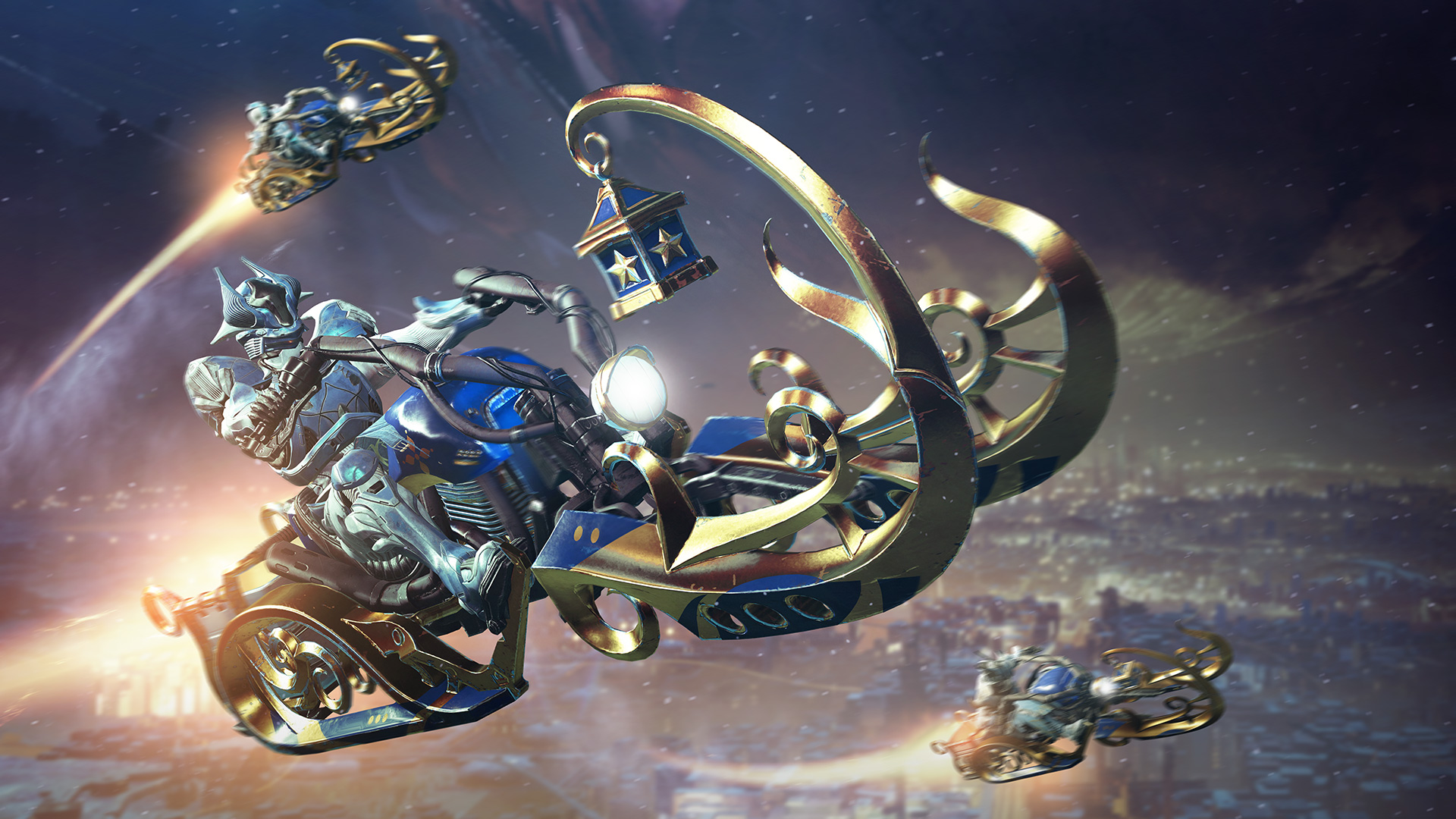
This year, the party is about more than just snowballs and Nova Bombs. Eva Levante has returned with a whole new way to spread some seasonal cheer. Mixing and matching various ingredients, you can become a Legendary Baker and earn some sweet loot along the way.
There were a few hiccups when the doors opened, but the skies have cleared, and now we’re set for a wonderful winter festival. Season of the Forge kicked off for all players of Destiny 2, and Ada-1 opened the doors of the Black Armory for those who seek to reforge the lost weapons of the Golden Age. Fun to think that we’re just getting started.
This week, we bring you news of updates and current investigations going on at Bungie. Let’s dig in.
Black Armory Investigations
Since the beginning of Season of the Forge, we’ve been monitoring the pulse of your gameplay. Some issues have been discovered since Black Armory and the Dawning, and we’d like to give an update on some of our highest-priority issues.
Scourge of the Past
24-hour completion:
We are currently investigating an issue where qualifying players were not properly rewarded the Scourge of Nothing Emblem, nor the associated “Best of the Best of the Best” Triumph for completing the raid within 24 hours.
Once addressed, players will be properly credited and receive appropriate rewards.
Revive Tokens:
We are currently investigating an issue where tokens are not removed appropriately when reviving team mates. This issue has been present since the launch of Destiny 2, but reproducing the issue for investigation has proven difficult. In Scourge of the Past, this seems to be occurring much more frequently.
If you have encountered this issue, please post a report to the Help forum detailing your experience.
Black Armory: Forges
Missing Weapon Frames:
We are currently aware of an issue where weapon frames may be lost from inventory. We have identified the cause and are currently developing a fix.
Until resolved, we recommend holding only one weapon frame from a specific forge in inventory at any given time.
High-Value Targets:
To unlock the Gofannon Forge, players must defeat a high-value target on Nessus for a specific quest step. Currently, only the player who lands the finishing blow is credited with defeating the enemy. We are currently developing a fix for a future update.
Postmaster:
We have identified an issue where Ballistics Logs and Modulus Reports do not recover to the postmaster. We are currently developing a fix for this issue, targeted to release in January. Until resolved, players should ensure they have appropriate space in their inventory, under both Pursuits and Consumables.
General
Fastidious Miser:
There is currently an issue where some players are unable to unlock the Fastidious Miser Triumph, even when fulfilling requirements. We’ve identified the root cause, but this issue will not be addressed next week. We are currently planning for a fix to be deployed in January.
2.1.3 Preview
Next week, we’re deploying an update to address various issues in the game and bring a few minor quality-of-life updates into the fold.
Players under 600 Power will begin to receive higher-powered rewards when completing Director Challenges
Developer commentary: This change is being made to build upon changes in Update 2.1.2, where we increased Power rewards from Prime Engrams.
Fixing an issue where players did not receive the Harbinger’s Echo Sparrow when destroying all Ahamkara Eggs in the Dreaming City
Fixing an issue where players who joined an in-progress forge activity would not receive rewards
Fixing an issue where weapon frames would be removed from inventory when completing a different forge
We have a fix planned in 2.1.3 to address issues affecting damage from 1000 Voices on PC
Right now there is an issue where the weapon is doing more damage than intended at higher frame rates on PC. After Update 2.1.3, functionality will match between all platforms
Fixing an issue where Season 5 shaders dismantled slowly
Fixing an issue where players who did not earn the Crucible Solemnity shader could not complete the Crucible Badge
Fixing an issue where players could not retrieve clan XP rewards from Hawthorne under certain circumstances
Once Update 2.1.3 has been deployed, players should expect to receive this package later in the day. Stay tuned for updates.
Player Support is continuing to monitor the #Help forums for reports of new issues. Make sure to check out their recently created articles covering all vital information and known issues in Destiny 2. See the Player Support Report below for an update.
Holiday Calendar
During the Dawning, you can look forward to more than just cookies and snow. Players who are keen to dish out pain in the Crucible have something delicious to play through the end of the 2018. Even if you aren’t a Legend, we’ve got some fun in store.
Mayhem
Began: December 11, 2018
Ends: December 25, 2018
You read that right. Two full weeks of Mayhem are on the books. If you’ve been missing this mode since the launch of Forsaken, you have ample time to sink your teeth into the chaos. Get out there and fight.
Iron Banner / Increased Valor
Begins: December 25, 2018
Ends: January 1, 2019
Lord Saladin is visiting during the Dawning, but isn’t coming for cookies. He’s come to oversee the power enabled combat of the Iron Banner. With Season 5, you have new armor to earn, and two Year 1 weapons returning to the fold with random rolls.
Bounties will function as they did at the end of Season 4, granting powerful rewards and unlocking rewards for direct purchase from Lord Saladin. Double Valor will be enabled from December 25 through December 28, followed by triple Valor from December 28 through January 1.
Live Investigations
Our Player Support team at Bungie is comprised of individuals who are dedicated to tracking down issues that you may be encountering in the field. They dive deep to get the right information to teams that can take action.
This is their report.
Destiny 2 Update 2.1.2
This week, we deployed Destiny 2 Update 2.1.2 to players. This update introduced changes to the Prime Engram economy which accelerates leveling for players who have not yet achieved 600 Power. It also resolved an issue with Annual Pass purchases for Forsaken owners.
Following the deployment of Update 2.1.2, Destiny 2 services encountered a series of issues which resulted in elevated CENTIPEDE, CHICKEN, GUITAR, MONKEY, and WEASEL errors. Following the conclusion of this maintenance, services stabilized, and these errors returned to their normal trends. Players who have continued to encounter these errors following this deployment should report them to our #Help forum.
Destiny 2 Update 2.1.3
Next Tuesday, December 18, Destiny 2 Update 2.1.3 is scheduled to go live.
While the timeline for this deployment has yet to be finalized, players should follow us at @BungieHelp on Twitter or monitor our support feed on help.bungie.net for the latest information as soon as it is available.
Regional Connectivity
Earlier this week, we investigated player reports regarding elevated ELDERBERRY, FIG, and GRAPE errors in Destiny 2, most notably from players in the northeastern United States.
Upon investigating these errors, an issue was identified with a regional internet service provider which caused disruptions for players who relied on their services to connect to Destiny 2. After identifying and escalating the root cause, we believe that issues causing these elevated errors are resolved.
For information on known service issues as they are discovered, players should follow us on Twitter at @BungieHelp or monitor our support feed on help.bungie.net.
Eva’s Return
On Tuesday, the Dawning launched for all players of Destiny 2. While Destiny Player Support is continually monitoring for player reports in the #Help forum, we have already published a list of Dawning-related vital information and known issues here. Here’s a brief overview:
Eva’s Holiday Oven and Eververse Baker’s Bundles: Dawning ingredients required to create cookies, including those purchased for bright dust from Eververse Trading Co., will be removed from player inventories when the Dawning ends on January 1, 2019.
Vital Information: Bake Burnt Edge Transit Cookies! Players cannot make Burnt Edge Transit cookies after discovering all other recipes and will become blocked from completing hidden Triumphs which require this cookie to be baked and turned in.
Claiming Triumphs: Unearned or unclaimed Triumphs for the Dawning will be removed when this event ends. Players should claim all Triumphs before the Dawning ends on January 1, 2019.
Pursuit Inventory Space: It is recommended that players have open space available in their pursuit and consumables inventory to receive new quests and items for the Dawning. Some items received for the Dawning may not go to the postmaster if players have insufficient inventory space, and will be lost.
Dawning Items Already Claimed: We are investigating player reports that some Dawning items in the Winterdrift Engram are showing as claimed even if the player has not yet found or received them.
Dawning Sparrow Lore Tab: The “Dawning Cheer” Sparrow will not have a lore tab until Destiny 2 Update 2.1.3.
Dawning Cheer Sparrow: Players will only be able to pick up Glimmer dropped by the “Dawning Cheer” Sparrow if they have completed the Dawning milestone for Eva Levante.
Players who are looking for general information regarding the Dawning should also see our Dawning Guide.
Destiny 2: Forsaken and Season of the Forge Known Issues
In addition to the items listed above, Destiny Player Support is tracking the latest issues reported by players on the #Help forum. Provided below is a brief overview of the latest known issues in Destiny 2: Forsaken and Season of the Forge.
Legend Rank and Enhancement Cores: We are investigating an issue where Enhancement Cores are no longer being awarded to players for achieving Legend rank in the Crucible.
One Thousand Voices: The explosion from One Thousand Voices doesn’t do full damage against the Scourge of the Past raid boss, Insurrection Prime, because its weak points become blocked after firing.
Dunking Relics on High Framerate PCs: Players on high framerate PCs will be launched into the air if they jump while dunking carry objects, sometimes cratering them into a roof.
Raid Destination Map: Players will not be able to see other players on their destination map in the Scourge of the Past raid.
The Forges Are Lit!
Need a quick break from your pinnacle endeavors or from the forge grind? Sit back, relax, and check out these fun videos from the community at large. One for fun, the other for fun, and well… any video you see in this section is handpicked on the basis of fun. Enjoy!
MOTW: 3 player Scourge of the Past completion
Runner up: What? WHAT?! WOW.
Runner Up: Up high!
Runner Up: Kill clip… on a sniper?!
If you’d like a shot at the Lens of Fate emblem, make sure to submit your video to the Creations page on bungie.net and include #MOTW in your title.
I don’t have exact numbers, but Master Rahool is currently overwhelmed by the amount of Burnt Edge Transits being brought his way. Whether you’re a master or a novice when it comes to culinary arts, we hope you enjoy this year’s Dawning festivities.
I’ll be taking a quick break next week, but Cozmo will be here to bring you the final This Week at Bungie of the year. Throughout the holiday season, your friendly neighborhood Community Managers continue to collect player feedback, Player Support will be investigating issues, and we’ll all be working together to keep you informed. May your holidays be filled with cheer, and we hope to see you out there in the wild.
A quick shoutout before we go: Cheers to Anodyne for this amazing Community Creation. The Dawning is a wonderful time to cherish the friendships you’ve made through Destiny, new and old.
This week’s KubeCon + CloudNativeCon North America 2018 in Seattle was the biggest ever! This sold-out event featured four days of information on Kubernetes, Prometheus, Envoy, OpenTracing, Fluentd, gRPC, containerd, and rkt, along with many other exciting projects and topics.
More than 100 lightning talks, keynotes, and technical sessions from the event have already been posted.
As usual, completing these missions will net you Battle Stars, which in turn will level your Battle Pass up and unlock the new Season 7 skins and rewards. Finishing all of the challenges from a given week has an added benefit as well, as it'll complete one of the new Snowfall challenges--this season's equivalent to the Hunting Party challenges from Season 6.
Just as before, clearing a Snowfall challenge will reward you with a special loading screen that contains a clue pointing you to a free item hidden somewhere around the map. Last season, the item in question alternated each week between a free Battle Star (good for leveling your Battle Pass up by one tier) or a free Banner (which can be used as a profile icon), and it looks like Epic is continuing that trend in Season 7.
If you complete two full weekly sets of Season 7 challenges, you'll unlock the loading screen below. It showcases Lynx--one of the new progressive skins you'll unlock by purchasing the Season 7 Battle Pass--sitting at a work station. This time, the clue to the free Banner is fairly easy to spot; it can be seen displayed on the screen in the upper right-hand corner of the image.
The work station depicted in the loading screen is located inside a building in Frosty Flights, one of the new areas added to Fortnite's map this season. Head there at the start of the match, find the right building (we've denoted it on the map below), and the Banner will appear. Collect it as you would any other item, and you'll be able to use it as your profile icon after finishing the match.
As with previous Snowfall and Hunting Party challenges, you won't be able to get this free Banner if you haven't first completed the required steps. The item won't appear on the map unless you've finished two weeks' sets of challenges and unlocked the aforementioned loading screen, so you can't simply go to the right area and expect to find it unless you've put in the necessary work.
Epic is releasing a new set of challenges in Fortnite every week in Season 7. If you need help completing them, you can find tips in our complete Season 7 challenges roundup. You can also see our guides on where to find every free Battle Star and Banner so far this season below.
Super Smash Bros. Ultimate Version 1.2.0 Is Now Live
Version 1.2.0 of Super Smash Bros. Ultimate has already arrived. To perform the update manually, access the software update from the Switch HOME Menu. As for what this update actually does – apart from wiping your replays – it’s mostly a bunch of technical tweaks. There have also been some adjustments made to particular fighters, but there’s no information about what these changes do. Below is the full rundown, courtesy of the in-game notification:
Online:
In Quickplay, the Format set in Preferred Rules is more likely to be factored into matching. This may result in longer wait times when being matched. Note that this does not guarantee that your Preferred Rules will be used when being matched.
Stability of real-time communication has been improved in Battle Arenas.
General:
Game balance adjustments, stability fixes and other minor adjustments have been made.
Individual adjustments and fixes have been made to the fighters listed below:
The latest software version is required to enter Online mode.
Local wireless play is not compatible with Ver. 1.1.0 and earlier. All players who want to fight in local wireless battles need to make sure they have the same software version.
Replays are not compatible with Ver 1.1.0 and earlier. If you want to keep your replays, convert them into videos before installing the update. You can do this via Vault > Replays > Replay Data > Convert to Video.
The relevant spirit might appear both on the Spirit Board and in the Shop, so don’t miss a chance to grab the same present twice! PS If you haven’t played those games, don’t worry- we’re also planning on making these spirits available at a later date.
Have you updated to the latest version of Ultimate? Tell us below.
Let’s face it, if you’re a Linux administrator, you’re going to work with the command line. To do that, you’ll be using a terminal emulator. Most likely, your distribution of choice came pre-installed with a default terminal emulator that gets the job done. But this is Linux, so you have a wealth of choices to pick from, and that ideology holds true for terminal emulators as well. In fact, if you open up your distribution’s GUI package manager (or search from the command line), you’ll find a trove of possible options. Of those, many are pretty straightforward tools; however, some are truly unique.
In this article, I’ll highlight four such terminal emulators, that will not only get the job done, but do so while making the job a bit more interesting or fun. So, let’s take a look at these terminals.
Tilda
Tilda is designed for Gtk and is a member of the cool drop-down family of terminals. That means the terminal is always running in the background, ready to drop down from the top of your monitor (such as Guake and Yakuake). What makes Tilda rise above many of the others is the number of configuration options available for the terminal (Figure 1).
Tilda can be installed from the standard repositories. On a Ubuntu- (or Debian-) based distribution, the installation is as simple as:
sudo apt-get install tilda -y
Once installed, open Tilda from your desktop menu, which will also open the configuration window. Configure the app to suit your taste and then close the configuration window. You can then open and close Tilda by hitting the F1 hotkey. One caveat to using Tilda is that, after the first run, you won’t find any indication as to how to reach the configuration wizard. No worries. If you run the command tilda -C it will open the configuration window, while still retaining the options you’ve previously set.
Available options include:
What I like about these types of terminals is that they easily get out of the way when you don’t need them and are just a button click away when you do. For those that hop in and out of the terminal, a tool like Tilda is ideal.
Aterm
Aterm holds a special place in my heart, as it was one of the first terminals I used that made me realize how flexible Linux was. This was back when AfterStep was my window manager of choice (which dates me a bit) and I was new to the command line. What Aterm offered was a terminal emulator that was highly customizable, while helping me learn the ins and outs of using the terminal (how to add options and switches to a command). “How?” you ask. Because Aterm never had a GUI for customization. To run Aterm with any special options, it had to run as a command. For example, say you want to open Aterm with transparency enabled, green text, white highlights, and no scroll bar. To do this, issue the command:
aterm -tr -fg green -bg white +xb
The end result (with the top command running for illustration) would look like that shown in Figure 2.
Of course, you must first install Aterm. Fortunately, the application is still found in the standard repositories, so installing on the likes of Ubuntu is as simple as:
sudo apt-get install aterm -y
If you want to always open Aterm with those options, your best bet is to create an alias in your ~/.bashrc file like so:
alias=”aterm -tr -fg green -bg white +sb”
Save that file and, when you issue the command aterm, it will always open with those options. For more about creating aliases, check out this tutorial.
Eterm
Eterm is the second terminal that really showed me how much fun the Linux command line could be. Eterm is the default terminal emulator for the Enlightenment desktop. When I eventually migrated from AfterStep to Enlightenment (back in the early 2000s), I was afraid I’d lose out on all those cool aesthetic options. That turned out to not be the case. In fact, Eterm offered plenty of unique options, while making the task easier with a terminal toolbar. With Eterm, you can easily select from a large number of background images (should you want one – Figure 3) by selecting from the Background > Pixmap menu entry.
There are a number of other options to configure (such as font size, map alerts, toggle scrollbar, brightness, contrast, and gamma of background images, and more). The one thing you want to make sure is, after you’ve configured Eterm to suit your tastes, to click Eterm > Save User Settings (otherwise, all settings will be lost when you close the app).
Eterm can be installed from the standard repositories, with a command such as:
sudo apt-get install eterm
Extraterm
Extraterm should probably win a few awards for coolest feature set of any terminal window project available today. The most unique feature of Extraterm is the ability to wrap commands in color-coded frames (blue for successful commands and red for failed commands – Figure 4).
When you run a command, Extraterm will wrap the command in an isolated frame. If the command succeeds, the frame will be outlined in blue. Should the command fail, the frame will be outlined in red.
Extraterm cannot be installed via the standard repositories. In fact, the only way to run Extraterm on Linux (at the moment) is to download the precompiled binary from the project’s GitHub page, extract the file, change into the newly created directory, and issue the command ./extraterm.
Once the app is running, to enable frames you must first enable bash integration. To do that, open Extraterm and then right-click anywhere in the window to reveal the popup menu. Scroll until you see the entry for Inject Bash shell Integration (Figure 5). Select that entry and you can then begin using the frames option.
If you run a command, and don’t see a frame appear, you probably have to create a new frame for the command (as Extraterm only ships with a few default frames). To do that, click on the Extraterm menu button (three horizontal lines in the top right corner of the window), select Settings, and then click the Frames tab. In this window, scroll down and click the New Rule button. You can then add a command you want to work with the frames option (Figure 6).
If, after this, you still don’t see frames appearing, download the extraterm-commands file from the Download page, extract the file, change into the newly created directory, and issue the command sh setup_extraterm_bash.sh. That should enable frames for Extraterm. There’s plenty more options available for Extraterm. I’m convinced, once you start playing around with this new take on the terminal window, you won’t want to go back to the standard terminal. Hopefully the developer will make this app available to the standard repositories soon (as it could easily become one of the most popular terminal windows in use).
And Many More
As you probably expected, there are quite a lot of terminals available for Linux. These four represent (at least for me) four unique takes on the task, each of which do a great job of helping you run the commands every Linux admin needs to run. If you aren’t satisfied with one of these, give your package manager a look to see what’s available. You are sure to find something that works perfectly for you.
Posted by: xSicKxBot - 12-14-2018, 05:16 PM - Forum: Windows
- No Replies
Introducing Clarity, an analytics product for webmasters
Today, we are announcing the beta release of Clarity, an analytics product that empowers webmasters to visualize user behavior at scale to make data driven decisions on what exactly they should change and improve on their sites to optimize conversion, engagement and retention. For this purpose, Clarity supports playback of how users interacted and used their websites. Clarity also has other typical functionalities such as heatmap and scroll map.
Why do I need Clarity?
Building a compelling and user-friendly website requires a deeper understanding of user behavior, their pain points and what users are looking for. Traditionally, web developers utilize user research and A/B experimentation to update web experiences. While these have proven to be great techniques – each has its own limitations. Sample users in research studies may not fully represent your target audience. A/B experimentation tell how your metrics are affected by a change but not why. Clarity fills in these gaps by letting you replay your users’ session to see how your users really use your site. With session replay, you can see where people get stuck, or where they are highly engaged.
How can Clarity help me improve my site?
Clarity session replay lets you visualize what users see and their interactions with the web page. Being able to replay users’ mouse movements, touch gestures and click events allows you to empathize with users and understand their pain points.
In accordance with Microsoft’s principles and approach to privacy, Clarity respects users’ privacy by using text masking. Text is masked by default in the instrumentation layer and is not uploaded.
Clarity has yielded positive results within Microsoft and our pre-release partners, one of which is CookWithManali.com
Detecting Malware on Bing with Clarity
How can Clarity help find user experience problems? One example comes from Microsoft’s search engine, Bing. Engineers in Bing team used Clairty to look into cases where users are not successful in their search experience. In some cases, Bing’s engineers were surprised to see that some pages that had ads and other content that looked very different from the expected user experience.
The first image shows the page of Bing with malware while the second image shows Bing default experience after removal of malware.
Thanks to Clarity, Bing’s engineers were able see what the user actually saw – which wasn’t at all what they expected. To diagnose the cause of the strange content, they used Clarity to determine that the content came from malware installed on the end user’s machine, which were hijacking the page and modifying the content. As a result, people did not engage with Bing content and page load performance was also impacted. Clarity helped the developers to design and implement changes to defend Bing pages against this malware. Not only did this greatly improve the user experience, it led to a significant improvement in Bing’s business metrics.
Improving engagement on CookwithManali with Clarity
Bing is a multi-million user product, but web sites of all sizes can benefit from Clarity. One early partner of Clarity is a food blog, Cook with Manali. Cook with Manali is run by a young entrepreneur who does everything — from creating recipes to photos to running her site. Manali wants to create a great experience for her users and Clarity helped her accomplish that.
All bloggers want to engage their users. Typically, a cooking blog post begins with a story about the inspiration behind the recipe, followed by detailed instructions on how to prepare the meal, photographs of the dish and step by step pictures and a shorthand recipe card summarizing ingredients, instructions and nutritional information at the end. This long post format helps bloggers to connect emotionally with their readers and preemptively address any complications in the recipe.
When Manali started using Clarity, she realized that a lot of users were abandoning the page before reaching the bottom, which has important information about the recipe. After replaying sessions of users who abandoned her blog, she noticed that users who were only interested in the recipe, which is at the bottom, scrolled through the long post and gave up midway and abandoned the page. To fix this, she added a “Jump to recipe” button at the top of the page and flighted the change.
With the new button added, she was able to see users utilizing the new button and getting directly to the content they cared about. Abandonment for these pages went down significantly, indicating an improvement in user satisfaction and retention. Interestingly, many users now utilize the “Jump to Recipe” button to then scroll back up to read the larger story afterwards.
Can I use Clarity on my site?
Clarity works on any HTML webpage (desktop or mobile) after adding a small piece of JavaScript to the website. As soon as the script is added, Clarity receives your site’s data and you can start using Clarity.
The JavaScript code listens to browser events and instruments layout changes, network requests and user interactions. That data is then uploaded and stored in the Clarity server running on Microsoft Azure.
**Update 12/12, 12pm PST: Clarity is compatible with the most common two and three letter top level domains (such as .com, .edu, .au, .uk, etc); we currently working on increasing the compatibility to other general top level domains. Please check back soon if you are looking to use Clarity for a GTLD.**
How do I get started?
Sign up at the Clarity website using your Microsoft Account! (In case you don’t have one, you can sign-up here.)
When you create a new project, it will be added to the waitlist. A notification will be sent when your project is approved for onboarding and you can login to Clarity to retrieve the uniquely generated JS code for your project. Once you have added the code to your website, you can use Clarity dashboard to start replaying user sessions and gain insights.
Please reach out to ClarityMS@microsoft.com if you have any questions.
Contributing to Clarity
The Clarity team has also open sourced the JavaScript library which instruments pages to help understand user behavior on websites on GitHub . As Clarity is in active development with continuous improvements, join our community and contribute. Getting started is easy, just visit GitHub and read through our README.
What’s next?
Here are some of the exciting new feature the Clarity team is brewing up:
Interesting sessions are automatically bubbled up based on Clarity’s AI and machine learning capabilities to help web developers review user sessions with abnormal click or scroll behavior, session length, JavaScript errors and more. Web developers can spend less time and gain more insight into their users focusing on the sessions that Clarity marks as most relevant.
Related sessions are a grouping of similar sessions that are recommended based a single session. This feature allows web developers to quickly understand the scope of a specific user behavior and find other occurrences for the same user as well as other users.
Heatmaps provide a view into user behavior at an aggregate level through click/touch and scroll heatmaps. Click/touch heatmap provides distribution of user interactions across a webpage. Scroll heatmaps provide how far users scroll on your webpage.
Posted by: xSicKxBot - 12-14-2018, 10:02 AM - Forum: Lounge
- No Replies
Fortnite Season 7: Where To Dance In Abandoned Mansion (Week 2 Guide)
Fortnite Season 7, Week 2 challenges are mostly straightforward. Among both the free and paid categories, the tasks will be familiar as they've been offered previously in some form. However, in the paid section there are a couple that require a little extra time and effort. The first involves playing sheet music on giant pianos that can be found on the island. The second asks players to find an abandoned mansion and compete in a dance off. Here's where to go and what to do to complete the objective and earn some Battle Stars.
This particular challenge is designated as "Hard" in the challenge list, and that's mostly because finding the abandoned mansion can be tricky, if you're not super familiar with the current layout of the island. Thankfully, we are, and we've completed the challenge. That means we can tell you exactly where to go: the Lonely Lodge mansion. Specifically, you'll need to head the basement of this mansion, where you'll find a little dance floor ready to host your battle of moves.
The other tricky thing is actually having someone else there because--as with all dance offs--it's a one versus one situation. We recommend doing this challenge first, as most players will be looking to get it done so the dance floor will be heaving with party goers. You only need to partake in a dance off, not necessarily win one--it's the taking part that counts. The swarm of players might lead to some deaths, but you will need someone else to participate in order to get it done, so the sooner you try this, the better.
To make things easier, we've put together a video of us doing the challenge. Take a look above and you can see us go through the steps, and you can even play along if you want. Overall, this one shouldn't take you very long at all, so you can switch to other challenges in no time.
Once that's done, you can take a look at the full Fortnite Season 7, Week 2 challenge list to see what else you can complete to unlock Battle Stars. If you've completed all the challenges thus far, you may want to peruse our gallery for Season 7's new cosmetics and rewards to see if anything tickles your fancy. Running short on Battle Stars? Don't worry, we've got a complete Season 7 challenge guide that you can use to do last week's challenges.
Action RPG The Princess Guide Battles Its Way To Switch In March 2019
NIS America has revealed that its upcoming action RPG The Princess Guide will be arriving on Nintendo Switch in March 2019.
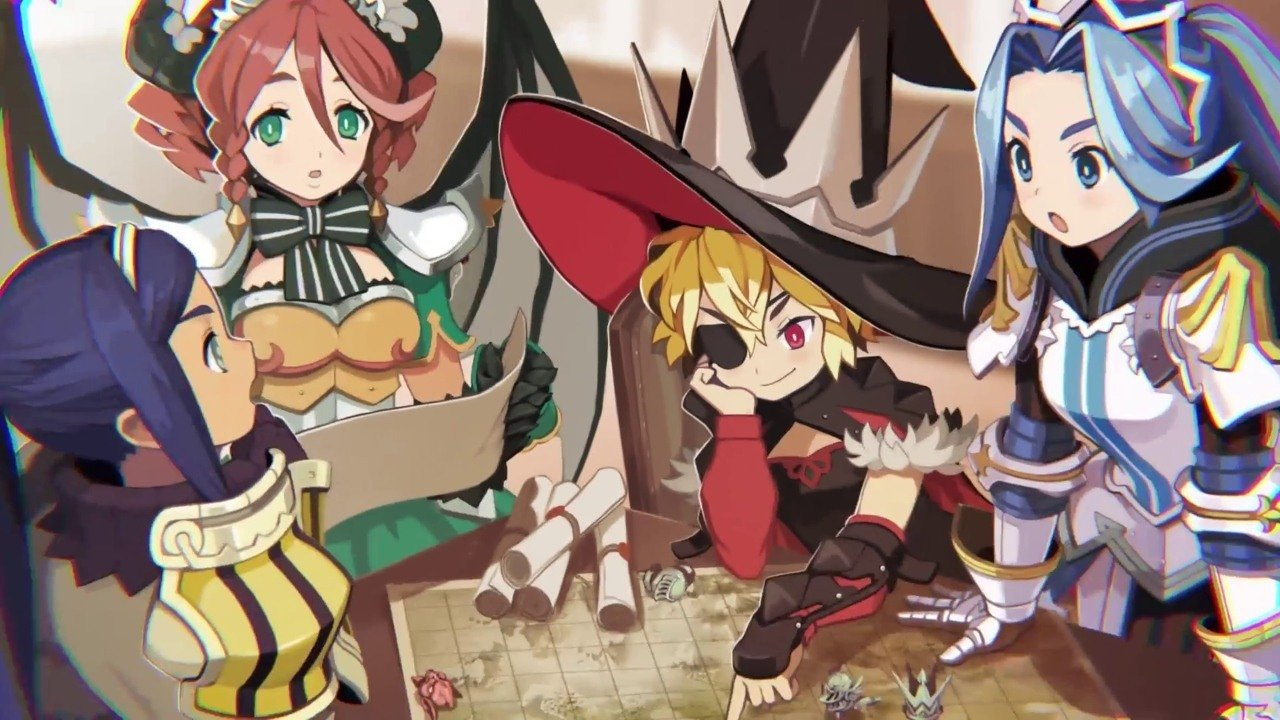
If you’re not clued up on this one, The Princess Guide sees four princesses from four different kingdoms needing to learn how to lead their people to victory in a war-filled land. As an experienced knight, your job is to choose one of these princesses to become your apprentice, teaching her the ways of war and joining forces to push back the evil that threatens to take over the land.
Choices you make in the game will directly impact the way your princess knight fights; we have a full list of game features for you below.
Key Features: – A Unique Tale Times Four! – Each Princess Knight has a unique story to tell, and your choice affects how the tale unfolds! Will you train the vengeful Veronica, the gluttonous Liliartie, the chivalrous Monomaria, or the dragon princess Alpana? – Fast-Paced Strategic Battles – The battlefield can get intense! Issue orders to your princess directly on the battlefield, and watch them clash with the enemy forces! Their performance is directly affected by your tutelage! – To Praise or To Scold? – Your princess’s growth depends on you! During conversations and battles, “Praise” or “Scold” your princess to enhance their abilities on the battlefield!
If you’d like to learn a little more about each of the four princesses, check out this second video, too.
The Princess Guide launches for Nintendo Switch on 26th March in North America and 29th March in Europe. An official website for the game has just launched in preparation for its release.
Do you like the look of this one? Which princess will you choose? Let us know in the comments below.
Posted by: xSicKxBot - 12-14-2018, 10:02 AM - Forum: Windows
- No Replies
Highlights from Microsoft Computer Science Education Week 2018
A Microsoft Fargo volunteer helps a student at an Hour of Code event at Northern Cass Elementary School in Hunter, North Dakota. Photo credit: Dennis Krull.
Last week, people around the world celebrated Computer Science Education Week. Millions of kids participated in an Hour of Code, a global call to action to spend an hour learning the basics of coding.
At Microsoft we know that computer science is more than just “coding.” It is a way to think, and a tool for creation. It enables people to do, build and invent. Importantly, it also puts youth on the path for success as they enter the workforce. In the U.S. alone, over 500,000 computing jobs, across all industries, remain unfilled because employers cannot find qualified candidates. Digital skills, especially computer science and coding, are a foundation of our future jobs market and economy.
We are inspired by the educators and volunteers across the globe who have brought computer science into their schools, including volunteers from the Microsoft Philanthropies program, Technology Education and Literacy in Schools (TEALS). But we all need to do more so that all K-12 students are getting computer science education – in particular, we need to increase the number of teachers who are trained to bring computer science to their students.
To address this gap, Microsoft President Brad Smith announced last week that we have committed an additional $10 million to help Code.org ensure that by 2020, teachers in every school have access to Code.org professional development, and that every state will have passed policies to expand access to computer science.
Code.org is one of the world’s leading nonprofits helping to expand access to computer science education. Its annual Hour of Code campaign has engaged 10 percent of students around the world, thanks in part to collaboration with Microsoft on three different Minecraft adventures for the Hour of Code; and Code.org’s professional development resources have helped 87,000 new teachers learn computer science across grades K-12.
From left, Jake Baskin, of the Computer Science Teachers Association, Microsoft President Brad Smith, Melinda Gates of the Bill and Melinda Gates Foundation, and Hadi Partovi of Code.org Photo credit: Code.org.
Since 2013, when Code.org’s Advocacy Coalition began its work with key partners such as Microsoft – its founding supporter and largest corporate sponsor – the number of states that have made computer science count toward high school graduation has gone from nine to 40. Our renewed commitment to Code.org will help build on this great work over the next three years and into the future.
But our news didn’t stop there: Last week we saw thousands of students, educators, and professionals participating in computer science celebrations together with Microsoft across the globe:
Worldwide,14,000 classrooms and nearly 700,000 students from 111 countries registered for Skype in the Classroom’s Meet Code Creators Series. Guest speakers gave students a look at what code makes possible, from computer science in movie graphics and animation, to technologies in dance, fashion and design, to Microsoft’s AI for Earth program.
Microsoft CEO Satya Nadella met with TEALS high school students and teachers from Brooklyn and the Bronx to learn about their coding projects.
In the U.S., we ran Hour of Code events in every Microsoft Store and in each of our six TechSpark regions, calling attention to computer science with the new Minecraft Hour of Code tutorial, Voyage Aquatic.
In North Dakota, Microsoft’s TechSpark initiative helped bring together the first simultaneous statewide Hour of Code. More than 5,000 students from across 100 schools participated.
In Europe, Microsoft participated in more than 30 events across 20 countries, reaching more than 10,000 participants, hosting Hour of Code events for students, teacher trainings and celebrations.
Working with educators and partners, we can help ensure that any young person who wants to learn critical computational skills is able to, and has the tools to create, invent and succeed in the economy of today – and tomorrow.