Yo-Kai Watch 4 Has Been Delayed Until Spring 2019 In Japan
Yo-Kai Watch 4 – the next entry in the Yo-Kai Watch series and the first to appear on Switch – has seen a delay in Japan, it has been confirmed.
Originally, the game had been scheduled to arrive in winter 2018, but the latest issue of Japanese magazine CoroCoro has revealed that it has now been pushed back to spring 2019. Of course, apart from this entry, the Yo-Kai Watch games have all released on 3DS, with this latest instalment likely being the biggest step up the franchise has seen to date. We expect that this new development territory and larger project scale are to blame.
This delay does help the west in its bid to catch up with the series, however; Europe and North America are only getting the previous entry – Yo-Kai Watch 3 on Nintendo 3DS – over the coming months, so this might help to bridge the gap between western and Japanese releases just a little. Even if this delay has a knock-on effect for the localisation of the new Switch title, at least we’ll be able to play Yo-Kai Watch 3 just before the fourth entry comes out.
Are you looking forward to Yo-Kai Watch 3 releasing this winter? Or are you more excited for the prospect of a new Yo-Kai adventure on Switch? Feel free to share your thoughts with us down below.
We wanted to give you a heads up about some exciting language options coming to Steam.
Starting today, we are adding two new languages (Vietnamese and Latin American Spanish) to the list of 26 languages officially supported by Steam. This means the Steam desktop client, the Steam store, and the Steam Community, are all translated to make it easier for Vietnamese or Latin American Spanish speakers to interact with Steam, find games, and chat with friends. It also means that game developers can now provide translations of their game in those languages through Steam.
Why Vietnamese?
Vietnamese is the sole national language of the country Vietnam, but is also widely used in other countries, including the United States, Australia, and France. There are over 75 million Vietnamese speakers worldwide. In November of 2017, we added Steam support for the national currency of Vietnam, the Vietnamese Dong, along with a number of payment methods that make it easier for players in Vietnam to make purchases on Steam. While supporting payments methods and currencies is important for making Steam accessible to global audiences, we realized our mistake in not also supporting the national language too so that players can more easily find their way around Steam and be able to get games in their native language, when available.
Why Latin American Spanish?
In the past, Steam has only supported a single definition of Spanish-language. But our customers and game developers have been reminding us of the stylistic differences among Spanish spoken in different locales, and requested that Steam support that difference. As a result, we now have a definition of both Castilian (European) Spanish and Latin American (LatAm) Spanish, translating the Steam desktop client, store, and community into both variants of Spanish.
As a practical example, this is how we already treat Portuguese and Brazilian Portuguese, where customers can choose one, the other, or both for their language preferences, and game developers can indicate whichever variants their game supports.
Changing Your Language Preferences in Steam
Whether your native language is Vietnamese, Castilian Spanish, or any of the 26 other languages supported by Steam, you can specify your language preferences in the Steam desktop client by clicking “Steam>settings>interface”.
Additionally, you can specify more than one language within the Steam store to help you find more games available in languages you may speak. For example, you may want to run Steam in Vietnamese, but you also speak English and want to make sure you can find games that are available with English language audio. You can visit your store preferences to select multiple languages for games that you wish to discover in the Steam store.
FAQ for Game Developers
Language support can be pretty important for the enjoyment of games. If you are making a game on Steam, here are some questions we thought you might have and some answers. Of course if you have additional question, please let us know through the Steamworks contact form.
Q: What do I need to do if my game already supports Spanish? A: If you want to add another language support option, you can provide Spanish support in both Castilian and Latin American varieties. If you don’t plan to add additional support, that’s OK: Steam will assume that your existing Spanish language content is Castilian and automatically provide that content to customers that have indicated either Castilian or Latin American Spanish. If your existing translation is actually Latin American Spanish, you can update your definition within Steamworks by visiting your app landing page and clicking “Edit Steamworks Settings” and selecting “Depots” from the “SteamPipe” drop-down.
Q: What if my game doesn’t support Spanish at all? A: That’s okay, and you don’t need to make any changes. But just so you know: nearly 2 million of our 45 million daily active users view the store in Spanish, and platform revenue in Latin America increased 35% over the previous year… so now might be a good time to consider adding support!
Q: What’s the difference, anyway? Why does this matter? A: There are some substantial differences in vocabulary and colloquial choices between these two varieties of Spanish. By supporting the difference on the Steam store and UI, we can make it more welcoming and easy to use. By supporting the difference in your game, you can provide the best possible experience to any customers who want to play your game in Spanish. Historically, customer improvements to localization and regional support have helped grow the overall pie of platform opportunity for developers, and we think this will be one more improvement for people who play and make PC games.
Q: Do I get any benefit if my game supports additional languages on Steam? A: Definitely! In addition to making your game more accessible to more customers, language preference is one of the things the store takes into account when making recommendations. That means a customer is more likely to see your game in the store if it supports the language preferences the customer selected. For example, Vietnamese is the fifth most spoken language in the United States, at around 1.5 million speakers.
Q: Where can I learn more about adding language support? A: We’re so glad you asked! The documentation here provides a rundown on localization, and some best practices and advice. https://partner.steamgames.com/doc/store/localization
This week at Bungie, we started unboxing the decorations for Festival of the Lost.
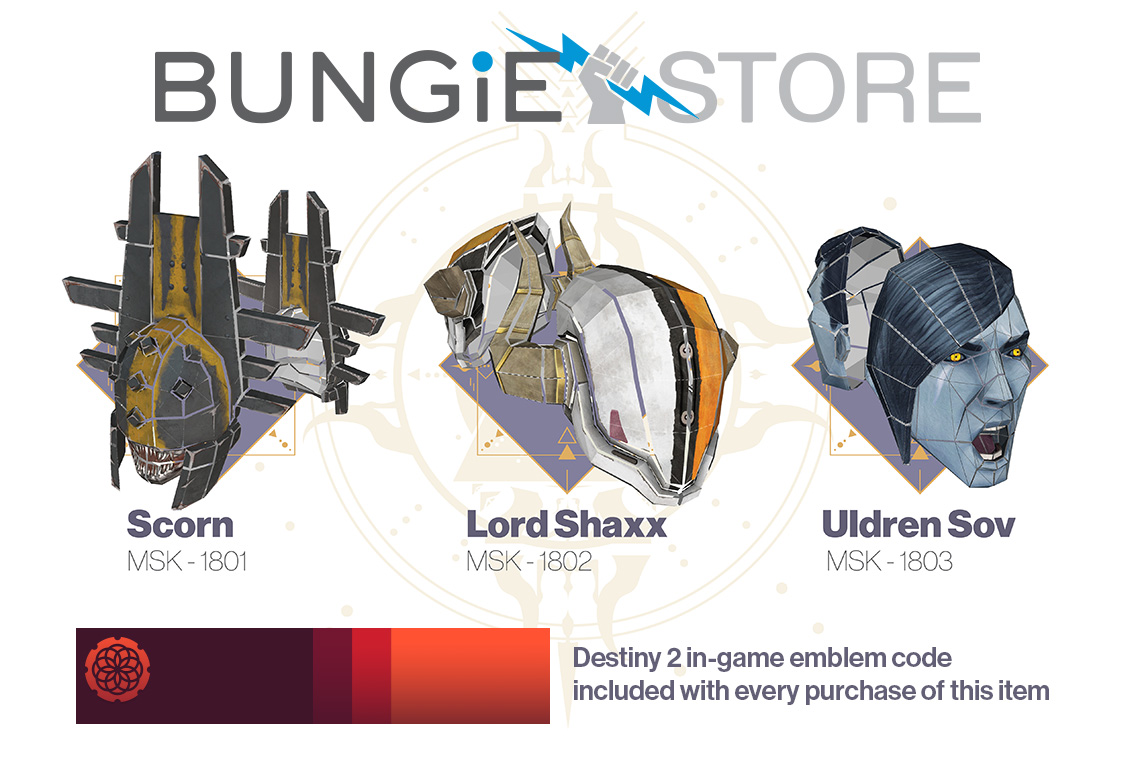
Starting Tuesday, October 16, all Destiny 2 players are invited to join in on the festivities. Amanda Holliday will serve as your host, offering bounties, masks, and rewards for all to partake in. Guardians will be invited to confront their Nightmares in the Haunted Forest, a limited-time activity exclusive to Festival of the Lost. If you missed the announcement yesterday, head over to the blog article to get caught up.
Festival of the Lost isn’t the only thing starting next Tuesday. Tuesday is filled to the brim with updates to the game, live events, and more. Read on for details below.
Second Wave
Launching a game reveals what we did right and where we could have done better. With the first month of Forsaken behind us, we’re taking stock of what we’ve learned. Some of those learnings will manifest in game updates that we’re deploying in the very near future, but not every improvement can be made with code changes. We also want to make it less complicated for other Guardians to begin their journey in Forsaken.
Effective October 16, the purchase of Destiny 2: Forsaken will include the two expansions included in the Destiny 2 Expansion Pass. Every player of Destiny 2 who has yet to touch down on the Tangled Shore will need only the Forsaken upgrade. Our hope is that this will eliminate some of the questions that confront a player as they try to join our party.
“What about us?” we can hear everyone who has already purchased Forsaken asking.
You’re our Vanguard. We appreciate you beginning the hunt on day one. You were there when the first raid finish changed the Dreaming City. You’ve been part of the conversation that has breathed enthusiasm back into the Tower. For you, and only the players like you, we have a collection of veteran’s rewards as an expression of our appreciation for being on the frontlines.
Every Guardian who played Forsaken prior to October 16 will receive the following bundle of items.
The Tiger Stripe Black Shader and Veterans Nameplate emblem are exclusive to players who earn this bundle by playing Forsaken prior to October 16. The two Exotic emotes will be made available on Eververse sometime in the future. All item names are subject to change.
Thank you for playing, and thank you for being the first to experience what we’ve created. This package is currently slated to be delivered to Veterans in early December. When the new Guardians arrive, please join us in extending to them the welcome that has made this community so notorious as an awesome group of people.
Out of the Iron, into the Fire
Lord Saladin returns to the tower, just in time to witness Guardians donning their brand new Shaxx masks. Iron Banner begins Tuesday 10/16, and ends Tuesday 10/23.
Coming with Destiny 2 Update 2.0.4, Iron Banner bounty objectives and rewards have been updated to address player feedback.
Each bounty will now offer a powerful reward
Bounty objectives have been updated to the following:
Lightbearer: Reduced Super kills to 20 from 25
Iron in the Blood: Reduced match completions to 15 from 30
Shine On: Reduced Orbs generated to 50 from 100
Iron Victory: Reduced match wins to 7 from 10
To Be Precise: Reduced precision kills to 50 from 100
All in a Week’s Work: Reduced kills to 150 from 250
Players will also unlock an item in Lord Saladin’s inventory for direct purchase with each bounty completion, featuring curated perk rolls. This time around, foxes and wolves will battle it out for a spot in your arsenal.
Looking to earn some masterwork cores on top of everything above? For the duration of Iron Banner, Valor gains will also be increased.
Double Valor: 10/16–10/19
Triple Valor: 10/19–10/23
With all these rewards, there’s no better time to dip your toe into the Crucible. See you out there.
World Wide Web
If you’re reading these words in English, and you follow @Bungie, feel free to scroll on to the next section. If you don’t follow, by the way, you’re missing out on some sweet tweets!
If you’re reading a localized version of this blog article in another language, the same people who translated our words into your words might also lend a hand to help us throw our arms around the world.
Check out these new Twitter accounts:
Follow the one that makes the most sense to you!
Or follow them all if you want to see how worldly we’re becoming.
Wherever you are and whatever you speak, we thank you for being a part of this growing global community!
Get Your Mask On
We’ve already told you about masks your Guardian can wear, here’s a way you can join in on the fun in the real world: Download and print out the free papercraft chicken template, courtesy of the Bungie Store.
If you’re eager to change your look further, a three-pack bundle of papercraft mask templates will be available on the Bungie Store the day before Festival of the Lost launches, in both digital and physical editions. Each purchase of the 2018 Festival of the Lost Papercraft Masks will come with a Destiny 2 in-game emblem code for the Circles Entwined emblem.
Stay tuned to @BungieStore on Twitter for the latest updates.
Running the Schedule
Last week, we gave you a quick preview of some bug fixes we had planned for the month of October. Our first deployment is coming in hot, and Destiny Player Support has the details on when to expect your download to begin.
Update 2.0.4 Incoming
This week, in preparation for Destiny 2 Update 2.0.4, we conducted backend maintenance on the live game. One more maintenance window is required, however, to bring Destiny 2 Update 2.0.4 to players.
Please see below for the Update 2.0.4 deployment schedule for Tuesday, October 16, as outlined on our Server and Update Status page:
7:00 AM PDT (1400 UTC)
Destiny 2 maintenance is scheduled to begin
No downtime is expected
Some Destiny Companion features will be unavailable on the web, mobile, and third-party apps
Update 2.0.4 will begin rolling out across all platforms and regions
9:45 AM PDT (1645 UTC)
Any Destiny 2 players remaining in activities who have not yet installed Update 2.0.4 will be removed from activities and returned to the title screen to take this update
10:00 AM PDT (1700 UTC)
Destiny 2 maintenance is scheduled to conclude
Destiny Companion features will be reenabled
Players who encounter issues should report them to the #Help forum
PLEASE NOTE: Update 2.0.4 is required to participate in Festival of the Lost, which launches following the conclusion of this maintenance.
For the latest information during maintenance windows, players should stay tuned to @BungieHelp on Twitter or monitor our support feed on help.bungie.net. For patch notes when they are available, players should keep an eye on our Updates page.
Petra’s Run and GUITAR Errors
In past weeks, Destiny Player Support reported an issue in the “Last Wish” raid where some players might sporadically encounter GUITAR errors as they made their way to the heart of the Dreaming City. While this issue is still under investigation, fireteams should be especially aware of it as they make their attempts at the “Petra’s Run” Triumph.
This Triumph requires fireteams to complete the “Last Wish” raid with no deaths. However, any player in the fireteam being returned to orbit due to any error will make all players ineligible for this Triumph on that run.
Destiny 2: Forsaken Known Issues
In addition to the items listed above, Destiny Player Support is tracking the latest issues reported by players on the #Help forum. Provided below is a brief overview of the latest known issues in Destiny 2: Forsaken.
BrayTech RWP Mk. II: We are investigating reports where the BrayTech Scout Rifle doesn’t appear in Collections for some players.
Ascendant Challenge Emblem: We are monitoring reports of the Ascendant Challenge emblem not updating correctly.
PC FPS: We are investigating an issue where some players are experiencing low FPS, which impacts their gameplay sporadically.
Lyrically Talented
This week, we’ve come across a few submissions that we just can’t get out of our heads. Throw on some headphones and get ready to rock out to some fun tunes.
Movie of the Week: No Screeb
Honorable Mention: Smells like Raid Spirit (Language Warning)
If you’d like a shot at the Lens of Fate emblem, make sure to submit your video to the Creations page on bungie.net and include #MOTW in your title.
If you are still on the hunt for a Bungie Bounty, here is the schedule for next week. This is the last week we have scheduled but we will do more Bounties in the future.
It’s an exciting time here at Bungie. Festival of the Lost is about to begin, with Iron Banner in tow. It’s always a pleasure watching the community reach new heights. Some of you earned your very own Wayfarer titles this week on Titan. More of you are summoning the courage to attempt a flawless raid for the “Petra’s Run” Triumph, and Luna’s Howl is becoming more common in the Crucible as players reach Fabled in Competitive Crucible.
With Update 2.0.4’s bug fixes and quality-of-life improvements on the way, we’re excited to see you checking off your goals in Destiny 2. We’ll be right by your side, looking to earn some titles for ourselves as well. See you next week.
Red Dead Redemption 2 Release Date & PS4 / Xbox One US Pre-Order Guide
People can't wait for Red Dead Redemption 2, and it's easy to see why. Rockstar doesn't release new games often, and when it does, the games tend to be landmark events in the gaming world. From everything we've seen so far--including our hands-on time with the game--Red Dead Redemption 2 promises to be one of the biggest games of the year.
It stars Arthur Morgan and the Dutch van der Linde gang--whose members include John Marston, the star of the original game. The game launches for PlayStation 4 and Xbox One on October 26, 2018. Its accompanying online multiplayer mode, Red Dead Online, will launch in beta at some point in November. All owners of the base game will receive free access to it.
A new gameplay trailer showcased more of the single-player component's open-world gameplay. That includes a variety of heists you can take part in and some of the customization options at your disposal.
You don't have to wait until October 26 to secure your copy--you can pre-order Red Dead Redemption 2 right now from a number of retailers, both in-store and online. Here's all the information you need to know to lock in your Red Dead pre-order.
Red Dead Redemption 2 Pre-Order Bonus
Pre-order Red Dead Redemption 2, and you'll get a couple of digital goodies for your trouble.
War Horse: An Ardennes War Horse with greater courage and stamina than the average steed.
The Outlaw Survival Kit: Contains a collection of key supplies, including items to replenish Health, Dead Eye, and more.
Red Dead Redemption 2 Digital Pre-Order Bonus
Anyone who pre-orders a digital version of Red Dead Redemption 2 from the PlayStation Store or Xbox Store will get the bonuses listed above, plus a handful of other digital freebies thrown in for good measure.
Cash Bonus for Red Dead Redemption 2 Story Mode
Treasure Map: Gives you a head start on the hunt for hidden riches. Must pre-order by July 31, 2018 to receive.
Bonus GTA$: Immediate download that contains in-game currency for Grand Theft Auto Online. Here's the breakdown of how much GTA$ you get for each edition: Standard Edition - $500,000 | Special Edition - $1 million | Ultimate Edition - $2 million.
Red Dead Redemption 2 Standard Edition
This edition comes with the relevant pre-order bonuses listed above, plus the core game. Here's where you can pre-order it.
The ultimate edition comes with all the content from the special edition, plus the following.
Bonus Outfits: The Blackrose Bounty Hunter Outfit and The Copperhead Enforcer Outfit.
Black Chestnut Thoroughbred: A racehorse and special saddle, both available in online.
Free Access to the Survivor Camp Theme
Free Access to Additional Weapons: Get access to the Volcanic Pistol, Pump Action Shotgun and Lancaster Varmint Rifle, free of charge from Gunsmiths in online.
Rank Bonuses: As a great start for all Ultimate Edition players, you can rank up faster in online, up to rank 25.
Here's where you can pre-order the ultimate edition.
First off, it's important to note that the Collector's Box does not include the game. So if you're going to pre-order it, make sure you also get yourself a separate copy of the game or you'll be very disappointed come launch day. What the Collector's Box does include is a bunch of physical goodies.
Metal Tithing Box with Lock & Key
Collectable Challenge Coin
Double Sided Puzzle
Six Shooter Bandana
Treasure Map
Pin Set
Playing Cards
Wheeler, Rawson and Co. Catalogue
12 Cigarette Cards
Here's where you can pre-order the collector's box.
Linux. It’s powerful, flexible, stable, secure, user-friendly… the list goes on and on. There are so many reasons why people have adopted the open source operating system. One of those reasons which particularly stands out is its flexibility. Linux can be and do almost anything. In fact, it will (in most cases) go well above what most platforms can. Just ask any enterprise business why they use Linux and open source.
But once you’ve deployed those servers and desktops, you need to be able to keep track of them. What’s going on? How are they performing? Is something afoot? In other words, you need to be able to monitor your Linux machines. “How?” you ask. That’s a great question, and one with many answers. I want to introduce you to a few such tools—from command line, to GUI, to full-blown web interfaces (with plenty of bells and whistles). From this collection of tools, you can gather just about any kind of information you need. I will stick only with tools that are open source, which will exempt some high-quality, proprietary solutions. But it’s always best to start with open source, and, chances are, you’ll find everything you need to monitor your desktops and servers. So, let’s take a look at four such tools.
Top
We’ll first start with the obvious. Thetopcommand is a great place to start, when you need to monitor what processes are consuming resources. The top command has been around for a very long time and has, for years, been the first tool I turn to when something is amiss. What top does is provide a real-time view of all running systems on a Linux machine. Thetop command not only displays dynamic information about each running process (as well as the necessary information to manage those processes), but also gives you an overview of the machine (such as, how many CPUs are found, and how much RAM and swap space is available). When I feel something is going wrong with a machine, I immediately turn to top to see what processes are gobbling up the most CPU and MEM (Figure 1). From there, I can act accordingly.
There is no need to install anything to use thetop command, because it is installed on almost every Linux distribution by default. For more information on top, issue the command man top.
Glances
If you thought thetopcommand offered up plenty of information, you’ve yet to experience Glances. Glances is another text-based monitoring tool. In similar fashion to top, glances offers a real-time listing of more information about your system than nearly any other monitor of its kind. You’ll see disk/network I/O, thermal readouts, fan speeds, disk usage by hardware device and logical volume, processes, warnings, alerts, and much more. Glances also includes a handy sidebar that displays information about disk, filesystem, network, sensors, and even Docker stats. To enable the sidebar, hit the 2 key (while glances is running). You’ll then see the added information (Figure 2).
You won’t find glances installed by default. However, the tool is available in most standard repositories, so it can be installed from the command line or your distribution’s app store, without having to add a third-party repository.
GNOME System Monitor
If you’re not a fan of the command line, there are plenty of tools to make your monitoring life a bit easier. One such tool is GNOME System Monitor, which is a front-end for the top tool. But if you prefer a GUI, you can’t beat this app.
With GNOME System Monitor, you can scroll through the listing of running apps (Figure 3), select an app, and then either end the process (by clicking End Process) or view more details about said process (by clicking the gear icon).
You can also click any one of the tabs at the top of the window to get even more information about your system. The Resources tab is a very handy way to get real-time data on CPU, Memory, Swap, and Network (Figure 4).
If you don’t find GNOME System Monitor installed by default, it can be found in the standard repositories, so it’s very simple to add to your system.
Nagios
If you’re looking for an enterprise-grade networking monitoring system, look no further than Nagios. But don’t think Nagios is limited to only monitoring network traffic. This system has over 5,000 different add-ons that can be added to expand the system to perfectly meet (and exceed your needs). The Nagios monitor doesn’t come pre-installed on your Linux distribution and although the install isn’t quite as difficult as some similar tools, it does have some complications. And, because the Nagios version found in many of the default repositories is out of date, you’ll definitely want to install from source. Once installed, you can log into the Nagios web GUI and start monitoring (Figure 5).
Of course, at this point, you’ve only installed the core and will also need to walk through the process of installing the plugins. Trust me when I say it’s worth the extra time. The one caveat with Nagios is that you must manually install any remote hosts to be monitored (outside of the host the system is installed on) via text files. Fortunately, the installation will include sample configuration files (found in /usr/local/nagios/etc/objects) which you can use to create configuration files for remote servers (which are placed in /usr/local/nagios/etc/servers).
Although Nagios can be a challenge to install, it is very much worth the time, as you will wind up with an enterprise-ready monitoring system capable of handling nearly anything you throw at it.
There’s More Where That Came From
We’ve barely scratched the surface in terms of monitoring tools that are available for the Linux platform. No matter whether you’re looking for a general system monitor or something very specific, a command line or GUI application, you’ll find what you need. These four tools offer an outstanding starting point for any Linux administrator. Give them a try and see if you don’t find exactly the information you need.
Experience the next generation of VR combat with Evasion, an intense sci-fi bullet-hell shooter. Run, dodge, and unleash devastating Surge Attacks. Play solo or team up to save an embattled colony from swarms of lethal Optera.
Xbox One October System Update Adds New Avatars, Alexa Support, And More
The Xbox One October update is rolling out today, offering a few new bells and whistles for the Microsoft console. The features in this update allow you to use more voice interactions, more easily watch HDR movies with streaming services, and personalize your Avatar.
The Xbox Skill feature lets you interact with your Xbox using Alexa or Cortana devices, with a greater degree of precision than the previous Kinect voice commands. As an example, Microsoft says you can tell Alexa to "launch Forza Horizon 4" and in response the Xbox One will start up, sign you in, and launch the game, all without additional commands needed. Other commands include starting Mixer broadcasts, capturing screenshots, and adjusting the volume. You'll need to download the Xbox Skill in the respective stores to get started.
To promote the new functionality, Amazon will be offering a bundle that includes an Amazon Echo Dot with new Xbox One S or Xbox One X purchases. That deal is coming soon, but supplies will be limited.
The newly revised Avatars are available for all users today as well. These have a focus on inclusiveness, with a greater range of body types, more accessories, and the ability to dress in any kind of clothing you'd like. You'll see the new Avatars on your own profile, in the activity feed and Gamerscore leaderboard, and more. You can use a Photobooth to take a picture of your Avatar to use as your profile image. Plus, if you want to stick with your original Avatar, that option is available too.
The update also adds Dolby Vision HDR streaming across supported televisions. For now it supports Netflix only, but Dolby Vision will expand to more apps in the coming months. You can enable it through the Settings menu. Finally the Narrator has added Spanish, Portuguese, Polish, Swedish, Dutch, and Australian English.
Now, Binance users can recover your password in an easy way by calling at the Binance Customer Support Number. Through the suggested helpline facility, various tech matters will get resolved, so call up now and feel ease in operating the account. You will be able to conclude best because when your account face acute complications, Contact Binance toll free number from anywhere and for any purpose and get ease to operate the wallet account. Just a phone call at the helpdesk will let you acquire the best possible services, so call up instantly and get resolution to all sorts of tech matters.
The service is available for the Binance users who are encountered with the issue of when account is blocked, password is lost, error messages etc. then call on Binance Customer Service Number and convey their concerned problem to the tech group. You have to pay small amount of cost in the services and that too after seeking the services and then carry out important operations ahead. Visit Here For More Info:- https://www.cryptophonesupport.com/exchange/binance