Amazon Deals On PS4, Xbox One, and Nintendo Switch Games (US)
Most video game retailers go to great lengths to advertise their sales. Amazon isn't most retailers. For as ubiquitous as the online mega-corporation is, it doesn't put much effort into promoting its game sales and discounts. Regardless, we've noticed that right now you can find some nice price drops on a number of big games--including many first-party Nintendo Switch games. So let's take a look at all the best games on sale on Amazon right now.
Let's start with the discounted Switch games, because those make up the bulk of the current sale. The two biggest ones are The Legend of Zelda: Breath of the Wild and Super Mario Odyssey, both of which are available for $45 each. That's a nice 25% discount on games that don't tend to go on sale very often.
Also $45 apiece are Mario Tennis Aces, Kirby Star Allies, Splatoon 2, and Donkey Kong Country: Tropical Freeze. If you've been wanting to pick any of those up, you're not likely to find a better price anytime before Black Friday (and there's no guarantee they'll go lower even then). Also, a shout out to Captain Toad: Treasure Tracker, whose star has been in the news lately in an unenviable way; that game is $10 off, bringing it down to $30.
Deepin Linux. You may not have heard much about this distribution, and the fact that it’s often left out of the conversation is a shame. Why? Because Deepin Linux is as beautiful as it is user-friendly. This distribution has plenty of “wow” factor and very little disappointment.
For the longest time, Deepin Linux was based on Ubuntu. But with the release of 15.7, that all changed. Now, Deepin’s foundation is Debian, but the desktop is still that beautiful Deepin Desktop. And when I say it’s beautiful, it truly is one of the most gorgeous desktop environments you’ll find on any operating system. That desktop uses a custom-built QT5 toolkit, which runs as smoothly and with as much polish as any I’ve ever used. Along with that desktop, comes a few task-specific apps, built with the same toolkit, so the experience is consistent and integrated.
What makes the 15.7 release special is that it comes just two short months after the 15.6 release and is focused primarily on performance. Not only is the ISO download size smaller, many core components have been optimized with laptop battery performance in mind. To that end, the developers have gained up to 20 percent better battery life and a much-improved memory usage. Other additions to Deepin Linux are:
NVIDIA Prime support (for laptops with hybrid graphics).
On-screen notifications (for the likes of turning on or off the microphone and/or Wi-Fi).
New drag and drop animation.
Added power saving mode and auto-mode switching for laptops.
Application categories in mini mode.
Full disk installation.
For a full list of improvements and additions, check out the 15.7 Release notes.
Let’s install Deepin Linux and see just what makes this distribution so special.
Installation
In similar fashion to the desktop, the Deepin Linux installer is one of the most beautiful OS installers you will find (Figure 1). Not only is the installer a work of art, it’s incredibly simple. As with most modern Linux distributions, installing Deepin is only a matter of answering a few questions and clicking Next a few times.
Installation shouldn’t take more than 10 minutes tops. In fact, based on the download experience I had with the main download mirror, the installation will go faster than the ISO download. To that end, you might went to pick one of the following mirrors to snag a copy of Deepin Linux:
Once you’ve installed Deepin Linux, you can then log onto your new desktop.
First Steps
Upon first login, you’ll be greeted by a setup wizard that walks you through the configuration of the desktop (Figure 2).
In this wizard, you will be asked to configure the following:
Once you’ve select those options, you’ll find yourself on the Deepin Desktop (Figure 3).
Applications
The application list might surprise some users, especially those who have grown accustomed to certain applications being installed by default. What you’ll find on Deepin Linux is a list of applications that includes:
WPS Office
Google Chrome
Spotify
Deepin Store
Deepin Music
Deepin Movie
Steam
Deepin Screenshot
Foxit Reader
Thunderbird Mail
Deepin Screen Recorder
Deepin Voice Recorder
Deepin Cloud Print
Deepin Cloud Scan
Deepin Font Installer
ChmSee
Gparted
What the developers have done is to ensure users have as complete a desktop experience as possible, out of the box. In other words, most every average user wouldn’t have to bother installing any extra software for some time. And for those who question the choice of WPS Office, I’ve used it on plenty of occasions and it is quite adept at not only creating stand-alone documents, but collaborating with those who work with other office suites. The one caveat to that is WPS Office isn’t open source. However, Deepin Linux doesn’t promote itself as a fully open desktop, so having closed-source applications (such as the Spotify client and WPS Office) should surprise no one.
Control Center
Deepin takes a slightly different approach to the Control Center. Instead of it being a stand-alone, windowed application, the Control Center serves as a sidebar (Figure 4), where you can configure users, display, default applications, personalization, network, sound, time/date, power, mouse, keyboard, updates, and more.
Click on any one of the Control Center categories and you can see how well the developers have thought out this new means of configuring the desktop (Figure 5).
Hot Corners
The Deepin Desktop also has a nifty hot corners feature on the desktop. With this feature, you can set each corner to a specific action, such that when you hover your mouse over a particular corner, the configured action will occur. Available actions are:
Launcher
Fast Screen Off
Control Center
All Windows
Desktop
None
To set the hot corners, right-click on the desktop and select Corner Settings from the pop-up menu. You can then hover your cursor over one of the four corners and select the action you want associated with that corner (Figure 6).
A Must-Try Distribution
If you’re looking for your next Linux desktop distribution, you’d be remiss if you didn’t give Deepin Linux 15.7 a try. Yes, it is beautiful, but it’s also very efficient, very user-friendly, and sits on top of a rock solid Debian foundation. It’s a serious win-win for everyone. In fact, Deepin 15.7 is the first distribution to come along in a while to make me wonder if there might finally be a contender to drag me away from my long-time favorite distro… Elementary OS.
Learn more about Linux through the free “Introduction to Linux” course from The Linux Foundation and edX.
Bad North is a charming but brutal real-time tactics roguelite. Defend your idyllic island kingdom against a horde of Viking invaders, as you lead the desperate exodus of your people.
Posted by: xSicKxBot - 09-21-2018, 01:21 AM - Forum: Lounge
- No Replies
Nintendo Switch Online connects console owners
Nintendo Switch Online connects console owners
Nintendo Switch Online has arrived. The paid online service for Nintendo’s go-anywhere home video game system comes with an array of features that provide a great value to Nintendo Switch owners. Individual memberships are available for $3.99 for one month, $7.99 for three months or $19.99 for 12 months. Up to eight Nintendo Account holders can use a family membership, which costs $34.99 for a year.
“In addition to online play, Nintendo Switch Online includes Save Data Cloud backup for compatible games, a growing library of classic NES games with newly added online play, a smartphone app for voice chat and other features for supported games, and exclusive special offers, like a pair of wireless NES Controllers that can be used to play NES games on Nintendo Switch,” said Doug Bowser, Nintendo of America’s Senior Vice President of Sales and Marketing. “It’s a tremendous value.”
Online Play: Nintendo Switch Online allows players to engage in competitive or cooperative gameplay with people around the world in many current and upcoming games like Splatoon 2, ARMS, Mario Kart 8 Deluxe,Mario Tennis Aces, Super Mario Party and Super Smash Bros. Ultimate. As a reminder, players won’t automatically become Nintendo Switch Online members when the service starts, so they will need to purchase an Individual or Family Membership to avoid disruption of their online play in compatible games. A seven-day free trial is also available from Nintendo eShop.
NES – Nintendo Switch Online: For the first time ever, players will be able to enjoy NES games online. Depending on the game, players can engage in online competitive or co-op multiplayer, or take turns controlling the action. Friends can even watch each other play single-player games online, and virtually “pass the controller” at any time.
The 20 NES games launching with the service today are Balloon Fight, Baseball, Donkey Kong, Double Dragon, Dr. Mario, Excitebike, Ghosts ’n Goblins, Gradius, Ice Climber, Ice Hockey, The Legend of Zelda, Mario Bros., Pro Wrestling, River City Ransom, Soccer, Super Mario Bros., Super Mario Bros. 3, Tecmo Bowl, Tennis and Yoshi. Today marks the first time that Pro Wrestling has been available anywhere since it launched for the original NES.
Nintendo will add additional classic NES games at no extra charge. Games planned for October include NES Open Tournament Golf, Solomon’s Key and Super Dodge Ball. In November, members will receive Metroid, Mighty Bomb Jack and TwinBee. And in December, members get Adventures of Lolo, Ninja Gaiden and Wario’s Woods. The NES – Nintendo Switch Online library will continue to grow in 2019.
Save Data Cloud Backup: The Save Data Cloud backup that comes with Nintendo Switch Online memberships automatically creates a backup copy of save data for compatible Nintendo Switch games. This makes it easy for players to retrieve save data if they lose their system or start using a new one.
Smartphone App: Nintendo Switch Online expands support for voice chat via the smartphone app with a variety of fan-favorite multiplayer online games, including Splatoon 2, Mario Kart 8 Deluxe, ARMS and Mario Tennis Aces. Additionally, the entire NES – Nintendo Switch Online game library also will support voice chat using the smartphone app.
Special Offers: A Nintendo Switch Online membership also gives people access to special offers, such as the exclusive chance to purchase a pair of wireless Nintendo Entertainment System Controllers, which look like the original NES controller. The accessory makes playing NES – Nintendo Switch Online games feel even more authentic. Plus, it docks with and charges on the Nintendo Switch system. NES controllers can be pre-purchased as a set of two for $59.99 (plus shipping and tax) at https://nesc.nintendo.com/nintendo-entertainment-system-controllers by users with an active, paid Nintendo Switch Online membership. Free trial users are not eligible. NES controllers are limited to one set per Nintendo Account holder, and initial orders of the controllers will ship in December.
Also, everyone who buys an Individual 12-Month Membership or a Family Membership to Nintendo Switch Online will receive a download code for exclusive in-game Splatoon 2 gear, based on the jerseys worn by the team that won the Splatoon2 World Championship during E3 2018.
Remember that Nintendo Switch features parental controls that let adults manage the content their children can access. For more information about other features, visit https://www.nintendo.com/switch/.
Persistent Internet and compatible smartphone required to use app. Data charges may apply. Nintendo Account age 13+ required. Online play, Save Data Cloud backup and Nintendo Switch Online smartphone app features available in compatible games. Not available in all countries. The Nintendo Account User Agreement, including the Purchase and Subscription terms, apply. https://www.nintendo.com/switch/online-service/
Starting at 6:00 p.m. PDT today, members of the Xbox One Preview Alpha Skip Ahead Ring will begin receiving the latest 19H1 Xbox One system update (180906.1900). Read on for more about the fixes and known issues in the latest 19H1 system update.
Fixes:
Dolby Vision
We have confirmed that the Netflix app does leave Dolby Vision on in the App – This is by design by Netflix.
We have confirmed that some users are encountering graphical issues when exiting the Netflix application with Dolby Vision enabled. We have determined that this is users with LG TVs and LG is aware of the issue, it is a TV issue and not the Xbox Platform.
My Games & Apps
We have fixed the following Media apps from crashing. The apps are Demand 5, Orange, CTV Go on XBox One, SEGO, TMN GO, Foxtel Play, Halo Channel, TSN on Xbox One.
System
Fixes to the stability of the console going in and out of the Instant On power mode.
Localization fixes in this build.
Known Issues:
Audio
We are aware that some users are experiencing issues where mics do not work. Please ensure that your controller is running the latest Firmware (Settings – Kinect & Devices – Devices & Accessories) and be sure to file feedback using the “Report a problem” tool when you experience this issue.
Avatars
We are aware that, in some instances, Avatar limbs (feet & hands) are pointing in unexpected directions and facial hair is appearing where it should not. Please file feedback should you experience this.
It can take up to 10 seconds to view an Avatar on the profile screen after creating a new Avatar.
Microsoft Edge
Microsoft Edge crashes for some users at random times.
The cursor may disappear when exiting and re-entering the app. Workaround: Press Y when re-entering the app to make the cursor re-appear
My Games & Apps
We are aware that some users are experiencing crashing of a game or the Youtube app when you are either launching or resuming the Youtube app.
If you are in the Youtube app and then Resume to a Game the app/game and console may hang or crash.
Power
We are tracking an issue in which the console is fully powering off when it is placed into Instant On mode.
Profile Color
Sometimes users may encounter the incorrect Profile color when powering on the console.
Settings – Network Statistics
We are aware that the Detailed Network Statistics feature is not showing any data. This does not impact the consoles networking performance at all it is a UI bug.
Virtual Keyboard
We are aware that special characters appear incorrectly when using the Virtual Keyboard.
We are aware that the recently used emoji’s/characters are not present when you launch the VK again.
Guide: 7 Things You Didn’t Know You Could Do With Nintendo Switch Online
Now that Nintendo Switch Online has officially launched, you’ve got to make a real decision if you want to continue playing online multiplayer in games like Splatoon 2, Mario Kart 8 Deluxe, and ARMS. That service is no longer available for free, and requires a Nintendo Switch Online membership.
Of course, you get a little more than just online multiplayer. Much like PS+ and Xbox Live Gold, the service also comes with ‘free’ games, special offers, and other fancy little extras like cloud saves. So it might be that online multiplayer isn’t important to you, but playing Balloon Fight is. No judgement.
Whether you’ve bought Nintendo Switch Online or not, we thought we’d round up a few things that you can easily miss amongst all the Nintendo Switch Online excitement. It has a nifty few features that you have to actually dig in the internet to discover, and we’re going to go into more detail about each of them below.
Try It For Free
You could argue that we’ve been trying Nintendo Switch Online for free since the launch of the Switch itself, but the new free trial lets you try the extras without paying a penny. That includes cloud saving, NES games, and online multiplayer.
To get your hands on the free trial, simply visit the eShop after updating your system, scroll down to ‘Nintendo Switch Online’, and choose the option for a free trial. That’s it, you’re good to go.
It’s worth bearing in mind though that this will set up an automatic renewal for the monthly membership, so you might want to cancel that if you’re unsure or you want to opt for another membership type, like perhaps…
Get It Cheaper Using A Family Group
If you sign up for a Family Membership, rather than an Individual Membership, you can get Nintendo Switch Online for as little as $5 per year. That involves rounding up eight Nintendo Account holders under a single family group banner.
There aren’t many restrictions either – it doesn’t matter where the Nintendo Account holders are globally or anything like that. We’ve written a guide on how to do so right here, so if you’re sold on this plan (why wouldn’t you be?) follow the instructions by following the link above.
Play Your Games On A Friend’s Switch
Here’s probably the biggest open secret: you can now play your purchased games on another Nintendo Switch console. There are caveats though. For example, you can only play your games on a single Switch unit at any given time, ruling out playing multiplayer on two separate consoles under the same account.
Here’s a few things you need to know in bullet point form:
The first time you use your Nintendo Account to connect to the eShop, that Nintendo Switch console will be activated as your primary console.
Following that, you can link your Nintendo Account to another Switch console, though it will have different functionality.
You can visit the eShop on this secondary console and download your purchases then play them on that system.
You do have to have an active internet connection to play them though. If the connection goes down, the game will pause after a certain amount of time, and you won’t be able to continue playing until the internet is back up.
Other Nintendo Accounts linked to that system can’t play your downloadable content.
That is, in a nutshell, how it works. Go give it a try.
Get Some Free Gear In Splatoon 2
This is only for those with an annual membership. If you choose to sign up with that option, you’ll receive a download code in an email that you can use to get yourself some free branded gear in Splatoon 2.
The primary account holder for a Family Group will receive eight codes that they can pass on to family members, so keep pestering them until they cough up the goods.
Play Classic NES Games Online With A Friend
I think everyone knows that Nintendo Switch Online comes laden with ‘free’ NES games, but did you know that you can play certain titles against (or with) a friend online? It’s easy to miss that in all of the excitement.
But when you boot up the app on your Switch, you’ll receive an option to play online with friends, or to play on your lonesome in single player. If you choose the former option, you can easily play with a friend in a bunch of different titles. Awesome stuff.
Play NES Games With Actual NES Controllers
Again, Nintendo hasn’t been super clear with this, but official wireless NES controllers are on their way, allowing you to play NES games as originally intended.
However, you can only purchase these if you are an active Nintendo Switch Online member, and even then it’s not entirely clear how to get them.
Fortunately, we’re here to help you do just that. Visit the official Nintendo site and login to your Nintendo Account to pre-purchase the NES controllers. You get a bundle of two of them for $60, and they’ll arrive at your doorstop in December.
It’s important to note that you can only get a single set of NES controllers per Nintendo Account, and only then if you’re an active Nintendo Switch Online member.
Right now, pre-purchasing is limited to North America. Hopefully that will open up to more regions soon.
Chat With Your Friends And Access Extra Game Content With The Nintendo Switch Online App
Last, but certainly not least, you can use the Nintendo Switch Online App to voice chat with your friends in a bunch of different games. Up to this point, it’s been limited, with only Splatoon 2 getting any real use out of it, but that’s changed with the official launch.
Now you can use it for:
NES games
Mario Kart 8 Deluxe
ARMS
Splatoon 2
Mario Tennis Aces
It’s highly likely that this list will grow over time too, so keep an eye on the app for a bunch more games.
Have you bought Nintendo Switch Online yet? Found any neat features that you think we should know about? Let us know all about it in the comments section below.
Midweek Madness – Dovetail Games Franchise, 65% Off
60 Parsecs! is Now Available on Steam and is 10% off!*
60 Parsecs! is an Atomic Space Age adventure of scavenge and survival. Keep your crew alive and ready for action. Make difficult choices, face soup shortages and other horrors of outer space. And maybe reach your destination. Or not.
Posted by: xSicKxBot - 09-21-2018, 01:21 AM - Forum: Lounge
- No Replies
This Week At Bungie – 9/20/2018
This week at Bungie, Power is enabled.
Lord Saladin has returned once more to host the Iron Banner. Power matters, and players are feeling it. Some who conquered the “Last Wish” raid are taking their newly earned rewards out for a spin, while others are completing their weekly challenges in search of powerful rewards.
Across the pond, we’ve deployed our away team to EGX! If you happen to be in Birmingham, UK, make sure to stop by. We have opportunities to meet the developers, and a panel that goes deeper on the creation of the Dreaming City. If you’re unable to make it, the discussion panel will also be streamed.
Developer Meet and Greets
Virgin Media, Destiny 2: Forsaken Stand
Friday, September 21, 5:15 PM BST
Saturday, September 22, 11 AM BST
Discussion Panel—Building the Dreaming City
Friday, September 21, 4 PM BST (8 AM PDT)
That’s not all that we have going on this week. We’re still in the midst of celebrating many players throughout the community who’ve taken on one of the most challenging activities in the Destiny universe to date.
Toppling a Giant
On September 14, Petra invited Guardians from around the world to launch into the “Last Wish” raid. The race for World First was exciting as always, and Clan Redeem once again earned the title. This fireteam truly knows the definition of teamwork, as each member provided the skill and puzzle-solving knowledge to overcome the activity as a whole before anyone else in the world. We have a few words from their fireteam to share with you:
Clan Redeem: “Last Wish” was everything we as a clan could have wanted out of a World First race, and more: a grinding experience with massive ups and downs, incredible challenges, and a true test of mental fortitude. This was the first raid we’ve ever done in which we learned more than just mechanics. We learned about our own resilience, and that we would never give up, no matter how bleak the situation seemed.
Getting to the boss room almost six hours after other teams was demoralizing, and it had us on the verge of collapsing as a team. We knew this was the moment we had to step up or let the race slip away from us. We pushed through the exhaustion and started playing to each member’s strengths. We want to thank all teams that attempted the raid on day one; without your fierce competition, it wouldn’t have been as intense. A big thank-you as well to anyone who came out and supported us during this nearly 19-hour marathon. It means more than you could ever imagine.
Many throughout the studio were glued to their screens for the entirety of the raid, eagerly waiting for the first players to crack puzzles and beat the final boss. Some of us even stuck around in the Bungie Theater for 18 hours to track progress. Senior Designer Joe Blackburn was on site to verify the first completion alongside our analytics team. With the raid conquered, he’d like to say thank you on behalf of all who worked to bring this experience to Destiny 2:
Joe: Last Friday, we were excited to reveal the latest chapter in Destiny raids: “Last Wish” was released into the wild. After a monumental 18+ hour adventure, six Guardians slew Riven and changed the Dreaming City forever. To everyone who ventured into the heart of the Dreaming City, thank you. It was a privilege to get to watch players tackle the Taken scourge.
Whether you finish as World First or simply World’s Most Recent, we can’t wait for you and your fireteam to topple the last known Ahamkara. It takes a small army of very passionate developers to create content like this, and getting to see it in your hands puts a huge smile on all of our faces.
Until next time.
If you have yet to visit the Dreaming City since the Raid was beaten, these six Guardians have unlocked some new areas for you to explore. You can find a new strike, ”The Corrupted,” and the new Gambit map, “Cathedral of Scars,” available in their respective activity playlists.
Break On Through
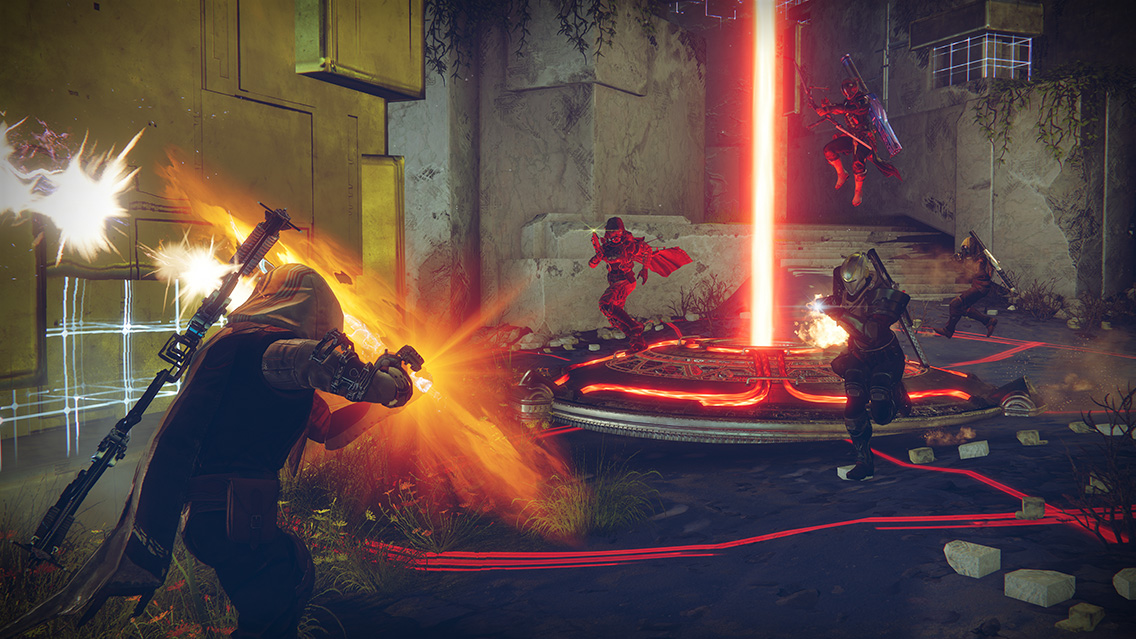
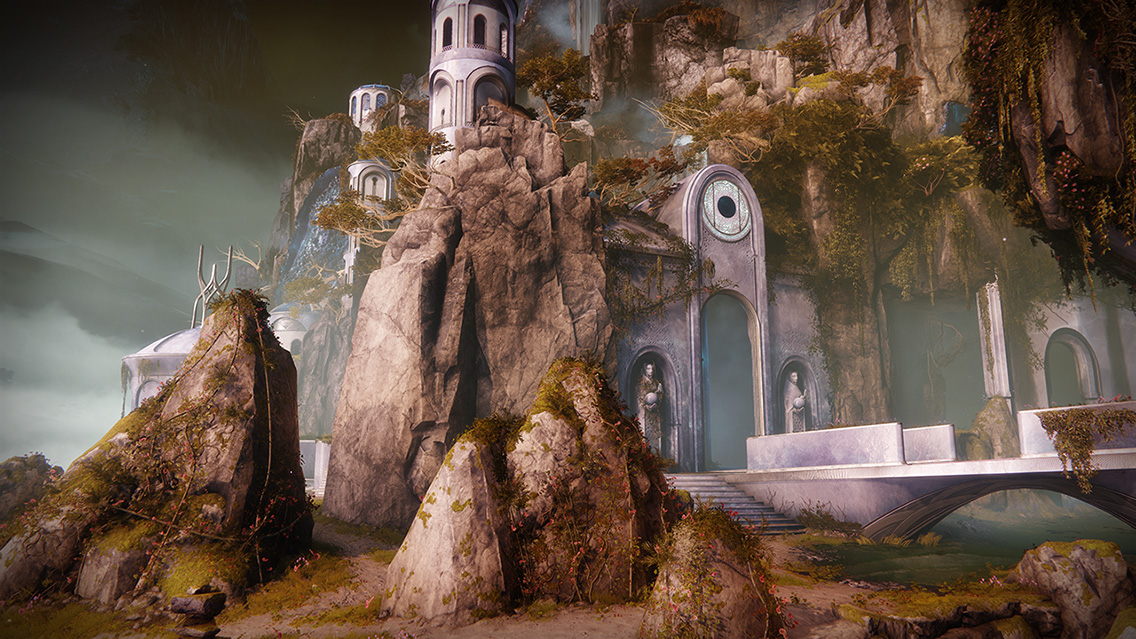
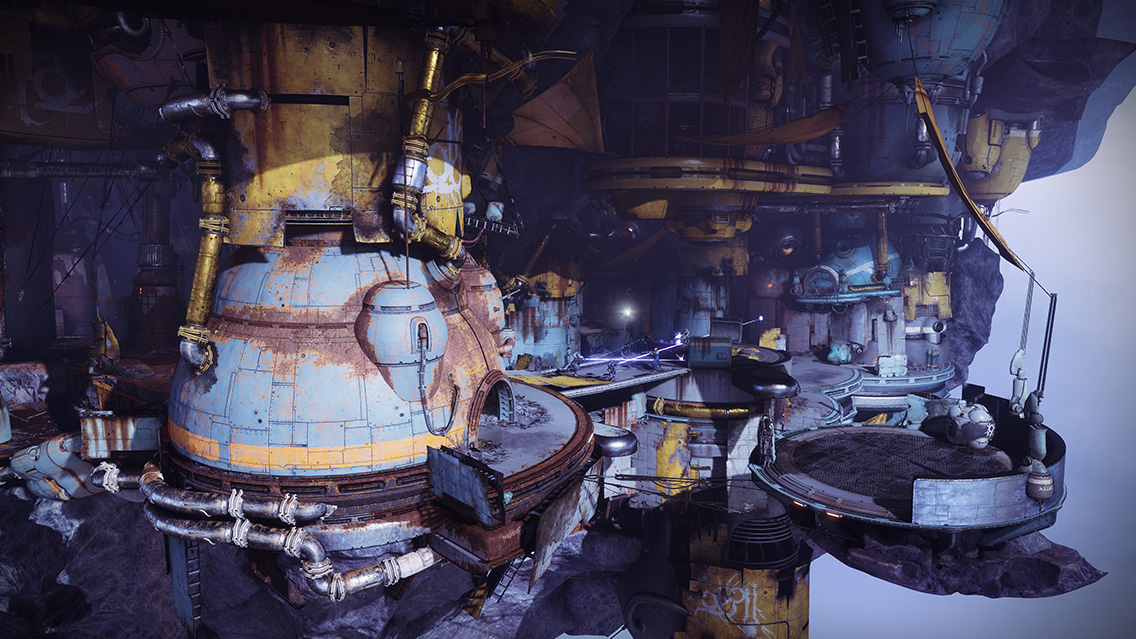
Starting Tuesday, September 25, the new Crucible game mode Breakthrough will become available to all players of Destiny 2. There will also be new maps that were crafted to complement this game type. Here’s a quick overview of how Breakthrough works:
At the beginning of each round, players will fight to capture a central zone. Once the zone is captured, your team will deploy the Breaker. As players work to deploy the Breaker, the zone can be contested, resulting in an epic tug-of-war between the two teams. Once the Breaker is captured, it will be used to assault and hack the enemy team’s Vault.
If you hack the enemy team’s Vault, you win the round. If you fail to hack the enemy team’s Vault within the round time limit, you lose. If you are in the process of hacking the enemy team’s Vault when time runs out, you will enter Sudden Death until you either hack the Vault, or the enemy removes all your progress.
First team to win three rounds takes the match.
Breakthrough will first be available as the Weekly Featured Playlist for the week of September 25. Then, it will be added to the Competitive playlist starting October 2. Owners of Destiny 2: Forsaken may begin to play Breakthrough in Private Matches on September 25 as well.
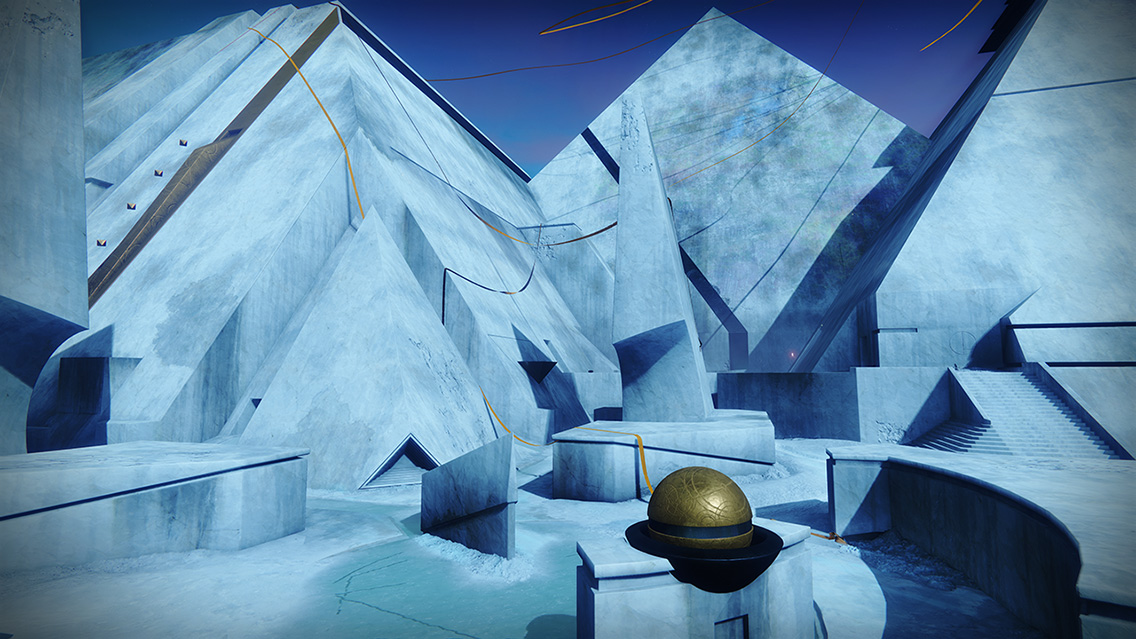
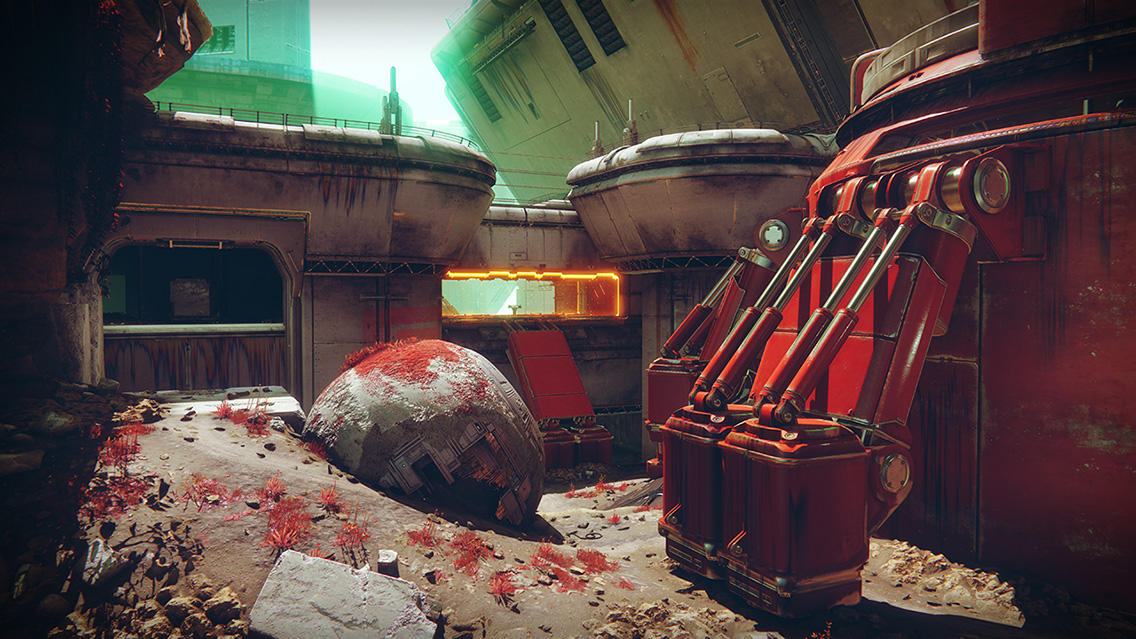
As for maps, here are some sneak peeks at what every player looking to deploy some Breakers might expect next Tuesday:
Equinox
Firebase Echo
The Citadel
For those who have yet to play since Iron Banner went live, Convergence will also be available as a Breakthrough map.
Players on PlayStation 4 will also have access to the map Gambler’s Ruin.
Weekend Programming
If you’re looking for something to do this weekend in Destiny 2, we have two offerings that may appeal to your interests.
Gambit Free Trial
Start: 10 AM PDT on September 21
End: 10 AM PDT on September 23
If you’re looking for some pure PvP action without having to bank motes for the Drifter, Lord Shaxx is your man.
Double Valor Weekend
Start: 10 AM PDT on September 21
End: 10 AM PDT on September 25
Double Valor will be available in all Crucible Playlists, including Iron Banner! Get out there and make Shaxx proud.
Nuts and Bolts
Over the last few weeks, we’ve shipped a few updates and hotfixes to address various known issues in Destiny 2. Just today, we released Hotfix 2.0.3.1 to address a few issues impacting rewards and Gambit matchmaking. Destiny Player Support is with you each step of the way, from the first report of an issue to the deployment of a fix. Read on for the status of current investigations, and more!
Destiny 2 Hotfixes 2.0.3 and 2.0.3.1
This week, we deployed Destiny 2 Hotfixes 2.0.3 and 2.0.3.1 to players. These hotfixes resolved a number of newly discovered issues that directly affected the player experience and game economy.
Some of these fixes include:
Offering to the Oracle has been moved to the Pursuits inventory and is no longer erroneously removed when the player fast travels
Activity reconnection has been disabled in the Gambit playlist to allow for faster backfilling of lopsided teams
The Ace of Spades quest no longer requires defeating enemy invaders in Gambit but can now instead be completed by defeating either combatants or enemy invaders with Hand Cannons in Gambit matches
Fixed an issue where the mission “Homecoming” weapons—Traveler’s Chosen, Origin Story, and Last Dance—could not be dismantled or transferred to the vault
To see the full patch notes for these releases, players should follow the links below:
Iron Banner Rewards
With the launch of the first Iron Banner of Season 4, we have become aware of an issue where Iron Banner rank-up packages incorrectly display “Powerful Gear” as rewards.
It is intended that Iron Banner rank-up engrams award players with gear at the same level as other generic faction rank-up rewards. Only Lord Saladin’s “Unrelenting” and “To Be Precise” bounties are actually intended to offer powerful gear. We are investigating a fix for this issue for a future update.
Tincture of Queensfoil
As players have begun to explore the depths of the Dreaming City, confusion has emerged about the expected behavior of the Ascendant buff granted by the Tincture of Queensfoil consumable. Provided below is a brief overview of this buff’s behavior:
The Ascendant buff provided by the Tincture of Queensfoil is removed after players return to orbit or launch a new activity
If players return to orbit or launch into another activity, they must consume another Tincture of Queensfoil to reactivate the Ascendant buff
To make sure Tincture of Queensfoil consumables are not wasted unintentionally, it is recommended that players check that they have successfully landed in their desired activity before using this consumable
Players who believe they are encountering issues with behaviors not listed above should report them to the #Help forums.
Since the launch of Destiny 2: Forsaken, we have heard player feedback regarding the aggressive drop rates of the Edge Transit Grenade Launcher. Our investigation has confirmed that this weapon is dropping more frequently than intended, and we are pursuing a fix for a future update.
For more information when it is available, please stay tuned to our Updates page.
Destiny 2: Forsaken Known Issues
In addition to the items listed above, Destiny Player Support is tracking the latest issues reported by players on the #Help forum. Provided below is a brief overview of the latest known issues in Destiny 2: Forsaken.
Under-levelled Powerful Gear Drops: We have identified an issue causing powerful gear to sometimes drop below expected power levels, and are working to resolve this issue in a future update.
Menu Load Times: We are investigating an issue where some players are experiencing longer-than-usual load times in menus and UI on consoles
Cataloguer Emblem at the Postmaster: We are investigating an issue where the Cataloguer emblem always returns to the Postmaster if stored
Weapon Perks in a Rift or Well of Radiance: We are investigating an issue where some weapon perks may not activate while players are standing in a Healing Rift or a Well of Radiance
Nova Warp: We are investigating an issue where the Nova Warp Super may not fully activate when used
The Good, the Bad, and the Ahamkara
How long do you need to wait after something’s been released to talk about spoilers? I guess it depends on what you’re talking about. If it’s a movie, you should probably wait a week or two. What about a Destiny 2 raid—“Last Wish” in particular? I’m thinking seven days is long enough. In any case, if you’re looking to go into the raid unspoiled, don’t watch the amazing videos below.
Movie of the Week: Four-Player Riven Defeat
Honorable Mention: Solo Kalli Defeat
If your movie gets chosen, we will give you a special Lens of Fate emblem in Destiny 2. To enter, just send your movie to the Creations page with the tag #MOTW.
You’re still here? I can’t believe it. With so much to do in Destiny 2 right now, I’m having trouble writing this outro. Challenges and powerful rewards are waiting, not to mention double Valor gains in the Crucible coming this weekend… including Iron Banner!
Before we go, we do want to take a moment to thank our test and services teams here at Bungie. We don’t usually like to give ourselves a pat on the back, but we wanted to thank everyone for coming in and kicking ass to get four updates out in the last 10 days. Without them, weekly challenges would still be in danger of Saturday resets, among other issues that snuck through the cracks at launch.
Have a great weekend. May your engrams yield wonderful rewards.