If you’re a developer, then you know your way around development tools. You’ve spent years studying one or more programming languages and have perfected your skills. You can develop with GUI tools or from the command line. On your own, nothing can stop you. You code as if your mind and your fingers are one to create elegant, perfectly commented, source for an app you know will take the world by storm.
But what happens when you’re tasked with collaborating on a project? Or what about when that app you’ve developed becomes bigger than just you? What’s the next step? If you want to successfully collaborate with other developers, you’ll want to make use of a distributed version control system. With such a system, collaborating on a project becomes incredibly efficient and reliable. One such system is Git. Along with Git comes a handy repository called GitHub, where you can house your projects, such that a team can check out and check in code.
I will walk you through the very basics of getting Git up and running and using it with GitHub, so the development on your game-changing app can be taken to the next level. I’ll be demonstrating on Ubuntu 18.04, so if your distribution of choice is different, you’ll only need to modify the Git install commands to suit your distribution’s package manager.
Git and GitHub
The first thing to do is create a free GitHub account. Head over to the GitHub signup page and fill out the necessary information. Once you’ve done that, you’re ready to move on to installing Git (you can actually do these two steps in any order).
Installing Git is simple. Open up a terminal window and issue the command:
sudo apt install git-all
This will include a rather large number of dependencies, but you’ll wind up with everything you need to work with Git and GitHub.
On a side note: I use Git quite a bit to download source for application installation. There are times when a piece of software isn’t available via the built-in package manager. Instead of downloading the source files from a third-party location, I’ll often go the project’s Git page and clone the package like so:
git clone ADDRESS
Where ADDRESS is the URL given on the software’s Git page. Doing this most always ensures I am installing the latest release of a package.
Create a local repository and add a file
The next step is to create a local repository on your system (we’ll call it newprojectand house it in ~/). Open up a terminal window and issue the commands:
cd ~/ mkdir newproject cd newproject
Now we must initialize the repository. In the~/newproject folder, issue the command git init. When the command completes, you should see that the empty Git repository has been created (Figure 1).
Next we need to add a file to the project. From within the root folder (~/newproject) issue the command:
touch readme.txt
You will now have an empty file in your repository. Issue the command git status to verify that Git is aware of the new file (Figure 2).
Even though Git is aware of the file, it hasn’t actually been added to the project. To do that, issue the command:
git add readme.txt
Once you’ve done that, issue thegit status command again to see that readme.txt is now considered a new file in the project (Figure 3).
Your first commit
With the new file in the staging environment, you are now ready to create your first commit. What is a commit? Easy: A commit is a record of the files you’ve changed within the project. Creating the commit is actually quite simple. It is important, however, that you include a descriptive message for the commit. By doing this, you are adding notes about what the commit contains (such as what changes you’ve made to the file). Before we do this, however, we have to inform Git who we are. To do this, issue the command:
Where EMAIL is your email address and FULL NAME is your name.
Now we can create the commit by issuing the command:
git commit -m “Descriptive Message”
Where Descriptive Message is your message about the changes within the commit. For example, since this is the first commit for the readme.txt file, the commit could be:
git commit -m “First draft of readme.txt file”
You should see output indicating that 1 file has changed and a new mode was created for readme.txt (Figure 4).
Create a branch and push it to GitHub
Branches are important, as they allow you to move between project states. Let’s say you want to create a new feature for your game-changing app. To do that, create a new branch. Once you’ve completed work on the feature you can merge this feature from the branch to the master branch. To create the new branch, issue the command:
git checkout -b BRANCH
where BRANCH is the name of the new branch. Once the command completes, issue the command git branch to see that it has been created (Figure 5).
Next we need to create a repository on GitHub. If you log into your GitHub account, click the New Repository button from your account main page. Fill out the necessary information and click Create repository (Figure 6).
After creating the repository, you will be presented with a URL to use for pushing our local repository. To do this, go back to the terminal window (still within ~/newproject) and issue the commands:
Where URL is the url for our new GitHub repository.
You will be prompted for your GitHub username and password. Once you successfully authenticate, the project will be pushed to your GitHub repository and you’re ready to go.
Pulling the project
Say your collaborators make changes to the code on the GitHub project and have merged those changes. You will then need to pull the project files to your local machine, so the files you have on your system match those on the remote account. To do this, issue the command (from within ~/newproject):
git pull origin master
The above command will pull down any new or changed files to your local repository.
The very basics
And that is the very basics of using Git from the command line to work with a project stored on GitHub. There is quite a bit more to learn, so I highly recommend you issue the commandsman git, man git-push, and man git-pull to get a more in-depth understanding of what the git command can do.
Happy developing!
Learn more about Linux through the free “Introduction to Linux” course from The Linux Foundation and edX.
Posted by: xSicKxBot - 07-21-2018, 08:40 AM - Forum: Windows
- No Replies
6 great ways to score big during Ultimate Game Sale
Ultimate Game Sale* is back! Now is the perfect time to save big and upgrade your slowing gaming PC, stock up top-rated PC games, or pick up that new gaming keyboard and mouse at Microsoft Store. While Ultimate Game Sale is our biggest ever, you need to jump all over these deals now because the sale ends July 30.
1. Save up to 50 percent on more than 100 top-rated games for Windows
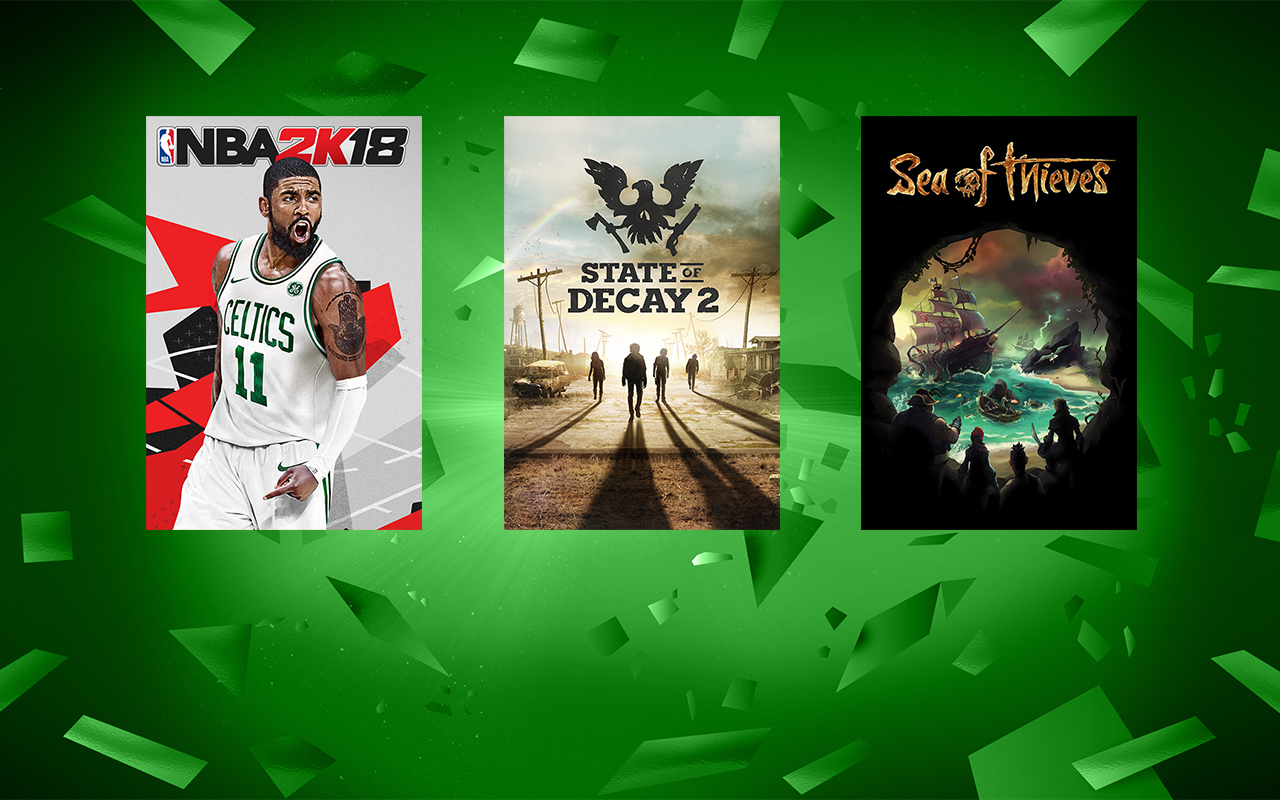
Save big on select Windows 10 games such as “State of Decay 2,” “Sea of Thieves,” “Middle Earth: Shadow of War,” “Forza Motorsport 7,” “Zoo Tycoon: Ultimate Animal Collection” and more. There’s more than 100 popular PC games on sale during Ultimate Game Sale and many support Xbox Play Anywhere, meaning one purchase gets you the game on Xbox One and Windows 10 with cross save capability (PC hardware requirements may vary for games on Windows 10).
2. Save up to 60 percent on select gaming PCs and accessories
Dell G3 15” Gaming PC
Discover great deals on more than 20 gaming PCs, keyboards, mice, headsets, and more including the following:
3. Save with great in-game deals on your favorite free-to-play games
Click on the image to see a video preview of these games
Looking to give your favorite game a boost or in need of a new game to keep you entertained this summer? With the return of the Ultimate Game Sale, you’ll find deals on select in-game content for your favorite free-to-play titles including “Cooking Fever,” “Nonstop Knight,” “Hill Climb Racing 2,” “Minecraft for Windows 10,” “Seekers Notes: Hidden Mysteries” and more.
4. Save up to $250 and take a giant leap into new worlds with select Windows Mixed Reality Headsets
Acer Windows Mixed Reality Headset with Motion Controllers
Ultimate Game Sale is a great time to save on select Windows Mixed Reality headsets with motion controllers from Acer and HP. Immerse yourself in a new reality that features a wide range of epic experiences. Select headsets with motion controllers start at $199 during the sale.
5. Save big on select Xbox games, consoles, accessories, and more
If console gaming is more your speed, then Ultimate Game Sale is the perfect time to save up to 65 percent on more than 700 Xbox games including “Far Cry 5,” “PLAYERUNKNOWN’S BATTLEGROUNDS,” “Fortnite: Save the World Founders Pack” and more.
Not yet an Xbox Live Gold or Xbox Game Pass member? There’s also huge savings on Xbox Live Gold and Xbox Game Pass memberships during Ultimate Game Sale. Get 3 months of Xbox Live Gold for $10** or 3 months of Xbox Game Pass for $10**. Exclusions apply and promotional offers not valid for existing members.
6. Enter to win the Ultimate Doppelgamer Sweepstakes
Help us celebrate the return of Ultimate Game Sale with the Ultimate Doppelgamer Sweepstakes! Whether it’s an accidental resemblance or the result of hours of cosplay, we know there’s a game character you look like — your doppelgamer. Share that resemblance by uploading your pic on Instagram or Twitter (or both) with the tags #UltimateDoppelgamer and #Sweepstakes, between July 17-30 to be entered for a chance to win a trip to PAX West in Seattle****. Learn more and check out the full rules.
Ultimate Game Sale already is in full swing, so visit your local Microsoft Store or shop online to take advantage of these deals before the sale ends July 30.
*Offers shown are available 7/19/2018 to 7/30/2018 on select items in Microsoft Store while supplies last. Offers and content varies by market and may change at any time. Not valid on prior orders or purchases. May not be combinable with other offers. Other exclusions and limits may apply. Offers on gaming devices, accessories, and Windows Mixed Reality headsets are limited to the US, Puerto Rico, and Canada.
**After promotional period, Xbox Live Gold subscription continues to be charged at the then-current regular monthly price (subject to change) plus applicable taxes, unless cancelled. Credit card required. Promotional offer not valid for existing subscribers.
***After promotional period, Xbox Game Pass subscription continues to be charged at the then-current regular monthly price (subject to change) plus applicable taxes, unless cancelled. Credit card required. Promotional offer not valid for existing subscribers. Subscription required to play games; catalog varies over time.
****No Purchase Necessary. Open only to legal residents of the 50 U.S. + DC 18+. Game ends 7/30/18. For details, see Official Rules.
Posted by: xSicKxBot - 07-21-2018, 12:10 AM - Forum: Lounge
- No Replies
Comic-Con 2018: Star Trek Discovery Season 2 Trailer Sets Up New Adventure
At San-Diego Comic Con the first trailer for Star Trek: Discovery Season 2 made its debut. At a panel moderated by Tig Notaro--who also plays new character Reno in Season 2--and attended by executive producers Alex Kurtzman and Heather Kadin, the crew of the USS Discovery were shown beginning a brand new voyage.
Anson Mount joins the show as Captain Christopher Pike and has taken command of the ship under orders from Starfleet. During the panel it was also confirmed that beloved Star Trek character Spock will be seen in the season, and he is even a focal point in the narrative.
Wilson Cruz, who played Dr. Culber, was also at the panel and confirmed he will return for the second season, but didn't explain exactly how the good doctor will make his return. Mount added that we will meet the original Number One, who will be played by Rebecca Romijn (X-Men). Kurtzman emphasized that family is going to be a big theme of the season, and the events that transpire will put the crew's bonds to the test.
Season 2 is set to begin airing in January 2019, but there will be four short films called "Short Treks" that will begin releasing from September. Each of these films will be 10-15 minutes in length, and focus on specific characters. Characters such as Sylvia Tilly, Harry Mudd, and Saru will be featured in them. The premiere episode of Star Trek: DiscoverySeason 2 is directed by Alex Kurtzman.
For Star Trek fans, there's plenty more to look forward to beyond Season 2 of Discovery. Kurtzman has signed a new five-year deal with CBS Television Studios to release several new Star Trek projects. "CBS has also allowed us the great pleasure of reintroducing the world of Star Trek audiences new and old," he said about the deal. "We are very excited to keep working alongside them to expand that world."
Although details on the new shows are scarce, there are rumors that Patrick Stewart will be reprising his role as Captain Picard in one of the shows. However, as of yet no deals have officially been put in place.
COPR is a collection of personal repositories for software that isn’t carried in Fedora. Some software doesn’t conform to standards that allow easy packaging. Or it may not meet other Fedora standards, despite being free and open source. COPR can offer these projects outside the Fedora set of packages. Software in COPR isn’t supported by Fedora infrastructure or signed by the project. However, it can be a neat way to try new or experimental software.
Here’s a set of new and interesting projects in COPR.
Hledger
Hledger is a command-line program for tracking money or other commodities. It uses a simple, plain-text formatted journal for storing data and double-entry accounting. In addition to the command-line interface, hledger offers a terminal interface and a web client that can show graphs of balance on the accounts.
Installation instructions
The repo currently provides hledger for Fedora 27, 28, and Rawhide. To install hledger, use these commands:
Neofetch is a command-line tool that displays information about the operating system, software, and hardware. Its main purpose is to show the data in a compact way to take screenshots. You can configure Neofetch to display exactly the way you want, by using both command-line flags and a configuration file.
Installation instructions
The repo currently provides Neofetch for Fedora 28. To install Neofetch, use these commands:
Remarkable is a Markdown text editor that uses the GitHub-like flavor of Markdown. It offers a preview of the document, as well as the option to export to PDF and HTML. There are several styles available for the Markdown, including an option to create your own styles using CSS. In addition, Remarkable supports LaTeX syntax for writing equations and syntax highlighting for source code.
Installation instructions
The repo currently provides Remarkable for Fedora 28 and Rawhide. To install Remarkable, use these commands:
Aha (or ANSI HTML Adapter) is a command-line tool that converts terminal escape sequences to HTML code. This allows you to share, for example, output of git diff or htop as a static HTML page.
Installation instructions
The repo currently provides aha for Fedora 26, 27, 28, and Rawhide, EPEL 6 and 7, and other distributions. To install aha, use these commands:
Welcome to the Weekender, your weekly look at the best new games, sales, and updates. We’ve got a bumper crop of new releases to review, including two of the better games so far this year, at least in my book. Let’s check them out.
Out Now
Teen Titans GO Figure (iOS Universal) – Full review coming soon!
The sequel to one of 2016’s best games, and one of the most successful premium games on the App Store, Teeny Titans Go – Teen Titans Go has arrived. It’s named Teen Titans Go Figure and, well, at least it’s a little less of a mouthful. It has the same overall gameplay as the original, you run around Jump City collecting figures, completing quests, and taking on all comers in real-time figurine battles. The battles remain fast, fun, and tactical and still hinge on bringing the right trio to each fight and swapping them in and out to use their special powers as the situation dictates. There’s plenty new as well with a new main story line, side quests, city layout, new figures and powers, and new tofu battle effects.
[embedded content]
Teen Titans GO Figure is a premium game but also offers in-app-purchases, which is also new. The IAPs are to buy rarer figures using real-life money rather than fake in-game money. There are also repaint tokens to change the look of figures and some other cosmetics. I’ve ignored these IAPs entirely and haven’t found any issues proceeding well into the game. You can still find plenty of figures at the various stores and put together a powerful cast of characters.
Overall Teen Titans GO Figure keeps what is great about the original and adds enough new stuff to make it feel like a different game. If you enjoyed the original or like real-time battlers in general definitely pick this one up.
Motorsport Manager Mobile 3 (iOS Universal and Android) – Full review coming soon!
I know nearly nothing about motorsports. I know there are Formula 1 cars and stock cars and could probably tell you which is which if quizzed with some pictures. I went from this state of near ignorance to pondering pit-stop strategy differences between regular and endurance races within a couple hours of playing Motorsport Manager Mobile 3. It’s the third installment of what might be the best sports-management simulation franchises in the history of the tablet. Like its predecessors the game not only looks great but entertainingly covers every facet of managing a racing team from hiring engineers, mechanics, and drivers to building and buying vehicle parts, to managing sponsors and the team’s budget, to of course, the racing. So, if you’re into sports simulations, or sim games in general, Motorsport Manager Mobile 3 is well worth the purchase. Like me, you’ll be anxiously watching colored dots speed around the track in no time.
Asmodee Digital’s latest tabletop to digital transformation, Isle of Skye, snuck onto Android earlier this week. Isle of Skye puts you at the head of one of five clans battling to rule over an island. To claim victory, you must develop your territory and trade resources wisely. The game features a single-player mode as well as asynchronous online multiplayer. We were caught a bit unawares with this one so no gameplay impressions this time around, but we’ve got Matt Skidmore on the case and should be able to bring you our full review next week.
Premium solo CCG Lost Portal is one of my favorite iPhone games of all time and it just got its second batch of new content, the Primeval Expansion, which includes 40 new cards as well as a new town and four new dungeons in which to adventure. The game also got an update to the forge to help create cards you already own more easily, such as the dual-aeons which make multi-colored decks much easier to run. Another nice change is that card merchants return to a town, with their wares, to make them easier to track down later. If you’re fan of Magic: The Gathering and Dungeons & Dragons and haven’t picked it up, I highly recommend Lost Portal. If you’ve already got the game and want even more awesome the Primeval Expansion is a great addition to the game.
Hags Castle is a first-person, three-dimensional dungeon crawler where you play as the warrior champion of a wizard named Greypoo. Yes, Greypoo. This Greypoo fellow requires you to defeat the witch of Hags Castle, though first you have to power your way through the many, varied, and dangerous denizens of the castle. You move through the game step-by-step and turn 90 degrees at a time by pushing the large movement buttons, which is a little weird because I kept wanting to use the usual touch controls. When you find stuff to fight combat is real time and relatively basic. It’s mostly about timing strikes correctly and backing up to avoid attacks if desired. The game is interesting if not compelling and I do like that you can easily play one-handed. Something to play while you wait for TheElder Scrolls: Blades, perhaps?
Long live the Queen! As long as you can live, anyway, in Reigns: Her Majesty. The popular and entertaining sequel to 2016’s genre creating title Reigns. Now, the queen has more of everything in the form of a big content update. This expansion has added 200 cards, 3 new characters, and unfortunately for her, 5 new ways to die. Reigns: Her Majesty is on sale for the first time for $1.99 to celebrate the new content.
Dereliction is a real-time, squad-based combat game where you control a team of space marines looking to reclaim an abandoned spaceship from alien creatures known as the Dross. Gameplay is tower-defense like and you’ll position your team and give high-level orders to best deal with waves on incoming Dross but don’t have direct control. You need to move your team, airlock by airlock, across the ship in order to secure it. Between fights you get to upgrade your marines and better equip them to deal with tougher and tougher foes. The UI is a bit rough around the edges, and positioning units exactly where you want them can be pretty finnicky, but the design is definitely interesting. I like the idea of building tactical advantages by controlling doors to filter foes through choke points and setting up crossfire to take Dross down quickly. I haven’t played enough to tell how deep Dereliction is but it’s worth a look for fans of real-time tactical combat games.
If you want to feel like you’re playing an action game—complete with camera-shaking explosions—within the safe confines of turn-based tactics Space Grunts is for you. It’s a must-own for any roguelike fan and is currently half price.
If you’re ready to make some tough choices in a grim, dystopian future, now’s your chance. Beholder, a game where you run an apartment building and must spy on and rat out your unpatriotic neighbors, is on sale for its lowest ever price (normally $5).
Real-time-strategy game Bardbarian features Brad the Bardbarian who gathers warriors to lead around defending his village from waves of tower-defense-like attacks.
Sunless Sea—Failbetter Game’s beautiful game of isolation, discover, and death—has also dropped to its lowest ever price, down from $10. It’s a weird game of life on the sea and full of things like sentient icebergs, mutiny, betrayal, and cannibalism. We gave it four stars and you should check out the review for more.
Seen anything else you’ve liked? Played any of the above? Let us know in the comments!
Using Linux Containers to Manage Embedded Build Environments
Linux container technology has been proposed by companies like Resin.io as a simpler and more secure way to deploy embedded devices. And, Daynix Computing has developed an open source framework called Rebuild that uses Linux containers in the build management process of embedded IoT development. At the 2017 Open Source Summit, Daynix “virtualization expert” Yan Vugenfirer gave a presentation on Rebuild called “How Linux Containers can Help to Manage Development Environments for IoT and Embedded Systems.”
Vugenfirer started by reminding the audience of the frustrations of embedded development, especially when working with large, complex projects. “You’re dealing with different toolchains, SDKs, and compilers all with different dependencies,” he said. “It gets more complicated if you need to update packages, or change SDKs, or run a codebase over several devices. The code may compile on your machine, but there may be problems in the build server or in the CI (continuous integration) server.”
Rebuild offers an easier way to manage build environments by leveraging the power of Linux containers, said Vugenfirer. “Rebuild allows seamless integration between the containers and your existing build environment and enables easy sharing of environments between team members. We are mapping the local file system into the container in order to preserve all permissions and ownership when working with source code. The code is stored locally on our file system while we work with different environments.”
Based on Ruby 2.0+ Gem and Docker, Rebuild supports Linux, Windows, and Mac OS environments. It’s available in free and commercial versions.
The software lets you run multiple platforms on same machine and gives you the assurance that it will run the same on the build or CI servers as it does on your development workstation, said Vugenfirer. The developer can choose whether actions performed on the build environment change the original.
Build management designed for teams
The software is particularly useful for sharing environments between team members. It provides a “unified experience,” and offers features like track versioning,” said Vugenfirer. Other benefits include easier technical support, as well as the ability to “reproduce an environment in the future with different developers.” Rebuild also “eases preparation for certification audits for medical or automotive devices by letting you show what libraries are certified,” he added.
Developers control Rebuild via the Rebuild CLI interface, which “acts as a gateway for scripts on CI or build servers,” explained Vugenfirer. Below that in the architecture hierarchy sits Docker, and on the base level is the Environments Registry, which works with Docker to manage and share the container images. Rebuild currently supports DockerHub as the default, as well as Docker private registry and Daynix’s own Rebuild Native Registry.
Developers can use existing scripts to build the software by simply prefacing it with the “rbld run” command. “You don’t need to know about Docker or Docker files,” said Vugenfirer.
Daynix CTO Dmitry Fleytman joined Vugenfirer to give a demo of Rebuild that showed how to search a registry for available environments such as Raspbian, Ubuntu, BeagleBone, and QEMU. He then deployed the Raspbian environment and issued a Run command to compile source code. There’s also an interactive mode alternative to issuing a single run command. In either case, the process “needs to be done only once for each environment version,” said Vugenfirer.
Although you can run an environment without modifying it, you can also do the opposite by using the “rbld modify” command, which lets you update packages. Other commands include “rbld commit” for a local commit and “rbld publish” to share it. You can also revert changes with “rbld checkout.”
Rebuild lets you create a new environment from scratch using the file system or build on a base image from one of the distros in environment repository. After using the “rbld create” command, you can then modify, commit, and publish it.
Future plans for Rebuild include adding role management for the Rebuild Native Registry to assign who can create an environment vs. simply running them. Daynix also plans to add more registries, provide IDE extensions, and offer more tracking of environment usage. They have just begun working on Yocto Project integration.
More information can be found in the conference video below:
Posted by: xSicKxBot - 07-20-2018, 10:53 AM - Forum: Lounge
- No Replies
Comic-Con 2018: Star Wars The Clone Wars Season 7 Revealed With First Trailer
In a huge surprise, Star Wars: The Clone Wars animated series Season 7 was announced at San Diego Comic-Con. Fans got their first look at an older Anakin, Obi-Wan, Rex, and Ahsoka in a new SDCC trailer, which you can watch below. A total of 12 new episodes of the animated series are officially coming to Disney's upcoming streaming service.
After being canceled on Cartoon Network in 2013, the animated series Star Wars: The Clone Wars returned for a final sixth season on Netflix in 2014. The sixth season was shorter than the five that proceeded it and left many of supervising director Dave Filoni's stories unresolved. Several authors picked up those plot lines and wrote them into novels, such as Star Wars: Ahsoka Tano and Star Wars: Dark Disciple.
Based on the trailer, the seventh season seems to pick up close to the start of Revenge of the Sith. Anakin and Obi-Wan are called in to take a hologram call, only to see that it's with Anakin's former apprentice Ahsoka and Mandalorian warrior Bo-Katan Kryze. In the Ahsoka Tano novel, we learn that Anakin, Obi-Wan, and Ahsoka reunite for the first time since Ahsoka left the Jedi Order on Mandalore. There, the three, along with Clone Captain Rex and Commander Cody, fight in one of Star Wars' most infamous battles: the Siege of Mandalore.
Near the end of the battle, Anakin and Obi-Wan are called away to return to Coruscant to rescue Chancellor Palpatine, kidnapped by General Grievous. The two Jedi leave Ahsoka behind and in charge of Anakin's 501st Legion of clone troopers. It's at this point that the three's paths diverge, with Anakin and Obi-Wan's rescue mission being the opening scene of Revenge of the Sith and Ahsoka's solo command during the Siege of Mandalore being the opening scene of Star Wars: Ahsoka Tano.
Whether the season will entirely focus on the Siege of Mandalore, end on the battle, or start there and then focus on other conflicts that occurred during the opening hours of Revenge of the Sith is still a mystery. If possible, we'd love to see more of Ahsoka and what happens to her between Clone Wars and Rebels.
Posted by: xSicKxBot - 07-20-2018, 10:53 AM - Forum: Lounge
- No Replies
Promethean AI aims to take the grunt work out of worldbuilding through AI
Former Naughty Dog technical art director Andrew Maximov has set up Promethean AI, a company working on creating a tool to help artists and game developers tackle worldbuilding more efficiently.
The company’s project is an API toolset called Promethean AI that uses machine learning to help artists build virtual worlds by suggesting ideas and tackling the more non-creative tasks that pop up, learning from and adapting to the devs using it as it goes.
Its creators hope that the toolset itself will help developers boost their productivity in a way that gives “every artist the power of an army,” helping teams large and small take their minds off the necessary mundane work that creeps up in game dev and boost their efficiency as a result
“The main goal behind Promethean is to take the creative intent in your head and turn it into actionable 3D content without the manual hassle,” explains Maximov in a press release. “You have all these creative ideas and you want to see them materialize as fast as possible. That’s what we do. We put your brain into a mech suit so that it can go much further, much faster.”
Promethean AI says that the tech itself is still in development and not quite ready for public use, but the team plans to send the AI out to select game studios in the future as part of its Early Adoption Program. In the meantime, more information on Promethean AI can be found on the company’s website.
Posted by: xSicKxBot - 07-20-2018, 10:53 AM - Forum: Lounge
- No Replies
HTML5 game publisher FRVR secures $3 million in funding
Newsbrief: FRVR, a game publisher that deals heavily in HTML5 titles, has secured a $3 million investment at the close of its seed funding round. This investment itself is of particular note since HTML5 games are still a relatively new fixture in mobile chat apps like Facebook Messenger and WeChat.
The round was led by Accel and saw additional contributions from Makers Fund and angel investors, including Supercell investor Paul Heydon and former Unity CEO David Helgason.
FRVR has released a number of games for messaging and browser-based platforms, and the company plans to use the investment to bring its games to new markets like Asia and onto new platforms. The publisher was notably the second to bring games to Facebook Messenger, and is now looking to expand its HTML5 game reach towards WeChat and 10 other similar platforms.
We’re introducing new integrated product details pages for the Xbox Store! You’ll notice much of the content on Store pages has been moved or reorganized for a more streamlined experience. This is now available to Preview Alpha – Skip Ahead, Preview Alpha, and Preview Beta.
If you encounter any issues or have feedback on the new Store pages, please submit feedback via Report a problem (hold down the Xbox button on the controller and select Report a problem from the power menu).
NOTE: You may need to wait a few hours or hard reset your console to see the new integrated product details pages.
HOW TO PARTICIPATE: 1. Launch the Store on your Xbox One console. 2. Navigate to the Store details page for any released Xbox One game. 3. Enjoy the new experience!