Resident Evil 2 Remake Is Terrifying In Fresh New Ways, But It's Familiar
The highly-anticipated Resident Evil 2 remake rides a thin line between new and old. It instantly pulls you in with familiar characters and locales, but finds new ways to make you feel uneasy with its new interpretation of classic events from the original. If you played the game back in 1998, you'll likely to feel a nostalgic wave of emotion when you first pick it up; there's a lot here that has been painstakingly recreated. Whether or not you played Resident Evil 2 back when it released, the upcoming remake is shaping up to be a satisfying jaunt through a horror classic well worth looking out for.
My time with the demo began in the main hall of the Raccoon City Police Department as Leon S. Kennedy--who's just as strong willed and naive as we remember. He's no longer the invincible superhero that latter entries transformed him into; he's desperate and vulnerable. These qualities should come as no surprise to fans of the original version, but the remake really leans into them, making your time spent as the rookie cop all the more tense and dire. And with higher-quality voice performances, Leon's circumstances feel grounded and believable.
It helps that the Resident Evil 4-style, third-person over-the-shoulder camera provides a far more intimate view than the original's fixed camera angles. The remake faithfully recreates the original RPD's narrow halls and pathways; its floor layout is nearly identical. The third-person perspective plays well with the labyrinthian police department, making exploration feel unsettling and claustrophobic; gone are the door-opening loading screens.
All throughout my plodding trek across the RPD, I rarely felt safe. An area would be recreated exactly as I remembered it, but then the game would completely mess with my expectations. For example, in the southwest corridor, I expected to fight the infamous Licker, but in its place was the body of an RPD officer whose mouth has been cut into a Glasgow smile. Despite having played the original countless times, new details like this ensured that I was always on my toes.
The feeling of desperation intensifies when you run into your first zombie. The empowering over-the-shoulder shooting featured in latter games has changed. When you aim, the cardinal markers on your reticle slowly move until they're closed in on the center, allowing you to fire a more precise shot. But when you move, the reticle resets and must take time to close in again. Shots take time to line up; you can't just instantly fire from the hip and expect to hit your target. It's a small change, but it completely alters your sense of control. Every bullet counts when you're cornered by a pack of zombies, forcing you to pick your shots wisely.
There's a deeper focus on exploration in the remake. Scattered throughout the environment are doors to unlock and puzzles to solve. Thanks to the more seamless navigation, the game feels more akin to Metroid. You're constantly investigating new pathways, gaining new items that might help you open up the way to your objective. There's more freedom overall to explore and discover secrets at your own pace and in varying orders--which is a welcome change of pace from the more constricted adventure game-like progression of the original.
I walked away pleasantly surprised from my time with Resident Evil 2 remake. As a massive fan of the original, I had reservations going into the demo. But after playing it, I can't wait to jump back in. There's something so special about the way it takes advantage of your knowledge of Resident Evil 2, pleasing you with its faithful renditions of well-known locations, while at the same time terrifying you with everything it does differently. This persisted all throughout my experience with the game, and I can't wait to see all the changes it makes once it finally releases early next year.
4MLinux: More Than Just Another Lightweight Distro
I don’t want to get up on yet another “Here’s another lightweight Linux distribution to revive your aging hardware” soapbox. So many distributions make that promise, and most of them do an outstanding job of fulfilling their mission statement. Also, many of those distributions are fairly similar: They offer a small footprint, work with 32-bit systems, and install a minimal amount of software dedicated to the task of helping you get your work done as best a lightweight operating system can do.
But then there’s 4MLinux. This particular take on the lightweight Linux distribution is a different beast altogether. First and foremost, 4MLinux doesn’t include a package manager. That’s right, the only way you can install packages on this distribution is to do so from source (unless you install the limited number of packages from within the Extensions menu (more on that in a bit). That, of course, can lead to a dependency nightmare. But if you really give it some thought, that could be a serious plus, especially if you’re looking for a distribution that could be considered an ideal desktop for end users with specific use cases. If those users only need to work with a web browser, 4MLinux allows that while preventing users from installing other applications.
What’s in a name?
The name 4MLinux comes from a strong focus on the following “Ms”:
Maintenance — 4M can be used as a system rescue Live CD.
Multimedia — 4M offers full support for a large number of image, audio and video formats.
Miniserver — 4M includes DNS, FTP, HTTP, MySQL, NFS, Proxy, SMTP, SSH, and Telnet servers.
Mystery — 4M includes a collection of classic Linux games.
It is the inclusion of servers that makes 4MLinux stand out above the lightweight competition. On top of that, the distribution goes out of its way to make the managing of these servers pretty simple (more on that in a bit).
Let’s install 4MLinux and see take a look at what it has to offer.
Installation
The installation of 4MLinux is a bit more complicated than many other distributions in its class. When you boot the live CD/USB, you must first create a partition it can be installed on. To do that, click the start button > Maintenance > Partitions > GParted. I installed 4MLinux as a VirtualBox VM. In order to do that, I had to first create a partition table on the virtual drive. Do this by clicking Device > Create Partitions Table (Figure 1).
Once the partition table has been created, click the New button and create a partition that can house 4MLinux (Figure 2).
With the partition created, go to Start > 4MLinux > Installer. This will open a terminal window. When prompted, hit the Enter key on your keyboard and then select the partition to use for the installation (Figure 3).
You will then need to answer two questions:
After you type “y” to start the installation, 4MLinux will install (a process that takes less than 5 minutes). When you see “Done” presented, close the window and reboot the system. Upon reboot, you will be prompted (in a text-only window) to create a root password (Figure 4).
Creating a standard user
Naturally, you don’t want to run 4MLinux as a standard user. Of course, you won’t find a GUI tool for this, so open the terminal window and issue the command adduser USERNAME (Where USERNAME is the name of the user). After typing (and verifying) a password for the new user, you can log out and log back in as that user.
The Desktop
4MLinux employs Joe’s Window Manager (JWM). It’s actually quite a lovely little desktop, one that includes all the features you’d want for easy interaction. There’s a panel, a start menu, launchers, desktop icons, a dock, a system tray, a mouse menu (Figure 5), and, for good measure, Conky (the lightweight, themeable system monitor).
Applications
Out of the box, you won’t find much in the way of productivity tools. And even though there isn’t a package manager, you can install a few tools, by way of the Start > Extensions menu. Click on that menu and you’ll see entries like LibreOffice, AbiWord, GIMP, Gnumeric (Figure 6), Thunderbird, Firefox, Opera, Skype, Dropbox, FileZilla, VLC, Audacious, VirtualBox, Wine, Java, and more.
Click on one of those entries and a terminal window will open, asking if you want to continue. Type y and hit Enter. The package will be downloaded and installed. Once installed, the package is started from the same Extensions menu entry used for installation.
Miniserver
Let’s talk about that Miniserver menu entry. If you open that menu, you’ll find entries for StartAll, StopAll, Settings, Tests, and MiscTools. If you click the StartAll entry, all of the included servers will start. Once they’ve started, click on Miniserver > Settings > LAMP. This will open up the default web browser (Chromium) to a page allowing you to select from LAMP Admin, Webmin, or Help. Out of the box, Webmin is not ready to be used. Before you can log into that powerful tool, you must first open up a terminal window and issue the command webmin. This will download and install Webmin on the machine. You’ll have to answer a few questions (Figure 7) and create a password for the Webmin admin user.
Once you’ve installed Webmin, you can click Start > Miniserver > Settings > LAMP and, when presented with the available links, click the Webmin entry. You’ll be required to log in with the user admin and the password you created during the Webmin installation. You can now administer your LAMP server (and quite a bit more) from within an all-too familiar web GUI.
Is 4MLinux for You?
4MLinux is a very intriguing distribution that’s really hard to classify. It offers the best of a few worlds and misses out on the best of others (such as a traditional package manager). It’s one of those distributions that might never wind up your go-to, but it is certainly one you need to experience first hand. And, who knows, you might find this unique flavor of Linux just right for you.
Learn more about Linux through the free “Introduction to Linux” course from The Linux Foundation and edX.
Review: Olloclip for iPhone X — the best budget lens system
Olloclip released an updated version of their popular mobile lenses, tailor-made for the iPhone X. Included is a wide angle lens, a fisheye lens, and a macro lens —and we’ve been testing it out for a few weeks.
[embedded content]
Olloclip’s lenses have really come a long way since they originally launched, now coming in a neatly integrated package that seems to have considered every use case.
While it took a bit longer than many hoped before coming to the iPhone X, the result is an impressively useful toolset of glass, metal, and plastic.
Overview
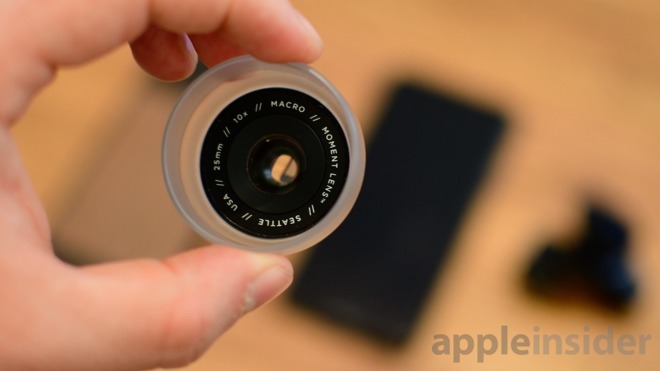
Eager iPhone X owners will receive a total of three lenses with the Olloclip box set, including a super-wide angle lens, a 15x macro lens, and an all-encompassing fisheye. The macro lens actually resides behind the fisheye lens, which needs to be unscrewed before use.
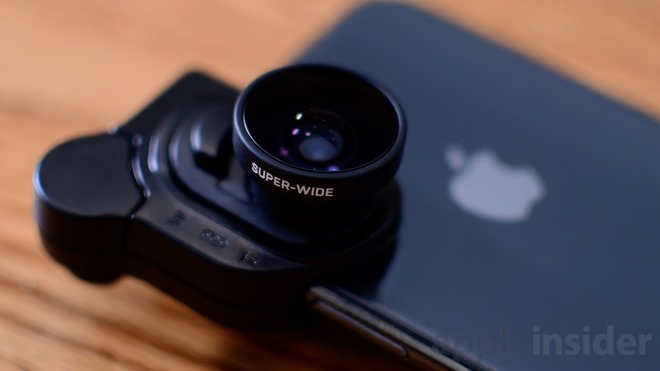
Each of the two primary lenses – the wide angle and fisheye – are attached to a removable plate that fits into the mounting clip. This clip is used to go over the top-right corner of the iPhone X, covering the camera module along the back, as well as the True Depth camera system up front.
Each individual lens can be used in one of three ways. It can be used on the rear wide-angle lens, on the rear telelens, and on the front-facing selfie camera. Between three different lenses and three different orientations, it can be quite difficult to keep straight.
After using the Olloclip lenses on our iPhone X for a while, we noticed a few issues with the design. For starters, the shape of the mounting clip can be a bit confusing to align correctly. There is, in fact, a “front” and a “back” though they can be nearly indistinguishable when trying to quickly put into place. Additionally, a few times we thought it was in place, though it actually wasn’t. We tried to grab the lens and it slipped off. Considering the Olloclip lenses don’t work with a case, it is scary that we nearly dropped our device doing this. Clearly it is good practice to not grab the lens at all, but even more so if it isn’t locked in place.
A bigger issue though is when attached, Face ID is unable to function. As we mentioned, when in place, the mounting clip will cover the True Depth camera system in near totality. It is necessary when actually using the lens on the front facing camera, but when trying to unlock your phone, it is impossible. It got quite frustrating in our use not being able to get into our phones with the ease we’ve been accustomed to.
Build quality
We’ve used many Olloclip lenses over the years, and the build quality here is consistent with what we’ve come to expect from the brand. It fits squarely in the middle between the more premium offers and the dirt-cheap junk found in bulk on Amazon.
The lenses themselves are made out of a lightweight metal and glass, though they get affixed to a plastic mount. This plastic mounting clip is the weakest-feeling portion of the whole kit, and the way it expands to clip onto the keychain or the phone feels a bit sloppy. We do worry about this holding up over time, but luckily this would be the easiest (and cheapest) to replace if need be.
Photo quality
Any mobile lens needs to be able to shoot some pretty stellar photos to warrant their inclusion in our pocket. After shooting dozens and dozens of photos, we were solidly happy with two out of the three lenses.
Of the three, the macro was the one we used least, but it yielded some really impressive photos. We shot quite a few images that really stood out to us and were crystal clear. Olloclip’s macro lens is also 15x which is a bit more magnification than we typically see.
Most people will get spend the majority of time shooting on the super-wide angle lens. It is by far the most practical lens of the three, fitting into most situations. It can make the wide-angle lens even wider, or it can help the 2x tele lens fit more into frame. Not only does the wide angle let you get more coverage, it does so with very little distortion.
When we come to the fisheye lens, it certainly had the instantly recognizable curvature you’d expect. However, it adds some crazy clipping/vignetting on each of the corners. To use one of these images, it would need to be cropped quite substantially or used with blacked out areas.
Premium options
Olloclip is hands-down preferred over the bulk of mobile lenses out there. It is portable, fits exactly over the camera housing, and has many options between the multiple lenses and orientations.
It isn’t, however, the most premium lens system in town. Our two favorites hail from Moment and Sandmarc. Both of these manufacturers produce high quality, premium lenses that cost significantly more than Olloclip.
Fortunately, Olloclip has other benefits instead of just price. The integrated and portable package is much easier to carrier around, and no extra case is required to use. Moment and Sandmarc require a specially made case to attach the lenses the phone.
Without a doubt Moment and Sandmarc put out superior glass, but most people won’t have the need for such high-end lenses. With lenses, you can often get 90 percent of the way there for a fraction of the price. But to go from where Olloclip is, to the last 10 percent, takes a lot more time, effort, and money to do correctly.
To get 90 percent of the way for 1/3 the price, seems like a fair trade-offf.
Get shooting
Olloclip is a decent package for any photographer, experienced or novice, who wants to shoot better photos on their phone. Compared to others, there is a lot to take in. A portable keychain, multiple lenses, several orientations.
Photo quality was more than sufficient, letting us get a lot of great shots without much fuss. Adding a wide-angle lens to your mobile arsenal is a great move whether shooting landscapes, indoors, or taking selfies with a group.
There are certainly downsides such as Face ID being blocked, the questionable long-term integrity of the clip, and awkward mount design, but that can all be largely overlooked in the short term for the practicality and usefulness of these lenses.
If Face ID’s occlusion isn’t a deal-breaker for you, then the Olloclip for iPhone X gets a
Rating 3.5 out of 5
Where to buy
Those interested can pick up each individual lens by themselves, or as a whole set. Both the fisheye/macro lens and the super-wide angle can be had for $59.99 each, or the whole box set can be found for $99.99 either on Amazon, or direct from Olloclip.
Does Battle Royale have a long-term future on mobile?
By Collin MacGregor29 Jun 2018
The video game industry is constantly chasing the hottest and most lucrative trends. From military shooters to virtual reality, there is always a new concept asserting its dominance – this is as true for consoles and PC as it is mobile, although our app stores have yet to shake from the over-arching grip of Free-to-Play.
It’s hard to ignore the battle royale genre’s hold on the wider gaming scene as massive franchises attempt to be the next multiplayer hit. The mobile market is also chasing this latest craze: a boon of battle royale games that range in quality and name recognition have cropped up over the past few months. But despite the massive popularity of this genre, one has to wonder if this is just a fad or is this multiplayer-focused experience destined to become a mobile staple?
King of the Fort
The current king of this genre is Epic Games’ smash hit, Fortnite. What separates this one from other BR games is a unique building mechanic that allows players to rapidly assemble cover, structures, and traps. This elevates firefights and allows for a player’s creativity to shine through. Unlike other titles such as PlayerUnknown’s Battlegrounds (PUBG), Fortnite thrives on its speed and accessibility, something that causes the mobile port to suffer more compared to the PC/console iteration.
This isn’t to say that the mobile version of Fortnite is unplayable or even bad – it’s actually quite fun – but this iteration is absent a sense of momentum. Since playing on a phone lacks the fluidity of a controller or keyboard, many engagements are supremely awkward. Instead of seeing who can quickly construct cover and outmanoeuvre their opponents, players often just use the environment to block incoming bullets. Even with the auto-build function, it takes a lot of practice to learn how to quickly produce anything outside of a basic wall or ramp.
What you’re left with is an odd version of Fortnite that closely resembles the PC version but lacks the kinetic energy that helped it climb to the top of the charts in the first place. Shooting others is still satisfying and the large arsenal of weapons always keep battles feeling fresh. There is still a plethora of unique gadgets that shake up combat and Epic has done a great job with keeping the mobile version updated with the latest changes. However, due to the limitations of playing on a phone or tablet, Fortnite simply cannot deliver the same quality gameplay on a mobile device.
Player Unknown
In contrast, PUBG’s mobile version fairs far better due to the title’s core pacing and mechanics. Gameplay in this title has always been much slower (A legacy of its heritage as an ArmA mod, perhaps -ED), with most matches encouraging methodical approaches to gunfights. Taking your time to line up the perfect shot or reposition into cover is par for the course. This allows PUBG‘s mobile design to flourish since these principles work perfectly with this version’s condensed control scheme.
Even though both mobile versions of these hit multiplayer titles have issues, they prove that the battle royale genre is perfect for this platform. Like the best mobile titles, both games offer quick, entertaining sessions that still possess challenge. There are no time gates or any of the usual cynical trappings of mobile free-to-play. The formula of forcing 100 players into a shrinking safe area still crafts memorable moments that very few mobile titles can replicate.
Regardless of what sacrifices these titles have had to make during their transition, the core foundation is still solid. These are complete games and it’s remarkable how little was lost during their transition to mobile. Because of this, players can continue to grow and flesh out their understanding of the mechanics. For people like myself who are coming from PC, it’s great to take my previous experiences and apply them in-game.
Royale with Cheese
This transition from PC to mobile is a double-edged sword. While bringing Fortnite to phones offers a ton of positives, it’s important to remember that this title was not designed for handheld devices. There’s a lot to keep track of, which can severely hinder the controls. The UIs for PUBG and Fortnite are quite cluttered due to the myriad of mechanics that users need to keep track of.
Mundane tasks such as sprinting, crouching, or jumping are relegated to button prompts or specific commands. This not only floods the screen with icons but can create an awkward experience for those with bigger fingers. Nothing is more disheartening than having your perfect sniper position given away because you accidentally grazed the fire button. Yes, it’s possible to customize the screen, but that only mitigates the poor UI instead of fixing it.
But battle royale games never-the-less posses a very compelling gameplay loop that’s easy to learn, but hard to master: drop into a location, scramble for loot, and try to claw your way to the top Being able to pick up Fortnite or PUBG and play a quick round on the go is what will give this genre its’ sustainability. There are no bases to manage or mechanics one has to worry about when the game is closed. Even when this latest craze has died down on PC, I predict the mobile versions will continue to thrive.
Riddled Corpses EX is a twin-stick shooter made in the style of 8/16 bit arcade games. Travel through diverse locations packed with danger and huge bosses. Choose your character wisely and make good use of their abilities and the special items to progress and destroy the root of evil. [Xbox.com]
Your favorite marsupial, Crash Bandicoot, is back! He's enhanced, entranced & ready-to-dance with the N. Sane Trilogy game collection. Now you can experience Crash Bandicoot like never before in Fur-K. Spin, jump, wump and repeat as you take on the epic challenges and adventures through the three games that started it all, Crash Bandicoot, Crash Bandicoot 2: Cortex Strikes Back and Crash Bandicoot: Warped. Relive all your favorite Crash moments in their fully-remastered HD graphical glory and get ready to put some UMPH in your WUMP!
Using VR audio to bring a sense of scale to pint-sized puzzler Moss
Polyarc’s virtual reality puzzler Moss has been turning heads for all the right reasons.
For starters, its a game centered around an adorable swashbuckling mouse (how can’t you fall in love with that?), and it also happens to be a rich, engrossing virtual reality experience that avoids familiar pitfalls such as finicky controls and sickness-inducing scenes.
The acclaimed title won over critics by deftly combining 1st and 3rd person gameplay to create a unique puzzle platforming experience that’s more engrossing than a game about a buccaneering marsupial has any right to be.
While it’s been pulling in the plaudits for a number of reasons, particular praise has been heaped upon the title’s clever use of three-dimensional sound alongside a captivating score, which both serve to drive the game’s narrative and imbue proceedings with a palpable sense of scale.
Intrigued by how the Polyarc team achieved such a feat, we caught up with the studio’s audio director Stephen Hodde and the game’s composer Jason Graves to find out how they breathed life into the virtual world Moss calls home.
Gamasutra: Did you have any expectations about how VR composition and audio would work before you started, and how did they stack up to the real thing?
Stephen Hodde: I had an expectation that VR development was going to be vastly different from conventional games. And it is, to a degree, but it’s an additional layer of consideration, not a fundamental re-ordering of priorities. Whereas non-VR game audio is a mix between interactive and film conventions, VR sometimes requires audio to work more like hearing does in the real world.
I’m curious to how the shift to VR affected your creative process? Did it force you to rethink or tweak your general approach?
Stephen Hodde: Maybe it was just switching to a new medium, but there were fewer assumptions and foregone conclusions about “the right way to do things,” if that’s even real. I surveyed a handful of VR developers that I respect and there were a wide range of opinions regarding best practices, with no apparent consensus. So I adopted a mindset that I don’t know what the “right way” is, and that predisposed me to thinking about problems with the game’s needs and player experience over convention. I suppose this is not a uniquely VR state of mind.
Jason Graves: For me, Moss is actually the fourth VR game I’ve worked on. The first one in particular, Farlands, had a binaural mix for the entire score. That is, the music was composed and implemented into the game to sound 3D and spatial – coming from a set of points inside the VR world.
For this particular game, the fact that it was in VR didn’t have a whole lot of influence on the music. We all agreed from the beginning the music needed to have a more traditional role and not call too much attention to itself. The audio director, Stephen Hodde, and I worked hard to integrate the music as seamlessly as possible. We wanted it to feel like it was part of the story.
Moss isn’t a conventional VR effort in that it blends third and first-person gameplay. Was that something you had to consider when working on the score and audio?
Stephen Hodde: Absolutely. This blend manifested in the choice of perspective and scale of the sounds. I found that the more I shifted the sound to reflect how Quill might experience it, the more I understood the stakes of the narrative and wanted to keep her safe from danger. Practically, this moved the scale of all sounds larger relative to their geometric size and they took on an emotional tone that reflected Quill’s emotional state along the journey.
Jason Graves: Most definitely. I loved the whole 1st/3rd player combination for Moss. That decision was made primarily so the player could feel a connection to Quill, Moss’ tiny mouse protagonist. It was important that she saw you as a character in the game and the music needed to emphasize that emotional connection.
“I adopted a mindset that I don’t know what the ‘right way’ is, and that predisposed me to thinking about problems with the game’s needs and player experience over convention.”
What was the biggest VR-related technical challenge you encountered during development?
Stephen Hodde: There is a lot of promising technology for audio that is designed to mimic hearing. Binaural rendering is perhaps the most widely talked about technology. It performs processing on sound to model how the head changes sound when it passes over your face and into your ear canal, which the brain interprets and produces more exact directionality. You’ve probably heard now of head-related transfer functions (HRTF) on a per-object basis, and some binaural technologies emulate Interaural Time Difference (ITD) or time of arrival delay between ears. Oculus, Sony, and Valve are all doing some truly amazing things in this arena.
The challenge comes when attempting to use this technology as an effect, sparingly, and as transparently as possible. It’s not always easy using this technology side-by-side with more traditional methods of spatialization, from a user experience perspective.
Moss is not a game that requires a lot of pinpoint accuracy when judging the origin location of a sound. However, it does require a lot of emotional, full, bright sound for its transportive effect. The processing required to make sounds more accurate (i.e. HRTF) and the pursuit of transparency are ideals totally at odds with each other. If there is some amount of real-time binaural processing to the audio signal that occurs, sometimes an essential quality of the sound is lost. So there’s a tension and a choice for each sound; how directional should it be versus how open and free of intervention. In this way, some of the old-fashioned spatialization methods are actually preferable to newer technology.
What did you set out to achieve when you started out, and how did you know when you’d finally got there? Did the score/audio evolve much throughout the process?
Stephen Hodde: The goal was to support the story, so we started out with a simple emotional arc that mapped to each section of the gameplay. In some instances the music helped inform emotional tone of the game, and so the team at Polyarc was listening to Jason’s work and responding to it by changing game content. There was a lot of effort to provide Jason with as much context as possible: screenshots, video captures, scripts, world building documents, concept art, and so on.
We talked a lot at the beginning about balancing feelings of intimacy, that it’s simultaneously small and large feeling, and what that might sound like from an orchestration perspective. And then Jason just went with it. He’s such a pro and sort of a magic antenna of creativity, that he nailed it every time. If something didn’t fit like a glove, it could always be moved around to someplace else. In the end we used 100% of the music he wrote.
“Finally getting there” was about monitoring our own reactions and getting feedback from the studio and players. For me this is mostly instinct-driven.
Jason Graves: My musical goal was the same as the developer’s goal — to make a game that would create an emotional bond between the player and Quill. The music was slightly different in the beginning but in general the scope and sound of the score remained the same.
“It’s really fun to feel like you’re on the front lines of a new medium, and it can be accompanied by a sense that there’s no clear way forward, which can be liberating.”
What tools and tech did you rely on? Did you have to bring some new toys into the studio to support your efforts in VR?
Stephen Hodde: We used Unreal Engine 4 and Wwise, along with Sony’s spatialization technology on PSVR. The mix you hear is predominantly 3rd order ambisonic.
One of my favorite sounds was Quill’s heartbeat when she’s injured, which I captured using a fetal doppler monitor. That classic sonogram heartbeat sound is an inherently empathy-and protection-inducing sound.
Jason Graves: The score for Moss was implemented in a traditionally interactive way so there was nothing new in terms of technology composing for VR. But I was able to dust off some of my favorite instruments! Many of them I’ve had for some time, thinking someday I would get the chance to use them on a project. Ukulele, hammered dulcimer and Celtic harp all came out to play for the first time, along with my accordion, acoustic guitar and percussive toys. I had the idea to use instruments that were small in size and sound to relate to Quill, especially since you experience how tiny she is in VR — she really is mouse-sized compared to you!
When it comes to audio specifically, are there any distinct pros and cons to working within the realm of VR? And do you have any advice for other budding soundsmiths who might be looking to dip their toes into the virtual reality waters?
Stephen Hodde: Don’t let VR intimidate you. The tools have come a long way and working in Unreal Engine is quite fun and easy. Your skills will absolutely translate over. Think of it like a new game, so approach it as you would any new project and ask what it needs. It’s really fun to feel like you’re on the front lines of a new medium, and it can be accompanied by a sense that there’s no clear way forward, which can be liberating. You’re not tied down to the choices of other games.
E3 2018: Saving the Universe in the Wildly Ambitious Beyond Good & Evil 2
Rumored for years but finally confirmed at E3 2017, Ubisoft’s space pirate opera Beyond Good & Evil 2 has long been atop gamer wish lists. And for good reason: the 2003 original was an instant cult classic, earning several Game of the Year awards on the strength of its incredible storytelling and memorable characters. Players patiently waited for news of its follow-up – Beyond Good & Evil was initially planned as a trilogy – but for well over a decade, a sequel existed only in the minds of passionate fans.
Based on a guided demo at E3 2018, however, we can confirm that Beyond Good & Evil 2 is not only real, it’s one of the most ambitious video games ever conceived. Directed by design guru Michel Ancel, the massive action-adventure gives players a virtual universe to explore, blending together several game genres to create something wholly new.
The game is set in System 3, a galaxy populated by humans and human-animal hybrids. Dominant megacorporations have a vested interest in using the hybrids as slave labor. As a pirate, your character chooses to fight back against this oppressive regime by tracking down a mysterious artifact called the Moksha Gate, which, according to legend, will help the hybrids attain freedom.
Starting out in the bustling Ganesha City on the planet Soma, the demo highlighted Beyond Good & Evil 2’s co-operative play (it can also be played solo) as two space pirates infiltrated a temple to stop a crew of evil mercenaries experimenting on a hybrid monkey. Every player will wield a gun, sword, shield, and jetpack to zip around the battlefield, using special abilities to slow down time, repulse, or outright paralyze opponents. Players can also use a spyglass to gather intel about enemy augments, class, and even their job proficiency. Need a mechanic to help repair your pirate spaceship? Use your spyglass to hunt for potential recruits.
A short battle later and our heroes had freed the hybrid monkey, hopped onto vehicles – a spaceship and a flying motorcycle – and zoomed away to explore the wide-open space of Ganesha City. The enormous metropolis is a vertical playground, buildings soaring to the sky as spaceships, hoverbikes, and jetpacking citizens go about their daily business.
We fly by some people painting a huge mural of Ganesh, but that art may change based on the community’s contributions. Through a partnership with Joseph Gordon-Levitt’s hitRecord crowdsourcing platform, Ubisoft will let players help build out the world by submitting art and music ideas.
As one character admired the mural, the other was off dogfighting with the local police. Players can customize every aspect of their ships, tinkering with gear, modules, cosmetics, cabins, wings, energy, weapons, decals and more. We quickly learned that the slick, nimble fighters were just appetizers, however, when the heroes flew up and out of Ganesha City entirely, breaking through its atmosphere to enter orbit and rendezvous with the player’s substantially larger pirate mothership.
Donning a spacesuit, one character exited his ship to float around in space. Scanning Soma with the spyglass at this distance yielded more generalized information about the planet’s resources and politics. Looking away from Ganesha City, we spotted a giant, mysterious geoglyph on a different continent. Zooming out further hammered home the sheer size of Soma – all of it explorable – but it gets even bigger. System 3 contains several planets, each with its own cities and glyphs and mountains and deserts.
And astoundingly, it’s all one seamless world. From the bowels of the temple to the outer reaches out of the galaxy, Beyond Good & Evil 2’s world is an unbroken, connected play space. We never saw a load screen during our demo.
Of course, incomprehensible size only matters if it contains meaning, and Ubisoft is slyly keeping Beyond Good & Evil 2’s more granular details under wraps. How do we recruit crewmembers? How much is there to do on each planet? What exactly happened to former protagonist Jade? How big is it, really? We’ll doubtlessly learn more about this enthralling, interstellar adventure in the coming months.
Johnny Turbo Brings Two Crude Dudes To Nintendo Switch Next Week
Data East fans rejoice because Flying Tiger is bringing yet another unmissable classic to Nintendo Switch – 1991’s Two Crude Dudes! It’s coming to the eShop next week on 5th July in North America, although retro fans in Europe will have to wait a little longer for a solid release date.
Know as Crude Buster in Japan, this spiritual apocalyptic sequel to Bad Dudes is equal parts beat-’em-up and grab-’em-up, with neither enemies or the environment safe from a good grapple. And if all else fails, just grab the other player and use him as a impromptu throwing weapon. If you were lucky you might have stumbled onto the excellent Sega Mega Drive conversion back in 1992.
This Johnny Turbo release will set you back $6.99. Will you be grabbing these dudes next week?
Nintendo Says Switch User Playtime Is Split 50-50 Between Docked And Handheld
Whether you’re a fan of playing games on the big screen or someone who’s always loved playing handheld games on the go, the Switch can be there to satisfy your every need. We’re sure that you all have your own preferences when it comes to which mode you play in, but how does the Switch user community play in general?
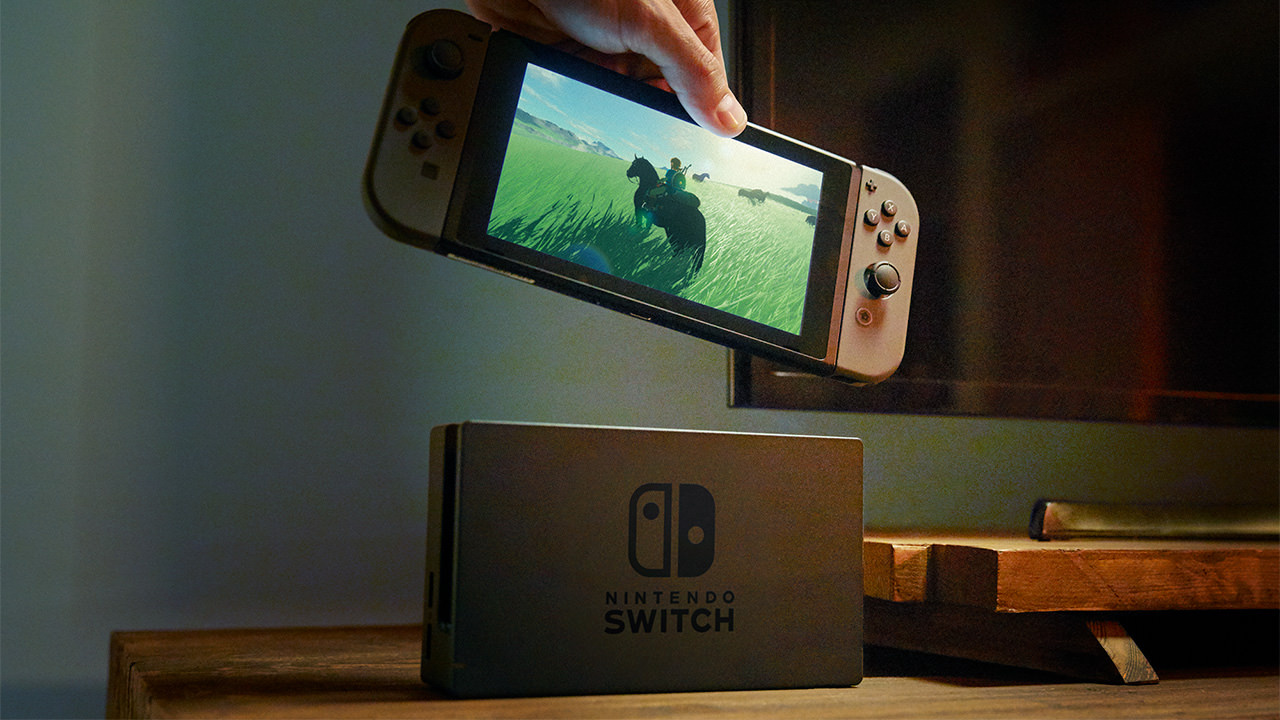
Believe it or not, it’s pretty much 50-50. Speaking to Ars Technica, Nintendo Senior Vice President for Sales and Marketing Doug Bowser said that the split is “about even – about 50 percent in the dock and 50 percent away from the dock.” Of course, the Switch has always been marketed as a gaming console that can do both, and with this message seemingly being confirmed by players, it’s clear that Nintendo has developed a clear understanding of what fans want from the console.
It’s worth noting that the undocked time Bowser refers to encompasses both handheld and tabletop modes, as Nintendo doesn’t currently monitor which of the two undocked options a player uses at any given time.
He also went on to explain how this data has been collected, suggesting that the information Nintendo receives is invaluable to the company’s planning and marketing.
“One of the nice things we’ve seen with the Switch is we’re able to read more telemetry data in how players are engaging with the content. We get that when they connect, if they have a Nintendo account we have the ability to understand how they’re engaging with the device… From a positioning standpoint, we can look at various titles and how they’re being played. That allows us to think about various ways with digital marketing and some of our videos to know how to position them.”
Nintendo seems to have hit the nail on the proverbial head with Switch; if this data showed that players used their console overwhelmingly one way or the other, an argument could have been made suggesting that Nintendo should have just made a dedicated platform to that particular playstyle. As it happens, fans are using the console exactly as expected, and the dual playstyle nature seems to have worked a treat.
You know what we’re about to ask now – which way do you play? Docked, or portable? Let us know with a comment below.