[www.indiegala.com] Certain desires are meant to be private...that's why we brought you exactly what you were looking for to fulfill those certain needs. Don't worry, we'll keep it a secret...
Embark on a new adventure for fortune, glory and power. Baldur's Gate: Dark Alliance II, the sequel to Baldur's Gate: Dark Alliance starts you off on a road full of danger and magic. Face a seemingly endless army of sinister enemies in over 80 levels of finger-numbing action. Master skills, spells and deadly weapons while traveling through spectacular environments. Customize your character and forge your own weapons. It's up to you to rid the lands of evil by yourself or with a friend.
Madden 23 Finally Has An Answer For Scrambling, Deep-Ball QBs, Says Producer
When Madden 23 launches this month, it will come, as always, with several much-touted new features, such as an on-the-field overhaul, collectively called Fieldsense, as well as new wrinkles to the game's Franchise mode, Face of the Franchise mode, and more. With just days to go before launch and a day-zero patch now made public, Madden gameplay producer Clint Oldenburg says the major takeaway from the beta is that the always-vocal Madden fanbase is in lockstep with EA Tiburon when it comes to what this year's game should look, play, and feel like.
"The two most active pieces of feedback from the beta were, 'don't significantly change gameplay for launch' and 'please don't nerf the pass coverage,'" Oldenburg told GameSpot. "And we were really excited to get that feedback, because not only did we spend a lot of time working on pass coverage to bring more balance to the deep-passing game, we also brought an increase in pass rush." The fact that players' biggest request so far has essentially been "if it ain't broken, don't fix it," bodes well for launch, Oldenburg believes.
Madden 23 is focused greatly on "bringing more balance to the defensive side of the ball," Oldenburg said, and the beta helped greatly in finding the right balance between giving players more influence on defense while still holding true to the league Madden mimics--one that is now pass-happier and higher-scoring than ever before.
Challenge: How to design a regular expression pattern that matches whitespace characters such as the empty space ' ' and the tabular character '\t', but not the newline character '\n'?
An example of this would be to replace all whitespaces (except newlines) between a space-delimited file with commas to obtain a CSV.
Method 1: Use Character Class
The character class pattern [ \t] matches one empty space ' ' or a tabular character '\t', but not a newline character. If you want to match an arbitrary number of empty spaces except for newlines, append the plus quantifier to the pattern like so: [ \t]+.
Here’s an example where you replace all separating whitespace (except newline) with a comma to receive a CSV formatted output:
import re txt = 'a \t b c\nd e f'

csv_txt = re.sub('[ \t]+', ',', txt)

print(csv_txt)
Output:
a,b,c

d,e,f
Why the space in the pattern [ \t]?
The reason there’s a space in the pattern is to match the empty space. The character class essentially is an OR relationship, i.e., one item within the character class is matched. For the given pattern, it matches either the empty space ' ' or the tabular character '\t'.
Method 2: Match Individual Different Whitespace Characters
The previous method only matches the horizontal tab (U+0009) and breaking space (U+0020) characters. If you want more fine-grained control about which whitespace characters to match and which not, you can use the following baseline approach.
The following list of Unicode whitespace characters UNICODE_WHITESPACES contains all major whitespace variants you may want to check your string for. You can generate a character class using the string expression '[' + ''.join(UNICODE_WHITESPACES) + ']'.
Here’s a variant that finds all matches of whitespace characters in a given text:
import re UNICODE_WHITESPACES = [ "\u0009", # character tabulation "\u000a", # line feed "\u000b", # line tabulation "\u000c", # form feed "\u000d", # carriage return "\u0020", # space "\u0085", # next line "\u00a0", # no-break space "\u1680", # ogham space mark "\u2000", # en quad "\u2001", # em quad "\u2002", # en space "\u2003", # em space "\u2004", # three-per-em space "\u2005", # four-per-em space "\u2006", # six-per-em space "\u2007", # figure space "\u2008", # punctuation space "\u2009", # thin space "\u200A", # hair space "\u2028", # line separator "\u2029", # paragraph separator "\u202f", # narrow no-break space "\u205f", # medium mathematical space "\u3000", # ideographic space

] txt = ' \t\n\r'

pattern = '[' + ''.join(UNICODE_WHITESPACES) + ']'

matches = re.findall(pattern, txt)

print(matches)

# [' ', '\t', '\n', '\r']
Of course, you can restrict this to only contain whitespaces that are not newline-related.
Method 3: Match Individual Different Whitespaces Except Newlines
The following code snippet uses the UNICODE_WHITESPACES constant but comments out the newline whitespaces so that newline-related characters such as '\n' and '\r' are not matched anymore!
import re UNICODE_WHITESPACES = [ "\u0009", # character tabulation # "\u000a", # line feed "\u000b", # line tabulation "\u000c", # form feed # "\u000d", # carriage return "\u0020", # space # "\u0085", # next line "\u00a0", # no-break space "\u1680", # ogham space mark "\u2000", # en quad "\u2001", # em quad "\u2002", # en space "\u2003", # em space "\u2004", # three-per-em space "\u2005", # four-per-em space "\u2006", # six-per-em space "\u2007", # figure space "\u2008", # punctuation space "\u2009", # thin space "\u200A", # hair space # "\u2028", # line separator # "\u2029", # paragraph separator "\u202f", # narrow no-break space "\u205f", # medium mathematical space "\u3000", # ideographic space

] txt = ' \t\n\r'

pattern = '[' + ''.join(UNICODE_WHITESPACES) + ']'

matches = re.findall(pattern, txt)

print(matches)

# [' ', '\t']
Of course, you can comment out the individual whitespace Unicode characters you don’t want to match as required by your own application.
We are welcoming everyone to join our discord[discord.gg]. We are more active there on finding giveaways, small or large, and there are daily raffles you can participate.
Lost, alone and separated from family, a stray cat must untangle an ancient mystery to escape a long-forgotten cybercity and find the way home. Stray is a third-person cat adventure game set amidst the detailed neon-lit alleys of a decaying cybercity and the murky environments of its seedy underbelly. See the world through the eyes of a stray and interact with the environment in playful ways. Stray is developed by BlueTwelve Studio, a small team from south of France mostly made of cats and a handful of humans.
Road House Reboot With Jake Gyllenhaal Heading To Amazon
Amazon Prime Video has announced that Academy Award-nominated actor Jake Gyllenhaal is set to star in Road House, a reimagined take on the 1989 Patrick Swayze classic. Doug Liman (The Bourne Identity, Mr. and Mrs. Smith) directs with the script written by Anthony Bagarozzi (The Nice Guys) and Charles Mondry.
"Road House is a homerun for us," said Jennifer Salke, head of Amazon Studios via press release. "Not only is it a nod to fans of the original, but it is also a big, fun, broad audience movie. We are thrilled to collaborate with Joel, Doug, and this great cast led by Jake Gyllenhaal, and for them to come together to reimagine the classic MGM film as an action-packed adventure for our global audience."
In one of the most iconic action roles of the 1980s, Road House starred Patrick Swayze as Dalton, a mysterious martial arts expert and bouncer, who is hired to clean up a nightclub down in Missouri. In this revamp, Gyllenhaal will play a former UFC fighter who takes a job as a bouncer at a roadhouse in the Florida Keys.
In this article, you’ll learn how to configure and display a progress bar.
A progress bar is commonly used in Python or, for that matter, any other programming language to show the user an application’s progress. For example, an installation, a transferring of files, or any other commands.
The Finxter Academy recommends implementing this to visually display to the user what is happening behind the scenes.
Question: How would we write code to display a progress bar?
We can accomplish this task by one of the following options:
This method imports the time and sys libraries combined with a for loop to display a custom progress bar output on a single line.
from time import sleep

import sys for x in range(0,21): sys.stdout.write('\r') sys.stdout.write("[%-20s] %d%%" % (''*x, 5*x)) sys.stdout.flush() sleep(0.75)
Above imports, the time library to call the sleep command and the syslibrary to write the contents to the terminal.
Next, a for loop is instantiated. This loop uses the range function to set the start position (0 by default) and the stop position (21-1). Inside this loop, the following occurs:
The first line uses a carriage return (\r) to start the code on a new line.
The following line determines how the progress bar appears by:
Left-aligning the emoji(s) inside the square brackets [%-20s].
Configuring the progress percentage %d%%" % (example 15%).
Determining the visual emoji progress ('😁'*x, 5*x).
Then sys.stdout.flush() writes everything in the buffer to the terminal.
The code pauses for the stated period (0.75).
The loop continues until 100% has been attained. Below is the end result.
[] 100%
Note: Any emoji or another symbol can be substituted for the above selection.
Method 2: Use apytl Library
This method imports the time and apytl libraries to generate a custom progress bar.
To run this code error-free, install the required library. Click here for installation instructions.
import time

import apytl total_iterations = 10 for index, value in enumerate(range(total_iterations)): apytl.Bar().drawbar(value, total_iterations, fill='*') time.sleep(0.75)
Above imports the time library to call the sleep command and the apytl library to display the progress bar.
Next, the total number of iterations to carry out is declared as 10 and saved to total_iterations.
To understand what is going on in the for loop, let’s write some test code to see what the values of index, value and total_iterations are doing:
total_iterations = 10 for index, value in enumerate(range(total_iterations)): print(index, value, total_iterations)
As you can see from the output, the index and value variables count from 0 (range default start position) to the stop position of 9 (10-1). Notice the value of total_iterations does not change.
The alive-progress library moves progress bars to the next level! With its many display options, it’s a must-a-try!
To run this code error-free, install the required library. Click here for installation instructions.
from alive_progress import alive_bar

from time import sleep for x in range(10): with alive_bar(x, bar='solid') as bar: for i in range(x): sleep(.001) bar()
Above imports the alive-progress library to use the progress bar and the time library to call the sleep command.
Next, a for loop is instantiated. This loop uses the range function to set the stop position at 9 (10-1). Inside this loop, the following occurs:
The alive_bar is called and passed the argument x and the bar type. For this example, solid was selected.
A new for loop is instantiated and loops through range passing x as an argument.
The code halts (sleep) for the stated period (.001).
The bar is output to the terminal each iteration.
The loop continues until 100% has been attained.
<■■■■■■■■■■■■■■■■■■■■■■■■■■■■■■■■> 0 in 0.0s (0.00/s) <■■■■■■■■■■■■■■■■■■■■■■■■■■■■■■■■> 1/1 [100%] in 0.0s (333.28/s) <■■■■■■■■■■■■■■■■■■■■■■■■■■■■■■■■> 2/2 [100%] in 0.0s (62.48/s) <■■■■■■■■■■■■■■■■■■■■■■■■■■■■■■■■> 3/3 [100%] in 0.0s (63.96/s) <■■■■■■■■■■■■■■■■■■■■■■■■■■■■■■■■> 4/4 [100%] in 0.1s (62.39/s) <■■■■■■■■■■■■■■■■■■■■■■■■■■■■■■■■> 5/5 [100%] in 0.1s (63.32/s) <■■■■■■■■■■■■■■■■■■■■■■■■■■■■■■■■> 6/6 [100%] in 0.1s (64.84/s) <■■■■■■■■■■■■■■■■■■■■■■■■■■■■■■■■> 7/7 [100%] in 0.1s (63.79/s) <■■■■■■■■■■■■■■■■■■■■■■■■■■■■■■■■> 8/8 [100%] in 0.1s (63.53/s) <■■■■■■■■■■■■■■■■■■■■■■■■■■■■■■■■> 9/9 [100%] in 0.1s (64.09/s)
Note: To view a list of all available progress bars, click here.
Method 4: Use tqdm
A simple yet elegant progress bar, tqdm is a must-see!
To run this code error-free, install the required library. Clickhere for installation instructions.
from tqdm import tqdm

from time import sleep for i in tqdm(range(100)): sleep(0.02)
Above imports the tqdm library for the progress bar and the time library to call the sleep() command.
Next, a for loop is instantiated. This loop uses the tqdm library with the range function to set the stop position at 99 (100-1). Inside this loop, the following occurs:
The progress bar displays on one line. Each iteration increases the progress by a percentage.
Method 5: Use progress Library
This method uses the progress library to display a progress bar. This library has many fun options to select from.
To run this code error-free, install the required library. Clickhere for installation instructions.
from time import sleep

from progress.spinner import MoonSpinner with MoonSpinner('Processing…') as bar: for i in range(100): sleep(0.02) bar.next()
Above imports the time library to call the sleep command and theprogress library to display a progress bar, specifically the MoonSpinner.
The following code displays the word Processing... at the terminal, and the MoonSpinner rotates, sleeps, and continues until the value of the range stop position (100-1) is attained.
Processing…◑
Note: Spend some time on this library page to test the different types of progress bars.
Summary
There is so much more to Python Progress Bars than was covered in this article. May we suggest you take time to delve into each method outlined above to determine the best one for your requirements.
Happy Coding!
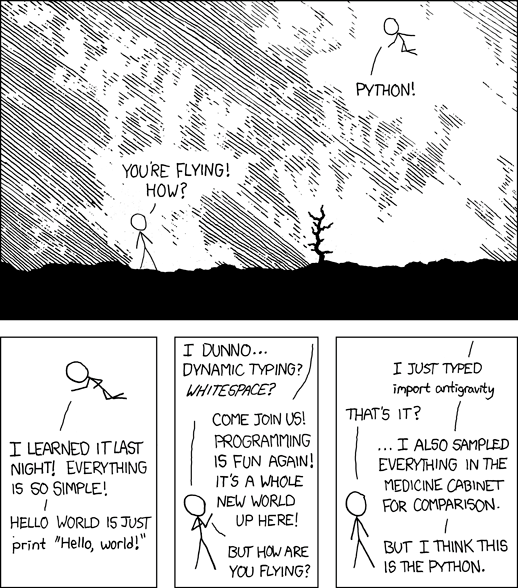
Programming Humor – Python
“I wrote 20 short programs in Python yesterday. It was wonderful. Perl, I’m leaving you.” — xkcd
Calling all daredevil drivers and creators! Blast off to the visually stunning, exhilarating new Horizon Hot Wheels Park in the clouds high above Mexico.
Experience the fastest, most extreme tracks ever devised. Design, build, and share your own Hot Wheels adventure with 80 distinct, snappable track pieces. Race 10 amazing new cars including the lightning fast 2021 Hennessey Venom F5 and the iconic 2000 Hot Wheels Deora II.



 Challenge: How to design a regular expression pattern that matches whitespace characters such as the empty space
  Learn More:

 Note: Any emoji or another symbol can be substituted for the above selection.