Review: Space Invaders Forever – One Great Game Does Not A Great Package Make
It’s probably a contentious thought, but does Space Invaders really need to keep coming back? We get it, the game was important. Is it fun to play Space Invaders in the year of our lord 2020? God, no. Not in the slightest. The game, in anything close to its original form, simply doesn’t hold up. But taking a 1978 game to task for being dated is just daft. Taking a compilation of Space Invaders-adjacent games to task for being utterly redundant, though? That’s our pleasure and privilege.
See, this is like the kid brother of expansive compilation Space Invaders: The Invincible Collection, packing a mere three games to the full set’s nine. A third of the games. To give Space Invaders Forever due credit, they probably chose the most interesting titles for this digest, but unfortunately that isn’t saying much given what’s on offer. As we said, Space Invaders simply isn’t that interesting of a game, and it’s only really been overhauled into something interesting a handful of times. Space Invader ’95: Attack of the Lunar Loonies springs to mind, uncollected since Taito Legends 2 and sorely absent both here and in the Invincible Collection. So what do we have here?
Not a whole lot, as it turns out. Space Invaders Gigamax 4 SE is a multiplayer take on the game that offers, quite simply, a much wider playing field, but is otherwise as dull as the original offering. Unfortunately, zero entertainment value multiplied by any number of players still equals zero. The sheer width of the thing does, we suppose, make for a brief initial burst of novelty value. There are a couple of further rounds that seem like they’re going to be more interesting, but then you and your friends will realise you’re all going to be playing the slow, laborious Space Invaders anyway, and it’s immediately swept aside in favour of crushing ennui. Get Cake Bash back on, will you, mate?
You’ve also got the somewhat superior Arkanoid vs Space Invaders on offer here, and it does deliver at least a frisson of excitement. Turning the Switch on its side, you use your finger to play, not unlike a comical giant portable telephone from the 1980s. And, indeed, it’s a port of a phone game, but crucially not one that rinses your wallet. The mash-up of classic bat n’ ball-‘em-up Arkanoid with the titular Invaders is a pretty shrewd move, as bouncing the enemies’ shots back at them is a lot more fun than painstakingly pew-pewing them with your peashooter. A host of classic Taito cameos gives it a broad appeal for aficionados, and the game’s general breeziness keeps things moving. That said, while the touch input is perfectly functional, we do wish the game had been adapted for Switch in a less awkward manner. Or, more pruriently, it could have been replaced with, say a different Space Invaders title? For example, Space Invaders ’95: Attack of the Lunar Loonies? Because it rules? Hmm? No?
Saving the best for last, Forever brings out the big guns – figuratively and literally – with Space Invaders Extreme, the absolutely beloved Q Entertainment-esque revitalising of a game almost defined by its staid, formative gameplay. Here, it’s the contrast between the reality of the original Space Invaders with Extreme’s flashy, over-the-top clubland take on things; the central gameplay is fundamentally pretty much identical, but with the addition of game-changing power-ups, limited-time challenge screens, inventive enemy waves and the thumping, throbbing, pulsing soundtrack that seems to sync to your actions, it’s all several million steps up from its source material, evoking a genuinely intoxicating Rez-like trance state at its best. The mark of a great score attack game is that it’s fun to play even if you’re not going for the high combos, as Extreme assuredly is. It’s brilliant, and comes close to justifying the entire package.
Still, though, the asking price feels high for one great game, one okay game and one complete write-off. There are no extras to speak of, either, which raises the question of exactly who this release is for. Major Space Invaders fans will want to own the full Invincible Collection, not this half-measure (sorry, one-third-measure). That leaves people who just want Space Invaders Extreme on their Switch, we suppose, but is that really worth the outlay?
Maybe when the game is on sale, sure. Even besides this, it’s bizarre that Arkanoid vs Space Invaders is listed as a separate title altogether in your Switch menu, so if you want to hop into a quick game from playing, say, Gigamax, you’ll have to quit out of the app and launch it, rather than just jumping to the main menu. Really rather odd.
Conclusion
Space Invaders Extreme is awesome, but even in the guise of a cut-down compilation, Space Invaders Forever is lacking as a package. Better titles could have been chosen, and the way the apps are laid out is strange and disconnected. When it drops in price, this will be essential for Extreme alone. If you want Arkanoid vs. Space Invaders, that’s available on your phone for a fair price, and better suited to that format in general. A disappointing and confusing package, but one that we strongly recommend at a discount just to get Space Invaders Extreme. It’s that good. All six of these points are for it, and it alone.
Feature: 30 Upcoming Nintendo Switch Games To Look Forward To In 2021
2020 is nearly over, we’ve looked back on the best Switch games of the year, but it’s time to leave the past behind and look to the future. We’ve seen some fantastic games come to Switch in the last few months — several of them released within a matter of weeks of their surprise announcement — but we’ve also seen some big names slip into 2021 for understandable reasons.
Below we’ve rounded up thirty of the biggest Switch games we’re looking forward to in 2021. In no particular order (although vaguely chronological), they run the gamut from AAA first-party offerings to promising looking indies, plus a few big names that have been waiting in the wings for a while and stand a chance of breaking free this year (fingers crossed!).
Who can say exactly what 2021 holds for Nintendo and the Switch? A new hardware revision certainly isn’t out of the question, but whatever happens the schedule is already looking tidy.
Publisher: Ubisoft
Release Date: 2021 (USA) / 2021 (UK/EU)
Originally scheduled for the final weeks of 2020, Ubisoft will be bringing Scott Pilgrim vs. The World: The Game to Switch on 14th January 2021. It’s been a long time coming for this celebrated 360-era beat-em-up which was delisted from online stores back in 2014 and hasn’t been available since. Fortunately, this Complete Edition will give old and new players alike the chance to get stuck in against the world.
Publisher: Koei Tecmo / Developer: Gust
Release Date: 26th Jan 2021 (USA) / 29th Jan 2021 (UK/EU)
Koei Tecmo Europe and developer Gust Studios’ direct sequel to Atelier Ryza: Ever Darkness & The Secret Hideout is Switch-bound at the start of 2021 in the West. Atelier Ryza 2: Lost Legends & the Secret Fairy sees Ryza return as the protagonist, the first character in the history of the long-running RPG Atelier franchise to take on the hero role in two successive titles. You’ll be able to get your hands on this on 26th January 2021.
Publisher: Obsidian Entertainment / Developer: Obsidian Entertainment
Release Date: 2020 (USA) / 2020 (UK/EU)
Obsidian’s Pillars of Eternity picked up the torch put down by Baldur’s Gate many moons ago, and both of those games are available to play on your favourite Nintendo hybrid handheld. Pillars Of Eternity II: Deadfire is coming soon and is set five years after the events of the previous game. It’s been available on PS4 and Xbox One since January, although it had its own performance issues on thise consoles. Hopefully the extra time taken with the Switch port will iron out any significant issues. We expect this to arrive in Early 2021.
Please note that some external links on this page are affiliate links, which means if you click them and make a purchase we may receive a small percentage of the sale. Please read our FTC Disclosure for more information.
Publisher: Modus Games / Developer: Dreams Uncorporated
Release Date: Q1 2021 (USA) / Q1 2021 (UK/EU)
Delayed from 17th November 2020 to ‘Early 2021’, Cris Tales is an indie RPG from Dreams Uncorporated that looks to pay homage to traditional JRPGs of old. The game’s been in development since 2014, so a little longer in the oven isn’t going to make much difference. “A delayed game is eventually good, but a bad game is always a rotter, unless it’s patched up the wazoo.” Some famous developer said something like that, we’re sure.
Publisher: Atlus / Developer: Atlus
Release Date: 23rd Feb 2021 (USA)
When Joker was announced for Super Smash Bros. Ultimate, we all assumed that Persona 5 would be coming to Switch. After all, it released on the PlayStation 3, so Switch wouldn’t struggle to run the game. However, while P5 got an updated release with Persona 5 Royal on PS4, there’s still no sign of that acclaimed game heading Switchwards. Instead, Japan got a hack-and-slash Dynasty Warriors crossover in the form of Persona 5 Scramble: The Phantom Strikers back in February 2020, and it’s now finally scheduled for a western release on 23rd February 2021.
While it might not be the game we were hoping for, we’ve seen some excellent Warriors crossovers in the form of Fire Emblem Warriors and most recently Hyrule Warriors: Age of Calamity. This has the potential to be an equally tasty mash up, so while we’ll keep hoping for Atlus to bring Persona 5 proper to Nintendo’s console, we’re intrigued to see what Omega Force has in store. Love that Joker.
Publisher: Square Enix / Developer: Team Asano
Release Date: 26th Feb 2021 (USA) / 26th Feb 2021 (UK/EU)
Unfortunately, this slipped from its original release date into 2021, but Square Enix’s Bravely Default II is one to watch for fans of the 3DS originals, or anyone with a taste for traditional-style JRPG gameplay and turn-based combat. There’s a demo available on the Switch eShop to whet your appetite for when the final game appears on 26th February 2021. Fingers crossed it doesn’t slip.
Publisher: Marvelous (XSEED)
Release Date: 23rd Mar 2021 (USA)
Story Of Seasons: Pioneers Of Olive Town will put you to work cultivating a farm just next to the titular port town and promises more customisation options and more freedom than ever before to live your best life, plus plenty more marriage candidates of course. You’ll have your work cut out for you clearing space in the forest for your new abode and cultivating all the bountiful natural wonders nearby. Marvelous’ next instalment in the Story of Seasons life/farm sim series is coming to Switch on 23rd March 2021.
Publisher: Capcom
Release Date: 26th Mar 2021 (USA)
Monster Hunter Rise has been described as “a brand new take on the Monster Hunter experience”. Up to four players can team up and save Kamura village from the impending ‘Rampage’, harnessing the new Wirebug hunting tool and enlisting the help of Palicoes, and Palamutes, along the way. The ‘Rise’ in the title is apparently a reference to this entry’s verticality, with the ability to traverse and climb rock faces and other terrain which will make the hunt all the more interesting. The game launches on Switch on 26th March 2021.
Publisher: Square Enix
Release Date: 26th Mar 2021 (USA) / 26th Mar 2021 (UK/EU)
A 3D action platforming game for 1-2 players, Balan Wonderworld brings back warm memories of 3D SEGA games like Nights Into Dreams on the Saturn and Billy Hatcher and the Giant Egg on GameCube. That’s probably because it’s a new game from Yuji Naka and Naoto Ohshima, perhaps best known as the creators of one Sonic the Hedgehog and involved in both those other titles we just mentioned. This one comes to Switch (and other consoles) on 26th March 2021.
However, Dune could be saved due to the "franchise potential" of the feature film and the internal warring within Legendary as Deadline is reporting that Villeneuve could get his wish after all.
"There is a big fight that might result in lawsuits after it financed 75% of tentpoles Dune and Godzilla Vs. Kong and was completely blindsided. Rumors have the solution to that breach being to preserve Dune as a traditional theatrical to preserve its franchise potential," the report read.
Heatmaps are a specific type of plot which exploits the combination of color schemes and numerical values for representing complex and articulated datasets. They are largely used in data science application that involves large numbers, like biology, economics and medicine.
In this video we will see how to create a heatmap for representing the total number of COVID-19 cases in the different USA countries, in different days. For achieving this result, we will exploit Seaborn, a Python package that provides lots of fancy and powerful functions for plotting data.
Here’s the code to be discussed:
import numpy as np

import pandas as pd

import matplotlib.pyplot as plt

import seaborn as sns #url of the .csv file

url = r"path of the .csv file" # import the .csv file into a pandas DataFrame

df = pd.read_csv(url, sep = ';', thousands = ',') # defining the array containing the states present in the study

states = np.array(df['state'].drop_duplicates())[:40] #extracting the total cases for each day and each country

overall_cases = []

for state in states: tot_cases = [] for i in range(len(df['state'])): if df['state'][i] == state: tot_cases.append(df['tot_cases'][i]) overall_cases.append(tot_cases[:30]) data = pd.DataFrame(overall_cases).T

data.columns = states #Plotting

fig = plt.figure()

ax = fig.subplots()

ax = sns.heatmap(data, annot = True, fmt="d", linewidths=0, cmap = 'viridis', xticklabels = True)

ax.invert_yaxis()

ax.set_xlabel('States')

ax.set_ylabel('Day n°')

plt.show()
Let’s dive into the code to learn Seaborn’s heatmap functionality in a step-by-step manner.
Importing the required libraries for this example
We start our script by importing the libraries requested for running this example; namely Numpy, Pandas, Matplotlib and Seaborn.
import numpy as np

import pandas as pd

import matplotlib.pyplot as plt

import seaborn as sns
What’s in the data?
As mentioned in the introduction part, we will use the COVID-19 data that were also used in the article aboutScipy.curve_fit() function. Data have been downloaded from the official website of the “Centers for Disease Control and Prevention” as a .csv file.
The file reports multiple information regarding the COVID-19 pandemic in the different US countries, such as the total number of cases, the number of new cases, the number of deaths etc…; all of them have been recorded every day, for multiple US countries.
We will generate a heatmap that displays in each slot the number of total cases recorded for a particular day in a particular US country. To do that, the first thing that should be done is to import the .csv file and to store it in a Pandas DataFrame.
Importing the data with Pandas
The data are stored in a .csv file; the different values are separated by a semi-colon while the thousands symbol is denoted with a comma. In order to import the .csv file within our python script, we exploit the Pandas function .read_csv() which accepts as input the path of the file and converts it into a Pandas DataFrame.
It is important to note that, when calling .read_csv(), we specify the separator, which in our case is “;” by saying “sep = ‘;’” and the symbol used for denoting the thousands, by writing “thousands = ‘,’”. All these things are contained in the following code lines:
#url of the .csv file

url = r"path of the file" # import the .csv file into a pandas DataFrame

df = pd.read_csv(url, sep = ';', thousands = ',')
Creating the arrays that will be used in the heatmap
At this point, we have to edit the created DataFrame in order to extract just the information that will be used for the creation of the heatmap.
The first values that we extract are the ones that describe the name of the countries in which the data have been recorded. To better identify all the categories that make up the DataFrame, we can type “df.columns” to print out the header of the file. Among the different categories present in the header, the one that we are interested in is “state”, in which we can find the name of all the states involved in this chart.
Since the data are recorded on daily basis, each line corresponds to the data collected for a single day in a specific state; as a result, the names of the states are repeated along this column. Since we do not want any repetition in our heatmap, we also have to remove the duplicates from the array.
We proceed further by defining a Numpy array called “states” in which we store all the values present under the column “state” of the DataFrame; in the same code line, we also apply the method .drop_duplicates() to remove any duplicate of that array. Since there are 60 states in the DataFrame, we limit our analysis to the first 40, in order not to create graphical problems in the labels of the heatmap x-axis, due to the limited window space.
#defining the array containing the states present in the study

states = np.array(df['state'].drop_duplicates())[:40]
The next step is to extract the number of total cases, recorded for each day in each country. To do that, we exploit two nested for loops which allow us creating a list containing the n° of total cases (an integer number for each day) for every country present in the “states” array and appending them into another list called “overall_cases” which needs to be defined before calling the for loop.
#extracting the total cases for each day and each country

overall_cases = []
As you can see in the following code, in the first for loop we iterate over the different states that were previously stored into the “states” array; for each state, we define an empty list called “tot_cases” in which we will append the values referred to the total cases recorded at each day.
for state in states: tot_cases = []
Once we are within the first for loop (meaning that we are dealing with a single state), we initialize another for loop which iterates through all the total cases values stored for that particular state. This second for loop will start from the element 0 and iterate through all the values of the “state” column of our DataFrame. We achieve this by exploiting the functions range and len.
for i in range(len(df['state'])):
Once we are within this second for loop, we want to append to the list “tot_cases” only the values that are referred to the state we are currently interested in (i.e the one defined in the first for loop, identified by the value of the variable “state”); we do this by using the following if statement:
if df['state'][i] == state: tot_cases.append(df['tot_cases'][i])
When we are finished with appending the values of total cases for each day of a particular country to the “tot_cases” list, we exit from the inner for loop and store this list into the “overall_cases” one, which will then become a list of lists. Also in this case, we limit our analysis to the first 30 days, otherwise we would not have enough space in our heatmap for all the 286 values present in the DataFrame.
overall_cases.append(tot_cases[:30])
In the next iteration, the code will start to analyze the second element of the “states” array, i.e. another country, will initialize an empty list called “tot_cases” and enter in the second for loop for appending all the values referred to that country in the different days and eventually, once finished, append the entire list to the list “overall_cases”; this procedure will be iterated for all the countries stored in the “states” array. At the end, we will have extracted all the values needed for generating our heatmap.
Creating the DataFrame for the heatmap
As already introduced in the first part, we exploit the Seaborn function .heatmap() to generate our heatmap.
This function can take as input a pandas DataFrame that contains the rows, the columns and all the values for each cell that we want to display in our plot. We hence generate a new pandas DataFrame (we call it “data”) that contains the values stored in the list “overall_cases”; in this way, each row of this new DataFrame is referred to a specific state and each column to a specific day.
We then transpose this DataFrame by adding “.T” at the end of the code line, since in this way we can then insert the name of the states as the header of our Dataframe.
data = pd.DataFrame(overall_cases).T
The names of the states were previously stored in the array “states”, we can modify the header of the DataFrame using the following code:
data.columns = states
The DataFrame that will be used for generating the heatmap will have the following shape:
CO FL AZ SC CT NE KY WY IA ... LA ID NV GA IN AR MD NY OR 0 0 0 0 0 0 0 0 0 0 ... 0 0 0 0 0 0 0 0 0 1 0 0 0 0 0 0 0 0 0 ... 0 0 0 0 0 0 0 0 0 2 0 0 0 0 0 0 0 0 0 ... 0 0 0 0 0 0 0 0 0 3 0 0 0 0 0 0 0 0 0 ... 0 0 0 0 0 0 0 0 0 4 0 0 1 0 0 0 0 0 0 ... 0 0 0 0 0 0 0 0 0
The row indexes represent the n° of the day in which the data are recorded while the columns of the header are the name of the states.
Generating the heatmap
After generating the usual plot window with the typical matplotlib functions, we call the Seaborn function .heatmap() to generate the heatmap.
The mandatory input of this function is the pandas DataFrame that we created in the previous section. There are then multiple optional input parameters that can improve our heatmap:
linewidths allows adding a white contour to each cell to better separate them, we just have to specify the width;
xticklabels modify the notation along the x-axis, if it’s equal to True, all the values of the array plotted as the x-axis will be displayed.
We can also chose the colormap of the heatmap by using cmap and specifying the name of an available heatmap (“viridis” or “magma” are very fancy but also the Seaborn default one is really cool);
finally, it is possible to display the numerical value of each cell by using the option annot = True; the numerical value will be displayed at the center of each cell.
The following lines contain the code for plotting the heatmap. One final observation regards the command .invert_yaxis(); since we plot the heatmap directly from a pandas DataFrame, the row index will be the “day n°”; hence it will start from 0 and increase as we go down along the rows. By adding .invert_yaxis() we reverse the y-axis, having day 0 at the bottom part of the heatmap.
Figure 1 displays the heatmap obtained by this code snippet.
Figure 1: Heatmap representing the number of COVID-19 total cases for the first 30 days of measurement (y-axis) in the different USA countries (x-axis).
As you can see in Figure 1, there are a lot of zeroes, this is because we decided to plot the data related to the first 30 days of measurement, in which the n° of recorded cases were very low. If we decided to plot the results from all the days of measurement (from day 0 to 286), we would obtain the result displayed in Figure 2 (in this latter case, we placed annot equal to False since the numbers would have been too large for the cell size):
Figure 2: Heatmap representing the number of COVID-19 total cases for the first 286 days of measurement (y-axis) in the different USA countries (x-axis); this time annot = False, since the cells are too small for accommodating the n° of total cases (which becomes very large towards the upper part of the heatmap).
Today is the final day to join our Crypto Sale, and get an EXTRA 30% OFF on all bundles and 15% OFF on all store deals when paying with a supported cryptocurrency. Get a FREE Space Rangers HD Steam Key for any store cart of $8/€7/£6 or more, while stocks last.
There might also be issues claiming it due to the site's servers handling the high traffic. Wait it out a bit until claiming it again.
The game is free to keep for 24 hours until Dec 27th, 2020 - 16:00 UTC. Epic is also giving everyone a $10 coupon to be used on any purchase of $15 or higher.
We are welcoming everyone to join our discord[discord.gg]. We are more active there on finding giveaways, small or large, and there are daily raffles you can participate.
Eight months after the release of Raylib 3.0, Raylib 3.5 was just released. Raylib is an open source cross platform C/C++ game framework. Raylib runs on a ton of different platforms and has bindings available for more than 50 different programming languages. The Raylib 3.5 release brings the following new features.
NEW Platform supported: Raspberry Pi 4 native mode (no X11 windows) through DRM subsystem and GBM API. Actually this is a really interesting improvement because it opens the door to raylib to support other embedded platforms (Odroid, GameShell, NanoPi…). Also worth mentioning the un-official homebrew ports of raylib for PS4 and PSVita.
NEW configuration options exposed: For custom raylib builds, config.h now exposes more than 150 flags and defines to build raylib with only the desired features, for example, it allows to build a minimal raylib library in just some KB removing all external data filetypes supported, very useful to generate small executables or embedded devices.
NEW automatic GIF recording feature: Actually, automatic GIF recording (CTRL+F12) for any raylib application has been available for some versions but this feature was really slow and low-performant using an old gif library with many file-accesses. It has been replaced by a high-performant alternative (msf_gif.h) that operates directly on memory… and actually works very well! Try it out!
NEW RenderBatch system: rlgl module has been redesigned to support custom render batches to allow grouping draw calls as desired, previous implementation just had one default render batch. This feature has not been exposed to raylib API yet but it can be used by advance users dealing with rlgl directly. For example, multiple RenderBatch can be created for 2D sprites and 3D geometry independently.
NEW Framebuffer system: rlgl module now exposes an API for custom Framebuffer attachments (including cubemaps!). raylib RenderTexture is a basic use-case, just allowing color and depth textures, but this new API allows the creation of more advance Framebuffers with multiple attachments, like the G-Buffers. GenTexture*() functions have been redesigned to use this new API.
Improved software rendering: raylib Image*() API is intended for software rendering, for those cases when no GPU or no Window is available. Those functions operate directly with multi-format pixel data on RAM and they have been completely redesigned to be way faster, specially for small resolutions and retro-gaming. Low-end embedded devices like microcontrollers with custom displays could benefit of this raylib functionality!
File loading from memory: Multiple functions have been redesigned to load data from memory buffers instead of directly accessing the files, now all raylib file loading/saving goes through a couple of functions that load data into memory. This feature allows custom virtual-file-systems and it gives more control to the user to access data already loaded in memory (i.e. images, fonts, sounds…).
NEW Window states management system: raylib core module has been redesigned to support Window state check and setup more easily and also before/after Window initialization, SetConfigFlags() has been reviewed and SetWindowState() has been added to control Window minification, maximization, hidding, focusing, topmost and more.
NEW GitHub Actions CI/CD system: Previous CI implementation has been reviewed and improved a lot to support multiple build configurations (platforms, compilers, static/shared build) and also an automatic deploy system has been implemented to automatically attach the diferent generated artifacts to every new release. As the system seems to work very good, previous CI platforms (AppVeyor/TravisCI) have been removed.
Release notes are available here and a complete change log is available here. Binary versions of Raylib are available on Raylib.com while the source code is hosted under the ZLib license on GitHub. If you are interested in learning Raylib you can check out their community on Discord. You can also download Raylib via vcpkg on Visual Studio with step by step instructions available here. You can learn more about Raylib and the 3.5 release in the video below.
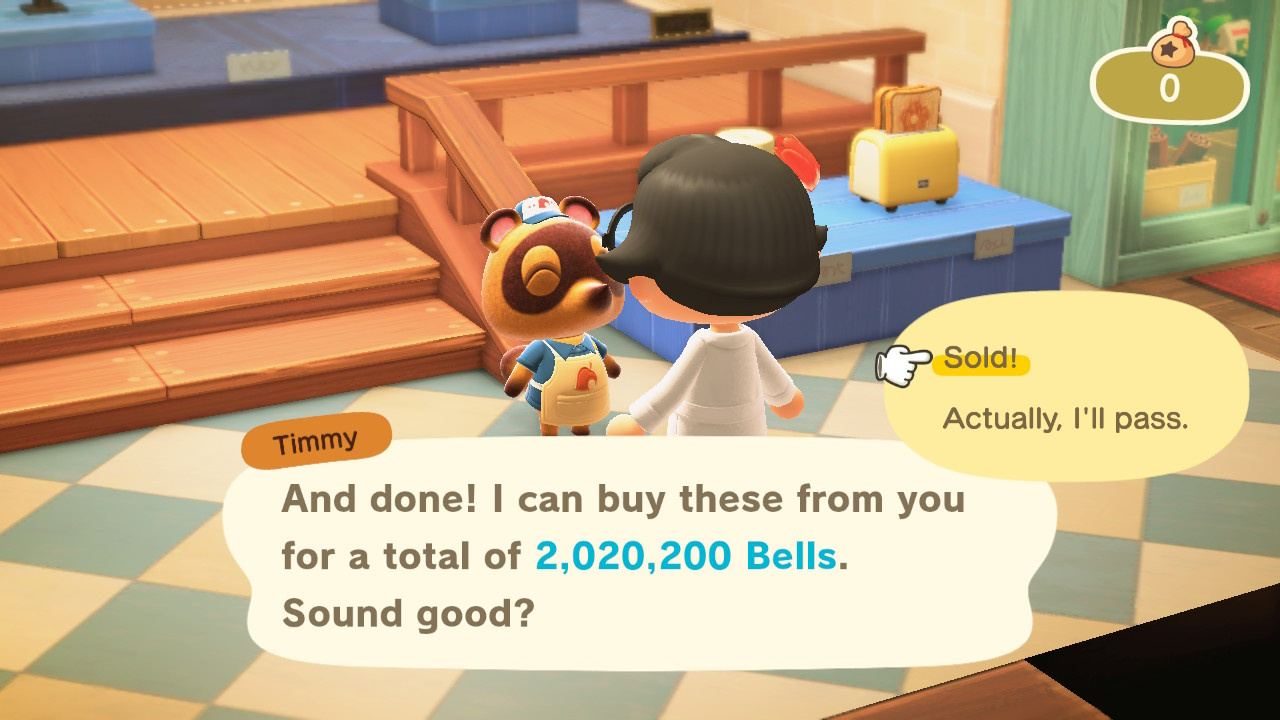
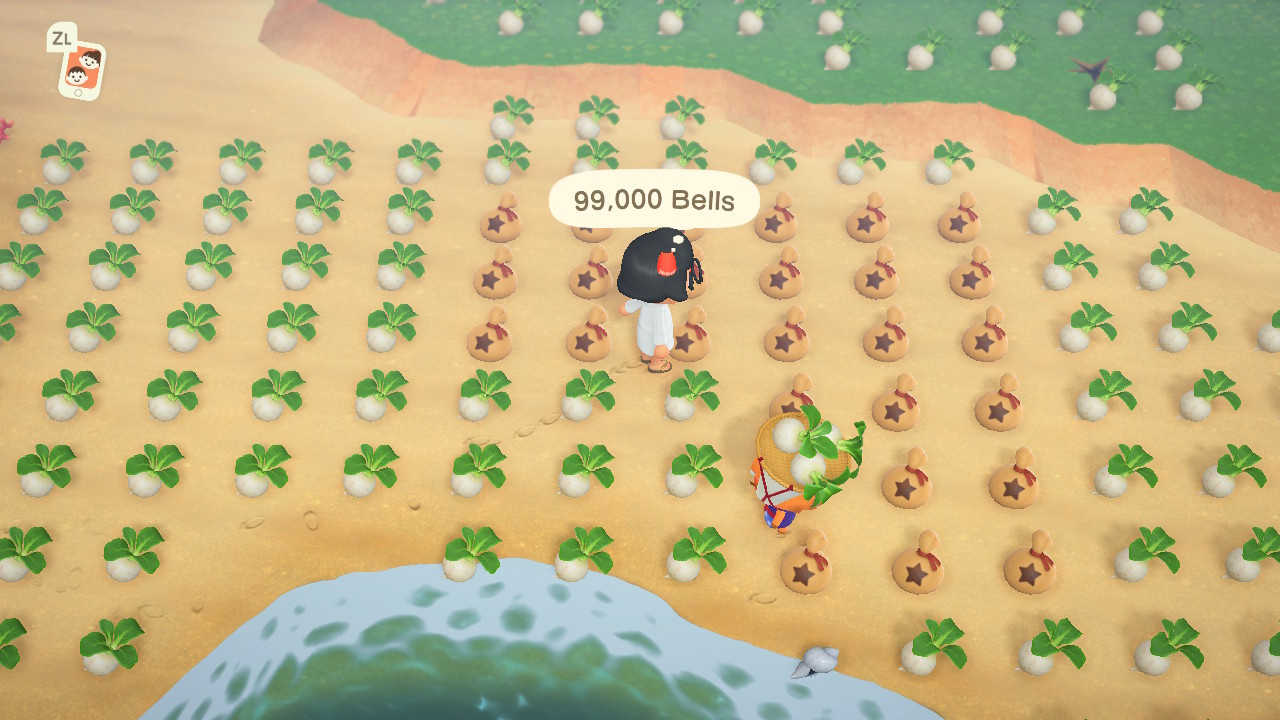
Best Of 2020: The Dark Secrets Of Animal Crossing: New Horizons’ Stalk Market
Over the holiday season we’ll be republishing a series of Nintendo Life articles, interviews and other features from the previous twelve months that we consider to be our Best of 2020. Hopefully, this will give you a chance to catch up on pieces you missed, or simply enjoy looking back on a year which did have some highlights — honest!
This feature was originally published in May 2020.
If you’re anything like millions of other global-pandemic-lockdown Switch gamers, you’re on a vicarious head-in-sand holiday in Animal Crossing: New Horizons. Strolling the beach, shopping windows, listening to chirping insects and lapping waves… you’ve seen this “Stalk Market” thing – interesting, but wouldn’t it take the heart out of the experience?
You hear the turnips’ calls, from deep in the woods. What might become of you if you followed? Which kind of turnip trader will you become?
1. Dabbler
Animal Crossing’s about friendship – seasoned with a little materialism, sure – but when you wake up to a letter from Axel the elephant, you feel wanted; like he needs you even more than you need that fifth colourway of the snack vending machine. And when Bangle the tiger gave you that sewing machine? Priceless.
You love all that. But giggles and blushes aside, there is the question of cash flow. After all, the customised wrapped gifts you rush to hand out to your islanders every morning don’t come for free. So how about you grab a bunch of turnips with whatever’s in the kitty on Sunday morning. Stick it in the garden somewhere and wait till the Nook boys make a decent offer. Maybe they’ll drive a hard bargain all week, but that’s part of their charm.
Graham the hamster gets the brush-off when you’re hurrying to catch the turnip seller’s narrow window, but he’ll understand – and he’ll dig that fortune-telling set you’ve picked out for the way back.
2: Amateur
Great to set up your friends in style – but don’t you deserve an extra present for yourself now and then as well? You know, give out some gifts of the ‘thought-that-counts’ variety during the week and save up to pop a couple of hundred extra turnips in the yard come Sunday.
Better dig up some of the tulips to make space. Was Katt the cat doing the “Disapproving Look” reaction just then? Is that one of the reactions?
3: Farmer
Once you’ve hit a 5x payout on your little turnip pile – Nook’s Cranny deciding they’ll buy at 495 bells per turnip one day – things start to look a bit different. You just put a third room on your house and paid off the loan on the spot. Any fruit-growing or bug-hunting money goes straight into the bank until Turnip Day.
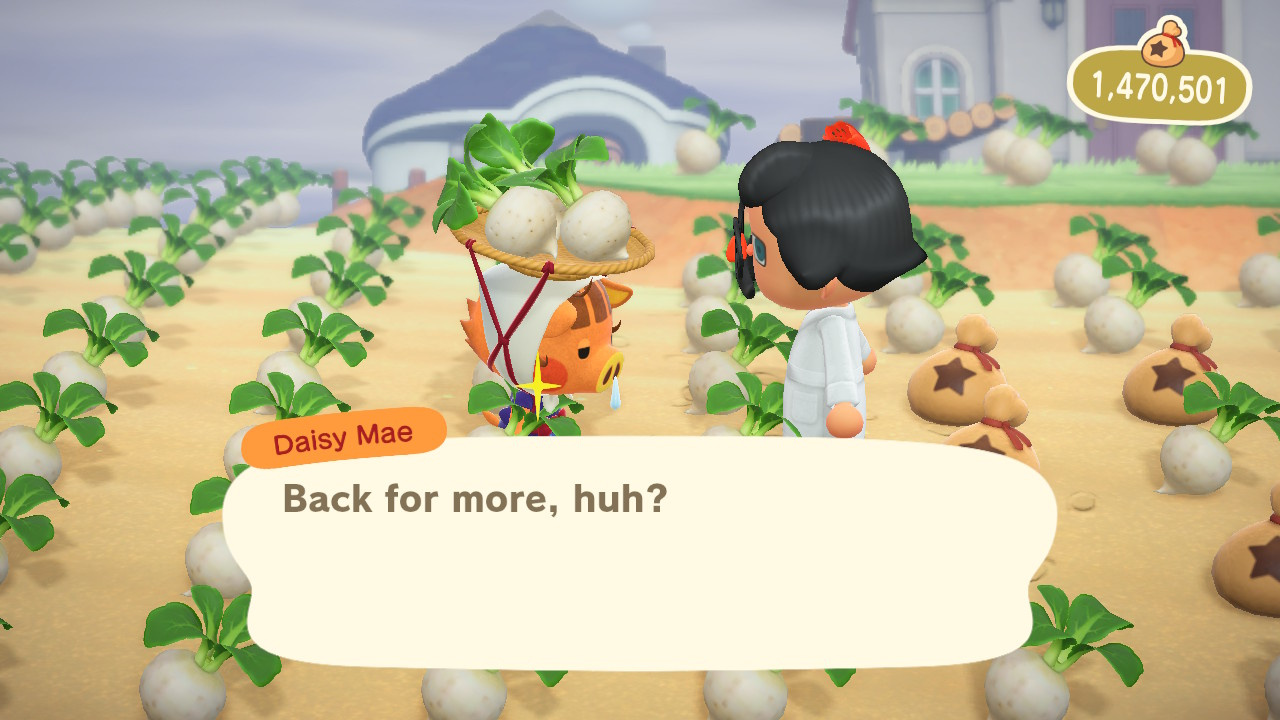
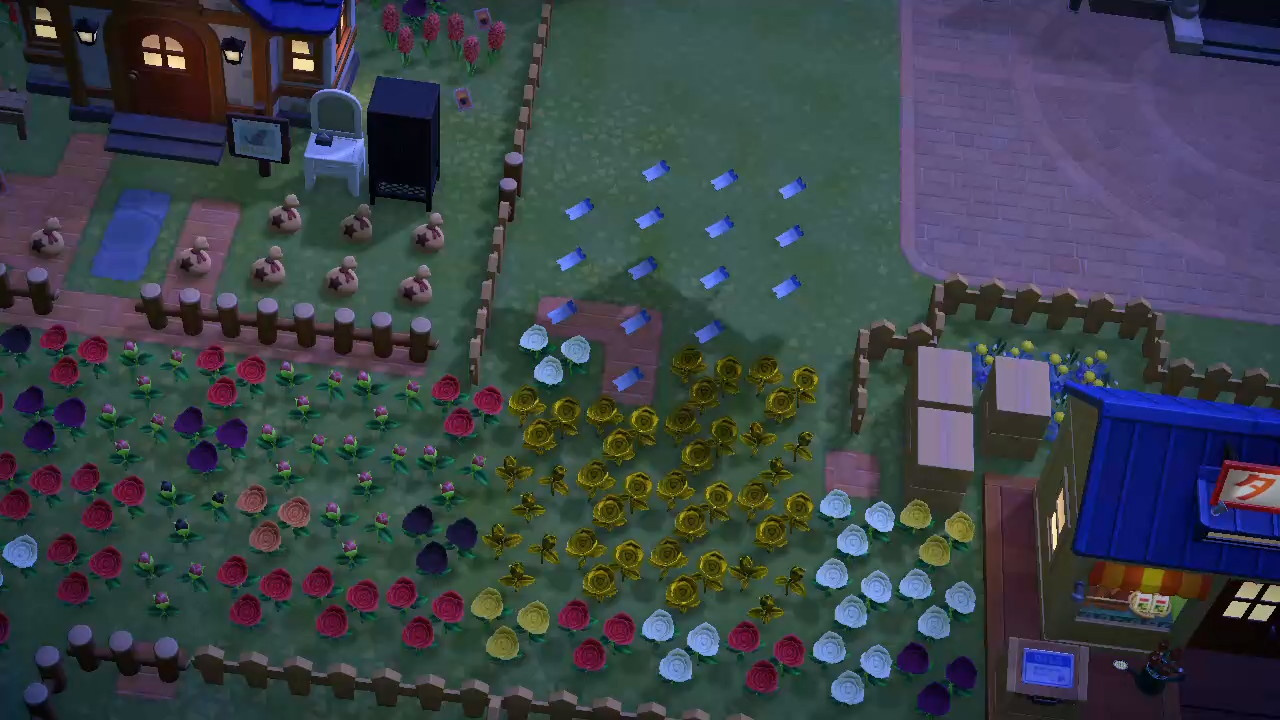
Your islanders now get low-cost gifts of cheery hellos wrapped in promises of shared wealth in just one more week. You’ve fenced off a field and made decorative furrows so your turnips look smart when you line them up. In theory, if you catch the wave just right, you could turn over a million bells in a week.
Slightly annoying that Gwen the penguin thinks she can just walk around on your farm. It’s a place of work, for goodness sake.
4: Trader
When you go in big and score, the endorphins go wild. Money making more money. Who would work for a living? But it’s a shaky income if you’re waiting for the local Nooks to play ball every time.
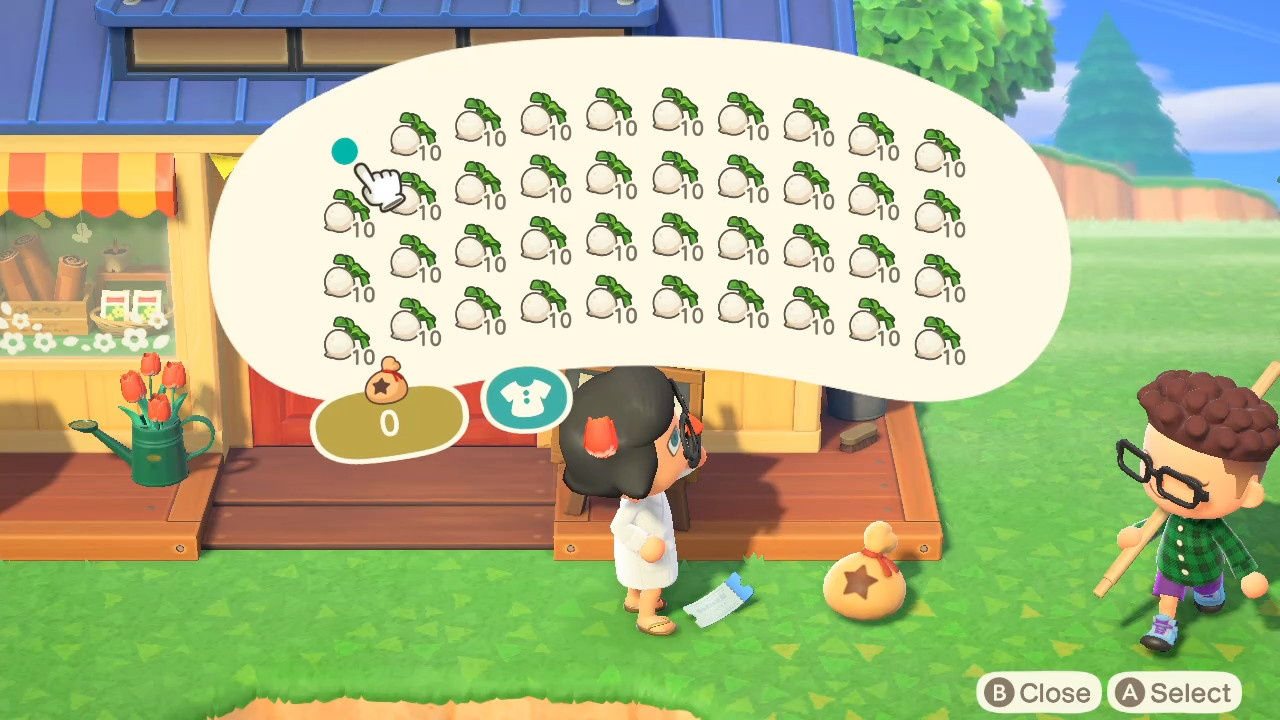
Enter internet. Late nite Twitter trawls for randoms whose islands have prices over 500. Drug-deal vibes as you load up and fly to a stranger’s hood in the dark. Not sure if it’s a con or a sting. No option, though, if you’ve got four inventories of turnips worth a sweet 8 million.
Expanding that farm field soon got boring. And getting the turnips all neat takes time you could be spending scouring for a score. Now there are just heaps on the beach, in the road, around the pool…. Walker the dog can have his garden furniture back when you get the next couple of weeks done. He lives too near the airport, it’s his problem.
5: Broker
Reddit’s full of tasty turnip prices if you’ve got a few spare “NMTs” – Nook Miles Tickets, which can only be earned, not bought with bells. Hand a couple to your host and they’ll wave you on to their high-rolling Nook’s Cranny. So how about if you leverage your next decent price? (And maybe see what you could do to get a decent price sooner…)
You could be the Good Citizen who welcomes all freely, but no, you’re the Entrepreneur, who takes a sales brokerage of NMTs or a cash cut. (And you could consider being the Actual Entrepreneur, willing to share a Dodo Code for a Venmo payment of $10 US.)
At this stage, turnips are for chumps. You wouldn’t touch the grubby things. A couple of thousand need cleaning up from corners of your island, sure – behind palm trees and houses here and there – but you’ll get to that when you rebuild the barren plains that used to be your warehouses. That elephant seems to like running around there, anyway. What was his name again?
6: Scammer
What if – and of course you wouldn’t – but what if you acted the Grifter, who collects a fee then boots from their island because they never had the advertised prices? You imagine being the Twitter Scammer, who demands likes, follows and retweets in exchange for a non-existent Dodo Code to a fictional island. Feeling rather more trollish, you contemplate being the Prankster, who tells the world their friend has prices of 672: just keep DMing them until you get the code.
The #turnips tag on Twitter is now 99% spam. Fans of the actual vegetable must be dismayed.
7: Pro
But enough of that. This isn’t a game anymore. Managing a queue of sellers and keeping track of fees is a slog, so you get a team together. A friend comes to work on your island as a bouncer. You wear uniforms. You have a makeshift gate system, exploiting the behaviour of seats in the game to restrict entry until payments are made.
Bells are basically infinite at this point. Your house is maxed out and stuffed with any exotic treasure you like. Missing something from the catalogue? If you have a price of 500+ then someone will bring it to you, whatever it is. Your island is a gleaming OCD city-state of pristine paths and sparkling street furniture.
Those animal things have all moved house, relocated for your personal aesthetic satisfaction. That sort of stoner dog one sits under one of your ripe money trees.
But really it’s all about the NMTs at this point. #Turnips at 567. 3xNMT. DM for code.
Where’s all this going? What’s the absolute top level? The unburdened sharp point of the pyramid? Where is this course taking you, propelled first by a lust for bell bags then by the endorphin rush of money making more money?
Who are the gods of it all, your heroes, whom you can join in just one more step? They are:
8: The People Trafficker
Having maxed the material possessions of the game, you just want the last gilt touches of the perfect island: the A-list islanders with the fanciest houses. There are ways to trade them, little hypnotist’s tricks that’ll make them think they’re leaving another island and joining yours by their own free will. We’re talking backroom reddit deals with their current owners, briefcases glowing with strapped blocks of blue NMTs.
That’s what those tickets were for! Tom, you sly old raccoon-dog…
You disband your old clique in a heartbeat, ditch the mangey menagerie of has-been chumps and stock up with the it animals of New Horizons. And after all of it, in your retirement, you stroll round your sunny island, wearing your crown, and your elite cohabitants chat small talk with glazed eyes and sleepily pass you presents.
Despite New Zealand being pretty much the only place on this planet that was largely unaffected by COVID-19, it still caused a few delays for the production. The country had extremely strict rules on who can enter the country, and in July, the country's government granted "border exemptions" for certain international film and TV productions. As of late 2019, the show had reportedly completed shooting the first two episodes. Given that even before airing, it was announced that the series will be getting two seasons, it is highly likely Bayona will be back in New Zealand sooner rather than later.
Review: When The Past Was Around – The Perfect Video Game Tonic For 2020
It’s particularly affecting to play a game like When The Past Was Around as the most devastating year of many of our lives comes to its chaotic close. A lot of us have experienced personal loss in 2020, which makes this game’s tasteful, cleverly-constructed exploration of the subject both welcome and, dare we say it, a little bit necessary.
Taking the form of a point-and-click puzzler, each scene reminded us of “escape room” titles and adjacent games such as the Room series, though here you’ve got more familiar domestic environments instead of Lament Configuration-style puzzle boxes. You’ll be presented with an area, and must explore it thoroughly and solve its puzzles to find a way forward. It’s not entirely dissimilar to a hidden object game, in fact, but everything’s tied together very nicely in a way that removes the abstract, arbitary feeling you sometimes get from that genre.
In a sense, it’s a pretty straightforward tale of grief and loss, but the presentation is dreamy and a little vague, but in a way that’s open to interpretation rather than just lacking and lazy. Ostensibly you’re controlling the destiny, so to speak, of a nameless young woman who seems to have lost the love of her life, though there’s enough in the music and in-game musical paraphernalia to suggest that she’s lost more than just a lover and is in search of a muse. Or both. Or neither. It’s really up to you.
Themes of losing your own way after a traumatic experience manifest in ways that are so simple and obvious that it’s kind of brilliant; you’ll find yourself rifling through boxes of keepsakes, old clothes, piecing together a home in disarray. Remind you of anything? As the grief mounts up, so does the desperation, and the nature and content of the puzzles shifts and morphs to account for the frenzy of emotion in ways that are too interesting to spoil, especially given how brief When The Past Was Around is.
That’s no criticism, incidentally. The game’s developers have been up-front about its length, listed as a rough “two hours”, though it didn’t quite take us that long to finish. It’s even breezier for how gorgeous it all is, and your main drive to see more (outside of the fact that it’s, well, very good) is the fantastic art. It makes terrific use of beautiful autumnal colours and the stylised imagery avoids being twee or esoteric for the sake of it.
The puzzle element is no slacker either, though it’s never egregiously difficult. You can play with the analogue stick but we preferred the spot-on touch controls. You can hit a button to show all the “hot spots” at any time, reminiscent again of point-and-clicks, removing any trace of interface frustration. This lets you apply yourself to the puzzles and developing narrative without the UI ever getting in the way, or any need for tiresome “pixel hunt” action. That said, while we recommend the touch controls over the traditional ones we still found it fairly easy to accidentally tap the wrong place on the screen. Then again, maybe this writer just has a really fat finger.
It’s beautiful to look at and listen to, with attractive graphics that recall illustrations from a beloved children’s book, and an excellent, evocative soundtrack from ittou. As mentioned, music weaves its way into the narrative so this was a crucial part of the proceedings – thankfully it absolutely lives up to the material, delivering a memorable and moving backing to what emerges as a memorable and moving video game.
Linearity is often an issue in narrative games and that’s the case here to some extent, but while the structure is rigid, there’s plenty of scope for discussion, analysis and good old arguing about what it all means, what everything represents. Why an owl? Does he represent performance? Was that sound diagetic or non-diagetic? These are some of the questions raised, but there are no easy answers. Nor should there be. Death isn’t easy. Finding space, order in the face of the random cosmic cruelty of existence. Compartmentalising your memories, and what that means, and how that’s represented here. Big subjects to tackle, and When The Past Was Around meets them gracefully and unpretentiously.
Conclusion
Concise, carefully crafted and beautifully malleable in its meaning, When The Past Was Around is a rather gorgeous little art game that remembers it needs to be interesting in its puzzles as well as its narrative. Taking the principles of escape room-style gameplay and fitting them around its theme lends them a gravitas that belies their simplicity and elevates this game into more than just the indie flavour of the month. Sure, you’re not likely to play it twice, but you’d be hard-pressed to forget about it. And, honestly, after this year? We needed it.