Posted by: xSicKxBot - 12-11-2020, 02:13 AM - Forum: Python
- No Replies
How to Reverse/Invert a Dictionary Mapping
In Python, a dictionary is an implementation of a data structure known most commonly as an associative array.
This collection of key-values pairs maps the key to the associated value that can be implemented in many ways from knowing the price of apples and peas to put into the grocery store app that is used on your phone all the way to wanting to know which Major League Baseball team belongs in which state! It is a versatile way of finding the information you need, it is mutable, dynamic, and can be nested! Accessing the values in a dictionary means you need to have the key for the proper value to be printed.
Problem: There are times, however when you will need to have the reverse the dictionary. You will not only have to put the last key-value pair in the first index, but you will have to reverse the value and key pairs around inside the dictionary!
As difficult as this sounds it is actually quite simple and we are going to go through 3 different solutions on how this can be done I your code with an explanation on each step. I will write 3 separate pieces of code that will show you how this can be done with various pieces of data that can be used for inverting a dictionaries mapping.
In this first example, I am going to use an everyday dictionary for the prices of fruits at the local super-market. I am going to use a for loop to iterate through my dictionary and switch the values with their respective keys. First things first, know what data you are going to be using. In this case, we are getting the prices of fruits to place in our associative array. I am going to use the fruits as my keys and the prices as values.
Well this is great! We have our keys and their prices stored in our dictionary for_sale. Now it is time to make a new empty dictionary to place the new keys and values into!
new_sale = {}
Now it is time to iterate through the dictionary and reverse the keys and values! We are going to use a for loop!
for key, value in for_sale.items(): new_sale[value] = key
for_sale ={'Apple': 0.69, 'Coconut': 1.69,'Tangerine': 0.75, 'Banana': 1.25}

new_sale = {} for key, value in for_sale.items(): new_sale[value] = key print(new_sale)

# {0.69: 'Apple', 1.69: 'Coconut', 0.75: 'Tangerine', 1.25: 'Banana'}
There! That is all it took! This is a simple 8 lines way to get this done. The expression new_sale[value] = key, did all the hard work for you! Please note that this does not sort your dictionary! It only reverses the key and values around! Starting from the top of our code, we can see that our dictionary has the fruits in the keys and the prices in the values. We created an empty list to place the new dictionary. After we walked through the dictionary, switching the key and value pairs around for each instance of a pair. We, then asked the dictionary to run with its new name. The new dictionary now has the prices as the keys and the fruits as the values! There is one small problem with this 8 small lines of code, however. As beautifully as it works, it’s messy and marks you as a beginner.
In Python, we want beautiful pythonic code that is easy to comprehend and does not take up too many lines in our code especially since we just need to change around the key-value pairs! So, the best thing to use is a dictionary comprehension approach. Knowing how to work a dictionary comprehensively is not only a testament to your skills but will also make it easier when you want to insert a couple lines of code to make a correction without having to rewrite parts of your code. What is dictionary comprehension, you may wonder? Well, it is a very useful feature if you would like to construct a dictionary in one line of code! This reduces your dictionary to a single line, saving space and memory in your code. Using the {key:value} mapping directly from an iterable object, like a list we can construct our dictionary, even use conditional statements!
In this next example, we are going to use a one-liner to do what we did above. This time we are going to use the pet store and find out the prices of some small pets to buy! We are going to use the pets as our keys and prices again for the values.
Now let us walk through this step by step. I created a dictionary called small_pets. Next, I created a new dictionary, inverted_pets and at the same time asked it to go through each item in the dictionary, and switch the values for the keys in the dictionary small_pets. On the following line, I asked it to print the new dictionary. Now to put it all together!
small_pets = {'Goldfish':0.50, 'Gerbil':1.0, 'Parakeet':2}

inverted_pets = {values: key for key, value in dict.items(small_pets)} print(inverted_pets)

# Outcome: {0.5:'Goldfish', 1.0:'Gerbil', 2:'Parakeet'}
When using this method, remember to pass in the argument in the new dictionary. Without it, your program will break and you will get an error telling you that dict.items() takes a positional argument and there are none given. Now this bit of code is much cleaner then the first one we wrote! It took 5 less lines than the previous code and it still gets the job done! This is a hallmark of a Pythonier who knows what he/she is doing in the real world! As you can see here again, this method does not sort the dictionary, just reverses the order of the key-value pairs. Yet a third way, to accomplish your goal of inversing a value for its key in a dictionary is 3 lines!
small_pets = {'Goldfish':0.69, 'Gerbil':1.5, 'Parakeet':2}

d = {v:[i for i in small_pets.keys() if small_pets[i] == v ] for k,v in small_pets.items()}

print(d)

# {0.69: ['Goldfish'], 1.5: ['Gerbil'], 2: ['Parakeet']}
As you can see by the method above this code is a bit longer than its predecessor, but it allows Python to be used in a very dynamic way showing the use of conditionals inside the dictionary construction and increasing the confusion as the dictionary small_pets is used several times. Be careful using this method if you are a beginner or just getting comfortable in dictionaries. If you wanted to you could rename the same dictionary to the same name as you are inverting the old one by its values and keys. These 3 examples are ones I was able to comprehend and write code based off of it. However, there are many ways to find your answers in Python and write out your code to fit your needs. I would say make sure you are comfortable working in dictionaries before trying anything outside your comfort zone. I would also say that it is better not to copy paste the first code you come across. This can break your program and make it hard to revert back to its original form and get it working properly again. Make sure to label your variable correctly and your program should work reversing the keys and their values!
Resources
I found my information on StackOverflow for writing my code with the link I used posted below. I also added the link to Real Python for iteration in dictionaries and turning keys in values and the link to one of my favorite resources: AskPython. As a Python junior developer, I find it crucial to have as many great resources as possible, just like Finxter to help me continue to learn and grow! I hope you will also see the value in these resources and more and I encourage you to seek them out, join up and upskill yourself! I know a certainly could not have found the information I need to write code if I didn’t have the resources that I do!
The 242nd GalaQuiz will be LIVE soon, win up to $50 in GalaCredit!
[www.indiegala.com] The GalaQuiz will take place in less than 120 minutes from this announcement Today's GalaQuiz[www.indiegala.com] hints are up. The theme will be Freebie #4 Redux Redux.
Posted by: xSicKxBot - 12-11-2020, 02:11 AM - Forum: Lounge
- No Replies
Destiny 2 Update 3.0.1
Next Gen
Feature
Xbox Series X
PlayStation 5
Xbox Series S
Resolution
4K
4K
1080p
Framerate
60fps
60fps
60fps
120hz Crucible Support
Supported*
Supported*
Not Supported
Field of View Slider
Yes
Yes
Yes
Faster Load Times
Yes
Yes
Yes
Cross-Generation Play
Yes
Yes
Yes
Next-Generation Upgrade Free
Xbox Smart Delivery
Yes
Xbox Smart Delivery
General
On Xbox Series X|S, the enhanced update will automatically download.
On PlayStation 5, players need to manually download the enhanced update.
Option for customizable Field of View (FOV) has been added to the Settings > Video menu.
Option for 120Hz Crucible Mode has been added to the Settings > Video menu.
Updated controller rumble feel on the DualSense Controller.
Destiny Companion App
Bounties
Players may acquire bounties from Destiny 2 vendors using the Destiny Companion App.
Bounties may only be acquired when players are offline, In orbit, or in the Tower.
For additional information, please see this Help article.
Sandbox
Exotic Armor
Fixed an issue where being killed by the effects of Necrotic Grip would show as being “Killed by the Architects.”
Fixed an issue where players with Stronghold Gauntlets couldn’t block any Super damage with Swords despite the Exotic maximizing the Guard stats.
Improved the readability of the visual effects when another player wearing Mask of Bakris shifts directly toward you.
Updated the description string of Mask of Bakris’s perk to correctly describe its damage bonus, which applies only to combatants and affects all arc weapon damage and all damage against slowed or encased enemies.
Additionally, fixed a bug where this damage bonus was applying to players who are slowed or encased in Crucible and Gambit.
Stasis Abilities
Fragments
Tuned “Whisper of Bonds” to grant a flat 2.5% Super energy per trigger.
Weapons
Duality
Duality’s icon didn’t match correct weapon tray icon.
Fixed an issue where Duality’s custom ADS fire audio wasn’t playing.
The Lament
The Lament icon did not appear appropriately in Crucible feeds.
Activities
Beyond Light Campaign
Beyond Light Exotic quest missions now properly display recommended Power Level on their map nodes.
Kridis no longer spawns before players have completed the previous mission objective.
New Light
Fixed an issue where veteran players could not access the Tower while Mission Advent was available.
Fixed an issue with the New Light subclass quest where Ikora’s waypoint was suppressed.
Fixed an issue where the descent cinematic did not play for The Disgraced strike.
Fixed an issue where veteran players with two characters of the same class were blocked from acquiring their subclasses.
Fixed a bug where a step on the New Light pursuit was not granting experience.
Fixed an issue where abandoned Memory quests were not available in the Quest Archive vendor in the Tower.
Fixed an issue where players who skip the Shotgun chest in M0 did not receive Special ammo when the Shotgun was granted.
Fixed an issue where players could reacquire Riskrunner during the Risk/Reward mission.
Deep Stone Crypt
Fixed an issue where Taniks could go into hellfire phase early before any fireteam member could collect an augment.
Fixed an issue where players would not get a third DPS phase on the second loop of dunking all four cores.
Fixed an issue where the Short Circuit Triumph was not possible.
Fixed an issue that could cause an unintended wipe during the second hellfire cast.
Last Wish Raid
Fixed an issue where the final encounter was not rewarding Spoils of Conquest.
Fixed an issue where Kalli teleported out of the environment after a plate was captured.
Fixed various networking behaviors that were observed when playing through encounter transitions.
Garden of Salvation Raid
Fixed an issue where text notifications would not appear when players initiated/completed puzzles.
Fixed an issue where tethers did not appropriately disrupt the boss under certain circumstances.
Fixed an issue where the Consecrated Mind drops its Minotaur at the beginning of the raid.
Pit of Heresy
Fixed an issue where the Ghost flashlight projection volume had no effect, making it hard to navigate the passage without light.
Fixed an issue where players could encounter back screens and hard wipes between encounters.
Fixed an issue where players could be killed transitioning between two areas.
Prophecy
Prophecy is once again available.
Powerful rewards may be earned from each checkpoint once per week.
Players may complete the dungeon once per week to obtain a pinnacle-powered reward.
Previously featured weapon and armor rewards are available once more.
Lost Sectors
Master and Legend Lost Sector tooltips are easier to comprehend.
Stasis quests
Aspects
Fixed an issue where “Tectonic Harvest” was not consistently generating shards for allies when destroying their crystals.
Nightmare Hunts
Hard-wiping and defeating the boss at the same time will leave players in the Hunt after respawning.
Exotic quests
Fixed an issue where the first line of dialogue played was muted at the beginning of the Malfeasance quest strike.
Crucible and Iron Banner
Fixed an issue where the “Survivor” medal could be awarded to players who were defeated during the round.
Fixed an issue where the “Untouchable” medal could not be earned.
Updated the mercy rule for Control and Clash to prevent it from triggering too early in the match.
Fixed an issue where some map intro cinematics were taking place outside of the combat zone.
Strikes
Fixed an issue where Outlaws were no longer spawned in Nightfall: The Ordeal.
Fixed an issue where Lurkers did not spawn after the counterweight encounter in the Hallowed Lair.
Fixed an issue where Super energy was drained when taking a lift in the Warden of Nothing.
Fixed an issue where Guardians were unable to respawn if they died while in the process of destroying Protheon, Modular Mind, very quickly.
Fixed an issue where counterweights would reset if a player died after pushing them down.
Fixed an issue where combatants would disappear abruptly if a Guardian decided to speed run the Hallowed Lair strike while others were trying to complete bounties in previous encounters.
Fixed an issue where the Tank would despawn during the Arms Dealer strike when trying to enter another combat area.
Gambit
Fixed an issue where the high-value target spawned too early.
Fixed an issue where catch-up targets would respawn too quickly after being cleared.
Fixed an issue where combatants would sometimes not move from spawn areas.
Destinations
Europa
Fixed a rare case where the Conflux Watch Servitor in the public encounter for Empire Hunt: The Technocrat could become permanently immune.
Fixed an issue where players with full quest inventories could still purchase Fallen Empire and weapon quests from Variks.
Fixed an issue where flickering snow transitions could be seen when playing with a multi-GPU setup (Crossfire/SLI) PC (Crossfire/SLI).
Cosmodrome
Added destination material spawns.
Added destination materials to Cosmodrome region chests.
Fixed an issue where Scorch Cannons were not respawning during the Heroic version of the Spider Tank public event.
Fixed an issue where flickering grass transitions could be seen when playing with a multi-GPU setup (Crossfire/SLI) PC (Crossfire/SLI).
Moon
Fixed an issue where some combat encounters would not trigger appropriately.
Fixed an issue where a smaller number of players were able to matchmake in to certain areas than intended.
The terminals for the “tire game” appear disabled even when active.
Fixed an issue where Toland would not reappear if players moved away from a totem to complete the activity.
Fixed an issue where high-value targets had forgotten their names.
Names now appear above high-value targets appropriately.
Dreaming City
Blind Well
Fixed an issue where the safety bubble would pop to its smallest size when a round was done instead of shrinking over time.
Fixed an issue where quest step notification for Petra’s quest missions were showing a blank icon.
Fixed an issue where players could sometimes not interact with rally flags before public events.
Nessus
Fixed an issue where the “Half Empty” patrol on Nessus is missing description text.
General
Fixed an issue where Memory Fragment, Drone, and Ghost Story collectibles were still present on some destinations.
Fixed an issue where Hive crystal shields could cause a crash.
Rewards
General
Europa and Cosmodrome strikes now award destination materials upon completion.
Lunar Ghost Bundle no longer pops an erroneous “out of space” warning when opening.
Exotic armor awarded in solo PED Lost Sectors now drops on a knockout list.
Removed misleading “Limited Time” augment from Devrim Kay and Failsafe vendor items.
Fixed a bug preventing Rahool’s icon from flashing when Beyond Light bonus items were available to claim.
Fixed a bug where some new armor mods had incorrect sources listed in Collections.
Fixed a bug where the Evasive Maneuvers raid perk would sometimes fail to activate if you switched to the mod in the middle of an encounter.
Fixed a bug where Icefall Mantle’s description did not mention the slow field it generates when activated.
Miscellaneous
Triumphs
Fixed an issue where The Hit List was not unlocking properly.
Fixed an issue where players would not receive appropriate Triumphs after defeating the Fanatic.
Monument to Lost Light
Fixed an issue where the waypoint on the Exotic Archive vendor continues to flash for players who own all Exotics.
Collections
Badges and Armor sets in Collections correctly select player’s class.
Fixed an issue where the UI would forget which page the player was on after previewing an item in Collections.
UI
Aspects and Fragments on the Stasis Subclass screen now appropriately display “Currently Applied” when they’re applied in another slot.
Graphics
Fix inverted colors in some dark areas when playing in HDR.
The latest Nintendo Download update for North America has arrived, and it’s bringing new games galore to the eShop in your region. As always, be sure to drop a vote in our poll and comment down below with your potential picks for the week. Enjoy!
Switch eShop – Highlights
PixelJunk Eden 2(Q-Games, 10th Dec, $14.99) – From the mind of Baiyon comes PixelJunk Eden 2, an exploration of life, color and collaboration. Reinvigorate and revitalize the world in a swath of luminescence against a dynamic and vibrant backdrop of mellow, multi-hued visuals. Return to the ever-changing gardens of psychedelic sights and sounds, cultivate new plants and biomes, collect pollen and help seeds sprout new exotic leaves and flowers.
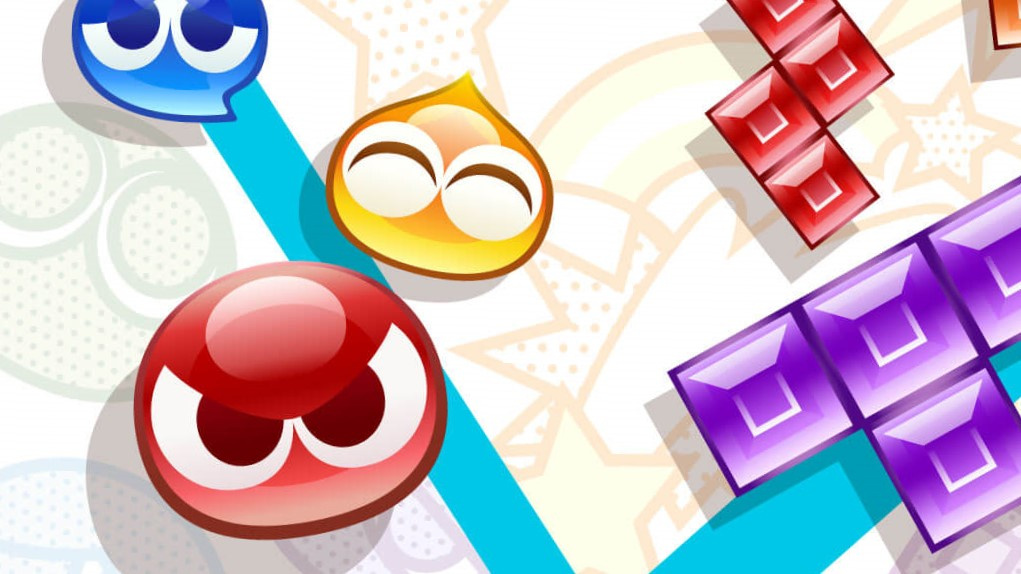
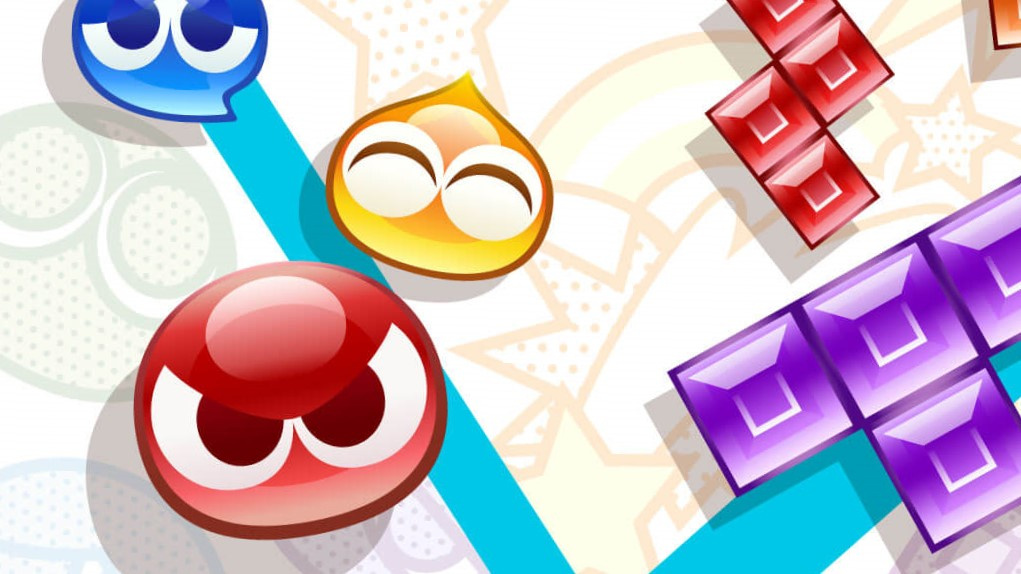
Puyo Puyo Tetris 2(Sega, 8th Dec, $39.99) – Japan’s beloved puzzle game series Puyo Puyo and the world-renowned Tetris game franchise have teamed up again to deliver even more Puyo-popping and Tetrimino-clearing fun in Puyo Puyo Tetris 2. Play traditional Puyo Puyo and Tetris, or mix them together to level up your game. Offline or online, players can enjoy single-player Adventure, couch-competition Versus and ranked Online matches. – Read our Puyo Puyo Tetris 2 review
DOOM Eternal(Bethesda, 8th Dec, $59.99) – DOOM Eternal is the direct sequel to the award-winning, first-person combat game DOOM. Hell’s armies have invaded Earth. Become the Slayer in an epic, single-player campaign to conquer demons across dimensions and stop the final destruction of humanity. – Read our Doom Eternal review.
Switch eShop – New Releases
Accidental Queens Collection(Plug In Digital, 10th Dec, $14.99) – Alt-Frequencies is an audio mystery game where you use the airwaves to open the world’s eyes to the truth. Record, rewind time and broadcast snippets of radio shows to expose radio hosts, conspiracy theorists, politicians, underground activists – and a dog. The Lost Phone games are about exploring the intimacy of an unknown person whose phone you’ve found. They are designed as narrative investigations where you must piece together elements from the different applications, messages and pictures to progress. Through the interface of a mobile phone, you must discover what happened to their owner. Experience relatable stories which help build empathy with the characters, allowing to explore difficult topics and social issues.
Alt-Frequencies(Plug In Digital, 10th Dec, $7.99) – Alt-Frequencies is an audio mystery game where you use the airwaves to open the world’s eyes to the truth. Record, rewind time and broadcast snippets of radio shows to expose radio hosts, conspiracy theorists, politicians, underground activists – and a dog. By redistributing information, you change what happens in the next 3 minute time loop and impact both news cycles and the lives of the people behind them. Listen as their personal stories evolve, in a world that seems to stand still.
Arcade Archives The Fairyland Story(Hamster, 3rd Dec, $7.99)– “The Fairyland Story” is an action game released by TAITO in 1985. Take control of a young witch and battle against monsters deep within the castle. Master various magics and techniques to overcome your enemies.
Autumn’s Journey(Ratalaika Games, 11th Dec, $4.99) – Embark on an endearing fantasy adventure! The world of Ishtera is populated by two races: dragonkind, who have lived there for eons, and the heavenkind, who have recently appeared. Auralee, an aspiring knight from the farming town of Berri, stumbles upon something unexpected during one of her patrols.
Boot Hill Heroes(Experimental Gamer Studios, 15th Dec, $9.99)– Boot Hill Heroes is the first game in a series that fuses elements of spaghetti western film – gunslinging outlaws, brave lawmen, and the untamed wilderness – with classic RPG storyline and gameplay. It’s an epic Wild West adventure packed with excitement, intrigue and a dose of humor.
COLLECTION of SaGa FINAL FANTASY LEGEND(Square Enix, 15th Dec, $19.99)– In celebration of the SaGa series’ 30th anniversary, the first three games in the series are coming to Nintendo Switch in one collection! The first Game Boy RPG to sell over a million units and the memorable first installment of the series: THE FINAL FANTASY LEGEND. A title that gained popularity through its refined gameplay system and the journey through a diverse world: FINAL FANTASY LEGEND II. A unique story that travelled across time that featured a new and an innovative character leveling system.: FINAL FANTASY LEGEND III.
Danger Gazers(Ultimate Games, 4th Dec, $9.99) – Danger Gazers is a post-apocalyptic roguelite top-down shooter where you pave your own path. The choices you make will decide your fate! Unlock new heroes and relics as you try to conquer the wasteland, master the skills, decisions and patience. Luck is not on your side. It’s all about replayability and maximum randomization. Procedurally generated levels? Check. Random map generation? Check. Random events? Check. Tons of guns and items? Double check!
Dark Grim Mariupolis(TERNOX, 15th Dec, $4.99) – Classic adventure game set in a world, combining noir, Greek mythology, magic, mysticism, hopeless entourage of Greco-Roman Age of Decadence and everyday routine. Encourage yourself and step into darkness…
Dicey Dungeons(Distractionware Limited, 15th Dec, $14.99) – Become a giant walking dice and battle to the end of an ever-changing dungeon! Can you escape the cruel whims of Lady Luck? In this new fast-paced deckbuilding roguelike from Terry Cavanagh, Chipzel, and Marlowe Dobbe, you’ll fight monsters, find better loot, and level up your heroes as you work together to take down the Goddess of Fortune, Lady Luck herself. Balance your carefully planned strategies against the unknown of a dice roll.
Drawn to Life: Two Realms(505 Games, 7th Dec, $9.99) – Uncover the mystery of the Shadow. The quirky Raposa and your drawn hero return in Drawn to Life: Two Realms, the next installment in the beloved franchise! You again take on the role of the Creator, unlocking the mysterious connection between the two worlds, and creating a Hero to save them both!
Evolution Board Game(North Star Games, 10th Dec, $19.99) – ADAPT OR GO EXTINCT. In Evolution, you adapt your species to survive, and stay one step ahead of opponents. Watering hole running dry? Evolve a long neck to reach food in the trees. Staring down a Carnivore? Develop a hard shell to protect you. Opponent has too many species? Time to go on the attack yourself by adapting into a Carnivore.
Jigsaw Fun: Piece It Together!(Mindscape, 14th Dec, $14.99) – Piece it together with up to 4 players, across 200+ unique puzzling levels! Jump into a relaxing puzzle alone or with up to 4 players. With hundreds of unique jigsaw puzzles, Jigsaw Fun has the largest library of images and jigsaws to enjoy. From cats & dogs to cityscapes, from beautiful nature scenes to colorful balls of yarn, piece together your favorite puzzles!
OctaFight(Silesia Games, 10th Dec, $5.99) – Move, jump, shield, throw and trigger your bomb on time to be the last in one piece! OctaFight is an explosive combat game. A tribute to good old couch multiplayer titles, offering intense and devastating versus matches. Create your own fighting rules, from fairly competitive to deliciously chaotic, compose with various bomb types, crazy game modes and momentous arenas. With his amazing overpixelated Art, OctaFight declare his love to minimalism and refined design, and explore the promises of the ultra-low definition!
Persian Nights 2: The Moonlight Veil(Artifex Mundi, 11th Dec, $14.99) – Between two moons and one love. Travel to the magical land of Persian Nights and save your sister from a dire fate. Feel the taste of orient in this sumptuous and beguiling hidden object adventure.
Shakes on a Plane(Assemble Entertainment, 15th Dec, $19.99) – Shakes on a Plane is a chaotic co-op shaking game for one to four players. Flying on various planes with your flight crew, serve up a variety of tasty shakes, burgers, fries and many more dishes before the plane lands on the airport and your passengers rate your services.
Splashy Cube(No Gravity Games, 11th Dec, $4.99) – Become a blob-eating cube! Splashy Cube is a puzzle game dressed in minimalistic, yet cute and colorful graphics. Embark on an exciting adventure through the colorful labyrinth.
Tanuki Justice(No Gravity Games, 10th Dec, $14.99) – Tanuki Justice is a continuous intensive action run’n gun in which you incarnate a tanuki brother and sister. You’ll face hundreds of enemies in feudal Japan. Varied environments with landscapes of all kinds, retro and fast rhythmic music, numerous and difficult situations reminiscent of good old arcade games.
Warplanes: WW1 Sky Aces(7Levels, 11th Dec, $9.99) – Become a legend of air combat at the dawn of its existence, spreading fear in the airplane battle arenas of World War I. Take on the role of one of the brave pioneers testing the Wright brothers’ invention in action. Examine both your flying skills and your machine’s capabilities in extreme war conditions, where constructors and pilots alike were learning their plane’s limits.
Nintendo Mobile
Science and Magic Fuse! – The latest update to the Fire Emblem Heroes game has arrived. Book V delivers a blast of steampunk-inspired energy to this classic tale of sword and sorcery. With new mechanical armor and special Book V-related events and bonuses, it’s safe to say you’ve never anything like this before in the Fire Emblem Heroes universe. Even novice summoners can jump right into Book V’s story to discover more about the realm of Niðavellir.
Spread Some Holiday ChARm – Tis the season to show off your AR photography skills! Players who log into the Animal Crossing: Pocket Camp game before Jan. 7 at 9:59 p.m. PT will receive a free giant holiday gift box in-game item. Animal Crossing: Pocket Camp recently added new AR features, so you can use them with the giant holiday gift box to create an AR greeting card that’s great for the holiday season! With AR Camera, you’ll be able to choose a real-world spot and add your favorite Animal Crossing: Pocket Camp pals to snap a shot. With AR Cabin, you’ll even be able to enter the same space as your animal friends and hang out. Just think of the possibilities for jolly holiday poses!
So that’s your lot for this week’s North American Nintendo Download. Go on, be a sport and drop a vote in the poll above, and comment below with your hot picks!
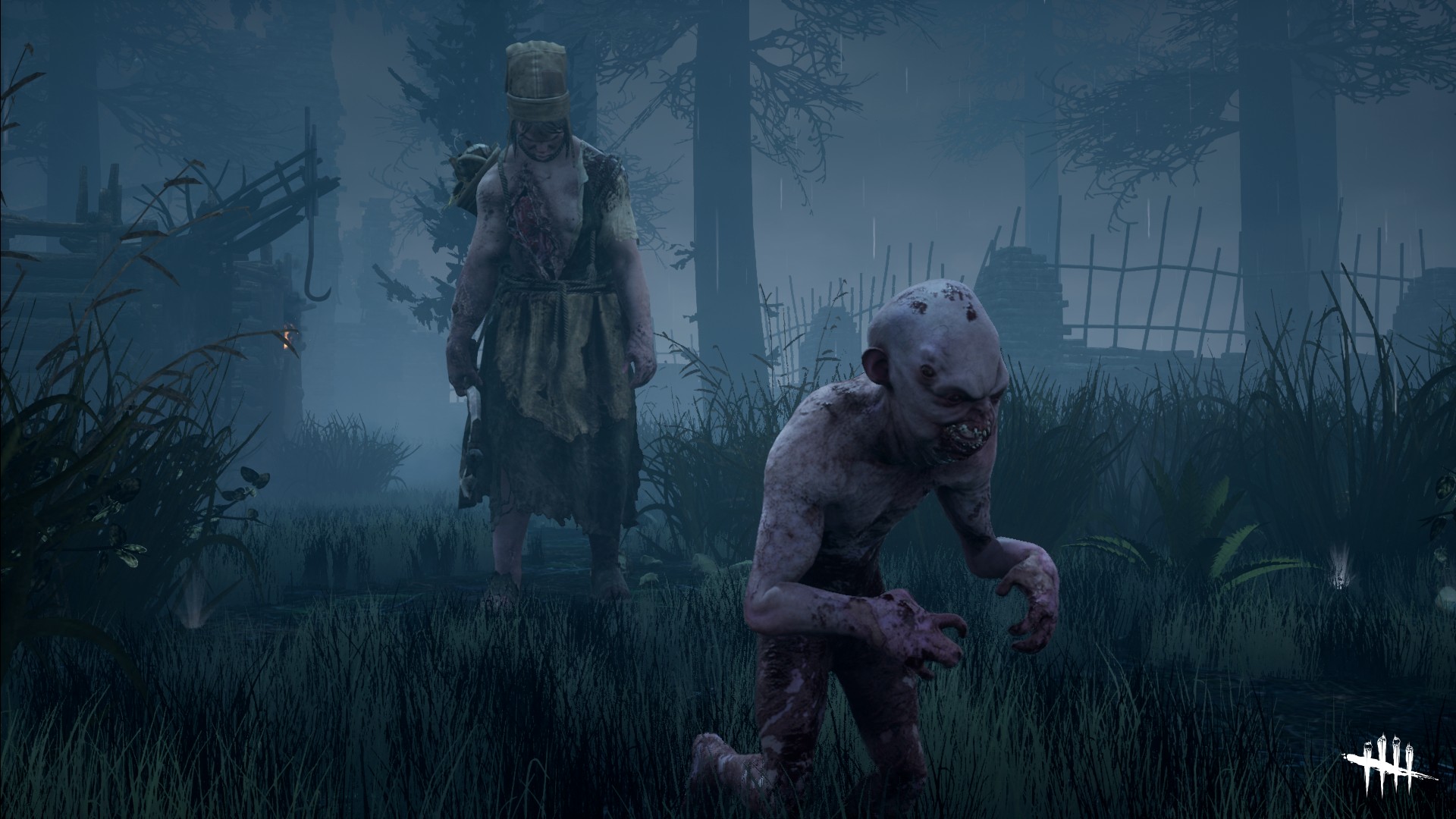
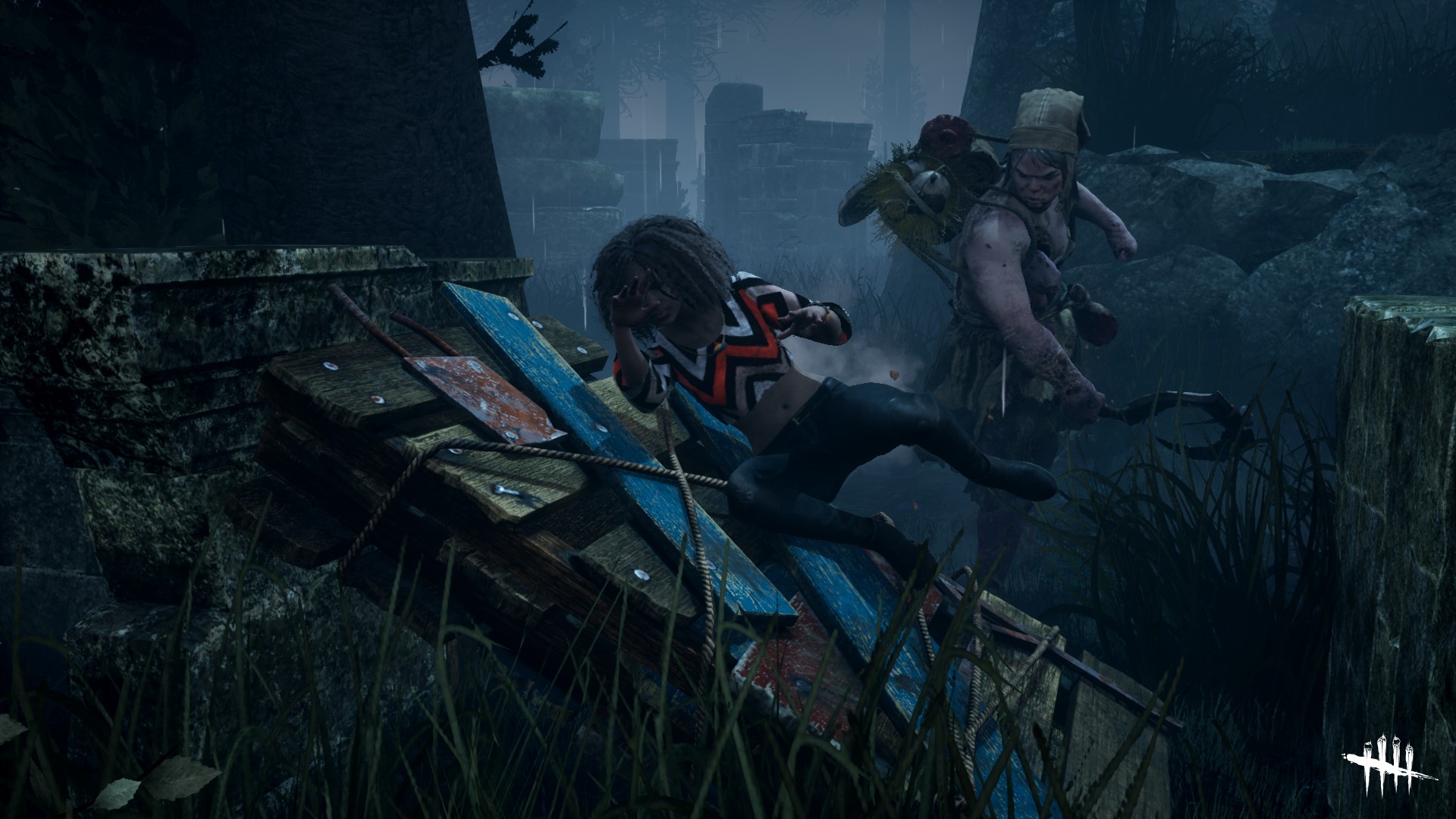
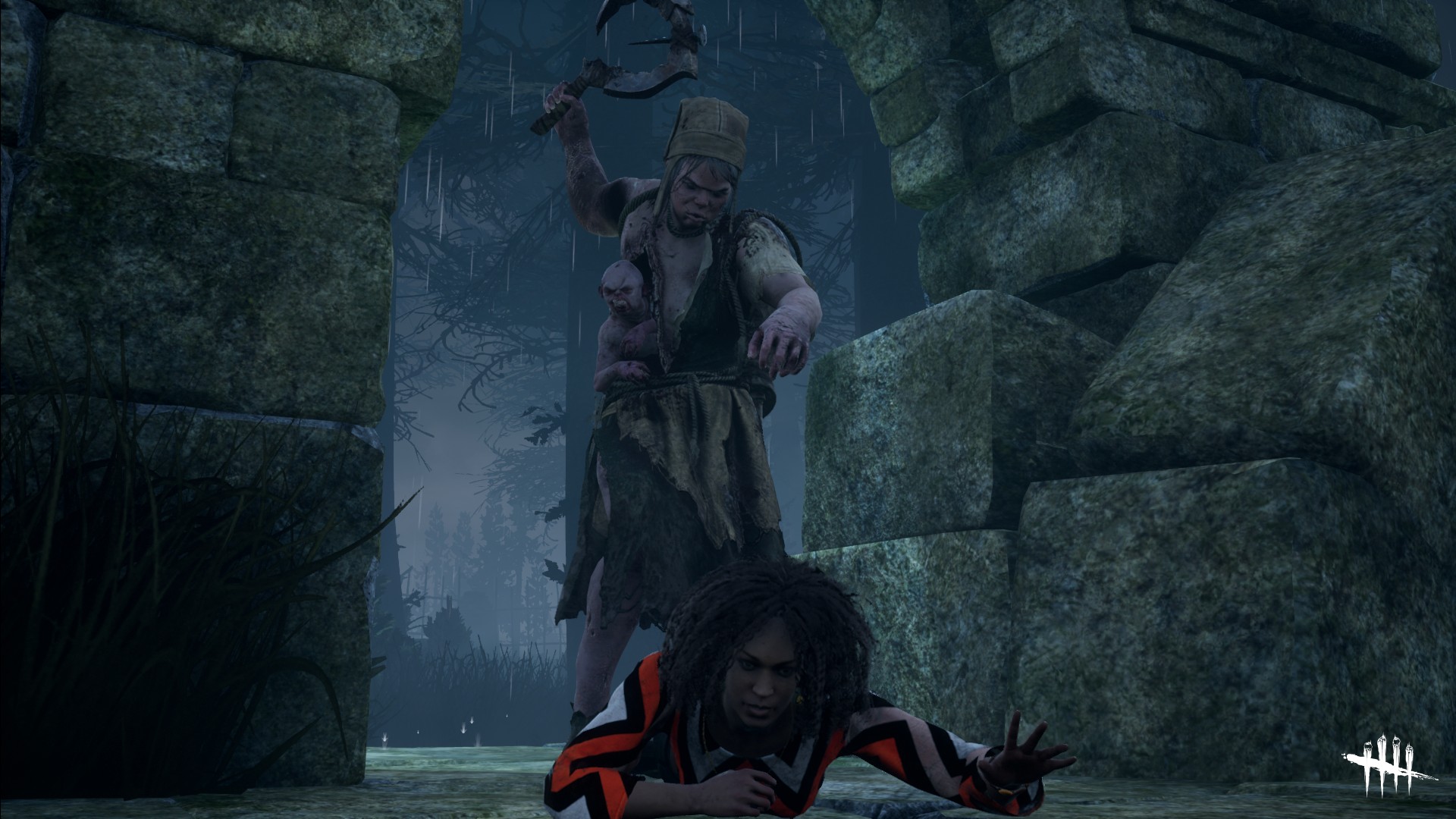
The Gruesome Twins Join the Entity’s Realm in Dead by Daylight
Hello, People of the Fog.
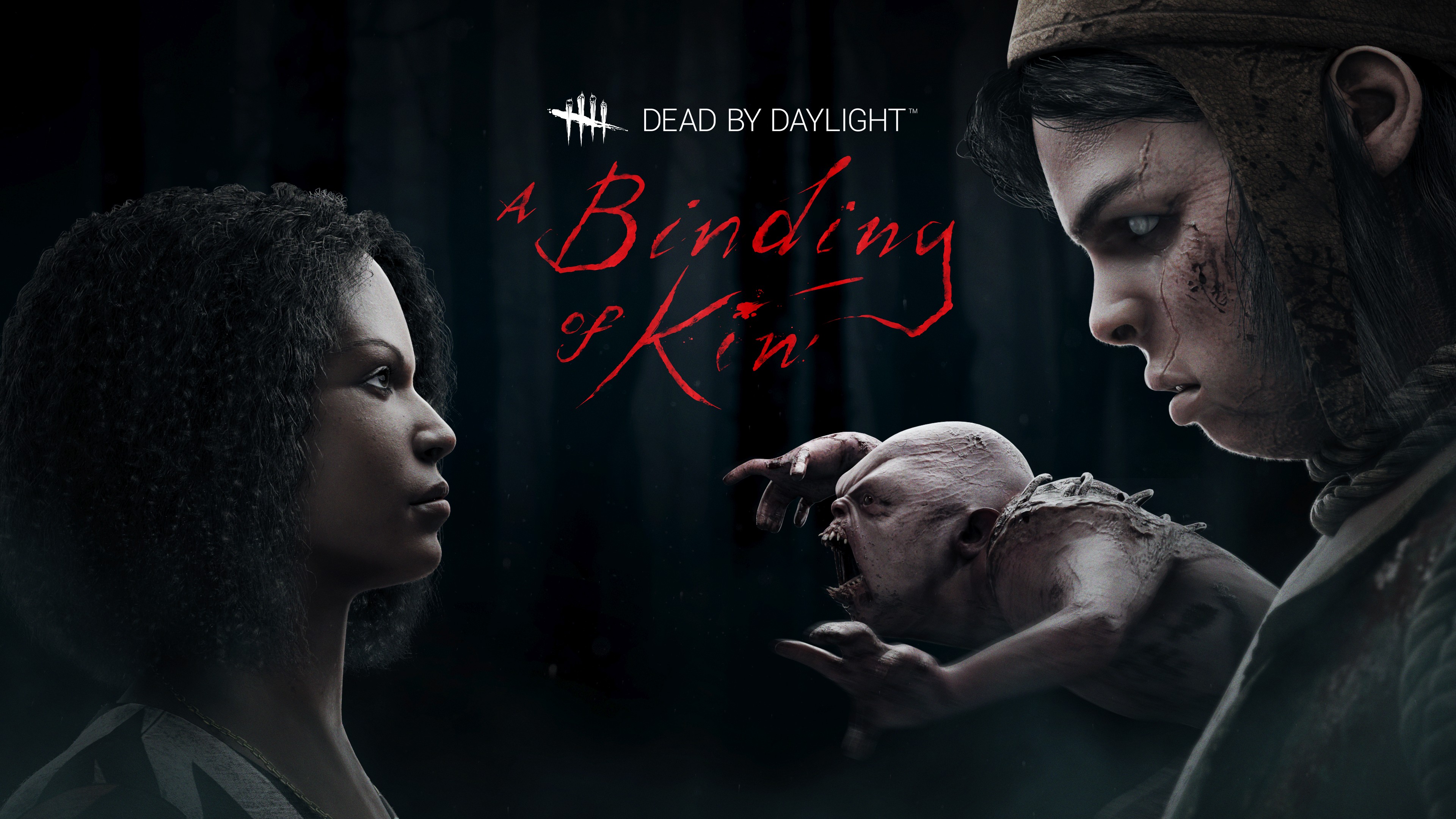
A new chapter is now available in Dead by Daylight and brings with it a unique killer and survivor. The theme of the chapter is family: what we do for family, what we sacrifice for family, how family builds and shapes who we are… And our new killer knows about family as it is a conjoined brother and sister, also known as The Twins! Let’s hear more from Dead by Daylight Creative Director Dave Richard.
Dead by Daylight Associate Brand Manager Thomas Carpentier: It’s the first time that a killer is composed of two different characters. How did the idea come to the development team? What was unique and interesting as the development progressed?
Dead by Daylight Creative Director Dave Richard: The ability to separate and control multiple independent characters with different abilities has always been a fascinating concept to the team. Over the years, we considered it many times, in different shapes and forms. However, we had to put the idea aside because of production challenges and technical limitations. Thanks to a bigger and more experienced team (and a lot of effort!) The Twins are now a reality!
As you might expect, The Twins’ design was challenging. A killer that separates in two changes the whole dynamic of a regular match… if there ever was “regular” in Dead by Daylight. It was essential to keep both Charlotte and Victor useful and give a reason to often switch between the two. We also made sure the extra pressure on survivors was adequate by prototyping, testing, and tweaking the killers’ components. The biggest challenges were on the animation team, who did marvellously. The Twins are full of personality, and Victor is sure to make you freak out at some point in a trial!
Carpentier: Can you tell us more about The Twins?
Richard: Charlotte and Victor’s story is a grim one. The siblings are born conjoined in 17th century France that considers their very existence a curse. Stolen from their mother and tortured for years in cultists’ dark rituals, they suffered many hardships. To Charlotte’s despair, Victor died when she escaped the cult’s grasp, his lifeless body still attached to her. She then survived by scavenging, stealing, and sometimes killing, always trying to protect her dead brother. When The Entity took them, Victor was revived, and even if he’s now a monster fueled by spite, she loves him dearly.
In the game, The Twins show their different personalities through their abilities. Both characters are independent; the player can freely switch between the two. Charlotte, hulking, emotionless, protects her brother with giant weapons and tools scavenged from the many villages and cities she looted. Her size allows her to do all the standard killer actions such as transporting and hooking. The malicious Victor can detach entirely and let his rage cause havoc. He’s swift and can pounce and attach to survivors, injuring them in the process. Victor also reveals the other survivors’ positions to his sister.
Carpentier: The new survivor is Élodie Rakoto. Can you tell us more about her story and what makes her unique?
Richard: Élodie is an awesome French Malagasy artifact hunter who dedicated her life to researching the occult. When she was a kid, her parents disappeared in a mysterious and catastrophic event. From this point, her efforts and focus were to study, research, and explore the religious, occult, and anything that could help her understand what happened to her parents. All this knowledge brought her very close to The Entity and groups orbiting around it. Élodie’s often “in the field.” She explores dangerous sites and retrieves ancient artifacts linked to her research, which eventually leads her to the realms of The Entity.
Élodie brings three unique perks to the survivor toolset, which allow her to use her tenacity and quick thinking to stay one step ahead in a trial. Either to deceive the Killer or even fight him back, she has an interesting playstyle that differs from other Survivors.
A final note on Élodie, as I’d like to say we are delighted by the feedback given by the community. The team strives to make our characters as diverse as possible with different backgrounds, origins, ethnicities, and cultures. Representation is important, and we continue to believe it.
Carpentier: The new chapter releases early in December, what can we expect for the holidays season?
Richard: We have a few surprises in our sack, but how about some free cosmetics and currency? Starting today, and until January 3, we will provide players with currency upon logging in the game. On top of that, a handful of cosmetic rewards will be available via Redeem Codes. Keep your eyes peeled, this will be a busy moment for you players. Oh, and remember: if you already possess the Xbox One version of the game, you can get the upgrade to the Xbox Series X version for free thanks to Smart Delivery.
Enjoy your holiday season and see you in the Fog!
Dead by Daylight: Special Edition
Behaviour Digital Inc.
☆☆☆☆☆117
★★★★★
Xbox Game Pass
Death Is Not an Escape. Dead by Daylight is a multiplayer (4vs1) horror game where one player takes on the role of the savage Killer, and the other four players play as Survivors, trying to escape the Killer and avoid being caught, tortured and killed. Survivors play in third-person and have the advantage of better situational awareness. The Killer plays in first-person and is more focused on their prey. The Survivors’ goal in each encounter is to escape the Killing Ground without getting caught by the Killer – something that sounds easier than it is, especially when the environment changes every time you play.
A deep dive into the making of King of Cards’ Joustus mini-game
<!– –>
Gamasutra: David D’Angelo’s Blog – King of Cards: Joustus Deep Dive – Part 2
Gamasutra is part of the Informa Tech Division of Informa PLC
This site is operated by a business or businesses owned by Informa PLC and all copyright resides with them. Informa PLC’s registered office is 5 Howick Place, London SW1P 1WG. Registered in England and Wales. Number 8860726.
If you enjoy reading this site, you might also want to check out these UBM Tech sites:
The following blog post, unless otherwise noted, was written by a member of Gamasutras community. The thoughts and opinions expressed are those of the writer and not Gamasutra or its parent company.
Welcome, deck builders! When we last left off, we had created a self-contained card game on paper! In this part, we’ll talk about how the initial design of Joustus was implemented and how we extended it to accommodate the expanding scope of the platforming game.
Part 2 – Fleshing Out Joustus
It was a pretty straightforward process to recreate our paper card game prototype! Once we had our no-frills version up and running, there were a lot of kinks to work out in regards to displaying what was happening. How would we show a card being pushed? How would you know whose turn it was and if you were winning or losing? We kept these questions in mind as we progressed towards fleshing out the final layout.
This was early playable Joustus with temp art! Not a lot of details or information, but it was a start!
This mock up has some more information: a picture of you and your opponent, a coin to indicate turn order, a deck that can deplete, and some gem icons to indicate who claimed what. You can also see that the players have different colored cards and arrows!
What’s Gonna Happen If I Do This?
We realized that it would be challenging for the player to have to remember all of the card’s move options and abilities right off the bat. We developed a few ways to remedy this problem:
Wherever you move your cursor, a preview animation shows what will happen if you place your card there.
Instead of freely moving your card around, the input will force you to click through every possible action.
The info bar at the bottom describes every action taken and gives instructions about the rules.
You can examine a card and see its card info at any time.
The info bar describes whether each move is valid and why. The preview shows why the move can’t be made or what will occur if the move is made.
You can learn about any board square or card at any time. Always nice to have a refresher!
By putting the info front and center and describing the reasoning for everything, the player learns a little almost through osmosis.
Coming up with Card Abilities
We had a lot of ideas to extend the game beyond the single and double arrows. We wanted cards to have their own unique abilities! Such as the ability to blow up another card, flip its allegiance, push in many directions at once, or return from the graveyard! Our card concepts were conceptualized via a shared doc, as we often do with design brainstorms.
We use spreadsheets like this to brainstorm! This is just a tiny portion of all the ideas we come up with for any feature!
We quickly realized that there were complications to adding card complexity. If you wanted to blow up a card with a bomb, how would that even work? Could card abilities be something you can activate with a button press? This unfortunately would be too complicated and difficult to control. It also led to a new problem of how would they activate! We decided that it could trigger in other ways! Such as when you place a card down, when you push a card, or at the end of the turn. Some abilities could be tied to specific arrow directions creating a “bomb arrow”. While other passive attributes like ‘flying’ would always be active. The brainstorm ideas were categorized based upon the aforementioned criteria to see how they’d all fit in. We came up with:
Arrows – special actions tied to arrow directions, activated by a variety of circumstances
Abilities – special actions that are either always active, or happen if certain conditions are met We decided that we’d have a maximum of one Arrow Type and one Ability per card. That gave us enough options to make dozens of unique card permutations, while also keeping it simple.
Single / Double Arrows
Double arrows were one of the only special arrow types prototyped on paper. They could push single arrows around, but treat other double arrows as equals. This was the simplest escalation we could imagine. We toyed with how arrows could be handled inside a given row or column- should they add up their power or stack up? Ultimately, we decided to keep simplicity! The strongest arrow in a row/column would be what combatted your placed card.
Bomb Arrows / Rocks
Bomb Arrows blow up a card instead of pushing it, removing it from the board. Besides being cool thematically, these cards are useful for clearing out space. Initially, you could use the bomb when you first placed it (which was too overpowered). We changed it so that bomb cards took one turn to “arm”. This lesson was applied to later designs like Conveyor Arrows.
Rocks were initially created to give Bomb Arrows more to do. This led to more questions! If a rock entered the playfield, did that space count as being occupied for the purposes of ending play? If I blow a rock up on my next turn while the squares were all filled on your turn, should the game end or not? We went back and forth, and decided that the game should end!
Conveyor Arrows
An arrow that pushes itself seemed like fun because you could set it up and then capitalize on it later. But when would the conveyor activate, and how far would it convey? We decided that it would start up only one turn after being placed, like the Bomb Arrow, and then attempt to move one square per turn. At first, they were set up to move every turn, but we wanted it to feel like they were on your team!
First, the push happens, then the arrows swap, then the conveyors try to push… right??
This card led to lots of fun! Especially when a card that seemed out of the game suddenly moved into a new spot! We had struggled with the order of operations: if you had a dozen Conveyor cards moving all over the board, what order would they go in? This confused everyone on the team…and still does! Thank goodness for all those previews. In retrospect, it would’ve been cool to have a Bomb Conveyor arrow! Alas, our setup did not allow for that. Maybe next time?
Cascade Arrows
Cascade Arrows were borne of the desire to turn an opponent’s card into one of your own.
In Triple Triad, a rule called “Same” lets you claim your opponent’s card if the numbers on the sides match.
In Joustus, the card is flipped when you push it. The result? A cascade of changing card ownership!
This complicated concept was made crystal clear by using imagery of a propeller flipping the cards over with its wind. This ability was deemed too powerful to use repeatedly (like a Bomb Arrow), so it was restricted to only work on the initial push. Cascade arrows turned out so great! It’s tremendously satisfying to flip over your opponents’ cards and achieve a Gem Sweep.
Countdown Arrows
What’s better than a double arrow? A Triple Arrow! We wanted to have them, but they seemed like they’d be too overwhelming, not to mention a little predictable and boring. We altered Triple Arrows into Countdown Arrows- Arrows that would become less powerful over time. Initially, the design called for them to reduce from 3 to 2 to 1 to 0 arrows, but that was too complicated. The countdown was also too fast if it counted every turn, like Conveyer Arrows. We altered the countdown to be every other turn. That way your own arrows would expire on your turn, so you could deal with them yourself instead of it benefiting your opponent! Countdown arrows became an interesting gambit to use if you thought you could win in a few turns!
Slam Property
It’s gratifying to clear a space on the board! Unfortunately, there weren’t many cards that allowed that. Slam cards arose from the idea of pushing a card away without your own card following after it. Originally, Slam cards were activated after one turn, like bombs! We decided that the ability wasn’t too overpowered and changed it to activate as soon as it was placed! The immediacy of Slam Cards makes them fun.
One note on being overpowered: the most overpowered card combination in the game is probably Bomb Arrow + Slam, because the bomb is armed and can destroy a card immediately!
Gravewalker Property
Players naturally want the power to subvert restrictive rules! That’s what Gravewalker cards do with the graveyard mechanic. This property was pretty straightforward to implement, simple to explain, and effective to use during matches. Great pains were taken to ensure that only cards featuring the dead or undead were given this property.
Only the most appropriate cards were chosen to be Gravewalkers
Switch Property
Arrows switching around was a natural idea! So, Switching was implemented early on. It was difficult to categorize, but we settled on “Switching” being a property. It could apply to whatever arrows the card already had but what directions would it switch, and when!? We decided that it would switch every time it was pushed. As far as the directions, we eventually supported all horizontal and vertical movement. It seemed intuitive enough that players would understand them and their symbols. We initially discussed making rotating Switch cards where all the arrows would move clockwise or counterclockwise, but it seemed too complicated.
Whoa! Directional switch up!
Pit Squares
Pit squares are filled once a card falls in.
Like rocks, Pits were meant as one of the board escalations introduced when you entered a new Card House. World 3’s Card House had ‘flying’ as a placeholder property, where the ‘flying’ cards would be able to fly over pits. Once we got to World 3, this idea seemed a bit too boring. Instead, pits evolved into a spot into which a card would fall (and fill) once pushed. As with being bombed, the card returns to your deck with no permanent damage incurred!
Making all Manner of Cards
All of the card arrows and properties are contained in a dizzying spreadsheet!
With all of the abilities and permutations collected, we whittled the possibilities down to a “close-to-final” final number of cards. In our spreadsheet, we decided who would and wouldn’t be made into a Joustus card. In the end, almost every character made the cut (excluding an enemy or two, and some village NPCs that did not appear in King of Cards. Variations of most common enemies like Wizzem and Goldarmor did not make the cut!).
Some rules were established for how the cards would be created and doled out:
Normal card on the left. Unique card on the right, indicated by the star and ‘foil’ sheen.
Character cards would all be unique (only 1 Shovel Knight card!)
Character and enemy cards would be introduced at around the same time as their-in-game counterparts.
The abilities of the cards should roughly correspond to the character represented.
No repeats! No two cards should have the same exact arrow / ability combination.
Here’s an example: Birder, an enemy in the game, moves diagonally and bounces at screen edges. In Joustus, Birder’s arrows are oriented diagonally and switch directions when pushed!
Getting this all right was an impossible juggling act. We couldn’t believe we figured it all out! There is one unique card we broke a rule to balance the game better…can you find it?
Gem Sweep!
In default Matches, there are 3 gems to claim, but what happens if you get all 3? Do you get something special? We (and many players) asked this question.
The answer was pretty straightforward! If you get a Gem Sweep and win by claiming all available gems, you would be allowed to choose a card for each claimed Gem! This required some menu rejiggering, but it was well worth it!
Varying Board Sizes
Joustus was conceived as a 3×3 grid with a 1-tile graveyard space. Experimentation showed us that other board sizes worked and added another layer of strategy as well! Removing graveyard squares around the edges of the board created a sense of claustrophobia. While making a larger board made the game take much longer (plus, you were able to see more of your deck.)
We ended up supporting a variety of grid types, but leaned on the default versions more heavily. The boards were all made to be thematically appropriate, especially the boss battles aboard the airship. Some examples:
Mole Minion’s board is long, since he wields a long weapon.
Greedy Treasure Knight has 5 gems on his small board.
Polar Knight’s board is wide and dangerous along the bottom, just like the spike-lined floor in his boss battle.
Phantom Striker’s board swaps the Graveyard’s position, forcing you to surround your foes in the Graveyard. Just like Phantom Striker!
Specter Knight’s gems are also in the graveyard, forcing the player to dip a toe into undeath.
Cheating!
This cheater card mockup shows how they’d be “hidden” offscreen.
We wanted to include cheating in Joustus since it seemed like King Knight would be a cheater! Plus, we wanted to have a way for players to bypass a situation in a clever way if they wanted. Chester would sell these cheats, of course. We came up with 3 cheats based on player wants:
Weakening the opponent’s deck – This became “Beeto Swap”, where your foe’s hands turn into weak Beeto cards.
Claiming your opponent’s gems for yourself – This became “Gem Thief”, which flips your foe’s cards on a gem to become yours.
Playing cards on the board without interference – This became “Play ’em all”, which lets you play 3 cards in a row.
But how would they be activated? The answer was a fun one – they’d appear ‘hidden’ slightly offscreen… just like how you might hide an actual card up your sleeve. Cheats were made expensive to create a real decision point- should you try and build a deck for a moderate cost, or pony up the big bucks to cheat your way out? We’re proud that the cheats aren’t silver bullets- there have been plenty of times we’ve used a cheat and still lost!
Millions of Menus
With all of these complicated systems, cards, card abilities, and more, we needed a way for players to view this information at a glance and understand it! Before we could categorize the information, we had to determine exactly what details players might want to see.
We knew there would be pre-match menus to show players the rules of the match. As well as post-match menus to show what happened afterward. We tried cramming as much information onto these screens as possible – the cards and gold you earned, the reason the game ended, and all the options for what could happen next. Eventually, the majority of this information was streamlined and stripped away to avoid overwhelming the player.
We wanted there to be menus during the match to help inform the player on how to make their next move. A bar was created on the bottom to provide instant info. Additionally, hovering over a card displayed more info about the card specifically.
There would also be a series of management menus so players could see and organize the cards they’d collected and their customized deck. We had big scrolling lists of cards, but it was impossible to compare your library to your hand on separate screens. To remedy this issue, we divided the screen into 2 panels. That way, you could see the library on one side and the deck on the other.
The mockup on the left dedicated too much space to ‘card info’. We ended up going with the final version on the right that displayeded twice as many cards. More menus were conceived later on to help players build their decks:
An overview of your deck’s properties – deck info. We came up with the “Klax” visuals to help try and make it easier to visualize how many arrows of each type are in a deck.
A filter to further narrow down your library.
Card info would also be available here.
It was a huge challenge to design the filters and info screens with so little screen real estate!
Hey anybody remember Klax? We referenced it in the article! …Anyone?
Whoa, That’s a Giant Mini-Game!
Fleshing out Joustus’ mechanics took a lot of thought and required several iterations. Every mechanical complication needed to be cohesive with the other parts, displayed onscreen, and easily communicated to the player!
That’s only for the self-contained game of Joustus! We haven’t even talked about how Joustus was integrated into the rest of King of Cards! In the 3rd and final article, we’ll talk about creating the vast metagame behind Joustus!
Related Jobs
Sucker Punch Productions — Bellevue, Washington, United States [12.07.20] Programmer
VoxEdit is a free 3D Voxel graphics editor you can freely download for Windows and Mac OS here, with a Linux version mentioned as “coming soon”. The application is actually designed as the content creation tool for The Sandbox a voxel based game platform where artists can monetize their voxel creations. That said, the modelling portions support exporting in OBJ, FBX and GLTF formats making it useful for use with other engines and DCC tools. The animation tools however cannot export except to the Sandbox marketplace.
The modelling tools have the following features:
All-in-One software (Model, Rig, and Animate)
Incredible performance
Available for Windows and Mac
Amazing voxel creation tools
High level of detail models
Advanced Renderer
Versatile Color Palette
Friendly 3D environment
These are the key features if you are using VoxEdit as a straight out voxel modelling tool. However if you are intending to publish on the Sandbox marketplace, the tool also has advanced animation features, as well as the ability to define and texture voxel blocks. Neither of these features however support exporting into “open” file formats.
If VoxEdit isn’t to your taste for Voxel modelling, be sure to check out BlockBench or possibly MagicaVoxel for alternatives. You can learn more about VoxEdit in the video below.
Apple Maps rolls out update for Canada packed with new features
Canadians can now take advantage of Apple’s newly updated Apple Maps, featuring more detailed land cover, better road coverage, and new ways to explore.
On Thursday, Apple rolled out new updates to its Maps apps, designed to make traversing Canada easier. The new update boasts plenty of features, including faster and more accurate navigation, more precess addresses, better road coverage, and more detailed land cover.
Canada also gains some new street-level imagery in certain locations. Billed as an alternative to Google’s Street View, Look Around now allows users to get a 360 view of Canadian cities like Calgary, Montreal, Toronto, Vancouver, and select parts of Newfoundland, Nova Scotia, and more.
Those looking to plan a perfect trip can take advantage of Maps’ “Guides” feature. Guides are curated lists of interesting places to visit, such as restaurants, popular attractions, and hidden gems. Guides are created in partnership with local resources, including Toronto Life and Narcity, and global authorities like Lonely Planet.
Apple has also rolled out several smaller features designed to make Maps better. Those who drive electric vehicles can take advantage of electric vehicle routing, which adds charging stops along a planned route based on current vehicle charge and charger type.
Siri now uses more natural-sounding language when giving directions, making it even easier to get where you need to go.
Maps users can now get real-time transit information, including up-to-date schedules, live departure and arrival times, and busses and trains’ current locations. Currently, real-time transit is available in Alberta, British Columbia, Ontario, Quebec, and more.
Indoor maps make it easier for users to traverse large buildings such as airports and malls in cities such as Calgary, Edmonton, Montreal, Quebec City, Toronto, and more.
Users can also share their ETA to family, friends, and co-workers from within Apple Maps.
Pokémon GO Announces Special Event For The Game Awards 2020
Pokémon GO players will be able to take part in a special in-game event in celebration of today’s The Game Awards presentation.
Starting at 4pm PST on 10th December and running until 4pm PST the following day, the new event will help you to get more out of your Pokémon catching antics as you watch the show. Expect to get more Stardust from catches, an Incense buff and more, as detailed below:
Tune in to The Game Awards tomorrow, Thursday, December 10, 2020, at 4:00 p.m. PST (GMT −8)! You can also look forward to a special event in Pokémon GO starting at that time, during which you can enjoy catching Pokémon and battling Team GO Rocket while you follow along with the show.
Date + Time
Thursday, December 10, 2020, at 4:00 p.m. to Friday, December 11, 2020, at 4:00 p.m. PST (GMT −8)
Features
Incense will be more effective at attracting Pokémon.
You’ll earn more Stardust from catching Pokémon.
You can use a Charged TM to help a Shadow Pokémon forget the Charged Attack Frustration.
Team GO Rocket Grunts will be appearing more frequently at PokéStops and in balloons.
Incidentally, you’ll be able to watch The Game Awards live right here on Nintendo Life. Make sure to check out our homepage from 3:30pm PT / 6:30pm ET / 11:30pm GMT today, 10th December, to watch the show and join in with our live chat.
Animal Crossing Among The Most Google-Searched Games Of 2020 (US)
Google has revealed a list of the top ten most-searched games throughout 2020 in the United States, and everyone’s favourite cast of cuddly villagers have made it into the top ten.
‘Animal Crossing’, which no doubt represents Animal Crossing: New Horizons for the most part, was the sixth most-searched-for game this year. Online multiplayer hit Among Us took top spot, with a mixture of titles from various walks of life making up the rest of the top ten. Here’s the full list:
1) Among Us 2) Fall Guys: Ultimate Knockout 3) Valorant 4) Genshin Impact 5) Ghost of Tsushima 6) Animal Crossing 7) Assassin’s Creed Valhalla 8) The Last of Us 2 9) Madden NFL 21 10) Jackbox
Animal Crossing’s presence comes as little surprise; the game took the world by storm earlier this year, breaking sales records and dominating social media chatter as it served as a welcome distraction from world events.
Earlier today, we shared a new trailer from Nintendo which featured the Animal Crossing cast wishing you a happy festive season. Give that a watch if you’re after some happy vibes, and feel free to share your thoughts on this Google list in the comments below.