BFF or Die: Finding the Best Friends in Your Household
Summary
BFF or Die is a couch co-op game that you can enjoy with friends, family, and your significant other.
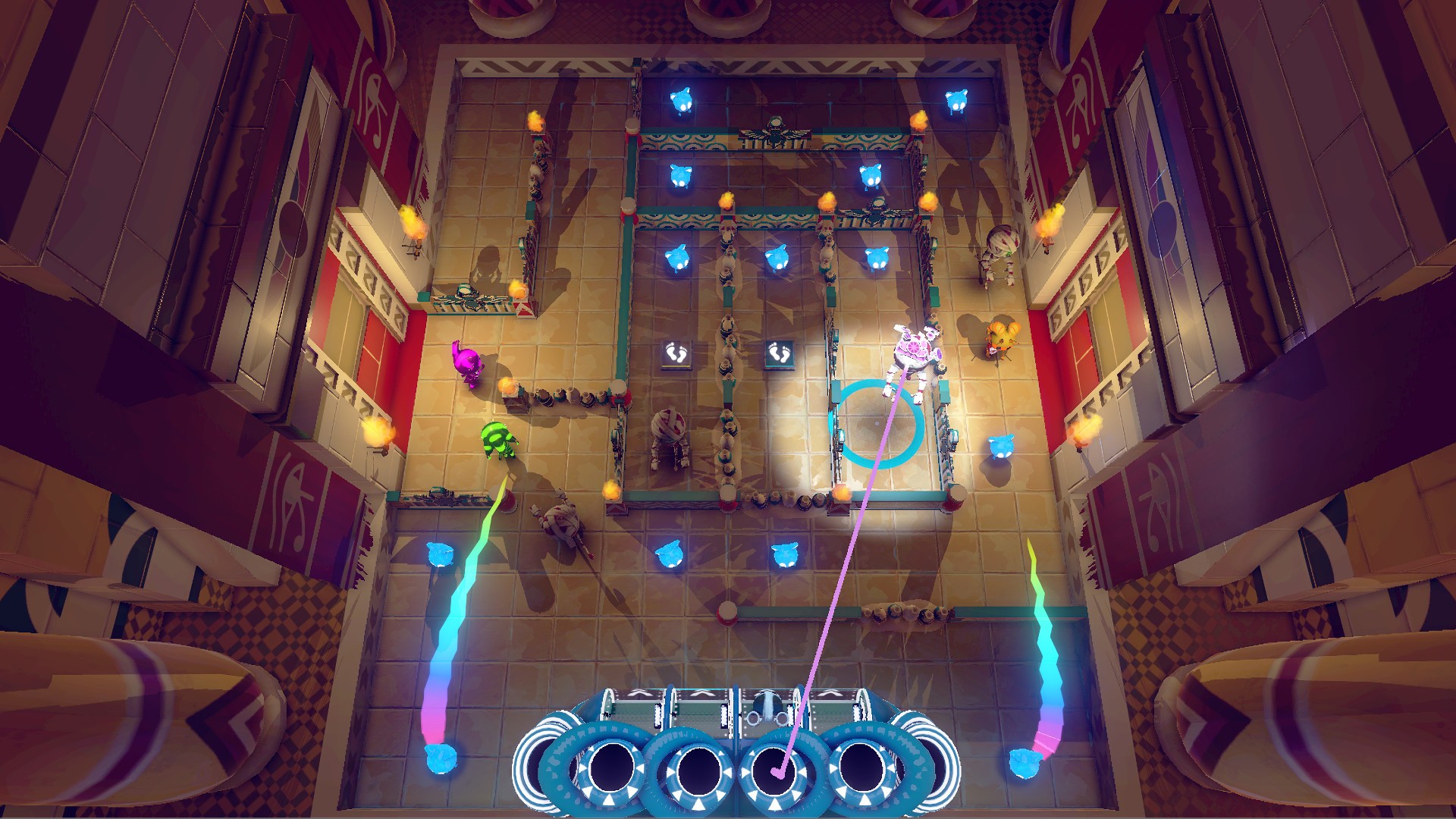
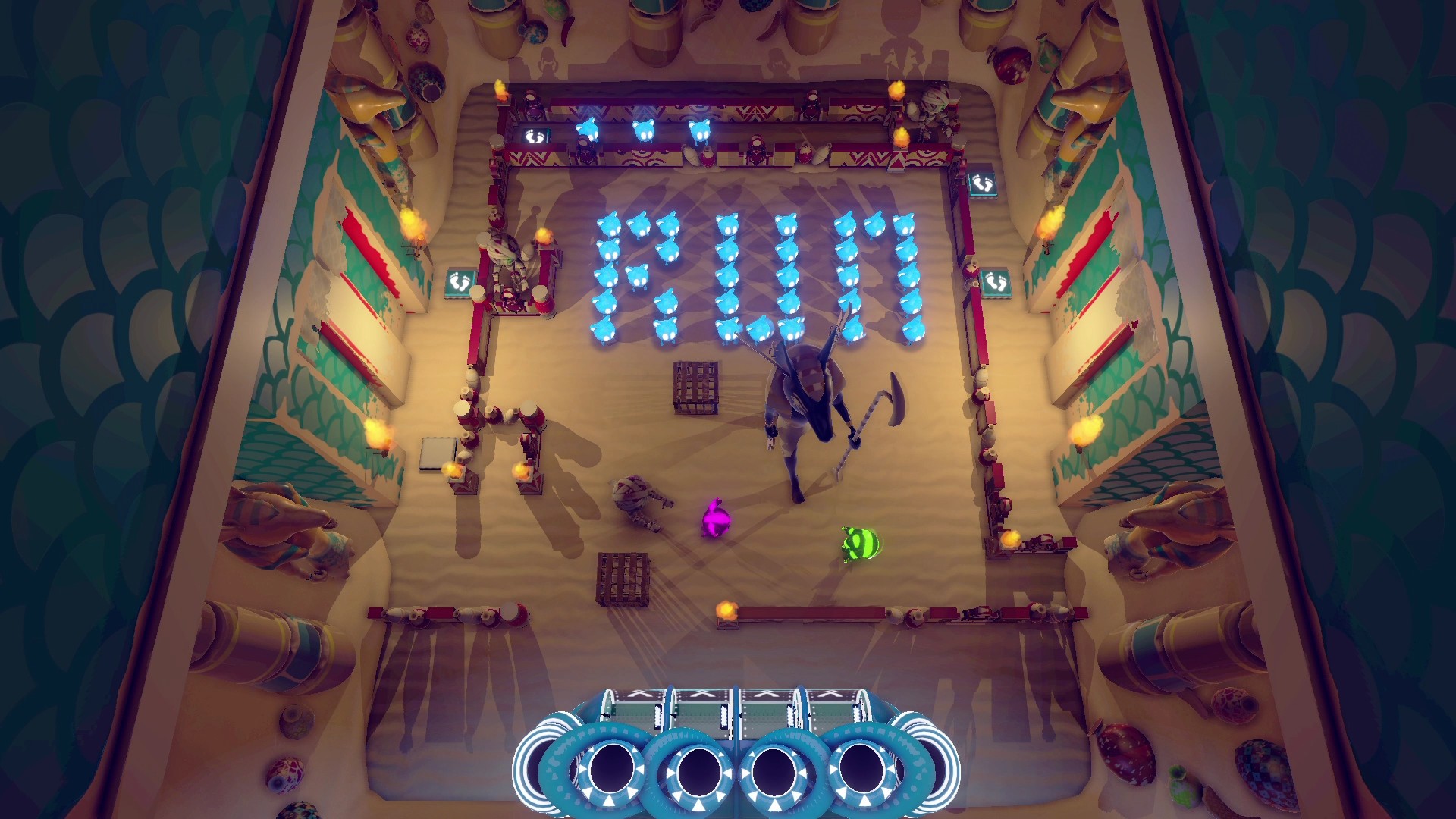
Sitting around the TV together you’ll have fun playing as time traveling aliens who help each other survive through ancient Egyptian mazes, puzzles, and dangers.
For our team of three, this is a big deal — our passion project is coming out on Xbox One!
I’m Shaz, the game designer of BFF or Die. As a lifelong gamer, I’ve grown up playing video games. My most memorable gaming moments come from when I used to meet up with a group of four friends and play local multiplayer games all weekend. I look back on those times fondly – they made me appreciate how gaming can be the social glue to build lasting friendships.
We’ve been developing BFF or Die for a long time. We started out with a demo and took it out to some local events where indie developers meetup to talk about games, make friends, and learn from each other. People really seemed to have fun playing together, even as a super early demo with no graphics. Those first playtest sessions made us want to make it into a proper console game.
That dream marked the beginning of a road that led us… here! Over four years we continued to take it around gaming events in the UK, seeing thousands of people play it throughout all stages of development. Their reactions shaped the game and helped us figure out which features to keep or change.
We took the demo out to some great events like EGX and Insomnia Gaming Festival. Encouragingly, it won a few awards like Best Multiplayer Game in GameOn 2.0! In those early days, BFF or Die was relatively unpolished. We were making it in our spare time which took a lot of perseverance as we didn’t have any financial backing. At the same time, we were all working “normal” day-jobs so that we could afford to make this game.
Further into our development journey, we received some amazing news – the UK Games Fund had selected BFF or Die to be one of the few games to receive funding that year! That kicked us into gear and we were able to spend more time on the project, re-work the code, improve the art style, and polish the gameplay. We also formed ASA Studio, our company name based on the first letters of our forenames.
Things seemed to be going well. We self-published on PC, gathered feedback, and made some much-needed updates! The excitement from streamers and players made all the effort worthwhile. After a few more changes to the game in collaboration with our new publishing friends over at 2Awesome Studio, BFF or Die is now available for you to play on Xbox One.
We really hope you have fun playing it, whether you try in single-player mode or in local co-op mode with a friend. Once you beat the story mode there’s an “infinite trials” mode. I can get about 8 challenges into the infinite trials before I die – see how far you can get!
BFF or Die
2Awesome Partners
☆☆☆☆☆
★★★★★
$7.99$6.79
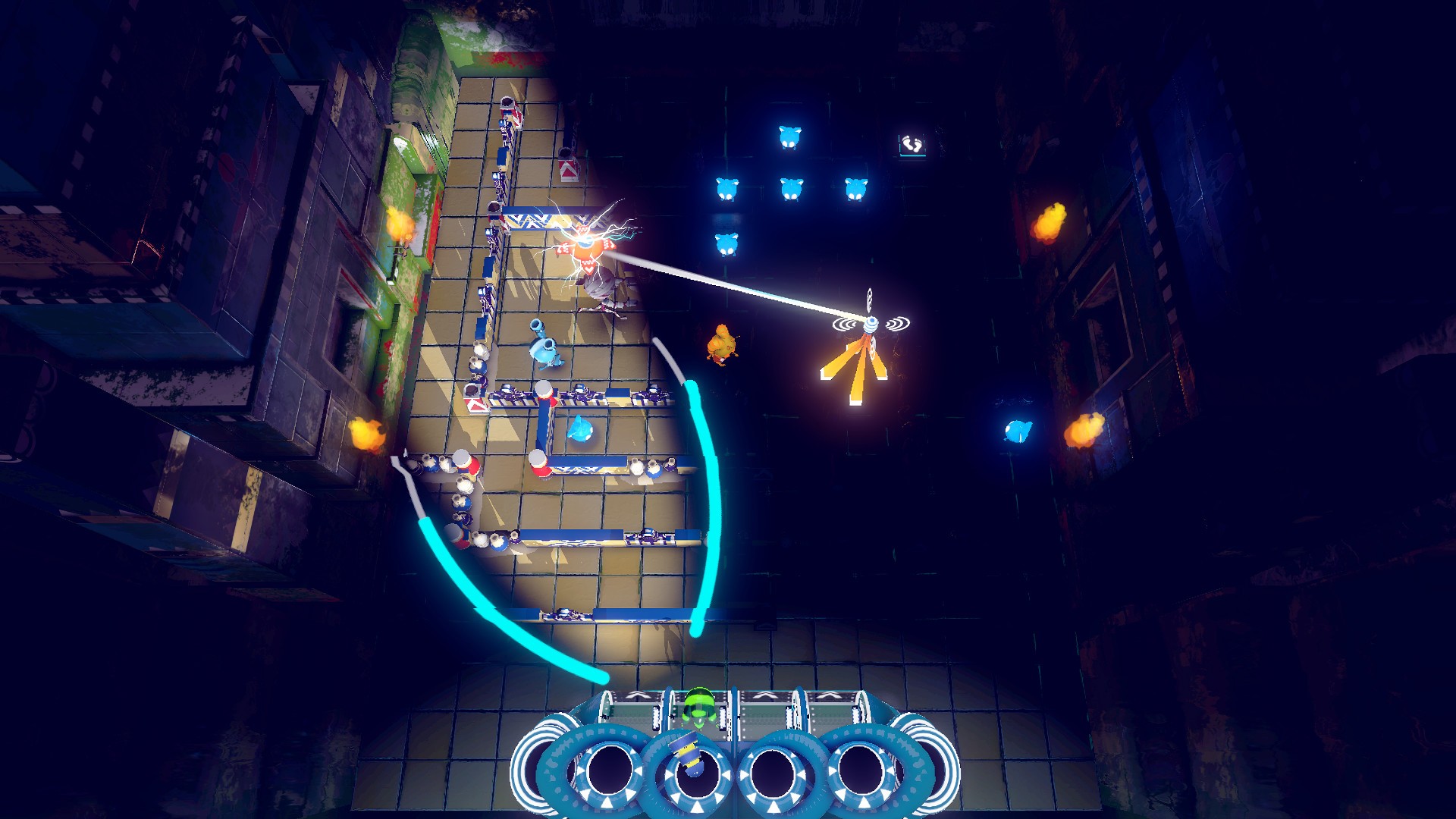
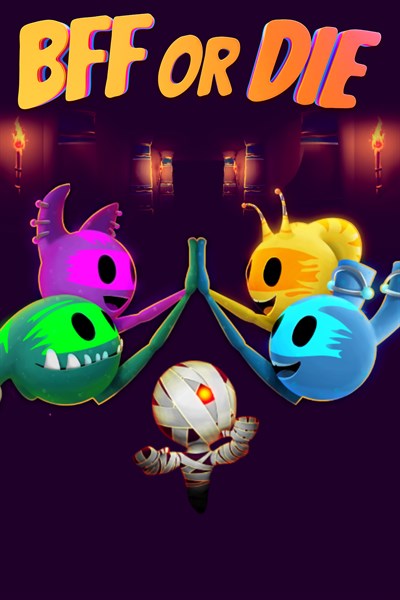
BFF or Die is a cozy and crazy cooperative puzzle game that you can play with up to four players! You’re a time traveling alien sent to Earth on a risky rescue mission. Utilize your gadgets to overcome danger and survive! As time traveling aliens, you must venture to a strange planet called “Earth” in order to rescue the Orbees, a mysterious species who help you build your crucial set of gadgets. Take charge of each gadget, combine your abilities and strategize to save your friends. Use your cunning wit and camaraderie to survive, but never forget the Academy motto: “BFF or Die!” If you love couch co-op’s with friends and family then BFF or Die is for you! BFF or Die in 2-4 local player mode is a completely new and amusing cooperative experience. A mix of puzzles and action gameplay will make you think carefully and sometimes – panic in excitement!
In this 2017 GDC talk, Two Hat Security’s Chris Priebe explains the impact that trolling and toxic behavior have on a game’s success from a business perspective, and how companies can properly manage toxic players.
In addition to this presentation, the GDC Vault and its accompanying YouTube channel offers numerous other free videos, audio recordings, and slides from many of the recent Game Developers Conference events, and the service offers even more members-only content for GDC Vault subscribers.
Those who purchased All Access passes to recent events like GDC already have full access to GDC Vault, and interested parties can apply for the individual subscription via a GDC Vault subscription page. Group subscriptions are also available: game-related schools and development studios who sign up for GDC Vault Studio Subscriptions can receive access for their entire office or company by contacting staff via the GDC Vault group subscription page. Finally, current subscribers with access issues can contact GDC Vault technical support.
Best of 2020: Behind the dizzying ride to the top for Among Us
<!– –>
Gamasutra: Simon Carless’s Blog – Behind the dizzying ride to the top for Among Us
Gamasutra is part of the Informa Tech Division of Informa PLC
This site is operated by a business or businesses owned by Informa PLC and all copyright resides with them. Informa PLC’s registered office is 5 Howick Place, London SW1P 1WG. Registered in England and Wales. Number 8860726.
If you enjoy reading this site, you might also want to check out these UBM Tech sites:
The following blog post, unless otherwise noted, was written by a member of Gamasutras community. The thoughts and opinions expressed are those of the writer and not Gamasutra or its parent company.
Had originally planned a round-up, but it turns out something else came up that I just had to write about. You may recall me mentioning, in the last newsletter, the amazing ‘out of the blue’ success of multiplayer party game Among Us on Steam. (It’s the top global seller right now.)
Well, somebody was kind enough to point out that the Brace Yourself Games Discord has a ‘Clark Tank’ chat channel – twinned with Ryan Clark’s Twitch stream/YouTube videos on game discoverability.
Turns out Forest (ForteBass on Twitter!) of Among Us devs InnerSloth had been sharing his story there. So I got permission from ForteBass to share some of his insight with you all, which I augmented with research. (Yes, Ryan, I’m sneaking around your Discord server stealing content now!)
What’s the big deal, anyhow?
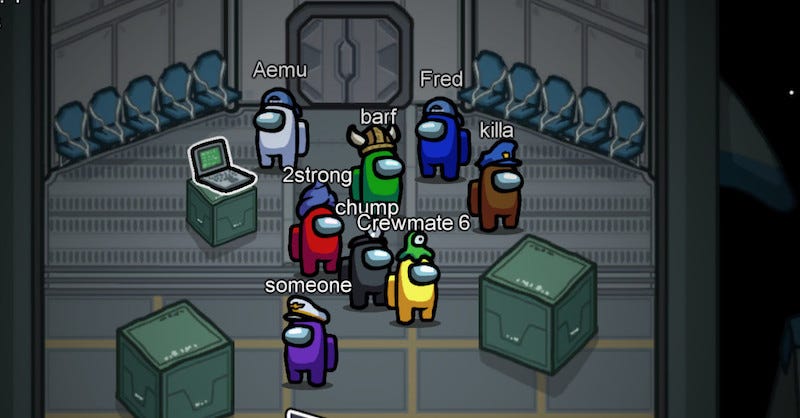
I’ve been watching YouTube videos of Among Us, and it plays so, so well as a social online game. It has big influence from Mafia/Werewolf, obviously, but also reminds me of a ‘you’re actually in the world’ version of Spaceteam.
The tension as you wander around the level trying not to get killed (if you’re not the impostor!) while accomplishing tasks is great. And then voting off potential impostors really ups the ante. Check out this video from Blitz if you want to get a good idea of the social dynamics at play:
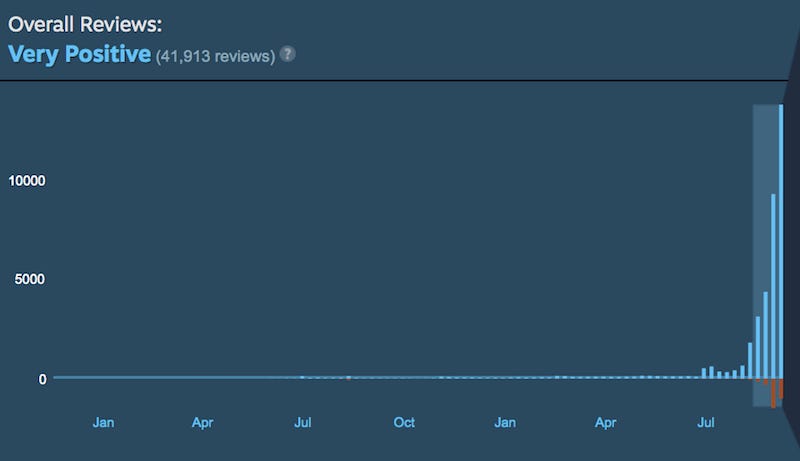
So, some background. Among Us actually launched in June 2018 on Android and July 2018 on iOS. After launching in November 2018 on Steam, and having an extremely slow start there, the game has just exploded in recent weeks – in ways almost unprecedented on Steam for a title that’s been available for some time.
Just check out Among Us’ reviews graph on its Steam page since launch.
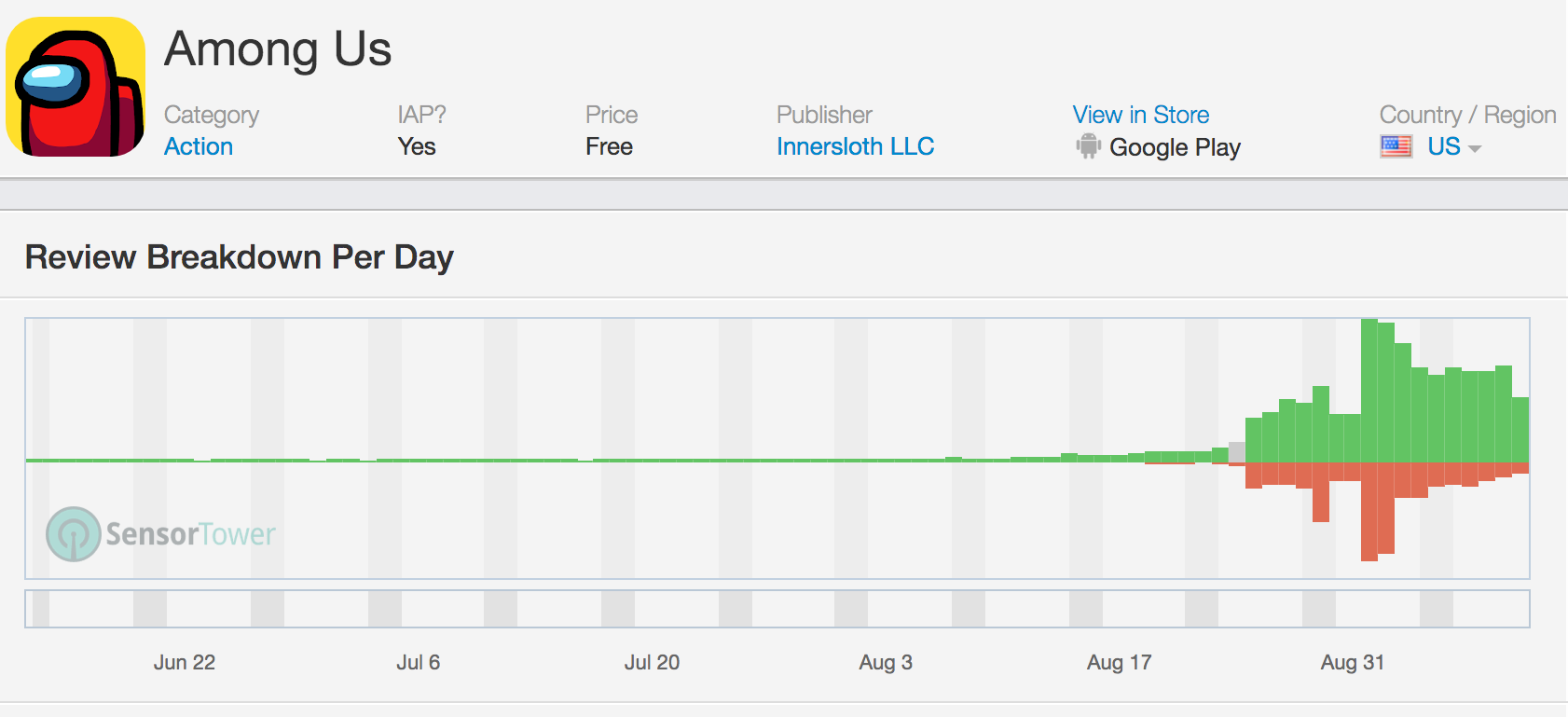
On Steam the game is only priced at $4.99, but it also has a bunch of DLC such as in-game pets. You can see a similar but slightly later ‘reviews explode’ effect on Android for the Google Play version of the game (amusingly, the URL is ‘Space Mafia’), if you look on SensorTower:
Interestingly, Among Us is free on Android and iOS, where it monetizes with similar cosmetic IAP as the Steam version. And it turns out that even ignoring the recent spike, there were millions of downloads on mobile – especially Android – before the game broke out on Steam. (SensorTower is estimating 11 million Android downloads, even ahead of this big August 2020 boost.) I had no idea about this.
ForteBass’ comments bear this out: “It’s the end of 2019. America and Europe are not our big customers: Brazil, Korea, and the Middle East are. Google Play is our breadwinner & IAP for maps and pets are why.”
So it turns out that YouTubers have covered this game extensively before, just not English-language ones. Some of those early spikes “..started with Godenot (3.6M sub Youtuber) [earlier in 2019] who found our game on Google Play (probably recommended by players? Possibly via Itch.io, even… I know he streamed from mobile before switching to PC.) We had considered wrapping up Among Us back then, because profitability was not in sight. But the Brazilian audience drove us to create more content, and that was wise.”
As for another major territory in question: “Our first audience was Korea, and they still constitute 50% of our Steam Among Us sales. That all started in Dec 2018 with Kevin Choi. He found Among Us via itch.io, and I think that’s because we got a day of promotion on the front page. This is literally the only promotion we have expressly asked for.”
So as we can see, Among Us was popular and had good retention in other territories way before this big viral spike in North America and Europe. But it looks like those who saw streamers playing the game gravitated towards the free mobile version – also because those territories play more mobile than PC games. And heck, the game hit a million downloads overall in May 2019. So, it wasn’t exactly ‘unknown’.
Taking it over the top on Steam
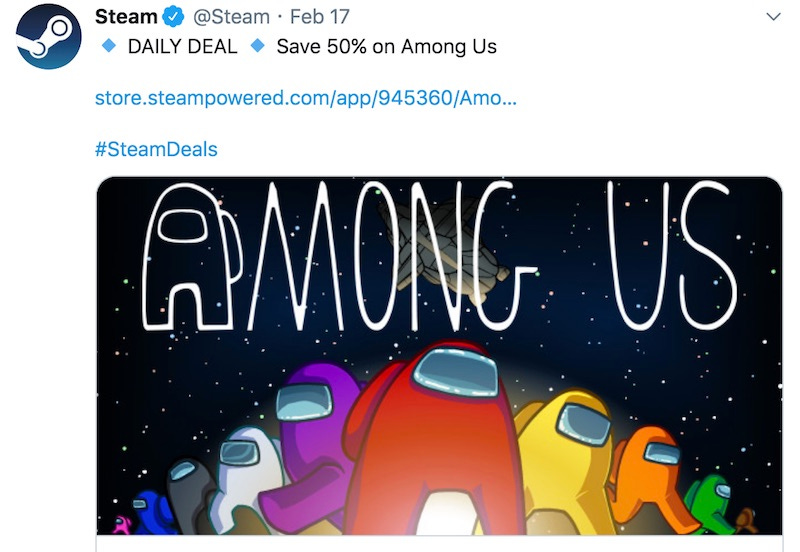
Was there any hint that the game could also do well on Steam? Well, yes – not least because Valve itself took notice. ForteBass takes up the story here: “In February 2020, Steam reached out to us for a daily deal, and we went for 50% off. If I remember rightly, each of those two days produced an entire month of sales, and left us with a higher baseline of sales after, as well as a boatload of wishlists. So that in turn made our Summer sale worthwhile – which snowballed into minor top seller visibility. (#35-ish).”
So, sounds like the Steam featuring helped step the game up visibility-wise. And at this point, Among Us – which was already great – had been polished and had extra maps, pets, and many rounds of bugfixes in place. So it was well set-up to break out, if somebody noticed it.
ForteBass speculates: “But why did we get a daily deal [in Feb]? Well, I didn’t ask, but at the beginning of the year, Kaif (a… UK streamer) and his friends picked us up. We were already profitable by that point and actually had just announced Among Us as complete, which caused a sizable drop off of players. Kaif completely reversed that and brought in a wave of new European players (a new-ish market for us), particularly on Steam (which was our #2 marketplace at that time).”
And that gets us to the current day. Or at least to mid-July, where things got really crazy for the team. Rounding the story off: “First, yes, Twitch streams are the cause of our [most recent] spike. This started just after the Steam Summer sale, which is actually pretty important for us as a 2 year-old game which cost 5 dollars that has already reached 75% off. Pluto and Sodapoppin’s timing was impeccable… I haven’t talked to Pluto yet, but I’d bet that he found Among Us during the 2020 summer sale, which frankly, is the only Big Steam Sale that’s gone well for us.”
And indeed, Reddit sleuths have pinpointed the exact Twitch VOD where everything took off. Sometimes it takes one big streamer to ignite his peers, and looks like that’s what happened in this case. (Among Us is particularly good for streamers because it pulls in the ‘play with your streamer buddies, and you can cross-promote between your channels’ thing. Plus – the drama!)
Conclusion – the path to the top goes where?
Well, I have to say that my research in writing this article didn’t go where I expected. The team behind Among Us made a really amazing game that succeeded in a very unconventional way across a free mobile and an inexpensive PC version.
It rode multiple viral streamer waves while the team desperately upgraded the infrastructure to keep up, it constantly improved, and it’s a great (and vanishingly rare?) example of a multiplayer-only title that’s not an obvious Fortnite-y AAA beast becoming a smash.
As ForteBass notes, the odds are often stacked against multiplayer-first titles: “I initially didn’t want to make Among Us because of the multiplayer aspects. We had seen stuff like Bombernauts flop and the added complexity of multiplayer made it really unappealing. But our other game idea wasn’t panning out, so I prototyped Among Us and it was immediately fun and interesting.”
So if you really want to go for it with multiplayer, you have to have all of the right elements in place. ForteBass concludes: “Everything else has been patience, a high retention game, and frequent public updates. Discord is very important for this. It goes nuts when we announce literally anything.”
So, onward – and congrats again to Forest and his team, who are planning a sequel and all kinds of good things. And good luck to ‘em!
Destiny 2's Prophecy Dungeon Coming Back With Next Update
The Prophecy dungeon launched in Destiny 2 back in June, adding another inventive, high-level activity to the game that wasn't one of its six-player raids. But when the Beyond Light expansion was released, a whole slate of Destiny 2 content was removed from the game, with no information as to when (or if) it might return. Prophecy wasn't quite in the same boat as destinations like Mars, Mercury, Titan, Io, and the Leviathan--Bungie always said it would come back after Beyond Light's release--but we didn't know exactly when, until now.
Bungie included an update on Prophecy's return in its latest This Week at Bungie blog post. We now know that Prophecy will be back in the game very soon: December 8. That's the date of the game's next weekly reset, which will see a new patch, Update 3.0.1, that fixes some issues and adds a few extra elements along with Prophecy.
Those extra goodies are the next-generation upgrades that Destiny 2 will receive for PlayStation 5 and Xbox Series X/S players. Right now, the game is available on both platforms, but only as the backwards compatible version for the PlayStation 4 and Xbox One. The update coming to Destiny 2 on December 8 upgrades the game for next-gen players, amping up framerates to 60 fps, offering 4k resolutions, and speeding up load times.
Posted by: ramylodger - 12-05-2020, 08:44 AM - Forum: Lounge
- No Replies
Consult your physician or a dietitianif you’re looking to change your diet. 75 percent of calories from fat, such as oils, unprocessed nuts, butter and avocado. 20 percent of calories from protein, such as meat, eggs and cheese. One of the Zero G Keto that implement these principles is the low-carb ketogenic diet. It primarily consists of highly-satiating foods like meat and low-carb vegetables while cutting out all carb-ridden, highly-palatable foods.
That’s when I decided to quit sugar, grains, and processed foods, and to start following a whole-foods-based ketogenic approach to food. Avoid sweeteners that raise blood sugar, cause insulin spikes, stimulate your appetite and kick you out of ketosis. Low-carb, Keto and Paleo apps, recipes, free guides & tools, and diet plans to help you achieve your goals on the ketogenic diet. Protein consumption is especially crucial on the ketogenic diet.
Keywords - Zero G Keto, Zero G Keto Reviews, Zero G Keto Diet, Zero G Keto Pills
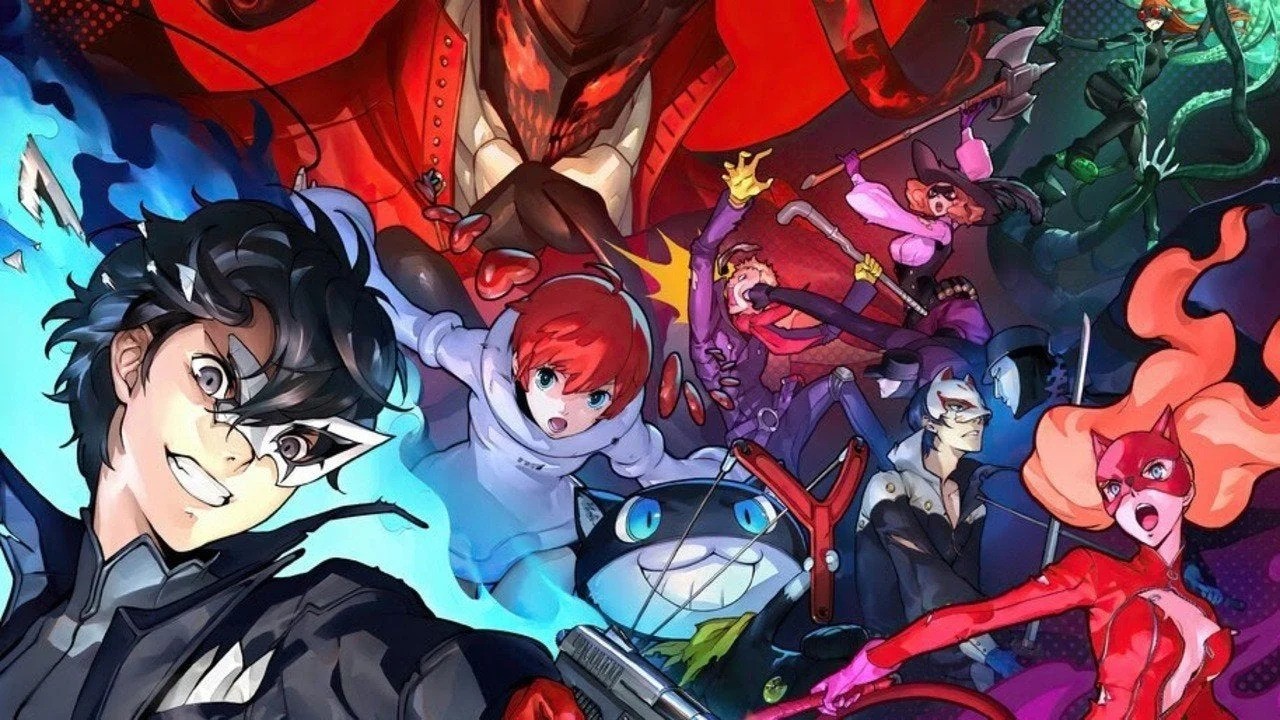
Persona 5 Strikers Is Coming To Western Switch Consoles In February 2021
Damien has over a decade of professional writing experience under his belt, as well as a repulsively hairy belly. Rumours that he turned down a role in The Hobbit to work on Nintendo Life are, to the best of our knowledge, completely and utterly unfounded.
Random: Pokémon’s Latest ASMR Video Features Pikachu “Romping” Around A Room
Remember earlier this year, when The Pokémon Company jumped aboard the ASMR train with a video which aimed at “those who have always wondered how Grimer sounds when it moves”? Well, we’re getting another helping of relaxing audio goodness thanks to arguably the most famous Pokémon of all.
“Here’s our ASMR offering that will have you spend a lazy sunny afternoon with the playful Pikachu romping around the room,” reads the video’s description – and it’s pretty much spot-on. In the 15-minute clip, Pikachu potters about for your aural delectation.
If you like what you see (and hear), then there’s a whole series of these videos on YouTube. It’s also worth noting that Nintendo has released other ASMR videos in the past, including a 30-minute offering which shows someone playing a Switch and making a sandwich. Yum.
Posted by: xSicKxBot - 12-05-2020, 01:47 AM - Forum: Python
- No Replies
Parsing XML Using BeautifulSoup In Python
Introduction
XML is a tool that is used to store and transport data. It stands for eXtensible Markup Language. XML is quite similar to HTML and they have almost the same kind of structure but they were designed to accomplish different goals.
XML is designed to transport data while HTML is designed to display data. Many systems contain incompatible data formats. This makes data exchange between incompatible systems is a time-consuming task for web developers as large amounts of data has to be converted. Further, there are chances that incompatible data is lost. But, XML stores data in plain text format thereby providing software and hardware-independent method of storing and sharing data.
Another major difference is that HTML tags are predefined whereas XML files are not.
❖ Example of XML:
<?xml version="1.0" encoding="UTF-8"?>

<note> <to>Harry Potter</to> <from>Albus Dumbledore</from> <heading>Reminder</heading> <body>It does not do to dwell on dreams and forget to live!</body>

</note>
As mentioned earlier, XML tags are not pre-defined so we need to find the tag that holds the information that we want to extract. Thus there are two major aspects governing the parsing of XML files:
Finding the required Tags.
Extracting data from after identifying the Tags.
BeautifulSoup and LXML Installation
When it comes to web scraping with Python, BeautifulSoup the most commonly used library. The recommended way of parsing XML files using BeautifulSoup is to use Python’s lxml parser.
You can install both libraries using the pip installation tool. Please have a look at our BLOG TUTORIAL to learn how to install them if you want to scrape data from an XML file using Beautiful soup.
# Note: Before we proceed with our discussion, please have a look at the following XML file that we will be using throughout the course of this article. (Please create a file with the name sample.txt and copy-paste the code given below to practice further.)
Since the tags are not pre-defined in XML, we must identify the tags and search them using the different methods provided by the BeautifulSoup library. Now, how do we find the right tags? We can do so with the help of BeautifulSoup's search methods.
Beautiful Soup has numerous methods for searching a parse tree. The two most popular and commonly used methods are:
find()
find_all()
We have an entire blog tutorial on the two methods. Please have a look at the following tutorial to understand how these search methods work.
If you have read the above-mentioned article, then you can easily use the findand find_all methods to search for tags anywhere in the XML document.
Relationship Between Tags
It is extremely important to understand the relationship between tags, especially while scraping data from XML documents.
The three key relationships in the XML parse tree are:
Parent: The tag which is used as the reference tag for navigating to child tags.
Children: The tags contained within the parent tag.
Siblings: As the name suggests these are the tags that exist on the same level of the parse tree.
Let us have a look at how we can navigate the XML parse tree using the above relationships.
Finding Parents
❖ The parent attribute allows us to find the parent/reference tag as shown in the example below.
Example: In the following code we will find out the parents of the common tag.
print(soup.common.parent.name)
Output:
plant
Note: The name attribute allows us to extract the name of the tag instead of extracting the entire content.
Finding Children
❖ The children attribute allows us to find the child tag as shown in the example below.
Example: In the following code we will find out the children of the plant tag.
for child in soup.plant.children: if child.name == None: pass else: print(child.name)
Output:
common

botanical

zone

light

price

availability
Finding Siblings
A tag can have siblings before and after it.
❖ The previous_siblings attribute returns the siblings before the referenced tag, and the next_siblings attribute returns the siblings after it.
Example: The following code finds the previous and next sibling tags of the light tag of the XML document.
print("***Previous Siblings***")

for sibling in soup.light.previous_siblings: if sibling.name == None: pass else: print(sibling.name) print("\n***Next Siblings***")

for sibling in soup.light.next_siblings: if sibling.name == None: pass else: print(sibling.name)
Output:
***Previous Siblings***

zone

botanical

common ***Next Siblings***

price

availability
Extracting Data From Tags
By now, we know how to navigate and find data within tags. Let us have a look at the attributes that help us to extract data from the tags.
Text And String Attributes
To access the text values within tags, you can use the text or strings attribute.
Example: let us extract the the text from the first price tag using text and string attributes.
print('***PLANT NAME***')

for tag in plant_name: print(tag.text)

print('\n***BOTANICAL NAME***')

for tag in scientific_name: print(tag.string)
The contents attribute allows us to extract the entire content from the tags, that is the tag along with the data. The contents attribute returns a list, therefore we can access its elements using their index.
Example:
print(soup.plant.contents)

# Accessing content using index

print()

print(soup.plant.contents[1])
If you observe closely when we print the tags on the screen, they have a sort of messy appearance. While this may not have direct productivity issues, but a better and structured print style helps us to parse the document more effectively.
The following code shows how the output looks when we print the BeautifulSoup object normally:
We are now well versed with all the concepts required to extract data from a given XML document. It is now time to have a look at the final code where we shall be extracting the Name, Botanical Name, and Price of each plant in our example XML document (sample.xml).
Please follow the comments along with the code given below to have a understanding of the logic used in the solution.
from bs4 import BeautifulSoup # Open and read the XML file

file = open("sample.xml", "r")

contents = file.read() # Create the BeautifulSoup Object and use the parser

soup = BeautifulSoup(contents, 'lxml') # extract the contents of the common, botanical and price tags

plant_name = soup.find_all('common') # store the name of the plant

scientific_name = soup.find_all('botanical') # store the scientific name of the plant

price = soup.find_all('price') # store the price of the plant # Use a for loop along with the enumerate function that keeps count of each iteration

for n, title in enumerate(plant_name): print("Plant Name:", title.text) # print the name of the plant using text print("Botanical Name: ", scientific_name[ n].text) # use the counter to access each index of the list that stores the scientific name of the plant print("Price: ", price[n].text) # use the counter to access each index of the list that stores the price of the plant print()
XML documents are an important source of transporting data and hopefully after reading this article you are well equipped to extract the data you want from these documents. You might be tempted to have a look at this video series where you can learn how to scrape webpages.
To become successful in coding, you need to get out there and solve real problems for real people. That’s how you can become a six-figure earner easily. And that’s how you polish the skills you really need in practice. After all, what’s the use of learning theory that nobody ever needs?
Practice projects is how you sharpen your saw in coding!
Do you want to become a code master by focusing on practical code projects that actually earn you money and solve problems for people?
Then become a Python freelance developer! It’s the best way of approaching the task of improving your Python skills—even if you are a complete beginner.
Unity Make MLAPI Official Networking Library for GameObjects
Way back in 2018 Unity announced the official deprecation of the UNET networking solution, which consisted of the low level (LLAPI) and high level (HLAPI) networking solutions. The reasons for the deprecation were:
Through our connected games initiatives, we’re revamping how we can make networked games easier, more performant, and multiplayer-ready by default. To make these important changes, we need to start anew. That means existing multiplayer features will be gradually deprecated, with more performant, scalable, and secure technologies taking their place. But don’t worry – games with impacted features will have plenty of time to react.
At this point in time the future was clearly DOTS (Data Oriented Technology Stack) which included a new solution called Unity NetCode. In the end the migration to DOTS hasn’t gone as smoothly as expected and recently Unity have started back-filling support for GameObject based development. One recent example was the acquisition, then subsequent free release of the Bolt visual scripting solution. Today Unity have made a similar move, by adopting the open source MLAPI networking project as the new official Unity networking solution. Details from the Unity blog:
One of Unity’s top priorities for 2021 is to expand the Unity ecosystem with a first-party multiplayer networking solution for GameObjects that is easy to set up and extend, scales to meet the needs of high-performance titles, and is seamlessly integrated into the Unity ecosystem.
The existing UNet HLAPI architecture is not well suited for the in-depth evolution that is required to support games at scale. Rest assured, we don’t want to reinvent the wheel. The ecosystem currently offers multiple strong solutions, and the best path toward providing you with the scalable framework we envision is to build on the amazing work that already exists in the community.
We considered various open source software (OSS) alternatives and found a framework that fit our needs. We’re thrilled to share that the OSS multiplayer networking framework MLAPI is joining the Unity family, along with its creator, Albin Corén.
As of today, we’re already working on integrating and evolving MLAPI into what will become Unity’s first-party GameObjects netcode solution. We plan to continue the development fully open source. Developing in the open and welcoming community contributions. If you are interested, you can join us on the GitHub MLAPI repo.
You can learn more about MLAPI and the ongoing saga of networking on Unity in the video below.
With macOS Big Sur, Messages on the Mac is now in step with it on iOS. Here’s how to pin conversations, reply to specific people, and quickly add meme-style images.
When Apple released iOS 14, it brought a slew of improvements to Messages — and now those are also available on the Mac with macOS Big Sur. The changes are all about making it as quick and easy to use Messages at your desk as it is on your iPhone.
And that starts with how you tame Messages. Rather than the ceaseless sea of replies, most especially when you’re in a group conversation, you can now use the new features to make sure you see what you need to.
Give a conversation a name
Open Messages on the Mac
Click to select a conversation in the left-hand side bar
Right click and choose Details…
From the popup that appears, click on Change Group Name and Photo
Enter a group name
Click Done
You can name a conversation or give it a new photo
Say that four people are always messaging, but right now, you’re all talking about the first place you’ll go on vacation after the coronavirus. You know that later on you’ll remember someone mentioned burritos, but you cannot recall who, when, or which restaurant they were so insistent served the best.
If you’ve grouped your conversation and given it the name Vacation Plan, you can now read through that specific chat.
How to pin a conversation
Open Messages on the Mac
Click to select a conversation in the left-hand side bar
Right click and choose Details…
From the popup that appears, click on Pin
This one actually takes a little getting used to. We have opened Messages and scrolled to a person or a conversation so often that you have to train yourself to look up instead.
When you’ve pinned a conversation, you no longer see it in the list — and you no longer get to read the first lines of the most recent message. Rather, an image appears at the very top of your message lists, and it stays there.
Right click on a message in the list to the left in order to access all the main options
The image will be that of your one contact if it’s a conversation solely with an individual and if you have an image for them in your Contacts. If several people in that conversation, the default image is a circle with their individual faces inside it.
Clearly, you can pin the people you most often talk with so that sending them a new message no longer requires scrolling through everyone’s name. But you can also pin that “Vacation Plan” conversation so that it’s easy to find, too.
See only the messages you want to
If the conversation is rambling on, right-click on it in the list of messages
Choose Hide Alerts
To get notified when you’re actually named, go to Messages, Preferences
In the General tab, tick Notify me when my name is mentioned
Reply to specific messages in a conversation
Click on the specific speech bubble you want
Right-click on it and choose Reply…
Type your reply in the regular message box at the bottom of the screen and send it
Press the escape key to go back to the rest of the conversation
When you choose Reply… to a particular message, all the rest fade in the background so that you can focus on it. You can stay in this focused area for when they reply.
When you reply to a specific message in line, the rest of the conversation becomes hidden
Assuming you’re not going to hang around all day, you come out of this focused reply by pressing Escape or clicking anywhere in the rest of the message. When you do that, the specific message you replied to gets a line underneath it saying, for example, “1 Reply.”
How to use images like memes
Click on the App icon to the immediate left of where you type messages
Choose #images
Either scroll through the images presented
Or type a keyword into the search bar
Click on any image to have it entered in the message area
The first time you click on #images and then into the search bar, you get a notification explaining what will happen. Apple will suggest memes in the form of GIFs, based on what is currently popular — and on what your message conversation is about.
In this same section, clicking on the App icon has other options. As well as the #images one, there is your choice of adding Photos, Memoji stickers, or Message Effects.
Photos and Memoji stickers work the same way as #images, in that you can scroll or search. Message Effects are a little different.
To get a Message Effect, you have to first write a message. Say you write “Happy Birthday.” Now when you select Message Effects, it defaults to something appropriate such as hearts and balloons.