Create an account


Welcome, Guest
You have to register before you can post on our site.

Username
  

Password


Search Forums

(Advanced Search)

Forum Statistics
» Members: 20,193
» Latest member: juhujbj
» Forum threads: 22,079
» Forum posts: 22,966

Full Statistics

Online Users
There are currently 985 online users.
» 2 Member(s) | 977 Guest(s)
Applebot, Baidu, Bing, DuckDuckGo, Google, Yandex, das210, juhujbj

 
  Fedora - Getting started with Stratis encryption
Posted by: xSicKxBot - 11-09-2020, 08:05 PM - Forum: Linux, FreeBSD, and Unix types - No Replies

Getting started with Stratis encryption

Stratis is described on its official website as an “easy to use local storage management for Linux.” See this short video for a quick demonstration of the basics. The video was recorded on a Red Hat Enterprise Linux 8 system. The concepts shown in the video also apply to Stratis in Fedora.

Stratis version 2.1 introduces support for encryption. Continue reading to learn how to get started with encryption in Stratis.

Prerequisites


Encryption requires Stratis version 2.1 or greater. The examples in this post use a pre-release of Fedora 33. Stratis 2.1 will be available in the final release of Fedora 33.

You’ll also need at least one available block device to create an encrypted pool. The examples shown below were done on a KVM virtual machine with a 5 GB virtual disk drive (/dev/vdb).

Create a key in the kernel keyring


The Linux kernel keyring is used to store the encryption key. For more information on the kernel keyring, refer to the keyrings manual page (man keyrings).

Use the stratis key set command to set up the key within the kernel keyring.  You must specify where the key should be read from. To read the key from standard input, use the –capture-key option. To retrieve the key from a file, use the –keyfile-path <file> option. The last parameter is a key description. It will be used later when you create the encrypted Stratis pool.

For example, to create a key with the description pool1key, and to read the key from standard input, you would enter:

# stratis key set --capture-key pool1key
Enter desired key data followed by the return key:

The command prompts us to type the key data / passphrase, and the key is then created within the kernel keyring.

To verify that the key was created, run stratis key list:

# stratis key list
Key Description
pool1key

This verifies that the pool1key was created. Note that these keys are not persistent. If the host is rebooted, the key will need to be provided again before the encrypted Stratis pool can be accessed (this process is covered later).

If you have multiple encrypted pools, they can have a separate keys, or they can share the same key.

The keys can also be viewed using the following keyctl commands:

# keyctl get_persistent @s
318044983
# keyctl show
Session Keyring
 701701270 --alswrv      0     0  keyring: _ses
 649111286 --alswrv      0 65534   \_ keyring: _uid.0
 318044983 ---lswrv      0 65534   \_ keyring: _persistent.0
1051260141 --alswrv      0     0       \_ user: stratis-1-key-pool1key

Create the encrypted Stratis pool


Now that a key has been created for Stratis, the next step is to create the encrypted Stratis pool. Encrypting a pool can only be done at pool creation. It isn’t currently possible to encrypt an existing pool.

Use the stratis pool create command to create a pool. Add –key-desc and the key description that you provided in the previous step (pool1key). This will signal to Stratis that the pool should be encrypted using the provided key. The below example creates the Stratis pool on /dev/vdb, and names it pool1. Be sure to specify an empty/available device on your system.

# stratis pool create --key-desc pool1key pool1 /dev/vdb

You can verify that the pool has been created with the stratis pool list command:

# stratis pool list 
Name                     Total Physical   Properties
pool1   4.98 GiB / 37.63 MiB / 4.95 GiB      ~Ca, Cr

In the sample output shown above, ~Ca indicates that caching is disabled (the tilde negates the property). Cr indicates that encryption is enabled.  Note that caching and encryption are mutually exclusive. Both features cannot be simultaneously enabled.

Next, create a filesystem. The below example, demonstrates creating a filesystem named filesystem1, mounting it at the /filesystem1 mountpoint, and creating a test file in the new filesystem:

# stratis filesystem create pool1 filesystem1
# mkdir /filesystem1
# mount /stratis/pool1/filesystem1 /filesystem1
# cd /filesystem1
# echo "this is a test file" > testfile

Access the encrypted pool after a reboot


When you reboot you’ll notice that Stratis no longer shows your encrypted pool or its block device:

# stratis pool list
Name   Total Physical   Properties
# stratis blockdev list
Pool Name   Device Node   Physical Size   Tier

To access the encrypted pool, first re-create the key with the same key description and key data / passphrase that you used previously:

# stratis key set --capture-key pool1key
Enter desired key data followed by the return key:

Next, run the stratis pool unlock command, and verify that you can now see the pool and its block device:

# stratis pool unlock
# stratis pool list
Name                      Total Physical   Properties
pool1   4.98 GiB / 583.65 MiB / 4.41 GiB      ~Ca, Cr
# stratis blockdev list
Pool Name   Device Node   Physical Size   Tier
pool1       /dev/dm-2          4.98 GiB   Data

Next, mount the filesystem and verify that you can access the test file you created previously:

# mount /stratis/pool1/filesystem1 /filesystem1/
# cat /filesystem1/testfile 
this is a test file

Use a systemd unit file to automatically unlock a Stratis pool at boot


It is possible to automatically unlock your Stratis pool at boot without manual intervention. However, a file containing the key must be available. Storing the key in a file might be a security concern in some environments.

The systemd unit file shown below provides a simple method to unlock a Stratis pool at boot and mount the filesystem. Feedback on a better/alternative methods is welcome. You can provide suggestions in the comment section at the end of this article.

Start by creating your key file with the following command. Be sure to substitute passphrase with the same key data / passphrase you entered previously.

# echo -n passphrase > /root/pool1key

Make sure that the file is only readable by root:

# chmod 400 /root/pool1key
# chown root:root /root/pool1key

Create a systemd unit file at /etc/systemd/system/stratis-filesystem1.service with the following content:

[Unit]
Description = stratis mount pool1 filesystem1 file system
After = stratisd.service [Service]
ExecStartPre=sleep 2
ExecStartPre=stratis key set --keyfile-path /root/pool1key pool1key
ExecStartPre=stratis pool unlock
ExecStartPre=sleep 3
ExecStart=mount /stratis/pool1/filesystem1 /filesystem1
RemainAfterExit=yes [Install]
WantedBy = multi-user.target

Next, enable the service so that it will run at boot:

# systemctl enable stratis-filesystem1.service

Now reboot and verify that the Stratis pool has been automatically unlocked and that its filesystem is mounted.

Summary and conclusion


In today’s environment, encryption is a must for many people and organizations. This post demonstrated how to enable encryption in Stratis 2.1.



https://www.sickgaming.net/blog/2020/11/...ncryption/

Print this item

  News - Take-Two Might Be Gobbling Up UK Veteran Codemasters
Posted by: xSicKxBot - 11-09-2020, 08:04 PM - Forum: Nintendo Discussion - No Replies

Take-Two Might Be Gobbling Up UK Veteran Codemasters

Screenshot 2020 11 09 At 12.12.00

Publishing giant Take-Two is in talks to purchase UK industry veteran Codemasters, it has been revealed.

Codemasters – which began back in the ’80s and is famous for titles such as Micro Machines, Dizzy, DIRT, GRID and the ongoing official F1 video game series – has confirmed to its investors that discussions are ongoing.

A non-binding offer is on the table which would buy the company for 485 pence per share; 120 pence of that total would be paid in cash, while the remainder would be made up of shares in Take-Two itself.

Take-Two has issued the following statement on the proposed deal:

Take-Two believes that the combination of Take-Two and Codemasters would bring together two world-class interactive entertainment portfolios, with a highly complementary fit between Take-Two’s 2K publishing label and Codemasters in the racing genre.

In addition, Take-Two believes that it can bring benefits to Codemasters’ performance by leveraging Take-Two’s global distribution network and 2K’s core operating expertise in publishing, including live operations, analytics, product development, and brand and performance marketing.

It is understood that Codemasters’ board of directors will recommend that the company accepts the deal, and Take-Two has until December 4th to make a binding offer. Codemasters is valued at £662.98 million; Take-Two’s offer values it at £739.19 million.

Codemasters hasn’t been all that active on Switch – we’ve only seen GRID Autosport make the leap over to Nintendo’s console – but the company’s history with Nintendo systems is notable; legal action was famously (and unsuccessfully) taken against the company by Nintendo when it released its Game Genie “enhancement” device back in the early ’90s.


https://www.sickgaming.net/blog/2020/11/...demasters/

Print this item

  News - The Game Boy Is Getting A New Wonder Boy And Ys-Inspired Adventure
Posted by: xSicKxBot - 11-09-2020, 08:04 PM - Forum: Nintendo Discussion - No Replies

The Game Boy Is Getting A New Wonder Boy And Ys-Inspired Adventure


Remember when we recently reported on the fact that the Game Boy was getting a brand-new RPG title in 2020? Well, if that brought a smile to your face, then you’re going to be very pleased to hear that the plucky little console (and its more powerful sibling, the Game Boy Color) is getting another new release very soon.

Team Coria is working on a 2D-sidescrolling adventure by the name of Coria and the Sunken City, a title inspired by the likes of Wonder Boy in Monster World and Ys. In this adventure, heroine Coria “explores the caves, forests and mountains of the mysterious Agoe Island, uncovering an ancient mystery sleeping beneath the waves of the sea.”

The team has released a lovely-looking cinematic trailer – which you can watch at the top of this page – as well as a playable demo that you can experience on original hardware (using a flash cart) or in your web browser. The objective is to release the final game digitally and on a physical cartridge.


Here’s some PR:

Follow young adventurer Coria on her travels across the mysterios island of Agoe! Find new skills and weapons to help you on your way, overcome obstacles, beat ferocious enemies and bosses and uncover an ancient secret!

+ Explore a vast open island world
+ Meet friendly islanders who help you on your quest
+ Fight Bosses hiding in the temples under the island
+ Unlock and upgrade your weapons and skills
+ Discover hidden secrets
+ Uncover the lurking horror threatening Ahoe Island

Are you interested in this one? Have you tried the demo? Let us know what you think by posting a comment below.


https://www.sickgaming.net/blog/2020/11/...adventure/

Print this item

  News - Sony Addresses PS Plus Plans Going Forward
Posted by: xSicKxBot - 11-09-2020, 08:04 PM - Forum: Lounge - No Replies

Sony Addresses PS Plus Plans Going Forward

With the PS5 just days away, Sony has detailed how it plans to dole out PlayStation Plus rewards going forward. While it seems as if the service will continue to focus on giving out PS4 games for the immediate future, it seems to be aiming at adding PS5 games to the rotation in the long-term.

"All PlayStation Plus members will continue to receive at least two great PS4 games each month," Sony said in a PS5 FAQ on the PlayStation Blog. "It is our goal to add PS5 games regularly to the monthly games lineup, so check back with us at PS Blog for our monthly PlayStation Plus announcements."

Sony has already announced two PS5 games coming for PS Plus members. Bugsnax will be available on launch day, but only the PS5 version. Similarly, Destruction All-Stars will be coming as a bonus Plus game when it launches next year.

Continue Reading at GameSpot

https://www.gamespot.com/articles/sony-a...01-10abi2f

Print this item

  (Indie Deal) FREE Whispering Willows, Little Hope Release, GalaQuiz
Posted by: xSicKxBot - 11-09-2020, 03:08 PM - Forum: Deals or Specials - No Replies

FREE Whispering Willows, Little Hope Release, GalaQuiz

Whispering Willows FREEbie
[freebies.indiegala.com]
Play as Elena to find her missing father, use your astral projection to solves the mansion’s tricks and puzzles, help the lingering souls and discover so much more in Whispering Willows.

Don't miss the latest limited time only title from the Halloween Freebies Marathon.[blog.indiegala.com]

https://youtu.be/8m4Q7U2v0fU
STORE TOP PICKS

ADULT ONLY GAME SALE, all titles -20%
[www.indiegala.com]
The Halloween weekend continues...and some sales are still surviving. Don't forget that these scary deals will also gift you free scratchy cards filled with mysterious Steam keys! For every purchase...you'll get something special: a BONUS Scratch Card with a secret Steam title in it for every store cart purchase!

The 228th GalaQuiz will be LIVE soon, win up to $50:dollars: in GalaCredit!
[www.indiegala.com]
The GalaQuiz will take place in less than 2 hours from this announcement
Today's GalaQuiz[www.indiegala.com] hints are up. The theme will be Horror Movies. Look forward for an awesome upcoming event.

Gameplay Giveaway Event & Happy Hour
[blog.indiegala.com] [www.indiegala.com]

Stay Inside, Stay Safe and Enjoy Good Games.
Check out IndieGala on Twitter, YouTube & Facebook[www.facebook.com]


https://steamcommunity.com/groups/indieg...3200570473

Print this item

  News - Scott Pilgrim VS. The World: The Game – Complete Edition Rated By PEGI
Posted by: xSicKxBot - 11-09-2020, 01:38 PM - Forum: Nintendo Discussion - No Replies

Scott Pilgrim VS. The World: The Game – Complete Edition Rated By PEGI


One pleasant surprise during the Ubisoft Forward broadcast back in September was the announcement Scott Pilgrim vs. The World: The Game – Complete Edition (including Knives Chau and Wallace Wells downloadable content) would be coming to the Switch and multiple other platforms this holiday season.

While an exact release date hasn’t been revealed just yet, we shouldn’t have to wait much longer. Earlier this week, this re-release was rated for Nintendo Switch, Xbox One, PlayStation 4 and Google Stadia by PEGI.

“This game has received a PEGI 12 because it features moderate violence and use of bad language. Not suitable for persons under 12 years of age.

If you haven’t played this 2D arcade-style beat ’em up game before, it’s inspired by the iconic graphic novel series and 2010 Universal Pictures film. Here’s a bit extra about what to expect along with some screenshots:

“With its unique blend of style, humor and classic gameplay, players will help Scott Pilgrim take on enemies, including the League of Seven Evil Exes to fight for love. To do so, players can embody Scott Pilgrim, Ramona Flowers, Stephen Stills and more unforgettable characters, all featuring their own unique signature moves and attacks. By earning experience points, characters can level up and learn numerous deadly skills.”

“Additionally, players will have the opportunity to team up with up to three friends locally or online to defeat foes, share health and coins, and revive each other. Friends can also compete in subspace mini-games, frantic dodgeball or challenge each other to epic last-one-standing battles.”


Is this a game you’ll be revisiting when it arrives on the Nintendo Switch? Comment below.


https://www.sickgaming.net/blog/2020/11/...d-by-pegi/

Print this item

  News - New Mass Effect Officially In Development With Veteran Team
Posted by: xSicKxBot - 11-09-2020, 01:38 PM - Forum: Lounge - No Replies

New Mass Effect Officially In Development With Veteran Team

Many of us assumed that BioWare was going to announce a Mass Effect trilogy collection during N7 Day today, but we didn't expect this other piece of news: A new Mass Effect game is in development.

Details on the project are extremely scarce, but BioWare is working on the "next chapter of the Mass Effect universe" and it will feature a "veteran team" from the company. It's unclear who will be involved in the project, as original creative director Casey Hudson now leads the entire studio. Mass Effect: Andromeda creative director Mac Walters appears to still be with the company and served as a writer on the original games as well as Jade Empire. The latter game was an original Xbox exclusive. It never received a sequel but is considered one of the studio's better games.

Andromeda wasn't as well-received as the earlier games, with criticism directed at its story, character animations, and quest design. In GameSpot's Mass Effect: Andromeda review, critic Scott Butterworth also found technical issues and disliked the characters. BioWare's next game Anthem was also a flop, and it's being reworked into a completely different experience. Whether that is successful in the long run remains to be seen.

Continue Reading at GameSpot

https://www.gamespot.com/articles/new-ma...01-10abi2f

Print this item

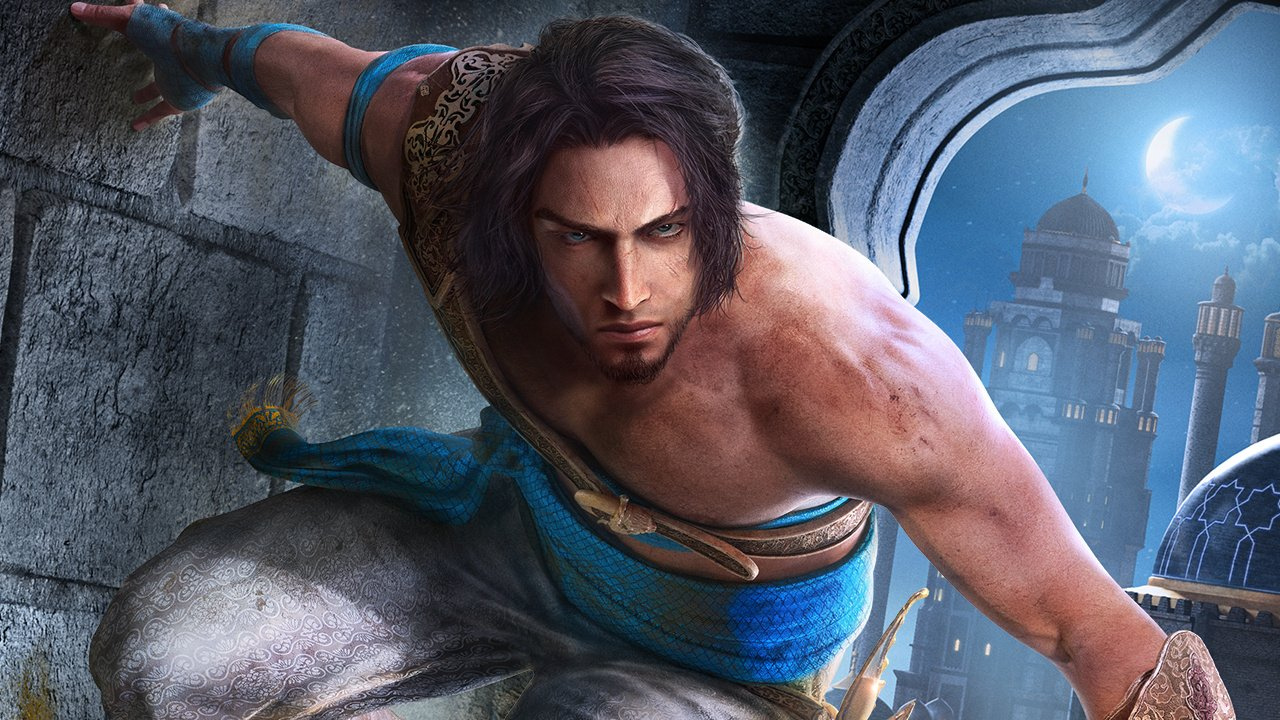
  News - Switch Version Of Ubisoft’s Prince Of Persia Remake Resurfaces Online
Posted by: xSicKxBot - 11-09-2020, 04:18 AM - Forum: Nintendo Discussion - No Replies

Switch Version Of Ubisoft’s Prince Of Persia Remake Resurfaces Online

Prince Of Persia: The Sands Of Time

In September, the long-rumoured Prince of Persia: The Sands of Time Remake was officially announced for Xbox One, PlayStation 4 and PC.

While there was no formal mention of a Nintendo release, a Ubisoft Twitter account at the time posted and then removed a tweet making reference to a Switch version. Pre-orders for a Switch copy of the game also temporarily went live and this followed with box art surfacing online.

To top it off, another two retailer listings for a Nintendo Switch version of the game have now appeared in Greece (thanks, Nintendo Life user Geobros). These websites include GameExplorers and The Console Club. The same cover art is once again on display, and the release date is also 21st January next year, which lines up with the launch on other platforms.


Senior analyst at Niko Partners Daniel Ahmad (who previously implied the remake wouldn’t be coming to the Switch at all) more recently said a Nintendo release wouldn’t be happening “in January”.

Both of the above-mentioned websites have already revealed a local version of the recently announced Final Fantasy VII / VIII Remastered Twin Pack well ahead of its official announcement.

If we hear anything official about the upcoming Prince of Persia remake coming to the Switch, we’ll be sure to let you know. In the meantime, tell us if you would like to see this title released on Nintendo hardware.


https://www.sickgaming.net/blog/2020/11/...es-online/

Print this item

  News - Donald Glover Gives Brief, Yet Hopeful, News About Atlanta Seasons 3 And 4
Posted by: xSicKxBot - 11-09-2020, 04:18 AM - Forum: Lounge - No Replies

Donald Glover Gives Brief, Yet Hopeful, News About Atlanta Seasons 3 And 4

It's been two and a half years since we've seen a new episode of FX's Atlanta, with Season 2 coming to an end in May 2018. However, series creator and star Donald Glover has a little bit of news about the upcoming Season 3 and 4.

Over on Twitter, Glover announced announced that the upcoming seasons will be great. How great? Well, here's what Glover said.

While that may seem like an outlandish statement, Atlanta's Season 2 episode "Teddy Perkins" is easily the best single episode of any TV series from that year, so hitting the "Sopranos mark" doesn't seem like a far-fetched idea by any means. GameSpot named that episode the #1 Best TV Episode of 2018 and the series as a whole one of the Best TV Shows of 2018.

Continue Reading at GameSpot

https://www.gamespot.com/articles/donald...01-10abi2f

Print this item

  [Tut] How to Set Up Conda
Posted by: xSicKxBot - 11-09-2020, 01:58 AM - Forum: Python - No Replies

How to Set Up Conda

Ready, Steady, Go —-> Data Science by setting up Conda in your Computer

It has never been easier from the early python data tools invention than now, to set up an user environment in our own computer. Conda brings that easiness with it.

Conda as it defines itself is an “OS-agnostic, system-level binary package manager and ecosystem.”

The guiding principles of python are written by Tim Peters in  PEP 20 — The Zen of Python. One of the aphorisms mentioned in it is, “There should be one– and preferably only one –obvious way to do it.” Conda is an effort towards it not only for Python but other languages like R, Ruby, etc.

If you wish to read more about conda, read an excellent blog post written by Travis Oliphant. He’s the creator of Numpy and Scipy.

The best way to install Conda package manager for python is through any one of the two distributions,

  • Anaconda
  • Miniconda

Choosing Between Anaconda and Miniconda


Miniconda is a small, bootstrap version of Anaconda that includes only conda, Python, the packages they depend on. If you’re ready to allocate more space (around 3 GB), Anaconda is the best option. Anaconda will install a wide range of packages that you might need to deal with the data. Otherwise, Miniconda will serve the purpose and you can install any package as required.

To get an up to date and stable version of the software, installing from the official documentation is the best way to do so. We’ll provide you the links to the docs. The steps mentioned in the docs are very easy to follow like a cakewalk. Also, by the time whenever any of the links are dead, We’ll update them.

Installing Conda through Anaconda:


Installing Conda through Miniconda:


We didn’t provide all the instructions directly here on this page because it’s very easy and clearly mentioned in the docs. The theme of this article is only to provide you with the necessary information to choose between Miniconda and Anaconda.

The post How to Set Up Conda first appeared on Finxter.


https://www.sickgaming.net/blog/2020/11/...-up-conda/

Print this item

 
Latest Threads
Today's TℰℳU Coupon Code...
Last Post: juhujbj
3 minutes ago
Today's TℰℳU Coupon Code...
Last Post: juhujbj
4 minutes ago
[BesT ►{{90% off}}Temu Re...
Last Post: das210
5 minutes ago
[BesT ►{{$300 off}}Temu C...
Last Post: das210
9 minutes ago
{Latest } "40 off"Temu Co...
Last Post: juhujbj
9 minutes ago
{Latest } "50% off"Temu C...
Last Post: juhujbj
11 minutes ago
[BiGeSt] Temu Discount C...
Last Post: juhujbj
13 minutes ago
[BiGeSt] Temu Discount C...
Last Post: juhujbj
14 minutes ago
[BiGeSt] Temu Coupon Cod...
Last Post: juhujbj
15 minutes ago
[BiGeSt] Temu Coupon Cod...
Last Post: juhujbj
16 minutes ago

Forum software by © MyBB Theme © iAndrew 2016