Posted by: xSicKxBot - 10-24-2020, 11:23 AM - Forum: Lounge
- No Replies
Why bringing Donkey Kong 64 into the third dimension required a mental shift
Donkey Kong 64 is about to turn 20, and to celebrate that marvelous but inevitable milestone, GamesRadar had a sit down chat with some of the creative leads behind the beloved platformer.
While the full interview contains plenty of tidbits and tales from day days gone by, it’s particularly interesting to hear how lead designer Mark Stevenson struggled to yank the franchise into the third dimension for the very first time.
Describing the process, Stevenson, who was working for developer Rare at the time, explained how “going 3D was a whole different ball game” back in the ’90s.
“The technology, at that point, was in its infancy,” he recalls. “From an art perspective, you couldn’t achieve anything visually comparable to the Donkey Kong Country games. It was an incredible challenge to produce 3D graphics, and building 3D models was really hard work — they only had a few hundred polygons but it was tough using the tools we had to manipulate them.”
Having largely worked on 2D titles until then, Stevenson was so used to designing characters from a fixed side-on view, that he struggled to break those habits when making the switch to 3D. It meant a lot of trial and error before he landed on the models players eventually saw in-game.
“As an artist who was on the Donkey Kong Country games, I used to build and animate the characters from a fixed side-on view,” continues Stevenson. “Being able to see this character from any angle, you’d make an animation, put it in the game, and you’d think it looked good side-on, but awful from every other angle. It was challenging from a technical and design perspective.”
Tactical shojo RPG, Illusion Connect, launches globally on iOS and Android
Superprism Games celebrates the global launch of its tactical shojo RPG, Illusion Connect, as it debuts on iOS and Android. Over 600,000 users pre-registered to play Illusion Connect, an impressive feat for any mobile game. Those of you that sign in over its launch period can expect to receive a number of free-to-claim rewards, including skins, resources, and even characters.
In a battle to save humanity, you must team up with Saya to fight the mysterious enemies who have invaded the space between the real world and the dream world. These enemies, also known as Nightmares, are incredibly powerful and will require you to bolster your squad. Fortunately, there are plenty of Lenses available to team up with to make fights easier.
To uncover the hidden conspiracy, you’ll need to defeat all the Nightmares who stand in your way. Your path should be different from most players thanks to the faction system, giving each team their own unique purposes and faiths. Illusion Connect isn’t all about fighting, however, as you can learn all about your partners with the social features built into the game.
Here’s a list of everything you can gain during Illusion Connect’s launch window:
Login for eight days in total to gain massive Diamonds, Nina’s skin ‘Redhood’, and SSR partner Miyuki
Anna’s Gift: clear stages to gain massive resources including diamonds, coins, partner EXP, and SSR gears
SEED’s Recruitment: collect a certain number of SR and SSR partners to gain Summon Ticket x30 and a bikini skin for Kasumi
Dreamweaver (third day after character creation): collect stage stars to gain massive Diamonds
Newbie Bonus Gacha: ‘Summon x10’ guarantees an SSR partner (Frantiva, Hotaru or Nicola)
The Journey of Growth: complete all seven-day objectives to upgrade Saya from R to SSR, and gain Saya’s skin ‘Nightingale’
You can download Illusion Connect from the App Store and Google Play right now. Interested in other gacha games like this? Check out our list of the best gacha games available on mobile devices.
Posted by: xSicKxBot - 10-24-2020, 08:01 AM - Forum: Windows
- No Replies
3 Teams features that help keep online classrooms connected
For many educators, the shift to remote and hybrid learning has meant increasingly long hours and creative lesson planning to ensure an inclusive learning experience for all students. These stories are the inspiration behind creating new ways to improve learning experiences for educators and students alike.
A new set of Microsoft Teams updates can help by making it easier for educators and students to stay engaged and empowered. More than just video calls, Teams is a comprehensive learning hub that integrates with learning management systems (LMS), giving educators what they need to create inclusive, student-centered classrooms.
“I started using Teams with OneNote Class Notebook. [Teams] gives me options—it’s a chat space, our assignments, the grade book—so it’s really like an LMS. I’ve loved using these tools not only for my classes, but in my other roles as an administrator, as a student advisor, and as a researcher in my field.”
– Valentina DeNardis, Director of Classical Studies at Villanova University
With the current need to limit in-person interaction, schools are recognizing that orientation shouldn’t be one single event, but an ongoing program that keeps students engaged throughout the year. So, how will institutions continue to present all their welcome and informational sessions each quarter or semester when classes may be online or hybrid, and when many students may not physically travel to campus?
See how everything comes together in Teams with the following updates that help students feel connected and give educators the confidence to run successful classrooms from anywhere.
1. Together Mode Together Mode offers an alternative to Gallery View, the video conferencing feature that frames students in a grid format. If selected, this option will bring students out of their individual tiles and transport them into a shared setting, whether an auditorium, a conference room, or coffee shop—all Together Mode virtual venues coming this fall. This helps faculty set the tone for their meetings and brings an in-person feeling to the virtual classroom.
2. Professional DevelopmentTraining With dozens of on-demand resources and tailored group sessions guided by Microsoft Store associates, professional development training on Teams and other tools helps support inclusive, student-centered learning. The sessions are not only beneficial for faculty but for the whole school, as they help educators learn new ways of engaging with students through technology.
3. Education Insights Organized by class, Education Insights offers a window into students’ activity, from attendance to engagement in class conversations. With spotlights on important trends, the Education Insights dashboard helps educators understand the needs of their classes and save themselves time in planning, providing feedback, and offering help where needed.
“I’ve loved having the Insights tool within Teams. I think it’s especially useful during remote learning because it can be hard to gauge how much students are engaged with the course material. If you see a student slipping, you can use the Insights tool in Microsoft Teams to see how often they’re logging in and working with the material.”
– Valentina DeNardis, Director of Classical Studies at Villanova University
We hope these and other new Teams features help your faculty continue to connect and collaborate with their classrooms, leading to a more positive and productive experience for students.
Start integrating these rich education resources with your institution’s LMS. And if you don’t have Teams yet, get your school signed up for free today.
Gallery: Lots Of Gorgeous Hyrule Warriors: Age Of Calamity Screenshots Appear
via 4Gamer
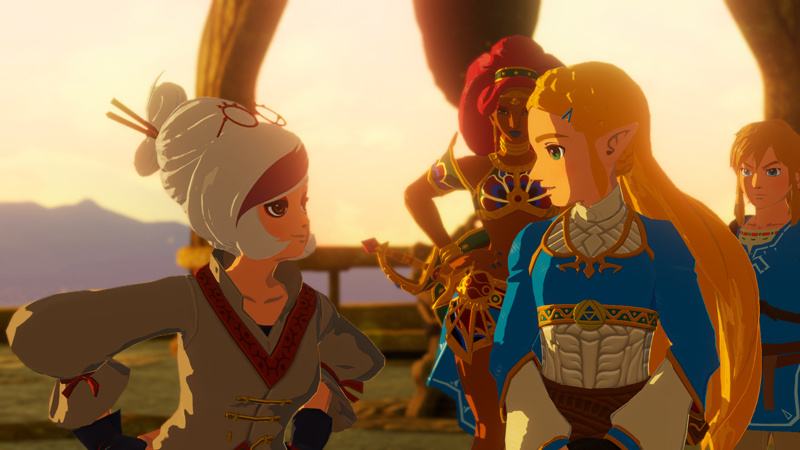
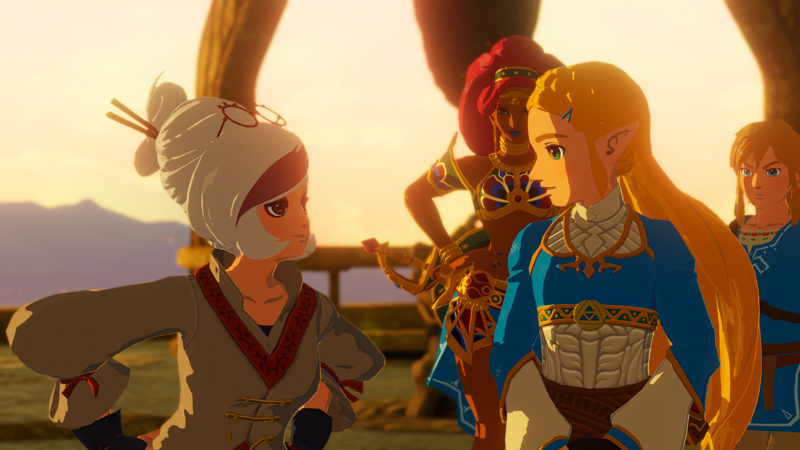
We’re now less than a month away from the launch of Hyrule Warriors: Age of Calamity on Nintendo Switch, and plenty of lovely screenshots have been shared ahead of the big day.
The images below come courtesy of 4Gamer, and show off lots of the game’s main cast, stunning scenery, some of the attacks you’ll be able to perform, and much more. Let’s jump in, shall we?
How good is this looking, huh?
Let’s take a quick break from the screenshots with these gorgeous assets of some of the game’s stars:
And finally, we’ll end with some new snaps of Link and those terrifying Guardians…
Remember, Hyrule Warriors: Age of Calamity launches on 20th November. If you want to feel the hype even more, make sure to check out the game’s most recent trailers: one, two, and three.
Review: GONNER2 – Another Way To Die In An Increasingly Crowded Genre
It’s been three years since GoNNER dropped on Switch, a game we thought pretty highly of. Bringing us a challenging 2D platformer with rogue-like mechanics, it told the story of Ikk, our altruistic blob-like hero that set out to help a land-bound whale called Sally. Placing us in a series of procedurally generated levels, no two playthroughs were ever the same. Looking to build upon this winning formula, developer Art In Heart have now released GoNNER2, presenting a slightly more colourful affair than its predecessor with 2-4 player local co-op. It likely won’t appeal to everyone — and the genre isn’t wanting for alternatives on Switch — but this still makes for an enjoyable sequel.
Fans of GoNNER will be pleased to know that GoNNER2 remains just as challenging. That’s made clear from the get-go, when you’re told “Press Jump To Die” instead of the usual “Press A to Start”. Death shall indeed find you, both in the “Game Over” sense and the literal embodiment of the reaper. This time around, Ikk finds himself answering Death’s call, discovering that her lair has conquered by a mysterious presence and it’s up to him to resolve this crisis. There’s little guidance on what to do and no spoken dialogue whatsoever, leaving players to figure out this completely non-linear experience alone.
Entering levels requires you to jump into a snake-like creature’s mouth, finding a second one on the opposite side as your exit. You’ll travel across five different worlds here, each coming with different enemies and features. As an example, one land will be filled with enemy snails and flying eye monsters, but another is completely submerged in water, meaning you can swim as opposed to running and jumping. Defeating every enemy isn’t mandatory to advance but in a lot of occasions, you don’t have much choice.
Ikk’s moveset is quite basic, letting you double jump across to platforms or wall jump consecutively to reach new heights. As your standard attack, he can dash into enemies but Ikk can also pick up weapons. GoNNER2 offers various options to suit different playstyles, ranging from quickfire rifles to heavy hitting sluggers. As you unlock more gear, it becomes available to equip from Death’s lair before starting a new playthrough. Though the platforming works well, weapon aiming does feel imprecise at times and it’s all too tempting to just unload the full clip, hoping your shot finally lands.
You can equip different heads for Ikk, too. Though a standard skull does little more than give Ikk greater screen presence, additional options can be located like “Block Head” to ensure it remains in place if you take a hit, or “Dashing Head” for a second dash attack. To make your playthroughs more customisable, he can also obtain passive abilities that compliment your weapons, such as “XL mags” for increased ammo capacity or “Bouncy” to let bullets ricochet off walls. Consecutive enemy deaths build up a combo multiplier, increasing your overall score and downed enemies drop ammo/coins once defeated.
It only takes one hit for Ikk to lose a heart though, dropping his equipped gear in the process, so proceeding carefully is the order of the day, as evading attacks can prove tricky. To make matters worse, there’s no cooldown either, so enemies can strike again almost immediately upon respawning if they’re close by — something that can prove mighty frustrating. If you run out of hearts entirely, Ikk is revivable if enough coins are scattered nearby, requiring you to spam the jump button to collect them and fill up a meter. If successful, he comes back but if there aren’t enough, that’s your ticket back to the lair.
Predictably, most worlds end with a boss fight, though GoNNER2 is kind and offers access to a shop, using those coins to buy upgrades like new heads, various weapons, and more hearts. It gives you a fighting chance at taking down the upcoming fiend, but these battles are intense, with some turning into challenging bullet hell-style fights. There’s an undeniable satisfaction in beating them, knowing that your repeated deaths and playthroughs have paid off. Like GoNNER, it technically doesn’t take long to reach the end, but staying alive is another question.
After defeating bosses, floating eyes emerge from them and follow you between levels, attacking you where they can. Those eyes cannot be defeated, though attacking back can stun them. Once you’ve defeated three bosses, those eyes open the doorway to your final battle and upon completing this fight, you can return to Death’s lair and try again. Everything is complimented by an appealing visual design, one that’s minimalist yet expressive. Amidst the endless black backgrounds is a colourful contrast and it creates a unique atmosphere, backed up a gentle soundtrack.
Ultimately, flaws such as imprecise weapon aiming and that frustrating ability for enemies to attack instantly following a respawn does take the shine off the experience. The rogue-like/lite landscape on Switch eShop also looks very different to how it did back in 2017, and there’s certainly no shortage of spectacular alternatives in the genre. Nevertheless, GoNNER2 remains a likeable sequel for players who enjoyed the first game.
Conclusion
It takes time to figure out just what you’re doing, but anyone looking for a strong challenge will find a lot to love with GoNNER2. It builds upon the original game’s premise well and by offering co-operative campaign play, adds significant replayability with friends. It’s not a flawless game by any means, and players who prefer a more guided experience would do better to look elsewhere but, those caveats aside, GoNNER2 still makes for a compelling experience that comes recommended, if you’re up for the challenge.
Posted by: xSicKxBot - 10-24-2020, 08:01 AM - Forum: Lounge
- No Replies
These Metal Gear Solid Air Jordans Are One Of A Kind
Metal Gear Solid left behind a lasting impression on many people who experienced the game when it first launched in 1998. Hideo Kojima's critically acclaimed game has been celebrated since then with official merchandise and fan art, and now a stylish pair of Air Jordans are part of that long list of tributes.
Kong: Skull Island director Jordan Vogt-Roberts commissioned artist Bud Sanfillipo to customize a pair of shoes to celebrate Metal Gear Solid's 22nd Anniversary. Sanfillipo was tasked with recreating the signature art style of series artist Yoji Shinkawa.
Today is the North American 22nd anniversary of @HIDEO_KOJIMA_EN’s PS1 masterpiece METAL GEAR SOLID. It changed me. To celebrate, I commissioned artist @bud_sanfilippo (SG Customs) to riff on Yoji Shinkawa’s iconic brush strokes & colors. Off-White Jordan x Shinkawa-San 1❗️ pic.twitter.com/dOIJ0632rv
Posted by: xSicKxBot - 10-24-2020, 02:40 AM - Forum: Python
- No Replies
How To Kill A Thread In Python?
Summary: To kill a thread use one of the following methods:
Create an Exit_Request flag.
Using the multiprocessing Module.
Using the trace Module.
Using ctypes to raise Exceptions in a thread
Problem:How to kill a thread in Python?
This is one of the most commonly asked questions in Python. Thus, in this article, we are going to address this issue and make sure you have a clear understanding of this topic. Before divining into the topic directly, we will have a look at threading in brief and then move on to our mission-critical question. So without further delay, let the games begin!
Introduction
What is a Thread?
According to Wikipedia, in computer science, a thread of execution is the smallest sequence of programmed instructions that can be managed independently by a scheduler, which is typically a part of the operating system. Multiple threads can run concurrently within a single program. For example in a word processor, a background thread may be used for spell-checking while a foreground thread may be used to processes user input (keystrokes ), while yet a third thread may be used to load images from the hard drive, and a fourth thread might be busy doing periodic automatic backups of the file being edited.
Therefore, treading in Python is used to run multiple threads that can be tasks or function calls, at the same time. Please note that this doesn’t mean that multiple threads are executed on different CPUs.
Python threads do not make the program faster in case it already uses 100 % CPU time. That is probably a part of parallel programming which is not within the scope of this discussion.
Note: Threading in Python is itself an entire topic of discussion. The purpose of this introduction is to just get you acquainted with the idea of threads. It is highly recommended that you have some understanding of threading in Python before diving into the topic of killing the thread.
➥ When do we use Threading in Python?
Threads in Python are used in situations where the execution of a task or function call involves some waiting. An example could be interaction with a service hosted on a webserver. Thus, treading allows Python to execute other code while waiting.
➥ Example:
import threading

import time print("Printing values from 90 to 100: ")

def loop_thread(): for t in range(90, 101): time.sleep(1) print(t) threading.Thread(target=loop_thread).start()
Output:
Printing values from 90 to 100: 90

91

92

93

94

95

96

97

98

99

100
Now that have an overview of threads, let us dive into our mission-critical question.
Ways To Kill A Thread In Python
Simply put, killing a thread abruptly is a very bad practice unless absolutely required. Having said that, you might want to kill a thread after a certain duration or after some interrupt. So, instead of closing it forcibly, you can kindly ask the thread to go away after ensuring a proper clean up which means:
The thread you are trying to kill might be holding a critical resource that must be closed properly.
The thread might have created several other threads that must be killed as well before the parent thread can be killed.
Let us understand the numerous ways that help us to do that.
Method 1: Creating An Exit Request Flag
If you are the manager of your own threads, a nice way of handling thread termination is to create an exit flag that each thread checks at regular intervals to know if it is time for it to exit.
Example:
import threading import time def thread_foo(stop): while True: print("THREAD STILL RUNNING!") if exit_flag: break exit_flag = False

t = threading.Thread(target = thread_foo, args =(lambda : exit_flag, )) t.start() time.sleep(0.1) print('Done sleeping! Time to stop the threads.')

exit_flag = True

t.join() print('THREAD TERMINATED!')
Output:
In the above example, we created a function that keeps executing the thread until the program encounters the variable exit_flag = True. As soon as that happens, the thread can be killed using the t.join() method.
➥ Note:join() causes the main thread to wait for your thread to finish. In other words, join() acts as a “hold” on the main thread. It ensures that your thread has completed its execution before the main thread can move forward. In a way, it assures a clean and proper termination of your thread.
Method 2: Using The Multiprocessing Module
As stated in the Python documentation, multiprocessing is a package that supports spawning processes using an API similar to the threading module. Also, killing a process is much safer than killing a thread because threads share global variables and have a dependency, whereas processes are completely independent and exist separate from each other. The multiprocessing module has the terminate()function which is used to kill a process.
Let us have a look at the following example given below to understand how we can use the multiprocessing module to kill the process.
import multiprocessing

import time

def Child_process(): while True: for i in range (20): print ('Process: ', i) time.sleep(0.05)

t = multiprocessing.Process(target = Child_process)

t.start()

time.sleep(0.5)

t.terminate()

print("Child Process successfully terminated")
Another approach to kill a thread is to install trace into the thread that will exit the thread.
The module given below allows you to kill threads. The class KThread is a drop-in replacement for threading.Thread. It adds the kill() method, which should stop most threads in their tracks.
Disclaimer: The procedure given below has been taken from the following resource: Kill a thread in Python
KThread.py: A killable Thread implementation
import time

import sys

import trace

import threading class KThread(threading.Thread): """A subclass of threading.Thread, with a kill()

method.""" def __init__(self, *args, **keywords): threading.Thread.__init__(self, *args, **keywords) self.killed = False def start(self): """Start the thread.""" self.__run_backup = self.run self.run = self.__run threading.Thread.start(self) def __run(self): """Hacked run function, which installs the

trace.""" sys.settrace(self.globaltrace) self.__run_backup() self.run = self.__run_backup def globaltrace(self, frame, why, arg): if why == 'call': return self.localtrace else: return None def localtrace(self, frame, why, arg): if self.killed: if why == 'line': raise SystemExit() return self.localtrace def kill(self): self.killed = True # Example Usage

#This illustrates running a function in a separate thread. The thread is killed before the function finishes.

def func(): print('Function started') for i in range(1,100): print(i) time.sleep(0.2) print('Function finished') A = KThread(target=func)

A.start()

time.sleep(1)

A.kill()
Output:
Function started

1

2

3

4

5
Method 4: Using ctypes To Raise Exceptions In A Thread
In cases when you need to kill a thread forcibly, for example while wrapping an external library that is busy for long calls and you want to interrupt it, you can use raise_exc() to raise an arbitrary exception, or call terminate() to raise SystemExit automatically. It uses the unexposed PyThreadState_SetAsyncExc function (via ctypes) to raise an exception in the context of the given thread.
The following code allows (with some restrictions) to raise an Exception in a Python thread:
Example:
import threading

import inspect

import ctypes

import time def _async_raise(tid, exctype): """raises the exception, performs cleanup if needed""" if not inspect.isclass(exctype): raise TypeError("Only types can be raised (not instances)") res = ctypes.pythonapi.PyThreadState_SetAsyncExc(ctypes.c_long(tid), ctypes.py_object(exctype)) if res == 0: raise ValueError("invalid thread id") elif res != 1: # """if it returns a number greater than one, you're in trouble, # and you should call it again with exc=NULL to revert the effect""" ctypes.pythonapi.PyThreadState_SetAsyncExc(tid, 0) raise SystemError("PyThreadState_SetAsyncExc failed") class Thread(threading.Thread): def _get_my_tid(self): """determines this (self's) thread id""" if not self.is_alive(): raise threading.ThreadError("the thread is not active") # do we have it cached? if hasattr(self, "_thread_id"): return self._thread_id # no, look for it in the _active dict for tid, tobj in threading._active.items(): if tobj is self: self._thread_id = tid return tid raise AssertionError("could not determine the thread's id") def raise_exc(self, exctype): """raises the given exception type in the context of this thread""" _async_raise(self._get_my_tid(), exctype) def terminate(self): """raises SystemExit in the context of the given thread, which should cause the thread to exit silently (unless caught)""" self.raise_exc(SystemExit) def f(): try: while True: for i in range(10000): print(i) time.sleep(0.1) finally: print ("TERMINATING!!!") t = Thread(target = f)

t.start()

time.sleep(0.6)

t.terminate()

t.join()
To become successful in coding, you need to get out there and solve real problems for real people. That’s how you can become a six-figure earner easily. And that’s how you polish the skills you really need in practice. After all, what’s the use of learning theory that nobody ever needs?
Practice projects is how you sharpen your saw in coding!
Do you want to become a code master by focusing on practical code projects that actually earn you money and solve problems for people?
Then become a Python freelance developer! It’s the best way of approaching the task of improving your Python skills—even if you are a complete beginner.
[www.indiegala.com] ? NBA 2K21 is the latest release in the world-renowned, best-selling NBA 2K series
The 218th GalaQuiz will be LIVE soon, win up to $50 in GalaCredit!
[www.indiegala.com] The GalaQuiz will take place in less than 5 minutes from this announcement Today's GalaQuiz[www.indiegala.com] hints are up. The theme will be White Day Redux. Look forward for an awesome upcoming event.
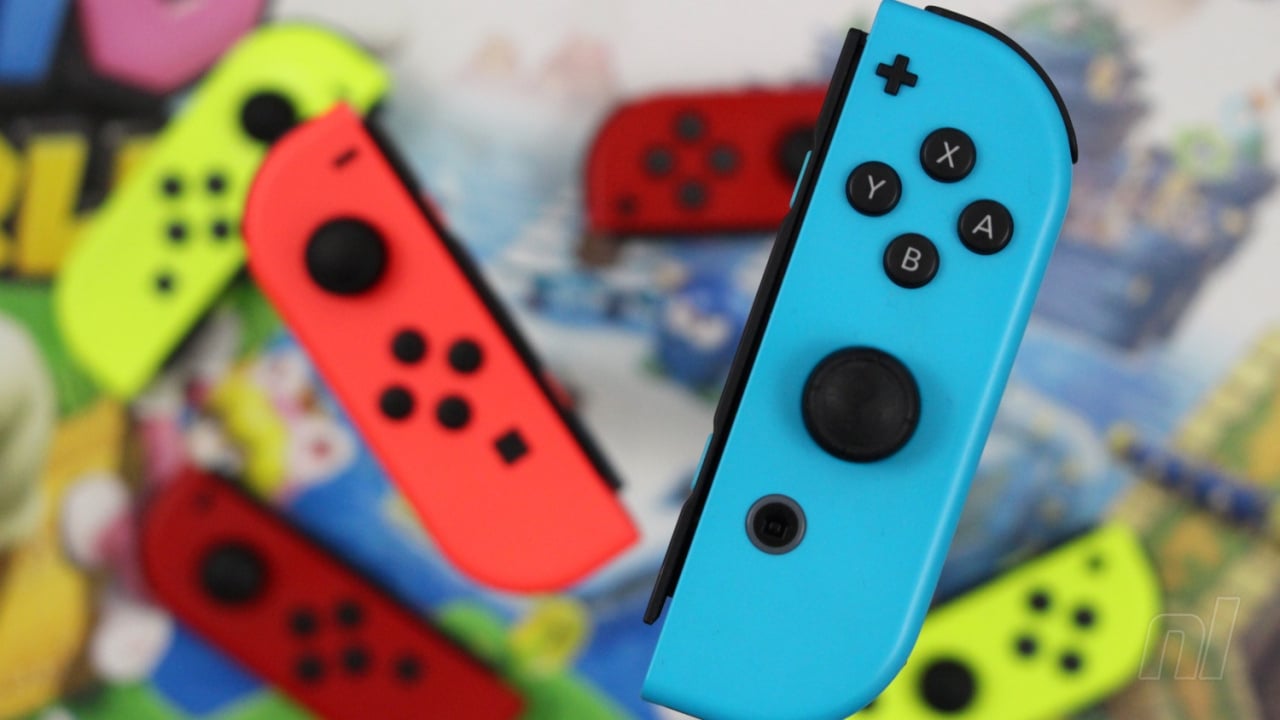
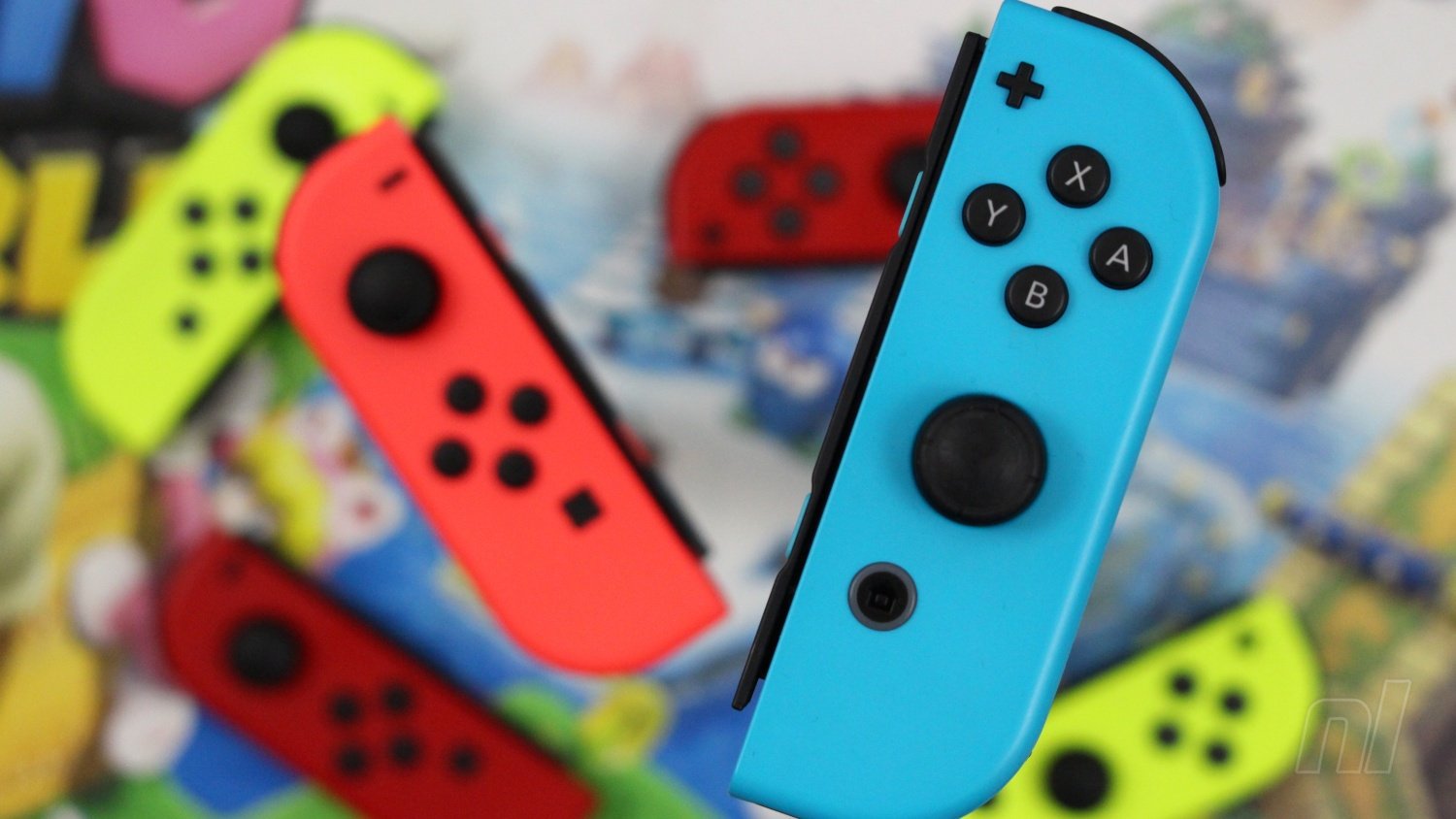
Update: Nintendo has now confirmed that the Joy-Con price drop will also come to North America. Just like Japan, the discount only applies to single Joy-Con purchases.
The single Joy-Con products below will be reduced from $49.99 to $39.99 starting from 9th November. While this is a welcome change, it’s worth noting that $39.99 is exactly half the price of a full set, so buying two individually is sadly still no cheaper than buying a pair.
At least upgrading one is a little bit cheaper now!
Original Article (Mon 12th Oct, 2020 13:30 BST): Nintendo has revealed that it will be permanently reducing the price of its Switch Joy-Con controllers in Japan, starting from next month.
From 6th November, the price of a single Joy-Con controller will be revised from 4,480 yen + tax to 3,740 yen + tax, which is a drop of about 16.5%. The price reduction will apply to single Joy-Con products only, meaning Switch owners will still pay the same, regular price for a complete pack of two (thanks, Japanese Nintendo).
Users in Japan can buy Grey, Neon Red, Neon Blue, Neon Yellow, Neon Green, Red, and Neon Pink Joy-Con from the country’s official store.
Naturally, then, we can’t help but wonder whether or not a similar pricing restructure will arrive here in the west. Could we be about to see a permanent reduction in price across Europe and the US, or will this remain a Japan-only deal? [Update: North America now confirmed – see above].
We’re sure a drop in price would be well received, especially with all of the Joy-Con drift issues we’ve been seeing, but feel free to have your say in the comments below. Do you think we’ll see a price drop soon?
Posted by: xSicKxBot - 10-24-2020, 01:13 AM - Forum: Lounge
- No Replies
Blade Runner: Enhanced Edition Delayed Following Technical Issues
The remastered Blade Runner adventure game was previously scheduled to release later this year, but with "later this year" quickly coming, developer Nightdive Studios isn't ready to launch the game. In fact, it has run into technical issues that have delayed it to an unspecified future date.
Speaking to Eurogamer, Nightdive CEO Steven Kick blamed the delay on problems related to "old technology" and said the studio has not been able to locate the original source code or assets for the game. The source code was apparently lost decades ago after original studio Westwood was purchased by EA, and Nightdive has the more difficult task of reverse-engineering code in order to get Blade Runner: Enhanced Edition remastered.
To get the game running on all platforms, Nightdive is using its own engine and with code work apparently nearing completion, most efforts are on visual updates now. Kick added in the interview that the frame rate will likely be lowered to 30 FPS with a film grain placed over it in order to better achieve a cinematic style. Given the neo-noir nature of the original movie, this makes sense.




 What is a