Enjoy live GDC podcasts hosted by Gamasutra throughout GDC Summer!
Do you love listening to things?
Many people do, which is why GDC organizers are pleased to confirm that the hosts of the GDC podcast will be producing a daily, hour-long show of game industry news, discussion and interviews during GDC Summer!
Broadcasting live to GDC Summer attendees for an hour every afternoon next Tuesday-Thursday, the GDC Podcast Live! hosted by Gamasutra will give you an opportunity to join the Gamasutra editorial team for regular updates and frank discussion of the day’s events.
They’ll be chatting about what’s going on at GDC Summer and in the game industry at large each day, interviewing interesting guests, and generally bringing the intriguing conversations you expect from the GDC podcast directly to GDC Summer attendees. Here’s what’s in store:
August 4, 1:45pm PDT
Making games more accessible with AbleGamers’ Greg Haynes
Greg Haynes, Lead Games User Researcher for accessibility charity AbleGamers joins Gamasutra’s Kris Graft and Alissa McAloon to chat about how games can be made to be more accessible and inclusive for people with disabilities.
August 5, 1:45pm PDT
Finding indie publishing success with No More Robots’ Mike Rose
Mike Rose of publisher No More Robots (Descenders, Yes, Your Grace, Hypnospace Outlaw et al) joins Gamasutra’s Kris Graft and Alissa McAloon to talk about the many complexities of publishing in today’s crowded digital marketplace, and how to navigate through them.
August 6, 1:45pm PDT
Building trust within your team with Double Loop Games’ Emily Greer
Emily Greer with newly-minted mobile game studio Double Loop Games expands on her GDC Summer talk on practical tips to prevent abuse and build team trust within game dev teams, and talks about her long career in games, which includes co-founding Kongregate.
The podcast will be broadcasting daily to all attendees starting at 1:45 PM Pacific, to everyone with a pass (including the free Community Pass!) If you can’t watch live because you have another session or engagement to attend, don’t worry; all episodes will be archived for later viewing on the GDC Summer platform, and released as downloadable episodes of the GDC podcast on iTunes, Google Play Music, and Spotify!
For more details on GDC Summer, scheduled to take place virtually August 4th through the 6th, visit the show’s official website, or subscribe to regular updates via Facebook, Twitter, or RSS.
Gamasutra and GDC are sibling organizations under parent company Informa Tech
Posted by: xSicKxBot - 08-04-2020, 03:52 PM - Forum: Windows
- No Replies
Buying a new computer for your student? 3 things to look for
It’s an unusual time to be a student. Virtual classes, hybrid models, independent learning—going to school just doesn’t look the same as it did last year.
Yes, having a good computer for school has always been important. But now it’s vital to pick a laptop that has the power, adaptability, and longevity for the “new normal.”
Here’s why we think it should be a Windows 10 PC powered by a 10th Gen Intel® Core™ processor.
1. Function AND form
In 2020, “status symbol” laptops or tablets just don’t carry the same clout when everyone’s learning from home.
What students need more than ever are powerful PCs with innovative form-factors, like 2-in-1 laptops that learners can switch from tablet mode to laptop mode depending on what works best for them.
Speaking of which:
Two words: touch screen. Today’s students grew up using their smartphones. Touching the screen is how they interact with devices. This naturally translates to computers with a touchscreen interface, and they can use all the inputs they want—touch, mouse, pen, and keyboard.
Oh, the options you have! From 2-in-1s to tablets and laptops, of all different sizes—there are a variety of form-factors from respected manufacturers like Dell, HP, and Lenovo to choose from. You’ll find an option that’s perfect for your student’s needs and style.
Sounds expensive, right? You’d be surprised at the laptop deals you can find. Whether your budget is $300 or $1,300, you can find the best laptop for learning and for your student, wherever they are.
Here’s what you should look for:
Speed and power: If you’re looking for blazing speed, you’ll find it in an Intel® Core™ i7 powered laptop. Intel® Core™ i3 and Intel® Core™ i5 laptops are also incredibly powerful compared to older PCs. And whether it’s research, writing, content-creation, or compiling code, all of these devices have the speed you need.
Screen size: Classes are long and school days are even longer. A bigger screen can make it all a little easier on the eyes. There are great laptop options that can also be backpack-friendly for when they return to school or head out for a study session, while still a great size for relaxing on the couch for gaming or streaming.
Battery life: The whole point of laptops is to work on them wherever you want without being tethered to a desk or power cable. Longer battery life enables flexibility to work from the couch, kitchen table, classroom, or library.
2. Accessible and compatible by design
Learning styles vary greatly. Some students are visual learners, whereas others are more hands-on. Some read to understand, others listen or talk to understand. Some students struggle to read, write, or speak.
Classes have different application requirements. Some teachers require use of a course-specific app, or all final papers to be completed in Microsoft Word format.
This is where Windows PCs shine; compatibility and built-in accessibility features that over 1 billion users enjoy worldwide. Whether your student needs to make everything easier to see by adjusting text size and color or boosting contrast, or would prefer to have items read aloud to them by using the built-in screen reading app, Narrator, your student can customize their computer to work best for how they want to use it, where they want to use it.
Some laptops even come with touchscreens and digital pens that allow students to take notes as naturally as they would on paper. Just switch from Laptop to Tablet mode on 2-in-1 laptops—it’s ideal for math and physics problems! Research even shows that students who use a digital pen for science classes showed a 38% increase in performance.1
3. More future-proof
If you start your student off with an Intel-based Windows PC in college, they’ll have 4 years of experience with the platform by the time they graduate (8 if you start in high school! Up to 12 if you start in elementary school!). And with Fortune 500 companies looking for computer literacy to get their work done, you’re setting students up for success in the job market ahead. Internship or entry-level role, you’ll be giving your student an advantage by ensuring they’re tech-savvy for the work environment.
This also applies to those who want to blaze their own path. If your current student is looking to be a future entrepreneur, give them the best chance by giving them the best computer that can do it all.
With a Windows 10 computer, your student can take on any challenge from the first day of school to graduation and beyond. Convenience, compatibility, built-in intelligent features that learn and adapt—combine all that with the speed and responsiveness of an 10th Gen Intel® Core™ processors and you’ve got a formula for success.
Feature: Best Nintendo Switch ‘Walking Simulators’ And Narrative Games
While the terminology around these games might cause some confusion, the (first-person) adventure or narrative-focused ‘walking simulator’ has made its mark on the gaming landscape over the past decade or so. The ‘walking simulator’ term, originally a pejorative descriptor of a genre where ‘you just walk about’, was quickly reclaimed by fans and developers looking to branch out beyond the common verbs of so many video games, especially first-person ones.
When it comes to first-person examples the term can broadly be applied to anything that does’t involve shooting stuff and puts a focus on environmental storytelling, although things get a bit muddier in third-person. Regardless, whether you’re looking through the eyes of a character or not, these games have a narrative focus where shooting stuff isn’t the answer to your problems. Below we’ve rounded up our picks of the best walking sims on Switch.
So, let’s take a look–in no particular order–at the best narrative-focused games on Switch.
Publisher: Campo Santo / Developer: Campo Santo
Release Date: 17th Dec 2018 (USA) / 17th Dec 2018 (UK/EU)
Firewatch puts you in the hiking boots of Henry, a man assigned the job of watching for signs of fire in Shoshone National Forest. The narrative unfolds through his conversations with Delilah, a colleague from another watch tower he speaks with via walkie-talkie.
Henry is good company for the duration, but it’s the forest itself which is the star of the show here. While the technical performance of the Switch port falls short of the excellent efforts of the two voice actors–with an erratic framerate that may be disappointing if you’ve enjoyed the game elsewhere–we still heartily recommend giving this a go on Nintendo’s system, especially if you’ve never played it before.
Publisher: Blue Isle Studios / Developer: Blue Isle Studios
Release Date: 7th Mar 2019 (USA) / 7th Mar 2019 (UK/EU)
Valley plonks you on an archaeological expedition to discover the secrets of a mythical MacGuffin, the Lifeseed. You soon stumble upon a special exoskeleton suit which grants you super-human movement abilities enabling all sorts of jumping and gallivanting around the game’s natural, story-rich environments.
There’s some (mostly) low-stakes platforming and even light combat later on, involving shooting life-force projectiles, but no gunplay. Overall, Valley is a short and restorative jaunt through the caves and countryside of the Canadian Rockies that’s well worth experiencing if you enjoy connecting with nature.
What Remains of Edith Finch weaves an engrossing, tragic tale that will stick with you long after you’ve finished it. It’s not the longest game in the world, but there’s no fat or filler here at all – a genuine treat when so many games are needlessly padded out with repetitive content. At times horrific and uncomfortable, at others near-whimsical, What Remains of Edith Finch is a classic you really need to experience.
Publisher: Hollow Tree Games / Developer: Hollow Tree Games
Release Date: 6th Jun 2018 (USA) / 6th Jun 2018 (UK/EU)
Bringing to mind the pixel-heavy PC game Proteus (PC owners will no doubt have that one sitting in a Humble Bundle somewhere), Shape of the World presents artistic, interactive playgrounds to lose yourself in for a couple of hours. The visual and aural landscape changes as you explore and move through triangular gates collecting seeds to plant in your surroundings. It’s very short, but if you’re after some mindless (or should that be mindful?) distraction–and these days, who isn’t?–this is a diverting ambient curio that’s worth experiencing.
One of the most famous ‘walking sims’ of the bunch, Gone Home is an impressive slice of environmental storytelling set in a single, empty residence. Returning to the family home after a backpacking trip, you play as Katie and gradually uncover small details of the apparent disappearance of your younger sister through letters and other items found throughout the house.
On paper, it doesn’t sound scintillating, but in practice it’s one of the finest games on Switch.
Publisher: The Astronauts / Developer: The Astronauts
Release Date: 15th Aug 2019 (USA) / 15th Aug 2019 (UK/EU)
A short, slow-paced experience, The Vanishing of Ethan Carter has you playing as detective Paul Prospero investigating the titular mystery in a game that’s branded as ‘horror’, but we’d say is more melancholic and unsettling than horrific. That’s not to say there aren’t a few jumps, and it’s certainly dark, but the twisting tale works beautifully in conjunction with the freedom you’re given to explore and feeds into the overall mysterious atmosphere conjured by the developers. Don’t expect glowing breadcrumbs or onscreen arrows here; just a tense tale told very effectively.
Publisher: Finji / Developer: Infinite Fall
Release Date: 1st Feb 2018 (USA) / 1st Feb 2018 (UK/EU)
Melancholic, tragic, knowing and thoroughly relatable, Night In The Woods is the only entry thus far on this list that isn’t first-person. A 2D game with some very light platforming elements, it’s all about interaction with other characters and the narrative that unfolds as college dropout Mae returns to her backwater hometown. There’s really not much else like Night in the Woods, and the Switch version comes highly recommended.
Which are your favourites from this list? Think we’ve missed something vital? Don’t agree that these are ‘walking sims’? Feel free to let us know down below and we may update it along with new Switch releases in the future. Also, feel free to suggest a shorter, snappier genre title for these – it feels like FPA is never going to catch on.
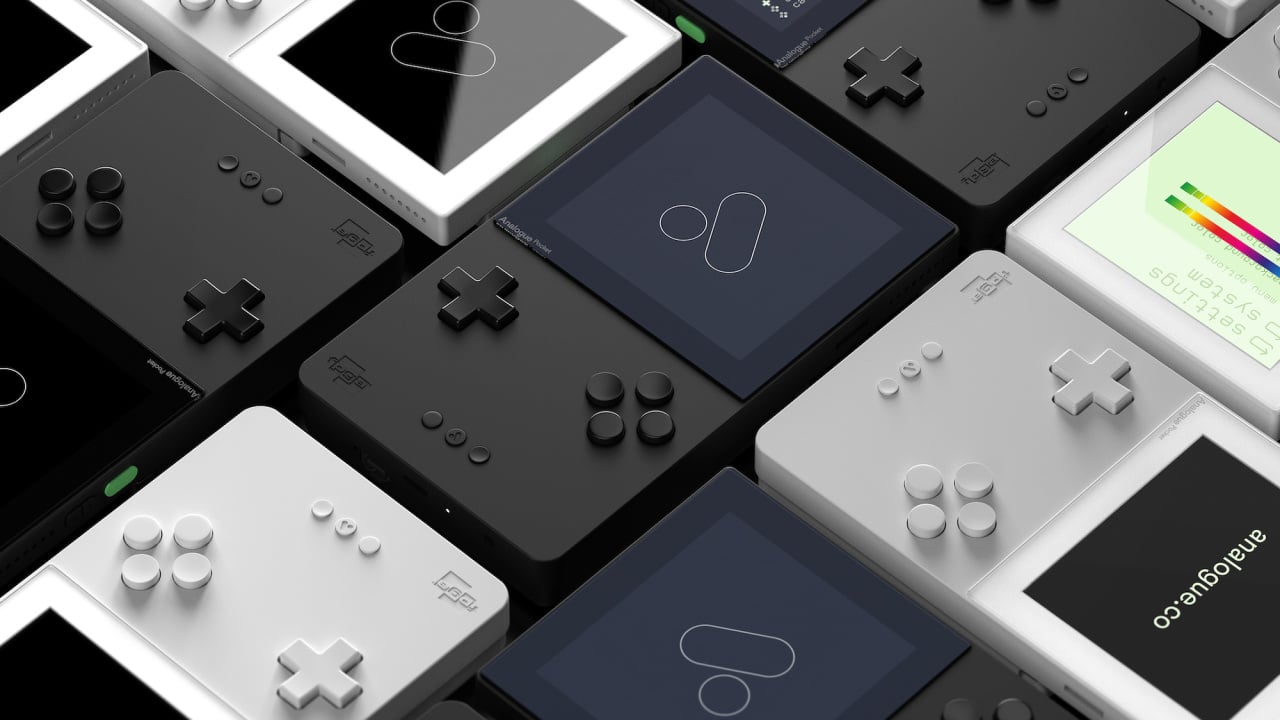
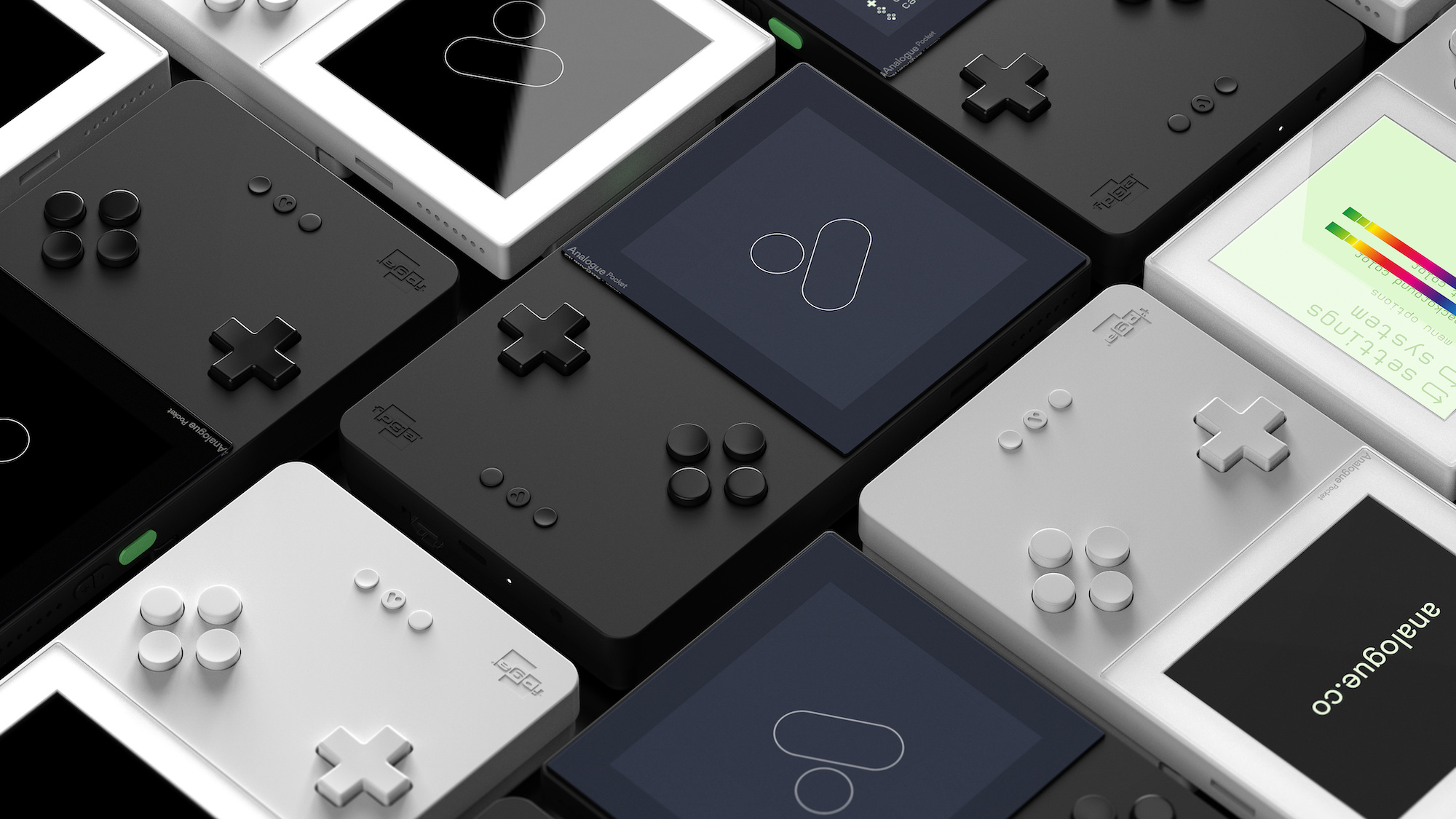
Analogue Pocket Pre-Orders Have Sold Out, But More Are On The Way
Update: And just like that, the initial batch of pre-orders have sold out (in around 15 minutes, no less). Analogue says that it will be producing more and doing its best to meet demand, and you can sign up to be notified when more consoles are available again here.
Original Article (Mon 27th Jul, 2020 16:00 BST): Analogue has announced that it will be opening pre-orders for its upcoming Analogue Pocket FPGA-based console – which offers access to over 2,780 Game Boy, Game Boy Color and Game Boy Advance cartridges – on August 3rd, at 8am PST.
The bad news? The handheld – which was due to launch this year – will now ship in May 2021, a delay which Analogue attributes to the ongoing COVID-19 pandemic which has triggered “supply chain issues” out of the company’s control.
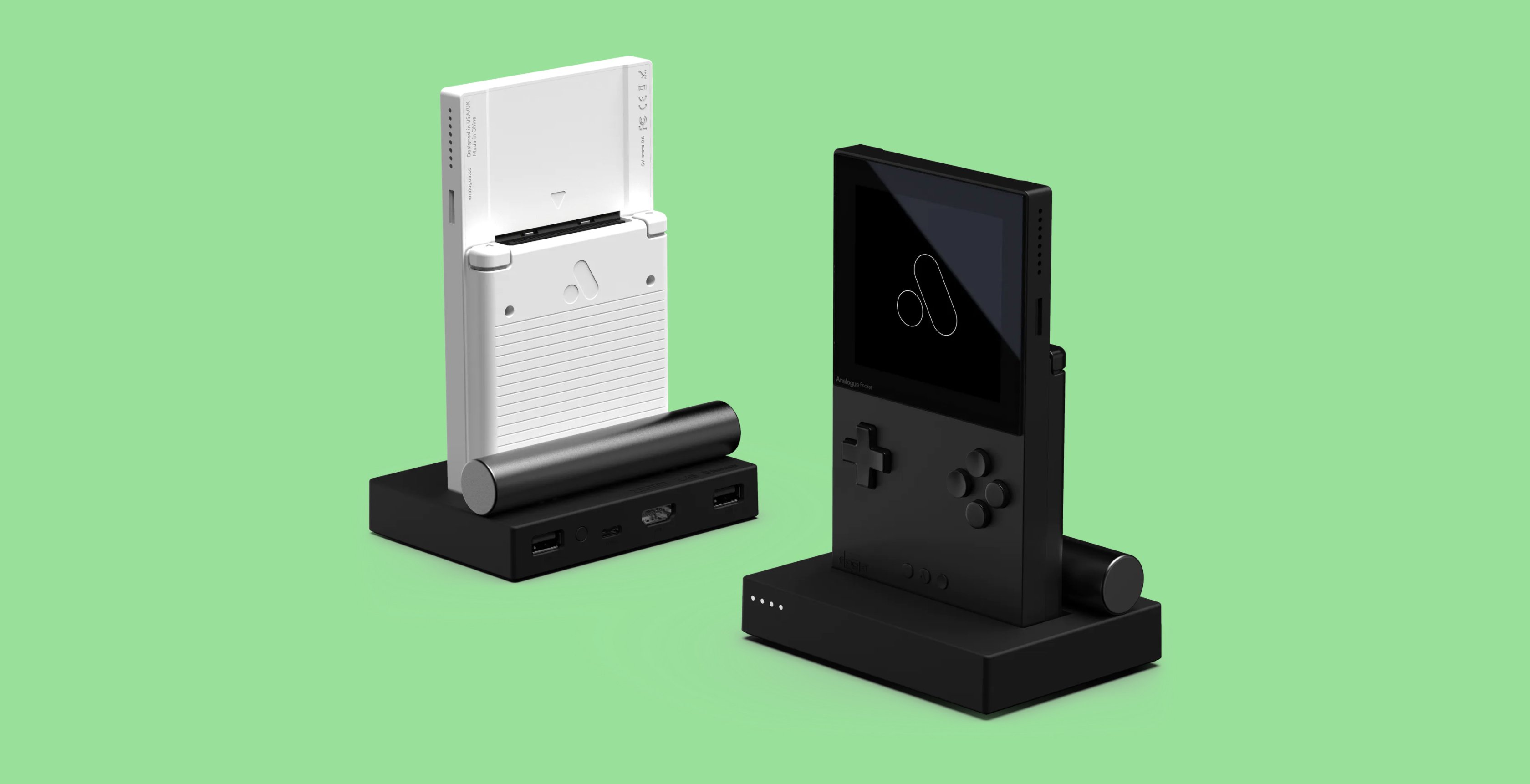
Still, the firm – which has previously released the stunning Super Nt and Mega Sg clone systems – is spending the additional time wisely. Both the Pocket and the optional dock have been subject to small design changes; in the case of the Pocket, the Start, Select and Home buttons have been moved to the middle of the casing a little for “optimal comfort”.
With the dock, the USB-C insertion point is now recessed to improve stability. The dock itself supports up to 4 controllers, which can be connected via Bluetooth, 2.4g wireless or wired USB. You can also connect the dock to your TV via HDMI for a big-screen experience.
Analogue has also added a cool ‘sleep’ function to the system; simply press the power button and gameplay is suspended while the console enters low-power sleep mode. A second press of the power button wakes the console and allows you to resume exactly where you left off. You can also connect up to 4 Pocket consoles for multiplayer using an optional cable.
A series of accessories will be available for the Pocket, including a special transparent hardcase, fast-charging power supply for the console’s 4300 mAh battery (which gives 6 hours of play time and around 10 hours of sleep time), tempered glass screen protector and cartridge adapters for Game Gear, Neo Geo Pocket Color and Atari Lynx cartridges. You’ll also be able to purchase high-quality MIDI and Analog sync cables so you can connect the Pocket to your computer to make the most of the Nanoloop music creation tool.
On the software side of things, Analogue has implemented a cool feature called “Original Display Modes” which aims to faithfully recreate the look of the original screen hardware seen in the Game Boy line. If you love the blurry, pea-soup-coloured pixel-rich look of the original monochrome Game Boy, you can get that with this system.
The Analogue Pocket will cost $199.99 (limited to 2 per customer) while the Analogue Dock will be $99. Will you be pre-ordering one of these?
Blizzard Employees Anonymously Sharing Their Pay In Wage Revolt
Blizzard Entertainment staff are revolting over pay, after an internal study meant to ensure fair pay didn't produce the desired results for workers. Employees began sharing an anonymous salary spreadsheet on Friday, encouraging people to share their salary and recent pay increases.
Bloomberg reports that most of the pay increases given after Blizzard's study were less than 10%, significantly less than most people expected. Employees at Blizzard Entertainment have previously described having to skip meals to make rent, while one veteran claims they are making less now than they were with Blizzard almost a decade ago.
Posted by: xSicKxBot - 08-04-2020, 06:51 AM - Forum: Python
- No Replies
PEP 8: Hanging Indentation and Closing Brackets in Python
PEP 8 purists are ready to attack you and your code if they catch you not complying with the PEP 8 standard. For instance, Python coders put their braces, brackets, or parentheses into a separate line to make it easier to grasp nested lists or dictionaries.
This article shows how to line up the closing braces, brackets, and parentheses correctly in Python. This is called “hanging indentation” and it’s at the heart of PEP 8 standardized, clean code that’s easy to read and understand!
A quick example shows how you can create a multi-line construct that complies with the PEP 8 standard:
# PEP 8 Compliant

age = { 'Alice': 24, 'Bob': 28, 'Ann': 26, }
So, how to correctly intend list or dictionary data enclosed in braces, brackets, and parentheses?
According to the PEP 8 standard, there are two ways to line up the closing braces, brackets, or parentheses. First, line it up with the first non-whitespace character of the previous line. Second, line it up with the first character that starts the multi-line construct.
This sounds a bit confusing so let’s hop into practical examples.
Where to Put the Closing Brace, Bracket, or Parenthesis?
For multi-line constructs, there are two basic options of how to correctly intend the data.
1. Align the closing brace with the first non-whitespace character of the previous line:
# PEP 8 Compliant

age = { 'Alice': 24, 'Bob': 28, 'Ann': 26, }
2. Align the closing brace with the first character that starts the multi-line construct:
# PEP 8 Compliant

age = { 'Alice': 24, 'Bob': 28, 'Ann': 26,

}
Both ways of indentation are equally valid according to the PEP 8 standard. But note that in any case, the opening and closing braces (brackets, parentheses) should be placed in their own line. So the following would be a violation of the PEP 8 standard:
# NOT PEP 8 COMPLIANT

age = {'Alice': 24, 'Bob': 28, 'Ann': 26, }
The reason is that both opening and closing braces (brackets, parentheses) should be placed in their own line.
However, the PEP 8 standard allows NOT to place both opening and closing braces (brackets, parentheses) into their own line—IF the arguments or items align. Here are three PEP 8 compliant examples:
# PEP 8 Compliant

def f(argument_1, argument_2, argument_3, argument_4): None # PEP 8 Compliant

def f(argument_1, argument_2, argument_3, argument_4): None # PEP 8 Compliant

def f(argument_1, argument_2, argument_3, argument_4): None
Although the opening and closing parentheses are not placed into their own lines, it’s still PEP 8 compliant because the arguments align in the first two examples.
The following interactive code is not ready, yet. It requires your debugging superpower:
Exercise: Debug the code so that it runs. Which indentation method is your preferred one?
Why End Python List with Trailing Comma?
We’ve seen many examples of multi-line constructs where there’s a trailing comma after the last list element:
# PEP 8 Compliant

age = { 'Alice': 24, 'Bob': 28, 'Ann': 26, }
The trailing comma after the last line in the dictionary ('Ann' : 26,) is optional according to the PEP 8 standard.
Be aware: you’ll find many opinions on the web where “experts” tell you that the trailing comma is required (like here). But this is not explicitly stated in the standard. In fact, the standard recommends that you use the comma if your “items [are] expected to be extended over time” (source). In this case, it’s easier to copy&paste new items into the list (or dictionary) without having to manually add a trailing comma to the old last item and removing the trailing comma after the new last item.
In other words, the following multi-line construct is also valid and implicitly follows the PEP 8 standard:
# PEP 8 Compliant

age = { 'Alice': 24, 'Bob': 28, 'Ann': 26 }
Note that the trailing comma is missing. But if you don’t plan to extend your list over time, it’s fine to use this—even if some Python code style checkers (“Linters”) complain.
Nested Multi-Line Constructs
Now, you simply need to decide about which of the above methods you prepare to write opening and closing braces, brackets, or parentheses. Here’s how you can nest those and comply with the PEP 8 standard:
You see that we place each brace, bracket, and parenthesis in one line. The next line starts with four whitespace indentations. Then comes the item, followed by a comma. The item itself can be a multi-line construct as well. But if you understand how to write one multi-line construct, you’ll also understand how to nest them.
Similar Questions
Should curly braces appear on their own line?
Yes, they should appear on their own line. An exception is if you write the whole sequence of items in one line. In this case, the closing brace, bracket, or parenthesis should appear at the end of the same line, too.
Where to Put the Closing Brace?
As discussed previously, you line it up with the first non-whitespace character of the previous line, or with the first character that starts the multi-line construct.
Flake-8 Rule: Continuation line unaligned for hanging indent (E131)
# NOT PEP 8 Compliant

my_dict = { "key": "value", "long": "the quick brown fox jumps over the " "lazy dog",

}
Best practice:
# PEP 8 Compliant

my_dict = { "key": "value", "long": "the quick brown fox jumps over the " "lazy dog",

}
Where to Go From Here?
Enough theory, let’s get some practice!
To become successful in coding, you need to get out there and solve real problems for real people. That’s how you can become a six-figure earner easily. And that’s how you polish the skills you really need in practice. After all, what’s the use of learning theory that nobody ever needs?
Practice projects is how you sharpen your saw in coding!
Do you want to become a code master by focusing on practical code projects that actually earn you money and solve problems for people?
Then become a Python freelance developer! It’s the best way of approaching the task of improving your Python skills—even if you are a complete beginner.
Posted by: xSicKxBot - 08-04-2020, 06:50 AM - Forum: Windows
- No Replies
New Microsoft Store experience coming to Xbox Insiders
Summary
Introducing the new Microsoft Store on Xbox
A completely rebuilt experience designed to be faster, safer and easier to use than ever before
Available in beta beginning August 5 for some Xbox Insiders
Hello Xbox fans! We’re excited to share something we’ve been working on for a long time: the all-new Microsoft Store on Xbox. Far more than a typical app update, we’ve rebuilt the experience from the ground up to be faster, safer and easier to use than ever before. We’re obsessed with getting it right for customers, and we can’t wait for you to see what we’ve been working on.
Faster
The new Microsoft Store on Xbox is more than twice as fast as before. It launches in under two seconds, and the browse performance is greatly improved – it’s faster than ever to load pages and find what you need, whether it’s checking out a sale price or watching HD trailers.
The Microsoft Store on Xbox makes it easier than ever to discover what you’re looking for, whether you want to try out a gaming membership like Xbox Game Pass, find a specific title or DLC, or access an app, movie or TV show. View trailers inline while you search and browse (or turn on autoplay for the most seamless experience), easily see which games your friends are playing, and get information about discounts and offers at a glance.
Easier
Our goal is to provide an inclusive and intuitive experience for everyone, and we’re committed to making it easier than ever to find your next favorite game, app, movie, or TV show. This starts with a fully redesigned navigation system, allowing you to jump between shopping experiences in a snap or deep dive into something specific.
In order to improve ease of use, we’ve revisited and refined a few features and functionalities:
With the redesigned search functionality, it’s easier to filter your results.
Guided by your feedback, we rebuilt the Wish List. You can now easily add new games to your Wish List and quickly check your list content (including keeping tabs on any sale pricing for your Wish List items).
The updated shopping cart makes it easier to add items to your cart as well as view the items in your cart before and during purchase.
We’ve also made it easier than ever to shop across four generations of great Xbox content by enabling customers to view pricing while browsing for new Xbox One games and backward compatible Xbox 360 and original Xbox titles, as well as add these games to your Wish List or shopping cart.
Safer
We’ve also been working hard to make sure that the Microsoft Store on Xbox is the best place for families to shop for gaming and entertainment. To help parents ensure that their children are interacting with appropriate content, customers must be signed in to their Xbox account before browsing. Being signed in also helps you have a more personalized experience – you’ll see content that is more relevant for you.
Similarly, we’ve made improvements to the way content is filtered to align with the family settings applied to child accounts. With this update, we ensure that content rated beyond a user’s content filter level does not appear anywhere in search or browse experiences. This means that a child with content filters set for an 8-year old will not be able to view content in the store that is rated for a teenager, for example. The update also guarantees that content filters are applied even when multiple users are signed in. It also makes it easier for parents or caregivers to grant exceptions to restrictions for particular games, movies, or TV shows they may allow their family members to have access to. Click here to learn more about child accounts and family settings on Xbox.
You’ll see content ratings more clearly surfaced: All trailers start with a consistent ratings pre-roll, ratings information is always clearly shown at the top of game details pages, and persisting age ratings information shows up all the way through the purchase process.
[embedded content]
If you want a closer look at all of these updates, I walked through them on Major Nelson’s video podcast – check out the video above and here.
How to participate
We’ll be rolling this update out gradually, so if you’re an Xbox Insider, you may begin to see the new Microsoft Store on Xbox starting as early as August 5; the experience will be available for more Insiders over time before it rolls out to all users this fall. If you encounter any issues, please submit feedback via Report a problem (hold down the Xbox button on your controller and select Report a problem from the power menu). Please submit feedback under Category > Apps and Subcategory > Microsoft Store. If you are not yet an Xbox Insider you can find more about and join the program at Insider.xbox.com.
We’re looking forward to your feedback. The new Microsoft Store on Xbox is just the first of many updates we’re rolling out in the coming weeks, all built to keep the gamer at the center of the entire gaming experience – stay tuned for more.
Toolboxes started life often described as disposable containers – and that is still one of their major uses: install stuff, then try it out in the relative safety of a container, and lastly, cleanly dispose of it. Minimal risk, fuss and without pesky residual libraries and applications hanging around on the host long after you have finished.
So — why would you backup a Toolbox? Sometimes, they have more permanent uses, contain complex and lengthy installs, or are being used for critical applications. For example, Toolboxes can be used as a development environment, containing hardware associated drivers and applications. Or they could be used for an application you want to run in a container for which there is no Flatpak, or one that has requirements a Flatpak doesn’t satisfy. While they can be handy to use on Fedora Workstation, toolbox containers are often essential for Silverblue users since they offer an easy solution to installing applications that can’t successfully be installed by rpm-ostree. Or for applications that may not have a Flatpak version readily available. In the above situations a busted Toolbox can be a major headache. But if a backup exists, you can quickly restore a Toolbox or move it to another workstation.
The backup process uses Podman to create an image of an existing toolbox container, and save that image to an archive file. To restore the toolbox container, load the image from the archive file and then create a Toolbox from that image. The new toolbox container will be an identical copy of your backed up toolbox container.
It is important to note this process does not backup data, just what you have installed in the toolbox container. This includes packages installed from repositories or from a local rpm file using dnf. If you need to backup data, Podman’s commit command that will be used to capture an image of the toolbox container, has an option to include volumes attached to the container.
Creating a backup
To backup a toolbox container you will need it’s name and container ID which can be gotten by using toolbox list. For this example I am going to backup my golang development toolbox container, imaginatively named go.
$ toolbox list CONTAINER ID CONTAINER NAME CREATED STATUS IMAGE NAME

00ff783a102f go 5 weeks ago exited registry.fedoraproject.org/f32/fedora-toolbox:32
If the container’s status shows as running , you should stop it using podman container stop container_name. Although the commit command has a -p for pause option, make sure that the Toolbox is not running, which helps it initialize correctly when restored from backup.
IMAGE ID IMAGE NAME CREATED

cfcb13046db7 localhost/go-backup:latest About a minute ago CONTAINER ID CONTAINER NAME CREATED STATUS IMAGE NAME

00ff783a102f go 5 weeks ago exited registry.fedoraproject.org/f32/fedora-toolbox:32
Now to save the backup image to a tar archive file using podman save -o backup-filename.tar backup-image-name.
$ podman save -o go.tar go-backup
Confirm the archive file, our toolbox container backup, was created.
$ ls go.tar
Do some tidying up, remove the backup image and, if needed, remove the original Toolbox.
$ podman rmi go-backup $ toolbox rm go
Restore a backup
To create an image from the backup file that was made above, you do it with the command podman load -i backup_filename.
$ podman load -i go.tar
Then you can confirm the image was created with…
$ toolbox list IMAGE ID IMAGE NAME CREATED

cfcb13046db7 localhost/go-backup:latest 17 minutes ago
Now create a toolbox container from the restored image, with toolbox create ––container container_name ––image image_name, specifying the full repository and version tag as the image name.
$ toolbox create --container go --image localhost/go-backup:latest
Confirm that the toolbox was created.
$ toolbox list IMAGE ID IMAGE NAME CREATED

cfcb13046db7 localhost/go-backup:latest 20 minutes ago CONTAINER ID CONTAINER NAME CREATED STATUS IMAGE NAME

34cef6b7e28d go 21 seconds ago configured localhost/go-backup:latest
Finally, you can test that the restored Toolbox works…
$ toolbox enter --container go
If you can enter the newly created toolbox container, you will see the toolbox prompt and will have successfully backed up and restored your Pet toolbox container.
Masahiro Sakurai, creator and director of the Kirby and Super Smash Bros. series, turns 50 years old today, 3rd August.
One of Sakurai’s earliest career highlights came when he was just 19 years old, designing our favourite pink blob Kirby and directing the character’s first ever game, Kirby’s Dream Land. Since then, he’s perhaps become best-known for his work on the Super Smash Bros. franchise and now regularly hosts presentations aimed towards its biggest, most dedicated fans.
Currently, he’s simultaneously working on new content for Smash Ultimate, leading his company Sora, and writing a weekly column for Japanese magazine Famitsu. He’s reached a celebrity status that few game developers ever achieve, to a point where he can’t even discuss which games he’s playing anymore and where fans make an effort to figure out where he bought his furniture.
Sakurai-san took to social media today to thanks fans for their birthday wishes.
He’s a hugely popular figure in the Nintendo community, and indeed on this very site. Feel free to share your own well wishes for Sakurai in the comments below.