Microsoft Store Fortnite Tournament in Support of NPH USA
The Microsoft Store team is proud to partner with NPH USA to host a Fortnite Game Tournament! The tournament is open for free for any United States resident, but a donation to NPH USA is encouraged. We also are happy to give away promotional Xbox Gift Cards as prizes to first, second, and third places on the tournament!
NPH USA transforms the lives of vulnerable children in Latin America and the Caribbean by supporting the homes, health services, and educational programs of Nuestros Pequeños Hermanos (NPH, Spanish for “Our Little Brothers and Sisters”). They help children overcome poverty and become leaders in their own communities.
You can join our tournament on July 25 starting at 11.45 a.m. PDT by going to https://smash.gg/nphusa and choosing one of the three matches on this Battle Royale tournament (please read the Terms & Conditions on the event home page). First place will receive a $100 Xbox Gift Card, second place will receive a $50 Xbox Gift Card, and third place a $25 Xbox Gift Card. You’ll also get a free Microsoft Store Tournament avatar shirt by participating in the event.
We can’t wait to see you on July 25 and help support NPH USA. According to NPH USA Northwest Regional Director Ross Egge, NPH transforms the lives of vulnerable children in Latin America and the Caribbean by ensuring they have much more than just the basics. NPH provides food, shelter, healthcare and education. They also make sure that children have the space, safety and opportunity to thrive, be kids, play and have fun too.
We hope you can join us for a great and fun tournament and help raise awareness and funds to this great cause.
Posted by: xSicKxBot - 07-28-2020, 10:40 AM - Forum: Lounge
- No Replies
Don’t Miss: Inside the campaign design of Halo 5: Guardians
Halo’s single-player level design has long been shaped to better serve new weapons, enemies, and AI behavior. The developers created flowing canyons, rifts, and cityscapes that subtly guide players on a quest to save the galaxy.
In the past, gameplay has typically been about working your way up a hierarchy of enemies in each encounter. Playing by yourself or maybe with a couple friends, you prioritize small Grunts and fearsome Elites based on their weaponry and how it can be used in small to medium-sized spaces. Large spaces were usually reserved for vehicle levels or sniper shootouts.
But in Halo 5: Guardians, something’s very different: Enemies come in large and unfamiliar groupings. There are sniping perches that rise higher and higher over the battlefield. At certain points, the game literally asks you to wander around and listen to civilian chatter.
To figure out what drove these significant changes, we spoke to the campaign design team and did some digging ourselves to observe how this rethink makes the new levels feel different.
These are Spartans
Nicole Makila, lead producer on 343’s campaign team, says that in designing Halo 5’s new kinds of levels, various departments were constantly in meetings with each other.
“We’d ask ourselves what are the goals of the level, and how do we translate that into environment art?”
Rather than letting the level design team set out the path and have art and character teams react to that vision, the teams reacted to each other’s projects and tried to balance and flow off of each other’s work.
“We’d ask ourselves what are the goals of the level, and how do we translate that into environment art?” she says. “If there’s a new character, how does the space showcase that character’s behaviors? And if the sandbox team is developing Spartan abilities, what do we need to do with verticality to showcase those?”
To analyze Halo 5’s design, she says to start looking at where those new mechanics and rules push against the familiar Halo space.
Take the increased number of playable Spartans. While Halo games have always had co-op modes to accommodate up to four players, Halo 5 is the first to assume that four characters will be playing at all times. Master Chief and Spartan Locke will each be joined by a crew of three Spartans controlled by AI or other human beings.
Makila and her colleagues had to make sure that these four-Spartan squad always have something unique to be doing in a given space.
Lead campaign designer Chris Haluke calls these new spaces “bowls,” and explains that the goal in their design is to create multiple paths through that accommodate different shooter playstyles.
(Pictured above: seen from behind, one of the game’s strongest “bowls,” with a sniper perch on the right, a bottleneck down the middle, and an ammo cache on the left)
“You enter an area, and you have three to four tactical areas all around you and players can interact with a big variety of verticalities and heights,” he says. “From there, we can populate each path with slightly different encounters, which can vary even more depending on if all four players charge down one path, or if they split up.”
“So it is based on playstyle, but some of the spaces we’ve talked about are so large that we have the need to just have more enemies to fill them up.”
Enemy of mine enemy
Halo 5 doesn’t add substantially new kinds of enemies, but the ones defined in Halo 4–mixes of Covenant and Promethean enemy types–do get new roles.
“We had a specialized group of developers that took care of encounters from a higher [complexity] level,” says Haluke, “and we stuck to the principles of the previous Halo games to make things familiar for players.”
“If you’re used to seeing an Elite, three Grunts, and some Jackals in that classic combination, we’re going to do the same arrangement, but we augment it with more clusters of enemies to get our number count up.”
One striking example of this enemy augmentation is that Promethean Crawlers, the doglike enemies introduced in Halo 4, can be populated in bigger numbers than Halo 4. Before, they would supplement squads of Knight-type enemies the same way Grunts have stood by Elites, but now they can form hordes of their own and force the player to be watching their feet at short to medium range engagements. This shows how the increased space and increased number of players can lead to opportunities to tweak enemy arrangements and AI behaviors.
(Pictured above, crawlers moving to flank three Spartans engaging a Knight.)
Boosting and ground-pounding
The last big shift for Halo 5’s level design comes from the Spartan abilities. In the past, Spartan abilities were pickups that could be swapped around like firearms, leaving no guarantee a player would have a specific ability unless the game forced it on them. In Halo 5, Spartans have the same abilities all the time, including 3 new ones that significantly alter their physical speed and placement–the boost, the charge, and the ground pound.
While each of these moves has utility in the game’s combat, lead environment artist Justin Dinges says that they also shaped his work in building out the geography and terrain of the different levels.
“One of them, the Spartan Charge, lets us do old school secret wall kind of stuff,” he says. “We got to build out this visual language the player would respond to, so they could identify suspicious walls and crack it to reveal weapon stashes or other secrets. That let us get into the exploratory adventure mode.”
“Secrets” don’t just include power rewards though. Walls can also conceal flanking paths and audio logs can be found by boosting over gaps. Constantly rewarding players by using these things to explore doesn’t just mean creating hidden power nodes–it also winds up shaping how they think about movement in newer, bigger spaces.(Above: The Spartan on the right boosts in the air in the game’s arena mode.)
Halo 5’s successes will ultimately need reach beyond its level design into an ambitious story and an eSports-focused multiplayer mode to find the level of success that Microsoft is hoping for. But as the first all-new Halo game on the Xbox One, its increased player count, tweaked enemy organization, and use of fixed player abilities tightly show how core gameplay decisions can influence the size, geography, and sense of presence in the craft of level design.
Posted by: xSicKxBot - 07-28-2020, 10:40 AM - Forum: Lounge
- No Replies
Blog: The Rapid Prototyping Game
The following blog post, unless otherwise noted, was written by a member of Gamasutras community. The thoughts and opinions expressed are those of the writer and not Gamasutra or its parent company.
The Rapid Prototyping Game
I am a teacher. I make a living helping others. So when I began to adjunct at my local university, it was only natural that I, like any of you, would want the students to succeed in their scholarly endeavors. My task as an employee in the School of Digital Animation and Game Design was to take my passion, game-based learning and game design, and instruct first year students in the basics of game development.
No problem, right?
Well…it turns out that knowing game design and teaching game design are two very different skills and I am humble enough to admit that I had a lot to learn in that first year when it came to both.
Luckily another instructor, and a friend of mine, Andrew Peterson was willing to spend the time answering my many questions and I felt that each iteration of the class was continuing to improve. While I knew the content and delivery was getting better, I still had this nagging feeling in my stomach.
You see, the students were still struggling. They were afraid of failing. They were unoriginal. They made games like Chutes and Ladders or Monopoly. They didn’t see any value in board games and they told me quite honestly that they really only wanted to make video games.
As you can see, this was going to be quite the challenge. Each student came to class with a diverse gaming background. Some had taken a programming or game design class in high school, others had families who valued game night, a few took the course because it sounded better than a humanities credit, and many loved to play video games and wanted to make a career of it.
If I was going to teach game design well, I needed to create a plan that would take account of all of these factors.
What I really needed to do was create a way to increase the students exposure to game mechanics and also teach them how the elements of game design exist within a game. I thought of it like training a chef. What they really needed was time in the kitchen–to understand major flavor profiles and to recognize that adding certain combinations worked well. They needed experience and they needed it crammed into one semester.
It was at this time I remember mentioning to Andrew that it would be amazing to have a repository of game mechanics that that students could access. A resource where they could go to see the mechanic, have it explained, see it in a game, a dictionary of sorts for them to reference–aside from an online database. Call me old school, but I find value in holding a physical book in my hands and lovingly turning the dog-eared pages looking for untold answers.
Not long after our conversation, we attended Gencon and found out that, like many good ideas, someone had accomplished it. We immediately purchased Geoffrey Engelstein and Isaac Shalev‘s book Building Blocks of Tabletop Game Design: An Encyclopedia of Mechanisms and instantly fell in love with it. It was exactly what we needed as a reference book for our students.
Armed with this book, it was time to take the next step. As an instructional designer, I knew that I had the content that I needed for the course, now it was time to work on the delivery method. Playing games is tactile, it’s community, it’s strategy and critical thinking. The delivery method had to mimic those qualities. This had to be done as group work. The students had to manipulate a game board, work with the pieces, and think about how the elements worked together. Most importantly, they needed to understand the iterative process of game design.
Understanding these teaching strategies, I began to categorize the game mechanics for the students. My goal was to create a user-friendly delivery system which grouped the elements into manageable categories which would allow the students to isolate specific components. In doing so they would be able to analyze how adding, subtracting or combining these elements would create dynamic changes in a game. What I found was that many times students would focus on the entertainment when they were play testing–without ever thinking analytically about why they were having fun. This new system, which I called The Rapid Prototyping Game, taught them how to make meaningful choices as they learned the iterative process through game play.
The first rendition of the RPG game consisted of dice, index cards, and tool box stocked with gaming pieces, markers, pens, and other tools of a game designer.
Loaded down with my prototype, I unleashed my creation on the students in five phases. I described that they were going to build a game, but many of the elements would be decided for them. There job as game designers was to “make it work”. There were many open variables that they could include in the game design, but I did warn them not to fall in love with their initial design because it was assuredly going to change.
The first phase was to divide the students into teams and then have them roll a dice to determine the first of what I called the “core elements” of their game.
Dice Categories
Game Medium (board game, card game, etc.)
Game Format (competitive, cooperative, etc.)
Game Objective (exploration, building, etc.)
After a short period of group discussion, I then had them begin to pull from the card decks I had created.
Element Decks
Mechanics Deck (nine categories)
Theme Deck
Victory Condition Deck
Turn Order Deck
The students took this information and ran with it. They absolutely loved the challenge of designing a game under these parameters and I watched as teams sketched, discussed, referenced the Tabletop book and used their phones and whatever resources they could to craft their game. Numbers were exchanged and I had found in our meeting the next week that many teams met on their own and spent many hours working on their first game. They had went down the rabbit hole on their own.
Reflection
Good teaching comes from reflection and effective educators value the time they can allow their students to engage in what I call “directed reflection”. This is where a moderator, usually the teacher, can help the students transform into self-directed critical thinkers through group talk. Reflection is a key component in improvement, which is why I knew I had to include this element in the Rapid Prototyping Game. So the students came back to class with another deck waiting for them, the Reflection deck. It asked them pointed questions about the game design process. Questions like: Do players care when other players are taking their turn? A simple question that started a conversation about player agency and player choices.
Iteration
After the reflection, it was time to remind the students that there were more challenges ahead. This was a bit of a game, right? They made their way to the front and pulled from the Iteration deck. This was where their best laid plans were thwarted by the other teams. They drew cards from the deck that forced them to make changes to their game–getting a new mechanic, an additional victory condition, or changing the way they took their turns. While initially this was incredibly frustrating, it changed the atmosphere of the room. Students were talking about how a new theme completely changed the way a mechanic worked.
It was the best time to be a teacher. You see, we revel in light bulb moments and you could see the fog of uncertainty lifting as students began to “get it”. The students began to understand that board games do have something to them that creates a feeling. How you introduce these elements does matter. They found out that game design wasn’t an intimidating experience and most importantly they began to see themselves as game designers.
Well, as luck would have it, when I reached out to Geoffrey Engelstein and the folks at Taylor and Francis publishing company, they loved the idea as much as we did and they agreed to publish the game. What that meant was Andrew and I had to put some polish on my tattered prototype and put together something educators, game designers, and hobbyists could use. Along with our graphic artist friend, Mel Danes, we created and agreed to terms with the publishing company for our official Rapid Prototyping Game. I hope to update any of you with the release date information which we anticipate happening in the Fall.
I am ridiculously excited by the prospect that this game might inspire a reader in some way or help a student. If any of you would be interested in another excerpt concerning the curriculum I use, or strategies for implementing the game, I would be more than happy to create another post. In fact, if you have specific questions I can be reached at [email protected]
Posted by: xSicKxBot - 07-28-2020, 10:40 AM - Forum: Lounge
- No Replies
G.I. Joe's Snake Eyes Spinoff Movie Delayed To 2021
Toy behemoth Hasbro has announced that its new G.I. Joe movie Snake Eyes: G.I. Joe Origins, initially eyeing an October 2020 release date, has been delayed into 2021 due to COVID-19's impact on the company's bottom line. After posting second-quarter financial results that missed Wall Street forecasts for earnings and revenue, Hasbro Chairman and CEO Brian Goldner told the Hollywood Reporter that the company is "working out the specifics with Paramount." The film is a joint production between Hasbro and Paramount Pictures.
Snake Eyes will be the third installment and also a reboot of the G.I. Joe film series, which kicked off with 2009's G.I. Joe: The Rise of Cobra. Snake Eyes has a script from Evan Spiliotopoulos, who worked on Disney's live-action Beauty and the Beast and The Huntsman: Winter's War. Robert Schwentke (R.I.P.D., The Time Traveler's Wife) is the director.
The movie reportedly stars Henry Golding in the titular role, and Andrew Koji will portray Storm Shadow. All that's really known as of this writing about the movie's plot is it will serve as an origin story for the character Snake Eyes, who is the G.I. Joe team's original commando--whose history and even basic biographical information have remained from the very beginning unclear or classified. In the original comics, his voice has never been heard and his face has never been seen since the character was disfigured and his vocal cords were permanently injured after a helicopter attack.
Posted by: xSicKxBot - 07-27-2020, 09:56 PM - Forum: Windows
- No Replies
New Windows Virtual Desktop capabilities now generally available
With the global pandemic, customers are relying on remote work more than ever, and Windows Virtual Desktop is helping customers rapidly deliver a secure Windows 10 desktop experience to their users. Charlie Anderson, CIO of Fife Council in the United Kingdom, was planning to modernize his companies’ existing Remote Destop Services (RDS) infrastructure, and then business requirements changed. He needed increased agility and scale to meet the changing requirements. In his own words:
“Windows Virtual Desktop was absolutely essential for us in terms of our response to the COVID-19 pandemic. Like many, we were faced with a continuity issue unparalleled in recent times. For us, this meant not only the continuation of services we already delivered, but also responding very quickly to new demands arising as a result of our public response to the pandemic.
To do that, we needed to provide as close to the “in-office” experience as we could to a workforce now working away from our offices. This meant multiplying previous remote working capacities by a factor of 15 almost overnight – something which would have been impossible without a scalable and cloud-based approach, which also worked well on a range of Council and self-provided devices.
There is little doubt that the Windows Virtual Desktop solution will not only be vital to the future resilience of our public services to the people of Fife, but it will also form a key part of our future device strategy as we seek to develop new, agile, and cost-effective approaches going forward.“
In April 2020, we released the public preview of Azure portal integration which made it easier to deploy and manage Windows Virtual Desktop. We also announced a new audio/video redirection (A/V redirect) capability that provided seamless meeting and collaboration experience for Microsoft Teams. We are humbled by the amazing feedback we’ve received from you on these capabilities, and that’s been a huge motivation for our team to accelerate development. We are happy to announce that both the Azure portal integration and A/V redirect in Microsoft Teams are now generally available.
Azure portal integration
With the Azure portal integration, you get a simple interface to deploy and manage your apps and virtual desktops. Host pool, workspace, and all other objects you create are Azure Resource Manager objects and are managed the same way you manage other Azure resources.
Customers who have existing deployments based on the previous (classic) model can continue using it. We will soon publish guidance on migrating to the new Azure Resource Manager-based deployment model so you can take advantage of all the new capabilities, including:
Azure role-based access control (RBAC)
You can use Azure RBAC to provide fine-grained access control to your Windows Virtual Desktop resources. There are four built-in admin roles that you can get started with, and you can create custom roles if necessary.
User management
Previously, you could only publish Remote Apps and Desktops to individual users. You can now publish resources to Azure Active Directory (Azure AD) groups, which makes it much easier to scale.
Monitoring
The monitoring logs are now stored in Azure Monitor Logs. You can analyze the logs with Log Analytics and create visualizations to help you quickly troubleshoot issues.
A/V redirect for Microsoft Teams
Many of you use Microsoft Teams to collaborate with your colleagues. Traditionally, virtual desktops have not been ideal for audio and video conferencing due to latency issues. That changes with the new A/V redirect feature in Windows Virtual Desktop. Once you enable A/V redirect in the Desktop client for Windows, the audio and video will be handled locally for Microsoft Teams calls and meetings. You can still use Microsoft Teams on Windows Virtual Desktop with other clients without optimized calling and meetings. Microsoft Teams chat and collaboration features are supported on all platforms.
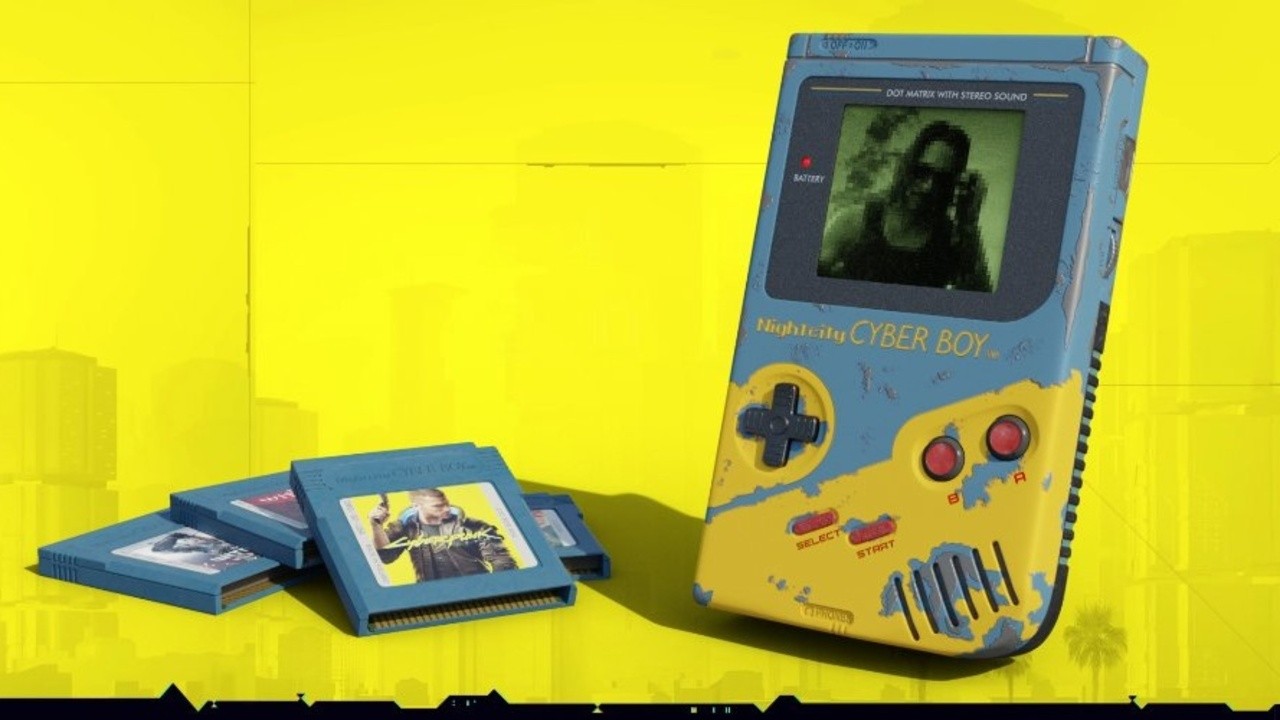
Random: Artist Shows Off Totally Rad Cyberpunk 2077 Game Boy Concept
CD Projekt Red’s new game Cyberpunk 2077 might not be out until November, but it’s already established a fanbase.
Blender artist, Tomek Dittrich, is such a big fan, he’s gone to the extent of creating a “Nightcity Cyber Boy”. The full 3D model of this concept even includes a Cyber Boy version of Cyberpunk 2077. In the brief clip below, you can see the mysterious Johnny Silverhand on-screen.
The additional cartridges on display appear to be The Witcher games – perhaps one of them is a demake of The Witcher 3: Wild Hunt – Complete Edition? Speaking of The Witcher, if you want to play a CD Projekt Red game on your Nintendo system, for now, you’ll just stick with Geralt’s third outing or Thronebreaker: The Witcher Tales on the Switch.
While this is just a concept, believe it or not, but CD Projekt has already released some other Cyberpunk themed devices including a Limited Edition Xbox One X console, controller, and external harddrive. Would you like to see the Cyber Boy brought to life? Do you miss the Game Boy era? Leave a comment down below.
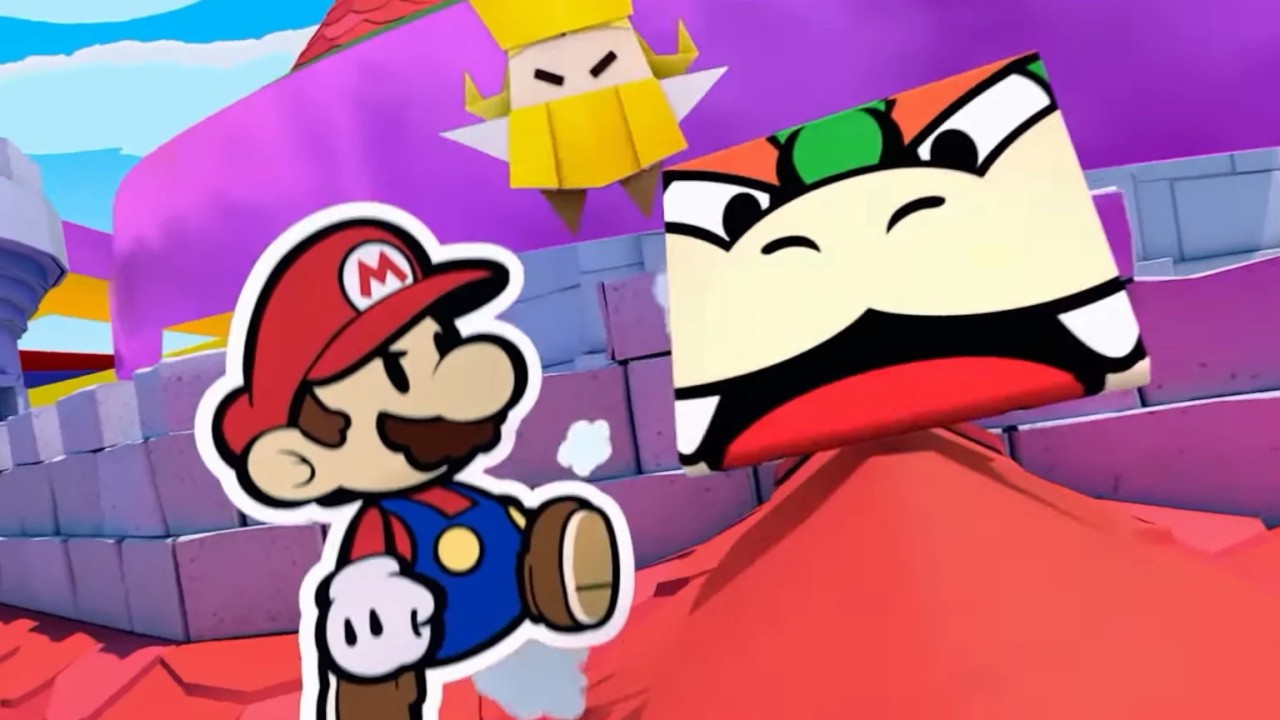
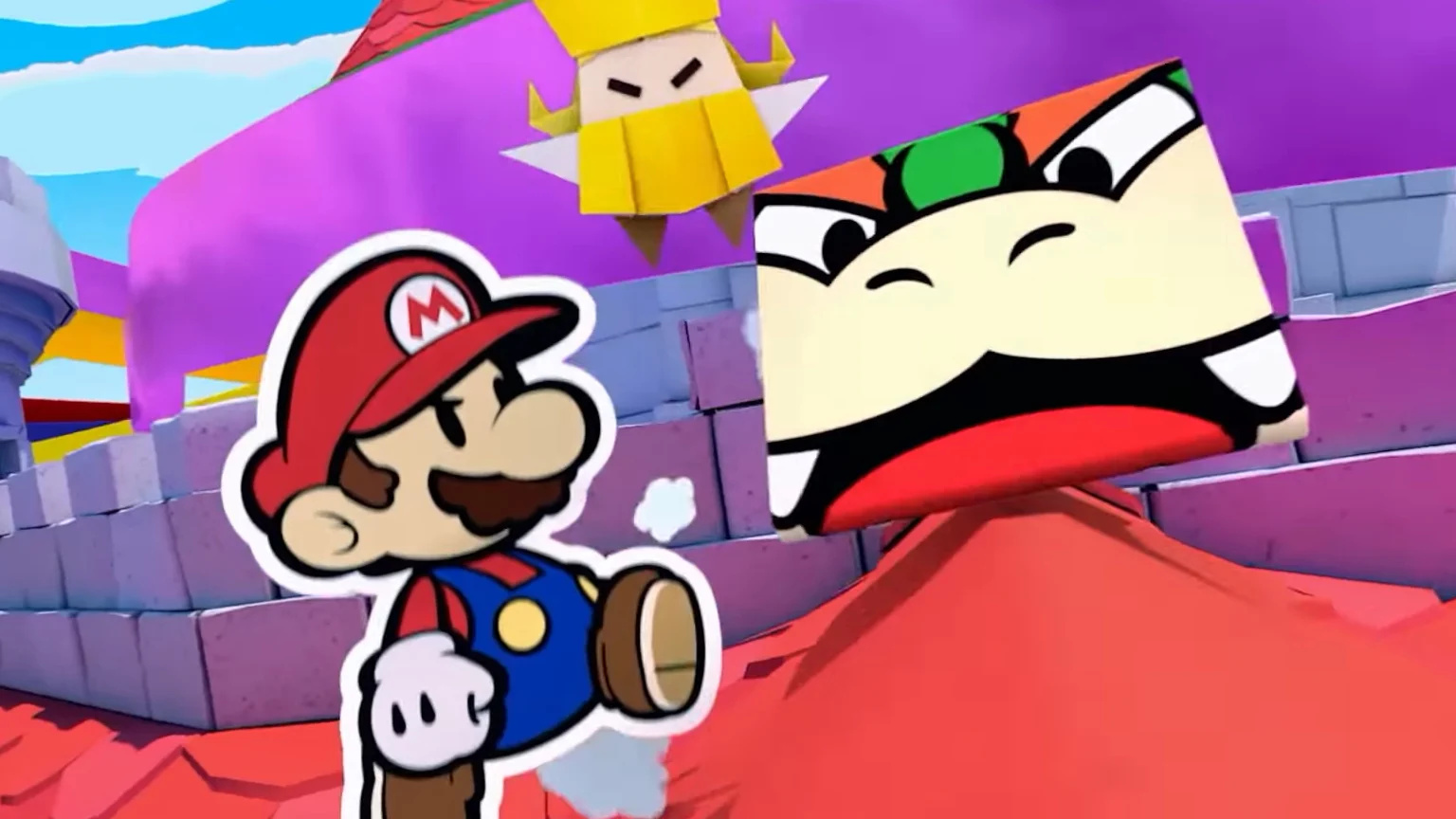
According to Famitsu’s latest sales chart, Nintendo’s new release – Paper Mario: The Origami King – sold 109,092 copies in its first week in Japan. It debuted in second place – with the PlayStation 4 exclusive Ghost of Tsushima taking out the top spot.
How does this particular entry compare to previous Paper Mario launch weeks, though? According to Game Data Library, it puts it in fifth place overall in terms of opening week physical sales. The best launch goes to Super Paper Mario on the Wii (2007), second place goes to Paper Mario: The Thousand-Year Door (2004), in third is Paper Mario: Sticker Star (2012), and fourth place is the original Nintendo 64 outing (2000).
Underneath the Origami King is the 2016 Wii U title Paper Mario: Color Splash. Here’s sales breakdown from GDL:
System
Title
First Week Sales
Lifetime Sales
Release Date
Wii
Super Paper Mario
156,055
506,298
2007
GCN
Paper Mario: The Thousand-Year Door
137,750
409,600
2004
3DS
Paper Mario: Sticker Star
130,009
564,823
2012
N64
Paper Mario
118,322
425,609
2000
Switch
Paper Mario: The Origami King
109,092
_
2020
Wii U
Paper Mario: Color Splash
28,436
63,056
2016
Of course, this data doesn’t include Paper Mario: The Origami King’s digital sales on the Switch eShop. If this was taken into account, it may have outperformed the past entries in its opening week – and keep in mind, digital game sales on Nintendo’s platforms are now stronger than ever.
Did you buy Paper Mario: The Origami King in its opening week? Tell us down below.
Hearthstone Scholomance Academy Card Reveal: Keymaster Alabaster
Hearthstone's new Scholomance Academy expansion is coming on August 6, with a theme that takes you to a magical school. In the lore, the Kirin Tor mage Kel'Thuzad is doing dark experiments in the basement. But some at Scholomance stood up to the mage, like the character behind GameSpot's card reveal: Keymaster Alabaster.
Keymaster Alabaster - Neutral Legendary for Hearthstone: Scholomance Academy
Keymaster Alabaster is a late-game Neutral Legendary that can generate enormous amounts of value if your opponent can't remove him. Simply giving you a copy of your opponent's draws is already a big advantage by feeding you information about their hand, but it goes one step further by making your version of the card potentially cheaper. Simply playing Alabaster and passing to your opponent's turn will get you at least one cheap card from their deck, and if they can't remove it, you can make it two. If they have to dig for a solution to remove him, he'll just keep generating value.
The Neutral designation means Alabaster could appear in any deck, but he'll be especially potent in late-game Control decks that look to out-value your opponent, and ones that benefit from low-cost cards. That includes Rogue, which is always looking for more low-cost cards to act as triggers for its Combo effects. Drawing 1-cost spells can be especially effective for Priests and Mages, and synergizes well with the new Spellburst keyword.
When reading over other people’s Python code, many beginners are puzzled by the __init__(self) method. What’s its purpose? This article answers this question once and for all.
What’s the purpose of __init__(self) in Python?
The reserved Python method __init__() is called the constructor of a class. You can call the constructor method to create an object (=instance) from a class and initialize its attributes.
While this answers the question, if you’ve got any ambition in becoming a professional Python coder, it’s not enough to know that the __init__ method is the constructor of a class. You also need to know how to use the constructor in your own projects—and how to customize its arguments. A thorough understanding of the constructor serves as a strong foundation for more advanced concepts in object-oriented Python programming. Read on to learn the other half of the equation.
Interactive Example: Before I’ll explain it to you, let’s open your knowledge gap. Consider the following example:
Exercise: Add one argument color to the __init__ method and make the code run without error!
Let’s dive into this simple example in great detail.
How to Use the __init__ Method in Practice? A Simple Example
We’ll use some terms of object-oriented programming in Python to explain our example. Make sure to study the following cheat sheet (you can also download the PDF here). Click the image to get the cheat sheet (opens in a new tab). If you’re already comfortable with basic object-orientation terminologies like classes and instances, simply read on.
You’ve learned that the __init__ method is the constructor method of a class. You call the constructor method to create new instances (or objects). But how exactly does this play out in practice? Before we dive into the correct use, we need to understand the arguments (or parameters) of the constructor method.
The Self Argument
The __init__ constructor requires at least one argument. According to the PEP8 standard, it’s good practice to denote this argument as self. In any case, the self argument points to the newly-created instance itself and it allows you to manipulate the instance attributes of the new instance. In the dog example, you’d use self.color = "blue" to set the newly-created dog’s color attribute to the string "blue".
Let’s have a look at the following basic code example:
class Dog: def __init__(self): self.color = "blue" bello = Dog()

print(bello.color)

# blue
We create a new class Dog with the constructor __init__(self).
We create a new instance of the class Dog named bello. There are two interesting observations: First, we use the class name rather than the constructor name to create the new instance. Python internally calls the __init__ method for us. Second, we don’t pass any argument when calling Dog(). Again, Python implicitly passes a reference to the newly created instance (bello) to the constructor __init__.
We print the color attribute of the newly-created bello instance. The result is the string value "blue" as defined in the constructor.
However, this minimal example is unrealistic. Some dogs are brown, others are black, and only some are blue.
Multiple Constructor Arguments
So how can we create different dogs with different colors? We can easily achieve this by using more arguments, in addition to self, when defining our constructor __init__. Here’s another example where we create two dogs with different colors. Can you spot their colors?
class Dog: def __init__(self, color): self.color = color bello = Dog("blue")

print(bello.color)

# blue alice = Dog("brown")

print(alice.color)

# brown
In contrast to the first example, we now define the constructor __init__(self, color) with two arguments rather than one.
The first is the self argument as before. The second is a custom argument color that is passed through by the caller of the constructor. In our case, we create two Dog instances, bello and alice, by specifying the color argument for both.
Note that the self argument is handled implicitly by the Python programming environment: Python simply passes a reference to the respective Dog instance to the __init__ constructor.
What’s the Difference between the Constructor and the Initializer?
Well, I haven’t used a very accurate terminology in the previous paragraphs. I used the term “constructor” for both the call Dog() and the call __init__(). But only the former call can be denoted as constructor method because only this call actually creates a new instance. At the time, we call the method __init__, the instance has already been created (Python passes it to us via the self argument). That’s why a more precise term for the __init__ method is initializer method. That’s how I’ll denote it in the following to make up for it.
What’s the Meaning of the Underscores in the __init__ Method Name?
I’ve written a whole article about the meaning of the underscore in Python. Check it out if this topic interests you further. The key takeaway, however, is the following:
The double underscore “__” (called “dunder“) is used to make an instance attribute or method private (cannot be accessed from outside the class) — when used as leading dunder. When used as enclosing dunder (e.g. “__init__”) it indicates that it is a special method in Python (called “magic method”).
How to Use __init__ in an Inherited Class?
An inherited class is a class that inherits all attributes and methods from a parent class. Here’s an example:
class Dog: def __init__(self, color): self.color = color class CuteDog(Dog): def __init__(self, color): Dog.__init__(self, color) self.hairs = True bello = CuteDog('brown')

print(bello.hairs)

# True print(bello.color)

# brown
Inheritance is very important in Python. In the example, the parent class is the class Dog you already know from above. The initializer method __init__ defines the color of this dog.
Now, we also create a new class CuteDog that inherits all attributes from the parent class Dog. You can define inheritance by specifying the name of the parent class within the brackets after the child class: CuteDog(Dog).
The interesting thing is that the __init__ method of the child class CuteDog calls the __init__ method of the parent class. This makes sense because the child class has the same attributes as the parent class—and they need to be initialized, too.
The more Pythonic way, however, is to use the super() function that makes it easier for you to access the parent class:
class Dog: def __init__(self, color): self.color = color class CuteDog(Dog): def __init__(self, color): super().__init__(color) self.hairs = True bello = CuteDog('brown')

print(bello.hairs)

# True print(bello.color)

# brown
With the help of the super() function, you can easily reuse the initializer method of the parent class.
Let’s have a look at a few related questions.
Is __ init __ Necessary in Python?
No. You can simply skip the initializer method. As a result, your class won’t have any instance attributes directly after its creation. However, you can add instance attributes dynamically at any future point in time. Here’s an example:
class Dog: None bello = Dog()

bello.color = "blue"

print(bello.color)

# blue
How beautiful! You can even create empty classes and “fill in” the methods and attributes later in Python.
What Does __ init __ Return?
The __init__ method itself returns nothing. Technically, Python first uses the constructor method Dog() before it uses __init__ to initialize all attributes. Hence, only the constructor returns the newly-created instance.
Can __init__ Return a Value?
No. The only return value that doesn’t cause a runtime error is None. All other return values cause an error. See the following code example:
class Dog: def __init__(self, color): self.color = color return 0 bello = Dog("blue")

# TypeError: __init__() should return None, not 'int'
So never use any return value in the __init__ method and you’re good to go.
Where to Go from Here?
Thanks for reading through the whole article. You’ve learned that the __init__ name is reserved for the Python initializer method that is called within the constructor.
The article requires a thorough understanding of the Python basics. Investing time to learn and study those is vital for your success as a professional coder.
To help people grow their skills in an automated, personalized way, I’ve created a free Python email course “Coffee Break Python” that grows your skill level in a seemingless way. Day after day after day…
[www.indiegala.com] Join our Crypto Sale, and get an EXTRA 30% OFF on all bundles and 15% OFF on all store deals when paying with a supported cryptocurrency!






 (Above: The Spartan on the right boosts in the air in the game’s arena mode.)