DragonRuby is a game development framework powered by the Ruby programming language. It is lightweight and crossplatform with an easy to learn API. It is regularly $47USD, however it is currently included in the Bundle For Racial Justice currently running on Itch.io, along with hundreds of games for just $5.
Key features of DragonRuby include:
Dirt simple apis capable of creating complex 2D games.
Fast as hell. Powered by highly optimized C code written by Ryan C. Gordon, the creator of SDL (a library that powers every commercial game engine in the world).
Battle tested by Amir Rajan, a critically acclaimed indie game dev.
Tiny. Like really tiny. The entire engine is a few megabytes.
Hot loaded, realtime coding, optimized to provide constant feedback to the dev. Productive and an absolute joy to use.
Turn key builds for Windows, MacOS, and Linux with seamless publishing to Itch.io.
Cross platform: PC, Mac, Linux, iOS, Android, Nintendo Switch, XBOX One, and PS4 (mobile and console compilation requires a business entity, NDA verification, and a Professional GTK License, contact us).
You can learn more about DragonRuby in the video below.
If you work on any type of app that has a user interface (UI) you probably have experienced that inner-loop development cycle of making a change, compile and run the app, see the change wasn’t what you wanted, stop debugging, then re-run the cycle again. Depending on the frameworks or technology you use, there are options to improve this experience such as edit-and-continue, Xamarin Hot Reload, and design-time editors. Of course, nothing will show the UI of your app like…well, your app!
For ASP.NET WebForms we have had designers for a while allowing you to switch from your WebForms code view to the Design view to get an idea what the UI may look like. As modern UI frameworks have evolved and relied more on fragments or components of CSS/HTML/etc. this design view may not always reflect the UI:
And these frameworks and UI libraries are becoming more popular and common to a web developer’s experience. We ship them in the box as well with some of our Visual Studio templates! As we looked at some of the web trends and talked with customers in our user research labs we wanted to adapt to that philosophy that the best representation of your UI, data, state, etc. is your actual running app. And so that is what we are working on right now.
Starting today you can download our preview Visual Studio extension for a new editing mode we’re calling “web live preview.” The extension is available now so head on over to the Visual Studio Marketplace and download/install the “Web Live Preview” extension for Visual Studio 2019. Seriously, go do that now and just click install, then come back and read the rest. It will be ready for you when you’re done!
Using the extension
After installing the extension, in an ASP.NET web application you’ll now have an option that says “Edit in Browser” when right-clicking on an ASPX page:
This will launch your default browser with your app in a special mode. You should immediately notice a small difference in that your view has some adorners on it:
In this mode you can now interactively select elements on this view and see the selection synchronized with your source. Even if you select something that comes from a master page, the synchronization will open that page in Visual Studio to navigate to the selection.
So what you may say, well it’s not just selection synchronization, but source as well. You may have a web control and be selecting those elements and we know that, for example, that is an asp:DataGrid component. As you make changes to the source as well, they are immediately reflected in the running app. Notice no saving or no browser refresh happening:
When working with things like Razor pages, we can detect code as well and even interact within those blocks of code. Here in a Razor page I have a loop. Notice how the selection is identified as a code loop, but I can still make some modifications in the code and see it reflected in the running app:
So even in your code blocks within your HTML you can make edits and see them reflected in your running app, shortening that inner loop to smaller changes in your process.
But wait, there’s more!
If you already use browser developer tools you may be asking if this is a full replacement for that for you. And it probably is NOT and that is by design! We know web devs rely a lot on developer tools in browsers and we are experimenting as well with a little extension (for Edge/Chrome) that synchronizes in the rendered dev tools view as well. So now you have synchronization across source representation (including controls/code/static) to rendered app, and with dev tools DOM tree views…and both ways:
We have a lot more to do, hence this being a preview of our work so far.
Current constraints
With any preview there are going to be constraints, so here they are for the time of this writing. We eventually see this just being functionality for web developers in Visual Studio without installing anything else, so the extension is temporary. For now, we support the .NET Framework web project types for WebForms and MVC. Yes, we know, we know you want .NET Core and Blazor support. This is definitely on our roadmap, but we wanted to tackle some very known scenarios where our WebForms customers have been using design view for a while. We hear you and this has been echoed in our research as well…we are working on it!
For pure code changes outside of the ASPX/Razor pages we don’t have a full ‘hot reload’ story yet so you will have to refresh the browser in those cases where some fundamental object models are changing that you may rely on (new classes/functions/properties, changed data types, etc.). This is something that we hope to tackle more broadly for the .NET ecosystem and take all that we have learned from customers using similar experiments we have had in this area.
The extension works with Chromium-based browsers such as the latest Microsoft Edge and Google Chrome browsers. This also enables us to have a single browser developer tools extension that handles that integration as well. To use that browser extension, you will have to use developer mode in your browser and load the extension from disk. This process is fairly simple but you have to follow a few steps which are documented on adding and removing extensions in Edge. The location of the dev tools plugin is located at C:\Program Files (x86)\Microsoft Visual Studio\2019\Common7\IDE\Extensions\Microsoft\Web Live Preview\BrowserExtension (assuming you have the default Visual Studio 2019 install location and ensuring you specify Community/Professional/Enterprise you have installed). Please note this is also a temporary solution as we are in development of these capabilities. Any final browser tools extensions would be distributed in browser stores.
Summary
If you are one of our customers that can leverage this preview extension we’d love for you to download and install it and give it a try. If you have feedback or issues, please use the Visual Studio Feedback mechanism as that helps us get diagnostic information for any issues you may be facing. We know that you have a lot of tools at your disposal but we hope this web live preview mode will make some of your flow easier. Nothing to install into your project, no tool-specific code in your source, and (eventually) no additional tools to install. Please give it a try and let us know what you think!
On behalf of the team working on web tools for you, thank you for reading!
Apple releases teaser for Apple TV+ original ‘Little Voice’
Apple on Friday released a “first look” at Apple TV+ original series “Little Voice,” a J.J. Abrams-produced half-hour drama series set to debut in July.
First teased in May, Little Voice stars Brittany O’Grady and features original music by Grammy, Emmy and Tony Award-nominee Sara Bareilles.
The drama follows Bess King (O’Grady) as she navigates the New York music scene and deals with life issues like love and family. Sean Teale, Colton Ryan, Shalini Bathina, Kevin Valdez, Phillip Johnson Richardson and Chuck Cooper also star.
Today’s sneak peek features Bareilles singing “Little Voice” over snippets of the show. A full trailer has yet to see release.
[embedded content]
Little Voice is produced by Abrams’ Bad Robot Productions in association with Warner Bros. Television. Abrams, Bareilles, Ben Stephenson (“Westworld”) and Jessie Nelson (“I Am Sam,” “Stepmom,”) are listed as executive producers, with the latter writing and directing the first episode.
Little Voice streams on July 10 and joins other Apple TV+ originals including Golden Globe-nominated and Critics Choice and SAG award-winning series The Morning Show, sitcom Mythic Quest: Raven’s Banquet, Beastie Boys Story, The Banker and sci-fi epic See.
Sharing files with Fedora 32 using Samba is cross-platform, convenient, reliable, and performant.
What is ‘Samba’?
Samba is a high-quality implementation of Server Message Block protocol (SMB). Originally developed by Microsoft for connecting windows computers together via local-area-networks, it is now extensively used for internal network communications.
In this guide we provide the minimal instructions to enable:
Public Folder Sharing (Both Read Only and Read Write)
User Home Folder Access
Note about this guide: The convention '~]$' for a local user command prompt, and '~]#' for a super user prompt will be used.
Public Sharing Folder
Having a shared public place where authenticated users on an internal network can access files, or even modify and change files if they are given permission, can be very convenient. This part of the guide walks through the process of setting up a shared folder, ready for sharing with Samba.
Please Note: This guide assumes the public sharing folder is on a Modern Linux Filesystem; other filesystems such as NTFS or FAT32 will not work. Samba uses POSIX Access Control Lists (ACLs). For those who wish to learn more about Access Control Lists, please consider reading the documentation: "Red Hat Enterprise Linux 7: System Administrator's Guide: Chapter 5. Access Control Lists", as it likewise applies to Fedora 32. In General, this is only an issue for anyone who wishes to share a drive or filesystem that was created outside of the normal Fedora Installation process. (such as a external hard drive). It is possible for Samba to share filesystem paths that do not support POSIX ACLs, however this is out of the scope of this guide.
Create Folder
For this guide the /srv/public/ folder for sharing will be used.
The /srv/ directory contains site-specific data served by a Red Hat Enterprise Linux system. This directory gives users the location of data files for a particular service, such as FTP, WWW, or CVS. Data that only pertains to a specific user should go in the /home/ directory.
Make the Folder (will provide an error if the folder already exists).

~]# mkdir --verbose /srv/public Verify folder exists:

~]$ ls --directory /srv/public Expected Output:

/srv/public
Set Filesystem Security Context
To have read and write access to the public folder the public_content_rw_t security context will be used for this guide. Those wanting read only may use: public_content_t.
Label files and directories that have been created with the public_content_rw_t type to share them with read and write permissions through vsftpd. Other services, such as Apache HTTP Server, Samba, and NFS, also have access to files labeled with this type. Remember that booleans for each service must be enabled before they can write to files labeled with this type.
Now that the folder has been added to the local system’s filesystem security context registry; The restorecon command can be used to ‘restore’ the context to the folder:
Restore security context to the /srv/public folder:

$~]# restorecon -Rv /srv/public Verify security context was correctly applied:

~]$ ls --directory --context /srv/public/ Expected Output:

unconfined_u:object_r:public_content_rw_t:s0 /srv/public/
User Permissions
Creating the Sharing Groups
To allow a user to either have read only, or read and write accesses to the public share folder create two new groups that govern these privileges: public_readonly and public_readwrite.
User accounts can be granted access to read only, or read and write by adding their account to the respective group (and allow login via Samba creating a smb password). This process is demonstrated in the section: “Test Public Sharing (localhost)”.
Create the public_readonly and public_readwrite groups:

~]# groupadd public_readonly

~]# groupadd public_readwrite Verify successful creation of groups:

~]$ getent group public_readonly public_readwrite Expected Output: (Note: x:1...: number will probability differ on your System)

public_readonly:x:1009:

public_readwrite:x:1010:
Set Permissions
Now set the appropriate user permissions to the public shared folder:
Set User and Group Permissions for Folder:

~]# chmod --verbose 2700 /srv/public

~]# setfacl -m group:public_readonly:r-x /srv/public

~]# setfacl -m default:group:public_readonly:r-x /srv/public

~]# setfacl -m group:public_readwrite:rwx /srv/public

~]# setfacl -m default:group:public_readwrite:rwx /srv/public Verify user permissions have been correctly applied:

~]$ getfacl --absolute-names /srv/public Expected Output:

file: /srv/public

owner: root

group: root

flags: -s-

user::rwx

group::---

group:public_readonly:r-x

group:public_readwrite:rwx

mask::rwx

other::---

default:user::rwx

default:group::---

default:group:public_readonly:r-x

default:group:public_readwrite:rwx

default:mask::rwx

default:other::---
Samba
Installation
~]# dnf install samba
Hostname (systemwide)
Samba will use the name of the computer when sharing files; it is good to set a hostname so that the computer can be found easily on the local network.
View Your Current Hostname:

~]$ hostnamectl status
If you wish to change your hostname to something more descriptive, use the command:
Modify your system's hostname (example):

~]# hostnamectl set-hostname "simple-samba-server"
For a more complete overview of the hostnamectl command, please read the previous Fedora Magazine Article: "How to set the hostname on Fedora".
Firewall
Configuring your firewall is a complex and involved task. This guide will just have the most minimal manipulation of the firewall to enable Samba to pass through.
Allow Samba access through the firewall:

~]# firewall-cmd --add-service=samba --permanent

~]# firewall-cmd --reload Verify Samba is included in your active firewall:

~]$ firewall-cmd --list-services Output (should include):

samba
Configuration
Remove Default Configuration
The stock configuration that is included with Fedora 32 is not required for this simple guide. In particular it includes support for sharing printers with Samba.
For this guide make a backup of the default configuration and create a new configuration file from scratch.
Create a backup copy of the existing Samba Configuration:

~]# cp --verbose --no-clobber /etc/samba/smb.conf /etc/samba/smb.conf.fedora0 Empty the configuration file:

~]# > /etc/samba/smb.conf
Samba Configuration
Please Note: This configuration file does not contain any global definitions; the defaults provided by Samba are good for purposes of this guide.
Edit the Samba Configuration File with Vim:

~]# vim /etc/samba/smb.conf
Add the following to /etc/samba/smb.conf file:
# smb.conf - Samba Configuration File # The name of the share is in square brackets [],
# this will be shared as //hostname/sharename # There are a three exceptions:
# the [global] section;
# the [homes] section, that is dynamically set to the username;
# the [printers] section, same as [homes], but for printers. # path: the physical filesystem path (or device)
# comment: a label on the share, seen on the network.
# read only: disable writing, defaults to true. # For a full list of configuration options,
# please read the manual: "man smb.conf". [global] [public]
path = /srv/public
comment = Public Folder
read only = No
Write Permission
By default Samba is not granted permission to modify any file of the system. Modify system’s security configuration to allow Samba to modify any filesystem path that has the security context of public_content_rw_t.
For convenience, Fedora has a built-in SELinux Boolean for this purpose called: smbd_anon_write, setting this to true will enable Samba to write in any filesystem path that has been set to the security context of public_content_rw_t.
For those who are wishing Samba only have a read-only access to their public sharing folder, they may choose skip this step and not set this boolean.
Set SELinux Boolean allowing Samba to write to filesystem paths set with the security context public_content_rw_t:

~]# setsebool -P smbd_anon_write=1 Verify bool has been correctly set:

$ getsebool smbd_anon_write Expected Output:

smbd_anon_write --> on
Samba Services
The Samba service is divided into two parts that we need to start.
Samba ‘smb’ Service
The Samba “Server Message Block” (SMB) services is for sharing files and printers over the local network.
Enable and start smb and nmb services:

~]# systemctl enable smb.service

~]# systemctl start smb.service Verify smb service:

~]# systemctl status smb.service
Test Public Sharing (localhost)
To demonstrate allowing and removing access to the public shared folder, create a new user called samba_test_user, this user will be granted permissions first to read the public folder, and then access to read and write the public folder.
The same process demonstrated here can be used to grant access to your public shared folder to other users of your computer.
The samba_test_user will be created as a locked user account, disallowing normal login to the computer.
Create 'samba_test_user', and lock the account.

~]# useradd samba_test_user

~]# passwd --lock samba_test_user Set a Samba Password for this Test User (such as 'test'):

~]# smbpasswd -a samba_test_user
Test Read Only access to the Public Share:
Add samba_test_user to the public_readonly group:

~]# gpasswd --add samba_test_user public_readonly Login to the local Samba Service (public folder):

~]$ smbclient --user=samba_test_user //localhost/public First, the ls command should succeed,

Second, the mkdir command should not work,

and finally, exit:

smb: \> ls

smb: \> mkdir error

smb: \> exit Remove samba_test_user from the public_readonly group:

gpasswd --delete samba_test_user public_readonly
Test Read and Write access to the Public Share:
Add samba_test_user to the public_readwrite group:

~]# gpasswd --add samba_test_user public_readwrite Login to the local Samba Service (public folder):

~]$ smbclient --user=samba_test_user //localhost/public First, the ls command should succeed,

Second, the mkdir command should work,

Third, the rmdir command should work,

and finally, exit:

smb: \> ls

smb: \> mkdir success

smb: \> rmdir success

smb: \> exit Remove samba_test_user from the public_readwrite group:

~]# gpasswd --delete samba_test_user public_readwrite
After testing is completed, for security, disable the samba_test_user‘s ability to login in via samba.
Disable samba_test_user login via samba:

~]# smbpasswd -d samba_test_user
Home Folder Sharing
In this last section of the guide; Samba will be configured to share a user home folder.
For example: If the user bob has been registered with smbpasswd, bob’s home directory /home/bob, would become the share //server-name/bob.
This share will only be available for bob, and no other users.
This is a very convenient way of accessing your own local files; however naturally it carries at a security risk.
Setup Home Folder Sharing
Give Samba Permission for Public Folder Sharing
Set SELinux Boolean allowing Samba to read and write to home folders:

~]# setsebool -P samba_enable_home_dirs=1 Verify bool has been correctly set:

$ getsebool samba_enable_home_dirs Expected Output:

samba_enable_home_dirs --> on
Add Home Sharing to the Samba Configuration
Append the following to the systems smb.conf file:
# The home folder dynamically links to the user home. # If 'bob' user uses Samba:
# The homes section is used as the template for a new virtual share: # [homes]
# ... (various options) # A virtual section for 'bob' is made:
# Share is modified: [homes] -> [bob]
# Path is added: path = /home/bob
# Any option within the [homes] section is appended. # [bob]
# path = /home/bob
# ... (copy of various options) # here is our share,
# same as is included in the Fedora default configuration. [homes] comment = Home Directories valid users = %S, %D%w%S browseable = No read only = No inherit acls = Yes
Reload Samba Configuration
Tell Samba to reload it's configuration:

~]# smbcontrol all reload-config
Test Home Directory Sharing
Switch to samba_test_user and create a folder in it's home directory:
~]# su samba_test_user
samba_test_user:~]$ cd ~
samba_test_user:~]$ mkdir --verbose test_folder
samba_test_user:~]$ exit Enable samba_test_user to login via Samba:
~]# smbpasswd -e samba_test_user Login to the local Samba Service (samba_test_user home folder):
$ smbclient --user=samba_test_user //localhost/samba_test_user Test (all commands should complete without error):
smb: \> ls
smb: \> ls test_folder
smb: \> rmdir test_folder
smb: \> mkdir home_success
smb: \> rmdir home_success
smb: \> exit Disable samba_test_userfrom login in via Samba:
~]# smbpasswd -d samba_test_user
The Pokémon Company Pledges A “Minimum” Of $5 Million For Charity
Today, The Pokémon Company has issued a statement announcing that it will donate a “minimum” of $5 million to charity.
The money will be going to nonprofit organisations working toward “improving the lives of children with a focus on diversity, equity and inclusion”. The notice comes after Pokémon GO developer Niantic revealed that it would be donating proceeds from Pokémon GO Fest 2020 ticket sales, also committing a minimum of $5 million to “fund new projects from Black gaming and AR creators” and for “US nonprofit organisations that are helping local communities rebuild”.
Here’s Pokémon’s full statement:
The Pokémon Company says that a list of charities receiving donations will be shared soon.
Last week, Pokémon also shared a message of solidarity to Black Lives Matter, as well as its employees and fans who “continue to be impacted by systemic racism and senseless violence”.
Posted by: xSicKxBot - 06-13-2020, 02:43 AM - Forum: Lounge
- No Replies
The Last Of Us Part 2 Review Roundup: What Are The Critics Saying?
The Last of Us Part II is still a week away from launching, and the general consensus from reviews is that it's going to feel like a long wait. The latest from Naughty Dog, The Last of Us Part II picks up a few years after the PS3 original, following Ellie on a bloody path of revenge. It's bleak, tragic and gut-wrenching, but a tale most reviews suggest you don't miss.
Overall critic reception has been incredibly positive, with a few caveats. In GameSpot's own 8/10 spoiler-free review for The Last of Us Part II, editor Kallie Plagge commends the game's strong characters and tense combat, but feels it suffers from pacing issues and uneven analysis of its themes. "In the second half of the game, these exploration issues persist, as do the horrors of combat and violence. But for reasons I can't explain due to spoiler restrictions, the narrative shifts significantly at a certain point, and the context of everything you've done up until then changes along with it. There's a lot I want to say that I'm not allowed to until the game is out, but this half of the game is the reason anything in it works at all. It examines a lot of the violence that happens early on, though not all the violence in general, and it's where the story finds its meaning." Take note that we'll be publishing another review (with the same score) that further explores the story and other spoiler-y elements once the embargo permits us to do so.
In the meantime, we've gathered additional reviews below, with the majority laying praise on the game's narrative and personal character writing. A lot of praise has also been given to the game's extensive accessibility options, allowing more players than ever to experience the game in a manner that is comfortable for them. For more reviews, check out our sister site Metacritic to see what other sites had to say. Plus, see our The Last of Us Part II pre-order guide for more information on pre-order bonuses and special editions.
Posted by: xSicKxBot - 06-12-2020, 05:49 PM - Forum: Windows
- No Replies
New custom backgrounds now available for Microsoft Teams video meetings
Video capabilities, once a nice to have, have become a critical component of collaborative work.
In fact, when the world moved to remote work earlier this year, Microsoft Teams customers turned on video in Teams meetings two times more than they did before many of us began working from home full-time. We also saw total video calls in Teams grow by over 1,000 percent in the month of March. These trends, along with daily conversations with customers navigating remote collaboration, inspired us to accelerate new features to customize your video experiences and make meetings more productive, comfortable, and fun.
Today, we are announcing the rollout of new custom background effects in Teams, along with new features in the free version of Teams. It’s all about enabling you and your team to work productively, collaboratively, and with everyone’s well-being in mind. Let’s get into the details.
Microsoft Teams custom background effects are now available!
When joining a Teams meeting, you want the focus on you—not that messy bookcase behind you. Last year, we introduced background blur to help everyone preserve privacy and keep their attention on their teammates. Our design team also created a collection of preset images that range from professional (a modern office) to pretty silly (a cartoonish beach scene). Today, we’re expanding these options so you can customize your background by uploading your own images or choosing one of the collections of backgrounds now available online.
No need for a green screen, or even a blank wall. Teams uses a highly trained model that differentiates the subject from their background and can impose a custom background over everything else, making it easy and fast to start expressing yourself in all your meetings.
Background collections to check out
With the whole world turning to video, companies are getting creative with collections of backgrounds you can easily download and then upload to Teams. Here are some options.
From a booth at Bob’s Burgers to a mountain of LEGO building blocks, there’s something for everyone in this collection from FOX.
If you want to be the coolest coworker when your colleagues’ kids wander on camera, our Xbox collection has you covered.
Celebrate 30 years of Microsoft Solitaire, one of the most played games on the planet every day, and show your love for the game with either the blue or green Microsoft Solitaire background.
Look out for great event-specific collections too! Our Microsoft designers created 20 virtual backgrounds for you to show your pride and support for the LGBTQI+ community. Download their colorful creations at microsoft.com/pride.
New features now available in the free version of Microsoft Teams
With so many people moving suddenly to remote work, the free version of Teams has become an important way for teams to meet and collaborate online. We want to help them continue to connect effectively, so we’re bringing several new features to this version of Teams.
Schedule your meetings in advance
Free version users are now able to schedule meetings and send out invitations in advance. This capability builds upon the existing ability to “Meet Now.” Meeting schedulers have the option of either copying the meeting link to send directly to other participants or sending an invite via Outlook or Google calendar. This much-requested capability is being rolled out to current users, while users who are just signing up now will be able to experience it soon. And right now, there is no time limit on meetings in the free version of Teams—so collaborate away!
Here is how you schedule and start meetings in the free version of Teams.
Use live captions
Teams free users can now turn on live captions during their calls and meetings. This feature makes meetings more inclusive, giving participants another way to follow along with the conversation and address the needs of participants with different hearing abilities or language proficiencies. It’s currently available as a preview in U.S. English.
Note: If you are already a user of the free version of Teams, this update will automatically happen, and you will be able to schedule meetings, as well.
The free version of Teams also provides all types of organizations up to 500,000 users with:
Unlimited chat and search
Audio and video calling
Scheduled meetings
10 GB team file storage and 2 GB personal file storage per person
Ability to use the Office web apps (Word, Excel, PowerPoint, and OneNote)
Unlimited app integration
And much more!
And it’s all backed by Microsoft’s secure, global infrastructure—so all of our users can enjoy the confidence of a secure and reliable service. You can learn more and sign up for this free version today with just your email address here.
There’s no doubt that video is now a huge part of our daily work lives. With Teams, we want to provide video experiences that feel personal and comfortable to every customer, from students and teachers adjusting to remote work to globe-spanning corporate teams aligning around a tight deadline. Custom background effects help you design the video experience that works best for you—whether you need to hide a mess of toys or just want a funny background photo to give your team a laugh. Meanwhile, new features in the free version of Teams bring important meeting-scheduling capabilities to every Teams user. It’s all part of our effort to provide the best collaboration tool for every individual, team, and organization on the planet. I hope you enjoy these new features, and I can’t wait to bring you more exciting feature news in the days to come.
Feature: Biped Producer On The Cute Co-op Platformer’s Journey To Switch
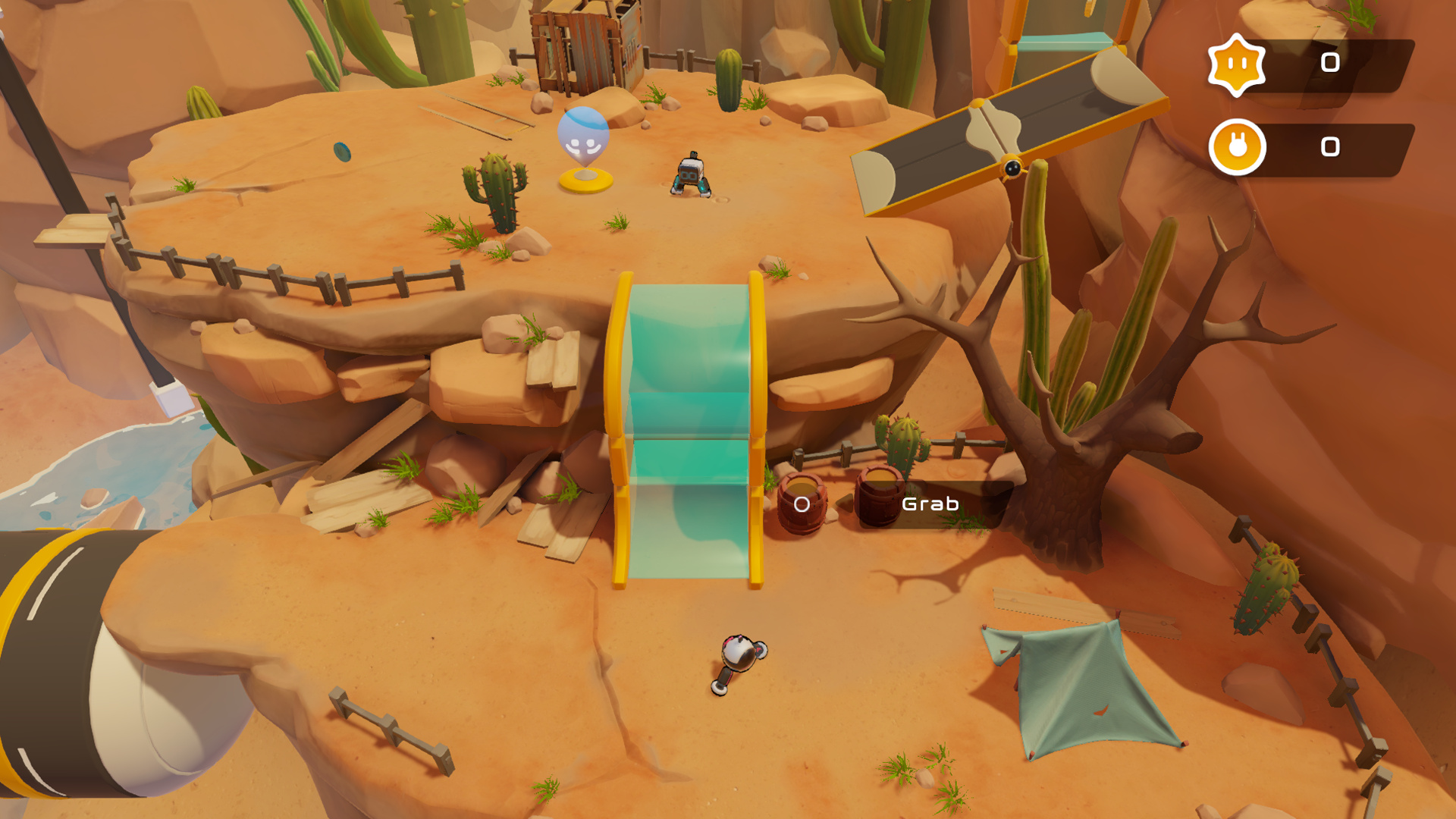
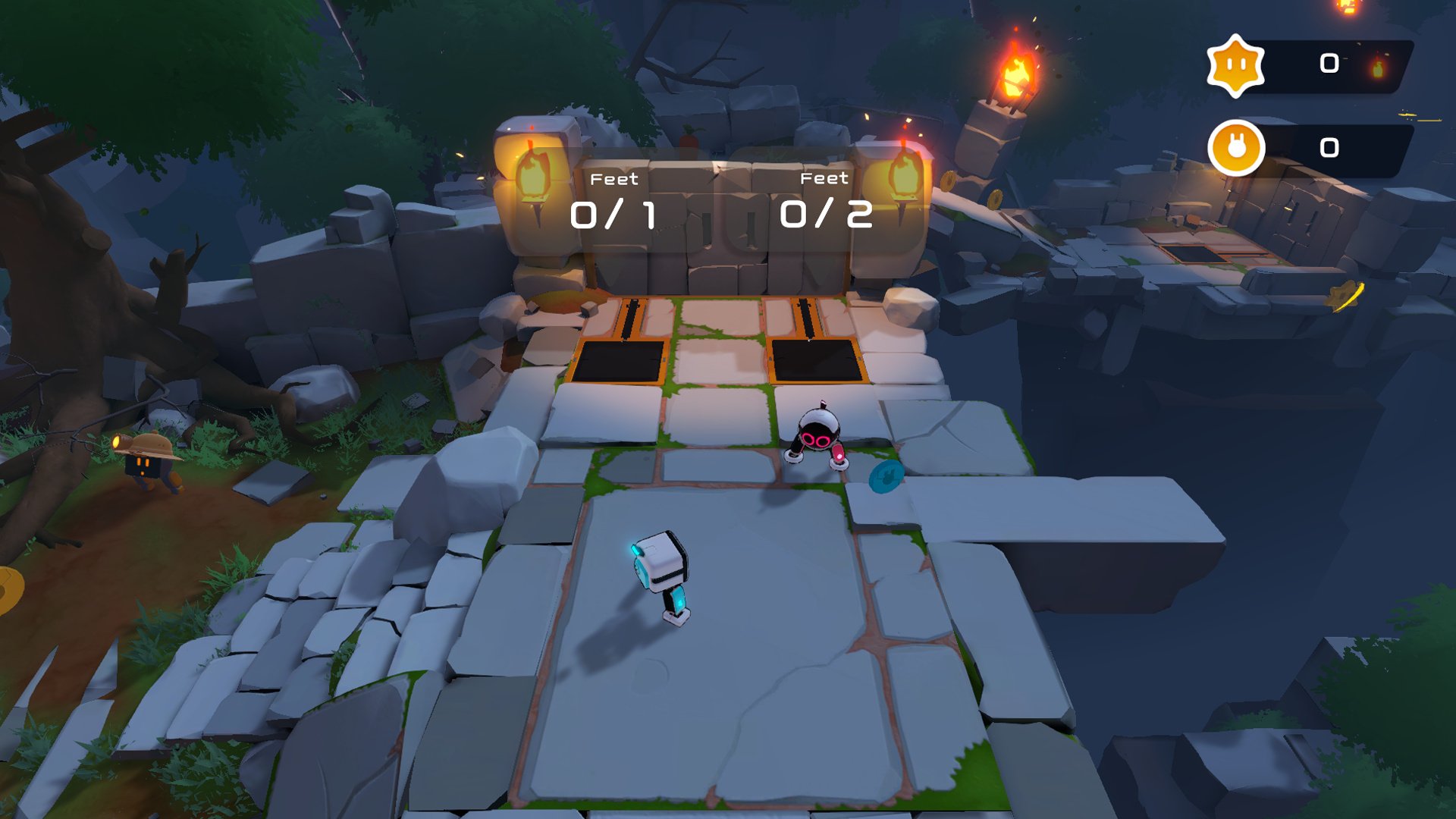
Earlier today we reported that Biped, the cute robot puzzle platformer from NExT Studios, is coming to Switch on 2nd July. The game released a couple of months ago on PS4 and PC, but with its local cooperative gameplay and accessible controls, it sure looks tailor-made for Nintendo’s console.
Recently, we were fortunate enough speak with the game’s producer Dong Ding via email about the development of Biped (or biped, as it’s stylised), the upcoming online mode, and the challenges of the Switch version.
Nintendo Life: For Switch players who might have missed the Steam and PS4 launch of Biped, can you tell us a little about the game?
Dong Ding, producer at NExT Studios: Biped is a unique coop action game powered by physics. In biped, you control the legs of the main characters, 2 cute little robots, rather than the characters themselves. Веside from the joysticks, you won’t be using any other buttons! Go on an exciting adventure with many tough challenges that require a lot of collaboration between you and your partner.
Tell us about the team at NExT Studios. How many people worked on Biped?
At NExT Studios, we constantly strive to deliver truly original gaming experiences. With our games we cover a wide range of genres and subjects, from imaginative puzzles to fierce fighting, from Ancient China to Future Earth, we will never cease to explore new worlds to surprise and entertain gamers who are looking for creativity and uniqueness.
So far we have published Death Coming, Iris.Fall, Bladed Fury, Meowoof, Nishan Shaman, Unheard, and biped on PC and console with more coming out later this year.
How long has Biped been in development? What inspirations did you look to while making it?
Biped was created in roughly 2 years. We are a team made of Nintendo fans so we naturally took a lot of inspirations from various Nintendo games. However, the level of originality that went into biped dictated how we came up with all the design solutions because there really weren’t many references out there.
We are a team made of Nintendo fans so we naturally took a lot of inspirations from various Nintendo games.
You control two cute robot characters, Aku and Sila. Can you tell us about the evolution of those characters? Were they always robots?
Aku and Sila didn’t have their names until quite late in development. Since we started off the project with a fun playable mechanic rather than a product vision, we got to spend a lot of time refining how the game plays and how the characters work. It wasn’t until the core gameplay was mostly defined that we were able to flush out the game universe, the background story, and hence the decision to make them robots.
We’ve read that you experimented with PvP multiplayer at one point. How did those experiments shape the end product? Has the game changed over time?
The PvP experiment was actually fun but we didn’t feel it was the right direction for the concept in general. We ended up focusing on coop mode because we believed it would provide the most fun to players given the content we could afford to create. After the PvP experiment, we narrowed down the levels to reflect this focus: all of the puzzles and challenges became totally central to the core experience, which is 2 players working and having a great time together.
With local co-op being one of Switch’s particular strengths, Biped feels like a natural fit. Presumably, the plan was always to bring it to Switch, so why launch on other platforms first?
We have always known that we want to launch biped on Switch and had no doubt it would be a great fit. However, in reality, it took us a lot of time to work out a control scheme to allow comfortable play using a Joycon, without losing the essence of the unique sense of control. Also, to make sure the game looks as good as it does on PC and runs at a smooth framerate we have been working hard on optimizing without sacrificing visual fidelity. We sincerely hope that gamers will find the wait worthwhile.
What’s been the biggest development challenge you’ve encountered in bringing the game to Switch?
For the Switch version we want to support as many playing scenes as possible so we are currently working on providing the online coop feature as soon as possible after the initial launch. Due to the complexity of the physics involved, as well as our high-performance goals, it is quite a challenge. But we are confident it will be delivered soon.
The last few months have been tough for people all around the world due to the COVID-19 pandemic. How has it impacted NEXT Studios and Biped?
Like the rest of the world, teams at NExT studio had to work from home which presented a great amount of challenge achieving the set of goals we had before the pandemic hit. However, all the toughness and difficulty also taught us a priceless lesson on how resilient and creative our fellow colleagues and friends can be when faced with adversity. We were not only able to largely accomplish our goals but also came out of the situation being more agile, innovative, and most importantly, more understanding of one another.
Are there any plans to add content or new modes to Biped in the future?
For now, we are focusing on delivering the best launch possible for Switch but we have already begun planning for possible major updates. Please stay tuned for future announcements.
Finally, what other games have you been enjoying recently, on Switch or elsewhere?
A Short Hike provides an incredibly tranquil, minimalistic excursion. Animal Crossing: New Horizons is where I go to get my daily dose of pure happiness. And I often rediscover the fun of dungeon crawling with a friend in Minecraft Dungeons, which is not unlike something players can find in biped.
Thank you!
Thank you!
Our thanks to Dong. Biped is launching on Switch on 2nd July.
Talking Point: Six Burning Questions We’d Love Nintendo To Answer This Summer
If the rumours are true, Nintendo likely won’t be putting out a Nintendo Direct presentation in the immediate future. That’s not to say announcements won’t continue to drop, or game-specific Direct videos won’t appear online over the summer, but a full-fat blow-out of a presentation doesn’t appear to be on the cards in the near-term – certainly not of the type we’d normally see in the first half of June, anyway.
The reasons for this are various and entirely understandable. Disruption to the video game industry over the past few months has led to companies across the spectrum adapting and experimenting with new ways of delivering news and debuting games. Nintendo has been a leader in this field for some time; the first of the big three to abandon a stage presentation at E3 in favour of a broadcast that it could control and edit for maximum impact.
And we have to say, dropping big announcements out of the blue has proved an effective, exciting strategy. March’s Nintendo Direct Mini was shadow-dropped without warning, and then there was Paper Mario: The Origami King, which sprung up on our Twitter timeline with such nonchalance that it took a moment to rack our brains and make sure we hadn’t blanked on a previous announcement (hey, we’re all suffering from a touch of lockdown fogginess, no?).
There’s little doubt that random drops of previously unannounced titles can certainly spice up a quiet Thursday afternoon. Yet, there’s still a palpable desire for a real, honest-to-goodness, 45-60 minute ‘proper’ Nintendo Direct. Not an an Indie World Showcase or an Animal Crossing Direct or a Smash fighter deep-dive Direct or Pokémon DLC Direct; a real one, if you will.
It’s not like there aren’t other things to think about in the world right now, but with other platform holders lifting the lid on their plans for the rest of the year, we thought it a good time to look to the future and consider the burning questions we’d most love to see answered by Nintendo over the summer, whether via a bumper Nintendo Direct or a sneaky tweet.
Question 1: How is No More Heroes 3 / Bayonetta 3 / Bravely Default 2 coming along?
First up, an update on the big games–Nintendo-published or otherwise–that we know are coming would be a good start. We’re talking titles like No More Heroes 3, Bayonetta 3 and Bravely Default II.
PlatinumGames’ sequel is a particular mystery in that selection – a game we’ve seen nothing of beyond its initial tease way back in December 2017. Director Hideki Kamiya has insisted multiple times that everything is progressing smoothly behind the scenes, to the point that questions about it are irritating him. Kamiya irritated? Fancy that.
You could easily bundle the following game in with those above, but we feel it deserves special attention…
Question 2: Got a sitrep on Metroid Prime 4?
How many years has it been now? Our perception of time is a bit skewed after the past couple of months, but it is now a whopping three years since Metroid Prime 4‘s initial reveal teaser at E3 2017 and nearly 18 months since Shinya Takahashi announced that all development work to that point had been scrapped and the project would be restarted by series veterans Retro Studios.
The game is still a long way off, but given its history we’d love a little development update. Two years, three years off – we don’t really mind when it arrives, but acknowledgement that Samus is alive and well would perk us up immeasurably.
Question 3: What’s planned for Super Mario Bros.’ 35th anniversary?
Bit of a leading question, this. The rumoured remasters of several Mario games got us dreaming of a ‘Super Mario All-Stars 2‘, and it seems highly likely that a host of 3D favourites will be coming to Switch sooner rather than later. Whatever Nintendo is cooking up, we’re eager to find out more. It can’t just be a collection of Uniqlo t-shirts, right?
Question 4: What’s next for Nintendo Switch Online?
We’ve been getting a slow drip feed of NES and SNES titles added to the online subscription service over the last few months, but Nintendo has stated its intention to continue adding value to the service and we’re wondering what’s coming next. A new exclusive game a laTetris 99, perhaps? If not Nintendo 64 games, then how about Game Boy or Game Boy Advance titles? Something else entirely?
There’s no time like the present for a new Tetris 99-alike to take the world by storm.
Question 5: When can we stop calling it ‘Breath of the Wild 2’?
We say that we’re not fussed about game-specific Directs, but a Breath of the Wild 2 deep-dive would be most welcome. Or even a shallow-dive, come to think of it.
We’ve watched and dissected that reveal trailer from a year ago over and over, and we’d like to be able to stop calling this direct sequel ‘Breath of the Wild 2’ now. How about The Legend of Zelda: Dungeon Divers? The Legend of Zelda: Calamity’s Return? The Legend of Link: A Zelda to the Past…
Okay, they’re all rubbish. Give us a proper title, Nintendo, and let’s banish ‘BOTW2’ to the depths where it belongs.
Question 6: What can we look forward to in the second half of 2020?
This is probably the most pressing question on many a Nintendo fan’s mind (and likely a few other people besides). It would be an immense understatement to say that 2020 has been a bit of a rotter so far, and that’s one of the reasons so many of us are looking to our favourite creators to provide a little respite and distraction from the challenges of the last few months.
To be fair, Animal Crossing: New Horizons has been a meditative part of our daily routine for many weeks now, but we would welcome something to get excited about in the second half of the year. We understand that Nintendo has projects bubbling away, and that the COVID-19 pandemic has inevitably affected release plans, but a drop of intel on games likely to arrive before Holiday 2020 would lift our spirits no-end.
It needn’t be ‘Super Mario Odyssey 2‘, or the rumoured Pikmin that’s been MIA for years, or an ‘F-ZERO FOR SWITCH’ megaton (although we’d snap up any or all of the above). A little Rhythm Heaven or WarioWare compilation on Switch would be just the ticket. Heck, we’d gladly take a couple of Wii U ports (there are still a fair few to pick from) – just something for Switch owners to pin on their mirrors and think about over the summer months, as opposed to staring into the abyss and having only titles on other platforms to get excited about.
Go on Nintendo, throw us a bone, hmm?
We have other questions, of course, but these are the ones causing the most head-scratching for us at the moment. What would you most like Nintendo to spill the beans about this summer? Let us know your burning questions below.
[www.indiegala.com] Season your library with some explosive indie action. https://youtu.be/1qHHa7VF5gI Award-winning space exploration, unusual fungal warfare, magical demon battles, a bullet time twist and a lot more of action-packed indie experiences await!