Warhammer 40k: Mechanicus Crackerjack & more deals
Choose your path carefully in Warhammer 40,000: Mechanicus
[www.indiegala.com] Manage resources, discover long-forgotten tech, plan tactical operations in Warhammer 40,000: Mechanicus https://youtu.be/XfqF81VPoM0 Your every decision will shape the missions ahead and ultimately decide the fate of the troops under your command.
Using Kubernetes ConfigMaps to define your Quarkus application’s properties
So, you wrote your Quarkus application, and now you want to deploy it to a Kubernetes cluster. Good news: Deploying a Quarkus application to a Kubernetes cluster is easy. Before you do this, though, you need to straighten out your application’s properties. After all, your app probably has to connect with a database, call other services, and so on. These settings are already defined in your application.properties file, but the values match the ones for your local environment and won’t work once deployed onto your cluster.
So, how do you easily solve this problem? Let’s walk through an example.
Create the example Quarkus application
Instead of using a complex example, let’s take a simple use case that explains the concept well. Start by creating a new Quarkus app:
You can keep all of the default values while creating the new application. In this example, the application is named hello-app. Now, open the HelloResource.java file and refactor it to look like this:
@Path("/hello") public class HelloResource { @ConfigProperty(name = "greeting.message") String message; @GET @Produces(MediaType.TEXT_PLAIN) public String hello() { return "hello " + message; } }
In your application.properties file, now add greeting.message=localhost. The @ConfigProperty annotation is not in the scope of this article, but here we can see how easy it is to inject properties inside our code using this annotation.
Now, let’s start our application to see if it works as expected:
$ mvn compile quarkus:dev
Browse to http://localhost:8080/hello, which should output hello localhost. That’s it for the Quarkus app. It’s ready to go.
Deploy the application to the Kubernetes cluster
The idea here is to deploy this application to our Kubernetes cluster and replace the value of our greeting property with one that will work on the cluster. It is important to know here that all of the properties from application.properties are exposed, and thus can be overridden with environment variables. The convention is to convert the name of the property to uppercase and replace every dot (.) with an underscore (_). So, for instance, our greeting.message will become GREETING_MESSAGE.
At this point, we are almost ready to deploy our app to Kubernetes, but we need to do three more things:
Create a Docker image of your application and push it to a repository that your cluster can access.
Define a ConfgMap resource.
Generate the Kubernetes resources for our application.
To create the Docker image, simply execute this command:
Be sure to set the right Docker username and to also push to an image registry, like docker-hub or quay. If you are not able to push an image, you can use sebi2706/hello-app:latest.
Make sure that you are connected to a cluster and apply this file:
$ kubectl apply -f config-hello.yml
Quarkus comes with a useful extension, quarkus-kubernetes, that generates the Kubernetes resources for you. You can even tweak the generated resources by providing extra properties—for more details, check out this guide.
After installing the extension, add these properties to our application.properties file so it generates extra configuration arguments for our containers specification:
Then, browse to the public URL or do a curl. For instance, with Minikube:
$ curl $(minikube service hello-app --url)/hello
This command should output: hello Kubernetes.
Conclusion
Now you know how to use a ConfigMap in combination with environment variables and your Quarkus’s application.properties. As we said in the introduction, this technique is particularly useful when defining a DB connection’s URL (like QUARKUS_DATASOURCE_URL) or when using the quarkus-rest-client (ORG_SEBI_OTHERSERVICE_MP_REST_URL).
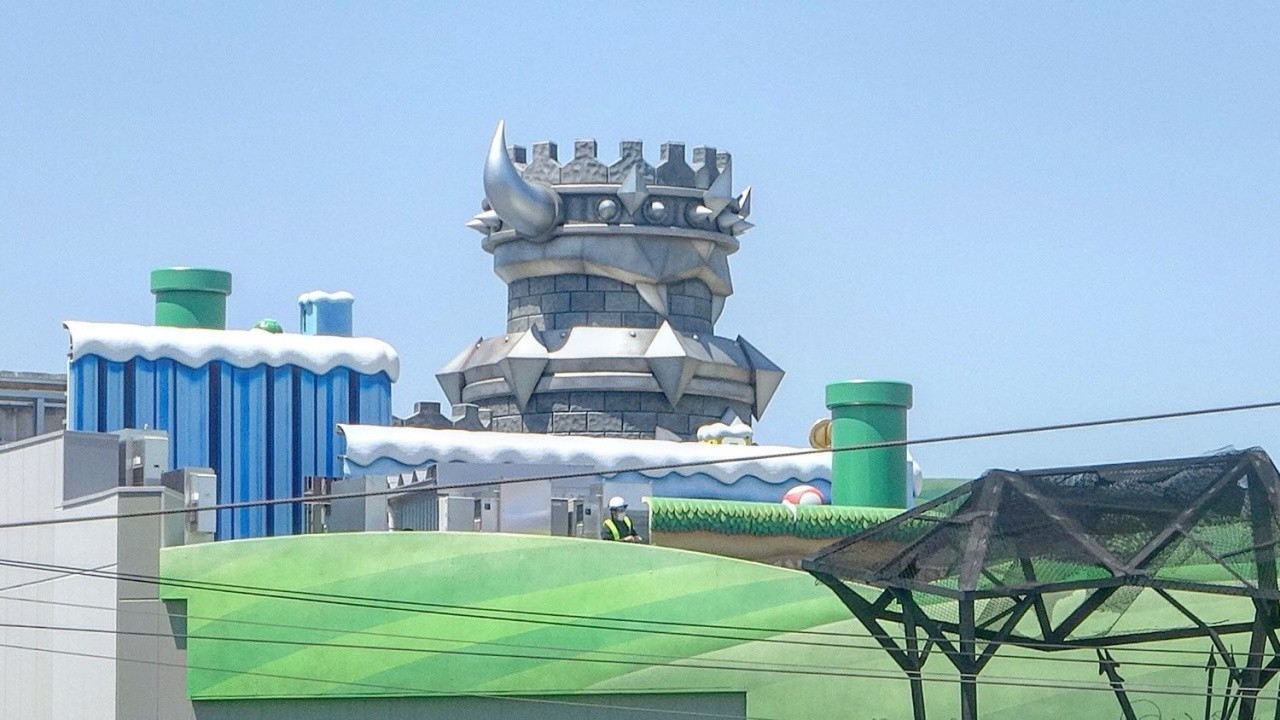
Just last week, we shared some intriguing aerial photographs of Super Nintendo World, the new theme park currently in the works at Universal Studios Japan. The images gave us a good look at the general layout of the park and its components, but now we have several more images taken from the ground.
The park itself isn’t open yet, but that hasn’t stopped visitors taking photographs from other areas of Universal Studios’ grounds. The images below come from @LCASTUDIOS_USJ, and while we can’t see anything up close, you can certainly get a taste of the size of some of these iconic Mario locations. Take a look:
We can’t wait for the park to open properly so that we can truly see how it all looks from the inside. We imagine this is going to become a must-visit experience for Nintendo fans heading out to Japan.
Are you looking forward to seeing Super Nintendo’s World’s grand reveal? Would you like to visit one day if you get the chance? Let us know in the comments.
Embrace The ’90s When 2D Platformer Pixboy Jumps Onto Switch This Week
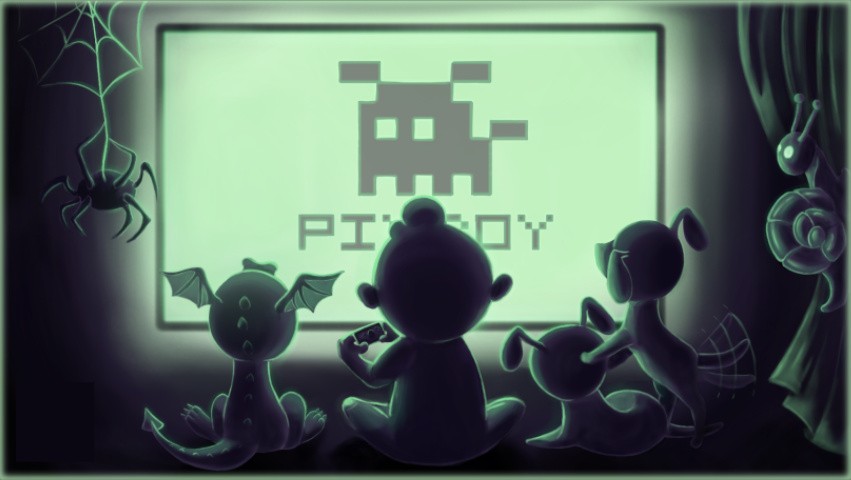
Launching on Nintendo Switch later this week is Pixboy, a retro-inspired platformer that’s sure to flood you with lovely ’90s-based nostalgia.
With a limited colour palette, groovy chiptune music and plenty of platforming to beat, Pixboy really is giving us the retro vibes in the trailer above. The game features 40 levels with nearly 30 different enemies to contend with, as well as four powerful bosses that stand between you and your goal.
The game’s world has more than 150 secret rooms to find, and you’ll also need to be on the lookout for special coins that can be swapped for new theme colours resembling your favourite retro consoles like the Game Boy.
We don’t have pricing for the game at the time of writing, but we do know that’s planned to launch on Switch this Thursday, 11th June.
Will you give this one a go if the price is right? Tell us below.
Oculus's headsets are two of the best out there, and if you're looking for one to play Half-Life: Alyx, you might be out of luck for the time being. The Rift S was briefly in stock yesterday, but is currently sold out. It requires no external sensors, so set-up is easy, and you also have access to the full Oculus library of games and apps. The Oculus Rift S and its all-in-one sister, the Oculus Quest, have been hard to find, but we've seen them in stock on a regular basis.
The Quest is similarly out of stock most places, but Canadians can snag either Oculus Quest model from Best Buy--unfortunately, Best Buy USA does not currently have any in stock.
To intersect multiple sets, stored in a list l, use the Python one-liner l.pop().intersection(*l) that takes the first set from the list, calls the intersection() method on it, and passes the remaining sets as arguments by unpacking them from the list.
So, let’s dive into the formal problem formulation, shall we?
Problem: Given a list or a collection of sets. How to join those sets using the intersection operation?
Example: You’ve got a list of sets [{1, 2, 3}, {1, 4}, {2, 3, 5}] and you want to calculate the intersection {1}.
Solution: To intersect a list of sets, use the following strategy:
Get the first element from the list as a starting point. This assumes the list has at least one element.
Call the intersection() method on the first set object.
Pass all sets as arguments into the intersection() method by unpacking the list with the asterisk operator*list.
The result of the intersection() method is a new set containing all elements that are in all of the sets.
Code: Here’s the one-liner code that intersects a collection of sets.
# Create the list of sets

lst = [{1, 2, 3}, {1, 4}, {1, 2, 3}] # One-Liner to intersect a list of sets

print(lst[0].intersection(*lst))
The output of this code is the intersection of the three sets {1, 2, 3}, {1, 4}, and {2, 3, 5}. Only one element appears in all three sets:
{1}
If you love Python one-liners, check out my new book “Python One-Liners” (Amazon Link) that teaches you a thorough understanding of all single lines of Python code.
Try it yourself: Here’s the code in an interactive code shell that runs it in your browser:
Exercise: Change the code to calculate the union of the sets in the list!
Related video: A similar problem is to perform the union operation on a list of sets. In the following video, you can watch me explain how to union multiple sets in Python:
Where to Go From Here?
Enough theory, let’s get some practice!
To become successful in coding, you need to get out there and solve real problems for real people. That’s how you can become a six-figure earner easily. And that’s how you polish the skills you really need in practice. After all, what’s the use of learning theory that nobody ever needs?
Practice projects is how you sharpen your saw in coding!
Do you want to become a code master by focusing on practical code projects that actually earn you money and solve problems for people?
Then become a Python freelance developer! It’s the best way of approaching the task of improving your Python skills—even if you are a complete beginner.
Posted by: xSicKxBot - 06-09-2020, 09:17 AM - Forum: Lounge
- No Replies
Bungie Store Community Artist Series
We are pleased to announce the next installment of the Bungie Store Community Artist Series. This is the second collection of official merchandise featuring art from the Destiny community – and it’s available now!
Please join us in celebrating our creative and talented community with these limited edition collectible products. Each artist receives a revenue share of sales from their product design. The program is currently by invite only and we plan on adding more designs throughout the year.
My name is Jen Whaley. Online I’m known as Jennwhale! While I have experience working in various styles, my main focus is line-work; using both digital and traditional mediums. Bungie has wonderful artists that create incredibly gorgeous experiences that I love to celebrate with my own art. I love the Moon, Dreadnaught, and all things Hive! Creating fan art to spread the joy of Destiny was the goal, but in return, I got much more: a loving community and acknowledgment from the company who originally created the beautiful game I draw fan art for!
Drawing has always been my favorite hobby! Around five years ago, I discovered Prismacolor Premier Pencils, they are amazing at blending and I love working with them!
I really enjoy drawing characters and space, as I am super into astronomy. My style tries to reflect realism and I often choose to include gold in my artwork! Destiny is a huge source of inspiration for me as it is so aesthetically pleasing – I see it as an interactive masterpiece. Last year I graduated university with a Bachelor of Arts in Game Development. I am now a full-time freelance artist, pursuing a career in concept/illustration!
Hi! I’m Nathaniel and I started creating art at a young age with the work of the late Quinton Hoover (RIP) being my biggest inspiration. I love mixing genres and creating customized art from existing properties while trying not to illustrate what’s already been done. It’s both a fun challenge and my way of getting lost.
I love how Destiny combines styles from different cultures – I’m looking forward to an Oceanic theme! Making art is an extension of what I enjoy in Destiny and as long as there are good stories and characters, I’ll keep making art that the community can hopefully enjoy!
Posted by: xSicKxBot - 06-09-2020, 09:16 AM - Forum: Minecraft
- No Replies
BETA: BEDROCK 1.16.0.63 (XBOX ONE / WINDOWS 10 / ANDROID)
This latest Beta brings those playing closer to what you would see and expect on the Java Edition of Minecraft. Overall a lot of fixes are the main focus on this beta. If you find more please be sure to report them to Mojang Studios!
Remember that only those on Xbox One / Windows 10 / and Android may participate in the Beta builds. You will not be able to join Realms or non-beta players worlds and you will not be able to open worlds opened in the Beta in earlier/current stable builds of Bedrock.
Crashes and Stability
Fixed several crashes that could occur during gameplay
Fixed a crash when auto crafting 64 honey blocks from recipe book in survival MCPE-68604
Fixed an issue that could occur if the player equipped any piece of netherite armor, used a clear command to clear it, and then equipped another piece of netherite armor of the same type
Fixed a crash that could happen when a mob’s state changed
Fixed navigation.walk to handle the case where it is used on a flying entity, so that the flying entity will not cause lag while it is touching the ground
General
Updated Mojang Studios loading screens
Nether biome distribution now better matches that in Minecraft: Java Edition
Fixed issue where players on Xbox One may have errors accessing the Marketplace
Improved reliability of loading characters MCPE-55968
Fixed an instance where a character can be lost when offline
Fixed an issue that prevented achievements from being unlocked offline after reconnecting
Fix issue of incorrect player hand animations when using fishing rod in third person MCPE-63088
Fixed the Xbox main menu getting stuck forever after cancelling the sync popup box MCPE-53266
Secondary players in a splitscreen game will now animate properly when you look at them
Suspending and resuming the game will no longer make a player’s model disappear MCPE-63119
The second player’s hands in a split screen game will no longer disappear when you look at them with the first player MCPE-58806
Nether Bricks texture has been updated
Chiseled Netherbrick and Quartz Bricks textures are updated
Crimson Trap Door is now called Crimson Trapdoor
Warped Forest are now more rare compared to other Nether biomes
When players enter Warped Forest, the previous music track now plays until it’s finished
Bedrock Credits have been updated
Fixed issue where experimental mode was not being enabled for clients when the server level has it enabled
Optimised sound loading – “load_on_low_memory” is now deprecated in sound_definitions.json, as all audio can now play on low memory devices
Fixed a world conversion issue that was causing some items in chunks to convert to Bedrock incorrectly
Gameplay
Dyeing shulker boxes no longer causes items to vanish MCPE-64164
Fixed incorrect spawn position when set on top of a pressure plate MCPE-65487
Fixed issue where taking Arrows, Fireworks, or Nautilus shells into the offhand will break the offhand UI slot MCPE-64227
Fixed an issue where lava would drop uncooked food MCPE-74767
Added fallback to world spawn if the Respawn Anchor spawn is obstructed
“You home bed was missing or obstructed” message shows again
“Respawn point set” message is now displayed for the Respawn Anchor in all cases MCPE-73159
Respawn Anchors can be charged without setting respawn point and without exploding outside the Nether MCPE-69044
The Respawn Anchor can now have blocks placed against if it contains no charge
Villagers will now harvest crops regardless of what crop amounts they have in their inventory MCPE-67694
XP orbs shoot in random directions once again MCPE-58715
It’s now impossible to use beds if there is no room for the player to stand next to or on top of the bed when they wake up MCPE-42881
It’s now impossible to interact with Piglins who are admiring golden items MCPE-69861
Respawn anchors no longer destroy blocks when detonated underwater
Respawn Anchor now plays an appropriate sound when it depletes MCPE-69265
Lodestone Compass is now supported in commands MCPE-68994
Barrier blocks no longer generate in Bastion Remnants
Chests in Bastion Remnants now always generate with loot MCPE-69003
Mobs no longer consume one of two Swords of the same material dropped in the same place
Fixed Smithing table sound not playing while being used MCPE-69066
Respawn Anchor charging sound no longer plays in Basalt Delta biome MCPE-69189
Lodestone and compass now play an appropriate sound
Twisting Vines Block is now called Twisting Vines
‘Oooh, shiny!’ achievement now unlock when distracting a Piglin with a Gold Ingot by right-clicking
Twisting Vines and Weeping Vines are now destroyed, and popped as items, immediately when flooded
Mined Nether Sprouts no longer produce an invalid item that could not be used MCPE-74339
Moving blocks now have the correct collision box MCPE-62419
Fire now properly converts to Soul Fire on Soul Sand and Soul Soil when Fire ticking is turned off MCPE-69823
Campfires can now be crafted with charcoal MCPE-70862
Using Quartz Block in a stonecutter now produces Quartz Slabs instead of Smooth Quartz slabs MCPE-57925
Dispenser now uses 1 glowstone when filling Respawn Anchor MCPE-72686
Silk touch enchant now works on Respawn Anchor
Silk touch enchant and setBlock command now works on Crimson button, Warped button, Crimson hyphae, Stripped crimson hyphae, Warped hyphae, Stripped warped hyphae, Weeping vines, Twisting vines, Blackstone pressure plate, Polished blackstone button
Chains can now be pushed by Pistons without breaking
Soul Torches can now also be crafted with charcoal MCPE-70585
Warped Fungus on a Stick can now be enchanted similar to Carrot on a Stick MCPE-70948
Iron Bars and Glass Panes now connect to Walls MCPE-73989
Hyphae blocks can now be crafted into their respective planks MCPE-73099
Moving blocks now have the correct collision box MCPE-62419
Graphical
Fixed low light emitting block items not matching the placed blocks brightness
Fixed mobs in mob spawners not being visible MCPE-56879
Maps in item frames no longer have lines through them MCPE-46154
Fixed maps missing textures after reloading world MCPE-54228
Fixed issue where lighting wasn’t refreshed when going through portals back into overworld MCPE-338144
Fixed the excessive hand bob motion caused by playing an animation on the hand and camera together MCPE-54072
Items held by mobs should now render correctly
Lodestone Compass now renders properly in the inventory
User Interface
Tweaked Server Tab navigation
Creative Recipe Books show item groupings again
Added a background to title and subtitle text with adjustable opacity Opacity can be changed in the “Accessibility” tab in the Settings menu
Added a background to the actionbar text used in the /title command The same background is also applied to the item text above the hotbar
Smithing Table UI has been updated
Commands
Fixed a bug where bees and other new mobs were missing a non-“minecraft:” version for /summon commands. You should be able to spawn vanilla mobs without it! MCPE-58557
Added new overload for /replaceitem with an option for destroy (the old behavior) or keep (the command will return an error if an item occupies that slot)
Fixed issue where the clear command would not clear damaged tools
/setblock command fails on the new blocks if attempted with non-default state MCPE-65395
/setblock command now works for more block states
Add-Ons and Scripting
Fixed knockback issue that stopped crates in “Rescue Mission Lava Town” Marketplace pack from moving when hit
Added a new loop mode to animations: now instead of omitting “loop” to have it stop playing when finished, or setting “loop”: true to have it loop when finished, you can now say “loop”: “hold_on_last_frame” to keep applying the last frame of animation
A content error will now show up if a Range json node is defined as an array with a single value
A content error will now show up if you use more than one Move Control Component, Jump Control Component, or Navigation Component
Functions with a mix of invalid and valid commands will only execute the valid ones with command version 1.15 and below In these cases, the function name will not show up in the auto-suggestion list but can still be executed if typed out
Starting on 1.16, functions with any invalid commands (for example incorrect selector syntax) will no longer register and cannot be called
When setting the json variables “attack_interval_min” and “attack_interval_max”, the component will now correctly throw a content error if the max is less than the min MCPE-63542
Fixed issue where sounds would sometimes have incorrect settings applied to them leading to 2D sounds to play as 3D and vice versa
Fixed issue that was cutting off playing sound incorrectly, though can still easily occur if audio is loaded up that takes up a lot of memory
Comments in JSON arrays no longer cause an error MCPE-40873
Frantic Action-Platformer Neon Abyss Blasts Its Way Onto Switch Next Month
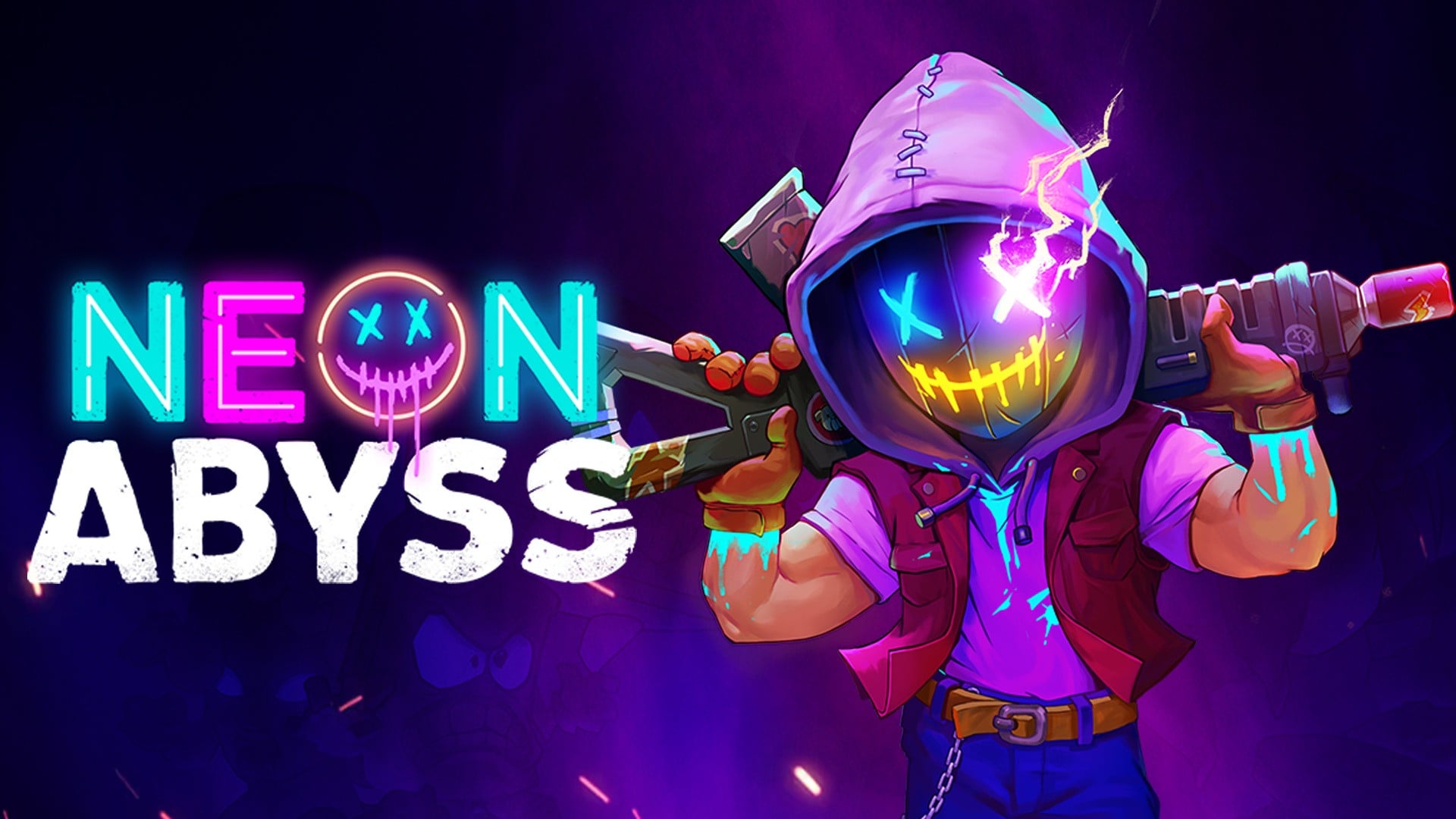
Update (Mon 8th Jun, 2020 15:30 BST): Team17’s run ‘n’ gun roguelike Neon Abyss has now received a solid release date for Nintendo Switch and other platforms. Confirmed in the new trailer above, the game is set to launch on 14th July.
You can find more details on this one in our original article below.
Original Article (Mon 30th Mar, 2020 14:00 BST): Team17 and Veewo Games have revealed that Neon Abyss, a fast-paced action-platformer previously announced for Steam, will also come to Nintendo Switch this year.
The game has players fighting their way through procedurally generated dungeons, tasked by Hades with dispatching the New Gods in a “colourful and fast-paced blend of run ‘n’ gun gameplay and roguelite mechanics”.
We have a list of key features for you if you’d like to know more, as well as a brand new trailer which you should have hopefully spotted already above.
Key Features: –Roguelite: Death is not the end. When players die, they come back more powerful than before, lasting longer with each incarnation – Pets: Hatch and evolve pets along your journey to give you additional firepower and perks – Unlimited item synergies: Random item drops throughout the levels will give players the chance to stack passive effects to devastating effect, and with an almost limitless number of combinations, every run will be unique – Mini-games: In-between slaying gods, mini-games such as piano performances, meditation challenges, dance competitions and more will give players the chance to not only kick back and relax for a second, but provide extra loot too
If you’re keen, a time-limited demo is currently available on Steam – interestingly, the harder the difficulty you select, the longer the demo lets you play.
Liking the look of this one? Let us know if you’ll be adding Neon Abyss to your Switch wishlist with a comment below.
Bug Fables: The Everlasting Sapling Available Today on Xbox One
Bug Fables’ debut on Xbox One is here! We’ve worked hard for many years to make this love letter to RPGs, and reaching this milestone is a childhood dream come true!
The support that let us push through
Throughout development, we constantly posted updates. Our first demo was harshly critiqued, but we took the feedback to heart and started over!
We launched an Indiegogo Campaign in February of 2018 which was successful. A great part of it was the Create a Character / Item tiers, for fans to add content to the game!
Despite some fear, setting clear boundaries about what was and wasn’t allowed, every single backer got to include their vision into the game. Our world became even more vibrant, influenced by the backers’ different styles and ideas!
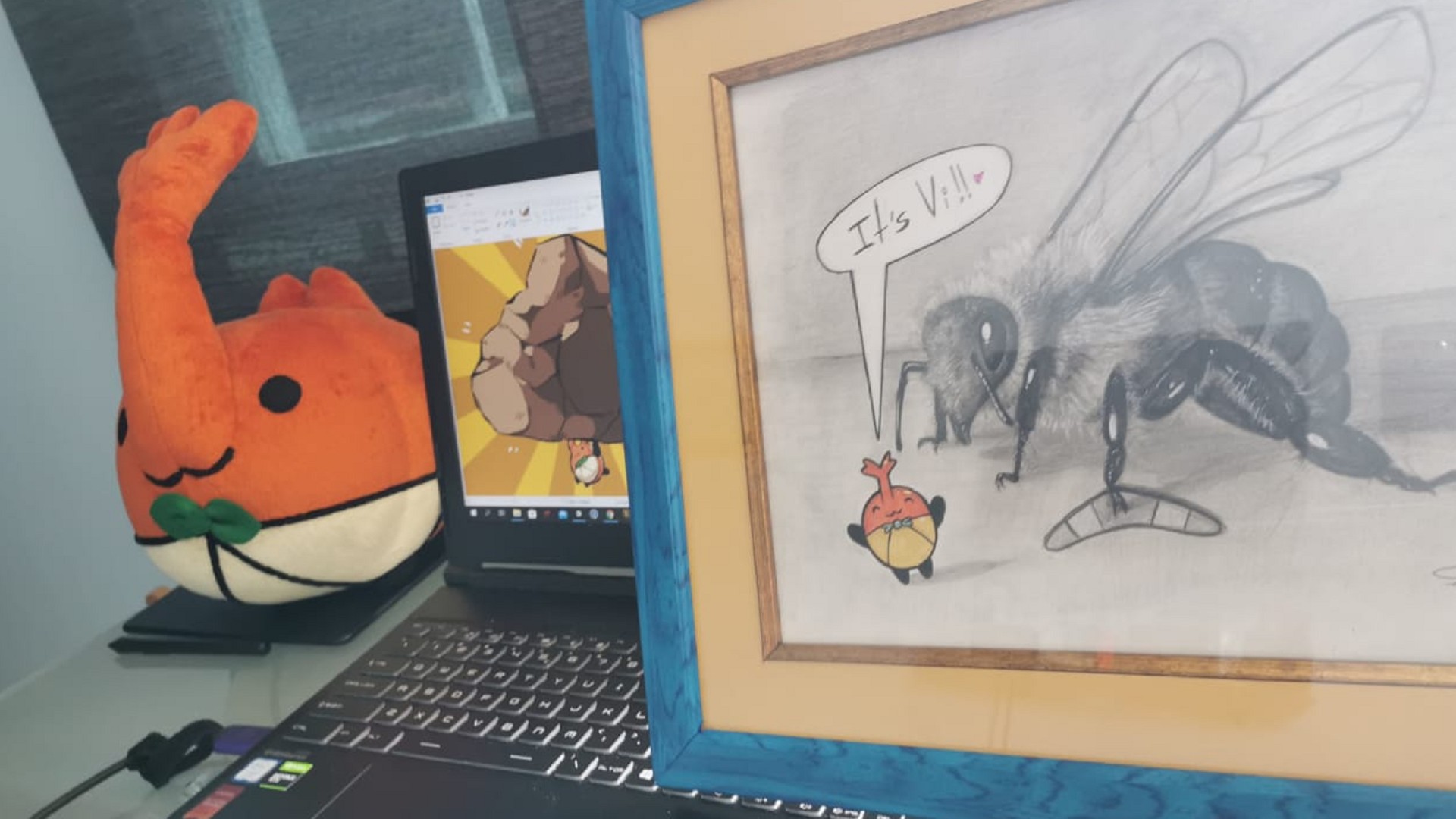
Some of them became incredibly popular too, and we cannot escape the fans’ gift and drawings on them…
A Beta Test for the ages
The credits were finally rolling. We felt invincible, and launched the Bug Fables Beta on July 5th, 2019. What could go wrong?
A lot.
If there are any aspiring game developers reading this, hear it from me: Your game is not finished when it’s done. We found skips, crashes, plot holes, teleportation…
And thanks to the fans’ patience and support, after almost 60 patches of improvements, additions, rewrites (and fan art), the game was in a state ready to be called 1.0!
I cannot stress enough just how much was improved thanks to them. And I thank them from the bottom of my heart. Here are a few of the things that resulted thanks to the Beta Tester’s suggestions or reports:
New Game+ Modes added. (Play the game to find out the secret codes!)
Final Dungeon expanded.
Countless cutscene/story upgrades.
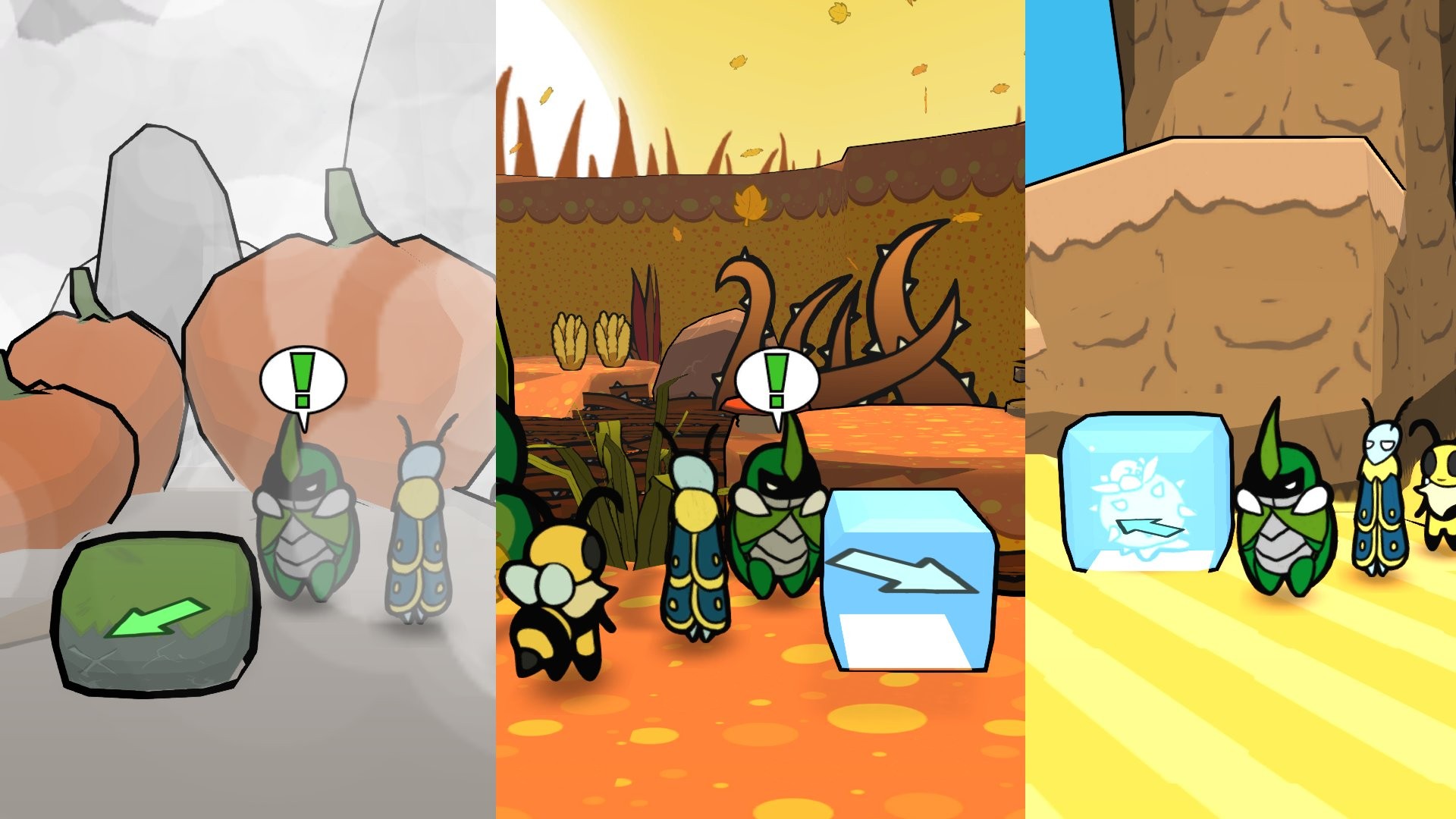
Some puzzles clarified or remade completely.
Battles show active equipment.
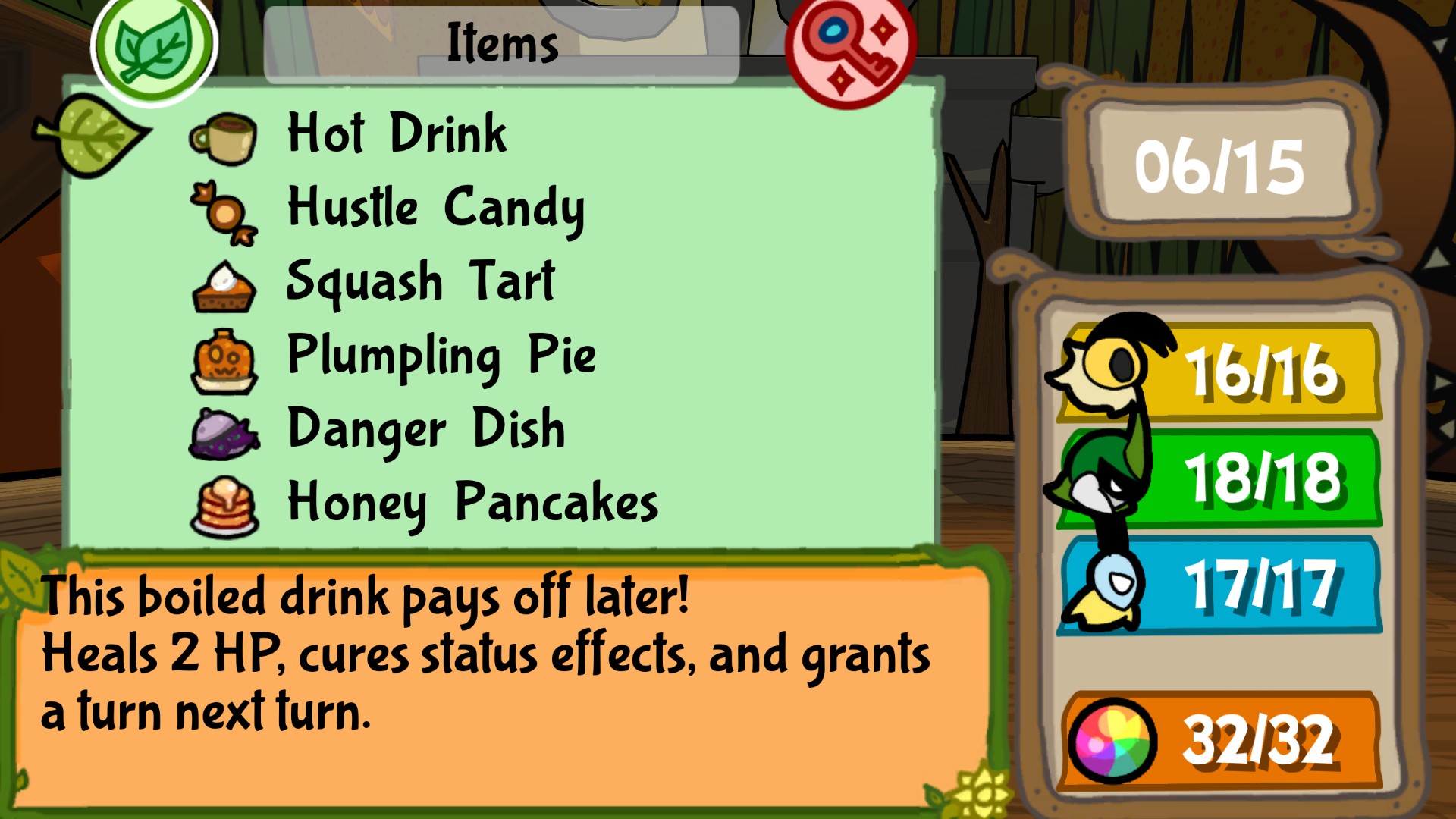
A more generous economy that drops more berries with lower item prices.
More save points / healing points.
Your house has a bed now. (And at a lower market price!)
More quests in the library log explain how to proceed after halfway points.
NPCs that provide additional shortcuts!
A lot of new recipes!
First Release. What now?
We couldn’t sleep when the game first came out. To finally see people play it was amazing! And we can’t wait for this to happen again today.
The fan art, the encouragement and the sheer fun gave us the strength to keep updating the game! Release gave further critique and suggestions, and we made sure to patch them in. The Xbox One version will launch with all of these upgrades!
We’re probably not done yet. We’re ready to watch and listen to what else we can improve. Although the game’s definitely complete, it’s the least we can do for the fans who gave us everything we needed to succeed. They funded us. They critiqued us. And they gave us infinite support.
Thank you, everyone. And may you enjoy the game’s second launch!
Bug Fables: The Everlasting Sapling
DANGEN Entertainment
☆☆☆☆☆7
★★★★★
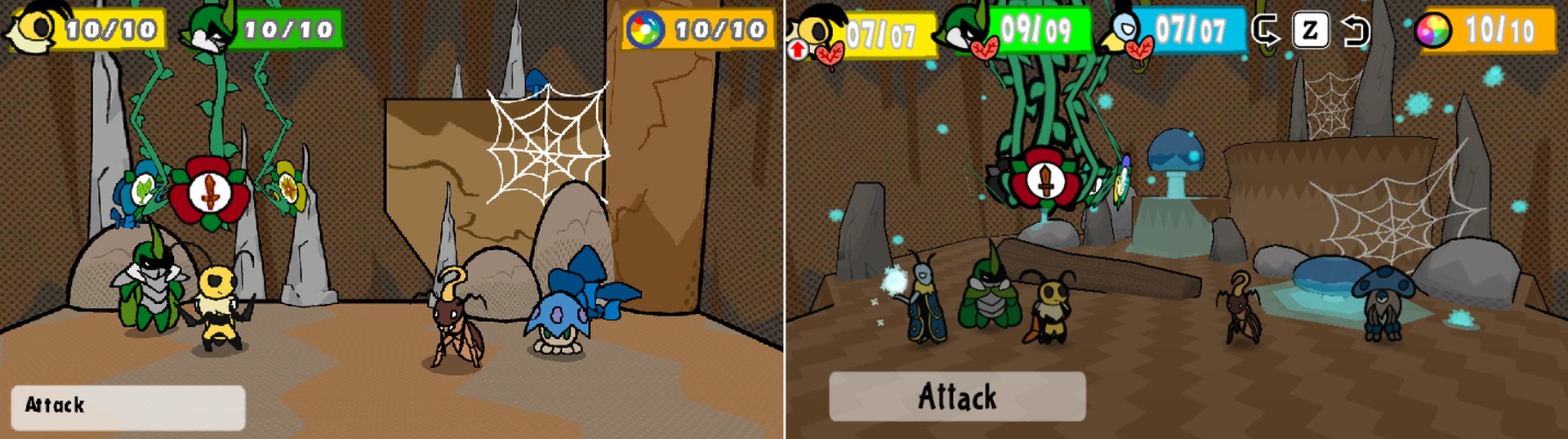
Small Heroes, Big Adventure! Bug Fables is an adventure RPG following three heroes, Vi, Kabbu, and Leif, as they embark on an epic quest in Bugaria in search of treasure and immortality! The game combines colorful platforming with the heroes’ unique abilities as they explore a wide variety of areas in the kingdom. Battles are turn-based and make use of action commands that can enhance attacks. Hidden within the foliage of nature lies a small but prosperous continent – Bugaria. Insects from all over the world travel to it in search of the treasure scattered across it. The most sought after of these relics is The Everlasting Sapling! Eating just one of its leaves can grant even immortality! In search of this ancient artifact, a brave team of explorers – Vi, Kabbu, and Leif – will travel across many different environments. In order to do so, they must work together to clear puzzles, defeat strong enemies and help the general bug populace!