Moon Studios – award-winning creators of Ori and the Blind Forest and Ori and the Will of the Wisps – are looking for Senior Character TD’s. After redefining the Metroidvania genre with the Ori series, our next goal is to revolutionize the ARPG genre.
Join our family, help us create some of the best games the industry has ever seen and work with some of the most talented individuals in the world!
Please note that Moon Studios is a distributed development studio: Everyone at Moon works remotely and we accept job applications from participants all over the world!
We’re looking for:
Reach out to us if you…
Are a top notch Character TD who has production experience in creating character rigs and developing tools, pipelines, etc.
Are extremely experienced with rigging in Maya and developing tools with Python.
Have a solid understanding of animation principles and processes, know what animators need and can help create friendly and intuitive rigs and tools.
Have at least a basic knowledge of game production, game engines and real-time limitations.
Are knowledgeable in more than just rigging. We want as many multi-talented creative geniuses as possible in our studio!
Whether you’re just starting out, looking for something new, or just seeing what’s out there, the Gamasutra Job Board is the place where game developers move ahead in their careers.
Gamasutra’s Job Board is the most diverse, most active, and most established board of its kind in the video game industry, serving companies of all sizes, from indie to triple-A.
The following blog post, unless otherwise noted, was written by a member of Gamasutras community. The thoughts and opinions expressed are those of the writer and not Gamasutra or its parent company.
Well, back again, and the amount of news in the discoverability space doesn’t really ever get smaller. (Even if the window for me to parse everything seems to be getting every shorter, for various reasons!) So let’s get on with it, shall we?
Video Game Summer Showcases, Eh?
Well, COVID-19 & the cancellation of E3 2020 has left a big hole in the summer game announcement schedule. Or more accurately, expanded the timeframe of the virtual/streaming showcases that used to happen around E3 anyhow – and allowed extra third-parties to get involved too.
I mention this because the first of these showcases, Wholesome Direct, just took place yesterday, showcasing “over 50 cute and cozy indie games” in a 37 minute showcase:
There was some slight Twitter drama about ‘cute/cozy’ as a descriptor, which we’ll skip past for now. But in general – people will tune in or pay attention for these showcases, if they show new and interesting games. And if you’re an indie, this may play in your favor.
But which of the billion showcases should you watch and/or be in? (You probably know if you’re in them already, in MOST cases.) Here’s a quick rundown of the most indie/triple-I (sorry) showcases I’ve spotted coming up for the rest of the summer:
The most obviously indie-centric showcase is Guerrilla Collective, which is running across three days (June 6th-8th, starting at the same time each day) & has a whole heap of notable participants.
These span Coffee Stain through Raw Fury to Humble Games, Good Shepherd, Fellow Traveller, 11 Bit Studios, New Blood, Modern Wolf… you get the idea. It’s co-ordinated by The MIX & Kinda Funny Games and I’ll certainly be tuning in.
The iam8bit & Double Fine-organized showcase already has confirmed participation from indies like Panic, Annapurna, Thatgamecompany & more. (And deadline to submit is Thu May 28th.)
It skews a little more ‘core PC/mini-AAA’, but the PC Gaming Show from Future on June 6th is also likely to have a bunch of Steam/Epic Store announcements of note. Previous years have had announcements from Rebellion & a number of other notable independents.
There are also a host of other E3 timing-adjacent showcases, some single publisher or developer-centric, which this Fanbyte guide has done a useful job of rounding up. There’s more confirmations to come, of course. (I’m waiting very eagerly for Devolver Direct, for example.)
And folks like Nintendo and Xbox and Sony are running virtual showcases a lot more regularly than they used to, and will probably include smaller games in them for ‘flavor’ over the summer. Hurray!
Overall – any organizer can do a game showcase year-round, and people MAY pay attention. But for now, it makes more sense to situate them around the ‘obvious time hole’. And if you can time your trailer reveal to an inclusion in a showcase that lots of people watch – of course I think it can help discoverability.
Well, the nice crew at SMG Studio (Death Squared, Moving Out!) kindly pointed me to a sales charts for Switch they posted last year, showing a ‘fatter tail’ after releasing a Switch demo for Death Squared:
— SMG: Moving Out! Out now! ð¦ (@smgstudio) July 4, 2019
So I won’t say that’s conclusive, and clearly things have changed since July of last year, but… I do see a measurable difference there. (And on a note more related to the last newsletter – also note how much discounts spike sales on Switch. These were the days when 25% discounts got more notice.)
Lots more neat info…
Just rounding up the other stuff that’s arrived in solely the last week or so – there’s a lot of stuff happening, right?
Looks like Steam’s top game releases for April 2020 are now displayed for all to gawk at, “were developed in 14 different countries [and] saw nine development teams finding success with their first-ever Steam launches.” It’s wide-open for global success out there, folks.
A clever new tool from Andre ‘aRestless’ Becker, Steamreviews.app works as follows: “Not all Steam reviews are relevant for everybody. Use this page to aggregate Steam reviews based on the total hours played by the reviewers, explore historic data, and more.” Fun for looking up the ‘negative reviews after hundreds of hours’ crew.
If you didn’t spot, Steam’s Spring Cleaning event is live until tomorrow (28th) – “it recommends a selection of games from your library, and by launching seven of them you’ll get a new badge and a bit of Steam XP.” Great idea to encourage going back to overlooked games, & incredibly rare to see a store do a promotion that isn’t ‘buy this’. So I dig it.
Kitfox Games’ Victoria Tran is doing some hilarious TikToks (!) about game dev & community management – check out this one, xposted on Twitter, for example. (BONUS: here’s her great Twitter thread on why devs can’t tell you the release date for their game right now.)
Neversong game dev (and very popular game dev-ish YouTuber/generally charismatic person) Thomas Brush did an interesting Gamasutra blog that twins self-help with stats and some borrderline humblebragging. But I think he has the right approach – lots of income diversification, & sounds like an Apple Arcade deal was the cherry on top. Congrats to him for a (relatively) stress-free launch.
It’s rough out there, mentally, thanks to COVID-19 – even if there was a revenue spike for some game devs which is now gradually normalizing. Which is why I appreciate nonprofit Take This’ approach to mental health & games/game dev.
Finally, a small correction on my last newsletter. For some reason, I said that Switch was the only ‘major platform’ that allows you to set discounts at any time you want (with cool-off periods). Obviously, I meant ‘major console platform’ – Steam does allow this! Thanks to those who wrote in to point that out.
Posted by: xSicKxBot - 05-29-2020, 07:22 PM - Forum: Windows
- No Replies
Meeting Insights: AI to help you achieve your meeting goals
It’s a big day for you. Back-to-back meetings are scheduled with critical customers and partners, and a parent-teacher conference is sandwiched in there as well. As you’re headed toward the last meeting, suddenly you cannot remember the key talking points. Who sent you the pre-read notes? Was it Taylor? No, possibly Drew. No luck. You are about two minutes from reaching the meeting room, and you want more than anything to pull out your phone and scream at it:
If only there existed an intelligent system that enabled you to find information this effortlessly. Now, there is: Meeting Insights provides AI capabilities that help you find information before, during, and after meetings as easily as if you had your own assistant to support you. Meeting Insights is now available for commercial Microsoft 365 and Office 365 customers in Outlook mobile (on both Android and iOS devices) and Outlook on the web. We would like to pull back the cover and talk about the science and technology that drives this scenario. Also, we’ll share why Meeting Insights is only the tip of the iceberg in how we at Microsoft are developing AI-powered capabilities to simplify and improve customer experience and productivity. We’re currently testing two new features that expand intelligent content recommendations to new scenarios in Outlook.
Providing usefulness in every context
Customers often say that finding content from meetings is a challenge. Therefore, we set out to build an intelligent personalized solution that provides customers with information from their mailboxes, OneDrive for Business accounts, and SharePoint sites to better help them accomplish the goals of their meetings.
The solution we developed powers the Meeting Insights feature that makes meetings more effective by helping customers:
Prepare for their meetings by offering them content they haven’t had a chance to read or may want to revisit;
Access relevant content during their meetings with ease;
Retrieve information about completed meetings by returning content presented during the meeting, sent meeting notes, and other relevant post-meeting material
Currently, Meeting Insights can be found on more than 40% of all Outlook mobile and Outlook on the web meetings.
Large-scale, personal, privacy-preserving AI
The most useful emails and files for a meeting may change over time (for example, those most useful before may be different than the ones most useful during or after). In order to create a relevant and useful service, we needed to find a way to reason across information shared by a customer as well as the files in their organization that they have permission to access and have opted to share. Microsoft 365 upholds a strict commitment to protecting customer data—promising to only use customer data for agreed upon services and not look at data during development or deployment of a new feature. This privacy promise, rather than being a hindrance, spurred us to think creatively and to innovate. As detailed below, we use a creative combination of weak and self-supervised machine learning (ML) algorithms in Meeting Insights to train large-scale language models without looking at any customer data.
The need to efficiently reason over millions of private corpora, themselves each potentially containing millions of items, underscores the complexity of the problem we needed to solve in Meeting Insights. To accomplish this reasoning, Meeting Insights enlists the help of Microsoft Graph, where shared data is captured in a graph representation. Microsoft Graph provides convenient APIs to reason over all of the shared email, files, and meetings for customers as well as the relationship between these items. This provides a high level of personalization to accurately meet customer needs.
Building intelligent features like Meeting Insights in the enterprise setting poses additional problems to the standard ML workflow. In enterprise settings, customers have high expectations of new products—especially the ones in their critical workflows and even more so when they are paying for the service. Because there is a need for an initial model to work out of the gate, standard ML workflows, which deploy a heuristic model with moderate performance and take time to learn from interaction data, lead to a lack of product acceptance. In Meeting Insights, we use ML algorithms that require less supervision to personalize customers’ experiences more quickly.
This challenge, which we refer to as the ‘’jump-start’’ problem, is therefore critical to product success in enterprise scenarios. This goes beyond standard “cold-start” challenges where data about a particular item or new user of a system is lacking, and instead the primary challenge is to get the entire process off the ground. Common approaches to improve model performance before deployment, such as getting annotations from crowd-sourced judges, have limited to no applicability due to the privacy-sensitive and personal nature of the recommendation and learning challenges. Finally, Microsoft 365 is used all over the world, and we wanted to make this technology available as broadly as possible and not simply to a few select languages.
Figure 1: Schematic depiction of how we train the model for recommending emails in Meeting Insights.
Solving the technical challenges
In order to make Meeting Insights possible, we needed to leverage three key components: weak supervision that is language agnostic, personalization enriched by the Microsoft Graph, and an agile, privacy-preserving ML pipeline.
Weak supervision: Large-scale supervised learning provides state-of-the-art results for many applications. However, this is impractical when building new enterprise search scenarios due to the privacy-sensitive and personal nature of the problem space. Instead of having annotators labeling data, we turned to weak supervision, an approach where heuristics can be defined to programmatically label data. To apply weak supervision to this task, we used Microsoft’s compliant experimentation platform. Emails and files attached to meetings were assigned a positive label, and all emails and files which the organizer could have attached at meeting creation time but did not were assigned a negative label. The benefit of using weak supervision for this problem went beyond preserving privacy as it allowed us to quickly and cheaply scale across languages and communication styles—all of which would be extremely challenging with a strongly supervised modeling approach involving annotators.
Personalization: Identifying the most relevant and useful information for a customer requires understanding the people and phrases that are important for that person. In order to identify the candidate set of relevant items and rank them, we leverage personalized representations of the most important key phrases and key people for a person. These personalized representations are learned in a self-supervised and privacy-preserving manner from nodes and edges in the Microsoft Graph. The context meeting is then combined with these personalized key-phrase and people representations to construct a candidate set using the same. Microsoft Search endpoint uses the same Microsoft Search technology powering search in applications such as Outlook, Teams, and SharePoint. In the final ranking stage, these personalized representations as well as more general embeddings are used to compute semantic relatedness between the context and candidate items, relationship strength via graph features, and collaboration strength based on relationship between key people.
Agile privacy preserving ML pipelines: As noted above, preserving the privacy of our customers’ data is sacrosanct for Microsoft. The weak and self-supervised algorithm techniques described above allow us algorithmically to train highly accurate and language agnostic large-scale models without having to look at the customer’s data. However, in order to put the algorithms into practice, test them, and innovate, we needed a platform that makes approaches like this possible. Innovations on the modeling front went hand-in-hand with development of ML platforms and processes that allowed our scientists to remain agile. Our in-house compliant experimentation platform provides key privacy safeguards. For example, our algorithms can operate on customer content to provide recommendations directly to customers, but our engineers cannot see that content except when it’s their own. Many tools were developed to assist in monitoring and debugging our ML pipelines, firing off alerts when data quality as well correlations between signals and labels diverged from expected values.
Self-hosting to improve for our customers
As we developed Meeting Insights, we first rolled it out to internal Microsoft customers and instrumented their interactions with the experience to identify areas for improvement. Early on, we saw from the data we had instrumented that 90% of the usage of Meeting Insights on a given day was for meetings that or the following day. Armed with this datapoint, we were able to implement a significant optimization by prefetching the insights for these meetings the moment the customer opens their calendar. This data-informed strategy resulted in a 50% reduction of customer-perceived latency.
Customer engagement with the deployed product showed other strong temporal effects worth calling out for this experience:
For meetings, freshness is important with about 5% of insights clicks happening within 15 minutes of the meeting being created.
For emailinsights, 30% of clicks go to emails sent/received in the 24 hours preceding the time of the user request.
For fileinsights, 35% of clicks go to files created or modified in the 24 hours preceding the time of the user request.
In less than four months after shipping our first Meeting Insights experience (for meeting invitations written in English), we were able to expand support to all enterprise customers across all languages. This was made possible by effectively leveraging the Microsoft Graph, being creative in the low-cost modeling approaches we employed, and being careful in the design of our AI solutions by using weak supervision and avoiding language specific dependencies. Over the next few months, we will be rolling Meeting Insights out to Cortana Briefing Mail recipients.
Meeting Insights is currently shown on more than 40% of opened meetings on supported Outlook clients, with customers reporting two out of three suggestions to be useful.
Providing broader contextual intelligence
Meeting Insights is not the only place where we are providing contextual intelligence that makes life easier for our customers. We are looking at how we can use Meeting Insights to accelerate our offerings in other scenarios using techniques like transfer learning, which has proven to be an effective and efficient way for us to gain reusable value from AI models learned for one scenario but reapplied to another.
For example, we are now transferring the learnings from our Meeting Insights models to power other intelligent content recommendations features such as “Suggested Attachments” and “Suggested Reply with File” on Outlook. These features take a customer and an email as input to return contextually relevant attachment suggestions that significantly reduce the time and effort required to share content via email.
“Suggested Attachments” and “Suggested Reply with File” are features currently in testing phases. We look forward to adding new offerings for Microsoft 365 users and beyond for intelligent content recommendation.
Imagine you’re heading to that last meeting again after an exceptionally busy day. You’ve suddenly forgotten the talking points, and you just can’t seem to recall who sent those pre-read notes. Was it Taylor? Drew? You feel like shouting at the sky, but then a thought flashes into your mind. You calmly pull up Outlook mobile on your phone as you approach the room, and with a simple tap on the meeting, your pre-read notes appear at the bottom of the screen thanks to Meeting Insights. Now, you’ve got this.
We look forward to continuing to improve life for our customers, and we hope the next time you walk into a meeting, you also walk in with more confidence knowing that Meeting Insights is there to assist you.
Random: Animal Crossing Player Expertly Recreates Parks And Recreation Scene
Whether you’re still loving every single second of Animal Crossing: New Horizons, or even if you’re starting to feel those early symptoms of Animal Crossing fatigue, one thing about the game remains just as exciting as ever: player creativity.
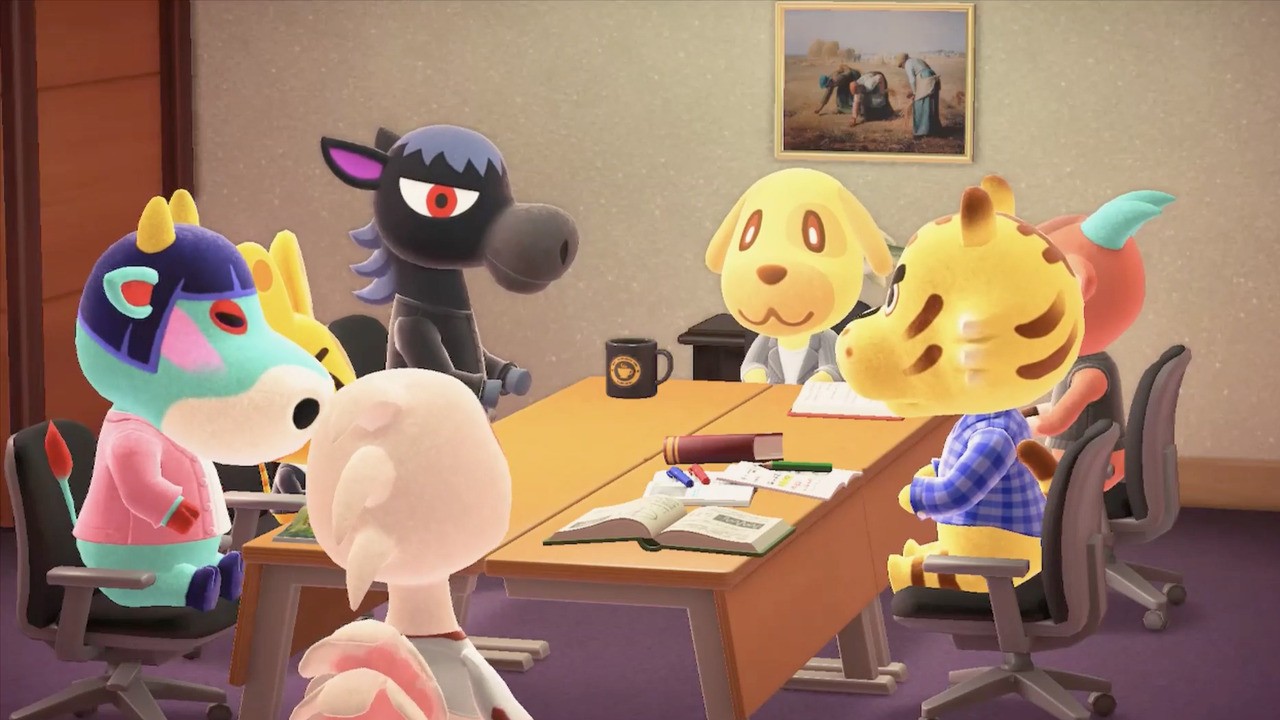
Reddit user owoshy has recreated a scene from American sitcom Parks and Recreation inside the game, and it’s absolutely tremendous. If you’re a fan of the show, you might remember the scene where Ron pulls out his tooth during a meeting. Well, the exact same thing happens here (with the original audio being taken from the show), except this time its Roscoe doing the tooth pulling.
Props to owoshy for giving our favourite boy Cranston a starring role, too:
If you haven’t seen the real scene from the show, or if you need a reminder, here you go:
Just wonderful.
Surprisingly, owoshy isn’t the first to take on a Parks and Rec scene in Animal Crossing. Earlier this month, the ‘Who Broke It?’ scene was also recreated by @OhSoPrecious16 on Twitter:
Pokemon Fans Can Now Buy A Lapras Pool Float Online
Countless sites offer Pokemon merchandise these days, but the absolute best Pokemon products tend to be found at PokemonCenter.com, the official online store for all things Pokemon. Pokemon Center has given us gems like the Wrinkled-Face Detective Pikachu Plush and the Ditto As Electrode Plush, but the latest Pokemon product to fuel our obsession is the Lapras Sunset Pool Float, available now for $50. Somehow, it's the year 2020, and we're just now getting a pool float based on the iconic water-transport Pokemon.
As we near the beginning of June, the Lapras pool float couldn't have come at a better time--at least, for those who own a pool or live near some other body of water. As someone who lives in a tiny NYC apartment without so much as a backyard, let alone a pool, I can only dream of floating away on this inflatable Lapras and leaving all my troubles behind. This Lapras doesn't know anything about the state of the world right now--it just wants to gently surf the waves, soak up the sun, and ferry humans from one place to another. This Lapras is the supportive buddy we all need right now.
Posted by: xSicKxBot - 05-29-2020, 01:10 PM - Forum: Windows
- No Replies
Microsoft announces expiration of its exchange offers
REDMOND, Wash. — May 29, 2020 — Microsoft Corp. (NASDAQ: MSFT) (“Microsoft”) today announced the expiration of its offers to (i) exchange (the “Pool 1 Offer”) the ten series of notes described in the table below (collectively, the “Pool 1 Notes”) for a new series of Microsoft’s 2.525% Notes due June 1, 2050 (the “New 2050 Notes”) and a cash payment, as applicable, and (ii) exchange (the “Pool 2 Offer” and, together with the Pool 1 Offer, the “Exchange Offers”) the four series of notes described in the table below (collectively, the “Pool 2 Notes” and, together with the Pool 1 Notes, the “Existing Notes”) for a new series of Microsoft’s 2.675% Notes due June 1, 2060 (the “New 2060 Notes” and, together with the New 2050 Notes, the “New Notes”) and a cash payment, as applicable.
A Registration Statement on Form S-4 (File No. 333-237925), as amended by Amendment No. 1 thereto (the “Registration Statement”), relating to the issuance of the New Notes has been filed with the Securities and Exchange Commission (the “SEC”) and has become effective. The New Notes, upon issuance, will be registered under the Securities Act of 1933, as amended, pursuant to the Registration Statement.
The table below identifies the aggregate principal amount of each series of Pool 1 Notes validly tendered (and not validly withdrawn) in the Pool 1 Offer and the principal amount of each series of Pool 1 Notes, based on the order of acceptance priority for such series, that Microsoft expects to accept on the Settlement Date (as defined below):
Pool 1 Table
Title of Security
CUSIP Number
Consideration Exchanged for
Acceptance Priority Level
Principal AmountTendered(1)
Principal AmountMicrosoft Expectsto Accept
4.875% Notes due 2043
594918AX2
New 2050 Notes
1
$325,428,000
$325,428,000
5.300% Notes due 2041
594918AM6
New 2050 Notes
2
$229,661,000
$229,661,000
4.450% Notes due 2045
594918BL7
New 2050 Notes
3
$1,711,663,000
$1,711,663,000
4.250% Notes due 2047
594918CA0
New 2050 Notes
4
$1,415,370,000
$1,415,370,000
5.200% Notes due 2039
594918AD6
New 2050 Notes
5
$191,455,000
$191,455,000
4.500% Notes due 2040
594918AJ3
New 2050 Notes
6
$428,829,000
$428,829,000
3.750% Notes due 2043
594918AU8
New 2050 Notes
7
$255,985,000
$255,985,000
3.750% Notes due 2045
594918BD5
New 2050 Notes
8
$1,109,437,000
$1,109,433,000
4.100% Notes due 2037
594918BZ6
New 2050 Notes
9
$1,569,224,000
$583,533,000
4.200% Notes due 2035
594918BK9
New 2050 Notes
10
$325,218,000
$0
The aggregate principal amounts of each series that have been validly tendered for exchange and not validly withdrawn, as of 11:59 p.m., New York City time, on May 28, 2020 (the “Expiration Time”), based on information provided by the exchange agent to Microsoft.
The table below identifies the aggregate principal amount of each series of Pool 2 Notes validly tendered (and not validly withdrawn) in the Pool 2 Offer and the principal amount of each series of Pool 2 Notes, based on the order of acceptance priority for such series, that Microsoft expects to accept on the Settlement Date:
Pool 2 Table
Title of Security
CUSIP Number
Consideration Exchanged for
Acceptance Priority Level
Principal AmountTendered(1)
Principal AmountMicrosoft Expectsto Accept
4.750% Notes due 2055
594918BM5
New 2060 Notes
1
$673,265,000
$673,265,000
4.000% Notes due 2055
594918BE3
New 2060 Notes
2
$1,456,150,000
$1,456,150,000
4.500% Notes due 2057
594918CB8
New 2060 Notes
3
$1,116,223,000
$1,116,223,000
3.950% Notes due 2056
594918BU7
New 2060 Notes
4
$1,693,876,000
$295,490,000
The aggregate principal amounts of each series that have been validly tendered for exchange and not validly withdrawn, as of the Expiration Time, based on information provided by the exchange agent to Microsoft.
In the Exchange Offers, according to the information provided by D.F. King & Co., Inc., the information agent and exchange agent for the Exchange Offers, $7,562,270,000 aggregate principal amount of Pool 1 Notes and $4,939,514,000 aggregate principal amount of Pool 2 Notes were validly tendered and not validly withdrawn at or prior to the Expiration Time, as more fully set forth above.
The Exchange Offers expired at 11:59 p.m., New York City time, on May 28, 2020. Following the Expiration Time, tenders of the Existing Notes may not be validly withdrawn. As of the Expiration Time, all conditions to the Exchange Offers were satisfied. Microsoft currently anticipates that the settlement date of the Exchange Offers will be June 1, 2020 (the “Settlement Date”).
Based on the amount of Existing Notes tendered in the Exchange Offers and in accordance with the terms of the Exchange Offers, Microsoft expects to accept, on the Settlement Date, (a) the following Pool 1 Notes validly tendered (and not validly withdrawn): (i) all of the Pool 1 Notes listed in the Pool 1 Table above at Acceptance Priority Levels 1 through 7, (ii) $1,109,433,000 aggregate principal amount of its 3.750% Notes due 2045 (which is less than the amount tendered (and not validly withdrawn) due to minimum denomination requirements of the Exchange Offers) and (iii) $583,533,000 aggregate principal amount of its 4.100% Notes due 2037 with a proration factor for such notes equal to approximately 37.19% of such notes validly tendered (and not validly withdrawn) and (b) the following Pool 2 Notes validly tendered (and not validly withdrawn): (i) all of the Pool 2 Notes listed in the Pool 2 Table at Acceptance Priority Levels 1 through 3 and (ii) $295,490,000 aggregate principal amount of its 3.950% Notes due 2056 with a proration factor for such notes equal to approximately 17.44% of such notes validly tendered (and not validly withdrawn) as set forth above. Microsoft does not expect to accept any of the Pool 1 Notes listed in the Pool 1 Table at Acceptance Priority Level 10.
On the Settlement Date, Microsoft expects to deliver an aggregate principal amount of $6,249,997,000 of New 2050 Notes and an aggregate principal amount of $3,750,000,000 of New 2060 Notes and cash payments, as applicable, pursuant to Microsoft’s prospectus dated May 19, 2020 (the “Prospectus”), filed with the SEC on May 19, 2020, relating to the New Notes.
About Microsoft
Microsoft (Nasdaq “MSFT” @microsoft) enables digital transformation for the era of an intelligent cloud and an intelligent edge. Its mission is to empower every person and every organization on the planet to achieve more.
Forward-Looking Statements
Statements in this news release are “forward-looking statements” based on current expectations and assumptions that are subject to risks and uncertainties. Actual results could differ materially because of factors described above as well as:
intense competition in all of our markets that may lead to lower revenue or operating margins;
increasing focus on cloud-based services presenting execution and competitive risks;
significant investments in products and services that may not achieve expected returns;
acquisitions, joint ventures, and strategic alliances that may have an adverse effect on our business;
impairment of goodwill or amortizable intangible assets causing a significant charge to earnings;
cyberattacks and security vulnerabilities that could lead to reduced revenue, increased costs, liability claims, or harm to our reputation or competitive position;
disclosure and misuse of personal data that could cause liability and harm to our reputation;
the possibility that we may not be able to protect information stored in our products and services from use by others;
abuse of our advertising or social platforms that may harm our reputation or user engagement;
the development of the internet of things presenting security, privacy, and execution risks;
issues about the use of artificial intelligence in our offerings that may result in competitive harm, legal liability, or reputational harm;
excessive outages, data losses, and disruptions of our online services if we fail to maintain an adequate operations infrastructure;
quality or supply problems;
the possibility that we may fail to protect our source code;
legal changes, our evolving business model, piracy, and other factors may decrease the value of our intellectual property;
claims that Microsoft has infringed the intellectual property rights of others;
claims against us that may result in adverse outcomes in legal disputes;
government litigation and regulatory activity relating to competition rules that may limit how we design and market our products;
potential liability under trade protection, anti-corruption, and other laws resulting from our global operations;
laws and regulations relating to the handling of personal data that may impede the adoption of our services or result in increased costs, legal claims, fines, or reputational damage;
additional tax liabilities;
damage to our reputation or our brands that may harm our business and operating results;
exposure to increased economic and operational uncertainties from operating a global business, including the effects of foreign currency exchange;
uncertainties relating to our business with government customers;
adverse economic or market conditions that may harm our business;
catastrophic events or geopolitical conditions, such as the COVID-19 pandemic, that may disrupt our business; and
the dependence of our business on our ability to attract and retain talented employees.
For more information about risks and uncertainties associated with Microsoft’s business, please refer to the “Management’s Discussion and Analysis of Financial Condition and Results of Operations” and “Risk Factors” sections of Microsoft’s SEC filings, including, but not limited to, its annual report on Form 10-K and quarterly reports on Form 10-Q that are incorporated by reference in the Prospectus forming a part of the Registration Statement, copies of which may be obtained by contacting Microsoft’s Investor Relations department at (800) 285-7772 or at Microsoft’s Investor Relations website at http://www.microsoft.com/en-us/investor.
Review: Sky Racket – A Unique Blend Of Tennis, Breakout And Bullet-Hell
Shmups, Breakout, and Tennis – what do these three have in common? Before Sky Racket we were inclined to say “not much”, but Double Dash studios has shown that these elements can be the ingredients to an interesting cross-genre blend.
The origins of Sky Racket are very unique. Created during a 2015 event called Indies VS Gamers – hosted by PewDiePie, Markiplier, Jacksepticeye, and Game Jolt – Sky Racket was initially brought to life in a 72-hour game jam competition. The theme of the competition was arcade games, and Sky Racket definitely delivered on this premise with an engaging concept – it actually went on to win the competition. Five years later, the game has found its way onto the Nintendo Switch, which feels like a perfect home for it.
To try and break down the feel of the game, we would say that the movement and bullet patterns feel like a shmup. You are weaving through enemy fire and battling large bosses as expected. However, rather than fighting hordes of enemy ships directly, you instead face a mixture of cute enemy sprites and juicy, point-filled, Breakout-style blocks.
You are not a static wall bouncing bullets back and forth, though. Instead, you are a boy or girl armed with a racket (or racquet, if you prefer). Just like all of the best tennis games, in order to precisely influence where you want the reflected projectiles to go, you need to time your swings very carefully. The feel of the game is reminiscent of the Agahnim fight from The Legend of Zelda: A Link to the Past where you need to slash his own fireballs back at him, or even the Ganondorf fight from Ocarina of Time. Another close comparison could be Marth’s forward-air from the Super Smash Bros. series. It feels a bit like that.
In addition to your racket swing, the player is also able to occasionally shoot bullets of his or her own via a support buddy. These are of limited use, however, so think of them as more of a tactical item rather than a permanent power-up. The scoring system of the game is all about chaining hits together by keeping the reflected projectiles in play while avoiding taking damage. There are also additional star items that the player collects for smaller bonus points. Being fans of the legendary shmup Dodonpachi, we can’t help but wonder if the classic CAVE bullet-hell setup was a source of inspiration, which also features chaining and stars for scoring.
Speaking of bullet-hell shmups, one standard aspect of movement in these games is the concentrated fire mechanic, where the player holds down the shot button to focus his or her fire, but with the effect of slower movement speed. In Sky Racket, however, the game turns this concept upside-down with the roll move. During the roll, which is activated by holding a dedicated button, the player will spin like Samus in her Morph Ball. However, rather slowing down, the player actually speeds up. We feel this addition is a fantastic idea, as it adds a great amount of mobility to the character in a fun and charming way. Being able to know when to roll and how to control it precisely becomes key as the game’s intensity ramps up in the later stages.
After an hour or so and a few stages in, the player will likely start to get a feel for the flow of Sky Racket’s unique gameplay. Essentially, each stage begins with the player juggling reflected bullets at block enemies in a Breakout/Tennis hybrid fashion. Afterwards, the player will then encounter a fun and quirky boss that vomits bullets and projectiles that the player will need to carefully hit back. Rinse and repeat.
Overall, as much as we appreciate the creativity of the stage-sections, we feel that it is in the fun and engaging boss fights that Sky Racket is at its best. The main criticism we have for the game is that, when it comes to working through the block elements of the stages, the pacing can feel pretty sluggish. Perhaps an added mechanic of being able to charge the racket swings to hit the projectiles faster would have helped with the pacing. With that being said, it is also hard to definitively say that the leisurely gameplay in these sections is entirely the fault of the developers, as the source of inspiration for Sky Racket, Break-Out, also tends to have these problems. Perhaps the slower pace is part of the appeal.
Aesthetically, we found the game’s graphical style and visual presentation to be well-crafted and charming. Sky Racket has a cute-em up flair that fits alongside titles like Pop’n Twinbee on the Super Famicom. We could easily see Sky Racket as a colourful and vibrant gem from the 16-bit era. The music and sound are also exactly what they needed to be; our favourite sound effect is definitely the that of the racket reflecting certain projectiles back – it makes a chunky popping noise that sounds like a ball being hit in a cave or something.
Conclusion
The most difficult part of reviewing Sky Racket is knowing which audience is going to be the most interested in the game. As mentioned before, while the boss fights are fun and full of stuff to dodge, the block sections of the game may be too slow-paced for the more dedicated shmup fans. With that being said, it is also possible that the people looking for a relaxing experience of Tennis and Break-Out might be taken off guard by the more demanding boss fights. Perhaps the safest conclusion, then, is that the game should appeal to an audience that has an overlapping interest in the diverse game-styles that Sky Racket skillfully mixes together.
Halo 3 On PC's First Beta Test Will Begin In Mid-June, Here's How To Sign Up
Halo: The Master Chief Collection is continuing its rollout on PC, with Halo 3 and ODST added next. Developer 343 Industries has now confirmed that the first beta test, or "flight," for Halo 3 on PC will begin in mid-June.
Community manager John Junyszek confirmed this on Twitter. He added that more details on the Halo 3 beta test will be announced on May 29, so we'll know more very soon.
The beta tests for Halo 3 will start very small. Microsoft will kick things off with "Ring 1" testers, which is a very small group of people who work closely with the developer. After that, future beta tests will be available for members of the Halo Insider program, which is free to sign up for--go here to sign up.
Posted by: xSicKxBot - 05-29-2020, 06:38 AM - Forum: Windows
- No Replies
10 tips to use tech to manage your well-being
10 tips to use technology to manage your well-being
Have you heard the saying, “We’re all in the same storm, but we’re in different boats?” People are experiencing a variety of challenges right now, trying to work, learn, and connect with others. May is Mental Health Awareness Month, and we wanted to share some best practices and technology-related tips to help reduce stress and anxiety.
1. Keep a schedule.
Having a set schedule during the week can be a comfort, giving your days structure, balance, and purpose. Use a basic schedule template, Outlook, or the Microsoft To-Do app(it syncs with Outlook) to plan your day and include self-care. Here are some things to consider including in your schedule:
Shower and get dressed. This simple ritual can help kick-start your day.
Focus time. This is time when you’re not on conference calls and you can get your work done.
Daily movement. It could be an intense workout, stretching, or just a relaxing walk—listen to your body to see what it needs that day.
Social time. Time to catch up with friends and family over video calls.
“Me time.” Maybe it’s your morning coffee, or a soak in the tub at the end of the day, but make sure you carve out some time just for yourself.
Non-screen time to read a book, play a game, do a puzzle, enjoy your hobby, and more.
Mental health is a family practice. Get your kids involved in creating a shared family schedule in Outlook so they have a sense of ownership and control. Help your children find the right kind of self-care to learn best practices for a lifetime.
2. Check in on how people are doing.
Not every poll needs to be about people’s emotions. To add some fun, try creating polls on music, food, TV shows, or whatever you want.
Check in on yourself, too. Stress less, move more, and sleep more soundly with meditations, exercises, and tips available in the Headspace app. And if you have a Microsoft 365 Family or Personal subscription (formerly Office 365), you can get one month free. Learn more about the offer.
3. Keep kids on track.
Use Family Safety app preview or website to help make sure your kids are finding balance, too. Set screen-time limits for specific apps, sites, and games, make sure they’re viewing sites appropriate for their age, and review Family Safety reports to see how much time they’re really spending on their devices.
4. Get things done.
There’s something to be said about checking things off your to-do list, like cleaning out the basement or garage, finally dialing in the backyard or deck space (or your indoor plants), digitizing the family photos, or any other projects that have been on the back burner. Joy can come from accomplishing things. The Microsoft To-Do app is free and is perfect for keeping track, plus it syncs with Outlook so you can easily track to-dos for work and home.
5. Connect with friends and family . . . remotely.
If you’re feeling isolated, get some fun Skype video calls on your calendar like a happy hour with friends or a family call over the weekend.For more ideas, read about creative ways to connect.
6. Learn something new.
If you don’t already have a hobby or pastime to pursue, now’s a great time to try something new that’s piqued your interest. Not sure what you want to try? Here are some places to start:
7. If the future seems uncertain, plan it out.
When things are very much up in the air, it can be comforting to write out your thoughts or even a plan for the future. Instead of letting your mind spin, open Word for the web or OneNote and type up some mitigation plans for whatever you’re worrying about. Use broad strokes here—no one can predict the future, so there’s no need to describe every detail or option. Rest easier knowing that you have a plan you can refer to later, if needed.
Try to write 3 things that you are grateful for every day. These journaling templates can help you get your thoughts down:
8. Keep presentation anxiety at bay.
You may find yourself steeped in new methods of working from home and having to adapt quickly to technologies. Help reduce any remote presentation and online jitters with Presenter Coach and PowerPoint. Get in the habit of taking practice runs through your slides and Presenter Coach will give you a report and suggestions for improvements on things like packing, pitch, filler words, euphemisms, and culturally sensitive terms.
9. When you’re done working, be done.
It can be so tempting to check that email one more time in the evening or over the weekend, just to make sure you’ve taken care of everything and no one is left hanging until tomorrow. Instead, set up an automatic reply in Outlook to let your coworkers know you’re done for the day and will get back to them later. That way, people know what to expect, and you can relax knowing that you’ve set expectations.
Want a way to track how successful you are at unplugging? Use My Analytics Wellbeing to keep track of the days you disconnect after work. My Analytics provides several useful statistics about your work habits that can help you with well-being, focus, network, and collaboration.
10. Disconnect and recharge.
With so many online meetings, happy hours, calls with friends, and binge watching, screen fatigue is a real thing. Put down the devices every day for a while. Doing this at night is a great way to wind down before bed. Here are some ideas on what to do instead:
Read a book or printed magazine
Work on a project
Sit outside (deck, yard) and enjoy the birds, plants, sky, trees
See recommendations on how Microsoft technology can support you in daily activities. Learn more
These tips are a starting point for using tech to help bring some calm during these times. If you or a loved one is in crisis, there’s help available now.
Gallery: Check Out These Exclusive Blair Witch Switch Screenshots
Following the June launch date reveal for Bloober Team’s Blair Witch on Switch, the developer has provided us with some exclusive Switch screenshots for you to enjoy.
The game arrives on Switch on 25th June following its debut on other platforms last year, and judging from the images below, it looks to be shaping up very nicely on Nintendo’s handheld hybrid. Take a gander for yourself:
Blair Witch is being published by Bloober Team NA and it’s built in Unreal Engine 4, so we’ve got high hopes for an excellent Switch port, one which everyone and their dog will surely be calling ‘Blair Switch’.
Speaking of dogs, the good boy who accompanies Ellis Lynch on his chilling trip through the Black Hills Forest is a loyal and invaluable companion, and an important part of the game. You’ll want to keep him very close by if a video posted to the game’s official Facebook page is anything to go by:
DO NOT EVER LET HIM GO! Let us know below if you’ll be grabbing on to Blair Witch on Switch next month.