Posted by: xSicKxBot - 12-16-2019, 11:45 PM - Forum: Windows
- No Replies
Facing ransomware demands, one company had an unusual response
“What would you get from paying a ransom in such an attack?” Gimnes Are asks. “You will potentially get back your encrypted data – if the attacker gives you the key. Paying the ransom would not help you to rebuild the company infrastructure, all the servers, all the PCs, all the networks.
“Paying the ransom will not help you out of the situation. You will need to rebuild your infrastructure to be safe and be sure that the attacker is not still part of it,” he adds.
At Microsoft, Eric Doerr serves as general manager of the Microsoft Security Response Center, which protects customers from being harmed by security vulnerabilities in Microsoft’s products and services. The center also rapidly repulses attacks against the Microsoft Cloud. Doerr strongly promotes transparency among organizations that suffer cyberattacks.
“Norsk Hydro set the example for the industry in this incident,” Doerr says.
“Choosing not to pay the ransom and digging in with DART to evict the attacker is great. Sharing those learnings with the world is priceless. When companies do this, it makes us all better and makes the attackers work harder,” he adds.
Of course, some companies facing a ransomware attack may be highly tempted to pay bad actors to regain their hijacked data. But paying hackers doesn’t guarantee that a company will ever recover the goods, says Ann Johnson, Microsoft’s corporate vice president of cybersecurity solutions.
There’s a smarter way – following the plan executed by Norsk Hydro, says Johnson, whose team oversees DART.
“Your data is a strategic asset for you, and for cybercriminals. That’s why they want it. It is also why your data must be protected, and it should be backed up,” Johnson says.
At the same time, companies must invest in cybersecurity, she adds.
At Norsk Hydro, for example, the IT department works to increase security awareness among its employees, says Molland, the media relations SVP. That includes sending workers test emails to help train them to look for common phishing tactics like fake login pages and malicious attachments.
If companies fail to commit to cybersecurity, Johnson warns, bad actors will become repeat customers.
“You’ve likely seen signs that read, ‘Don’t feed the birds,’ when dining at an outdoor café. That’s because the birds will keep returning to the same places where they know it’s easy to be fed. It’s the same concept for cybercriminals,” Johnson says. “They know if you have weak cyber-defenses, and they will want to exploit those weaknesses over-and-over.
“The best defense is to ensure you have the right combination of people, processes and technology. We recommend you implement multifactor authentication, have a mature update process, and back up your data,” she adds.
At a Norsk Hydro extrusion plant in Norway, sales project manager Rune Johansen and extrusion anodizing fabrication manager Sten Stolpe dig through paper documentation to manually complete customer orders during the cyberattack.
In Hungary and Norway last March, DART members helped Norsk Hydro develop safe processes to restore their servers with an improved security posture. They also educated the company about the current threat landscape and known attacker behaviors to help reduce the risk of future attacks, Moeller says.
Inside Norsk Hydro, the internal response focused on multiple fronts. They launched old-school methods to resume full production and repair business operations. And they worked to protect the safety of employees and the environment.
“We operate heavy machinery. If the power is lost in an uncontrolled manner, it could risk severe safety incidents for people,” says Molland, the media relations SVP.
“Safety is always first priority with us. Secondly, it’s the concern for the environment and ensuring we don’t have any uncontrolled emissions (due to sudden machine stoppages) out to the air, land or water.”
Executives handwrote signs warning of the cyberattack, photographed them with their smart phones and texted the images to managers at Norsk Hydro plants and offices around the world. At those facilities, the staff used local printing shops to create paper signs, posting them on entryways, stairwells and elevators for employees to read as they arrived for the workday.
“Please do not connect any devices to the Hydro network. Do not turn on any devices connected to the Hydro network. Please disconnect devices from the Hydro network,” read some written alerts that also carried a simple signature: “Security.”
Two workers at a Norsk Hydro plant in Portland, Oregon manually operate machines to produce specific customer orders during the initial phase of the cyberattack.
The entire workforce did their jobs with pen and paper during the attack’s first days. Some plants switched to manual procedures to meet manufacturing orders. Retired employees – familiar with the old paper system – volunteered to return to their plants to keep production rolling.
“The way we pulled together to make the company come through the situation in one piece and get back into production has been an extreme team-building session,” Molland says.
“We have an organized emergency preparedness methodology within the company – in the corporate level, in the business area and at the plant level,” he adds. “That worked to our benefit. When this hit us, we were able to handle the situation in a constructive, organized manner.”
In other words, prevention is important but locking out all cyberattackers should not be a company’s sole security focus, says Jo De Vliegher, Norsk Hydro’s chief information officer.
“If hackers want to get in, they will get in,” De Vliegher says. “We now have an improved incident response to make sure that – should something similar happen – we are much better equipped to limit the damage in time and geography.”
Norsk Hydro reported the incident to Norway’s National Criminal Investigation Service (Kripos). The case remains under investigation, Molland says.
Posted by: xSicKxBot - 12-16-2019, 11:45 PM - Forum: Windows
- No Replies
Ransomware response — to pay or not to pay
The increased connectivity of computers and the growth of Bring Your Own Device (BYOD) in most organizations is making the distribution of malicious software (malware) easier. Unlike other types of malicious programs that may usually go undetected for a longer period, a ransomware attack is usually experienced immediately, and its impact on information technology infrastructure is often irreversible.
As part of Microsoft’s Detection and Response Team (DART) Incident Response engagements, we regularly get asked by customers about “paying the ransom” following a ransomware attack. Unfortunately, this situation often leaves most customers with limited options, depending on the business continuity and disaster recovery plans they have in place.
The two most common options are either to pay the ransom (with the hopes that the decryption key obtained from the malicious actors works as advertised) or switch gears to a disaster recovery mode, restoring systems to a known good state.
The unfortunate truth about most organizations is that they are often only left with the only option of paying the ransom, as the option to rebuild is taken off the table by lack of known good backups or because the ransomware also encrypted the known good backups. Moreover, a growing list of municipalities around the U.S. has seen their critical infrastructure, as well as their backups, targeted by ransomware, a move by threat actors to better guarantee a payday.
We never encourage a ransomware victim to pay any form of ransom demand. Paying a ransom is often expensive, dangerous, and only refuels the attackers’ capacity to continue their operations; bottom line, this equates to a proverbial pat on the back for the attackers. The most important thing to note is that paying cybercriminals to get a ransomware decryption key provides no guarantee that your encrypted data will be restored.
So, what options do we recommend? The fact remains that every organization should treat a cybersecurity incident as a matter of when it will happen and not whether it will happen. Having this mindset helps an organization react quickly and effectively to such incidents when they happen. Two major industry standard frameworks, the Sysadmin, Audit, Network, and Security (SANS) and the National Institute of Standards and Technology (NIST), both have published similar concepts on responding to malware and cybersecurity incidents. The bottom line is that every organization needs to be able to plan, prepare, respond, and recover when faced with a ransomware attack.
Outlined below are steps designed to help organizations better plan and prepare to respond to ransomware and major cyber incidents.
How to plan and prepare to respond to ransomware
1. Use an effective email filtering solution
According to the Microsoft Security Intelligence Report Volume 24 of 2018, spam and phishing emails are still the most common delivery method for ransomware infections. To effectively stop ransomware at its entry point, every organization needs to adopt an email security service that ensures all email content and headers entering and leaving the organization are scanned for spam, viruses, and other advanced malware threats. By adopting an enterprise-grade email protection solution, most cybersecurity threats against an organization will be blocked at ingress and egress.
2. Regular hardware and software systems patching and effective vulnerability management
Many organizations are still failing to adopt one of the age-old cybersecurity recommendations and important defenses against cybersecurity attacks—applying security updates and patches as soon as the software vendors release them. A prominent example of this failure was the WannaCry ransomware events in 2017, one of the largest global cybersecurity attacks in the history of the internet, which used a leaked vulnerability in Windows networking Server Message Block (SMB) protocol, for which Microsoft had released a patch nearly two months before the first publicized incident. Regular patching and an effective vulnerability management program are important measures to defend against ransomware and other forms of malware and are steps in the right direction to ensure every organization does not become a victim of ransomware.
3. Use up-to-date antivirus and an endpoint detection and response (EDR) solution
While owning an antivirus solution alone does not ensure adequate protection against viruses and other advanced computer threats, it’s very important to ensure antivirus solutions are kept up to date with their software vendors. Attackers invest heavily in the creation of new viruses and exploits, while vendors are left playing catch-up by releasing daily updates to their antivirus database engines. Complementary to owning and updating an antivirus solution is the use of EDR solutions that collect and store large volumes of data from endpoints and provide real-time host-based, file-level monitoring and visibility to systems. The data sets and alerts generated by this solution can help to stop advanced threats and are often leveraged for responding to security incidents.
4. Separate administrative and privileged credentials from standard credentials
Working as a cybersecurity consultant, one of the first recommendations I usually provide to customers is to separate their system administrative accounts from their standard user accounts and to ensure those administrative accounts are not useable across multiple systems. Separating these privileged accounts not only enforces proper access control but also ensures that a compromise of a single account doesn’t lead to the compromise of the entire IT infrastructure. Additionally, using Multi-Factor Authentication (MFA), Privileged Identity Management (PIM), and Privileged Access Management (PAM) solutions are ways to effectively combat privileged account abuse and a strategic way of reducing the credential attack surface.
5. Implement an effective application whitelisting program
It’s very important as part of a ransomware prevention strategy to restrict the applications that can run within an IT infrastructure. Application whitelisting ensures only applications that have been tested and approved by an organization can run on the systems within the infrastructure. While this can be tedious and presents several IT administrative challenges, this strategy has been proven effective.
6. Regularly back up critical systems and files
The ability to recover to a known good state is the most critical strategy of any information security incident plan, especially ransomware. Therefore, to ensure the success of this process, an organization must validate that all its critical systems, applications, and files are regularly backed up and that those backups are regularly tested to ensure they are recoverable. Ransomware is known to encrypt or destroy any file it comes across, and it can often make them unrecoverable; consequently, it’s of utmost importance that all impacted files can be easily recovered from a good backup stored at a secondary location not impacted by the ransomware attack.
Learn more and keep updated
Learn more about how DART helps customers respond to compromises and become cyber-resilient. Bookmark the Security blog to keep up with our expert coverage on security matters. Also, follow us at @MSFTSecurity for the latest news and updates on cybersecurity.
Sometimes during a critical activity, working with overlapping windows becomes counterproductive. You might find a tiled window manager like sway to be a good alternative.
Sway is a tiling Wayland compositor. It has the advantage of compatibility with an existing i3 configuration, so you can use it to replace i3 and use Wayland as the display protocol.
Installing sway
To setup sway, open a new terminal and type the following command
sudo dnf install sway
Once the installation is completed, log out of your user session. At the login screen, select your user account. Before you enter your password, choose Sway from the menu, as shown in the following image.
After login, your desktop looks like this:
Configuration
To begin configuration, copy the default config into your user directory. Do that using the following commands.
Sway is highly configurable. It’s suggested you read the project’s wiki page to fine tune your settings. For example, to change the keyboard layout, open a new terminal and run this command:
Save the settings. To reload the configurations, press Super+Shift+c. (Typically the Super key is mapped to the logo key on a PC.)
Waybar
Sway’s default status bar may not have all the functions you want. Fortunately Waybar is a good replacement. To install, run the follow commands. (Note, however, that COPR is not an official Fedora repository and not supported by the Fedora Project.)
Random: Reggie Probably Had A Bigger SNES Collection Than Most Nintendo Fans
The former Nintendo of America president Reggie Fils-Aimé has always said he was a fan of the company and while we’ve heard many stories in the past about the time he spent with Mario and the other Nintendo mascots in his younger years, we don’t ever recall him mentioning the sheer amount of games he actually owned on one particular system.
In the same red carpet interview at the Game Awards with The Hollywood Reporter, Reggie was asked about his early experiences with Nintendo. His first system was the Super Nintendo and it turns out he had “over 80 games” for it, which helped him understand and connect with fans when he joined the company in 2003 as Executive Vice President of Sales and Marketing.
I had over 80 games on that system, and I think that helped me with the fans and the company, because I knew the content so well. … For me it’s been a part of my growing up. I was with Nintendo of America for 15 years.
He added to this by reflecting on his playtime with a few of the system’s major releases:
so I played Super Mario World — and ended the game with 99 lives — and The Legend of Zelda: A Link to the Past.
Even more serious Nintendo fans should be impressed with a library of 80 SNES games. We wonder what other gems he had in his collection.
If all this talk has got you in the mood for some Super Nintendo gaming, you can always try out the 24 games currently available on the Switch Online SNES service. It might not be as big as Reggie’s collection, but you can at least experience some of the games he did in his earlier years, including Super Mario World and The Legend of Zelda: A Link to the Past.
Are you impressed Reggie had 80 SNES titles? How many do you own? Leave a comment below.
Apple's mobile game subscription service Apple Arcade now offers an annual plan, which can save you some money if you already know you want the service for a full year. The new plan costs $50 per year, which saves you about $10 off purchasing each month individually.
This is similar to the model Apple uses for its music and TV Plus services, giving a slight discount for committing to a full year. If you're already a subscriber, you can change your subscription to an annual one. You can find that option by tapping on your profile, then going to Subscriptions > Apple Arcade.
Apple Arcade is an all-you-can-eat subscription service that offers access to roughly 100 games, some of them timed exclusives to Apple's service. Plus Apple promises that the games curated for Arcade have no in-app purchases.
Cocos2d-x, the long running cross platform framework for developer 2D games, just released version 4.0 today. The biggest new feature is Metal support for iOS and MacOS platforms, pretty much a requirement with Apple deprecating support for OpenGL.
fix bug that system font can not work correctly on macOS 15
fix lua crash on 64-bit devices
fix bugs for iOS 13
UIWebView uses WKWebView instead
VideoPlayer uses AVPlayerController instead
Cocos2d-x 4.0 is currently only available for download using the link above, as the main site has not yet been updated. The above link also contains some documentation on migrating your project to 4.0.
If you are interested in learning more about Cocos2d-x be sure to check out our tutorial series available here. Cocos2d-x is a completely open source project hosted on GitHub. To learn more about the 4.0 release and Cocos2d-x in general, be sure to check out the video below.
We know you’re busy and might miss out on all the exciting things we’re talking about on Xbox Wire every week. If you’ve got a few minutes, we can help remedy that. We’ve pared down the past week’s news into one easy-to-digest article for all things Xbox! Or, if you’d rather watch than read, you can feast your eyes on our weekly video show above. Be sure to come back every Friday to find out what’s happening This Week on Xbox!
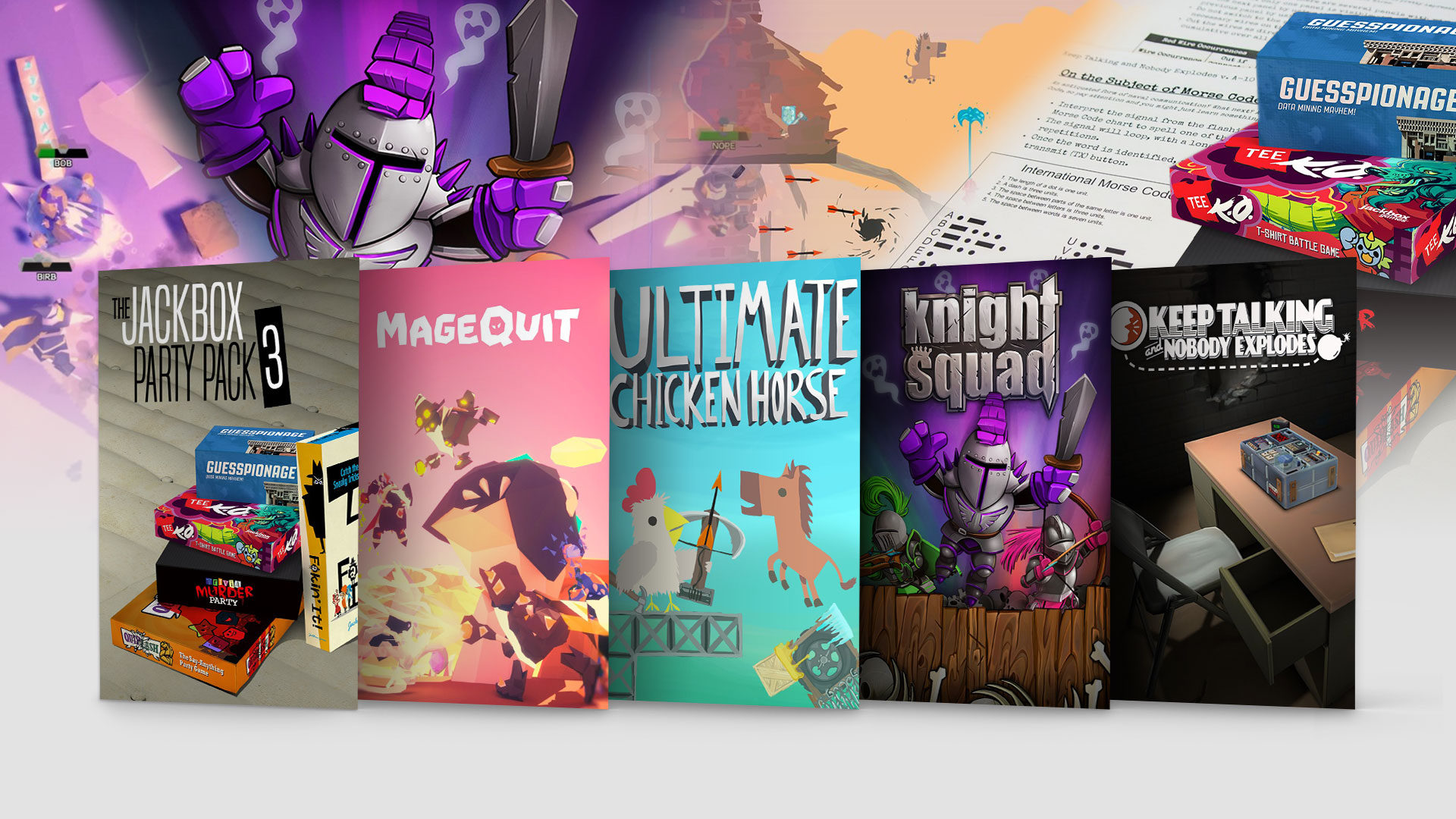
You’re Invited to an ID@Xbox Party Time Sale December brings the family together for gifts, delicious dinners and… the second annual ID@Xbox Party Time Sale! From bomb diffusion to trivia to the ultimate mage brawler, we have something for everyone. From now through December 9 you can save up to 70%…
The Grand Finale to the Metal Saga in DC Universe Online Ready for the epic conclusion of the Metal saga? Metal Part II, the new event and episode from DC Universe Online is now available on Xbox One! It’s jam-packed with new maps, bosses, and rewards inspired by the Dark Multiverse. Travel to the hawk planet of Thanagar…
Free Play Days: The Crew 2 and Trailmakers Speed is the name of the game so don’t waste any time and jump straight into this weekend’s Free Play Day events! Xbox Live Gold and Xbox Game Pass Ultimate members can play The Crew 2 and Trailmakers from Thursday, December 5 at 12:01 a.m. PST until…
Modern Warfare: A Thrilling New Season Begins December 3 on Xbox One This first epic season of Call of Duty: Modern Warfare content includes powerful new weapons, exciting new multiplayer maps and modes, thrilling new Special Ops experiences, and the return of fan-favorite classic content re-imagined for Modern Warfare, such as…
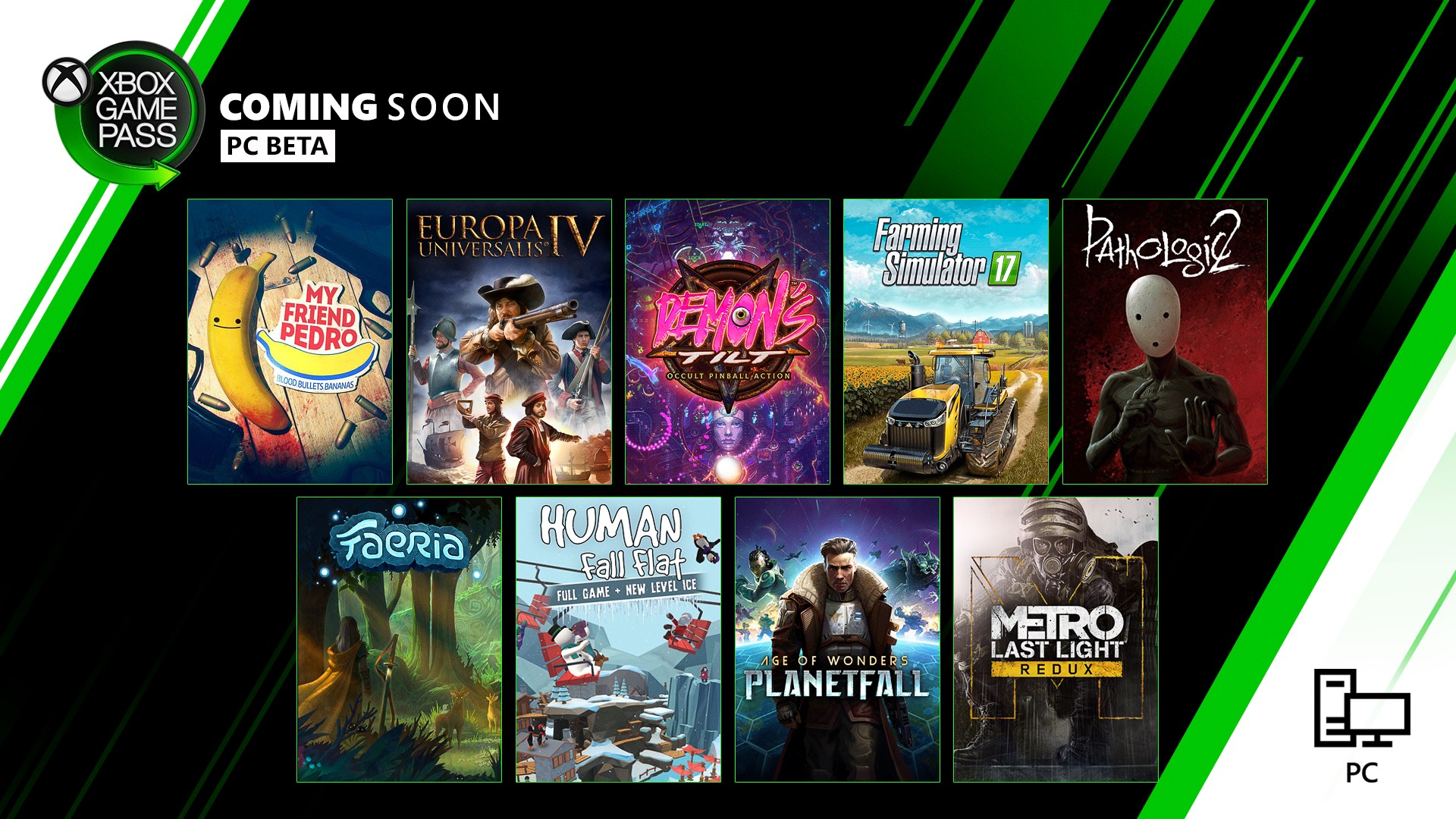
New with Xbox Game Pass for PC: Halo: Reach, My Friend Pedro, and More Dust off your hard drives, we’ve got a bunch of new games for you. (Also: I really hope you don’t get a bunch of dust in your hard drives, that can’t be good for your PC. You should really clean your rig out more often.) We’re about to dive into a list of new games you’ll want…
Big Pharma Available Now on Xbox One We’re putting Big Pharma in your hands. An economical simulator in which you’ll have to face not only the challenges of the market and economy, but also your conscience! Big Pharma is a unique project for several reasons. First of all, we’re so, so happy that this already successful…
Halo: Reach Available Now with Halo: The Master Chief Collection Today, we welcome players back to the ranks of Noble team as Halo: Reach officially joins Halo: The Master Chief Collection with Xbox Game Pass and for Xbox One, Windows 10 PC, and Steam. Since we announced Halo: Reach and the rest of Halo: The Master Chief Collection…
Next Week on Xbox: New Games for December 10 to 13 Welcome to Next Week on Xbox, where we cover all the new games coming soon to Xbox One! Every week the team at Xbox aims to deliver quality gaming content for you to enjoy on your favorite gaming console. To find out what’s coming soon to Xbox One, read on below…
A QA breakdown of The Outer Worlds’ elusive companion killing bug
“All of the cases we had were essentially ‘hey something bad happened in the last ten hours and now my quest is broken.’”
– Obsidian QA lead Taylor Swope offers a candid look at how the team worked through an especially mysterious bug.
Devs and players alike always get a kick out of bug stories, especially when the cause of whatever bug managed to perplex the teams dedicated to sniffing out those issues ahead of and following launch.
Obsidian QA lead Taylor Swope shared one such story on Twitter about the studio’s recent release The Outer Worlds. The thread chronicles the team’s own internal efforts to figure out why some companions were being marked as dead in-game, something impossible on most game modes, and explains how a player’s offhanded comment helped track down the eventual culprit.
The bug itself marked certain companions as dead, despite the fact that they were still alive and present in the game itself. But that deceased designator automatically failed personal companion quests, permanently locking players out of those questlines without any idea as to why.
“There were one or two cases before launch where this issue seemed to happen but no one in QA ever managed to reproduce it and despite our best efforts we couldn’t learn anything concrete about it,” tweeted Swope. “One reason it was so hard to pin down is that it was impossible to tell when the bug actually happened—all of the cases we had were essentially ‘hey something bad happened in the last ten hours and now my quest is broken’. Investigating it involved figuring out the location of every script and line of code that could possibly make the game think that a companion was dead.”
Swope’s full thread is a great read, and can be found here for a full rundown of how the QA team attempted to piece through the information they had to fix whatever was killing companions behind the scenes.
To spoil the ending, the culprit ended up being tied to how characters interact with ladders, and how initiating a conversation with an NPC prevents characters for initiating new actions, but allows them to continue the ones they’ve already started.
“Eventually, an offhand comment in one user’s review mentioned seeing a weird bug where a companion was ‘climbing nothing,’ and this comment led me to figuring the whole thing out,” tweeted Swope.
So, if someone started climbing a ladder and the player entered a conversation before they stopped, they wouldn’t be able to exit the ladder, and, well…. (18/18) pic.twitter.com/xcduTy4d12
Come to GDC and see how Untitled Goose Game’s levels were scouted!
One of the most exciting aspects of the game industry’s thriving indie scene is seeing innovators apply new tricks to solve old problems, and at the Game Developers Conference in March one of the Untitled Goose Game devs will show you how a filmmaking background helped define the look of one of 2019’s standout indie darlings.
What’s so interesting about his method is the way in which this process ensured the level design of the goose game is a collage of real-world spaces – an interplay of intriguing requirements set by chosen source locations, level affordances, and aesthetic restrictions.
So come out to GDC and hear about this process and its benefits, find out which village in England the goose game is based on, get abehind the scenes look at bits of development, and hear some arguments about why it’s good to ground digital spaces in real places!
Next year GDC 2020 runs from Monday, March 16th through Friday, March 20th. This will be the 34th edition of GDC, and now that registration is officially open, you’ll want to take a look at the (ever-expanding) session schedule and your GDC pass options — register early to lock in the best price!
The 1.07 patch includes general bug fixes, but the major update is to the text size. You can change it using the Options menu in the title screen. Firsthand accounts of the change, like the one below, seem positive on the revision.
The UI issue was one of the most consistent complaints, even among fans of the game. This patch was also announced to fix a griefing issue that allowed players to block progress with vehicles.
Death Stranding received a 9/10 in GameSpot's review, with particular praise for its practical and emotional payoffs for putting in the work to build infrastructure in the post-apocalyptic world.
GameSpot's Game of the Year will be announced on December 17. Until then, check out all of our Best of 2019 coverage.
Death Stranding Version 1.07 Update
Multiple problems fixed
Adjustment of the text size
The text size can be changed from the "Options" menu on the Title Screen.
Updated save data version
Save data created in version 1.07 cannot be used with an earlier version.