Unreal Engine Free Marketplace Content For December 2019
Every month Epic Games give away several assets for their Unreal Engine Marketplace and this month is no exception. The only catch is you have to “buy” the assets before the next giveaway starts, although the purchase price is zero. Once you have purchased an asset it is yours forever.
Normally they also release a few assets permanently free at the same time, however this month… at least at the time of writing, there are no such free assets.
You can learn more about the assets in the video below.
We’ve posted ‘We’re Hiring’ posts before, but this one’s a little different. Our Parent company, Network N, are looking for a new Editor and a Staff Writer to work on Pocket Tactics and take it forward into the glorious future we all know it deserves.
These positions will be located at Network N’s head office, which is in the city of Bath in the UK. No remote working arrangements will be considered:
Please go here for more information on the Editor role, including how to apply.
Please go here for more information on the Staff Writer role, including how to apply.
You have until January 8th to apply for either position. Good luck, and may the odds be ever in your favour!
Hang on, doesn’t Pocket Tactics already have an Editor?
It does? Where’s he been all this time!? But yes, this is an important point: once a new Editor has been hired, I shall be stepping down as Editor of Pocket Tactics.
Readers may or may not be aware of this, but I actually run three websites on behalf of Network N: Pocket Tactics (obviously), but also Wargamer and Strategy Gamer.
For Pocket Tactics to really be able to spread its wings, it now needs a dedicated editorial team. That means an Editor focused solely on mobile gaming, with a Staff Writer who has phones and tablets surgically implanted into their body.
So, what does this mean?
In the short term; nothing! It’s not like the new people are going to turn up tomorrow. You’re stuck with me until the new year, at least. There are some big, exciting plans for Pocket Tactics and you’ll hear more about those soon enough. In the meantime it’ll just be business as usual.
I’m incredibly proud of what I’ve managed to achieve here since taking over from Dave in 2016, and hopefully I’ve done right by you guys. But now it’s time for someone more focused to take this site to the Platinum leagues – could it be you? Why not apply and find out!
Posted by: xSicKxBot - 12-16-2019, 05:36 AM - Forum: Lounge
- No Replies
All Winners From The Game Awards 2019
The Game Awards 2019 took place on Thursday evening in Los Angeles, celebrating the year's biggest and best games. Below, we've rounded up all of the award winners in each category, but it's Bloodborne developer From Software that took home the overall Game of the Year award for Sekiro: Shadows Die Twice.
The other nominees were Control, Death Stranding, Super Smash Bros. Ultimate, Resident Evil 2, and The Outer Worlds. Sekiro also won Best Action/Adventure game for 2019.
The acclaimed PC RPG Disco Elysium was also a big winner at The Game Awards. It was nominated for four awards and won them all--including Best Narrative Game, Best Independent Game, Best RPG, and Fresh Indie Game.
You can see the full list of categories, nominees, and winners below. Meanwhile, our own Best Of 2019 awards are ongoing, and Sekiro and Dico Elysium are among the nominees for our Game of the Year award.
The Game Awards 2019 broadcast also brought with it a lot of news, including the reveal of Microsoft's Xbox Series X. This is the company's next-generation console previously known as Project Scarlett. The system goes on sale in Holiday 2020 with Halo Infinite releasing as a launch title.
Humble are running a new bundle of interest to game developers, specifically 2D animators. The Humble Software Bundle: 2D Animation is based around two key pieces of software, Crazytalk 8 Standard and Crazytalk Animator 3 Pro, both from RealIllusion. As always the bundle is broken into tiers, the tiers of this bundle are:
1$
Face Filter 3
Makeup PRO
18$
CrazyTalk 8
Dress Up Show Time
Dress Up Work Wear
Stylized Classic Avatars
Garry Pye’s Comic Faces
25$
CrazyTalk Animator 3 PRO
G3 Animals Dogs
G3 Human Motions – Smooth Moves
G3 Animated Props – Fun Stuff
G3 Elastic Motions – Come and Go
With Humble Bundles you can decide how your funds are distributed, choosing between the developer, Humble, charity and if you so choose (and thanks if you do!) to support GameFromScratch if you purchase using this link. Check out the video below for more details on the bundle. Stay tuned for more hands-on content with CrazyTalk and CrazyTalk Animator in the near future!
Talking Point: What Are You Playing This Weekend? (December 14th)
Another week has come and gone as we tumble inexorably towards 2020, and this one gifted Nintendo a few choice gongs at The Game Awards and all 10 spots in the Japanese All-Format game charts. We also saw the announcement of a raft of indie titles as part of the Indie World Showcase, not to mention a brand new video game console coming next year which looks like two GameCubes duct-taped together according to the internet.
But now it’s finally time to sit back and enjoy some game time. The Nintendo Life team have shared their plans below, and we’d love for you to get involved via the comments and poll sections as always. Enjoy!
Liam Doolan, news reporter
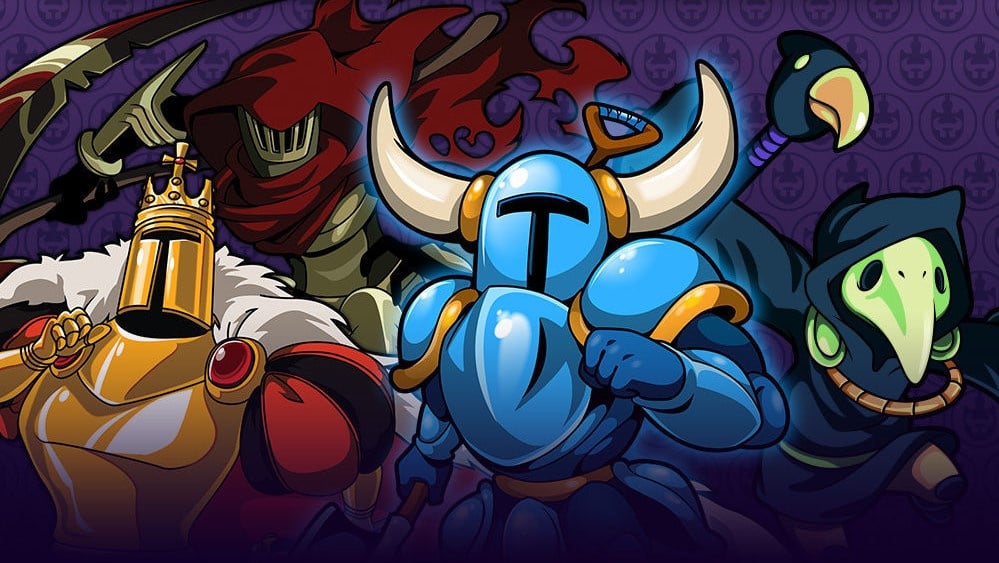
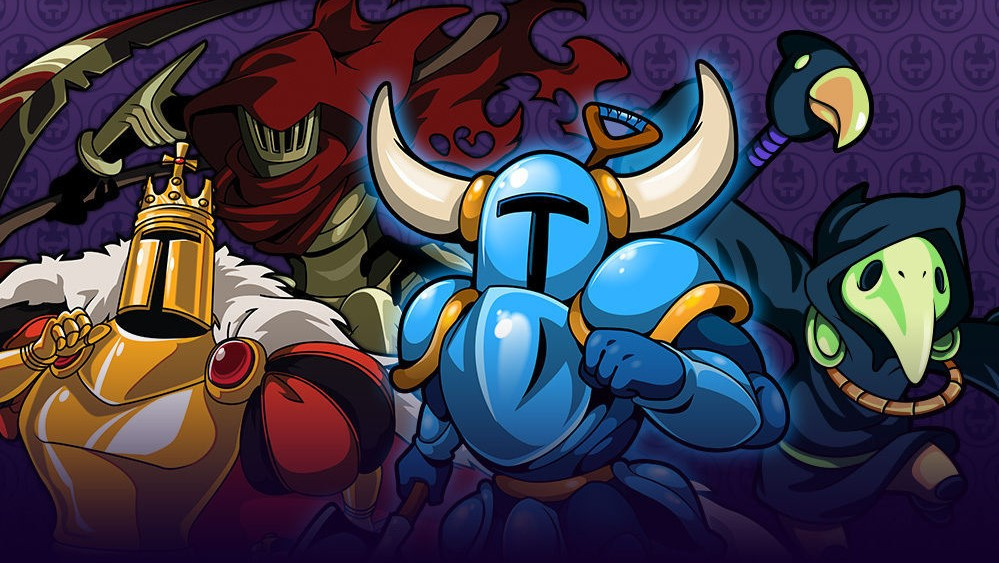
This weekend I’ll be digging into Shovel Knight: King of Cards. Like all of the previous Shovel Knight: Treasure Trove expansions, this one is pushing my 2D platforming skills to the absolute limit. At the moment I’m stuck in the second segment of the game. The level itself is easy enough, but I keep making some rookie mistakes against the boss that result in an immediate restart each time.
When I’m in need of a break, I’ll probably spend some time in Pokémon catching a number of Shield exclusives for the one and only Ryan Craddock. He has a copy of Sword, so we’re hoping to do a big trade at some point. I’m also looking forward to trying out the new Hori D-Pad Joy-Con I bought earlier this week on both of these games. That’s all for me!
Austin Voigt, contributing writer
This weekend, I fear I may find myself picking up Ring Fit Adventure as a way to work off all of the holiday meals and partying I’ve been indulging in. I have far too many friends who wish to hang out far too often, generally over far too much food and drink, and it’s beginning to show… We still have like 3 more weeks of this business, and it’s too cold & snowy to go run outside, so I’m thinking I’d better go get fit with that ring.
Gavin Lane, staff writer
This weekend I’ll be looking to polish off Gato Roboto. It’s been a fun little Metroidvania so far and I’m eager to finish it up. I haven’t got round to trying out the Master Sword item in Super Mario Maker 2 yet, so I’d also like to give that a whirl. The problem is I end up losing hours tinkering with level ideas but never actually finishing them, and the Master Sword is going to open up another whole world of possibilities.
Mind you, it’s only a couple of weeks until Christmas. I should probably get cracking with some Christmas shopping too.
Gonçalo Lopes, contributing writer
A package from the Far East arrived! Always exciting when these show up, reminding me of the simpler days of Super Famicom imports. Inside was Final Fantasy Twin Pack, Dusk Diver, LastFight (good news folks, it really is Power Stone 3! Bad news, I accidentally picked up the French version and the voices are locked. Sacre bleu!) and last but not least, my Game of The Week: SD Gundam G Generation Cross Rays – the first game of this long running, zany series that arrives on the Switch with full English text localisation. Now also add the non-import releases over this fine week like Jamestown+, Call of Juarez: Gunslinger plus the usual sessions of DAEMON X MACHINA and Astral Chain (the REAL action game of the year) and good luck trying to get me apart from my Switch these 48 hours.
As always, thanks for reading! Make sure to leave a vote in the poll above and a comment below with your gaming choices over the next few days…
Posted by: xSicKx - 12-15-2019, 01:00 PM - Forum: PC Mods
- No Replies
Hello everyone, how's it going ?
I'm doing good!
I'm making this very simple tutorial to all those people(specially the new ones) who wants to use the Set Bunker Delivery option to make money (faster) with bunker sales but don't know how to use it to do so.
PLEASE READ THE ENTIRE POST BEFORE DOING THIS TUTORIAL
Important note:You can use the BunkerMoney v6.0.3 for 1.48 to have almost the same result that you will have using Kiddion's Modest Menu, that's true, but the reason that in this tutorial I will use the Set Bunker Delivery option on Kiddion's is because it's faster, you don't need to deliver the product, and you don't need to destroy it, you just have to set the amount of money you want to sell it for, and hit the "Confirm" button.
NOTE 2: If you didn't completed the first Set Up mission to your bunker you have to do it in order use the method described in this tutorial.
So what you have to do is (after you download the most updated version of Kiddion's Modest Menu of course):
1 > Start GTA Online
2 > Open Kiddion's Modest Menu(you can do this while you are in the clouds entering the online, just to save time)
NOTE: In order to see the menu while you're playing remember to run GTA in Windowed mode, not in full screen.
3 > Use the Navigation Keys to go to the Set Bunker Delivery option:
Quote:You will find it at:
Online Services >
Bunker Settings >
Set Bunker Delivery <0>
NOTE: At this point you will see that the option is grayed out and you can't change the value, you have to follow the next steps to do so, basically you can't change the value yet because you have to start the sell mission before changing it.
4 > Go to your bunker.
5 > Start the sell mission.
NOTE: If you have absolutely no stock and you don't want to wait some minutes to your bunker to start producing you can just select the option Trigger Production below the Set Bunker Delivery option.
Hidden Content
Reply to this thread to unlock the contents
6 > Set the amount of money you want to sell your bunker.
Important note: After GTA Online version 1.46 the max amount of money you can set to sell your bunker is 5 millions in each sale, if you surpass this value you will get a transaction error.
Another important note: If you want this money to appear in your transaction log you can't surpass 2.2 millions in each sale, otherwise, if you sell like I'm doing right now in this screenshot (4.964,400$) the money will not appear in your Transaction Log, this can mess with your Spend/Earned money balance in your stats, but many people(like me) sell for values around 4.7~4.9 millions everyday and we never had any problems or bans doing so. You should do as you want, as you feel more comfortable with, at this moment there's no plausible evidence that shows that certain amount is 'safer' than other amount.
7 > After setting the value that you want to sell your bunker, wait for Agent 14's call, answer it, and hang up(do not hit the 'Confirm' button on the mod menu before hanging up the call, or you can bug the mission, you will not receive any money and will have to switch sessions to be able to try the mission again).
8 > After hanging up the call just hit the 'Confirm' button on the Kiddion's Mod Menu and the mission should be successfully completed and "your money should be in your account now"
9 > Repeat the process as many times as you want.
Final Notes:
1. At this very moment,this is one of the fastest+safest+simple methods to mod your money in GTA Online. You should be able to make many millions in just a couple hours.
2. Me and many other people here highly recommend doing this process in a solo public session, specially if you will loop the process many times in a row, you will keep leaving and entering your bunker, this can be suspicious to other players that can report you and the solo public session makes harder for a R* employee to join the session and start monitoring you and after that give you a manual ban. To avoid all that just trigger the solo public session before doing the process and everything should be fine.
3. Just because it looks 'safe' it doesn't mean that you can't be banned for doing this method, use at your own risk.
Final considerations:
I'm making this Tutorial with the intention of helping the great amount of people I see everyday asking about making money with the bunker, I tried my best to write good information that can be helpful to the noobies to mods and those who totally don't know mods at all, so if you are one of these people don't forget to take a look at the threads of the Kiddion's Modest Menu, and the BunkerMoney v6.0.3 for 1.48, both are very good mods and Kiddion's specially have many awesome features that can really enhance your gameplay, not just give you a couple millions in your bank account. The authors of these mods put a lot of effort and dedication into their work to now everyone of us have the opportuniy to enjoy a lot of money into our GTA Online accounts and a very more funny gameplay. And we are all very grateful to that.
Thank you for reading and I hope that I could help you somehow.
I was just sent a Clockwork GameShell, it’s a build it yourself open source raspberry pi powered handheld computer. What’s most appealling to me is how heavily focused on indie game developers this device is. This is not a review of the device but instead a description of the build process (stay tuned for a proper review!). So let’s take a look at the process from beginning to end and I’ll point out the few snags I encountered on the way. If you are interested in getting one of your own, they are available on Amazon.
The underlying specs of hardware are as follows:
New ClockworkPi V3.1:Powered by Quad-core Cortex-A7 CPU, MaliGPU, Wi-Fi &Bluetooth, 1GB DDR3 Memory, 16GB MicroSD, HDMI output, GPIOs.
Keypad: Programmable Keypad and powered by an ATmega168P [email protected] with 30Pin Arduino compatibility GPIOs.
Lightkey module: 5 independent IO extended keys for shoulder buttons
GameShell Shells: 1 front shell+2 back shells
MicroSD Card: 16GB
OS: ClockworkPi OS,Linux 4.1x
Debug cable: 14PIN GPIOs
Let’s look at what you get and how you assemble it.
The Box
This is a extremely minor point, but I was quite impressed with the packaging the GameShell came in. Right away it’s generally just a higher quality of packaging and branding than I am accustomed to for these kinds of products, it does have a premium feeling as a result. Click any photo for a much higher resolution version.
The Contents
The inside of the box is several other boxes and a collection of plastic punch out components. In terms of equipment you need to do this build you are going to want a sharp knife at the very least. A fine file and pair of side cutters to remove the plastic attachments are also recommended, but I got by with just a knife.
Assembly
Now it’s time to start putting things together. The instructions are IKEA style (but thankfully better than most IKEA!) step by step pictographic instructions. The assembly is module by module. The primary modules are the screen, the battery, the main system board and the controller as well as the speaker (not shown).
Once these 5 modules are completed, its its time to mount the modules into the backplate and connect the various power wires between the devices. This is probably the trickiest part with one exception I will discuss in a minute.
Finally it’s a matter of attaching the front plate, attaching two thumb screws and praying you did everything right. And the final completed product!
The Gotchas
Assembly was extremely straight forward with only two snags. The first step is when creating the display module illustrated below.
Notice the inset diagram shows the cable being bent backwards, while the layer diagram does not show this? This is vitally important, you do in fact have to bend the display cable 180 degrees.
The second problem is actually around the same issue. Connecting the display ribbon cable to the main board should be done *BEFORE* you close the case around it, making it insanely difficult connect unless you open it.
The only other issue I ran into is occasionally they mounted the plastic pieces to the plastic frame at less than ideal locations. For example there was a mount point where the display cable needs to be fed. I had to make a special point of filing down the excess plastic to keep it from rubbing against or puncturing the fragile ribbon cable. It would be ideal if pieces were mounted slightly different, but its a small issue.
Now that I have the GameShell built, it’s time to start trying to develop games for it. Stay tuned for that video in the near future.
The Latest Patch For Civilization VI On Switch Resolves Victory Crashes
Last week, you might recall an issue affecting the Switch version of Civilization VI, which resulted in the game crashing right before a victory. The development team was quick to provide an official response, explaining how you had to “declare war” against the crash-causing civilization before the end of your turn.
Thankfully, you shouldn’t have to worry about your game crashing anymore. A new patch now available for the Switch version means you can now load up your existing saves and win. That’s provided you don’t load up an old one and try to claim a cultural victory. Fortunately, there are “no issues” with new game saves.
Here’s a full explanation by a user over on the Civ subreddit:
Fellow Nintendo Switch players— there is a new patch today and it appears to have fixed the major “crash on victory” problem. Since I noticed the problem I’ve been hording save files one turn until victory, and with the new patch I’ve been loading them up one by one and three so far have successfully finished the game.
I had another problem where my hall of fame would randomly disappear — haven’t been able to fully investigate that yet. Hopefully it stopped vanishing as well.
Edit #1: Domination, Religious, Science victories all working normally now with the saves I had waiting a turn before victory. Cultural victories, however, are not. Had cultural victories ready for Kongo, Egypt, and Persia, but none of them work. Games continue as normal, despite having more than enough foreign tourists for victories to trigger. Can’t tell if it’s only on previous saves or if cultural victories won’t work for new games either. Will find out soon, I guess, since cultural is my favorite victory method.
Edit #2: Happy to report that I just finished a new quick game where I got a cultural victory with China with no issues, so it appears to just effect cultural victories of old saves! Hooray!
Various other users on the subreddit have also stated how the patch has now resolved their own in-game problems. To read more about this issue and the statement provided by the game’s developer, check out the original story.
How has your experience been with Civ on the Switch since this patch came out? Comment down below.
Xbox Insider Release Notes – Alpha Ring (2002.191202-2046)
Hey Alpha ring users! Today’s Xbox Insider Release Notes highlight the latest fixes, known issues, and features coming to your console. Starting at 2:00 p.m. PT today, users will receive the latest 2002 Xbox One system update (build: 19H1_RELEASE_XBOX_DEV_2002\18363.9063.191202-2046). Keep reading for more details.
System Update Details:
OS version released: 19H1_RELEASE_XBOX_DEV_2002\18363.9063.191202-2046
Available: 2:00 p.m. PT – December 4, 2019
Mandatory: 3:00 a.m. PT – December 5, 2019
Fixes for Alpha
We’ve heard your feedback, and we’re happy to announce the following fixes have been implemented for this 2002 build:
Guide
Users should no longer see a transparent black bar on the screen when opening the Guide.
System
Updates to properly reflect local languages on the console.
Known Issues for Alpha
We understand some issues have been listed in previous Xbox Insider Release Notes. These issues aren’t being ignored, but it will take Xbox engineers more time to find a solution. We appreciate your patience at this time!
Audio
Users who have Dolby Atmos enabled and console display settings set to 120hz with 36 bits per pixel (12-bit) are experiencing loss of Dolby Atmos audio in some situations.
Workaround: Disable 120hz or set Video Fidelity to 30 bits per pixel (10-bit) or lower.
Messaging
Users are unable to send a voice message while in Parties.
Workaround: Send the message while not currently in party chat.
Plex App
Users have reported playback is buffering constantly while streaming content.
Note: Please ensure you are running the latest version of the app before submitting feedback.
Profile Color
Sometimes users may encounter the incorrect Profile color when powering on the console.
Are you not seeing your issue listed above? Make sure to use Report a problem to keep us informed of your issue. We may not be able to respond to everyone, but the data we’ll gather is crucial to finding a resolution.
Learn more about feedback and how each ring is differentiated in the following links:
For more information regarding the Xbox Insider Program follow us on Twitter and join the community subreddit for support and updates. Keep an eye on future Xbox Insider Release Notes for more information regarding your Xbox One Update Preview ring!
When it comes to creating mind blowing immersive experiences Wevr, a pioneering immersive entertainment studio, knows the game! With some of the top talent in the industry, not only do we work hard to create an environment that helps us attract the best, we cultivate a culture with more opportunities for our team to continue to thrive.
Hiring a mix of the best talent, from seasoned industry veterans to talented rising stars, our goal is to incorporate diversity that garners new perspectives and experiences. We love working with brave talent who thrive in navigating the waters of the ever-evolving modern interactive entertainment world.
We have an exciting, groundbreaking, multiplayer, story driven VR project in the works and are looking for an Audio Designer / Implementer with strong UE4 experience to join our team in Venice, California. Our ideal candidate will help realize our goal of delivering the most immersive VR experiences possible.
About the Job:
As Audio Designer / Implementer you will be part of the team working on a new, unannounced project based on one of the foremost popular IPs in the world today. The right candidate will be multifaceted and self-motivated with shipped project experience under their belt and is ready to come in and make an immediate impact on our projects.
Responsibilities:
Coordinate with the interactive and animation teams to solve problems and create amazing audio narratives and experiences.
Work with UE4 blueprints and data assets to hook up and test audio.
Evaluate audio mix and implementation of audio assets in-game and adjust according to needs.
Help with linear trailer or promo video sound editing and mixing.
Organize and manage sound libraries and created audio assets.
Finish tasks on schedule and be able to manage and prioritize tasks within the given timelines.
Requirements:
Familiarity designing, editing, mixing, compression & mastering audio using DAWs such as Reaper, Logic or similar.
3+ years as part of an audio team with 2+ shipped titles.
Experience implementing content for interactive media.
Firm grasp of audio engineering fundamentals for studio and field recording.
Experience with UE4 audio engine features such as sound cues, sound classes, mixes, audio components strongly preferred.
Experience with Unreal editor, including scripting, level editor, animation and level sequence editors.
Experience with 3rd party spatialization plugins such as Steam Audio (Phonon) a plus.
Experience with audio middleware and implementing audio assets into a game build.
Familiarity with audio scripting to achieve desired in-game audio features and dynamic playback.
Strong self-management and problem-solving skills.
Please include a 3+ minute reel highlighting your greatest work along with your application.
Whether you’re just starting out, looking for something new, or just seeing what’s out there, the Gamasutra Job Board is the place where game developers move ahead in their careers.
Gamasutra’s Job Board is the most diverse, most active, and most established board of its kind in the video game industry, serving companies of all sizes, from indie to triple-A.




![[Image: K5HZOjI.png]](https://i.imgur.com/K5HZOjI.png)
![[Image: vbls0Rg.png]](https://i.imgur.com/vbls0Rg.png)
![[Image: Zx6b3xj.png]](https://i.imgur.com/Zx6b3xj.png)
![[Image: YY7Utd9.png]](https://i.imgur.com/YY7Utd9.png)
![[Image: cirFLl6.png]](https://i.imgur.com/cirFLl6.png)
![[Image: wink.gif]](https://www.unknowncheats.me/forum/images/smilies/wink.gif)
![[Image: m9mAHpq.png]](https://i.imgur.com/m9mAHpq.png)