Xbox Insider Release Notes – Alpha Skip Ahead Ring (2004.191122-0424)
Hey Alpha Skip Ahead ring users! Today’s Xbox Insider Release Notes highlight the latest fixes, known issues, and features coming to your console. Starting at 2:00 p.m. PT today, users will receive the latest 2004 Xbox One system update (build: RS_XBOX_RELEASE_2004\19031.1201.191122-0424). Keep reading for more details.
System Update Details:
OS version released: RS_XBOX_RELEASE_2004\19031.1201.191122-0424
Available: 2:00 p.m. PT – November 23, 2019
Mandatory: 3:00 a.m. PT – November 24, 2019
Fixes for Alpha Skip Ahead
We’ve heard your feedback, and we’re happy to announce the following fixes have been implemented for this 2004 build:
Games
Users will no longer encounter a black/blank screen with audio playback when launching games.
Home
Fixed an issue where users could not select items in content blocks on the dashboard.
System
Various updates to properly reflect local languages across the console.
Known Issues for Alpha Skip Ahead
We understand some issues have been listed in previous Xbox Insider Release Notes. These issues aren’t being ignored, but it will take Xbox engineers more time to find a solution. We appreciate your patience at this time!
Audio
Users who have Dolby Atmos enabled and console display settings set to 120hz with 36 bits per pixel (12-bit) are experiencing loss of Dolby Atmos audio in some situations.
Workaround: Disable 120hz or set Video Fidelity to 30 bits per pixel (10-bit) or lower.
Disney+ App
Users have reported playback is buffering while streaming content.
Home
Users have reported that the dashboard is unresponsive to controller input on boot.
Workaround: Perform a hard restart of the console (hold the power button for 5-10 seconds) to resolve the issue.
Home (Experiment)
Users may see the images for ads on the dashboard looking cropped or cutoff.
Settings
Some users have reported that 3D display mode is not working with supported content.
Profile Color
Sometimes users may encounter the incorrect Profile color when powering on the console.
Are you not seeing your issue listed above? Make sure to use Report a problem to keep us informed of your issue. We may not be able to respond to everyone, but the data we’ll gather is crucial to finding a resolution.
Learn more about feedback and how each ring is differentiated in the following links:
For more information regarding the Xbox Insider Program follow us on Twitter and join the community subreddit for support and updates. Keep an eye on future Xbox Insider Release Notes for more information regarding your Xbox One Update Preview ring!
Posted by: xSicKxBot - 12-05-2019, 04:09 AM - Forum: Lounge
- No Replies
These are the best iOS games of 2019 (According to Apple)
By Joe Robinson03 Dec 2019
Apple has released their 2019 retrospective, crowning not only their favourite games of this year, but also the most download games across Free and Paid. Sky: Children of the Lighthas been crowned the best iPhone Game of 2019, whereas Hyper Light Drifter is the best game on iPad. Sayonara Wild Hearts has also been declared as the best game of Apple Arcade so far.
It’s definitely interesting to see what’s been popular, especially in the paid list. A lot of cool games in there that we’ve reviewed, and it’s good to see them getting the recognition they deserve especially when premium games seem to be in a bit of a weird spot right now.
We’ll be reflecting ourselves soon on 2019 in mobile gaming, but in the meantime, what do you think? What have been your favourite iOS (or Android, if you want) games of the year?
Posted by: xSicKxBot - 12-05-2019, 04:09 AM - Forum: Lounge
- No Replies
XR Games raises £1.5 million for new projects and staff
UK-based virtual reality developer XR Games has raised £1.5 million (~$1.95 million) from both new and existing investors to fuel new hires and the development of new projects.
Part of those future plans includes working alongside film studios for those new projects, as it has previously for its latest release The Angry Birds Movie 2 VR: Under Pressure.
The round was led by Praetura Ventures, an investment that the company’s director Mark Lyons says in a statement was encouraged by the studio’s track record with past partnerships and a desire to support the company as VR continues to advance.
“It’s our mission to provide businesses just like XR with the finance and support they need to deliver great things and that XR Games will firmly establish a foothold at the forefront of the VR gaming industry,” says Lyons.
Posted by: xSicKxBot - 12-05-2019, 04:08 AM - Forum: Lounge
- No Replies
The Witcher Saga Is An Unwieldy Story. Here's How Netflix Made It Work
The saga of The Witcher is not an easy one to adapt. The Witcher games (with which you're no doubt familiar) had it simpler--as sequels to the original novels, they simply built on the foundation that author Andrzej Sapkowski laid down years ago. To adapt the book series--a hodgepodgey web of short stories and novels--into hour-long TV episodes with a trio of protagonists and a cohesive narrative throughline is a significantly different story.
Netflix's The Witcher showrunner, Lauren Schmidt Hissrich, is the person who had to solve that problem.
"To me, there are challenges, and there are opportunities. And this, to me, was such a great opportunity," the showrunner told GameSpot during a recent interview. "You have all of these short stories presented in the first couple of books, in The Last Wish and in Sword of Destiny. There is no narrative thread between them, so Geralt doesn't grow and change that much between the stories, because that's not how they were originally written."
"Well to me," she continued, "if you're adapting those for television and you're going from episode 101 to episode 108, you need to see the character grow and change from his or her experiences."
The resulting show takes those short stories--tales like The Lesser Evil, A Question of Price, and The Edge of the World--and remixes them into a cohesive story with a beginning, a middle, and an end. The stories are perfectly recognizable to fans of the books, but they take place in a different order and sometimes involve different characters. And Schmidt Hissrich ensured there are throughlines that span the eight-episode first season.
"It was very important for me to start with The Lesser Evil as the first story," Schmidt Hissrich said. "You're starting with a character who's been living, let's say, close to a hundred years. He's a Witcher. This is all he's ever done. It's what he was trained to do. Does he love it? Who knows? We don't even care. It's just what he's best at. So he continues going back to it. And then we need to have something happen in that first episode that totally corrupts his worldview."
The events of that first episode follow Geralt throughout the rest of the season--not in a way that's necessarily faithful to the source material, but in a way that enhances this version of the story.
"We very much had a sense of the stories that we wanted to tell. Some of them were just our favorites, or some of them were very iconic," the showrunner said. "It was really about taking the stories that were iconic and we wanted to tell them, and sort of tracking Geralt's journey. And it was very interesting to work with Henry through that too, because he read the same books that I did. So a lot of it was talking out our reasoning of why this is happening now, and not back then. What I think what we've done is craft a season for all of the characters."
That's another massive change: While the original short stories, on which most of this season is based, put Geralt front and center, Netflix's The Witcher is a three-pronged story with a trio of main characters: Geralt, Yennefer, and Ciri. Schmidt Hissrich's other big challenge--err, opportunity--was figuring out how to weave all three characters' plots together. She came up with a variety of solutions; for example, the Yennefer we meet in the show is much younger than the person Geralt first encountered in the story The Last Wish. The show spends several episodes exploring Yennefer's backstory over many years--a backstory that was invented for the Netflix version of events.
That story came with its own unique hurdles. After the physical transformation that Yennefer undergoes when she becomes a sorceress, the character stops visibly aging--but she continues to mature emotionally, something actress Anya Chalotra had to convey.
"She stays in her 20-year-old body, and so I had to figure out a way to make this believable," Chalotra told us. "She does get older, and she does get more mature, and her thoughts do change, and her attitudes change toward certain things. She responds differently to things because of the life experience she's had. And I think I did that through breath...there's a rhythm and an energy that people have who are older and have been through something, certain experiences."
For Ciri's part, actress Freya Allan contended with something similar. Ciri begins life as a princess who believes she's wise to the ways of the world, but finds out she has plenty to learn when her life gets thrown into chaos. Ciri's arc in Season 1 is a transformation all its own.
"She's got a very kind of bold, strong character right from the beginning. But then when she is thrown into this world, you do see her become vulnerable, but obviously she still has those built-in characteristics that we see right at the beginning in her, and that's what allows her to keep going," Allan said. "It was interesting to look at that, and also how the brutality of the world changes her and she becomes colder...definitely toward the end, you get to see that she decides, she's like, 'I'm sick of this now. I'm going to just--I'm just sick of it.' And she starts becoming a bit icier."
The ways all these disparate storylines and characters come together will have to remain a mystery until The Witcher hits Netflix on December 20. But Schmidt Hissrich said the show's first season feels like "hitting the first domino and seeing them fall over"--and she promised "some surprises for existing fans" as well. We can't wait.
There are over 40 desktops in Fedora. Each desktop has it’s own strengths and weaknesses. Usually picking a desktop is a very personal preference based on features, looks, and other qualities. Sometimes, what you pick for a desktop is limited by hardware constraints.
This article is to help people compare Fedora desktops based on the desktop baseline memory. To narrow the scope, we are only looking at the desktops that have an official Fedora Live image.
Installation and Setup
Each of the desktops was installed on it’s own KVM virtual machine. Each virtual machine had 1 CPU, 4GB of memory, 15 GB virtio solid state disk, and everything else that comes standard on RHEL 8.0 kvm.
The images for installation were the standard Fedora 31 Live images. For GNOME, that image was the Fedora Workstation. For the other desktops, the corresponding Spin was used. Sugar On A Stick (SOAS) was not tested because it does not install easily onto a local drive.
The virtual machine booted into the Live CD. “Install to Hard Disk” was selected. During the install, only the defaults were used. A root user, and a regular users were created. After installation and reboot, the Live image was verified to not be in the virtual CDROM.
The settings for each desktop was not touched. They each ran whatever settings came default from the Live CD installation. Each desktop was logged into via the regular user. A terminal was opened. Using sudo each machine ran “dnf -y update”. After update, in that sudo terminal, each machine ran “/sbin/shutdown -h now” to shut down.
Testing
Each machine was started up. The desktop was logged into via the regular user. Three of the desktop terminals were opened. xterm was never used, it was always the terminal for that desktop, such as konsole.
In one terminal, top was started and M pressed, showing the processes sorted by memory. In another terminal, a simple while loop showed “free -m” every 30 seconds. The third terminal was idle.
I then waited 5 minutes. This allowed any startup services to finish. I recorded the final free result, as well as the final top three memory consumers from top.
Remember that these numbers are from a default Live install. If you remove, or add services and features, your memory usage will change. But this is a good baseline to look at if you are determining your desktop based on memory consumption.
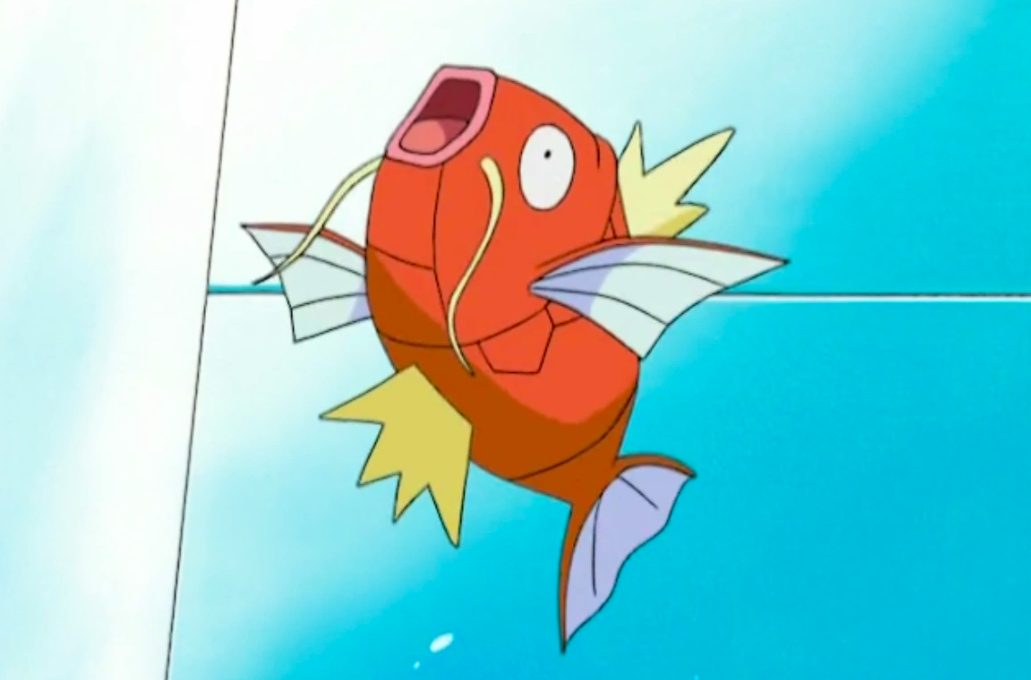
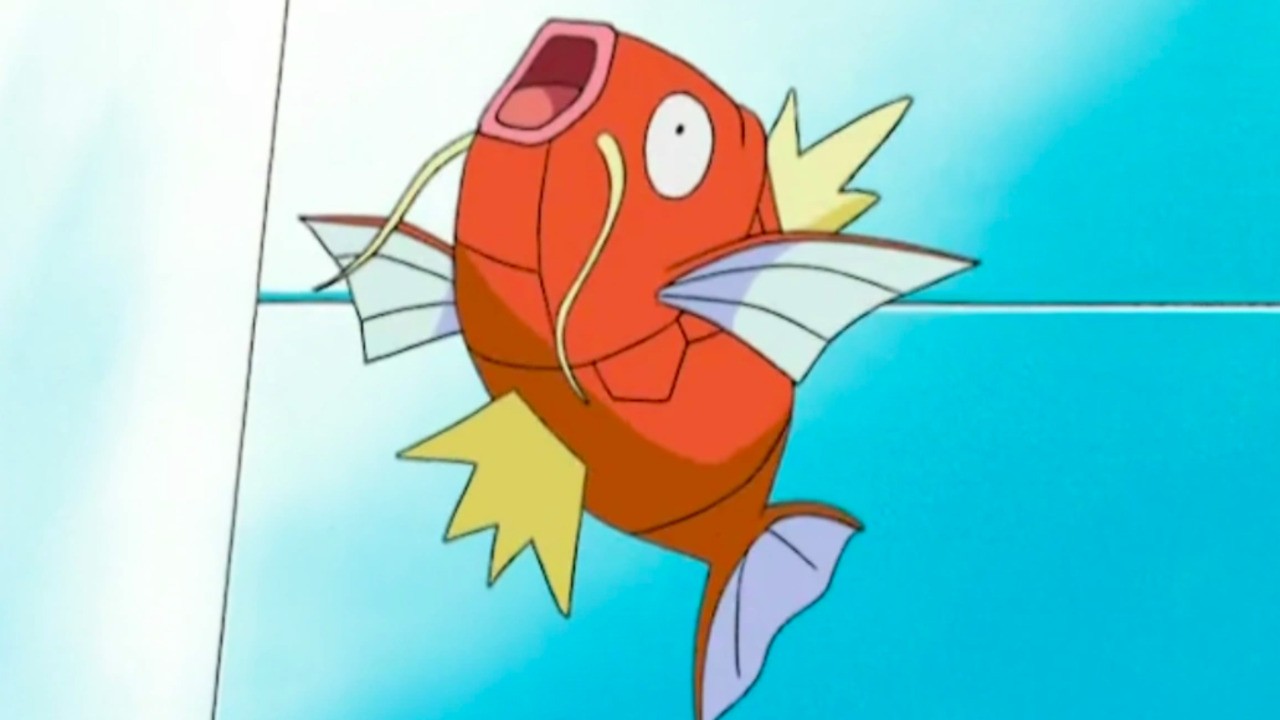
Random: Pokémon Sword and Shield’s Final Boss Can Be Beaten With A Magikarp
While it can evolve into a pretty powerful beast, the humble Magikarp has a bad reputation in the world of Pokémon. This flappy fish is seen as a waste of space, so YouTuber PokeTips decided to give it a moment in the spotlight by taking on Leon in Pokémon Sword and Shield, the game’s undefeated regional champion.
This approach took some time, it’s worth noting. PokeTips knew that the ability to use the powerful Hydro Pump move could work in Magikarp’s favour, but it can’t take down Leon on its own. After trying a few different tactics – including levelling up the fish to 100 with high hit points and using Eviolite – the winning strategy revealed itself.
With Magikarp holding Choice Specs (which boosts the monster’s special attack but limits it to a single move) and using Special X (which augments the power of its Special Attack) it’s possible to take Leon down. Sure, this isn’t foolproof as Hydro Pump doesn’t hit 100% of the time, but it does work.
Paying a subscription for a service is nothing new, especially not in the media space. Yet, the past few years have seen more companies adopt the service model to appeal to more niche audiences--a pattern that has come to a head in 2019.
Games are one of the newer participants to the subscription model when it comes to distributing content, with Microsoft dominating the console space with Xbox Game Pass. That said, other companies started offering their own game-based subscriptions in 2019 as well, like Apple. The games industry hasn't been the only one, as the past few years have seen subscription services for comics, manga, TV series, and movies gaining increased popularity too.
In the following article, we highlight the major subscription services that continued to operate or began in 2019 and also discuss how they grew or adjusted their offerings throughout the year.
Subscriptions That Continued In 2019
2019 saw plenty of subscription services continue--some more successfully than others. In terms of gaming, Microsoft continued to offer Xbox Live Gold and Xbox Game Pass, Sony has PlayStation Plus and PlayStation Now, EA has EA Access / Origin Access, and Nintendo has Switch Online. For TV and movies, there are a bunch: Crunchyroll, Funimation, Hidive, Amazon Prime Video, Netflix, HBO Now, DC Universe, and Hulu.
Xbox Live Gold / Xbox Game Pass
When it comes to gaming, Microsoft is pursuing a subscription model the hardest. 2019 saw the natural evolution of Xbox Live Gold and Xbox Game Pass, as Microsoft bundled the two together on June 9 into a subscription called Xbox Game Pass Ultimate. The service includes the PC version of Xbox Game Pass as well. With Xbox Game Pass Ultimate, you get access to online multiplayer and over 100 games for a fraction of their total retail cost.
2019 also saw the release of the first console to solely support games that are purchased digitally: Xbox One S All-Digital Edition. It provides a cheaper option than both the Xbox One S and Xbox One X and falls in-line with Microsoft releasing all games digitally--both via its store and Xbox Game Pass. Xbox Game Pass Ultimate is likely only going to improve with Project xCloud, Microsoft's cloud streaming service, being added to the subscription in 2020--as announced at X019.
PlayStation Plus / PlayStation Now
First launched in June 2010, PlayStation Plus offers subscribers access to only a few titles per month, but those that are featured on the service typically see huge spikes in their overall popularity--like Rocket League back in July 2015. PlayStation Now is Sony's version of cloud gaming, offering subscribers a way to stream select PS2, PS3, and PS4 games to a PS4 or PC.
In 2019, PlayStation Now saw a massive growth in subscriber count--with a 40% increase between April and October that upped the total to one million users. This is likely in response to Sony changing PlayStation Now so subscribers could finally download the games on the service (instead of just streaming them) and the expanding library of major first-party titles on the service. Like Microsoft's Xbox Game Pass, Sony's PlayStation Now is becoming a service where users can download big-name indies and first-party console exclusives for a fraction of their total retail cost.
Sony isn't planning on adopting Microsoft's policy of adding first-party titles to its subscription service day one, however. In November 2019, Sony Interactive Entertainment CEO Jim Ryan said this is to ensure the company's first-party games remain "clean and pure."
Switch Online
Nintendo's subscription, Switch Online, launched in late 2018, so the service's first attempt to really hit its stride began in 2019. In comparison to both Microsoft and Sony, though, it has a long way to go. Aside from offering online multiplayer in games like Super Smash Bros. Ultimate and Splatoon 2, Switch Online provides subscribers with a library of NES and SNES titles. There are some excellent games in that library, but as 2019 has come to a close, Nintendo has not added any new games.
Unlike Xbox Game Pass and PlayStation Now, Switch Online doesn't offer any way to get a discount on first-party titles either. In late 2018, Nintendo started a voucher program that was tied to Switch Online, but that inexplicably ended in 2019. This is made more disappointing in the wake of the launch of the entirely handheld version of the Nintendo Switch, Switch Lite, in September 2019--a console that seems to encourage owning a bunch of games digitally in order to play on the go.
EA Access / Origin Access
EA has done well with its Access subscription services. EA Access launched on Xbox One in August 2014, offering subscribers a selection of older EA games to play and both discounts and early access for certain new releases. Origin Access, which launched two years later, offers the same service for Origin members on PC.
In July 2019, EA Access was expanded to PS4 as well, pushing the service to all major platforms except for Nintendo Switch. Additionally, in October 2019, EA announced a Steam version of EA Access, which will allow PC players to use the service without Origin.
2019 has been a turbulent year for EA--with lows like Anthem and highs like Apex Legends--but getting EA Access on PS4 and announcing plans to expand its reach on PC could help turn things around for the publisher. A subscription service can act as marketing for lesser-known triple-A titles and indie games, allowing users to try these games "for free." It offers a less costly way for players to retry games that launched with problems too--which may help save EA titles the publisher is trying to fix. Players may be hesitant to pay to jump back into Anthem when it relaunches, for instance, but via EA Access / Origin Access, they can get the game for "free." It's probably an appealing prospect for publishers that have a large library of multiplayer-focused or games-as-a-service titles, which may be part of what inspired Ubisoft to offer a similar subscription service in 2019. But more on that later.
New Weekly Shonen Jump
In December 2018, Shonen Jump--a Japanese magazine responsible for publishing the largest shonen manga in the world, like Dragon Ball and Naruto--transformed into a completely digital, free-to-read model that offered every new chapter to its included ongoing series in their English translation the day they released in Japan, allowing international readers to stay up to date on all the latest shonen manga without paying a cent. For those looking to catch up, a new $2 subscription fee would unlock nearly the entire Shonen Jump back catalog to read at any time.
It's been an incredibly smart move on the cusp of the shonen genre's transformation--as it's bringing in new readers right when new types of shonen stories are taking off. Though the high-action battle stories of My Hero Academia and Boruto: Naruto Next Generations still dominate, shonen has begun to take a more thoughtful turn in recent years. Stories like The Promised Neverland and Dr. Stone are likely to be shonen's future, one where women aren't always regulated to a support role and the main male protagonists don't always overcome the villains by physically out-fighting them.
Live-Action TV Series And Movie Subscriptions
Whenever the topic of game-based subscription services comes up, there's typically at least one or two people asking if it's the "Netflix of games." This isn't to say that Netflix is the originator of the subscription model when it comes to digital media distribution, but the streaming service (and those like it) popularized the model long before gaming did. Netflix isn't going away any time soon, and neither are its direct competitors: Hulu, Amazon Prime Video, YouTube Premium, and HBO Now.
It's becoming increasingly difficult to remain subscribed to only one service as 2019 saw all six streaming apps increase their portfolios of exclusive series and movies. If you want to stay on top of all the best television, you have to remain subscribed to most of them. That said, each service further fell into their niche roles, making it a bit easier to focus on the subscription you prefer.
Animated TV Series And Movies Subscriptions
In 2019, dozens of anime made their debut on Crunchyroll, Funimation, and Hidive--the major players in digital anime distribution in the US. Hulu and Netflix (especially the latter with its exclusives) also rose in prominence within the growing anime industry with more shows. Yet it was Amazon--the same company that made the very poorly received Anime Strike subscription model in 2017--that managed to secure exclusives for some of the most thought-provoking and well-animated anime of the year.
2019 saw major ripples in the anime scene--ones that are likely to be felt in the next few years. When it comes to watching anime, Crunchyroll and Funimation are still at the top, but both are still recovering from the end of their partnership in November 2018. Upon separation, each company lost the rights of certain anime to the other, and as 2019 is coming to an end, both sites still feel incomplete. Plus, their escalating rivalry is unintentionally leading to a boring uniformity of shonen and fantasy isekai across both brands when it comes to marketing.
That leaves sites like Hidive, Hulu, Netflix, and Amazon Prime Video to host a lot of the more experimental or niche stories. If anything, 2019 is the year that companies like Netflix, Hulu, and Amazon really began taking stock of how popular anime is becoming and decided they wanted in on the subscriptions they can attract. And unlike Crunchyroll and Funimation, these companies can invest in and promote more niche genres and stories because their primary business of live-action TV shows and movies can account for an anime series falling short of monetary expectations.
Netflix and DC Universe have been hitting hard on the animated front this year as well. The most notable series are Netflix's She-Ra and the Princesses of Power and DC Universe's Young Justice: Outsiders. It's been a good year of super-powered teens in animated series.
Subscriptions That Began In 2019
As much as the aforementioned subscriptions continued to excel in their related fields, 2019 saw the arrival of several new services as well. In terms of gaming, 2019 gave us three new subscriptions to consider adding to our growing list of monthly fees. For TV shows and movies, we only got one, but it's likely going to be a major player in the subscription-based streaming space for years to come.
Uplay+
On September 3, Ubisoft launched the beta of Uplay+, a subscription service that provides users with a library of over 100 Ubisoft games. It's a lot like Origin Access Premier.
Uplay+ won't officially launch until 2020, and when it does, it will be offered through both Uplay and Google Stadia. As Ubisoft continues to invest in games-as-a-service titles, Uplay+ presents a cheaper alternative for buying into every game. That said, Uplay has always had its detractors and Google Stadia did not launch to exactly stellar reviews--so some people may not want to go through the potential hassle of either PC portal to access Uplay+.
It may benefit Ubisoft to take inspiration from EA and release its subscription service on consoles as well, or at the very least allow subscribers to access Uplay+ through a more popular PC game distributor like Steam or the Epic Games Store.
Apple Arcade
Right on the heels of the launch of the Uplay+ beta, Apple released its own game subscription service, Apple Arcade, on September 19. Unlike the aforementioned game-based services, Apple Arcade is exclusively for Apple-supported hardware--not Xbox, PlayStation, and PC. Though some of the games, like Sayonara Wild Hearts and Stela, are available on consoles, most of Apple Arcade's titles are exclusive to the service. Other than those distinctions, though, the service works pretty much identically to Xbox Game Pass: pay a monthly fee and you get access to a library of games.
Mobile gaming has been dominated by the free-to-play model for years, which has caused microtransactions within the space to grow over time. In this regard, Apple Arcade is a wonderful service, as none of its games have microtransactions. In this case, the "microtransactions" you're paying for amounts to the subscription fee. Apple Arcade promotes some of the best games ever seen on mobile devices too--so that's a bunch of great games that you don't have to keep paying for in-game in order to play. Apple has been fairly consistent with adding new games to Apple Arcade since launching the service as well, and many of the new titles have been just as good as the collection of games included at launch.
Google Play Pass
On September 23, Google followed Apple's lead with its own game subscription service, Google Play Pass. However, instead of opting for a limited number of games, Google stuffed 350 games and apps into its subscription. None of the Google Play Pass games are new or exclusive to the service though, and Google is also not assisting in the development of the included games.
Disney+
Here's the big one. On November 12, Disney launched Disney+, a subscription service that offered a way to watch dozens of Disney movies and TV series, both long-beloved classics and eagerly awaited newcomers. A lot of the stuff on Disney+ has been unwatchable for years--hidden away in Disney's "Vault"--so the subscription provides one of the most sought-after services ever requested by Disney fans. Disney+ also packages 4K/HDR streaming in its basic fee--something not seen on most of the other TV/movie subscription services.
It hasn't been completely problem-free. At launch, Disney+ included edited pieces of media, specifically The Simpsons, which ruined the content of the show by cutting out certain jokes. The service also launched without certain features that others had already popularized, such as a way to continue seamlessly keep watching a series when you're binging through a show. Thankfully, Disney plans on fixing these issues (the continue watching feature has already been added). And in spite of these shortcomings, Disney+ has managed to be a fairly large success (to the surprise of basically no one), and one of its first new shows, The Mandalorian, is already becoming a fast GameSpot favorite. In 2019, Disney confirmed more original content is scheduled to come to the service, including additional TV shows in the company's Star Wars and Marvel expanded universes.
If you’re on Windows using Visual Studio, install Visual Studio 2019 16.4. Installing Visual Studio 2019 16.4 will also install .NET Core 3.1, so you don’t need to separately install it.
To upgrade an existing ASP.NET Core 3.0 RC1 project to 3.0:
Update all Microsoft.AspNetCore.* and Microsoft.Extensions.* package references to 3.1.0
That’s it! You should now be all set to use .NET Core 3.1!
Blazor WebAssembly update
Alongside this .NET Core 3.1 release, we’ve also released a Blazor WebAssembly update. Blazor WebAssembly is still in preview and is not part of the .NET Core 3.1 release. Blazor WebAssembly will ship as a stable release at a future date.
To install the latest Blazor WebAssembly template run the following command:
dotnet new -i Microsoft.AspNetCore.Blazor.Templates::3.1.0-preview4.19579.2
This release of Blazor WebAssembly includes a number of new features and improvements:
.NET Standard 2.1 support
Support for static assets in when publishing
iOS 13 support
Better linker errors
Attach to process debugging from Visual Studio
.NET Standard 2.1 support
Blazor WebAssembly apps now target .NET Standard 2.1 by default. Using .NET Standard 2.1 libraries from a Blazor WebAssembly app is now supported within the limits of the browser security sandbox.
Support for static assets in libraries when publishing
Standalone Blazor WebAssembly apps now support static assets from Razor class libraries both during development and when publishing. This applies to both standalone Blazor WebAssembly apps and ASP.NET Core hosted apps. Static assets are consumed from referenced libraries using the path prefix: _content/{LIBRARY NAME}/.
iOS 13 support
Blazor WebAssembly apps now work from iOS 13 based devices. The .NET IL interpreter now uses a non-recursive implementation to prevent exceeding the size of the stack on these devices.
Better linker errors
The IL linker is now integrated with Blazor WebAssembly projects such that linker errors are surfaced as build errors.
Attach to process debugging from Visual Studio
You can now debug Blazor WebAssembly apps from Visual Studio by attaching to the browser process. Currently this experience is very manual. In a future update, we expect to enable Visual Studio to handle all of the necessary wire-up to debug a Blazor WebAssembly app when you hit F5. Also, various features of the debugging experience (like viewing locals) are not yet enabled. This is something we will be working on over the next few months.
To debug a running Blazor WebAssembly app from Visual Studio:
Run the app without debugging (Ctrl-F5 instead of F5)
Open the Debug properties of the app and copy the HTTP app URL
Browse to the HTTP address (not the HTTPS address) of the app using a Chromium based browser (Edge Beta or Chrome).
With the browser in focus, press Shift-Alt-D and then follow the instructions to open a browser with remote debugging enabled
Close all other browser instances
In Visual Studio, select Debug > Attach to Process.
For the Connection type, select Chrome devtools protocol websocket (no authentication).
For the Connection target, paste in the HTTP address (not the HTTPS address) of the app and press Enter (don’t click “Find” – that does something else).
Select the browser process you want to debug and select Attach
In the Select Code Type dialog, select the code type for the specific browser you are attaching to (Edge or Chrome) and then select OK
Set a break point in your app (for example, in the IncrementCount method in the Counter component) and then use that part of the app to hit the breakpoint.
In a later release, this process will become automated inside Visual Studio and Visual Studio Code so you can launch and attach the debugger with a single click or keystroke. Then you will no longer need to go through this detailed attachment process manually.
Give feedback
We hope you enjoy this release of ASP.NET Core in .NET Core 3.1! We are eager to hear about your experiences with this latest .NET Core release. Let us know what you think by filing issues on GitHub.
Review: Farming Simulator 20 – Fine Farming With Some Serious Simulation
While reviews of any sort can only ever be subjective, sometimes writers have to don a different ‘hat’, so to speak. Games often have particular tempos or ways of doing things that may not marry with your mindset at the time, with other work and deadlines looming. Farming Simulator 20 requires a very particular hat – a farmer’s flat cap, to be precise. It’s an unhurried beast that absolutely insists on its own slow-and-steady pace. Give it time, though, and its monotonous rhythms become pleasurable and the intense chatter and mindless speed of the real world melt away at the wheel of a combine harvester.
Essentially, Farming Simulator 20 is a ‘numbers-go-up’ game. Yes, most video gamesare, but this one puts the dollar total at the top centre of the screen at all times – you want that ever-depleting figure to be as big as possible. A short tutorial gets you acquainted with the very basics of attaching equipment to your tractor, cultivating a field, sowing seeds and then harvesting the produce before dumping it in a silo or a trailer. It can then be transported to one of the various outlets surrounding your acreage and deposited in their silos in exchange for hard cash.
This cash is then used to buy sexier farming gear with which to cultivate, fertilise, sow and harvest more efficiently. While we started out with precious little knowledge concerning heavy-duty farm machinery, let alone the process of growing crops and keeping livestock, well, living, we soon started to learn the ins-and-outs. The tutorial quickly leaves you to your own devices, so be prepared to hit ‘+’ and delve into the Help menu for explanations of the game’s various systems unless you’re a Farming Simulator veteran.
The shop is always accessible on the ‘-‘ button and lists a load of real-world branded equipment. It wasn’t long before we started eyeing the stats of more expensive hardware with envy. Clicking the right analogue stick over a certain bit of kit explains what it actually does and why you need it in your arsenal, and each item has its vital stats listed. Ooo, check out the 12-metre width on that harvester! Why, I could work the same land in half the time! What’s that? A seeder that can be used without first cultivating the field? Another 50% time saving!
It’s these rather mundane benefits which you’ll need to appreciate and work towards if you’re going to harvest (ahem) enjoyment from Farming Simulator 20; that ‘Simulator’ in the name isn’t for show. While developer Giants Software does add some video game abstraction to the farm work (you won’t be waiting for weeks as your crops grow, for example), most of the time you’ll be grafting; slowly and surely working those fields methodically up and down, although without the mud and other substances sticking to your boots.
As you steadily make money and expand your empire through the purchase of neighbouring plots and better equipment, you have the option of hiring AI helpers to do the donkey work. They’re not intelligent enough to navigate the vehicles around the farm but get a harvester or tractor in position at a corner of a field and you can push ‘Y’ to have a farmhand take over the dreary work striping the land. You’ll have to pay their wages, of course, but we never found ourselves in a position where we couldn’t afford to hire AI workers.
Hitting ‘R’ and ‘L’ cycles through all of your vehicles, active or otherwise (and we enjoyed how the engines start up if the vehicles were idle). There’s a large array available, although earning the big dollars to purchase the quicker, more efficient machines will take a while. Early on we stupidly blew $45,000 on a pick-up truck which we should have put towards a sexier harvester or another tractor, but we couldn’t resist the opportunity to burn around the terrain a bit faster.
Roads and trails are latticed over the landscape, although we found great joy in pushing our tractor and trailer over hills and perilous terrain as we barrelled to the highest-paying outlet to flog our grain. A vehicle reset option in the menu helped us out the couple of times we got into trouble and overturned our vehicle, although it wasn’t the easiest thing to find.
In general, the UI is big and bold. The whole game can be played on the touchscreen alone, and works well enough in this regard. Optional gyro controls are available for the steering (we thought the dreaded Joy-Con drift had returned or that our cheap tractor was pulling to the left until we realised we had gyro enabled in the settings). The bar at the top of the screen is ever-present – something to be aware of if burn-in is an issue on your TV – and it can sometimes obscure your vision of the road/field ahead when you’re zoomed in. Thankfully, there are none of the typical Switch port complaints when it comes to text size in Farming Simulator 20; it’s all large enough to read in whatever mode you’re playing.
Livestock adds another layer of resource management, and you can even ride horses around your land this time which lends a real home-on-the-range quality to the whole thing. It’s a lot to juggle, but as you purchase more fields and work them in different ways you’ll steadily feel more confident conducting the whole farming operation; skipping between vehicles, checking fuel levels and prices, selling accordingly and planning future endeavours as you eye which produce is on the up-and-up, offloading your spuds for a tidy profit before prices plummet.
Getting the balance takes time, though, so don’t expect to reap rewards without dedicating serious effort in the sowing of them. It’s one of those games where you really have to sit back, throw on a podcast and ‘relax’ for a couple of hours at a time. You might be able to leave things for 5 minutes if all your vehicles are operating, but monitoring and orchestrating farmhands still requires input, just not the intensive type you might expect. You can’t rush this – good things come, and all that.
Graphically, the game does a good job of providing some spectacle, in a last-gen sort of way. The machines all look great, and there’s some lovely lighting as day cycles into night while your tractors work through the darkness and then the sun rises over the distant hills. That said, other elements are pretty rudimentary-looking. Hitting the right stick shifts to cockpit view, which isn’t the most attractive way to play and the foliage, crops and grass in the fields clip through the vehicles.
The disappointing draw distance is also an issue, and this can affect gameplay. Has the other end of this field been harvested or not? It’s often difficult to tell the state of things beyond your small draw distance radius. Hitting the left stick brings up your map with all the crops (although colourblind players might find it tough to follow the colour key) and the state of any given field in realtime, and soon you’ll know what’s where without even checking, but it’s still irritating to be unable to see what’s at the other end of the field you’re in.
It’s hardly a graphical powerhouse, then, but it gets the job done and occasionally surprises you with a lovely vista as you get along with the old routine. Anybody who’s after glitz and glamour should look elsewhere – Farming Simulator 20 is built for people who relish the details of the mundane and find beauty therein. Taken on those terms, it puts in an admirable, more-than-workmanlike performance that should satisfy series fans and is worth a look for anybody looking to slow things down a bit – to stop and smell the roses (and manure). Turns out those farmer’s flat caps can be mighty comfortable, given a chance.
Conclusion
Farming Simulator 20 won’t be for everyone, but if you’re after high-octane, instant gratification, why are you sniffing around something called ‘Farming Simulator 20’? It requires time and devotion – if you’re not one to enjoy the long, languorous journey you’d be better off sticking to more abstract farming sims. Once you get into its low-key repetitive groove, though, there’s a wealth of wholesome, calming work to get lost in and a satisfying flow to cultivating a field, sowing seeds, harvesting, repeating and watching those numbers go up.
Cocos2d-x, the long running cross platform framework for developer 2D games, just released version 4.0 today. The biggest new feature is Metal support for iOS and MacOS platforms, pretty much a requirement with Apple deprecating support for OpenGL.
fix bug that system font can not work correctly on macOS 15
fix lua crash on 64-bit devices
fix bugs for iOS 13
UIWebView uses WKWebView instead
VideoPlayer uses AVPlayerController instead
Cocos2d-x 4.0 is currently only available for download using the link above, as the main site has not yet been updated. The above link also contains some documentation on migrating your project to 4.0.
If you are interested in learning more about Cocos2d-x be sure to check out our tutorial series available here. Cocos2d-x is a completely open source project hosted on GitHub. To learn more about the 4.0 release and Cocos2d-x in general, be sure to check out the video below.