Create an account


Welcome, Guest
You have to register before you can post on our site.

Username
  

Password


Search Forums

(Advanced Search)

Forum Statistics
» Members: 20,134
» Latest member: jax9090nnn
» Forum threads: 21,936
» Forum posts: 22,806

Full Statistics

Online Users
There are currently 3681 online users.
» 0 Member(s) | 3676 Guest(s)
Applebot, Baidu, Bing, Google, Yandex

 
  News - Nintendo Of Europe Unveils New Super Smash Bros. Ultimate Tournament Portal
Posted by: xSicKxBot - 09-11-2019, 04:27 AM - Forum: Nintendo Discussion - No Replies

Nintendo Of Europe Unveils New Super Smash Bros. Ultimate Tournament Portal

Smash

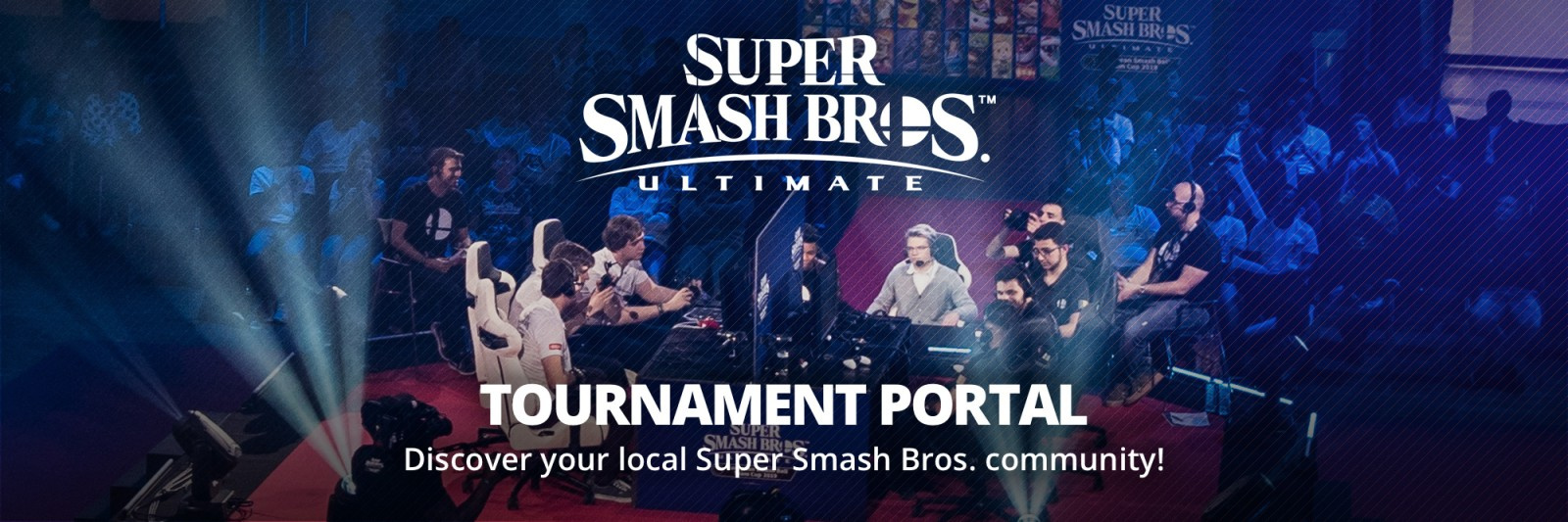
Nintendo of Europe has today introduced a brand new website portal for Super Smash Bros. Ultimate players looking to take their gaming to the next level.

Players of all skill levels are encouraged to visit the site to join and participate in tournaments happening all over Europe. Nintendo says that “attending local tournaments is about much more than simply winning or losing: it’s a great way for players to meet other competitors, improve their skills, and enjoy fun competitive multiplayer”.

Event organisers can also submit their own tournaments, which players will then be able to discover and join. Nintendo actually has its very own tournament set to take place called the Super Smash Bros. Ultimate European Circuit. This event will see solo players vying for the title of Europe’s best Smash player across seven events, the first of which is taking place in the Netherlands near the end of October.

Smash

Think you’ve got what it takes to be the best in Europe? Assuming you’re like us, and the answer to that is a huge ‘no’, will you be checking out some smaller, local tournaments to have some fun instead? Let us know in the comments below.


https://www.sickgaming.net/blog/2019/09/...nt-portal/

Print this item

  News - James Bond Stars Line Up For New No Time To Die Images
Posted by: xSicKxBot - 09-11-2019, 04:26 AM - Forum: Lounge - No Replies

James Bond Stars Line Up For New No Time To Die Images

The title of the next James Bond movie was finally revealed last month, and now some official images have been released. The film is titled No Time To Die, and will be Daniel Craig's fifth outing as the iconic British super-spy. It hits theaters in April 2020.

Before you get too excited, the new images aren't actually shots from the film. They are publicity pictures of Craig, co-star Léa Seydoux, and director Cary Joji Fukunaga, on location in Matera, Italy. Frankly, Craig looks like he'd rather be anywhere but posing for these pictures, but it's certainly a suitably glamorous-looking location for the next Bond movie. Check them out below:

No Caption Provided
Gallery image 1Gallery image 2Gallery image 3Gallery image 4

Seydoux will reprise the role of Madeleine Swan from 2015's Spectre, and will be joined by Ralph Fiennes, Ben Whishaw, and Naomie Harris as M, Q, and Miss Moneypenny respectively. The new cast members include Rami Malek in a villainous role, plus Billy Magnussen and Ana de Armas. No Time To Die releases on April 3, 2020--check out some on-set footage here.

The official synopsis was released last month. It reads: "In No Time To Die, Bond has left active service and is enjoying a tranquil life in Jamaica. His peace is short-lived when his old friend Felix Leiter from the CIA turns up asking for help. The mission to rescue a kidnapped scientist turns out to be far more treacherous than expected, leading Bond onto the trail of a mysterious villain armed with dangerous new technology."

In related news, former Bond actor Pierce Brosnan recently revealed he thought it was time for a woman to take over the role of 007. "I think we've watched the guys do it for the last 40 years," he said. "Get out of the way, guys, and put a woman up there. I think it would be exhilarating; it would be exciting."


https://www.gamespot.com/articles/james-...0-6469741/

Print this item

  CNCF Reaches 100 End User Community Members
Posted by: xSicKxBot - 09-11-2019, 12:49 AM - Forum: Linux, FreeBSD, and Unix types - No Replies

CNCF Reaches 100 End User Community Members

The Cloud Native Computing Foundation  (CNCF), which sustains and integrates open source technologies like Kubernetes and Prometheus, today announced that its End User Community has grown to 100 members. The CNCF End User Community consists of enterprises and startups that are committed to accelerating the adoption of cloud native technologies and improving the deployment experience. (Yahoo!)

Click Here!


https://www.sickgaming.net/blog/2019/08/...y-members/

Print this item

  Unreal Engine 4.23 Released
Posted by: xSicKxBot - 09-10-2019, 08:14 PM - Forum: Game Development - No Replies

Unreal Engine 4.23 Released

Epic have just released Unreal Engine 4.23.  The star feature, the new Chaos physics and destruction engine announced back at GDC made it’s beta release in this version, although you currently have to build UE4 from source.  The new physics system enables you to destroy world geometry with fine tune control as well as tightly integrate with the Niagara particle system.

Details of this release from the Unreal Engine blog:

Thanks to our next-gen virtual production tools and enhanced real-time ray tracing, film and TV production is transformed. Now you can achieve final shots live on set, with LED walls powered by nDisplay that not only place real-world actors and props within UE4 environments, but also light and cast reflections onto them (Beta). We’ve also added VR scouting tools (Beta), enhanced Live Link real-time data streaming, and the ability to remotely control UE4 from an iPad or other device (Beta). Ray tracing has received numerous enhancements to improve stability and performance, and to support additional material and geometry types—including landscape geometry, instanced static meshes, procedural meshes, and Niagara sprite particles.

Unreal Engine lets you build realistic worlds without bounds. Fracture, shatter, and demolish massive-scale scenes at cinematic quality with unprecedented levels of artistic control using the new Chaos physics and destruction system. Paint stunning vistas for users to experience using runtime Virtual Texturing, non-destructive Landscape editing, and interactive Actor placement using the Foliage tool.

We have optimized systems, provided new tools, and added features to help you do more for less. Virtual Texturing reduces texture memory overhead for light maps and detailed artist-created textures, and improves rendering performance for procedural or layered materials respectively. Animation streaming enables more animations to be used by limiting the runtime memory impact to only those currently in use. Use Unreal Insights to collect, analyze, and visualize data on UE4 behavior for profiling, helping you understand engine performance from either live or pre-recorded sessions.

This release includes 192 improvements submitted by the incredible community of Unreal Engine developers on GitHub!

Be sure to check the full release announcement for more details on the release or watch the video below.

GameDev News


https://www.sickgaming.net/blog/2019/09/...-released/

Print this item

  Redesigning Configuration Refresh for Azure App Configuration
Posted by: xSicKxBot - 09-10-2019, 08:14 PM - Forum: C#, Visual Basic, & .Net Frameworks - No Replies

Redesigning Configuration Refresh for Azure App Configuration

Avatar

Overview


Since its inception, the .NET Core configuration provider for Azure App Configuration has provided the capability to monitor changes and sync them to the configuration within a running application. We recently redesigned this functionality to allow for on-demand refresh of the configuration. The new design paves the way for smarter applications that only refresh the configuration when necessary. As a result, inactive applications no longer have to monitor for configuration changes unnecessarily.

Initial design : Timer-based watch


In the initial design, configuration was kept in sync with Azure App Configuration using a watch mechanism which ran on a timer. At the time of initialization of the Azure App Configuration provider, users could specify the configuration settings to be updated and an optional polling interval. In case the polling interval was not specified, a default value of 30 seconds was used.

public static IWebHost BuildWebHost(string[] args)
{ WebHost.CreateDefaultBuilder(args) .ConfigureAppConfiguration((hostingContext, config) => { // Load settings from Azure App Configuration // Set up the provider to listen for changes triggered by a sentinel value var settings = config.Build(); string appConfigurationEndpoint = settings["AzureAppConfigurationEndpoint"]; config.AddAzureAppConfiguration(options => { options.ConnectWithManagedIdentity(appConfigurationEndpoint) .Use(keyFilter: "WebDemo:*") .WatchAndReloadAll(key: "WebDemo:Sentinel", label: LabelFilter.Null); }); settings = config.Build(); }) .UseStartup<Startup>() .Build();
}

For example, in the above code snippet, Azure App Configuration would be pinged every 30 seconds for changes. These calls would be made irrespective of whether the application was active or not. As a result, there would be unnecessary usage of network and CPU resources within inactive applications. Applications needed a way to trigger a refresh of the configuration on demand in order to be able to limit the refreshes to active applications. Then unnecessary checks for changes could be avoided.

This timer-based watch mechanism had the following fundamental design flaws.

  1. It could not be invoked on-demand.
  2. It continued to run in the background even in applications that could be considered inactive.
  3. It promoted constant polling of configuration rather than a more intelligent approach of updating configuration when applications are active or need to ensure freshness.

New design : Activity-based refresh


The new refresh mechanism allows users to keep their configuration updated using a middleware to determine activity. As long as the ASP.NET Core web application continues to receive requests, the configuration settings continue to get updated with the configuration store.

The application can be configured to trigger refresh for each request by adding the Azure App Configuration middleware from package Microsoft.Azure.AppConfiguration.AspNetCore in your application’s startup code.

public void Configure(IApplicationBuilder app, IHostingEnvironment env)
{ app.UseAzureAppConfiguration(); app.UseMvc();
}

At the time of initialization of the configuration provider, the user can use the ConfigureRefresh method to register the configuration settings to be updated with an optional cache expiration time. In case the cache expiration time is not specified, a default value of 30 seconds is used.

public static IWebHost BuildWebHost(string[] args)
{ WebHost.CreateDefaultBuilder(args) .ConfigureAppConfiguration((hostingContext, config) => { // Load settings from Azure App Configuration // Set up the provider to listen for changes triggered by a sentinel value var settings = config.Build(); string appConfigurationEndpoint = settings["AzureAppConfigurationEndpoint"]; config.AddAzureAppConfiguration(options => { options.ConnectWithManagedIdentity(appConfigurationEndpoint) .Use(keyFilter: "WebDemo:*") .ConfigureRefresh((refreshOptions) => { // Indicates that all settings should be refreshed when the given key has changed refreshOptions.Register(key: "WebDemo:Sentinel", label: LabelFilter.Null, refreshAll: true); }); }); settings = config.Build(); }) .UseStartup<Startup>() .Build();
}

In order to keep the settings updated and avoid unnecessary calls to the configuration store, an internal cache is used for each setting. Until the cached value of a setting has expired, the refresh operation does not update the value. This happens even when the value has changed in the configuration store.

Try it now!


For more information about Azure App Configuration, check out the following resources. You can find step-by-step tutorials that would help you get started with dynamic configuration using the new refresh mechanism within minutes. Please let us know what you think by filing issues on GitHub.

Overview: Azure App configuration
Tutorial: Use dynamic configuration in an ASP.NET Core app
Tutorial: Use dynamic configuration in a .NET Core app
Related Blog: Configuring a Server-side Blazor app with Azure App Configuration

Avatar

Software Engineer, Azure App Configuration

Follow    


https://www.sickgaming.net/blog/2019/08/...iguration/

Print this item

  AppleInsider - Twitch is coming to the Apple TV
Posted by: xSicKxBot - 09-10-2019, 08:14 PM - Forum: Apples Mac and OS X - No Replies

Twitch is coming to the Apple TV


Twitch, a live game streaming service, has released an Apple TV app public beta through TestFlight, giving users a chance to try out the service before it goes live.

Twitch opens public beta through TestFlight

While Twitch has had an iOS and desktop PC and Mac app for some time, this is marks the public debut of the app for Apple TV.

The app will boast the same features that the iOS and desktops apps do. Features include the ability to watch both live and prerecorded videos as well as the ability to participate in the on-screen chat.

Those who wish to take part in the Twitch public beta need to install and sign into Apple’s TestFlight app on either an iPhone or iPad. Following that, install TestFlight on the Apple TV.

After the apps have been installed on the iOS device and the Apple TV, tap the public TestFlight Twitch link on the iOS device. It will then populate the Apple TV TestfFlight and can be run from there.

Twitch encourages users to use the tvOS app the same way they would use the other apps. The company states on their beta page that “we don’t want to be too prescriptive so explore the app, watch streams, and try out different features. If you find a bug, the app crashes on you, or you encounter other issues send us your feedback.”

The Amazon-owned streaming service has been around since early 2011, giving players the chance to livestream video games. Content on Twitch ranges from simple video game playthroughs to competitive speed runs, eSports broadcasts, game development streams, and more.

Since then, Twitch has expanded greatly. In addition to video game themed content, Twitch now regularly features tabletop and card game streams, art and culture streams, music streams, and “hangouts,” in which viewers are encouraged to socialize with the broadcaster.

The jump to tvOS makes sense, as Twitch is now one of the largest video services on the internet. As of 2018, Twitch boasted over 2.2 million broadcasters, with 15 million daily active users, roughly half the amount of video-giant YouTube’s daily active users in 2017.

Twitch also has well over 27,000 partner channels, giving popular streamers the ability to earn a share of the advertising revenue Twitch generates on their streams.


https://www.sickgaming.net/blog/2019/09/...-apple-tv/

Print this item

  Fedora - How to build Fedora container images
Posted by: xSicKxBot - 09-10-2019, 08:14 PM - Forum: Linux, FreeBSD, and Unix types - No Replies

How to build Fedora container images

With the rise of containers and container technology, all major Linux distributions nowadays provide a container base image. This article presents how the Fedora project builds its base image. It also shows you how to use it to create a layered image.

Base and layered images


Before we look at how the Fedora container base image is built, let’s define a base image and a layered image. A simple way to define a base image is an image that has no parent layer. But what does that concretely mean? It means a base image usually contains only the root file system (rootfs) of an operating system. The base image generally provides the tools needed to install software in order to create layered images.

A layered image adds a collections of layers on top of the base image in order to install, configure, and run an application. Layered images reference base images in a Dockerfile using the FROM instruction:

FROM fedora:latest

How to build a base image


Fedora has a full suite of tools available to build container images. This includes podman, which does not require running as the root user.

Building a rootfs


A base image comprises mainly a tarball. This tarball contains a rootfs. There are different ways to build this rootfs. The Fedora project uses the kickstart installation method coupled with imagefactory software to create these tarballs.

The kickstart file used during the creation of the Fedora base image is available in Fedora’s build system Koji. The Fedora-Container-Base package regroups all the base image builds. If you select a build, it gives you access to all the related artifacts, including the kickstart files. Looking at an example, the %packages section at the end of the file defines all the packages to install. This is how you make software available in the base image.

Using a rootfs to build a base image


Building a base image is easy, once a rootfs is available. It requires only a Dockerfile with the following instructions:

FROM scratch
ADD layer.tar /
CMD ["/bin/bash"]

The important part here is the FROM scratch instruction, which is creating an empty image. The following instructions then add the rootfs to the image, and set the default command to be executed when the image is run.

Let’s build a base image using a Fedora rootfs built in Koji:

$ curl -o fedora-rootfs.tar.xz https://kojipkgs.fedoraproject.org/packa..._64.tar.xz
$ tar -xJvf fedora-rootfs.tar.xz 51c14619f9dfd8bf109ab021b3113ac598aec88870219ff457ba07bc29f5e6a2/layer.tar $ mv 51c14619f9dfd8bf109ab021b3113ac598aec88870219ff457ba07bc29f5e6a2/layer.tar layer.tar
$ printf "FROM scratch\nADD layer.tar /\nCMD [\"/bin/bash\"]" > Dockerfile
$ podman build -t my-fedora .
$ podman run -it --rm my-fedora cat /etc/os-release

The layer.tar file which contains the rootfs needs to be extracted from the downloaded archive. This is only needed because Fedora generates images that are ready to be consumed by a container run-time.

So using Fedora’s generated image, it’s even easier to get a base image. Let’s see how that works:

$ curl -O https://kojipkgs.fedoraproject.org/packa..._64.tar.xz
$ podman load --input Fedora-Container-Base-Rawhide-20190902.n.0.x86_64.tar.xz
$ podman run -it --rm localhost/fedora-container-base-rawhide-20190902.n.0.x86_64:latest cat /etc/os-release

Building a layered image


To build a layered image that uses the Fedora base image, you only need to specify fedora in the FROM line instruction:

FROM fedora:latest

The latest tag references the latest active Fedora release (Fedora 30 at the time of writing). But it is possible to get other versions using the image tag. For example, FROM fedora:31 will use the Fedora 31 base image.

Fedora supports building and releasing software as containers. This means you can maintain a Dockerfile to make your software available to others. For more information about becoming a container image maintainer in Fedora, check out the Fedora Containers Guidelines.


https://www.sickgaming.net/blog/2019/09/...er-images/

Print this item

  News - That Hidden LED Light On Your Nintendo Switch Controller Finally Has A Use
Posted by: xSicKxBot - 09-10-2019, 08:14 PM - Forum: Nintendo Discussion - No Replies

That Hidden LED Light On Your Nintendo Switch Controller Finally Has A Use


The Nintendo Switch has been on the market for more than two and half years now, but one of its available functions hasn’t had any use (officially, at least) in all that time. Now, though, the time has finally come for that little function to shine.

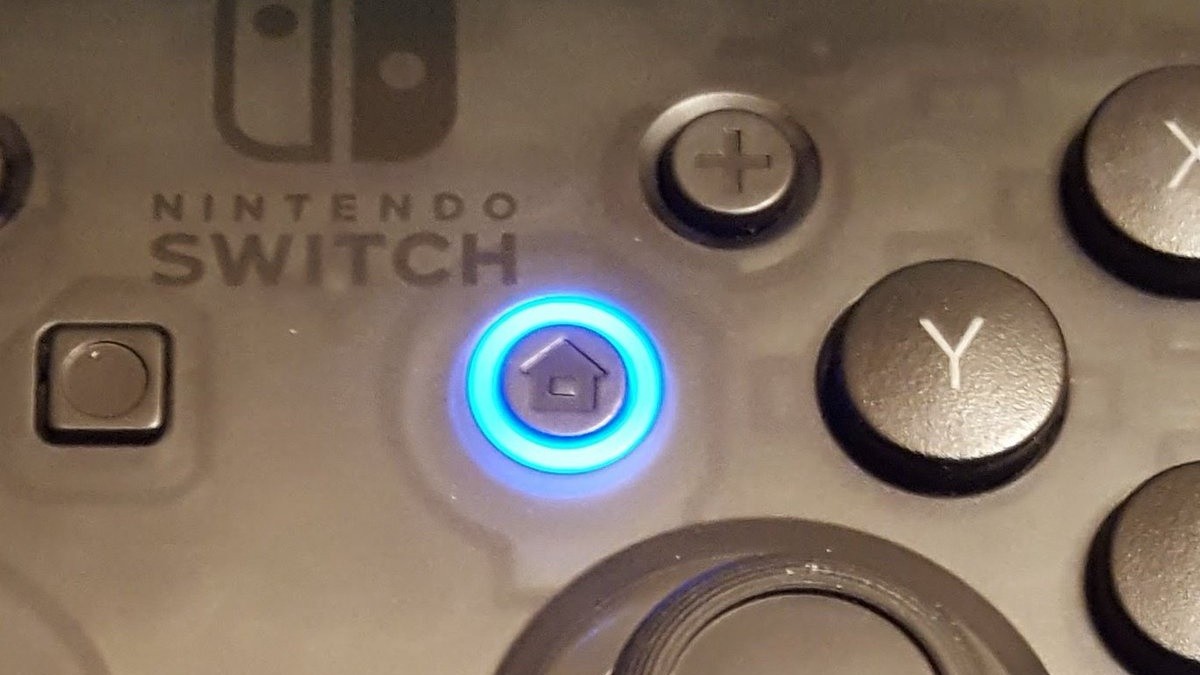
On your right-hand Joy-Con and your Pro Controller, you’ll notice that the HOME button has a ring around the edge. As you may or may not already be aware, that ring is actually an LED light; we’ve seen it light up before but only when a Pro Controller connects to Steam.

Starting from today, thanks to a Switch system update which takes the console’s firmware to Version 9.0, the light will finally be used for “alarm notifications”. You can see how that works below:

Alarm Notifications have been added to System Settings > Notifications.
– You can check or delete pre-set alarms.
– Alarms can be set up only within supported software (to be added at a later time).
– A controller firmware update may be required to use this feature.

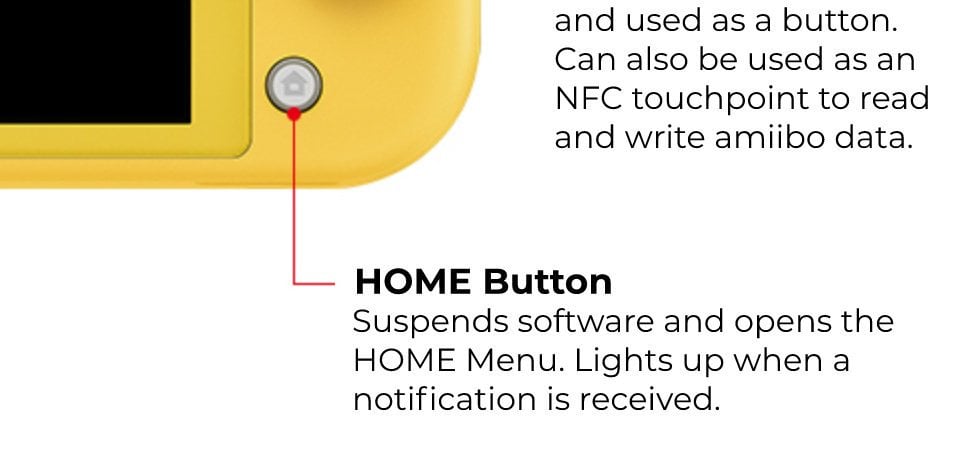
Ironically, we’ve been trying all sorts of tricks to get our controllers to light up in the office – online game invites, friend requests, and anything that might be considered a “notification” – but haven’t managed to get it to work. Of course, the text above refers to the alarm function being added in the future, but we’d hoped other notifications might work, too – as hinted at by this Switch Lite feature image. Switch Lite exclusive?

Home

Having any luck? Noticed your controllers flashing at you for the first time today? Tell us below.


https://www.sickgaming.net/blog/2019/09/...has-a-use/

Print this item

  News - New Nintendo Switch Update Out Now, Adds Features And Fixes Major Bug
Posted by: xSicKxBot - 09-10-2019, 08:14 PM - Forum: Lounge - No Replies

New Nintendo Switch Update Out Now, Adds Features And Fixes Major Bug

The latest firmware update for Nintendo Switch has arrived, and it includes a number of new features, tweaks, changes, and fixes. Version 9.0.0. (released September 9) introduces a new search feature for the News channel, a new option to pull up a QR code on your Switch to check-in at events, and new touch screen sensitivity settings. The update also introduces the ability stop the Switch from recognizing inputs from the console's buttons, except for the Capture and Home buttons. This only applies to the upcoming Switch Lite.

Additionally, the new Switch 9.0.0 update adds a section to account pages for "Online Play Invites," and as its name suggests, this is where you'll see invites from friends for supported games. Finally, the new patch fixes what sounds like a very serious issue. Apparently, there was a bug that completely prevented Fire Emblem: Three Houses from booting at all, instead returning an error. This problem has been fixed with the update through general system and stability improvements, Nintendo said.

This issue was reportedly affecting those who purchased the Three Houses season pass recently, though it's unclear how widespread the issue was or if anything else could trigger it. Whatever the case, it's fixed now.

You can see the full 9.0.0 update notes below, as posted on Nintendo's website.

Nintendo Switch Firmware 9.0.0 (September 9, 2019) Update:

  • Added a search feature for the News Channel.
    • Channels can be searched using filters or free text.
  • Added “Display QR Code to Check In” to User Settings.
    • You can display a QR Code on-screen to check in using your Nintendo Account.
  • Alarm Notifications have been added to System Settings > Notifications.
    • You can check or delete pre-set alarms.
    • Alarms can be set up only within supported software (to be added at a later time).
    • A controller firmware update may be required to use this feature.
  • You can now configure touch screen sensitivity settings.
    • Select between Standard and Stylus sensitivity (optimized for stylus input).
  • Added the option to turn on/off the system button input (Nintendo Switch Lite only).
    • When this setting is turned off the system no longer receives input from the console buttons, with the exception of the Capture and HOME Buttons, and can only be operated from a wirelessly paired controller (sold separately).
    • This setting is on by default and can only be turned off if a compatible controller (sold separately) is wirelessly paired to the console.
    • The setting will automatically turn back on when the console is restarted or after returning from sleep mode.
  • Added “Online Play Invites” section to the User's page.
    • Invites from friends to join online play in supported software will be displayed in this section.
  • General system stability improvements to enhance the user's experience.
    • Resolved an issue where some users can’t start the Fire Emblem: Three Houses game, and get an error instead.

https://www.gamespot.com/articles/new-ni...0-6469733/

Print this item

  News - Director’s Cut – Part II
Posted by: xSicKxBot - 09-10-2019, 06:47 PM - Forum: Lounge - No Replies

Director’s Cut – Part II

Hey everyone,

This is Director’s Cut – Part II, a now mega-long update looking at the last six months of Destiny 2 and looking ahead to Shadowkeep, and maybe a bit beyond. If you missed Part I and have an afternoon to yourself, go check it out.

As the first section grew in length, I figured this section would be the last one. But at some point Avengers wasn’t going to be split into Infinity War and Endgame, either. So there will be another part. I love you 3000.

Looking Ahead (to Shadowkeep)

This fall is a necessary first step in turning Destiny 2 into the game we want it to be.

It’s been a busy year, so let’s recap:

  • We assumed publishing control of Destiny and wanted to get something new into your hands as quickly as possible (Shadowkeep!)
  • We paired it with a free entry point in New Light to welcome new Guardians into the fold.
  • We wanted to bring Destiny 2 to new platforms to keep heading toward the you can play Destiny anywhere dream (Steam and Google Stadia).
  • We’re taking the initial steps toward building Destiny as a single, evolving world.
  • And we’re doing all of this while cranking on a bunch of the systems changes we’ve talked about and will continue to talk about heading into Shadowkeep.

Here’s where we’re going this fall.

The Care and Feeding of the RPG: Add Depth, Improve Customization


We want to give people who love the RPG aspect of Destiny (like many of us) more stats and depth on the character sheet to sink their teeth into. We want to give players more agency over how they look. We also want armor to have that deep pursuit players love about Destiny—which brings the victory of finding their perfect roll.

Let’s Talk About Armor, Part I: Mods, Stats, and Tradeoffs

In order to allow players to independently pursue gameplay mods and further customize their Guardian fashion, a lot of work has been done to update armor for this fall. We’ve refactored a number of the stats in the game, we’ve overhauled the UI, and we’ve begun to separate capabilities from aesthetics.

Time-out. 

Before I go on, I want to interject: It seems like some comments from part I around MTX are being misconstrued. Maybe I wasn’t clear enough. Maybe it felt too ambiguous. Let me try and clear this up before we get into armor.

Destiny has and will continue to have Weapons, Armor, Ghosts, Ships, Sparrows, and Shaders that you can earn from activities to prove to the people looking at your character that you did the thing, whatever that thing is: I beat the Raid a bunch; I earned Iron Banner gear; I played a ton of Crucible; I wanted to gather rain in my shoulder pads so I played Gambit a ton; I made a sweet set of Astroshaman gear at the Rune table; I farmed that Strike for the Mindbender roll that makes people rage; et cetera.

Let me be crystal clear: That isn’t changing.

What we are doing with the new armor system is saying: Find the perks you want, find the armor look you want, (from the megalist of currently available Destiny 2 armor) and pursue that armor to get the elements/stats you want and combine them to make your Guardian.

Destiny also has an MTX store that houses things like Sparrows, Ships, Emotes, Ghost Holograms, Weapon and Universal Ornaments. The items in that store rotate and can be purchased with Silver or Bright Dust. And starting this fall, Bright Dust is just another in-game currency that you can earn by completing Bounties, instead of buying a bunch of engrams and sharding them to generate Dust.

In Shadowkeep, there are armor sets, weapons, Ghost, Ships, and Sparrows coming from the destinations and activities.

Time-in. Back to Armor.

We started out by looking at what period in Destiny’s history was a good starting place for evolving the stat game (we felt like it was The Taken King/Rise of Iron) and what principles were guiding our new designs (we want to separate gameplay and aesthetics to grant more agency over both).

There was a deep dive stream about this topic on August 14, but let’s recap some of the high-level points.

  • Armor now has an Energy meter ranging from 1–10.
  • You can use materials and currency to level up the Energy value on a given piece of armor.
  • Mods have both an Energy cost and an elemental affinity. In order for a mod to be equipped, your armor needs to have rolled the correct element and have enough Energy available  (e.g., Hand Cannon Reloader costs three Void Energy to equip, so your armor must have rolled Void and have three Energy available in order to use it).
  • Fundamentally, this means we have additional vectors for tuning things like mods. We could tune their effect (how much speed does the reload effect add?), we could tune their cost (how expensive is this mod to socket?), we could add mods to the pool for a different affinity, et cetera.
  • When you acquire a mod from the game, it’s like getting a perk that you can put on all armor. So once you’ve found Enhanced Hand Cannon Reloader from pinnacle activities (enhanced perks will come only from pinnacle activities), you’ll be able to socket that mod into new armor that meets its criteria (the mod is not consumed and can be socketed in and out at a small cost).

Here are the elements of armor that can roll randomly:

  • Elemental affinity rolls between Solar, Arc, and Void
  • Armor’s starting Energy value can roll randomly as well (they can all be leveled to 10)
  • Stats all roll random values (intellect, discipline, strength, mobility, resilience, and recovery)

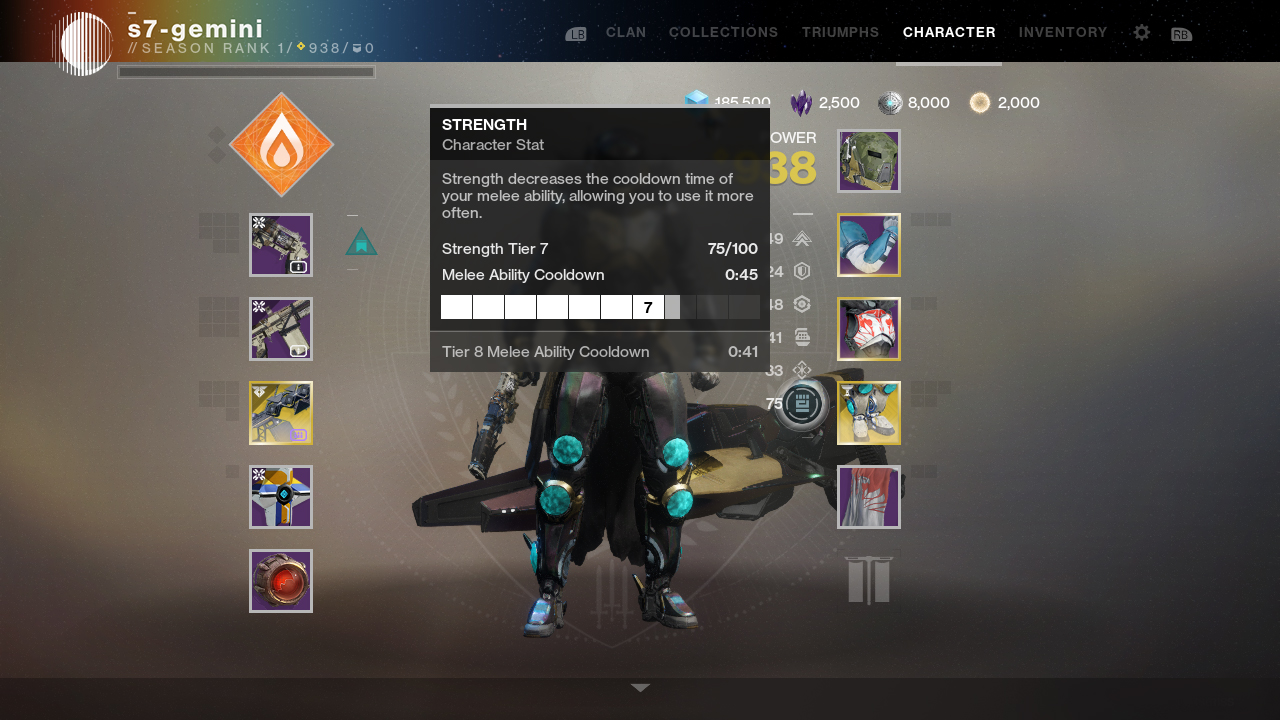
Like in The Taken King, the stats will have break points that decrease their cooldowns (yes, your Sparrow now shows up on the character sheet).

Begin Math Time:

Today in Destiny 2, the base recharge rates convert to a stat value of 30 in the new system. Getting to 30 isn’t too difficult, though of course some people (but certainly not you!) will ride the RNG roller coaster to get the stat they really want to 30. By chasing a good stat roll, you can achieve the fast recharge rates available in the game today without needing to use mods. It is totally possible to put together a +100 intellect build (100 is the cap) without socketing a single mod. Some of the new mods will provide +10 to a given stat to help you shore up stats you care about.

But, that specialization may come with a price. Because you’ve specialized in intellect, you may be making tradeoffs for other stats (e.g., grenades come back slower or something—it really depends on your stat rolls). But if your grenades came back slower, then maybe that Demolitionist perk that you’ve been dismantling (I know, I know, Demolitionist is actually pretty good on non-Primary weapons!) would start to look appealing.

End Math Time.

We’ve made a bunch of armor in Destiny, and we didn’t want to leave behind any of the armor that players can currently pursue. So, we’ve also updated every new drop in the game to integrate and leverage the new system. This means if you want to go back and get the small Titan shoulder pads from Sloane on Titan, you can go chase a roll of them that uses the new system.

A number of the current mods will not work in the new armor that’s dropping this fall. But those mods aren’t being deprecated at this time. For example, your Super mods on your current armor will still work, but Super mods cannot be socketed into the new armor (you could socket your armor with intellect mods instead, though).

We did this because, while we think the evolutions we’re making to armor are a great step for Destiny over the long haul, we want you to decide when you migrate to them.

Part II: The Armor Migration

Amplifying depth and choice via the new stats system ushers in some changes to armor. We’ve converted all current Destiny armor to use the stats, so cooldown durations will change as we migrate to the new system. You’ll be able to see the cooldown timers of your legacy armor when Shadowkeep’s patch goes live.

Here’s what we don’t want to happen: you feeling like “the game deprecated my old armor and perks; that time I spent playing Forsaken and its Annual Pass content was a waste, since all of the perks on the armor got turned off while Bungie forcibly migrated to this new system.”

Here’s how we hope this works:

If you’re a pretty hardcore player (or really lucky!) and have a set of armor today with perfect-for-you perks (like a fully loaded Enhanced Gun You Like set of perks), I think you’re going to keep using them for a while. I certainly expect the World First raid teams are going to go in with Forsaken-era gear that they’ve infused up throughout their Shadowkeep Power progression.

As the weeks go by and players approach the Shadowkeep Power cap and start finding mods with enhanced perks, we think that’s when our most invested, progression-chasing players will start to move over. Players can totally mix and match between new armor and the armor they have today as well.

For players without perfectly rolled gear, we think the transition to the new armor system is one they’ll make pretty quickly. In our long-form playtesting, our internal teams (not Velveeta—these are other internal players and playtesters. Sidebar: I’m real disappointed I missed out on the “kraftiest” opportunity in Part I. Good catch, Reddit!) have found that they’ve used their current armor on their “main” Guardian but rapidly switched to Armor 2.0 on their less-played alts.

Remember LiveJournal? Let’s do it.

With how I play, it’s a crude mix of fashion, function, and economic efficiency. I rarely invest resources in an item until it’s an item I know I want to use. I don’t infuse very often unless I need a specific piece/roll for an activity. I do not have a favorite class, I play all three. I tend to rotate them based on what is most effective or needed for group play in a given moment. I personally love it when the game gets hard, and I feel as if we would benefit from more challenge (I really liked how Contest mode enforced an action game skill component on World First attempts!). I totally have my favorite weapon archetypes (which I’ll spare you), and I get really frustrated as a player when there is an archetype I feel like I absolutely have to use all the time because it is far and away the most efficient thing. This is because I do—when playing content that matters—have to be using the most efficient thing. This creates some interesting discussions with the team at work when they create something that is super fun but isn’t actually efficient to use. I will totally mess around and get a triple double in patrol with a weird weapon, but the weird stuff isn’t getting used in a Crown of Sorrows group early in the season. Even then, I want to get through that content as quickly as I can.

My characters generally look HIDEOUS on the climb, and then I start to make them look good again once I get to the end game (and since I’m color-blind, my friends think my characters look pretty hideous in the end game, too). I think for me, I’ll shelve my nicely rolled items, delete everything that I wouldn’t wear raiding, and start using new equipment while I power up and find some looks I like—and then, when it’s time to go on JacketQuest, I’ll infuse up my well-rolled raiding equipment.

End of LiveJournal post.

Back to what I started this with—we want the transition to ultimately be your choice, one that you decide to make when you want to make it. Maybe you’re ready to start tinkering with stats. Maybe you really want to start combining universal ornaments and currently dropping armor to up your fashion game. Or maybe, like me, you’ll do both at the same time (but hopefully with less mocking from your so-called friends).

The Pursuit of Power: Increasing Player Agency 


We’d like the act of chasing Power and stats for your build to be something you have a bit more agency over. Not a full-blown “play whatever you want all the time”—because that means people just find the most efficient thing, rather than dipping their toes into a bunch of different activities—but certainly less restrictive than it’s been in the past.

We’ve also had a long-standing challenge in Destiny of making XP matter, and that feels like a real growth opportunity for us to dig into something we’ve wanted to look at for a while.

This section discusses Power and the changes coming to it this Fall.

Part I: Powerful Sources, Primes, and the World

Like I mentioned in Part I, the number of powerful sources in Destiny 2 ballooned during the annual pass. We’re curating down the sources in Shadowkeep. Our target is to get the number of powerful sources closer to Forsaken-launch levels. In Forsaken, as you over-leveled an activity (meaning your Power gets higher than the activity), the activity’s rewards would become less valuable (the inverse was also true for being under-leveled). In Shadowkeep, we’ve changed that. Instead, the system will advertise a consistent expected powerful reward, regardless of your Power relative to it.

Over the years, we’ve come to discuss several parts of Destiny in terms of short-, medium-, and long-term goals.

In the simplest terms: Short-term goals can be completed in a night or a week, medium-term goals can take several weeks, and long-term goals can take anywhere from a Season to several Seasons. For some folks (like me), getting good at a part of the game may take a lifetime (that’s a personal-mastery goal).

We think reaching max Power can be a medium-term goal for Power-progression-focused players. For those players, we hope pursuit of stats and someday trying out new builds is their long-term goal. I say “someday,” because while we’re taking our first steps in buildcrafting with a new armor/mod framework this Fall, I think we’re going to learn a bunch about what making a viable build in Destiny requires. You’re going to surprise us with crazy, creative things we’ve never seen once this is live—we’re all looking forward to it.

Prime Engrams

We’re doing some minor housekeeping on Prime Engrams. They’ll begin dropping once you hit 900, and you’ll accumulate charges for them as you make your way from 750 to 900. We’ve increased the number of Prime Engrams you can earn in a given week and rebalanced the value of each one to account for the increase in volume.

World Drops

As far as contributing to your Power level, world drops often feel like a waste. To get away from that, we’ve made some changes that allow these drops to help players progress beyond the soft cap. World drops in Shadowkeep will have a chance to drop at a player’s current Power level.

Here’s an example: A player has an overall Power level of 912. Gloves are their lowest slot at 906. A player might open a Legendary engram and receive 912 gloves (an increase of 6 Power).

We’re making this change because we feel like the world Legendaries are a little undervalued at the moment. This isn’t some grand accelerant for Power progression, but rather a little quality-of-life experiment to reward your free-roaming adventures or random Legendary-activity drops.

Part II: Preparing for New Light

One of the essential parts of New Light is crushing the barriers between friends. Today, one of those barriers is the Power level.

To players, Power level can mean “we have different goals, so we don’t play together.” A new character starting at 10 Power would naturally feel that they had to go play all this other content—and in many, many hours you can play with the friend who recommended the game to you.

That does not sound very sweet. It’s like telling someone to play a MOBA and then saying “we’ll play with you in 100 hours when you’ve learned to last hit.” (This is what my friends said to me. Do I have bad friends? As I’m writing this, I’m starting to wonder.)

That’s not what we want in New Light.

We want to get new players and veterans colliding quickly. After Black Armory, we made a deliberate choice to try to do this with each Season. Both Season of the Drifter and Season of Opulence had bounties to boost up players’ Power levels. With New Light and Shadowkeep being bigger moments of collision, we’re continuing that philosophy, but optimizing the mechanics to fit the moment.

We’re setting the Power this Fall to 750 for both returning and new players. We want you to all be together when Shadowkeep opens. Here’s what this means:

  • Every single item in the game is being raised to a Power floor of 750 when Shadowkeep and New Light launch. Every item in your inventory (and vault) is going to automatically jump to 750.
  • It’s like a free global burst of infusion for all players.

Which means that right now, you could (should!) stop spending currency to infuse your gear sets or that C-tier of weapons that you’re keeping around until the patch notes just in case they are going to be good after the changes (there are many buffs coming and it is very tempting to spoil a bunch of them, but I said this wasn’t gonna be the patch notes!).

Part III: More Power, More Problems 

(We originally had this as Mo’ instead of More, but I changed it upon the sad realization that there is an entire generation of players who missed out on Biggie, Puffy, and Mase in the Bad Boy era. Yes, it’s kind of weird that I changed this and left the Highlander reference in. Especially when neither is T for Teen.)

I’m the first to say it: Raising the Power of all players globally is indicative of a greater problem. It’s real weird that someone will boot up New Light for the first time and immediately be 750.

The capital P Power level in Destiny (or Light as it was called in D1) has been asked to do a lot over the years. For a time in Destiny 1, it was one of the only things players had to pursue. In D1, Power/Light meant something in terms of achievement—but that badge of honor had its problems (forever 29 via raid boots, etc).

Destiny 1 put the Light/Power level over the player’s head and drove players to raid and raise it. Over time, we gave players other paths to raising their Light/Power (Nightfall, Iron Banner). We took Light off the nameplate and made it three digits in The Taken King, trying to turn Light into something more like a three-digit item level, but without the stat budgeting assigned to it where the stats dictate true character power.

At D2 launch, we shortened the Power climb, over-simplified the game, made it too easy to get items, focused on bringing new players in, and hoped that players would pursue looks alone as their endgame (we were wrong!) while we continued to build features like what would become Forsaken Triumphs.

During that period, we also democratized Power so that players didn’t need to raid or play Nightfall to reach max Power. They could kind of just do any weekly. Forsaken introduced gold sources onto the map, and over the course of the year, the number of powerful sources continued to increase.

See, Power has a lot to do with the amount of damage players can both deal and receive. In fact, it’s the biggest factor in it. It’s also been the thing to pursue. Our gameplay specialists—the roles where dedicated Destiny players come in and participate in long-form playtesting with their imported-from-home character—frequently point out that they can’t engage with a number of parts of the game ’til they’ve “completed the Power climb.” Over the years, we’ve made the Power climb shorter and shorter. We’ve made it easier and easier to reach max Power.

We’ve also introduced things like Triumphs, titles, and Collections to provide additional stuff to do as the prestige of Power waned.

In Shadowkeep, we’re trying something a little different.

First, we’re introducing a Seasonal Artifact, unique and thematic to each Season.

As the artifact levels up, it can do a few things: First, it becomes a source of seasonal artifact mods—unique mods that can be equipped only during that Artifact’s season. These mods may be brand new experimental mods or powerful mods with reduced energy cost enabling players (and us!) to experiment further in the buildcrafting space.

Second, the seasonal artifact can award players a Power bonus, but that bonus is not applied to gear (nor does it increase the Power of future drops), but instead to all of your characters. This is meant to give players who can’t or don’t want to play pinnacle activities a seasonal path to Power. This way, even if a player doesn’t play the raid, Iron Banner, or the [REDACTED], they can still have a high Power value for the Season. Leveling the artifact to raise your Power is meant to be Seasonal character growth. Each Season, we’ll have a new artifact with new mods that change how you play—and the Power bonus will reset.

In addition to curating the list of powerful sources, Shadowkeep will also introduce pinnacle powerful sources. These sources are the only way to earn gear drops above power 950 in Season 8.

Here’s the thinking: Pinnacle reward sites can award players Power above 950. This is a way of reclaiming a little bit of the character Power prestige that the initial D1 Power climb created. If you inspect a player and see their gear is 960, you know they’ve done a bunch of pinnacle activities. It’s worth mentioning that as you raise your Power via pinnacle activities, other powerful reward sites will continue to drop powerful sidegrades.

All of this said, Power in Destiny 2 is still imperfect. We’re making some adjustments to it this year for Shadowkeep: things like Seasonal Power bonuses and pinnacle activities awarding pinnacle Power. But when we look to the future, we feel like the Power system may benefit from a rework further down the road. There’s real potential in creating more agency for players, figuring out if Power should be prestigious or not, and taking on the challenge of how to keep players relatively close together Season after Season, while still allowing them to make progress.

Here’s something I miss from Destiny 1: filling bars on my items and using materials to level items. Even though I ended up with more ascendant and radiant materials than I ever could’ve needed, the existence of these materials meant the hunt for powerful rolls could go on longer. I think wanting and needing materials is a good thing—as long as you know what you can do to go pursue that material. I’m glad we’re getting a little more of that back into Destiny with Shadowkeep.

Need Masterwork Cores? Well, we didn’t have a very good answer for that much of the year. Lesson learned.

Stay tuned to bungie.net for the third installment of Director’s Cut. It focuses on the action part of MMO-action game (think: combat and PvP, with a bonus section on the evolving world) coming to Destiny this Fall.

See you soon,

Luke Smith



https://www.sickgaming.net/blog/2019/08/...t-part-ii/

Print this item

 
Latest Threads
௹©Ukraine Shein COUPON Co...
Last Post: udwivedi923
4 hours ago
௹©Morocco Shein COUPON Co...
Last Post: udwivedi923
4 hours ago
௹©USA Shein COUPON Code ...
Last Post: udwivedi923
4 hours ago
௹©Armenia Shein COUPON Co...
Last Post: udwivedi923
4 hours ago
௹©Brazil Shein COUPON Cod...
Last Post: udwivedi923
4 hours ago
௹©South Africa Shein COUP...
Last Post: udwivedi923
4 hours ago
௹©Moldova Shein COUPON Co...
Last Post: udwivedi923
4 hours ago
௹©Malta Shein COUPON Code...
Last Post: udwivedi923
4 hours ago
௹©Luxembourg Shein COUPON...
Last Post: udwivedi923
4 hours ago
௹©Kazakhstan Shein COUPON...
Last Post: udwivedi923
4 hours ago

Forum software by © MyBB Theme © iAndrew 2016