Create an account


Welcome, Guest
You have to register before you can post on our site.

Username
  

Password


Search Forums

(Advanced Search)

Forum Statistics
» Members: 20,077
» Latest member: Crosa
» Forum threads: 21,946
» Forum posts: 22,804

Full Statistics

Online Users
There are currently 711 online users.
» 0 Member(s) | 705 Guest(s)
Applebot, Baidu, Bing, DuckDuckGo, Google, Yandex

 
  News - A New and Exciting Beginning
Posted by: xSicKxBot - 06-14-2019, 02:03 AM - Forum: Minecraft - No Replies

A New and Exciting Beginning

Deciding to close the Minecraft Forum, along with a handful of other community websites, wasn’t an easy decision for our company, but we could no longer justify the substantial engineering resources it took to run the properties. It was a sad day in our office when we announced the sunsetting of many beloved sites.

Previously, we weren’t able to entertain selling the sites because they were built on a proprietary platform. It would be a monumental task for an external engineering team to maintain or migrate the communities. Knowing this, we announced the site closures, but just as the sun slowly began to set for these properties, a figure appeared . . .

As of this week, we’ve identified a company with the necessary experience to buy and run these sites (including the Minecraft Forum), so that the passionate communities will continue to have homes on these long-standing sites. With this, we have started to transfer the sites to Magic Find. As for the staff on these sites, it will be up to them and Magic Find to decide how they’d like to move forward.

This isn’t the end for the Minecraft Forum. It’s a new and exciting beginning. We wish Magic Find the best as we say goodbye to several of the properties that helped our company grow into what it is today.

This will be the last update from Curse/Fandom. All future communications will be from the new site owner.

Print this item

  ASP.NET Core and Blazor updates in .NET Core 3.0 Preview 6
Posted by: xSicKxBot - 06-14-2019, 02:03 AM - Forum: C#, Visual Basic, & .Net Frameworks - No Replies

ASP.NET Core and Blazor updates in .NET Core 3.0 Preview 6

Daniel Roth

Daniel

.NET Core 3.0 Preview 6 is now available and it includes a bunch of new updates to ASP.NET Core and Blazor.

Here’s the list of what’s new in this preview:

  • New Razor features: @attribute, @code, @key, @namespace, markup in @functions
  • Blazor directive attributes
  • Authentication & authorization support for Blazor apps
  • Static assets in Razor class libraries
  • Json.NET no longer referenced in project templates
  • Certificate and Kerberos Authentication
  • SignalR Auto-reconnect
  • Managed gRPC Client
  • gRPC Client Factory
  • gRPC Interceptors

Please see the release notes for additional details and known issues.

Get started


To get started with ASP.NET Core in .NET Core 3.0 Preview 6 install the .NET Core 3.0 Preview 6 SDK

If you’re on Windows using Visual Studio, you also need to install the latest preview of Visual Studio 2019.

For the latest client-side Blazor templates also install the latest Blazor extension from the Visual Studio Marketplace.

Upgrade an existing project


To upgrade an existing an ASP.NET Core app to .NET Core 3.0 Preview 6, follow the migrations steps in the ASP.NET Core docs.

Please also see the full list of breaking changes in ASP.NET Core 3.0.

To upgrade an existing ASP.NET Core 3.0 Preview 5 project to Preview 6:

  • Update Microsoft.AspNetCore.* package references to 3.0.0-preview6.19307.2
  • In Blazor apps:
    • Rename @functions to @code
    • Update Blazor specific attributes and event handlers to use the new directive attribute syntax (see below)
    • Remove any call to app.UseBlazor<TStartup>() and instead add a call to app.UseClientSideBlazorFiles<TStartup>() before the call to app.UseRouting(). Also add a call to endpoints.MapFallbackToClientSideBlazor<TStartup>("index.html") in the call to app.UseEndpoints().

Before

app.UseRouting(); app.UseEndpoints(endpoints =>
{ endpoints.MapDefaultControllerRoute();
}); app.UseBlazor<Client.Startup>();

After

app.UseClientSideBlazorFiles<Client.Startup>(); app.UseRouting(); app.UseEndpoints(endpoints =>
{ endpoints.MapDefaultControllerRoute(); endpoints.MapFallbackToClientSideBlazor<Client.Startup>("index.html");
});

New Razor features


We’ve added support for the following new Razor language features in this release.

@attribute


The new @attribute directive adds the specified attribute to the generated class.

@attribute [Authorize]

@code


The new @code directive is used in .razor files (not supported in .cshtml files) to specify a code block to add to the generated class as additional members. It’s equivalent to @functions, but now with a better name.

@code { int currentCount = 0; void IncrementCount() { currentCount++; }
}

@key


The new @key directive attribute is used in .razor files to specify a value (any object or unique identifier) that the Blazor diffing algorithm can use to preserve elements or components in a list.

@foreach (var flight in Flights) { }

To understand why this feature is needed, consider rendering a list of cards with flight details without this feature:

@foreach (var flight in Flights) { }

If you add a new flight into the middle of the Flights list the existing DetailsCard instances should remain unaffected and one new DetailsCard should be inserted into the rendered output.

To visualize this, if Flights previously contained [F0, F1, F2], then this is the before state:

  • DetailsCard0, with Flight=F0
  • DetailsCard1, with Flight=F1
  • DetailsCard2, with Flight=F2

… and this is the desired after state, given we insert a new item FNew at index 1:

  • DetailsCard0, with Flight=F0
  • DetailsCardNew, with Flight=FNew
  • DetailsCard1, with Flight=F1
  • DetailsCard2, with Flight=F2

However, the actual after state this:

  • DetailsCard0, with Flight=F0
  • DetailsCard1, with Flight=FNew
  • DetailsCard2, with Flight=F1
  • DetailsCardNew, with Flight=F2

The system has no way to know that DetailsCard2 or DetailsCard3 should preserve their associations with their older Flight instances, so it just re-associates them with whatever Flight matches their position in the list. As a result, DetailsCard1 and DetailsCard2 rebuild themselves completely using new data, which is wasteful and sometimes even leads to user-visible problems (e.g., input focus is unexpectedly lost).

By adding keys using @key the diffing algorithm can associate the old and new elements or components.

@namespace


Specifies the namespace for the generated class or the namespace prefix when used in an _Imports.razor file. The @namespace directive works today in pages and views (.cshtml) apps, but is now it is also supported with components (.razor).

@namespace MyNamespace

Markup in @functions and local functions


In views and pages (.cshtml files) you can now add markup inside of methods in the @functions block and in local functions.

@{ GreetPerson(person); } @functions { void GreetPerson(Person person) { <p>Hello, <em>@person.Name!</em></p> }
}

Blazor directive attributes


Blazor uses a variety of attributes for influencing how components get compiled (e.g. ref, bind, event handlers, etc.). These attributes have been added organically to Blazor over time and use different syntaxes. In this Blazor release we’ve standardized on a common syntax for directive attributes. This makes the Razor syntax used by Blazor more consistent and predictable. It also paves the way for future extensibility.

Directive attributes all follow the following syntax where the values in parenthesis are optional:

@directive(-suffix(:name))(="value")

Some valid examples:

<!-- directive -->
...
<!-- directive with key/value arg-->
...
<!-- directive with suffix -->
<!-- directive with suffix and key/value arg-->

All of the Blazor built-in directive attributes have been updated to use this new syntax as described below.

Event handlers

Specifying event handlers in Blazor now uses the new directive attribute syntax instead of the normal HTML syntax. The syntax is similar to the HTML syntax, but now with a leading @ character. This makes C# event handlers distinct from JS event handlers.

<button @onclick="@Clicked">Click me!</button>

When specifying a delegate for C# event handler the @ prefix is currently still required on the attribute value, but we expect to remove this requirement in a future update.

In the future we also expect to use the directive attribute syntax to support additional features for event handlers. For example, stopping event propagation will likely look something like this (not implemented yet, but it gives you an idea of scenarios now enabled by directive attributes):

<button @onclick="Clicked" @onclick:stopPropagation>Click me!</button>

Bind

<input @bind="myValue">...</input>
<input @bind="myValue" @bind:format="mm/dd">...</input>
<MyButton @bind-Value="myValue">...</MyButton>

Key

...

Ref

<button @ref="myButton">...</button>

Authentication & authorization support for Blazor apps


Blazor now has built-in support for handling authentication and authorization. The server-side Blazor template now supports options for enabling all of the standard authentication configurations using ASP.NET Core Identity, Azure AD, and Azure AD B2C. We haven’t updated the Blazor WebAssembly templates to support these options yet, but we plan to do so after .NET Core 3.0 has shipped.

To create a new Blazor app with authentication enabled:

  1. Create a new Blazor (server-side) project and select the link to change the authentication configuration. For example, select “Individual User Accounts” and “Store user accounts in-app” to use Blazor with ASP.NET Core Identity:

    Blazor authentication

  2. Run the app. The app includes links in the top row for registering as a new user and logging in.

    Blazor authentication running

  3. Select the Register link to register a new user.

    Blazor authentication register

  4. Select “Apply Migrations” to apply the ASP.NET Core Identity migrations to the database.

    Blazor authentication apply migrations

  5. You should now be logged in.

    Blazor authentication logged in

  6. Select your user name to edit your user profile.

    Blazor authentication edit profile

In the Blazor app, authentication and authorization are configured in the Startup class using the standard ASP.NET Core middleware.

app.UseRouting(); app.UseAuthentication();
app.UseAuthorization(); app.UseEndpoints(endpoints =>
{ endpoints.MapControllers(); endpoints.MapBlazorHub(); endpoints.MapFallbackToPage("/_Host");
});

When using ASP.NET Core Identity all of the identity related UI concerns are handled by the framework provided default identity UI.

services.AddDefaultIdentity<IdentityUser>() .AddEntityFrameworkStores<ApplicationDbContext>();

The authentication related links in top row of the app are rendered using the new built-in AuthorizeView component, which displays different content depending on the authentication state.

LoginDisplay.razor

<AuthorizeView> <Authorized> <a href="Identity/Account/Manage">Hello, @context.User.Identity.Name!</a> <a href="Identity/Account/LogOut">Log out</a> </Authorized> <NotAuthorized> <a href="Identity/Account/Register">Register</a> <a href="Identity/Account/Login">Log in</a> </NotAuthorized>
</AuthorizeView>

The AuthorizeView component will only display its child content when the user is authorized. Alternatively, the AuthorizeView takes parameters for specifying different templates when the user is Authorized, NotAuthorized, or Authorizing. The current authentication state is passed to these templates through the implicit context parameter. You can also specify specific roles or an authorization policy on the AuthorizeView that the user must satisfy to see the authorized view.

To authorize access to specific pages in a Blazor app, use the normal [Authorize] attribute. You can apply the [Authorize] attribute to a component using the new @attribute directive.

@using Microsoft.AspNetCore.Authorization
@attribute [Authorize]
@page "/fetchdata"

To specify what content to display on a page that requires authorization when the user isn’t authorized or is still in the processing of authorizing, use the NotAuthorizedContent and AuthorizingContent parameters on the Router component. These Router parameters are only support in client-side Blazor for this release, but they will be enabled for server-side Blazor in a future update.

The new AuthenticationStateProvider service make the authentication state available to Blazor apps in a uniform way whether they run on the server or client-side in the browser. In server-side Blazor apps the AuthenticationStateProvider surfaces the user from the HttpContext that established the connection to the server. Client-side Blazor apps can configure a custom AuthenticationStateProvider as appropriate for that application. For example, it might retrieve the current user information by querying an endpoint on the server.

The authentication state is made available to the app as a cascading value (Task<AuthenticationState>) using the CascadingAuthenticationState component. This cascading value is then used by the AuthorizeView and Router components to authorize access to specific parts of the UI.

App.razor

<CascadingAuthenticationState> <Router AppAssembly="typeof(Startup).Assembly"> <NotFoundContent> <p>Sorry, there's nothing at this address.</p> </NotFoundContent> </Router>
</CascadingAuthenticationState>

Static assets in Razor class libraries


Razor class libraries can now include static assets like JavaScript, CSS, and images. These static assets can then be included in ASP.NET Core apps by referencing the Razor class library project or via a package reference.

To include static assets in a Razor class library add a wwwroot folder to the Razor class library and include any required files in that folder.

When a Razor class library with static assets is referenced either as a project reference or as a package, the static assets from the library are made available to the app under the path prefix _content/{LIBRARY NAME}/. The static assets stay in their original folders and any changes to the content of static assets in the Razor class libraries are reflected in the app without rebuilding.

When the app is published, the companion assets from all referenced Razor class libraries are copied into the wwwroot folder of the published app under the same prefix.

To try out using static assets from a Razor class library:

  1. Create a default ASP.NET Core Web App.

    dotnet new webapp -o WebApp1
  2. Create a Razor class library and reference it from the web app.

    dotnet new razorclasslib -o RazorLib1
    dotnet add WebApp1 reference RazorLib1
  3. Add a wwwroot folder to the Razor class library and include a JavaScript file that logs a simple message to the console.

    cd RazorLib1
    mkdir wwwroot

    hello.js

    console.log("Hello from RazorLib1!");
  4. Reference the script file from Index.cshtml in the web app.

    http://_content/RazorLib1/hello.js
  5. Run the app and look for the output in the browser console.

    Hello from RazorLib1!
    

Projects now use System.Text.Json by default


New ASP.NET Core projects will now use System.Text.Json for JSON handling by default. In this release we removed Json.NET (Newtonsoft.Json) from the project templates. To enable support for using Json.NET, add the Microsoft.AspNetCore.Mvc.NewtonsoftJson package to your project and add a call to AddNewtonsoftJson() following code in your Startup.ConfigureServices method. For example:

services.AddMvc() .AddNewtonsoftJson();

Certificate and Kerberos authentication


Preview 6 brings Certificate and Kerberos authentication to ASP.NET Core.

Certificate authentication requires you to configure your server to accept certificates, and then add the authentication middleware in Startup.Configure and the certificate authentication service in Startup.ConfigureServices.

public void ConfigureServices(IServiceCollection services)
{ services.AddAuthentication( CertificateAuthenticationDefaults.AuthenticationScheme) .AddCertificate(); // All the other service configuration.
} public void Configure(IApplicationBuilder app, IHostingEnvironment env)
{ app.UseAuthentication(); // All the other app configuration.
}

Options for certificate authentication include the ability to accept self-signed certificates, check for certificate revocation, and check that the proffered certificate has the right usage flags in it. A default user principal is constructed from the certificate properties, with an event that enables you to supplement or replace the principal. All the options, and instructions on how to configure common hosts for certificate authentication can be found in the documentation.

We’ve also extended “Windows Authentication” onto Linux and macOS. Previously this authentication type was limited to IIS and HttpSys, but now Kestrel has the ability to use Negotiate, Kerberos, and NTLM on Windows, Linux, and macOS for Windows domain joined hosts by using the Microsoft.AspNetCore.Authentication.Negotiate nuget package. As with the other authentication services you configure authentication app wide, then configure the service:

public void ConfigureServices(IServiceCollection services)
{ services.AddAuthentication(NegotiateDefaults.AuthenticationScheme) .AddNegotiate();
} public void Configure(IApplicationBuilder app, IHostingEnvironment env)
{ app.UseAuthentication(); // All the other app configuration.
}

Your host must be configured correctly. Windows hosts must have SPNs added to the user account hosting the application. Linux and macOS machines must be joined to the domain, then SPNs must be created for the web process, as well as keytab files generated and configured on the host machine. Full instructions are given in the documentation.

SignalR Auto-reconnect


This preview release, available now via npm install @aspnet/signalr@next and in the .NET Core SignalR Client, includes a new automatic reconnection feature. With this release we’ve added the withAutomaticReconnect() method to the HubConnectionBuilder. By default, the client will try to reconnect immediately and after 2, 10, and 30 seconds. Enlisting in automatic reconnect is opt-in, but simple via this new method.

const connection = new signalR.HubConnectionBuilder() .withUrl("/chatHub") .withAutomaticReconnect() .build();

By passing an array of millisecond-based durations to the method, you can be very granular about how your reconnection attempts occur over time.

.withAutomaticReconnect([0, 3000, 5000, 10000, 15000, 30000])
//.withAutomaticReconnect([0, 2000, 10000, 30000]) yields the default behavior

Or you can pass in an implementation of a custom reconnect policy that gives you full control.

If the reconnection fails after the 30-second point (or whatever you’ve set as your maximum), the client presumes the connection is offline and stops trying to reconnect. During these reconnection attempts you’ll want to update your application UI to provide cues to the user that the reconnection is being attempted.

Reconnection Event Handlers


To make this easier, we’ve expanded the SignalR client API to include onreconnecting and onreconnected event handlers. The first of these handlers, onreconnecting, gives developers a good opportunity to disable UI or to let users know the app is offline.

connection.onreconnecting((error) => { const status = `Connection lost due to error "${error}". Reconnecting.`; document.getElementById("messageInput").disabled = true; document.getElementById("sendButton").disabled = true; document.getElementById("connectionStatus").innerText = status;
});

Likewise, the onreconnected handler gives developers an opportunity to update the UI once the connection is reestablished.

connection.onreconnected((connectionId) => { const status = `Connection reestablished. Connected.`; document.getElementById("messageInput").disabled = false; document.getElementById("sendButton").disabled = false; document.getElementById("connectionStatus").innerText = status;
});

Learn more about customizing and handling reconnection


Automatic reconnect has been partially documented already in the preview release. Check out the deeper docs on the topic, with more examples and details on usage, at https://aka.ms/signalr/auto-reconnect.

Managed gRPC Client


In prior previews, we relied on the Grpc.Core library for client support. The addition of HTTP/2 support in HttpClient in this preview has allowed us to introduce a fully managed gRPC client.

To begin using the new client, add a package reference to Grpc.Net.Client and then you can create a new client.

var httpClient = new HttpClient() { BaseAddress = new Uri("https://localhost:5001") };
var client = GrpcClient.Create<GreeterClient>(httpClient);

gRPC Client Factory


Building on the opinionated pattern we introduced in HttpClientFactory, we’ve added a gRPC client factory for creating gRPC client instances in your project. There are two flavors of the factory that we’ve added: Grpc.Net.ClientFactory and Grpc.AspNetCore.Server.ClientFactory.

The Grpc.Net.ClientFactory is designed for use in non-ASP.NET app models (such as Worker Services) that still use the Microsoft.Extensions.* primitives without a dependency on ASP.NET Core.

In applications that perform service-to-service communication, we often observe that most servers are also clients that consume other services. In these scenarios, we recommend the use of Grpc.AspNetCore.Server.ClientFactory which features automatic propagation of gRPC deadlines and cancellation tokens.

To use the client factory, add the appropriate package reference to your project (Grpc.AspNetCore.Server.Factory or Grpc.Net.ClientFactory) before adding the following code to ConfigureServices().

services .AddGrpcClient<GreeterClient>(options => { options.BaseAddress = new Uri("https://localhost:5001"); });

gRPC Interceptors


gRPC exposes a mechanism to intercept RPC invocations on both the client and the server. Interceptors can be used in conjunction with existing HTTP middleware. Unlike HTTP middleware, interceptors give you access to actual request/response objects before serialization (on the client) and after deserialization (on the server) and vice versa for the response. All middlewares run before interceptors on the request side and vice versa on the response side.

Client interceptors


When used in conjunction with the client factory, you can add a client interceptor as shown below.

services .AddGrpcClient<GreeterClient>(options => { options.BaseAddress = new Uri("https://localhost:5001"); }) .AddInterceptor<CallbackInterceptor>();

Server interceptors


Server interceptors can be registered in ConfigureServices() as shown below.

services .AddGrpc(options => { // This registers a global interceptor options.Interceptors.Add<MaxStreamingRequestTimeoutInterceptor>(TimeSpan.FromSeconds(30)); }) .AddServiceOptions<GreeterService>(options => { // This registers an interceptor for the Greeter service options.Interceptors.Add<UnaryCachingInterceptor>(); });

For examples on how to author an interceptors, take a look at these examples in the grpc-dotnet repo.

Give feedback


We hope you enjoy the new features in this preview release of ASP.NET Core and Blazor! Please let us know what you think by filing issues on GitHub.

Thanks for trying out ASP.NET Core and Blazor!

Daniel Roth
Daniel Roth

Principal Program Manager, ASP.NET

Follow Daniel   

Print this item

  News - E3 2019: Every New Game And Update From Assassin’s Creed To State Of Decay 2
Posted by: xSicKxBot - 06-13-2019, 07:38 PM - Forum: Lounge - No Replies

E3 2019: Every New Game And Update From Assassin’s Creed To State Of Decay 2

E3 2019 is packed with announcements for the coming year and beyond. Many of the biggest games won't be released until late summer or the fall at the earliest, and this year many more were slated for 2020. But if you're watching from home, you can still try some new games yourself before the week is out--and possibly even right now.

In recent years, many publishers have been leaning into the fan spectacle of E3 by preparing at least a few of their surprise announcements to go live during the week, or even during their press conference. From games you hadn't heard about before to ones that are surprisingly closer than you realized, here are all the games, DLC, and big free updates you can play during the games industry's biggest week.

Assassin's Creed Odyssey Creator Mode (Free, Now Available)

An update to the massive open world game Assassin's Creed Odyssey makes it even bigger. A new Creator Mode application is available for PC, letting you create dialogue trees and mission objectives with a tool-set similar to the one the developers at Ubisoft used. Though the tools are only available through a PC app, the actual missions can be accessed on any platform.

Borderlands 2 DLC (Free, Now Available)

Though it had leaked beforehand, the announcement of free DLC for Borderlands 2 was still a treat at the Microsoft conference. Commander Lilith & The Fight for Sanctuary tells one more story in the Borderlands 2 world, setting the stage for Borderlands 3. And as it so happens, it's compatible with The Handsome Collection, which is included this month on both PlayStation Plus and Game Pass.

Cadence of Hyrule ($25, Releasing June 13)

Nintendo is lending its iconic Legend of Zelda characters and music to Crypt of the Necrodancer developer Brace Yourself, for a rhythmic Zelda spin-off called Cadence of Hyrule. It will launch on June 13, the last day of the E3 festivities, so you can unwind with some toe-tapping combat.

Contra Anniversary Collection ($20, Now Available)

The Contra Anniversary Collection was stealth-released during the Nintendo Direct presentation this year. It includes several classic games in the shooter series, including NES and Arcade versions of Contra, Super C, Contra 3: The Alien Wars, Hard Corps, and more.

Collection of Mana ($40, Now Available)

The Seiken Densetsu series is one of the most revered in RPG canon, and this collection of classic games includes one rare gem. The Collection of Mana compilation brings together Seiken for the Game Boy--previously released in America as Final Fantasy Adventure--along with Secret of Mana and the hard-to-find Trials of Mana. Meanwhile, an HD remake of Trials of Mana is on the way next year.

Fallout 76 Free Trial (Free, Now Available)

Fallout 76 released last year to a largely negative reception, but Bethesda isn't giving up on the game. The studio detailed some upcoming additions to the persistent online wasteland, and invited players who may be skeptical to try it for themselves for free this week.

Forza Horizon 4 Lego Speed Champions Expansion ($20, Releasing June 13)

Following in the footsteps of Forza Horizon 3's Hot Wheels expansion pack, the latest in the racing series is getting toy-ified. The Lego Speed Champions expansion for Forza Horizon 4 adds a garage full of Lego cars like the McLaren Senna, Ferrari F40 Competizione, and the 1967 Mini Cooper S Rally. Plus you can compete in Lego challenges and collect hidden bonus cubes.

Game Pass for PC ($10/month, Now Available)

After teasing its plans, Microsoft expanded Game Pass to PC with a large swath of newly included games and a bundle that includes the console and PC services together, along with Xbox Live Gold.If you're curious, you can try out the Ultimate version of the Game Pass subscription service for just $1 for the first month.

The Last Remnant Remastered ($20, Now Available)

The 2008 RPG The Last Remnant makes the jump from PlayStation 3 and Xbox 360 to the portable Nintendo Switch. You can play this remastered version with enhanced graphics and game engine on the go.

Octopath Traveler PC ($60, Now Available)

If you missed out on the classically styled RPG from Square Enix on Nintendo Switch, it has now launched on PC. Octopath Traveler follows the stories of eight separate adventurers, each with their own unique set of skills, in a beautifully rendered style that modernizes the 16-bit RPG aesthetic found in games like Final Fantasy 6.

Rainbow Six Siege: Operation Phantom Sight ($30 Year 4 Pass, Now Available)

A new expansion for Rainbow Six Siege called Operation Phantom Sight, which is available now for Year 4 Pass holders. It adds two new Operators and various updates. Those without a Year 4 Pass will be able to unlock the Operators starting next week, on June 18.

Roller Champions Pre-Alpha (Free, Now Available)

Ubisoft's foray into esports is a stylized take on roller derby. But you don't have to wait to try it out. The company made a pre-alpha version available for PC this week, ending on June 14 so you can hit the rink and try Roller Champions for yourself.

State of Decay 2: Heartland ($10, Now Available)

The Xbox zombie survival management sim (whew) State of Decay 2 got its biggest expansion yet this week, titled Heartland. The trailer featured a pair of survivors both searching for someone--one for her missing father, and another for a legendary operative.

Print this item

  News - Nintendo Ran With A Zelda II Joke When The Power Went Out At E3 2019
Posted by: xSicKxBot - 06-13-2019, 07:38 PM - Forum: Nintendo Discussion - No Replies

Nintendo Ran With A Zelda II Joke When The Power Went Out At E3 2019

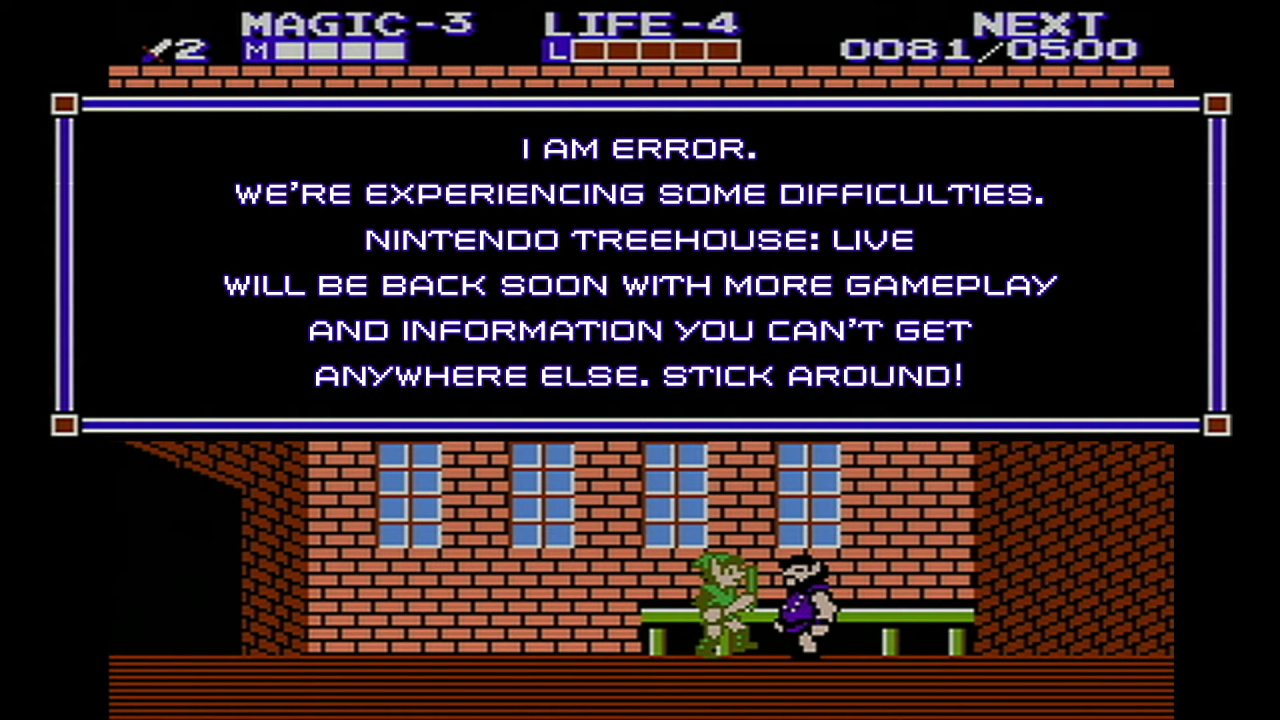
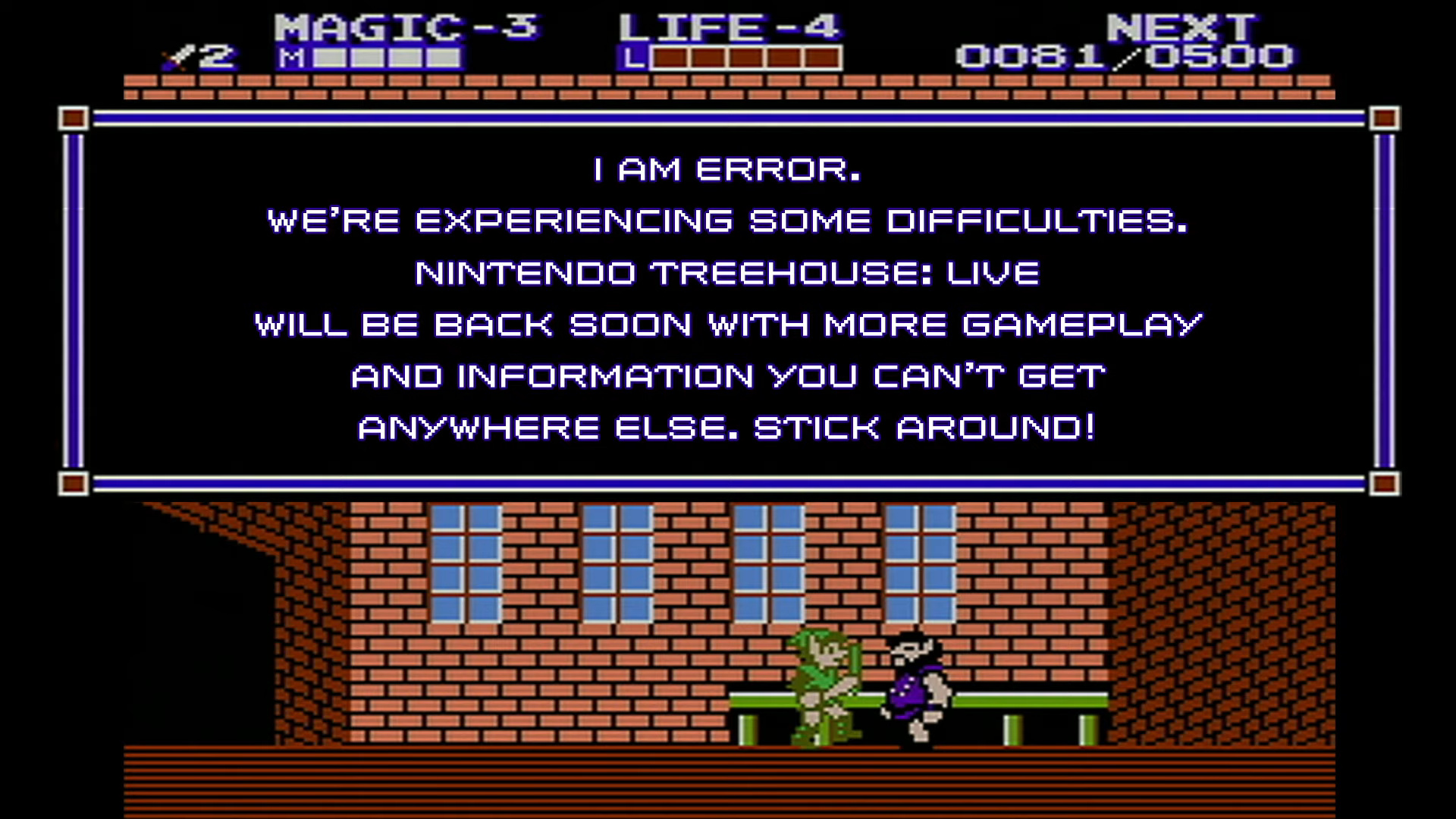
I am Error.

Can you imagine the amount of power consumed inside of the Los Angeles Convention Center around this time of year? It’s probably a lot – considering all of those big screens and video game kiosk showcasing a bunch of brand new titles.

Sure enough, though, there’s been a power outage at this year’s expo. On Wednesday, E3 2019 was sent back to the prehistoric era, when the show floor went into darkness. According to Polygon, every television monitor and internet router temporarily went down for a “few” minutes.

Nintendo, however, was prepared for the inevitable, when the interruption took day two of its Treehouse Live stream offline. During this interruption, the above image was beamed across to the screens of online viewers, showing Error, the villager from Zelda II: The Adventure of Link. If you’re not familiar with the meme, you can read more about it here.

Later on, when the recording of the stream was uploaded to YouTube, viewers apparently discovered Nintendo had cut sections of the video due to the power outage. Update: Turns out the mishap is still in there:


Did you witness this moment yourself? Tell us down in the comments.

Print this item

  Microsoft - Graduate Molly Paris proves the power of inclusive technology
Posted by: xSicKxBot - 06-13-2019, 07:38 PM - Forum: Windows - No Replies

Graduate Molly Paris proves the power of inclusive technology

In 2018, the team at the Microsoft Store in Jacksonville, FL, met a young lady that forever changed them. Her name is Molly, and she is a remarkable example of ingenuity, grit and gusto.

At the age of two, Molly’s parents learned that she was born with a neuro-developmental disorder called Rett Syndrome, a rare condition which, over time, has severely impacted her mobility and her ability to speak. But as Molly will be the first to tell you, the disorder has not impacted her interminable spirit or her intense desire to empower those around her.

With the support of her family, Molly found The Foundation Academy, a school that was able to accommodate her needs and has spent her academic career there.

Over the years, the Microsoft team has grown close to Molly and her mother, Robin. They’ve helped her with a number of projects, including one where she hacked the Xbox Adaptive Controller to make a dancing wheelchair. The team was happy to jump in to support her big ideas because it’s clear when you meet Molly that she is going to do great things for the world.

Last week, we had the honor of watching Molly give her Valedictorian speech at her graduation from The Foundation Academy. She has blossomed into a curious developer, eager to pursue a career in computer science and engineering, so she can one day develop new technologies to empower herself and others like her.

But the story doesn’t end there because, after all, graduation is just the beginning of a lifetime of learning and potential.

Video for Celebrating Molly, a Changemaker in inclusive technology

Our graduation caps are off to you, Molly, your family and the team at The Foundation Academy!

Share your story or a story about another Changemaker in education, submit here through the Microsoft Education blog.

To discover everything Microsoft has to offer and how we can work with you, please visit your local Microsoft Store.

Print this item

  News - E3 2019: Conan Game We Thought Was A Joke Is Real, Releasing In September
Posted by: xSicKxBot - 06-13-2019, 01:13 PM - Forum: Lounge - No Replies

E3 2019: Conan Game We Thought Was A Joke Is Real, Releasing In September

During the PC Gaming Show at this year's E3, Australian developer Mighty Kingdom unveiled a surprise announcement: that joke roguelike, stick figure Conan game is very real. And it's coming out very soon.

Conan Chop Chop is set to release this September, but it started out as what appeared to be an April Fool's joke clip posted to publisher Funcom's YouTube channel. The game features a crudely-drawn Conan chop-chopping various baddies like skeleton warriors and stick-figure-eating werewolves. You can take control of the titular barbarian or team up with up to four friends in local couch co-op as they control Bêlit, Pallantides, or Valeria. And, of course, there will be plenty of loot to gather, combos to unlock, and randomly-generated levels to explore. Check out the official trailer below.

Conan Chop Chop launches on Nintendo Switch, PC, PlayStation 4, and Xbox One on September 3.

More E3 news:

Print this item

  News - Video: Watch Miyamoto And Tezuka “Spin The Wheel” At E3 2019
Posted by: xSicKxBot - 06-13-2019, 01:13 PM - Forum: Nintendo Discussion - No Replies

Video: Watch Miyamoto And Tezuka “Spin The Wheel” At E3 2019

Miyamoto Tezuka

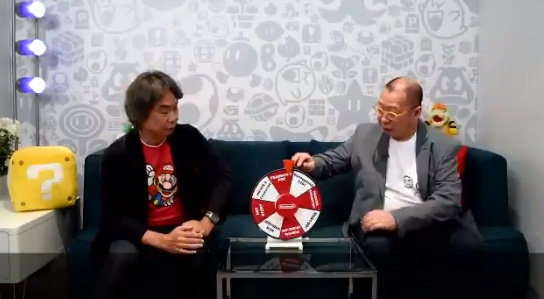
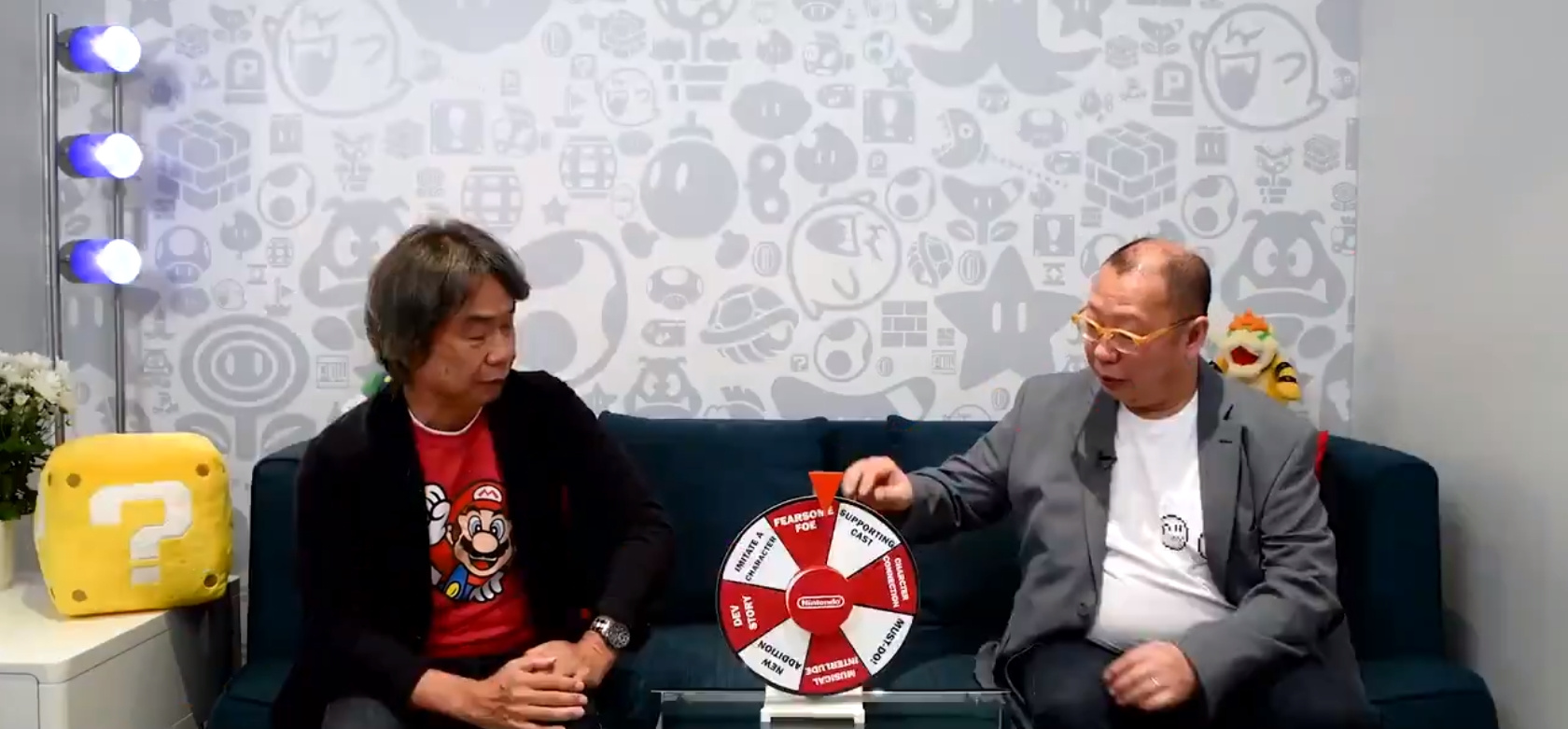
If you’re one of the lucky people attending this year’s E3, you may or may spot Nintendo’s legendary game designer Shigeru Miyamoto and the producer of Super Mario Maker 2, Takashi Tezuka.

While the annual event is intended to be a business trip for most people within the industry, that won’t stop these two veterans from having a little bit of fun. That’s why Nintendo of America sat them down together and got them to play “spin the wheel” – where you spin a wheel and then answer a question related to Super Mario Maker 2.


Watch this video to see Mr. Tezuka imitate a Hammer Bros., find out what makes Mario so special as a character, learn about one thing that everyone who plays video games must do and discover who Mr. Miyamoto’s favourite supporting character is within Super Mario Maker 2.

In all honesty, we’re just glad to see these two talented individuals are enjoying themselves so much at this year’s event.

What did you think of their responses? Are you looking forward to playing Super Mario Maker 2 later this month? Share your thoughts down in the comments.

Print this item

  Microsoft - Microsoft’s campus, then and now, in 10 photos
Posted by: xSicKxBot - 06-13-2019, 01:13 PM - Forum: Windows - No Replies

Microsoft’s campus, then and now, in 10 photos

Redmond, Washington, has been home to Microsoft’s 500-acre main campus since 1986. This past January, demolition began on a multi-year campus remodel 

This project will result in 17 new buildings; 6.7 million square feet of renovated workspace; and $150 million in transportation infrastructure improvements, public spaces, sports fields and green spaces. The new campus will be a modern workspace that fosters a sense of community    

Click through the images below to look at how the campus has changed over the years. 

Print this item

  News - Hands On: DC Universe Online Is Paving The Way For MMOs On Switch
Posted by: xSicKxBot - 06-13-2019, 06:23 AM - Forum: Nintendo Discussion - No Replies

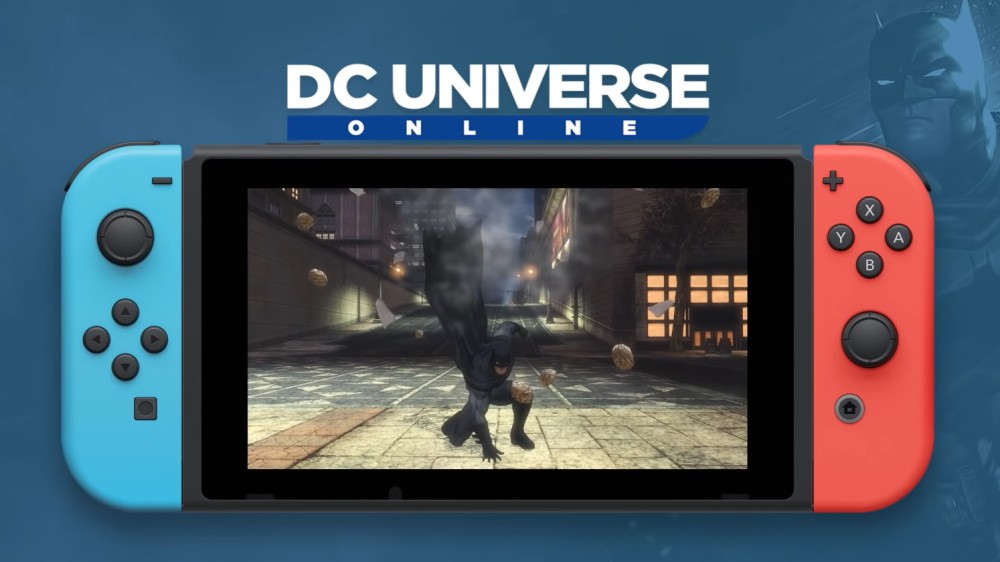
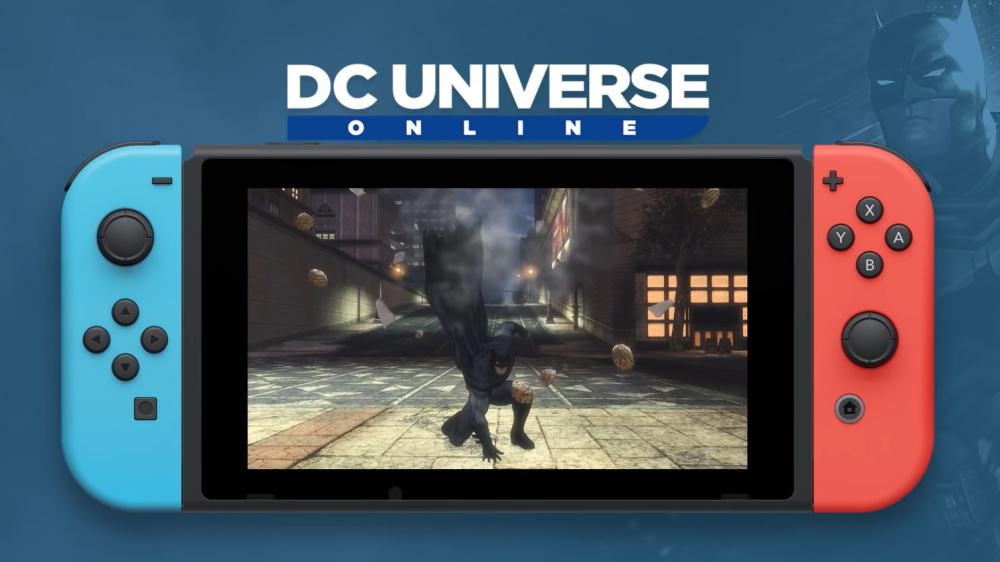
Hands On: DC Universe Online Is Paving The Way For MMOs On Switch

DCUOSwitch

When you ask Creative Director S.J. Mueller and Executive Producer Leah Bowers what makes them passionate about DC Universe Online, their reasons are as vast as the game itself.

There is a definite shimmer in Mueller’s eyes as she recounts her comics-filled childhood memories with her sister, or the moment she was thanked by a deployed servicemember for creating a game that allowed them to not only keep in touch – but actually play – with their kid from across the world.

The just-announced Nintendo Switch version of DC Universe Online will be arriving this summer, and we had the chance this week to not only get our hands on the real thing, but also pick the brains behind this very unique newcomer in the Nintendo world.

Going into the demo, you can be sure we had our share of questions. As the first full-fledged MMO available in the US on the Nintendo Switch (Dragon Quest X was ported over in Japan), our curiosity abounded around details such as servers, online features, load times and cross-play. How could it all possibly work on this platform?


What we discovered was a carefully planned strategy for the release of this game on new platforms – one in which slow and steady will (hopefully) win the race.

Right off the bat, the biggest elephant in the room was the lack of cross-play with other systems. As DC Universe Online is now over 8 years old – and the core of its appeal is the ability to play with massive numbers of other players online – it will be difficult to sell this version of the game to those who wish to play with users on PlayStation or PC (Xbox does not currently support cross-play either).

The response to this concern is one that has clearly had its benefits weighed against its costs. Bowers explained to us that, as the game is already very established on other platforms, they want to ensure that any new version first has parity before it is added to the mix, so that it does not jeopardize the enjoyment of others. Therefore, as they did with the Xbox release, they have decided to (likely temporarily) give the Switch version its own server, in order to be able to work the kinks out in a controlled environment before releasing it into the wild.

The possibility of cross-play with other platforms is being investigated later this year – and based on what we saw of the game’s initial performance on Switch, it definitely looks promising. As we explored the vast new map of Atlantis, we noticed smooth rendering and texture loading – little if any lag, and running at a steady 30 fps in handheld mode.

With a nervous chuckle, the team told us we were actually playing on the hotel’s guest wifi network – which they weren’t sure would be able to handle the game until they arrived. Not only that, but they’d also been testing it on a mobile hotspot previously, and found that it worked well then, too. Even they had surprised themselves.

This bodes very well for the possibility of cross-play on the Switch in the future, as it appears the game performance is definitely on par with the other systems it has more established on. They also said Nintendo and Microsoft are both “very open” to cross-play opportunities on their systems, and are hopeful about the upcoming discussions.


The next question we had was regarding Nintendo Switch Online and the game’s integration with this service. Although there are no concrete plans right now, talks are happening, and it will hopefully be in the works soon. For now, voice chat is integrated into the game itself, and can be used with an external mic.

On the topic of subscriptions – for those who are unfamiliar with DC Universe Online – the game itself is free-to-play when purchased; however, it is also constantly being updated with new maps, episodes, visuals, and other features – often on a weekly basis. Players have the option to either purchase these updates à la carte, or to opt into a $14.99 per month subscription, in which they automatically receive all new updates as they release. For Nintendo fans, who are generally used to this format with DLC in other games, this is a flexible option that allows for users of any level to play what they want, as much as they want.

As Bowers and Mueller made very clear, their end goal with this game is to bring as many players from as many walks of life as possible together to enjoy an ever-changing and growing experience with each other. The ability to now reach a brand-new audience in Nintendo, and enable players to take this MMO wherever they go, is something completely new and exciting for many fans – and while it still has quite a few hurdles to jump in order to achieve success here, it’s clear this dynamic duo absolutely has the experience and passion to follow this game through to its realized success on yet another platform, potentially for years to come.


Have you previously played DC Universe Online on other platforms? Do you plan to give it a shot on the Switch this summer? Let us know in the comments below.

Print this item

  News - Nintendo E3 Demo Reveals Brand New Pokémon For Sword And Shield
Posted by: xSicKxBot - 06-13-2019, 06:23 AM - Forum: Nintendo Discussion - No Replies

Nintendo E3 Demo Reveals Brand New Pokémon For Sword And Shield

Swsh

Two brand new Pokémon have been discovered by fans at E3 thanks to a playable demo of Pokémon Sword and Shield. The two Pokémon are known as Yamper and Impidimp.

Both Pokémon will be part of the Galar Pokédex alongside the three starter Pokémon – Grookey, Scorbunny and Sobble – and all of the Pokémon revealed during the recent Direct. We’ve got images of both of them for you below.


As you can see, Yamper appears to resemble a corgi – which would make sense given the region’s UK-inspired location – and Impidimp seems to be a mischievous imp. Serebii has managed to track down further details on both Pokémon:

Yamper
Type: Electric-type
Ability: Ball Fetch
Known Moves: Play Rough, Spark, Crunch, Wild Charge

Impidimp
Type: Dark/Fairy-type
Known Moves: Assurance, Sucker Punch, Play Rough

If you missed the news, the Nintendo Treehouse discussion for Pokémon Sword and Shield revealed that not all Pokémon from past generations can be transferred into the new games. As such, you’ll want to get to know this new friendly bunch of ‘mon for your next adventure.

Do you like the look of these two designs? Share your thoughts with us in the comments below.

Print this item

 
Latest Threads
Black Ops (BO1, T5) DLC's...
Last Post: Crosa
5 hours ago
(Indie Deal) Free Blackli...
Last Post: xSicKxBot
9 hours ago
News - PlayStation Disc D...
Last Post: xSicKxBot
9 hours ago
Redacted T6 Nightly Offli...
Last Post: RayaneGR
Today, 06:20 AM
Ibotta Sign-Up Offer [STG...
Last Post: linka111
Today, 01:27 AM
Ibotta Rewards Explained ...
Last Post: linka111
Today, 01:25 AM
Ibotta Welcome Bonus Guid...
Last Post: linka111
Today, 01:24 AM
Ibotta Referral Program [...
Last Post: linka111
Today, 01:23 AM
Ibotta Referral Link Bonu...
Last Post: linka111
Today, 01:22 AM
Ibotta Sign-Up Offer [STG...
Last Post: linka111
Today, 01:21 AM

Forum software by © MyBB Theme © iAndrew 2016