Challenge: Given a string. How to find all palindromes in the string?
For comprehensibility, allow me to quickly add a definition of the term palindrome:
Definition: A palindrome is a sequence of characters that reads the same backward as forward such as 'madam', 'anna', or '101'.
This article wants to give you a quick and easy solution in Python. First, we’ll solve the easier but important problem of checking if a substring is a palindrome in the first place:
How to Check If String is Palindrome
You can easily check if a string is a palindrome by using the slicing expression word == word[::-1] that evaluates to True if the word is the same forward and backward, i.e., it is a palindrome.
Next, we’ll explore how to find all substrings in a Python string that are also palindromes. You can find our palindrome checker in the code solution (highlighted):
Find All Substrings That Are Palindrome
The brute-force approach to finding all palindromes in a string is to iterate over all substrings in a nested for loop. Then check each substring if it is a palindrome using word == word[::-1]. Keep track of the found palindromes using the list.append() method. Return the final list after traversing all substrings.
Here’s the full solution:
def find_palindromes(s): palindromes = [] n = len(s) for i in range(n): for j in range(i+1,n+1): word = s[i:j] if word == word[::-1]: palindromes.append(word) return palindromes print(find_palindromes('locoannamadam'))

# ['l', 'o', 'oco', 'c', 'o', 'a', 'anna',

# 'n', 'nn', 'n', 'a', 'ama', 'm', 'madam',

# 'a', 'ada', 'd', 'a', 'm'] print(find_palindromes('anna'))

# ['a', 'anna', 'n', 'nn', 'n', 'a'] print(find_palindromes('abc'))

# ['a', 'b', 'c']
Runtime Complexity
This has cubic runtime complexity, i.e., for a string with length n, we need to check O(n*n) different words. Each word may have up to n characters, thus the palindrome check itself is O(n). Together, this yields runtime complexity of O(n*n*n) = O(n³).
Quadratic Runtime Solutions
Is this the best we can do? No! There’s also an O(n²) time solution!
Here’s a quadratic-runtime solution to find all palindromes in a given string that ignores the trivial one-character palindromes (significantly modified from source):
def find_palindromes(s, j, k): ''' Finds palindromes in substring between indices j and k''' palindromes = [] while j >= 0 and k < len(s): if s[j] != s[k]: break palindromes.append(s[j: k + 1]) j -= 1 k += 1 return palindromes def find_all(s): '''Finds all palindromes (non-trivial) in string s''' palindromes = [] for i in range(0, len(s)): palindromes.extend(find_palindromes(s, i-1, i+1)) palindromes.extend(find_palindromes(s, i, i+1)) return palindromes print(find_all('locoannamadam'))

# ['oco', 'nn', 'anna', 'ama', 'ada', 'madam'] print(find_all('anna'))

# ['nn', 'anna'] print(find_all('abc'))

# []
Feel free to join our community of ambitious learners like you (we have cheat sheets too):
YouTube is almost the numero uno platform for hosting videos. It allows users to publish and share videos, more like a social network.
Downloading YouTube videos is sometimes required. You must read through the YouTube terms and conditions before downloading videos and act according to the permissions given. For example you may wish to download to have a backup of older videos that are going to be replaced or removed.
This quick example provides a YouTube Video downloader script in PHP. It has a video URL defined in a PHP variable. It also establishes a key to access the YouTube video meta via API.
Configure the key and store the video URL to get the video downloader link using this script.
This example code works in the following flow to output the link to download the YouTube video.
Get the unique id of the YouTube video from the input URL.
Request YouTube API via PHP cURL post to access the video metadata.
Get video title, data array in various formats, and MIME type by parsing the cURL response.
Pass the video links, title and mime types to the video downloader script.
Apply PHP readfile() to download the video file by setting the PHP headerContent-type.
The below video downloader script is called by clicking the “Download video” link in the browser.
It receives the video title, and extension to define the output video file name. It also gets the video link from which it reads the video to be downloaded to the browser.
This script sets the content header in PHP to output the YouTube video file.
video-downloader.php
<?php

// this PHP script reads and downloads the video from YouTube

$downloadURL = urldecode($_GET['link']);

$downloadFileName = urldecode($_GET['title']) . '.' . urldecode($_GET['type']);

if (! empty($downloadURL) && substr($downloadURL, 0, 8) === 'https://') { header("Cache-Control: public"); header("Content-Description: File Transfer"); header("Content-Disposition: attachment;filename=\"$downloadFileName\""); header("Content-Transfer-Encoding: binary"); readfile($downloadURL);

}

?>
Collect YouTube video URL via form and process video downloader script
In the quick example, it has a sample to hardcode the YouTube video URL to a PHP variable.
But, the below code will allow users to enter the video URL instead of the hardcode.
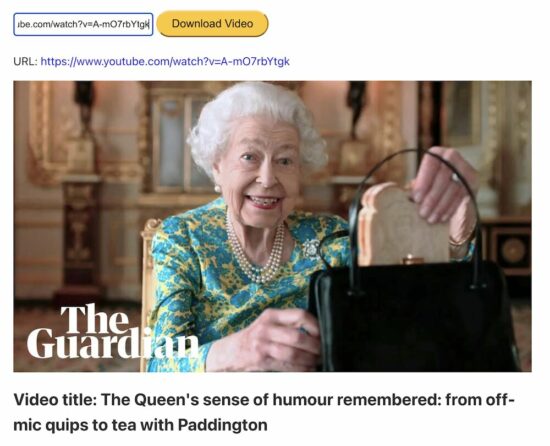
An HTML form will post the entered video URL to process the PHP cURL request to the YouTube API.
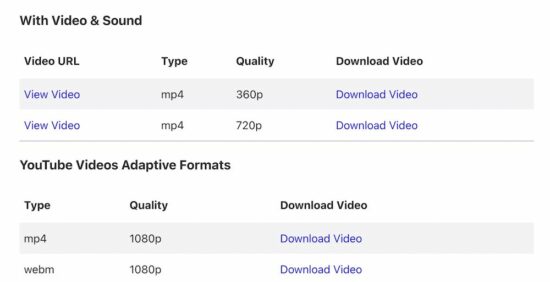
After posting the video URL, the PHP flow is the same as the quick example. But, the difference is, that it displays more links to download videos in all the adaptive formats.
This program will output the following once it has the video downloader response.
PHP cURL script to get the video metadata
The PHP cURL script used to access the YouTube endpoint to read the file meta is already seen in the quick example.
The above code snippet has a PHP require_once statement for having the cURL post handler.
The youtube-video-meta.php file has this handler to read the video file meta. It receives the unique id of the video and the key used in the PHP cURL parsing.
Call of Duty: Modern Warfare 2's New Invasion Mode Features AI Teammates
Call of Duty: Modern Warfare 2 is getting a ton of new game modes and changes, including the rumored third-person mode. Among those is a very different kind of Ground War match called Invasion, which will augment your regular human teammates and opponents with AI bots to make for a sprawling combat experience.
The Call of Duty blog says each team starts with multiple squads of Operators, fighting alongside AI combatants, all pursuing objectives from within their respective headquarters. Each team will be pushing forward to the front line, which shifts your respawn locations. And due to the AI teammates, it promises "more troops than any previous Ground War experience," and the maps will be larger to facilitate the huge team size.
This game will also reintroduce third-person multiplayer playlists, giving you a little more situational awareness as you survey the battlefield. It will also include vehicular combat so you can lean out of your vehicles while firing at enemies. Ricochet anti-cheat tech will once again be included with both Modern Warfare 2 and the new Warzone 2.0.
Jonathan Joestar, Jotaro Kujo, DIO, Jolyne Cujoh, and other characters from JoJo's Bizarre Adventure gather across multiple generations! With 50 playable characters from all arcs, you can experience popular battles from each story, and see characters from different universes interact for the first time!
This title is based on the All Star Battle fighting system that was released in 2012. The game design of JoJo's Bizarre Adventure: All Star Battle R reinvigorates the experience with adjustments to the fighting tempo and the addition of hit stops and jump dashes.
With new audio recordings from the Part 6 anime voice actors, the full atmosphere of the animated series is realized. Both fans who have played the original All Star Battle and newcomers will be able to enjoy the experience.
How to Get a Random Entry from a Python Dictionary
5/5 – (1 vote)
Problem Formulation and Solution Overview
This article will show you how to get a random entry from a Dictionary in Python.
To make it more interesting, we have the following running scenario:
The Plot: Mr. Sinclair, an 8th great Science Teacher, is giving his students a quiz on the first 25 Periodic Table elements. He has asked you to write a Python script so that when run, it generates a random key, value, or key:value pair from the Dictionary shown below to ask his students.
The above code converts the Dictionary of Periodic Table Elements to a List of Tuples and saves it to el_list. If output to the terminal, the contents of el_list contains the following.
Before moving forward, please ensure the NumPy library is installed. Click here if you require instructions.
import numpy as np random_el = np.random.choice(list(els), 1)

print(random_el)
This code imports the NumPy library installed above.
Then, np.random.choice() is called and passed two (2) arguments: els converted to a List of Tuples and the number of random keys to return.
The results save to random_el and is output to the terminal.
['Chromium' 'Silicon' 'Oxygen']
Note: np.random.choice() has an additional parameter that can be passed. This parameter is a List containing associated probabilities.
Bonus:
This code generates a random key:value pair from a list of tuples. When the teacher runs this code, a random question displays on the screen and waits for a student to answer. Press 1 to display the answer, 2 to quit.
import keyboard

import random

import time els = {'Hydrogen': 'H', 'Helium': 'He', 'Lithium': 'Li', 'Beryllium': 'Be', 'Boron': 'B', 'Carbon': 'C', 'Nitrogen': 'N', 'Oxygen': 'O', 'Fluorine': 'F', 'Neon': 'Ne', 'Sodium': 'Na', 'Magnesium': 'Mg', 'Aluminum': 'Al', 'Silicon': 'Si', 'Phosphorus': 'P', 'Sulfur': 'S', 'Chlorine': 'Cl', 'Argon': 'Ar', 'Potassium': 'K', 'Calcium': 'Ca', 'Scandium': 'Sc', 'Titanium': 'Ti', 'Vanadium': 'V', 'Chromium': 'Cr', 'Manganese': 'Mn'} print('1 Answer 2 quit')

def quiz(): while True: k, v = random.choice(list(els.items())) print(f'\nWhat is the Symbol for {k}?') pressed = keyboard.read_key() if pressed == '1': print(f'The answer is {v}!') elif pressed == '2': print("Exiting\n") exit(0) time.sleep(5)

quiz()
Finxter Challenge! Write code to allow the teacher to enter the answer!
Summary
This article has provided five (5) ways to get a random entry from a Dictionary to select the best fit for your coding requirements.
Good Luck & Happy Coding!
Programmer Humor – Blockchain
“Blockchains are like grappling hooks, in that it’s extremely cool when you encounter a problem for which they’re the right solution, but it happens way too rarely in real life.”source – xkcd
[www.indiegala.com] Bringing a selection of indie games with various difficulties, from casual to hardcore, choose your favorite from: Dangerous Level, Ninja Lexx, Penguin Climbing, Cemetery Warrior V, Spider-Robots War, Dezinsector, 3D Hardcore Cube, Sit on bottle
The games is free to keep until Thursday, September 22nd, 2022 15:00 UTC.
Next week's freebies: ARK: Survival Evolved
We are welcoming everyone to join our discord[discord.gg]. We are more active there on finding giveaways, small or large, and there are daily raffles you can participate.
When the snow stops falling, the small Danish village of Tinglev will no longer be the same.
Walk the path of Gerda as her quiet life is turned upside down during the World War 2 occupation of her home. Choose where to go, how to act, and who to trust in this intimate narrative RPG-lite experience inspired by real life events.
How far would you go to protect your loved ones?
In this poignant story-driven game, you play as Gerda, a nurse whose life is turned upside down overnight. A tale told not on the front line, but in the intimate setting of the small Danish village she has lived her whole life. Armed only with her wits and knowledge of her people, Gerda must try to save her loved ones while staying true to herself.
Call Of Duty: Modern Warfare 2 New Gunsmith 2.0 Revealed
Infinity Ward is set to reveal Modern Warfare 2's multiplayer during the Call of Duty Next event on September 15, but Activision has shared a new video to explain the changes coming to Call of Duty's Gunsmith feature this year.
Originally introduced in Modern Warfare 2019, Call of Duty's popular Gunsmith feature returns in Modern Warfare 2, allowing players to customize their guns with a variety of attachments tailored to their playstyle, but this new "Gunsmith 2.0" offers a new way for players to unlock attachments and build their loadout. The full video for the Gunsmith 2.0 can be viewed below.
While Call of Duty: Vanguard gave players a whopping 10 attachments to include in their custom gun build, Modern Warfare 2 is dialing back the limit on the attachments by only allowing players to equip five attachments. However, it also adds a whole new layer of complexity with the Gunsmith's new "Platform system."
How to Extract Emails from any Website using Python?
5/5 – (1 vote)
The article begins by formulating a problem regarding how to extract emails from any website using Python, gives you an overview of solutions, and then goes into great detail about each solution for beginners.
At the end of this article, you will know the results of comparing methods of extracting emails from a website. Continue reading to find out the answers.
You may want to read out the disclaimer on web scraping here:
Statistics show that 33% of marketers send weekly emails, and 26% send emails multiple times per month. An email list is a fantastic tool for both company and job searching.
For instance, to find out about employment openings, you can hunt up an employee’s email address of your desired company.
However, manually locating, copying, and pasting emails into a CSV file takes time, costs money, and is prone to error. There are a lot of online tutorials for building email extraction bots.
When attempting to extract email from a website, these bots experience some difficulty. The issues include the lengthy data extraction times and the occurrence of unexpected errors.
Then, how can you obtain an email address from a company website in the most efficient manner? How can we use robust programming Python to extract data?
Method Summary
This post will provide two ways to extract emails from websites. They are referred to as Direct Email Extraction and Indirect Email Extraction, respectively.
Our Python code will search for emails on the target page of a given company or specific website when using the direct email extraction method.
For instance, when a user enters “www.scrapingbee.com” into their screen, our Python email extractor bot scrapes the website’s URLs. Then it uses a regex library to look for emails before saving them in a CSV file.
The second method, the indirect email extraction method, leverages Google.com’s Search Engine Result Page (SERP) to extract email addresses instead of using a specific website.
For instance, a user may type “scrapingbee.com” as the website name. The email extractor bot will search on this term and return the results to the system. The bot then stores the email addresses extracted using regex into a CSV file from these search results.
In the next section, you will learn more about these methods in more detail.
These two techniques are excellent email list-building tools.
The main issue with alternative email extraction techniques posted online, as was already said, is that they extract hundreds of irrelevant website URLs that don’t contain emails. The programming running through these approaches takes several hours.
Discover our two excellent methods by continuing reading.
Solution
Method 1 Direct Email Extraction
This method will outline the step-by-step process for obtaining an email address from a particular website.
Step 1: Install Libraries.
Using the pip command, install the following Python libraries:
import re

import requests

from bs4 import BeautifulSoup

from collections import deque

from urllib.parse import urlsplit

import pandas as pd

from tld import get_fld
Step 3: Create User Input.
Ask the user to enter the desired website for extracting emails with the input() function and store them in the variable user_url:
user_url = input("Enter the website url to extract emails: ")

if "https://" in user_url: user_url = user_url

else: user_url = "https://"+ user_url
Step 4: Set up variables.
Before we start writing the code, let’s define some variables.
Create two variables using the command below to store the URLs of scraped and un-scraped websites:
You can save the URLs of websites that are not scraped using the deque container. Additionally, the URLs of the sites that were scraped are saved in a set data format.
As seen below, the variable list_emails contains the retrieved emails:
list_emails = set()
Utilizing a set data type is primarily intended to eliminate duplicate emails and keep just unique emails.
Let us proceed to the next step of our main program to extract email from a website.
Step 5: Adding Urls for Content Extraction.
Web page URLs are transferred from the variable unscraped_url to scrapped_url to begin the process of extracting content from the user-entered URLs.
while len(unscraped_url): url = unscraped_url.popleft() scraped_url.add(url)
The popleft() method removes the web page URLs from the left side of the deque container and saves them in the url variable.
Then the url is stored in scraped_url using the add() method.
Step 6: Splitting of URLs and merging them with base URL.
The website contains relative links that you cannot access directly.
Therefore, we must merge the relative links with the base URL. We need the urlsplit() function to do this.
parts = urlsplit(url)
Create a parts variable to segment the URL as shown below.
Next, we create the basic URL by merging the scheme and netloc.
Base URL means the main website’s URL is what you type into the browser’s address bar when you input it.
If the user enters relative URLs when requested by the program, we must then convert them back to base URLs. We can accomplish this by using the command:
if '/' in parts.path: part = url.rfind("/") path = url[0:part + 1]

else: path = url
Let us understand how each line of the above command works.
This URL is a relative link, and the above set of commands will convert it to a base URL (https://www.scrapingbee.com). Let’s see how it works.
If the condition finds that there is a “/” in the path of the URL, then the command finds where is the last slash ”/” is located using the rfind() method. The “/” is located at the 27th position.
Next line of code stores the URL from 0 to 27 + 1, i.e., 28th item position, i.e., https://www.scrapingbee.com/. Thus, it converts to the base URL.
In the last command, If there is no relative link from the URL, it is the same as the base URL. That links are in the path variable.
The following command prints the URLs for which the program is scraping.
The regression is built to match the email address syntax displayed in the new emails variable. The regression format pulls the email address from the website URL’s content with the response.text method. And re.Iflag method ignores the font case. The list_emails set is updated with new emails.
The next is to find all of the website’s URL links and extract them in order to retrieve the email addresses that are currently available. You can utilize a powerful, beautiful soup module to carry out this procedure.
soup = BeautifulSoup(response.text, 'lxml')
A beautiful soup function parses the HTML document of the webpage the user has entered, as shown in the above command.
You can find out how many emails have been extracted with the following command.
Insert the command before the email regex command. Precisely, place this command above the new_emails variable.
Run the program now.
Did the program work?
Does it keep on running for several hours and not complete it?
The program searches and extracts all the URLs from the given website. Also, It is extracting links from other domain name websites. For example, the Scraping Bee website has URLs such as https://seekwell.io/., https://codesubmit.io/, and more.
A well-built website has up to 100 links for a single page of a website. So the program will take several hours to extract the links.
Sorry about it. You have to face this issue to get your target emails.
Bye Bye, the article ends here……..
No, I am just joking!
Fret Not! I will give you the best solution in the next step.
Step 8: Fix the code problems.
Here is the solution code for you:
if base_url in weblink: # code1 if ("contact" in weblink or "Contact" in weblink or "About" in weblink or "about" in weblink or 'CONTACT' in weblink or 'ABOUT' in weblink or 'contact-us' in weblink): #code2 if not weblink in unscraped_url and not weblink in scraped_url: unscraped_url.append(weblink)
First off, apply code 1, which specifies that you only include base URL websites from links weblinks to prevent scraping other domain name websites from a specific website.
Since the majority of emails are provided on the contact us and about web pages, only those links from those sites will be extracted (Refer to code 2). Other pages are not considered.
Finally, unscraped URLs are added to the unscrapped_url variable.
Step 9: Exporting the Email Address to CSV file.
Finally, we can save the email address in a CSV file (email2.csv) through data frame pandas.
url_name = "{0.netloc}".format(parts)

col = "List of Emails " + url_name

df = pd.DataFrame(list_emails, columns=[col])

s = get_fld(base_url)

df = df[df[col].str.contains(s) == True]

df.to_csv('email2.csv', index=False)
We use get_fld to save emails belonging to the first level domain name of the base URL. The s variable contains the first level domain of the base URL. For example, the first level domain is scrapingbee.com.
We include only emails ending with the website’s first-level domain name in the data frame. Other domain names that do not belong to the base URL are ignored. Finally, the data frame transfers emails to a CSV file.
As previously stated, a web admin can maintain up to 100 links per page.
Because there are more than 30 hyperlinks on each page for a normal website, it will still take some time to finish the program. If you believe that the software has extracted enough email, you may manually halt it using try except KeyboardInterrupt and raise SystemExit command as shown below:
try:

while len(unscraped_url):

… if base_url in weblink: if ("contact" in weblink or "Contact" in weblink or "About" in weblink or "about" in weblink or 'CONTACT' in weblink or 'ABOUT' in weblink or 'contact-us' in weblink): if not weblink in unscraped_url and not weblink in scraped_url: unscraped_url.append(weblink) url_name = "{0.netloc}".format(parts) col = "List of Emails " + url_name df = pd.DataFrame(list_emails, columns=[col]) s = get_fld(base_url) df = df[df[col].str.contains(s) == True] df.to_csv('email2.csv', index=False) except KeyboardInterrupt: url_name = "{0.netloc}".format(parts) col = "List of Emails " + url_name df = pd.DataFrame(list_emails, columns=[col]) s = get_fld(base_url) df = df[df[col].str.contains(s) == True] df.to_csv('email2.csv', index=False) print("Program terminated manually!") raise SystemExit
Run the program and enjoy it…
Let’s see what our fantastic email scraper application produced. The website I have entered is www.abbott.com.
Output:
Method 2 Indirect Email Extraction
You will learn the steps to extract email addresses from Google.com using the second method.
Step 1: Install Libraries.
Using the pip command, install the following Python libraries:
bs4 is a Beautiful soup for extracting google pages.
The pandas module can save emails in a DataFrame for future processing.
You can use Regular Expression (re) to match the Email Address format.
The request library sends HTTP requests.
You can use tld library to acquire relevant emails.
time library to delay the scraping of pages.
pip install bs4

pip install pandas

pip install re

pip install request

pip install time
Step 2: Import Libraries.
Import the libraries.
from bs4 import BeautifulSoup

import pandas as pd

import re

import requests

from tld import get_fld

import time
Step 3: Constructing Search Query.
The search query is written in the format “@websitename.com“.
Create an input for the user to enter the URL of the website.
The format of the search query is “@websitename.com,” as indicated in the code for the user_keyword variable above. The search query has opening and ending double quotes.
Step 4: Define Variables.
Before moving on to the heart of the program, let’s first set up the variables.
page = 0

list_email = set()
You can move through multiple Google search results pages using the page variable. And list_email for extracted emails set.
Step 5: Requesting Google Page.
In this step, you will learn how to create a Google URL link using a user keyword term and request the same.
The Main part of coding starts as below:
while page <= 100: print("Searching Emails in page No " + str(page)) time.sleep(20.00) google = "https://www.google.com/search?q=" + user_keyword + "&ei=dUoTY-i9L_2Cxc8P5aSU8AI&start=" + str(page) response = requests.get(google) print(response)
Let’s examine what each line of code does.
The while loop enables the email extraction bot to retrieve emails up to a specific number of pages, in this case 10 Pages.
The code prints the page number of the Google page being extracted. The first page is represented by page number 0, the second by page 10, the third by page 20, and so on.
To prevent having Google’s IP blocked, we slowed down the programming by 20 seconds and requested the URLs more slowly.
Before creating a google variable, let us learn more about the google search URL.
Suppose you search the keyword “Germany” on google.com. Then the Google search URL will be as follows
The user keyword is inserted after the “q=” symbol, and the page number is added after the “start=” as shown above in the google variable.
Request a Google webpage after that, then print the results. To test whether it’s functioning or not. The website was successfully accessed if you received a 200 response code. If you receive a 429, it implies that you have hit your request limit and must wait two hours before making any more requests.
Step 6: Extracting Email Address.
In this step, you will learn how to extract the email address from the google search result contents.
The Beautiful soup parses the web page and extracts the content of html web page.
With the regex findall() function, you can obtain email addresses, as shown above. Then the new email is updated to the list_email set. The page is added to 10 for navigating the next page.
n = len(user_keyword)-1

base_url = "https://www." + user_keyword[2:n]

col = "List of Emails " + user_keyword[2:n]

df = pd.DataFrame(list_email, columns=[col])

s = get_fld(base_url)

df = df[df[col].str.contains(s) == True]

df.to_csv('email3.csv', index=False)
And finally, target emails are saved to the CSV file from the above lines of code. The list item in the user_keyword starts from the 2nd position until the domain name.
Run the program and see the output.
Method 1 Vs. Method 2
Can we determine which approach is more effective for building an email list: Method 1 Direct Email Extraction or Method 2 Indirect Email Extraction? The output’s email list was generated from the website abbot.com.
Let’s contrast two email lists that were extracted using Methods 1 and 2.
From Method 1, the extractor has retrieved 60 emails.
From Method 2, the extractor has retrieved 19 emails.
The 17 email lists in Method 2 are not included in Method 1.
These emails are employee-specific rather than company-wide. Additionally, there are more employee emails in Method 1.
Thus, we are unable to recommend one procedure over another. Both techniques provide fresh email lists. As a result, both of these methods will increase your email list.
Summary
Building an email list is crucial for businesses and freelancers alike to increase sales and leads.
This article offers instructions on using Python to retrieve email addresses from websites.
The best two methods to obtain email addresses are provided in the article.
In order to provide a recommendation, the two techniques are finally compared.
The first approach is a direct email extractor from any website, and the second method is to extract email addresses using Google.com.
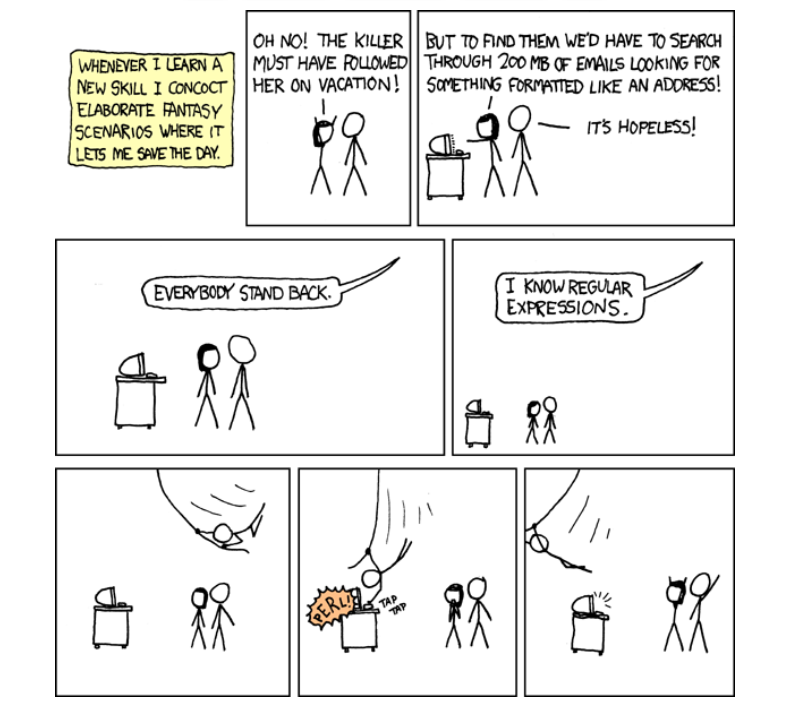
Regex Humor
Wait, forgot to escape a space. Wheeeeee[taptaptap]eeeeee. (source)


 Challenge: Given a string. How to find all
  Definition: A palindrome is a sequence of characters that reads the same backward as forward such as
  Recommended Tutorial:


 The Plot: Mr. Sinclair, an 8th great Science Teacher, is giving his students a quiz on the first 25


 Finxter Challenge!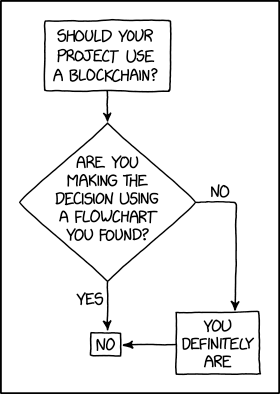



 Recommended Tutorial: