Random: Man Accidentally Names Nephew After A Pokémon
On the notorious Reddit board, TIFU – short for Today I F***ed Up – one user has spilled the beans on the inspiration behind his newborn nephew’s cool name.
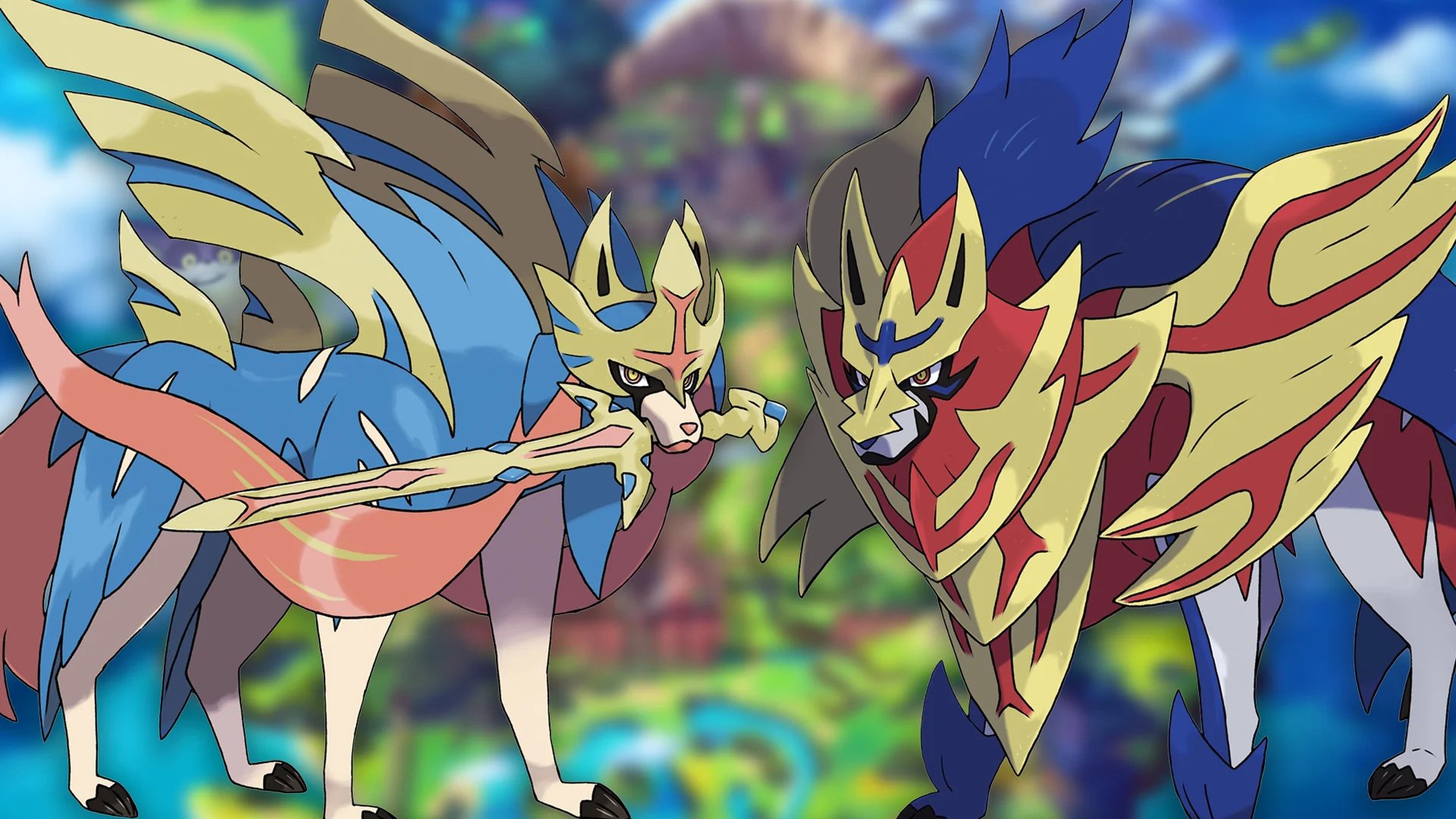
Little baby Zacian’s parents have no idea that his name is actually the name of a big dog with a sword in his mouth, it would seem, and user Bladehuraska is planning to give the new baby some Pokémon-related presents for Christmas to “reveal the truth”. Good luck with that, dude.
Bladehuraska was playing Pokémon Sword in the back of a van (you know it’s going to be a good story when it starts in the back of a van) and he’d just caught the legendary Zacian with a Quick Ball.
While they were discussing potentially unique names, I kept overhearing they wanted it to begin with the letter Z… I jokingly suggested, “Hey, Zacian is a cool name. It means sword in Japanese.” My mother and family loved it, so it’s now official.
Unfortunately for this man and his nephew, Zacian does not mean sword in Japanese. As the comments on the post point out, Zacian is just Za + cyan, just as Zamazenta, its legendary companion, is Za + magenta – you can even read director Shigeru Ohmori speaking about it in this interview with GameInformer. But the real question is, who names their baby seconds after it’s born with the first random word suggested to them?
Still, there are much stranger Pokémon to be named after, and Zacian is pretty cool as a name. Plus, it’s a legendary Pokémon, so that’s gonna give the kid some clout, right? Let us know what you think the worst Pokémon name would be to give a baby. Winner gets to name the next Nintendo Life sprog.
Register or log in to your account, then add the games to your Uplay library by clicking "PC". I believe the past in-game items will also be redeemed alongside the games
You only have until Dec 20th to claim the bundle, making it a 24 hour only giveaway.
We are welcoming everyone to join our discord[discord.gg]. We are more active there on finding giveaways, small or large, and there are daily raffles you can participate.
Moving Out, Drawn to Life, Alawar & Graffiti Deals
Moving Out: Begin Your Career In Furniture!
[www.indiegala.com] A ridiculous physics-based Moving Out simulator that brings new meaning to "couch co-op"!
Crypto Sale Day 5: Alawar Publisher Sale, up to -90
[www.indiegala.com] Join our Crypto Sale, and get an EXTRA 30% OFF on all bundles and 15% OFF on all store deals when paying with a supported cryptocurrency
How to make the most of Mobile Legends: Adventure’s holiday event
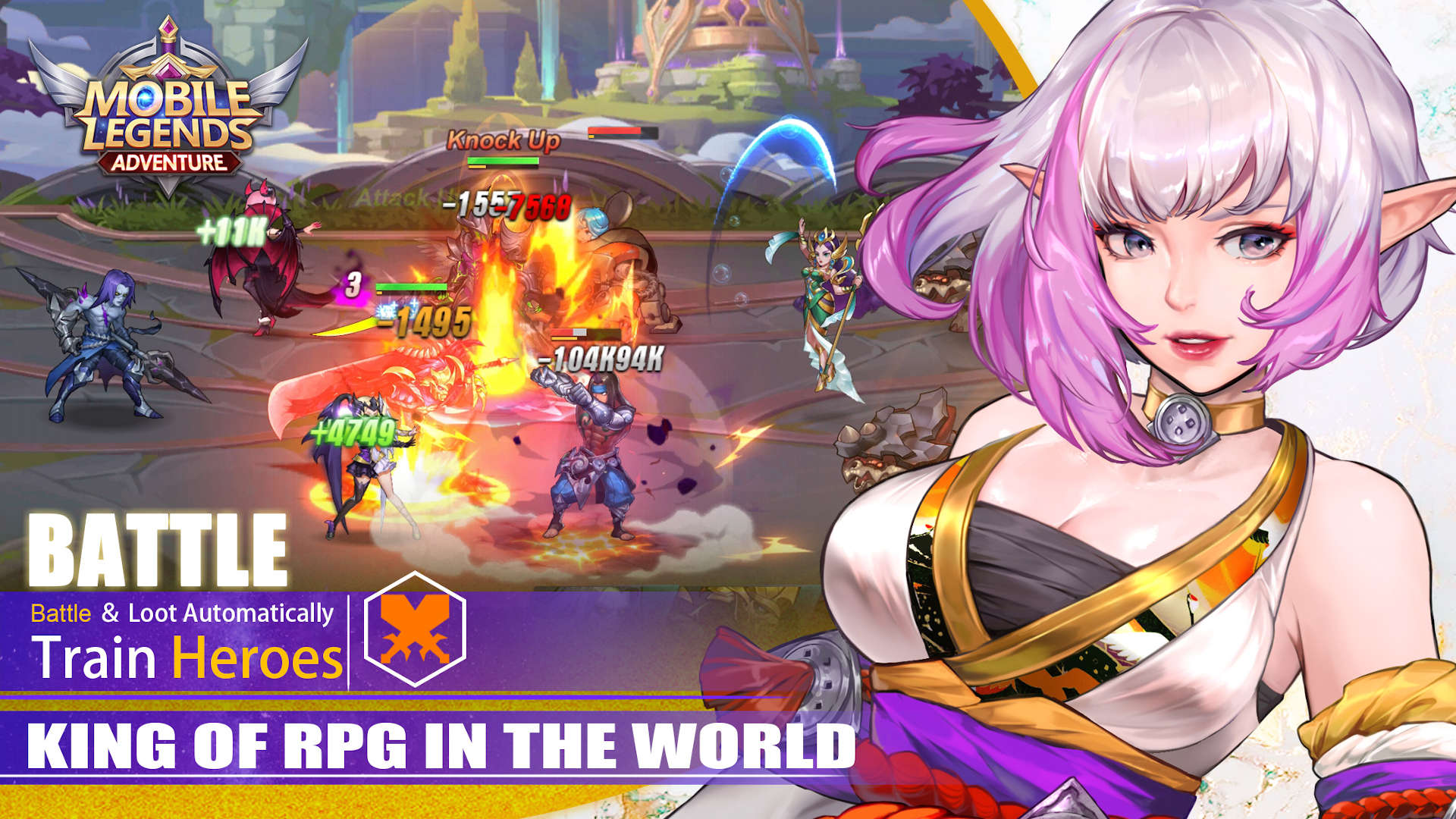
Tis the season to be jolly, and Moonton is making that all the easier by hosting a big Christmas event in Mobile Legends: Adventure, the idle RPG spin-off of MOBA Mobile Legends: Bang Bang. In case you haven’t heard of it, it challenges you to collect your favourite heroes from the MOBA itself, and to create a powerful battle party out of them.
You then send them out on various adventures, including a story campaign that adds greater depth to the world of Mobile Legends and its various characters. Along the way, you level up your heroes, equip them with new gear, and unlock new skills, which increases their power. That’s important, as the content quite quickly ramps up in challenge.
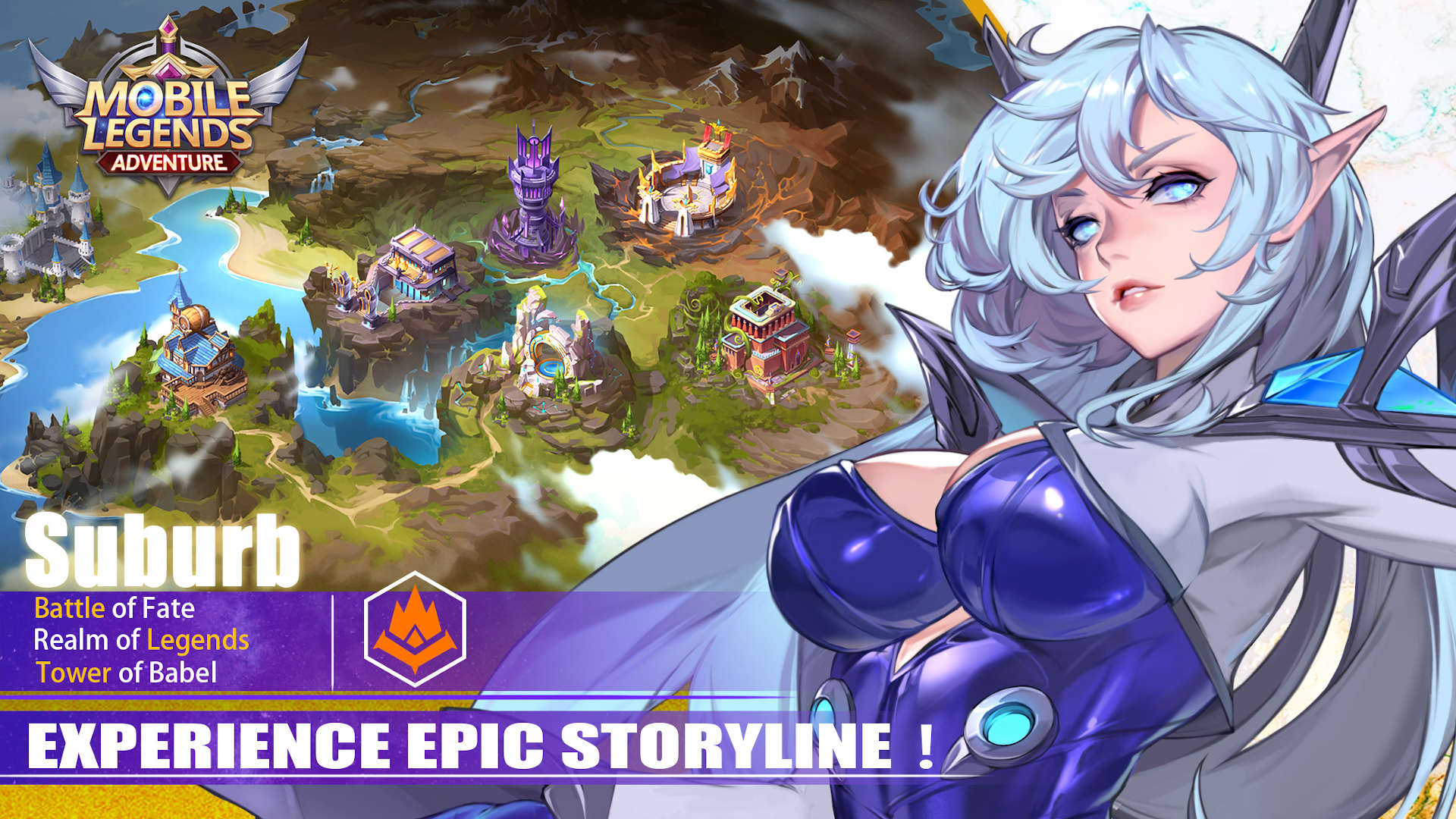
As you progress, the campaign soon gives way to the Tower of Babel, an endless series of increasingly difficult battles, and the Labyrinth, which plays a bit like Minesweeper but has you seeking goodies, rather than bombs. Well, there are bombs, but they’re a good thing in the Labyrinth.
If this all sounds like an awful lot of fun to you, we recommend grabbing Mobile Legends: Adventure on mobile – particularly if you already play Mobile Legends: Bang Bang, as it’s a nice companion that really fleshes out the world.
And, to help you make the most of your time spent with the festive content in Mobile Legends: Adventure, we thought we’d put together a guide that covers everything you need to know about it. From when the event takes place to how to unlock all of the goodies, here’s what’s happening right now in Mobile Legends: Adventure.
Everything you need to know about Mobile Legends: Adventure’s festive event
When does the holiday event take place?
Mobile Legends: Adventure’s holiday event is live right now, and runs right throughout the holiday period, ending on December 31.
What’s happening?
Well, the holiday season is coming to Mobile Legends: Adventure. What more do you want? Oh, to know the details. Well, here are all of the happenings in bullet point form:
Step aside, Santa – Snow Elves are bringing the gifts this year. You’ll have to catch them though, and exchange the elves themselves for rewards.
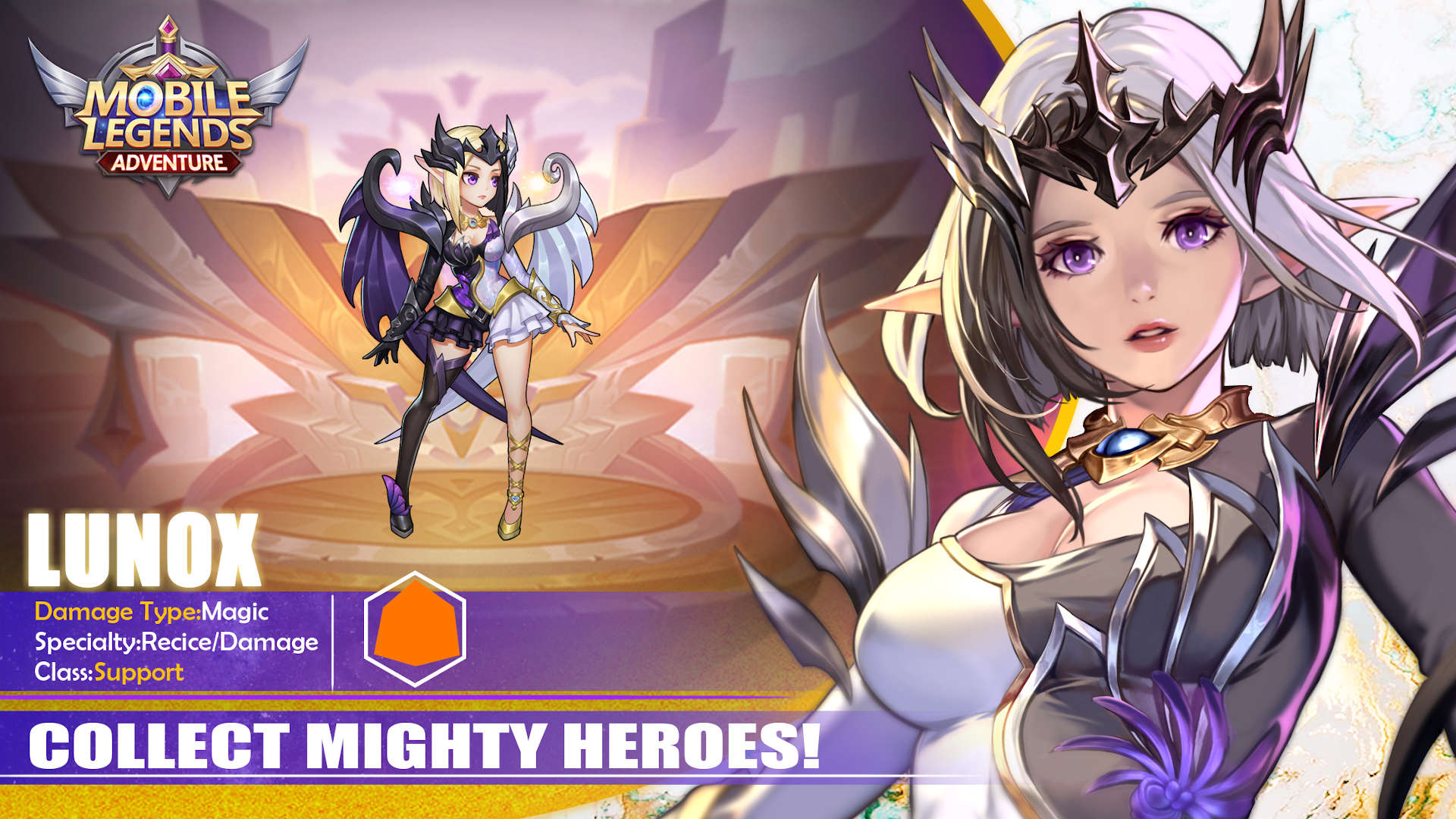
Lunox will feature in a new Goddess Blessing event, during which you have a chance to summon her and add her to your team. A big, mean Yeti is challenging you to a duel. And by duel, we mean a 5v1 battle during which snowballs are flying all over the place. Watch out!
Speaking of snowballs, there’s a Snowball Fight too. Collect snowballs and you can exchange them for those heroes you’ve always wanted.
Make sure to stay warm, though! The Christmas Hygge event will help with that, as it’s all about giving the gift of mittens to your friends, earning limited-time rewards. Who said giving was a gift in itself?
Lunox, Claude are decking themselves out in Christmas attire, while Freya and Saber will have new looks as well – you can grab all of these fresh threads from the Skin Shop.
Daily login rewards for everyone, of course! And a lovely Santa hat on your avatar. It’s the little things.
So how do I get everything?
First of all, here is everything new that you can get during the holiday event:
Holiday avatar border
Exclusive medals
Character skins
Various prizes from the Snowball Fight event prize pool
The holiday avatar border is very straightforward. You have to complete event quests to earn Christmas Boxes, which you can send to your friends. There’s a leaderboard for number of gifts sent to friends, and you need to be high up to get the avatar border.
As for the medals, here’s a breakdown of each one and how to get them:
Snowball Champion: deal 50 bars of damage to the yeti in Icy Brawl
Winter Goddess: get Lunox from the Goddess’s Blessing event
Bell of Peace: login on Christmas Day
Gentle Heart: send at least 999 Christmas Boxes during the event
Merry Christmas: get all of the other badges to unlock this special extra
Finally, in terms of the festive skins, four of them are available to purchase in the Skin Shop at 50% discount, while the rest you can earn from the prize pool in Snowball Fight. We don’t know an exact number, but there are at least 13 skins on offer to celebrate the holiday season.
And that’s it! Follow our tips and you’ll have a nice holiday season ahead of you in Mobile Legends: Adventure. If you haven’t downloaded it yet, we encourage you to do so on mobile. Merry Christmas!
Posted by: xSicKxBot - 12-19-2020, 10:59 AM - Forum: Windows
- No Replies
A breakthrough year for passwordless technology
As 2020 draws to a close, most of us are looking forward to putting this year in the rearview mirror. Since we depend even more on getting online for everything in our lives, we’re more than ready to be done with passwords. Passwords are a hassle to use, and they present security risks for users and organizations of all sizes, with an average of one in every 250 corporate accounts compromised each month. According to the Gartner Group, 20 to 50 percent of all help desk calls are for password resets. The World Economic Forum (WEF) estimates that cybercrime costs the global economy $2.9 million every minute, with roughly 80 percent of those attacks directed at passwords.
In November 2019 at Microsoft Ignite, we shared that more than 100 million people were already using Microsoft’s passwordless sign-in each month. In May of 2020, just in time for World Password Day, that number had already grown to more than 150 million people, and the use of biometrics to access work accounts is now almost double what it was then. We’ve drawn strength from our customers’ determination this year and are set to make passwordless access a reality for all our customers in 2021.
2020: A banner year for passwordless technology
February: We announced a preview of Azure Active Directory support for FIDO2 security keys in hybrid environments. The Fast Identity Online (FIDO) Alliance is a “cross-industry consortia providing standards, certifications, and market adoption programs to replace passwords with simpler, stronger authentication.” Following the latest FIDO spec, FIDO2, we enabled users with security keys to access their Hybrid Azure Active Directory (Azure AD) Windows 10 devices with seamless sign-in, providing secure access to on-premises and cloud resources using a strong hardware-backed public and private-key credential. This expansion of Microsoft’s passwordless capabilities followed 2019’s preview of FIDO2 support for Azure Active Directory joined devices and browser sign-ins.
June: I gave a keynote speech at Identiverse Virtual 2020 where I got to talk about how Microsoft’s FIDO2 implementation highlights the importance of industry standards in implementing Zero Trust security and is crucial to enabling secure ongoing remote work across industries. Nitika Gupta, Principal Program Manager of Identity Security in our team, showed how Zero Trust is more important than ever for securing data and resources and provided actionable steps that organizations can take to start their Zero Trust journey.
September: At Microsoft Ignite, the company revealed the new passwordless wizard available through the Microsoft 365 Admin Center. Delivering a streamlined user sign-in experience in Windows 10, Windows Hello for Business replaces passwords by combining strong MFA for an enrolled device with a PIN or user biometric (fingerprint or facial recognition). This approach gives you, our customers, the ability to deliver great user experiences for your employees, customers, and partners without compromising your security posture.
November:Authenticate 2020, “the first conference dedicated to who, what, why and how of user authentication,” featured my boss, Joy Chik, CVP of Identity at Microsoft, as the keynote speaker. Joy talked about how FIDO2 is a critical part of Microsoft’s passwordless vision, and the importance of the whole industry working toward great user experiences, interoperability, and having apps everywhere support passwordless authentication. November also saw Microsoft once again recognized by Gartner as a “Leader” in identity and access management (IAM).
MISA members lead the way
The Microsoft Intelligent Security Association (MISA) is an ecosystem of security partners who have integrated their solutions with Microsoft to better defend against increasingly sophisticated cyber threats. Four MISA members—YubiKey, HID Global, Trustkey, and AuthenTrend—stood out this year for their efforts in driving passwordless technology adoption across industries.
Yubico created the passwordless YubiKey hardware to help businesses achieve the highest level of security at scale.
“We’re providing users with a convenient, simple, authentication solution for Azure Active Directory.”—Derek Hanson, VP of Solutions Architecture and Alliances, Yubico
HID Global engineered the HID Crescendo family of FIDO-enabled smart cards and USB keys to streamline access for IT and physical workspaces—enabling passwordless authentication anywhere.
“Organizations can now secure access to laptops and cloud apps with the same credentials employees use to open the door to their office.”—Julian Lovelock, VP of Global Business Segment Identity and Access Management Solutions, HID
TrustKey provides FIDO2 hardware and software solutions for enterprises who want to deploy passwordless authentication with Azure Active Directory because: “Users often find innovative ways to circumvent difficult policies,” comments Andrew Jun, VP of Product Development at TrustKey, “which inadvertently creates security holes.”
AuthenTrend applied fingerprint-authentication technology to the FIDO2 security key and aspires to replace all passwords with biometrics to help people take back ownership of their credentials.
Next steps for passwordless in 2021
Our team has been working hard this year to join these partners in making passwords a thing of the past. Along with new UX and APIs for managing FIDO2 security keys enabling customers to develop custom solutions and tools, we plan to release a converged registration portal in 2021, where all users can seamlessly manage passwordless credentials via the My Apps portal.
We’re excited about the metrics we tracked in 2020, which show a growing acceptance of passwordless among organizations and users:
Passwordless usage in Azure Active Directory is up by more than 50 percent for Windows Hello for Business, passwordless phone sign-in with Microsoft Authenticator, and FIDO2 security keys.
More than 150 million total passwordless users across Azure Active Directory and Microsoft consumer accounts.
The number of consumers using Windows Hello to sign in to Windows 10 devices instead of a password grew to 84.7 percent from 69.4 percent in 2019.
We’re all hoping the coming year will bring a return to normal and that passwordless access will at least make our online lives a little easier.
Learn more about Microsoft’s passwordless story. To learn more about Microsoft Security solutions, visit our website. Bookmark the Security blog to keep up with our expert coverage on security matters. Also, follow us at @MSFTSecurity for the latest news and updates on cybersecurity.
Posted by: xSicKxBot - 12-19-2020, 10:58 AM - Forum: Lounge
- No Replies
Fortnite: Operation Snowdown Winter Event Brings Free Skins, Quests, And More
Epic Games has launched its latest seasonal event in Fortnite: Battle Royale, and as you might guess from the name, it's a winter-themed one. Operation Snowdown brings new activities and free rewards for all players to take part in and earn from now until January 5.
During Operation Snowdown, the NPC Snowmando will offer quests (such as tracking down Snowmando outpost locations) with a variety of new seasonal rewards, such as the Frosty Globes pickaxe, Shield Surprise back bling, and more gliders and wraps, plus another back bling and pickaxe. You can get a peek at some of these in the image below. There are also new and returning skins/outfits to purchase on the Fortnite item shop. Everyone can also now claim the Sing Along emote, which causes you to pull out a book and begin caroling, for free from the item shop--if you purchased it previously, you'll get your V-Bucks refunded.
Gallery
While you're playing, you'll also encounter new tools to get the job done. There are custom X-4 Stormwing planes that are wrapped in Christmas lights, special Chiller grenades, Sneaky Snowmandos (which disguise you as a snowman), and "Snowmando-wrapped presents."
Posted by: xSicKxBot - 12-19-2020, 03:56 AM - Forum: Windows
- No Replies
20 ways classrooms came together in 2020 with Microsoft Education
Share this article:
This year, we saw millions of classrooms come together in unexpected ways. While it might not have been easy from behind a mask or computer screen, everyone in the Microsoft Education community—from principals and teachers to students and parents—have shown flexibility and resilience this year. The community has worked together to create engaging and inclusive learning environments, support one another, and even have fun. As we reflect on the year, we’re sharing 20 highlights from Microsoft Education in 2020, and the technology that helped us get through it together.
Bringing the online classroom to life for students
It’s important for students to see their teacher and classmates at the same time during remote learning. That’s why Teams expanded to a 7×7 Gallery View, allowing up to 49 students to be visible on video at one time.
Another way to mimic the classroom setting is throughTogether Mode.An alternative to Gallery View, this feature has brought students out of their individual tiles and transported them into a shared setting—whether that’s a virtual auditorium, conference room, or coffee shop.
A smaller setting can also help foster student participation. Breakout Rooms have helped students work within smaller groups for a discussion or assignment, just like they would in an in-person classroom.
The new Spotlight feature has allowed teachers to control the main video feed that students see during class. This can help students focus on the presenter, rather than on the many faces on the screen.
It has also been critical to provide students with the right devices during remote and hybrid learning. Windows 10 devices have been crucial in giving reliable, secure technology to learn from anywhere.
Staying organized and productive while teaching and learning from home
Education Insights in Microsoft Teams uses at-a-glance data views to catch teachers up on their students’ activity, from turning in assignments to engaging in class conversations. The Insights dashboard can save teachers time in planning, giving feedback to students, and providing help.
Microsoft Listshave made it easy for both teachers and students to stay organized, assign responsibilities, manage their schedules, and more. These virtual to-do lists provide a simple and smart way to make sure everyone meets their deadlines.
Teachers can use the Rubricstool in Assignments to create customizable, reusable rubrics. These help students understand the criteria they’ll be graded against and enable teachers to better evaluate their students’ work.
Assignment Notificationshave allowed teachers to notify students about upcoming assignments, giving teachers more flexibility in how they choose to communicate with students and assign them projects.
Supporting students and developing their social-emotional learning
Technology can play a key part in developing social-emotional learning (SEL) from home. SEL-specific Praise Badges and Stickershave helped teachers recognize student social skills, grow emotional vocabulary, and give valuable recognition to the daily wins in their students’ learning.
It can be difficult to gauge well-being during remote learning, but with tools like Reflect Messaging in Teams, educators can create a quick check-in to get insights on their students and offer support as needed.
To spread positivity and encouragement, teachers can share Kindness Cards with students. Each virtual card has ideas, reminders, or inspiration that teachers can use to model kind behavior.
Many milestone moments for students, like graduation ceremonies and sports finals, were cancelled this spring. Graduation Kits gave students a chance to virtually celebrate their accomplishments at the end of the school year, and Orientation Kits helped students with the return to school through online welcome and information sessions.
Preparing students for the future while still having (virtual) fun
Many summer camps were canceled due to social distancing recommendations, so Microsoft created Passport to Digital Fun, a free virtual summer camp with weeks of interactive workshops. We also created winter camps to keep students engaged and learning during the winter break.
Students from around the world imagined solutions to some of today’s most pressing issues through a virtual coding competition with Minecraft: Education Edition.
To keep students engaged during online learning in other ways, we hosted multiple events such as Global Learning Week, Hack the Classroom, Hour of Code, Imagine Cup Junior, and Global Read Aloud, each attended by thousands of students and educators from around the world. Teachers have also been empowered to create their own virtual events through Flipgrid, which offers advanced features such as augmented reality and video blogs.
We’ve been inspired by educators’ drive to learn and grow amid this year’s challenges, including through Microsoft Innovative Educator (MIE) programs. This community of educators has continued to thrive as teachers shared their experiences and resources.
Throughout the year, we participated in a variety of in-person and virtual events for teachers, including BETT, EDUCAUSE, Education Transformation Summit, and ISTE20 Live. Each of these events helped educators find community, support, and resources during an unpredictable year.
Global connections were perhaps more important in this year than any. Microsoft continued to build connections with educator communities, seeking to empower teachers with training resources through the Microsoft Educator Center and events like the Global Training Partners Summit, where Microsoft-trained educators help others around the world meet their unique challenges.
We will carry each of these highlights with us as we look to 2021, and hope you will too. We are optimistic about what the next year will bring for the Microsoft Education community—and know that we will continue to learn and grow together.
Related Stories
Before COVID-19 disrupted the education journeys of more than 1.5 billion students around the world, higher education institutions…
Nintendo’s Doug Bowser Discusses The Future Of Animal Crossing: New Horizons
Without doubt one of the biggest gaming success stories of 2020, especially in Nintendo’s case, has been the unrelenting world domination of Animal Crossing: New Horizons. Right from its hugely successful launch up until this very day, the game has been breaking sales records and winning over the hearts of players with no signs of slowing down.
So how is Nintendo planning on keeping this momentum going? We’ve seen plenty of significant content updates over the past few months as new features get added and seasonal changes come and go, so will these updates continue?
In an interview with Polygon, Nintendo of America president Doug Bowser was asked about the game’s future. Two potential ideas were raised – a New Leaf-style approach where the same yearly schedule is repeated before a larger update arrives, or a Pocket Camp approach where the game constantly evolves. Here’s what he had to say in response:
“Yeah, I see two potential avenues here, one you already mentioned, which has been our update schedule that comes from the developers. And that can be around seasons, it can be around events, it can be around enhanced gameplay features. And that will continue as we go forward.
“I think the thing that is very unique and different about Animal Crossing: New Horizons, however, is also the [user-generated content], and people’s ability to really lean into user-generated content and make that available and to share that with their friends. And that doesn’t happen on any cadence. That’s an ongoing, constantly changing and evolving environment where people can visit each other’s islands and take advantage of that UGC, bring it to their islands and share it. So I think that’s another aspect that really is strengthening the engagement over time with Animal Crossing.”
Following on from this response, Bowser clarifies that Nintendo “definitely sees” the sort of updates the game has received throughout its first year continuing.
So, in case you had any fears of New Horizons slowing down, it looks like the usual seasonal updates and new additions will be finding their way into the game for a good while yet. As the game rapidly heads for the title of best-selling Switch game of all time, it’s great – and probably expected – to see the development team continuing its support, even if they are relying a little on players keeping the game alive through sharing their experiences.
Do you see yourself playing New Horizons for years to come? Would it take a more significant update like the one that New Leaf received to keep you interested? Share your thoughts with us below.
Thunderful’s Say No! More Has Been Pushed Back To 2021, New Trailer Appears
Thunderful Publishing and developer Studio Fizbin have announced that Say No! More will no longer be launching this year as planned.
The game, which sees players rediscovering how to say ‘no’ in a world which has forgotten how to stand up for itself, will now launch in 2021. A new ‘Say No! To 2020’ trailer has been released to coincide with the announcement, which you can check out for yourself above.
In a world where the word “no” has been all but forgotten, the population is focused on people-pleasing, the daily grind and making it through the week with an unwavering artificial smile. On your first day as an intern in the corporate world, work continues to pile up and to top it all off your superior decides to take your lunch box. Sat dejected at your desk, you happen upon a portable cassette player with a cassette inside simply titled “No!”.
Upon listening to this mystical discovery you meet the flamboyant self-help coach who goes by the name of… Coach. Coach grants you the lost power of saying “No!” and sends you on a spree of No!-saying, thus changing the world. What will you do with this incredible new power? Well, you won’t be making any more coffees, that’s for sure! Expect the unexpected in this bonkers story about the power of “No!” and its ability to bring people together.
If you’re liking the look of this one, make sure to keep an eye out for it appearing on the Switch eShop in the new year. Thunderful says that it’s now expected to launch in the spring.
Will you be adding Say No! More to your Switch wishlist? Say No! in the comments below.
Unto The End: 5 Things You Need to Know Before Beginning Your Adventure
Summary
Unto The End is out today, available with Xbox Game Pass for console and PC
Experience full-blooded encounters, with a deep, one-of-a-kind combat system
An absorbing adventure, designed as a pure gaming experience, and with an emphasis on player skill
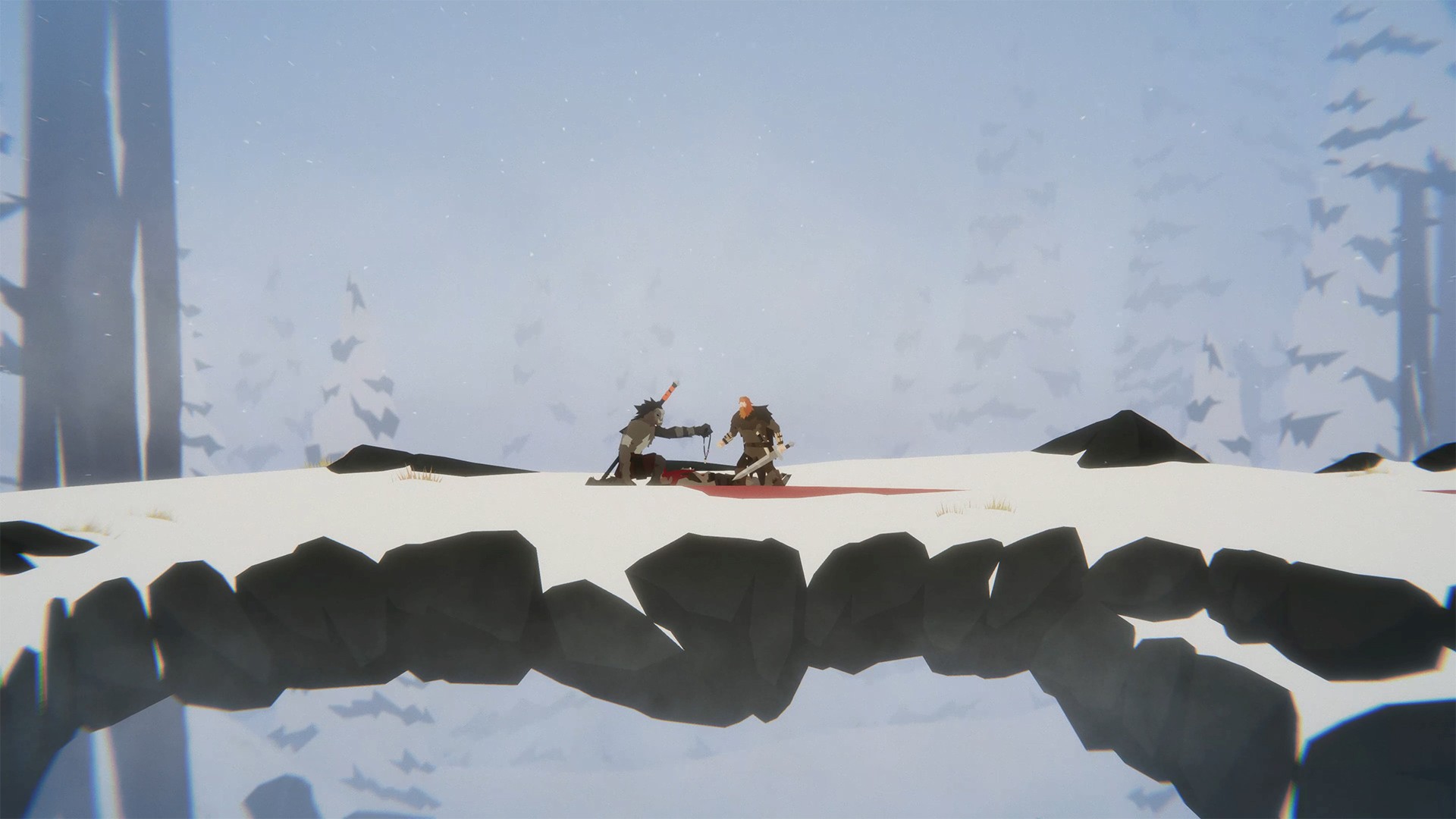
After four years in the making, the debut game from 2 Ton Studios is ready – Unto The End has arrived on Xbox One, Windows 10 PC, and Xbox Game Pass. We can’t wait for players to take their first steps as Unto The End’s hero – a father and husband who is really just a regular, red-haired dude. He just happens to live in a world where basic sword competency is an essential part of life.
Finding himself in a dire situation, the father must get home to his family. But it’s no stroll in the park. Unto The End is a challenging experience that demands skill and focus.
So, before beginning your Unto The End adventure, here are 5 things you need to know…
Combat requires deliberate actions
The combat system has been meticulously designed from the ground-up, with special thought given to the advantages of fighting in a side-on 2D space. For example, the ability to see enemies behind you, and to accurately judge high and low attacks. It has also been designed for precise, deliberate actions. Playing contrary to this – i.e. button mashing – will ultimately result in failure.
The key is learning to read your opponent and react accordingly. And, above all else, staying calm and focused. There are no easy enemies, and every enemy is different. There is no ‘getting lazy’ – every combat encounter presents new challenges. Mercifully, there is a ‘Combat Assist’ option, which slows enemy attacks and gives players who – like me – aren’t graced with lightning-speed reactions, more of a fighting chance.
The only levelling-up comes from YOU the player
While it is possible to craft some rudimentary items of armour that can improve your chances of survival, there is no XP or levelling-up. You aren’t suddenly granted magical powers or given a 10ft, flame-covered sword. Player skill is at the heart of the experience, and Unto The End is all about the player learning and developing over the course of the adventure.
Mastery of combat is intrinsic to the sense of progression. Whenever you rest at a fire, you can enter a dream that transports you back to your homestead, sparring against your wife. Take the time here to hone your combat skills. Attack, block, counter, fake, barge, roll… every move is available from the outset. It’s up to you to learn and, ultimately, master what’s at your disposal.
There are alternatives to fighting
Perfecting combat is just one step towards mastery of the game. Situational awareness is equally as important – learn to understand the world, the creatures that share it with you, and the clues and items they can sometimes provide to reveal alternatives to fighting. The inhabitants may seem hostile, but each has its own place and purpose. They aren’t simply enemies waiting to fight you.
While there isn’t a completely peaceful route home – there are times when you will most definitely have to bloody your blade – there are opportunities to gain a temporary trust with potential foes by trading, offering, or showing items. Other creatures may just be protecting their territory and rapid passage away from them is enough to show you aren’t a threat.
There are slight variations to the ending based on how you choose to act, so it’s worth attempting a playthrough that avoids killing whenever possible.
Unto The End is a focused, uncluttered gaming experience
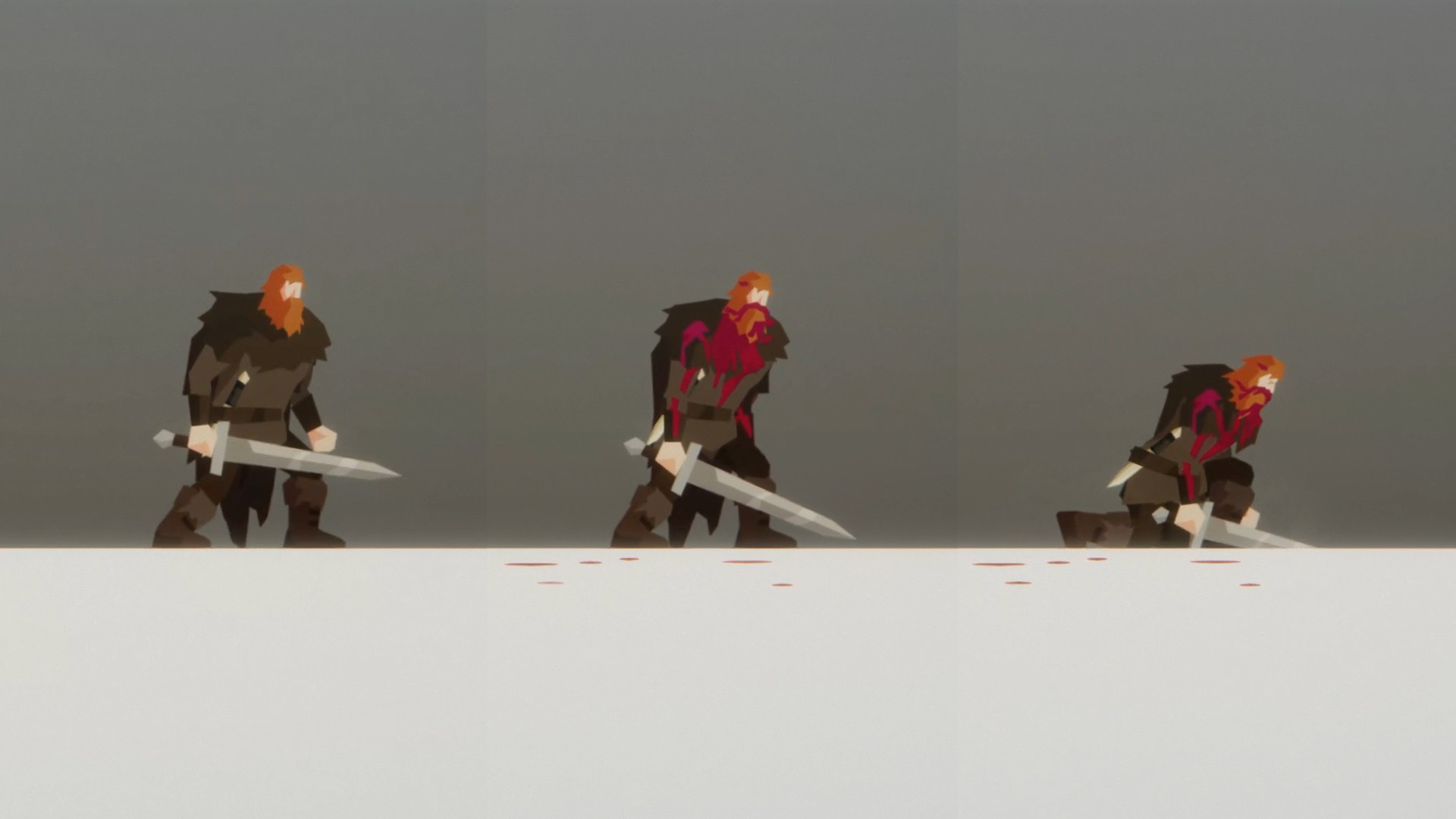
Screen display elements such as health and stamina bars were a feature of early Unto The End prototypes, but the finished game is completely HUD-less. This design choice is to ensure players can keep a fixed focus on the father, without distraction. Instead, the father’s ‘states’ are communicated through his appearance and posture. For example, his health can be interpreted by the amount of blood visible on him.
And there are other indicators. If the father is mortally wounded, he drops to a knee and the music builds in intensity, letting the player know they need to use a herb to slow the bleeding, drink a tonic or heal at a rest fire, or risk bleeding out.
Unto The End has faith in the player – that you will not only be able to overcome the challenges it throws at you without needing to be coddled, but that you will also take immense satisfaction from doing so.
Curiosity and creativity are rewarded
Because Unto The End provides minimal hand-holding, it pays to be inquisitive at all times, without waiting for prompting or obvious sign-posting (because it’s not going to come!). Rest fires or helpful items can be found in hidden areas away from the beaten path. And scavenging for crafting items is essential, but the materials are rarely conspicuous, so you really do have to search for them.
There are also plenty of incidental surprises to find. The father can kick snow. He can puke. Wave his torch. There’s a hidden dream. Hidden lore items. There’s even the ability to set the menu and in-game text to Scottish Gaelic (Goidelic), which is the father’s language. There are plenty of little surprises and unexpected moments tucked away. Explore. Experiment. Be curious.
We hope you enjoy the journey.
Unto The End
Big Sugar Games
☆☆☆☆☆
★★★★★
PC Game Pass
Xbox Game Pass
Unto The End is a challenging, handcrafted combat-adventure. Alone and outmatched, a humble father must endure a desperate journey to get back to his family. Armed with a sword, a dagger, and his wits, he must outfight and outsmart the creatures he encounters as he treks through unfamiliar lands, where every step brings him closer to home but is fraught with untold dangers. Features: Read-React Combat: One of a kind combat system focused on skill and mastery, designed and built from the ground up specifically for 2D. Fight intelligently and strike tactically with your sword and range weapons in fierce one-on-one and group battles Handcrafted Nuanced Encounters: The adventure unfolds through carefully crafted encounters, each featuring intelligent, worthy opponents, all with their own motivations and place in the world Player-Skill Focused: A challenging single-player experience with minimal handholding. All the father’s abilities are available from the outset and mastery of those skills, as well as keen observation of your surroundings, are key to survival and success Unforgiving Terrain: From cavernous underground ruins to harsh mountain peaks, overcome environmental challenges and deadly traps as you travel through a world of meticulously crafted landscapes